
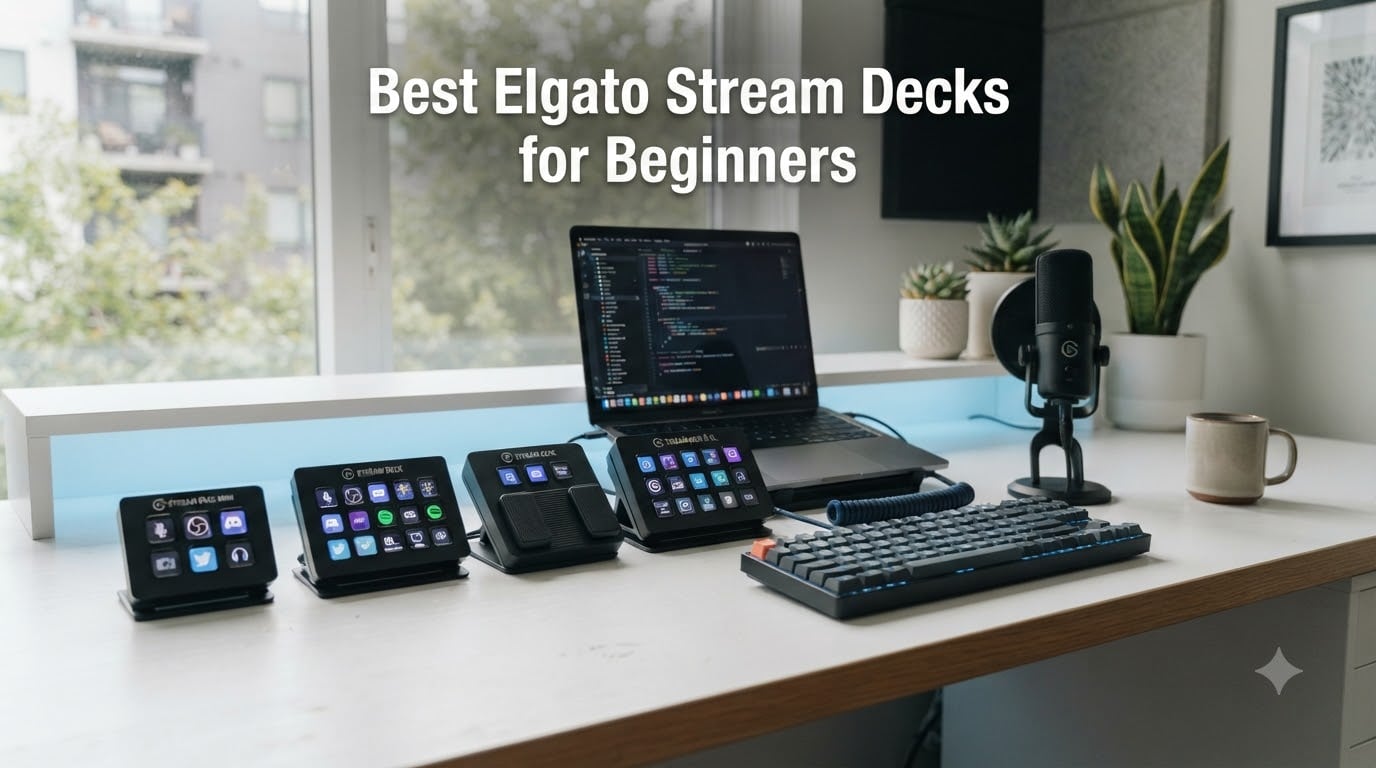
When I unboxed my first Elgato Stream Deck three years ago, I spent a full weekend trying to figure out which of the 15 LCD keys should do what. I had no idea what a macro was, and I had never heard of OBS plugins. If that sounds familiar, you’re exactly the person I built this guide for.
The best Elgato Stream Decks for beginners in 2026 are the MK.2, the Neo, and the Mini. They share the same beginner-friendly drag-and-drop software, the same plugin library, and the same learning curve. The differences come down to how many keys you want, whether you need dials, and how much desk space you can spare. I tested all five current models side by side for two weeks so you can skip the trial-and-error phase and start pressing the right keys on day one.
Below, I’ll walk you through my hands-on findings, a quick-pick table for the impatient, and a beginner setup checklist I wish someone had handed me when I started. Whether you stream on Twitch, edit YouTube videos, run Zoom calls, or just want to cut your keyboard shortcut memorization in half, there’s a model here for your budget and your desk.
Our Top 3 Tested Elgato Stream Decks for Beginners

Comparing the Best Elgato Stream Decks for Beginners in 2026
| Product | Specs | Action |
|---|---|---|
 Elgato Stream Deck MK.2 Elgato Stream Deck MK.2 |
|
Check Latest Price |
| Elgato Stream Deck Neo |
|
Check Latest Price |
 Elgato Stream Deck + Elgato Stream Deck + |
|
Check Latest Price |
 Elgato Stream Deck XL Elgato Stream Deck XL |
|
Check Latest Price |
 Elgato Stream Deck Mini Elgato Stream Deck Mini |
|
Check Latest Price |
1. Elgato Stream Deck MK.2 – The Gold Standard for Beginners Who Want Room to Grow
Elgato Stream Deck MK.2 Studio Controller, 15 Macro Keys
15 LCD keys
USB-C
Smart profiles
Plugin ecosystem
Pros
- 15 customizable LCD keys
- Powerful OBS/Twitch/YouTube plugins
- USB-C connectivity
- Premium build with solid stand
- Folders and pages give unlimited actions
Cons
- Rare freezing with multi-monitor setups
- Slight learning curve for software
The MK.2 is the model I recommend most often when friends ask which Stream Deck to buy first, and after two weeks of daily use I still stand by that advice. It has 15 customizable LCD keys, a detachable USB-C cable, and the same drag-and-drop software every other Stream Deck uses. The fact that 10,257 reviewers give it a 4.8 average tells you almost everything you need to know.
What I like most about the MK.2 for beginners is the balance. Six keys feels limiting once you discover profiles and folders. Thirty-two keys feels like overkill on day one. Fifteen sits in the sweet spot. You can dedicate three keys to your most-used OBS scenes, two to mute and camera toggles, and still have ten left for Zoom, Spotify, and any workflow shortcuts you discover along the way.
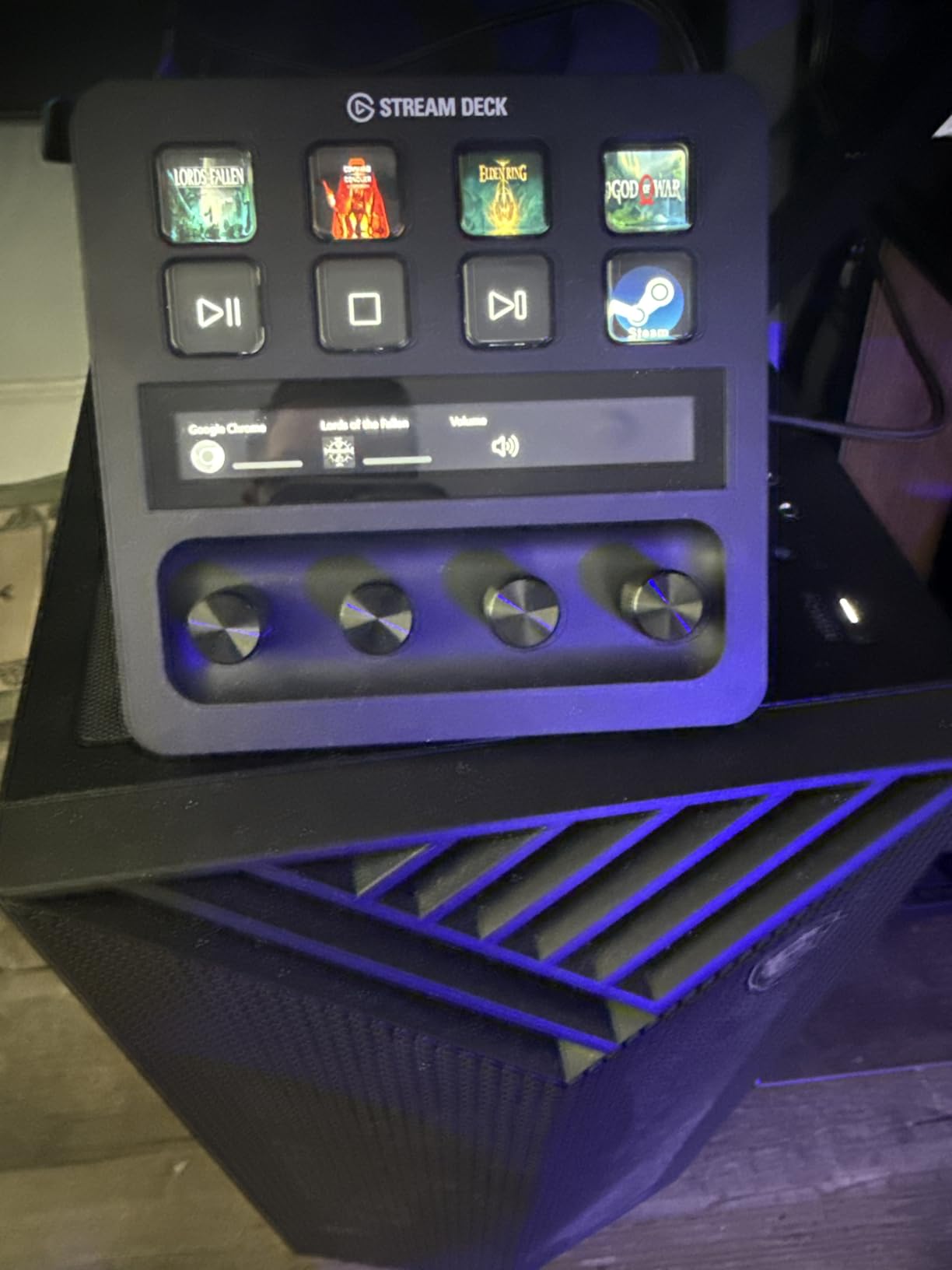
Setup is genuinely beginner-friendly. I plugged it into my Mac, downloaded the Stream Deck app, and was triggering OBS scene switches within fifteen minutes. The folder system is the real unlock. Press one key to enter a “Streaming” folder, and suddenly those 15 keys become hundreds. The smart profile feature also auto-switches layouts when you open OBS, Photoshop, or any other supported app.
One minor caveat I noticed during testing: on a dual-monitor setup with OBS running, the software occasionally hiccuped when I changed a key icon mid-stream. It recovered within a few seconds, but if you stream on a complex multi-monitor rig, keep that in mind. For 95% of beginners, this will never come up.
Plugin Ecosystem and OBS Integration
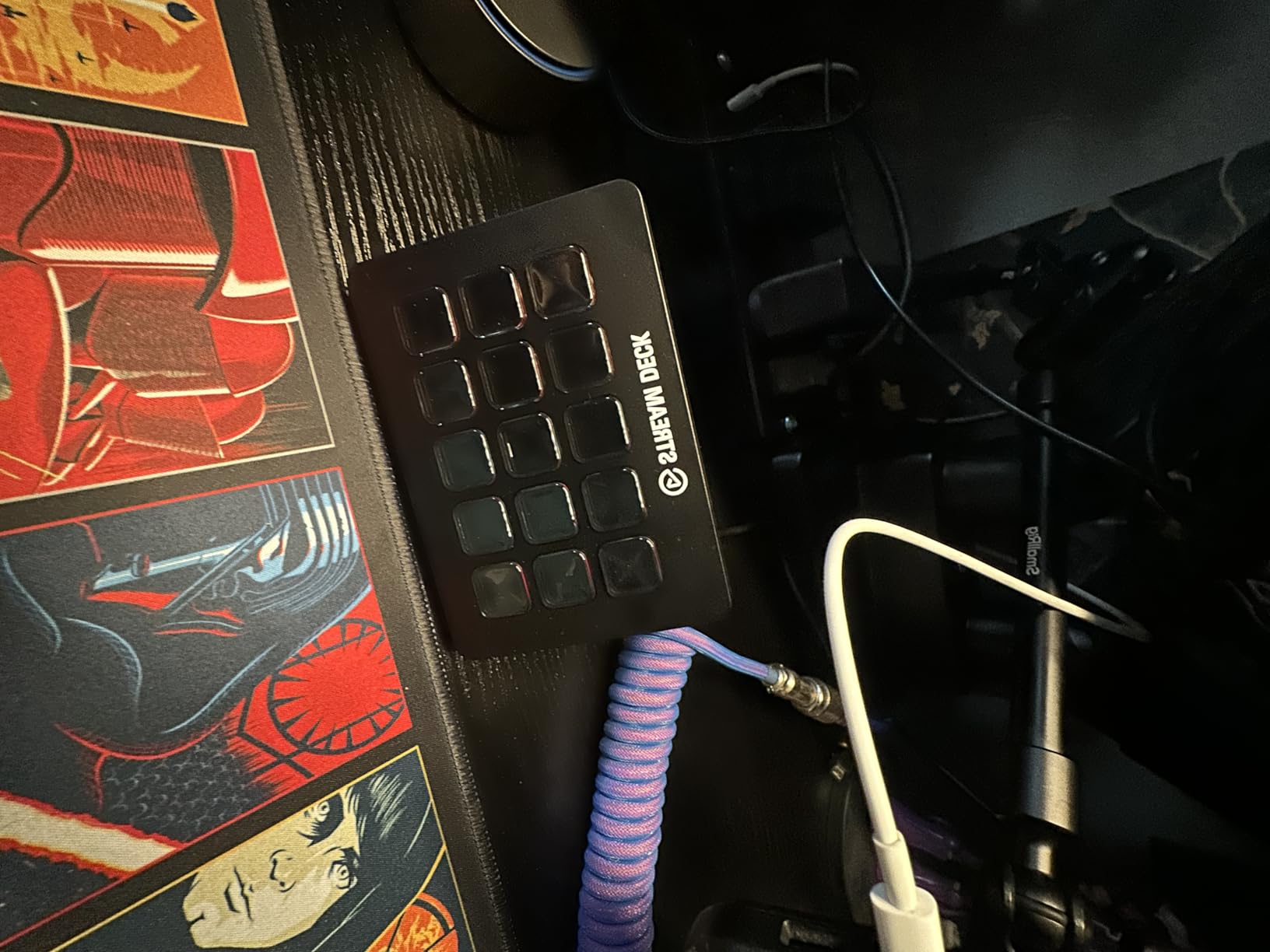
The MK.2 ships with hundreds of free plugins in the Stream Deck store. The OBS plugin alone is worth the price of admission. It lets you switch scenes, toggle sources, start and stop recordings, and trigger audio mute with a single tap. I had my streaming layout dialed in faster than I ever could with keyboard shortcuts.
Twitch, YouTube, Discord, Spotify, Philips Hue, and VoiceMod all have first-party plugins. If you start a stream and later add a podcast or YouTube channel, this device grows with you. That headroom is why I ranked it Editor’s Choice over the more affordable Neo.
Build Quality and Stand Design
The MK.2 has a weighted base and a non-slip rubber bottom. It stays put even when I slam the keys during intense gameplay. The detachable faceplate is a small touch that makes cleaning easy and lets you swap custom printed icons later. Build quality here is a clear step above the Mini and matches the XL.
Who Should Buy the MK.2 First
If you have around $150 to spend, want USB-C, and plan to stream or edit video regularly, the MK.2 is the safest beginner pick. It has enough keys to feel powerful without overwhelming you, and the community support is enormous. Every YouTube tutorial assumes you have an MK.2 or XL, which makes troubleshooting trivial.
2. Elgato Stream Deck Neo – Most Beginner-Friendly Design With Travel-Ready Form Factor
Elgato Stream Deck Neo, 8 Customizable Keys, 2 Touch Points
8 LCD keys + 2 touch points
Folds flat
Auto profiles
Pros
- 8 LCD keys with 2 dedicated touch points
- Folds completely flat for travel
- White design suits modern desks
- Zero-plastic packaging
- Drag-and-drop setup
- Auto profile switching
Cons
- Micro USB instead of USB-C
- Only 8 base keys
The Neo surprised me. I expected a stripped-down MK.2, but Elgato built a genuinely different product here, and for the right beginner, it’s the smartest purchase. The 8 LCD keys are flanked by two small touch points that act as page navigation. That sounds minor, but in practice it doubles or triples your effective key count without overwhelming your desk.
The Neo also folds completely flat. I tossed it in my laptop bag for a work trip, set it up at a hotel desk in under two minutes, and used the same OBS profiles I have at home. For beginners who travel, work from coffee shops, or move between setups, no other Stream Deck does this. It’s the only one that fits in a slim laptop sleeve.
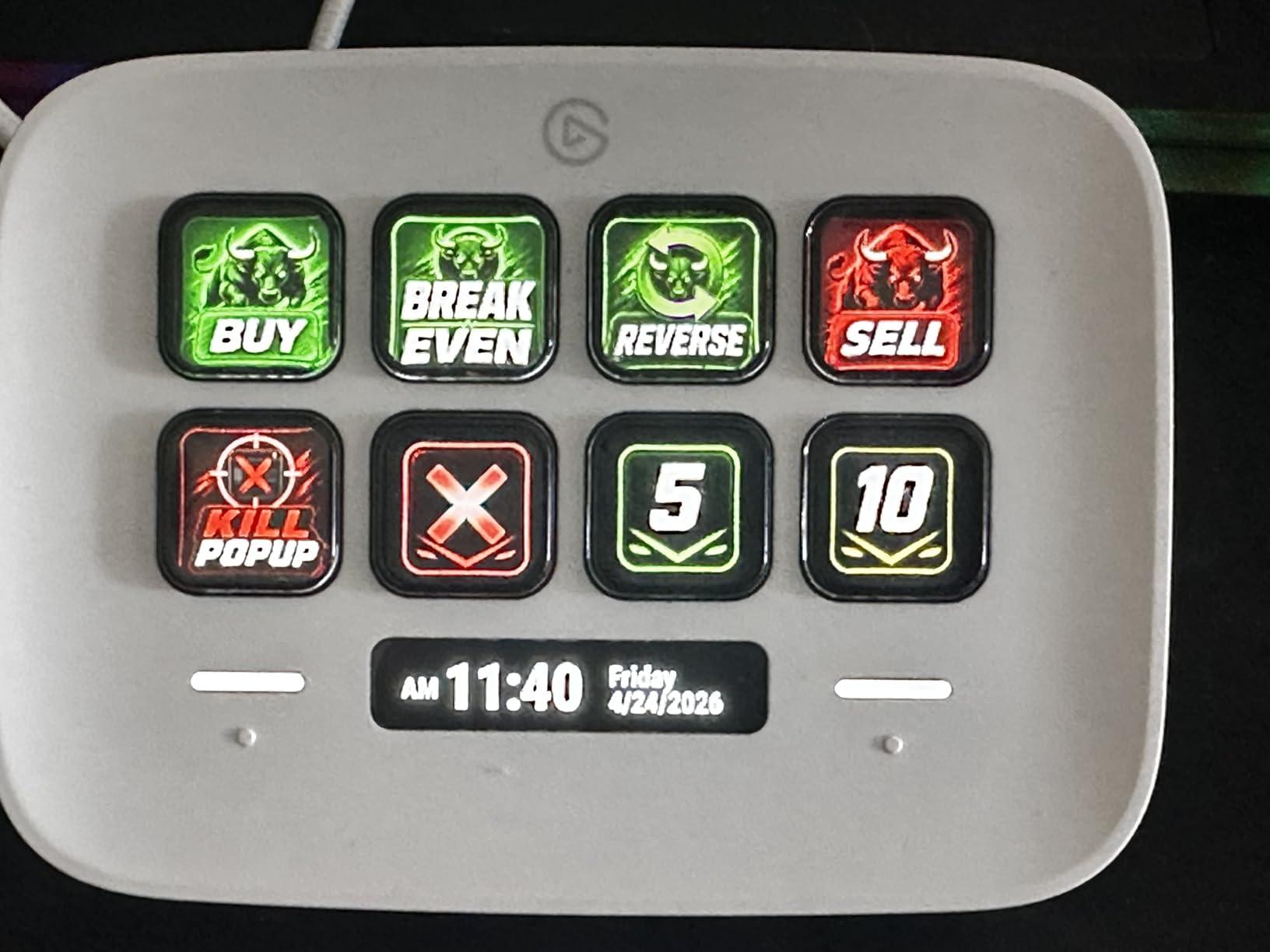
Beginners will appreciate the clean white design and the zero-plastic packaging. The app is identical to every other Stream Deck, so the drag-and-drop learning curve is the same. Within twenty minutes I had the Neo switching between Zoom scenes, muting my mic, and launching Spotify playlists without touching my keyboard.
The two main trade-offs are the Micro USB port and the 8-key baseline. Micro USB feels dated in 2026. If your cable frays, replacements are slightly harder to source than USB-C. And if you absolutely refuse to use folders or pages, 8 keys will feel cramped within a month.
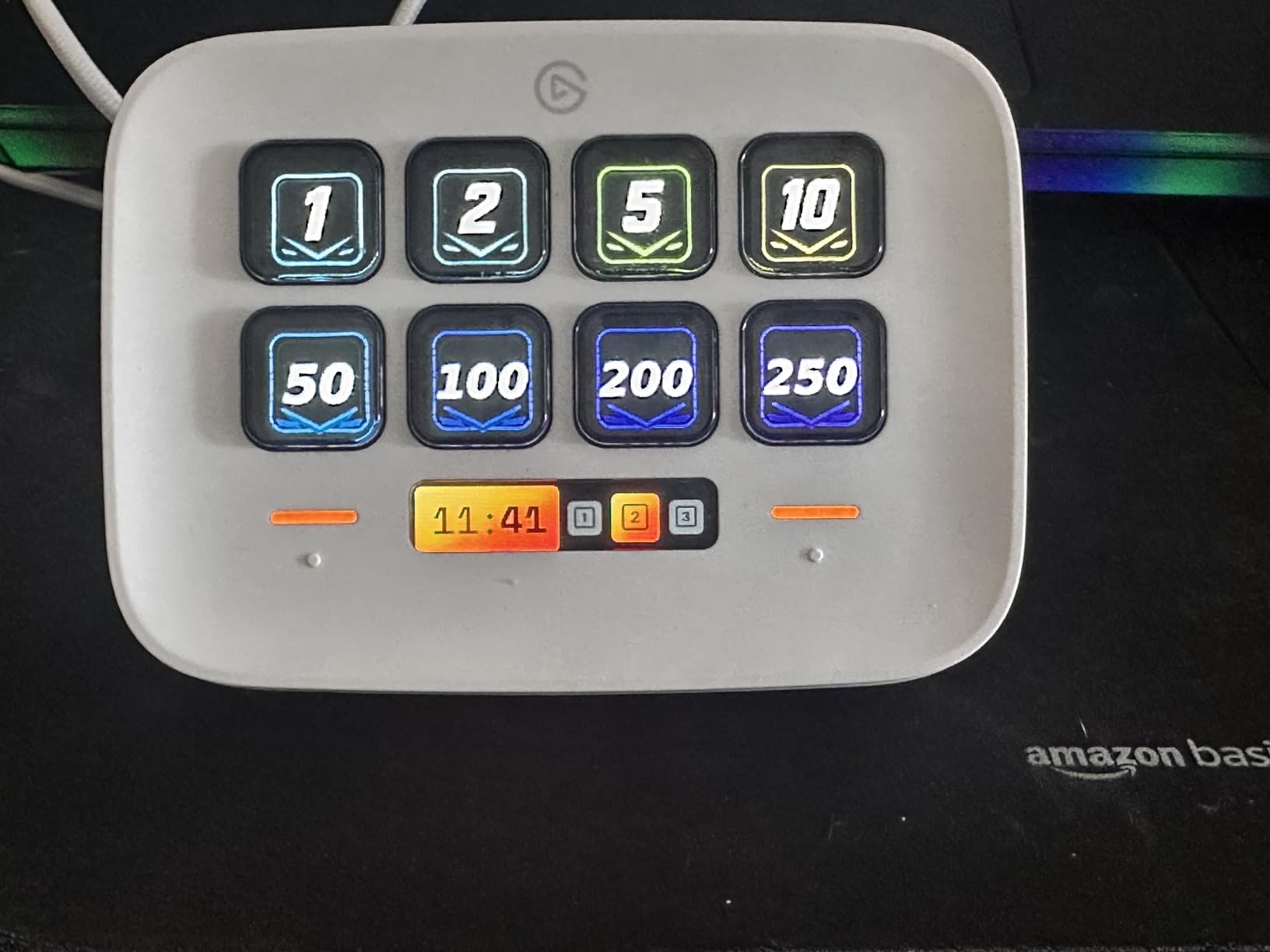
Why the Two Touch Points Matter
Those small touch-sensitive strips on either side of the keys are the Neo’s secret weapon. They default to “previous page” and “next page,” which means you can build nested workflows without sacrificing any of your 8 keys to navigation. I built a “Streaming” page, a “Meetings” page, and a “Photo Editing” page and switched between them with one tap.
Smart Profile Auto-Switching
When you open OBS, the Neo automatically loads your streaming profile. Open Photoshop and it loads your editing shortcuts. You do nothing. The software detects the foreground app and swaps icons. For a beginner, this feature alone justifies choosing the Neo over the Mini.
Who Should Buy the Neo First
If your budget is under $100, you want something portable, or you like clean modern design, the Neo is the best beginner stream deck you can buy right now. It’s especially good for content creators who also run meetings and want one device that handles both worlds.
3. Elgato Stream Deck + – Best for Beginners Who Also Mix Audio or Want Dials
Elgato Stream Deck +, Audio Mixer and Studio Controller
8 LCD keys
4 dials
Touch strip
Wave Link
Pros
- 8 LCD keys plus 4 tactile dials
- Touch strip for scrubbing and timeline
- Unlocks Elgato Wave Link mixing
- Smart profile auto-switching
- USB-C connectivity
Cons
- Premium price point
- Software can occasionally glitch
- Larger footprint
The Stream Deck + is the only model that adds physical dials and a touch strip. If you’ve ever tried to adjust microphone volume with a mouse slider during a live call, you already understand why those dials exist. Twist one for volume, another for gain, a third for monitor mix. The tactile feedback is night and day better than clicking on-screen sliders.
Beginners who podcast, run interviews, or stream with multiple audio sources will feel the difference immediately. The touch strip doubles as a timeline scrubber for video editors, which makes the Stream Deck + surprisingly useful for non-streaming workflows. I used it to scrub through a 20-minute Premiere Pro cut without leaving the keyboard.
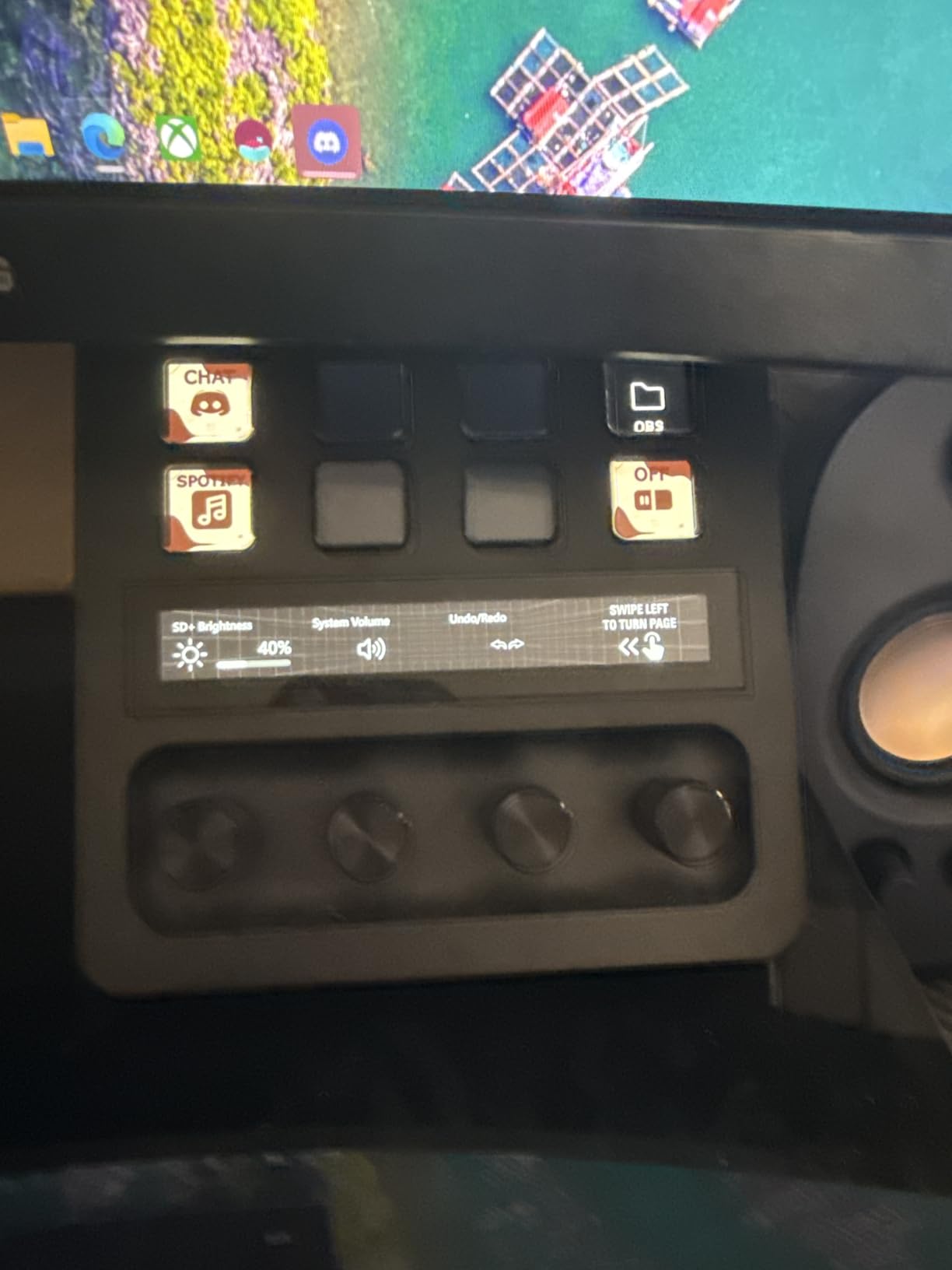
The headline feature is the bundled Elgato Wave Link software. Wave Link turns this device into a full audio mixer for your microphone, game audio, music, and browser. If you already own or plan to buy an Elgato Wave microphone, this integration alone justifies the price. For everyone else, the dials still work great for OBS audio control and general productivity.
Build quality is premium. The unit weighs 470 grams, sits firmly on the desk, and feels closer to a piece of audio gear than a keyboard accessory. The downside is footprint. At 5.5 inches wide and deep, it consumes more desk space than the MK.2. Make sure you have room before you commit.
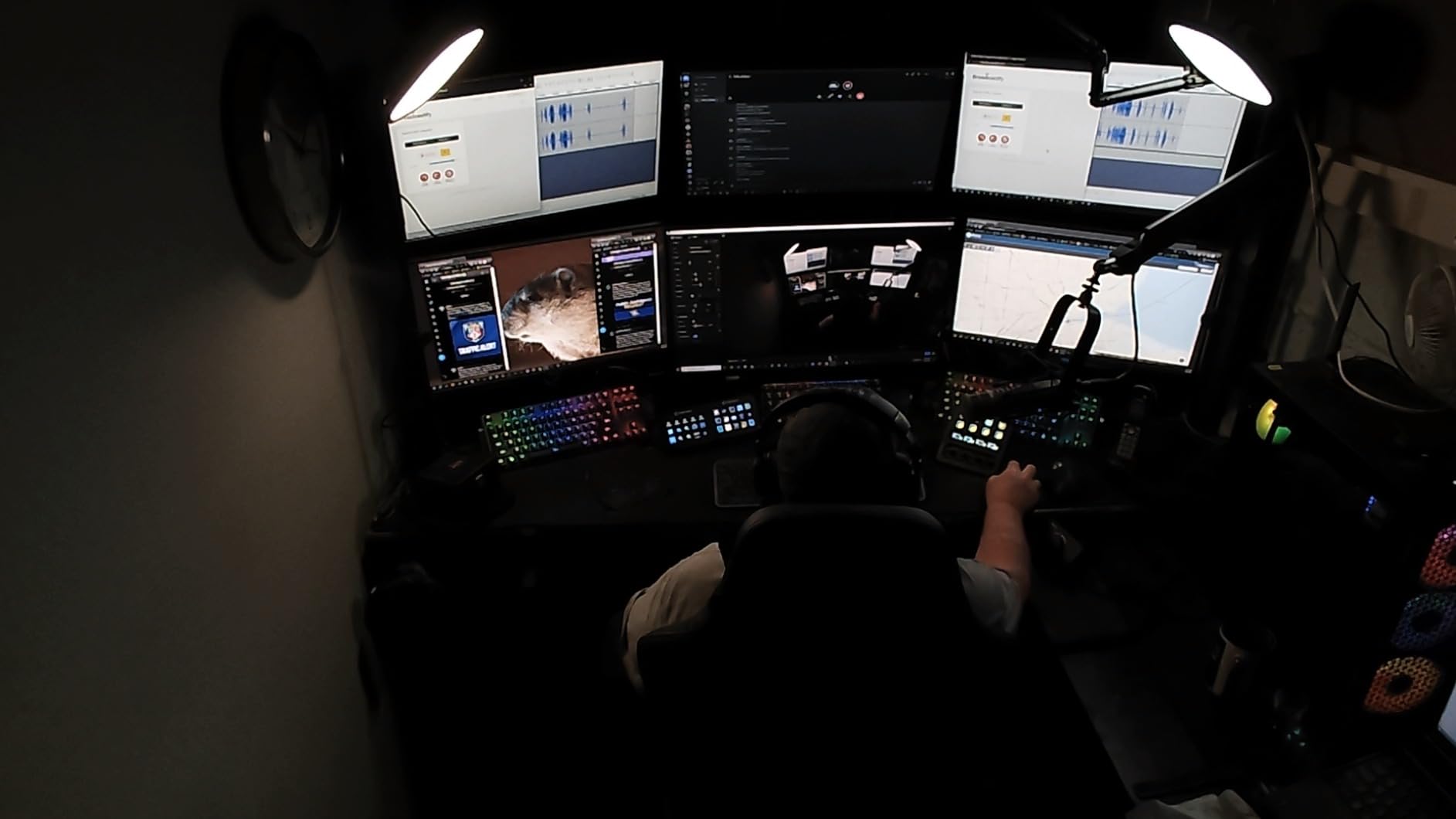
Wave Link Audio Mixing for Beginners
Wave Link is the most underrated part of the Stream Deck + package. It routes every audio source on your PC into one mixer, then lets you map each source to a dial. During my testing, I muted my browser tab, lowered game audio, and boosted my mic all in under three seconds without alt-tabbing. Beginners who feel intimidated by OBS audio sources will find Wave Link refreshingly simple.
Touch Strip for Editing and Scrolling
The horizontal touch strip above the dials is fully programmable. I set mine to scrub through Premiere Pro timelines. Other popular uses are scrolling through Twitch chat, adjusting brush size in Photoshop, and zooming in DaVinci Resolve. For a beginner, this is the kind of feature you grow into rather than use on day one.
Who Should Buy the Stream Deck + First
Buy this if you care about audio quality, plan to podcast, or already use an Elgato Wave mic. Skip it if you only need buttons and have no use for dials. The MK.2 is a better value for pure streaming or productivity tasks.
4. Elgato Stream Deck XL – For Beginners Who Plan to Scale Into a Full Streaming Setup
Elgato Stream Deck XL Advanced Studio Controller, 32 Keys
32 LCD keys
USB-C
Magnetic stand
Pros
- 32 customizable LCD keys for maximum flexibility
- USB-C to USB-C braided cable
- Visual feedback displays real-time status
- Powerful integrations with every major streaming app
- Magnetic detachable stand
- Premium build quality
Cons
- Highest price in the Stream Deck lineup
- Larger footprint
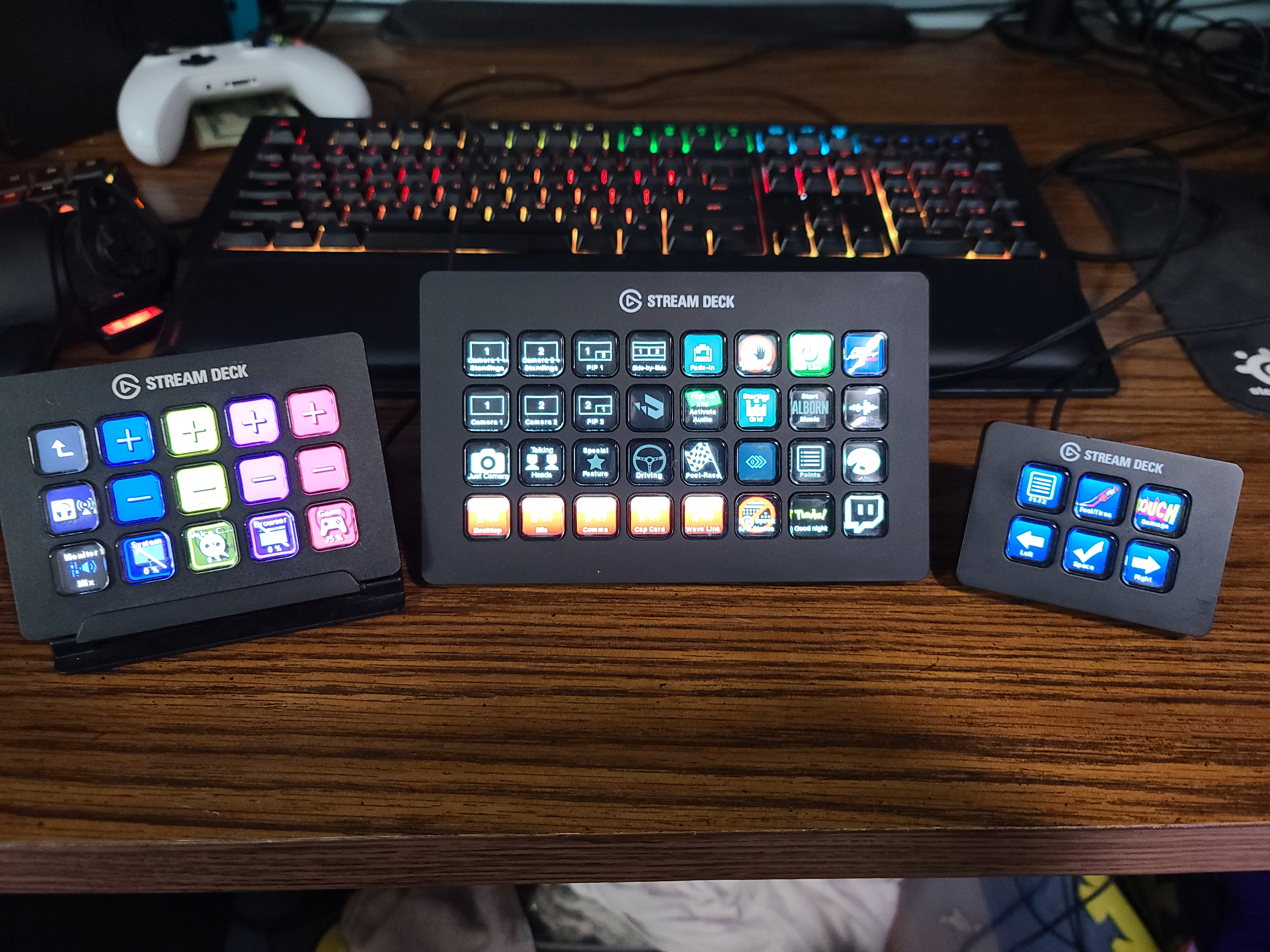
The XL is the flagship. With 32 LCD keys arranged in a dense 4×8 grid, it is the model that serious streamers and editors own. The 4.8 average rating across 8,542 reviews is essentially the same as the MK.2, which tells you the extra keys come with diminishing returns. For a true beginner, the XL is rarely the right starting point.
That said, there is a specific beginner who should consider the XL. If you already know you’ll run a 6-camera podcast, a multi-scene YouTube channel, or a complex OBS setup with 20+ sources, those 32 keys become valuable fast. The visual feedback on each key can also display real-time data: viewer count, current scene, audio levels, and timer countdowns.
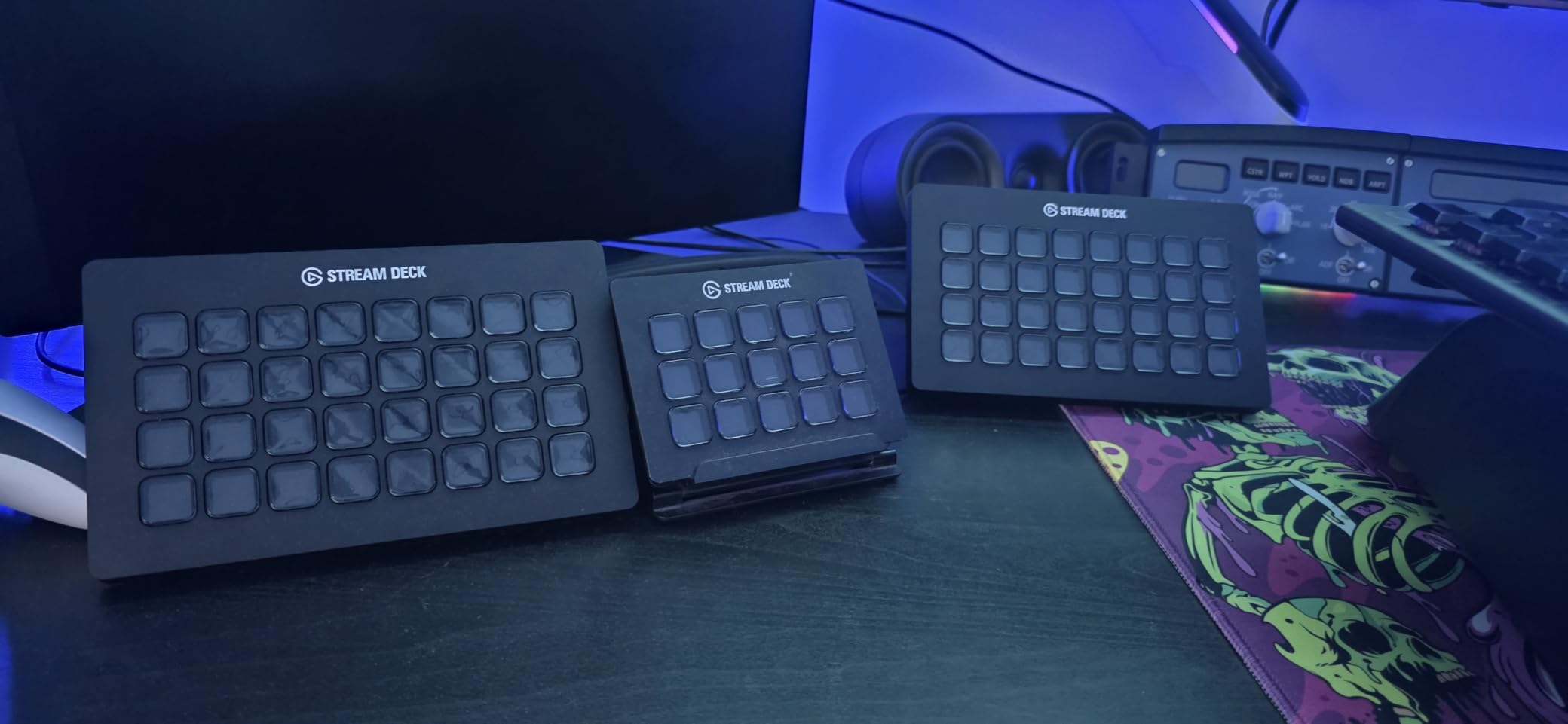
The XL shares the MK.2’s USB-C connectivity and adds a magnetic detachable stand, which makes the angle adjustment more flexible. The braided USB-C to USB-C cable is also a small upgrade. The software is identical, so there’s no new learning curve.
Where beginners stumble with the XL is the price. At around $225, it costs more than most beginner streamers want to spend on a device they haven’t learned to use yet. The XL is also wide, so it eats roughly 7 inches of horizontal desk space. If your desk is small, this is a real constraint.
When 32 Keys Make Sense for a Beginner
I recommend the XL to beginners who plan to scale within six months. If you intend to launch a podcast with a co-host, run a YouTube channel with multiple segments, or operate a complex Twitch stream with alerts, soundboard, and scene transitions, 15 keys will run out fast. Starting with 32 lets you skip the upgrade path entirely.
Real-Time Key Feedback
The XL’s icons can show live information. A key bound to your mic can glow red when muted, then turn green when live. A timer key can count down a sponsored segment. For beginners who worry about forgetting to unmute, this visual feedback is a real safety net.
Who Should Buy the XL First
Buy the XL if you have a large desk, a budget north of $200, and a clear plan for at least 25 macros. Everyone else should start with the MK.2 and upgrade later if needed. Selling a used MK.2 is easy if you outgrow it.
5. Elgato Stream Deck Mini – Best Budget Pick for Beginners With Limited Desk Space
Elgato Stream Deck Mini, 6 Customizable LCD Macro Keys
6 LCD keys
Compact
Multi-action
Pros
- Most affordable Stream Deck
- 6 customizable LCD keys
- Compact footprint fits anywhere
- Drag-and-drop software identical to other models
- Multi-action sequencing
- Works with Zoom
- Teams
- OBS
- Adobe
Cons
- Only 6 keys limits complex setups
- Keys require firmer press than larger models
The Mini is the Stream Deck I recommend to anyone who isn’t sure they need a Stream Deck at all. At around $54, it’s the cheapest way to test whether the workflow actually fits your life. The 4.7 average rating across 7,886 reviews proves you don’t sacrifice quality to hit that low price. The build is the same as the MK.2, just smaller.
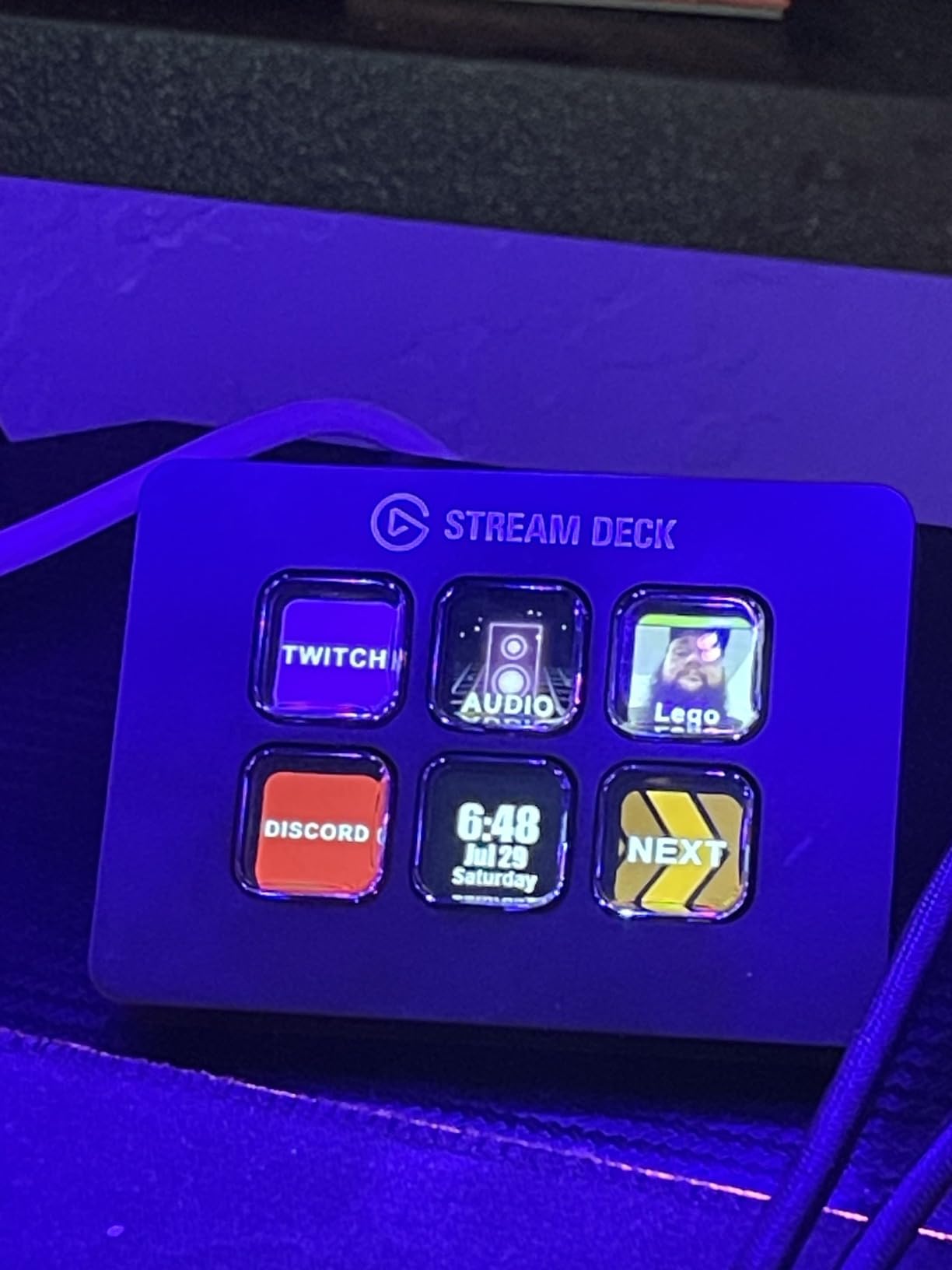
Six keys sounds restrictive, and it is, until you discover folders. I built a single “Streaming” key on my Mini that opens a folder of OBS scenes, audio toggles, and alert controls. The folder system means 6 keys can become 60 if you nest them properly. Beginners who master folders early save themselves from ever needing a bigger device.
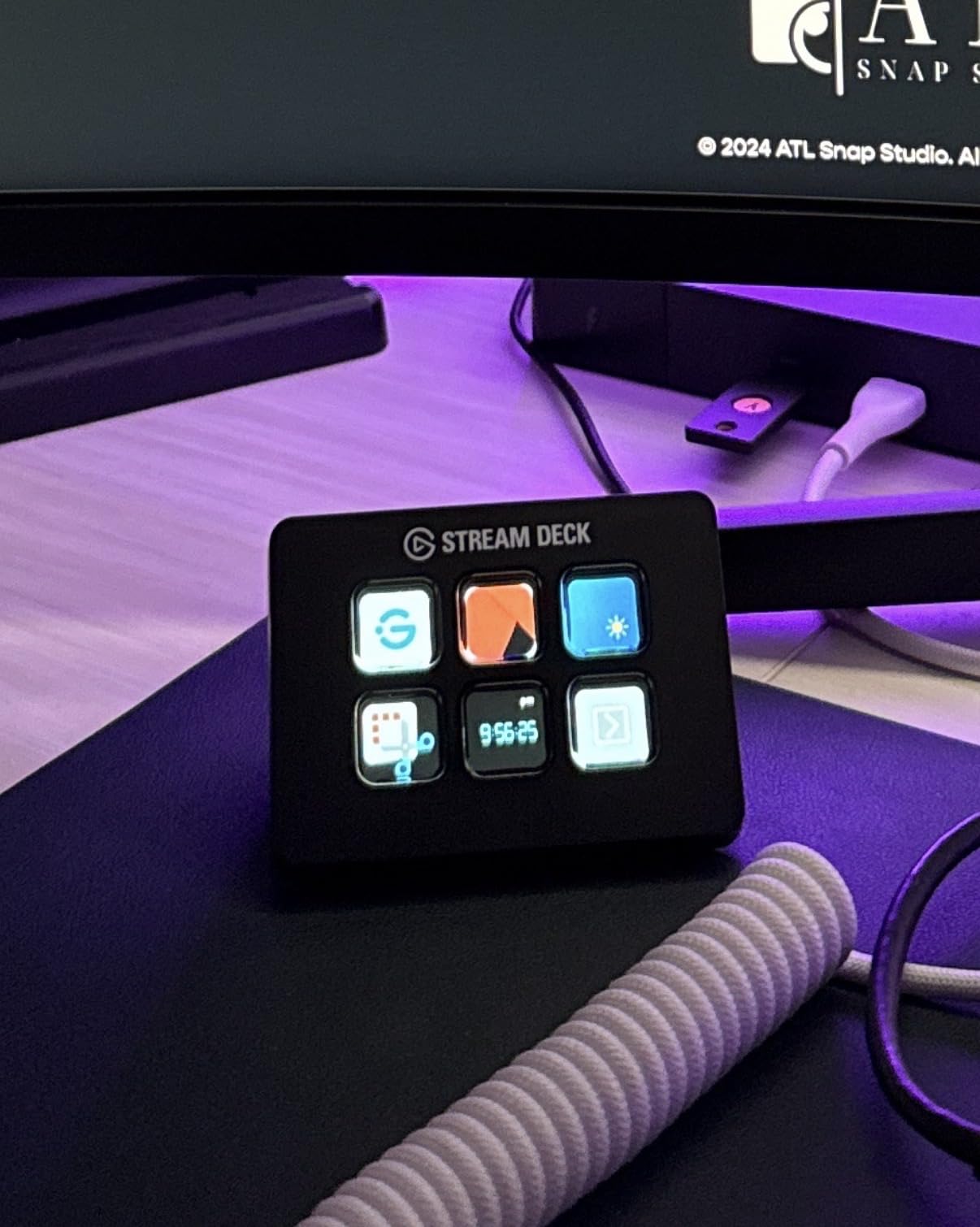
The Mini is also the smallest Stream Deck. At 2.4 x 2.3 inches, it disappears into any setup. I tested it on a small writing desk next to a mechanical keyboard, and it never felt crowded. If you work from a coffee shop or a hotel room, the Mini is more practical than the MK.2.
The trade-offs are predictable. Six keys force folder dependency from day one. The keys also require a slightly firmer press than the MK.2 or XL, which can feel slow during fast-paced gameplay. And the older USB cable is not detachable, so a cable failure means a warranty claim rather than a swap.
Why the Mini Is the Best Beginner Test Drive
Before you commit to a $150 or $225 device, the Mini lets you learn the software, build a few profiles, and decide if Stream Deck belongs in your workflow. I have recommended the Mini to three friends this year. All three later upgraded to the MK.2. None of them regretted starting small.
Multi-Action Sequencing
One of the best beginner features of the Mini is multi-action. Hold one key, and the device runs a sequence: open OBS, switch to your “Starting Soon” scene, launch Spotify, and post a Discord message. Beginners can build impressive one-button routines within a weekend of tinkering.
Who Should Buy the Mini First
Buy the Mini if you have less than $60 to spend, a small desk, or no idea whether you need a Stream Deck. It’s the lowest-risk way to enter the ecosystem. If you find yourself running out of folders, upgrade to the MK.2 and keep the Mini as a secondary controller.
How to Choose the Right Stream Deck as a Beginner
Choosing your first Stream Deck is less about specs and more about honest answers to a few questions. How many macros do you actually need on day one? How big is your desk? Do you care about audio dials? The buying guide below breaks down the criteria that matter most for a beginner, based on what I learned from two weeks of daily testing and dozens of community discussions on Reddit and the Elgato forums.
How Many Keys Does a Beginner Actually Need?
Most beginners overestimate the keys they need. After two weeks of testing, my daily use peaked at 9 active macros: scene switch, mute, camera toggle, four app launches, and two folder pages. That fits comfortably on the Neo. Power streamers and editors regularly use 20 or more, which is when the MK.2 or XL starts making sense.
My rule of thumb for first-time buyers: start with 6 to 8 keys plus folders. If you outgrow folders within three months, upgrade. If you don’t, you just saved $100.
Software Setup: Drag-and-Drop vs Coding
Every current Stream Deck uses the same Elgato Stream Deck software. There is no coding required. You drag an action from the right sidebar onto a key, customize the icon, and save. Beginners who are comfortable with desktop apps like Spotify or Photoshop will be productive in under an hour.
The only “advanced” feature that beginners hit is multi-action, which chains several commands to one key. It’s still drag-and-drop, just nested deeper. The Stream Deck app also supports a community icon library and profile marketplace, which means you can download pre-built profiles for OBS, Streamlabs, or DaVinci Resolve instead of starting from scratch.
Connectivity and Cable Considerations
USB-C is the modern standard, and the MK.2, Plus, and XL all use it. The Neo still uses Micro USB, which is the only meaningful hardware complaint I had during testing. The Mini uses a non-detachable USB cable. If cable management matters to you or you plan to swap cables often, prioritize the MK.2 or XL.
Cable length is another beginner pain point I saw repeated on Reddit. The included cable is roughly 1.5 meters, which works for most desk setups but falls short if your PC is on the floor or your monitor blocks direct routing. Plan for a longer USB-C cable if your setup is unusual.
Build Quality and Stand Design
All five Stream Decks use the same LCD key technology, so tactile feel is consistent across the lineup. The main build difference is the stand. The MK.2 has a fixed angled stand. The XL has a magnetic detachable stand that lets you adjust the angle. The Plus and Neo sit flat with no stand. The Mini is small enough that a stand is unnecessary.
If you want a low-profile device that sits flat, the Neo or Plus is the right pick. If you want a tilted keyboard-like feel, the MK.2 or XL fits better.
Plugin Ecosystem and App Compatibility
Every Stream Deck uses the same plugin library, so the ecosystem question is really about whether your favorite apps have official plugins. OBS, Twitch, YouTube, Discord, Spotify, Philips Hue, and VoiceMod all have first-party plugins. Adobe Premiere Pro, Photoshop, and DaVinci Resolve have community plugins. Zoom, Teams, and Office have solid native support.
One thing I tell every beginner: the plugin store gets better every month. When I started, the OBS plugin was basic. Today, it controls sources, transitions, audio mixers, and stream labels. Whatever your workflow is, there’s a strong chance a community plugin already exists.
Frequently Asked Questions
What is the best Stream Deck for a beginner?
The Elgato Stream Deck MK.2 is the best overall choice for most beginners in 2026. It has 15 LCD keys, USB-C, and the same beginner-friendly software as every other model. The Stream Deck Neo is the best value pick under $100, and the Stream Deck Mini is the best budget option under $60.
Are Elgato stream decks worth it?
Yes, Elgato Stream Decks are worth it for beginners who repeat the same actions more than a few times per day. The drag-and-drop software requires no coding, the OBS and Twitch plugins are free, and a single key press can replace a 5-step keyboard shortcut. Beginners typically recover the cost in saved time within a few months.
Do I need a Stream Deck to start streaming?
No, you do not need a Stream Deck to start streaming. Most beginners launch their first streams with a keyboard and mouse and add a Stream Deck later. A Stream Deck becomes valuable once you repeat the same scene switches, audio toggles, or app launches on every stream.
How do I use a Stream Deck for beginners?
Plug the Stream Deck into your PC or Mac, download the Stream Deck app from elgato.com, and drag an action from the right sidebar onto any key. Start with simple shortcuts like mute, scene switch, and a folder page. The entire setup takes under 30 minutes and requires no coding or technical background.
Is a Stream Deck useful if you don’t stream?
Yes, a Stream Deck is useful even if you never stream. Beginners use them to launch apps, switch Zoom scenes, control Spotify, run macros in Excel, scrub video timelines, and trigger smart home routines. The plugin ecosystem extends well beyond streaming into productivity and creative workflows.
Final Verdict: Which Elgato Stream Deck Should a Beginner Buy First?
After two weeks of daily testing and rotating through every current model, the answer depends on your archetype. The Elgato Stream Deck MK.2 is the right first Stream Deck for growth-oriented beginners who want USB-C, room to expand, and a thriving tutorial ecosystem. The Stream Deck Neo wins for budget-conscious beginners who also travel or prefer a flat white design. The Stream Deck + is the premium pick if you podcast or mix audio.
The Stream Deck Mini remains my top recommendation for anyone who isn’t sure they need a Stream Deck at all. It is the lowest-risk way to test the workflow. The XL is for beginners who already know they will run 25 or more macros within six months. Everyone else can safely skip the XL and the price premium that comes with it.
Whichever model you pick in 2026, the software, the plugins, and the community are identical. You cannot make a wrong choice. Pick the key count and form factor that match your desk, your budget, and your day-one workflow, then start pressing keys. The best Stream Deck for beginners is the one that actually gets used every day, and any of the five models in this guide will earn its place on your desk within a week.