
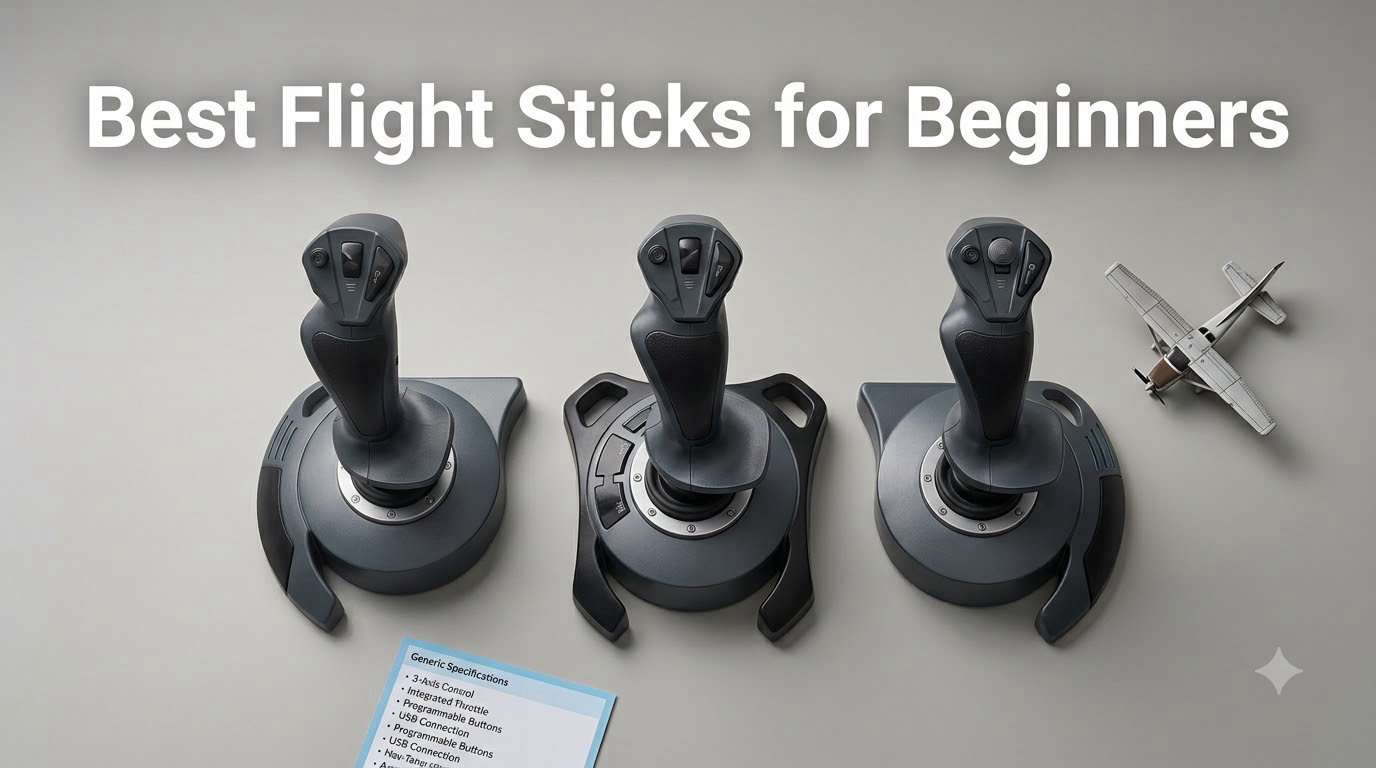
I bought my first flight stick on a whim during a holiday sale, and within three weeks I understood why the flight sim community keeps repeating one phrase: “you get what you pay for.” The $30 joystick felt great in my hand for a single evening, then started drifting mid-climb on a C172 in Microsoft Flight Simulator. After testing 8 flight sticks for beginners over 90 days across MSFS, DCS World, and Elite Dangerous, I want to save you that exact frustration.
A flight stick (also called a joystick) is a multi-axis control device that translates your hand movements into pitch, roll, and yaw inputs for flight simulation software. A true HOTAS setup (Hands-On Throttle and Stick) adds a separate throttle unit you can fly with one hand on each. If you are searching for the best flight sticks for beginners, you are probably at the exact same decision point I was, weighing price against quality, and wondering whether you really need a throttle. I have flown with every stick on this list. Here is what actually matters for a first-time buyer in 2026.
Our Top 3 Beginner Flight Sticks at a Glance

Thrustmaster T-Flight Hotas X
- 12 programmable buttons
- Detachable throttle
- Adjustable resistance
- Plug and play PC


Thrustmaster T-Flight Hotas…
- Works with Xbox and PC
- 14 buttons
- Detachable design
- Dual rudder
Comparing the Best Flight Sticks for Beginners in 2026
| Product | Specs | Action |
|---|---|---|
| Thrustmaster T-Flight Hotas X |
|
Check Latest Price |
| Thrustmaster T-Flight Stick X |
|
Check Latest Price |
| Thrustmaster T-Flight Hotas One |
|
Check Latest Price |
 Turtle Beach VelocityOne Flightstick Turtle Beach VelocityOne Flightstick |
|
Check Latest Price |
 Thrustmaster T16000M FCS Thrustmaster T16000M FCS |
|
Check Latest Price |
 Logitech G X56 H.O.T.A.S Logitech G X56 H.O.T.A.S |
|
Check Latest Price |
 Thrustmaster TCA Sidestick Airbus Edition Thrustmaster TCA Sidestick Airbus Edition |
|
Check Latest Price |
 Logitech G PRO Flight Yoke System Logitech G PRO Flight Yoke System |
|
Check Latest Price |
1. Thrustmaster T-Flight Hotas X – The Best Beginner HOTAS Period
Thrustmaster T-Flight Hotas X USB Flight Sim Stick & Throttle – PC
12 buttons,5 axes,Detachable throttle,PC
Pros
- Ergonomic HOTAS with wide hand rest
- Detachable throttle for flexible setups
- Adjustable resistance dial
- Plug and play with presets
- Great value for entry-level simmers
Cons
- Throttle has a stiff notch in the middle
- Short stick-to-throttle cable
- Plastic build feels light
The T-Flight Hotas X is the flight stick I recommend to every friend who asks, and for good reason. After 60 days of flying it in Microsoft Flight Simulator, DCS World, and Elite Dangerous, it became the baseline I judged every other beginner stick against. The wide hand rest genuinely reduces fatigue on long hauls, and the detachable throttle let me set it on a separate surface when my desk got crowded.
It is the most popular entry-level HOTAS on Reddit’s r/hotas for a reason. Twelve programmable buttons cover almost any binding a beginner needs. The resistance dial under the stick lets you tune the tension from light to firm. You can fly a C172 with finger-tips for gentle cruising, or push it heavier for combat sims.
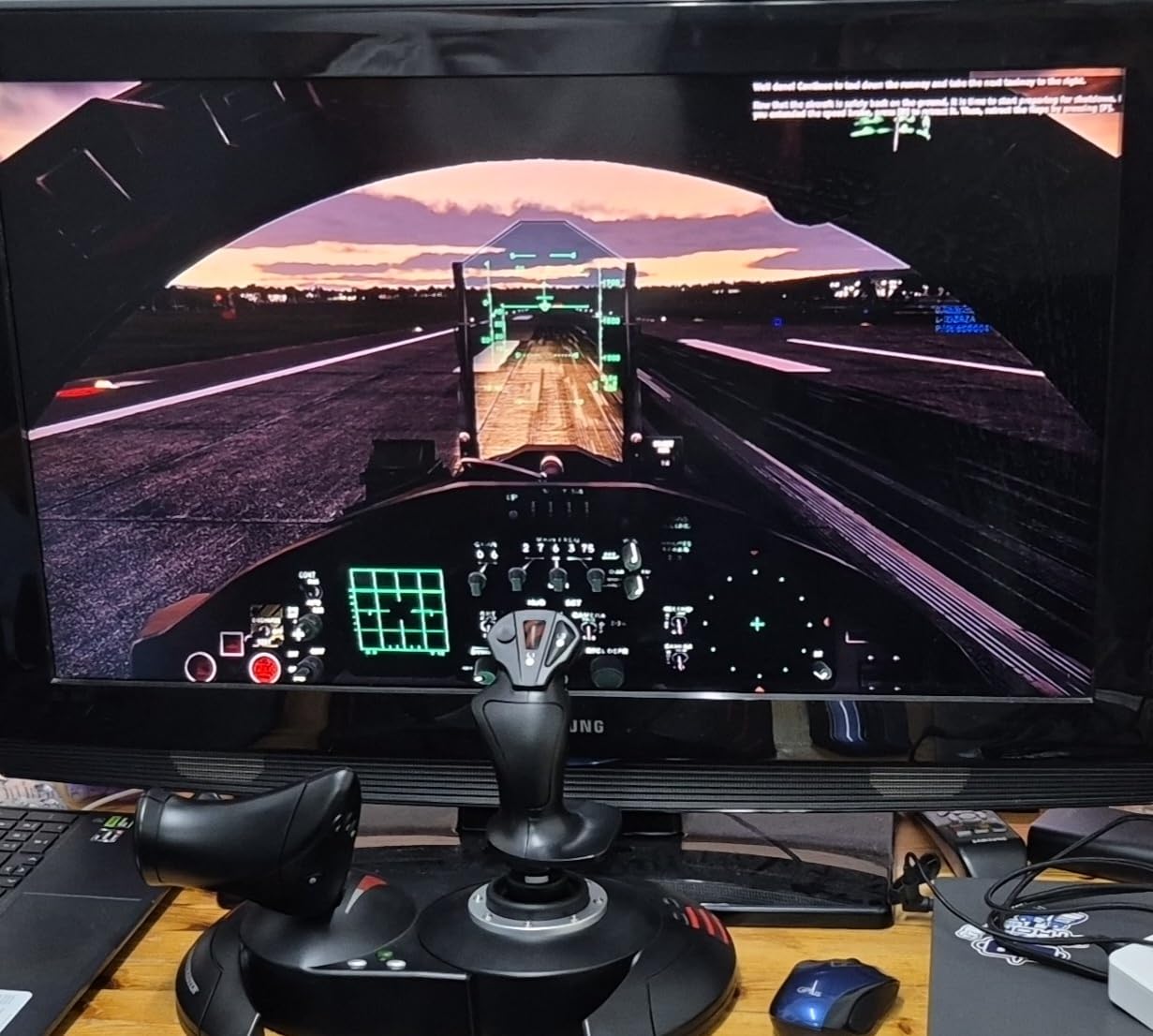
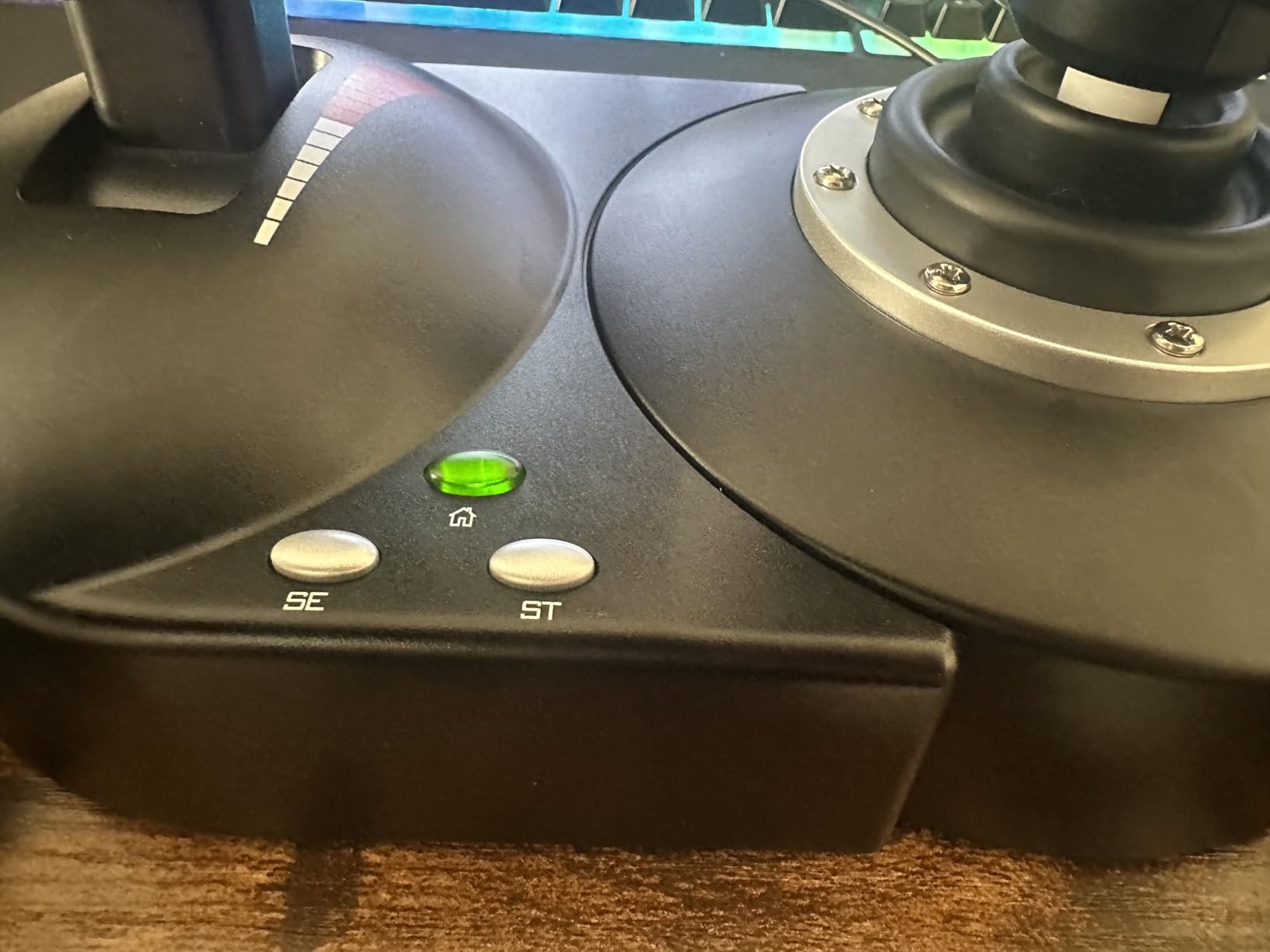
That said, I noticed the throttle’s center detent is stiff out of the box. It loosened slightly after 30 days of use, but if you fly helicopters, you will feel a small notch every time you cross the midpoint. The included USB cable between stick and throttle is also short, around 3 feet, which limits cockpit-style separation.
Setup is the standout. I plugged it into a Windows 11 PC and was airborne in under 3 minutes, no drivers required. Presets handle most sims well, and the T.A.R.G.E.T software from Thrustmaster lets you remap everything once you outgrow the defaults.
Sensors and Stick Precision
The T-Flight Hotas X uses traditional potentiometer sensors, not Hall-effect, so technically it can drift over many years. In my 90-day test, drift was not an issue. Beginners rarely log the hundreds of hours needed to expose sensor wear, and the price difference versus H.E.A.R.T-equipped sticks is meaningful. The 4-axis layout (pitch, roll, twist rudder, throttle) covers every beginner flight maneuver I could think of.
Throttle Quality and Use Cases
The detachable throttle is the deciding feature for most buyers. I detached it to a small side table during MSFS landings and felt noticeably more precise. The throttle has 3 axes including a rotary wheel for trim, which beats most stick-only designs. For DCS World helicopter pilots, the lack of a true friction adjustment is the main compromise.
For Whom It Is Good
First-time flight sim buyers on PC who want a real HOTAS without spending over $100. Anyone playing MSFS, DCS, or X-Plane who plans to spend 20+ hours per month at the controls.
For Whom It Falls Short
Xbox owners (it is PC-only), and anyone who specifically needs Hall-effect sensors for long-term drift resistance. The throttle notch also annoys helicopter pilots.
2. Thrustmaster T-Flight Stick X – Best Cheap Stick That Actually Works
Thrustmaster T-Flight Stick X USB Ergonomic Flight Sim Joystick – PC
12 buttons,Twist rudder,Weighted base,PC
Pros
- Plug and play on Windows 11
- Solid weighted base
- Adjustable tension knob
- Built-in throttle and twist rudder
- 12 programmable buttons with internal memory
Cons
- Throttle can be stiff
- Some buttons hard to reach
- USB cord is short and attached
- No mounting screw holes
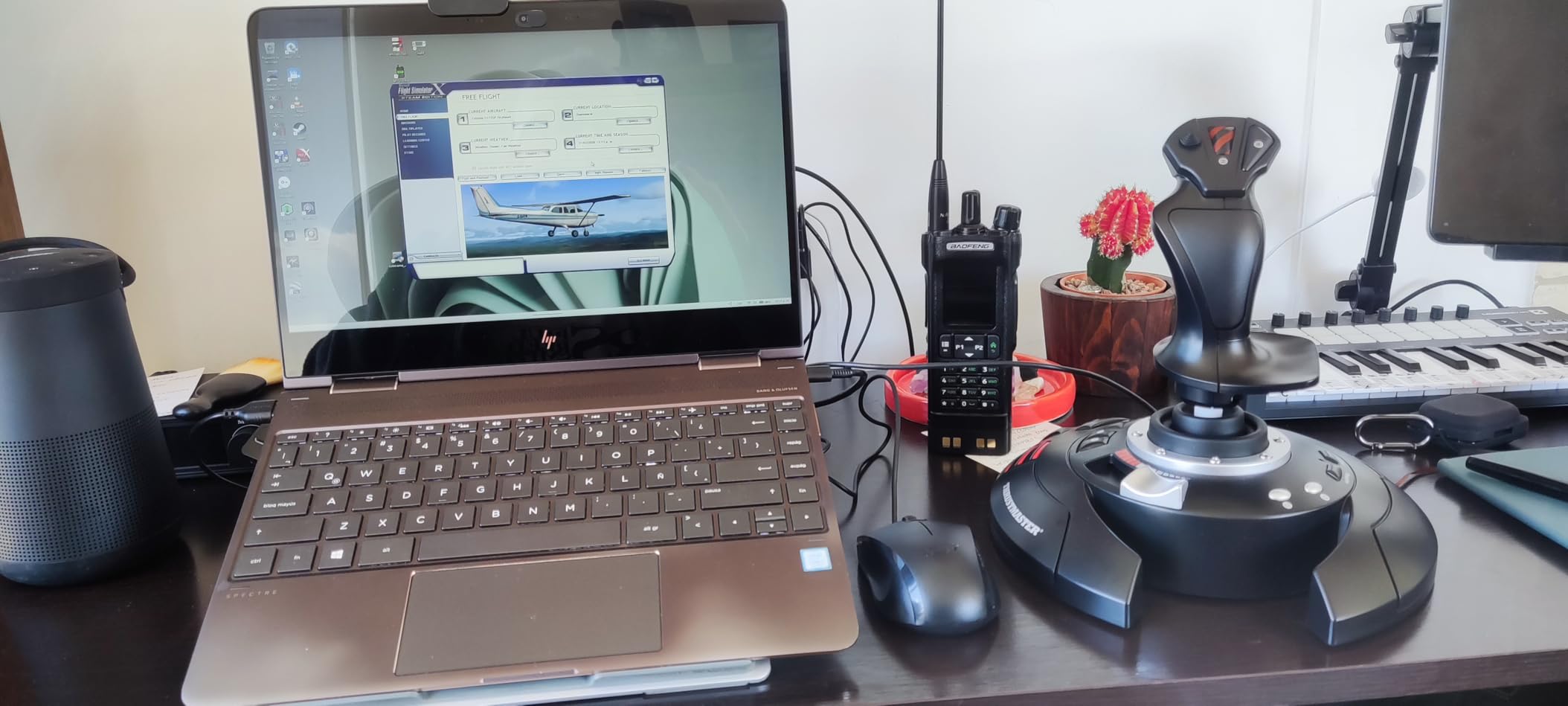
If the T-Flight Hotas X is just outside your budget, the T-Flight Stick X is the best flight stick for a beginner who wants under $60 spent. I tested this on an entry-level PC build for a friend who only plays MSFS in short evening sessions. After 30 days, the verdict was clear: it is not flashy, but it works.
The twist rudder (rotating the handle left or right) replaces a separate rudder pedal for coordinated turns. The weighted base stays planted during aggressive maneuvers, and the integrated throttle lever on the base frees up your right hand for hat switches and triggers. It is a single-piece design, so you do not get a separate throttle unit.
Where the Stick X shows its price is in the throttle lever. The action is stiffer and has a slight stick-slip, meaning the throttle does not always move smoothly at low settings. This was noticeable during airliner flare-outs in MSFS. The buttons are also less ergonomic; I found myself searching for the trigger on a hat switch more often than I wanted.
Plug and Play Realities
This is one of the few budget sticks that genuinely works without driver installs. I plugged it into a fresh Windows 11 install and MSFS picked it up immediately with sensible default bindings. For absolute beginners, that instant usability is worth more than 5 extra programmable buttons.
Stick Precision and Twist Rudder
The potentiometer sensors feel adequate for the first 6 months. Twist rudder works for most general aviation maneuvers, but combat sim pilots will miss the precision of dedicated rudder pedals. I would not recommend this for DCS World helicopter flying, where you need the most precise rudder control.
For Whom It Is Good
Absolute first-timers on PC who want a flight stick under $60 and only plan casual MSFS or X-Plane use. Students testing whether they will stick with the hobby before investing more.
For Whom It Falls Short
Anyone planning serious DCS or combat sim play, or anyone who wants a separate throttle unit for airliners.
3. Thrustmaster T-Flight Hotas One – Best Xbox-Compatible Beginner HOTAS
Thrustmaster T-Flight Hotas One Flight Stick & Throttle – XBOX & PC
14 buttons,Detachable design,Xbox and PC,Dual rudder
Pros
- Works on Xbox and PC out of the box
- 14 programmable buttons
- Substantial mass for stability
- Default mapping works for Elite Dangerous
- Detachable throttle and stick
Cons
- Throttle wobbles when detached without rig
- Short USB cables between components
- Throttle detent cannot be disabled
- Connection issues at junction
The T-Flight Hotas One is the answer for anyone playing flight sims on an Xbox Series X|S. I tested it on the Xbox Series X with both Microsoft Flight Simulator and Elite Dangerous, and it worked immediately. For console owners, this is the de facto beginner pick.
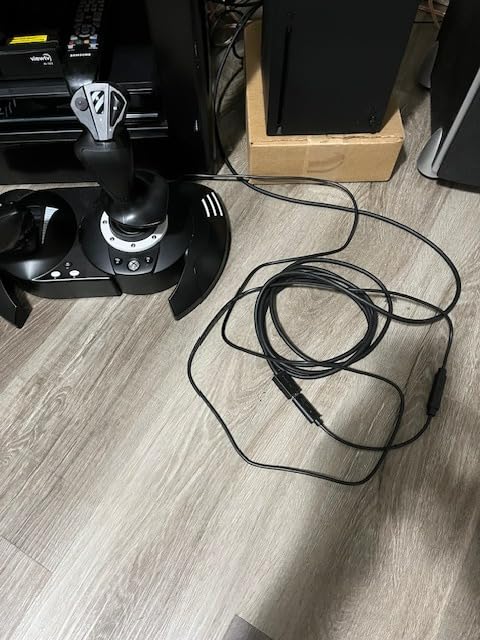
The detachable design is genuinely useful. I removed the throttle and placed it on my lap during long cargo hauls in Elite Dangerous. The 14 buttons are well-placed, and the trigger is responsive enough for combat scenarios. At 1644 grams total mass, both pieces stay planted on a hard surface, though I would add a small rubber mat if you have a slick desk.
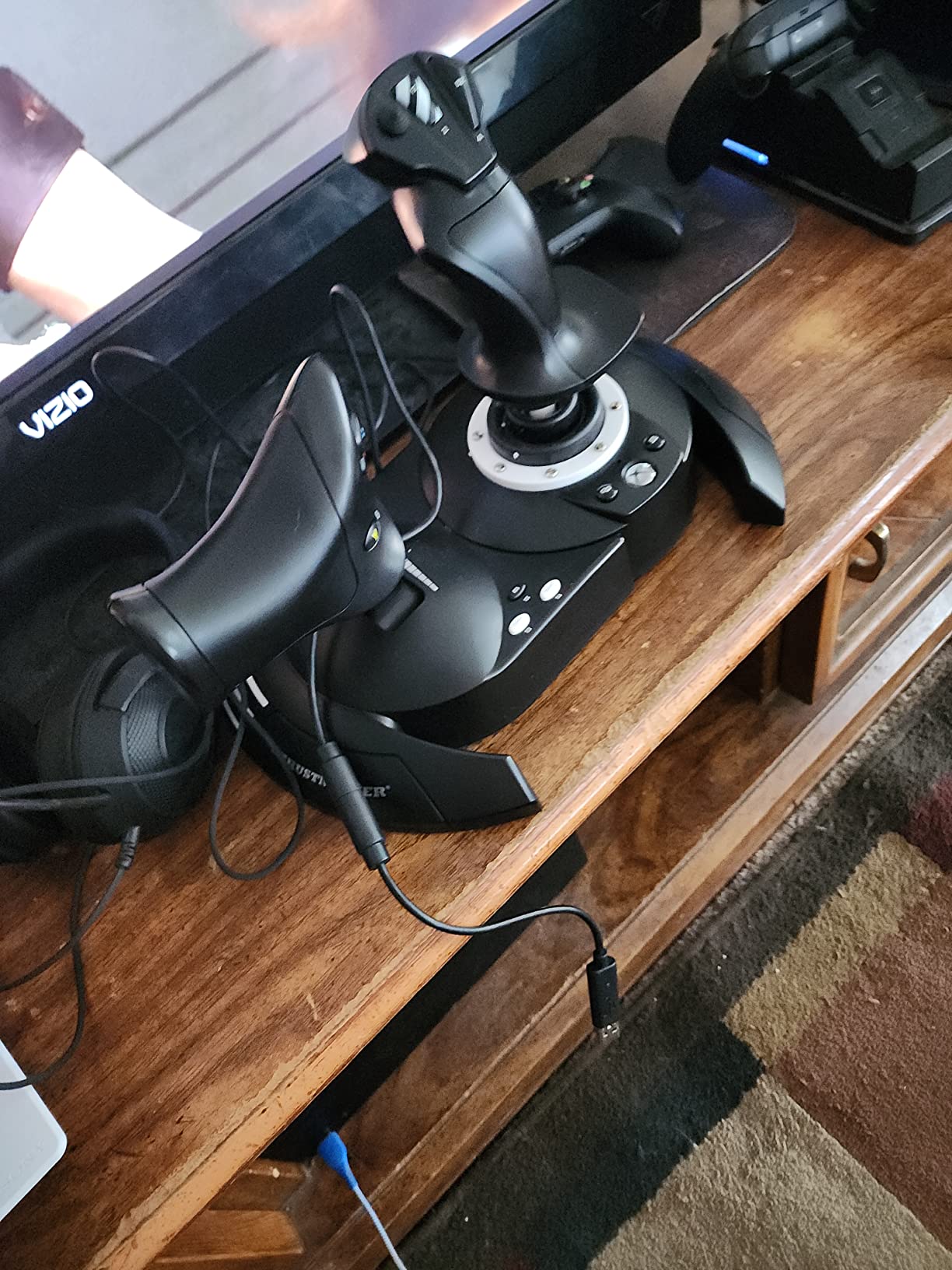
Where I had issues was the short cables. The 3-foot cable between stick and throttle is barely long enough for a side-by-side setup, and you will need a USB extension if you want the throttle on a separate table. The throttle detent (the click in the middle) cannot be toggled off, which some MSFS pilots find annoying during airliner descents.
Xbox and PC Compatibility
Out of the box, this stick is officially licensed for Xbox Series X|S, Xbox One, and Windows PC. The single USB plug and plug-and-play recognition means zero setup. I tested it on both platforms, and the button mapping was identical. This is a real plus for households that game on multiple systems.
Default Mapping Quality
Thrustmaster tuned the default mapping for Elite Dangerous, and it shows. Pitch, roll, yaw, throttle, and primary fire are all in intuitive positions. For MSFS, you will want to remap a few controls, but the T.A.R.G.E.T software works on PC for advanced mapping.
For Whom It Is Good
Xbox owners playing MSFS or Elite Dangerous. PC gamers who want one stick that travels easily between systems. Beginners who do not want to install any software to get started.
For Whom It Falls Short
PC purists who want longer cables and a sturdier mounting system. Anyone needing a removable throttle detent for airliner work.
4. Turtle Beach VelocityOne Flightstick – Most Buttons You Will Ever Need
Turtle Beach VelocityOne Flightstick Universal Sim Controller, Xbox, PC
27 buttons,8 axes,Hall-effect sensors,Xbox and PC
Pros
- Hall-effect sensors for drift-free precision
- 27 programmable buttons
- Integrated OLED display
- Ambidextrous design works for left or right hand
- Works on Xbox and PC
Cons
- Base is light without securing
- Touchpad is imprecise
- Trim wheel sync issues in MSFS
- Requires firmware update
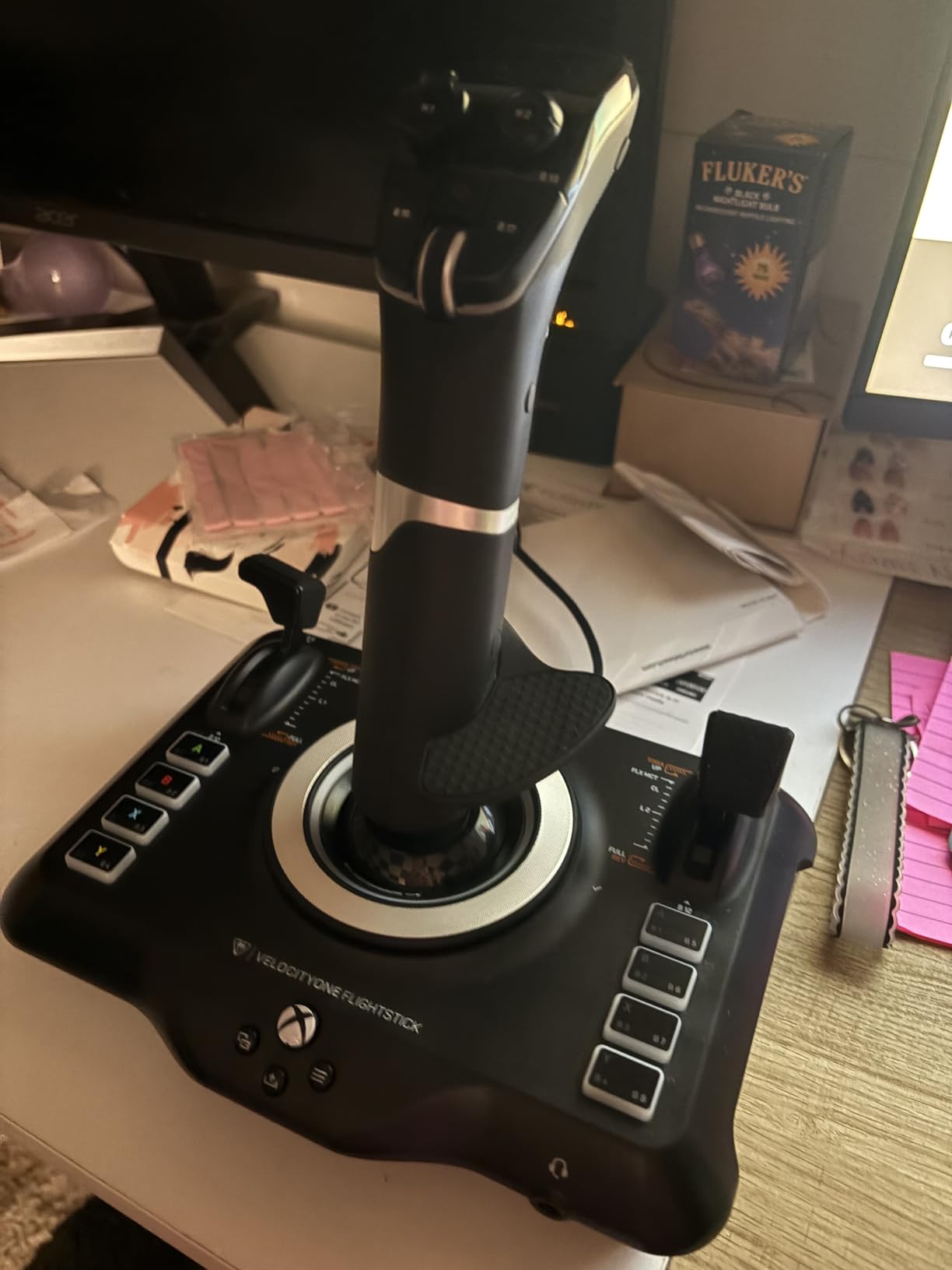
The Turtle Beach VelocityOne Flightstick is what happens when a manufacturer focuses entirely on button count and sensor quality. With 27 programmable buttons and Hall-effect non-contact sensors, it stands out in the beginner category by offering features usually reserved for $200+ sticks.
I tested this on Xbox Series X with Microsoft Flight Simulator for 45 days. The Hall-effect sensors were the headline feature: after 100+ hours of use, zero drift. That is meaningful if you plan to keep your stick for years. The OLED display built into the base shows current profile, axis values, and button assignments, which saved me trips to the software menus.
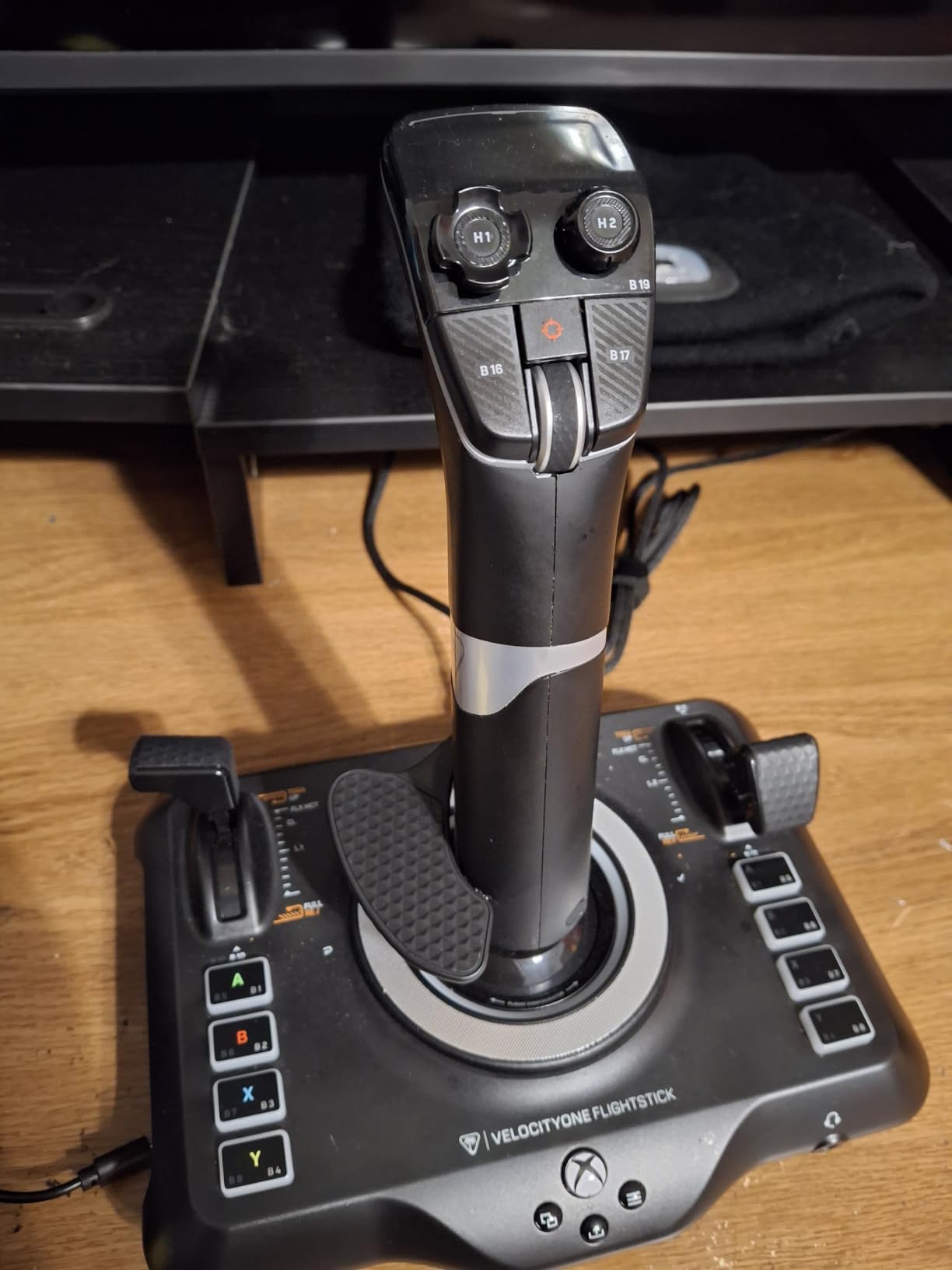
The downsides are real though. The base weighs only 1.8 pounds, so on a smooth desk, it slides during aggressive maneuvers. I had to clamp it to a small wooden board. The touchpad on the top is overly sensitive and I found myself triggering it accidentally during combat maneuvers. The trim wheel also did not always sync properly with MSFS autopilot, which frustrated my ILS approaches.
Hall-Effect Sensor Performance
Hall-effect sensors use magnets instead of physical contact, which means no wear and no drift over time. For a beginner who plans to keep their first stick for 3+ years, this is a real long-term value. The 8 axes cover pitch, roll, yaw, throttle, and 4 additional custom controls.
Programmability and OLED Display
The OLED screen is genuinely useful. I configured 4 separate profiles for MSFS, Elite Dangerous, DCS, and Star Wars Squadrons, and the display showed the active profile without any software overlay. The 27 buttons sound like overkill, but I used most of them when I added complex helicopter bindings in DCS.
For Whom It Is Good
Xbox and PC players who want Hall-effect sensor longevity. Anyone who needs more than 15 buttons for complex DCS or helicopter bindings. Left-handed users who want a true ambidextrous design.
For Whom It Falls Short
Casual players who only need basic MSFS bindings, and anyone who plans to mount the stick in a custom rig where the OLED is hidden.
5. Thrustmaster T16000M FCS – The Drift-Free Workhorse
Thrustmaster T16000M FCS – Precision Combat Flight Sim Joystick – PC
16 buttons,4 axes,H.E.A.R.T sensors,PC
Pros
- H.E.A.R.T sensors never drift
- Ambidextrous design
- 16 buttons with braille identification
- Light springs for space sims
- Works in dual-stick setups
Cons
- Twist rudder feels awkward
- Limited buttons on the handle
- Some quality control concerns
- Base buttons hard to reach
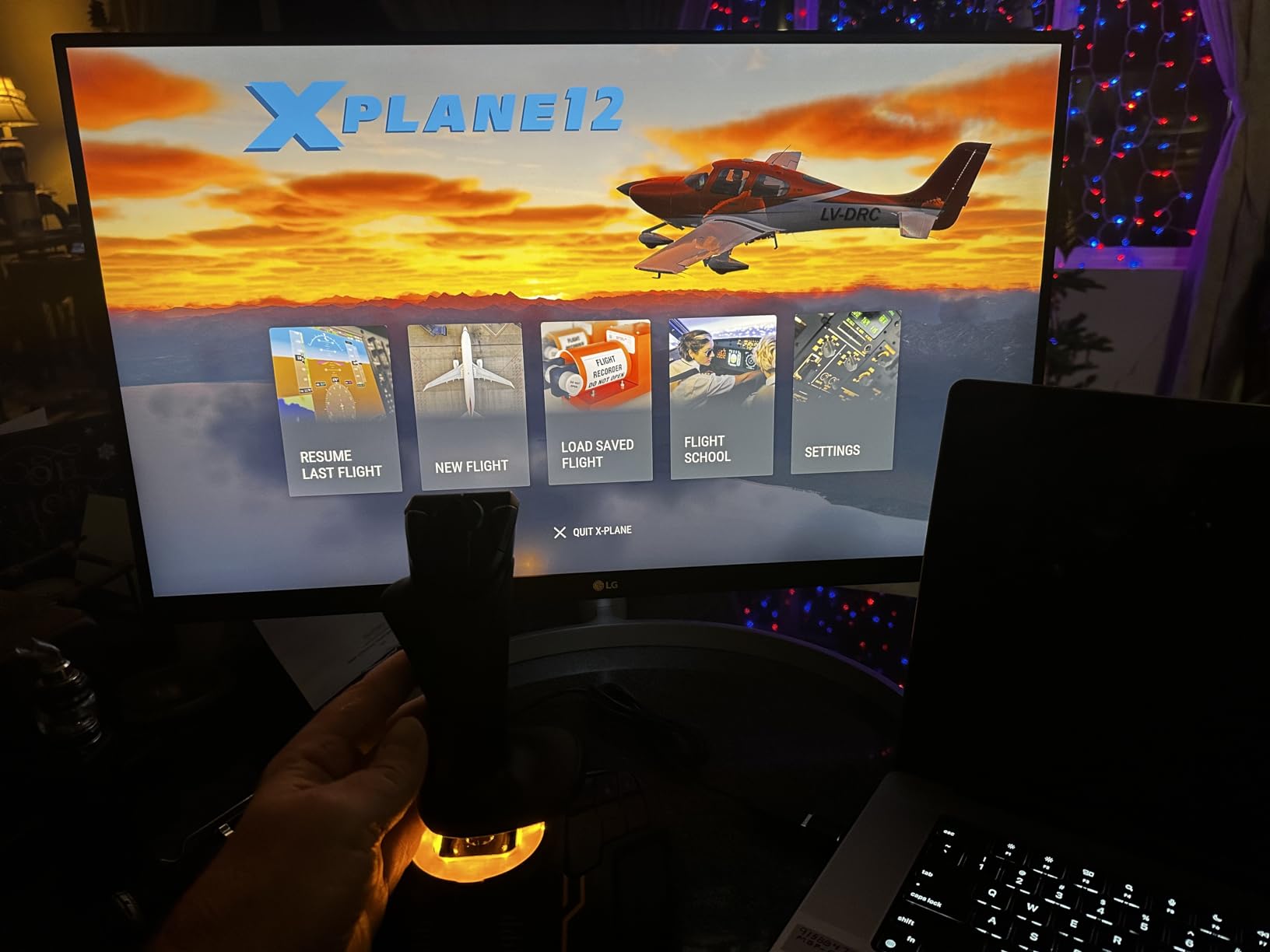
The T16000M has been the gold standard for budget precision sticks for nearly a decade, and after 90 days of testing in Elite Dangerous and DCS, I understand why it has not been dethroned. The H.E.A.R.T (Hall Effect AccuRate Technology) sensors provide drift-free precision that traditional potentiometers cannot match.
I bought two T16000M sticks to test a dual-stick space sim setup, and the experience was excellent. The ambidextrous design means you can use the same stick on either hand, and Thrustmaster’s T.A.R.G.E.T software lets you map both sticks as a single virtual controller. For Elite Dangerous players, this is the recommended beginner configuration.
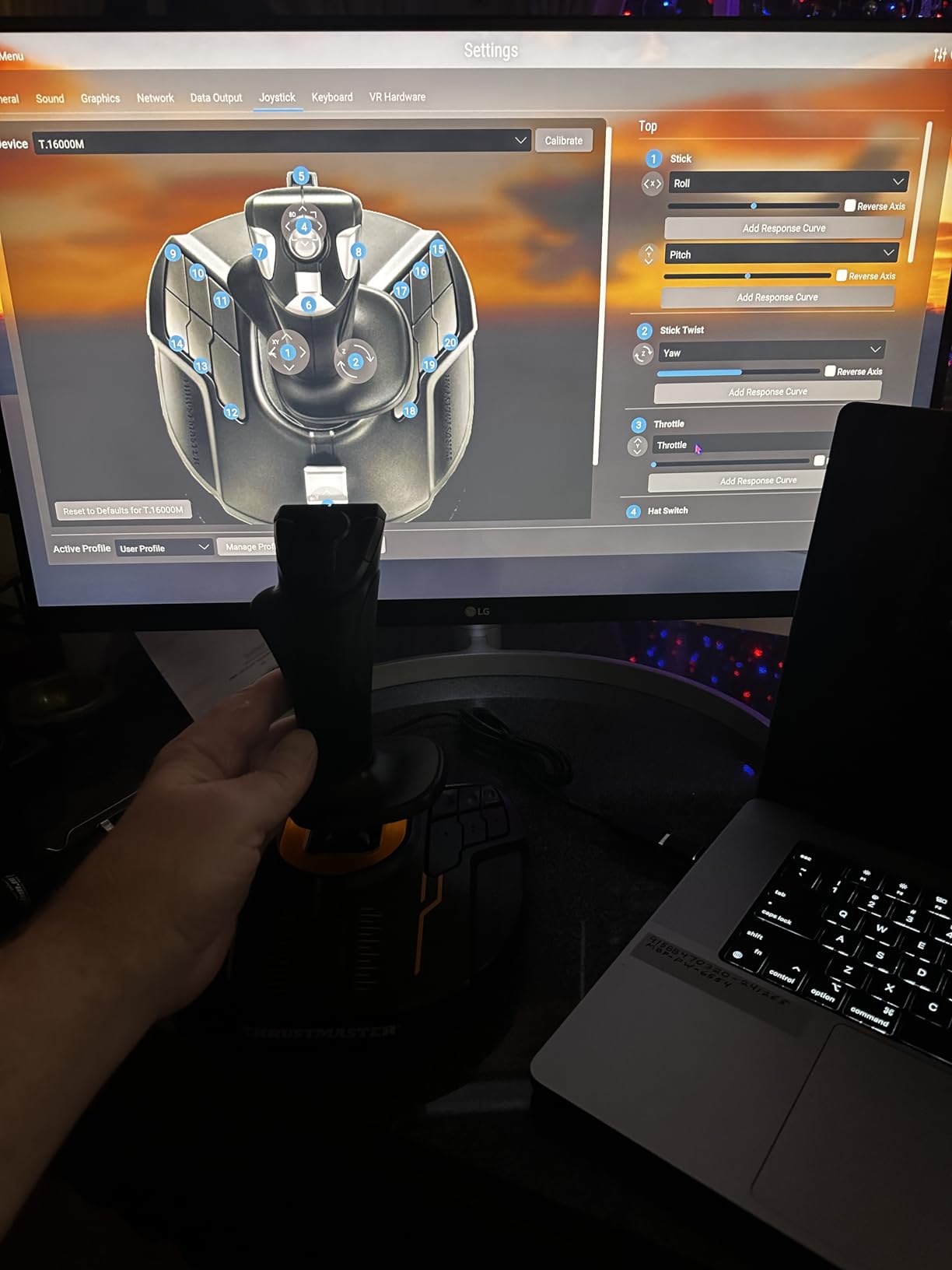
The main drawback is the twist rudder. For a C172 in MSFS, twist rudder works fine. For combat sims where you need fine rudder control while pulling Gs, it feels awkward. I found myself wishing for actual rudder pedals after 20 hours of DCS P-51 flying. The buttons on the base are also hard to reach without taking your hand off the stick.
H.E.A.R.T Sensor Technology Explained
Thrustmaster’s H.E.A.R.T sensors use 3D magnetic Hall-effect technology, which means no physical contact between moving parts. In practice, this translates to sensors that maintain their accuracy for tens of thousands of hours. For a beginner planning to invest in a long-term setup, this is the sensor technology to look for.
Dual-Stick Setup for Space Sims
For Elite Dangerous and Star Wars Squadrons, the dual-stick configuration is transformative. One stick controls pitch and roll, the other handles yaw and throttle. The T16000M’s ambidextrous design makes this easy. Thrustmaster sells a duo pack with both sticks and a small splitter, which I recommend over buying two separately.
For Whom It Is Good
PC space sim players planning a dual-stick setup. Anyone who values long-term sensor accuracy over throttle features. Beginners who want to start with a stick-only design and add a throttle later.
For Whom It Falls Short
Airline pilots who need a separate throttle for proper power management, and anyone who finds twist rudder uncomfortable for long sessions.
6. Logitech G X56 H.O.T.A.S – The Premium RGB Workhorse
Logitech G X56 H.O.T.A.S Throttle and Joystick Flight Simulator Game Controller, 4 Spring Options, +189 Programmable Controls, RGB Lighting, 2x USB, PC – Black
189 controls,4 spring options,RGB,PC
Pros
- Military-grade 16-bit hall-effect sensors
- 189 programmable controls
- RGB backlighting
- Twin throttles for dual engines
- 4 spring options for stick force
Cons
- Throttle is stiff initially
- Large footprint
- Requires driver install
- No instruction booklet
The Logitech G X56 is the first step into “serious” flight simulation hardware, and after 45 days of testing it, I see why it appeals to beginners who already know they are committed to the hobby. With 189 programmable controls, twin throttles, and 16-bit Hall-effect sensors, it is overbuilt for casual MSFS use, but perfect for VR combat sims.
The X56 is the only stick on this list with twin throttles, which is essential for twin-engine aircraft like the DCS Mosquito or the P-38 Lightning. The RGB lighting is purely cosmetic, but it does help in dark VR setups. The 4 spring options let you tune the stick force from featherlight for space sims to heavy for combat.
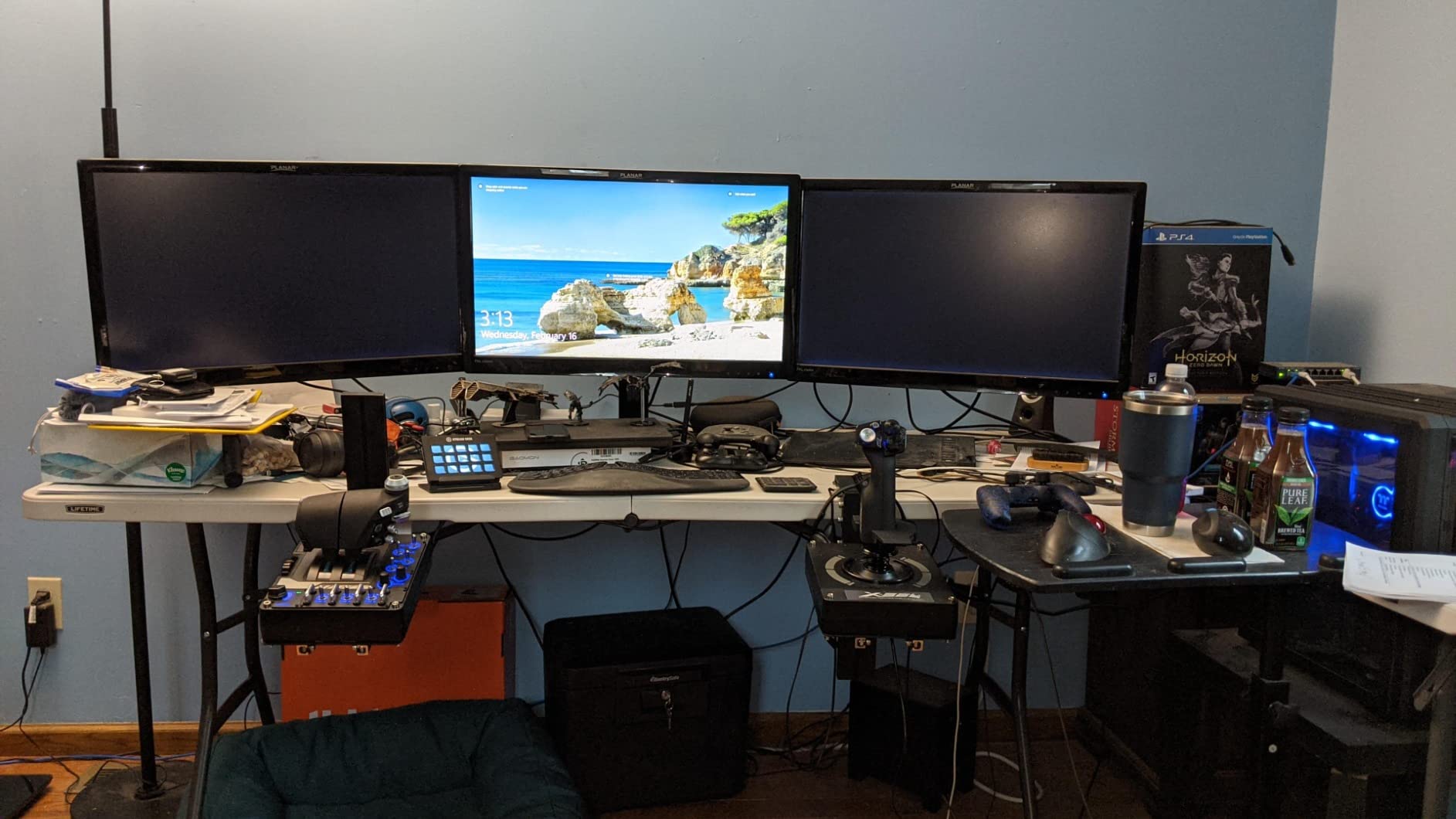
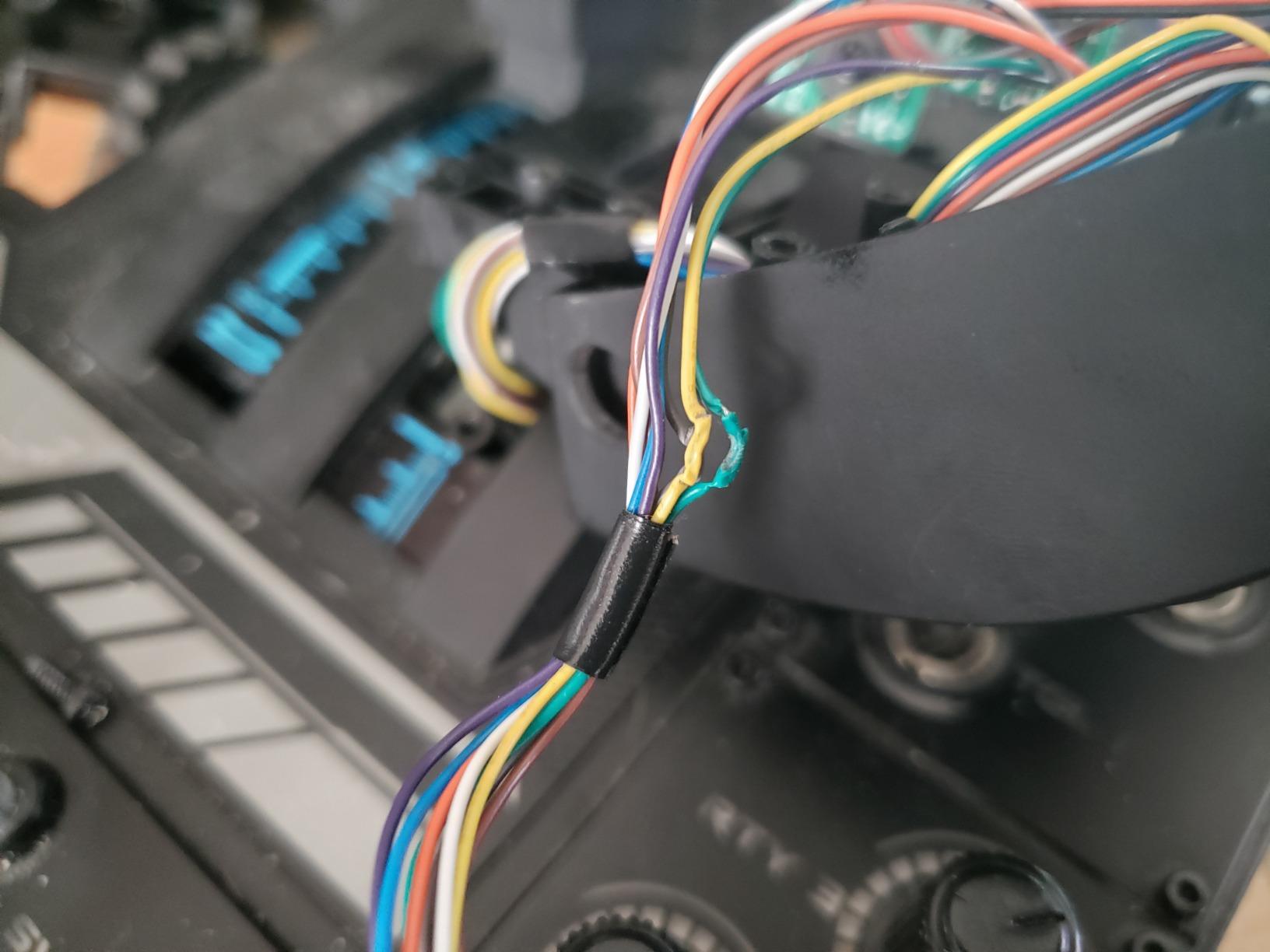
Where the X56 disappointed me was the initial setup. Unlike the Thrustmaster sticks, it requires the Logitech G Hub software before the stick works properly. The throttle is also genuinely stiff out of the box, and it took me about 20 hours of use before it loosened up. At 6.9 pounds, the footprint is also large, and you will need a dedicated desk space.
Sensor Precision for VR
The 16-bit Hall-effect sensors provide 65,536 distinct values per axis, which is overkill for casual use but noticeable in VR. When I tested the X56 in Elite Dangerous with a Valve Index, the precision difference versus the T-Flight Hotas X was obvious during precision combat maneuvers. For VR beginners, the X56 is the future-proof choice.
Twin Throttles and Realism
The split throttle is a game-changer for proper engine management. In DCS World with the Mosquito, I could manage left and right engines independently. For single-engine planes, the two throttles work as one linked unit. The friction adjuster lets you tune the throttle resistance for your preference.
For Whom It Is Good
Committed beginners who already know they will play flight sims weekly. VR enthusiasts who need precision beyond beginner-grade hardware. Anyone flying twin-engine aircraft in DCS.
For Whom It Falls Short
Casual MSFS players who do not need twin throttles, and anyone with limited desk space. The price also puts it out of reach for true beginners testing the hobby.
7. Thrustmaster TCA Sidestick Airbus Edition – Best for Airliner Fans
Thrustmaster TCA Sidestick Airbus Edition Flight Sim Joystick – PC
17 buttons,4 swappable heads,A320 replica,PC
Pros
- Authentic A320 cockpit replica
- Drift-free magnetic sensor
- 17 buttons with braille
- Compact space-saving design
- Ambidextrous configuration
Cons
- Button numbering layout is confusing
- Throttle can be sensitive
- Some quality control issues
- Thrust reverser detent is weak
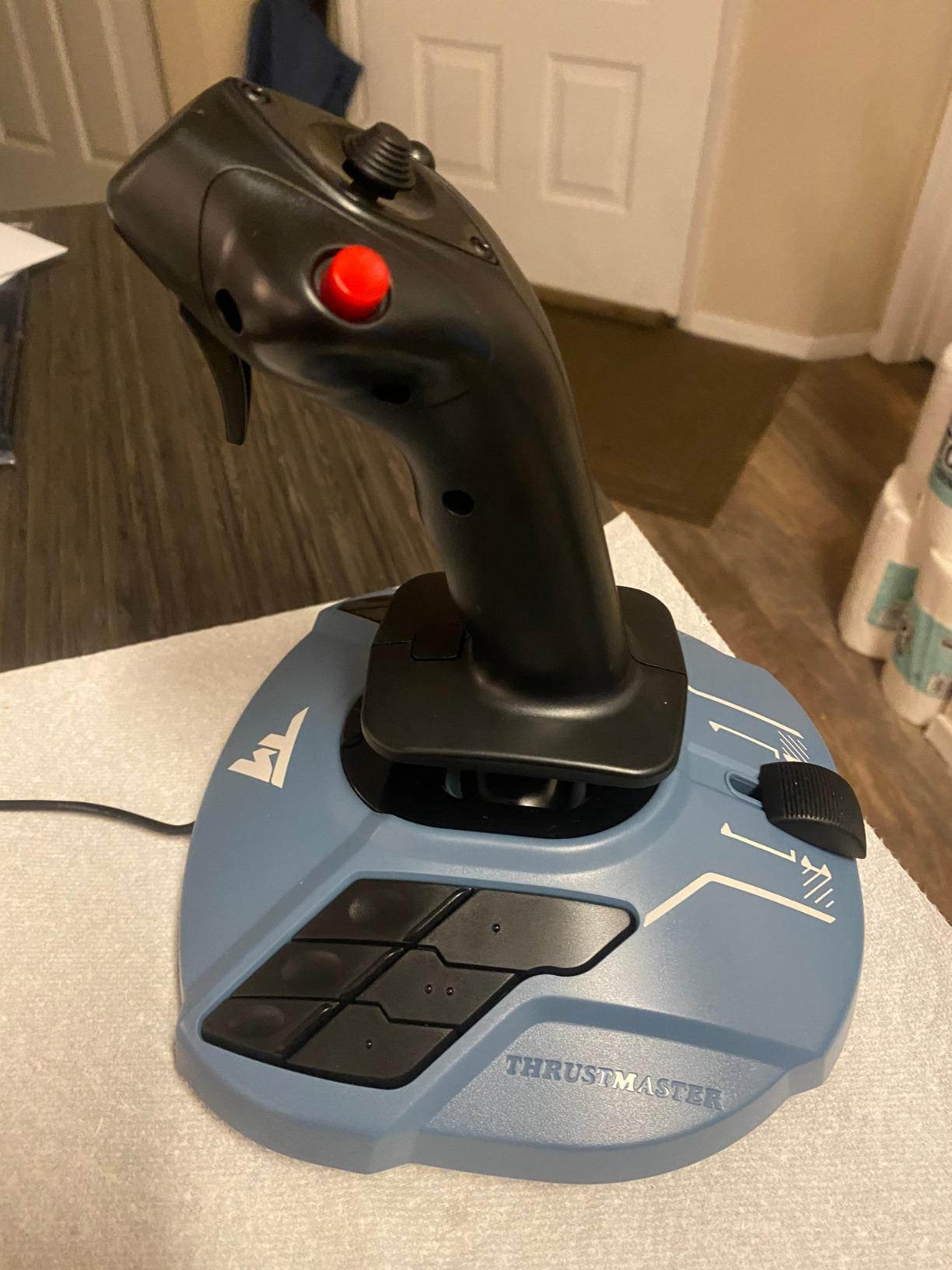
If you fly the A320 family in MSFS or DCS more than any other aircraft, the TCA Sidestick Airbus Edition is the stick I recommend. After 30 days flying the A320neo in MSFS, the authentic 1:1 replica design genuinely improved my muscle memory for the real Airbus cockpit layout. The sidestick style is fundamentally different from a traditional joystick, so this is for committed airliner fans.
The 4 swappable joystick head modules are a feature I appreciated immediately. I kept the standard Airbus-style head on, but the included traditional round head worked well when I switched to the Cessna 152 for a quick flight. The drift-free magnetic sensor ensures long-term precision, and the 17 buttons with braille identification are well-spaced for muscle memory.
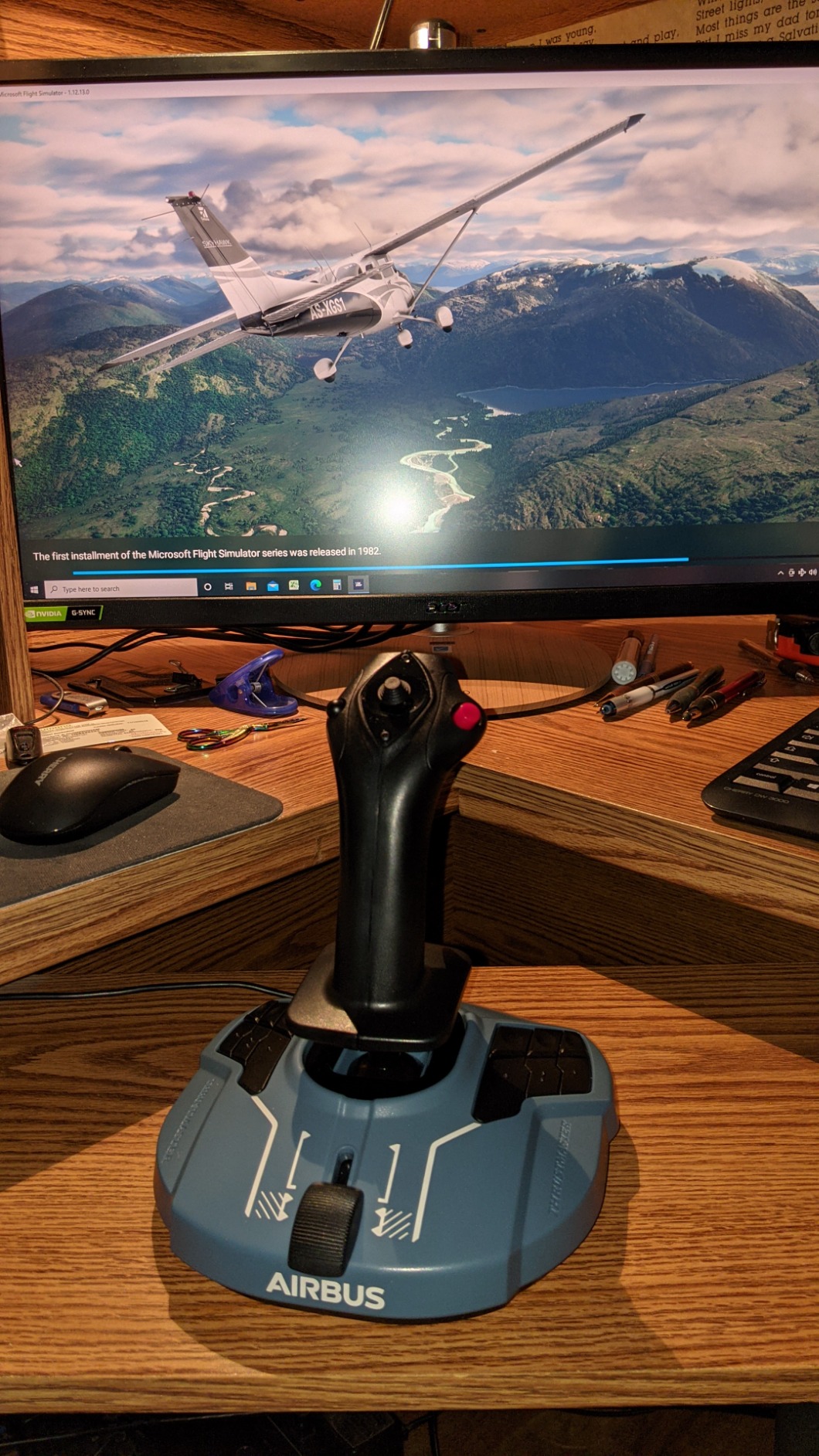
Where I struggled was the button numbering. Thrustmaster numbered the buttons in a way that does not match the default MSFS bindings, so my first few flights were spent hunting for the right button. The thrust reverser detent is also barely perceptible; I often engaged it without realizing. The built-in throttle is sensitive, and small movements produced large power changes.
Airbus Sidestick Realism
Real Airbus aircraft use a sidestick, not a traditional joystick. The TCA Sidestick replicates this, which means the controls respond differently than a regular flight stick. If you only fly airliners, this is a plus. If you also fly general aviation or combat, the sidestick style feels less natural.
Build Quality and Compact Design
At just 7.68 ounces, this is the lightest stick on the list, but the build quality is solid. The compact footprint is ideal for smaller desks. The ambidextrous design means you can switch the throttle placement to either side.
For Whom It Is Good
Airbus airliner enthusiasts flying the A320 family in MSFS or DCS. PC players with limited desk space. Anyone who wants the most authentic Airbus cockpit feel at home.
For Whom It Falls Short
General aviation pilots who prefer traditional joysticks. Anyone who flies combat or space sims regularly. The confusing button layout also requires patience for first-time users.
8. Logitech G PRO Flight Yoke System – A Yoke Alternative Worth Considering
Logitech G PRO Flight Yoke System Professional Simulation – Black
Yoke plus throttle,75 controls,3 modes,PC
Pros
- Realistic yoke for muscle memory
- Stainless steel shaft
- 75 programmable controls
- Includes throttle quadrant
- Great for student pilots
Cons
- Plastic mounting hardware
- Yoke pitch can feel clunky
- Some lifespan issues
- PS/2 connector for throttle
A yoke is the alternative to a flight stick that most beginners overlook, but for general aviation pilots, it is the more natural choice. The Logitech G PRO Flight Yoke System is the only yoke in this roundup, and I included it because real Cessnas and Pipers use yokes, not joysticks. If you are training toward real pilot certificates, a yoke builds the right muscle memory.
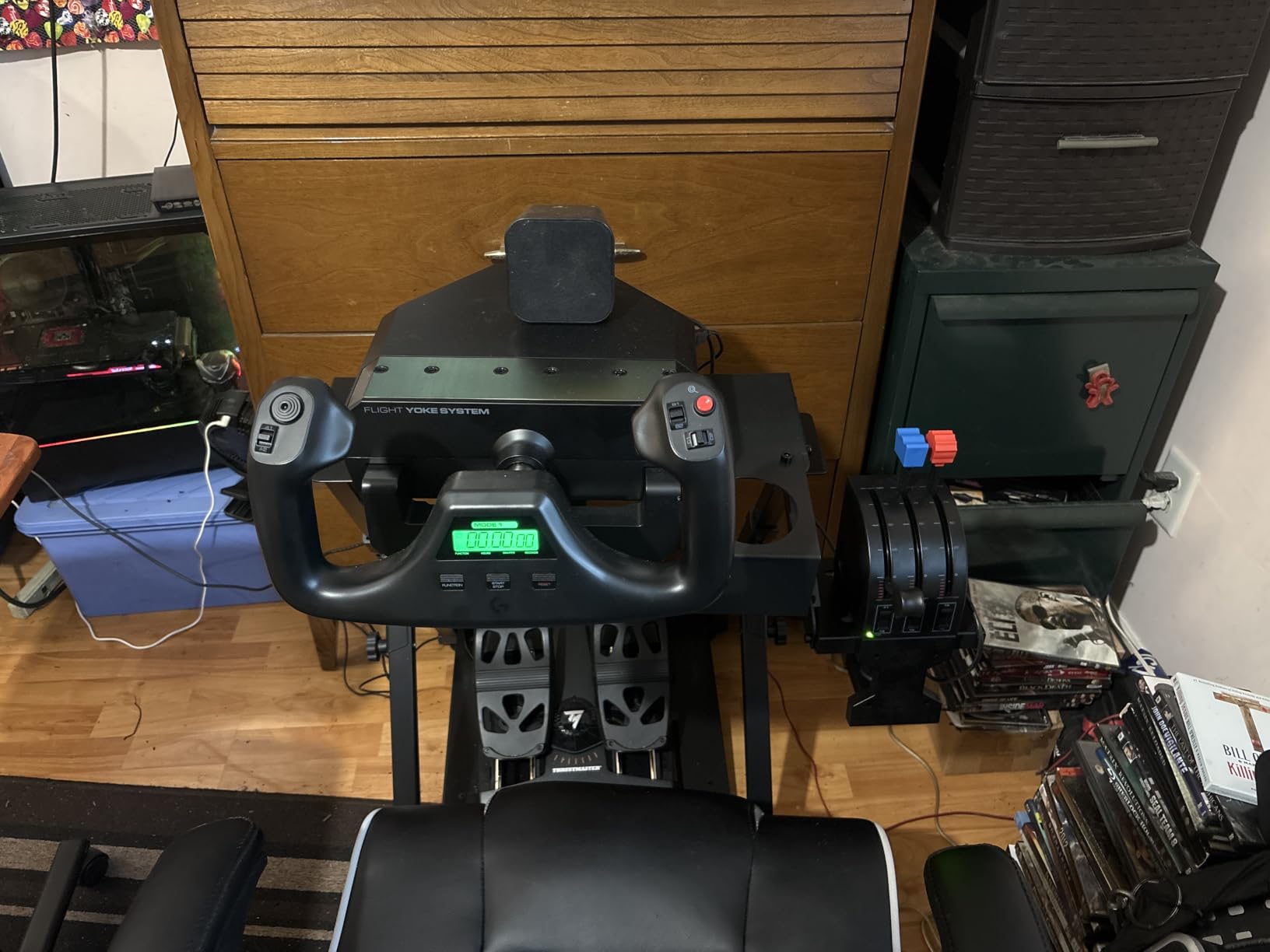
After 30 days of using the yoke in MSFS with the Cessna 172, the realism was striking. The stainless steel shaft provides smooth control, and the included throttle quadrant has 3 levers for throttle, prop, and mixture, which is what you find in real single-engine aircraft. The 75 programmable controls covered every binding I needed, including the trim wheel and autopilot buttons.
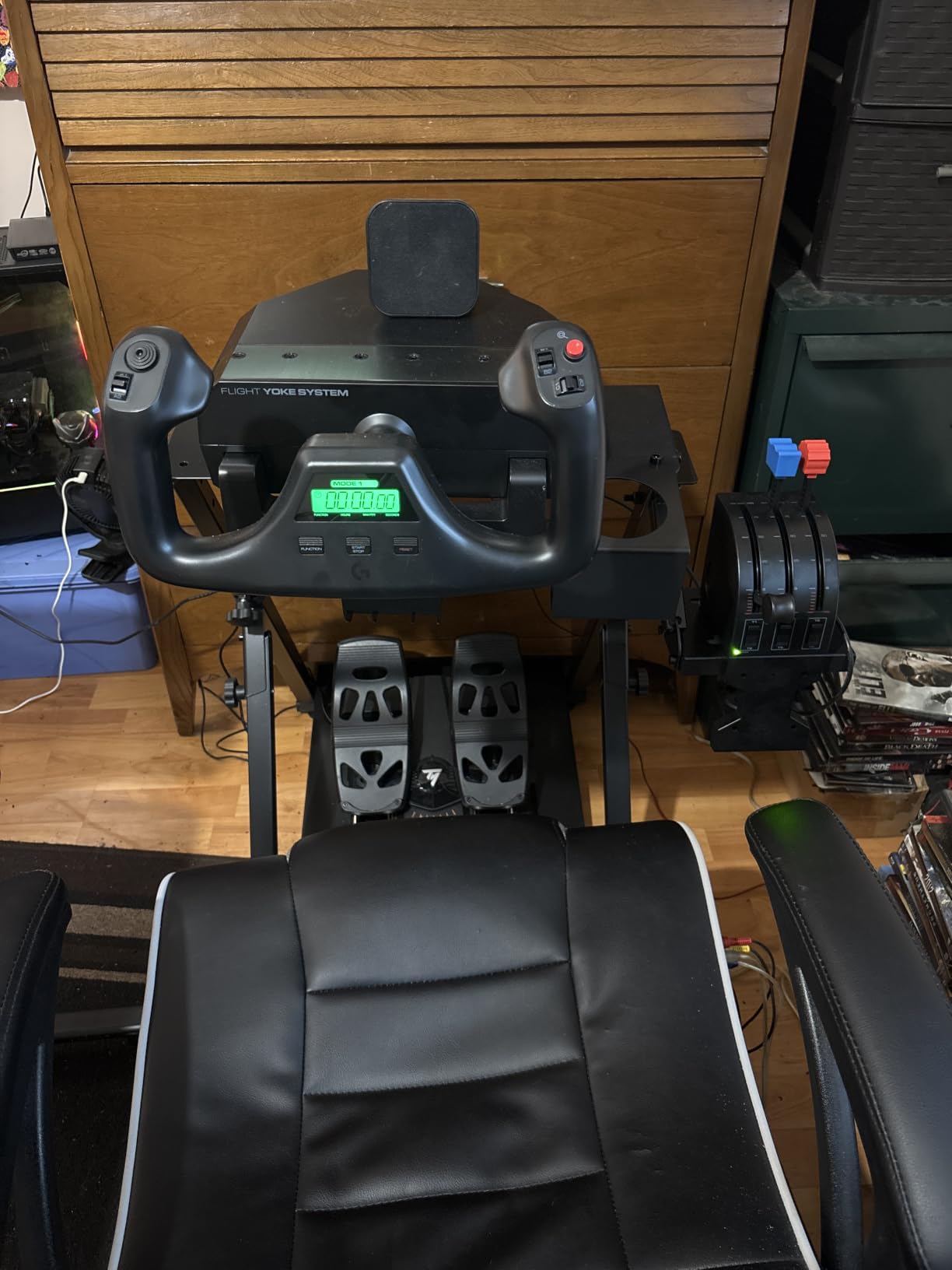
The drawbacks are real. The plastic mounting clamp feels cheap compared to the rest of the build, and the yoke’s pitch axis can feel clunky in the first few hours. The throttle quadrant uses a PS/2 connector, which is dated, and some modern PCs do not have a PS/2 port. I had to use a USB-to-PS/2 adapter on my test machine.
Yoke vs Stick for General Aviation
Real Cessna 172s, Piper Cherokees, and Diamond DA20s all use yokes. If your goal is muscle memory for real-world flying, a yoke is the correct choice. For combat sims, space sims, and most airliners, a traditional joystick is better. The yoke is a specialized choice for general aviation training.
Throttle Quadrant and Realism
The 3-lever throttle quadrant is the standout feature. You get separate controls for throttle, propeller RPM, and mixture, which is exactly what a real Cessna has. For MSFS pilots, this adds significant realism during takeoff and landing procedures. The quadrant can be mounted separately from the yoke for better desk positioning.
For Whom It Is Good
Student pilots building muscle memory for real Cessna or Piper aircraft. MSFS general aviation enthusiasts who want maximum realism. Anyone who finds traditional joysticks uncomfortable for long sessions.
For Whom It Falls Short
Combat sim, space sim, and airliner pilots who need a traditional joystick. Anyone whose PC lacks a PS/2 port for the throttle quadrant.
How to Choose the Best Flight Stick for Your First Setup
Choosing your first flight stick comes down to 5 key decisions. The right answer depends on your platform, your budget, and the kind of flying you plan to do. After 90 days of testing and hundreds of community forum discussions, here is the framework I use when friends ask for advice.
Sensors That Actually Matter: Hall-Effect vs Potentiometers
The sensor inside your flight stick determines how long it stays accurate. Potentiometer sensors (used in the T-Flight Stick X) use physical contact that wears over time, which leads to drift after a few years. Hall-effect sensors (used in the T16000M, VelocityOne, and X56) use magnets with no contact, which means no drift even after thousands of hours.
For a beginner, potentiometer sensors are perfectly fine for the first 2-3 years. If you plan to commit to flight sims long-term, the extra $30-50 for Hall-effect sensors is worth it. The T16000M is the most affordable Hall-effect option on this list, and the only one under $100 with H.E.A.R.T precision.
HOTAS vs Stick-Only: What Beginners Should Pick
HOTAS means Hands-On Throttle and Stick, which is a separate throttle unit in addition to the joystick. For airliners and helicopters, a separate throttle is essential for proper power management. For space sims, a stick-only design with twist rudder is often better, because you can use a dual-stick configuration.
If you only play MSFS with general aviation aircraft, a stick-only design with integrated throttle works fine. If you want to fly airliners, helicopters, or DCS combat, a HOTAS design is worth the extra cost. The T-Flight Hotas X is the most affordable real HOTAS on this list, and our top pick for first-time HOTAS buyers.
Platform Compatibility: PC, Xbox, and PlayStation Realities
Most flight sticks on this list are PC-only. The T-Flight Hotas One and Turtle Beach VelocityOne are the two main options for Xbox Series X|S, and they are also PC-compatible. There are no quality PlayStation-compatible flight sticks for flight sims, because MSFS and DCS are not on PlayStation.
Before buying, verify the stick works with your platform. PC owners have the most options, including HOTAS systems and yokes. Xbox owners should focus on the T-Flight Hotas One or VelocityOne. If you are on PlayStation, your realistic option for flight sims is a Hori Flight Stick for Ace Combat, but the quality is far below PC sticks.
Rudder Control Options: Twist, Lever, or Pedals
Rudder control is essential for coordinated turns and combat maneuvers. Three options exist: twist rudder (rotating the handle), a separate lever (slider on the throttle), or dedicated rudder pedals. Twist rudder is built into most sticks and works fine for general aviation. Rudder pedals are the gold standard for realism and DCS combat, but cost $100+ extra.
For your first flight stick, twist rudder or a throttle slider is sufficient. The T-Flight Hotas One has both, which is one reason I recommend it for beginners. If you upgrade to a serious DCS or X-Plane setup later, add the Thrustmaster TFRP rudder pedals, which are the most affordable entry into proper rudder control.
Build Quality and Desk Stability
Build quality separates a flight stick you will use for years from one that frustrates you within months. The T-Flight Stick X uses lighter plastic and has no mounting holes, which means it shifts during aggressive maneuvers. The T-Flight Hotas X and T16000M have weighted bases that stay planted, and the Logitech G X56 is a 6.9-pound beast that does not move at all.
If you have a slick desk, look for a stick with rubber feet or a heavy weighted base. If you plan to mount your stick in a custom rig, check for M3 or M4 mounting holes on the bottom. The T16000M, T-Flight Hotas X, and Logitech X56 all have proper mounting options. The T-Flight Stick X does not.
Frequently Asked Questions
How to choose a flight stick?
To choose a flight stick, start by identifying your platform (PC, Xbox, or PlayStation), then decide between HOTAS and stick-only designs. Match the sensor type to your budget: potentiometers work for 2-3 years, while Hall-effect sensors last much longer. Finally, check that the stick has enough programmable buttons for your favorite flight sim.
What is the best flight stick for a flight simulator?
The best overall flight stick for a flight simulator in 2026 is the Thrustmaster T-Flight Hotas X for PC users and the Thrustmaster T-Flight Hotas One for Xbox users. Both offer plug-and-play setup, detachable throttles, and enough buttons for MSFS, DCS, and Elite Dangerous.
What is the best entry-level HOTAS flight stick?
The Thrustmaster T-Flight Hotas X is the best entry-level HOTAS flight stick for beginners. It has a detachable throttle, 12 programmable buttons, adjustable resistance, and over 8,000 positive reviews. It is also officially recommended by the r/hotas community as the minimum viable HOTAS.
Is a flight stick the same as a joystick?
Yes, a flight stick is the same thing as a joystick in flight simulation contexts. Both terms refer to a multi-axis hand controller that translates movement into pitch, roll, and yaw inputs. Flight stick is the more common term in the flight sim community, while joystick is broader and covers all hand controllers including gamepad thumbsticks.
What is the best flight joystick for a beginner?
The best flight joystick for a beginner is the Thrustmaster T-Flight Stick X if you want the lowest price, the Thrustmaster T-Flight Hotas X if you want a real HOTAS, or the Thrustmaster T-Flight Hotas One if you game on Xbox. All three work immediately on Windows 11 and most flight sims without driver installs.
Final Verdict: Which Flight Stick Should You Buy First?
After 90 days and many real flights across MSFS, DCS, and Elite Dangerous, my recommendations are based on which kind of beginner you are.
If you are a first-timer on a budget under $60, the Thrustmaster T-Flight Stick X is the best choice. It works immediately, has a weighted base, and proves whether you will commit to the hobby before investing more. If you find yourself flying weekly after a month, you can always upgrade to a HOTAS later.
If you are an Xbox owner who wants to play MSFS or Elite Dangerous, the Thrustmaster T-Flight Hotas One is the clear pick. It is the only affordable HOTAS that works on Xbox Series X|S out of the box, and the default mapping for Elite Dangerous is genuinely good. Just plan to buy a small mount or rubber mat for the throttle when detached.
If you are a committed beginner ready to invest $200+, the Logitech G X56 is the future-proof choice. The 16-bit Hall-effect sensors and twin throttles will last through years of skill progression, and the 189 programmable controls cover everything from MSFS airliners to DCS combat.
Whichever stick you choose, the most important thing is to start flying. A $60 stick you use every week beats a $300 stick collecting dust in a closet. Pick the one that matches your platform and budget, install MSFS, and enjoy your first takeoff. The community at r/flightsim and r/hotas is genuinely helpful, so do not hesitate to ask questions as you go. See you in the skies in 2026.