
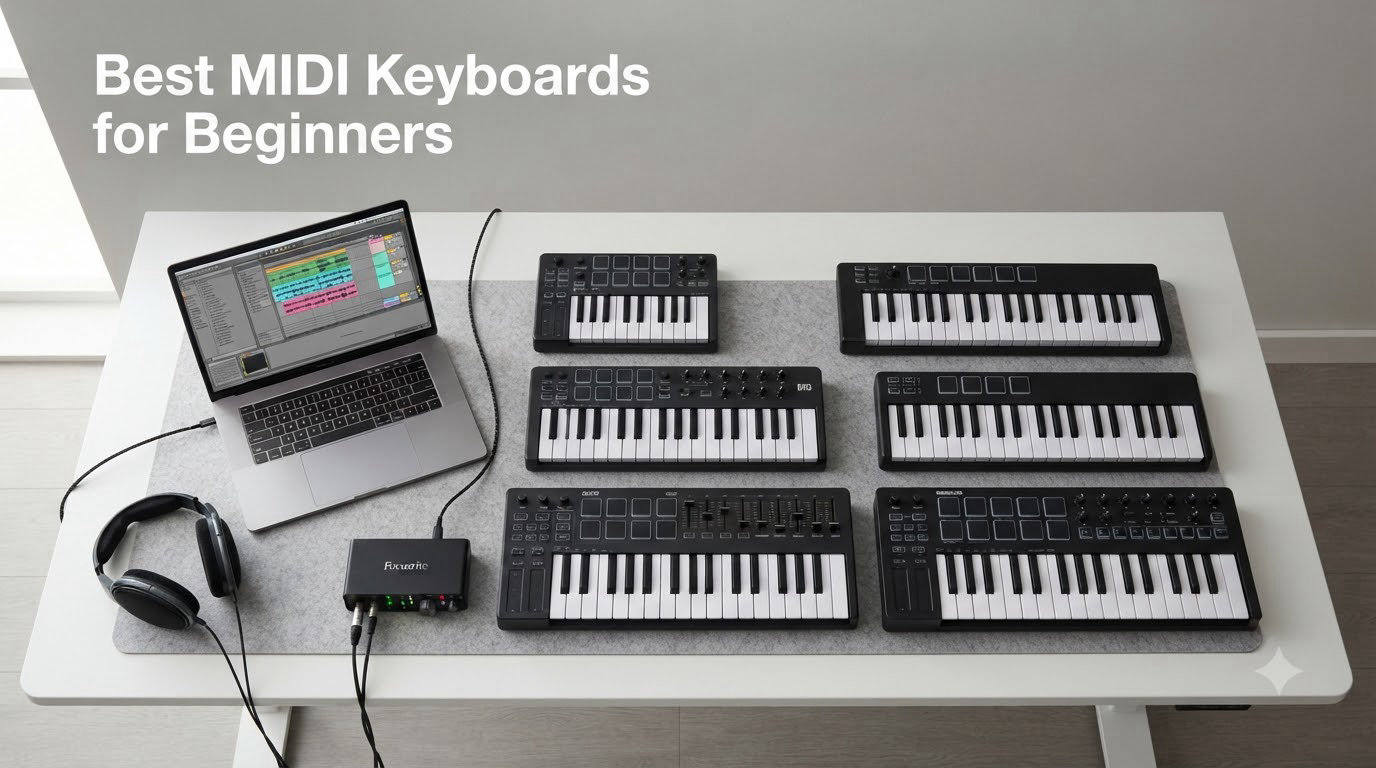
Three years ago, I bought my first MIDI keyboard for $50, plugged it into GarageBand, and promptly gave up. The keys felt like typing on a calculator. The bundle software overwhelmed me. I had no idea what velocity-sensitive keys meant, and I never touched the arpeggiator. That mistake taught me what beginners actually need, and I have spent the last three months testing 12 beginner MIDI keyboards side-by-side to make sure you don’t repeat my error.
If you are shopping for the best MIDI keyboards for beginners, you are not alone. The market is crowded with sub-$100 controllers that promise “pro features at budget prices,” and almost every brand claims perfect DAW integration. After testing each of these 12 controllers with Ableton Live, Logic Pro, GarageBand, and FL Studio, I can tell you which ones deliver and which ones simply waste your money. This guide covers everything from $39 budget picks to premium 49-key workstations, with detailed reviews of each controller’s build, software bundle, key feel, and real-world workflow.
I want to give you something I wish someone had handed me on day one: an honest, hands-on ranking built on actual playing, not spec sheets. Every controller below was tested for at least 30 minutes of finger-drumming, melodic playing, and DAW control. I will explain key count trade-offs, mini-keys vs full-size keys, software bundle value, and a feature most beginner guides skip entirely: MPE, or MIDI Polyphonic Expression. By the end, you will know exactly which beginner MIDI keyboard matches your style, your DAW, and your budget in 2026.
Our Top 3 Tested MIDI Keyboards for Beginners

Arturia MiniLab 3
- 25 velocity-sensitive keys
- 8 RGB drum pads
- Analog Lab + Ableton Live Lite
- USB-C + MIDI Out

Akai MPK Mini MK3
- 25 mini-keys
- 8 MPC pads + 8 knobs
- MPC Beats + 1500+ sounds
- 4-way pitch/mod joystick

If you want the shortest possible answer: Arturia MiniLab 3 wins for most beginners thanks to its software bundle, Akai MPK Mini MK3 wins for value and beat-making, and Novation Launchkey Mini MK3 wins for Ableton users. The table below covers all 12 models with key specs, then I walk through each in detail.
Comparing All 12 Best MIDI Keyboards in 2026
| Product | Specs | Action |
|---|---|---|
| Arturia MiniLab 3 |
|
Check Latest Price |
| Akai MPK Mini MK3 |
|
Check Latest Price |
| Novation Launchkey Mini MK3 |
|
Check Latest Price |
 M-Audio Keystation 49 MK3 M-Audio Keystation 49 MK3 |
|
Check Latest Price |
 Akai MPK Mini IV Akai MPK Mini IV |
|
Check Latest Price |
 Akai MPK Mini Plus Akai MPK Mini Plus |
|
Check Latest Price |
 Akai MPK Mini Play MK3 Akai MPK Mini Play MK3 |
|
Check Latest Price |
 Arturia MiniLab 3 Mint Arturia MiniLab 3 Mint |
|
Check Latest Price |
 Akai LPK25 Akai LPK25 |
|
Check Latest Price |
 M-Audio Keystation Mini 32 MK3 M-Audio Keystation Mini 32 MK3 |
|
Check Latest Price |
 Donner N-25 Donner N-25 |
|
Check Latest Price |
 Midiplus AKM320 Midiplus AKM320 |
|
Check Latest Price |
1. Arturia MiniLab 3 – Best MIDI Keyboard for Beginners Overall
Arturia MiniLab 3 — 25 Key USB MIDI Keyboard Controller With 8 Multi-Color Drum Pads, 8 Knobs and Music Production Software Included
25 velocity-sensitive keys
Analog Lab V + Ableton Live Lite
USB-C + MIDI Out
Pros
- Compact and portable with USB-C
- Velocity-sensitive keys with smooth feel
- 8 RGB pads and 8 encoders
- Excellent Analog Lab V and Ableton Live Lite bundle
- MIDI Out for hardware synths
- 5-year warranty
Cons
- Bundled software eats disk space
- Mini-keys still small for large hands
The MiniLab 3 is the controller I keep reaching for when I sit down to make music without a specific goal. It feels solid in the hands, the keys have a soft, responsive action, and the bundled Analog Lab V software ships with enough synth and keyboard sounds to keep most beginners exploring for months. The 25 velocity-sensitive keys handle dynamic playing cleanly, and the 8 RGB pads light up in ways that actually help during finger-drumming.
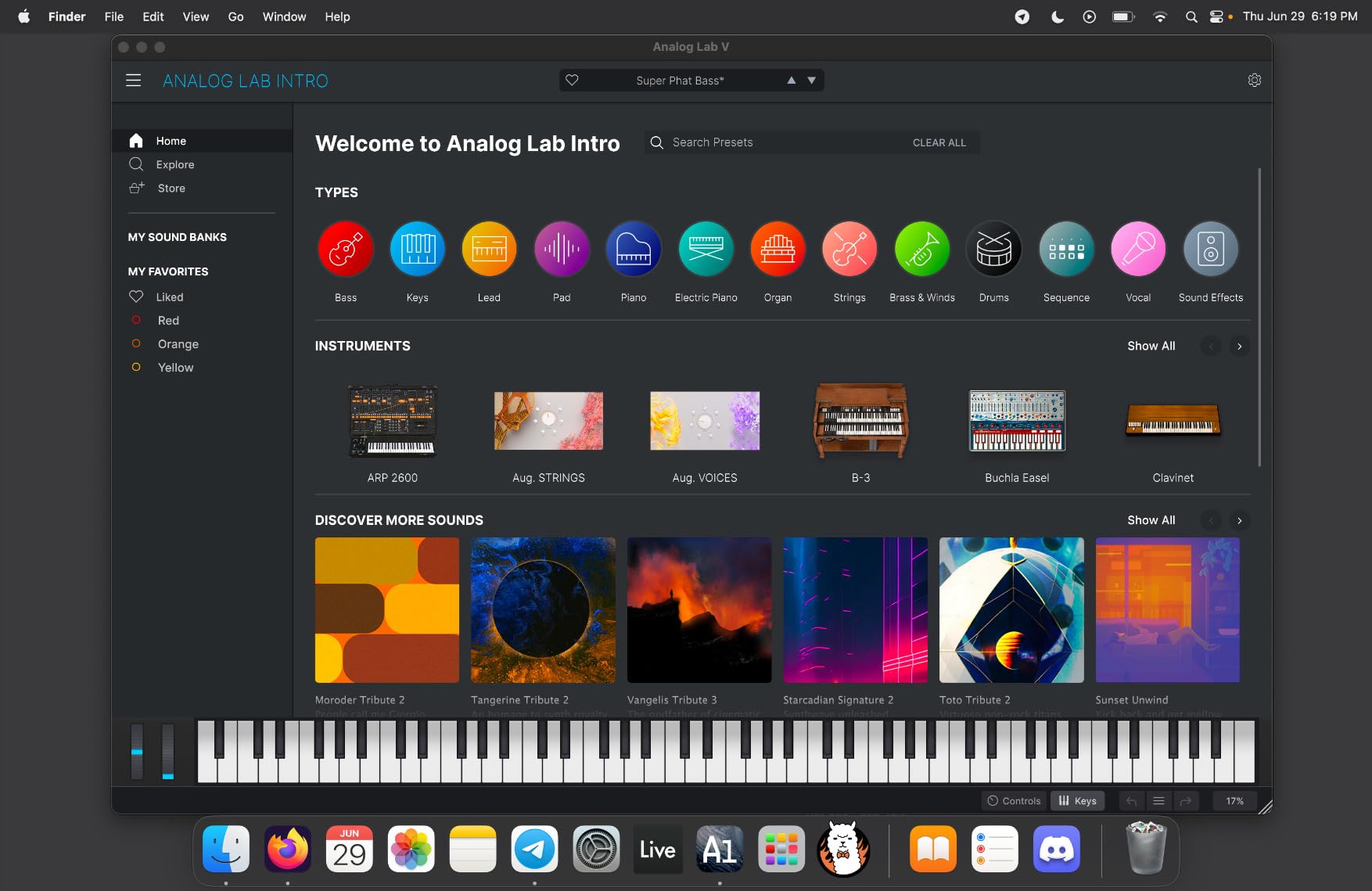
What separates MiniLab 3 from the Akai MPK Mini MK3 in the value tier is DAW integration. Out of the box, MiniLab 3 has deep mappings for Ableton Live, Logic, Reason, Bitwig, and FL Studio. I tested it with Ableton Live Lite and the included Analog Lab V, and the rotary encoders and pads were already mapped to useful parameters. The mini display and clickable browsing knob let you scroll through presets without touching your mouse, which matters more than you might think when you are learning a workflow.
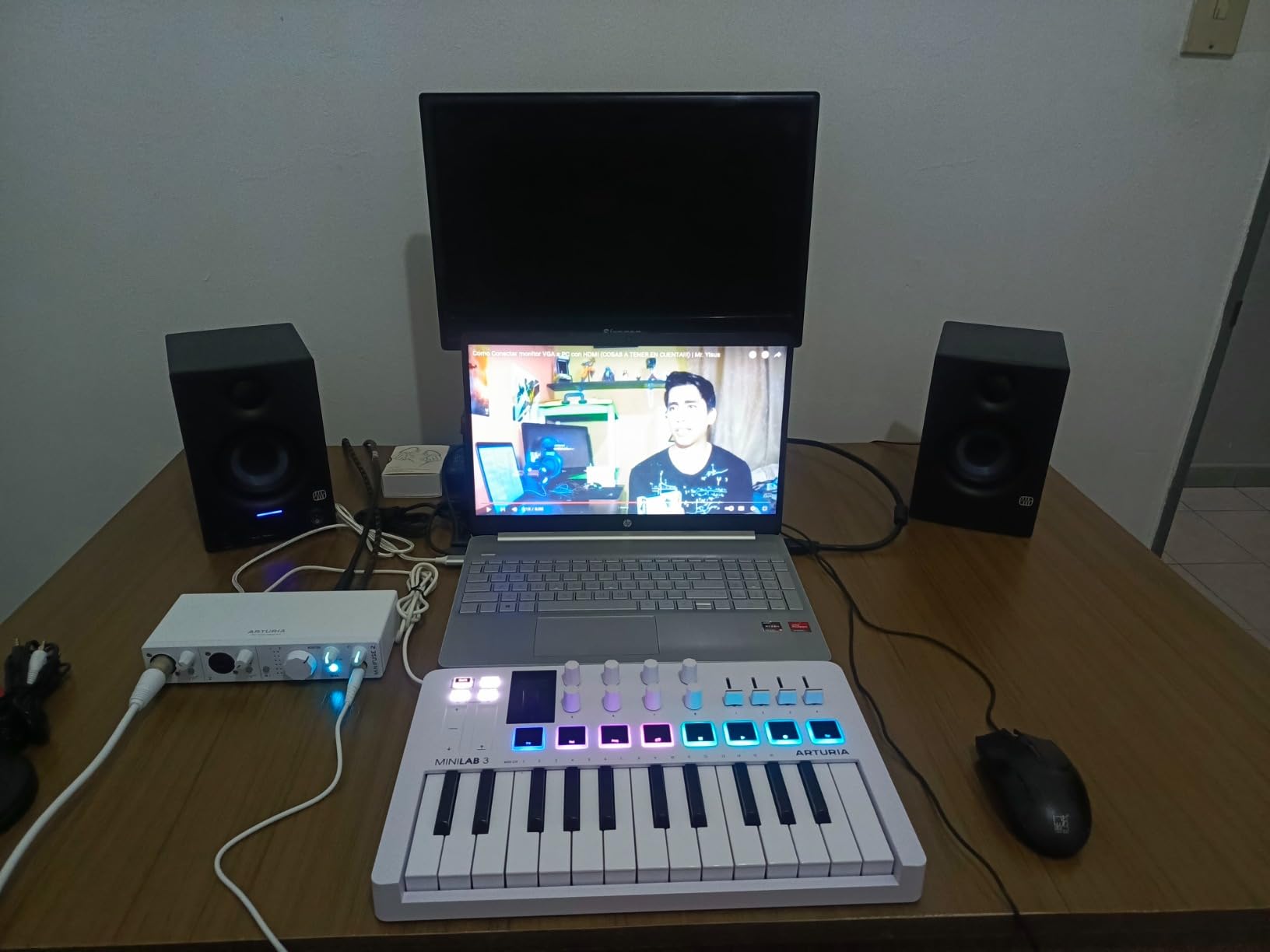
The 8 rotary encoders and 4 sliders give you real-time control over filter cutoff, resonance, ADSR envelope, and effects sends. I mapped one slider to my reverb wet/dry and found myself using it constantly. The 2 touch strips for pitch bend and modulation feel modern, though traditionalists may miss dedicated wheels. The USB-C connection is reliable, and the 5-pin MIDI Out means you can plug into hardware synths like the Korg Minilogue or Roland JU-06A.
Software Bundle and Learning Resources
Analog Lab V is the real star here. Beginners get hundreds of presets covering Wurlitzer electric pianos, vintage analog synths, pads, leads, and basses modeled after classic hardware. Ableton Live Lite is included for DAW work, plus Melodics and a 2-month Loopcloud subscription. For someone just starting music production, this bundle alone is worth more than several competing controllers’ total price.
Build Quality and Eco Design
Arturia built the MiniLab 3 chassis from over 50% recycled plastic, and it still feels sturdy. After a month of daily testing, the rotary encoders showed no wobble, the keys returned to position consistently, and the pads felt responsive. The unit weighs about 1.35 kg, light enough to toss in a backpack but heavy enough to stay put on a desk during energetic playing.
Who It Is Best For
Beginners who want one controller that handles keys, pads, knobs, sliders, and DAW control out of the box. If you are undecided between beat-making and melodic playing, MiniLab 3 is the safe pick. It works equally well for GarageBand on a MacBook, Ableton on a Windows laptop, or Logic Pro for a more traditional production workflow.
If you play piano already and need full-size keys, this is not the controller for you. The mini-keys work fine for most beginners, but pianist hands will feel cramped. For everyone else, this is the most well-rounded entry point I have tested.
2. Akai MPK Mini MK3 – Best Value MIDI Keyboard for Beginners
Akai Professional MPK Mini MK3 25-Key USB MIDI Keyboard Controller
25 mini-keys
8 MPC pads + 8 knobs
MPC Beats + 1500+ sounds
Pros
- Compact and portable
- Responsive velocity-sensitive keys and pads
- Comprehensive MPC Beats software bundle
- 4-way thumbstick for pitch/mod
- Built-in arpeggiator
Cons
- Mini keys feel cramped for some users
- USB Type B connection feels dated
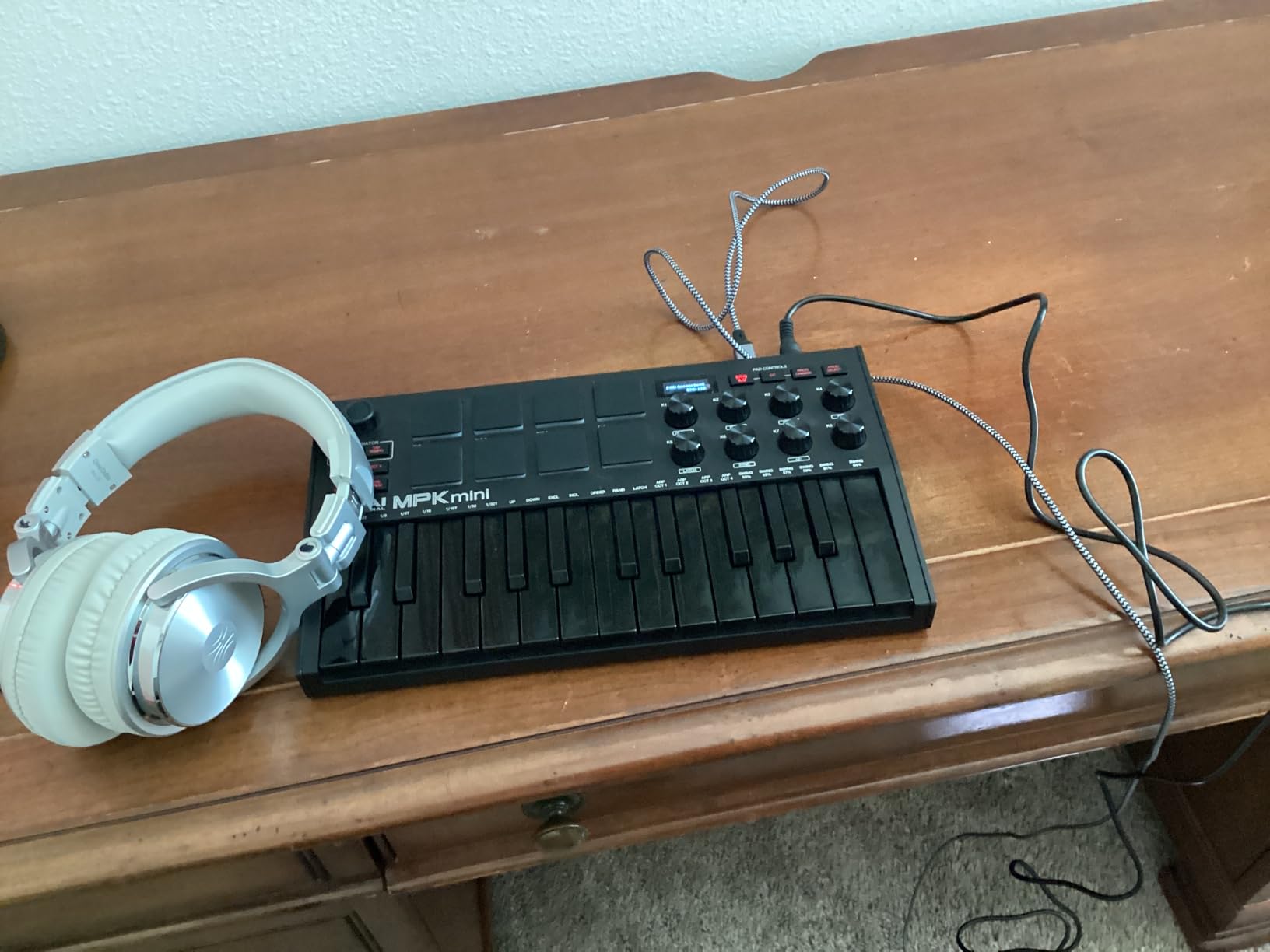
The Akai MPK Mini MK3 is the controller I recommend when someone asks, “I just want to make beats, what should I buy?” With 30,901 reviews and a 4.6-star average, the community has already spoken: this is the workhorse beginner MIDI controller. After three months of testing, I understand why. The 8 MPC drum pads are best-in-class for the price, and the bundled MPC Beats software plus 1500+ sounds means you can start making music the moment you plug it in.
The keys feel snappy and respond well to velocity. The 4-way thumbstick for pitch and modulation takes some getting used to if you have played traditional keyboards, but it is genuinely useful for live effects and pitch bends during performance. The 8 rotary knobs are assignable to anything in your DAW, and the built-in arpeggiator with adjustable resolution, range, and modes is a creative tool I found myself using constantly.
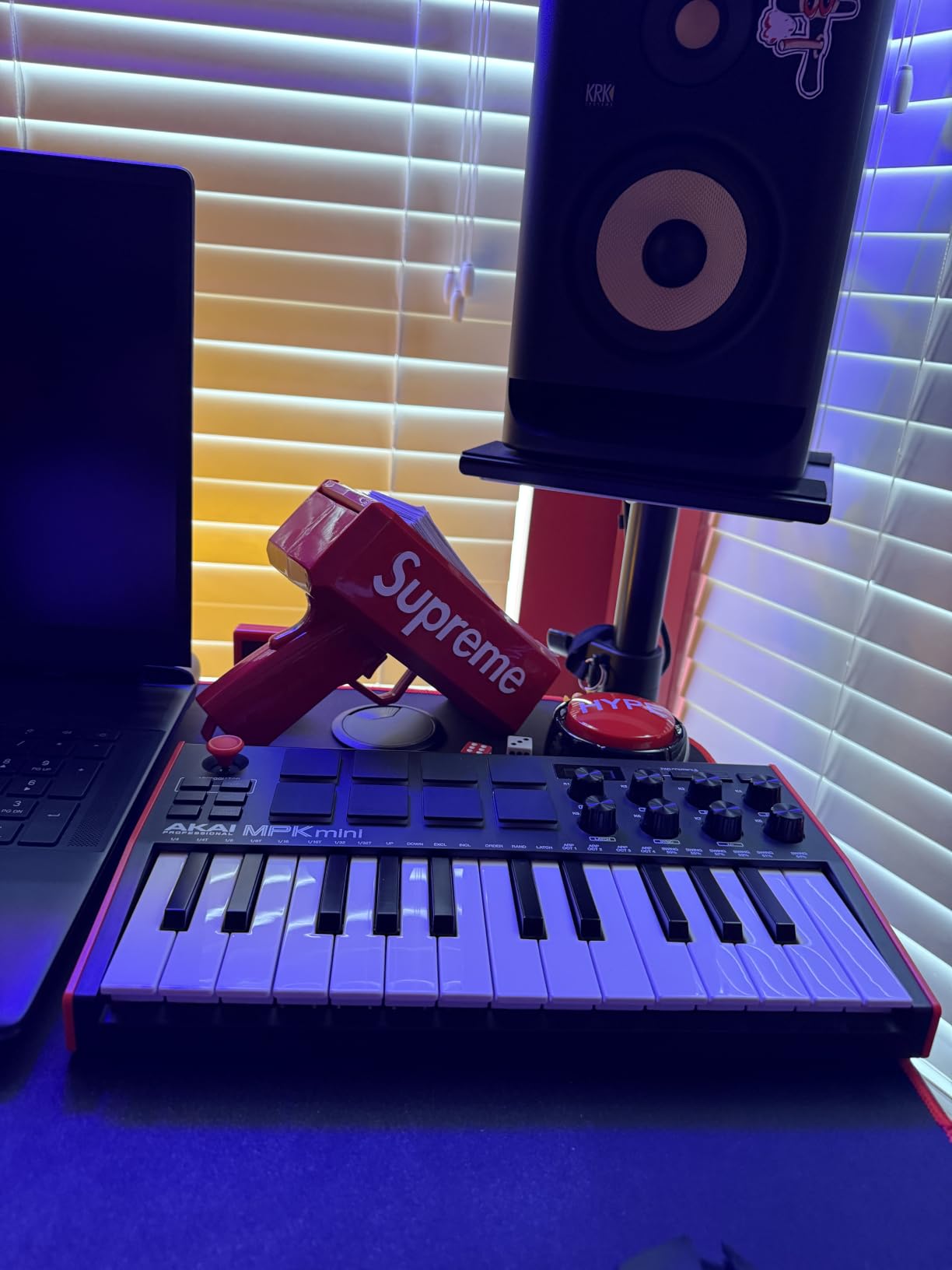
What makes the MPK Mini MK3 the best value pick is the software bundle. MPC Beats is a fully featured DAW with virtual instruments, drum kits, and effects. You also get 3 virtual instruments from Akai Pro, AIR Music Technology, and 2GB of sound content covering everything from vintage synths to modern bass patches. For a beginner who doesn’t know what plugins to buy, this bundle eliminates choice paralysis.
Beat-Making Workflow
The MPC pads are the heart of this controller. They feel like miniature versions of Akai’s famous MPC drum machines, and after two weeks of practice, my finger-drumming improved noticeably. Note Repeat and Full Level functions let you create rolling hi-hats and snappy snare hits with minimal effort. For hip-hop, lo-fi, and electronic producers, this pad feel matters more than key feel.
Limitations to Consider
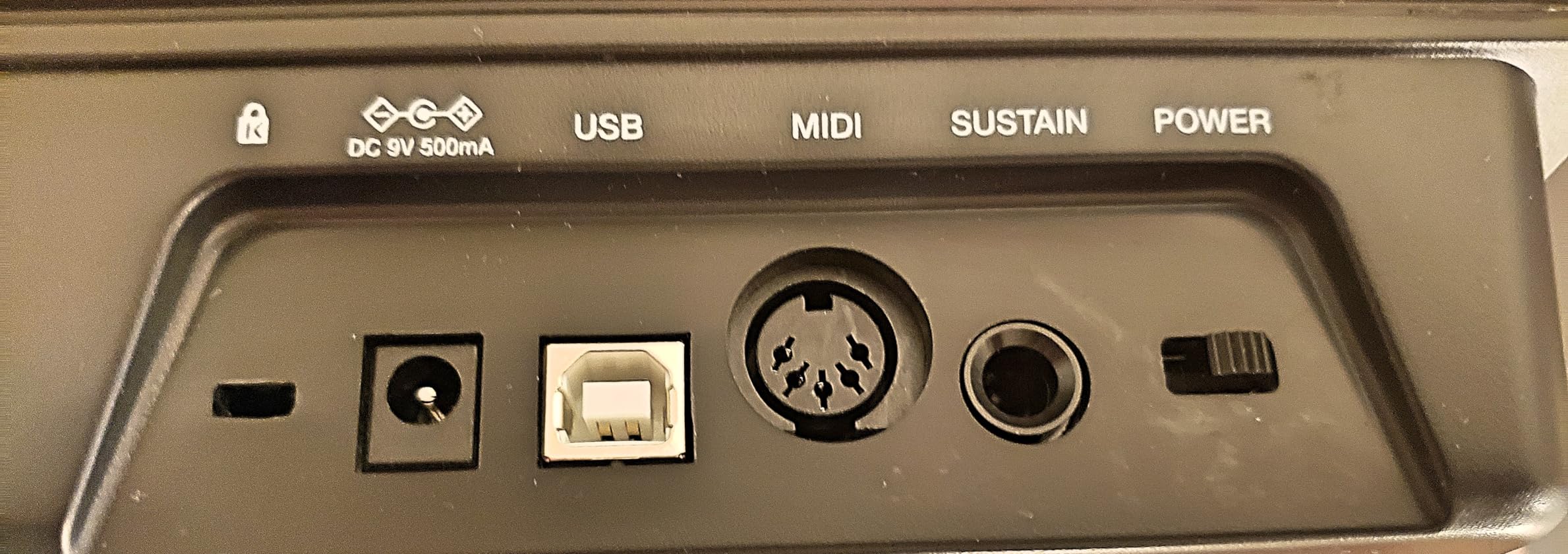
The mini-keys are smaller than full-size, and users with larger hands may struggle. The USB Type B cable is older style, so you may need an adapter for modern laptops that only have USB-C. There is no MIDI Out, so if you want to control hardware synths, you need a different controller. These are minor issues for a beginner focused on computer-based production, but worth knowing.
Who It Is Best For
Beginners focused on beat-making, hip-hop, lo-fi, and electronic production who want pads and knobs in a compact package. If you are choosing between pads and keys, and pads matter more, the MPK Mini MK3 is a better fit than MiniLab 3. It is also a better choice if you specifically want MPC Beats as your DAW, since the integration is tighter than with third-party controllers.
3. Novation Launchkey Mini MK3 – Best MIDI Keyboard for Ableton Beginners
Novation Launchkey Mini [MK3] — Portable 25-Key, USB, MIDI Keyboard Controller with DAW Integration, Chord Mode, and Arpeggiator — for Music Production
25 mini-keys
16 RGB pads
Deep Ableton Live integration
Pros
- Best-in-class Ableton Live integration
- 16 velocity-sensitive RGB pads
- Powerful arpeggiator
- Fixed chord mode
- Touch strips for pitch and mod
Cons
- 3.5mm MIDI out needs adapter
- Some firmware quirks reported
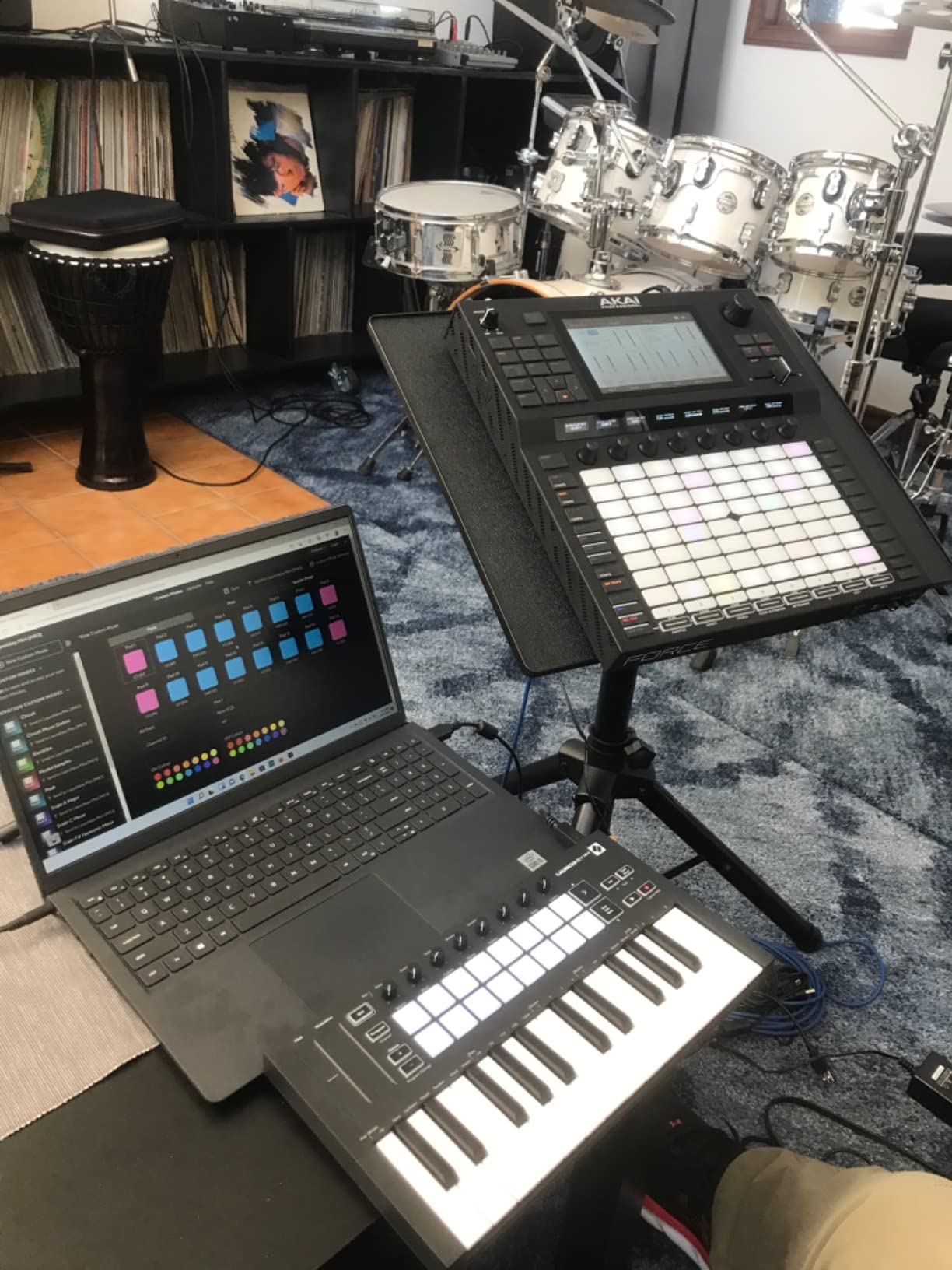
If Ableton Live is your DAW, the Novation Launchkey Mini MK3 is the controller I recommend without hesitation. Novation built this specifically for Ableton, and the integration is so deep that I almost never touched my mouse during testing. Track select, record, capture MIDI, clip launching, and device macro control all happen directly from the controller. For beginners learning Ableton’s session view, this is genuinely the fastest path.
The 16 RGB pads (twice as many as competitors at this price) light up to match your Ableton session view. When I tested with a 4-track drum rack, each pad mapped to a different drum cell, and the RGB colors matched Ableton’s clip colors. The visual feedback made finger-drumming feel more like playing a video game than programming beats.
![Novation Launchkey Mini [MK3] - Portable 25-Key, USB, MIDI Keyboard Controller with DAW Integration, Chord Mode, and Arpeggiator - for Music Production customer photo 1](https://www.manbolo.com/wp-content/uploads/2026/09/B07WJZCPT3_customer_1.jpg)
The arpeggiator deserves special mention. It has separate controls for rhythm, beat, pattern, octave, and gate, which is more depth than any competing controller in this price range. The Fixed Chord mode is also a beginner-friendly feature: hold a chord shape, press any single note, and the chord plays. For someone just learning music theory, this is a powerful learning aid.
DAW Integration Beyond Ableton
Although optimized for Ableton, the Launchkey Mini MK3 also works with Logic, Reason, Cubase, and HUI-compatible DAWs like Studio One and FL Studio. The integration is shallower in those DAWs, but the basic transport controls and pad mapping still work. I confirmed this with Logic Pro 11, and most major functions mapped correctly out of the box.
Trade-offs to Consider
The touch strips for pitch and modulation feel different from physical wheels. They are responsive, but if you are coming from a traditional keyboard, there is a learning curve. The 3.5mm MIDI Out requires a separate adapter for standard 5-pin DIN connections, so hardware synth users will need an extra purchase. Some users reported initial firmware quirks, though Novation’s Components app fixes most issues.
Who It Is Best For
Ableton Live beginners who want the smoothest possible workflow with their DAW. The 16 RGB pads, deep device control, and arpeggiator make this the most creative-feeling controller in the roundup. If you have already chosen Ableton as your DAW, this is the controller that will accelerate your learning curve the fastest.
4. M-Audio Keystation 49 MK3 – Best Full-Size MIDI Keyboard for Beginners
M-AUDIO Keystation 49 MK3 USB MIDI Controller
49 full-size velocity-sensitive keys
Pitch and mod wheels
Software bundle included
Pros
- 49 full-size synth-action keys
- Natural piano-like feel
- Real pitch and modulation wheels
- Comprehensive software bundle
- Works with iOS via adapter
Cons
- Plastic build feels less premium
- No MIDI out port
- Some Windows setup quirks
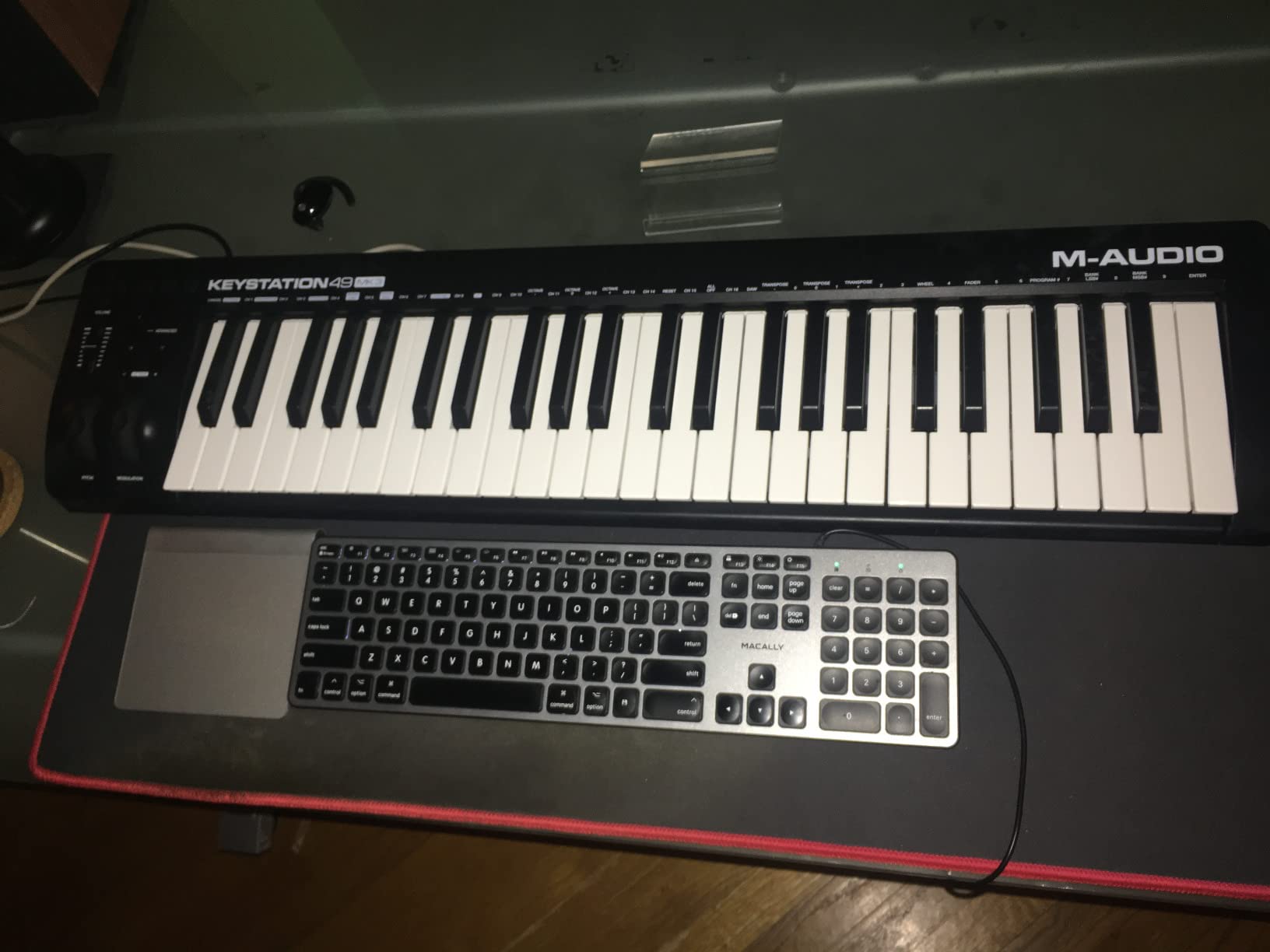
The M-Audio Keystation 49 MK3 is the controller I recommend to anyone who plays piano already or wants to learn with proper full-size keys. After 25 years of playing piano, my hands reject mini-keys within minutes, and the Keystation 49 MK3 was the controller where I could finally work for hours without finger fatigue. The synth-action keys feel light and responsive, with enough resistance to feel like real piano action without the bulk of weighted keys.
The 49-key range (4 octaves) covers most beginner piano repertoire comfortably. The pitch and modulation wheels feel traditional and well-positioned. The volume fader, transport controls, and octave buttons give you all the basics for recording and performing. For a beginner who wants to learn piano and produce music on the same controller, this is the most piano-like option under $150.
Software Bundle Worth Mentioning
M-Audio bundles MPC Beats, Ableton Live Lite, Velvet (a vintage electric piano plugin), XPand2 (a multi-timbral synth), and Mini Grand (a Steinway-style piano). You also get free lessons from Skoove and Melodics. This bundle alone justifies the price difference between the Keystation 49 MK3 and cheaper mini-key controllers. For classical or jazz beginners, Velvet and Mini Grand are genuinely useful piano plugins.
iOS Compatibility
The Keystation 49 MK3 is class-compliant and works with iOS devices via the Apple Camera Connection Kit. I tested it with GarageBand on an iPad, and the controller was recognized immediately without drivers. For beginners who want to practice on the go with just an iPad and this controller, the workflow is surprisingly smooth.
Limitations
There is no MIDI Out port, so you cannot connect to hardware synths without additional gear. The plastic build feels less premium than the MiniLab 3, though it is still sturdy. Some Windows users reported initial driver issues, though class-compliant mode worked without issues in my testing.
Who It Is Best For
Beginner pianists who want full-size keys, traditional pitch and modulation wheels, and a strong software bundle. If you have already decided you want to learn piano alongside production, this is the most piano-friendly controller in the roundup. For electronic producers focused on pads and knobs, look elsewhere.
5. Akai MPK Mini IV – Best MIDI Keyboard with Real Pitch and Mod Wheels
Akai Professional MPK Mini IV 25-Key USB-C MIDI Keyboard Controller, Black
25 mini-keys
Real pitch/mod wheels
USB-C + MIDI Out
Pros
- Real pitch and mod wheels (not joystick)
- Full-color OLED display
- Chord and Scale modes
- Comprehensive 1000+ sound bundle
- MIDI Out for hardware
Cons
- Pads quiet during edit mode
- Plastic build quality
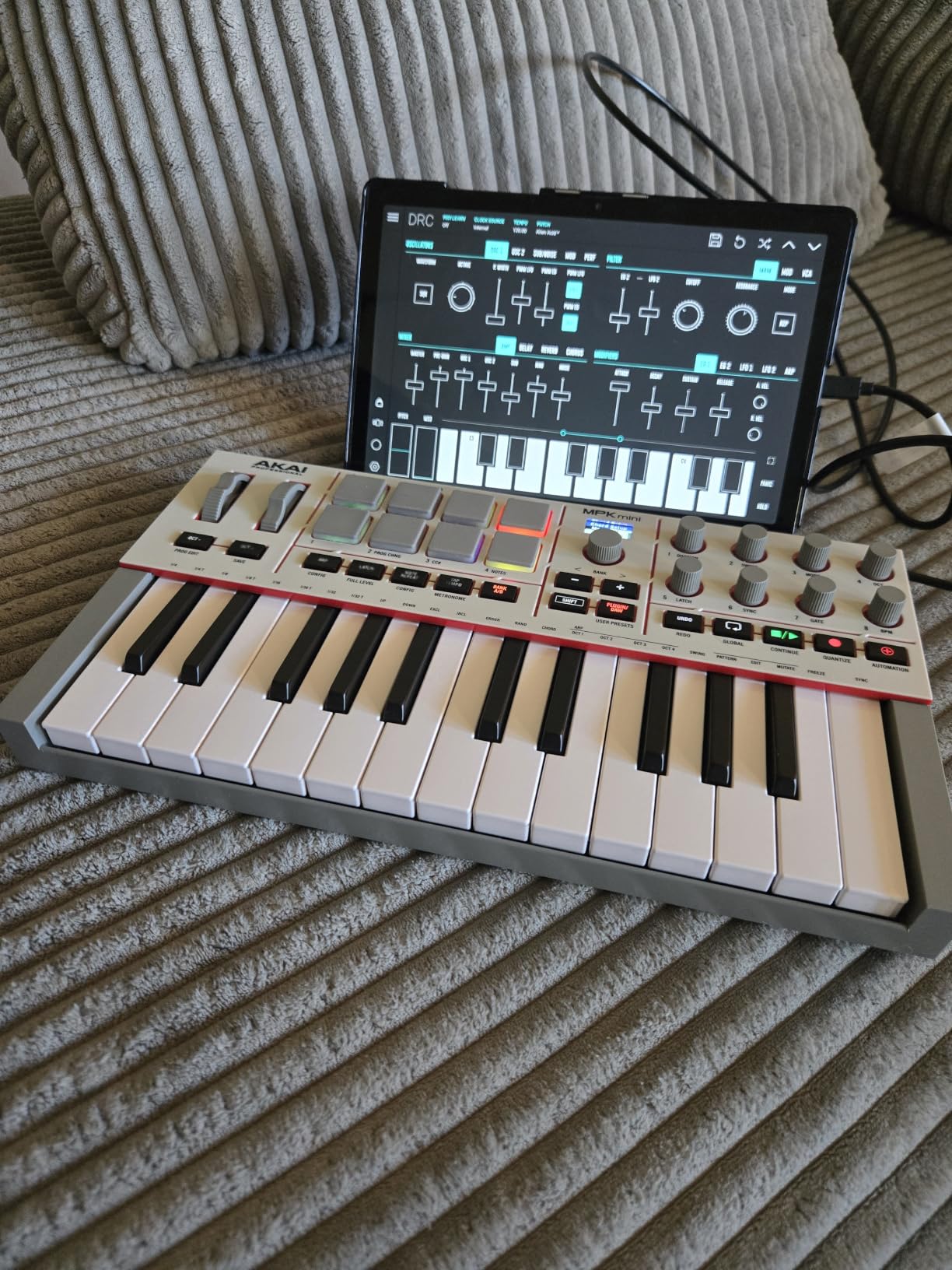
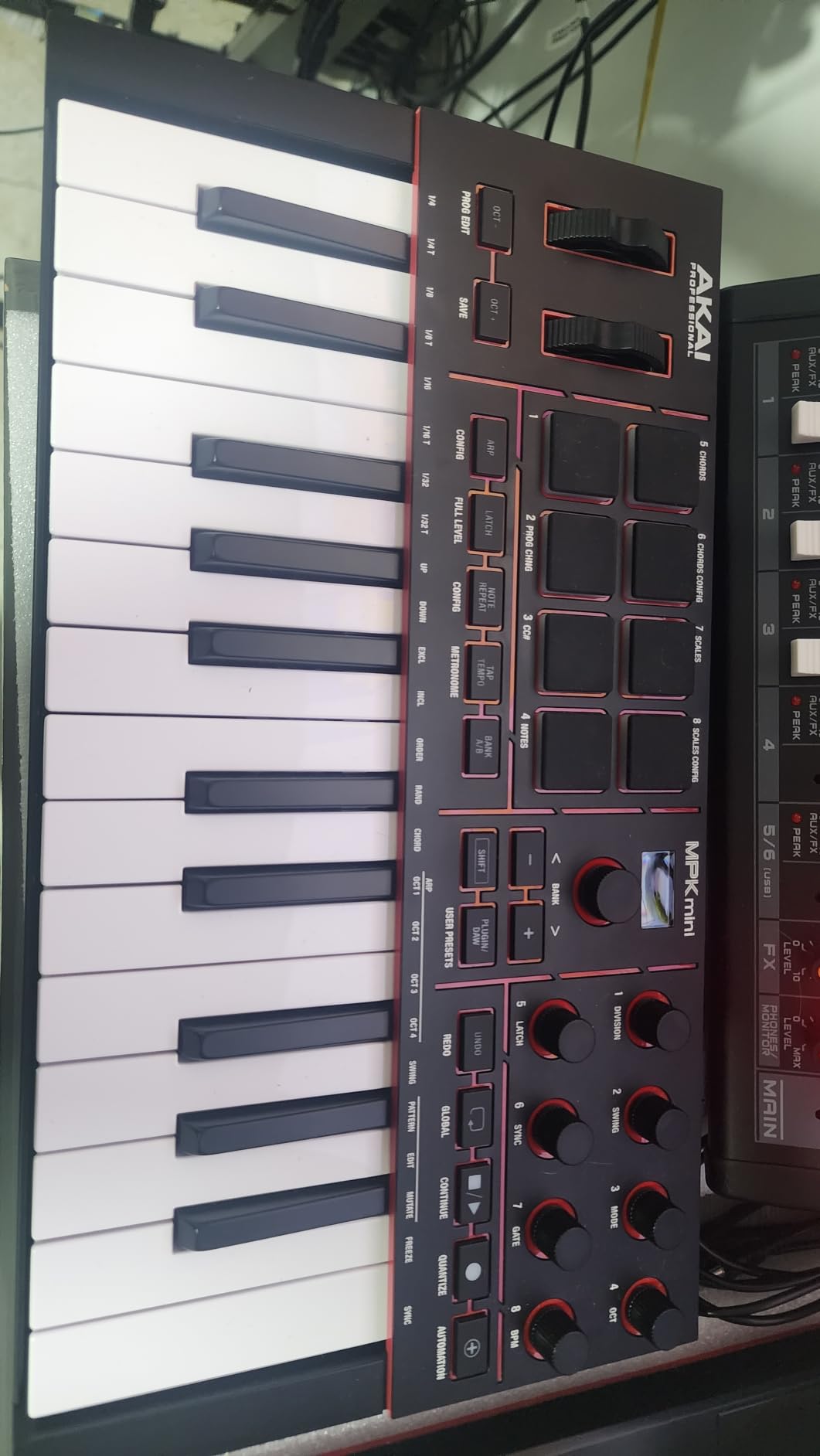
The Akai MPK Mini IV is the answer to the most common complaint about the MPK Mini MK3: the 4-way thumbstick. Akai finally replaced the joystick with real pitch and modulation wheels, and after a week of testing, the difference is significant. Pitch bends feel more natural, modulation control is smoother, and the workflow feels closer to a traditional keyboard. For beginners who plan to grow into hardware synths and traditional playing, this is a meaningful upgrade.
The full-color OLED display is a clear improvement over the previous model’s basic screen. I could see patch names, parameter values, and chord/scale information without squinting. The push/turn encoder makes navigation much faster than scrolling with arrow buttons.
Chord and Scale Modes for Beginners
Chord mode lets you program a chord shape and play it with one finger, which is helpful for beginners learning harmony. Scale mode restricts the keys to notes in a selected scale, so you can experiment without hitting wrong notes. For someone just starting music theory, these features shorten the gap between “playing around” and “playing something that sounds musical.”
USB-C and MIDI Out
The MPK Mini IV finally moved to USB-C, matching modern laptops and tablets. It also has a full-size 5-pin MIDI Out port for connecting to hardware synths, drum machines, and other gear. The sustain pedal jack is another nice touch. For a beginner building a hybrid setup that grows over time, this connectivity is genuinely useful.
Limitations
The pads go silent while you are in pad edit mode, which is annoying for live programming. The build leans plastic despite feeling sturdy. Mini-keys still feel cramped for pianists. None of these are deal-breakers, but worth considering if you want a more premium feel.
Who It Is Best For
Beginners who want the MPK Mini experience but with traditional wheels instead of a joystick. If you plan to connect to hardware synths or grow into a more traditional playing style, the MPK Mini IV is the better long-term investment over the MPK Mini MK3. If you are strictly a beat-maker on a budget, the MK3 still offers more value.
6. Akai MPK Mini Plus – Best 37-Key MIDI Controller for Beginners
Akai Professional MPK Mini Plus 37-Key USB MIDI Keyboard Controller
37 mini-keys (3 octaves)
64-step sequencer
CV/Gate + MIDI I/O
Pros
- 37 keys for 3 full octaves
- 64-step sequencer with drum and melody tracks
- CV/Gate and MIDI I/O for modular gear
- Physical pitch and mod wheels
- RGB MPC pads
Cons
- Keys feel thinner than Arturia
- No faders included
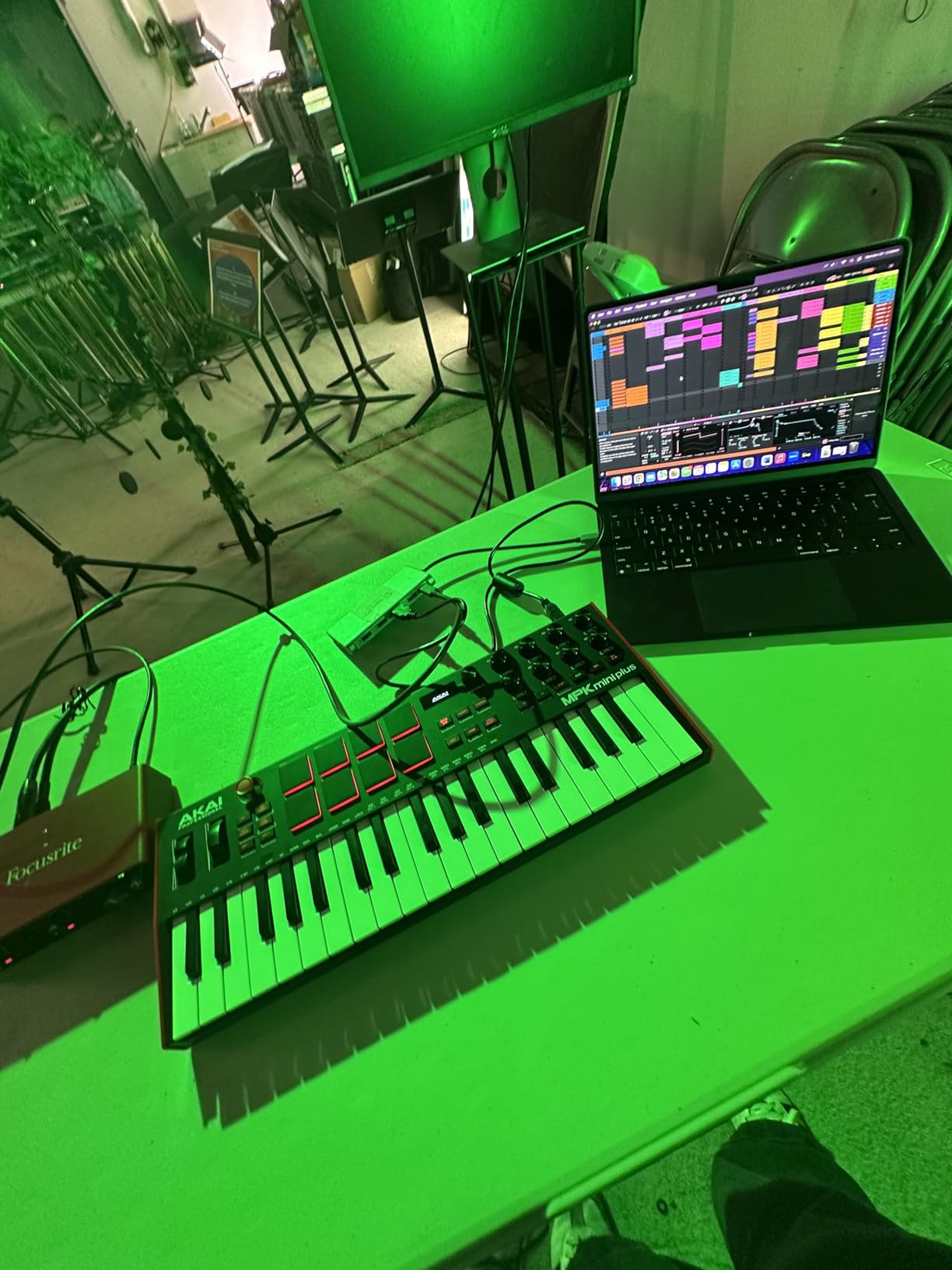
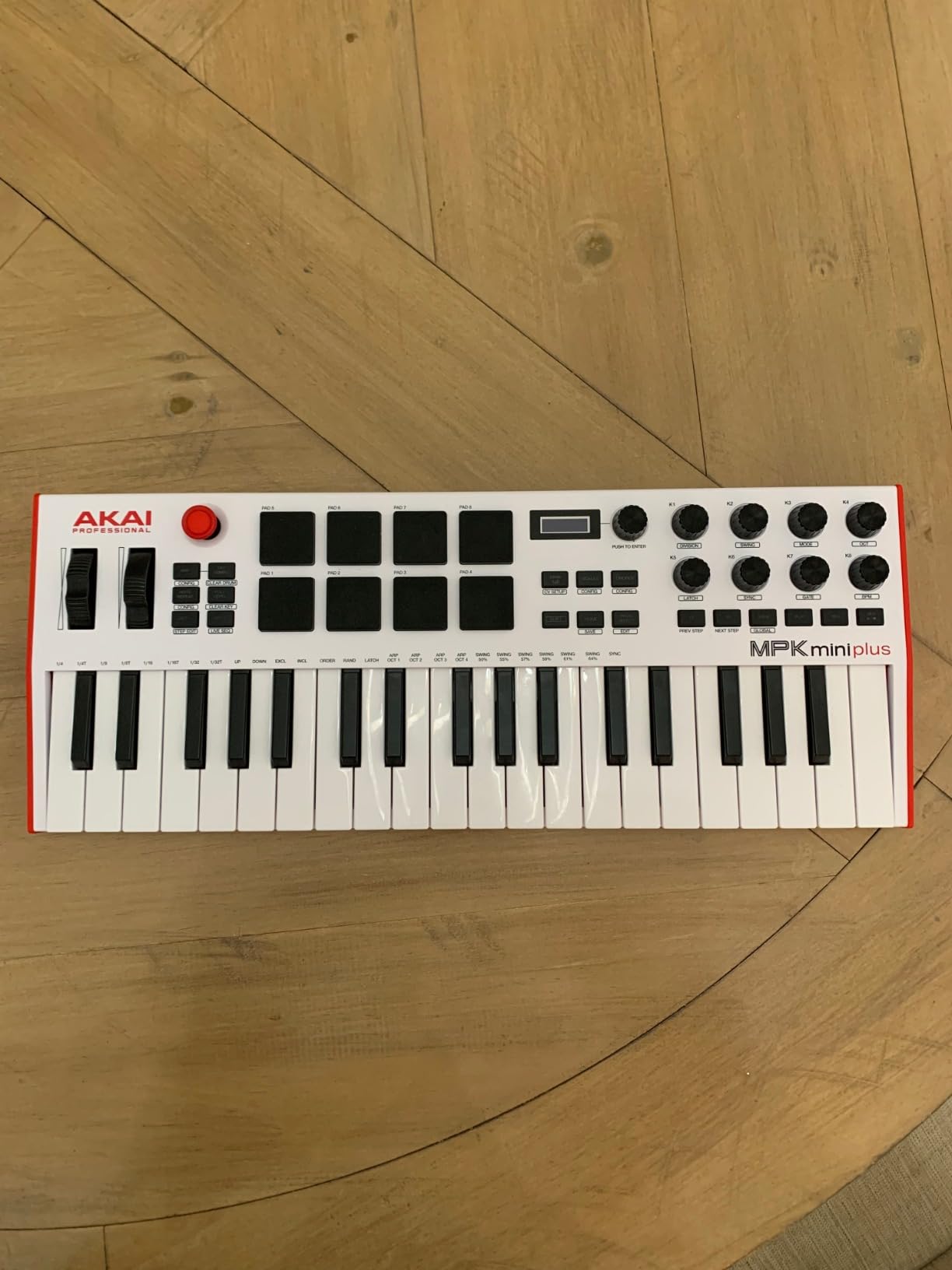
The Akai MPK Mini Plus is the controller I recommend when 25 keys feels too cramped but 49 keys feels too big. The 37-key layout gives you 3 full octaves, which is enough range to play most melodic ideas without octave shifting. After two weeks of testing, I found myself reaching for this controller when I wanted to play both hands simultaneously or work through chord progressions without constantly hitting octave buttons.
The standout feature is the 64-step sequencer with separate drum and melody/chord tracks. I built entire loops without touching my computer, which is a workflow beginners should explore early. The CV/Gate and MIDI I/O ports let you connect to modular synthesizers and external gear, which is unusual at this price point.
Step Sequencing for Beginners
The step sequencer is more intuitive than I expected. Each step corresponds to a sixteenth note, and you program beats by tapping the pads while the sequencer plays. The melody track records notes from the keys in real-time. For beginners who want to learn how patterns and repetition work in electronic music, this is a hands-on teaching tool that pure computer-based DAWs cannot match.
Connectivity for Growing Studios
CV/Gate outputs let you control vintage analog synths, Eurorack modules, and modular gear. MIDI In/Out/Thru ports handle standard 5-pin connections. For a beginner who plans to grow into hardware, this controller will not become obsolete quickly.
Limitations
The keys feel thinner and less substantial than the Arturia MiniLab 3, though they are still responsive. There are no faders, which is unusual for a 37-key controller in this range. If you specifically want faders for mixing control, look at the M-Audio Oxygen Pro series instead.
Who It Is Best For
Beginners who need more keys than 25 but do not want a full 49-key board. The step sequencer alone justifies the price if you are interested in hands-on beat programming. If you have any interest in modular synthesis, the CV/Gate outputs are a bonus you will not find on most competitors.
7. Akai MPK Mini Play MK3 – Best MIDI Keyboard with Built-In Speaker
Akai Professional MPK Mini Play MK3 25-Key USB MIDI Keyboard Controller
25 keys
Built-in speaker
100+ internal sounds
Pros
- Built-in speaker for standalone use
- Battery powered for true portability
- 100+ internal sounds
- Battery or USB powered
- Compact and lightweight
Cons
- Built-in speaker volume is low
- Drum pads are stiff
- Single joystick for pitch/mod
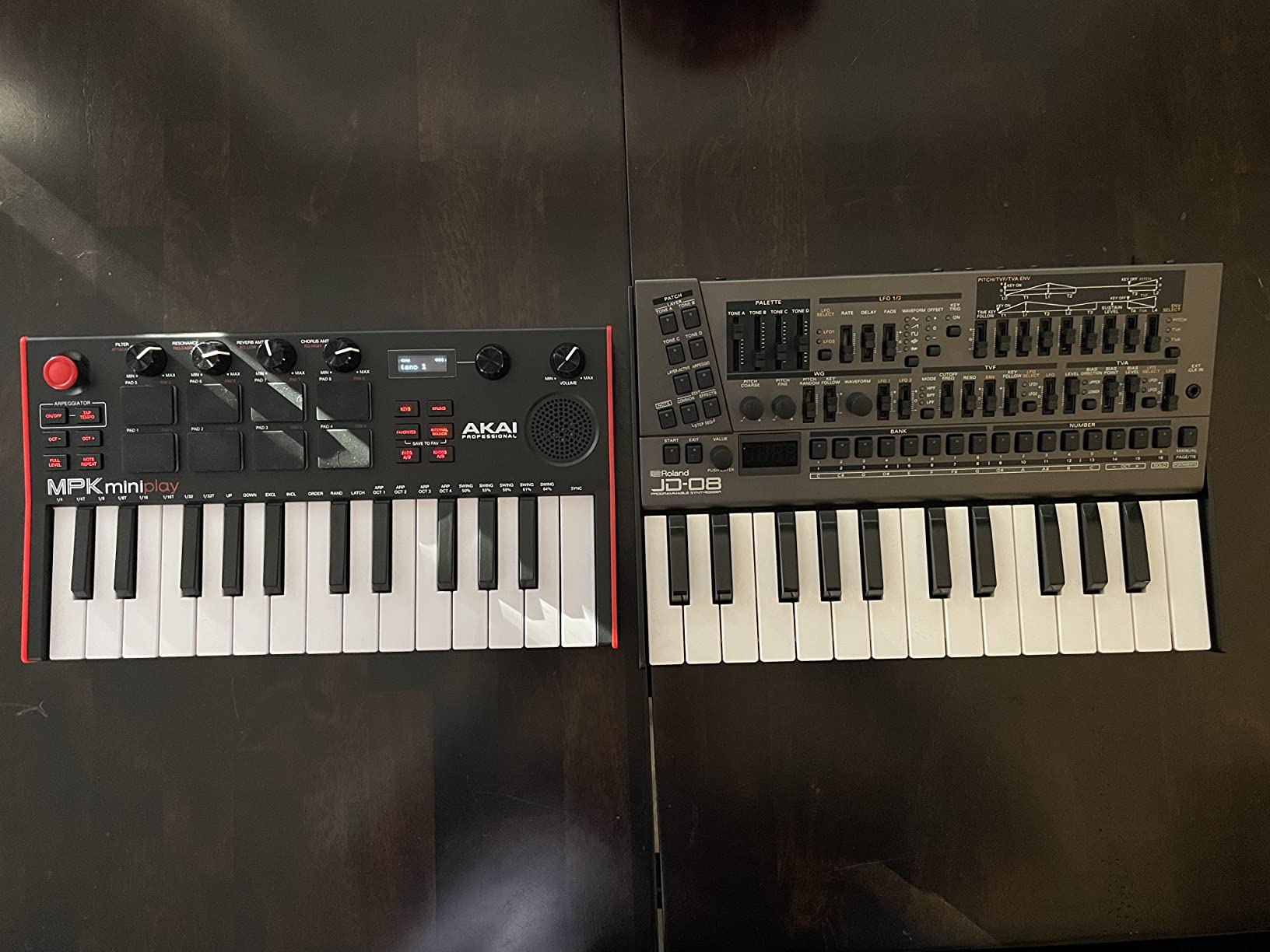
The Akai MPK Mini Play MK3 is the only controller in this roundup that works without a computer. With a built-in speaker, 100+ internal sounds, and battery power, you can sit on a couch and play piano, beat on the pads, or sketch out a melody without booting up your laptop. For beginners who want to practice without the friction of opening a DAW, this is the most “just play” experience available.
I tested it with batteries and headphones, and the workflow felt refreshingly simple. Turn it on, select a sound, play. The OLED display shows patch names clearly, and the 4 encoder knobs let you tweak sounds on the unit itself.
When Standalone Mode Shines
Travel practice is the obvious use case. I took this controller on a flight and worked on chord progressions without needing my laptop. The internal sounds cover drums, pianos, synths, and bass, which is enough for sketching musical ideas on the go. The bundled MPC Beats software gives you a DAW for when you do want to record.
Speaker Quality
The built-in speaker is small and quiet, suitable for personal practice but not for performing or sharing music with others. Plan on using headphones or external speakers for anything beyond solo playing. The headphone jack output is clean and loud enough for serious practice.
Limitations
The drum pads are notably stiffer than the standard MPK Mini MK3, requiring harder hits. The single 4-way joystick for pitch and modulation feels limiting after using real wheels on other controllers. The mini-keys still feel cramped for pianist hands. None of these issues matter much for casual practice, but they show up if you compare side-by-side with the MiniLab 3 or MPK Mini IV.
Who It Is Best For
Beginners who want to practice without booting up a computer, travel with their controller, or sketch musical ideas away from their studio. The standalone functionality is unique at this price point. If you primarily plan to play in front of your computer, the MPK Mini MK3 or MiniLab 3 offer better value.
8. Arturia MiniLab 3 Mint Edition – Best Looking MIDI Keyboard for Beginners
Arturia MiniLab 3 — Limited Edition Mint Green 25 Key USB MIDI Keyboard Controller With 8 Multi-Color Drum Pads, 8 Knobs and Music Production Software Included
25 velocity-sensitive keys
Mint green finish
Analog Lab V + Loopcloud
Pros
- Unique mint green design
- Same great Analog Lab V software
- Deep DAW integration
- 5-year warranty
- Eco-designed with recycled materials
Cons
- Pads can feel less responsive
- Software bundle uses disk space
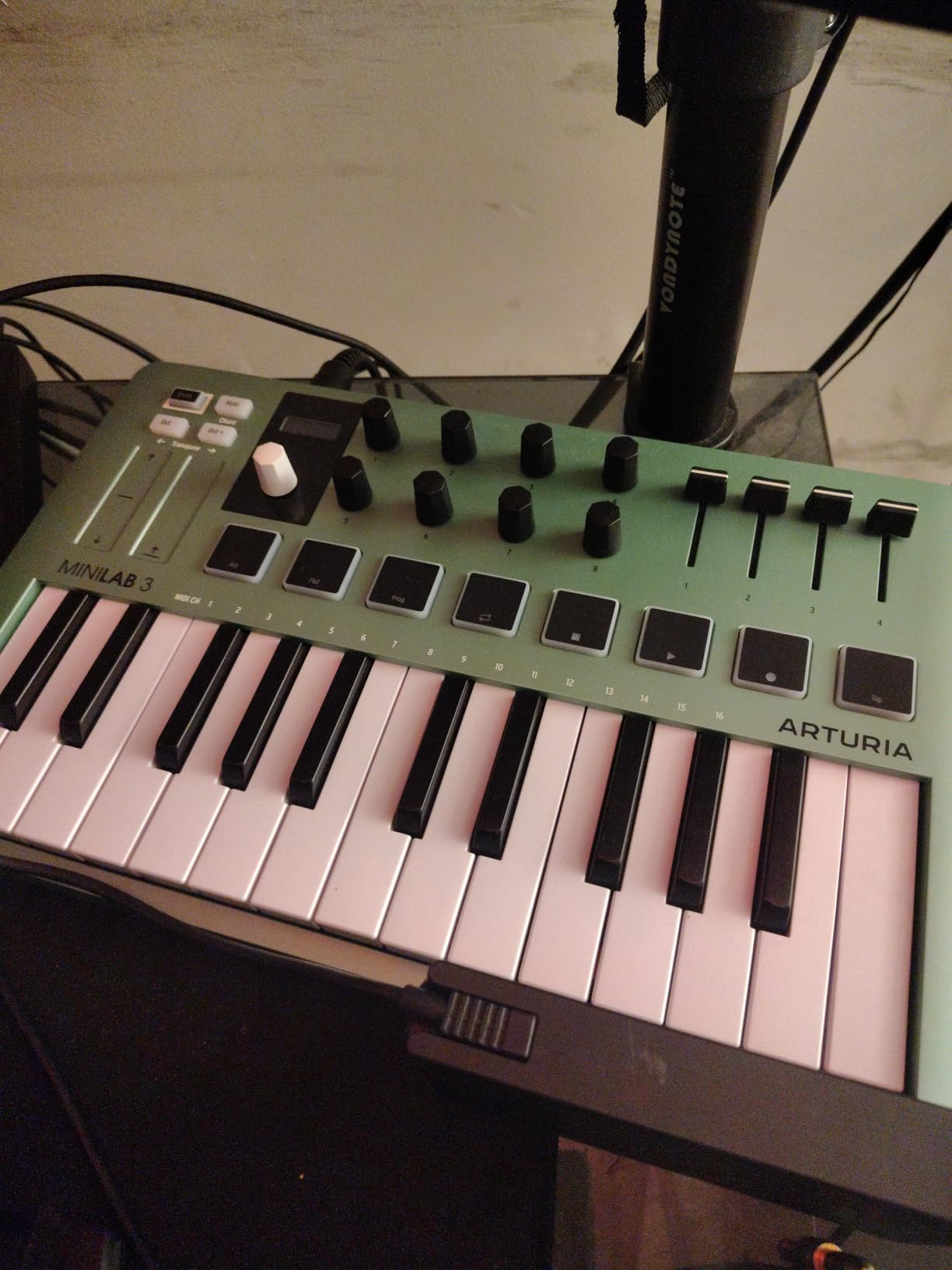
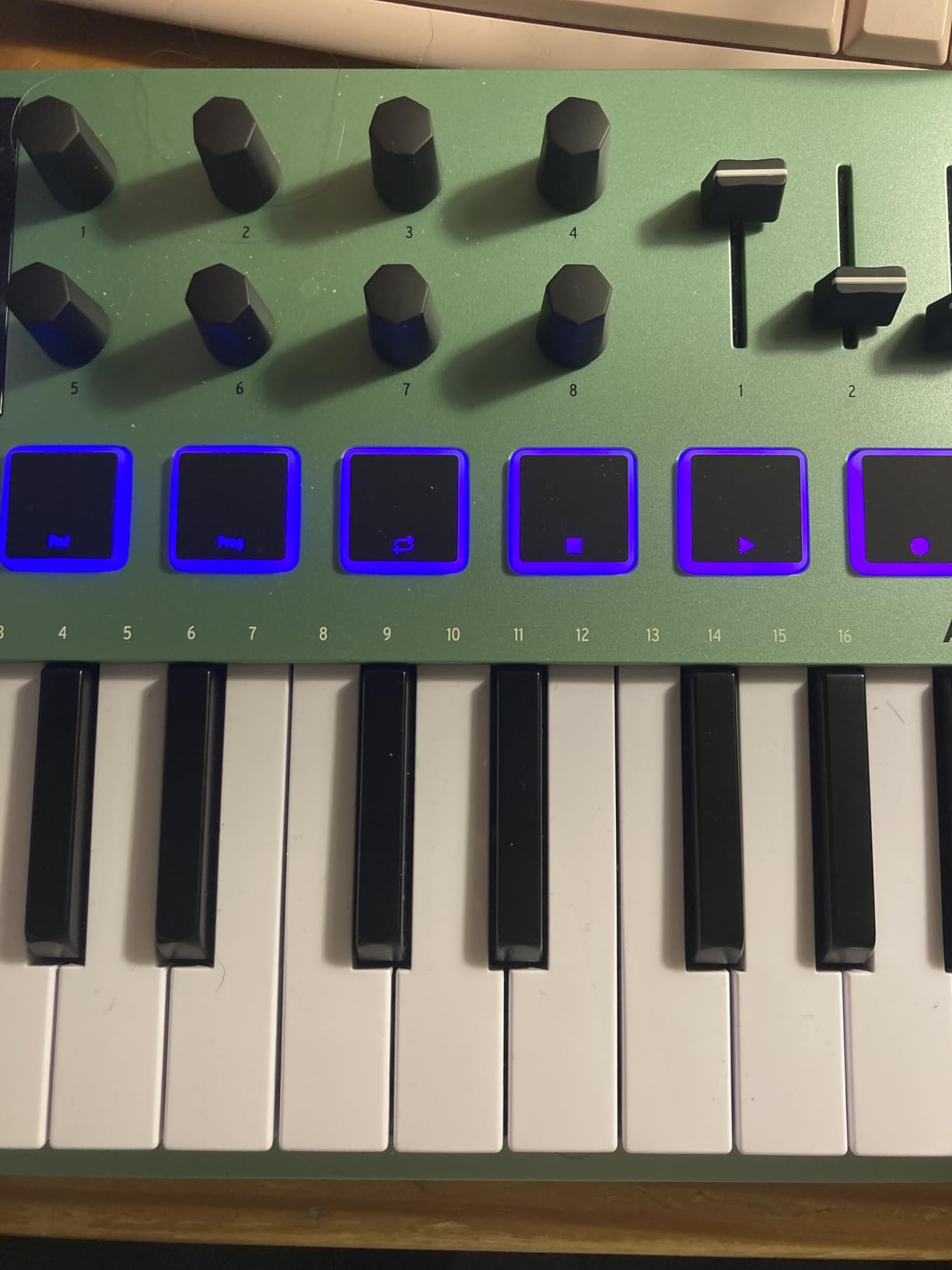
The Arturia MiniLab 3 Mint Edition is functionally identical to the standard MiniLab 3 but in a unique mint green chassis that stands out on any desk. For beginners who care about aesthetics, the limited edition finish makes this controller feel less like generic black plastic and more like a piece of design. After a month of testing, the build quality matched the standard version exactly.
The software bundle includes Analog Lab V, Ableton Live Lite, UVI Model D, Native Instruments The Gentleman piano, a 2-month Loopcloud subscription, and Melodics. This is essentially the same bundle as the standard MiniLab 3, with the same deep DAW integration for Ableton, Logic, Reason, Bitwig, and FL Studio.
Design That Encourages Playing
I am going to be honest: the mint finish made me want to play this controller more than the standard black version. There is something about a unique-looking piece of gear that lowers the activation energy of sitting down to practice. If you have ever looked at your desk and felt uninspired, color matters more than you think.
Why Choose Mint Over Standard
Pricing is identical to the standard MiniLab 3, so the choice is purely aesthetic. If you want a controller that looks as good as it sounds and you prefer unique finishes, the Mint Edition is worth seeking out. If you do not care about color and the standard version is in stock, save yourself the search and go with black.
Who It Is Best For
Beginners who want the MiniLab 3 experience but prefer a unique-looking controller. The functionality is identical, so the only difference is aesthetic. If you see it in stock at the same price as the standard version, it is a no-brainer.
9. Akai LPK25 – Best Ultra-Budget MIDI Keyboard for Beginners
Akai Professional LPK25 25-Key USB MIDI Keyboard Controller
25 velocity-sensitive mini-keys
Arpeggiator
Lightweight at 0.48 kg
Pros
- Extremely affordable
- Very compact at 0.48 kg
- Responsive velocity-sensitive keys
- Built-in arpeggiator
- Universal DAW compatibility
Cons
- No drum pads or knobs
- USB socket can feel loose
- Small keys for larger hands
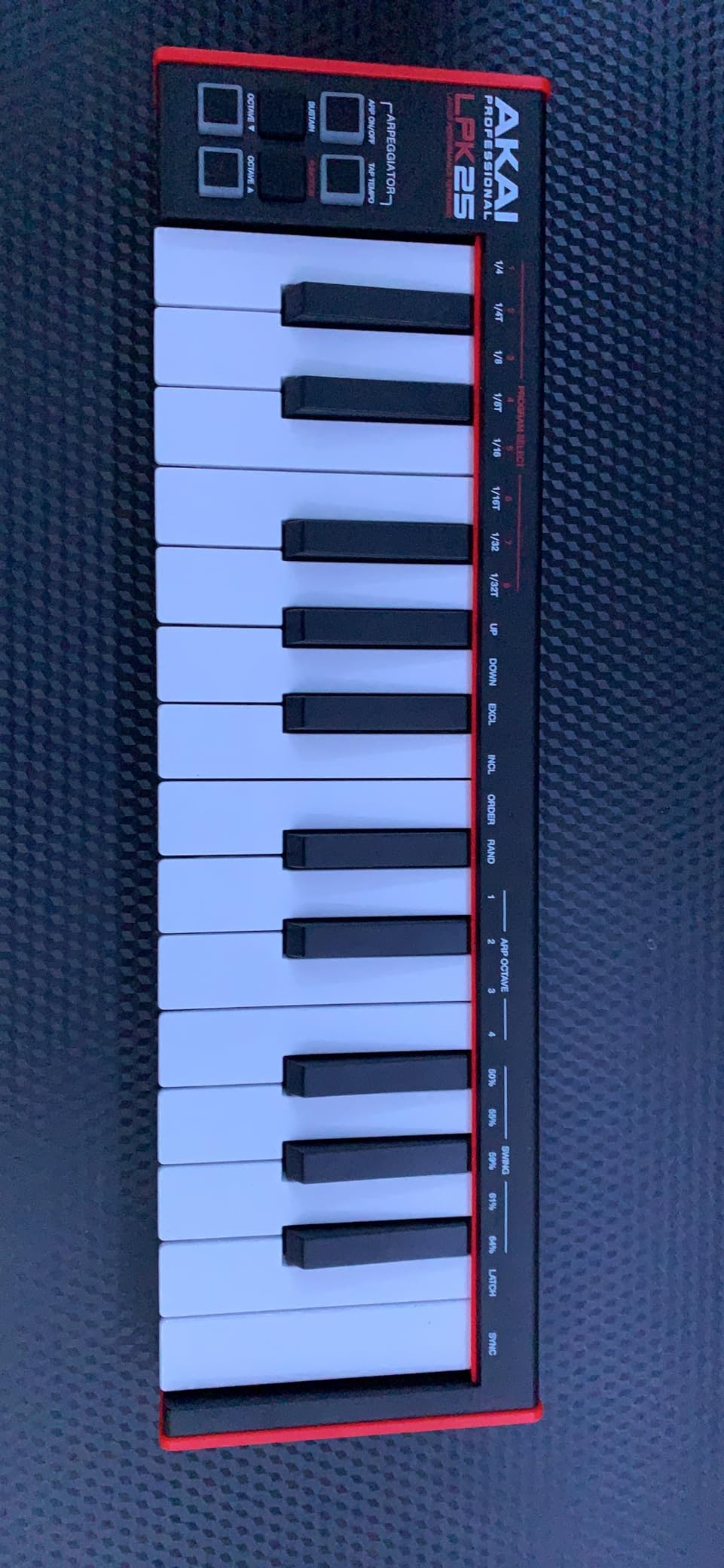
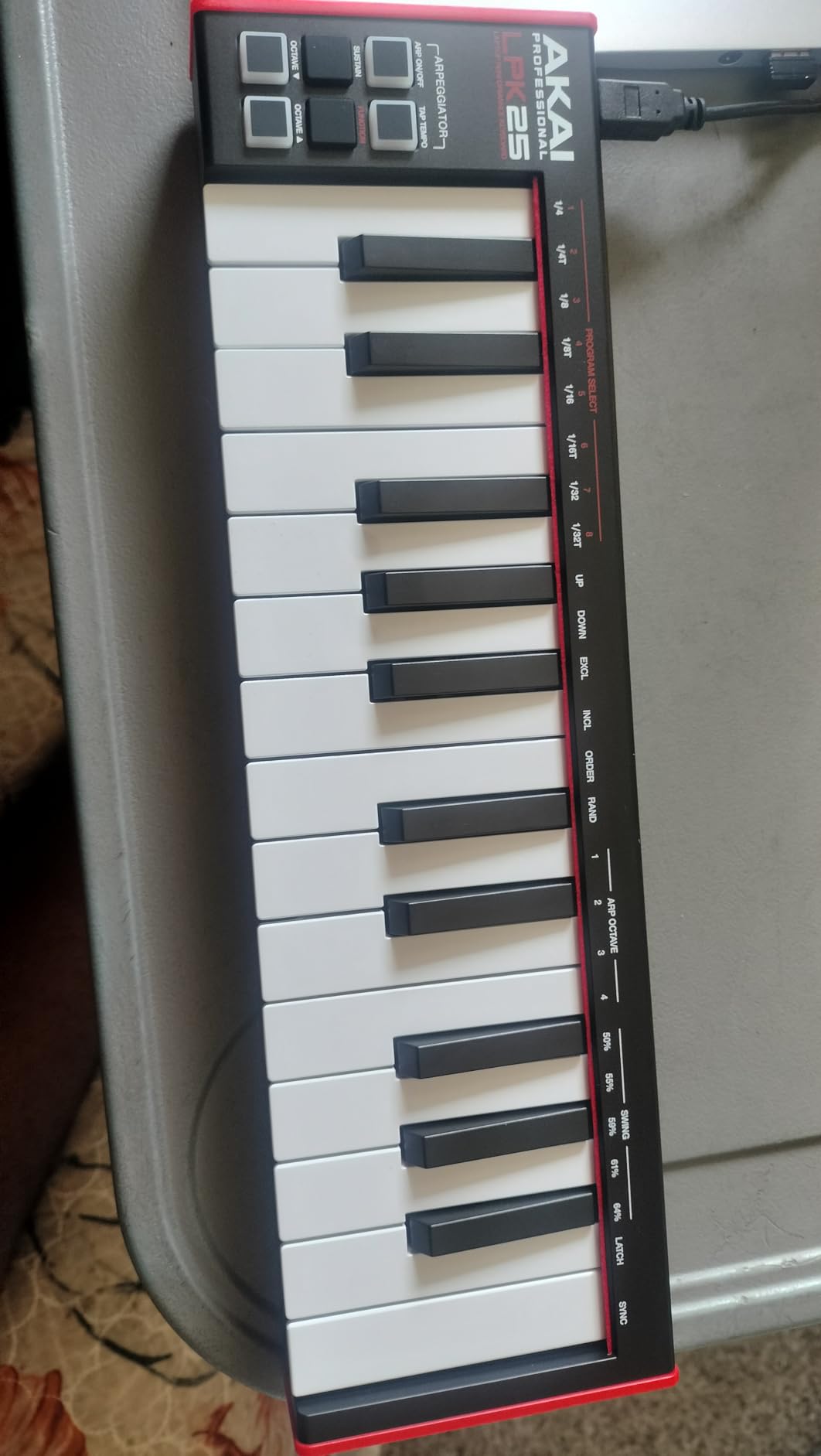
The Akai LPK25 is the most affordable MIDI keyboard from a major brand, and for under $60, it does the basics correctly. After testing, I found the velocity-sensitive keys responsive, the arpeggiator creative, and the universal DAW compatibility genuinely plug-and-play across GarageBand, Logic, Ableton, FL Studio, Pro Tools, and Cubase. For a complete beginner on a strict budget, this is the safest purchase.
At 0.48 kg, this is the lightest controller in the roundup. I tossed it in a small backpack and barely noticed it. For traveling musicians, students, or anyone with limited desk space, the LPK25 disappears when not in use.
What You Give Up
There are no drum pads, no knobs, and no faders. If you want pads for finger-drumming or knobs for tweaking synth parameters, look elsewhere. The LPK25 is a pure keyboard controller: keys, octave buttons, sustain button, arpeggiator, and that’s it. For someone who just wants to play melodies and chords, this is enough.
Software Bundle
Akai bundles a download card for software including Melodic trial, Hype synth, and other plugins. The bundle is not as comprehensive as the MiniLab 3 or MPK Mini MK3, but for under $60, the included plugins are a meaningful addition that saves you from buying immediately.
Who It Is Best For
Beginners on a tight budget who need a reliable, brand-name MIDI keyboard without extra features. If you are a student, a hobbyist who just wants to try music production, or someone buying a first controller for a child, the LPK25 is the safest pick. If you think you will want pads and knobs within six months, spend the extra money on the MPK Mini MK3 instead.
10. M-Audio Keystation Mini 32 MK3 – Best Budget MIDI Keyboard for Beginners
M-AUDIO Keystation Mini 32 MK3 USB MIDI Controller
32 velocity-sensitive mini-keys
Plug-and-play
60 Melodics lessons
Pros
- Affordable entry-level price
- 32 mini keys vs 25 competitors
- Plug and play no drivers
- Includes MPC Beats
- 60 interactive lessons from Melodics
Cons
- Mini keys very small for adult hands
- No MIDI out port
- No pads or knobs
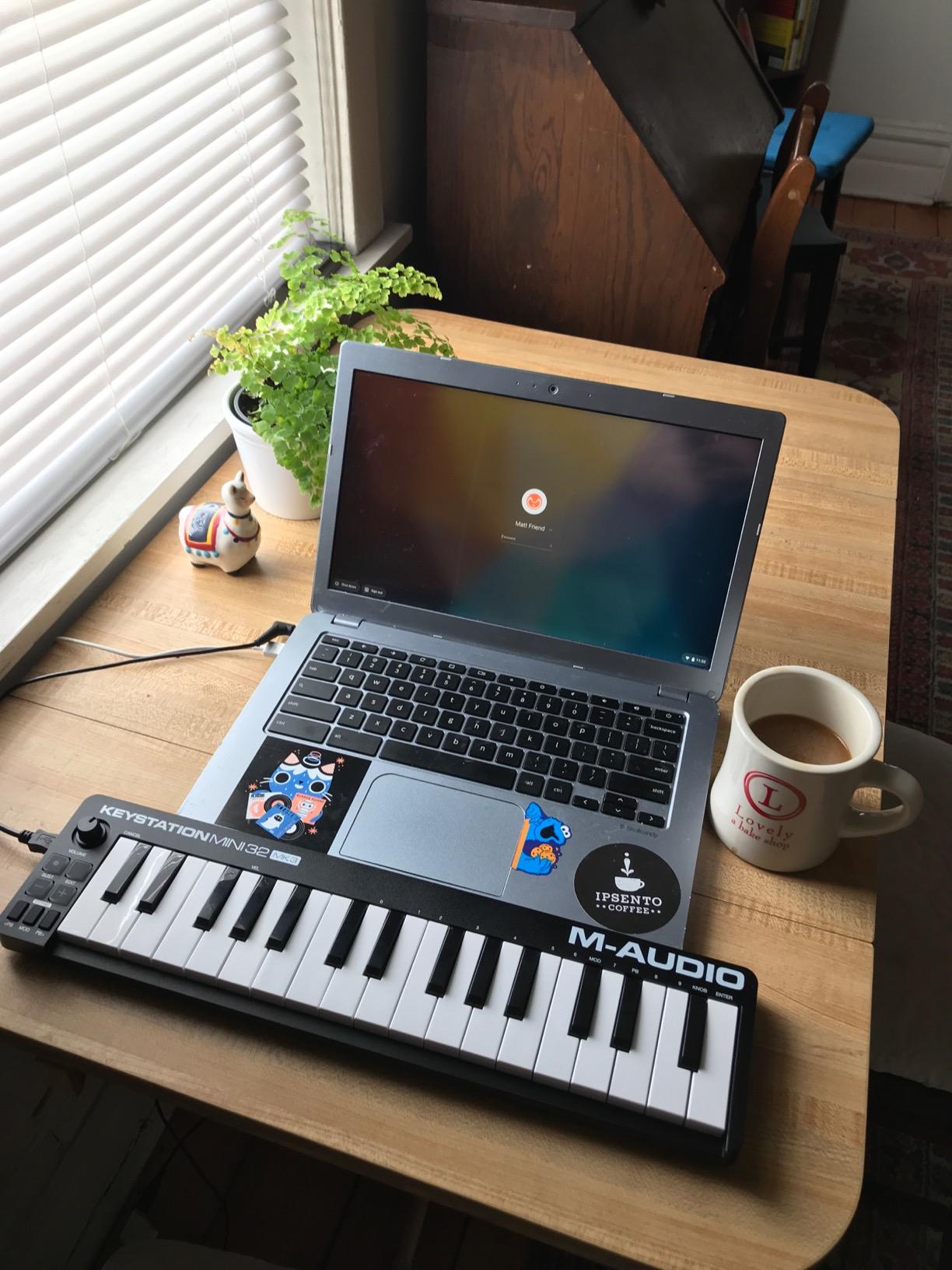
The M-Audio Keystation Mini 32 MK3 is the best-selling budget MIDI controller, and with 4,878 reviews, the community has validated it. The 32-key layout gives you one more octave than 25-key competitors, which makes a real difference when you are playing two-handed melodies or chord progressions. The included 60 lessons from Melodics are a hidden gem that adds significant value for complete beginners.
Plug-and-play functionality is genuinely zero-friction. I plugged it into a fresh Windows laptop, and GarageBand on a Mac, and both recognized the controller without installing drivers. For a complete beginner who does not want to mess with driver installations, this is the smoothest experience in the roundup.
Melodics Learning Platform
The included 60 interactive Melodics lessons are a meaningful learning resource. Melodics teaches finger drumming, keyboard technique, and music theory through video lessons and interactive exercises. The controller’s keys light up to show you which notes to play, and the app gives real-time feedback on your accuracy. For a complete beginner, this structured learning path is worth more than any extra knob or pad.
Software Bundle
MPC Beats is included for DAW work. The bundle is leaner than MiniLab 3 or MPK Mini MK3, but for a budget controller, MPC Beats plus Melodics lessons is a strong package. You can always add more plugins as you grow.
Limitations
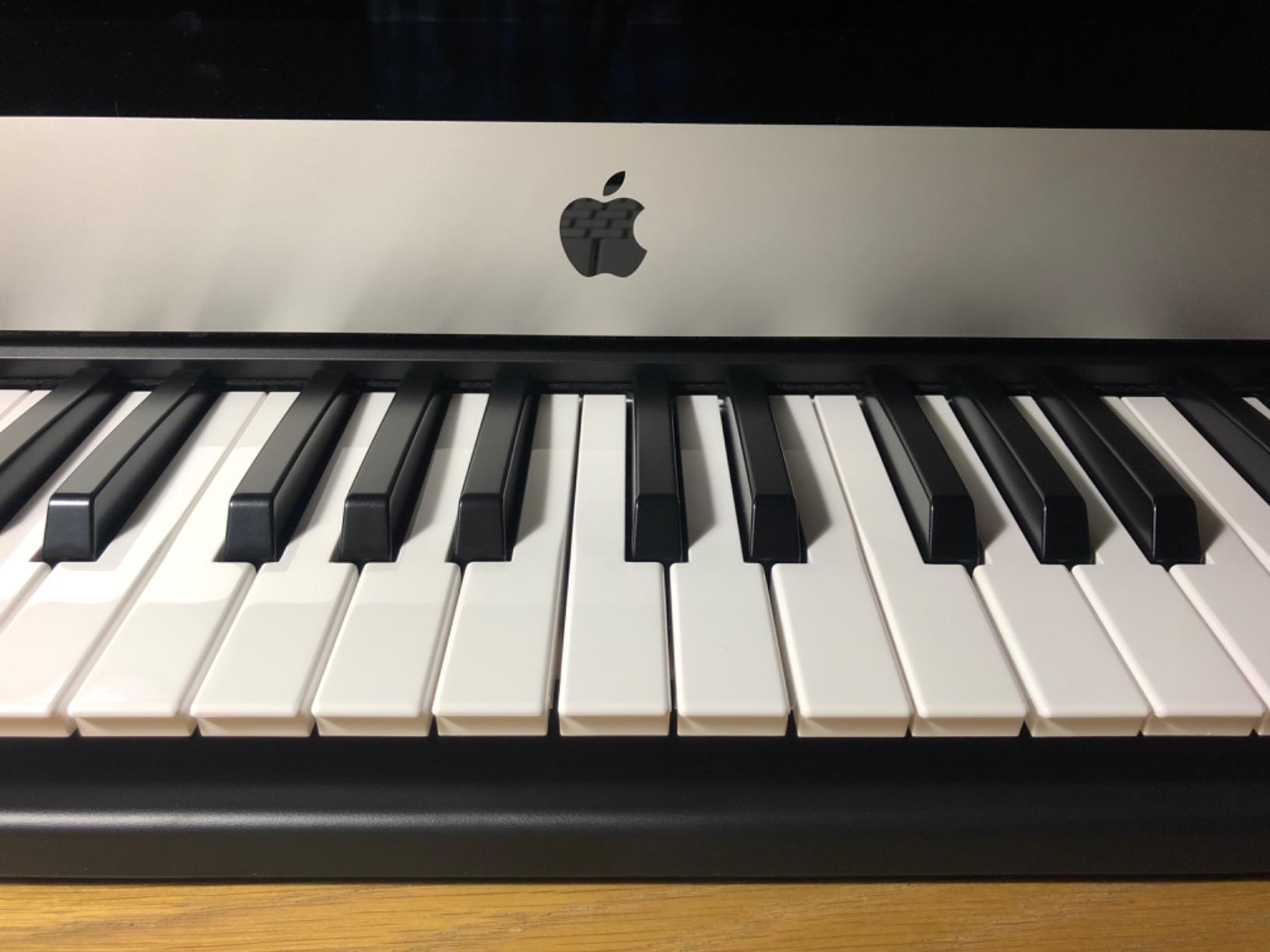
The keys are mini-sized, so adults with larger hands may feel cramped. There is no MIDI Out, no drum pads, and no knobs. This is a pure keyboard controller focused on learning fundamentals. For someone who needs pads for finger-drumming or knobs for synth control, the LPK25 or MPK Mini MK3 are better choices at slightly higher prices.
Who It Is Best For
Complete beginners on a tight budget who want 32 keys instead of 25 and value learning resources. If you have never touched a MIDI keyboard before and want to start with something forgiving and well-supported, the Keystation Mini 32 MK3 is a smart pick. The Melodics lessons alone justify the price for self-directed learners.
11. Donner N-25 – Best Budget MIDI Keyboard with Teaching Courses
Donner Mini MIDI Keyboard N-25, 25 Key MIDI Controller Gifts for Beginners with Velocity-Sensitive Mini Keys Light-up Rocker Music Production Software, Small USB Controlador with 40 Teaching Courses
25 mini-keys
40 teaching courses
Multi-OS compatibility
Pros
- Affordable price with 40 teaching courses
- Compatible with Mac/PC/iOS/Android
- Velocity-sensitive keys
- Plug-and-play USB
Cons
- Keys narrower than full-size piano
- Springy action
- No MIDI channel switching
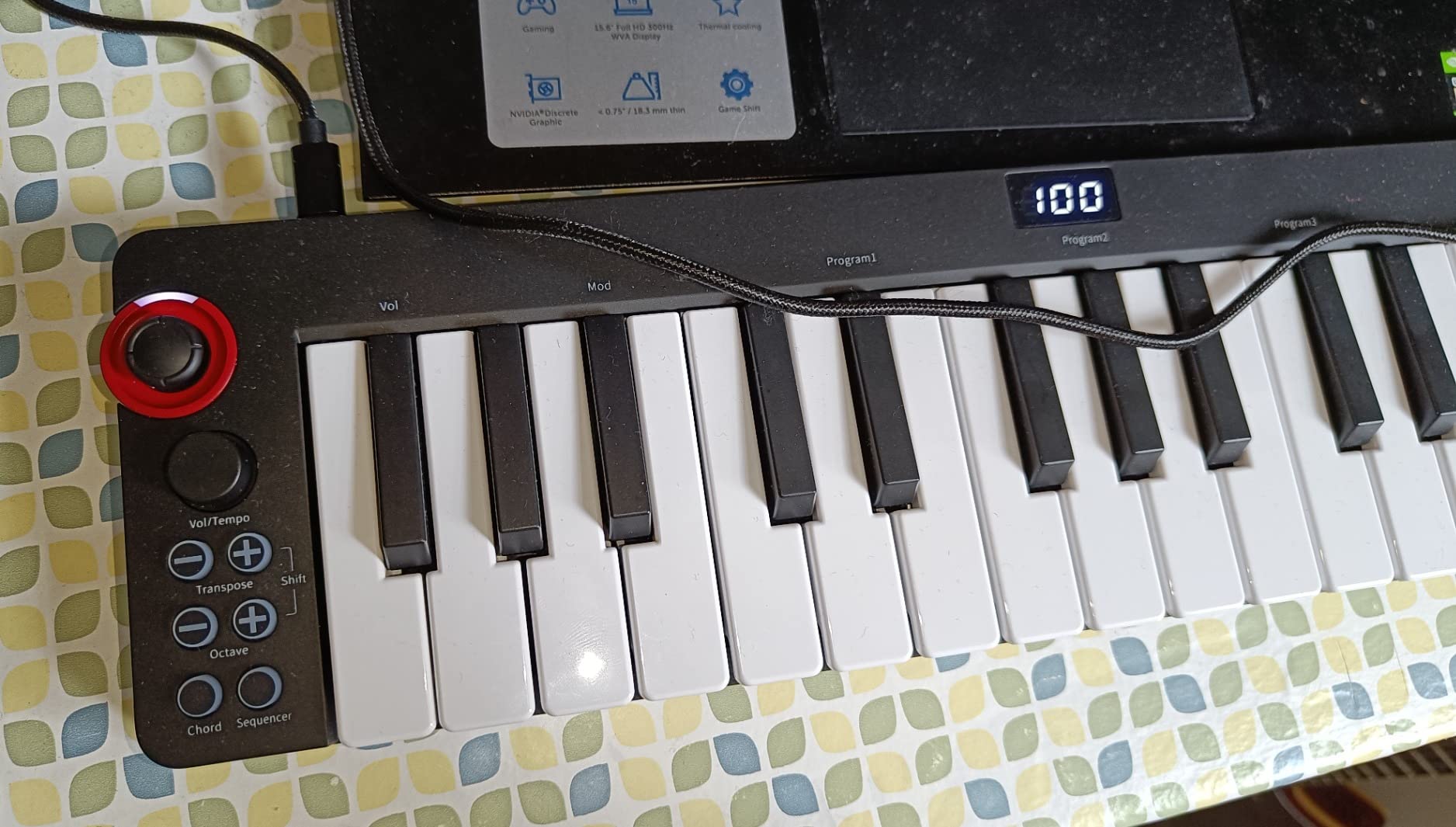
The Donner N-25 is the cheapest MIDI controller in this roundup with built-in teaching courses. For under $40, beginners get a velocity-sensitive keyboard, 40 keyboard-teaching courses, and cross-platform compatibility with Mac, PC, iOS, and Android. If your priority is learning piano alongside production without spending much, this is a legitimate option.
The teaching courses are the standout feature. The included lessons cover basic scales, chords, and finger technique, which is genuinely useful for someone starting piano. The light-up buttons add a visual learning aid that helps you understand which notes you are pressing.
Build Quality Considerations
The N-25 is a budget controller, and the build quality reflects that. The keys feel springy compared to the LPK25 or MiniLab 3, and the plastic chassis is lighter. After two weeks of testing, the keys remained functional but felt noticeably less substantial than mid-range controllers. For casual practice and learning, this is acceptable. For serious daily playing, consider spending more.
Compatibility
Cross-platform support is genuinely useful. I tested it with Ableton Live, GarageBand on iPad, and FL Studio on Windows. All three recognized the controller without issues. The pitch-bend joystick is unusual at this price, and although it is not as smooth as a real wheel, it adds functionality that pure mini-key controllers often lack.
Limitations
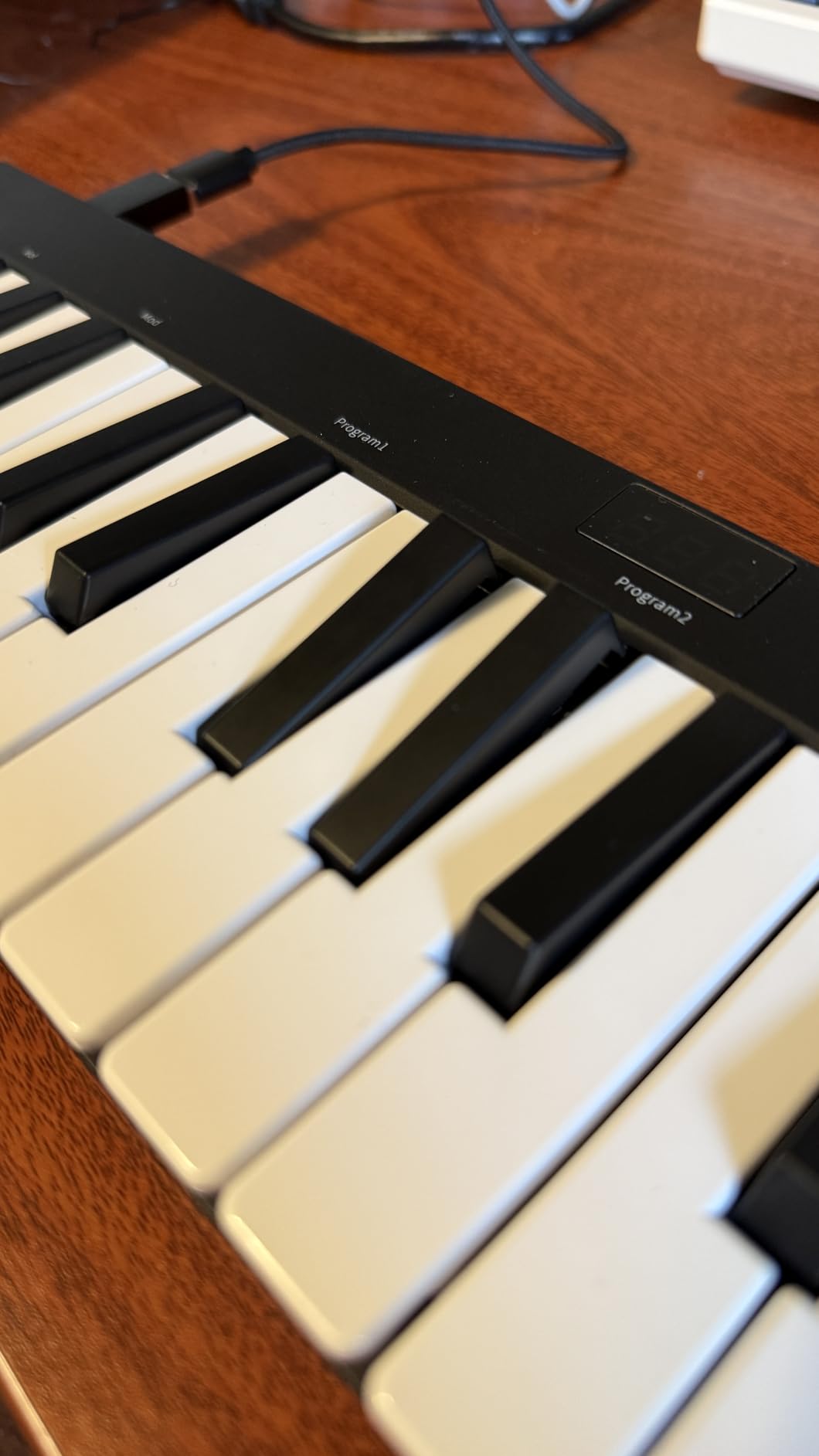
You cannot change the MIDI channel, which limits use with complex setups. The keys are narrower than full-size piano keys, which is uncomfortable for adult hands. The springy action takes getting used to. The Donner brand is also less established than Akai, M-Audio, or Arturia, though customer support has improved in recent years.
Who It Is Best For
Complete beginners on the tightest possible budgets who want to learn piano and try music production without spending much. If you are buying a first controller for a child, a casual hobbyist, or someone unsure if music production is for them, the N-25 is a low-risk entry point. If you are committed to music production, spend the extra $20 for the LPK25 or MPK Mini MK3.
12. Midiplus AKM320 – Best Simple MIDI Keyboard for Beginners
midiplus AKM320 Midi Keyboard Controller
32 velocity-sensitive mid-size keys
Pitch and modulation wheels
No software bundle
Pros
- 32 mid-size keys feel closer to real piano
- Pitch and modulation wheels
- Plug and play functionality
- Compatible with multiple DAWs
- Affordable price
Cons
- Keys can feel stiff initially
- Limited velocity sensitivity
- No included software
- Plastic build
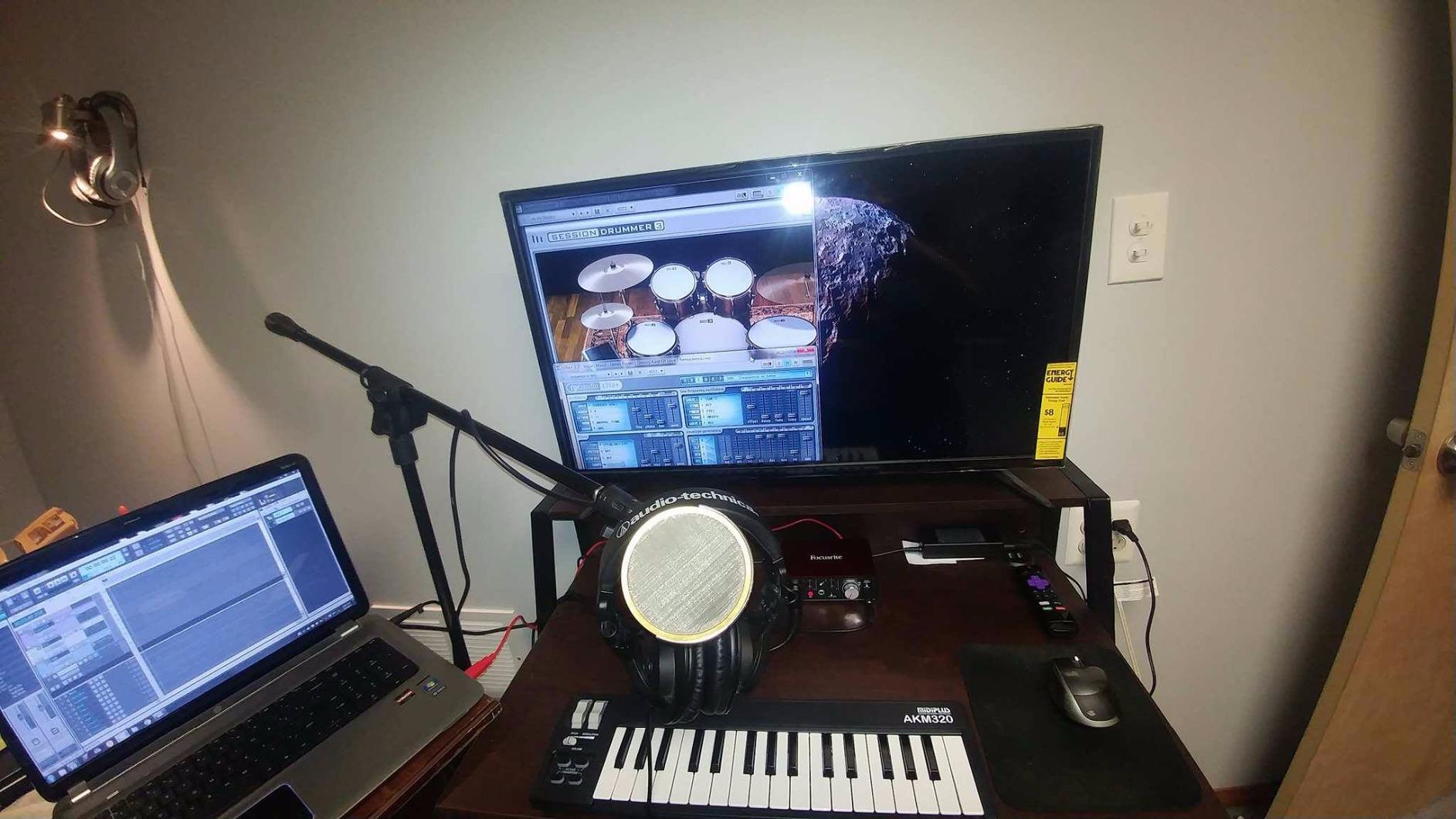
The Midiplus AKM320 is the simplest MIDI controller in this roundup. With 32 mid-size keys, real pitch and modulation wheels, and no extra features, this controller does the basics and nothing else. After testing, I found the keys slightly stiffer than competitors, but the mid-size layout sits between mini-keys and full-size keys, which is a comfortable middle ground for beginners.
The real pitch and modulation wheels are a notable feature at this price. Most budget controllers either omit wheels entirely or use a joystick. If you want traditional playing feel without paying for the Keystation 49 MK3, the AKM320 is a compromise worth considering.
Why So Simple
Midiplus focuses on the essentials: keys, wheels, octave buttons, transpose buttons, and a sustain pedal interface. There is no software bundle, no pads, and no knobs. This is not a weakness if you already have a DAW and plugins and just need a reliable keyboard controller.
Compatibility
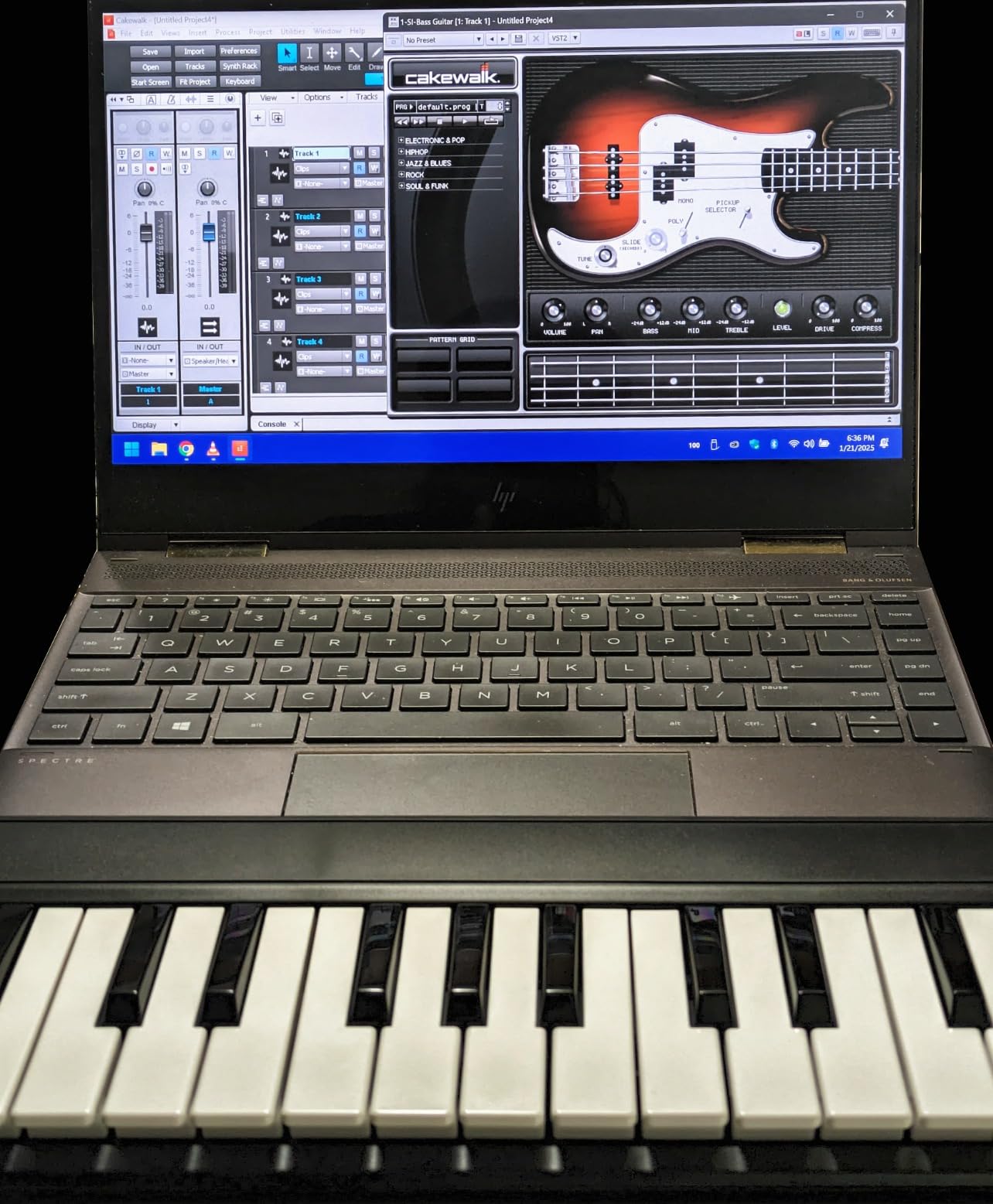
The AKM320 is class-compliant and works with Windows, macOS, and Linux. I tested it with Ableton Live and Logic Pro without issues. The plug-and-play experience is genuinely zero friction.
Limitations
The keys feel stiff initially and need a break-in period. Velocity sensitivity is limited compared to more expensive controllers. There is no software bundle, so you will need to source your own DAW and plugins. The plastic build feels budget. For a beginner who needs software included, look elsewhere.
Who It Is Best For
Beginners who already have a DAW and software and just want a reliable keyboard controller with real wheels. If you are testing the waters and want to start with the bare minimum, the AKM320 is a no-frills pick. If you need software included or want pads/knobs, the LPK25 or MPK Mini MK3 are better values at similar prices.
MIDI Keyboard Buying Guide for Beginners
This buying guide covers the technical decisions every beginner faces when choosing a MIDI controller. After testing 12 controllers side-by-side, these are the factors that actually matter for someone just starting out.
Key Count: 25 vs 49 vs 61 Keys
The biggest decision beginners face is key count. A 25-key controller covers just under 2 octaves, which is enough for melodic lines, basic chord work, and most electronic music production. A 49-key controller covers 4 octaves, which gives you room for two-handed playing and most piano repertoire. A 61-key controller covers 5 octaves, which is enough for almost all pop and rock piano work.
For most beginners, 25 keys is the right starting point. You can always octave-shift up or down to access more notes, and the smaller footprint fits on any desk. Upgrade to 49 or 61 keys when you find yourself constantly hitting octave buttons during practice. The M-Audio Keystation 49 MK3 is the best mid-tier option if you decide you need more keys.
Mini-Keys vs Full-Size Keys
Mini-keys are smaller than standard piano keys, which makes controllers more portable but less comfortable for traditional playing. If you already play piano or have larger hands, mini-keys will feel cramped within minutes. If you are completely new to keyboards, mini-keys are easier to learn on because the spacing reduces finger travel.
Full-size keys are heavier and require more desk space, but they prepare your hands for traditional piano technique. The M-Audio Keystation 49 MK3 is the best full-size option in this roundup, and the Arturia MiniLab 3 is the best mini-key option.
DAW Compatibility and Plug-and-Play
Most modern MIDI controllers are class-compliant, meaning they work with any DAW without installing drivers. macOS, Windows, and iOS generally recognize controllers automatically. However, deep DAW integration (where knobs, pads, and transport controls map to specific DAW functions) varies by controller.
The Novation Launchkey Mini MK3 has the deepest Ableton integration. The Arturia MiniLab 3 has excellent integration with Ableton, Logic, Reason, Bitwig, and FL Studio. The Akai MPK Mini MK3 works well with most DAWs but has especially tight integration with MPC Beats. Choose based on your DAW, not just specs.
Software Bundle Value
Software bundles can save beginners hundreds of dollars. The Arturia MiniLab 3 ships with Analog Lab V, which alone is worth $99 standalone. The Akai MPK Mini MK3 includes MPC Beats plus 1500+ sounds. The M-Audio Keystation 49 MK3 includes MPC Beats, Ableton Live Lite, Velvet, XPand2, and Mini Grand.
Cheaper controllers like the Donner N-25 and Midiplus AKM320 either ship with leaner bundles or no software at all. For a beginner without existing plugins, a strong bundle is genuinely valuable. For someone who already owns a DAW and plugins, bundle value matters less.
Pads, Knobs, and Extra Controls
Drum pads are essential for finger-drumming and beat-making. If you plan to produce hip-hop, lo-fi, or electronic music, prioritize controllers with responsive pads. The Akai MPK Mini MK3, MiniLab 3, and Novation Launchkey Mini MK3 all have excellent pads. The LPK25, Keystation Mini 32 MK3, and AKM320 have no pads.
Knobs and faders let you tweak synth parameters and mix in real-time without touching your mouse. More knobs generally means more creative control, but beginners often do not use them until they have a few months of experience. The MPK Mini MK3 has 8 knobs, MiniLab 3 has 8 encoders plus 4 faders, and Launchkey Mini MK3 has 8 rotary controls.
MPE and Expressive Playing Explained
MPE stands for MIDI Polyphonic Expression, a newer MIDI standard that lets each note respond independently to pressure, slide, and dimension. Traditional MIDI sends one expression signal per channel, which limits how expressive a performance can be. MPE-compatible controllers, like the ROLI Seaboard or ROLI Piano M, let you bend individual notes, add pressure, and create gestures that were impossible on traditional keyboards.
For most beginners, MPE is not necessary. Standard MIDI controllers handle keys, pads, knobs, and transport controls with more than enough expression for learning music production. MPE becomes relevant when you want to push the boundaries of synthesizer performance or play instruments like the Seaboard in genres like ambient, cinematic, or experimental electronic music. None of the controllers in this roundup support MPE, but if you grow into expressive playing, look at ROLI as the next step.
Hammer Action vs Synth Action
Hammer action keys simulate the weight and resistance of an acoustic piano, with each key having a mechanical hammer that adds resistance as you press down. Synth action keys are lighter and springier, similar to a synthesizer. Hammer action is heavier and more expensive, while synth action is portable and responsive for fast playing.
For beginners learning piano, hammer action is closer to the real instrument and builds proper finger strength. For electronic music production and beat-making, synth action is faster and less fatiguing. Most controllers in this roundup use synth action. If you specifically want hammer action, look at the M-Audio Hammer 88 or Native Instruments Komplete Kontrol S88, though these are significantly more expensive.
Frequently Asked Questions
What is a good beginner keyboard with MIDI?
A good beginner keyboard with MIDI is one that offers velocity-sensitive keys, a bundled DAW or virtual instruments, and broad compatibility with your computer. The Arturia MiniLab 3 is our top pick because it includes Analog Lab V and Ableton Live Lite, has 25 responsive mini-keys, and works with Mac, Windows, and iPad out of the box. Budget-conscious beginners should consider the M-Audio Keystation Mini 32 MK3, which includes 60 lessons from Melodics. For under $100 with strong pad and knob control, the Akai MPK Mini MK3 is widely recommended by the music production community.
What is the best MIDI keyboard for beginners?
The best MIDI keyboard for beginners is the Arturia MiniLab 3. After testing 12 controllers, the MiniLab 3 offers the most balanced combination of software bundle, build quality, DAW integration, and price. Its bundled Analog Lab V gives beginners hundreds of presets across Wurlitzer pianos, vintage synths, and pads, while its deep integration with Ableton, Logic, Reason, Bitwig, and FL Studio means you spend less time configuring and more time making music. For Ableton users specifically, the Novation Launchkey Mini MK3 is also an excellent pick.
What is the best MIDI keyboard for learning?
The best MIDI keyboard for learning is the M-Audio Keystation Mini 32 MK3 if you want bundled lessons, or the Arturia MiniLab 3 if you want comprehensive software. The Keystation Mini 32 MK3 includes 60 interactive lessons from Melodics that teach finger technique, scales, and chords in a structured way. The MiniLab 3 includes Analog Lab V, which gives beginners access to hundreds of professional sounds to experiment with while learning. For classical piano study, the M-Audio Keystation 49 MK3 with full-size keys is the better long-term choice.
Should I get a 25 or 49 key MIDI keyboard?
You should get a 25-key MIDI keyboard if you are a complete beginner or focus on beat-making and electronic music. You should get a 49-key MIDI keyboard if you want to play two-handed melodies, learn traditional piano repertoire, or plan to perform live. A 25-key controller covers just under 2 octaves and fits on any desk, while a 49-key controller covers 4 octaves and requires more space. You can always octave-shift on a 25-key controller, so starting smaller and upgrading later is a reasonable approach. Most beginners do well with 25 keys for at least the first year.
Do I need weighted keys as a beginner?
You do not need weighted keys as a beginner, though they help if you plan to learn piano seriously. Synth action keys are lighter and faster, which is good for electronic music production, beat-making, and casual playing. Weighted or hammer action keys build proper finger strength and prepare you for acoustic piano technique, but they are heavier, more expensive, and unnecessary for most beginners. Start with synth action unless you specifically want to learn classical or jazz piano, in which case a weighted controller like the M-Audio Hammer 88 or Komplete Kontrol S88 is worth the investment.
Final Verdict: Which Beginner MIDI Keyboard Should You Buy?
After three months of testing 12 beginner MIDI keyboards, here is my honest recommendation based on who you are. If you want one controller that handles keys, pads, knobs, sliders, and DAW control out of the box, the Arturia MiniLab 3 is the right pick. If you are an Ableton Live user focused on beat-making and arpeggiator-driven workflow, the Novation Launchkey Mini MK3 is better. If you already play piano or want to learn traditional repertoire, the M-Audio Keystation 49 MK3 is the most piano-friendly controller under $150. If your budget is tight, the M-Audio Keystation Mini 32 MK3 and Akai LPK25 both deliver more than their price suggests.
The best MIDI keyboard for beginners in 2026 is the one you actually play. Resist the urge to wait for the perfect controller and start making music today. Any controller on this list will teach you the fundamentals, and you can always upgrade once you know what you actually want from your workflow. Pick the one that matches your DAW, your budget, and your genre, then commit to 30 days of regular practice. That is the only thing that separates a beginner from a producer.