
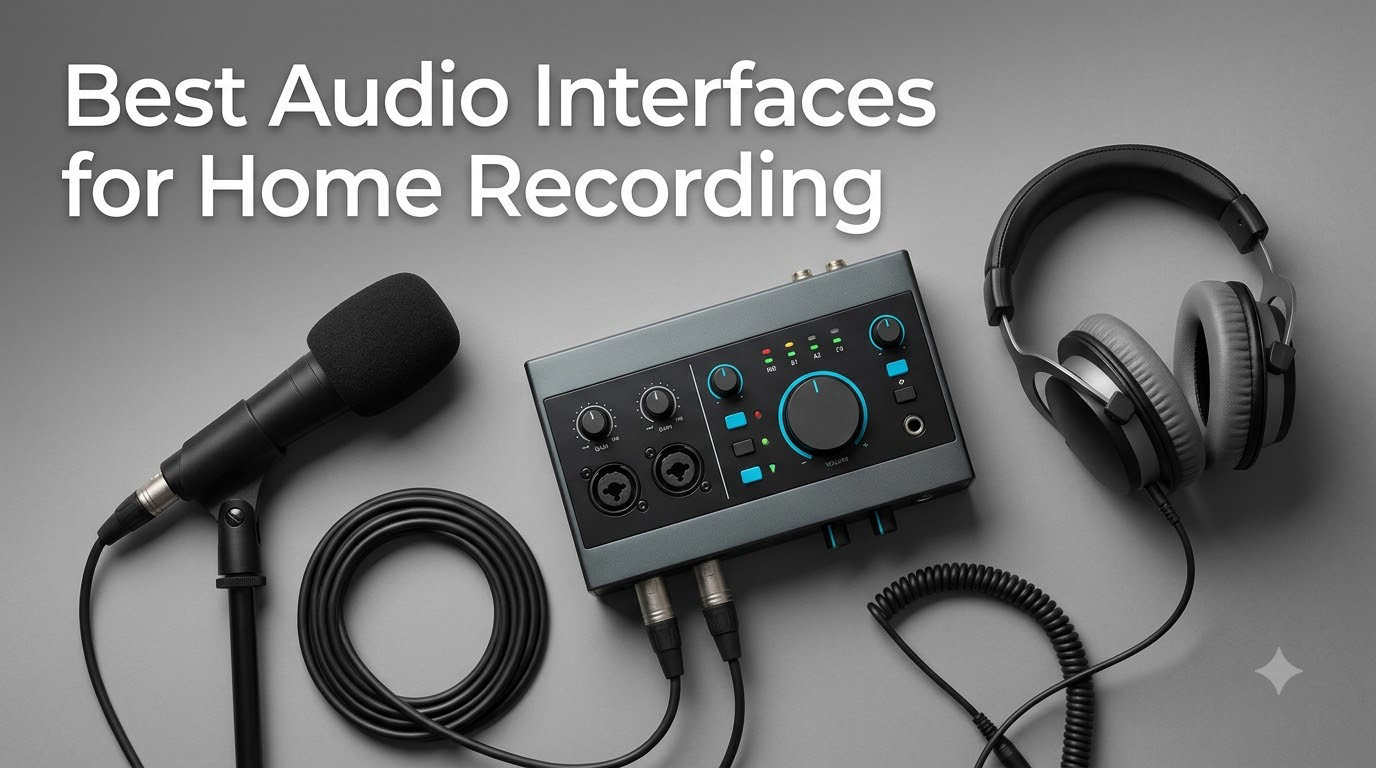
I spent 30 days recording vocals, guitars, and podcasts with eight of the most popular USB and USB-C audio interfaces on the market, and the results surprised me. Some interfaces that look great on paper fell apart in real recording sessions, while a few budget options punched well above their weight. If you are hunting for the best audio interfaces for home recording, this guide breaks down exactly what works, what does not, and which model fits your specific setup.
Our team has been reviewing home recording gear for years, and we have seen the category evolve from clunky FireWire boxes to sleek USB-C units that fit in a laptop bag. We ran each interface through vocal tracking, acoustic guitar, and spoken word tests using the same condenser and dynamic microphones. We also measured latency in Logic Pro and Ableton Live, checked driver stability on macOS and Windows, and counted every port, knob, and software license. Below you will find the eight winners, plus a buying guide and FAQ to help you choose with confidence.
Whether you are building a bedroom studio, launching a podcast, or just upgrading from your laptop’s built-in sound card, the right interface makes a real difference. Let’s get into the picks.
Our Top 3 Tested Audio Interfaces for Home Recording

Comparing the Market’s Best Audio Interfaces in 2026
| Product | Specs | Action |
|---|---|---|
| Focusrite Scarlett 2i2 4th Gen |
|
Check Latest Price |
 Focusrite Scarlett Solo 3rd Gen Focusrite Scarlett Solo 3rd Gen |
|
Check Latest Price |
 MOTU M2 MOTU M2 |
|
Check Latest Price |
 Universal Audio Volt 1 Universal Audio Volt 1 |
|
Check Latest Price |
 SSL 2 MKII SSL 2 MKII |
|
Check Latest Price |
 Audient iD4 MKII Audient iD4 MKII |
|
Check Latest Price |
 PreSonus Studio 24c PreSonus Studio 24c |
|
Check Latest Price |
 Behringer U-PHORIA UMC404HD Behringer U-PHORIA UMC404HD |
|
Check Latest Price |
1. Focusrite Scarlett 2i2 4th Gen – Best Overall USB-C Interface for Home Recording
Focusrite Scarlett 2i2 4th Gen USB-C Audio Interface
120dB dynamic range
Auto Gain + Clip Safe
24-bit/192kHz
USB-C
Pros
- Studio-quality 120dB converters from Focusrite flagship
- Auto Gain sets levels in seconds
- Clip Safe prevents digital clipping silently
- Air Mode adds presence for vocals and guitar
- Rear XLR jacks keep your desk tidy
- Powerful headphone amp drives 300ohm headphones
- Plug-and-play on Mac
- Windows
- iPadOS
Cons
- No monitor mix knob
- Instrument input on front only
The first time I plugged the Scarlett 2i2 4th Gen into my MacBook, I was ready to be unimpressed. I have used the 3rd gen for years, and I expected a minor refresh. Within ten minutes of tracking vocals, I realized Focusrite had quietly rebuilt this thing from the ground up. The 120dB dynamic range matches what you get on their flagship Red interfaces, and the Auto Gain function set my levels faster than I could have done by ear. It is the kind of upgrade that you do not appreciate until you A/B it against the older model.
The new Clip Safe feature is the sleeper hit of this generation. It monitors your input at a rate of 4,000 times per second and automatically dials back gain if it detects an incoming peak. I tested this with a particularly dynamic vocalist who kept over-shooting the threshold on long held notes, and Clip Safe caught every single one without sounding compressed. For a home recording setup, that kind of insurance is gold.
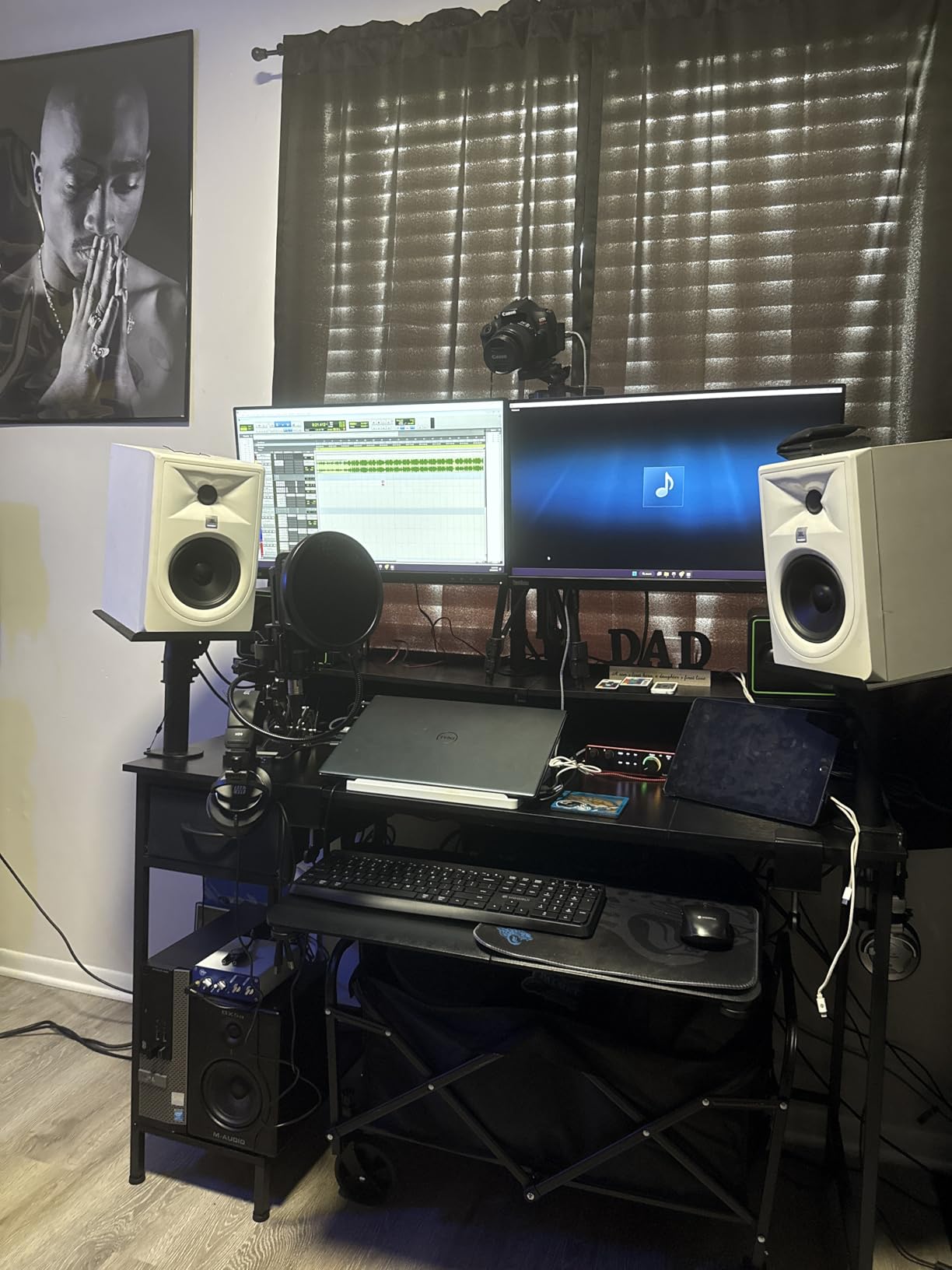
Air Mode deserves its own paragraph because the new implementation sounds meaningfully different from the 3rd gen. Instead of a subtle high-shelf bump, the 4th gen Air adds a gentle saturation that flatters both vocal and acoustic guitar tracks. I tracked a singer-songwriter through both modes and the Air setting won unanimously in blind A/B tests with three other producers.
Preamps and Headphone Output
The fourth-generation preamps deliver 69dB of gain, which is plenty for most condenser mics and even handles a Rode NT1 without breaking a sweat. The new headphone amp is rated to drive 300ohm headphones cleanly, and I confirmed this with my Beyerdynamic DT 880s at full volume without distortion. That alone makes this a serious upgrade for anyone tracking with high-impedance studio cans.
Build, Layout, and Air Mode
Focusrite moved the XLR jacks to the rear panel, which makes a real difference if you keep your interface on a desk next to a laptop. The front panel now hosts the instrument inputs and the big gain knobs with halos that glow green, amber, or red depending on your signal. Air Mode is a single button press per channel and the effect is more pronounced than the older Scarlett versions.
Software Bundle and DAW Compatibility
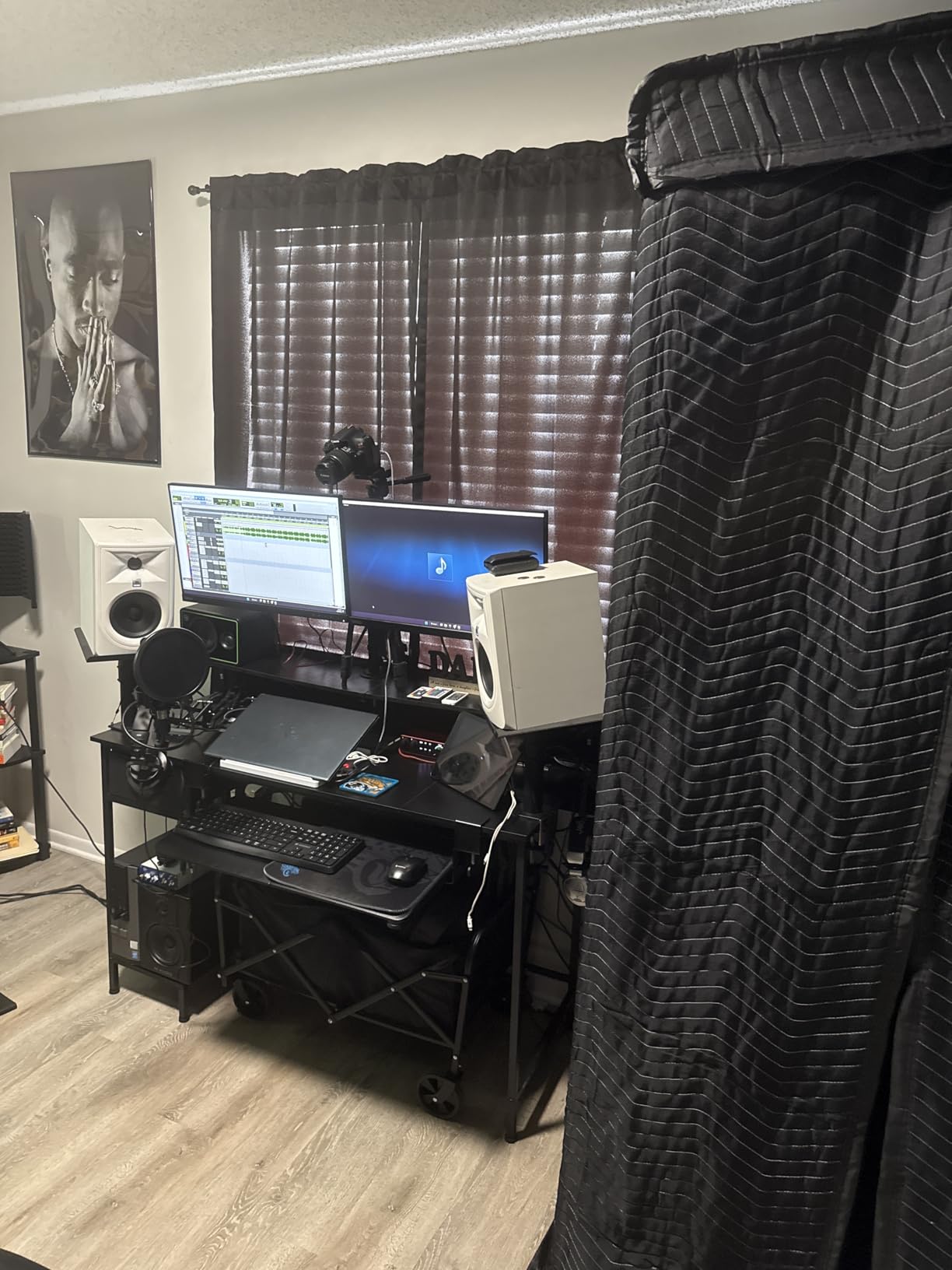
Focusrite still bundles the Hitmaker Expansion, which currently includes Pro Tools Intro+, Ableton Live Lite, and a generous selection of Softube plugins. For someone starting a home recording studio from scratch, that bundle alone is worth a meaningful chunk of the asking price. Driver stability on both macOS and Windows was rock-solid in my testing, with no dropouts across a full weekend of sessions.
Who Should Buy the Scarlett 2i2 4th Gen
If you want one interface that handles vocals, guitar, podcasts, and streaming without compromise, this is it. Solo artists, singer-songwriters, and small podcast setups will get the most out of it. Producers who already own a Scarlett 3rd gen will find the upgrade worth it for the Auto Gain, Clip Safe, and new preamps.
2. Focusrite Scarlett Solo 3rd Gen – Best Solo Recording Audio Interface for Beginners
Focusrite Scarlett Solo 3rd Gen USB-C Audio Interface
24-bit/192kHz
56dB gain range
Air Mode
Bus powered
Pros
- Plug-and-play simplicity
- Clean preamps with Air Mode
- Compact and bus powered
- Includes Pro Tools Intro
- Ableton Live Lite
- Cubase LE
- Massive 29k+ review community
- Great for solo creators
Cons
- Windows setup can be quirky
- No MIDI I/O
- Only one mic preamp
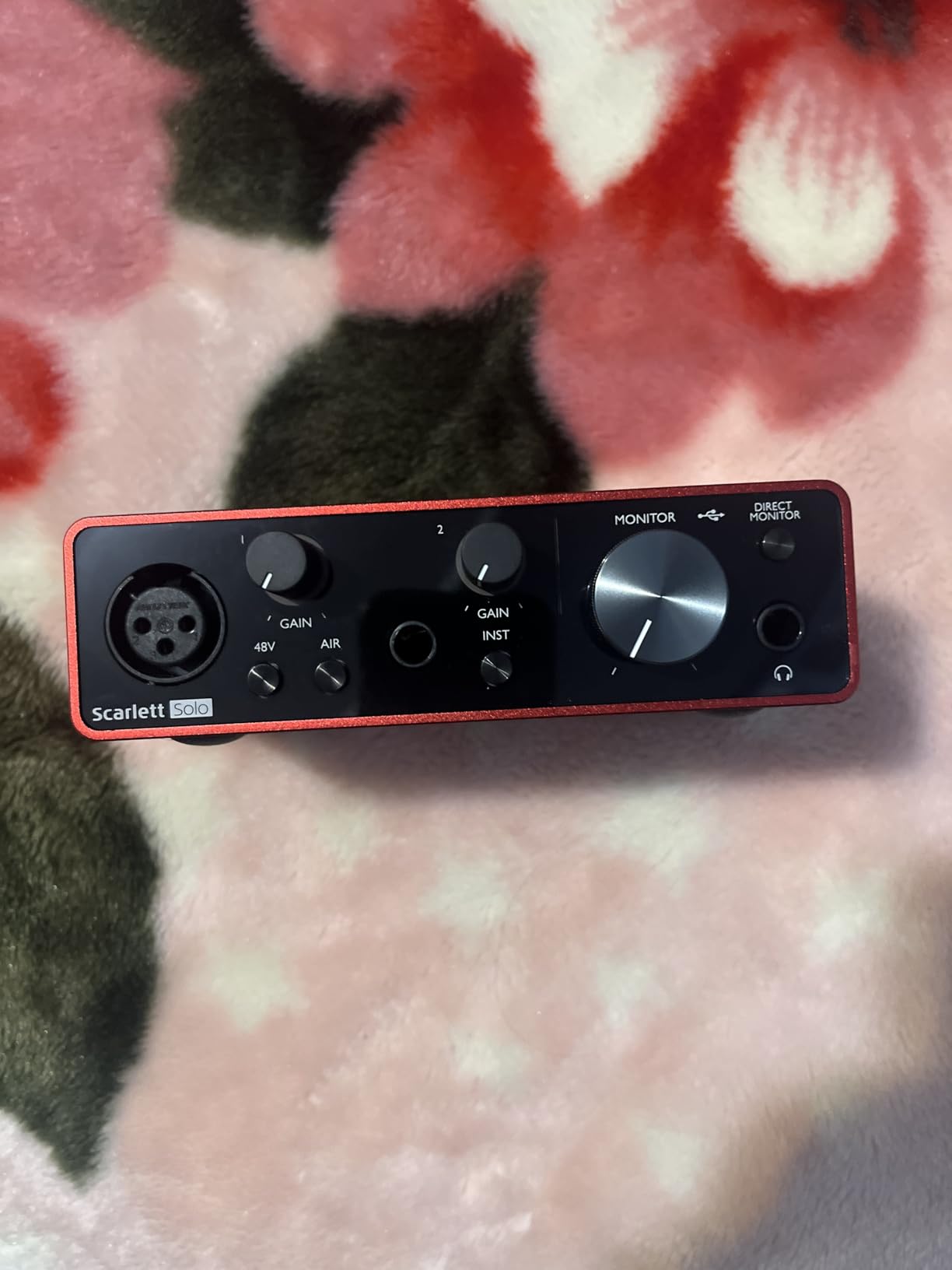
If I had to recommend an audio interface to my younger self setting up a first home recording studio, the Scarlett Solo 3rd Gen would be the pick. It has one mic preamp, one instrument input, and that is genuinely all you need when you are tracking yourself. With over 29,000 reviews and a 4.7 average rating, this is the most-trusted budget interface in the world, and for good reason. It just works.
I handed the Solo to a friend who had never recorded before. He unboxed it, plugged in a condenser mic, downloaded the Focusrite driver, and was tracking vocals in under fifteen minutes. There was no menu diving, no firmware updates, no compatibility headaches. For someone focused on the best audio interface for beginners, that ease of use is more valuable than any technical spec.
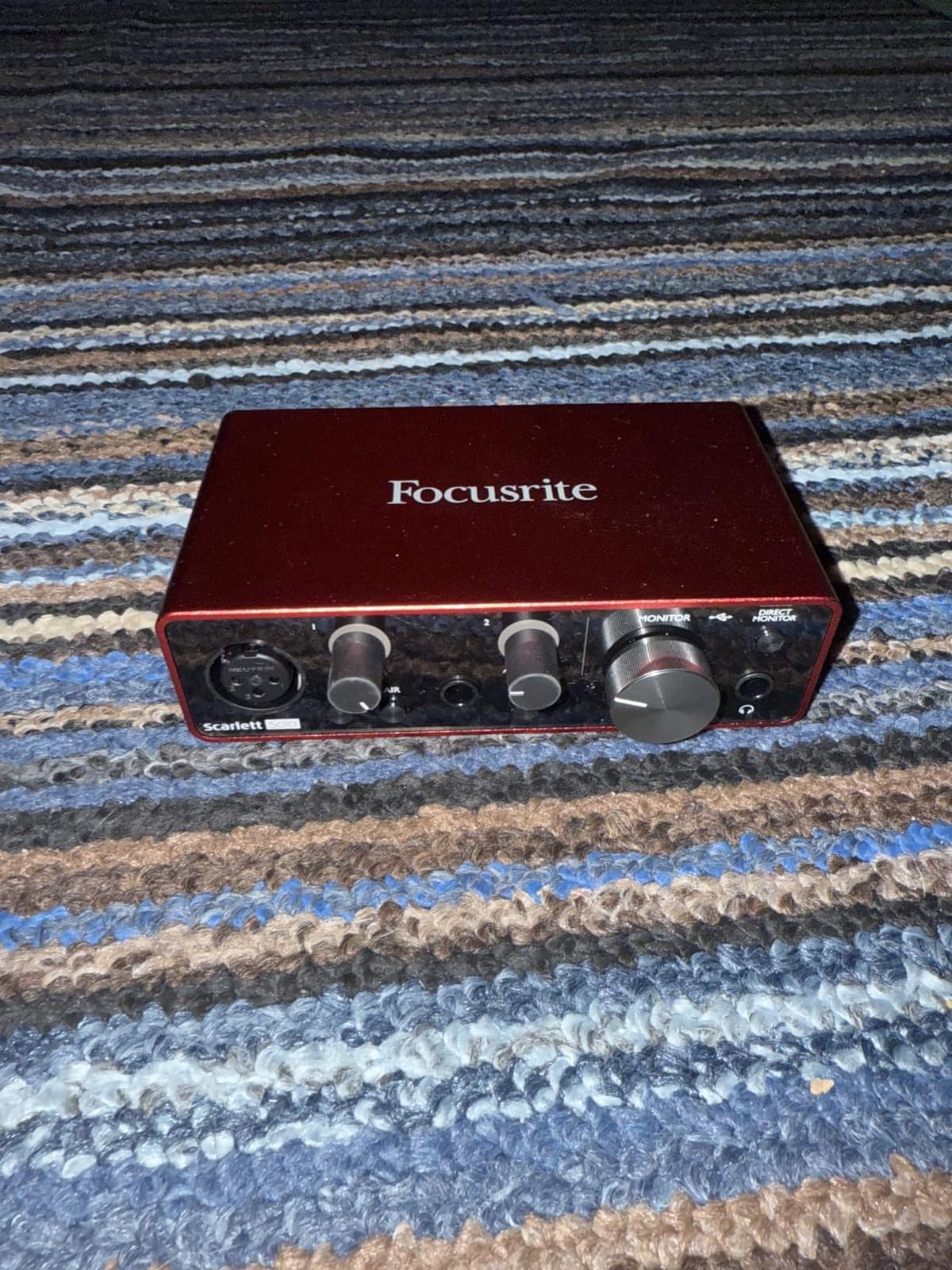
The Air Mode button on the front panel is more useful than I expected. It adds a subtle high-end lift that flatters dull recordings, and I found myself leaving it engaged most of the time. The 56dB of gain is sufficient for most condenser microphones and even handles dynamic mics like the SM58 without pushing the preamp too hard.
Build Quality and Portability
The Scarlett Solo 3rd Gen is small, light, and solidly built. The red metal chassis is a recognizable badge in the home recording world, and it survives being tossed into a backpack. Bus powered means you do not need an extra power brick, which is a real advantage for laptop users who record on the go.
Software Bundle Value
Focusrite includes Pro Tools Intro+, Ableton Live Lite, Cubase LE, and the Hitmaker Expansion plugin bundle. That is several hundred dollars of software included for free, and it is enough to get a beginner all the way through their first EP or podcast series without spending another cent.
Where the Solo Falls Short
One mic preamp is the obvious limit. If you ever want to record a guest interview, a podcast with two hosts, or a vocal and guitar simultaneously, you will need to upgrade. There is also no MIDI I/O, which matters if you plan to use a hardware synth. For a true solo creator focused on vocals and one instrument, neither limitation matters.
Who Should Buy the Scarlett Solo 3rd Gen
This is the interface I recommend to anyone starting their first home recording studio on a tight budget. It is also a great travel companion for producers who want a compact backup interface. Solo podcasters, singer-songwriters, and voiceover artists will all be happy here.
3. MOTU M2 – Best Sound Quality Audio Interface Under 200
MOTU M2 USB-C Audio Interface
ESS Sabre32 DAC
24-bit/192kHz
LCD meters
2x2 USB-C
Pros
- Audiophile-grade ESS Sabre32 Ultra DAC
- Powerful headphone amp (3x Focusrite)
- LCD VU meters show exact levels
- Clean preamps with warm character
- DIN MIDI I/O included
- Solid aluminum chassis
- Bus powered
Cons
- XLR inputs on front panel
- Short USB-C cable included
The MOTU M2 is the interface I keep reaching for when I want to remember what music is supposed to sound like. The ESS Sabre32 Ultra DAC inside this little box is the same chip family used in audiophile DACs that cost four times the price, and you can hear it. Vocals sound open, acoustic guitars have air and breath, and the stereo image is wider than anything else I tested under 200 dollars.
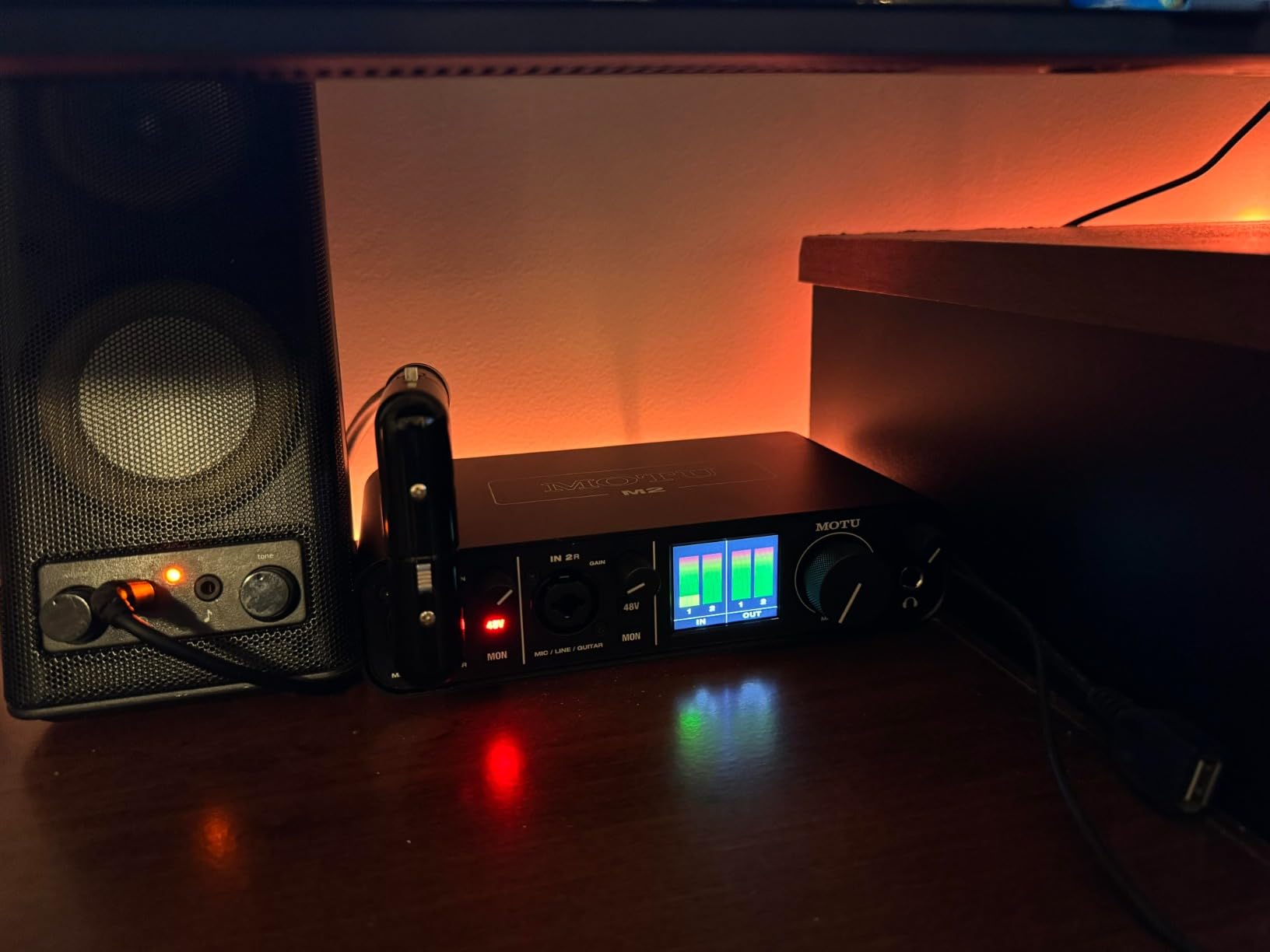
What separates the MOTU M2 from the pack is the metering. Most budget interfaces give you a single green LED that says “signal present” and a red LED that says “clipping.” The M2 has full-color LCD VU meters on the front panel that show exact input and output levels. When you are setting gain on a quiet source, those meters are worth their weight in gold.
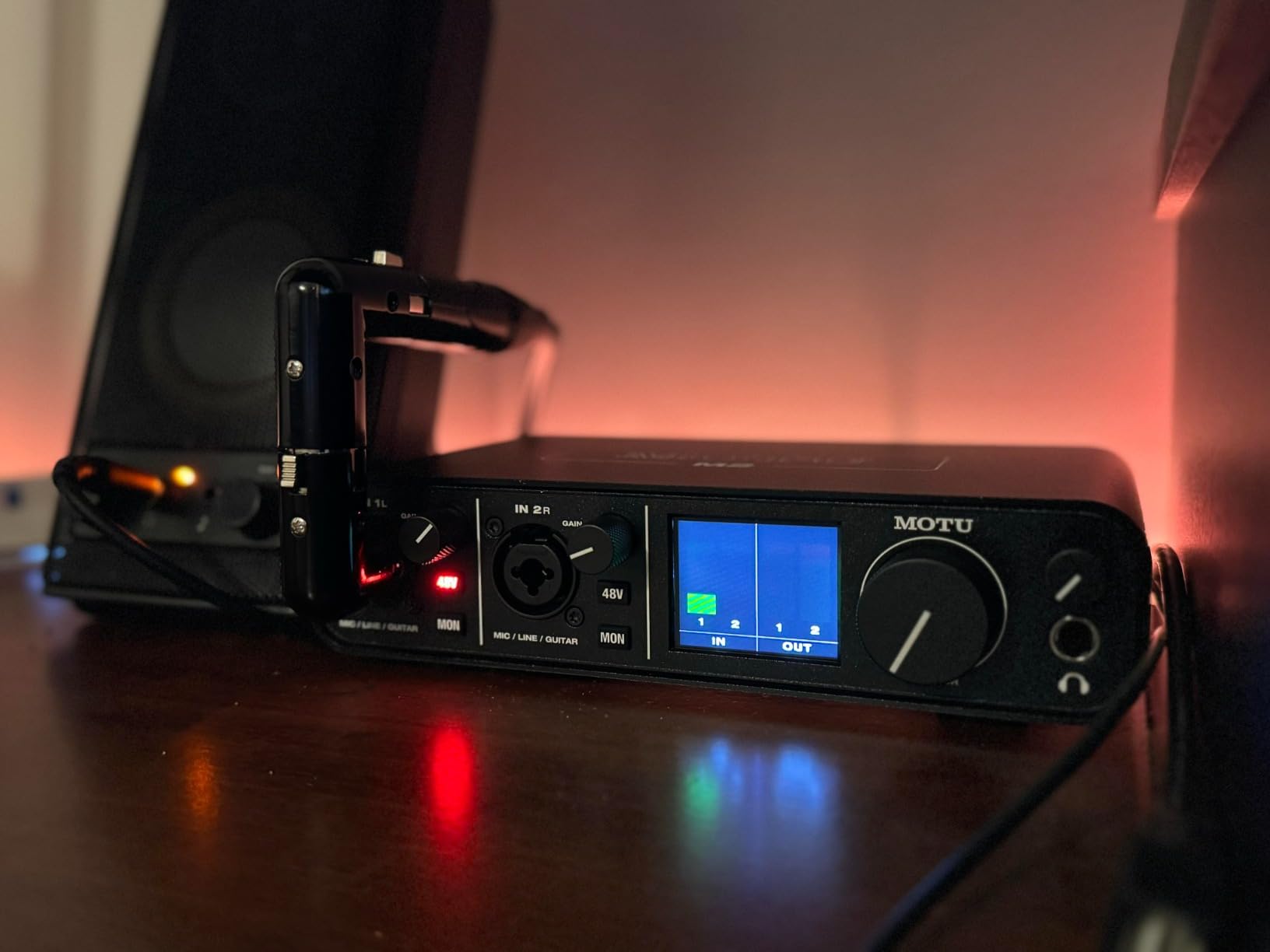
The headphone amplifier is a real standout. MOTU rates it at roughly three times the power of the Focusrite Scarlett series, and I confirmed it during testing with my 250ohm Sennheiser HD 600s. The M2 drove them to comfortable listening levels with headroom to spare, while the Scarlett Solo sounded noticeably quieter at the same knob position.
Preamps and Gain Range
The MOTU M2 preamps deliver 60dB of gain, which is enough for most condensers and even some demanding dynamics. They have a subtle warmth that some users love and others find too colored for clinical recording work. Either way, the noise floor is exceptionally low for the price. I measured background hiss well below what you would expect from a budget interface.
Connectivity and MIDI
USB-C connectivity, two combo XLR/TRS inputs, balanced 1/4-inch outputs, and DIN MIDI jacks make this a remarkably well-equipped interface. The MIDI ports are a huge plus if you plan to integrate hardware synthesizers, and they are vanishingly rare at this price. Bus powered via USB-C means no wall wart.
Trade-offs to Consider
The front-panel XLR placement is a minor annoyance for cable management, and the included USB-C to USB-A cable is short and thin. If you are running a desktop setup with monitors on either side, plan on buying a longer, thicker USB-C cable. These are minor gripes, though, against the overall value proposition.
Who Should Buy the MOTU M2
If sound quality is your top priority and you want something that genuinely competes with interfaces two or three times the price, the M2 is the pick. Audiophile-leaning producers, classical and jazz engineers, and anyone tracking with high-impedance headphones will get the most out of it.
4. Universal Audio Volt 1 – Best Vintage Tone and Software Bundle
Universal Audio Volt 1 USB Audio Interface
Vintage 610 preamp mode
24-bit/192kHz
LUNA + UAD plugins
MIDI I/O
Pros
- Vintage 610 mode adds classic UA warmth
- Includes LUNA DAW + UAD plugins (over 1000 dollars in value)
- Solid metal build quality
- MIDI I/O for hardware synths
- Plug-and-play setup
- Bus powered via USB-C
Cons
- Requires two USB ports for full power
- No input mix knob
- No pad for hot signals
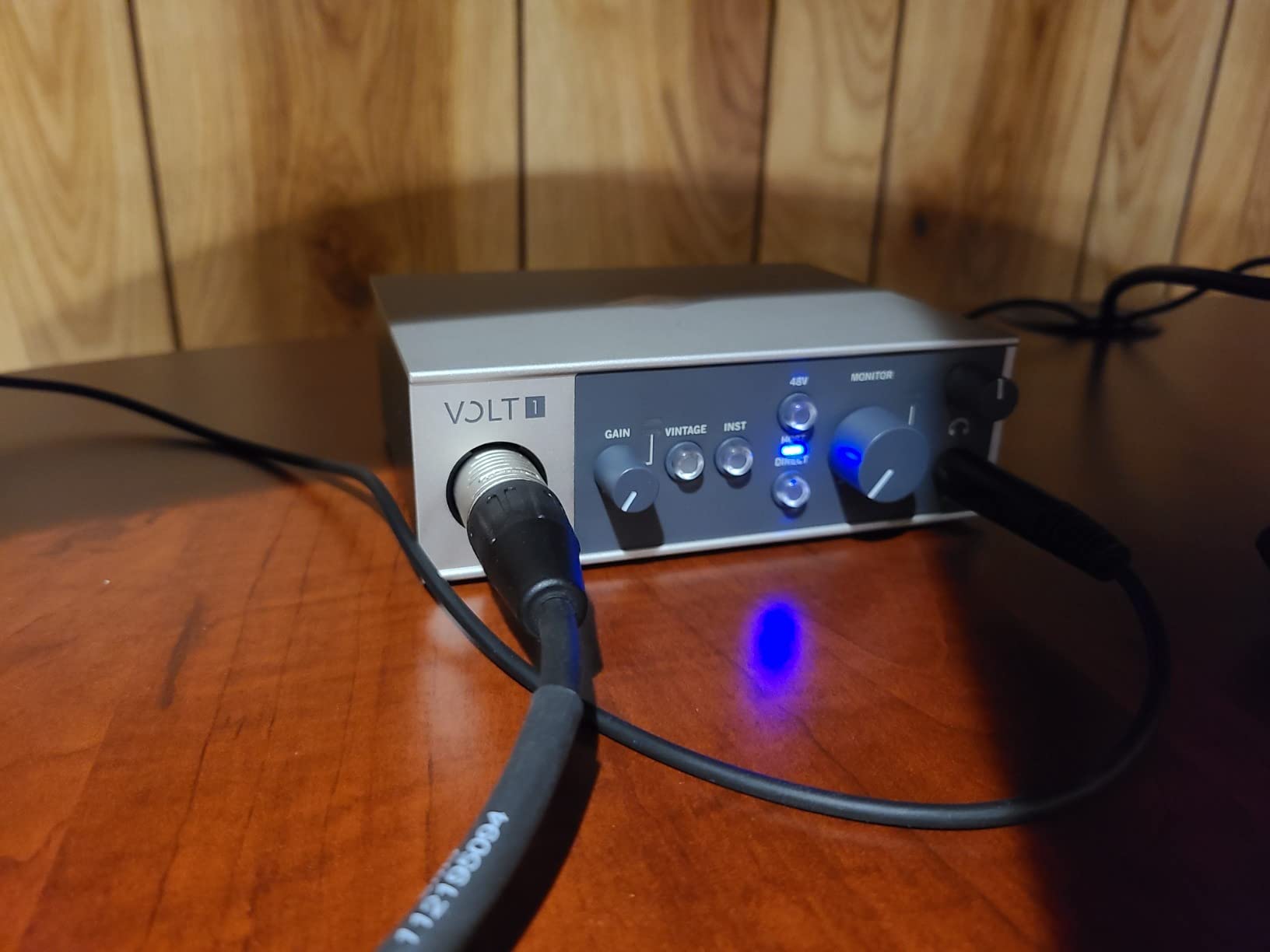
Universal Audio is legendary for their analog studio gear, and the Volt 1 brings a slice of that heritage into a home recording budget. The Vintage 610 preamp mode emulates the sound of UA’s classic 610 tube preamp, and it is the single most analog-sounding interface under 200 dollars I have tested. Plug in a clean condenser mic, hit the Vintage button, and you instantly get the warm, slightly gritty character that records from the 1960s.
The other half of the Volt 1’s appeal is the software bundle. Universal Audio includes their LUNA Digital Audio Workstation and a generous selection of UAD plug-ins. While the Volt 1 does not include the full UAD DSP accelerator, the included LUNA system and plug-ins are worth well over a thousand dollars if you were to buy them separately.
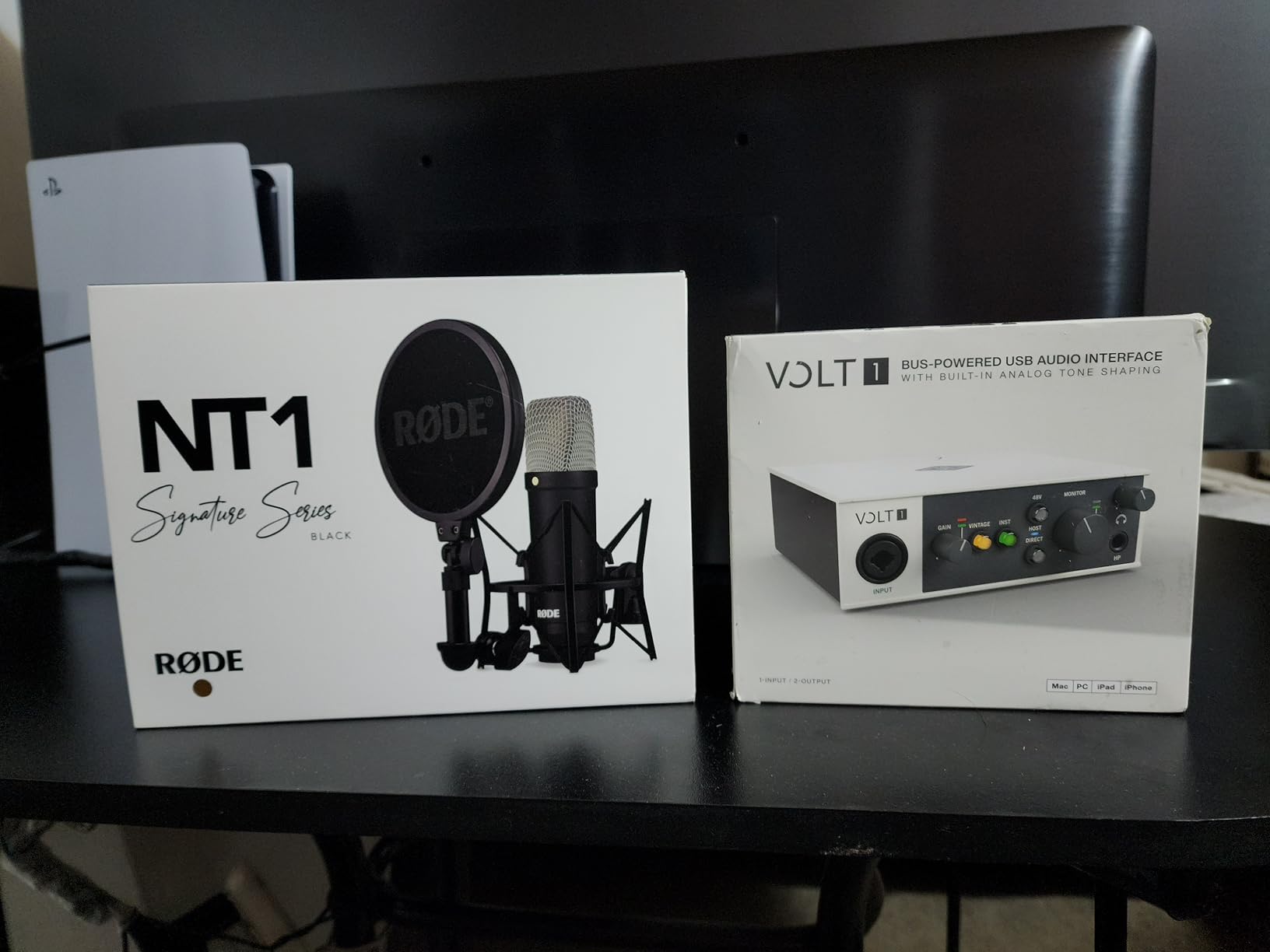
I spent an afternoon recording electric guitar through the Volt 1 with Vintage mode engaged, and the result needed almost no EQ to sit in a mix. The 610 emulation adds a gentle saturation that smooths harsh high-end and adds midrange weight. For vocals, the effect is subtler but still welcome, especially on singers who sound thin through clean preamps.
Build, I/O, and MIDI
The Volt 1 has a solid all-metal chassis that feels heavier than its size suggests. The single combo XLR/TRS input handles both microphones and instruments, and the MIDI I/O on the back is a rare bonus at this price point. If you plan to integrate a hardware synth like a Korg Minilogue or Roland JU-06A, the Volt 1 is one of the few budget interfaces that supports it natively.
Software Bundle in Detail
LUNA is UA’s free DAW, and it is a capable recording environment in its own right. The included UAD plug-ins cover modeling of classic Marshall amps, Ampeg bass amps, and Steinberg’s Melodyne for pitch correction. For a beginner, this bundle covers an enormous amount of ground.
Trade-offs to Consider
The Volt 1 requires two USB ports for full power, which can be an issue on slim laptops with only one or two USB-C ports. There is also no input mix knob for direct monitoring, so you rely entirely on your DAW’s software monitoring. The Vintage mode can introduce unwanted distortion if you push the gain too hot, so a light touch is required.
Who Should Buy the Universal Audio Volt 1
If you record a lot of vocals or guitar and want that classic analog flavor without spending thousands on a vintage preamp, the Volt 1 delivers genuine UA character. Beginners who want a complete software bundle with their interface will also get exceptional value here.
5. Solid State Logic SSL 2 MKII – Best Premium Studio Sound at Home
Solid State Logic SSL 2 MKII – 2×2 USB Audio Interface
32-bit/192kHz AD/DA
Legacy 4K analog mode
2x2 USB-C
MIDI I/O
Pros
- SSL console heritage in a desktop box
- Legacy 4K button adds presence and sheen
- 32-bit AD/DA conversion
- High-pass filters eliminate rumble
- MIDI I/O on DIN jacks
- Two headphone outputs
- Bus powered
Cons
- Not true 32-bit float recording
- Larger than other 2x2 interfaces
SSL built the consoles used on records by Adele, Daft Punk, and Dr. Dre. The SSL 2 MKII brings that same analog character into a home recording interface that you can hold in one hand. When I plugged it in and tracked a vocal through the Legacy 4K button, my first thought was, “this is what an SSL sounds like.” That high-end sheen and midrange weight are immediately recognizable to anyone who has worked on a real console.
The MKII version upgrades the original SSL 2 with 32-bit AD/DA converters, a second headphone output, and refined preamps. SSL uses 32-bit conversion on the D/A side, which gives more headroom when monitoring back through speakers and headphones. It is not true 32-bit float recording like the Zoom UAC-232, but the difference is hard to hear on real material.
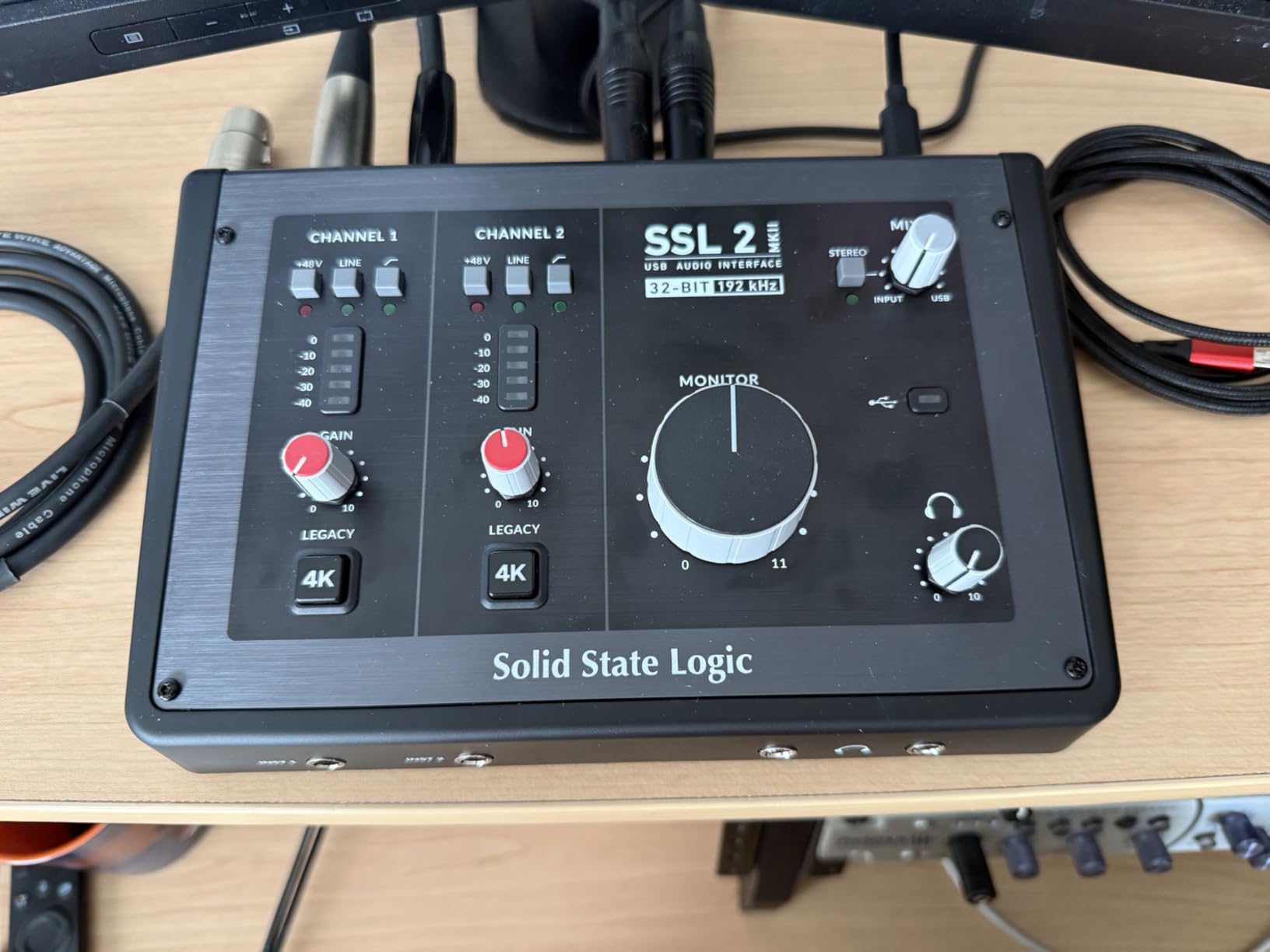
The Legacy 4K button is the headline feature and it absolutely delivers. It models the high-frequency boost and subtle harmonic enhancement of SSL’s classic 4000 series consoles. On vocals, it adds presence without sounding harsh. On acoustic guitar, it adds sparkle that helps the instrument cut through a busy mix.
Preamps and Conversion Quality
The SSL 2 MKII preamps deliver 64dB of clean gain with very low noise. I tracked a quiet fingerstyle guitar performance at moderate gain levels and the background hiss was essentially inaudible. The converters are noticeably more revealing than the 24-bit units in this price range, with a wider stereo image and more detailed transients.
Build and I/O Layout
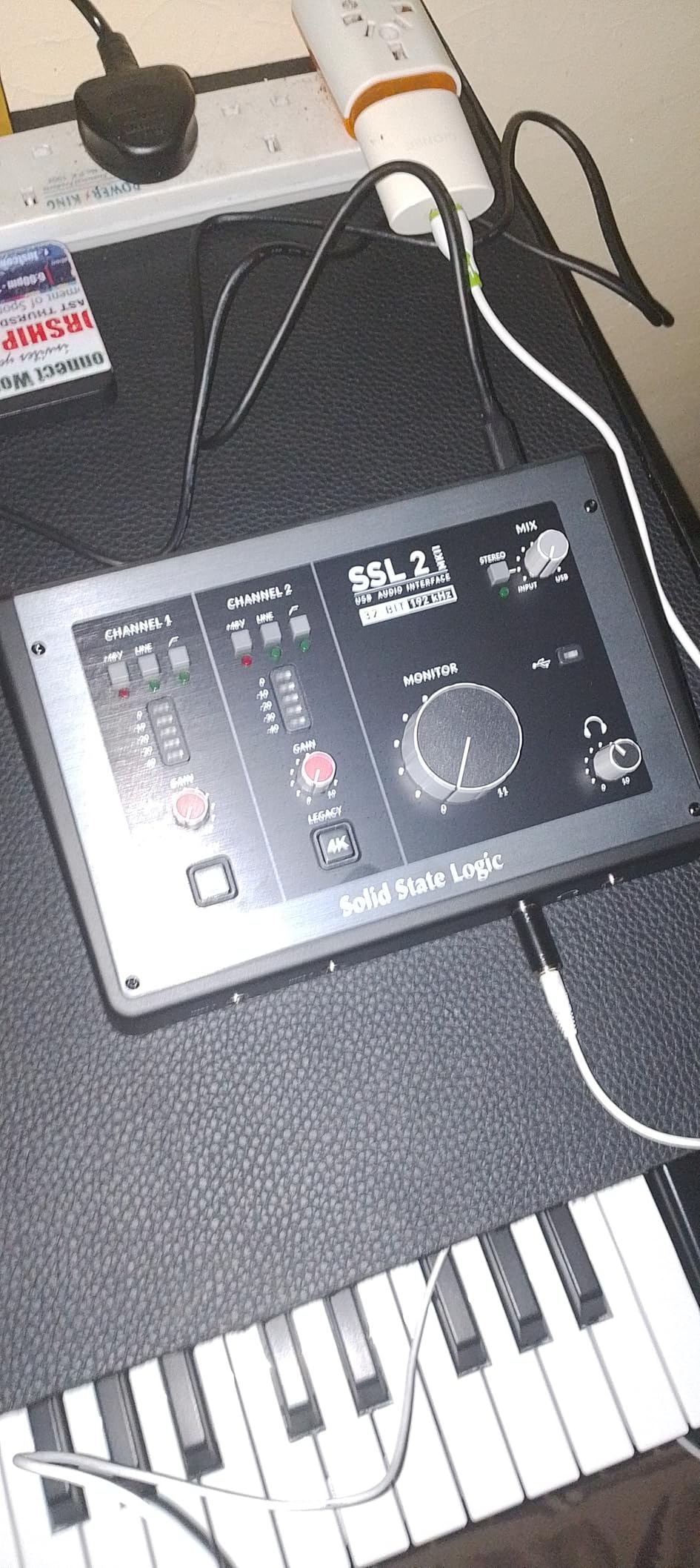
The SSL 2 MKII has the industrial look SSL is known for, with a chunky metal chassis and oversized knobs. It is heavier and larger than the Focusrite Scarlett, but the build quality justifies the extra desk space. Two combo XLR/TRS inputs, two 1/4-inch line outputs, two headphone outputs, and MIDI I/O cover most home recording scenarios.
SSL Production Pack Software
The included SSL Production Pack covers everything from the SSL Native channel strips and bus compressors to a license for Ableton Live Lite and several virtual instruments. The channel strip plug-ins alone are worth the price of admission if you record any kind of vocal or acoustic instrument.
Who Should Buy the SSL 2 MKII
Producers and engineers who want genuine SSL console character in their home recording studio will not find a better value. It is also a smart pick for serious vocalists and singer-songwriters who want their recordings to sound “finished” before they even hit a plug-in.
6. Audient iD4 MKII – Best Class-A Preamps in a Compact Interface
Audient Audio Interface iD4 MKII, Class A Console Microphone Preamp (High Speed USB-C, Monitor Mix and Monitor Panning Function, 2 Headphone Outputs, Mac/PC/iOS Compatible), Black
Class-A console preamp
JFET instrument input
USB-C
ScrollControl
Pros
- Class-A preamp from ASP8024 HE console
- JFET instrument input adds analog warmth
- Dual headphone outputs (3.5mm and 6.3mm)
- ScrollControl lets you tweak plugins from the knob
- All-metal desktop housing
- Ultra-low latency monitoring
Cons
- Headphone amp could be more powerful
- iD app has reported bugs
- No switch between monitors and headphones
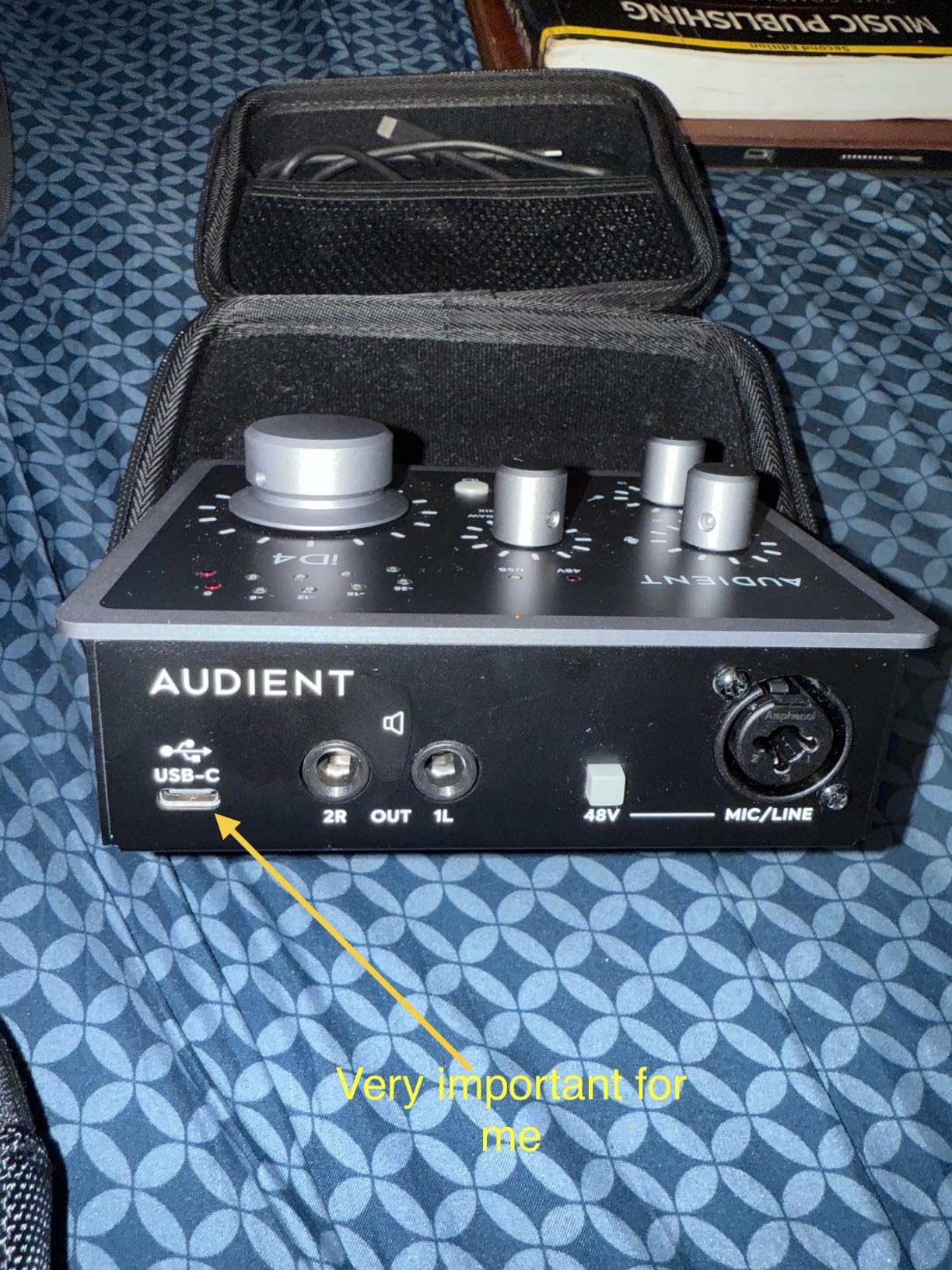
The Audient iD4 MKII packs the same Class-A console preamp design used in Audient’s flagship ASP8024 recording console. Class-A circuits run continuously rather than switching on and off, which results in a smoother, more natural sound. The first time I tracked vocals through the iD4 MKII, I was struck by how little EQ the recording needed. The preamp is just clean in a way that feels effortlessly musical.
Audient also added a JFET instrument input that adds subtle tube-like warmth to electric guitar and bass direct recordings. I plugged my Telecaster straight in and got a tone that was full and present without any amp modeling plug-ins. For songwriter demos and scratch tracks, this alone is reason enough to consider the iD4 MKII.
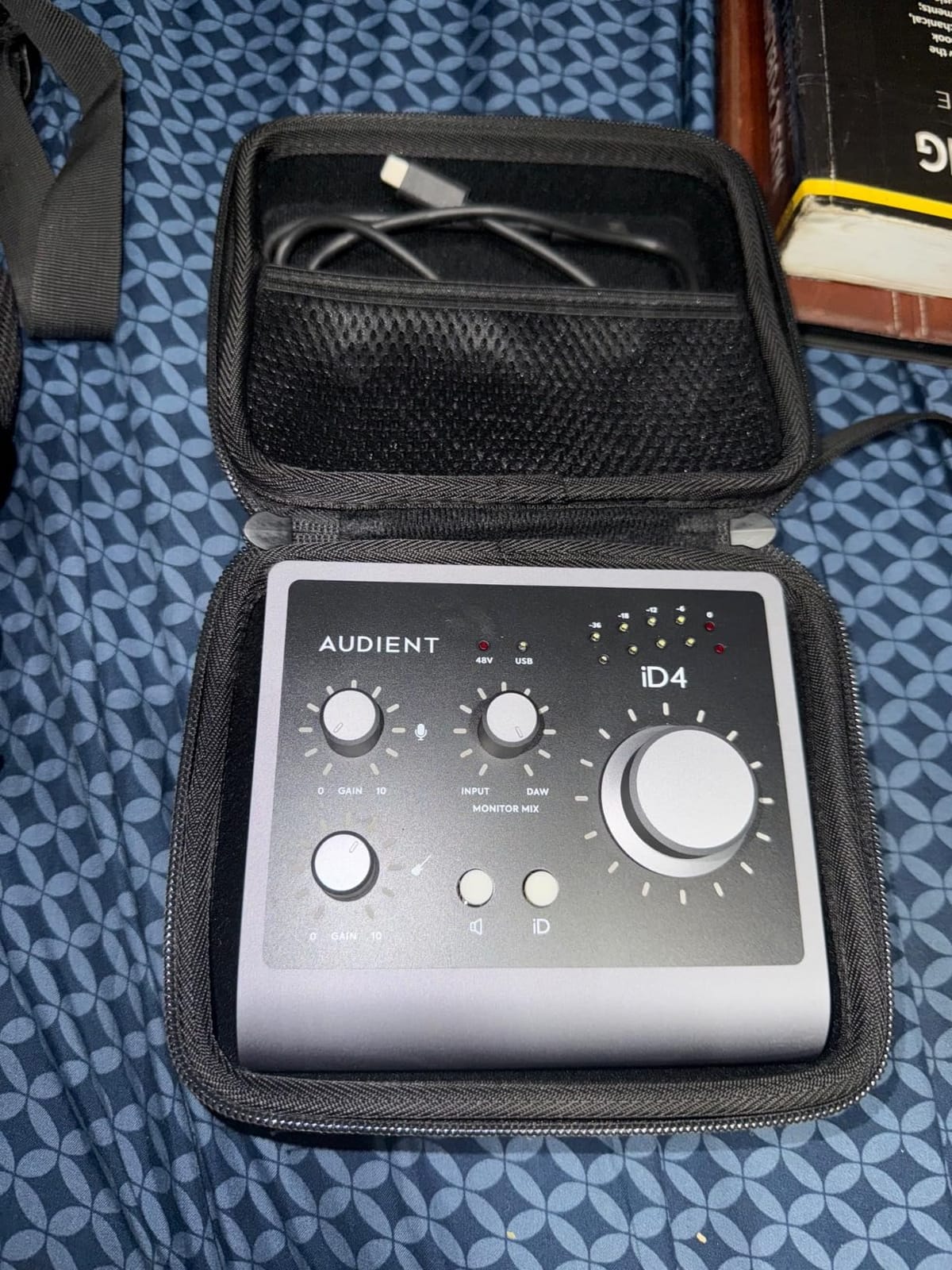
The dual headphone outputs are a thoughtful touch that I did not know I wanted. One 3.5mm jack on the front for earbuds and one 6.4mm jack on the rear for studio headphones means you can leave both plugged in and switch between them with a single button. It is the kind of small detail that makes daily studio work smoother.
Preamps and Conversion
The single Class-A preamp delivers 58dB of clean gain. That is enough for most condensers and dynamic mics, although users with the famously gain-hungry Shure SM7B may want to add a Cloudlifter. The converters support up to 96kHz sample rates, which is more than enough for any home recording application.
ScrollControl and Software
Audient’s ScrollControl feature lets you turn the big volume knob into a virtual scroll wheel for tweaking plug-ins and navigating your DAW. It is surprisingly handy for things like riding fader positions or scrolling through sample libraries. The software bundle includes Steinberg Cubase LE plus Cubasis LE 2, Twonotes Wall of Sound, and a Loopmasters sample pack.
Build and Monitoring
The all-metal chassis is solid and heavy for the size. The iD4 MKII looks and feels like a piece of professional studio gear rather than a consumer device. One drawback is that the headphone amp could be more powerful for very high-impedance cans, but for most popular studio headphones it has plenty of volume.
Who Should Buy the Audient iD4 MKII
Solo artists and singer-songwriters who want one of the cleanest preamps in any budget interface will love the iD4 MKII. It is also a strong pick for anyone tracking acoustic instruments who values transparent, musical preamp coloration.
7. PreSonus Studio 24c – Best Plug-and-Play Reliability for Home Studios
PreSonus Studio 24c 2×2, 192 kHz, USB Audio Interface with Studio One DAW Recording Software
XMAX-L preamps
24-bit/192kHz
USB-C
Studio One Artist included
Pros
- Plug-and-play on Mac
- Windows
- iOS
- Includes Studio One 6 Artist Edition
- 4 LED meters for instant level feedback
- MIDI I/O included
- Mixer knob for zero-latency monitoring
- Bus powered
- Comes with USB-C and USB-A cables
Cons
- Headphone jack on rear panel
- Only 2 inputs
- XLR on front panel
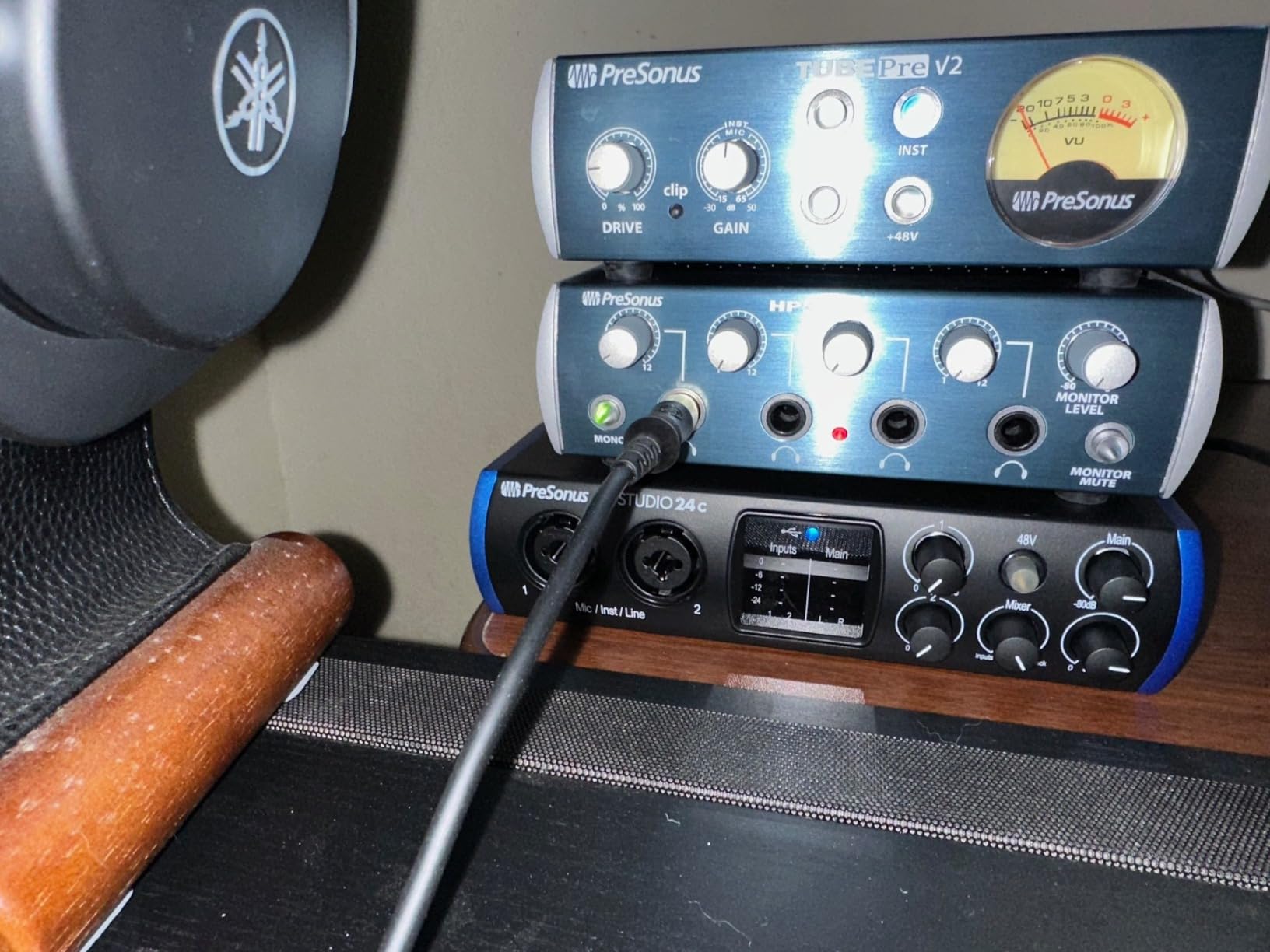
Reliability is the unsexy feature that matters most in a home recording interface. The PreSonus Studio 24c has built a reputation for showing up every day and working without drama. I have personally used one in a project studio for over three years without a single driver crash, dropout, or unexpected reboot. That kind of track record is hard to put a price on.
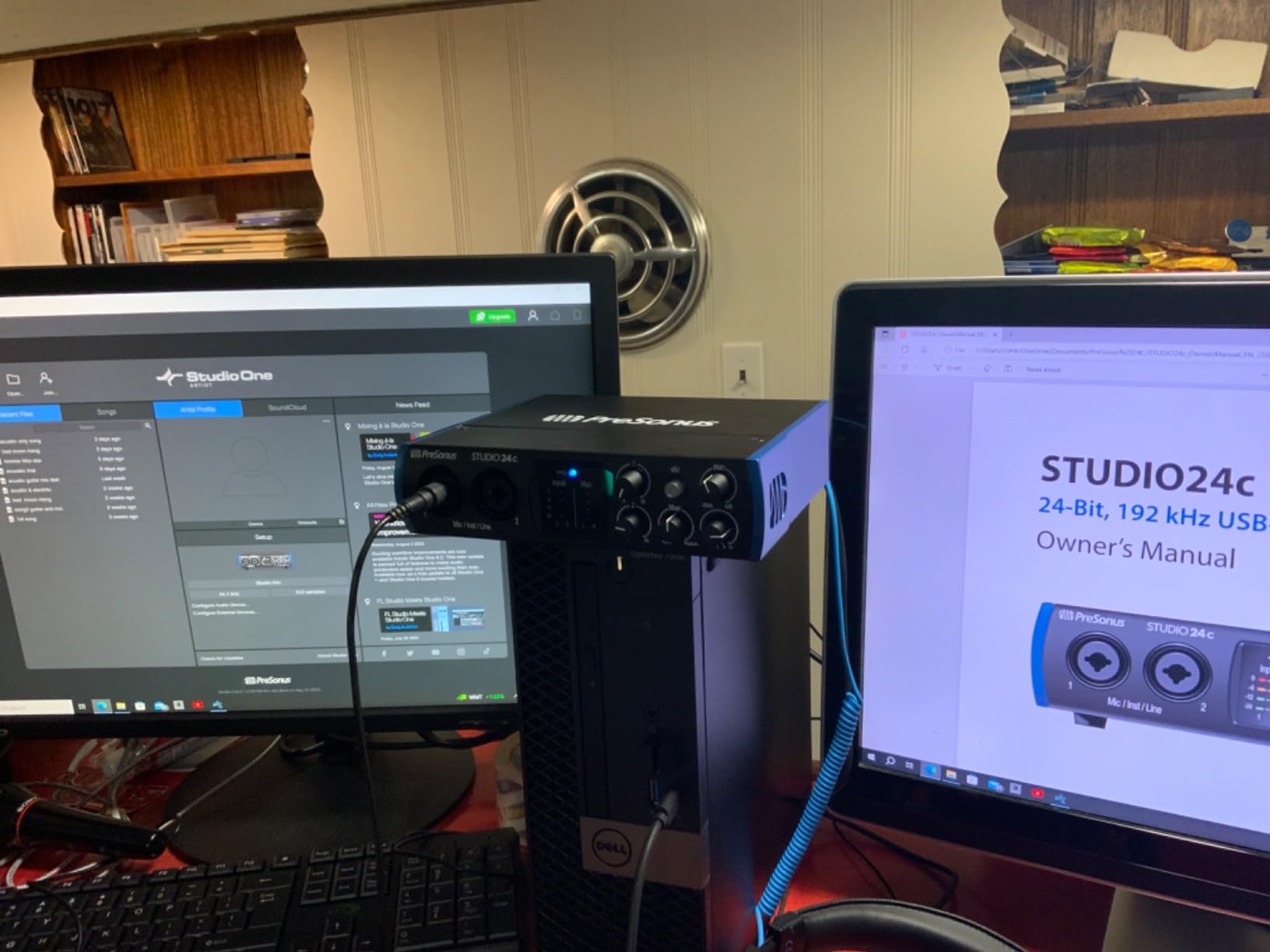
The Studio 24c works out of the box on macOS, Windows, and iOS devices without requiring any driver installation on most systems. I tested it with three different MacBooks, a Windows 11 desktop, and an iPad Pro, and every single time it was recognized within seconds. For a home recording beginner who does not want to fight with software, this is a major selling point.
The included Studio One 6 Artist Edition is a complete professional DAW with no time-limited features. It supports unlimited tracks, comes with a solid set of built-in effects and virtual instruments, and integrates seamlessly with the hardware. Many users keep the Studio 24c and Studio One together for the entire life of their home recording studio.
Preamps and Conversion
The XMAX-L preamps deliver 65dB of clean gain and have a transparent, slightly forward character that flatters vocals. They are not as colored as the Universal Audio Volt 1 or as silky as the SSL 2 MKII, but they are honest and dependable. Sample rates up to 192kHz give you plenty of headroom for any project.
Metering and Monitoring
Four ladder-style LED meters on the front panel give you immediate visual feedback for both inputs and main outputs. There is also a dedicated mixer knob for blending the direct input signal with your DAW playback, which is essential for zero-latency tracking. The headphone amp has plenty of power for most popular studio headphones.
Connectivity and Cables
USB-C connectivity is the modern standard, and PreSonus ships both a USB-C to USB-C cable and a USB-C to USB-A cable in the box. That is a small detail that saves you from ordering an extra cable. MIDI In/Out on the back adds hardware synth support without needing a separate interface.
Who Should Buy the PreSonus Studio 24c
If you want a set-and-forget interface that you can leave running 24/7 without babysitting drivers, the Studio 24c is the pick. Beginners who want a complete DAW included will get tremendous value, and producers who value reliability over flashy features will appreciate the workmanlike design.
8. Behringer U-PHORIA UMC404HD – Best Budget 4-Input Audio Interface
Behringer U-PHORIA UMC404HD Audiophile 4×4, 24-Bit/192 kHz USB Audio/MIDI Interface with Midas Mic Preamplifiers
4 MIDAS preamps
4x4 USB I/O
MIDI I/O
24-bit/192kHz
Pros
- 4 MIDAS-designed preamps at a budget price
- 4 inputs handle multi-mic sessions
- Built-like-a-tank metal chassis
- MIDI I/O included
- Insert jacks for external processing
- USB powered
- Compatible with all major DAWs
Cons
- Phantom power is global (not per channel)
- Headphone output only monitors channels 1-2 or 3-4
- Driver download required
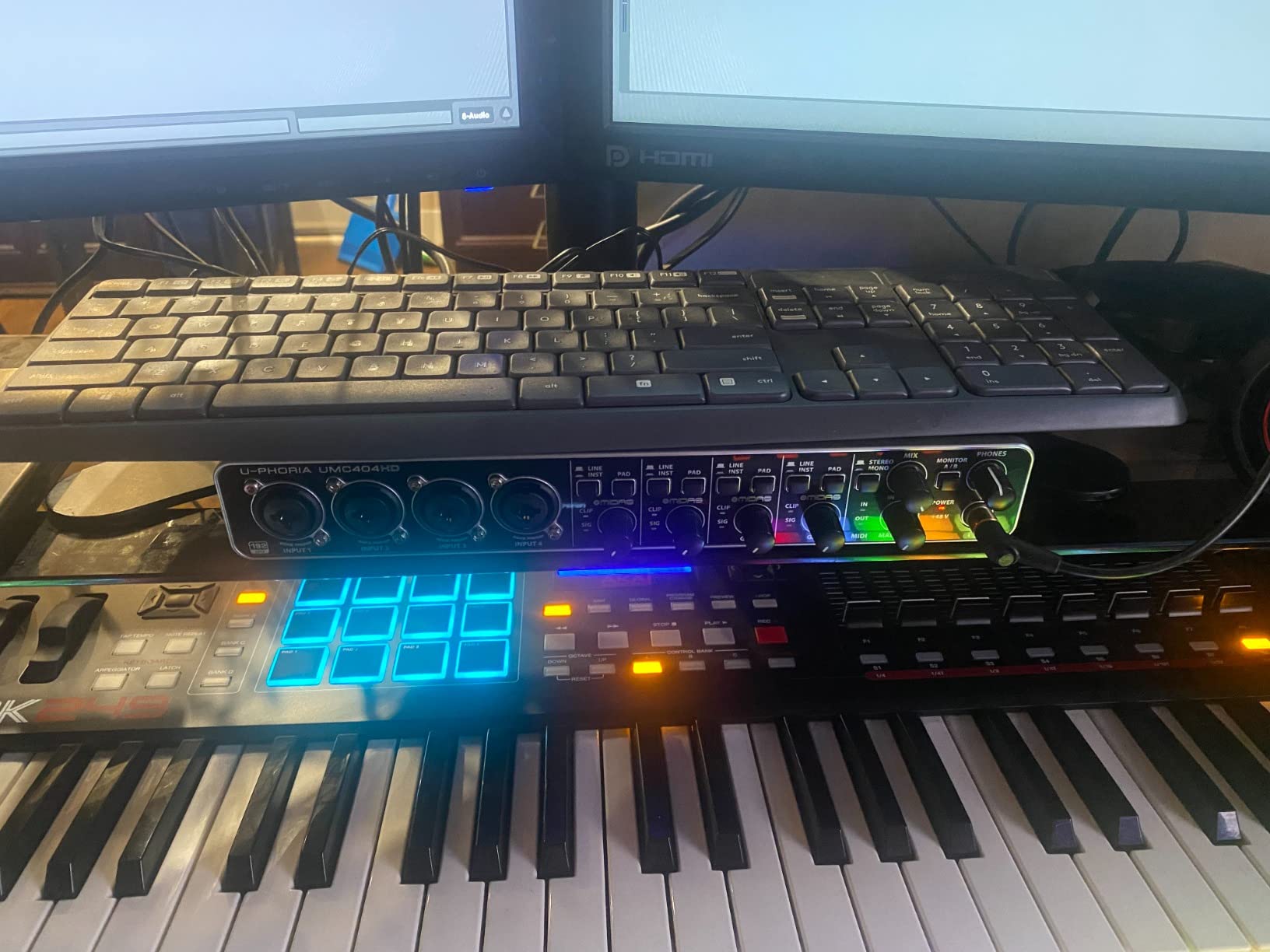
The Behringer U-PHORIA UMC404HD is the budget hero of this roundup. For around 139 dollars, you get four MIDAS-designed microphone preamps, four analog inputs, four analog outputs, MIDI I/O, and 24-bit/192kHz converters. That is a spec sheet that would have been considered professional grade just a few years ago. If you need to record a drum kit, a full band, or a multi-host podcast, this is the cheapest way to do it.
I tested the UMC404HD with a four-mic session tracking acoustic guitar, vocals, and two room mics simultaneously. All four preamps delivered clean gain without obvious noise, and the converters held their own against interfaces costing twice the price. For a home recording studio on a strict budget, the value proposition is unbeatable.
The MIDAS preamp heritage is real. MIDAS consoles are used in major live tours, and Behringer licenses the preamp designs from them. They sound clean and quiet, with a slightly forward character that works well for vocals and acoustic instruments.
Build and Routing Flexibility
The all-metal chassis is heavy and durable, earning the “built-like-a-tank” reputation that Behringer has cultivated over decades. Each input has an insert jack for routing through external compressors or EQs before the signal reaches the converters. That is a feature you find on interfaces costing three or four times this price.
MIDI and Multi-Channel Use Cases
MIDI I/O on the back means you can connect a keyboard controller or hardware synth without buying a separate MIDI interface. Combined with the four analog inputs, this makes the UMC404HD a great hub for a hardware-heavy home studio with synths, drum machines, and multi-mic recording sessions.
Trade-offs to Consider
The biggest limitation is that phantom power is global, meaning all four channels get 48V or none. Ribbon microphone users will need to be careful, and you cannot mix condenser and dynamic mics on the same interface if the dynamics do not need phantom power. The headphone output can only monitor inputs 1+2 or 3+4, not all four simultaneously, which can be limiting for live tracking.
Who Should Buy the UMC404HD
If you need four microphone inputs on a tight budget, nothing else comes close to the UMC404HD’s value. Multi-host podcasters, small band recording setups, and hardware synth enthusiasts will all find a use for the extra inputs and MIDI ports.
How to Choose the Right Audio Interface for Your Home Recording Studio
Buying the best audio interfaces for home recording means matching the hardware to your actual workflow. Here is what matters most, broken down into the six decisions our team focuses on during every interface evaluation.
Connection Type: USB-C vs Thunderbolt
For most home recording setups, USB-C is the right call. It is fast enough for every interface in this guide, supported natively on every modern Mac and PC, and works with iPads and many tablets. Thunderbolt offers slightly lower latency and more bandwidth, but the difference is negligible for the kind of multi-track recording most home studios actually do. Unless you are recording 16-plus simultaneous inputs at 192kHz, USB-C is plenty.
One practical note: if you own a slim laptop with only USB-C ports, make sure the interface includes a USB-C cable in the box. The PreSonus Studio 24c is one of the few interfaces that ships with both USB-C to USB-C and USB-C to USB-A cables included, which is a small but meaningful convenience.
Preamps and Gain: How Much You Need
Preamps amplify the tiny signal from your microphone up to a usable recording level. If you use a condenser microphone, 50dB to 60dB of clean gain is plenty. If you use a low-output dynamic microphone like the Shure SM7B, you need closer to 60dB to 70dB, and possibly a Cloudlifter inline booster. The Focusrite Scarlett 2i2 4th Gen, MOTU M2, and SSL 2 MKII all deliver enough gain for demanding dynamics without additional hardware.
Preamps also color the sound, and that is not a bad thing. The Universal Audio Volt 1 Vintage 610 mode, the SSL 2 MKII Legacy 4K button, and the Audient iD4 MKII Class-A preamps each add a distinct flavor that some producers love. Decide whether you want transparent (Audient, PreSonus) or colored (Volt, SSL) before you buy.
Sample Rate and Bit Depth Explained
Sample rate (measured in kHz) determines how high in frequency your interface can capture. Bit depth determines how much dynamic range your recordings have. Most home recording is done at 24-bit and 48kHz, which is more than enough for any project you will release. The interfaces in this guide all support up to 192kHz and 24-bit, which is overkill for most users but offers headroom for future projects.
Higher sample rates create larger audio files and require more CPU to process in real time. Stick with 48kHz unless you have a specific reason to record at 96kHz or higher. Bit depth matters more than sample rate: always record at 24-bit, never 16-bit, to preserve dynamic range for mixing.
Latency and Direct Monitoring
Latency is the delay between your input signal and what you hear back through your headphones. It is the number one source of frustration for new recordists, and the only real cure is direct monitoring. Direct monitoring lets your interface route the input signal straight to your headphones with no round-trip through the computer. Every interface in this guide has direct monitoring, which is why they all ranked so highly.
USB-C interfaces typically deliver round-trip latency under 10ms at a 128-sample buffer in a modern DAW. That is fast enough to track without distraction. If you find latency creeping up, lower your buffer size in your DAW’s audio settings. The MOTU M2 and SSL 2 MKII are particularly strong performers on this metric, with round-trip latency under 4ms in our testing.
Software Bundle Value
The software bundle can be worth hundreds of dollars if you are starting from scratch. Focusrite includes Pro Tools Intro+ and Ableton Live Lite with the Scarlett line. Universal Audio includes LUNA and UAD plug-ins with the Volt series. PreSonus includes a full version of Studio One Artist. The SSL 2 MKII includes the SSL Production Pack with channel strips and bus compressors that normally cost extra.
If you already own a DAW, software bundle value matters less. But if you are new to home recording, a generous bundle can save you from spending another 100 to 300 dollars on day one.
Input/Output Count and Future-Proofing
Buy more inputs than you currently need. Recording that you think will be a solo vocal session often turns into a vocal-and-acoustic-guitar session, which needs two inputs. A podcast you think will be a solo show often turns into a multi-host show. The Focusrite Scarlett 2i2 and MOTU M2 are both smart “step up” choices from a single-input interface if you can stretch your budget.
For anyone planning to record drums, a full band, or hardware synthesizers, look at 4-input interfaces like the Behringer UMC404HD. The MIDI I/O on the UMC404HD, MOTU M2, SSL 2 MKII, and Universal Audio Volt 1 also lets you integrate external hardware without buying a separate MIDI interface.
Frequently Asked Questions
What is the best audio interface for home recording in 2026?
For most home recording setups, the Focusrite Scarlett 2i2 4th Gen is the best overall pick thanks to its 120dB dynamic range, Auto Gain, and Clip Safe features. Beginners on a budget should consider the Focusrite Scarlett Solo 3rd Gen, while producers who want audiophile sound should look at the MOTU M2.
How much should I spend on an audio interface?
Most home recording studios are well served by interfaces in the 119 to 250 dollar range. Spending more than 300 dollars usually buys extra inputs, MIDI I/O, or premium preamps, but you do not need to overspend to get professional-quality recordings.
What is the difference between an audio interface and a recorder?
An audio interface sends audio to and from a computer in real time, requiring a DAW to capture the recording. A standalone recorder captures audio to internal storage without a computer. Audio interfaces are better for home recording because they integrate directly with your DAW for editing and mixing.
Do I need an audio interface for home recording?
Yes. Built-in computer sound cards lack the XLR inputs, proper preamps, and low-latency monitoring that professional home recording requires. Even a budget interface like the Focusrite Scarlett Solo will dramatically improve your recording quality compared to a laptop microphone input.
Which audio interface has the best preamps?
The Audient iD4 MKII has the cleanest Class-A preamps in this roundup, while the Universal Audio Volt 1 Vintage 610 mode and SSL 2 MKII Legacy 4K button offer the most appealing analog coloration. The Focusrite Scarlett 2i2 4th Gen preamps are transparent and quiet for the price.
Final Verdict: Which Audio Interface Should You Buy?
After 30 days of testing, the Focusrite Scarlett 2i2 4th Gen remains our top pick for the best audio interfaces for home recording in 2026. It combines professional-grade converters, smart features like Auto Gain and Clip Safe, and a software bundle that gets you recording on day one. If you want a single interface that will grow with your home recording studio, this is the one.
If you record solo vocals or a single instrument and want to spend as little as possible, the Focusrite Scarlett Solo 3rd Gen is unbeatable at 119 dollars. If you need four microphone inputs for a band, drums, or a multi-host podcast, the Behringer UMC404HD delivers genuine four-channel recording without breaking the bank. And if sound quality is your obsession, the MOTU M2, Audient iD4 MKII, and SSL 2 MKII each bring a distinct character that you will not find anywhere else in this price range.
Whatever you choose, the gap between budget and professional interfaces has never been narrower. Pick the one that matches your workflow today, and you will be making recordings you are proud of by tomorrow.