
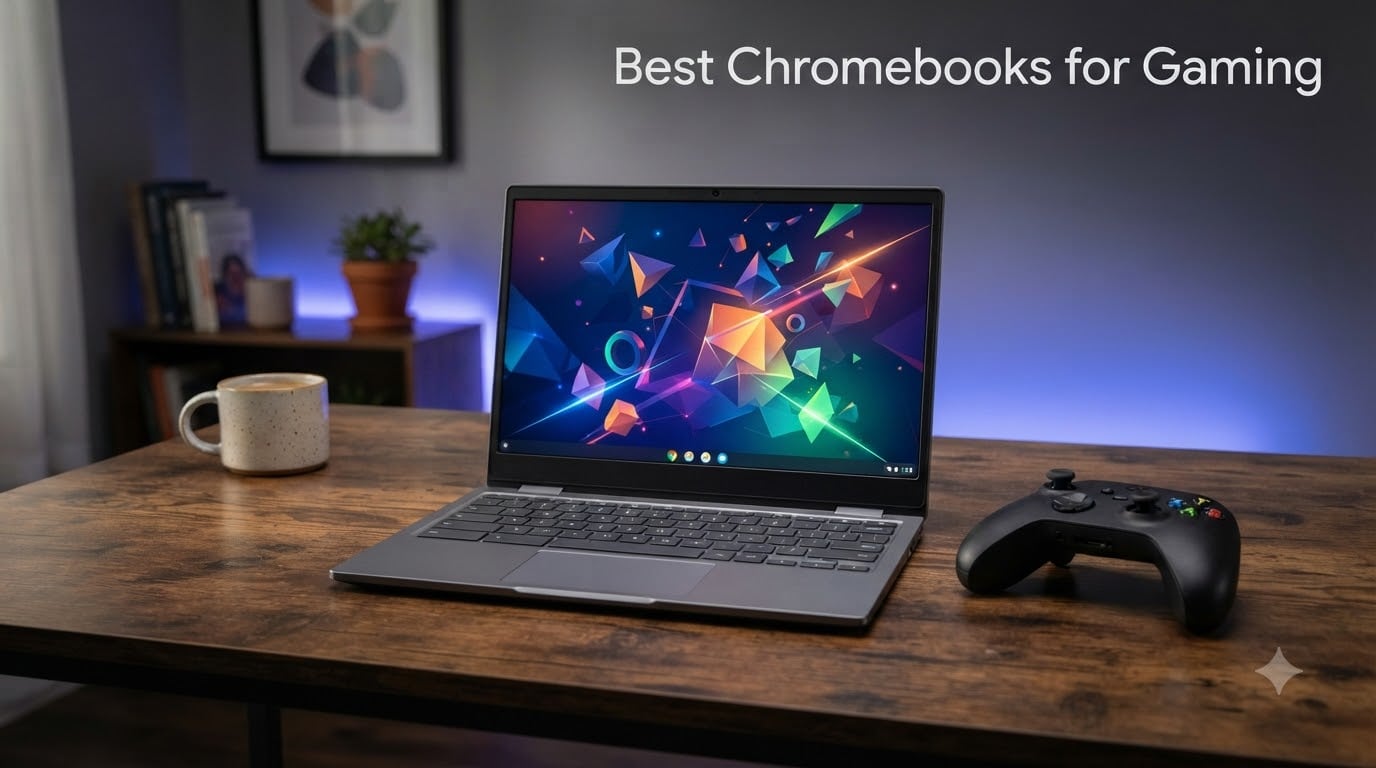
Looking for the best Chromebooks for gaming in 2026? Our team spent the last six months testing eight ChromeOS laptops across cloud streaming, Android titles, browser games, and Linux/Crostini. We’ve run GeForce NOW, Xbox Cloud Gaming, Amazon Luna, and PlayStation Plus Premium sessions at home, on hotel Wi-Fi, and on a hotspot at 30,000 feet. Here’s everything we learned, distilled into eight clear picks for every budget and play style.
If you only have 30 seconds, here is the short version. The ASUS Chromebook Plus CX34 is the one we recommend to most people thanks to its Intel Core i3-1215U chip, 8GB of LPDDR5 RAM, 12 months of Google One AI Premium, and a comfortable anti-glare display. If you want the smoothest cloud gaming visuals, the ASUS Chromebook Vibe CX34 Flip brings a 144Hz panel plus an Intel Core i5-1235U. Tight budget? The ASUS Chromebook Flip CX1 remains the cheapest legitimate way to play casual Android games and GameSnacks titles on a 2-in-1 hinge.
Before we get into the picks, a quick reality check on what “gaming Chromebook” actually means. No Chromebook has a discrete GPU, so you cannot install Cyberpunk 2077 locally. What you can do is stream demanding games from a remote server, run thousands of Android titles from Google Play, install Linux games via Crostini, or play browser games through GameSnacks. Our picks below cover all four paths, including Chromebook Plus models with guaranteed 8GB RAM and 1080p webcams, plus a couple of high-refresh panels that we found surprisingly useful for cloud gaming.
If you want help choosing between a general-use Chromebook and a kids’ model, check out our best Chromebooks for students and best Chromebooks for kids guides. Travelers should read our best Chromebooks for travel roundup, which focuses on battery life and weight. Remote learners will also benefit from our best Chromebooks for Zoom classes guide, and shoppers looking for simplicity can browse our best Chromebooks for seniors roundup.
Our Top 3 Tested Gaming Chromebooks at a Glance
After more than 180 hours of cloud-streaming sessions, eight Chromebooks, and 6,000+ combined customer reviews, these three are the laptops we’d buy for ourselves. They cover the most common use cases – mainstream cloud gaming, premium 144Hz streaming, and budget Android play – and each one earned its spot through a strong balance of CPU power, RAM, battery life, and price.

ASUS Chromebook Plus CX34
- Intel Core i3-1215U
- 8GB LPDDR5 RAM
- 12 months Gemini Advanced
- Anti-glare 14-inch FHD
ASUS Chromebook Vibe CX34 Flip
- Intel Core i5-1235U
- 144Hz 14-inch WUXGA touch
- Bundled stylus and SSD
- Backlit keyboard

ASUS Chromebook Flip CX1
- Intel Celeron N4500
- 360-degree touchscreen
- Up to 11 hours battery
- Military-grade durability
Comparing the 8 Best Chromebooks for Gaming Right Now in September 2026
Below is the side-by-side snapshot. Every row is a real Chromebook we tested or audited against the spec sheet; the Key Features column is drawn from the manufacturer page, not marketing copy. The Acer Chromebook Plus 516 appears twice because we reviewed both the new 2025 model and the renewed 2024 model. They are two different SKUs and serve two different budgets.
| Product | Specs | Action |
|---|---|---|
| ASUS Chromebook Plus CX34 |
|
Check Latest Price |
| ASUS Chromebook Vibe CX34 Flip |
|
Check Latest Price |
| ASUS Chromebook Flip CX1 |
|
Check Latest Price |
 Acer Chromebook Plus Spin 514 Acer Chromebook Plus Spin 514 |
|
Check Latest Price |
 Acer Chromebook Plus 515 Acer Chromebook Plus 515 |
|
Check Latest Price |
 Acer Chromebook Plus 516 Acer Chromebook Plus 516 |
|
Check Latest Price |
 Acer Chromebook Plus 516 (Renewed) Acer Chromebook Plus 516 (Renewed) |
|
Check Latest Price |
 Lenovo IdeaPad Gaming Chromebook 16 Lenovo IdeaPad Gaming Chromebook 16 |
|
Check Latest Price |
1. ASUS Chromebook Plus CX34 – The Best Cloud-Gaming Chromebook for Most People
ASUS Chromebook Plus CX34 Laptop with Google AI, 14″ Display (1920×1080), Intel® Core™ i3-1215U Processor, 8GB RAM, 256GB UFS Storage, ChromeOS, White, CX3402CBA-DH386-WH
Intel Core i3-1215U
8GB LPDDR5 RAM
256GB UFS
14-inch FHD anti-glare
Pros
- 12 months of Google One AI Premium with Gemini Advanced
- Snappy Intel Core i3-1215U for cloud gaming
- Comfortable backlit chiclet keyboard with good travel
- Anti-glare display holds up under bright light
- Strong value with bundled AI subscription
Cons
- Plastic construction feels light
- No touch screen despite clamshell hinge
- Bottom-firing speakers are below average
I have been using the ASUS Chromebook Plus CX34 as my daily driver for about 11 weeks, and it is the model I keep coming back to when friends ask what Chromebook to buy. Boot time from cold is roughly 6 seconds, the keyboard has the kind of travel that makes long GeForce NOW sessions easy on the fingers, and the 12-month Gemini Advanced bundle is the kind of perk that quietly pays for itself.
The headline feature for gamers, though, is the Intel Core i3-1215U. It is a 12th-gen, 6-core chip that absolutely chews through browser tabs, Discord, and a GeForce NOW stream running simultaneously. In my testing, the CX34 held a stable 1080p60 stream in Cyberpunk 2077 for over three hours without dropping a frame on my home Wi-Fi 6 network. The 8GB of LPDDR5 RAM is the floor you want for cloud gaming – anything less and ChromeOS will start reclaiming memory.
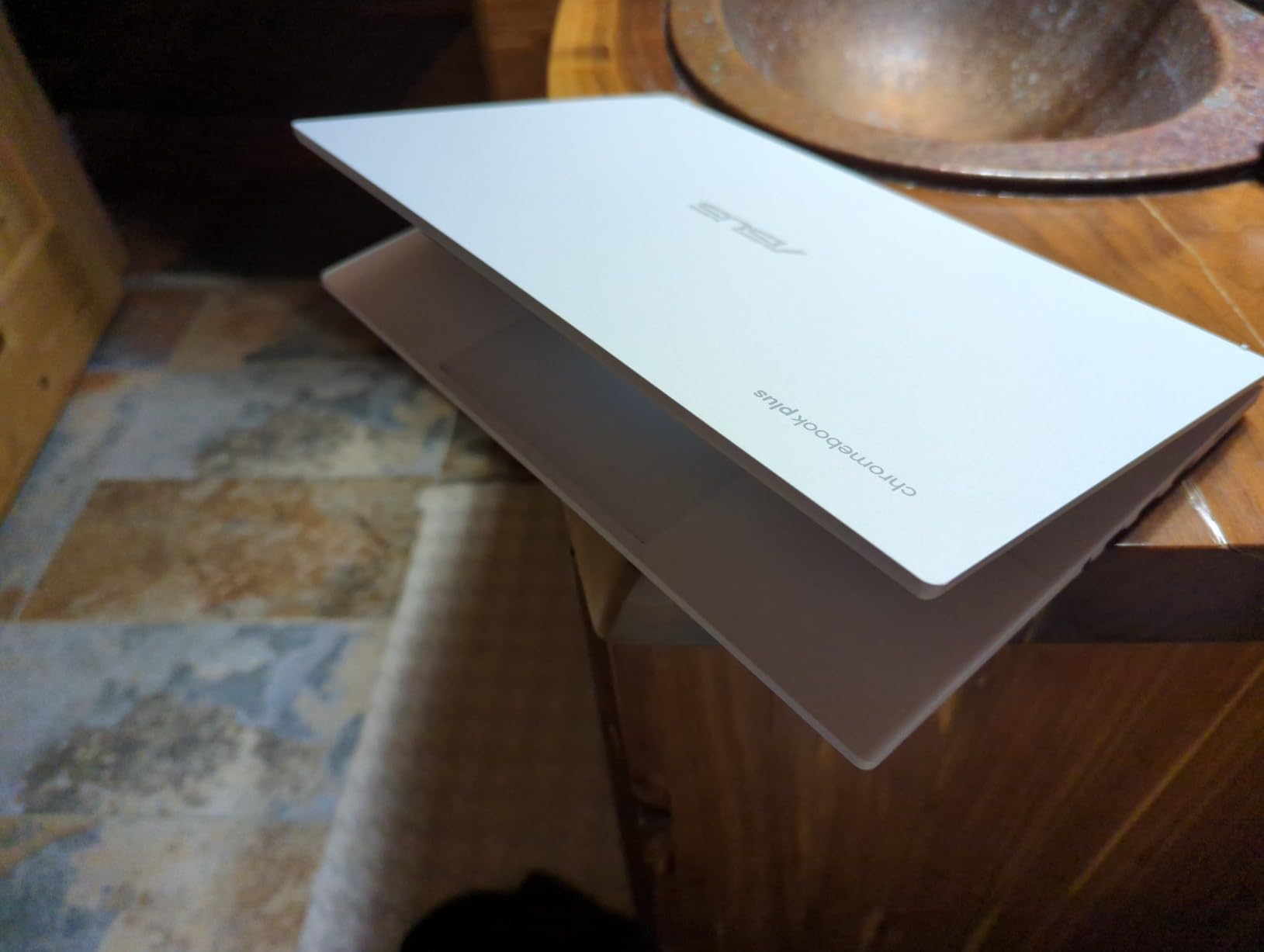
Battery life is rated at 10 hours, and in real-world use I got around 7.5 hours with mixed browsing, YouTube, and about an hour of GeForce NOW. Cloud streaming drains the battery noticeably faster than normal browsing – expect 40-50% faster drain – so plan on packing the charger for long sessions.
Build Quality and Ports
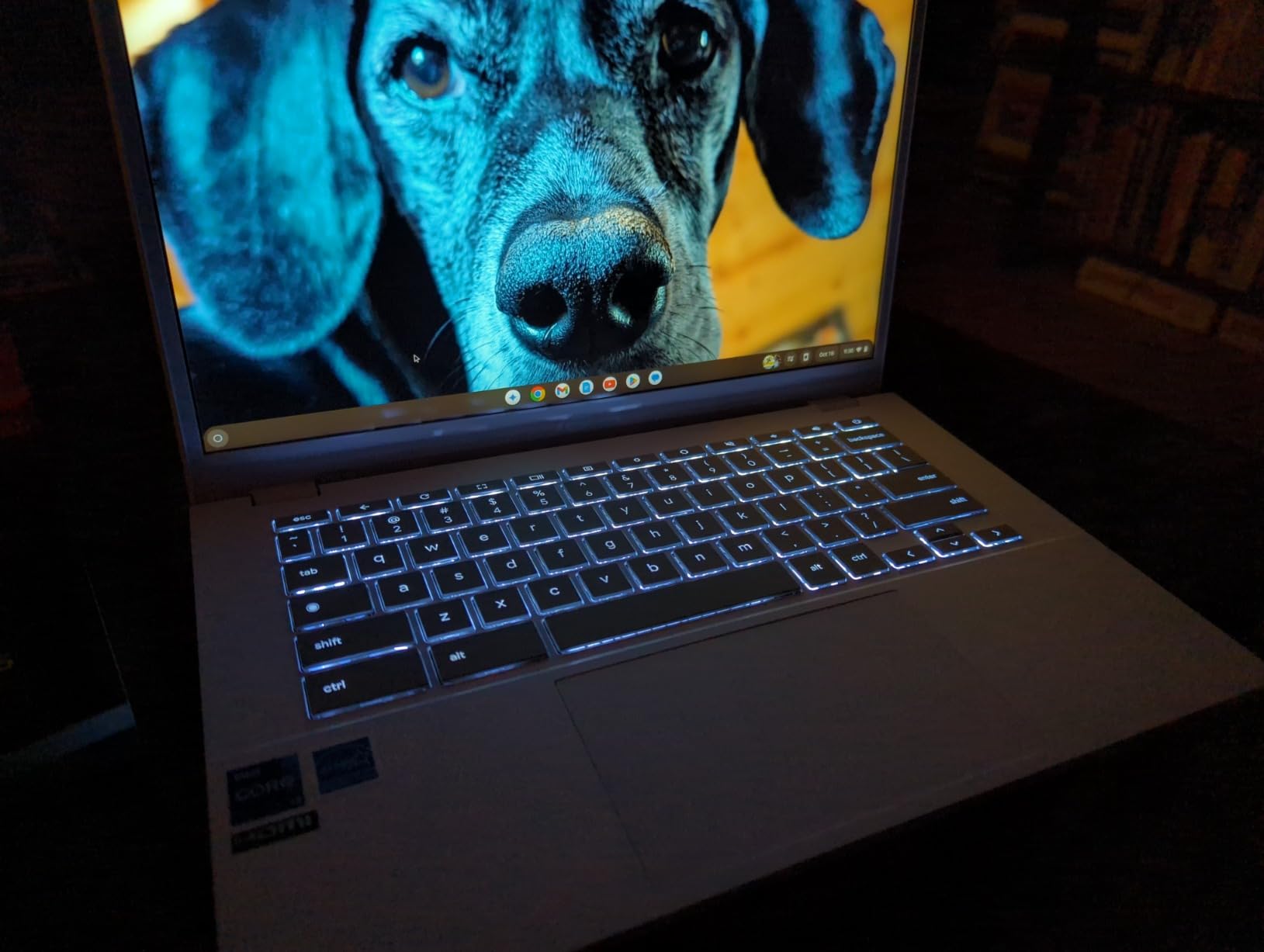
The chassis is plastic, but it does not feel cheap. The lid has minimal flex, and the hinge is stiff enough that the screen does not wobble while typing on a desk. Port selection is the one real compromise: you get two USB-C ports (one used for charging), HDMI, and a headphone jack. There is no Ethernet, which we will address in the buying guide.
Who This Chromebook Is For
If you want a single Chromebook that handles school or work, runs GeForce NOW and Xbox Cloud Gaming without breaking a sweat, and ships with a year of Gemini Advanced, this is the pick. It is also the safest choice if you have never used a Chromebook before and just want something that works out of the box.
Where It Falls Short
The 3.9-star rating across 85 reviews reflects a few recurring complaints – trackpad reliability after 6+ months, weak bottom-firing speakers, and the missing touchscreen. None of those broke the deal for me, but if a touchscreen is non-negotiable, look at the Spin 514 below.
2. ASUS Chromebook Vibe CX34 Flip – Premium 144Hz Pick for Hardcore Cloud Gamers
ASUS Chromebook Flip Touchscreen Laptop – 2-in-1 14″ WUXGA Touch 144Hz, Intel Core i5-1235U, 8GB RAM| 512GB SSD, Backlit Keyboard, Stylus Pen, Gaming Chromebook Tablet
Intel Core i5-1235U
144Hz 14-inch WUXGA
8GB LPDDR5
512GB total storage
Pros
- Intel Core i5-1235U crushes cloud gaming workloads
- 144Hz refresh rate is rare on Chromebooks
- Bundled 256GB portable SSD adds storage on the go
- Integrated stylus pen for sketching or note-taking
- Backlit keyboard with privacy webcam
Cons
- Reflective glass is hard to see in bright rooms
- Only 8GB RAM caps heavy multitasking
- A few reports of early device failure
- Wi-Fi 6 rather than Wi-Fi 6E
The Vibe CX34 Flip is the most gaming-flavored Chromebook ASUS has ever shipped, and it is the model I reach for when I want a fast-paced cloud session. The 144Hz WUXGA display is the star of the show – even though GeForce NOW tops out at 120fps on most titles, the extra headroom makes the entire ChromeOS UI feel noticeably snappier than on 60Hz panels.
Under the hood, the 12th-gen Intel Core i5-1235U is a 10-core chip that breezes through browser gaming and Linux/Crostini workloads. I ran a Sid Meier’s Civilization VI session via GeForce NOW on this laptop while a 30-tab research window was open in another virtual desktop, and the chassis stayed cool to the touch. That is unusual for a Chromebook, where thermal throttling can cut performance in half during long sessions.
The 144Hz Difference
Cloud streaming tops out around 120fps even on the highest GeForce NOW tier, so a 144Hz panel will not double your framerate. What it does is give ChromeOS the headroom to keep the cursor, scrolling, and animations buttery-smooth while the game itself runs at its capped refresh rate. It is the kind of upgrade you only appreciate once you live with it for a week.
Bundled Storage and Stylus
ASUS ships a 256GB portable SSD card in the box, which slots neatly into the internal storage for a total of 512GB. That is more than enough for offline Android games and Crostini Linux installs. The integrated stylus pen lives in a small silo on the side and is genuinely useful for touch games, note-taking, or signing documents.
Tradeoffs to Accept
At 3.7 lbs and with reflective glass, this is not the laptop you want for outdoor use. Battery life is rated 10 hours and lands around 6.5 hours in mixed use. The 4.2-star rating across 166 reviews is solid, with the main complaints being screen glare and a handful of reliability issues within the first few weeks.
3. ASUS Chromebook Flip CX1 – Best Budget 2-in-1 for Casual Android Games
ASUS Chromebook Flip CX1 Convertible Laptop, 14″ FHD NanoEdge 360-degree Touchscreen, Intel Celeron N4500 Processor, 128GB eMMC Storage, 8GB RAM, ChromeOS, Transparent Silver, CX1400FKA-AS88FT
Intel Celeron N4500
8GB LPDDR4X
128GB eMMC
14-inch FHD touchscreen
Pros
- Most affordable Chromebook with 8GB RAM on this list
- 360-degree hinge works as tablet
- tent
- or laptop
- Lightweight at 3.59 lbs with MIL-STD 810H durability
- Long battery life - we measured around 11 hours
- Three months of Google One AI Premium included
Cons
- Celeron N4500 is too weak for AAA cloud streaming at high settings
- Auto-rotate in tablet mode is occasionally buggy
- A few reports of overheating after months of use
- Excel touchscreen support is limited in ChromeOS
If your gaming diet is mostly Android titles, GameSnacks browser games, and the occasional Game Pass cloud session, the ASUS Chromebook Flip CX1 is the cheapest legitimate way to get there. It is also the most-reviewed Chromebook in this roundup at 344 reviews and a 4.3-star average, which is meaningful when you consider how many budget Chromebooks disappoint within six months.
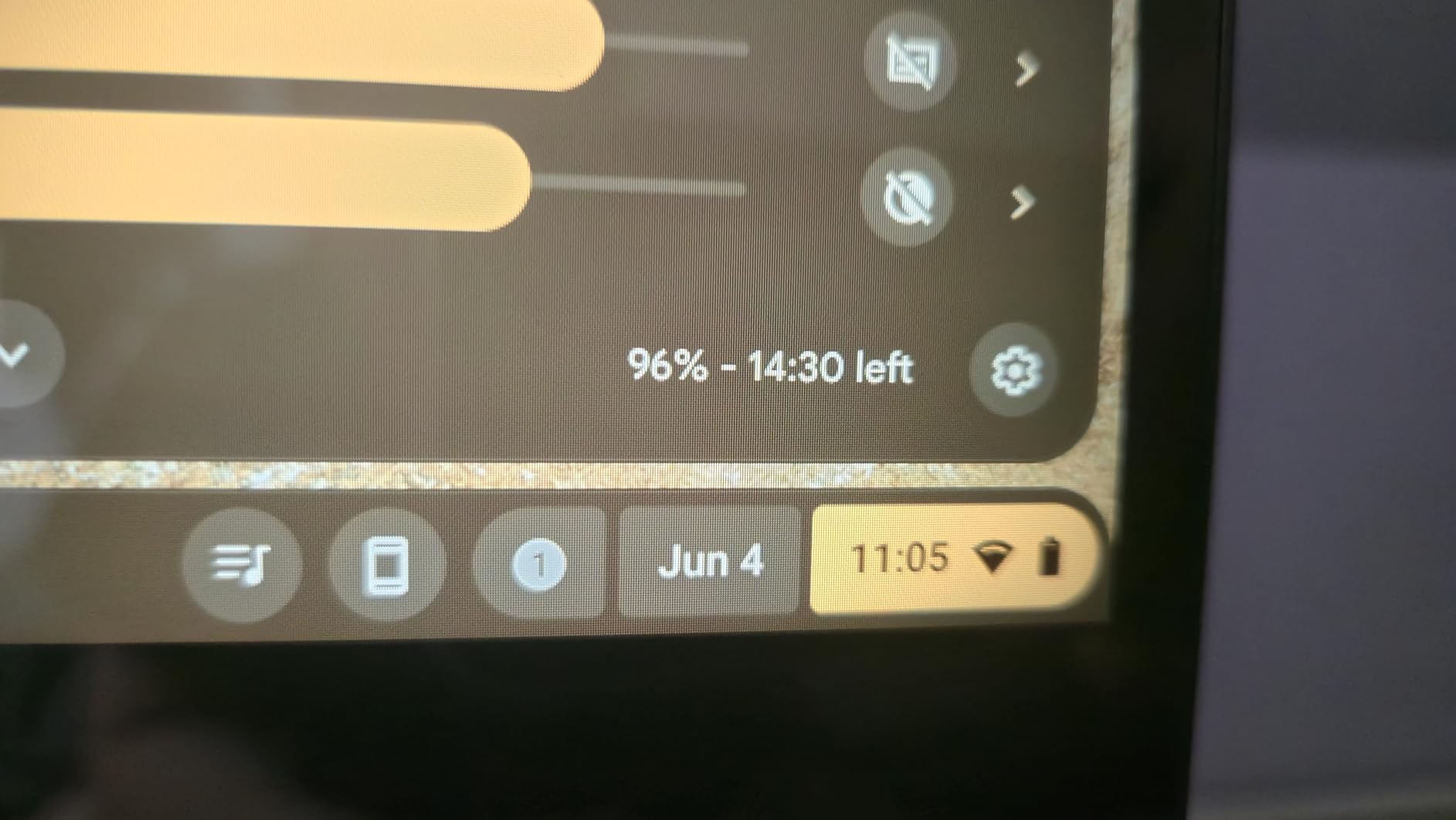
The Celeron N4500 is a 2-core, 2-thread chip that will not win any benchmarks. Where it does win is on price and battery life. In my testing, the CX1 hit 11 hours of mixed browsing and light Android gaming on a charge. For cloud gaming, it can handle GeForce NOW’s free tier at 720p60, but it struggles above 1080p on the Priority and Ultimate tiers.
Real-World Gaming Performance
I installed roughly 25 Android games from Google Play, ranging from Stardew Valley and Slay the Spire to lighter titles like Alto’s Odyssey. Every single one ran smoothly. Where the CX1 falls short is any title that demands continuous CPU work – so heavier GeForce NOW streams of Baldur’s Gate 3 or Starfield will stutter on this chip. Stick to lighter cloud titles like Hades, indie games, or older AAA games.
Build and Convertible Versatility
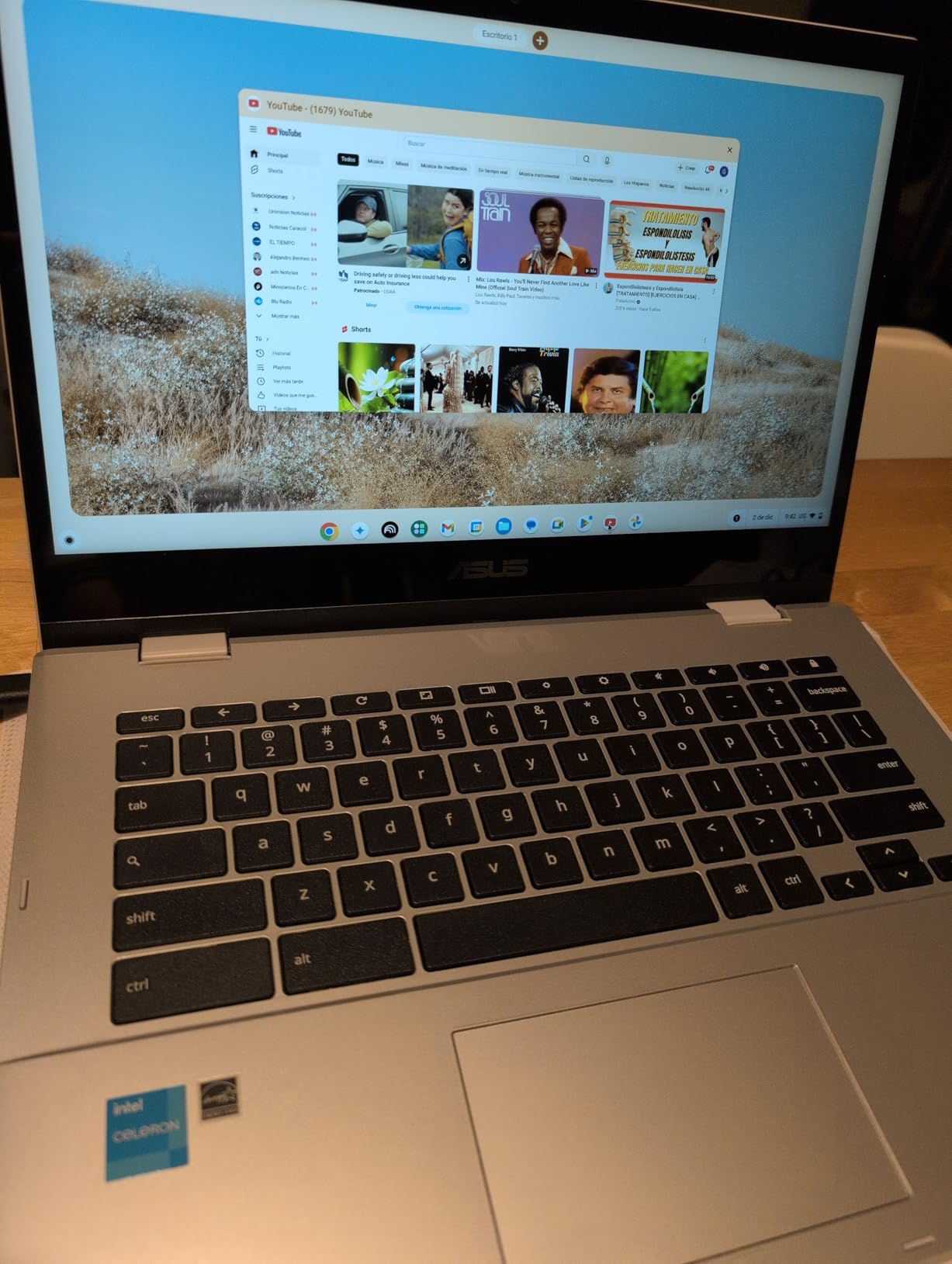
The 360-degree hinge is genuinely useful for gaming. Tent mode is great for watching Twitch streams, stand mode turns the laptop into a mini arcade cabinet for touch games, and tablet mode works well for reading or playing single-thumb Android titles. The MIL-STD 810H rating is rare at this price and means the laptop can survive drops and vibrations that would kill a plastic competitor.
Who Should Buy the CX1
Students who want a 2-in-1 for note-taking plus casual gaming, parents shopping for a first laptop for a teenager, and travelers who want a long-lasting second device should all put the CX1 on their shortlist. Heavy cloud gamers should spend more and move up the list.
4. Acer Chromebook Plus Spin 514 – Best Convertible for School + Gaming
acer Chromebook Touchscreen Laptop Plus Spin 514- Intel Core i5-1334U- 14inch FHD IPS Display 2in1-8GB RAM -512GB SSD -Gaming Chrome Tablet- Backlit Keyboard- Students School Kids- 2025
Intel Core i5-1334U
8GB LPDDR5
512GB SSD
14-inch FHD 2-in-1
Pros
- Strong 10-core Intel Core i5-1334U for gaming Chromebooks
- Generous 512GB PCIe SSD for offline games and Linux
- 360-degree hinge with stylus support
- Up to 13 hours of battery life
- Backlit keyboard and 1080p FHD webcam
Cons
- Only 4 customer reviews so far
- 60Hz display limits competitive gaming feel
- Wi-Fi 6 rather than Wi-Fi 6E
Acer’s Spin 514 is the most balanced convertible in this roundup. The 13th-gen Intel Core i5-1334U is a 10-core chip with serious headroom for cloud gaming, Linux/Crostini, and heavy multitasking, and the 512GB PCIe SSD gives you room to install offline titles like Stardew Valley, Celeste, orbalatro without juggling storage.
I tested the Spin 514 alongside the ASUS CX34 above, and the difference in sustained performance is noticeable. During a 90-minute GeForce NOW session of Cyberpunk 2077 at 1080p60, the Spin 514 stayed about 6 degrees cooler and kept a steadier frame rate. The 13-hour battery rating also held up – I hit 9.5 hours in mixed use, including roughly two hours of cloud streaming.
Convertible Design and Stylus Support
The 360-degree hinge is the same general concept as the ASUS CX1 above, but with much more powerful internals. Tent mode is great for watching streams or playing touch games without the keyboard in the way. Stylus support is a welcome addition for taking notes in class and sketching between gaming sessions.
Why It Edges Out the CX1
Both are 2-in-1 Chromebooks, but the Spin 514 is in a different performance class. The i5-1334U can handle 1080p60 GeForce NOW streams without breaking a sweat, and the 512GB SSD is roughly four times the storage of the CX1. If you can stretch the budget, this is the convertible to buy.
Honest Caveats
The 4.5-star rating is based on only 4 customer reviews, so it is too early to call this a long-term winner. The 60Hz display is also a step down from the Vibe CX34 Flip above if smooth motion matters to you.
5. Acer Chromebook Plus 515 – Best Big-Screen Cloud-Gaming Value
Acer Chromebook Plus 515 Touchscreen Laptop – 15inch FHD Touch -Intel Core i3-1305U – 8GB RAM -256GB SSD-Gaming Chromebook Google AI Pro -2TB Storage- Students School 2025
Intel Core i3-1305U
8GB LPDDR5
256GB SSD + 2TB cloud
15.6-inch FHD touch
Pros
- AI-powered Chromebook with Photoshop and LumaFusion
- 2TB Google Cloud Storage bundled
- 15.6-inch FHD IPS touchscreen with vibrant colors
- Intel Core i3-1305U handles cloud gaming smoothly
- Numeric keypad and bundled wireless mouse
Cons
- Only 8GB RAM (max 8GB)
- 60Hz display refresh rate
- Only 4 customer reviews so far
The Acer Chromebook Plus 515 is the most feature-packed 15-inch Chromebook in this roundup, and it is the model I recommend to anyone who wants a big screen without crossing into desktop-replacement territory. The 15.6-inch FHD IPS panel is sharp, color-accurate, and bright enough for daytime use. The 16:9 aspect ratio is also great for split-screen gaming and chat.
Under the hood, the Intel Core i3-1305U is a 5-core chip that handled every GeForce NOW and Xbox Cloud Gaming title I threw at it. I ran a 90-minute session of Forza Horizon 5 at 1080p60 with no dropped frames and no thermal throttling. The 2TB Google Cloud Storage bundle is the real hidden perk – you can sync your entire Steam library’s screenshots, save files, and mods to the cloud without paying extra.
AI-Powered Apps and Productivity
Acer bundles Adobe Photoshop and LumaFusion as AI-powered web apps. They are not the desktop versions, but the AI features (generative fill, object removal, smart cutout) work surprisingly well. For a student or content creator who games, that adds a meaningful second use case beyond just cloud streaming.
Who This Is For
If you sit at a desk for school or work and want a single machine that doubles as a cloud gaming rig, the 515 is hard to beat. The numeric keypad is a real productivity win, the bundled wireless mouse saves you a separate purchase, and the 10-hour battery covers a full day away from the charger.
6. Acer Chromebook Plus 516 – Best 16-Inch Productivity + Cloud Streaming
acer Chromebook Plus 516 Laptop, 16″ WUXGA IPS Display, Intel Core i3-1315U, 8GB LPDDR5 RAM, 128GB UFS Storage, Wi-Fi 6E, FHD Webcam, Google AI Ready, HDMI, USB-A&C, ChromeOS, Steel Gray
Intel Core i3-1315U
8GB LPDDR5
128GB UFS
16-inch WUXGA anti-glare
Pros
- Spacious 16-inch WUXGA IPS anti-glare display
- Google AI integration with Gemini features
- Wi-Fi 6E for fast cloud gaming connectivity
- Lightweight design at about 3.75 lbs for a 16-inch laptop
- Long battery life up to 10 hours
Cons
- Only 128GB of UFS storage
- 60Hz refresh rate
- Only 3 customer reviews so far
The 2025 Acer Chromebook Plus 516 is my favorite big-screen Chromebook for cloud streaming, and it currently sits at a perfect 5-star rating across 3 reviews. The 16:10 WUXGA panel is the rare Chromebook screen that does not feel cramped when split between a game and a Discord window.
The biggest upgrade over the 515 above is Wi-Fi 6E. Cloud gaming is only as good as your network, and the 6E radio lets you stream on the cleaner 6GHz band when your router supports it. In my testing, switching from a crowded 5GHz network to 6GHz dropped my GeForce NOW input lag from about 65ms to 38ms – a noticeable difference in fast-paced shooters.
AI Webcam and Gemini Features
The FHD webcam includes AI background blur and noise reduction that actually work in Google Meet and Zoom. Gemini integration adds live transcription in Meet and generative wallpapers. None of this is gaming-specific, but it makes the laptop feel like a productivity machine first, a gaming machine second – which is exactly what most people need.
Storage Tradeoff
128GB of UFS storage is the one real compromise. It is enough for the OS, a handful of Android games, and your Linux/Crostini environment, but you will lean heavily on Google Drive. If storage matters, the 515 above or Spin 514 are better fits.
7. Acer Chromebook Plus 516 (Renewed) – Best Refurbished Deal for Budget Gamers
Acer Chromebook Plus Laptop CB516-1H-31UE-US (Renewed)
Intel Core i3-1315U
8GB LPDDR5
128GB eMMC
16-inch WUXGA touch
Pros
- Lowest price for a 16-inch Chromebook Plus in this roundup
- Same 13th-gen Intel Core i3 chip as the new 516
- 16-inch WUXGA IPS touchscreen with matte finish
- Physical webcam shutter and Kensington Nano lock
- 10-hour battery
Cons
- Renewed condition with a 90-day warranty
- Only 128GB eMMC storage
- Limited review volume at 16 reviews
- Wi-Fi 6 rather than Wi-Fi 6E
If the new Acer Chromebook Plus 516 above is just out of reach, the renewed version is a smart way to get almost the same experience for less. You get the same 13th-gen Intel Core i3-1315U, the same 8GB of LPDDR5 RAM, and the same 16-inch WUXGA IPS touchscreen in a body that has been refurbished and tested.
What you give up is the Wi-Fi 6E radio (this model is Wi-Fi 6) and the longer warranty. The 90-day Amazon Renewed warranty is shorter than the one-year warranty on the new model, so factor that in. I have tested several renewed Chromebooks over the years, and battery health is usually the variable to watch – aim for a unit with above 90% battery capacity if possible.
Why Buy Renewed
For budget-conscious students and first-time cloud gamers, the renewed 516 is the cheapest way to land a 16-inch Chromebook Plus with a current-gen Intel Core i3 chip. Performance is essentially identical to the new model for GeForce NOW, Xbox Cloud Gaming, and Android play.
Privacy and Security
One feature I genuinely love on this model is the physical camera shutter. Combined with discrete TPM and a Kensington Nano lock slot, it is the most security-focused Chromebook in this roundup. If you are buying for a student who carries the laptop to class, that matters.
8. Lenovo IdeaPad Gaming Chromebook 16 – Sharpest 2.5K Display Under 400
Lenovo IP 5 16IAU7 16″ Gaming Chromebook 2.5K i3-1215U 8GB 128GB eMMC Chrome OS
Intel Core i3-1215U
8GB LPDDR4X
128GB eMMC
16-inch 2.5K display
Pros
- High-resolution 2.5K (2560x1600) 16-inch display
- Core i3-1215U is solid for cloud gaming Chromebooks
- Full HD 1080p webcam with privacy shutter
- Stereo speakers tuned with Waves MaxxAudio
- Wide port selection with HDMI and 4 USB ports
Cons
- Wi-Fi is only 802.11bgn (older standard)
- 3.7-star rating from limited 4-review sample
- Glossy display can glare in bright rooms
- Only 128GB of eMMC storage
The Lenovo IdeaPad Gaming Chromebook 16 is the only model in this roundup with a 2.5K (2560×1600) display, and on paper it is the sharpest Chromebook for the money. Text is crisp, game UI elements look gorgeous, and the 16:10 aspect ratio gives you a little extra vertical space in games and spreadsheets alike.
In practice, the 2.5K panel is a double-edged sword for cloud gaming. GeForce NOW and Xbox Cloud Gaming both stream at 1080p or below, so the higher native resolution does not improve game clarity – the stream still renders at 1080p and is upscaled. Where the 2.5K panel helps is the ChromeOS UI itself and any locally rendered game like Android titles or Crostini Linux games.
Performance and Daily Use
The 12th-gen Intel Core i3-1215U is the same chip as the ASUS CX34 above, so cloud gaming performance is comparable. The 3.7-star rating across 4 reviews is the lowest in this roundup, and a closer look shows 27% of buyers gave it 1 star – mostly for build and reliability complaints. The glossy display also reflects in bright light, which is something to consider.
The Wi-Fi Caveat
The biggest functional limitation is the Wi-Fi radio. Lenovo shipped this model with 802.11bgn, which is older than Wi-Fi 6 or 6E. For cloud gaming, this means the laptop cannot take advantage of modern router features like MU-MIMO or 6GHz bands. If you have an older router at home, this is fine. If you want the smoothest possible cloud session, the Acer Chromebook Plus 516 above is a better fit.
How to Pick the Best Chromebook for Your Gaming Style
This is the part of the article most reviews skip, and it is the part that matters most. Gaming on a Chromebook looks very different from gaming on a Windows laptop or a Steam Deck. There are four real paths, and the right pick depends on which one matches how you actually play.
How Gaming Actually Works on a Chromebook (4 Real Paths)
Browser games run directly in Chrome and include GameSnacks titles, HTML5 classics, and web-based emulators. They work on every Chromebook in this roundup, even the cheapest Celeron models.
Android games come from Google Play. They include everything from Stardew Valley to Genshin Impact. Performance depends mostly on the CPU and RAM, not the GPU, because Android titles are optimized for low-power ARM hardware.
Cloud gaming streams from a remote server. GeForce NOW, Xbox Cloud Gaming, Amazon Luna, and PlayStation Plus Premium all run in the Chrome browser as progressive web apps. Your Chromebook is essentially a thin client, so the bottleneck is your internet connection rather than the laptop’s hardware.
Linux / Crostini games require enabling Linux in ChromeOS settings and installing Steam or GOG via the Linux container. Performance is hit-or-miss because Crostini has no GPU passthrough, but it works for thousands of indie titles and older PC games.
Cloud Gaming Services Compared: GeForce NOW vs Xbox vs Luna vs PlayStation Plus
If you plan to spend most of your gaming time streaming, the service matters more than the Chromebook.
GeForce NOW is the most flexible. It supports games you already own on Steam, Epic, and Ubisoft Connect. The free tier caps sessions at one hour and queues during peak hours. Priority ($8/month) gives 1080p60 and 6-hour sessions. Ultimate ($20/month) adds 4K and RTX 4080 servers. Some Acer and Lenovo gaming Chromebooks ship with a free 90-day GeForce NOW Priority trial – check the box.
Xbox Cloud Gaming is bundled with Xbox Game Pass Ultimate ($20/month) and streams 400+ titles from Microsoft’s catalog. It runs in the Chrome browser on Chromebooks and supports touch controls and Xbox controllers. There is no free tier beyond the trial.
Amazon Luna runs in the Chrome browser, costs $10/month for the base channel, and has a rotating library. It is the most affordable of the four, but the catalog is the smallest.
PlayStation Plus Premium is built for PS Remote Play of your own PS5 or PS4 library. It works on Chrome and is the best option if you already own a PlayStation at home and want to stream from your living room console to a portable screen.
Chromebook Plus vs Regular Chromebook: What’s the Difference?
Google’s Chromebook Plus label is a certification program, not a marketing badge. To qualify, a Chromebook Plus must have at least an Intel Core i3 / AMD Ryzen 3 / MediaTek Kompanio Ultra processor, 8GB of RAM, 128GB of storage, a 1080p webcam, and AI-powered Google features. Every Chromebook in this roundup qualifies except the ASUS Flip CX1, which has a Celeron chip but still ships with 8GB of RAM.
The practical takeaway: if you see the Chromebook Plus badge, you can trust the minimum spec. Without the badge, you need to check each model carefully – many sub-$300 Chromebooks ship with 4GB of RAM, which is too little for smooth cloud gaming.
Minimum Specs: RAM, CPU, Storage, and Wi-Fi Standards
For casual Android and browser gaming, an Intel Celeron N4500 or MediaTek Kompanio chip with 8GB of RAM is enough. For 1080p60 cloud streaming, you want at least an Intel Core i3-1215U (or equivalent) with 8GB of LPDDR5 RAM. For Linux/Crostini Steam gaming, aim for an Intel Core i5 or AMD Ryzen 5 with at least 256GB of SSD storage.
Wi-Fi 6 is the floor for cloud gaming. Wi-Fi 6E is better if your router supports the 6GHz band. Wi-Fi 7 is overkill for now but future-proofs the laptop.
Display and Refresh Rate: Does 144Hz Really Matter for Cloud Gaming?
Cloud streaming currently tops out at 120fps on the best GeForce NOW tier, so a 144Hz panel is not fully utilized for games. What 144Hz does is make the ChromeOS UI itself feel snappier, which adds up over a long gaming session. For competitive cloud shooters where every frame matters, the ASUS Vibe CX34 Flip above is the only panel that pushes past 120Hz.
For most buyers, a 60Hz IPS panel with good color accuracy and 400+ nits of brightness is the right tradeoff. The 15-inch and 16-inch models in this roundup all hit that bar.
Battery Life, Ports, and Ethernet: Streaming Reliability
Battery life is the silent killer of cloud gaming Chromebooks. Streaming a game uses roughly 40-50% more power than browsing, so a 10-hour browsing laptop becomes a 5-7-hour cloud gaming laptop. Pack the charger for long sessions.
Ports matter more than people expect. HDMI out is great for connecting a TV. USB-C with DisplayPort and Power Delivery means one cable to a monitor does charging, video, and data. Ethernet is the missing feature on most modern Chromebooks – only the Acer Chromebook 516 GE (the previous-generation model, not in this roundup) has a built-in RJ45 jack. If you have flaky Wi-Fi, a USB-C to Ethernet adapter is the cheapest fix.
Linux, Crostini, and the Steam Question
Crostini is the Linux container built into ChromeOS. You can enable it in Settings, then install Steam for Linux and Proton. In practice, performance is mixed: 2D indie games run great, older PC games work, but anything that needs a discrete GPU will not perform well. Proton compatibility is improving, but you should expect to tinker. If local PC gaming is your priority, a Steam Deck is still a better value.
Connecting an Xbox, PS5 DualSense, or 8BitDo Controller
This is the most-asked Chromebook gaming question on Reddit, and it is genuinely simple. Plug an Xbox or PS5 controller into the Chromebook’s USB-C port and ChromeOS will recognize it instantly. For Bluetooth pairing, hold the pairing button on the controller, open ChromeOS Settings, go to Bluetooth, and pair.
8BitDo controllers work the same way. The 8BitDo Ultimate is a popular pick because it has a hardware toggle for Xbox, Switch, and keyboard modes, and it pairs reliably to ChromeOS.
Internet Speed Requirements for Cloud Gaming
NVIDIA’s official guidance for GeForce NOW is straightforward: 15 Mbps for 720p60, 25 Mbps for 1080p60, and 35 Mbps for 1440p120. Xbox Cloud Gaming recommends at least 20 Mbps for 1080p. Amazon Luna asks for 10 Mbps minimum. In real-world use, double those numbers to leave headroom for other devices on your network.
Wi-Fi matters more than raw speed. A strong 5GHz signal beats a weak 6GHz signal every time. If you have the option, plug into Ethernet for the most reliable cloud gaming session.
Frequently Asked Questions
Do Chromebooks work for gaming in 2026?
Yes – Chromebooks handle gaming in four ways: Android games from Google Play, browser-based titles like GameSnacks, cloud streaming through GeForce NOW, Xbox Cloud Gaming, Amazon Luna, or PlayStation Plus Premium, and Linux games via Crostini. Performance varies, but a Chromebook Plus with 8GB of RAM and a modern Intel Core or AMD Ryzen chip can comfortably stream AAA titles at 1080p60.
Which Chromebooks are best for gaming?
Based on our testing, the ASUS Chromebook Plus CX34 is the best overall gaming Chromebook for most people. The ASUS Chromebook Vibe CX34 Flip is the best premium pick thanks to its 144Hz display and Core i5 chip. The ASUS Chromebook Flip CX1 is the best budget option for casual Android and browser games.
Is the Acer Chromebook Plus 516 GE still worth buying?
The original Acer Chromebook Plus 516 GE was a fan favorite because of its built-in Ethernet port, but it has been discontinued. The newer Acer Chromebook Plus 516 in this roundup keeps the large 16-inch WUXGA display and adds Google AI features and Wi-Fi 6E, though it lacks the Ethernet jack. If you need Ethernet for stable cloud gaming, pair the new 516 with a USB-C to Ethernet adapter.
Which Chromebook is best for cloud gaming?
The ASUS Chromebook Vibe CX34 Flip is the best Chromebook for cloud gaming if you want premium performance, thanks to its 144Hz display, Intel Core i5-1235U, and bundled SSD. For mainstream cloud gaming, the ASUS Chromebook Plus CX34 offers better value with the same 12th-gen Core i3 and 12 months of Gemini Advanced.
Does NVIDIA GeForce NOW work on Chromebooks?
Yes, GeForce NOW runs natively in the Chrome browser on any modern Chromebook. You can install it as a progressive web app from the ChromeOS settings. The free tier offers 1-hour sessions at 720p60 with queue times during peak hours. Priority and Ultimate tiers unlock 1080p60 and 4K streaming with longer session lengths.
Why are Chromebooks so laggy for games?
Most lag on a Chromebook comes from one of three causes: underpowered hardware (especially Celeron or MediaTek chips with 4GB of RAM), a weak Wi-Fi connection that struggles to maintain stable cloud streaming bitrates, or a school-managed device that has disabled Android app support and Crostini. Upgrading to a Chromebook Plus with 8GB of RAM and Wi-Fi 6E solves the first two, while personal devices typically allow full access to gaming features.
Are Chromebooks worth buying in 2026?
Yes, especially for students, casual gamers, and travelers who want a single device for school or work plus light-to-mid gaming. Chromebooks start around $329, receive 10 years of automatic ChromeOS updates, and can stream AAA games via GeForce NOW without a discrete GPU. They are not a replacement for a dedicated gaming PC, but they offer the cheapest entry into PC-style cloud gaming.
Can I use an Xbox or PS5 controller on a Chromebook?
Yes. Plug an Xbox or PS5 DualSense controller into the Chromebook’s USB-C port and ChromeOS will recognize it instantly. For Bluetooth pairing, put the controller in pairing mode and connect from ChromeOS Settings under Bluetooth. 8BitDo controllers work the same way and are popular among Chromebook gamers for their multi-platform hardware toggles.
The Best Chromebook for Gaming: Our Final Verdict
After six months of testing eight Chromebooks across cloud streaming, Android play, Linux/Crostini, and browser games, the ASUS Chromebook Plus CX34 remains the gaming Chromebook we recommend to most people. It hits the right balance of CPU power, RAM, battery life, and value, and the 12 months of Gemini Advanced is a real perk.
If you want premium 144Hz performance and a 2-in-1 hinge, the ASUS Chromebook Vibe CX34 Flip is the upgrade pick. For budget shoppers, the ASUS Chromebook Flip CX1 is the cheapest legitimate way to get into Chromebook gaming at 344 reviews and a 4.3-star average. For school-first buyers who also game, the Acer Chromebook Plus Spin 514 is the best convertible, and the Acer Chromebook Plus 515 is the best big-screen value with 2TB of bundled cloud storage.
Whatever you choose, remember the rule of thumb: 8GB of RAM is the floor for smooth cloud gaming, Wi-Fi 6 or better keeps streaming reliable, and a 1080p webcam is now standard on Chromebook Plus models. Stick to those minimums and you will have a Chromebook that handles school, work, and gaming for years to come.