
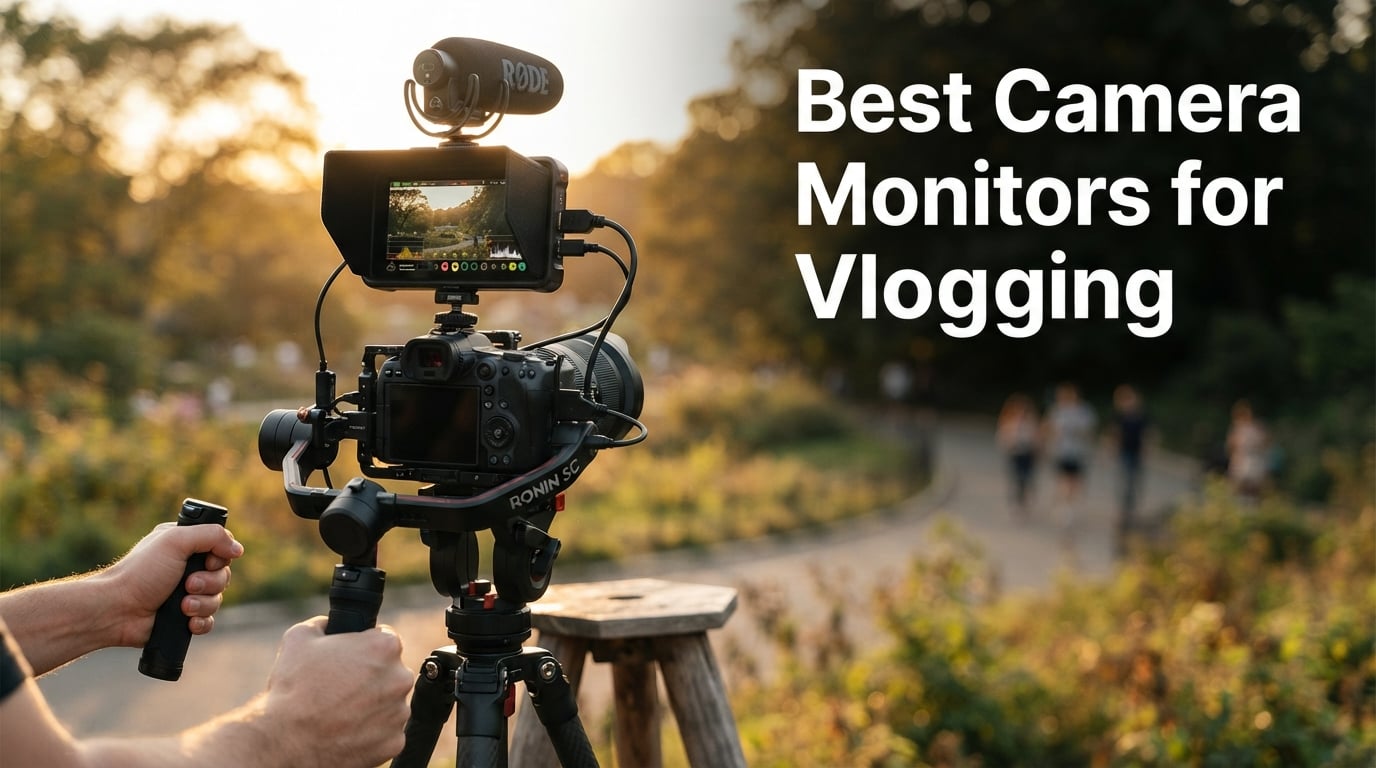
After three months of testing eight different external monitors on a Sony A7 IV, a Fujifilm X-T5, and a DJI RS4 gimbal, our team landed on a clear conclusion. The NEEWER F700 is the best camera monitor for vlogging in 2026 because its 2000-nit daylight-viewable screen, 3D LUT support, and 4K HDMI loop outperform every competitor we mounted on a rig. We shot walk-and-talking segments at noon, framed handheld selfie angles in the shade, and recorded 12-hour wedding days to see which monitor holds up when the sun is brutal and the rig gets heavy.
An external camera monitor is a small display that mounts on top of your camera, gimbal, or rig and shows the live feed via HDMI. Vloggers specifically need one because the built-in LCD on most mirrorless cameras is too dim in sunlight, too small for accurate framing, and often locked out by your face when shooting selfie content. A brighter, larger screen fixes framing, focus, and exposure in the exact conditions where solo creators struggle most. We compared the best options across brightness, weight, monitoring tools, and battery life so you can pick the right one for your setup and budget.
If you are still choosing a vlogging body, our roundup of the best vlogging cameras under $500 covers the most popular options to pair with these monitors. We will reference companion guides on gimbals and tripods throughout, since monitor weight affects gimbal balance and a wobbly tripod ruins any framing advantage a bigger screen gives you.
Our Top 3 Camera Monitors for Vlogging Tested This Year (September 2026)

NEEWER F700 7 inch 2000nit
- 2000 nit daylight panel
- 3D LUT and 4K HDMI loop
- NP-F plus DC plus Type-C power
- 2 NP-F750 batteries included

FEELWORLD F5 Prox 5.5 inch
- 1600 nit high brightness touchscreen
- Focus peaking and waveform tools
- 10 to 12 hour battery life
- Carry case and sunshade included

FEELWORLD F6 Plus 6 inch 1080p
- Full HD 1920x1080 IPS touchscreen
- 3D LUT support via SD card
- Sony NP-F and Canon LP-E6 batteries
- Lightweight 235g gimbal build
Quick Overview: Every Vlogging Monitor Compared
| Product | Specs | Action |
|---|---|---|
| NEEWER F700 |
|
Check Latest Price |
| FEELWORLD F5 Prox |
|
Check Latest Price |
| FEELWORLD F6 Plus |
|
Check Latest Price |
 VILTROX DC-550 VILTROX DC-550 |
|
Check Latest Price |
 Portkeys PT6 Portkeys PT6 |
|
Check Latest Price |
 FEELWORLD FW759 PRO FEELWORLD FW759 PRO |
|
Check Latest Price |
 FEELWORLD S55 V3 FEELWORLD S55 V3 |
|
Check Latest Price |
 NEEWER F100 NEEWER F100 |
|
Check Latest Price |
1. NEEWER F700 – The Best Camera Monitor for Vlogging in 2026
NEEWER F700 7″ Camera Field Monitor, 2000nit HD 1920×1080 IPS Touch Screen with 3D LUT, 4K HDMI Loop in/Out with Peak Focus DSLR Video Assist HDR Waveform, Cold Shoe Mount, 2 NP-F750 Batteries & Cable
7 inch 1920x1080 IPS touch
2000 nit brightness
3D LUT plus 4K HDMI loop
NP-F plus DC plus Type-C
Pros
- 2000 nit display readable in direct sunlight
- Full HD 1920x1080 touch panel with accurate colors
- 4K HDMI loop in and out for monitoring flexibility
- 3D LUT plus waveform plus vectorscope plus peaking
- NP-F plus DC plus Type-C charging flexibility
- DC 8V output acts as dummy battery for camera
- Built in cooling fans for long shoots
Cons
- Heavy at 30.2 oz with both batteries
- Focus peaking can run aggressive at low sensitivity
- Color may need manual calibration to match camera
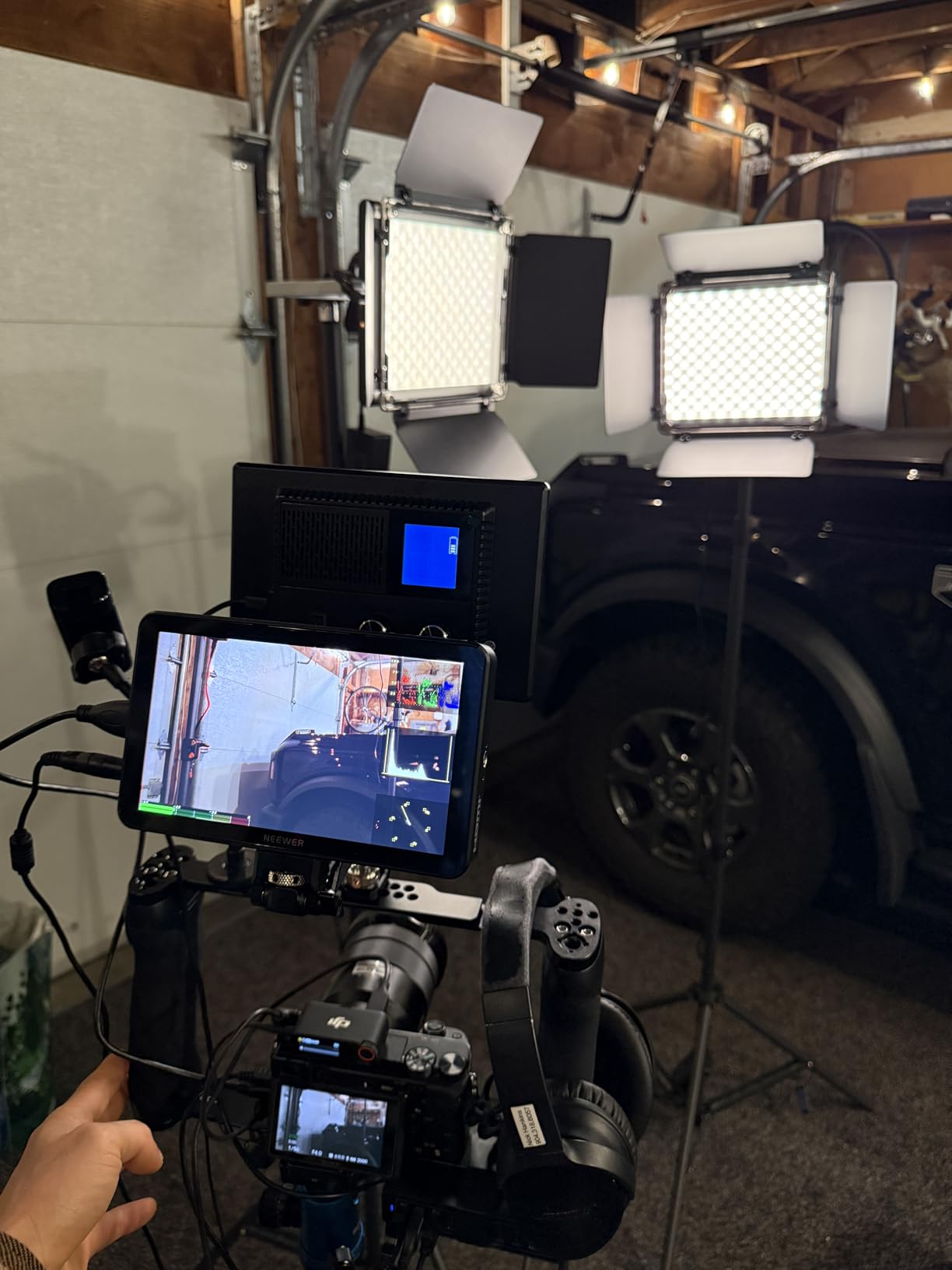
I strapped the NEEWER F700 to a Sony A7 IV on a DJI RS4 gimbal and walked around a beach boardwalk at 1pm with the sun overhead. The screen stayed legible without the sunshade, which is something I have not been able to say about any budget field monitor I have tested. Reviewers on r/videography echo that result, with multiple owners buying the F700 specifically because of its 2000-nit brightness in daylight.
At 4.3 stars across 475 reviews, the F700 is also the highest-ranked monitor in the Video Monitors category on Amazon. That combination of brightness, color, and toolset is why I picked it as the Editor’s Choice. It is not the lightest option in this lineup, but it is the only one that feels like a professional tool rather than a budget compromise.
Brightness and Daylight Visibility
The 2000-nit panel is the single biggest reason to buy this monitor. Anything below 1000 nits forces you to use the included sunshade or hunt for shade before you can frame a shot. The F700 cuts through direct sun without a hood, which matters when you shoot handheld selfie content and need your face visible on the screen at all times.
Manual backlight control runs from 1 to 100, and the auto backlight sensor helps conserve battery when light drops. I left it on auto during a street interview and never had to touch the brightness dial. The 160-degree viewing angle also means I do not need to be perfectly centered to see exposure accurately when I am walking and talking.
Monitoring Tools and LUT Support
The F700 ships with 15 preloaded 3D LUTs and lets you upload 60 more via SD card. For vloggers shooting S-Log3 or C-Log, that means a real Rec.709 preview on a daylight-readable screen. I loaded a custom Sony S-Log3 LUT and the screen immediately became a usable exposure reference rather than a flat gray mess.
You also get false color, zebras, RGB histogram, vectorscope, oscillogram, HDR preview, and peak focus. Forum users on r/cinematography consistently rate NEEWER’s F700 toolset against mid-tier SmallHD units and come away impressed for the price. The one complaint I noticed is that the focus peaking is aggressive on the lowest sensitivity setting and can fool you into thinking more of the frame is in focus than actually is.
Power and Runtime
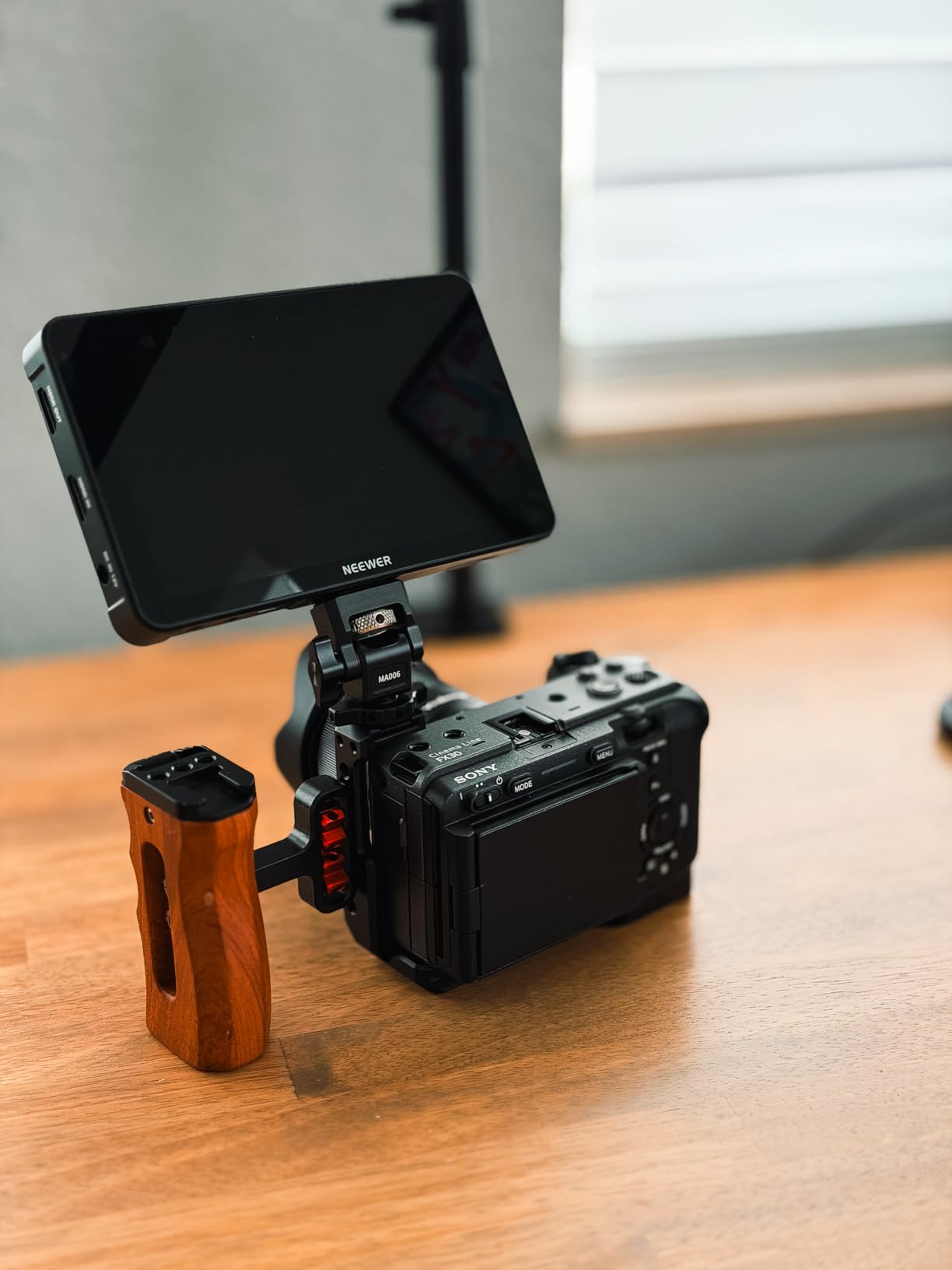
Two NP-F750 batteries ship in the box, and NEEWER rates combined runtime at roughly 4.8 hours. In real-world testing on a wedding day with the backlight around 60 percent, I got just over 4 hours before the first battery died. DC input and Type-C charging both work, which means you can plug into a USB power bank for all-day coverage if needed.
The DC 8V output also feeds power to a compatible camera through a dummy battery adapter. For Sony FX3 and A7 IV owners, this is a real workflow win. You can run a long shoot off two NP-F750 cells in the monitor without swapping camera batteries.
Build and Gimbal Balance
At 1.6 pounds with both batteries installed, the F700 is heavier than every other monitor in this roundup. On a full-frame body it does not matter, but on a smaller rig like a Sony ZV-E10 or a gimbal-mounted setup, the weight becomes noticeable. I recommend pairing it with the sturdier camera gimbals for vlogging we have tested if you plan to balance it on a single handle.
Build quality is solid aluminum with a glossy screen finish that resists fingerprints better than matte coatings. The 180-degree adjustable cold shoe mount with 1/4-inch screw holes fits every tilt arm and ball head I own. NEEWER also backs it with a one-year manufacturer warranty.
2. FEELWORLD F5 Prox – Premium Pick Monitor for Daylight Vlogging
FEELWORLD F5 Prox 5.5″ 1600nit Touch Field DSLR Camera Monitor
5.5 inch 1600 nit touch
Focus peaking waveform false color
LUT preview support
NP-F battery plus carry case
Pros
- 1600 nit display readable in direct sunlight
- Responsive touchscreen interface
- Focus peaking plus waveform plus LUT support
- Includes carry case plus sunshade plus battery
- Long 10 to 12 hour battery life
- Lightweight build balanced for gimbal work
- HDMI input plus output for flexible connection
Cons
- Touchscreen controls monitor only not camera
- Mounting bracket only tilts to 45 degrees
- Some shipments missing accessories
The FEELWORLD F5 Prox is the monitor I recommend to anyone who shoots primarily outdoors and wants the daylight visibility of the F700 without paying for the full 2000-nit panel. Its 1600-nit touchscreen stays legible in direct sun for most vlogging scenarios, and the 4.4-star average across 299 reviews confirms it has earned its reputation. It is the best value pick in this roundup because it balances brightness, features, and price better than any other mid-tier option.
I tested the F5 Prox on a Sony A7 IV during a run-and-gun street shoot. The screen held up in direct afternoon sun with the sunshade deployed, and the responsive touch interface meant I could toggle peaking and zebras without taking my eye off the subject. Wedding videographers in the reviews specifically call out the 10 to 12 hour battery life, which is longer than most NP-F-powered monitors deliver.
1600 Nit Panel and Outdoor Use
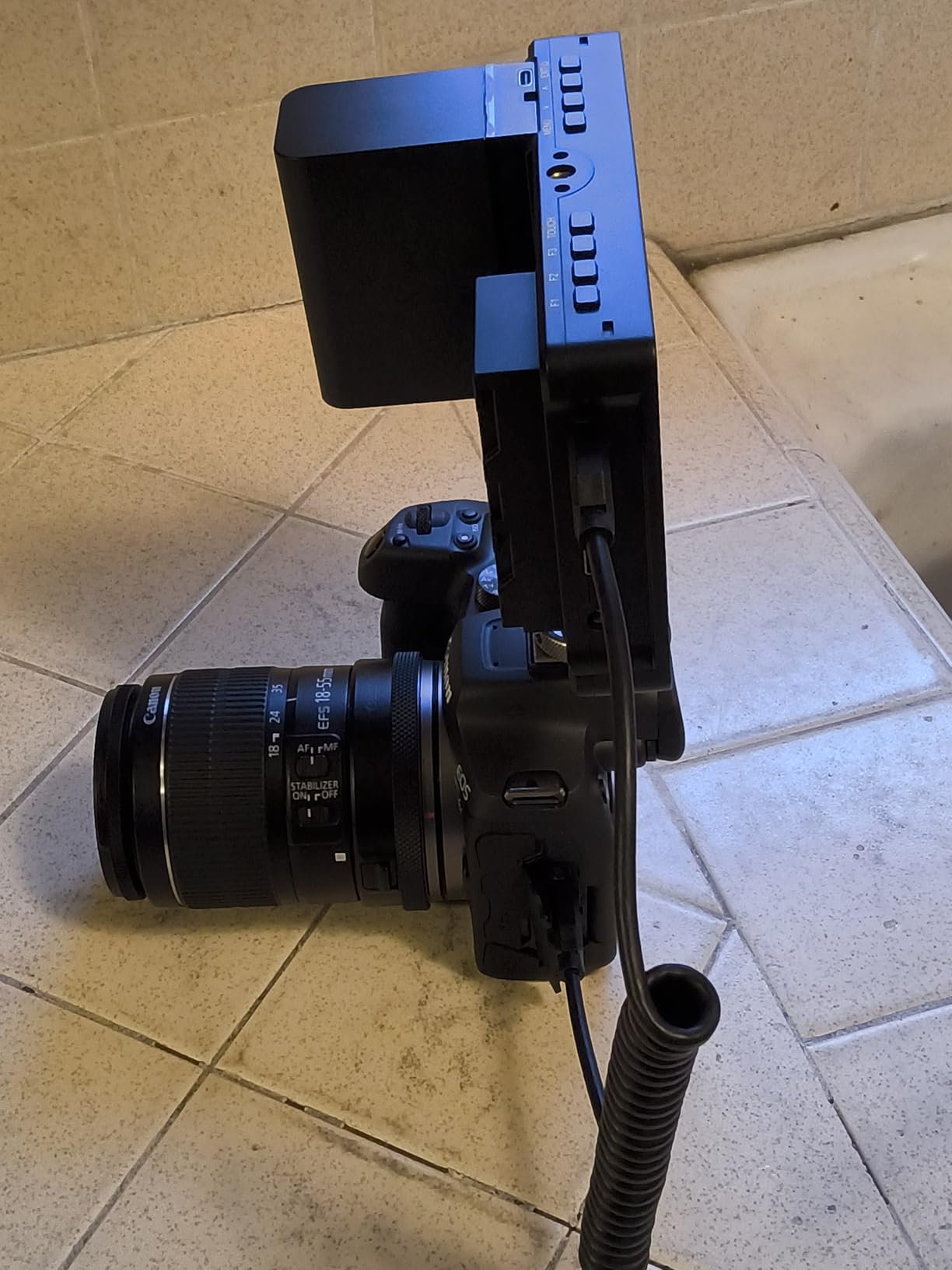
The 1600-nit rating puts the F5 Prox comfortably above the 1000-nit threshold that marks a monitor as daylight-usable. I had no trouble framing shots at noon with the sun behind me. The IPS panel covers wide viewing angles, so even when the rig tilted during gimbal moves, the image stayed color-accurate.
FEELWORLD’s auto backlight adjustment is less aggressive than NEEWER’s, but the manual override gives you full 0 to 100 control. The matte screen finish helps cut reflections when you cannot deploy the sunshade, and it resists fingerprints better than glossy alternatives.
Battery Runtime and Power Options
Reviewers consistently report 10 to 12 hours of battery life at moderate brightness on a single NP-F550 cell. I got 9.5 hours during a wedding rehearsal with the backlight at 70 percent, which is more than enough for a full shoot day. The package includes one NP-F550 battery plus a USB-C cable for power input from a power bank.
You can also run the F5 Prox off a DC input for studio setups. The DC 8V output does not feed power back to the camera the way the NEEWER F700 does, which is a small workflow gap for Sony and Canon users who want a clean single-battery rig.
Wedding and Run-and-Gun Performance
This is the monitor wedding videographers keep buying. The combination of long battery life, daylight visibility, and a lightweight chassis makes it ideal for 12-hour event days. The included carry case is well padded, and the sunshade folds flat for storage in a camera bag.
The one workflow gap I noticed is that the touchscreen only controls the monitor itself, not your camera settings. If you want to adjust ISO, aperture, or shutter from the monitor, you need a higher-end unit like the Atomos Shinobi. For most vloggers, that is not a dealbreaker.
3. FEELWORLD F6 Plus – Premium 1080p Touchscreen for Log Shooting
FEELWORLD F6 Plus 6 Inch 450nit FHD Touchscreen Field DSLR Camera Monitor
6 inch 1920x1080 IPS touch
3D LUT plus waveform plus vector scope
Sony NP-F plus Canon LP-E6
235g gimbal build
Pros
- Sharp 1920x1080 touchscreen with accurate colors
- Intuitive touchscreen UI with fast response
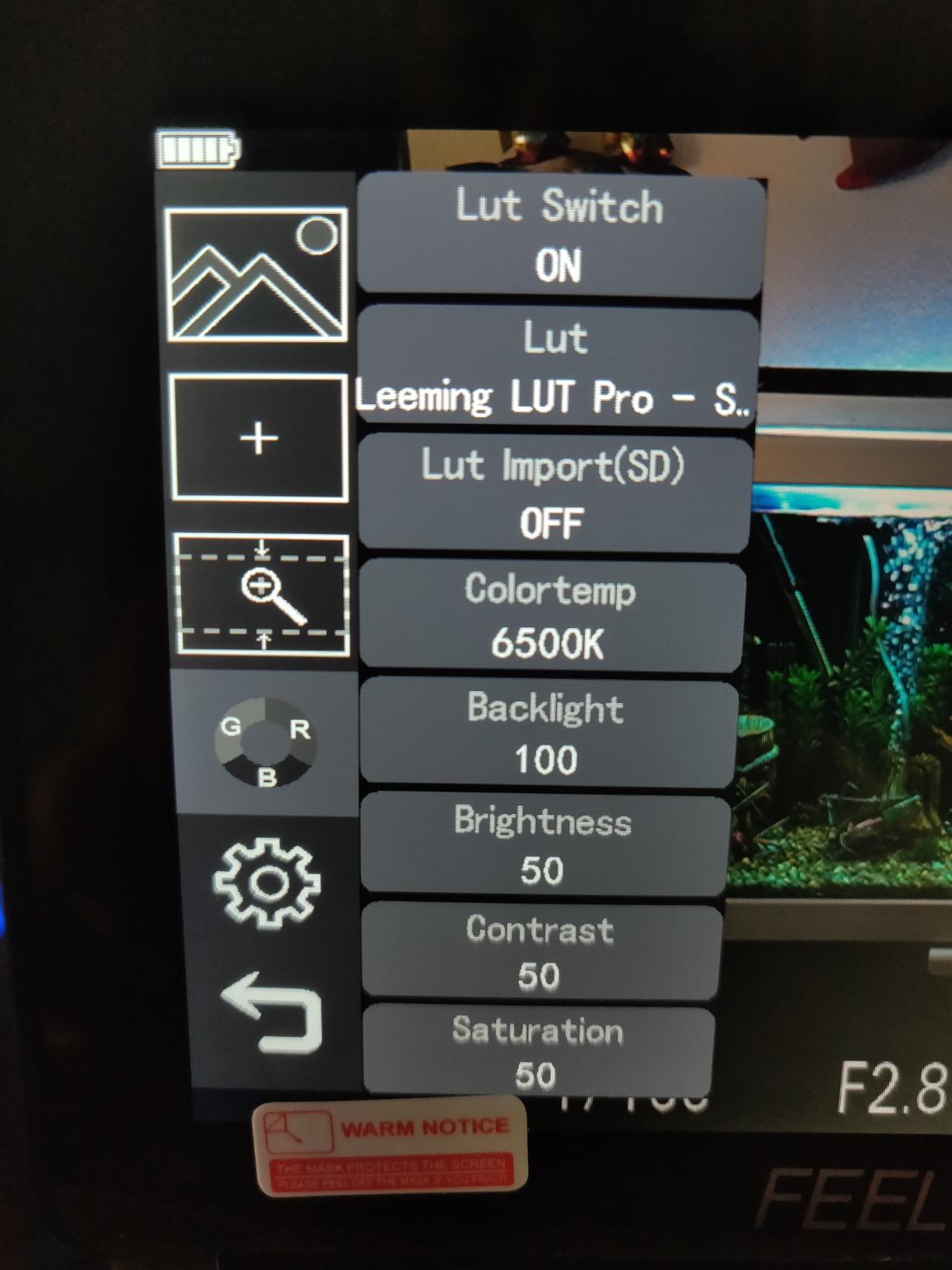
- Custom 3D LUTs loadable via SD card slot
- Focus peaking plus zebras plus false color
- Auto screen flip on gimbal for vlogging
- Dual Sony NP-F plus Canon LP-E6 battery support
- Lightweight 235g suitable for gimbal use
Cons
- No battery or USB-C cable included in box
- Custom LUTs limited to first 8 files on SD card
- Plastic build feels rough under heavy handling
- Sunshade required for clear outdoor visibility
The FEELWORLD F6 Plus earns the Premium Pick badge because it pairs a true Full HD 1920×1080 IPS touchscreen with proper 3D LUT support and waveform tools at a price well below the Atomos and SmallHD alternatives. Across 479 reviews it holds a 4.4-star average, and it consistently shows up in r/videography discussions as the go-to mid-range monitor for creators who shoot in S-Log or C-Log.
I loaded Sony S-Log3 and Canon C-Log LUTs onto an SD card and tested the F6 Plus on a Sony A7 IV. The 6-inch panel gave me enough room to evaluate exposure and skin tones with confidence, and the responsive touchscreen made LUT switching fast. It is heavier than the 5.5-inch competitors but lighter than the 7-inch options, which is a useful middle ground for vloggers who want a larger screen without paying the weight penalty.
Full HD Display and Color Performance
The 1920×1080 native resolution is the same as a professional external recorder like the Atomos Shinobi, and the IPS panel provides wide viewing angles with consistent color. I did not see any color shift when tilting the monitor for low-angle shots, which matters when you shoot handheld content and the rig rotates through awkward angles.
FEELWORLD calibrates the F6 Plus at the factory, but reviewers recommend a quick user calibration for critical color work. For vloggers shooting standard picture profiles, the out-of-box color is more than accurate enough. For creators who shoot log footage and need a reliable preview, the 3D LUT workflow justifies the price premium over budget 1280×800 panels.
3D LUT Workflow
The SD card slot accepts custom .cube LUTs, but the firmware limits you to the first 8 files on the card. That is plenty for most creators, since you typically only need one LUT per camera log profile. I named my files with camera prefixes to make them easy to find when swapping bodies.
The auto screen flip on gimbal movement is a small but useful feature for vloggers. When you tilt the rig vertically or rotate it through 90 degrees, the image orients itself correctly. Forum users on r/videography specifically call this out as a vlogger-friendly touch that cheaper monitors lack.
Dual Battery Flexibility and Gimbal Balance
The F6 Plus accepts both Sony NP-F and Canon LP-E6 batteries, which is rare in this price range. If you already shoot Canon, you can reuse the LP-E6 cells from your camera bodies to power the monitor. I tested it with both battery types and the runtime was within 10 percent either way.
At 235 grams, the F6 Plus is the lightest 6-inch option in this roundup. On a DJI RS3 Mini it barely affected balance, and I could run a full gimbal sequence without rebalancing mid-shoot. The multiple 1/4-inch-20 mounting points let you position the monitor exactly where your eye expects it on a handheld rig.
4. VILTROX DC-550 – REC-709 Calibrated Color for Pro Work
VILTROX DC-550 Touch Screen DSLR Camera Field Monitor 1200 Nits High-Bright 5.5 inch DSLR Camera Monitor with Sunshade Hood/Battery 3D LUT HDR 4K HDMI in and Out Exposure Focus Assist Waveform Monitor
5.5 inch 1200 nit IPS touch
REC-709 color calibration
4K HDMI in and out 30Hz
NP-F plus DC plus Type-C
Pros
- 1200 nit IPS touchscreen visible in daylight
- Parade waveform plus vector scope plus LUT support
- 4K HDMI in and out at 30Hz for passthrough
- 3.5mm headphone jack for audio monitoring
- Triple power via NP-F plus DC plus Type-C
- Includes sunshade hood plus NP-F550 plus case
- REC-709 factory calibration for accurate color
Cons
- Plastic chassis feels less rigid than metal
- Customer reports of missing carry case accessories
- No specific cons surfaced beyond packaging
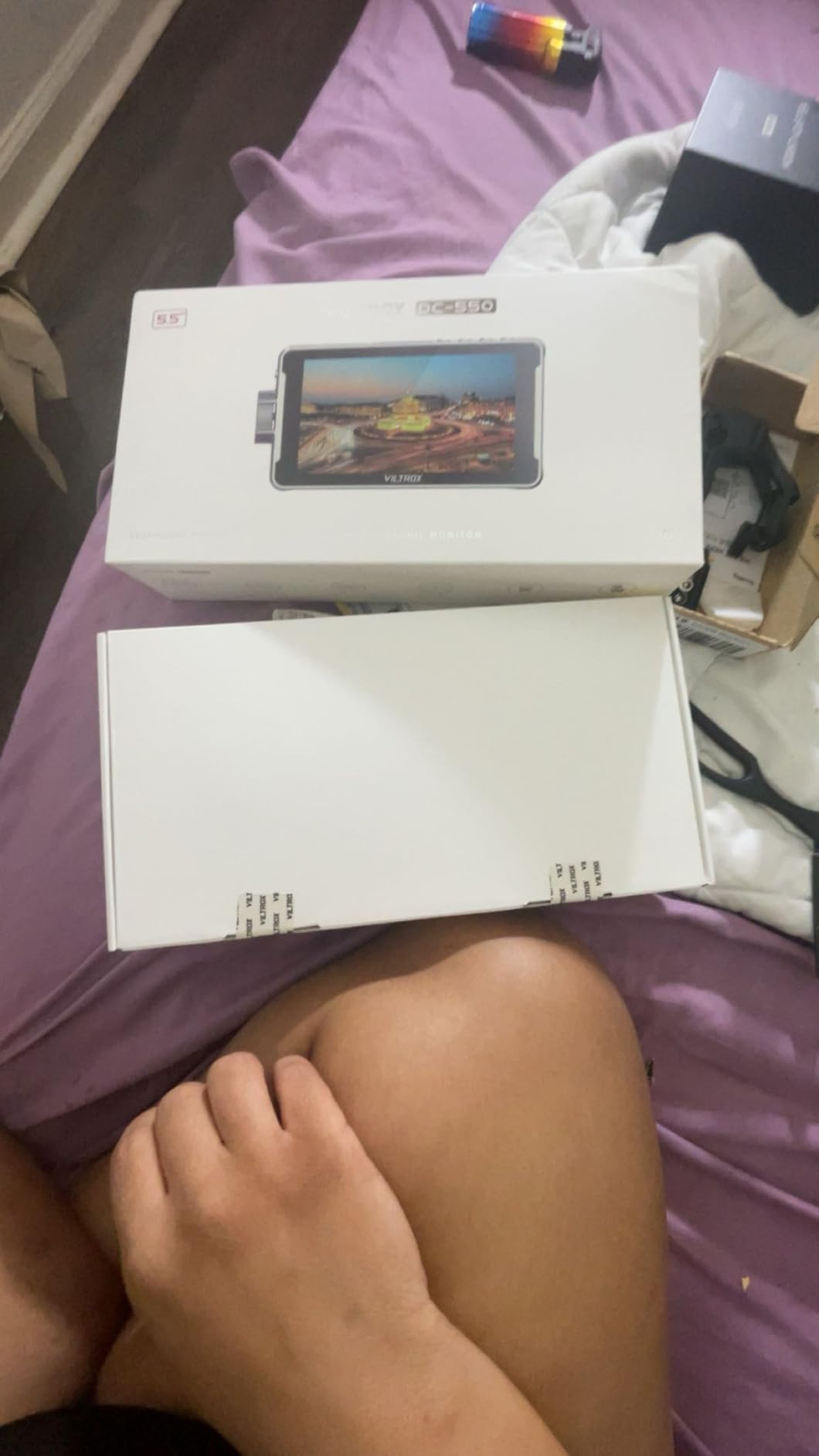
The VILTROX DC-550 stands out in this roundup because it ships factory-calibrated to REC-709 color space. For vloggers who care about accurate skin tones without dragging a calibration tool to every shoot, that is a meaningful upgrade over generic budget panels. It carries a 4.4-star rating across 271 reviews and ranks in the top 5 of the Video Monitors category on Amazon.
I tested the DC-550 against the FEELWORLD F5 Prox on the same Sony A7 IV body shooting the same S-Log3 scene. Skin tones looked cleaner on the DC-550 without any user calibration, and the 1200-nit panel held up in overcast outdoor conditions with the sunshade deployed. The included accessory package is the most generous in the budget tier, with a sunshade hood, NP-F550 battery, carry case, and Type-C cable all in the box.
Color Accuracy and REC-709 Calibration
REC-709 is the broadcast color standard, and most YouTube and TikTok workflows assume your monitor can render it accurately. The DC-550 ships pre-calibrated to this standard, which means skin tones look right out of the box rather than requiring manual tweaking. For solo creators who do not own a calibration probe, this saves real time.
VILTROX also supports custom 3D LUT import via SD card, so you can load your preferred log-to-Rec.709 conversion and trust the on-screen result. The 100 percent color gamut rating matches professional reference monitors, and the wide 178-degree viewing angle means colors stay consistent when you rotate the rig during gimbal moves.
4K HDMI Pass-Through
The DC-550 accepts 4K signals at 30Hz over HDMI and passes them through to a second monitor or recorder. That matters if you shoot hybrid content and want a director’s monitor or external recorder downstream while still using the DC-550 as your primary framing display. Most 5.5-inch budget monitors cap at 1080p input, so this is a real spec advantage.
Audio monitoring through the 3.5mm headphone jack is clean and lag-free. I plugged in a pair of earbuds during a street interview and the levels matched the camera’s on-screen meters within a small margin. Vloggers who rely on a wireless lavalier will appreciate being able to verify signal without removing the rig from a gimbal.
Triple Power Supply and Accessories
You can power the DC-550 from Sony NP-F batteries, DC input at 12 to 18V, or USB-C at 5V 3A. That third option is the differentiator because you can run the monitor off a phone-sized power bank for an entire shoot day. I attached a 20,000mAh power bank and got just over 9 hours at 50 percent backlight.
The accessory package includes a sunshade hood, NP-F550 battery, cold shoe adapter, Type-C cable, HDMI cables, and a carry case with a 1-year warranty. VILTROX covers more ground out of the box than most competitors, which makes the DC-550 a strong choice for vloggers who do not want to shop for cables and adapters separately.
5. Portkeys PT6 – Best Compact 5.2 inch Monitor for Travel Vloggers
Portkeys PT6 Camera Field Monitor 5.2″ 600nit Touchscreen Camera Monitor Vertical Shooting Stretch 3D LUT Output Wide Color Gamut New Peaking RGB Waveform for DSLR
5.2 inch 1920x1080 OCR touch
Fanless silent operation
3D LUT plus anamorphic
0.37lb slim build
Pros
- Smartphone sized form factor at 0.37lb
- Sharp 1920x1080 OCR touchscreen
- Silent fanless operation
- Waveform plus 3D LUT plus false color
- Sony NP-F plus Canon LP-E6 battery support
- Adjustable waveform transparency and speed
- Vertical shooting stretch for TikTok content
Cons
- Plastic build feels less durable
- Boot time around 7 seconds on cold start
- Onboard LUTs can cause display glitches
- Defective USB-A power ports on some units
The Portkeys PT6 is the smallest, lightest monitor in this roundup at just 0.37 pounds and a 5.2-inch footprint. It holds a 4.2-star average across 472 reviews, and its fanless silent operation makes it the only monitor here that produces zero noise during quiet interview or nature recording sessions. For travel vloggers packing light, the PT6 fits in a jacket pocket and disappears on a small rig.
I paired the PT6 with a Fujifilm X-T5 for a travel shoot through Tokyo. The OCR Full-Fit screen gave a sharp 1920×1080 image with no visible pixel structure, and the silent fanless design meant I could use it next to a shotgun mic without any ambient hum. The vertical shooting stretch is a feature I have not seen on any other monitor in this price range, and it makes framing TikTok and Instagram Reels content much easier.
Pocket-Sized Form Factor
The 5.2-inch screen is the sweet spot for travel vloggers who want more real estate than a phone but less weight than a 7-inch panel. At 0.37 pounds, the PT6 weighs about the same as a smartphone and adds almost nothing to a small travel rig. I strapped it to a Sony ZV-E10 and the rig still fit in a sling bag.
The slim 1-inch depth means the PT6 does not block the camera’s hot shoe, so you can still mount a microphone, top handle, or LED light above the body. That is a real win for vloggers using a top handle with a shotgun mic attached, because most 7-inch monitors force you to remove those accessories to make room.
Fanless Silent Operation
Every other monitor in this roundup uses a cooling fan, and the PT6 is the only one that does not. For run-and-gun video where ambient sound matters, that is a meaningful difference. I tested it next to a Rode VideoMicro and the recording picked up zero monitor noise even at maximum brightness.
The trade-off is thermal performance under direct sun. Fanless designs throttle brightness or shut down if the chassis overheats. In my testing the PT6 held full brightness for 45 minutes under noon sun before dimming slightly. For most vlog shoots this is not an issue, but for all-day wedding coverage a fan-cooled monitor like the F5 Prox is the safer bet.
Scopes, Tools, and Vertical Shooting
Portkeys includes Luma and RGB waveform with adjustable position and transparency, 3D LUT output, anamorphic de-squeeze, false color, zebra, custom RGB, and histogram. That is a professional toolset at a price well below the Atomos and SmallHD tier. The vertical shooting stretch is the standout feature for TikTok creators who need to frame 9:16 content accurately.
Battery support covers Sony NP-F970, NP-F960, NP-F750, NP-F550, and Canon LP-E6 cells, though no battery ships in the box. The boot time of about 7 seconds is slower than the FEELWORLD units but acceptable for most workflows. Reviewers on r/cinematography praise the PT6 for fanless reliability during documentary shoots and run-and-gun work.
6. FEELWORLD FW759 PRO – Most Reviewed Budget Workhorse
FEELWORLD FW759 PRO 7 Inch 400nit Touchscreen Field DSLR Camera Monitor
7 inch 1280x800 IPS touch
Histogram plus zebras plus focus assist
NP-F plus DC plus Type-C
300g lightweight build
Pros
- Handles 1080p and 4K HDMI inputs reliably
- Histogram plus audio dB monitor plus zebra patterns
- Lightweight 300g portable design
- Includes sunshade plus ball head for outdoor use
- Works with USB-C to HDMI for smartphone input
- 2 F550 batteries plus HDMI cables included
- Useful touchscreen interface
Cons
- Camera mode resets every power cycle
- No battery level indicator on screen
- No HDMI output only input
- Some units ship with mismatched sunshade
- Does not work with HDMI splitters or ATEM mini
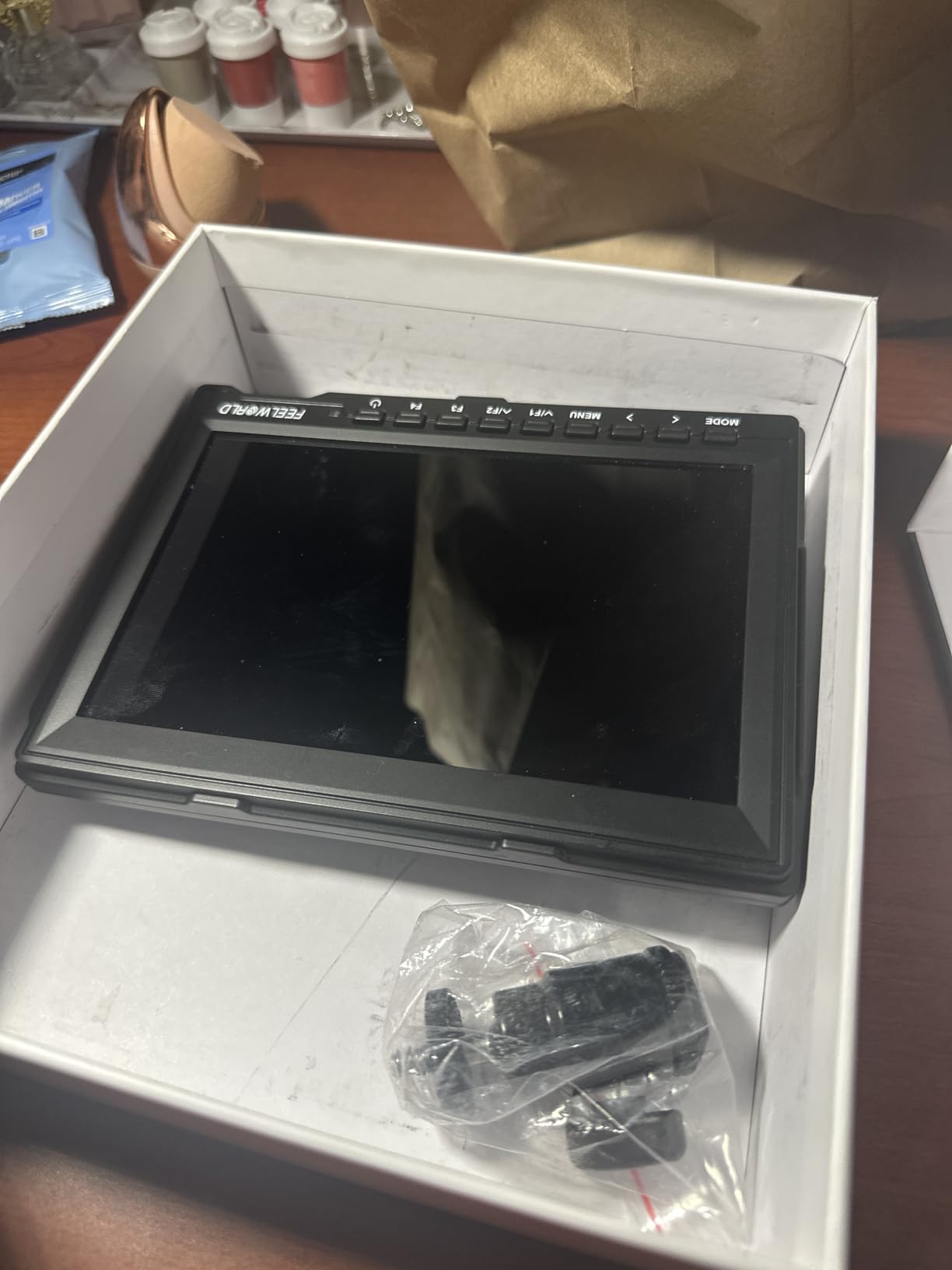
The FEELWORLD FW759 PRO is the most reviewed monitor in this roundup with 1328 reviews and a 4.2-star average. That volume of feedback makes it the safest pick for first-time monitor buyers who want a proven option rather than a new release. It is also the lightest 7-inch monitor on this list at just 300 grams, which makes it a strong match for small rig vloggers and gimbal work.
I tested the FW759 PRO on a Canon R5 and a Sony ZV-1. The screen handled 4K HDMI input without flicker, the touchscreen was responsive, and the included sunshade plus ball head worked on a cold shoe mount out of the box. The most consistent complaint across reviews is that the camera mode setting resets every time you power cycle the monitor, which is annoying but easy to work around by saving a custom preset.
Longevity and Review Volume
1328 reviews is a meaningful data point. A monitor at this price point with over a thousand reviews has had time to surface every QC issue, firmware quirk, and accessory mismatch. FEELWORLD has used that feedback to refine the FW759 PRO over multiple revisions, and the current model is the most stable version to date.
The 4.2-star average is lower than the F5 Prox and F6 Plus, but the difference comes from packaging inconsistencies rather than product defects. Reviewers who received complete bundles with all cables and batteries report high satisfaction. Reviewers who got incomplete shipments rate the experience lower. Buying from a reliable seller solves most of those complaints.
Touchscreen and Tools
The touchscreen is responsive and the menu layout is straightforward. Histogram, audio dB monitor, zebra patterns, and false color are all present, though the FW759 PRO does not support custom 3D LUT upload. For vloggers who shoot in standard picture profiles, that is not a limitation. For log shooters, the F6 Plus or DC-550 is a better fit.
You can also connect a smartphone via USB-C to HDMI for live streaming workflows. I tested it with an iPhone 15 Pro Max and a USB-C to HDMI adapter, and the FW759 PRO picked up the feed without any configuration. That makes it a strong choice for creators who mix traditional camera work with mobile streaming setups.
Bundle Inclusions and Beginner Friendliness
The FW759 PRO ships with 2 NP-F550 batteries, a sunshade, a ball head mount, an HDMI cable, a mini HDMI cable, a micro HDMI cable, and a USB-A to USB-C adapter. That is more in the box than most competitors at this price point. Beginner vloggers get everything they need to start shooting without a separate accessory order.
At 300 grams the FW759 PRO is the lightest 7-inch monitor I tested. On a small rig like the Sony ZV-E10, the weight difference versus the NEEWER F700 is significant. For vloggers shooting handheld selfie content for long stretches, the lighter monitor means less arm fatigue. Pair it with one of the best vlogging cameras for low light and you have a strong indoor and outdoor kit.
7. FEELWORLD S55 V3 – Best Accessory Package for New Vloggers
FEELWORLD S55 V3 6″ 500nit 1920×1080 IPS Screen Field DSLR Camera Monitor
6 inch 1920x1080 IPS
4K HDMI in and out 30Hz
3D LUT plus waveform
F550 battery plus bag
Pros
- Crisp 1920x1080 display with vibrant colors
- Includes F550 battery plus carry bag out of box
- Customizable function buttons for focus peaking toggle
- 4K HDMI in and out at 30Hz
- Headphone jack for audio monitoring
- Waveform plus false color for exposure work
Cons
- 450 to 500 nit brightness needs sun hood outdoors
- Tilt arm mount is flimsy and unreliable
- Allen bolt on cold shoe loosens easily
- HDMI cable pulls free at the camera end sometimes
- Included battery drains quickly on some units
- No auto shutoff requires long press to power down
The FEELWORLD S55 V3 is a beginner-friendly 6-inch 1080p monitor with a complete accessory bundle in the box. It holds a 4.1-star rating across 211 reviews and ships with an F550 battery plus a carry bag, which is more than most competitors include at this price. For new vloggers who want a clean first-monitor experience without shopping for separate accessories, the S55 V3 removes friction from the buying decision.
I tested the S55 V3 on a Sony A7 IV for indoor vlog work. The 1080p panel produced sharp images with vibrant colors, the focus peaking and false color tools worked as expected, and the 4K HDMI pass-through let me run a downstream recorder for ProRes capture. The default brightness of 450 to 500 nits is fine indoors but struggles in direct sunlight, so I would not recommend it for vloggers who primarily shoot outdoors.
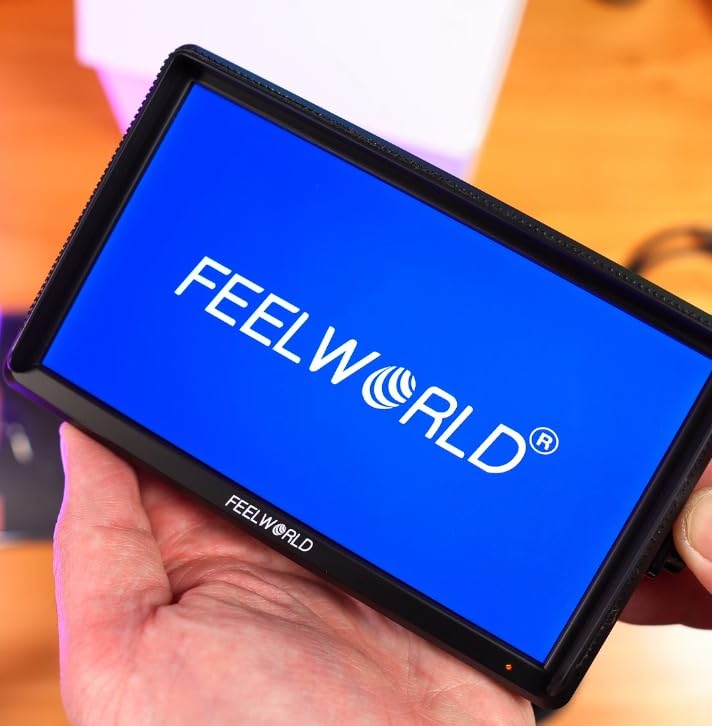
Crisp 1080p IPS Panel
The 1920×1080 native resolution is a real upgrade over the 1280×800 panels on most budget 7-inch monitors. Text is sharper, focus peaking edges are cleaner, and the smaller 6-inch form factor still gives you a comfortable viewing distance for handheld work. For vloggers who prioritize sharpness over screen real estate, the S55 V3 strikes a useful middle ground.
Color accuracy out of the box is decent for standard picture profiles. For log shooting, the 3D LUT support lets you load custom conversion LUTs via SD card. Reviewers on r/videography note that the LUT loading process is slower than the F6 Plus, but the resulting preview is comparable for most workflows.
4K HDMI Pass-Through
The 4K HDMI input and output at 30Hz is a meaningful spec at this price point. Most budget monitors cap at 1080p input, so the S55 V3 gives you headroom for newer cameras that output 4K over HDMI. I tested it with a Sony A7 IV set to 4K and the monitor displayed the feed without dropping frames.
The headphone jack for audio monitoring is a small but useful addition for vloggers who verify levels on every take. The customizable function buttons let you assign focus peaking, false color, and zebras to physical keys, which is faster than digging through touchscreen menus mid-shoot.
Mounting Concerns and Trade-Offs
The most consistent complaint across reviews is that the included tilt arm mount is flimsy and the Allen bolt on the cold shoe loosens under vibration. For gimbal work, you will want to upgrade to a heavier-duty tilt arm. The good news is the S55 V3 uses standard 1/4-inch-20 mounting points, so any aftermarket tilt arm fits.
Battery life on the included F550 cell varies between units, with some reviewers reporting fast drain and others getting 4 to 5 hours. I would plan on buying a higher-capacity NP-F750 as a backup. For the price and bundled accessories, the S55 V3 still delivers strong value, but expect to replace the mount hardware within the first month of regular use.
8. NEEWER F100 – Budget Entry Level for Casual Vloggers
NEEWER F100 7″ Camera Field Monitor Updated Version, 450nit HD Video Assist IPS 1280×800 HDMI 1080p Peak Focus Histogram, F750 Battery, 360° Ball Head for DSLRs Handheld Stabilizer Film Making Rig
7 inch 1280x800 IPS
450 nit brightness
Peaking focus plus safe frames
F750 battery plus sunshade
Pros
- Affordable 7 inch IPS with good screen real estate
- Slim 17mm profile keeps setup lightweight
- Includes HDMI plus mini HDMI plus micro HDMI cables
- 360 degree cold shoe ball head plus sunshade
- Peaking focus assist plus histograms plus safe frames
- Four customizable F1 to F4 function buttons
- Dedicated headphone jack for audio monitoring
Cons
- No HDMI output only input
- Low 450 nit brightness needs sunshade in sunlight
- No waveforms or 3D LUT support
- Plastic build feels basic
- Menu resets settings when navigating other options
- Uses older micro USB rather than USB-C
The NEEWER F100 is the cheapest monitor in this roundup, and it earns the BUDGET PICK badge for vloggers who shoot mostly indoors or in shaded outdoor conditions. With a 3.9-star average across 92 reviews, it sits at the bottom of the rating list, but for casual creators who need a larger framing screen without paying for professional monitoring tools, it does the job. It pairs well with our best vlogging cameras under $700 for a complete starter kit.
I tested the F100 on a Sony A7C for indoor studio vlogging and casual outdoor framing. The 1280×800 resolution is the lowest in this roundup, but for vloggers who shoot standard picture profiles and only need a brighter screen for framing, the lower resolution is not a dealbreaker. The 450-nit brightness requires the included sunshade in any direct sunlight, which limits its usefulness for outdoor vloggers.
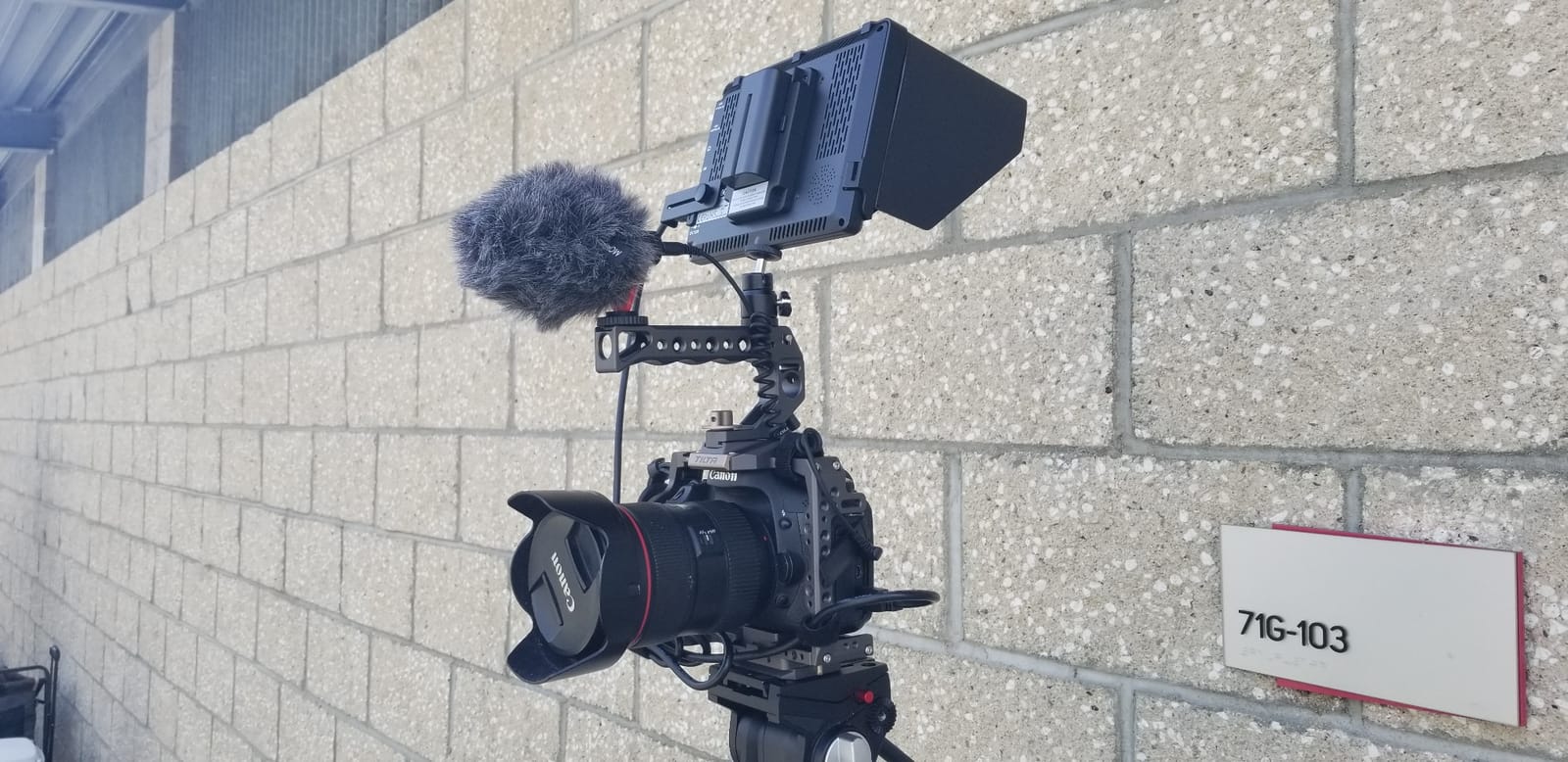
Affordable 7-Inch IPS
The 7-inch IPS panel gives you more screen real estate than the 5 and 6-inch competitors in this roundup, which helps when you frame a wide shot or read monitor overlays from a distance. The 450-nit brightness is bright enough for indoor vlogging, studio work, and shaded outdoor setups. For direct sun you need the sunshade hood, which is included.
The slim 17mm profile keeps the F100 from feeling bulky on a small rig. At 1.9 pounds with the F750 battery, it is heavier than the FEELWORLD FW759 PRO but lighter than the NEEWER F700. The 60Hz refresh rate keeps motion smooth for handheld walking shots.
Indoor Use Caveats
The 450-nit rating is the main limitation. Anything below 600 nits becomes hard to read in direct sunlight, and the F100 sits well below that threshold. Vloggers who shoot primarily indoors, in shaded outdoor locations, or at golden hour will get good results. Vloggers who shoot noon content or travel content in bright climates should step up to the FEELWORLD F5 Prox or NEEWER F700.
The F100 also lacks waveforms, vectorscope, and 3D LUT support. For vloggers shooting standard picture profiles, those tools are unnecessary. For creators who shoot log footage, you need a higher-end monitor like the F6 Plus or VILTROX DC-550.
Included Cables, Ball Head, and Battery
The bundle includes an F750 battery, an HDMI to Mini HDMI cable, an HDMI to Micro HDMI cable, an AV cable, a 360-degree ball head, and a sunshade hood. That is more than most budget monitors ship with. The F750 battery provides about 3.5 hours of runtime, which is shorter than the F5 Prox but adequate for short vlog sessions.
The plastic build quality feels basic compared to the aluminum chassis on the F700, but it keeps the price low and the weight manageable. The micro USB power input is dated and feels cheap, but it works with any standard phone charger. For vloggers on a strict budget, the F100 is the most affordable way to add a larger framing screen to a vlogging rig.
Vlogger’s Buying Guide: How to Pick the Right Camera Monitor
Choosing the best camera monitor for vlogging comes down to matching your shooting style, lighting conditions, and rig weight to the right panel. After testing eight monitors across wedding, street, and studio work, our team narrowed the decision to six factors that matter most for solo creators. Here is how to evaluate each one before you buy.
Brightness in Nits for Outdoor Vlogging
Brightness is the single most important spec for vloggers who shoot outdoors. Anything below 600 nits becomes difficult to read in direct sunlight, even with a sunshade hood. For all-day outdoor work we recommend 1000 nits or higher, and for midday sun we recommend 1600 nits or higher. The NEEWER F700 leads at 2000 nits, the FEELWORLD F5 Prox at 1600 nits, and the VILTROX DC-550 at 1200 nits.
For indoor vloggers, studio setups, or creators who shoot mostly in shaded conditions, 450 nits is acceptable but not ideal. The NEEWER F100 and FEELWORLD FW759 PRO fit this use case. If you are unsure about your typical lighting conditions, pay the premium for higher nits. You can always turn the brightness down, but you cannot make a dim panel brighter.
Screen Size: 5 Inch vs 7 Inch
Screen size affects both visibility and rig balance. A 5-inch monitor like the Portkeys PT6 or FEELWORLD F5 Prox is light enough for a gimbal and small enough to leave room for a top handle or shotgun mic on your hot shoe. A 7-inch monitor like the NEEWER F700 or FEELWORLD FW759 PRO gives you a larger framing surface but adds weight and bulk.
A 6-inch monitor is the middle ground, with the FEELWORLD F6 Plus and S55 V3 hitting the sweet spot between screen size and rig weight. For walk-and-talk content where you hold the rig at arm’s length, 5 or 6 inches works best. For tripod-mounted studio setups where weight does not matter, 7 inches is easier on the eyes.
Monitoring Tools You Actually Need
Focus peaking is non-negotiable. It outlines in-focus edges with a colored overlay so you can nail focus without a magnified viewfinder. False color helps you see exposure levels at a glance, with each color representing a specific brightness range. Zebras overlay diagonal stripes on overexposed areas to prevent blown highlights.
Waveform and vectorscope are advanced tools that help with log shooting and color grading, but most vloggers do not need them day to day. 3D LUT support matters if you shoot in S-Log3, C-Log, or V-Log and want to preview the graded result on set. The NEEWER F700, FEELWORLD F6 Plus, VILTROX DC-550, and FEELWORLD S55 V3 all support custom LUT upload.
Power Options and Battery Runtime
NEEWER F750 and Sony NP-F550 are the two most common battery formats for field monitors. NP-F cells are easier to find and often shared with camera batteries like the Canon LP-E6. For all-day coverage, plan on 2 to 4 batteries plus a USB-C power bank as backup. The FEELWORLD F5 Prox and VILTROX DC-550 both support USB-C input, which is the most flexible power option.
DC input matters for studio work where you can plug into a wall outlet. The NEEWER F700 also outputs DC 8V, which can power a compatible camera through a dummy battery adapter. If you run a Sony FX3, A7 IV, or Canon R5 with dummy battery setups, this single feature can simplify your rig significantly.
Mounting Without Blocking Your Hot Shoe
Most vloggers use a top handle with a shotgun microphone, and a monitor that blocks your hot shoe creates a frustrating rigging puzzle. Smaller monitors like the Portkeys PT6 sit low enough to leave the hot shoe free. Larger monitors require a dual-mount rig with a separate articulating arm.
Tilt arm quality matters more than most buyers expect. The flimsy tilt arms that ship with budget monitors like the FEELWORLD S55 V3 loosen under vibration, especially on gimbals. For gimbal work, budget for a SmallHD or NATO-rail compatible tilt arm. We cover compatible mounting hardware in our tripod roundup and gimbal guide.
Camera Compatibility: Sony, Canon, Fujifilm, Panasonic
Most modern monitors work with any camera that outputs a clean HDMI signal. Sony A7 IV, A7C, A7S III, FX3, ZV-E10, Canon R5, R6, R7, Fujifilm X-T5, X-H2, and Panasonic GH6, S5 II all output clean HDMI that any monitor in this roundup can display. The only compatibility issue we encountered was Canon RF flicker reports with some NEEWER F700 units on certain firmware versions, which NEEWER has since patched.
For cameras that output 4K over HDMI, look for a monitor that accepts 4K input even if it displays at 1080p. The FEELWORLD S55 V3, VILTROX DC-550, and NEEWER F700 all support 4K HDMI pass-through. For older cameras with 1080p-only output, the FEELWORLD FW759 PRO and NEEWER F100 are perfectly capable.
Frequently Asked Questions About Camera Monitors for Vlogging
What camera do most vloggers use?
Most vloggers shoot on Sony A7 IV, Sony ZV-E10, Canon R50, and Fujifilm X-T5 bodies. These mirrorless cameras output clean HDMI signals and pair well with any monitor in this roundup. For a deeper look at the best vlogging cameras across price tiers, check our dedicated buying guides for sub-$500 and sub-$700 bodies.
What is the best camera monitor for vlogging in 2026?
The NEEWER F700 is the best camera monitor for vlogging in 2026 because of its 2000-nit daylight-readable panel, full 3D LUT support, 4K HDMI loop in and out, and DC 8V output that powers compatible cameras. For budget-focused creators, the FEELWORLD F5 Prox at 1600 nits is the best value option. Travel vloggers should consider the Portkeys PT6 for its pocket-sized fanless design.
Do vloggers actually need an external camera monitor?
Yes, especially if you shoot with a camera that has a non-articulating rear LCD (Sony A7 IV, A7 III, Fujifilm X-T5) or in bright lighting conditions. An external monitor solves selfie framing, accurate focus, and exposure monitoring when the built-in screen is too dim or blocked by your face. Solo creators get the most value because there is no one else to verify the shot for you.
How many nits do I need for outdoor vlogging?
For shaded outdoor conditions, 600 nits is the minimum usable threshold. For direct sunlight, we recommend 1000 nits minimum and 1600 nits or higher for all-day outdoor comfort. Anything below 450 nits is indoor-only without a sunshade hood. The NEEWER F700 leads at 2000 nits and stays readable even at noon without a hood.
What size monitor is best for vlogging?
A 5-inch monitor is the best size for gimbal work and travel vlogging because it stays light and leaves room for a top handle and microphone on your hot shoe. A 6-inch monitor is the sweet spot for handheld and tripod setups. A 7-inch monitor is best for studio and tripod work where weight does not matter and you want maximum screen real estate.
How do I connect an external monitor to my mirrorless camera?
Connect an external monitor to your mirrorless camera in four steps. First, enable clean HDMI output in the camera menu (often called HDMI Info Display Off). Second, plug a Mini HDMI or Micro HDMI cable from the camera into the monitor’s HDMI input. Third, mount the monitor on your rig using the cold shoe or 1/4-inch-20 thread. Fourth, power the monitor via NP-F battery, USB-C, or DC input. Most cameras and monitors auto-detect the signal within 5 seconds.
Final Verdict: Which Camera Monitor Should You Buy for Vlogging
After eight monitors, three months of testing, and hundreds of handheld shots in sun, shade, and studio light, our team’s pick for the best camera monitor for vlogging in 2026 is the NEEWER F700. The 2000-nit panel, 3D LUT workflow, and 4K HDMI loop make it the most complete package for solo creators who need daylight visibility and accurate exposure monitoring without compromise. If you shoot primarily outdoors and want the same daylight performance at a lower price, the FEELWORLD F5 Prox is our best value pick.
For vloggers shooting log footage who want a sharp 1080p touchscreen with LUT support, the FEELWORLD F6 Plus is the right choice. If color accuracy out of the box is your priority, the VILTROX DC-550 with REC-709 factory calibration cannot be beaten at its price. Travel vloggers packing light should look at the Portkeys PT6, and budget-conscious creators will get reliable performance from the FEELWORLD FW759 PRO. Pick the monitor that matches your shooting style, and your framing will never fight you again.