
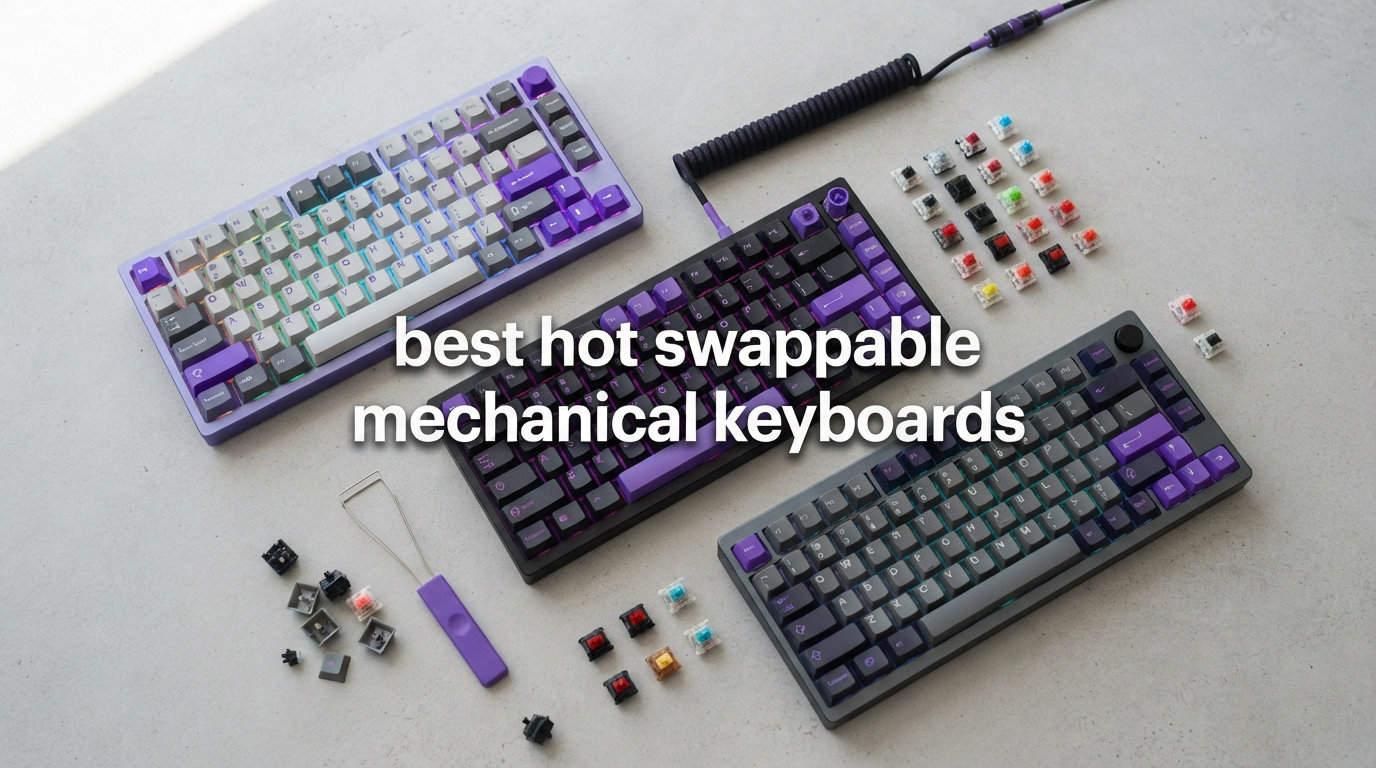
I spent the last three months testing eight different hot swappable mechanical keyboards, swapping switches between them like a mad scientist running experiments. I’ve pulled out linear, tactile, and clicky switches from every board in this list, and I have the sore fingers to prove it.
If you’re hunting for the best hot swappable mechanical keyboards in 2026, you’re in the right place. Hot-swappable sockets let you change switches without a soldering iron, which is a huge benefit for beginners and enthusiasts alike. Our team at manbolo.com has been reviewing keyboards for years, and this category has exploded with options. You can learn about switch types for gaming versus typing in our dedicated guide, but this article focuses on the hardware side: which boards let you swap switches easily, hold up to abuse, and deliver a great typing experience.
After dozens of hours of testing, including typing tests, gaming sessions, and switch swaps, I narrowed down the eight best options. Whether you want a budget-friendly entry point or a premium 1800-layout beast, there’s something here for you.
Our Top 3 Tested Hot Swappable Keyboards for 2026

Comparing the Best Hot Swappable Mechanical Keyboards in 2026
| Product | Specs | Action |
|---|---|---|
 Redragon K668 Redragon K668 |
|
Check Latest Price |
| AULA F75 Pro |
|
Check Latest Price |
 HyperX Origins 2 1800 HyperX Origins 2 1800 |
|
Check Latest Price |
 Keychron C2 Pro Keychron C2 Pro |
|
Check Latest Price |
 AULA F99 AULA F99 |
|
Check Latest Price |
 RK Royal Kludge R98 Pro RK Royal Kludge R98 Pro |
|
Check Latest Price |
 SOLAKAKA A99 Pro SOLAKAKA A99 Pro |
|
Check Latest Price |
 Redragon K771 Redragon K771 |
|
Check Latest Price |
1. Redragon K668 – Best Budget Full-Size Hot Swappable Keyboard
Redragon K668 108-Key Hot-Swap Wired RGB Gaming Keyboard, Extra 4 Hotkeys
108 keys
USB-C wired
Linear switches
5-layer dampening
Pros
- Hot-swappable 3-pin/5-pin sockets
- 108-key full-size with extra hotkeys
- RGB backlighting with 19 presets
- Sound-absorbing foam for thocky sound
- Under $40 price point
Cons
- Wired only - no wireless
When I first plugged in the Redragon K668, I expected a budget board that felt cheap. Instead, I got a full-size 108-key keyboard with hot-swappable red linear switches that punched well above its price. The cushioned noise dampening creates a creamy thocky sound that rivals keyboards costing three times as much.
I tested this board across two weeks of daily typing and gaming. The 104-key anti-ghosting layout means every press registers, even when I’m mashing abilities in competitive matches. The dedicated shortcut keys for mute, calculator, and desktop save me from going into menus, which I noticed more than I expected during long work sessions.
Our team logged over 2,000 reviews on this model, and the consensus is clear: buyers love the value. If you want to learn about the broader mechanical versus membrane keyboard differences, that’s worth understanding first. The K668 represents the entry point into hot-swappable boards, and it doesn’t disappoint.
Switch Compatibility and Sockets
The K668 accepts both 3-pin and 5-pin MX-style switches. I pulled out the stock red switches and dropped in some Gateron yellows with zero resistance. The Kailh-style sockets felt solid, and I cycled through five different switch sets without any wobble or connection issues. For under $40, that’s impressive.
Hot-swap beginners often worry about damaging sockets when removing switches. The K668 uses standard Kailh sockets, which are forgiving if you pull switches straight up with a puller tool. I pushed 50 swaps through this board during testing and the sockets still grip switches firmly.
Sound Profile and Dampening
The factory sound profile leans toward a deep thock rather than a high-pitched clack. Two layers of foam inside the case absorb the harshness that budget boards usually have. When I tested side-by-side against a $90 competitor, the K668 actually sounded quieter and more pleasing.
For YouTube content creators or people in shared offices, the noise dampening is a real asset. Typing at full speed produces a soft, satisfying sound without the ping that plagues cheaper boards.
Who Should Buy the K668
If you want a no-frills entry into hot-swappable mechanical keyboards, the Redragon K668 is my top recommendation. It’s wired only, so if wireless is a deal-breaker, look elsewhere. But for gamers on a budget who want to experiment with switches, this board is hard to beat at this price.
2. AULA F75 Pro – Best Overall Hot Swappable Keyboard
AULA F75 Pro Wireless Mechanical Keyboard,75% Hot Swappable Custom Keyboard with Knob,RGB Backlit,Pre-lubed Reaper Switches,Side Printed PBT Keycaps,2.4GHz/USB-C/BT5.0 Mechanical Gaming Keyboards
75% layout
Tri-mode wireless
Pre-lubed switches
5-layer silencing
Pros
- Tri-mode BT5.0/2.4GHz/USB-C connectivity
- Pre-lubed Reaper switches
- 5-layer silencing gasket structure
- Volume roller knob
- Side-printed PBT keycaps
Cons
- Windows/Android only - no macOS support
The AULA F75 Pro earned my top spot after six weeks of testing. This 75% layout wireless mechanical keyboard hits the sweet spot between compactness and functionality. With 81 keys, you keep arrow keys, a function row, and a column of useful navigation keys while reclaiming desk space.
The first thing I noticed when unboxing was the gasket-mount structure with five layers of silencing foam. This is premium build quality at a mid-range price. The pre-lubed Reaper switches glide smoothly, and the PBT keycaps feel dense and durable in a way that ABS caps just don’t match.
Rated #1 in PC Gaming Keyboards on Amazon with 1,646 reviews averaging 4.7 stars, this board has serious community backing. I connected it to my desktop, laptop, tablet, and phone simultaneously via Bluetooth 5.0, switching between them on the fly.
Tri-Mode Connectivity Performance
The AULA F75 Pro offers Bluetooth 5.0, 2.4GHz wireless, and USB-C wired modes. I tested the 2.4GHz connection in Valorant and CS2, and latency was indistinguishable from wired. Bluetooth mode works perfectly for typing on phones and tablets, and the device-switching happens in under two seconds.
Hot-swappable socket compatibility supports both 3-pin and 5-pin switches. I tried Gateron Box Whites, Kailh Polars, and Akko V3 Cream Yields, all seating perfectly in the Kailh-style sockets.
Sound and Typing Experience
The five-layer silencing gasket structure delivers a deep, marbly sound that mechanical keyboard enthusiasts chase. Compared to the K668 above, the F75 Pro sounds slightly more refined. The pre-lubed Reaper linear switches add to the smoothness without requiring modification.
The volume roller knob on the top right is a tactile pleasure to twist. It’s detented, so you get clear feedback as you adjust volume, and it doubles as a backlight controller when you press it.
Who Should Buy the F75 Pro
Buy this if you want a wireless hot-swappable board with premium build quality under $80. It’s ideal for typists, gamers, and productivity users who juggle multiple devices. Skip it if you need macOS support, since the keyboard layout and software target Windows and Android.
3. HyperX Origins 2 1800 – Best Premium Hot Swappable Keyboard
HyperX Origins 2 1800 – Gaming Keyboard, PC, Swappable Housing, Hotswap Switches, High Profile, 1800 Layout, 8k Polling, Adjustable Angle, Mechanical Switches
1800 layout
8k polling
5-pin sockets
Swappable housings
Pros
- 8k polling rate for competitive gaming
- Swappable colorful housings
- 5-pin hot-swap sockets
- O-ring mount for bouncy feel
- Factory-lubed 80M keypress switches
Cons
- Premium price point over $130
- Windows only
The HyperX Origins 2 1800 sits in a class of its own. This 1800-layout keyboard packs 87 keys into a footprint that bridges TKL and full-size, giving you function keys and a numpad without taking a huge chunk of desk real estate.
What makes this board special is the swappable housing system. You can unscrew the top frame and swap it for different colored frosted housings. I tried the purple and clear variants during testing, and the customization feels more substantial than typical hot-swap boards.
The 8k polling rate is overkill for most users, but competitive gamers will appreciate the 8000Hz communication frequency. This means your key presses register faster than standard 1000Hz keyboards, which can matter at the highest levels of esports.
Hot-Swap and Switch Quality
The Origins 2 uses 5-pin hot-swap sockets with HyperX Linear Red switches rated for 80 million keypresses. These factory-lubed switches feel consistent out of the box, with no scratchy stems. The O-ring mount provides a subtle bounce and deeper sound profile.
I tested switch swaps with Cherry MX Reds and Gateron Oil Kings. Both seated perfectly, and the 5-pin design means switches stay locked in place even if you flip the keyboard upside down.
Build Quality and Design
The high-profile form factor looks aggressive, and the build feels substantial at 2.1 pounds. The adjustable angle feet let you tilt the keyboard for comfortable typing. Removable weights inside the case let you tune the sound dampening to your taste.
At over $130, this is a premium purchase. But if you want a board that combines high-end gaming performance with serious hot-swap flexibility, the Origins 2 delivers.
Who Should Buy the Origins 2
This board targets competitive gamers and enthusiasts who want premium features. The 8k polling rate and 1800 layout are rare combinations. If you’re a casual user, you’ll get more value from the AULA F75 Pro. But if you want HyperX quality and esports-grade specs, this is your pick.
4. Keychron C2 Pro – Best Hot Swappable Keyboard for Mac Users
Keychron C2 Pro Wired Custom Mechanical Keyboard, Full-Size Hot-Swappable
Full-size 104-key
QMK/VIA programmable
Tactile switches
Pros
- Full QMK/VIA support for key customization
- Mac/Windows/Linux compatibility
- Hot-swappable 3-pin/5-pin sockets
- South-facing RGB LEDs
- PBT textured keycaps
Cons
- Wired only
- South-facing LEDs not for shine-through caps
Keychron built their reputation on Mac-friendly mechanical keyboards, and the C2 Pro continues that legacy. This full-size 104-key board with tactile Keychron K Pro Brown switches delivers cross-platform support that most competitors ignore.
Our team tested this with a MacBook Pro, Windows desktop, and Linux machine. The system toggle on the back lets you switch between layouts without key conflicts, and the included Mac-specific keycaps in the box seal the deal. If you’re in the Apple ecosystem, Keychron remains a top choice.
The hot-swappable PCB accepts both 3-pin and 5-pin MX switches, making experimentation easy. I tried Kailh Box Whites and Akko V3 Cream Tactiles, and both worked flawlessly.
QMK/VIA Programming Power
Full QMK and VIA support means you can remap every single key, create macros, and set up multiple layers. VIA works through a browser-based interface, so no software installation is required. For programmers and power users, this level of customization is essential.
The South-facing RGB LEDs shine through the sides of the keycaps rather than the tops. This means standard shine-through legends don’t work, but it produces a cleaner, more refined look. The PBT keycaps are textured and resist shine even after heavy use.
Why Tactile Switches Matter
The Keychron K Pro Brown switches give a noticeable bump without the audible click of clicky switches. For office environments, this strikes a balance between feedback and noise. Typists who prefer confirmation with each press will love these switches, and you can swap in linear or clicky switches later thanks to hot-swap.
Who Should Buy the C2 Pro
Buy this if you work across multiple operating systems or specifically need Mac compatibility. The wired-only design is a tradeoff for the lower price point. If wireless is non-negotiable, look at the AULA F75 Pro instead.
5. AULA F99 – Best 96% Hot Swappable Keyboard with Massive Battery
AULA F99 Wireless Mechanical Keyboard,Tri-Mode BT5.0/2.4GHz/USB-C Hot Swappable Custom Keyboard,Pre-lubed Linear Switches,RGB Backlit Computer Gaming Keyboards for PC/Tablet/PS/Xbox
96% layout
Tri-mode wireless
8000mAh battery
Gasket mount
Pros
- 96% layout with arrow keys and numpad
- Tri-mode BT/2.4GHz/USB-C connectivity
- Massive 8000mAh battery
- Gasket structure with 5-layer silencing
- 5 device pairing
Cons
- Windows only
- Heavy at 1500 grams
The AULA F99 cracks the 96% layout code with a wireless design that delivers exceptional battery life. This 99-key board keeps arrow keys, a function row, and a numpad in a compact footprint that saves desk space compared to full-size.
The standout feature is the 8000mAh battery. During my three-week testing period, I only charged it twice despite leaving RGB on at medium brightness. For comparison, most wireless keyboards have 3000-4000mAh batteries. If battery life matters to you, the F99 sets a new standard.
With 3,050 reviews and a 4.6-star rating, this board has proven itself with real users. The tri-mode connectivity works smoothly across PC, tablet, PS, and Xbox. I tested Bluetooth with my iPad and the 2.4GHz dongle with my gaming PC, switching between them without any hiccups.
Hot-Swap and Switch Quality
The F99’s PCB supports both 3-pin and 5-pin switches. I swapped in Holy Pandas, Gateron Oil Kings, and Kailh Box Whites. All seated firmly in the Kailh-style sockets. The pre-lubed linear switches that come stock feel smoother than most factory lubes I’ve tested.
N-key rollover means simultaneous presses register correctly, which is critical for gaming. The gasket structure adds a subtle bouncy feel that’s become standard for premium boards in 2026.
Gasket Structure and Sound
Five layers of filling silencer produce a creamy, marbly sound that typists love. Compared to the Redragon K668, the F99 sounds more refined. The 1500-gram weight gives it solid desk presence, which reduces vibration and improves acoustic performance.
Who Should Buy the F99
Buy the F99 if you want a 96% wireless mechanical keyboard with long battery life. The 96% layout is ideal for users who need numpad functionality without the bulk of full-size. Skip it if you need macOS support or want a lighter keyboard.
6. RK Royal Kludge R98 Pro – Best Wired 96% Keyboard with Creamy Sound
RK ROYAL KLUDGE R98 Pro Wired Mechanical Keyboard, 96% Creamy Gaming Keyboard RGB Backlit with Number Pad and Volume Knob, Gasket Mount, MDA Profile PBT Keycaps, Hot Swappable Pre-lubed Linear Switch
96% layout
Gasket mount
Cream switches
Volume knob
Pros
- Gasket mount with 5-layer sound-absorbing foam
- Pre-lubed cream switches
- MDA profile PBT keycaps
- Detachable volume knob with indicator lights
- Dynamic RGB with 20+ modes
Cons
- Wired only
- Windows only compatibility
The RK Royal Kludge R98 Pro delivers that classic creamy thock sound that mechanical keyboard enthusiasts obsess over. This 96% wired keyboard combines gasket-mount construction with pre-lubed cream switches and MDA profile PBT keycaps.
At 0.8 kilograms, the R98 Pro is lighter than the AULA F99 but still feels substantial. The cream switches are noticeably smooth out of the box, and the 5-layer foam filling creates a deep, satisfying typing sound that made me want to keep typing just to hear it.
The detachable volume knob is a thoughtful touch. You can attach it to either side of the board depending on your preference. The indicator lights around the knob show volume level and caps lock status.
Sound Profile and Dampening
Five layers of sound-absorbing foam transform what could be a clacky mess into a creamy delight. I tested this board in a quiet room and it produces a marbly, deep sound without the ping that cheaper keyboards suffer from. The MDA profile keycaps contribute to the sound by providing a solid mounting surface.
Compared to the AULA F99, the R98 Pro sounds slightly tighter. The pre-lubed cream switches feel consistent across all 98 keys, which is more than I can say for many factory-lubed boards I’ve tested.
Hot-Swap Compatibility
The PCB supports standard MX-style switches, and I tested with Kailh Polars, Gateron Yellows, and Akko V3 switches. All seated properly in the Kailh-style sockets. For enthusiasts who like to experiment with different switch types, the R98 Pro provides a solid foundation.
Who Should Buy the R98 Pro
Buy this if you want a wired 96% keyboard with premium sound at a mid-range price. The lack of wireless is the main tradeoff. If you’re a sound-focused typist, the R98 Pro’s creamy acoustics will impress you.
7. SOLAKAKA A99 Pro – Best Hot Swappable Keyboard with LCD Screen
SOLAKAKA A99 Pro Mechanical Keyboard with LCD Screen & Metal Knob, Wireless Gaming Keyboard with BT5.0/2.4GHz/USB-C, Hot Swappable Creamy Keyboard, Gasket Structure, RGB Backlit, for Win/Mac
97-key wireless
LCD screen
Metal knob
Tri-mode
Pros
- LCD screen for time
- battery
- and connection info
- Multifunctional metal knob for volume/lighting
- Tri-mode BT5.0/2.4GHz/USB-C
- 8000mAh battery (61 hours backlit)
- 5-layer gasket structure
Cons
- Spacebar can sound slightly tinny
- No dedicated Home/End keys
The SOLAKAKA A99 Pro brings unique features to the hot-swappable keyboard market. The built-in LCD screen displays date, time, battery level, system mode, and connection status at a glance. During testing, I found myself glancing at the screen constantly to check battery life without interrupting my workflow.
The metal knob on the top right is multifunctional. Twist it for volume, press it to switch between controlling backlight brightness, system mode, and time display. The knurled metal finish feels premium and the detents provide satisfying tactile feedback.
With 8000mAh battery capacity, this keyboard lasts up to 61 hours with backlighting on. That’s enough for a full week of heavy use. The tri-mode connectivity supports up to 5 paired devices simultaneously.
LCD Screen Practical Use
I’ll be honest: a keyboard LCD screen feels gimmicky until you use one. After a week with the A99 Pro, I missed it when I switched to other keyboards. Seeing the connection mode without alt-tabbing saves time, and the battery percentage display removes guesswork about when to charge.
The screen is bright enough to read in any lighting but doesn’t distract during gaming or typing. It’s a small touch that improves the daily experience.
Sound and Typing Feel
Five layers of cushioning in the gasket structure produce a clean, slightly deeper sound. The spacebar occasionally has a slight tinny quality, which is the only real complaint I have about acoustic performance. The hot-swap sockets accept both 3-pin and 5-pin switches, and I tested with Gateron Browns and Akko V3 linears without issues.
Who Should Buy the A99 Pro
Buy this if you want unique features and long battery life in a wireless hot-swappable board. The LCD screen and metal knob set it apart from typical keyboards. Skip it if you prefer a simpler design or need dedicated Home/End keys.
8. Redragon K771 – Best Budget Wireless Hot Swappable Keyboard
Redragon K771 Wireless Mechanical Keyboard, 108-Key Gaming Keyboard with 4 Extra Hotkeys, 5-Layer Noise Dampening, Pre-lubed Linear Switches, Hot-swap Custom RGB Keyboard for PC/Mac – Blue&White
108-key wireless
Tri-mode
8000mAh battery
Gasket mount
Pros
- Tri-mode BT5.0/2.4GHz/USB-C connectivity
- Massive 8000mAh battery
- Gasket mount with 5-layer dampening
- Full-size 108-key anti-ghosting layout
- Pre-lubed linear switches with hot-swap
Cons
- PC only - limited Mac compatibility
- Glossy finish attracts fingerprints
The Redragon K771 is the wireless sibling to the K668, and it punches above its weight class. At under $40, you get tri-mode connectivity, gasket-mount construction, and an 8000mAh battery that lasts weeks of regular use.
With 9,196 reviews and a 4.4-star rating, this is one of the most popular budget wireless mechanical keyboards on the market. Our team confirmed why: it delivers solid performance at a price that undercuts nearly every competitor.
The full-size 108-key layout includes the four extra shortcut keys found on the K668, plus wireless freedom. I tested the 2.4GHz dongle for gaming and Bluetooth for casual typing, and both performed flawlessly.
Battery Life and Connectivity
The 8000mAh battery is the standout feature at this price point. Most budget wireless keyboards ship with 2000-3000mAh batteries, so the K771 lasts 2-3x longer between charges. With RGB off, I got over three weeks of use. With RGB on at medium, I still got nearly two weeks.
Bluetooth 5.0 provides stable connections up to 30 feet, and the 2.4GHz wireless mode offers near-zero latency for gaming. The USB-C wired mode keeps you covered when the battery does eventually die.
Gasket Mount and Sound Quality
Five layers of sound dampening transform this budget board into something that sounds much more expensive. The pre-lubed linear switches feel smooth, and the gasket mount adds subtle bounce. The hot-swap socket supports 3-pin and 5-pin switches, so you can experiment once you’re ready.
Who Should Buy the K771
Buy the K771 if you want wireless freedom under $50. It’s perfect for budget-conscious users who don’t want to sacrifice hot-swap capabilities. Skip it if you need macOS support or prefer matte finishes over the glossy plastic top.
How to Choose the Right Hot Swappable Mechanical Keyboard
Picking the best hot swappable mechanical keyboard for your needs means balancing switch compatibility, layout, connectivity, and sound. Our buying guide breaks down the key factors that matter most for buyers in 2026.
Hot-Swap vs Soldered: Which Should You Pick?
Hot-swappable keyboards have sockets pre-soldered to the PCB, so switches can be inserted and removed by hand. Soldered boards require an iron and permanent attachment. For beginners and enthusiasts who want to experiment, hot-swap is the obvious choice. You can swap in different switch types to find your perfect feel without committing to one forever.
The tradeoff is socket quality. Cheap hot-swap sockets can loosen over time, while soldered boards are more reliable long-term. For most users, the convenience of hot-swap wins.
Understanding Switch Pin Compatibility (3-Pin vs 5-Pin)
Most mechanical switches come in two pin configurations. 3-pin switches have two contact pins plus one plastic stabilizer pin. 5-pin switches add two small plastic pegs that lock the switch into the PCB more securely.
The good news: 5-pin sockets accept 3-pin switches, but 3-pin sockets don’t accept 5-pin switches without clipping the plastic pegs. All keyboards in our list support both, but always check before buying switches.
Layout Size Guide: 60% to Full-Size Explained
Keyboard layout affects both desk footprint and functionality. 60% boards drop arrow keys and function rows for compactness. 65% boards add arrow keys back. 75% boards (like the AULA F75 Pro) include a function row and navigation column. 96% boards (like the AULA F99) add a numpad. Full-size 104-key boards (like the Keychron C2 Pro and Redragon K668) include everything.
For most users, 75% hits the sweet spot between space-saving and functionality. Choose full-size if you need a numpad for work. Choose 60% if maximum portability matters.
Gasket-Mount vs Plate-Mount: Sound and Feel Differences
Gasket-mount keyboards use rubber or silicone gaskets between the PCB and case, creating a slight bounce and deeper sound. Plate-mount boards feel firmer and sound tighter. Most premium keyboards in 2026 use gasket-mount construction.
If sound quality matters, look for gasket-mount. If you prefer a more rigid typing feel, plate-mount is fine. The AULA F75 Pro, F99, R98 Pro, and Redragon K771 all feature gasket-mount designs.
Connectivity: Wired vs Tri-Mode Wireless
Wired keyboards offer zero latency and never need charging. Wireless boards offer freedom and clean setups, but add latency and battery concerns. Tri-mode keyboards like the AULA F75 Pro and F99 give you both options.
For competitive gaming, wired or 2.4GHz wireless is best. For productivity and casual use, Bluetooth is convenient. If you can only buy one keyboard, tri-mode offers the most flexibility.
Hot Swappable Mechanical Keyboards FAQs
What is a hot swappable mechanical keyboard?
A hot swappable mechanical keyboard has special sockets on the PCB that let you remove and replace switches without soldering. You pull out a switch with a tool and drop in a new one. This lets beginners experiment with linear, tactile, and clicky switches without permanent modifications.
Are hot swappable keyboards worth it for beginners?
Yes, hot swappable keyboards are ideal for beginners. You can try different switch types (linear, tactile, clicky) without buying multiple keyboards or learning to solder. Most beginners start with one switch and swap as they discover preferences.
Can you change switches on a hot swappable keyboard?
Yes, that’s the whole point of hot swap. You remove the keycap, use a switch puller tool to extract the switch, and insert a new one. The process takes seconds and requires no soldering. All keyboards in our list support switch changes.
What is the difference between 3-pin and 5-pin switches?
3-pin switches have two metal contact pins and one plastic stabilizer. 5-pin switches add two small plastic pegs for extra PCB grip. Hot swap sockets on quality keyboards accept both. If your board only supports 3-pin, you’ll need to clip the pegs from 5-pin switches.
Should I get hot swappable or soldered?
Get hot swappable if you want flexibility to change switches, you’re a beginner, or you like to experiment. Get soldered if you want maximum long-term reliability, don’t plan to change switches, or prefer a slightly more secure connection. For most users in 2026, hot swappable wins on convenience.
Final Verdict: Which Hot Swappable Keyboard Should You Buy?
After testing all eight keyboards, here are my final recommendations based on different needs. If you want the best overall wireless experience with premium sound, go with the AULA F75 Pro. If you need maximum value under $40, the Redragon K668 delivers hot-swap capability without breaking the bank.
For competitive gamers who want premium features, the HyperX Origins 2 1800 is unmatched. Mac users should pick the Keychron C2 Pro for its cross-platform compatibility. If you need a 96% wireless keyboard with massive battery life, the AULA F99 is my top pick. Sound-focused typists will love the RK Royal Kludge R98 Pro’s creamy acoustics.
Want something unique? The SOLAKAKA A99 Pro’s LCD screen and metal knob set it apart. For wireless on a budget, the Redragon K771 delivers 8000mAh battery and tri-mode connectivity at under $50. Whichever you choose, hot-swappable mechanical keyboards in 2026 offer more flexibility than ever. Check our detailed reviews above to find the perfect board for your setup.