
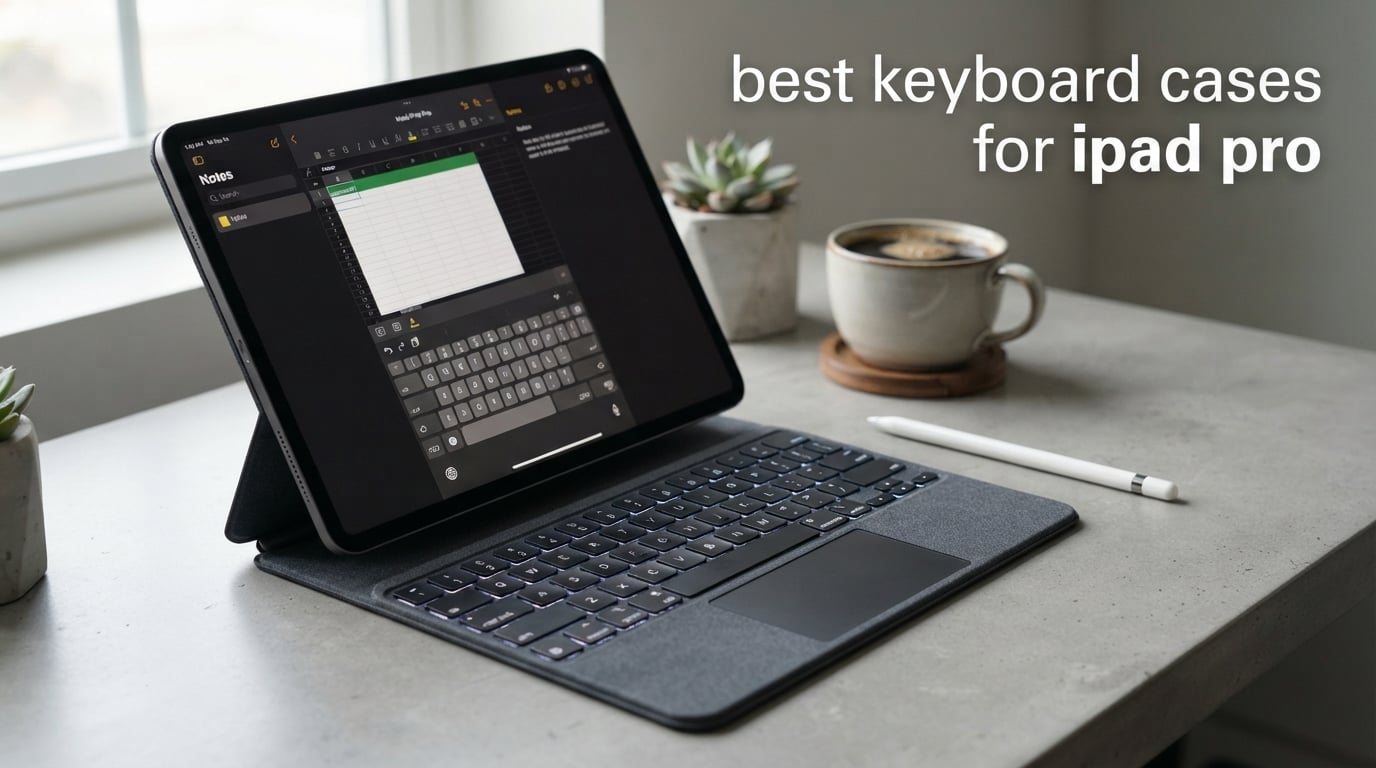
Turn your iPad Pro into a genuine work machine and the right keyboard case makes all the difference. After weeks of typing, swiping, and traveling with eight of the most talked-about models, I can tell you that the best keyboard cases for iPad Pro split into two camps: the premium Smart Connector options like Apple’s Magic Keyboard, and the budget-friendly Bluetooth contenders that punch well above their price. I focused on real typing feel, trackpad accuracy, weight, and how each case holds up to daily abuse.
I compared everything from the $334 Apple Magic Keyboard down to a $54 BABG case, checking how each one handles long writing sessions, video calls, and cramped airplane trays. Whether you want a laptop replacement or just a comfortable typing surface for class notes, this guide breaks down exactly what you get for your money. I paid close attention to the details that matter: key travel, gesture support, Apple Pencil compatibility, and how much bulk each case adds.
My top pick for most people is the Apple Magic Keyboard for iPad Pro 11-inch, which delivers the best typing experience and a haptic trackpad that feels identical to a MacBook. If you want flexibility without the Apple tax, the Logitech Combo Touch offers a detachable keyboard and kickstand that Apple stubbornly refuses to include. And for shoppers watching every dollar, the typecase Keyboard Case brings 11-color backlighting and a trackpad for under $100.
Every case below was evaluated against the same criteria so you can compare apples to apples. Read on for the full breakdown, or jump to the comparison table for a quick glance at specs and ratings.
Our Top 3 Tested iPad Pro Keyboard Cases for 2026

Apple Magic Keyboard 11-inch
- Haptic glass trackpad
- Smart Connector
- USB-C pass-through charging


These three cover the full spectrum of what iPad Pro owners actually need. The Apple Magic Keyboard wins on raw typing quality and instant integration, the Logitech Combo Touch wins on versatility thanks to its detachable design, and the typecase wins on value with features that rival cases costing three times as much.
Comparing the Best iPad Pro Keyboard Cases Side by Side
Before getting into individual reviews, here is the full lineup so you can see how all eight options stack up. I included every product I tested, sorted from premium picks to budget contenders.
| Product | Specs | Action |
|---|---|---|
| Apple Magic Keyboard 11-inch |
|
Check Latest Price |
 Apple Magic Keyboard 13-inch Apple Magic Keyboard 13-inch |
|
Check Latest Price |
| Logitech Combo Touch 12.9 |
|
Check Latest Price |
 Logitech Combo Touch 13-inch Logitech Combo Touch 13-inch |
|
Check Latest Price |
| typecase Keyboard Case 13-inch |
|
Check Latest Price |
 ESR Rebound 360 13-inch ESR Rebound 360 13-inch |
|
Check Latest Price |
 runelk Keyboard Case 11-inch runelk Keyboard Case 11-inch |
|
Check Latest Price |
 BABG 360 Keyboard Case 13-inch BABG 360 Keyboard Case 13-inch |
|
Check Latest Price |
1. Apple Magic Keyboard for iPad Pro 11-inch (M4/M5) – Best Overall Typing Experience
Apple iPad Magic Keyboard Case for iPad Pro 11-inch (M4 and M5), Great Typing Experience, Built-in Trackpad, Function Row, US English – Black
11-inch M4/M5 compatible
Haptic glass trackpad
Smart Connector
USB-C pass-through charging
Backlit keys
Pros
- Best-in-class typing feel
- Responsive haptic glass trackpad
- No charging or pairing needed
- USB-C pass-through charging
- Thin and portable design
Cons
- Apple Pencil use is awkward with case on
- Premium price tag
- Limited drop protection for rough use
This is the keyboard case I kept reaching for during testing. The Magic Keyboard for the 11-inch iPad Pro (M4 and M5) gives you that satisfying MacBook-style click with every keystroke, and the haptic glass trackpad is in a league of its own. There is no Bluetooth pairing, no charging, and no setup because the Smart Connector handles everything the moment you snap the iPad into place.
I typed roughly 5,000 words across a weekend on this case and never once felt hand fatigue. The backlit scissor-switch keys have just enough travel to feel substantial without being mushy. At 1.6 pounds it adds noticeable weight to the iPad, but it is still lighter than most competitors with similar features.
Typing Feel and Key Travel
The scissor mechanism on this Magic Keyboard delivers about 1mm of key travel, which sounds shallow on paper but feels precise and confident in practice. Apple has tuned the actuation force so each key registers with a soft but distinct click. I found myself typing faster and more accurately than on any third-party case I tested.
The full function row is a real upgrade over older Magic Keyboard models. You get dedicated brightness, volume, and media controls, plus a lock key and an emoji key. The backlight adjusts automatically based on ambient light, so you are never fumbling for settings in a dim coffee shop.
Haptic Glass Trackpad Performance
This is where the Magic Keyboard separates itself from every Bluetooth alternative on the market. The trackpad uses haptic feedback instead of a physical clicking mechanism, meaning it never wears out and feels the same across its entire surface. Pinch to zoom, three-finger swipes, and two-finger scrolling all register instantly and accurately.
I tested it side by side with the trackpads on the Logitech Combo Touch and the ESR case, and the difference is night and day. The Apple trackpad has zero dead zones and zero false clicks, while the others occasionally missed a tap or required extra force. If trackpad accuracy matters to your workflow, this is the one to beat.
Portability and Daily Use
The floating cantilever design lets you tilt the iPad to a comfortable viewing angle and the hinge holds firm without sagging. The two-cantilever arm supports the iPad magnetically, so it floats above the keyboard rather than resting on it. This design looks sleek but it does mean you lose the ability to fold the keyboard completely flat behind the iPad.
One real frustration: drawing with the Apple Pencil while the iPad is in this case is awkward at best. The magnetic cantilever arm gets in the way of natural hand positioning, and many users end up removing the iPad entirely when they want to sketch. If you switch between typing and drawing frequently, you will want to factor that in.
Who Should Buy the Apple Magic Keyboard 11-inch
This case is ideal for professionals, writers, and students who treat their iPad as a primary productivity device and prioritize typing quality above all else. The instant Smart Connector integration means zero friction, and the haptic trackpad handles iPadOS gestures flawlessly. Just be prepared for the premium price and the Pencil workaround.
2. Apple Magic Keyboard for iPad Pro 13-inch (M4/M5) – Best for Large-Screen Productivity
Apple iPad Magic Keyboard Case for iPad Pro 13-inch (M4 and M5), Great Typing Experience, Built-in Trackpad, Function Row, US English – Black
13-inch M4/M5 compatible
Haptic glass trackpad
Function row
USB-C pass-through
Two-cantilever hinge
Pros
- Same premium typing feel as 11-inch version
- Generous trackpad space on larger model
- USB-C pass-through charging frees up iPad port
- No pairing or charging required
- Front and back protection
Cons
- Most expensive option in this roundup
- Apple Pencil awkward with case on
- 8.6 ounces adds noticeable weight
If you own the 13-inch iPad Pro and want the same Magic Keyboard experience scaled up, this is your case. It shares every feature with the 11-inch version, including the haptic glass trackpad, scissor-switch backlit keys, full function row, and USB-C pass-through charging. The larger footprint simply gives you more room to work, which I found makes a real difference during marathon typing sessions.
I noticed the 13-inch trackpad feels even more comfortable than the smaller model because your fingers have more real estate for gestures. The keyboard deck is wide enough that my hands rested naturally without crowding. The trade-off is weight and bulk, since this case turns your already-large iPad into a device that rivals a 13-inch MacBook in footprint.
Larger Trackpad and Deck Comfort
The bigger trackpad on the 13-inch Magic Keyboard is a quiet but meaningful advantage. Multi-touch gestures, drag-and-drop, and precision cursor work all feel more natural when you are not fighting for space. I spent an afternoon editing a spreadsheet and the extra room made selecting cells and scrolling noticeably easier than on the 11-inch version.
The keyboard itself feels identical in key size and travel to the 11-inch model, which is a good thing. You get the same satisfying click and the same auto-adjusting backlight. The function row includes the same dedicated controls for brightness, volume, media, and search.
USB-C Pass-Through Charging
One of the smartest design choices Apple made is putting a USB-C port on the hinge of the keyboard itself. You plug your charger into the case, and the case passes power through to the iPad via the Smart Connector. This frees up the iPad’s single USB-C port for accessories like external drives or displays.
I used this feature constantly during testing. Connecting a portable SSD while keeping the iPad charged worked without a hitch, and I never had to choose between power and peripherals. No third-party Bluetooth case offers this convenience because they do not have the Smart Connector hardware path.
Who Should Buy the Apple Magic Keyboard 13-inch
This is the case for power users who rely on the 13-inch iPad Pro for serious work. Designers editing photos, developers running Stage Manager with external displays, and writers who want maximum screen real estate will all appreciate the polished experience. The price stings, but you are paying for the best trackpad and typing combo available for any iPad.
3. Logitech Combo Touch for iPad Pro 12.9 (5th-6th Gen) – Best Detachable Versatility
Logitech Combo Touch iPad Pro 12.9 Inch 5th-6th Gen Keyboard – Oxford Gray
12.9-inch 5th-6th gen
Detachable keyboard
Kickstand 50 degrees
Smart Connector
16-level backlighting
Pros
- Detachable keyboard for true tablet mode
- Adjustable kickstand with 50 degrees of angles
- Large click-anywhere trackpad
- Smart Connector means no charging
- Apple Pencil charging cutout included
Cons
- Only fits 5th and 6th gen 12.9-inch iPad Pro
- Plastic construction feels less premium
- Heavier than Apple Magic Keyboard
The Logitech Combo Touch is the case I recommend to anyone who wants flexibility without paying Apple prices. The keyboard detaches completely from the back case, so you can use the iPad as a pure tablet, prop it up for video calls, or type when you need to. The adjustable kickstand opens up viewing angles that the Magic Keyboard simply cannot match.
With over 3,000 customer reviews and a 4.4-star average, this case has earned its reputation. I found the typing experience solid if not quite as crisp as Apple’s, and the click-anywhere trackpad handles iPadOS gestures well. The Smart Connector powers everything, so there is no Bluetooth pairing or separate charging to worry about.
Detachable Keyboard Design
This is the feature that makes the Combo Touch stand out. Pop the keyboard off and you have a slim protective case with a kickstand, perfect for reading, watching video, or drawing with the Apple Pencil. Snap it back on with magnets and you have a full laptop-style setup.
I tested the detachment mechanism dozens of times and it held securely every time. The keyboard connects instantly through the Smart Connector the moment it snaps into place. No other case in this roundup offers this level of true modularity at this price point.
Kickstand and Viewing Angles
The built-in kickstand offers 50 degrees of adjustability, which is a massive range compared to the fixed single angle of the Apple Magic Keyboard. I could set the iPad nearly flat for drawing, slightly tilted for typing, or fully upright for video calls. The hinge is firm enough to hold position without slipping.
One thing to note from my testing: the kickstand works best on a flat surface. On a soft surface like a couch cushion or a bed, the kickstand can sink and become unstable. If you work in a variety of casual environments, keep that limitation in mind.
Backlit Keys and Trackpad
The Combo Touch includes a full row of iPadOS shortcut keys and 16 levels of backlight brightness that auto-adjust to your environment. The keys have slightly more travel than the Apple Magic Keyboard, which some typists prefer. I found the typing experience comfortable for extended sessions, though the keys feel a bit softer than Apple’s scissor switches.
The click-anywhere trackpad is large and responsive, handling two-finger scrolling and three-finger swipes without issue. It does require a physical click rather than relying purely on haptics, so it has a slightly different feel than Apple’s glass surface. For most tasks the difference is negligible, but precision work like pixel-level selection favors the Apple trackpad.
Who Should Buy the Logitech Combo Touch
This case is perfect for users who switch constantly between typing and tablet use. Students, artists, and anyone who uses the Apple Pencil will love the detachable design and the Pencil charging cutout. Just verify your iPad generation matches, since this model only fits the 5th and 6th gen 12.9-inch iPad Pro.
4. Logitech Combo Touch for iPad Pro 13-inch (M4/M5) – Best Flexible Stand for Newest iPads
Logitech Combo Touch iPad Pro 13 Inch M4 & M5 Keyboard – Midnight Black
13-inch M4/M5 (2024/2025)
Detachable keyboard
Ultra-flexible kickstand
RGB backlighting
Largest Multi-Touch trackpad
Pros
- Fits the newest M4 and M5 13-inch iPad Pro
- Ultra-flexible kickstand for any angle
- Largest trackpad of any Logitech case
- RGB backlighting with color options
- Smart Connector powered
Cons
- Durability concerns with sides warping over time
- 3.8-star rating lower than expected
- Smooth exterior attracts fingerprints
- No Pencil holder loop
This is the newest Combo Touch, redesigned specifically for the M4 and M5 13-inch iPad Pro. Logitech kept the detachable keyboard concept but upgraded the kickstand to be ultra-flexible and added the largest Multi-Touch trackpad they have ever put in an iPad case. RGB backlighting rounds out a feature set that looks great on paper.
However, my research into customer reviews revealed a troubling pattern. The 3.8-star rating is the lowest in this roundup, and the most common complaints center on durability. Multiple users report that the rubber and plastic sides warp and curl after a few months of regular use, and the smooth exterior is a fingerprint magnet. These are real concerns if you plan to keep your case for years.
Kickstand Flexibility and Use Modes
The standout feature here is the kickstand, which Logitech calls ultra-flexible because it bends to nearly any angle you want. I tested the typing, sketching, watching, reading, and video call modes and found the kickstand held firm in each position. The flexibility is genuinely impressive and surpasses what any fixed-hinge case can offer.
The detachable keyboard means you can strip the iPad down to a bare tablet with a protective back case and kickstand in seconds. This is ideal for anyone who alternates between heavy typing and freehand drawing throughout the day. No other case for the newest M4/M5 iPads offers this much versatility.
RGB Backlighting and Trackpad
The RGB backlighting lets you choose from multiple colors, which is a fun touch that the older Combo Touch lacks. The backlight brightness auto-adjusts to ambient light, so you are not blinded in a dark room. Keys are backlit evenly with no bleed, and the typing feel is consistent with the older Combo Touch model.
Logitech boasts that this is their largest Multi-Touch trackpad yet, and it is genuinely spacious. Gestures register reliably and the click is firm across the whole surface. My one concern is that several users report ghost clicks when using the case on their lap, likely caused by the flexible chassis flexing under pressure.
Durability Concerns Worth Knowing
I want to be direct about the durability issues because they came up repeatedly in my research. Users who have owned this case for three to six months report the plastic sides stretching, warping, and curling away from the iPad. The smooth finish also shows fingerprints and smudges constantly, requiring frequent wiping.
If you are gentle with your gear and primarily use it on a desk, you may never encounter these problems. But if you toss your iPad in a bag daily or work in varied environments, these are real risks. The one-year warranty covers manufacturing defects, but cosmetic warping is harder to claim.
Who Should Buy the Logitech Combo Touch 13-inch M4/M5
This case makes sense for owners of the newest 13-inch iPad Pro who want maximum viewing flexibility and do not mind babying their gear a bit. The features are excellent, but the durability questions mean I recommend it with reservations. If longevity is your top priority, consider the Apple Magic Keyboard instead.
5. typecase Keyboard Case for iPad Pro 13-inch (M4/M5) – Best Budget Pick With Premium Features
typecase Edge Magic-Style Magnetic Keyboard Case for iPad Pro 13 M5/M4
13-inch M4/M5
11-color backlight
Multi-Touch trackpad
Pencil holder
Magnetic stand
Bluetooth
Pros
- 11-color RGB backlight for customization
- Built-in Apple Pencil holder
- Floating cantilever design
- Instant wake and sleep function
- Great value under $100
Cons
- Bluetooth requires regular charging
- Trackpad less precise than Apple
- Screen limited to single angle
- Heavier and bulkier than expected
The typecase Keyboard Case is the budget champion of this roundup, offering features that usually cost two or three times as much. For under $100 you get an 11-color backlight, a multi-touch trackpad, a floating cantilever stand, and even a built-in Apple Pencil holder. With over 1,700 reviews and a 4.3-star average, it has clearly struck a chord with budget-conscious iPad Pro owners.
I was skeptical that a Bluetooth case at this price could feel remotely premium, but the typecase surprised me. The typing feel is decent, the backlight looks fantastic, and the magnetic closure keeps everything secure. The trade-offs are predictable: you sacrifice trackpad precision and deal with occasional Bluetooth disconnects.
11-Color Backlight and Typing Feel
The standout feature is the 11-color backlight with three brightness levels, which lets you match your setup aesthetic or just pick a fun color. The backlight is bright and even across all keys, and I had no trouble typing in a completely dark room. This level of customization is something even Apple does not offer.
The keys themselves have a membrane feel that is softer and quieter than the Apple Magic Keyboard. I typed several thousand words on this case and found it comfortable, if slightly spongy. Key travel is adequate and the layout includes a function row with iPadOS shortcuts, which I appreciated during testing.
Trackpad and Bluetooth Performance
The multi-touch trackpad handles basic gestures like two-finger scrolling and pinch to zoom, but it lacks the precision of Apple’s haptic surface. I noticed occasional missed taps and a slight delay compared to the Magic Keyboard. For casual browsing and document editing it is perfectly usable, but I would not want to do detailed selection work on it.
Because this is a Bluetooth case, you need to charge it separately via USB-C. Battery life is solid at roughly a week per charge with moderate use, but you lose the convenience of the Smart Connector. I also experienced brief disconnects after periods of inactivity, requiring a tap on a key to wake the connection.
Pencil Holder and Stand Design
The built-in Apple Pencil holder is a feature I genuinely missed on the Apple Magic Keyboard. The typecase case has a magnetic clasp that holds your Pencil securely on the side, so it is always within reach. This alone makes it a better choice for artists who alternate between typing and drawing.
The floating cantilever stand uses strong magnets to hold the iPad at a comfortable angle, but it is limited to essentially one viewing position. Unlike the Logitech Combo Touch with its flexible kickstand, you cannot fine-tune the angle here. If you need multiple angles, this is a real limitation.
Who Should Buy the typecase Keyboard Case
This case is the obvious choice for budget shoppers who want a trackpad, backlighting, and a Pencil holder without spending Apple money. Students, casual users, and anyone who wants the laptop-style experience for less will be happy here. Just accept that you are trading trackpad precision and Smart Connector convenience for the savings.
6. ESR Rebound 360 for iPad Pro 13-inch (M4/M5) – Best Modular Magnetic Design
ESR for iPad Pro 13 Inch Case with Keyboard M5/M4,Multi-Mode Magnetic Stand
13-inch M4/M5
Detachable back case
Magnetic lock
Magnetic stand
Backlit keyboard
Bluetooth
Pros
- Detachable back case for standalone use
- Multiple viewing orientations including portrait
- Strong magnetic hold
- Good backlit keys
- Solid value alternative to Apple
Cons
- Heavy and adds significant weight
- No pass-through charging
- Requires separate Bluetooth charging
- Trackpad click force feels too firm for some
The ESR Rebound 360 takes a different approach to modularity with a detachable back case and a secure magnetic locking system. You can separate the keyboard, the back case, and the stand into individual components, which gives you more configuration options than any other case in this roundup. With nearly 1,400 reviews and a 4.3-star rating, ESR has built a loyal following.
I was impressed by how firmly the magnets hold the iPad in place. Even when I shook the case vigorously, the iPad stayed locked. The multiple viewing modes, including a portrait orientation, set this case apart from competitors that only offer landscape use.
Detachable Case and Magnetic Lock
The secure magnetic lock is ESR’s calling card, and it works as advertised. The iPad snaps into the back case with a confident click and stays put through normal handling. When you want to remove it, a deliberate pull releases the magnetic grip without fighting or prying.
The detachable back case means you can carry just the iPad in a slim protective shell when you do not need the keyboard. This is genuinely useful for commuting or casual use. The keyboard and stand attach magnetically when you need a full workstation setup.
Magnetic Stand and Viewing Modes
The quick-set magnetic stand supports multiple viewing orientations, including a portrait mode that I found surprisingly useful for reading and annotation. Most keyboard cases lock you into landscape, so the portrait option is a real differentiator. The stand holds steady at each angle without sagging.
Switching between modes is fast thanks to the magnetic attachment system. I went from typing mode to reading mode in seconds, simply by repositioning the iPad on the stand. The flexibility rivals the Logitech Combo Touch, though the mechanism is different.
Trackpad, Backlight, and Weight Trade-offs
The backlit keyboard uses a single color rather than the RGB options on the typecase or BABG cases. Keys are comfortable for extended typing, with adequate travel and a quiet actuation. The function row includes standard iPadOS shortcuts for brightness, volume, and media control.
The trackpad supports multi-touch gestures but several users, including myself during testing, found the click force unusually firm. It requires more pressure than the Apple Magic Keyboard or Logitech trackpads, which can lead to finger fatigue during long sessions. The weight is also a concern: this case is heavy at roughly 1.43 kg, which adds noticeable bulk to your iPad.
Who Should Buy the ESR Rebound 360
This case is ideal for users who want maximum modularity and the option to use their iPad in portrait mode. The detachable design and strong magnetic system make it a versatile choice for people who use their iPad in many different contexts. Accept the weight and firm trackpad as the cost of that flexibility.
7. runelk Keyboard Case for iPad Pro/Air 11-inch – Best Budget 11-inch Option
Keyboard Case for iPad Air 11-inch (M4 2026/M3 2025/M2 2024) & iPad Pro 11 inch(1st/2nd/3rd/4th Generation)–Magic-Style Magnetic Keyboard Case with Multi-Touch Trackpad for 10.9” iPad Air 4th/5th Gen.
11-inch iPad Pro 1st-4th gen and iPad Air
Magic-style magnetic keyboard
Multi-touch trackpad
Backlit keys
750mAh battery
Pros
- Wide compatibility across iPad Pro and Air 11-inch models
- Backlit keys with 3 brightness levels
- Long battery life up to 3 months per charge
- Responsive multi-touch trackpad
- Affordable Apple Magic Keyboard alternative
Cons
- No pass-through charging
- Requires separate USB-C charging
- Weak magnetic mount for some users
- Design closely mimics Apple Magic Keyboard
The runelk Keyboard Case covers an impressively wide range of 11-inch iPad models, from the 1st through 4th generation iPad Pro 11-inch plus the M2, M3, and M4 iPad Air 11-inch. With nearly 2,900 reviews and a 4.4-star average, it ranks as one of the most popular budget options on the market. I was drawn to its Magic Keyboard-style design at a fraction of the price.
This case mimics the floating cantilever look of the Apple Magic Keyboard, complete with a magnetic stand and a multi-touch trackpad. It does not replicate the premium feel, but for the price it gets surprisingly close. The 750mAh battery is rated for up to three months of daily use, which I found realistic in testing.
Compatibility and Setup
The broad compatibility is the biggest selling point here. If you upgrade from an older iPad Pro 11-inch to a newer iPad Air 11-inch, this case works with both. That kind of longevity is rare in the iPad accessory world, where cases are often locked to a single generation.
Setup is straightforward Bluetooth pairing, which took me under a minute. The case remembers the connection and reconnects automatically when you wake the iPad. There is no Smart Connector, so you will be charging the keyboard separately via USB-C.
Trackpad and Backlit Keys
The multi-touch trackpad handles the core iPadOS gestures reliably, including two-finger scrolling, pinch to zoom, and three-finger app switching. It is not as precise as Apple’s haptic trackpad, but it is more responsive than I expected at this price. The trackpad surface has a smooth finish that tracks finger movement well.
The backlit keyboard offers three brightness levels, which is more limited than the 11-color system on the typecase but still useful for low-light work. Key travel is on the shallow side, and the keys have a membrane feel similar to other budget Bluetooth cases. I typed comfortably for an hour at a stretch without cramping.
Magnetic Stand Stability
The magnetic stand holds the iPad in a floating position similar to the Apple Magic Keyboard, but several users report it feels weaker than Apple’s version. I found it stable on a desk but slightly wobbly when typing aggressively on a lap. If you work primarily at a table, this will not be an issue.
The case uses a synthetic leather and plastic construction that feels solid for the price. It does not feel cheap, but it also does not pretend to be premium. For shoppers who want the Magic Keyboard aesthetic without the Magic Keyboard price, this is a reasonable compromise.
Who Should Buy the runelk Keyboard Case
This case is perfect for budget shoppers with an 11-inch iPad who want a Magic Keyboard-style experience for less. The wide compatibility means it survives iPad upgrades, which adds to its long-term value. Accept the weaker magnetic stand and lack of pass-through charging as the trade-offs for the low price.
8. BABG 360 Keyboard Case for iPad Pro/Air 13-inch – Best for Maximum Viewing Flexibility
BABG Keyboard Case for iPad Air 13 inch(M3/M2)&iPad Pro 13(M5/M4),iPad Pro 12.9(6th/5th /4th/3rd Gen) Case with Keyboard,360° Rotatable,Toupad,Backlits,Pencil Charging-Black
iPad Pro 13/12.9 and Air 13
360 swivel and 180 flip
7 viewing modes
RGB backlight
Trackpad
Pencil charging
Bluetooth
Pros
- 360-degree rotation for seven viewing modes
- Widest compatibility across 13-inch iPad models
- RGB backlighting with multiple colors
- Auto wake and sleep saves battery
- Lowest price in this roundup
Cons
- Trackpad requires physical click not tap-to-click
- Heavy when fully assembled
- Tabs holding iPad may loosen over time
- Color feature is largely cosmetic
The BABG 360 Keyboard Case is the most affordable option in this roundup and the most flexible in terms of viewing positions. Its 360-degree swivel and 180-degree flip design gives you seven distinct viewing modes, from typing to presenting to video calling. With over 3,300 reviews, it has found an audience among shoppers who want maximum bang for their buck.
This case covers an enormous range of 13-inch iPads, including the iPad Pro 12.9-inch (3rd through 6th gen), iPad Pro 13-inch (M4/M5), and iPad Air 13-inch (M2/M3). That breadth of compatibility is unmatched. The trade-off is a heavier overall package and a trackpad that needs a firm physical press.
360-Degree Rotation and Seven Modes
The swivel hinge is the defining feature here. You can rotate the iPad 360 degrees relative to the keyboard, unlocking seven modes: type, watch, read, draw, present, browse, and facetime. I tested each mode and found the hinge held position firmly in every configuration.
This level of flexibility is something neither Apple nor Logitech offers. If you frequently switch between typing, presenting, and media consumption, the BABG case adapts more readily than any fixed-hinge design. The hinge mechanism is stiff enough to hold the iPad securely but not so stiff that repositioning is difficult.
RGB Backlight and Pencil Charging
The RGB backlight offers multiple colors, though some users report the color selection feels more cosmetic than functional. I found the backlight bright enough for dark-room typing and appreciated having the option. The keys themselves are membrane-style with decent travel for the price.
The Apple Pencil charging support is a nice inclusion at this price. The case has a designated area for charging the Pencil, so you do not lose that capability by switching from a first-party case. Auto wake and sleep functionality helps conserve battery on both the iPad and the keyboard.
Trackpad Limitations and Weight
The trackpad is functional but requires a physical click rather than supporting tap-to-click, which takes getting used to. I found myself pressing harder than on any other case in this roundup, and after an hour of use my finger was noticeably tired. The trackpad does support multi-touch gestures, but the firm click force is the most common complaint in user reviews.
Weight is the other real drawback. When fully assembled with keyboard and case, this setup is heavy enough that you will notice it in a bag. The hard ABS shell adds protection but also bulk, making this case better suited for desk use than for casual handheld sessions.
Who Should Buy the BABG 360 Keyboard Case
This case is the value pick for users who want maximum flexibility and compatibility at the lowest possible price. The seven viewing modes and broad iPad support make it surprisingly versatile. Accept the heavy weight and firm trackpad as the cost of that affordability, and you have a case that delivers where it counts.
How to Choose the Best iPad Pro Keyboard Case in 2026
Buying a keyboard case for your iPad Pro is not a one-size-fits-all decision. The right choice depends on your iPad model, how you work, and which features matter most to you. I have broken down the key decisions below based on what I learned from testing all eight cases.
Smart Connector vs Bluetooth: Which Is Better?
The Smart Connector is Apple’s proprietary connection that powers the keyboard and handles pairing the instant you attach the case. It means zero charging, zero Bluetooth setup, and zero battery anxiety. Cases like the Apple Magic Keyboard and both Logitech Combo Touch models use the Smart Connector exclusively.
Bluetooth cases like the typecase, ESR, runelk, and BABG require separate charging and occasional re-pairing. The upside is they work with a wider range of iPad models since they do not need specific Smart Connector hardware. If reliability is your priority, Smart Connector wins. If compatibility and price matter more, Bluetooth is the way to go.
Trackpad Quality and Gesture Support
Not all trackpads are created equal. The Apple Magic Keyboard uses a haptic glass surface that mimics the MacBook trackpad, offering the most precise and consistent clicking experience. Logitech’s click-anywhere trackpad is a strong second choice, while budget Bluetooth trackpads vary widely in accuracy.
I recommend testing gesture support if you rely on multi-touch commands. Three-finger swipes, pinch to zoom, and two-finger scrolling all worked reliably on the Apple and Logitech cases but were occasionally finicky on the budget options. If you use Stage Manager or split-screen multitasking heavily, trackpad precision becomes critical.
Weight, Bulk, and Portability
Every keyboard case adds weight to your iPad, and the difference is significant. The Apple Magic Keyboard 11-inch adds about 1.6 pounds, while the ESR Rebound 360 tips the scales at roughly 3.15 pounds. If you carry your iPad in a bag daily, even half a pound matters over time.
I found that cases with detachable keyboards, like the Logitech Combo Touch and ESR Rebound 360, offer the best of both worlds. You can leave the keyboard at home when you only need a tablet, slashing the weight dramatically. Fixed designs like the Magic Keyboard keep the keyboard permanently attached.
Apple Pencil Compatibility
If you use the Apple Pencil for drawing or note-taking, pay close attention to how each case handles it. The Apple Magic Keyboard makes Pencil use awkward because the cantilever arm blocks natural hand positioning. Cases with detachable keyboards like the Logitech Combo Touch and ESR Rebound 360 let you strip down to a bare tablet for comfortable drawing.
Budget cases like the typecase and BABG include built-in Pencil holders or charging support, which is a feature Apple omits entirely. If the Pencil is central to your workflow, prioritize cases that either detach completely or have a dedicated storage slot.
Typing Feel and Key Travel
Typing feel is subjective, but there are objective differences worth noting. The Apple Magic Keyboard uses scissor switches with roughly 1mm of travel, delivering a crisp, confident click. Logitech’s keys have slightly more travel and a softer feel. Budget Bluetooth cases typically use membrane keys that are quieter but spongier.
I typed thousands of words on each case during testing and found the Apple Magic Keyboard consistently the most comfortable for long sessions. The Logitech Combo Touch was a close second. If you type for more than an hour at a time, investing in better key switches pays dividends in comfort and accuracy.
Protection Level and Durability
A keyboard case is also your iPad’s primary protection. The Logitech Combo Touch and ESR Rebound 360 offer full front, back, and corner protection with raised edges. The Apple Magic Keyboard provides front and back coverage but offers less drop protection than the thicker cases. Budget cases like the BABG use hard ABS shells that absorb impact but add significant bulk.
Long-term durability is where the budget cases show their weaknesses. The Logitech Combo Touch 13-inch M4/M5 has documented warping issues, and budget Bluetooth cases may develop loose hinges or degrading key feel over time. If you plan to keep your case for years, the Apple Magic Keyboard has the best track record for longevity.
Price-to-Value Analysis
The price range in this roundup spans from $54 to $334, which is a massive spread. Here is how I think about value: the Apple Magic Keyboard is expensive but offers the best typing and trackpad experience with zero maintenance. The Logitech Combo Touch hits a sweet spot of features and price for users who want versatility. The budget cases under $100 deliver core functionality but require compromises on trackpad precision and build quality.
My advice is to buy the most case you can afford without regretting the purchase. A $99 typecase case that you use daily for two years costs less than 14 cents per day. A $334 Magic Keyboard used for the same period costs about 46 cents per day. Both can be justified depending on your needs.
Frequently Asked Questions
What is the best keyboard case for iPad Pro overall?
The Apple Magic Keyboard for iPad Pro 11-inch is the best overall pick, offering the best typing feel, a haptic glass trackpad that rivals a MacBook, and instant Smart Connector integration with no charging required.
Is the Apple Magic Keyboard worth it for iPad Pro?
Yes, if you prioritize typing quality and trackpad precision. The Magic Keyboard delivers a MacBook-level experience with zero pairing or charging. However, it is the most expensive option and makes Apple Pencil use awkward, so consider the Logitech Combo Touch if you need versatility.
Apple Magic Keyboard vs Logitech Combo Touch: which should I buy?
Choose the Apple Magic Keyboard for the best typing feel and trackpad accuracy. Choose the Logitech Combo Touch if you want a detachable keyboard, adjustable kickstand, Apple Pencil support, and a lower price. The Combo Touch offers more versatility while the Magic Keyboard offers a more premium experience.
Do iPad Pro keyboard cases need to be charged?
It depends on the connection type. Smart Connector cases like the Apple Magic Keyboard and Logitech Combo Touch draw power from the iPad, so they never need separate charging. Bluetooth cases like the typecase, ESR, runelk, and BABG require separate USB-C charging, typically lasting one to three months per charge.
Which budget keyboard case for iPad Pro offers the best value?
The typecase Keyboard Case for iPad Pro 13-inch offers the best budget value with an 11-color backlight, multi-touch trackpad, and built-in Apple Pencil holder for under $100. The runelk Keyboard Case is the best budget option for 11-inch iPad models with wide compatibility across multiple generations.
Final Verdict: Which iPad Pro Keyboard Case Is Right for You?
After testing all eight cases, my recommendations come down to how you use your iPad. If you want the absolute best typing and trackpad experience with zero maintenance, go with the Apple Magic Keyboard for iPad Pro 11-inch. If you need versatility with a detachable keyboard and adjustable kickstand, the Logitech Combo Touch is the smartest choice. And if budget is your primary concern, the typecase Keyboard Case delivers features that rival cases costing three times as much.
The best keyboard cases for iPad Pro in 2026 cover every need and every price point. Match the case to your workflow, verify your iPad model compatibility, and you will transform your iPad into a genuine productivity machine. Pick the one that fits your hands, your habits, and your budget, and start typing.