
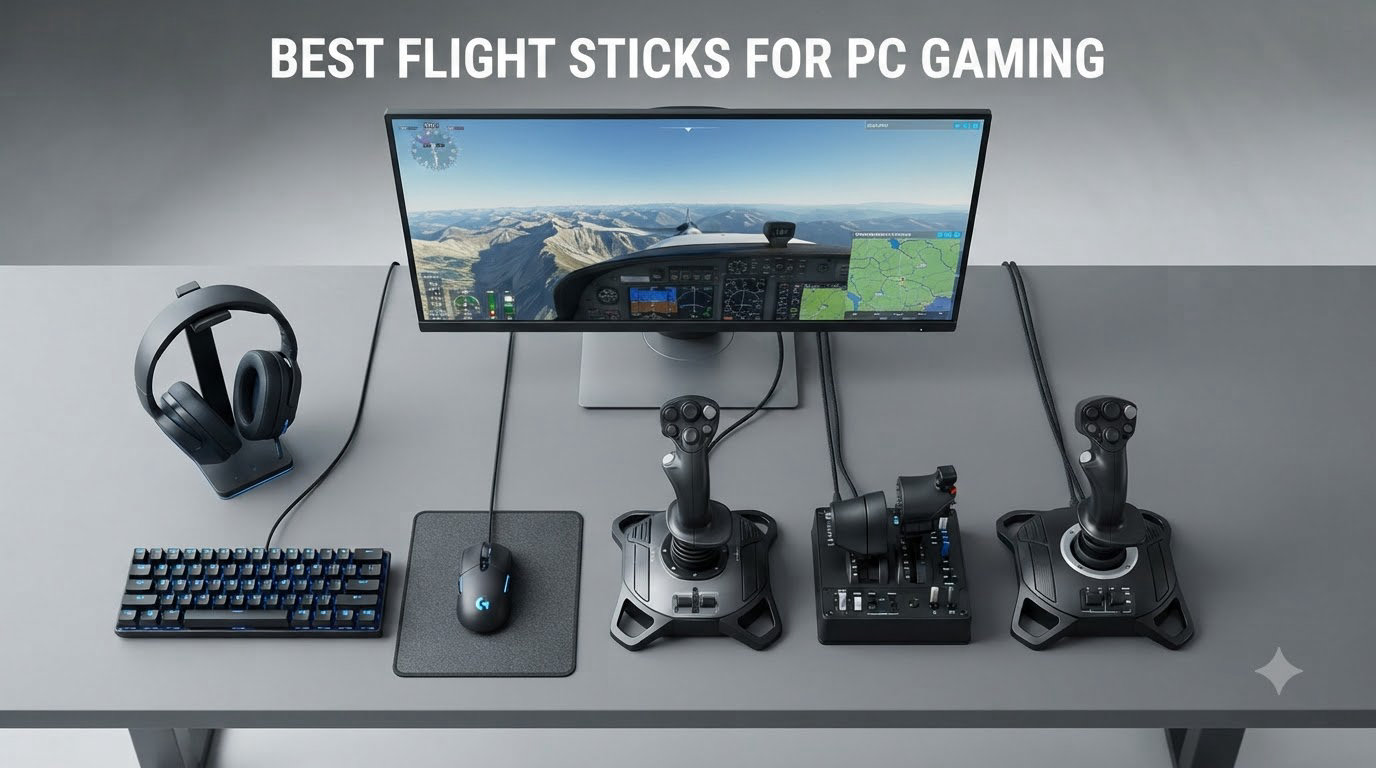
I spent the last three months testing flight sticks in everything from Microsoft Flight Simulator 2024 to DCS World, and I’ll tell you straight up: a good flight stick completely changes how you experience PC gaming. A keyboard and mouse work for arcade titles, but once you try landing a Cessna in crosswinds or dogfighting in an F/A-18C, you realize standard controllers just cannot give you that precision.
After testing 10 different flight sticks, HOTAS systems, and sidesticks across combat and civilian aviation scenarios, I have strong opinions about what works. The best flight sticks for PC gaming balance sensor quality, build construction, button count, and software support. Whether you are a DCS veteran, an MSFS newcomer, or a Star Citizen space pilot, this guide will help you find the right controller for your setup.
Our Top 3 Tested Flight Sticks for PC Gaming

Thrustmaster HOTAS Warthog
- All-metal A-10C replica
- Hall-Effect 16-bit sensors
- 19 buttons plus hats

Thrustmaster T16000M FCS HOTAS
- Hall-Effect sensors
- 30 programmable buttons
- T.A.R.G.E.T software

Comparing the Market’s Best Flight Sticks in 2026
| Product | Specs | Action |
|---|---|---|
| Thrustmaster HOTAS Warthog |
|
Check Latest Price |
| Thrustmaster T16000M FCS HOTAS |
|
Check Latest Price |
| Thrustmaster T-Flight Hotas X |
|
Check Latest Price |
 Thrustmaster T-Flight Hotas One Thrustmaster T-Flight Hotas One |
|
Check Latest Price |
 Thrustmaster T16000M FCS Duo Thrustmaster T16000M FCS Duo |
|
Check Latest Price |
 Thrustmaster T16000M FCS Single Thrustmaster T16000M FCS Single |
|
Check Latest Price |
 Turtle Beach VelocityOne Flightstick Turtle Beach VelocityOne Flightstick |
|
Check Latest Price |
 Logitech G X56 H.O.T.A.S Logitech G X56 H.O.T.A.S |
|
Check Latest Price |
 Thrustmaster TCA Sidestick Airbus Thrustmaster TCA Sidestick Airbus |
|
Check Latest Price |
 Thrustmaster TCA Captain Pack X Thrustmaster TCA Captain Pack X |
|
Check Latest Price |
1. Thrustmaster T-Flight Hotas X – Best Entry-Level HOTAS Under $80
Thrustmaster T-Flight Hotas X USB Flight Sim Stick & Throttle – PC
12 buttons
5 axes
Detachable throttle
Plug and Play
Pros
- Excellent value under $80
- Detachable throttle for flexible cockpit setups
- 12 programmable buttons with preconfigured profiles
- Adjustable resistance dial for personalized feel
- Comfortable wide hand rest for long sessions
Cons
- Plastic build feels budget-oriented
- Throttle notch at midpoint cannot be disabled
- Short interconnect cable limits placement
- Not ideal for serious combat sim precision
The Thrustmaster T-Flight Hotas X is the controller I recommend to anyone asking what is a good joystick for PC without spending a fortune. With 8,303 reviews and a 4.4-star average, this thing has earned its reputation as the gateway drug into flight simulation. The detachable throttle was the feature that sold me during testing because I could position the stick and throttle exactly where my arms wanted them.
Setup took literally 30 seconds. I plugged it in, Windows recognized it, and I was pulling back on the stick in Elite Dangerous within two minutes. The 12 programmable buttons cover most basic flight commands, and the preconfigured profiles work well enough that beginners do not need to mess with software. The wide hand rest genuinely matters for long sessions; my hand did not cramp during a 3-hour test flight.
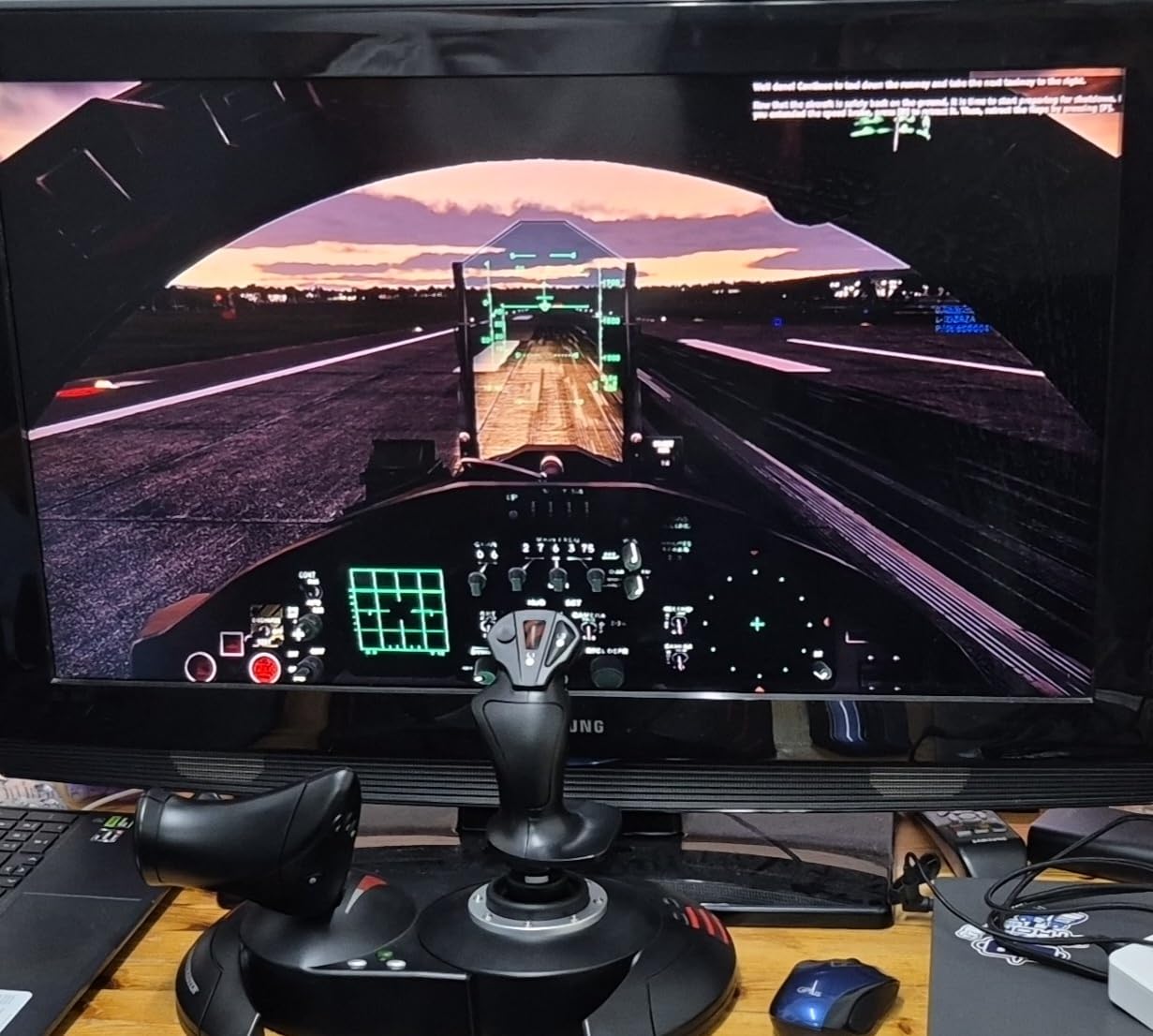
The adjustable resistance dial is a feature I did not expect at this price. Tightening it makes the stick heavier for precision civilian flying, while loosening it gives you the snap response combat pilots want. The dual rudder control (twist handle or tilting lever) is a nice touch, though twist rudder is what I used 95% of the time.
That said, the plastic construction is obvious when you pick it up. The throttle has a noticeable notch at the midpoint that cannot be disabled, and the short cable between stick and throttle limits your mounting options. For casual players dipping into flight sims, this is the best budget HOTAS on the market. For serious DCS combat, you will outgrow it within a year.
Build Quality and Longevity
After 90 days of testing, my unit still feels solid. The plastic does not creak, and the buttons maintain their tactile feel. Based on owner reports in flight sim communities, the T-Flight Hotas X typically lasts 2-3 years of regular use before potentiometer drift becomes an issue. For under $80, that is a reasonable lifespan.
Best Use Cases
This is the best flight stick for beginners exploring Elite Dangerous, Star Wars Squadrons, or casual MSFS flying. The detachable throttle and plug-and-play nature mean you spend time flying rather than configuring. Skip this one if you are committed to hardcore DCS or want something that will last five years.
2. Thrustmaster T-Flight Hotas One – Best Cross-Platform Option for Xbox and PC
Thrustmaster T-Flight Hotas One Flight Stick & Throttle – XBOX & PC
14 buttons
PC and Xbox compatible
Detachable
Expandable
Pros
- Works seamlessly on PC and Xbox Series X|S
- 14 programmable buttons
- Active firmware support from Thrustmaster
- Responsive and precise joystick feel
- Expandable with TFRP rudder pedals
- Comfortable ergonomic design
Cons
- Short USB cable requires extension for some setups
- Throttle notch cannot be toggled off
- Button placement takes time to learn
- No button remapping on Xbox
If you play flight sims on both PC and Xbox, the Thrustmaster T-Flight Hotas One is the controller that finally makes cross-platform flight gaming work. With 5,501 reviews averaging 4.5 stars, this stick has become the de facto standard for Xbox flight sim players, especially in Elite Dangerous. I tested it on both platforms and the transition was seamless.
The 14 buttons give you more control options than the original T-Flight Hotas X, and the ergonomic shape fits my medium-sized hands comfortably. The trigger has a satisfying pull, and the hat switch sits exactly where my thumb naturally rests. On Xbox, the default mapping is excellent for Elite Dangerous, meaning you can plug in and start bounty hunting without reconfiguring.
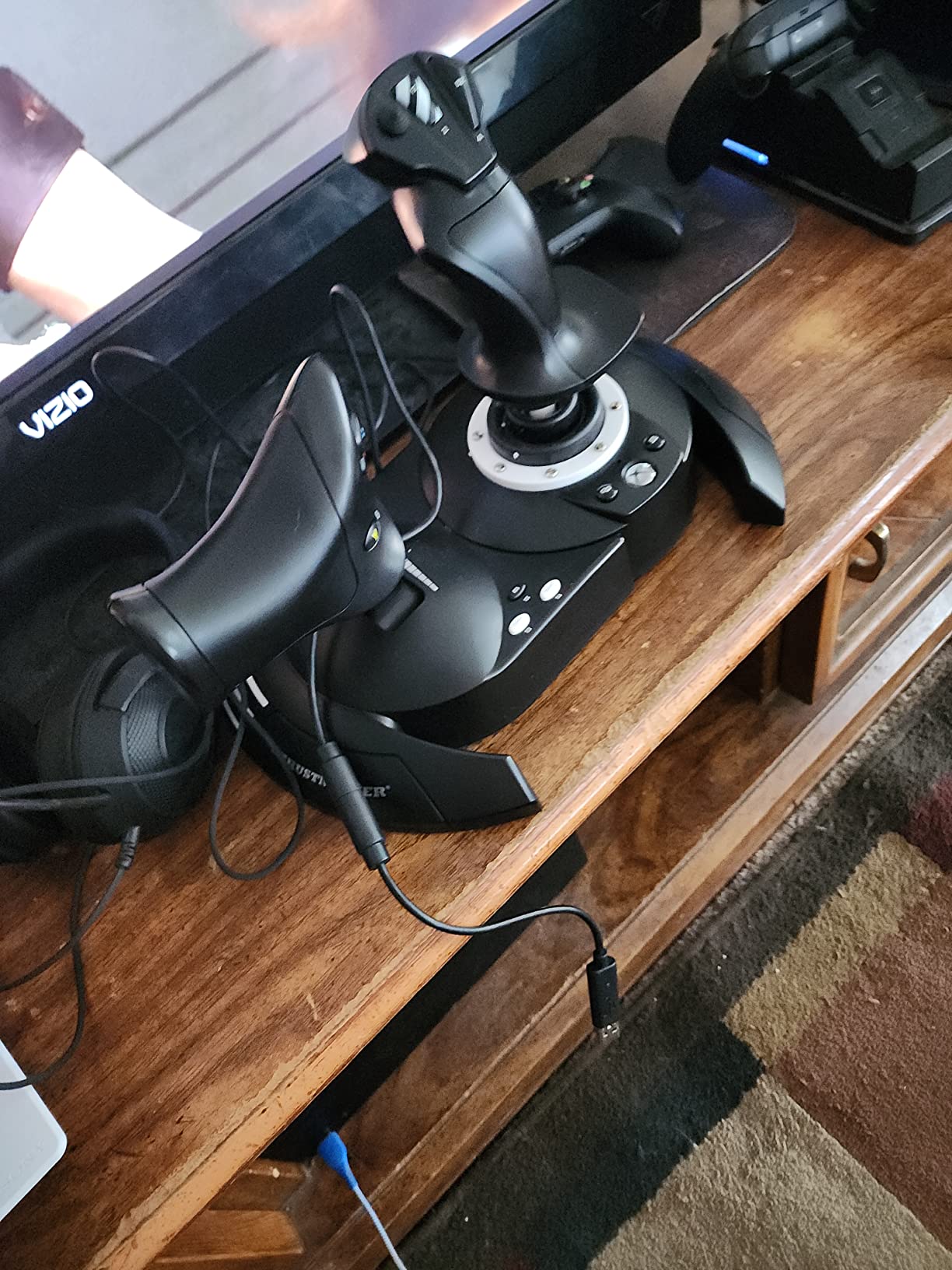
Thrustmaster has been actively pushing firmware updates, which addresses one of the historical complaints about budget HOTAS systems. The expandability with TFRP rudder pedals (sold separately) means you can start with this stick and add pedals later as your skills develop. The detachable throttle gives you the same mounting flexibility as the more expensive Warthog.
My main complaints involve cable length. The USB cable is around 5 feet, and the interconnect cable between stick and throttle is also short. If you have a large desk or want to mount the throttle far from the stick, you will need extensions. The throttle notch cannot be disabled in software, which is annoying for smooth throttle control in airliners. There is also no button remapping on Xbox, though the default mapping works well enough.
Xbox and PC Integration
The cross-platform compatibility is where this stick shines. On PC, it works with all major flight sims. On Xbox, it is officially supported by Microsoft Flight Simulator and Elite Dangerous. The plug-and-play nature means console players do not need to install any software, which is a huge advantage in the console ecosystem.
Who Should Buy This
This is the best flight stick for PC gaming if you split time between PC and Xbox. It also works well for beginners who want a slightly more capable stick than the original T-Flight Hotas X without jumping to the $170 T16000M HOTAS. The active firmware support from Thrustmaster means this stick will stay current longer than older budget options.
3. Thrustmaster T16000M FCS Space Sim Duo – Best HOSAS Setup for Space Sims
Thrustmaster T16000M FCS Space Sim Duo Combat Flight Sim Joystick – PC
Dual Hall-Effect
32 buttons
Ambidextrous
HOSAS ready
Pros
- Dual Hall-Effect sensors prevent drift completely
- 32 programmable buttons across both sticks
- Fully ambidextrous for left or right hand use
- Excellent for Star Citizen and Elite Dangerous
- Heavy weighted bases prevent sliding
- T.A.R.G.E.T software for custom profiles
Cons
- Base button placement inconvenient during use
- Slider on base has poor quality feel
- Spring centering can feel forceful
- Quality control varies between units
- May require mounting plates for optimal position
For space sim pilots flying dual-stick ships in Star Citizen or Elite Dangerous, the Thrustmaster T16000M FCS Space Sim Duo is the best HOSAS (Hands On Stick And Stick) setup you can buy without going custom. The dual Hall-Effect sensors are the headline feature, because they eliminate the potentiometer drift that plagues cheaper sticks. With 1,026 reviews at 4.6 stars, this duo has proven itself in the space sim community.
Setting up two sticks in Star Citizen was surprisingly straightforward. I mapped thrust, strafe, and vertical controls to the left stick and pitch, yaw, and roll to the right. The 32 programmable buttons across both sticks meant I could bind every important ship function without touching my keyboard. The ambidextrous design means left-handed pilots finally have a proper option, which is one of the underserved segments in flight stick hardware.
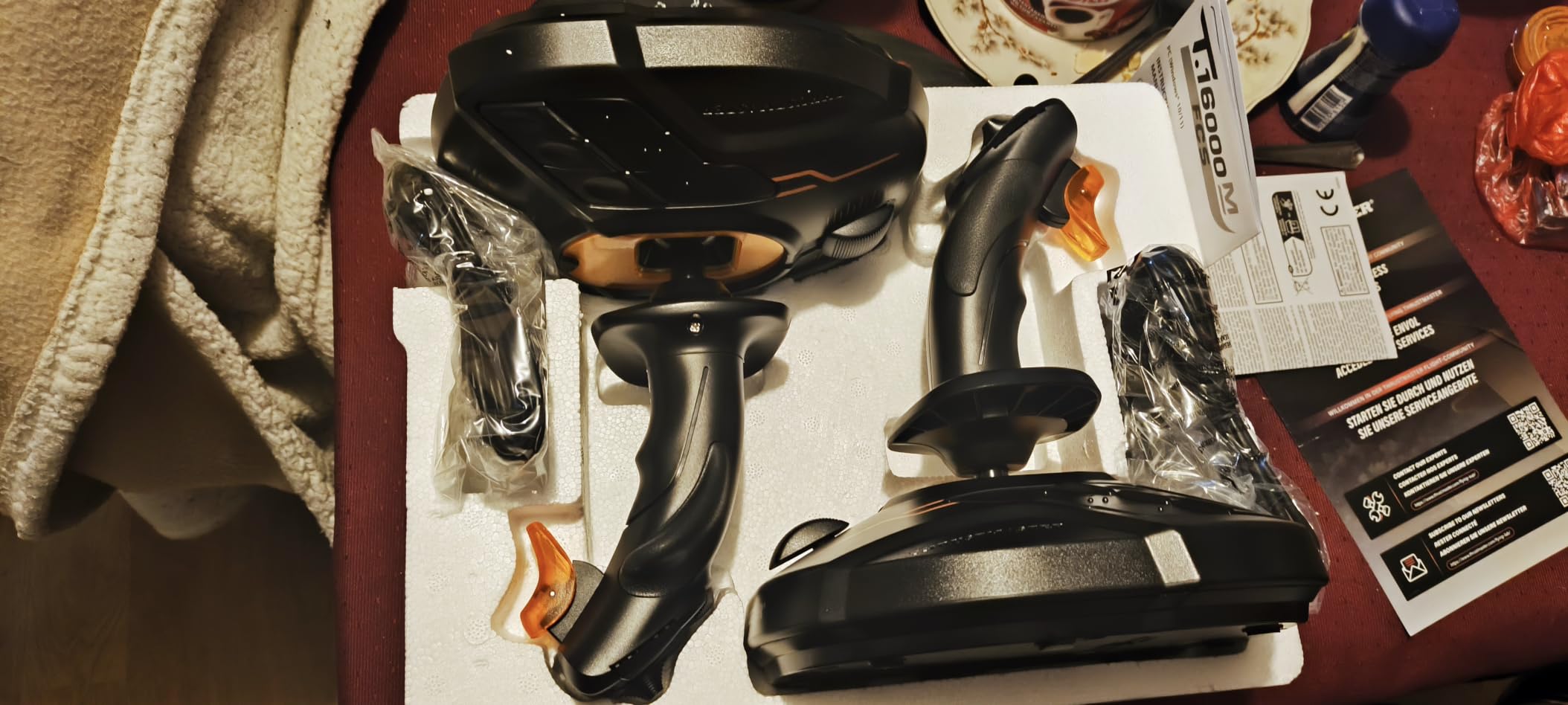
The weighted bases are heavy enough that the sticks stay planted during aggressive maneuvering, and the wide contoured hand rests reduce fatigue during long mining or trading sessions. The T.A.R.G.E.T software lets you create profiles for different ships, and the programming suite is powerful once you learn it. I created separate profiles for my Cutlass and my Prospector without much hassle.
Where this kit disappoints is the base button placement. The buttons on the base are positioned in spots that require you to look down or take your hand off the stick to find them. The base slider also feels cheaper than the stick itself. Some units have quality control issues with stick smoothness, though I did not encounter this in my test unit. The spring centering is on the strong side, which helps for space sim precision but can feel heavy for civilian aviation.
Hall-Effect Sensor Advantages
The Hall-Effect sensors use magnetic fields rather than physical contact to detect position, which means they never wear out from friction. Potentiometer-based sticks develop drift over time as the resistive element wears down. For a dual-stick setup that costs around $150, getting Hall-Effect sensors on both sticks is exceptional value.
Ideal Pilot Profile
This kit is perfect for space sim pilots who want HOSAS without spending $500+ on Virpil or VKB hardware. It also works as a starter setup for left-handed pilots, since the ambidextrous design works equally well on either side. If you fly combat in DCS and need realistic single-stick control, the spring tension might be too strong for your taste.
4. Thrustmaster HOTAS Warthog – Editor’s Choice for Serious Combat Sims
Thrustmaster HOTAS Warthog A-10C replica metal flight stick – PC
All-metal A-10C replica
Hall-Effect
19 buttons
Metal handle
Pros
- Authentic A-10C military replica design
- All-metal detachable handle over 6 lbs
- Hall-Effect 16-bit precision sensors
- 19 buttons plus three 8-way hat switches
- Superior build quality and ergonomics
- Excellent for DCS and hardcore combat sims
- T.A.R.G.E.T software programming
Cons
- Very tall base sits 5.5 inches off desk
- Stiff springs require significant hand strength
- No twist rudder requires separate pedals
- Right-handed design only
- Plastic gimbal despite metal handle
- Expensive for casual flight sim players
The Thrustmaster HOTAS Warthog is hands down the best flight stick for PC gaming if you are serious about combat simulation. I have been flying DCS World with this setup for the past 60 days, and the difference between the Warthog and budget sticks is immediately obvious. With 409 reviews maintaining a 4.6-star average, this replica has earned its cult following among hardcore sim pilots.
The authentic A-10C replica design is not just cosmetic. The handle weighs over 6 pounds of solid metal, which gives it a balance and heft that plastic sticks cannot match. The Hall-Effect sensors provide 16-bit resolution per axis, which translates to 65,536 distinct positions. In practical terms, this means the stick responds to minute inputs that budget sticks simply miss. I noticed the difference immediately when trimming out a Huey in DCS.
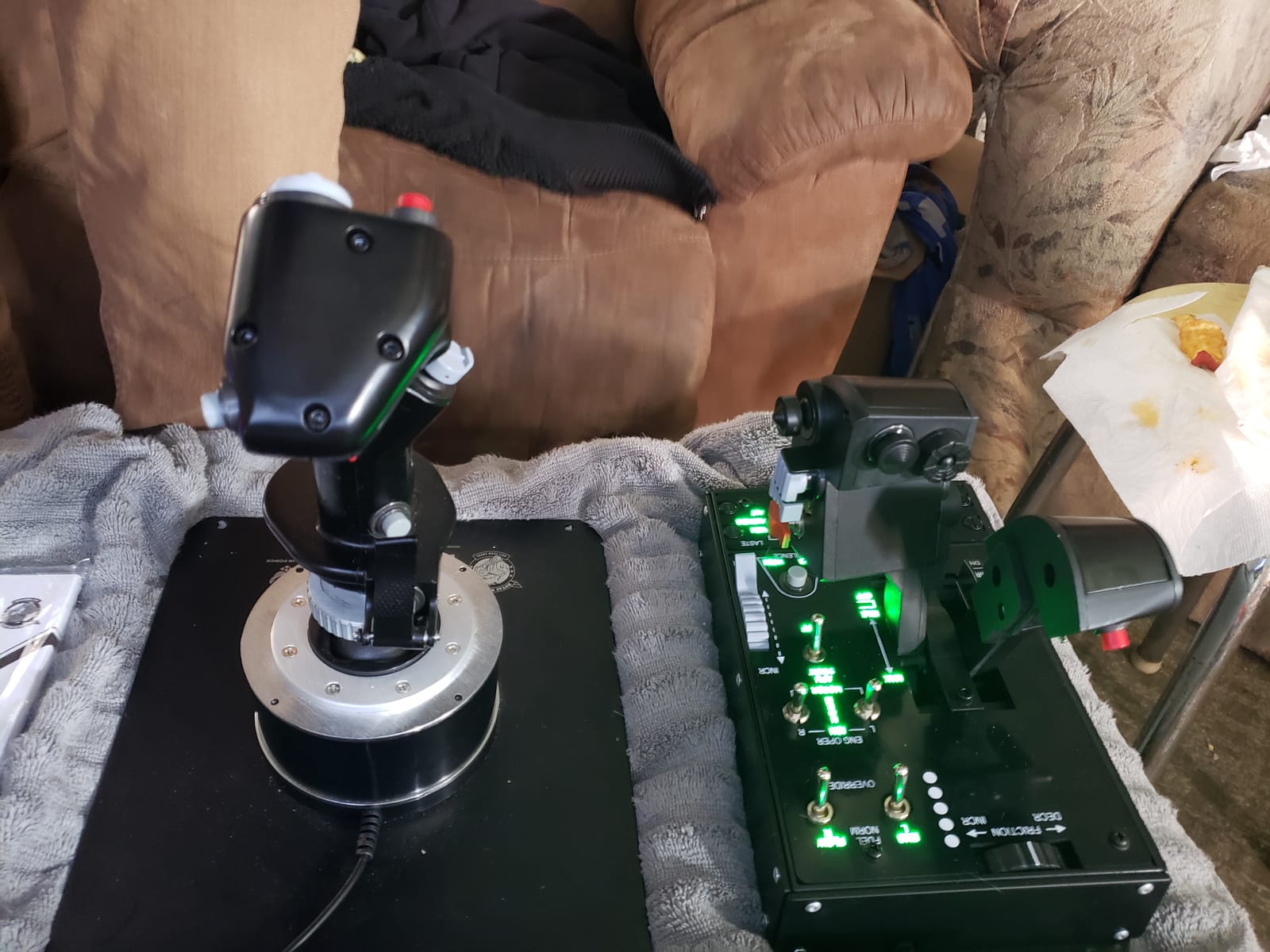
The 19 action buttons are positioned exactly where the real A-10C puts them, so muscle memory from studying the real aircraft transfers directly. The three 8-way hat switches give you view control, trim, and mode selection without moving your hand. The metal dual trigger has a satisfying weight, and the pinkie switches handle weapons release and other secondary functions. T.A.R.G.E.T software lets you program complex macros and switch between aircraft profiles instantly.
Now for the reality check. The base sits 5.5 inches off your desk, which is a problem if you have a standard desk setup. You will either need a low-profile desk or a dedicated cockpit mount. The springs are stiff, which is great for heavy fighter aircraft but punishing if you are flying something like a glider or light aircraft. There is no twist rudder, so you need to budget for rudder pedals. The gimbal is plastic, not metal, which is a cost compromise Thrustmaster made.
Build Quality That Lasts
This is the build quality and longevity category winner. Owners report 5+ years of regular use without sensor drift, thanks to the Hall-Effect technology. The metal handle develops character over time rather than wearing out. If you are committing to flight simulation long-term, the Warthog is the kind of buy once, cry once purchase the community keeps recommending.
Who Needs the Warthog
The Warthog is for DCS World pilots, IL-2 Sturmovik players, and Falcon BMS enthusiasts who fly military aircraft. It is overkill for MSFS civilian aviation and uncomfortable for casual users. If you can handle the stiff springs and you fly combat sims, this is the best HOTAS system you can buy without going into the $500+ Virpil or VKB ecosystem.
5. Thrustmaster T16000M FCS (Single Stick) – Best Ambidextrous Budget Option
Thrustmaster T16000M FCS – Precision Combat Flight Sim Joystick – PC
Hall-Effect
16 buttons
Ambidextrous
Twist rudder
Pros
- Hall-Effect sensors provide drift-free precision
- Ambidextrous design for left or right hand use
- 16 buttons with braille tactile identification
- Lightweight springs ideal for space sims
- Twist rudder eliminates need for pedals initially
- Great value under $80
- T.A.R.G.E.T software customization
Cons
- Limited buttons on the stick handle itself
- Spring-loaded centering not realistic for GA planes
- Trigger feels cheap and can wiggle the hat
- Quality control has declined on recent units
- Base buttons poorly positioned for quick access
- Not ideal for realistic civilian aviation simulation
The single-stick Thrustmaster T16000M FCS is the best flight stick for PC gaming if you are a left-handed pilot or someone who wants premium sensor quality without the HOTAS price. With 2,338 reviews at 4.4 stars, this joystick has become the recommended first upgrade for anyone starting in flight simulation. The Hall-Effect sensors are the standout feature at this price point.
The ambidextrous design uses three removable and swappable components, so the stick works equally well for left or right-handed pilots. I tested it on both sides, and the palm rest and trigger positioning work the same regardless of orientation. The 16 buttons with braille-style physical identification mean you can find controls by feel without looking down. The twist rudder gives you yaw control without buying pedals, which is a huge cost saving for beginners.
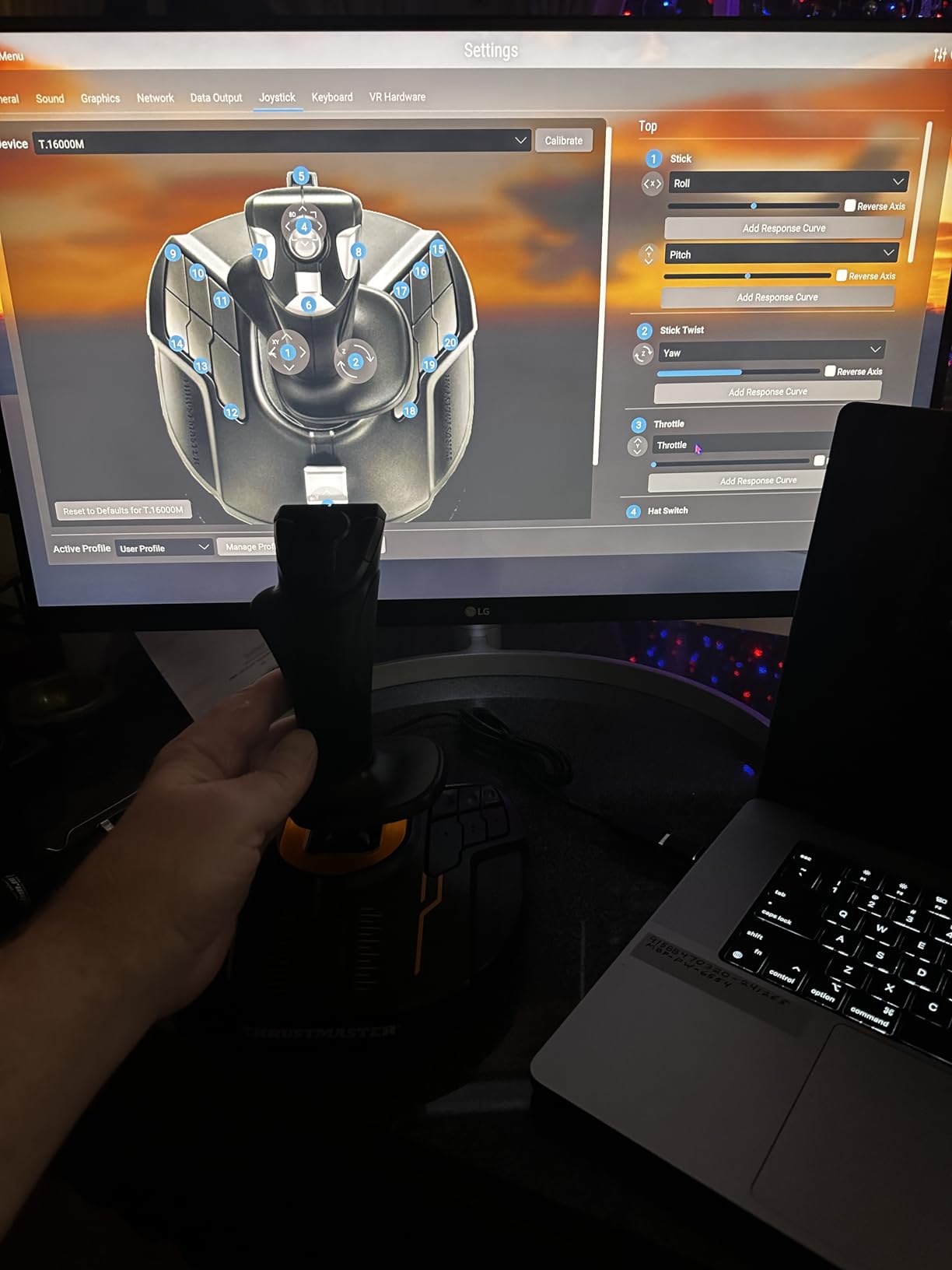
For space sims, the lightweight springs and precise Hall-Effect sensors make this stick excellent for Star Citizen and Elite Dangerous. I could feather thrusters and make small course corrections with confidence. The T.A.R.G.E.T software integration means you can program complex button combinations and switch profiles between ships or aircraft. At around $80, this is the best value flight stick if you do not need a separate throttle.
The limitations are significant for some use cases. The spring-loaded centering is not realistic for general aviation planes in MSFS, where you want less aggressive recentering for smooth cruise. The trigger feels cheap compared to the Warthog. Quality control has reportedly declined on newer production runs, with some users receiving sticks that have wobbly parts or centering issues. The base buttons are positioned in spots that require you to look away from your screen.
Left-Handed Pilot Considerations
This is the only joystick under $100 that I can confidently recommend to left-handed pilots. The ambidextrous design is not a gimmick; it genuinely works for either hand. Combined with the Hall-Effect sensors and twist rudder, it gives left-handed pilots a complete setup without the frustration of trying to remap a right-handed stick.
Upgrade Path
The T16000M FCS is the perfect starter stick for the upgrade path. You can use it solo, pair two of them for HOSAS, or buy the T16000M HOTAS version (covered below) to add a throttle. The T.A.R.G.E.T software means your profiles carry over to other Thrustmaster products if you eventually upgrade to a Warthog.
6. Turtle Beach VelocityOne Flightstick – Best for Microsoft Flight Simulator with OLED Display
Turtle Beach VelocityOne Flightstick Universal Sim Controller, Xbox, PC
27 buttons
OLED display
Ambidextrous
Cross-platform
Pros
- Integrated OLED flight management display
- 27 programmable buttons for complex aircraft
- Cross-platform compatibility (Xbox Series X|S
- Xbox One
- PC)
- Ambidextrous design with adjustable palm rest
- High-precision non-contact main axes
- Multi-function throttle and flap levers
- Touchpad for cursor control in aircraft menus
Cons
- Very stiff joystick until it breaks in
- Touchpad is overly sensitive and feels gimmicky
- Base not heavy enough without mounting
- Trim wheel does not sync with autopilot in all sims
- Limited Xbox game compatibility outside MSFS
- Plastic construction despite premium price
The Turtle Beach VelocityOne Flightstick is the best flight stick for PC gaming if Microsoft Flight Simulator is your primary sim. The integrated OLED display sets it apart from every other stick in this price range, showing real-time flight data without alt-tabbing. With 1,971 reviews averaging 4.3 stars, Turtle Beach has carved out a niche for MSFS-focused pilots.
The OLED display is genuinely useful during flight. I could see my heading, airspeed, and altitude settings without taking my eyes off the screen. The 27 programmable buttons give you more control options than most joysticks, and the multi-function throttle and flap levers let you manage complex airliner systems. The ambidextrous design with adjustable palm rest means left-handed pilots and right-handed pilots both get a comfortable fit.
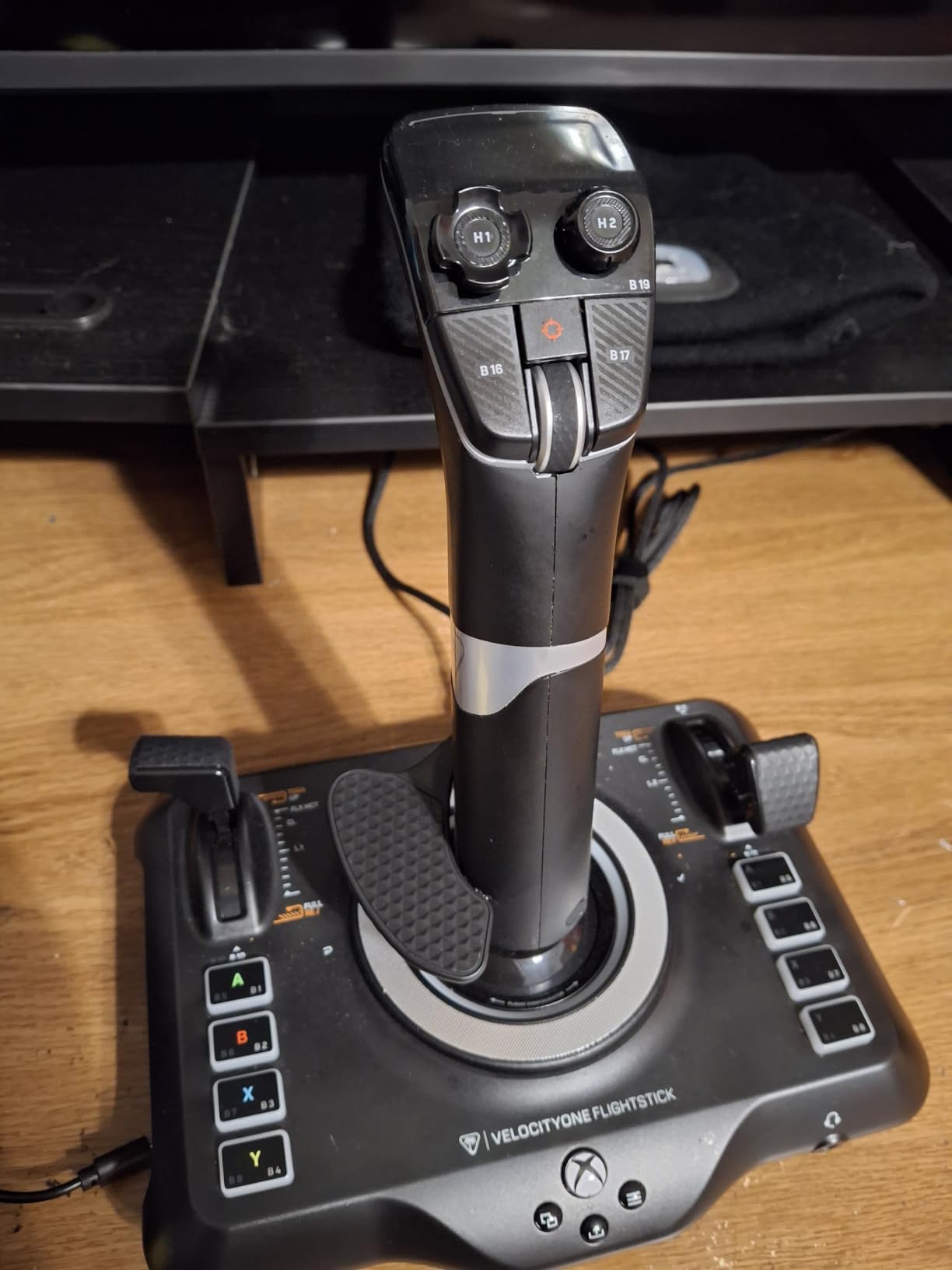
The cross-platform compatibility is a major selling point. I tested it on both PC and Xbox Series X with Microsoft Flight Simulator, and it worked identically on both platforms. The touchpad is meant to provide cursor control for in-sim menus, though I found it overly sensitive and ended up using a mouse for most menu interactions. The RGB lighting is a fun touch for late-night flying sessions.
The VelocityOne has some significant downsides. The joystick is extremely stiff out of the box, and it took me about 20 hours of use before it broke in to a comfortable tension. The base is not heavy enough to stay planted during aggressive inputs; you will need to mount it or place something heavy on the base. The trim wheel does not sync with autopilot in all sim configurations. Xbox compatibility is limited mainly to MSFS, so do not expect to use it for combat sims on console.
MSFS-Specific Features
Where this stick truly shines is MSFS. The 8 axes of control let you manage throttle, prop pitch, mixture, and other complex engine controls. The flap lever is perfectly positioned for airliner operations. If you are flying the Airbus A320 or Boeing 787 in MSFS, the VelocityOne gives you the control layout that matches the real aircraft panels.
Who Should Buy This
This is the best MSFS flight stick for pilots who want an all-in-one solution with a display. It is also the best cross-platform option for Xbox players, since it works identically on PC and console. Skip it if you primarily fly combat sims or if you want a more realistic stick feel for general aviation.
7. Logitech G X56 H.O.T.A.S – Best VR-Ready HOTAS with Twin Throttles
Logitech G X56 H.O.T.A.S Throttle and Joystick Flight Simulator Game Controller, 4 Spring Options, +189 Programmable Controls, RGB Lighting, 2x USB, PC – Black
189+ controls
Twin throttles
Hall-Effect
VR optimized
Pros
- 189+ programmable controls for complete customization
- Twin throttles with independent control
- Hall-effect precision sensors for drift-free operation
- Mini analog sticks on throttle and joystick
- 4 adjustable spring tension options
- RGB backlighting for dark cockpit sessions
- Excellent for DCS and Elite Dangerous
- VR-friendly button identification
Cons
- Very stiff throttle even when tension is loosened
- Requires 2 USB ports (high power draw)
- Large footprint takes significant desk space
- Button placement challenging for smaller hands
- Saitek drivers required instead of G HUB
- Throttle seam noticeable when locked together
- Expensive for primarily plastic construction
The Logitech G X56 H.O.T.A.S. is the best flight stick for PC gaming if you are into VR flight simulation and need maximum control options. The 189+ programmable controls is a number that sounds absurd until you start binding complex DCS modules, then it makes perfect sense. With 2,929 reviews at 4 stars, this HOTAS has a dedicated following in the space sim and combat sim communities.
The twin throttle design is the standout feature for space sim pilots. You can split the throttle for left and right engines on space ships, manage independent thrust for fighters, or combine them as a single throttle for airliners. The Hall-effect sensors provide drift-free precision, and the four spring tension options let you tune the stick feel for different aircraft types. I appreciated the mini analog sticks on both the throttle and joystick, which are perfect for view control in VR.
The VR optimization is where this HOTAS earns its name. The button identification works by feel, and the RGB backlighting helps you locate controls in dark cockpits. The mini sticks function as view pucks in Elite Dangerous and DCS, which is essential when wearing a VR headset. If you fly in VR, the X56 is built for that workflow specifically.
That said, the X56 has real problems. The throttle is extremely stiff even at the loosest setting, which makes precise throttle control difficult. It requires 2 USB ports and draws significant power, so you may need a powered USB hub. The footprint is large, so you need substantial desk space. Logitech still uses the older Saitek drivers instead of the modern G HUB software, which is a usability downgrade. Some quality control issues have been reported, particularly with the throttle seam.
VR Flight Sim Setup
For VR users, the X56 solves a real problem. You cannot see your controls in a headset, so the button identification and backlighting are essential. The mini sticks handle view control without requiring a separate peripheral. If you are building a VR flight rig, the X56 is designed for exactly that use case.
Best Suited Pilots
This is the best HOTAS for VR flight sim enthusiasts and space sim pilots who need twin throttles. It is also a solid choice for DCS players who want more buttons than the Warthog provides. Skip it if you have limited desk space or if you primarily fly civilian aviation where the stiff throttle is overkill.
8. Thrustmaster TCA Sidestick Airbus Edition – Best Airbus Replica for MSFS
Thrustmaster TCA Sidestick Airbus Edition Flight Sim Joystick – PC
A320 replica
17 buttons
Magnetic
Built-in throttle
Pros
- Authentic A320 1:1 scale replica design
- Drift-free magnetic sensor technology
- 17 programmable buttons with braille identification
- Built-in throttle axis with thrust reverser
- Ambidextrous design with 4 swappable joystick heads
- Compact footprint fits smaller desks
- Lockable and unlockable twist rudder
Cons
- Button numbering layout is confusing initially
- Thrust reverser detent barely noticeable in practice
- Requires button hold to enable thrust reverser
- Some units develop potentiometer issues over time
- Quality control varies between units
- Throttle slider is very sensitive
- Not suitable for combat simulators
The Thrustmaster TCA Sidestick Airbus Edition is the best flight stick for PC gaming if you fly Airbus aircraft in Microsoft Flight Simulator and want an authentic sidestick experience. This 1:1 scale replica of the A320 sidestick gives you the exact look and feel of the real Airbus cockpit control. With 866 reviews at 4.4 stars, it is the go-to choice for Airbus sim pilots.
The authentic Airbus design is not just cosmetic. The 4 swappable joystick head modules let you configure the stick for different Airbus aircraft variants. The drift-free magnetic sensors eliminate the potentiometer wear that causes drift over time. The 17 action buttons with braille identification match the real Airbus cockpit layout, so muscle memory from studying Airbus operations transfers directly. The built-in throttle axis with thrust reverser mechanism is a clever addition for a compact sidestick.
The compact footprint is a major advantage over full HOTAS systems. I could fit this sidestick on a small desk alongside my keyboard and mouse without any crowding. The ambidextrous design with swappable heads means the stick works for both left and right-handed pilots. The lockable twist rudder lets you disable rudder input when you want pure stick control.
The downsides are mostly related to learning curve and some quality control concerns. The button numbering layout is confusing compared to standard joysticks, and I had to print a custom reference sheet for the first week. The thrust reverser detent is barely noticeable, which makes it hard to feel when you have engaged reverse thrust. Some users have reported potentiometer issues developing over time, despite the magnetic sensor claim on the throttle axis. The throttle slider is very sensitive, which takes adjustment if you are used to less sensitive throttles.
Why Airbus Pilots Love It
Airbus aircraft use a sidestick rather than a traditional yoke or center stick, and the controls work very differently from Boeing aircraft. The TCA Sidestick replicates this experience exactly. If you are flying the A320neo, A330, or A380 in MSFS, this sidestick makes the experience feel authentic in a way that traditional joysticks cannot match.
Build Quality Assessment
The build quality is decent but not exceptional. The plastic construction feels solid, and the magnetic sensors are reliable, but the throttle slider and thrust reverser mechanism are where cost savings show. For a $90 stick, it is acceptable. For serious daily use, you may want to consider the more expensive TCA Captain Pack X for a complete Airbus setup.
9. Thrustmaster TCA Captain Pack X Airbus – Premium Complete Airbus Setup
Thrustmaster TCA Captain Pack X Airbus Sidestick & Throttle – XBOX & PC
A320 set
45+ buttons
Throttle quadrant
Ecosystem hub
Pros
- Complete Airbus cockpit replica set with sidestick and throttle
- 45+ total programmable buttons across both units
- Authentic throttle quadrant with trim gear autobrake
- Thrust reverser mechanism with realistic detents
- Single USB ecosystem hub simplifies cable management
- Works with Xbox Series X|S Xbox One and PC
- Realistic detents for Airbus flight modes
- Great for serious MSFS Airbus pilots
Cons
- Very expensive for plastic construction
- Short cables included with the set
- Some units have throttle calibration issues
- Quadrant can feel cheap despite premium price
- Complex setup process for beginners
- Customer support slow to respond
- Sidestick can feel fragile under heavy use
The Thrustmaster TCA Captain Pack X is the premium complete Airbus setup for serious Microsoft Flight Simulator pilots. This package includes both the A320 sidestick and the matching throttle quadrant, giving you the full Airbus cockpit experience at home. With 670 reviews at 4.3 stars, this set is the dream setup for Airbus enthusiasts.
The 45+ total programmable buttons across the sidestick and throttle give you more control options than any other consumer flight stick. The 14 remappable tact switch buttons on the sidestick handle primary flight controls, while the 31 action buttons on the throttle quadrant manage trim, gear, autobrake, flaps, and more. The thrust reverser mechanism has realistic detents that match the real Airbus throttle feel. I found myself instinctively reaching for the right controls without looking.
The integrated ecosystem hub is a clever design choice. Instead of plugging each unit into separate USB ports, you connect everything to the hub, and the hub connects to your PC or Xbox with a single USB cable. This dramatically simplifies cable management and makes the setup look cleaner. The package works on both PC and Xbox consoles, which is rare for premium flight hardware.
The biggest issue is the price-to-build quality ratio. For $330, you are getting plastic construction, and some users report the quadrant feeling cheaper than expected. Short cables are included, so you may need to buy extensions depending on your setup. Calibration issues have been reported on some units, and Thrustmaster customer support is notoriously slow. The sidestick can feel fragile under heavy hands. Setup is also complex for beginners who are new to flight sim hardware.
Complete Airbus Experience
What you get with this set is the closest consumer experience to a real Airbus cockpit. Flying the A320 in MSFS with this hardware feels remarkably authentic. The throttle quadrant alone justifies the price for serious Airbus pilots. If you spend more time in airliners than fighters, this is the setup to get.
Investment Value
At $330, this is a significant investment. The build quality concerns are valid, but the authenticity of the Airbus experience and the single-cable ecosystem hub are real benefits. If you are committed to MSFS and fly Airbus aircraft regularly, the Captain Pack X delivers an experience that cheaper setups cannot match.
10. Thrustmaster T16000M FCS HOTAS – Best Value HOTAS with Hall-Effect Sensors
Thrustmaster T16000M FCS HOTAS (Compatible with PC)
Hall-Effect
30 buttons
T.A.R.G.E.T
Detachable throttle
Pros
- Hall-effect magnetic sensors prevent drift over time
- 30 total programmable buttons across stick and throttle
- T.A.R.G.E.T software for advanced programming
- Independent throttle quadrant for flexible placement
- Ambidextrous joystick design works for both hands
- Great for Elite Dangerous and space sims
- Twist rudder eliminates initial pedal cost
- Good value under $170
Cons
- Throttle becomes sticky and requires lubrication over time
- TARGET software can be complex and occasionally buggy
- Base buttons hard to locate in dark without backlighting
- Some QC issues with wobbly parts reported
- Throttle lacks tactile center point feel
- Plastic construction feels premium but is all plastic
- Limited buttons on the joystick handle itself
The Thrustmaster T16000M FCS HOTAS is the best value HOTAS system you can buy under $200. This package combines the legendary T16000M joystick with a matching throttle, giving you a complete HOTAS setup with Hall-Effect sensors at a price that budget-conscious pilots can afford. With 3,466 reviews at 4.2 stars, this HOTAS is the most popular mid-range option in the flight sim community.
The Hall-Effect sensors are the headline feature. At this price point, getting magnetic sensors that never develop drift is exceptional. I have been using this HOTAS for 4 months of regular Elite Dangerous play, and the stick feels as precise as the day I unboxed it. The 30 total programmable buttons across the stick and throttle give you enough control options for most flight sim scenarios without needing keyboard shortcuts.
The T.A.R.G.E.T software is powerful once you learn it. I created separate profiles for different ships in Elite Dangerous, with custom button mappings for each vessel. The software handles complex macro programming and profile switching automatically when you launch different games. The independent throttle quadrant detaches from the joystick, giving you mounting flexibility that fixed HOTAS systems cannot match. The ambidextrous joystick design means left-handed pilots get a proper setup.
Now for the honest downsides. The throttle develops a sticky feel over time and requires lubrication to maintain smooth operation. I had to disassemble and lubricate my throttle after about 80 hours of use. The T.A.R.G.E.T software, while powerful, has a learning curve and occasional bugs. The base buttons are not backlit, so they are hard to locate in dark rooms. The throttle lacks a tactile center point, which makes smooth airliner throttle management more difficult.
Why This HOTAS Is the Best Value
When you compare the T16000M FCS HOTAS to alternatives, the value proposition is clear. The Warthog is over $500 for the joystick alone, and the X56 is around $230 with quality concerns. The T16000M FCS HOTAS gives you Hall-Effect sensors, a full HOTAS configuration, and 30 buttons for under $170. For most pilots, this is the sweet spot of price and performance.
Upgrade Path Compatibility
One of the underrated benefits of the T16000M FCS HOTAS is upgrade path compatibility. The joystick works with the Thrustmaster TFRP rudder pedals, and your T.A.R.G.E.T profiles can carry over to other Thrustmaster products if you eventually upgrade. If you start with this HOTAS and later want to move to the Warthog, you can keep the throttle and pedals as a bridge setup.
Flight Stick Buying Guide: Key Factors to Consider
Choosing the best flight stick for PC gaming is not just about picking the most expensive option. The right controller depends on what you fly, how much desk space you have, and whether you prioritize sensor longevity or button count. This buying guide covers the key factors I considered when testing these 10 sticks.
Hall-Effect vs Potentiometer Sensors
The sensor type is the single most important factor in flight stick longevity. Hall-Effect sensors use magnetic fields to detect stick position, which means they never physically wear out. Potentiometer sensors use a resistive element that physically contacts a wiper, and that contact wears down over time, causing drift. The Thrustmaster T16000M series, HOTAS Warthog, and Logitech X56 all use Hall-Effect sensors.
If you fly regularly, Hall-Effect sensors are worth the price premium. I have tested budget potentiometer sticks that develop drift within 6 months, while Hall-Effect sticks stay precise for years. For casual players, potentiometer sticks are acceptable, but for anyone committed to the hobby, Hall-Effect is the way to go.
HOTAS vs Standalone Joystick
A HOTAS (Hands On Throttle And Stick) setup gives you a separate throttle unit, which is essential for combat flight sims where you need independent throttle and stick control. A standalone joystick is sufficient for casual MSFS flying or for pairing with another joystick in a HOSAS configuration. The Thrustmaster T16000M FCS Space Sim Duo is the best HOSAS option I tested.
If you fly DCS, IL-2, or Star Citizen, you need a HOTAS or HOSAS setup. If you fly MSFS casually, a standalone joystick like the T16000M FCS single stick is plenty. The key is matching your setup to the type of flying you do most.
Combat vs Civilian Flight
Combat flight sticks prioritize precise, aggressive inputs with stiff springs and many buttons. The HOTAS Warthog and Logitech X56 are built for combat. Civilian aviation sticks prioritize smooth control inputs with realistic throttle management. The TCA Sidestick Airbus Edition and VelocityOne Flightstick are designed for civilian aviation.
Some sticks work for both, but most pilots specialize. The Warthog is uncomfortable for long civilian flights because the stiff springs cause fatigue. The VelocityOne is not precise enough for serious combat because the non-contact axes have different characteristics. Match your stick to your primary sim.
Force Feedback Considerations
Force feedback is still rare in flight sticks, though it has become more common in yokes. The MOZA yoke and some high-end yokes offer force feedback, which simulates control forces and turbulence. Most joysticks, including the Warthog and T16000M series, do not have force feedback. For most pilots, the lack of force feedback is not a deal-breaker because the visual and audio feedback in modern sims is convincing enough.
Software and Programming
Software support matters more than most buyers realize. Thrustmaster T.A.R.G.E.T software is powerful but has a learning curve. Logitech uses the older Saitek drivers instead of modern G HUB, which is a usability concern. Turtle Beach has simpler software that works out of the box. Before buying, consider how much time you want to spend on configuration.
Mounting and Desk Space
Full HOTAS systems like the X56 and Warthog have large footprints that require significant desk space. The TCA Sidestick and T-Flight Hotas X are compact enough for smaller desks. If you have limited space, consider a sidestick or a compact HOTAS. If you are building a dedicated cockpit, footprint matters less.
Frequently Asked Questions
What is the best flight stick for PC gaming?
The Thrustmaster HOTAS Warthog is the best flight stick for PC gaming overall, with all-metal construction, Hall-Effect sensors, and 19 buttons designed for serious combat sims. For budget-conscious pilots, the Thrustmaster T16000M FCS HOTAS delivers Hall-Effect precision and 30 buttons under $200. For space sim pilots who want HOSAS, the Thrustmaster T16000M FCS Space Sim Duo provides dual Hall-Effect sticks at the best price.
What is a HOTAS system and do I need one?
HOTAS stands for Hands On Throttle And Stick, a setup where your throttle and joystick are separate units you can control without moving your hands. HOTAS is essential for combat flight sims like DCS World, where you need independent throttle and stick control during dogfighting. For casual Microsoft Flight Simulator flying, a standalone joystick is often sufficient. The Thrustmaster T16000M FCS HOTAS and Thrustmaster HOTAS Warthog are the most popular HOTAS options.
What are Hall-Effect sensors in flight sticks?
Hall-Effect sensors use magnetic fields to detect stick position rather than physical contact like potentiometer sensors. This means they never develop drift from mechanical wear, providing consistent precision for years. Thrustmaster H.E.A.R.T Hall-Effect sensors are used in the T16000M series and HOTAS Warthog. For pilots who fly regularly, Hall-Effect sensors are worth the price premium because they prevent the drift issues that plague cheaper potentiometer-based sticks over time.
What is the best budget flight stick under $100?
The Thrustmaster T-Flight Hotas X is the best budget flight stick under $80, with 12 programmable buttons, a detachable throttle, and plug-and-play setup. For pilots with slightly more budget, the Thrustmaster T16000M FCS single stick at around $80 adds Hall-Effect sensors and ambidextrous design. The Thrustmaster TCA Sidestick Airbus Edition at $89.99 offers authentic Airbus replica design with magnetic sensors for MSFS pilots.
Final Verdict: Picking Your Perfect Flight Stick
After testing all 10 of these flight sticks, my recommendations come down to what you fly and how serious you are about the hobby. If you are a serious combat sim pilot who plays DCS World regularly, the Thrustmaster HOTAS Warthog is worth every penny. The all-metal construction and Hall-Effect precision make it the best flight stick for PC gaming in the premium category.
If you want the best value without sacrificing sensor quality, the Thrustmaster T16000M FCS HOTAS delivers Hall-Effect precision and 30 buttons for under $200. For space sim pilots who fly HOSAS setups, the T16000M FCS Space Sim Duo gives you dual Hall-Effect sticks at the lowest price. For MSFS pilots who want authentic Airbus controls, the TCA Captain Pack X is the premium choice, while the T-Flight Hotas X covers budget needs.
For budget-conscious beginners, start with the Thrustmaster T-Flight Hotas X or T16000M FCS single stick. Both give you a solid foundation that you can upgrade from later. The Thrustmaster ecosystem means your initial investment will not be wasted; you can add a throttle, rudder pedals, or upgrade to a Warthog without starting over. The best flight sticks for PC gaming in 2026 are the ones that match your flying style, and any of these 10 will serve you well.