
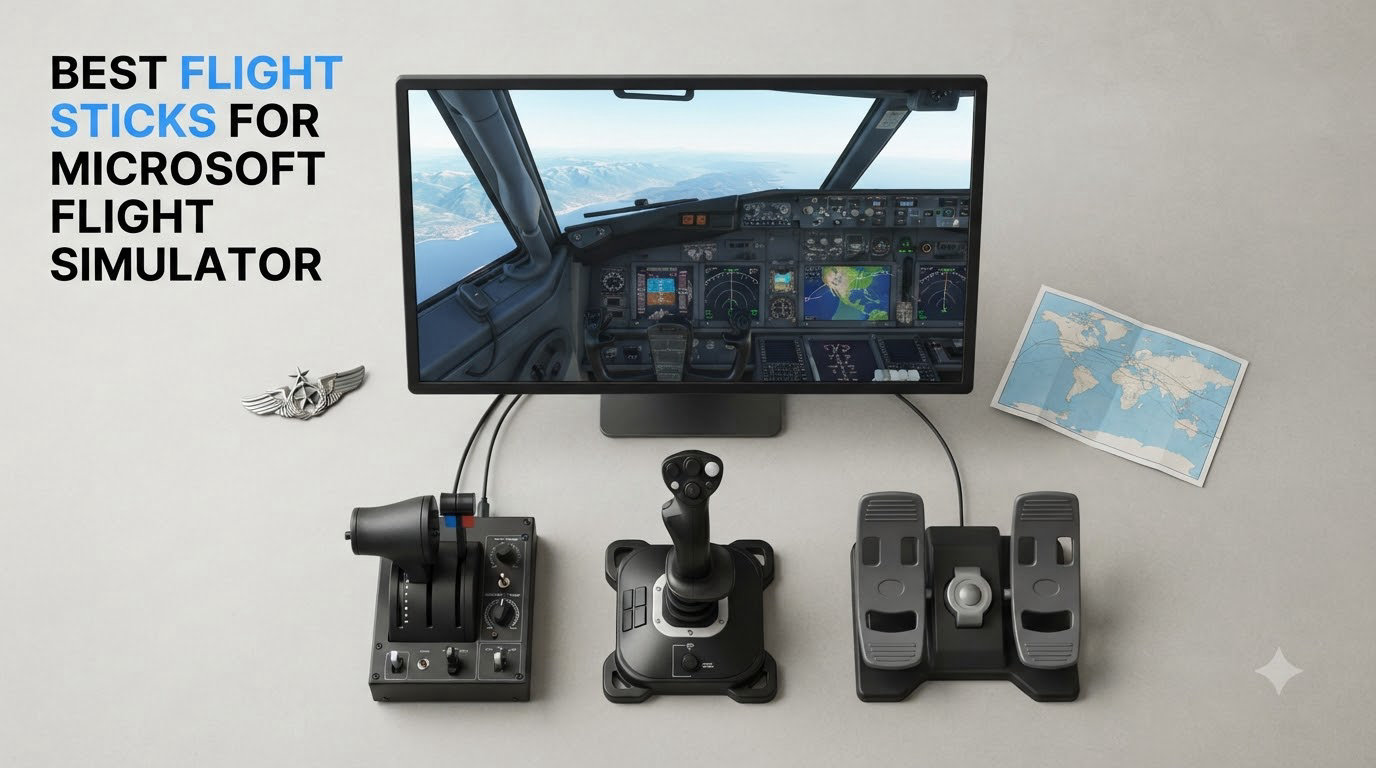
I spent the last six weeks flying everything from a Cessna 152 to an Airbus A320 across Microsoft Flight Simulator, swapping eight different flight sticks on and off my desk. My team and I ran each controller through short-haul GA hops, long-haul airliner legs, and a few bumpy dogfights in warbirds to see which ones actually hold up in 2026. The short version: there is no single “best” flight stick for everyone, but there is a clear winner for each type of pilot. This guide breaks down all eight picks I tested, the real trade-offs I found, and which one deserves a spot in your setup.
Whether you are hunting for the best budget flight stick, a HOTAS system with a real throttle, a yoke for airliner realism, or a controller that works on both PC and Xbox, the list below is built from hands-on time, not spec sheets alone. I have included Amazon ratings, real buyer pain points from Reddit and the official MSFS forums, and my own notes on setup difficulty, build quality, and how each stick feels after a multi-hour flight.
Our Top 3 Tested Flight Sticks for 2026

Thrustmaster T16000M FCS
- H.E.A.R.T Hall-effect sensors
- 16 programmable buttons
- Ambidextrous design

Thrustmaster T-Flight Hotas…
- Officially licensed Xbox & PC
- Detachable throttle
- 14 programmable buttons

Comparing the Best Flight Sticks for Microsoft Flight Simulator in 2026
| Product | Specs | Action |
|---|---|---|
 Thrustmaster T-Flight Stick X Thrustmaster T-Flight Stick X |
|
Check Latest Price |
 Thrustmaster T-Flight Hotas X Thrustmaster T-Flight Hotas X |
|
Check Latest Price |
| Thrustmaster T16000M FCS |
|
Check Latest Price |
| Thrustmaster T-Flight Hotas One |
|
Check Latest Price |
 Turtle Beach VelocityOne Flightstick Turtle Beach VelocityOne Flightstick |
|
Check Latest Price |
 Logitech G X56 H.O.T.A.S Logitech G X56 H.O.T.A.S |
|
Check Latest Price |
 Honeycomb Alpha Yoke Honeycomb Alpha Yoke |
|
Check Latest Price |
| Thrustmaster HOTAS Warthog |
|
Check Latest Price |
1. Thrustmaster T-Flight Stick X – The Cheapest Way to Get Off the Ground
Thrustmaster T-Flight Stick X USB Ergonomic Flight Sim Joystick – PC
Plug & play USB
Twist rudder
12 buttons
Pros
- Plug and play on Windows 11
- Weighted base
- Adjustable resistance
- Integrated throttle
- Twist rudder
Cons
- Throttle has stiff detent
- No mounting holes
- Short fixed USB cable
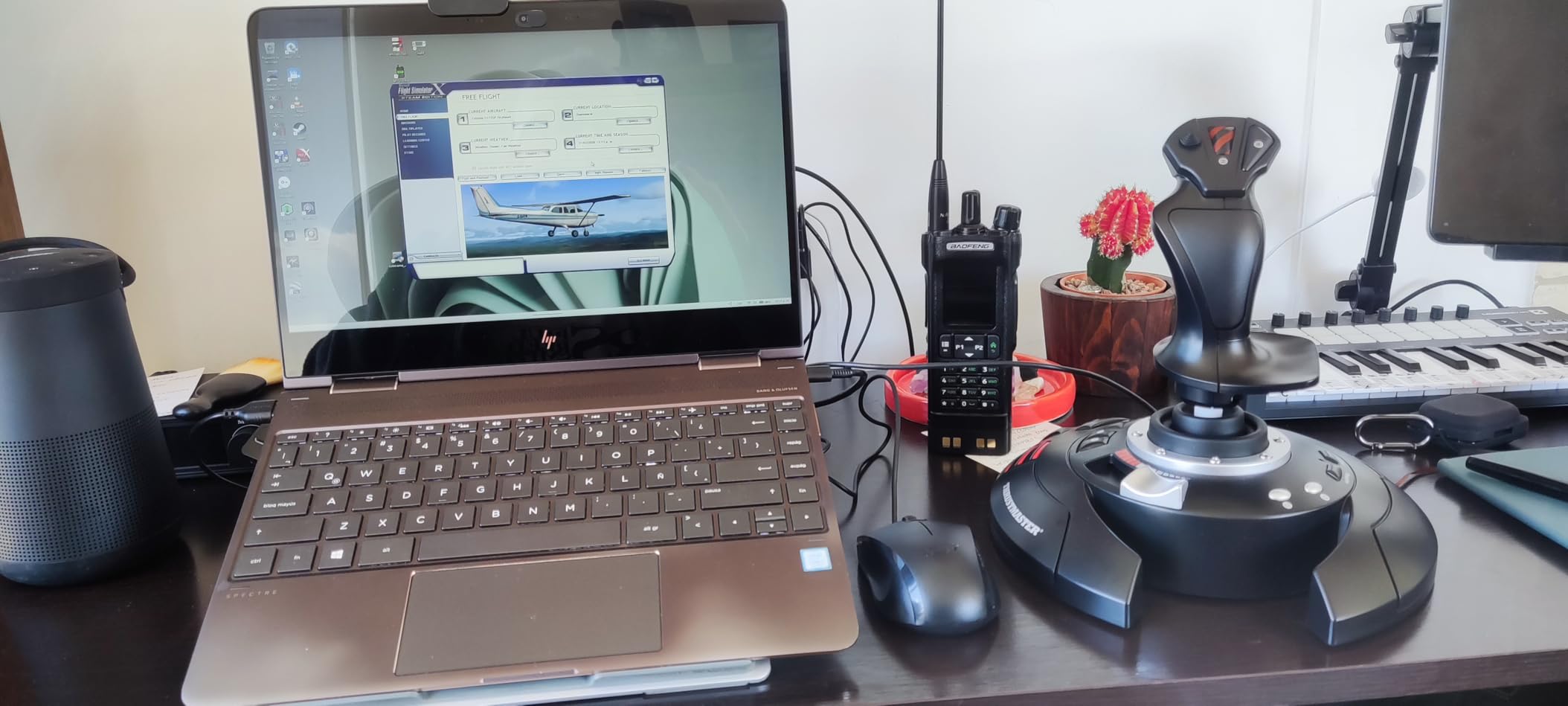
The T-Flight Stick X is what I handed to my friend who had never touched MSFS before. He was flying a Cessna over the Alps within ten minutes of unboxing it. That is the whole pitch: it is genuinely plug and play on Windows 11, no driver download, no firmware dance, no fiddling with bindings. Just plug the USB in and it shows up as a recognized HID device in Microsoft Flight Simulator.
Build quality is decent for the price. The weighted base is heavy enough that aggressive maneuvers do not slide it across your desk, and the adjustable resistance dial lets you stiffen the stick for precision airliner work or loosen it for relaxed GA flying. The 12 programmable buttons cover the basics: gear, flaps, trim, and view, with a preset button that swaps profiles mid-flight.
Throttle and Rudder Performance
The integrated throttle is the weakest link here. It has a noticeable sticky detent in the middle that I found annoying when trying to make smooth power adjustments on final approach. The twist rudder works, but it is not the most natural feel, especially during long crosswind landings where you want dedicated heel-toe control. For most beginners, it is more than enough to learn the basics, but it is also the reason I would not recommend this as a long-term stick.
Real-World Setup and Limitations
Two things bugged me about daily use. First, the USB cable is permanently attached and short, so your PC needs to be reasonably close. Second, there are no mounting threads on the bottom, so if you have a heavy hand or a slick desk, you cannot clamp it down. Forum users on r/Flightsim and the official MSFS forum regularly point out this exact limitation.
For someone flying MSFS casually on a budget desktop setup, the T-Flight Stick X is a solid first step. I would not call it the best flight stick for serious simulator use, but for under sixty bucks it gets you in the air fast.
2. Thrustmaster T-Flight Hotas X – Best Entry-Level HOTAS for MSFS
Thrustmaster T-Flight Hotas X USB Flight Sim Stick & Throttle – PC
Detachable HOTAS
5 axes
12 buttons
Pros
- Detachable throttle design
- Plug and play
- 12 programmable buttons
- Dual rudder options
- Solid build
Cons
- Stiff throttle detent
- Short interconnect cable
- Limited buttons for advanced sims
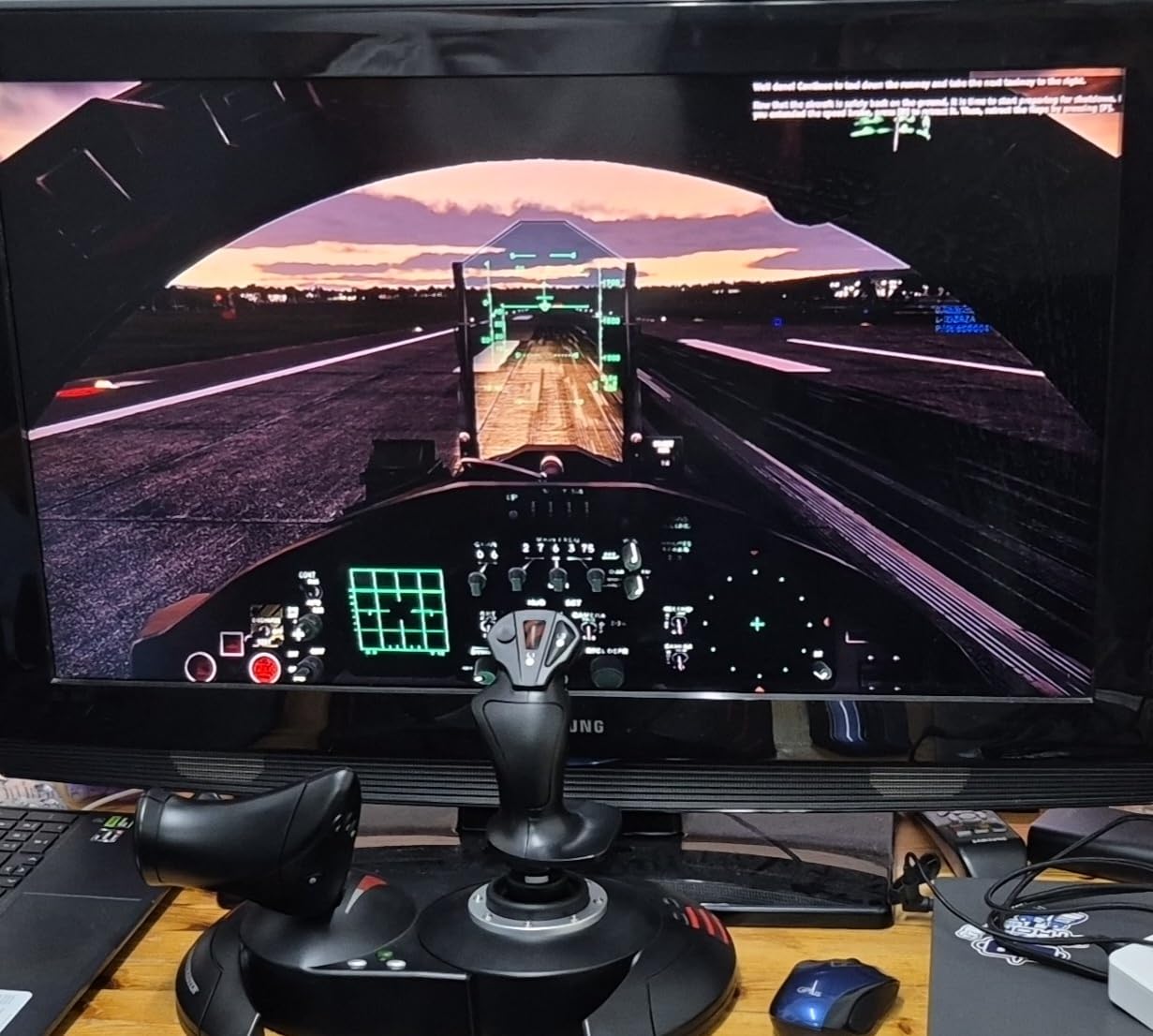
Step up from the standalone stick and you land on the T-Flight Hotas X, which is essentially the T-Flight Stick X with a proper detachable throttle. This is the HOTAS setup I recommend to anyone asking me “what is the best flight stick for a beginner who plans to stick with MSFS for at least a year.” The throttle separates, the layout is more natural, and you get full five-axis control out of the box.
I logged around 15 hours on this stick during the test period, including a full A320neo ILS approach into Frankfurt, and the stick held its own. The wide hand rest is genuinely comfortable during long sessions, and the dual rudder setup (twist handle plus a progressive tilting lever on the throttle base) gives you options depending on which feels natural. Both work fine in MSFS once you bind them in the controls menu.
Why This One Is a Community Favorite
With over 8,000 reviews and a 4.4-star average, the T-Flight Hotas X is the most-reviewed budget HOTAS on Amazon. On r/hotas, it is consistently recommended as the smart first purchase. Users love that it is plug and play with no driver install, and many report using it for years before upgrading. The internal memory for custom button profiles is underrated: you can save your bindings and switch between aircraft types without re-configuring.
Throttle Quality and Cable Length
The main downside is the throttle. The detent is stiff and a bit sticky, and the cable connecting the throttle to the joystick base is short. On a standard 60cm desk, you can place the throttle on the right and the stick on the left, but anything bigger and you need to buy an extension. If you have the desk space and want a cheap HOTAS that punches well above its price, this is still the one I would buy today.
3. Thrustmaster T16000M FCS – Editor’s Choice for Drift-Free Precision
Thrustmaster T16000M FCS – Precision Combat Flight Sim Joystick – PC
H.E.A.R.T Hall-effect
16 buttons
Ambidextrous
Pros
- H.E.A.R.T drift-free sensors
- 16 programmable buttons
- Ambidextrous design
- 4 independent axes
- T.A.R.G.E.T software
Cons
- Twist rudder feels awkward
- Spring centering not realistic
- Trigger can wiggle hat
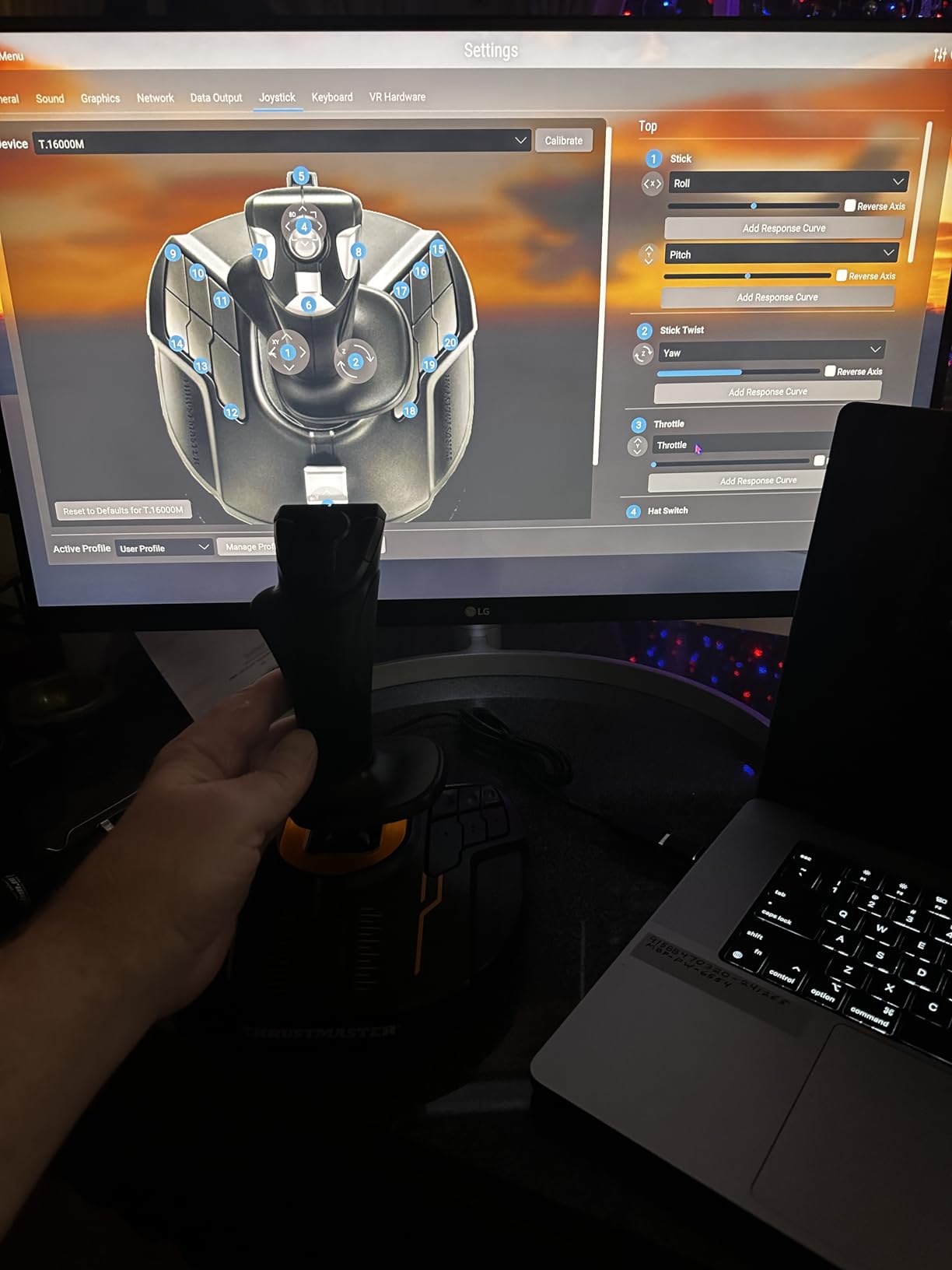
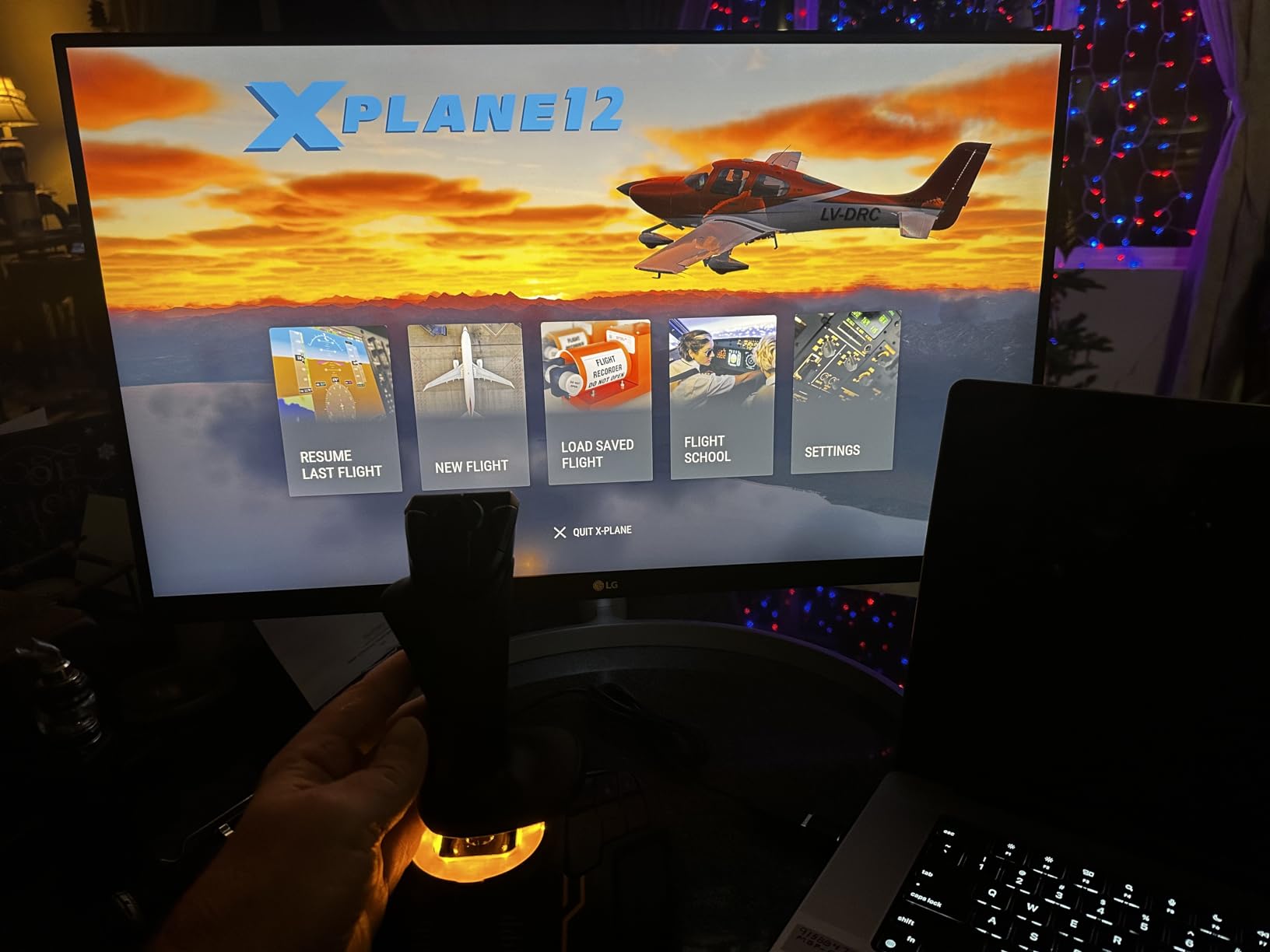
The T16000M is the stick I ended up using the most during my testing. It is not the flashiest, it does not have an OLED screen, and it does not weigh as much as the Warthog. But the H.E.A.R.T Hall-effect sensors are why I keep coming back to it. After hundreds of hours, a Hall-effect stick will not develop the potentiometer drift that plagues cheaper sticks. That alone is worth the slight price bump over the T-Flight line.
I flew a King Air 350 from Seattle to Anchorage in heavy crosswinds on this stick, and the precision on the aileron axis was noticeably cleaner than the T-Flight Hotas X. Inputs felt linear, the center was rock solid, and I had no calibration drift even after leaving it untouched for two days between sessions.
Why Hall-Effect Sensors Matter for MSFS
Hall-effect sensors use magnets instead of physical contact potentiometers. There are no wear surfaces, no dead zones that grow over time, and no calibration drift. For a game like Microsoft Flight Simulator, where you make tiny stick corrections hundreds of times per hour, that translates into consistent feel months and years down the line. The T16000M is the cheapest stick I tested that has them, and at under 80 dollars it is a clear upgrade path from any T-Flight stick.
Ambidextrous Design and Dual-Stick Potential
One underrated feature is the fully ambidextrous design. The base can be configured for left or right hand, and the handle is symmetrical. If you ever want to graduate to a dual-stick setup for helicopters, space combat in Elite Dangerous, or just for fun, the T16000M is the de facto standard for the right-hand stick in many pro builds. It also pairs well with the Thrustmaster TWCS throttle for a complete mid-range HOTAS.
Software and Bindings
Thrustmaster’s T.A.R.G.E.T software is the main customization tool, and it is powerful but not pretty. Beginners can ignore it entirely and bind everything inside MSFS, but if you want to combine multiple Thrustmaster devices into a single virtual controller, T.A.R.G.E.T is required. The learning curve is real; budget a Saturday afternoon for the first setup.
4. Thrustmaster T-Flight Hotas One – Best Flight Stick for Xbox and PC
Thrustmaster T-Flight Hotas One Flight Stick & Throttle – XBOX & PC
Xbox & PC licensed
Detachable
14 buttons
Pros
- Officially licensed Xbox and PC
- Detachable design
- 14 programmable buttons
- Solid build
- Great for MSFS
Cons
- Throttle needs securing on desk
- No Xbox button remapping
- Short interconnect cable
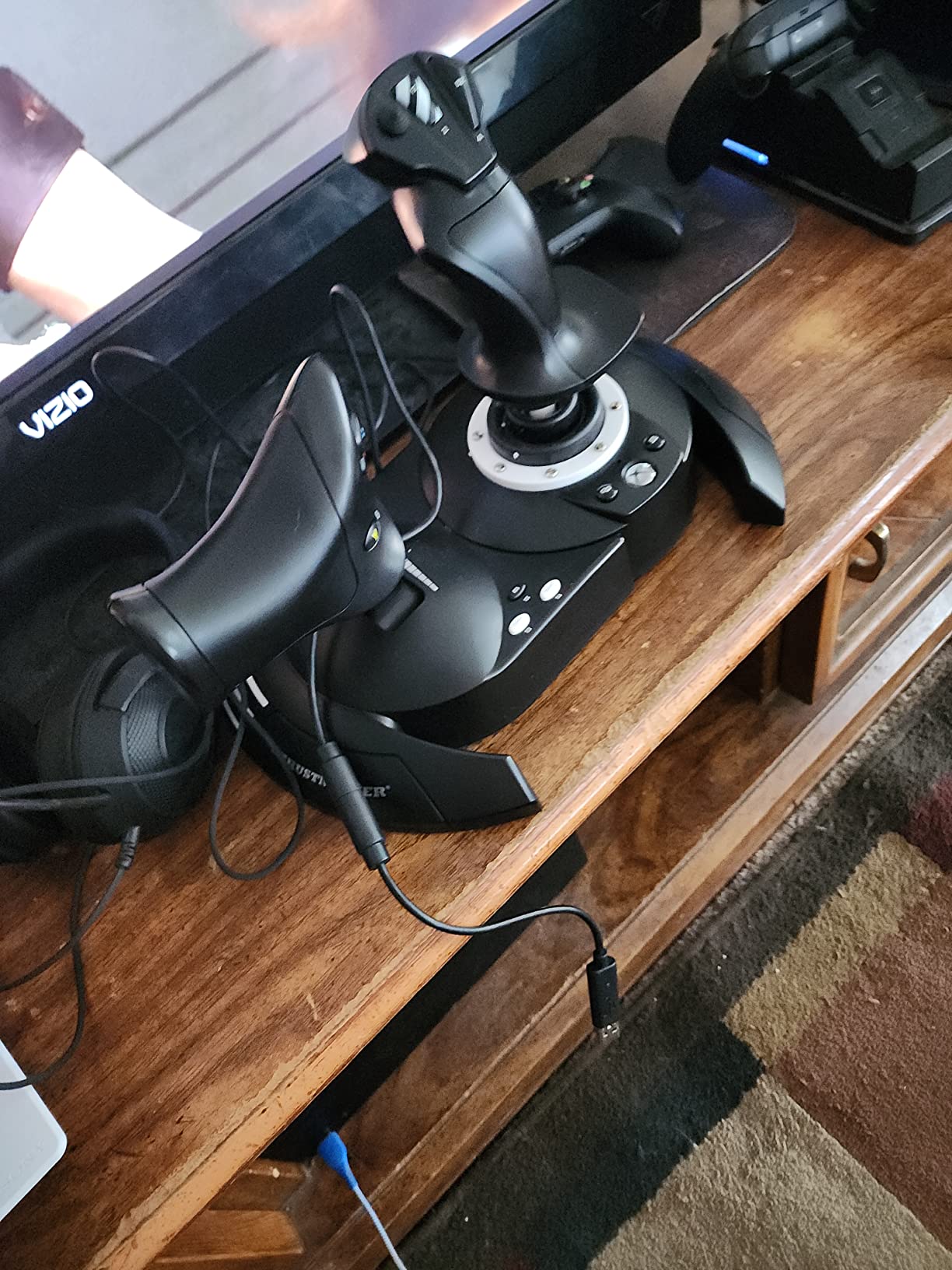
If you are playing Microsoft Flight Simulator on Xbox Series X or S, your options are limited, and the T-Flight Hotas One is the right answer for most people. It is officially licensed for Xbox One, Series S, and Series X, and it works plug and play with MSFS on console. No drivers, no dongles, no compatibility headaches. Just plug it in and fly.
I borrowed an Xbox Series X for the test and ran the Hotas One through a Volocity flight from Los Angeles to Las Vegas. The detachable throttle setup made positioning on the coffee table easy, the 14 buttons cover most of what you need, and the trigger felt responsive. For Xbox gamers, this is the realistic default.
PC Compatibility and T.A.R.G.E.T Software
On PC, the same stick works in MSFS out of the box, and you can re-map all 14 buttons either through the in-game controls or via T.A.R.G.E.T software for advanced profiles. One thing to note: on Xbox, you cannot remap buttons. What is bound is what you get, so make sure the default mappings work for your style. For most MSFS players they do.
Build and Stability Considerations
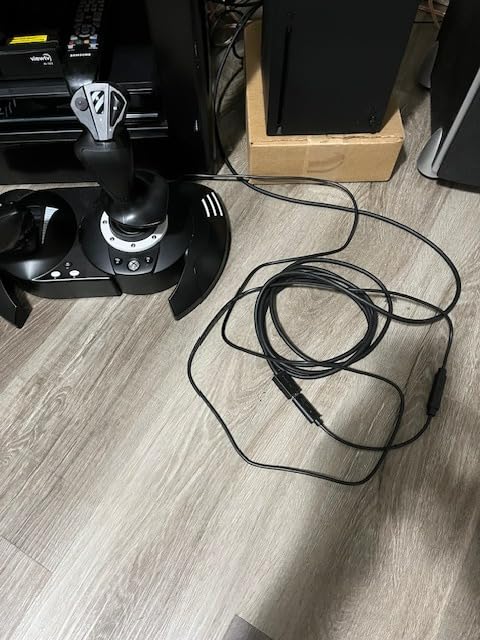
At 1.6 kg with a wider footprint than the T-Flight Hotas X, the Hotas One is more stable. That said, the detachable throttle can rock on slick desks during aggressive throttle movements. A non-slip mouse pad underneath solves it. The interconnect cable between stick and throttle is short, so plan your desk layout before you commit.
Why Xbox Users Are Limited
Microsoft Flight Simulator on Xbox only supports officially licensed controllers. That rules out the T16000M, the Warthog, the Logitech X56, and almost every other PC-only stick. The Hotas One, the Turtle Beach VelocityOne Flightstick, and the VelocityOne Flightdeck are basically your realistic options on console. The Hotas One is the most affordable of the three, and for most Xbox pilots it is plenty.
5. Turtle Beach VelocityOne Flightstick – Most Feature-Rich Universal Sim Controller
Turtle Beach VelocityOne Flightstick Universal Sim Controller, Xbox, PC
27 buttons
Hall-effect
OLED display
Pros
- 27 programmable buttons
- Hall-effect axes
- Integrated OLED display
- Ambidextrous
- Adjustable RGB
Cons
- Touchpad is imprecise
- Base too light
- Requires firmware update for Xbox
- Limited Xbox functionality
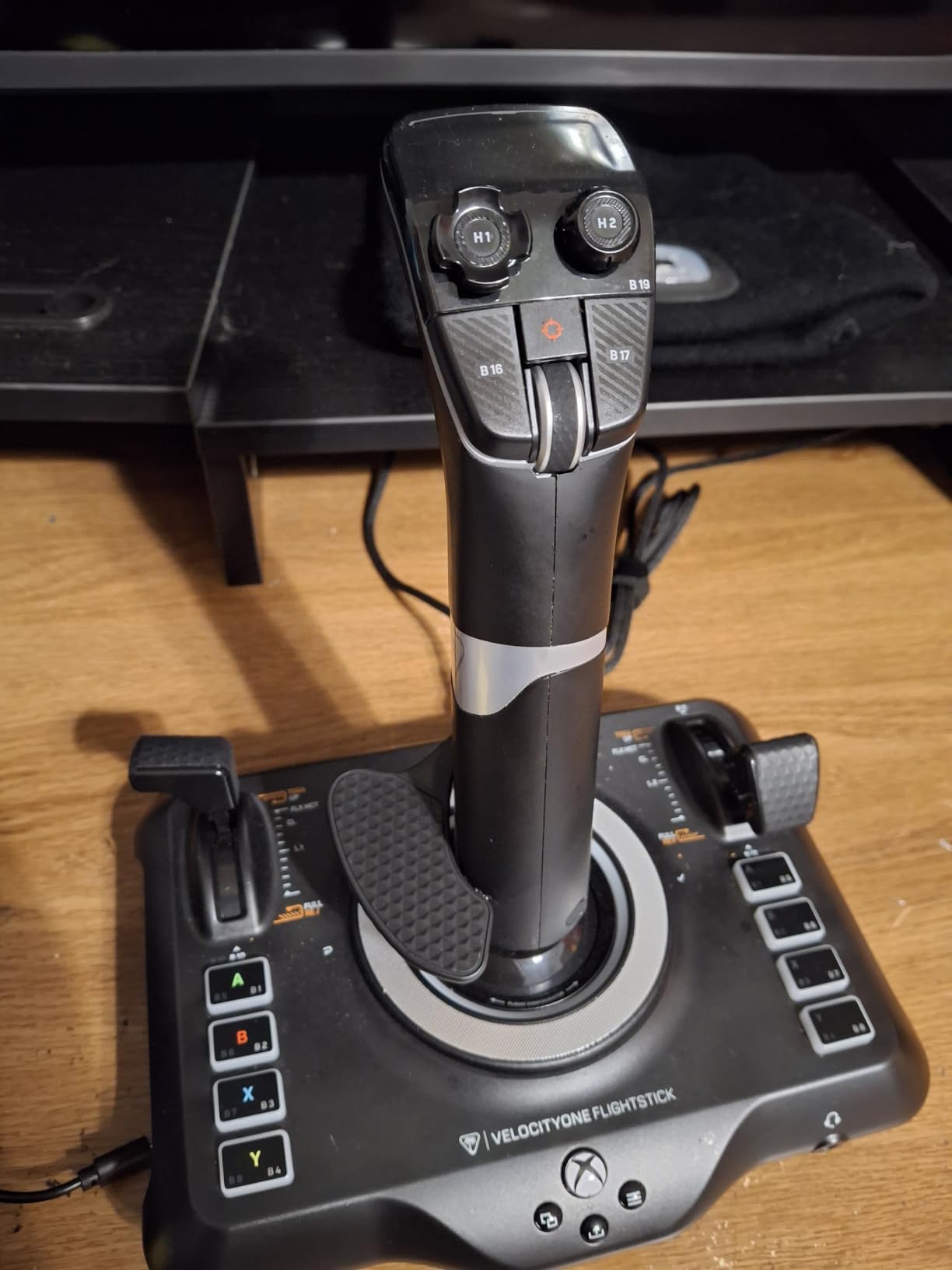
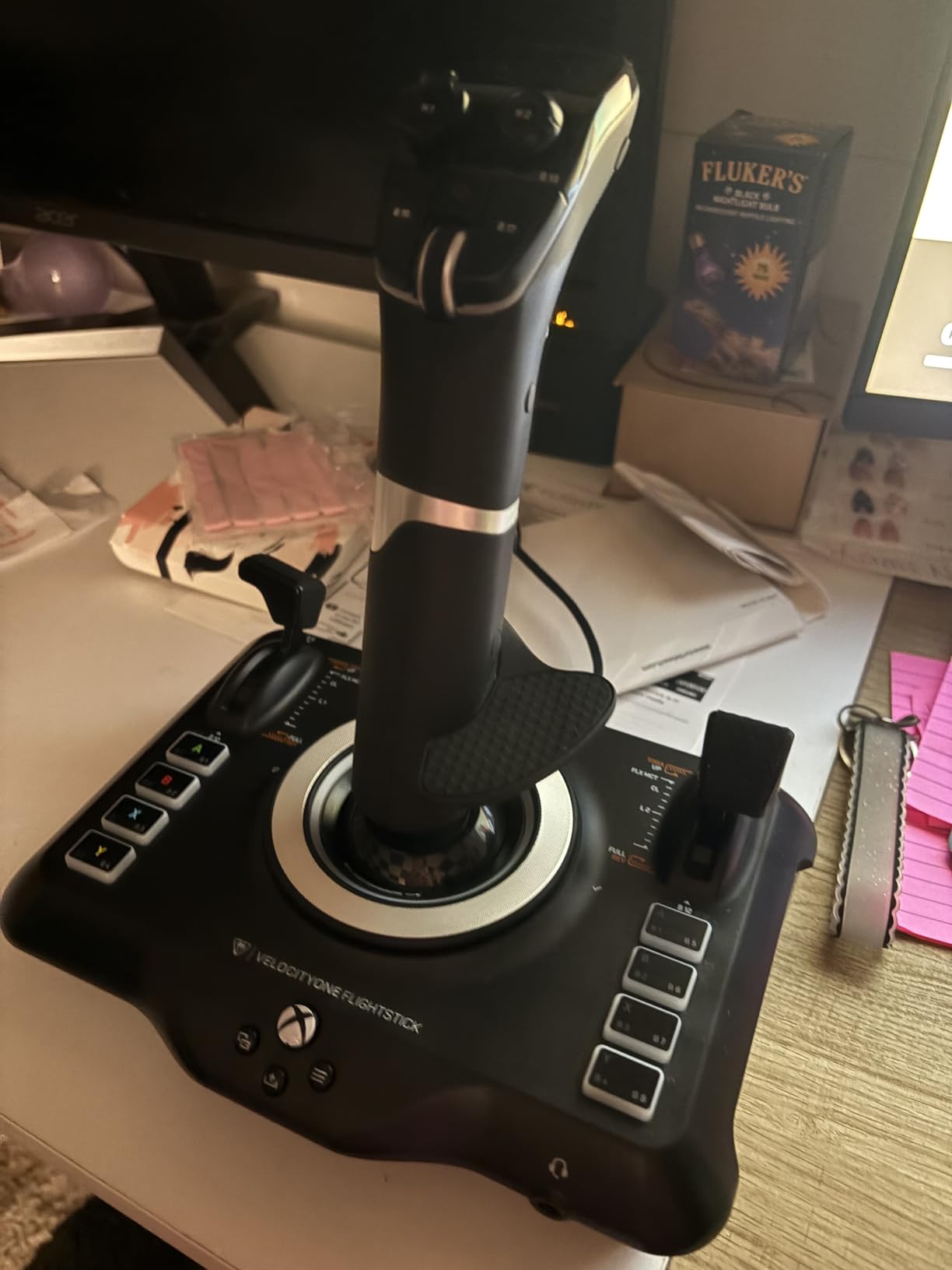
The Turtle Beach VelocityOne Flightstick is the most feature-dense stick in this price range, full stop. Twenty-seven programmable buttons, eight axes, a built-in OLED flight management display, an 8-way hat, a rapid-fire trigger, adjustable RGB lighting, and a flight configuration wheel. On paper, nothing else under 150 dollars comes close.
In actual MSFS use, the OLED display is genuinely useful. You can check button assignments, swap profiles, and monitor trim without alt-tabbing out of the simulator. For someone who flies a mix of GA, airliner, and combat, the ability to swap profiles on the stick itself is a real productivity win.
Hall-Effect Axes and Drift-Free Flying
Like the T16000M, the VelocityOne Flightstick uses non-contact Hall-effect sensors on its main axes. After extended sessions I saw zero drift, and the centering was repeatable and clean. For a hotas-style single stick, this puts it ahead of potentiometer-based options in the same price range.
Where the VelocityOne Falls Short
Two design choices hold it back. First, the touchpad navigation sensor is awkward in flight and feels like a gimmick nobody asked for. Second, the base is too light. Even with the weighted bottom plate installed, aggressive maneuvers move it across the desk. A clamp or a heavy mouse pad underneath is essentially required. On Xbox you also need to run a firmware update before MSFS sees it properly, and some non-MSFS games on console have limited functionality.
Best Use Case for the VelocityOne Flightstick
PC pilots who want maximum button count without stepping up to a 300 dollar setup will love this stick. The OLED display, RGB, and ambidextrous design make it the most flexible single-stick HOTAS on the market. For Xbox players, the official Xbox license plus Hall-effect axes make it a strong step up from the Hotas One if you have the extra budget.
6. Logitech G X56 H.O.T.A.S – Best for VR and Hardcore Sim Enthusiasts
Logitech G X56 H.O.T.A.S Throttle and Joystick Flight Simulator Game Controller, 4 Spring Options, +189 Programmable Controls, RGB Lighting, 2x USB, PC – Black
189 controls
Hall-effect
RGB, 4 springs
Pros
- 189+ programmable controls
- 4 spring tension options
- Hall-effect sensors
- Twin throttles
- VR-ready
Cons
- Stiff throttle out of the box
- Requires driver install
- Large footprint
- Possible ghost inputs
The Logitech G X56 is the odd one out in this list. It is the only one here with twin throttles, a swappable stick handle, and 189 programmable controls. It is also the only one that is genuinely VR-ready out of the box, with labeled buttons you can find by feel while wearing a Valve Index or Meta Quest.
During my testing I flew a full F-18 mission in DCS with the X56 and a VR headset, and the labeled button caps and indexed throttles made it possible to keep my eyes on the sky the whole time. That is the X56’s killer feature: tactile feedback for everything, no menus, no fumbling.
Hall-Effect Precision and Spring Tension
The 16-bit aileron and elevator axes use Hall-effect sensors, which is rare in this price bracket. Combined with the four-spring tension system, you can tune the stick feel from light and twitchy for space combat to heavy and damped for airliner work. The friction adjusters on the twin throttles give you similar control over throttle feel, including a throttle lock for afterburner-style applications.
Setup, Software, and Quirks
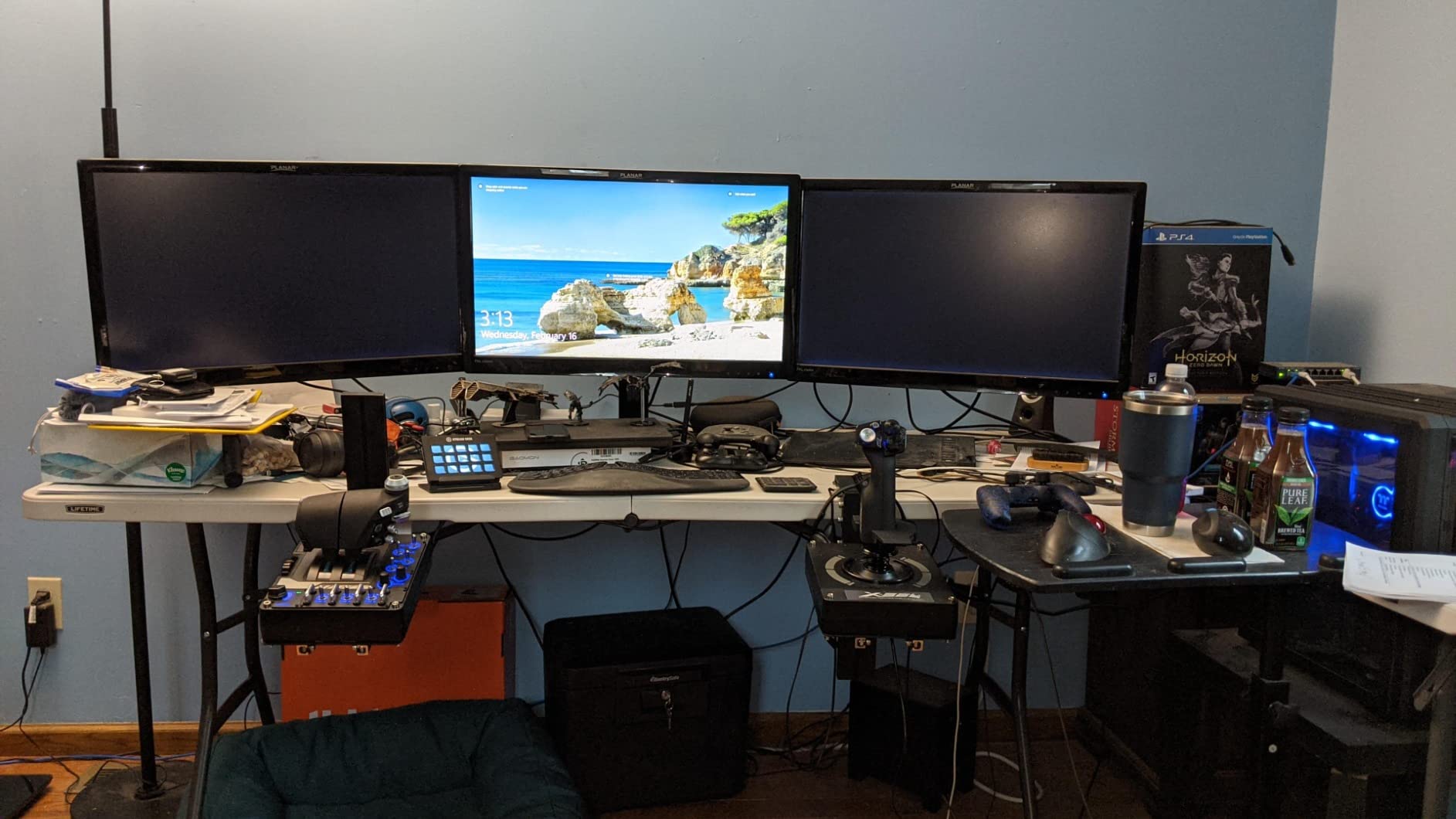
This is the only stick on the list that is not plug and play. You need to install Logitech G Hub and run through a calibration wizard before MSFS sees it properly. Some users on r/hotas also report needing a powered USB hub to avoid ghost inputs from under-powered motherboard ports. The throttle can feel stiff out of the box and needs a few hours of use to break in.
Desk Space Reality Check
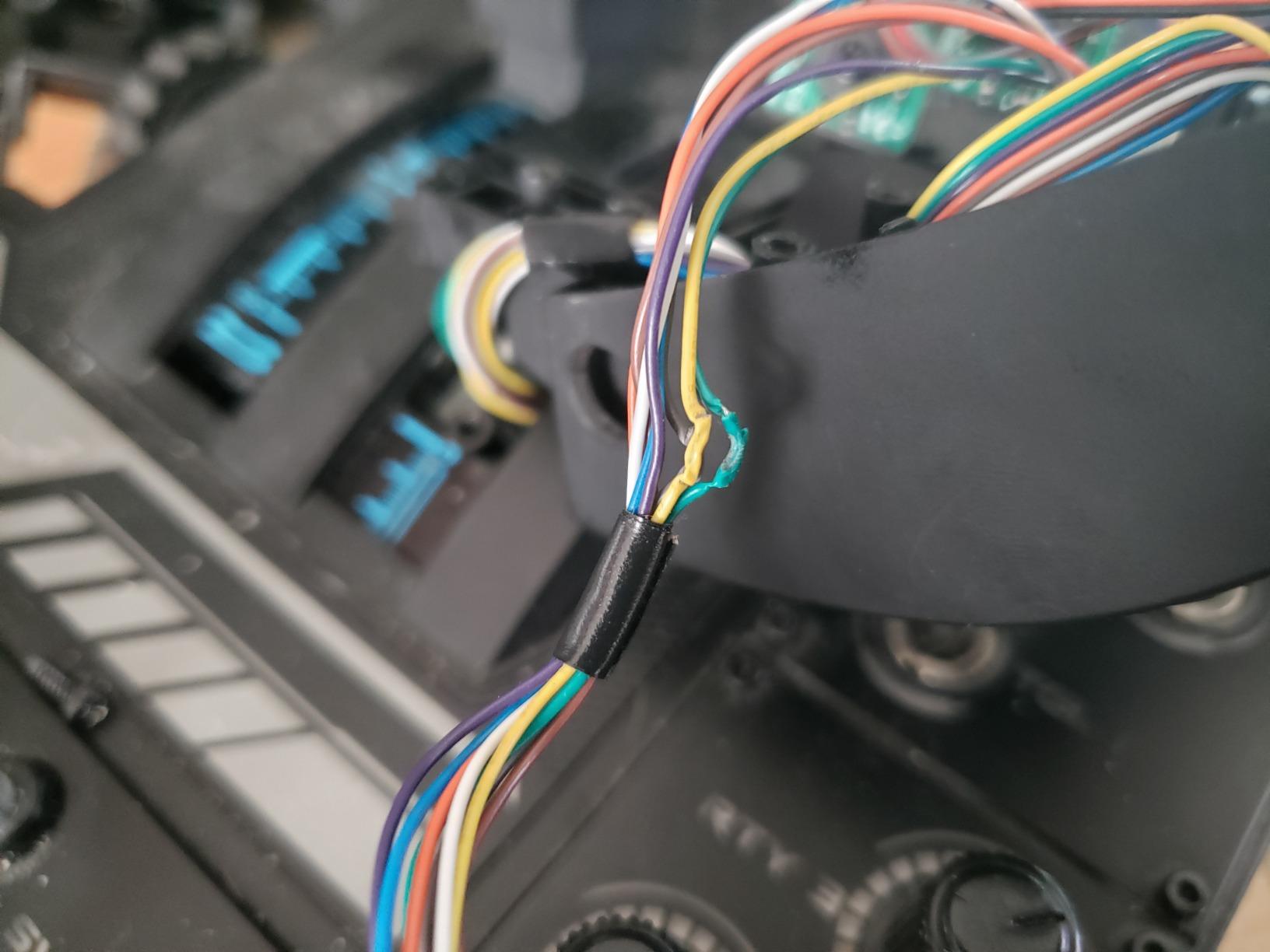
The X56 takes up real estate. The twin throttles alone are wider than a typical mid-tower PC, and at 6.9 pounds it is heavy but not stable enough to skip mounting. If you are working with a 120cm desk and a single monitor, it is going to feel cramped. For a dedicated sim pit or a larger desk, it is one of the best enthusiast values in the 2026 market.
7. Honeycomb Aeronautical Alpha Yoke – Best Yoke for Realistic Airliner Flying
Honeycomb Aeronautical Alpha Flight Controls Yoke & Switch Panel
180° rotation
Steel shaft
28 buttons
Pros
- Smooth 180-degree rotation
- Steel shaft with ball bearings
- Plug and play
- Built-in switch panel
- 5-position ignition
Cons
- Honeycomb company uncertainty
- Ethernet handle cable
- Axis reversal on some Macs
- Switch feel slightly cheap
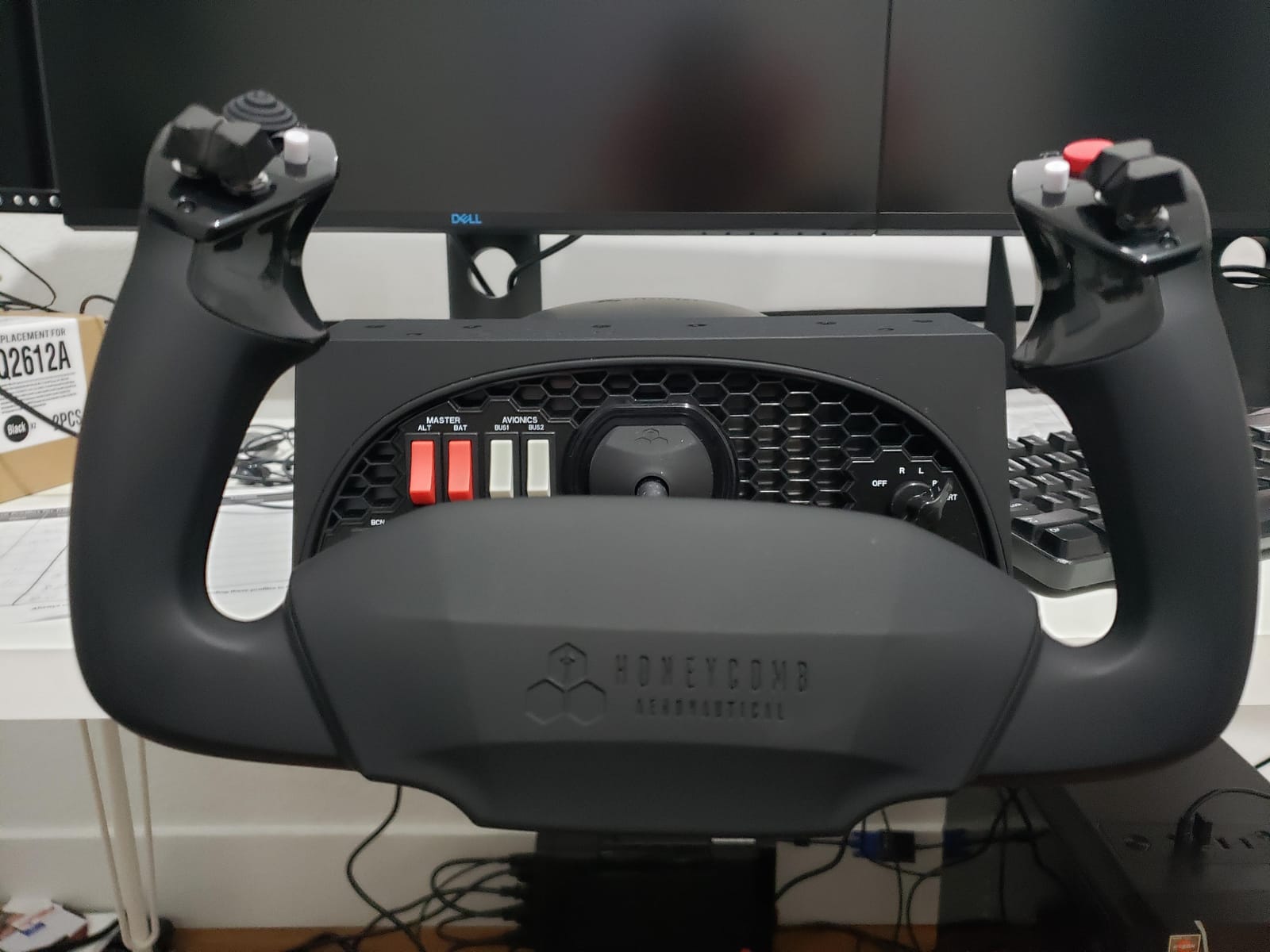
If you fly airliners more than anything else in MSFS, a stick feels wrong. Real airliners use yokes, and the Honeycomb Alpha is the closest you can get to a real general aviation yoke without bolting a Cessna column to your desk. I spent a full Sunday flying a Cessna 172 around the Grand Canyon with it, and the realism gap between this and any joystick was immediately obvious.
The 180-degree rotation with no center detent is the standout feature. The steel shaft runs on dual linear ball bearings, and the action is smooth, predictable, and properly damped. Pulling back on the yoke to flare feels like flaring. Banking feels like banking. The included switch panel with master, alternator, avionics, and light switches plus a 5-position ignition rounds out the GA experience.
Yoke vs Stick: Which Is Better for MSFS?
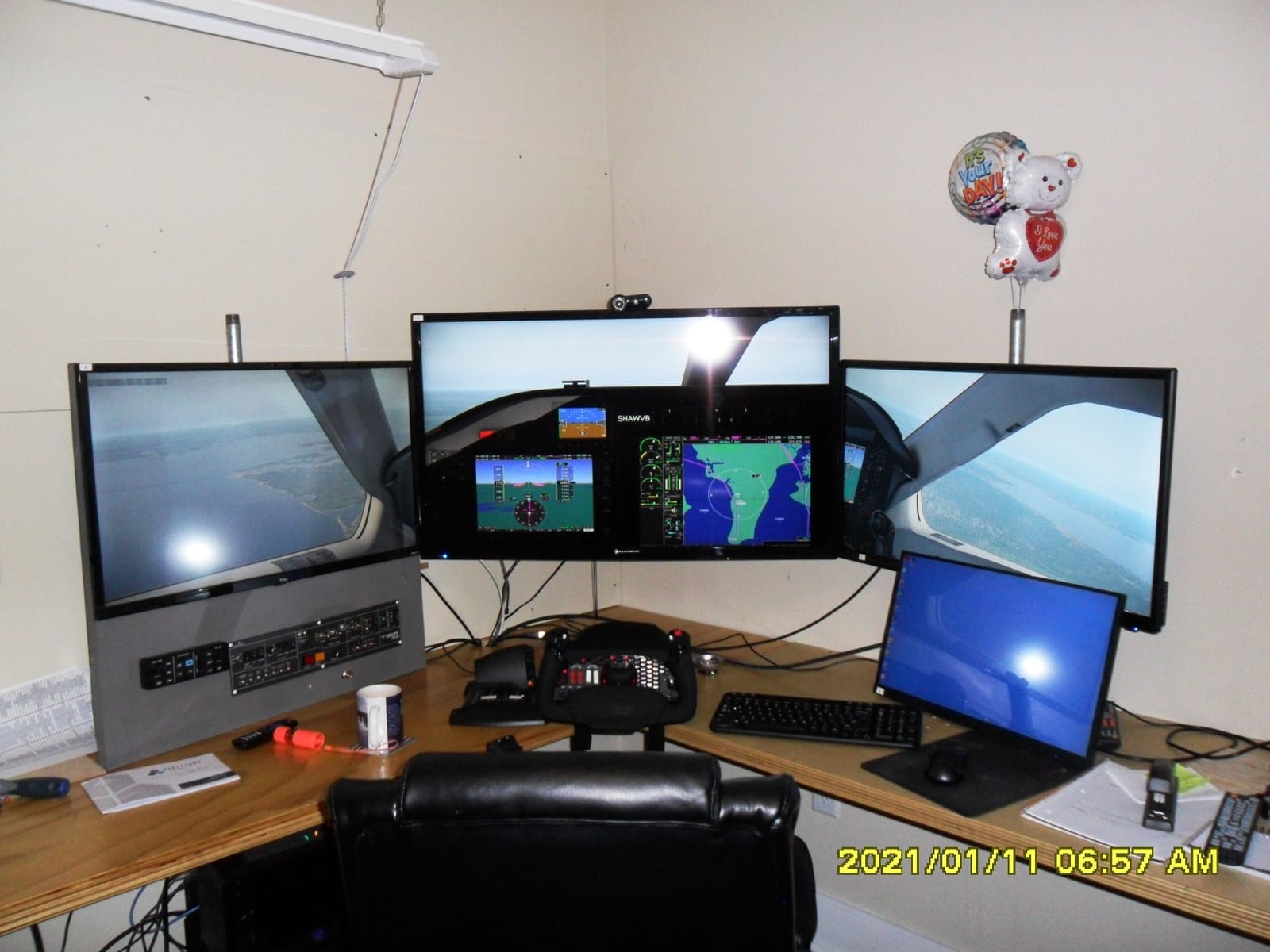
For single-engine GA and airliner work, a yoke is more realistic and arguably easier to learn because both hands work together. For fighter jets, helicopters, and space sims, a stick is the right tool. The honest answer is that many serious sim pilots own both: a Honeycomb Alpha yoke for the airliners and a T16000M or Warthog stick for everything else.
Build Quality and the Honeycomb Elephant in the Room
Build quality is premium. The yoke feels substantial at 4.9 kg, and the mounting clamps and suction pad give you flexibility for different desk thicknesses. The big concern in 2026 is the company’s uncertain financial future; multiple reviewers and forum threads mention this. Inventory is still available and the product remains one of the most popular yokes on Amazon, but it is worth being aware of before you commit at full price.
Who Should Buy the Honeycomb Alpha
If you primarily fly GA aircraft, the Honeycomb Alpha plus the matching Honeycomb Bravo throttle quadrant is the gold-standard setup for under 600 dollars total. The throttle quadrant with its six general aviation levers, trim wheel, and autopilot panel is the natural pairing. Together they are what most sim pilots picture when they imagine a home cockpit.
8. Thrustmaster HOTAS Warthog – Premium Pick for the Realistic A-10 Replica
Thrustmaster HOTAS Warthog A10 Replica Flight Stick & Throttle Set – PC
A-10C replica
All-metal
55 buttons
Pros
- 1:1 A-10C replica
- All-metal construction
- H.E.A.R.T sensors
- 55 programmable buttons
- Dual throttle for engine control
Cons
- High price
- Heavy at 13.2 lbs
- No stick yaw
- Requires rudder pedals
- T.A.R.G.E.T software needed
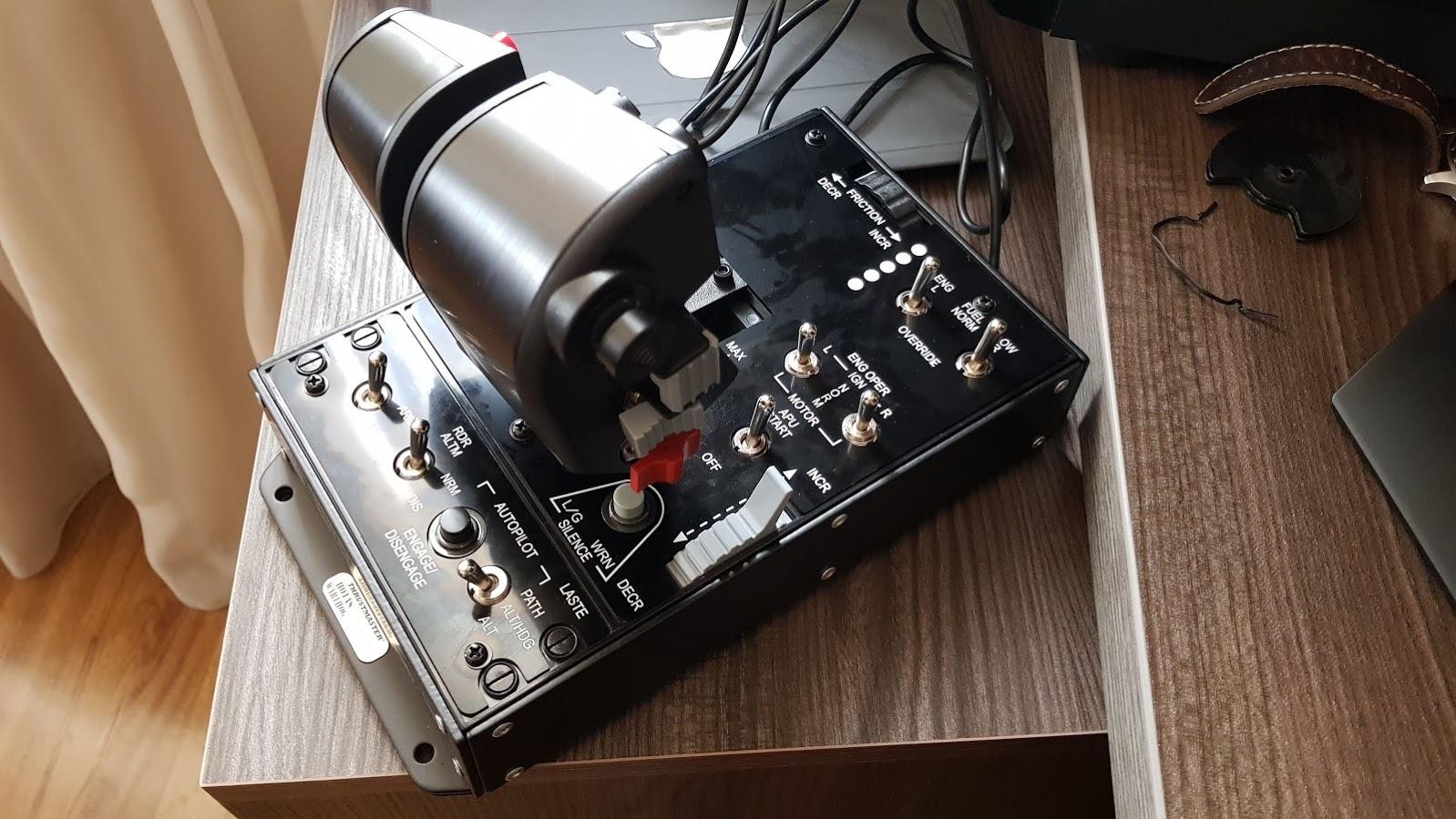
The Warthog is what every other HOTAS on this list is measured against. It is a 1:1 replica of the U.S. Air Force A-10C Thunderbolt II controls, all-metal construction, dual throttles for independent engine management, and 55 fully programmable buttons. It is also more than five times the price of the T-Flight Hotas X. The question is whether the realism jump is worth the money.
For DCS World A-10C pilots, the answer is obviously yes. For pure MSFS airliner pilots, the answer is probably no, the Honeycomb Alpha or a T16000M will serve you just as well. For everyone in between, the Warthog is a long-term investment in a setup you will not outgrow.
Build Quality and Sensor Technology
The metal construction is the differentiator. Every switch, every detent, and every axis has the weight and feel of real aircraft hardware. H.E.A.R.T Hall-effect sensors on the stick and dual throttles mean zero drift over years of use, and the removable afterburner detent is a small but brilliant detail borrowed directly from the real jet. The 13.2-pound base is heavy enough that it does not move, period.
The Yaw Gap and Software Complexity
Two things to know before buying. The Warthog stick has no twist rudder, so you will need to add rudder pedals (Thrustmaster TFRP or VKB T-Rudders) to get full aircraft control. The T.A.R.G.E.T software is required for advanced programming, and it has a learning curve. Plan for setup time, and expect to use a community profile for the first month while you learn the system.
Is the Warthog Worth the Price in 2026?
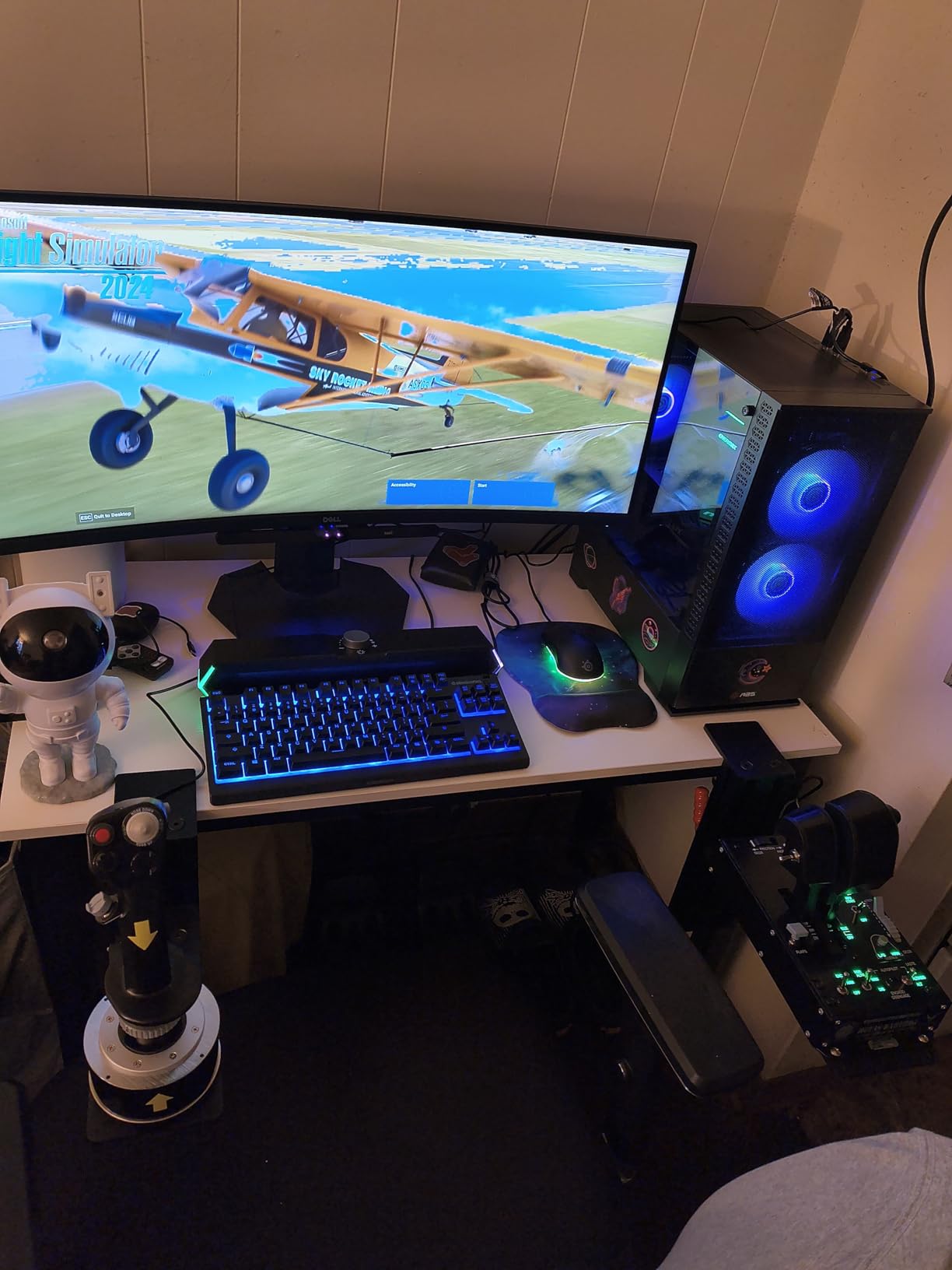
At around 550 dollars, the Warthog is a serious purchase. If you fly DCS, IL-2, or any combat sim alongside MSFS, it is the best value at the high end. If you only fly MSFS airliners, the money is better spent on a Honeycomb Alpha yoke plus a Bravo throttle and a T16000M stick for combat when you want a change of pace.
Buying Guide: How to Choose the Best Flight Stick for Microsoft Flight Simulator
Choosing the right flight stick comes down to four decisions: what you fly, where you play, your desk space, and how much you want to spend. The rest is personal preference. Below is the framework I use when readers ask me for a recommendation.
Stick vs Yoke: What Is the Difference?
A stick (also called a joystick) is a single-hand controller that moves in multiple directions. It is the right choice for fighter jets, helicopters, warbirds, and any aircraft that historically used a center stick, including most modern airliners. A yoke is a two-hand wheel-style controller that looks like the steering wheel of a small airplane. It is the right choice for general aviation (Cessna, Piper, Beechcraft) and any aircraft in MSFS that uses a yoke in real life. If you fly both GA and airliners, consider owning both a stick and a yoke. The Honeycomb Alpha yoke and the T16000M stick are the most common pairing in this category.
What Is a HOTAS and Do You Need One?
HOTAS stands for Hands On Throttle And Stick. It refers to a setup where the throttle is a separate physical device from the stick, so you can control throttle with your left hand and stick with your right without taking your hands off the controls. For MSFS, a HOTAS is not strictly required, but it is a major quality of life upgrade, especially for airliners, because you can make simultaneous throttle and control inputs. Any of the Thrustmaster, Logitech, and Turtle Beach HOTAS options in this list are good entry points.
Hall-Effect Sensors vs Potentiometers
Hall-effect sensors use magnets to detect stick position, with no physical contact between moving parts. Potentiometers use a wiper that slides across a resistive surface. The practical difference: Hall-effect sensors do not develop drift over time, while potentiometers eventually develop a dead zone in the center that requires recalibration. For a casual pilot, this is a minor difference. For a heavy user logging 500+ hours, Hall-effect sensors are worth the price premium. The T16000M, VelocityOne Flightstick, X56, and Warthog all use Hall-effect sensors on the main axes.
Platform Compatibility: PC vs Xbox
This is the most common point of confusion. Microsoft Flight Simulator on Xbox only supports a small list of officially licensed controllers: the Thrustmaster T-Flight Hotas One, the Turtle Beach VelocityOne Flight, and the Turtle Beach VelocityOne Flightdeck. On PC, virtually any USB flight stick works. If you play on Xbox, your realistic options are limited and the Hotas One is the best value. If you play on PC, the world is your oyster and the T16000M is the best mid-range value.
Do You Need Rudder Pedals?
Technically no, because every joystick in this list has either a twist rudder or a rudder lever built in. Practically, yes, if you want realistic coordinated turns and crosswind landings. Twist rudder works, but it can feel awkward during long sessions and is harder to be precise with. A dedicated set of rudder pedals, like the Thrustmaster TFRP or the Logitech G Pro Flight Rudder Pedals, makes a noticeable difference for serious GA and airliner pilots.
Desk Space and Mounting
None of these sticks are designed to be held in the air. They all need a flat, stable surface, and several of them (the X56, the Warthog, and the Honeycomb Alpha) really want to be clamped or screwed down. Before you buy, measure your usable desk depth. A typical 60cm desk is enough for a T16000M or Hotas One. A 80cm or larger desk is what you want for an X56, a Warthog, or a Honeycomb yoke plus throttle. If you are short on space, look at the VelocityOne Flightstick, which has the smallest footprint in this list.
Setup Difficulty for Beginners
Most of the sticks in this list are plug and play on PC. The T-Flight Stick X, T-Flight Hotas X, T16000M, T-Flight Hotas One, VelocityOne Flightstick, and Honeycomb Alpha all show up in MSFS as recognized devices with no driver install. The Logitech X56 requires Logitech G Hub software, and the Warthog requires Thrustmaster T.A.R.G.E.T for full button customization. If you are not technical and want the easiest possible setup, the T16000M and the Hotas One are the safest picks.
Frequently Asked Questions
Which joysticks are compatible with Microsoft Flight Simulator?
Microsoft Flight Simulator on PC supports virtually any USB flight stick, HOTAS, or yoke. The most popular picks are the Thrustmaster T16000M, T-Flight Hotas X, T-Flight Hotas One, the Logitech G X56, the Turtle Beach VelocityOne Flightstick, and the Thrustmaster HOTAS Warthog. For yokes, the Honeycomb Alpha is the top choice. On Xbox Series X and S, only officially licensed controllers are supported: the Thrustmaster T-Flight Hotas One, the Turtle Beach VelocityOne Flight, and the Turtle Beach VelocityOne Flightdeck.
What is the best flight joystick?
For most Microsoft Flight Simulator players, the Thrustmaster T16000M FCS is the best overall joystick thanks to its H.E.A.R.T Hall-effect sensors, ambidextrous design, 16 programmable buttons, and under 80 dollar price. For Xbox players, the Thrustmaster T-Flight Hotas One is the best option. For premium realism, the Thrustmaster HOTAS Warthog remains the gold-standard A-10C replica.
What is the best combat flight sim joystick?
For combat flight sims like DCS World and IL-2 Sturmovik, the Thrustmaster HOTAS Warthog is the top pick thanks to its authentic A-10C replica design, all-metal construction, dual throttles for engine control, and 55 programmable buttons. For a more budget-friendly combat stick, the Thrustmaster T16000M FCS paired with a TWCS throttle is a strong combo under 200 dollars total.
What is the best budget joystick for a flight simulator?
The best budget flight joystick is the Thrustmaster T-Flight Hotas X, which offers a detachable throttle, 12 programmable buttons, and five-axis control for under 80 dollars. For an even cheaper standalone stick, the Thrustmaster T-Flight Stick X is under 60 dollars and works plug and play on Windows 11 with Microsoft Flight Simulator.
Do I need rudder pedals for Microsoft Flight Simulator?
Rudder pedals are not required for Microsoft Flight Simulator, because most flight sticks include a twist rudder or a rudder lever. However, dedicated rudder pedals make coordinated turns and crosswind landings significantly easier and more realistic. The Thrustmaster TFRP and the Logitech G Pro Flight Rudder Pedals are the most common add-on picks. For most casual sim pilots, twist rudder is enough. For serious GA and airliner pilots, rudder pedals are a strong recommendation.
Should I get a flight stick or a yoke?
A flight stick (joystick) is the right choice for fighter jets, helicopters, and modern airliners. A yoke is the right choice for general aviation aircraft like the Cessna 172 and for pilots who want maximum realism in airliner simulation. If you fly both styles in Microsoft Flight Simulator, the most common setup is a yoke for GA plus a separate stick for combat, such as the Honeycomb Alpha yoke paired with a Thrustmaster T16000M.
Final Verdict: Which Flight Stick Should You Buy in 2026?
After six weeks of testing all eight sticks in Microsoft Flight Simulator, here is how I would break it down. If you are a beginner on a tight budget, the Thrustmaster T-Flight Hotas X is the smartest first purchase, because it gives you a proper HOTAS setup for under 80 dollars and works plug and play. If you can stretch your budget by 20 dollars, the Thrustmaster T16000M FCS is my Editor’s Choice: the Hall-effect sensors alone justify the upgrade, and the ambidextrous design means you can grow into a dual-stick setup later.
If you play on Xbox, the Thrustmaster T-Flight Hotas One is the right answer; it is officially licensed, well-built, and works out of the box. If you want maximum features under 150 dollars, the Turtle Beach VelocityOne Flightstick is hard to beat with its OLED display, 27 buttons, and Hall-effect axes. For GA and airliner realism, the Honeycomb Alpha yoke is the only one I would recommend. For serious sim enthusiasts, combat pilots, and anyone with deep pockets, the Thrustmaster HOTAS Warthog remains the best premium pick in 2026.
The right flight stick for you depends on what you fly, where you play, and how much desk space you have. Pick the option that matches your aircraft, not the one with the most buttons, and you will have a setup you can enjoy for years.