
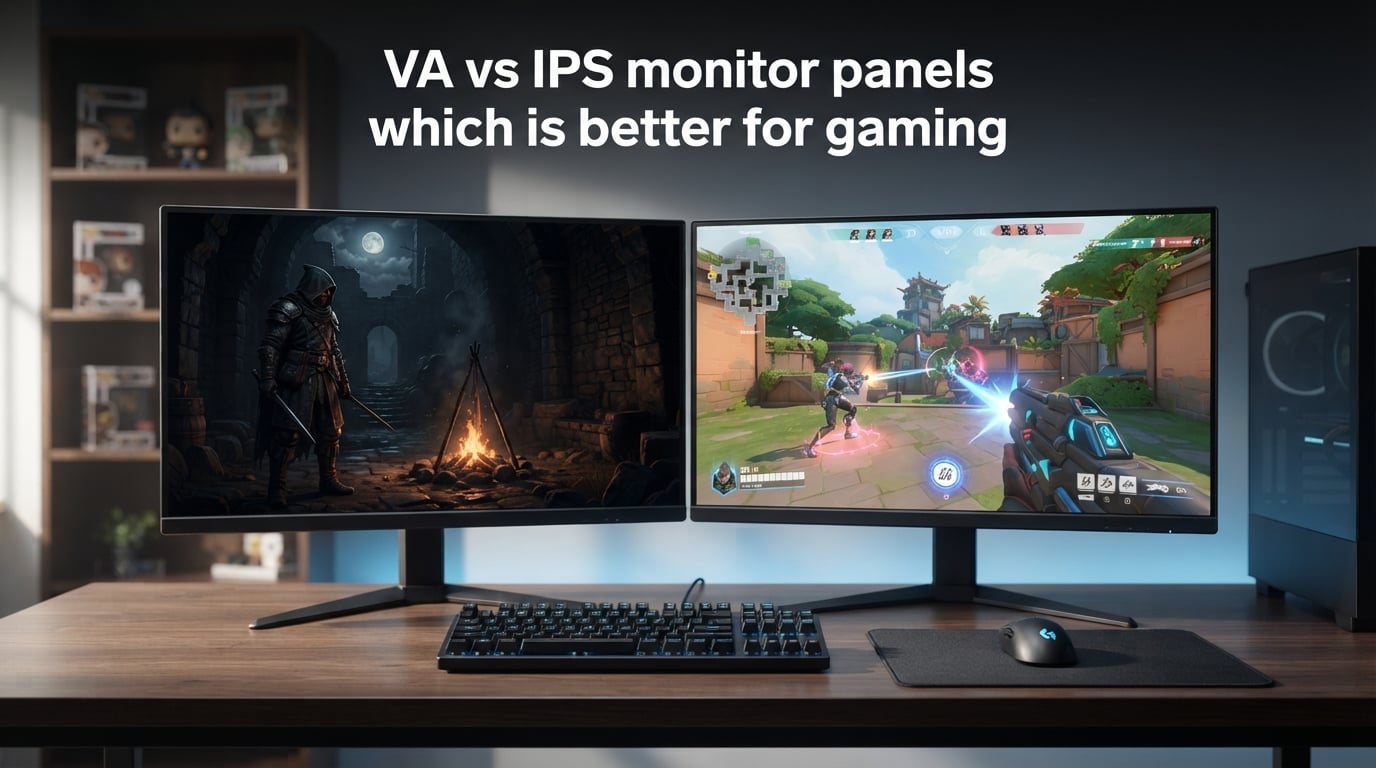
You are staring at two gaming monitors in a store. One has jaw-dropping dark scenes with inky blacks. The other has buttery-smooth motion and vibrant colors from every angle. Both look great, but they use completely different panel technologies under the hood.
If you have spent any time researching gaming monitors, you have hit this fork in the road. The VA vs IPS monitor panels debate is one of the most common questions gamers face when shopping for a new display. And the answer is not a simple one-size-fits-all.
I have spent years testing gaming monitors across different panel types, playing everything from competitive shooters to atmospheric RPGs. What I have learned is that neither panel is universally better. The right choice depends entirely on what you play, where you play, and what visual qualities matter most to you.
In this guide, I will break down everything you need to know about VA and IPS panel technologies. I will cover contrast ratios, response times, viewing angles, color accuracy, HDR performance, and the real-world issues that forum users complain about most. By the end, you will know exactly which panel type fits your gaming setup.
What Are VA and IPS Monitor Panels?
VA and IPS are two different types of LCD (liquid crystal display) panel technologies. Both use LED backlights shining through liquid crystals, but the way those crystals are arranged creates very different visual characteristics.
VA (Vertical Alignment) Panels Explained
VA stands for Vertical Alignment. The liquid crystals in a VA panel align vertically when no electric current passes through them, which blocks light from passing through effectively. When current is applied, the crystals tilt, allowing light to pass.
This vertical alignment is what gives VA panels their standout feature: incredibly deep blacks and high native contrast ratios. Most VA panels achieve contrast ratios between 3000:1 and 6000:1, which is three to six times better than what IPS panels typically offer.
VA panels are popular in curved gaming monitors, ultrawide displays, and budget-friendly gaming screens. Samsung, AOC, and Gigabyte frequently use VA panels in their gaming monitor lineups.
IPS (In-Plane Switching) Panels Explained
IPS stands for In-Plane Switching. In an IPS panel, the liquid crystals are aligned parallel to the glass substrate rather than vertically. When electric current is applied, the crystals rotate in place (in-plane) to control light transmission.
This parallel arrangement allows IPS panels to deliver wide viewing angles of 178 degrees both horizontally and vertically. Colors and brightness remain consistent even when you view the screen from sharp angles, which is a significant advantage over VA panels.
IPS panels are the go-to choice for competitive gamers, content creators, and anyone who values color accuracy and fast response times. Brands like LG, ASUS, and Acer rely heavily on IPS technology in their premium gaming monitors.
VA vs IPS Monitor Panels: Quick Comparison
Here is a side-by-side breakdown of how VA and IPS panels compare across the metrics that matter most for gaming.
| Specification | VA Panel | IPS Panel |
|---|---|---|
| Native Contrast Ratio | 3000:1 to 6000:1 | 1000:1 |
| Typical Response Time | 4ms to 8ms (some as low as 1ms MPRT) | 1ms to 4ms |
| Viewing Angles | 178 degrees (more color shift at angles) | 178 degrees (minimal color shift) |
| Color Accuracy | Good (varies by model) | Excellent (industry standard for color work) |
| Refresh Rate Support | Up to 240Hz (some 360Hz models emerging) | Up to 540Hz (Fast IPS competitive models) |
| HDR Performance | Strong (high contrast enhances HDR) | Moderate (needs local dimming for good HDR) |
| Dark Room Performance | Excellent (deep blacks, minimal glow) | Weak (IPS glow visible in dark scenes) |
| Bright Room Performance | Good | Excellent |
| Typical Price Range | More affordable | Higher (premium for Fast IPS models) |
| Best Gaming Use Case | Single-player RPGs, horror, immersive games | Competitive FPS, eSports, racing games |
Now let me break down each of these categories in detail so you understand exactly what these numbers mean for your gaming experience.
Contrast Ratio: VA’s Biggest Advantage
If there is one area where VA panels absolutely dominate IPS, it is contrast ratio. This is the single biggest differentiator between the two panel types, and it has a massive impact on image quality.
Contrast ratio measures the difference between the brightest white and the darkest black a monitor can produce. A higher contrast ratio means deeper blacks, brighter highlights, and a more dynamic image overall. Most VA gaming monitors deliver a native contrast ratio of 3000:1, with some premium models reaching 6000:1 or higher.
IPS panels, by comparison, typically max out at 1000:1. This means that on an IPS monitor, dark gray areas tend to look more like dark gray rather than true black. In dark game scenes, this can wash out shadow details and reduce the sense of depth.
I noticed this difference most prominently when playing games like Elden Ring and Resident Evil Village. On a VA panel, the dark dungeons and shadowy corridors had genuine depth. Enemies lurking in the shadows were harder to spot because the blacks were actually black. On an IPS panel, those same scenes looked slightly washed out, with dark areas appearing more like dark gray.
This is why many gamers on Reddit and gaming forums strongly prefer VA panels for single-player and immersive games. The contrast advantage makes atmospheric, visually rich games significantly more engaging.
What About IPS Black Technology?
LG introduced IPS Black technology which improves IPS contrast ratios to around 2000:1. This is a meaningful improvement, but it still falls short of what VA panels deliver. IPS Black panels are primarily found in productivity monitors rather than gaming-focused displays, though this may change as the technology matures.
Response Time and Motion Performance
Response time is where IPS panels traditionally held a significant advantage over VA. While the gap has narrowed considerably in recent years, IPS still leads in raw pixel transition speed.
Response time measures how quickly a pixel can change from one color to another. Slower response times cause motion blur and ghosting, which are particularly noticeable in fast-paced games. Most IPS gaming monitors achieve response times of 1ms to 4ms (GtG), while VA panels typically range from 4ms to 8ms.
The VA Black Smear Problem
Here is the issue that forum users complain about most with VA panels: black smear, also called dark level smearing or ghosting. This occurs because VA panels struggle with transitions involving very dark pixels. When a dark pixel needs to transition to a lighter shade, it takes longer than other transitions.
In practical terms, this means that fast-moving dark objects in games can leave a visible trail or smear behind them. You might notice this when a dark character runs across a bright background, or when scrolling text on a dark theme. It is most visible in games with high contrast between moving objects and backgrounds.
I have tested several VA panels where black smearing was clearly visible in fast-paced games like Doom Eternal and Apex Legends. However, the severity varies dramatically between models. Some modern VA panels with good overdrive implementation keep smearing to a minimum, while budget VA panels can have distractingly bad ghosting.
Modern Fast IPS Panels
The competitive gaming scene has pushed IPS technology to new heights. Fast IPS panels now offer response times as low as 0.5ms (GtG) and support refresh rates up to 540Hz. These monitors are designed specifically for eSports and competitive FPS gaming where every millisecond counts.
For competitive gamers playing Counter-Strike 2, Valorant, or Overwatch 2, a Fast IPS panel at 240Hz or higher is generally the best choice. The motion clarity and responsiveness simply cannot be matched by most VA panels.
Tips for Reducing Motion Blur on VA Panels
If you already own a VA panel or are considering one, here are some practical tips to minimize motion blur and ghosting:
First, enable the monitor’s overdrive setting. Most VA gaming monitors have an overdrive mode (sometimes called Trace Free, OD, or Response Time). Set it to the medium or normal level. Setting it too high can introduce overshoot, which creates a different type of artifact called inverse ghosting.
Second, if your monitor supports MPRT (Motion Picture Response Time) or backlight strobing, try enabling it. MPRT works by strobing the backlight to reduce perceived motion blur. However, it can reduce brightness and may introduce flickering that bothers some users.
Third, match your refresh rate to your frame rate. Running a 144Hz VA panel at a locked 144 FPS produces noticeably cleaner motion than running it at variable frame rates with V-Sync off.
Viewing Angles and Color Accuracy
Viewing angles and color accuracy are areas where IPS panels have historically held a clear advantage. While both panel types advertise 178-degree viewing angles, the real-world performance is noticeably different.
IPS Viewing Angle Superiority
IPS panels maintain color accuracy and brightness consistency across wide viewing angles. Whether you are sitting directly in front of the screen or viewing it from 45 degrees off-center, the colors remain true and the brightness stays consistent. This is because the in-plane crystal arrangement allows light to pass through consistently regardless of viewing angle.
This matters for gaming in several scenarios. If you play on a couch with friends, sit at an angle to your monitor, or use a multi-monitor setup where side monitors are angled toward you, IPS panels will look significantly better than VA panels from those positions.
VA Color Shift Issues
VA panels suffer from color and contrast shift when viewed from angles. While the image is still visible from 178 degrees, colors may appear washed out and contrast may decrease noticeably. This is most apparent on curved VA ultrawide monitors, where the edges of the screen can show slight color and brightness variations compared to the center.
For a single gamer sitting directly in front of a flat VA monitor, this is rarely a problem. But if you share your screen with others or use an angled multi-monitor setup, the color shift can be noticeable.
Color Gamut and Color Accuracy
IPS panels are the industry standard for color-critical work, and for good reason. They typically offer better out-of-box color accuracy, wider color gamut coverage, and more consistent color reproduction across the screen.
Most modern IPS gaming monitors cover 95 percent or more of the DCI-P3 color space, making them excellent for HDR content and modern games with wide color gamuts. VA panels also offer good color gamut coverage, but they tend to have slightly less accurate color reproduction out of the box.
If you split your time between gaming and content creation (video editing, photo editing, graphic design), IPS is the clear winner. The color accuracy you get from an IPS panel will serve you well in both activities.
Dark Room Gaming and HDR Performance
For gamers who play in dark or dimly lit rooms, the choice between VA and IPS becomes much more consequential. This is where the real-world pain points that forum users frequently discuss come into play.
The IPS Glow Problem
IPS glow is one of the most common complaints about IPS monitors, and it is particularly noticeable in dark rooms. IPS glow appears as a faint glow or light bleed, usually visible in the corners of the screen. It is most apparent when displaying dark content in a dark room.
This glow is a fundamental characteristic of IPS technology. Because the liquid crystals and polarizers in an IPS panel do not fully block the backlight, some light always leaks through. In a dark room playing a game like Alan Wake 2 or Dead Space, this glow can be distracting and can reduce immersion.
IPS glow varies from panel to panel, even within the same model. Some units have minimal glow, while others have pronounced glow in multiple corners. Unfortunately, this is a panel lottery issue that you cannot fully predict before purchase.
VA Panels in Dark Rooms
VA panels perform significantly better in dark rooms. Their high contrast ratios mean that blacks remain deep and dark, even with the backlight at moderate brightness. The absence of IPS glow means that dark scenes retain their intended atmosphere.
For gamers who primarily play in dark rooms or enjoy horror games, atmospheric RPGs, and cinematic single-player experiences, a VA panel provides a noticeably more immersive experience. The deep blacks and high contrast make dark scenes look the way the developers intended.
HDR Performance Comparison
HDR (High Dynamic Range) performance is closely tied to contrast ratio, which gives VA panels a natural advantage. HDR content relies on deep blacks and bright highlights to create a wider dynamic range. VA panels can produce much deeper blacks, which means HDR content looks more impactful and dynamic.
IPS panels can still deliver good HDR performance, but they typically require local dimming or Mini LED backlighting to compensate for their lower native contrast. Without local dimming, HDR on an IPS panel often looks similar to SDR because the blacks are not deep enough to create the contrast range that HDR demands.
Mini LED: Changing the Game for Both Panels
Mini LED backlighting is an emerging technology that significantly improves HDR performance on both VA and IPS panels. Mini LED uses thousands of tiny LEDs as a backlight instead of a single edge-lit or zone-dimmed backlight, allowing for much more precise local dimming.
For IPS panels, Mini LED backlighting can partially compensate for the low native contrast ratio by dimming the backlight in dark areas of the screen. This dramatically reduces IPS glow in dark scenes and improves HDR performance significantly.
For VA panels, Mini LED backlighting takes already excellent contrast and makes it outstanding. A Mini LED VA panel can achieve effective contrast ratios that rival OLED, making it one of the best options for HDR gaming currently available.
In 2026, Mini LED gaming monitors are becoming more affordable and widely available. If HDR gaming is a priority and your budget allows, a Mini LED VA or Mini LED IPS monitor will outperform standard backlit models of either panel type.
Which Panel Is Better for Your Game Type?
This is where the VA vs IPS monitor panels debate gets practical. Different game types benefit from different panel strengths. Here is my breakdown of which panel type works best for each gaming genre.
| Game Genre | Recommended Panel | Why |
|---|---|---|
| Competitive FPS (CS2, Valorant) | Fast IPS (240Hz+) | Fastest response times, minimal motion blur, target visibility |
| Battle Royale (Apex, Warzone) | Fast IPS | Tracking fast targets, spotting enemies in bright areas |
| Single-Player RPGs (Elden Ring, Cyberpunk) | VA | Deep contrast, immersive dark scenes, atmospheric visuals |
| Horror Games (Resident Evil, Dead Space) | VA | Inky blacks, tension-building dark environments, no IPS glow |
| Racing Games (Forza, Gran Turismo) | IPS | Fast motion clarity, vibrant colors, wide viewing angles |
| Open World (Zelda, Skyrim) | VA or IPS | VA for immersion and contrast, IPS for color vibrancy |
| MOBA / RTS (League, StarCraft) | IPS | Fast response for quick reactions, color clarity for UI elements |
| Fighting Games (Street Fighter, Tekken) | Fast IPS | Frame-perfect inputs demand lowest possible input lag and response time |
| Sim Racing / Flight Sim | VA Ultrawide | Contrast for depth perception, curved immersive experience |
Competitive Gaming: Why IPS Wins
If you play competitive games where reaction time and target acquisition are critical, IPS is almost always the better choice. The faster response times reduce motion blur, making moving targets easier to track. Wide viewing angles ensure that the entire screen looks consistent, which matters on larger monitors where you need to quickly scan the periphery.
Competitive gamers on Reddit consistently report that IPS panels give them a slight edge in fast-paced FPS games. The difference may seem small on paper, but in a competitive match where milliseconds matter, cleaner motion and faster pixel response can make a tangible difference.
Single-Player and Immersive Gaming: Why VA Wins
For gamers who primarily enjoy single-player campaigns, story-driven RPGs, and atmospheric games, VA panels deliver a superior experience. The high contrast ratio creates depth and realism that IPS panels simply cannot match. Dark scenes look genuinely dark, and the overall image has more punch and dimensionality.
Forum users frequently share stories of switching from IPS to VA for single-player gaming and being blown away by the contrast improvement. Games they thought they knew suddenly looked different, with shadow details and lighting effects they had never noticed before.
How to Choose Between VA and IPS in 2026
Now that we have covered the technical details, let me give you a practical decision framework. Here is how to choose between VA and IPS monitor panels based on your specific situation.
Step 1: Identify Your Primary Game Type
Think about the games you play most often. If 80 percent of your gaming time goes into competitive FPS, MOBA, or fighting games, an IPS panel is the right call. If you spend most of your time in single-player RPGs, horror games, or cinematic experiences, VA will serve you better.
If you split your time roughly equally between competitive and immersive games, consider your secondary priority. You can always compensate for a panel’s weaknesses in other areas (like adjusting brightness for IPS glow or using overdrive settings for VA ghosting).
Step 2: Consider Your Room Lighting
Your gaming environment plays a big role in which panel type will look best. If you play in a bright, well-lit room, IPS panels perform better because their superior brightness and color consistency shine in well-lit conditions. IPS glow is also much less noticeable in bright rooms.
If you game in a dark or dimly lit room, VA panels are clearly superior. The deep blacks and high contrast create a more immersive experience, and the absence of IPS glow means dark scenes look the way they were meant to look.
Step 3: Factor In Your Budget
VA panels are generally more affordable than IPS panels with comparable specs. If you are on a tight budget, you can typically get a higher-quality VA panel (better refresh rate, better build quality) for the same price as a lower-end IPS panel.
Premium Fast IPS panels with high refresh rates and low response times tend to be expensive. If you need competitive-level performance on a budget, you might need to consider a TN panel instead, which offers the fastest response times at the lowest prices but with significant color and viewing angle compromises.
Step 4: Panel Longevity and Durability
Both VA and IPS panels are long-lasting LCD technologies. Neither suffers from the permanent burn-in issues that affect OLED panels. Under normal use, both panel types should last 50,000 to 100,000 hours of use before the backlight degrades significantly.
IPS panels can experience temporary image retention if a static image is displayed for extended periods, but this is rare and usually resolves quickly. VA panels do not typically have this issue. Neither panel type requires special maintenance or care beyond normal usage.
Step 5: Consider Alternatives
While this article focuses on VA vs IPS monitor panels, it is worth mentioning two alternatives that might suit your needs.
OLED gaming monitors offer the best of both worlds: perfect blacks (infinite contrast ratio) and near-instant response times (0.03ms). However, OLED monitors carry a significant price premium and have a small risk of permanent burn-in with static elements like taskbars or HUD elements.
TN (Twisted Nematic) panels remain relevant for ultra-competitive gaming. They offer the fastest response times at the lowest prices but have poor color accuracy and terrible viewing angles. If pure speed is your only priority and budget is tight, TN is still worth considering.
Frequently Asked Questions
What is the lifespan of VA vs IPS panels?
Both VA and IPS panels have similar lifespans of 50,000 to 100,000 hours of use. Neither panel type suffers from permanent burn-in like OLED displays. The LED backlight is typically the first component to degrade, gradually dimming over years of use. Under normal gaming conditions, both panel types should last well over a decade before showing noticeable degradation.
Is IPS overall better than VA?
IPS is better for competitive gaming, content creation, and bright room setups due to its faster response times, superior color accuracy, and wider effective viewing angles. VA is better for single-player gaming, dark room use, and HDR content thanks to its significantly higher contrast ratio and deeper blacks. Neither panel is universally better; it depends on your specific needs.
Is IPS better than VA for gaming in 2026?
For competitive gaming in 2026, Fast IPS panels remain the top choice thanks to response times as low as 0.5ms and refresh rates up to 540Hz. However, for immersive single-player games and HDR content, VA panels (especially Mini LED VA models) deliver a more visually striking experience. The best choice depends on what types of games you play most.
What are the downsides of VA panels?
The main downsides of VA panels are slower response times (4-8ms compared to 1-4ms on IPS), visible black smearing or ghosting in fast-paced dark scenes, and color shift when viewed from angles. Budget VA panels are particularly prone to noticeable ghosting, though premium models with good overdrive implementation minimize this issue significantly.
Do VA panels still have ghosting issues in 2026?
Modern VA panels have improved significantly, but dark-level ghosting (black smear) remains a characteristic of the technology. Premium VA gaming monitors with well-tuned overdrive reduce this to minimal levels that most users find acceptable. However, if you are sensitive to motion artifacts or play fast-paced competitive games, an IPS panel will still provide cleaner motion.
Final Verdict: VA vs IPS Monitor Panels for Gaming
The VA vs IPS monitor panels debate does not have a single winner because the right answer depends entirely on your gaming habits and environment. Here is my bottom-line recommendation after years of testing both panel types.
Choose a VA panel if you play single-player RPGs, horror games, or any game where atmosphere and immersion matter. VA is also the better choice if you game in a dark room, prioritize HDR quality, or want the best value for your money. The deep blacks and high contrast ratio create a visual experience that IPS simply cannot replicate.
Choose an IPS panel if you play competitive FPS, racing games, or fighting games where speed and motion clarity are critical. IPS is also the right pick if you share your screen with others, use a multi-monitor setup, split time between gaming and content creation, or play in a bright room. The faster response times and wider effective viewing angles make IPS the more versatile choice.
Whichever you choose, remember that panel type is just one factor in overall monitor quality. A well-built VA panel with good overdrive can outperform a poorly built IPS panel, and vice versa. Read reviews, check real-world testing data, and if possible, see the monitor in person before making your final decision.