
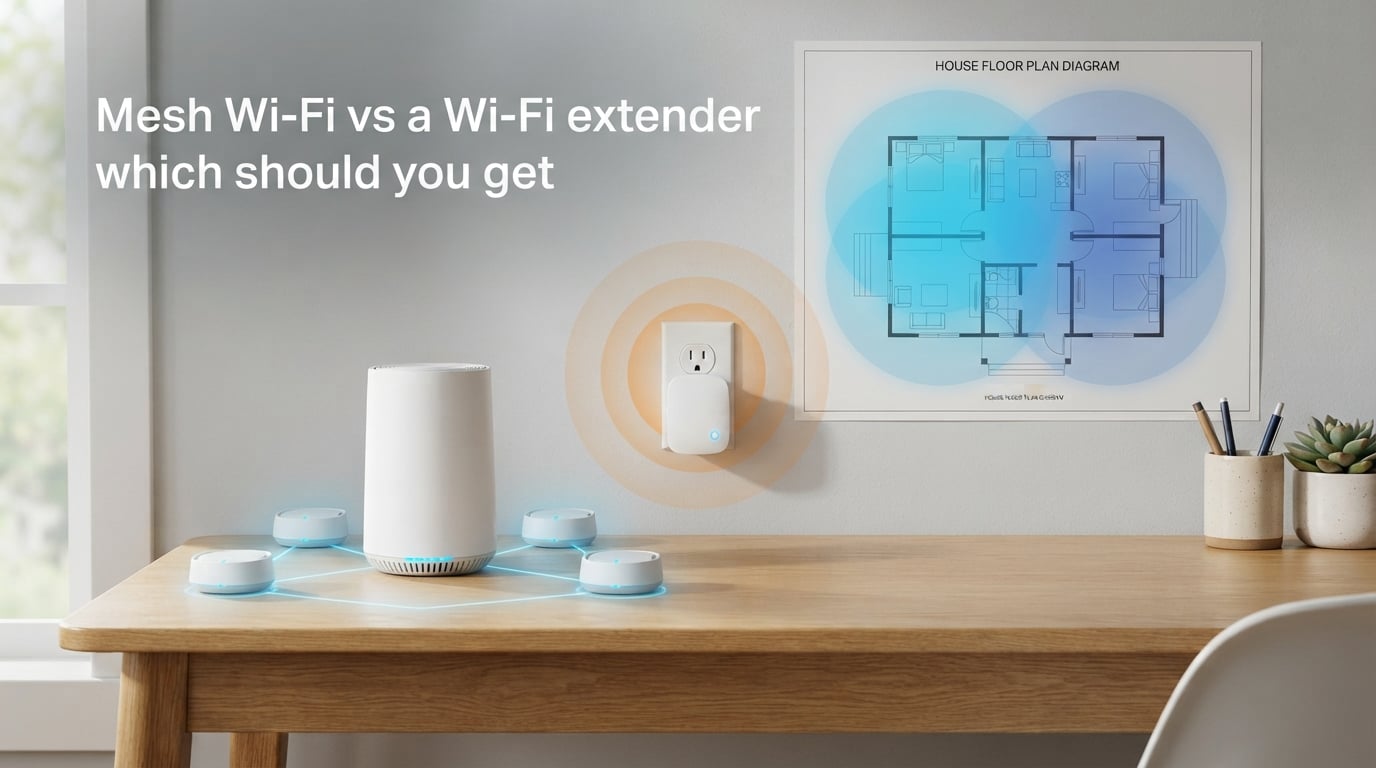
Dead zones in your home can turn streaming into a buffering nightmare and make video calls glitchy at the worst possible moment. When your router cannot quite reach every corner of your house, you have two main options: a mesh Wi-Fi system or a Wi-Fi extender. The choice between mesh Wi-Fi vs Wi-Fi extender comes down to your home size, budget, and how much convenience you value.
A mesh Wi-Fi system uses multiple devices working together to create one seamless network that blankets your entire home in coverage. A Wi-Fi extender simply takes your existing router signal and rebroadcasts it further, creating a separate network name you have to manually switch to when needed.
In this guide, our team breaks down exactly how each technology works, when one beats the other, and how to decide which solution fits your situation. By the end, you will know exactly which path to take for eliminating those frustrating dead zones.
How Mesh Wi-Fi Works
A mesh Wi-Fi system consists of a main router and several satellite nodes that work together as one unified network. Think of it like having multiple routers placed throughout your home, all communicating with each other and sharing the same network name.
Unlike traditional extenders, mesh nodes communicate directly with each other through a dedicated wireless backhaul channel. This means your devices connect to the nearest node automatically, and the system routes your traffic through whichever path provides the strongest connection. As you walk from your living room to your bedroom, your phone seamlessly hops from one node to another without you noticing.
The key advantage here is seamless roaming. Your devices see only one network name (SSID), and the mesh system handles all the switching behind the scenes. Modern mesh systems like those using Wi-Fi 6 or Wi-Fi 6E can even tri-band operation, dedicating one frequency band solely for node-to-node communication to prevent speed loss.
Most mesh systems come with a mobile app that makes setup surprisingly straightforward. You plug in the main router, place the satellite nodes around your home, and the app guides you through optimal placement. The system also handles firmware updates automatically and lets you manage parental controls, guest networks, and device prioritization from your phone.
Mesh networks scale well too. If you find a dead zone in your garage or backyard, you can simply add another node to extend coverage further. This flexibility makes mesh ideal for larger homes or growing families with increasing device counts.
How a Wi-Fi Extender Works
A Wi-Fi extender (also called a range extender or repeater) connects to your existing router wirelessly and rebroadcasts that signal to reach further into your home. It essentially acts as a relay station, picking up your router transmission and transmitting it again from a new location.
Here is the catch: most Wi-Fi extenders operate in half-duplex mode. This means they can only receive or transmit at one time, not both simultaneously. When an extender receives data from your router, it has to stop and retransmit it on the same frequency, effectively cutting your bandwidth in half. Some newer dual-band extenders can receive on one band and transmit on another to reduce this loss, but performance still takes a hit.
The biggest inconvenience with traditional extenders is the separate network name. Your extender typically creates a new SSID (often something like “MyNetwork_EXT”), and you have to manually switch your devices between your main network and the extended network depending on where you are in your home. Some devices will stubbornly cling to the weaker main network even when the extender signal is stronger.
Setup is usually simple though. Many extenders use WPS (Wi-Fi Protected Setup), where you just press the WPS button on your router, then on the extender, and they pair automatically. Budget options can be as simple as plugging a small device into a wall outlet.
Wi-Fi extenders work best as targeted solutions for specific dead zones. If your router covers most of your home but your back bedroom has weak signal, an extender placed halfway between can solve that isolated problem without replacing your entire network.
Mesh Wi-Fi vs Wi-Fi Extender: Key Differences
Understanding the core differences between mesh Wi-Fi vs Wi-Fi extender helps clarify which solution matches your needs. Here is how they stack up across the factors that matter most.
Network Structure: Mesh systems create one unified network with a single SSID that your devices connect to automatically. Extenders create a second, separate network that requires manual switching or creates confusion about which network your devices are using.
Speed Performance: Mesh networks maintain closer to full speed because dedicated backhaul channels handle node-to-node communication. Extenders typically reduce speeds by 30-50% due to their half-duplex rebroadcasting method.
Coverage Pattern: Mesh provides blanket coverage across your entire home with consistent speeds. Extenders extend coverage from a specific point outward, creating a strong signal near the extender but potentially weak areas between router and extender.
Setup Complexity: Mesh systems require more initial setup but offer guided apps and automatic optimization. Extenders are plug-and-play simple but offer less control over performance tuning.
Scalability: Mesh networks easily scale by adding more nodes. Adding a second or third extender creates multiple extended networks that do not communicate with each other, making management cumbersome.
Price Point: Mesh systems cost significantly more upfront, typically starting around $150-200 for a basic two-pack and reaching $500+ for premium tri-band systems. Extenders range from $25-100, making them the budget-friendly option.
Management Features: Mesh systems include robust apps with parental controls, device prioritization, guest networks, and usage monitoring. Extenders typically offer minimal management beyond basic setup and maybe a guest network toggle.
Mesh Wi-Fi Pros and Cons
Pros
Seamless Roaming: Walk through your home without your video call dropping or your stream buffering. The mesh system automatically switches your connection to the strongest node.
Single Network Name: No confusion about which network to connect to. All nodes share one SSID, and your devices handle switching automatically.
Consistent Speeds: Dedicated backhaul channels mean node-to-node communication does not eat into your main bandwidth. Performance stays reliable throughout your coverage area.
Easy Expansion: Add nodes as needed. Start with two and expand to three or four if you find coverage gaps later.
Advanced Management: Smartphone apps let you pause internet for specific devices, set up parental controls, create guest networks, and see which devices are using bandwidth.
Better for Multiple Floors: Mesh nodes communicate wirelessly through floors and walls, making them excellent for multi-story homes where running ethernet cables is impractical.
Cons
Higher Cost: A quality mesh system costs 3-5 times more than a decent extender. The investment makes sense for large homes but feels excessive for small apartments.
Proper Placement Required: Nodes need to be spaced correctly. Too close together wastes coverage potential. Too far apart creates weak backhaul connections that degrade performance.
Replaces Your Router: Most mesh systems become your primary router, meaning you lose your ISP provided router interface. Some ISP gateways complicate mesh setup.
Power Consumption: Multiple nodes mean multiple devices drawing power 24/7. Not a huge expense, but worth noting compared to a single extender.
Wi-Fi Extender Pros and Cons
Pros
Affordable Solution: A quality extender costs between $25-100, making it an easy fix for budget-conscious users dealing with one problem area.
Simple Setup: Press the WPS button on your router, press the button on the extender, and you are done. Many setups take under five minutes with no app required.
Works with Any Router: Extenders play nice with existing equipment. No need to replace your current router or deal with ISP compatibility issues.
Targeted Coverage: Perfect for fixing one specific dead zone. If your garage or back bedroom has weak signal, an extender placed strategically solves that isolated problem.
Low Power Draw: A single small device plugged into a wall outlet draws minimal power compared to multiple mesh nodes.
Cons
Speed Loss: Half-duplex operation means extenders cut your bandwidth significantly. You might get extended range, but at half the speed.
Separate Network Name: Your devices see two networks: the original and the extended version. Switching between them is manual and frustrating.
Inconsistent Roaming: Your phone might stay connected to a weak main router signal even when standing next to the extender. Seamless switching is not guaranteed.
Limited Coverage: Each extender covers a relatively small area. Adding multiple extenders creates multiple separate networks that do not coordinate.
No Advanced Features: Extenders offer basic functionality without the parental controls, device prioritization, and management tools mesh systems provide.
Performance Comparison: Speed, Coverage, and Reliability
When comparing mesh Wi-Fi vs Wi-Fi extender performance, the differences become clear under real-world conditions. Let us break down what matters for actual use.
Speed Degradation
Wi-Fi extenders typically reduce throughput by 30-50% because they must receive and retransmit data on the same radio. If your router delivers 200 Mbps to the extender location, the extender might only pass 100-140 Mbps to your devices. Some newer extenders mitigate this by using one frequency band for receiving and another for transmitting, but performance still suffers.
Mesh systems maintain closer to full speed. Tri-band mesh routers dedicate one band entirely to backhaul communication between nodes, leaving the other two bands for your devices. Even dual-band mesh systems outperform extenders because the nodes communicate more efficiently than simple rebroadcasting.
Coverage Patterns
Mesh networks create overlapping coverage zones. Each node blankets an area, and where those areas overlap, your devices connect to whichever node offers the best signal. This creates consistent coverage throughout your home without weak spots.
Extenders create a strong bubble around themselves but leave gaps between the router and extender location. The signal gets progressively weaker as you move away from either device, with a noticeable dip in the middle zone.
Signal Strength Measurement
Understanding signal strength helps you diagnose Wi-Fi problems accurately. Signal strength is measured in dBm (decibels relative to a milliwatt), typically ranging from -30 dBm (excellent) to -90 dBm (unusable). Here is a quick reference:
-30 to -50 dBm: Excellent signal, right next to the router or node.
-50 to -60 dBm: Very good signal, supports full speeds.
-60 to -67 dBm: Good signal, adequate for streaming and video calls.
-67 to -70 dBm: Fair signal, may see occasional buffering.
-70 to -80 dBm: Weak signal, expect performance issues.
Below -80 dBm: Unreliable connection, frequent drops likely.
You can check signal strength using apps like Wi-Fi Analyzer on Android or by holding Option and clicking the Wi-Fi icon on macOS. This helps determine whether a mesh node or extender placement is actually improving coverage.
Reliability Under Load
Mesh systems handle multiple devices better. With several nodes sharing the load, your smart TV streaming 4K video will not fight your laptop downloading a large file. The mesh distributes traffic across nodes intelligently.
Extenders struggle when multiple devices connect simultaneously. Since all traffic funnels through a single extender back to your router, congestion builds quickly. Gaming, streaming, and video calls happening at once often exposes extender limitations.
When to Choose Mesh Wi-Fi
Mesh Wi-Fi makes sense in these specific situations:
1. Your home is 2,000+ square feet. Large homes benefit from the blanket coverage mesh provides. A single router cannot reliably cover that space, and multiple extenders become unwieldy.
2. You have multiple floors. Mesh nodes communicate well through floors and ceilings, making them ideal for two-story homes or houses with basements. One node per floor typically provides solid coverage.
3. You have many smart home devices. Smart thermostats, doorbells, lights, and speakers all need reliable connections. Mesh systems handle dozens of simultaneous connections without choking.
4. Gaming and 4K streaming happen regularly. Low latency and consistent speeds matter for real-time applications. Mesh delivers more reliable performance for demanding use cases.
5. You want seamless roaming. If you move around your home with your phone or laptop, mesh keeps you connected without manual network switching.
6. You value parental controls and device management. Mesh apps offer robust features for managing what devices can access and when, something extenders rarely provide.
When to Choose a Wi-Fi Extender
A Wi-Fi extender is the better choice when:
1. Your home is under 1,500 square feet. Smaller spaces rarely need mesh coverage. An extender fixes isolated dead zones without the mesh investment.
2. You have one specific problem area. If your router covers 90% of your home but the back bedroom has weak signal, an extender solves that single issue efficiently.
3. Budget is tight. Extenders cost a fraction of mesh systems. When $40 solves your problem, spending $200+ on mesh feels unnecessary.
4. You rent and cannot replace the router. Some landlords or ISP agreements prevent router replacement. Extenders work with any existing setup.
5. You need a quick fix. Setting up an extender takes minutes. Mesh systems require more planning and configuration time.
6. Your devices do not need roaming. If you primarily use Wi-Fi in one location and just need signal in an isolated spot, an extender covers that use case perfectly.
Building Materials and Signal Strength: What Affects Your Wi-Fi
Your home construction significantly impacts Wi-Fi performance regardless of whether you choose mesh or an extender. Understanding these factors helps you place equipment optimally.
Drywall and Wood: Standard interior walls cause minimal signal loss. Wi-Fi passes through easily with only slight degradation.
Brick and Concrete: These materials absorb and block Wi-Fi signals substantially. A single brick wall can reduce signal strength by 40-50%. Multiple brick walls between your router and device often create dead zones.
Metal: Metal is the worst enemy of Wi-Fi. Metal studs, aluminum siding, metal doors, and even large appliances can block signals entirely. If your home has metal elements between router and problem area, you may need additional nodes or extenders.
Water: Large aquariums, water heaters, and even moisture in thick concrete can absorb Wi-Fi signals. Avoid placing nodes or extenders near these obstacles.
Mirrors and Glass: Mirrors contain metallic backing that reflects Wi-Fi. Large windows with metallic coatings (common in energy-efficient homes) can also interfere with signals.
ISP Compatibility Note: Before investing in mesh, check whether your ISP gateway supports bridge mode. Some ISP-provided routers complicate mesh installation because they cannot be fully bypassed. Contacting your ISP about this upfront prevents headaches later.
How to Diagnose Your Wi-Fi Problems Before Buying
Before spending money on mesh or extenders, run these diagnostics to understand exactly what you need:
Step 1: Run a speed test at your router. Stand next to your router and run a speed test using speedtest.net or a similar service. This gives you your baseline maximum speed.
Step 2: Test speeds in problem areas. Go to each room where you experience weak signal or buffering. Run the same speed test and note the results. Compare these to your baseline.
Step 3: Check signal strength. Use a Wi-Fi analyzer app to measure dBm readings throughout your home. Map where signal drops below -70 dBm (the point where problems typically start).
Step 4: Try repositioning your router first. Sometimes simply moving your router to a more central location or elevating it solves coverage issues. Test this before buying anything.
Step 5: Identify the dead zone pattern. Is the weak signal in one isolated area, or is coverage poor throughout your home? One problem area suggests an extender. Multiple weak spots suggest mesh.
Step 6: Count your devices. How many phones, laptops, smart TVs, tablets, and smart home devices connect to your network? More than 20-30 devices puts load on your network that mesh handles better than extenders.
This diagnostic approach saves you from buying the wrong solution. Many users assume they need mesh when a simple router reposition or single extender would solve their problem.
Mesh Wi-Fi vs Wi-Fi Extender: Which Should You Get?
The answer depends on your specific situation. Here is our straightforward recommendation framework:
Choose Mesh Wi-Fi if: You have a home over 2,000 square feet, multiple floors, more than 20 connected devices, or you regularly game and stream 4K content. The investment pays off in consistent performance and convenience.
Choose a Wi-Fi Extender if: You have one or two specific dead zones, a home under 1,500 square feet, a tight budget, or you rent and cannot replace your ISP router. The extender handles targeted problems without the mesh price tag.
Consider a hybrid approach if: You already have a decent router but need better coverage. Some manufacturers offer mesh-compatible extenders that work with specific router models, giving you some mesh benefits without replacing everything.
Cost-benefit analysis matters here. If an $80 extender solves your problem, spending $300 on mesh wastes money. But if you are constantly frustrated by dead zones and manual network switching, the mesh investment delivers value every day through convenience and performance.
FAQs
What is a major disadvantage of a mesh network?
The major disadvantage of a mesh network is cost. Mesh systems cost significantly more than extenders, typically $150-500 compared to $25-100 for an extender. Additionally, mesh requires proper node placement for optimal performance, and you must replace your existing router setup rather than adding to it.
What are the disadvantages of WiFi extenders?
WiFi extenders have several key disadvantages: they cut your speed by 30-50% due to half-duplex operation, create a separate network name requiring manual device switching, provide limited coverage compared to mesh, and offer no advanced features like parental controls or device management. They also do not communicate with each other, so adding multiple extenders creates multiple disconnected networks.
What is the best option to extend WiFi range?
The best option depends on your situation. For large homes over 2,000 square feet with multiple floors, mesh Wi-Fi provides the best whole-home coverage. For small apartments or isolated dead zones, a Wi-Fi extender offers the most cost-effective solution. Running ethernet cables to additional access points delivers the best performance but requires more installation effort.
Is a WiFi mesh better than a booster?
Yes, a WiFi mesh system is better than a booster (extender) for most situations. Mesh provides seamless roaming with one network name, maintains higher speeds through dedicated backhaul, scales easily by adding nodes, and offers advanced management features. Boosters are only better when you need a quick, low-cost fix for one specific dead zone.
Do mesh WiFi extenders actually work?
Yes, mesh WiFi systems work effectively when properly set up. They provide consistent coverage throughout homes by using multiple nodes that communicate with each other. The key is correct node placement, typically one node per 1,500-2,000 square feet, with nodes spaced to maintain strong backhaul connections between them.
What are the downsides of mesh WiFi system?
The downsides of mesh WiFi systems include higher upfront cost ($150-500+), the need to replace your existing router rather than augment it, proper placement requirements for nodes to work effectively, higher power consumption from multiple devices, and potential compatibility issues with some ISP gateways that cannot be set to bridge mode.
Which is better WiFi extender or mesh?
Mesh WiFi is better for large homes, multiple floors, households with many devices, and users wanting seamless roaming without manual network switching. WiFi extenders are better for small spaces, tight budgets, renters who cannot replace their router, and situations with only one isolated dead zone. Neither is universally better; the right choice depends on your specific needs.
Is it worth getting a WiFi mesh system?
A WiFi mesh system is worth the investment if you have a home over 2,000 square feet, experience multiple dead zones, regularly stream 4K video or game online, have more than 20 connected devices, or want features like parental controls and device management. If you live in a smaller space with one problem area, an extender provides better value.
Conclusion
Choosing between mesh Wi-Fi vs Wi-Fi extender comes down to your specific situation. Mesh systems deliver seamless whole-home coverage with single-network convenience and advanced features, making them ideal for larger homes and demanding users. Wi-Fi extenders provide an affordable, quick fix for isolated dead zones in smaller spaces without requiring router replacement.
Run the diagnostic steps outlined above to understand your actual coverage problems before deciding. Measure your signal strength, count your devices, and identify whether your issues are isolated or widespread. This data-driven approach ensures you invest in the right solution.
For large homes with multiple floors, smart home devices, and streaming demands, mesh Wi-Fi justifies its higher cost through daily convenience and reliable performance. For apartments, single dead zones, or budget-conscious users, a Wi-Fi extender solves the problem without unnecessary expense.