
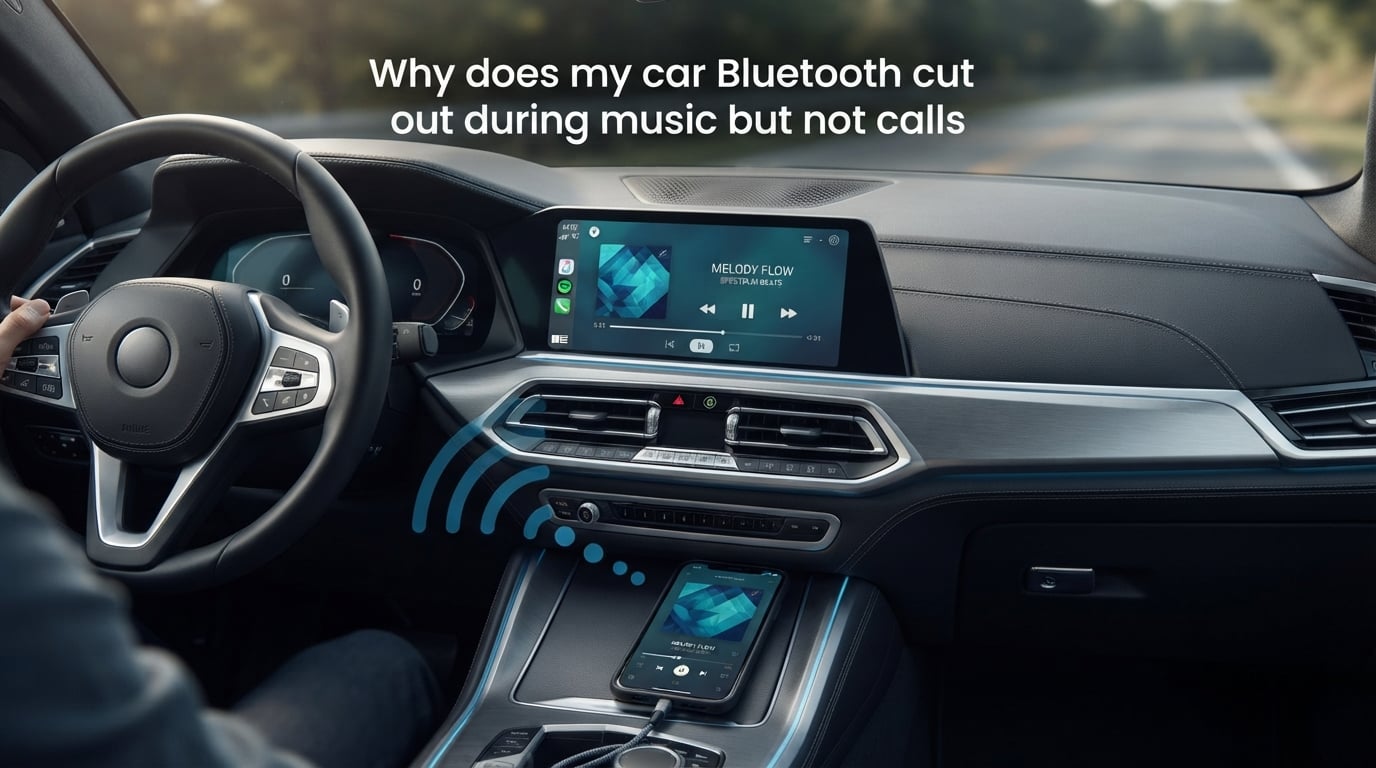
Your car Bluetooth cuts out during music but not calls because music streaming and phone calls use different Bluetooth profiles. Music relies on the A2DP profile, which demands far more bandwidth than the HFP profile used for hands-free calls. When interference, software glitches, or power management issues strain the connection, the heavier A2DP stream drops first while the lighter HFP profile stays connected.
This is one of the most frustrating Bluetooth problems drivers face. You can take a call clearly, but the moment you switch back to Spotify or a podcast, the audio stutters, pauses, or dies completely. I have spent months digging through Reddit threads, manufacturer forums, and technical documentation to understand exactly why this happens.
The answer comes down to how Bluetooth handles different types of audio. Once you understand the difference between these profiles, the fixes make a lot more sense. Let me walk you through why this happens and how to stop it.
Why Does My Car Bluetooth Cut Out During Music But Not Calls: The Core Reason
The key to understanding this problem lies in two Bluetooth profiles that work behind the scenes every time you connect your phone to your car.
A2DP: The Profile That Streams Your Music
A2DP stands for Advanced Audio Distribution Profile. It handles stereo audio streaming at higher bitrates, typically between 328 and 990 kbps depending on the codec your phone and car support. This profile carries rich, two-channel audio from your phone to your car speakers.
Because A2DP pushes so much data continuously, it needs a stable, high-bandwidth connection. Any disruption to the Bluetooth signal hits this profile first. When the connection weakens, A2DP is the first thing to stutter or drop.
HFP: The Profile That Handles Your Calls
HFP stands for Hands-Free Profile. It handles two-way voice communication between your phone and car, using a much lower bitrate of around 64 kbps. The audio quality is intentionally compressed because the priority is maintaining a reliable call connection.
Since HFP uses a fraction of the bandwidth that A2DP needs, it survives conditions that would kill music streaming. A weak signal, minor interference, or a struggling Bluetooth chip can still maintain an HFP connection while A2DP falls apart.
Why One Fails and the Other Survives
Think of it like a highway. HFP is a motorcycle that can weave through traffic even when the road is congested. A2DP is a wide-load truck that needs all lanes clear. When traffic builds up (interference, signal degradation, software overhead), the truck gets stuck but the motorcycle keeps moving.
This is why your calls sound fine but your music keeps cutting out. The problem is not that your Bluetooth is broken. The problem is that the conditions in your car are marginal enough to disrupt high-bandwidth audio while keeping low-bandwidth voice communication alive.
Common Causes of Bluetooth Audio Cutting Out
Now that you understand why music is more vulnerable than calls, let us look at what actually creates those disruptive conditions in the first place.
1. Wireless Interference on the 2.4 GHz Band
Bluetooth operates on the 2.4 GHz ISM band, the same frequency used by Wi-Fi routers, dash cams, wireless chargers, and even your microwave. Bluetooth uses frequency hopping to avoid interference, switching channels up to 1,600 times per second across 79 available channels.
But when too many devices crowd the 2.4 GHz band, Bluetooth cannot find clean channels to hop to. Users on Reddit report that their Bluetooth audio cuts out in specific geographic locations, which lines up with areas dense with Wi-Fi networks and RF interference.
Cheap USB car chargers are another hidden culprit. Poorly shielded chargers emit electromagnetic interference that disrupts Bluetooth signals, especially when plugged into the same power area as your phone mount or dash cam.
2. Battery Saver and Power Management
Both iOS and Android throttle background processes when battery saver is active. On Android, this often means Bluetooth background scanning gets restricted, which can cause the A2DP stream to stutter. On iPhone, Low Power Mode reduces Bluetooth refresh rates and can cause similar dropouts.
Some car infotainment systems also have aggressive power management that prioritizes phone call functionality over media streaming. The system keeps HFP active at all costs but lets A2DP drop when resources are tight.
3. Software and Firmware Issues
Outdated software on either your phone or car infotainment system is a leading cause of Bluetooth audio problems. Manufacturers frequently release patches that address Bluetooth stability, codec compatibility, and pairing issues.
Forum users on r/AndroidAuto and r/GooglePixel consistently report that a phone update introduces Bluetooth music dropouts that did not exist before. These bugs usually get patched in the next update, but only if you install it.
Your car infotainment firmware matters too. Some older head units have Bluetooth chips that struggle with modern phones using newer codecs like aptX or LDAC. A firmware update from your car manufacturer can resolve these compatibility issues.
4. Bluetooth Multipoint and Device Conflicts
If your phone connects to multiple Bluetooth devices simultaneously (a feature called multipoint), conflicts can arise. Your phone might be trying to split its Bluetooth bandwidth between your car, your smartwatch, and your wireless earbuds at the same time.
This is incredibly common and most people do not realize it is happening. Your Galaxy Watch or Apple Watch might be maintaining an active Bluetooth connection in the background, competing for bandwidth that your car needs for A2DP streaming.
5. Corrupted Pairing Data
Every Bluetooth connection stores pairing data on both devices. Over time, this cached data can become corrupted, especially after a software update or when multiple devices have been paired and unpaired repeatedly. Corrupted pairing data can cause one profile to fail while another keeps working.
This explains why calls might connect fine but music streaming struggles. The HFP pairing data might be intact while the A2DP pairing data is corrupted. The fix is to completely forget the connection and re-pair from scratch.
6. Phone Audio Settings Misconfiguration
When you pair your phone with your car, you typically see permissions for Media Audio, Phone Audio, and Contact Sharing. If Media Audio gets toggled off accidentally (or by a software bug), your phone will connect for calls but not for music streaming.
On Android, you can check this by going to Settings, then Bluetooth, then tapping the gear icon next to your car name. On iPhone, the Media Audio toggle is less visible but can still get switched off during updates.
7. Automatic Audio Switching Conflicts
Apple and Google both offer automatic audio switching features that move your Bluetooth connection between devices based on what it thinks you want. Apple’s feature switches AirPods between your iPhone, iPad, and Mac. Google’s Fast Pair does something similar for compatible earbuds.
These features can misfire when you get into your car. Your phone might route music to your earbuds instead of your car stereo, causing what looks like a dropout but is actually a routing conflict. Users on r/iphone report this happening frequently after iOS updates.
How to Fix Bluetooth Music Cutting Out in Your Car
Here is a step-by-step troubleshooting sequence ranked from easiest to most thorough. Work through these in order, testing your music after each step.
Step 1: Restart Both Devices
The classic fix works more often than you might think. Turn off your phone and restart it. Do the same with your car infotainment system by turning the car off completely, opening and closing the driver door, and waiting 30 seconds before restarting.
This clears temporary Bluetooth state issues and forces both devices to re-establish their connection from a clean slate. It is the most recommended fix across every forum and community I reviewed.
Step 2: Check Media Audio Permission
On Android, go to Settings, select Bluetooth, tap the gear icon next to your car name, and make sure Media Audio is toggled on. On iPhone, go to Settings, select Bluetooth, tap the info icon next to your car, and verify that audio sharing is enabled.
This takes 10 seconds and fixes the problem for a surprising number of people. The toggle can get switched off during software updates or when you accidentally tap it while in the Bluetooth menu.
Step 3: Forget and Re-Pair
This is the most reliable fix for persistent issues. On your phone, go to Bluetooth settings, find your car, and select Forget This Device. Then go to your car infotainment system and delete your phone from its paired devices list.
Restart both devices. Put your car into pairing mode and your phone into discoverable mode. Pair them fresh, making sure to accept all permission prompts including Media Audio, Phone Audio, and Contact Sharing.
This clears any corrupted pairing data and forces both devices to negotiate fresh Bluetooth profiles. It resolves the majority of A2DP-specific issues because it rebuilds the music streaming profile from scratch.
Step 4: Clear Bluetooth Cache (Android)
On Android devices, Bluetooth stores cached data that can become corrupted. Go to Settings, select Apps, find Bluetooth (you may need to show system apps), tap Storage, and select Clear Cache. Then Clear Data as well.
This removes all cached Bluetooth information without deleting your paired devices. After clearing, restart your phone and reconnect to your car. Many Android users on r/GooglePixel report this single step fixed months of music dropouts.
On iPhone, there is no equivalent cache clearing option. The closest fix is to Reset Network Settings, which wipes all Bluetooth pairings, Wi-Fi passwords, and cellular settings. Use this as a last resort.
Step 5: Update Software on Both Devices
Check for software updates on your phone and install any available patches. Then check your car manufacturer website or contact your dealer about infotainment firmware updates.
Car firmware updates are often overlooked but can make a huge difference. Some manufacturers release Bluetooth-specific patches that improve A2DP stability with newer phones. If your car is more than three years old, there is a good chance updates are available.
Step 6: Reduce Wireless Interference
Unplug any unnecessary USB devices from your car, especially cheap chargers and dash cams. Try moving your phone to a different location in the car to see if the dropouts improve. Keep your phone away from the dashboard area where the infotainment system and other electronics are concentrated.
If you have a Wi-Fi hotspot running in your car, try turning it off temporarily to see if Bluetooth audio improves. Both operate on 2.4 GHz and can interfere with each other.
Step 7: Disable Battery Saver for Bluetooth
On Android, go to Settings, select Apps, find Bluetooth, tap Battery, and set it to Unrestricted or No Restrictions. On iPhone, go to Settings, select Battery, and turn off Low Power Mode while driving.
This prevents the operating system from throttling Bluetooth background processes. Many users report that simply disabling battery saver eliminated their music dropouts entirely while calls were never affected because HFP gets prioritized by the power management system.
When Other Devices Hijack Your Bluetooth Audio
One of the most overlooked causes of music cutting out in the car has nothing to do with your car at all. Your other Bluetooth devices are quietly competing for your phone’s attention.
The Smartwatch and Earbuds Conflict
If you wear a smartwatch and own wireless earbuds, both are likely maintaining active Bluetooth connections to your phone throughout the day. When you get in your car, your phone is suddenly trying to manage three Bluetooth connections simultaneously.
The result is predictable. Your phone’s Bluetooth chip struggles to maintain A2DP streaming to your car while also communicating with your watch and earbuds. Music stutters, pauses, or drops entirely. But calls keep working because HFP gets priority.
Reddit users on r/GalaxyS25Ultra and r/AndroidAuto describe this exact scenario. One user reported that their Galaxy Watch kept taking over the Bluetooth connection mid-drive, causing Spotify to cut out while calls worked fine.
Automatic Audio Switching Problems
Apple’s automatic AirPods switching and Google’s Fast Pair are designed to route audio intelligently between devices. But these features can misjudge your intent. You get in your car, start driving, and your phone routes music to your AirBuds case (which is in your pocket) instead of your car stereo.
The music appears to cut out from your car speakers even though Bluetooth is technically connected. The audio is just going somewhere else.
How to Prevent Device Hijacking
Before you start driving, temporarily disable Bluetooth on your smartwatch and put your earbuds back in their case. This forces your phone to route all audio to your car.
On iPhone, you can disable automatic AirPods switching by going to Settings, selecting Bluetooth, tapping the info icon next to your AirPods, and turning off Connect to This iPhone Automatically. On Android, you can disable Fast Pair notifications in Google Play Services settings.
For a more permanent fix, unpair devices you do not use in the car. The fewer Bluetooth devices your phone maintains connections with, the more bandwidth it can dedicate to your car stereo.
When to Seek Professional Help
If you have tried every step above and your car Bluetooth still cuts out during music, the problem may be hardware-related. Here are the signs that point to a physical issue rather than a software one.
If your Bluetooth drops at the same physical locations every time, you likely have RF interference in those areas and there is no fix except driving a different route. If dropouts happen everywhere regardless of location, the Bluetooth antenna in your car head unit may be failing.
Cars older than 2015 sometimes have Bluetooth 2.0 or 3.0 modules that cannot handle modern A2DP codecs reliably. In this case, a Bluetooth receiver that plugs into your car’s auxiliary input or FM transmitter can bypass the factory system entirely.
Visit your car dealer if the infotainment system has a known Bluetooth recall or firmware update. For older cars, a car audio specialist can install an aftermarket head unit with modern Bluetooth 5.0+ support.
FAQs
Why does my Bluetooth keep cutting out when playing music in my car?
Your Bluetooth music cuts out because the A2DP profile that streams music requires more bandwidth than the HFP profile used for calls. Interference on the 2.4 GHz band, battery saver mode, corrupted pairing data, and device conflicts can all disrupt the heavier A2DP stream while calls continue working.
Why does my Bluetooth work for calls but not music?
Phone calls use the HFP (Hands-Free Profile) which needs only about 64 kbps, while music streaming uses A2DP which needs up to 990 kbps. When your Bluetooth connection is strained, the low-bandwidth HFP survives but the high-bandwidth A2DP drops. Check that Media Audio is enabled in your Bluetooth settings for your car.
Why is my Bluetooth audio choppy in my car?
Bluetooth audio becomes choppy due to wireless interference on the 2.4 GHz band from Wi-Fi, dash cams, USB chargers, or other Bluetooth devices. Battery saver mode, outdated firmware, and smartwatch or earbuds competing for bandwidth also cause choppiness. Reducing interference and disabling battery saver typically resolves this.
How to fix Bluetooth audio cutting out?
Start by restarting both your phone and car infotainment system. Then check that Media Audio is enabled in Bluetooth settings. If issues persist, forget the car from your phone and re-pair from scratch. Clear the Bluetooth cache on Android, update software on both devices, and disable battery saver mode.
How do I reset my car’s Bluetooth?
To reset your car Bluetooth, delete all paired phones from the car infotainment system and forget the car from your phone’s Bluetooth menu. Restart both devices, put the car in pairing mode, and pair them fresh. Accept all permissions including Media Audio, Phone Audio, and Contact Sharing to rebuild all Bluetooth profiles cleanly.
Conclusion
Your car Bluetooth cuts out during music but not calls because music streaming uses the bandwidth-heavy A2DP profile while calls use the lightweight HFP profile. When your Bluetooth connection is under strain from interference, software bugs, power management, or competing devices, A2DP fails first.
The most effective fixes are forgetting and re-pairing your devices, clearing the Bluetooth cache, updating software, disabling battery saver, and disconnecting competing devices like smartwatches and earbuds. Work through the seven troubleshooting steps above and test after each one to find the fix that works for your specific setup.
If none of these solutions work, the Bluetooth module in your car may be aging or failing. A Bluetooth receiver or aftermarket head unit can bypass the factory system and give you reliable music streaming for years to come.