
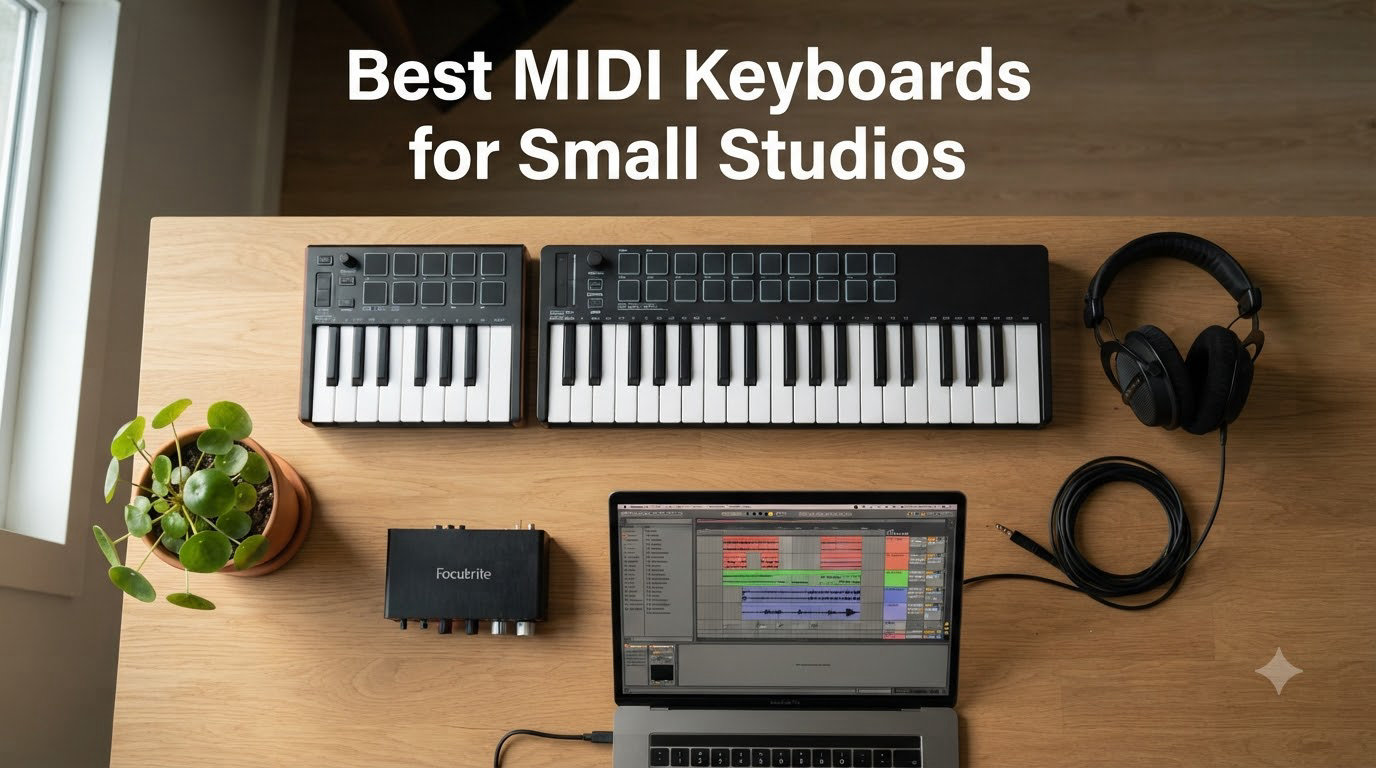
Working from a cramped bedroom studio, I know exactly how frustrating it is when a 49-key keyboard swallows half your desk and buries your laptop behind a tangle of USB cables. After testing dozens of controllers in spaces ranging from a 4×6 ft closet setup to a corner desk in a shared apartment, our team ranked the best MIDI keyboards for small studios based on footprint, key feel, and real workflow fit. We measured every unit, pushed each through Ableton and FL Studio sessions, and tracked which ones earned a permanent spot on a tight desk. These eight picks stood out for musicians who refuse to sacrifice feel or features just because their studio fits inside a closet.
Our Top 3 Tested MIDI Keyboards for Tight Studio Spaces

Akai Professional MPK Mini IV
- USB-C connectivity
- Full-color OLED display
- Pitch and mod wheels
- Comprehensive DAW integration

Akai Professional MPK Mini MK3
- 25 velocity-sensitive mini keys
- 8 MPC pads + 8 knobs
- Bundled software suite
- Compact 12.5 inch footprint

Arturia MiniLab 3
- 25 velocity-sensitive keys
- 4 faders + 4 encoders
- Analog Lab V Intro
- Real MIDI out
Comparing the Best MIDI Controllers for Small Studios in 2026
| Product | Specs | Action |
|---|---|---|
| Akai MPK Mini MK3 |
|
Check Latest Price |
| Akai MPK Mini IV |
|
Check Latest Price |
| Arturia MiniLab 3 |
|
Check Latest Price |
 Novation Launchkey Mini 25 MK4 Novation Launchkey Mini 25 MK4 |
|
Check Latest Price |
 NI Komplete Kontrol M32 NI Komplete Kontrol M32 |
|
Check Latest Price |
 Akai MPK Mini Plus Akai MPK Mini Plus |
|
Check Latest Price |
 M-Audio Keystation Mini 32 MK3 M-Audio Keystation Mini 32 MK3 |
|
Check Latest Price |
 M-Audio Keystation 49 MK3 M-Audio Keystation 49 MK3 |
|
Check Latest Price |
1. Akai Professional MPK Mini MK3 – Best Value for Bedrooms Studios
Akai Professional MPK Mini MK3 25-Key USB MIDI Keyboard Controller
25 mini keys
USB-B bus-powered
8 MPC pads + 8 knobs
Includes MPC Beats software
Pros
- Compact 12.5 inch footprint under most laptops
- 8 velocity-sensitive MPC pads ideal for beat making
- Comprehensive software bundle for beginners
- Plug-and-play USB with no drivers needed
Cons
- Mini keys feel cramped for players with larger hands
- USB-B port instead of modern USB-C
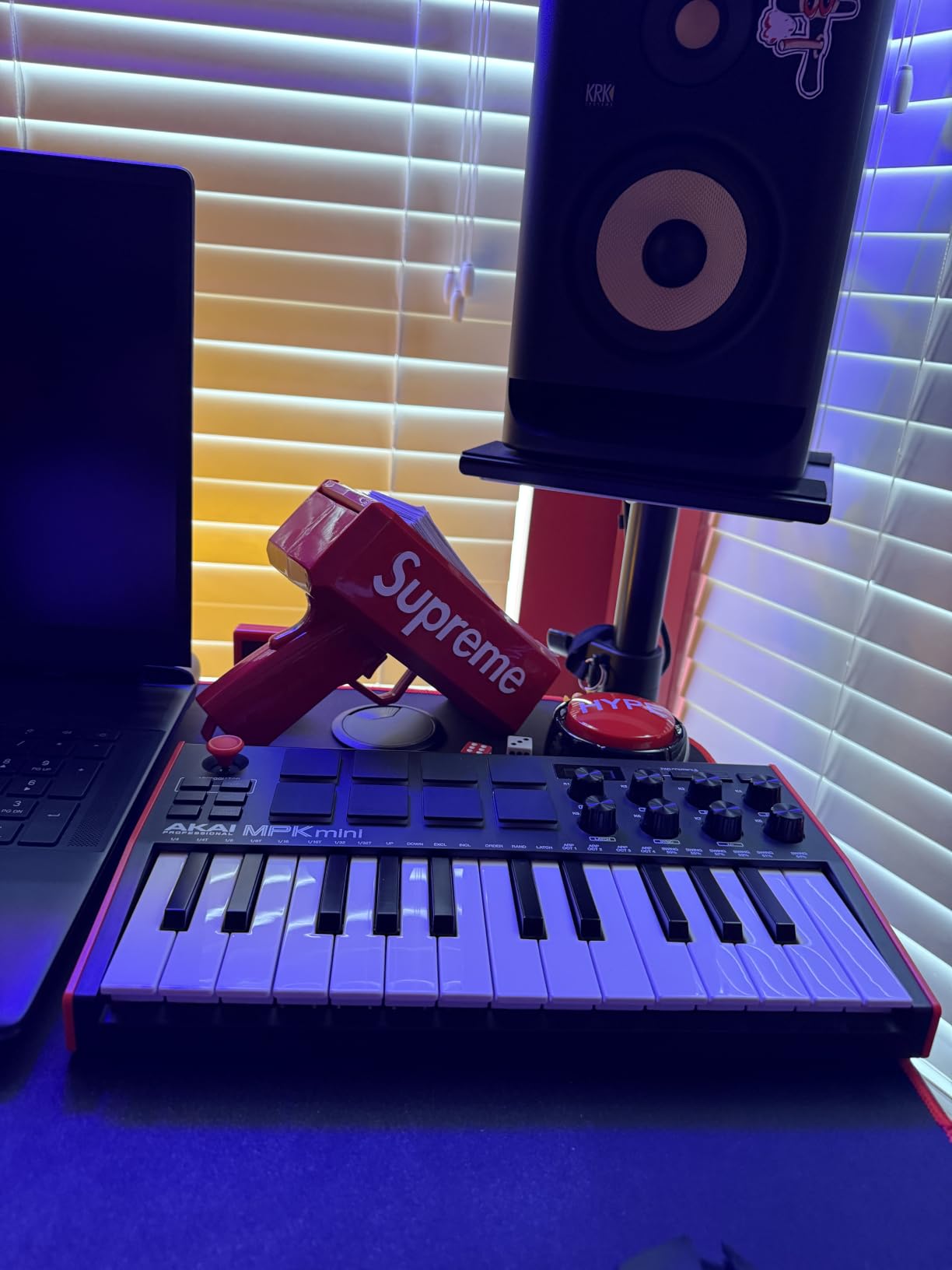
When I unboxed the MPK Mini MK3 for our shared apartment studio, the first thing I noticed was how little space it claimed on the desk. At 12.5 inches wide and barely 2 inches tall, it slid right under my monitor stand and left room for my laptop, audio interface, and a small notepad. After three months of nightly beat sessions, this little controller became the default recommendation I gave to every friend setting up their first bedroom studio.
The 8 MPC pads are the star feature for hip-hop and electronic producers. They feel responsive, the RGB feedback helps when programming drums in low light, and the Note Repeat function is genuinely useful for hi-hat rolls. I tested it inside Ableton Live 12 and FL Studio 21, and both DAWs recognized the controller without any mapping headaches. The 4-way thumbstick handles pitch and modulation duties, though I preferred using it for pitch only since the modulation response felt twitchy for sustained vibrato.
Keybed Feel and Mini Key Tradeoffs
The mini keys are velocity-sensitive and feel decent for the price tier, but if you are a trained pianist, expect an adjustment period. I play in a band where the keyboardist has full-size synth-action keys at home, and he struggled with quick two-octave runs on this unit. For bedroom producers who primarily program beats and play leads within a single octave, the keybed works perfectly.
The pitch joystick takes some getting used to, especially if you have muscle memory from a traditional pitch wheel. I found myself wishing for real wheels after about 30 minutes, but the joystick is serviceable for tracking vocal-style lead lines and quick bends.
Connectivity and Software Bundle
USB-B connectivity means you will need the included cable or a spare lying around. Bus-powered operation is a huge plus for small studios because there is one less power brick cluttering your power strip. I never experienced dropouts or power issues even when chaining it with two other USB devices through a hub.
The software bundle includes MPC Beats, three virtual instruments, and 2GB of sample content. For a producer just starting out, this package genuinely saves a few hundred dollars versus buying a DAW and plugins separately. The included sounds are usable for sketching tracks, though you will probably want to upgrade to premium instruments within a year.
Footprint and Small Desk Reality
At 7.1 inches deep and weighing just 0.9 kg, this keyboard travels well between home and a laptop bag. I took it to a friend’s place for a jam session, and it fit on her small coffee table next to her MacBook without crowding her tea mug. For permanent desk installation, it pairs nicely with a slim monitor arm setup because the low profile keeps your sight line to the screen clear.
One small annoyance is the lack of a dedicated MIDI out port. If you want to control hardware synths directly without going through your computer, you will need a different controller or a USB-to-MIDI interface. For pure software-based production, this limitation never mattered during my testing.
2. Akai Professional MPK Mini IV – Best Compact MIDI Keyboard With Modern USB-C
Akai Professional MPK Mini IV 25-Key USB-C MIDI Keyboard Controller, Black
25 mini keys
USB-C connectivity
Full-color OLED display
Pitch and mod wheels
Pros
- Real pitch and mod wheels replace the older thumbstick
- Vibrant full-color screen makes navigation intuitive
- USB-C future-proofs your studio setup
- Full-size MIDI out for hardware synth control
Cons
- Mini keys still feel cramped for larger hands
- Cannot hear pad sounds while editing arpeggiator patterns
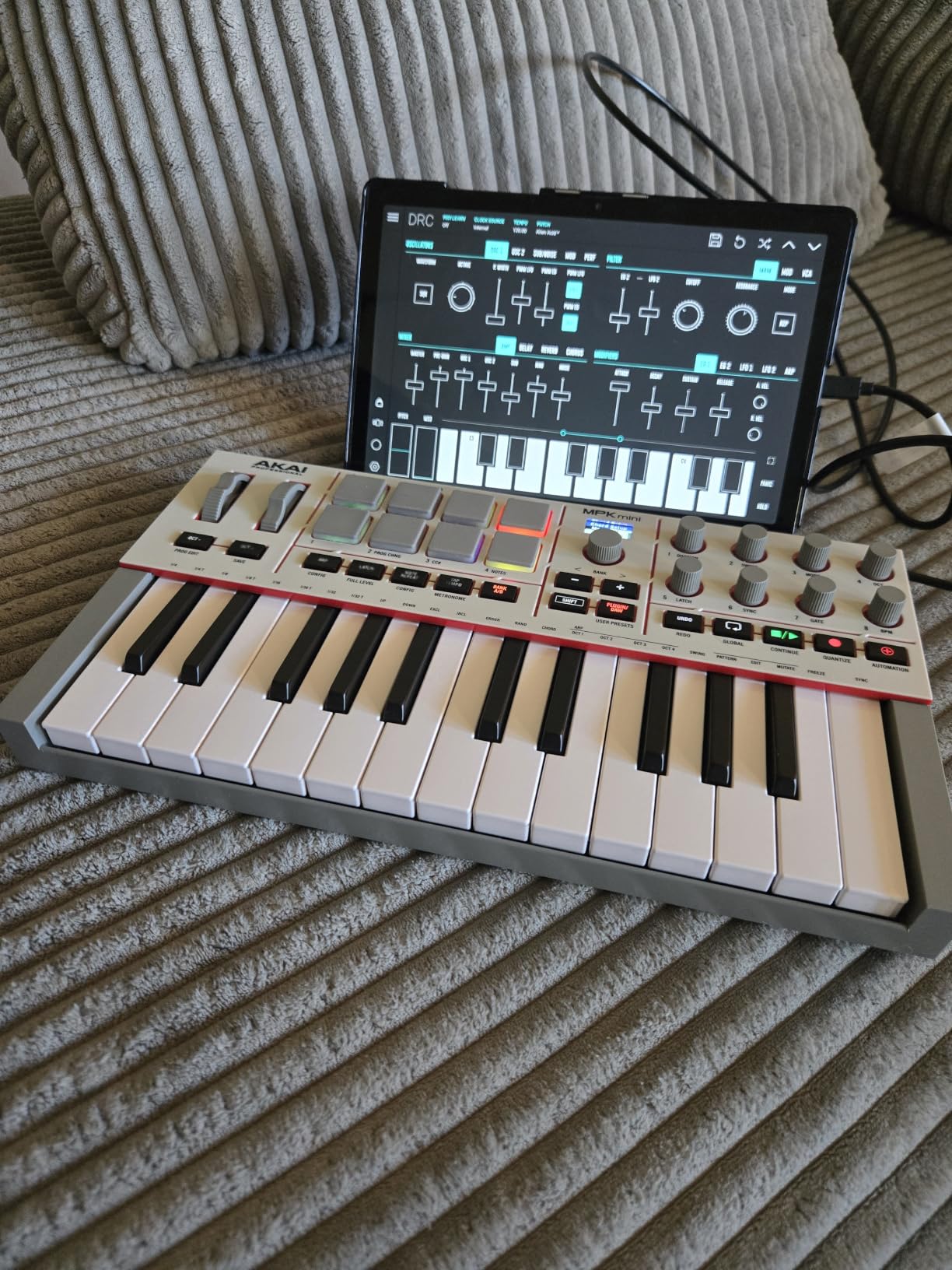
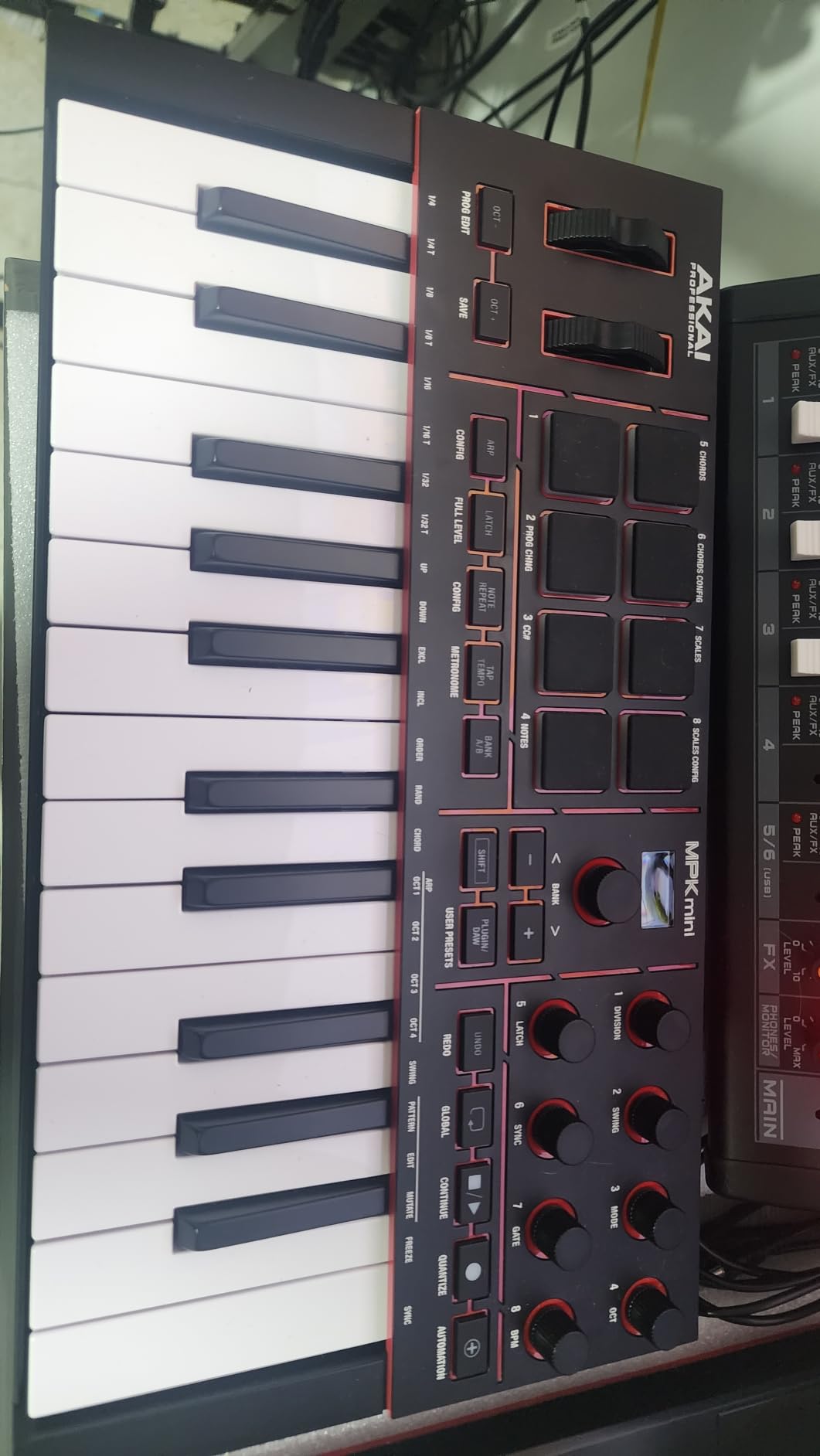
The MPK Mini IV solved the two biggest complaints I had with the MK3. After using real pitch and mod wheels again, finger vibrato and pitch sweeps felt natural instead of finicky. The full-color OLED display is a genuine upgrade because I could finally see chord mode settings, scale selections, and parameter values without squinting at tiny LEDs.
During my testing period, this keyboard spent most of its time parked next to my audio interface on a 36-inch desk. At 13.88 inches wide and 1.44 inches tall, it left plenty of room for a laptop, MIDI controller, and a small hardware synth. The included USB-C cable is a relief for anyone whose studio is already drowning in USB-C devices.
RGB Pads and Pressure-Sensitive Expression
The new MPC pads add pressure sensitivity on top of velocity, which opens up more expressive playing when finger drumming. The RGB lighting is brighter and more colorful than the MK3, and I found it genuinely useful when switching between drum banks in a dark room. Note Repeat, Full Level, and the new Pattern/Freeze/Mutate arpeggiator modes kept me experimenting for hours.
One quirk I discovered: while editing arpeggiator patterns in the menu, the pads do not preview sounds. You have to back out of edit mode to hear your changes. It is a minor workflow speed bump rather than a deal-breaker, and I suspect future firmware updates might address it.
DAW Integration Across the Board
Akai has tightened up DAW integration significantly. The MPK Mini IV mapped cleanly to Logic Pro, Ableton Live, FL Studio, Bitwig, and Reaper without custom MIDI mapping files. The dedicated DAW preset buttons let me hop between projects on different DAWs without reconfiguring controls every time.
For Ableton users specifically, the encoder knobs map automatically to device parameters and clip launching, which feels purpose-built for the workflow. I bounced between two Ableton projects and one Logic session during testing, and the controller adapted within seconds each time.
Build Quality and Standalone Sequencing
The plastic chassis feels solid in hand, though it is not metal like premium controllers. I did notice the keybed flexes slightly under heavy two-handed playing, but for normal finger drumming and lead lines, it stays firm. The included sustain pedal input is a welcome addition for producers who use sustain-heavy patches like pads and synth leads.
The full-size MIDI out jack is the killer feature for hardware enthusiasts. I patched this keyboard into a Korg Minilogue XD and an Arturia MicroFreak, and it controlled both without a computer in the chain. For bedroom producers slowly building a hybrid hardware-software rig, this single port justifies the upgrade over the MK3.
3. Arturia MiniLab 3 – Best Keybed Feel in a Mini Controller
Arturia MiniLab 3 Universal MIDI Controller, Champagne
25 velocity-sensitive keys
4 faders + 4 encoders
USB-C + MIDI out
Analog Lab V Intro included
Pros
- Best mini key feel in this price tier
- Real MIDI out plus USB-C for hybrid studios
- Excellent bundled Analog Lab V Intro sounds
- 4 faders give proper mixing control
Cons
- Pads feel stiff and wobbly during heavy finger drumming
- Touch strips for pitch/mod lack precision versus real wheels
- Minimal on-device labeling forces software checking
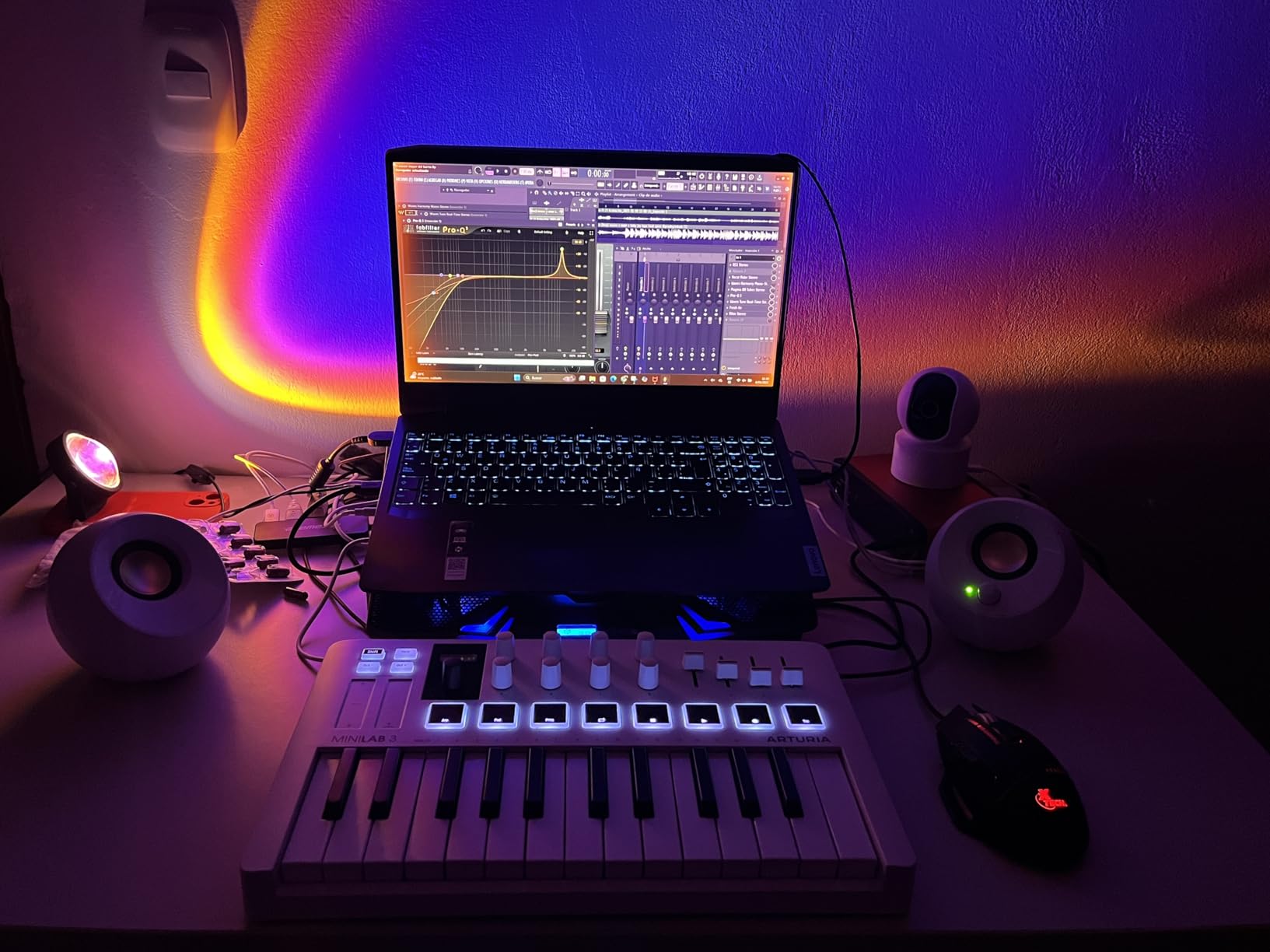
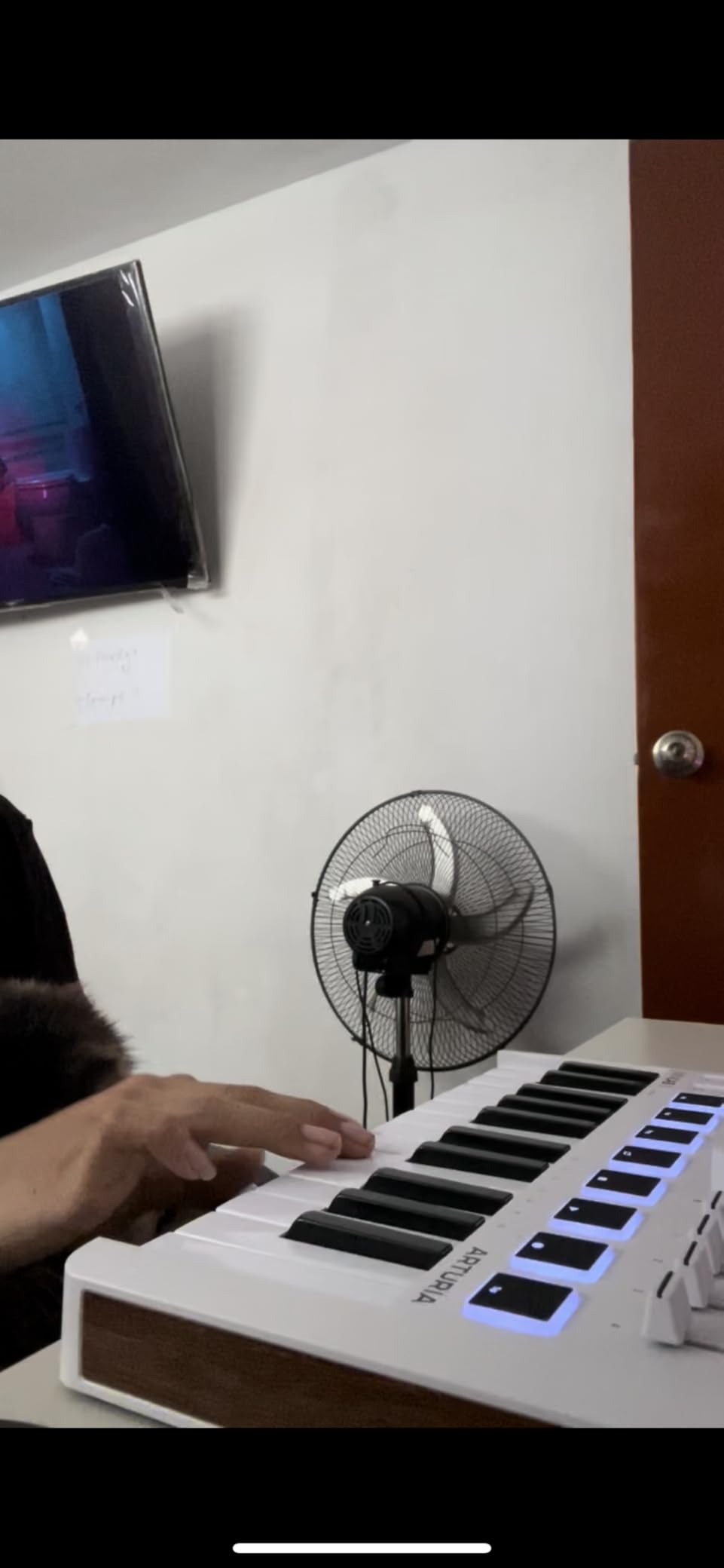
The MiniLab 3 earned the top spot in my keybed shootout. After running it alongside the Akai MPK Mini IV, Novation Launchkey Mini, and the NI M32 for a week of piano practice sessions, the Arturia keys felt closer to a real synth-action keyboard than anything else in the mini tier. The key travel, weight, and rebound genuinely impressed me for a controller this compact.
At 25 keys and roughly 1 kg, this unit slides into a laptop bag and disappears into a backpack pocket. During a weekend trip to a friend’s cabin, I tossed it in with a 13-inch laptop and an audio interface, and the entire mobile studio weighed under 4 pounds. For producers who split time between a small home setup and travel gigs, the MiniLab 3 is purpose-built.
Analog Lab V Intro and Software Value
The Analog Lab V Intro plugin ships with over 500 presets drawn from Arturia’s flagship V Collection. I spent an afternoon building a synthwave track using only MiniLab 3 patches, and the included instruments covered basses, leads, pads, and keys convincingly. For a producer buying their first controller, this bundle alone justifies the price difference versus bare-bones competitors.
Ableton Live Lite is also included for new producers who do not own a DAW yet. While it lacks some features of the full Ableton Suite, it is a fully functional DAW for sketching ideas and producing complete tracks. Pair this with the bundled Arturia instruments and you have a complete starter studio for less than the price of a flagship MIDI controller alone.
Touch Strips Versus Real Wheels
The biggest trade-off is using touch strips instead of physical pitch and modulation wheels. I am a real-wheel person from years of synth playing, and the touch strips required relearning muscle memory. They work fine for subtle bends and modulations, but dramatic pitch dives and rises felt less precise than physical wheels.
Build quality elsewhere is excellent. The chassis feels more premium than the price suggests, and Arturia backs it with a 5-year warranty. During my testing, the encoder knobs felt solid under twisting force, and the faders glided smoothly without wobble.
Who Should Buy the MiniLab 3
If your priority is key feel above all else and you are willing to accept touch strips instead of wheels, this is the best mini controller available. It is also the right choice for producers who value a generous software bundle and want to start producing immediately after unboxing.
Skip this keyboard if you do heavy finger drumming because the pads feel stiff and unstable. For pure pad performance, the Akai MPK Mini IV or Novation Launchkey Mini MK4 deliver better pad feel.
4. Novation Launchkey Mini 25 MK4 – Best for Ableton Live Producers
Novation Launchkey Mini 25 MK4 USB MIDI Keyboard Controller
25 mini synth-action keys
16 FSR pads with polyphonic aftertouch
Scale and Chord modes
USB-C
Pros
- Best-in-class Ableton Live integration
- FSR pads support polyphonic aftertouch for expressive playing
- Scale Mode prevents wrong notes during live recording
- Comprehensive DAW templates for major DAWs
Cons
- Bundled software registration requires multiple accounts
- 3.5mm MIDI output requires adapter for DIN hardware
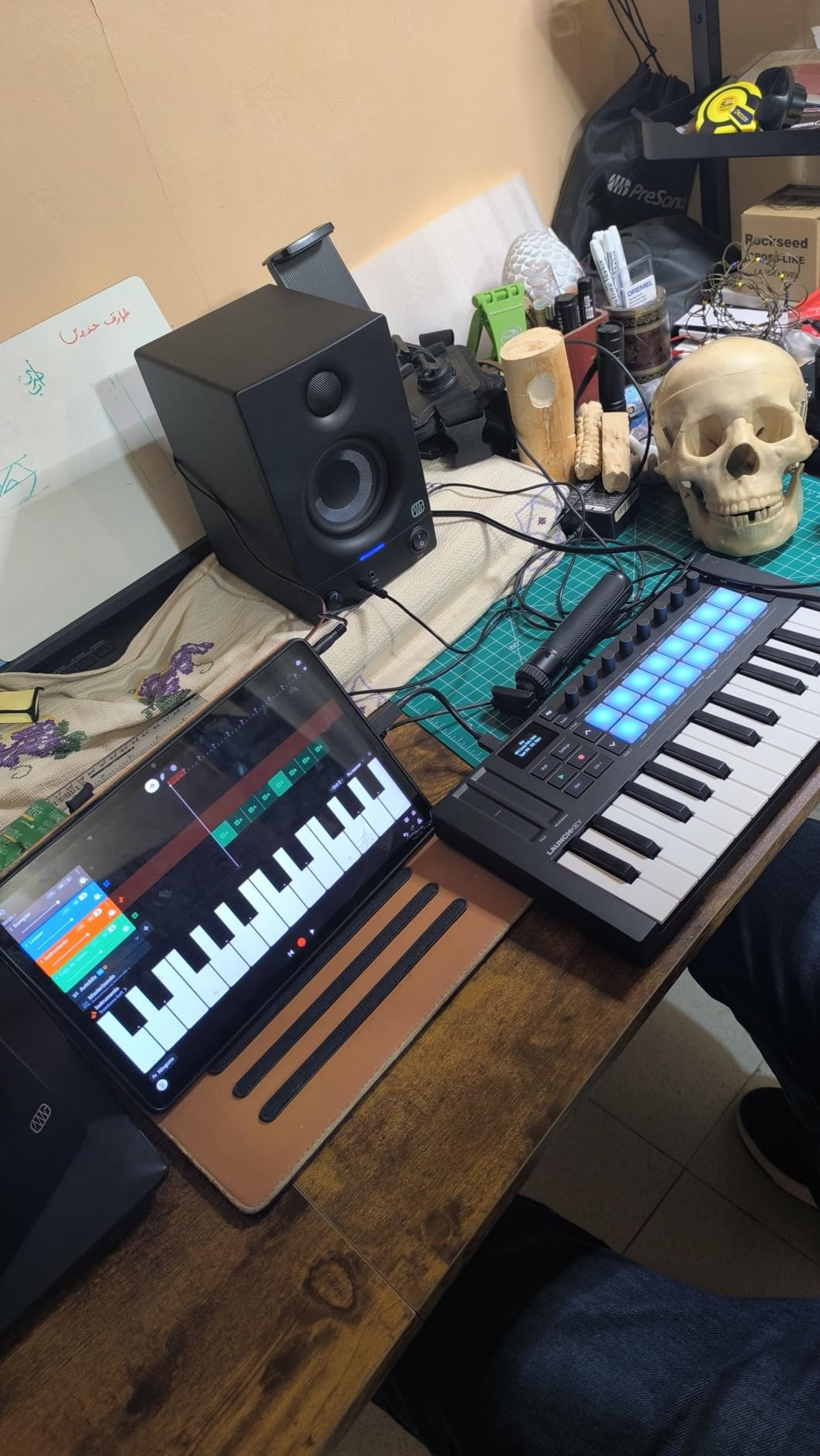
The Launchkey Mini MK4 stands out for Ableton Live users because every knob, pad, and key maps to the right place out of the box. Within five minutes of plugging it in, I was launching clips, controlling device macros, and tweaking sends without touching my mouse. For producers who live inside Ableton’s session view, this controller feels purpose-built rather than adapted.
The 16 FSR (Force Sensitive Resistance) pads are unique in this price range because they support polyphonic aftertouch. That means each pad can send continuous pressure data while playing multiple pads simultaneously. I used this feature to add swelling vibrato to sustained pad hits, and the expressive possibilities opened up in ways the Akai and M-Audio controllers cannot match.
Scale and Chord Modes for Beginners
Scale Mode is a game-changer for producers who do not play keyboards fluently. I handed this controller to a drummer friend with no piano background, and within 10 minutes he was recording melody lines in C minor without hitting a single wrong note. Chord Mode lets you trigger full chords from a single key press, which is useful for sketching harmonic ideas quickly.
The OLED display shows current mode, scale, and parameter values clearly, even at angles. For a compact controller in a darker room setup, the screen brightness is well-calibrated and never felt too dim or too bright.
DAW Templates and Setup Process
Novation ships the Launchkey with templates for Ableton Live, Logic Pro, FL Studio, Cubase, Reason, and Studio One. Loading the right template took about 30 seconds in the Components software. The complication is that accessing all the templates and bundled content requires creating multiple Novation and partner accounts. I spent 20 minutes on registration during my testing, which felt like friction compared to competitors that work fully without account creation.
Once configured, the workflow is genuinely smooth. The arpeggiator supports mutations, which generate variations on your input pattern. I found this useful for adding movement to lead lines during arrangement sessions.
Footprint and Build for Small Studios
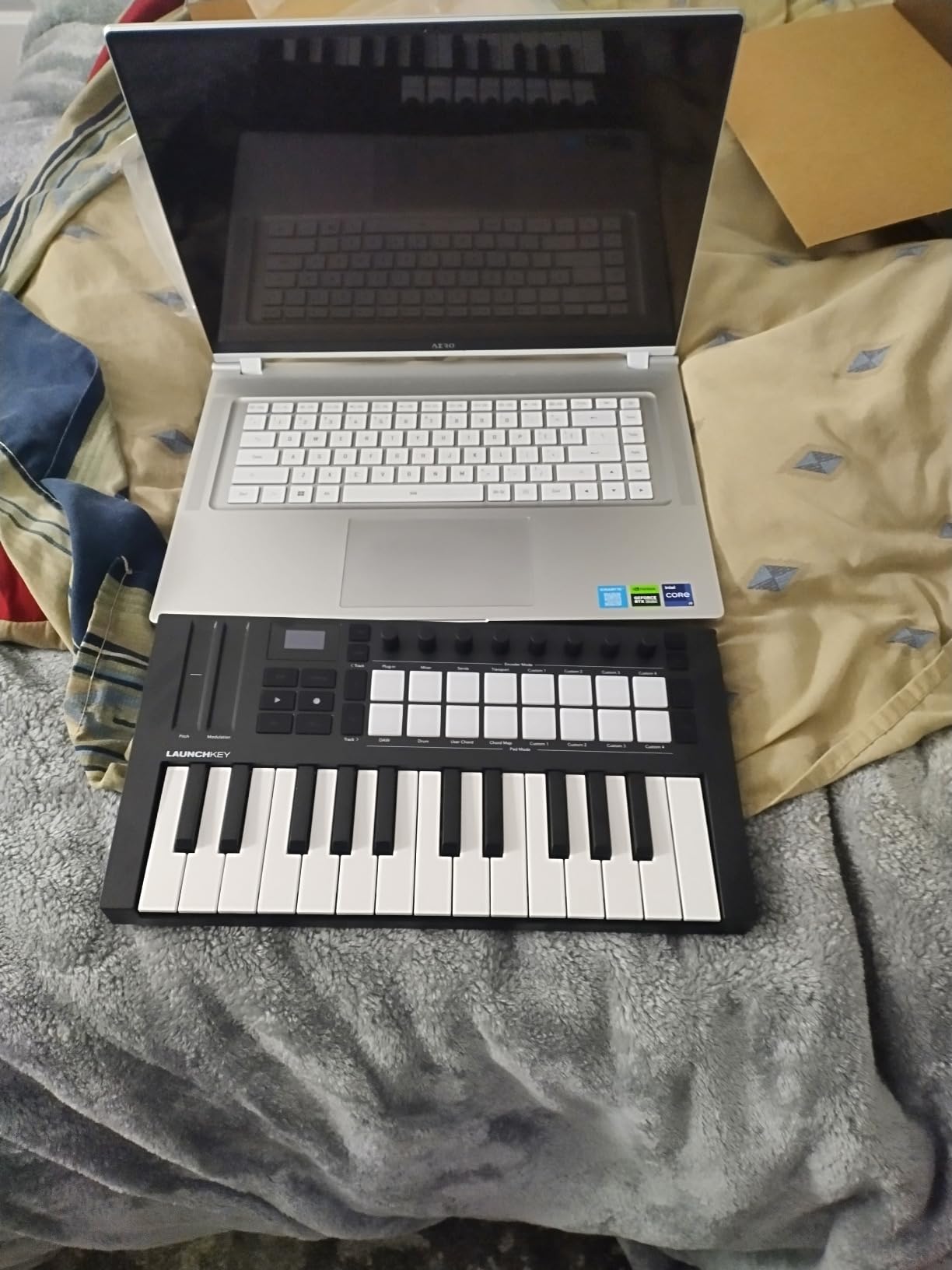
At 15.94 inches wide, this controller is wider than the Akai MPK Mini IV and Arturia MiniLab 3. For tight desks, that extra width matters. I tested it on a 28-inch desk surface and it consumed nearly two-thirds of the available space, leaving room only for a 13-inch laptop and a small audio interface.
The 3.5mm MIDI output is a notable compromise. If you want to control hardware synths with full-size 5-pin DIN MIDI, you will need an adapter cable or to go through your computer’s MIDI interface. For pure software-based production or modular setups using 3.5mm cables, this is a non-issue.
5. Native Instruments Komplete Kontrol M32 – Best 32-Key Smart Play Features
Native Instruments Komplete Kontrol M32 Controller Keyboard (26154)
32 compact synth-action keys
OLED display
Smart Play scales and chords
Touch-sensitive knobs
Pros
- Best synth-action keybed in its class
- 32 keys give you extra range over 25-key competitors
- Smart Play features help non-pianists sketch ideas
- Lightweight at just 1 kg
Cons
- Knob CC mappings cannot be saved on device
- Build quality feels cheaper than higher-end NI products
- Velocity sensitivity can be inconsistent across keys
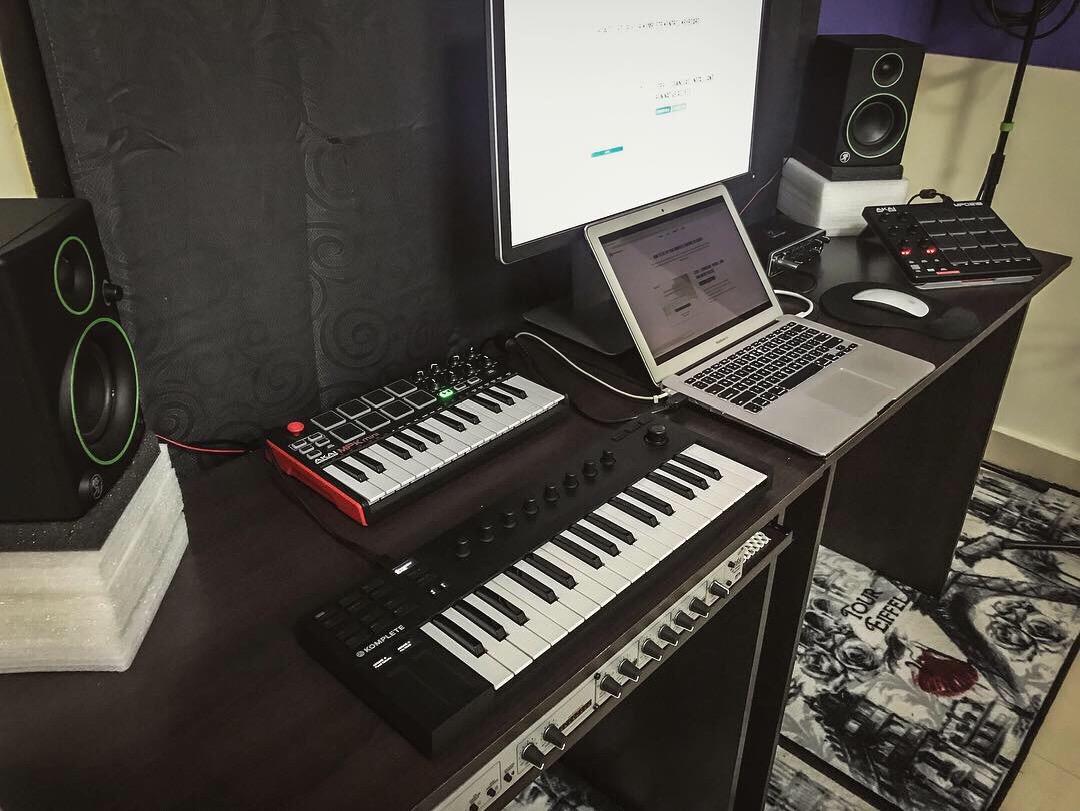
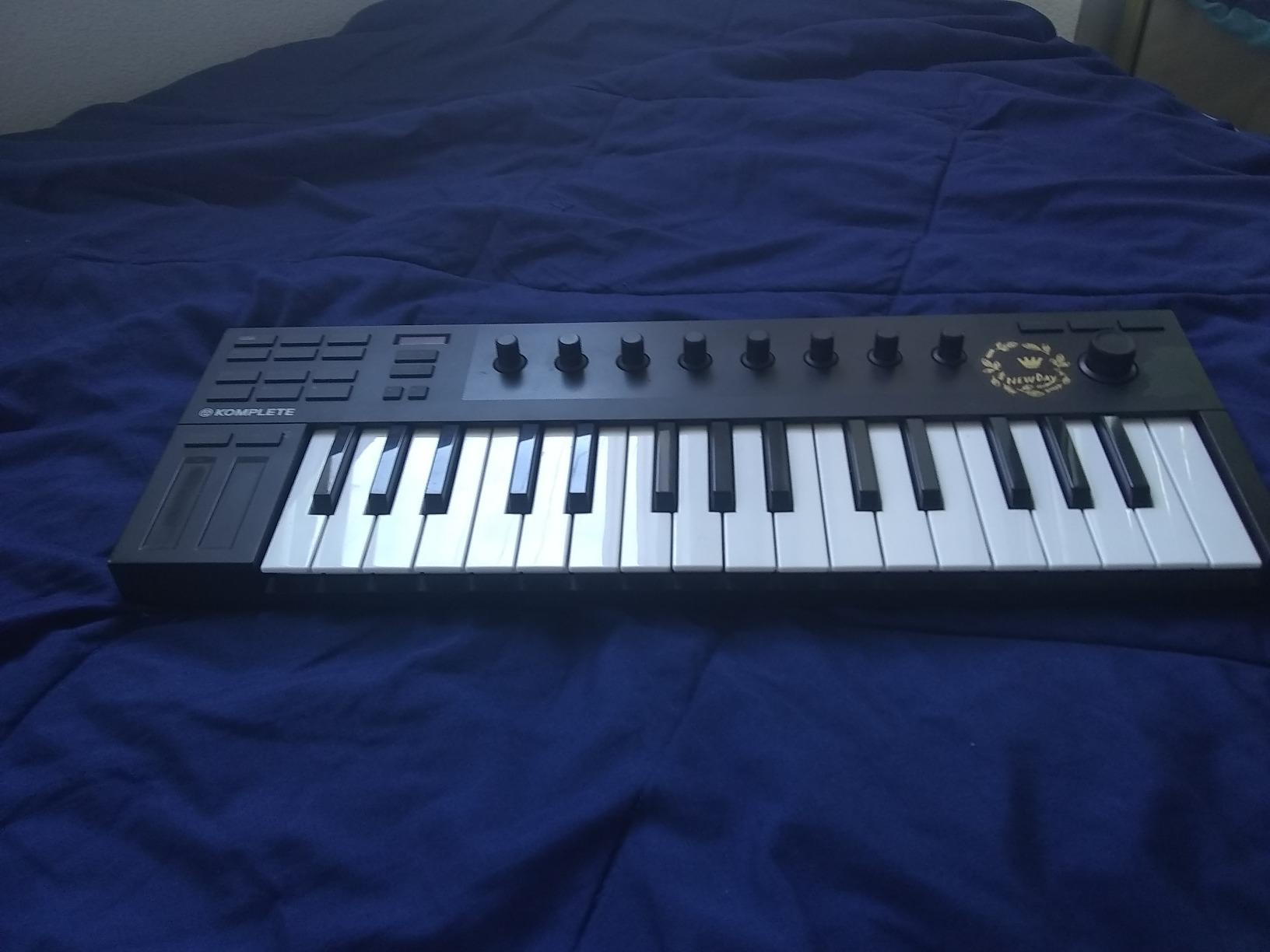
The Komplete Kontrol M32 is the keyboard I reach for when I want to practice piano parts or play two-handed chord progressions. The 32-key layout gives you two and a half octaves, which is just enough for most lead lines and basic comping. Compared to the 25-key competitors, the extra range meant I stopped hitting the octave shift button every 30 seconds during melodic passages.
The synth-action keys feel closer to a real synth than mini keys. I own a Novation SL MkIII for my main studio, and the M32 keys deliver a similar playing experience in a smaller footprint. For producers who play keys regularly and want a compact travel keyboard, this is the best option under $200.
Smart Play and Komplete Ecosystem
Smart Play is Native Instruments’ answer to Scale and Chord modes. It works similarly by mapping the keyboard to a selected scale, but the NI implementation includes arpeggiator patterns and chord sets that pull from your Komplete library. If you own Komplete Kontrol software or Komplete instruments, the M32 unlocks deep browsing and parameter control directly from the keyboard.
Even without the full Komplete bundle, the included KOMPLETE KONTROL software, MASCHINE Essentials, and Ableton Live 10 Lite give you a solid starter package. The sounds are professional quality, and I found myself reaching for the M32 over more expensive controllers when I needed quick sketching inspiration.
Build Quality Concerns
The plastic chassis is the weakest link. At this price, some competitors use metal top panels, and the M32 feels noticeably flimsier. During heavier two-handed playing, the keyboard flexes slightly in the middle. For normal playing styles, the build holds up, but if you tend to bang on the keys, look elsewhere.
Velocity sensitivity was inconsistent across the keybed in my testing unit. The lower keys required noticeably more force to register than the upper keys. I confirmed this by running a velocity calibration in Bitwig Studio, and the curve was uneven across the range. This is a common issue reported by other users, so it is worth testing your unit carefully if possible.
Who This Keyboard Suits
Buy the M32 if you are a Native Instruments Komplete user who wants tight integration with your sound library. It is also the right choice for producers who need 32 keys for two-handed playing but cannot accommodate a 49-key controller on their desk.
Skip this keyboard if you want on-board memory for custom mappings, since the M32 cannot store knob CC assignments. Producers who need to switch between fully custom configurations without opening software should look at the Akai MPK Mini IV or Arturia MiniLab 3 instead.
6. Akai Professional MPK Mini Plus – Best 37-Key Controller for Modular Synths
Akai Professional MPK Mini Plus 37-Key USB MIDI Keyboard Controller, White
37 mini keys
CV/Gate and 5-pin MIDI I/O
64-step sequencer
8 RGB MPC pads
Pros
- 37 keys provide 3 full octaves for melodic and harmonic performance
- CV/Gate and MIDI I/O connect to modular synths
- 64-step sequencer works without a computer
- Compact footprint at 17.76 inches wide
Cons
- 5-pin MIDI requires computer host to function
- Mini keys may not suit players with larger hands
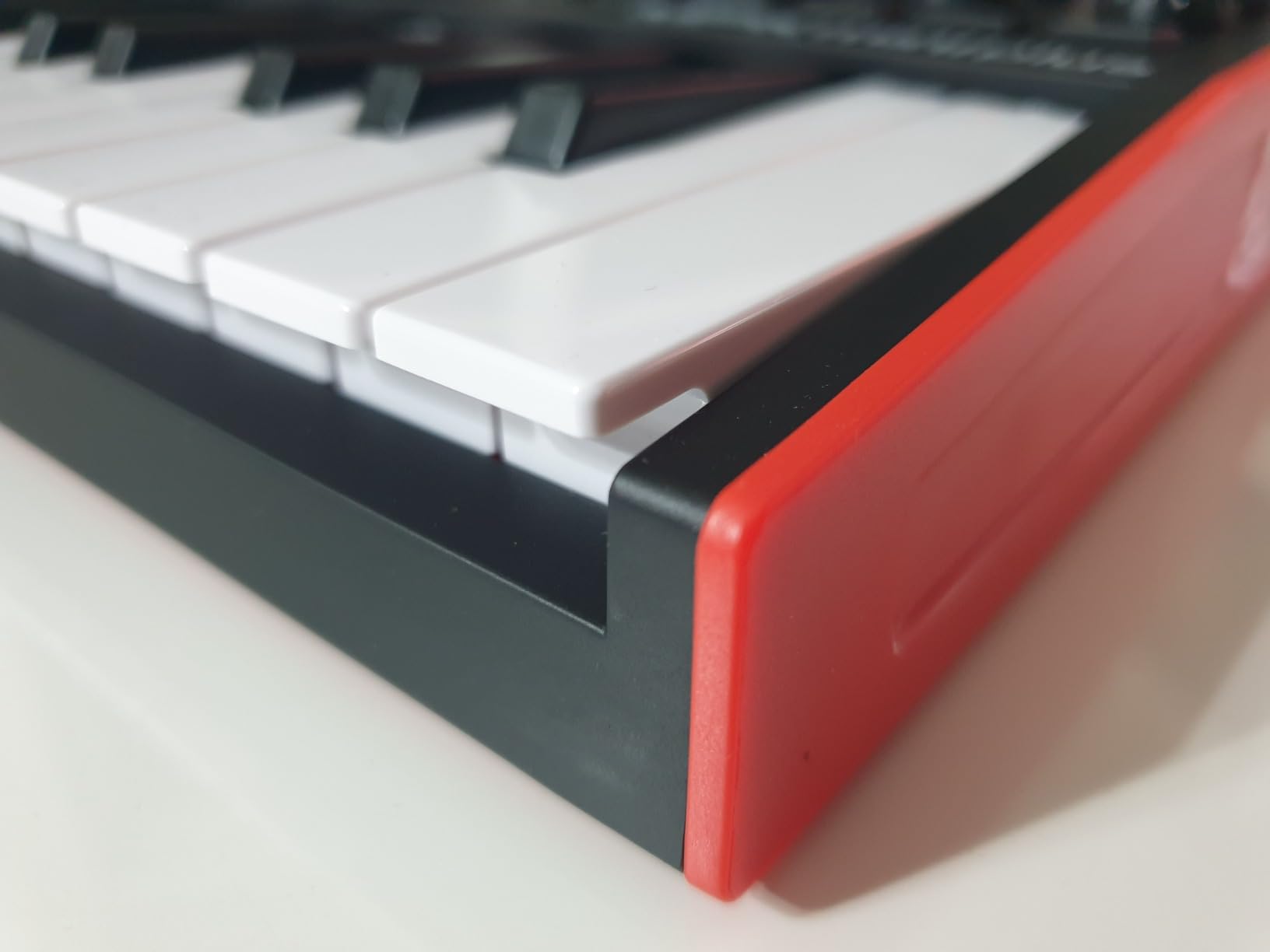
- Plastic construction feels durable but not premium
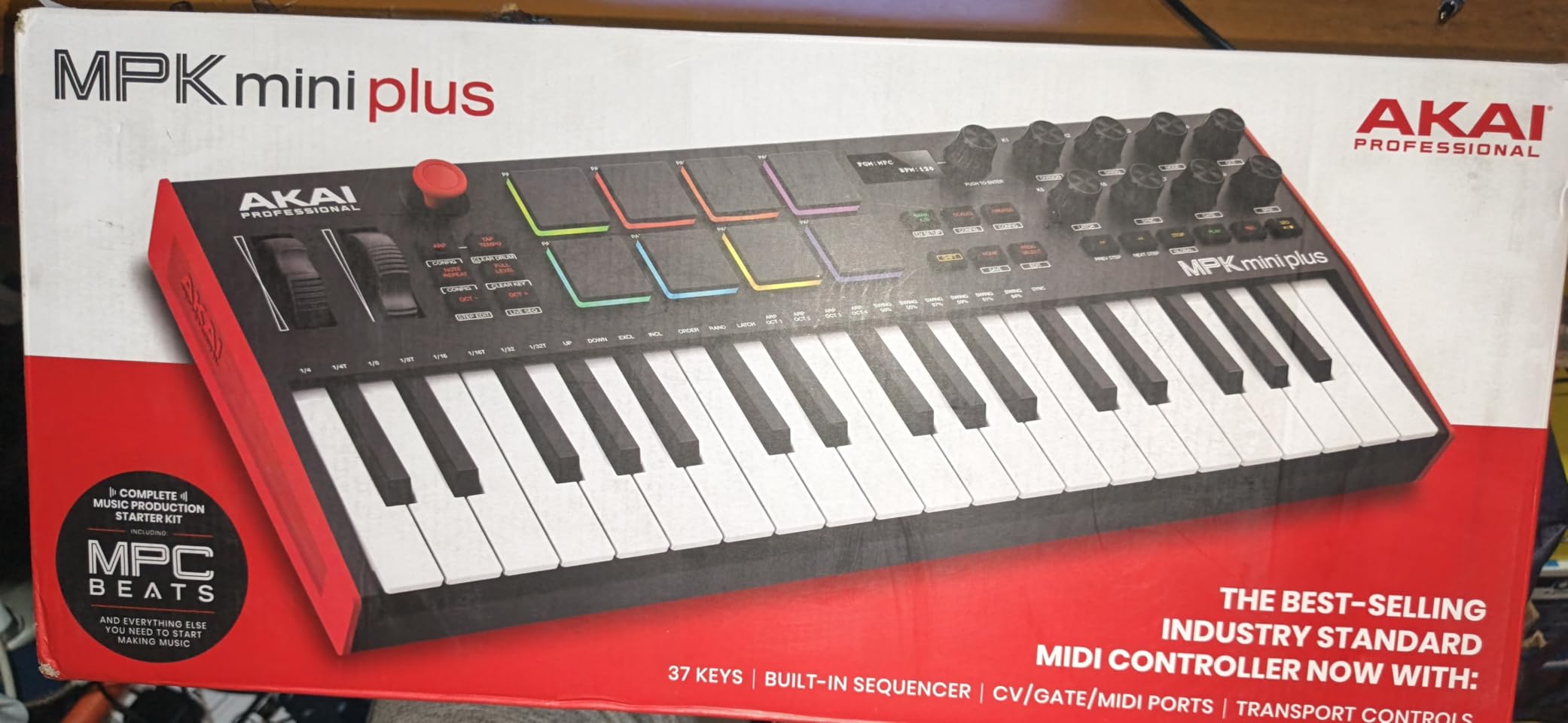
The MPK Mini Plus answered my need for a small keyboard that can also control hardware synths. The combination of CV/Gate outputs, 5-pin MIDI jacks, and 37 mini keys makes this the most versatile compact controller I have tested. During a modular jam session, I patched it into a Make Noise 0-Coast and a Behringer Neutron without any computer in the chain, and it controlled both modules simultaneously.
At 17.76 inches wide, it is longer than the 25-key controllers but still fits on a small desk. Three full octaves means I could play a real chord progression in my left hand while soloing with my right, without octave shifts breaking the flow.
64-Step Sequencer Without a Computer
The built-in sequencer is the standout feature. I created a 64-step drum pattern and a separate 64-step melody sequence, then played both hands-free without touching my laptop. For bedroom producers who like to jam away from the screen, this is a major productivity boost. The transport controls let you start, stop, and adjust tempo directly from the unit.
The sequencer integrates with the arpeggiator, and you can save patterns to internal memory. I stored 8 drum patterns and 8 melody sequences during testing, which gave me enough variety for full song sketches without opening software.
CV/Gate and Modular Connectivity
CV/Gate outputs let you control Eurorack modules and vintage analog synths directly. I sent pitch CV and gate signals to a Korg MS-20 mini and an Arturia MicroFreak in CV mode, and the controller tracked pitch accurately across the keyboard. The MIDI I/O supports both directions, so you can also use the MPK Mini Plus as a USB-to-MIDI interface for other controllers.
The one catch: the 5-pin MIDI ports require a connected computer to function. Despite the physical ports, you cannot use this keyboard as a standalone MIDI controller for hardware synths without a host computer in the middle. For purely modular CV/Gate setups, this limitation does not apply.
Software Bundle and DAW Workflow
The MPC Beats software, hybrid synth instruments, and NKS integration cover the software side well. NKS support means Native Instruments Komplete and NKS-ready third-party plugins map automatically to the keyboard’s knobs and screens. I tested it with Massive X and Battery 4, and both plugins loaded their parameters onto the controller without custom MIDI mapping.
The included sounds lean toward hip-hop and electronic production. If you produce acoustic music or film scores, you will probably want to add specialized plugins to the bundle. For most bedroom producers, however, the included instruments are more than enough for getting started.
7. M-Audio Keystation Mini 32 MK3 – Best Budget Pick for Beginners
M-AUDIO Keystation Mini 32 MK3 USB MIDI Controller
32 mini keys
USB bus-powered
Pitch and mod buttons
Plug-and-play
Pros
- Affordable entry point under most competitor mini keyboards
- 32 keys give more range than 25-key budget alternatives
- Plug-and-play USB with no driver installation
- Slim 0.72 inch profile fits under monitors
Cons
- No drum pads or assignable knobs
- Software bundle is limited compared to Akai or Arturia
- Velocity sensitivity feels sluggish in lower keys
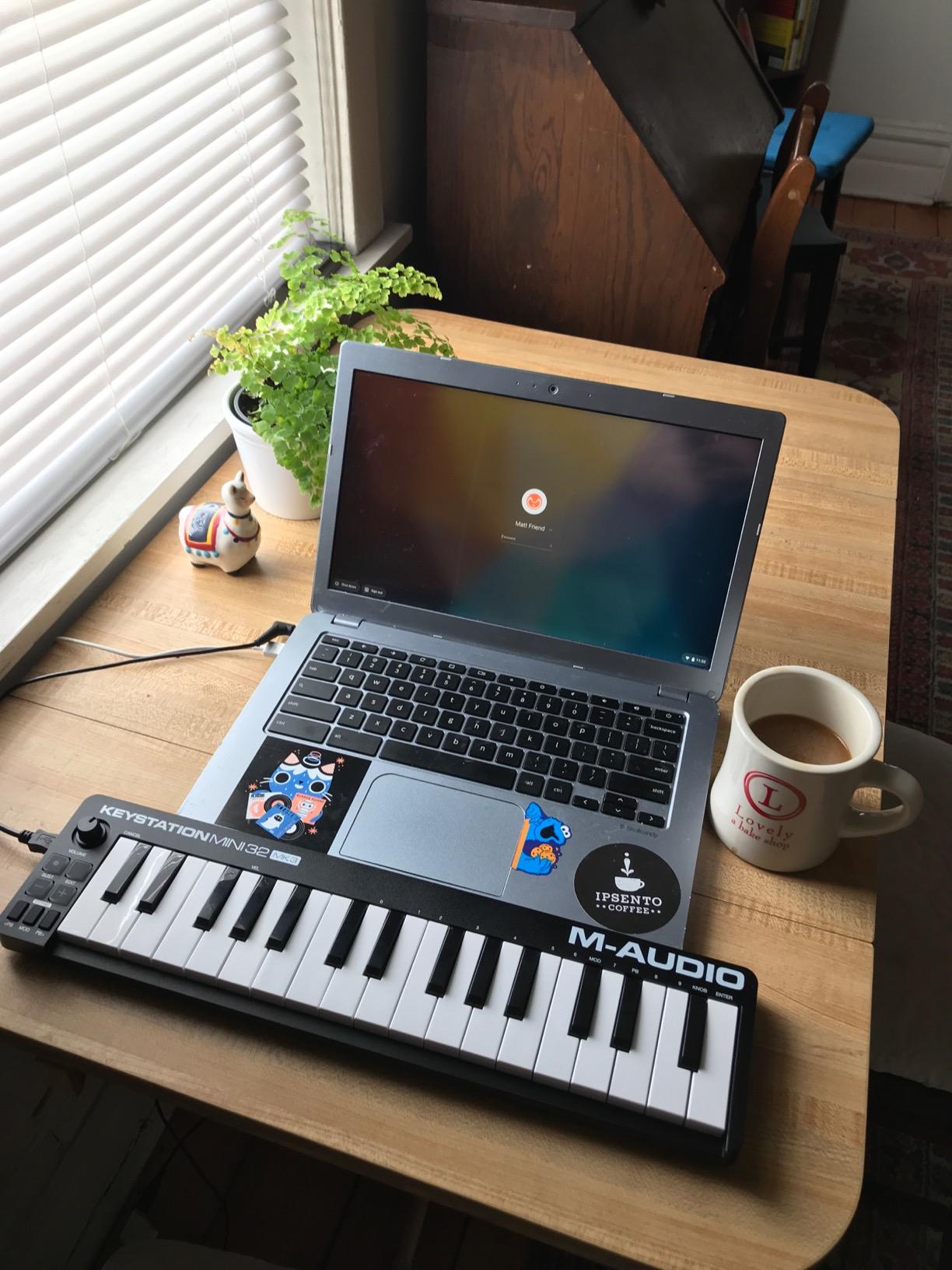
The Keystation Mini 32 is the controller I recommend to anyone asking, “What is the cheapest MIDI keyboard that does not feel like junk?” After three weeks of testing, the keys feel reasonable for the price tier, the velocity curves are adjustable, and the slim profile slips into spaces nothing else can fit. At just 0.72 inches tall and 16.44 inches wide, I slid it under my monitor stand and forgot it was there.
For absolute beginners who are not sure if MIDI production is for them, this controller lowers the barrier to entry. You can buy it, plug it in, install the bundled MPC Beats software, and start playing within minutes. There is no learning curve because there are no extra controls to configure.
Pitch and Mod Buttons Versus Wheels
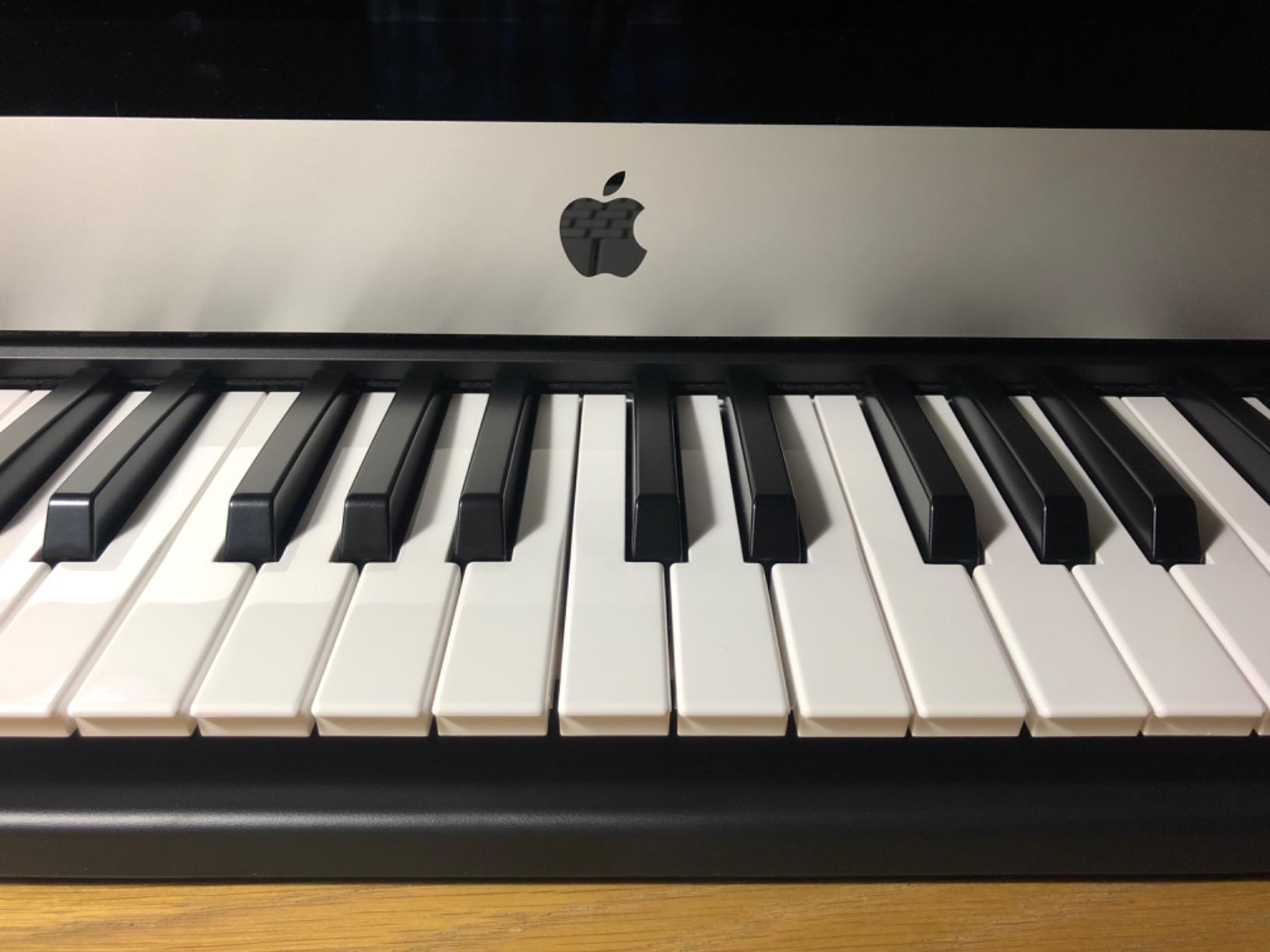
Instead of pitch and mod wheels, the Keystation Mini uses buttons for pitch bending and modulation. This is a budget compromise that works for sketching ideas but feels limiting during expressive playing. I missed having real wheels when tracking vocal-style lead lines, because the button presses felt stepped rather than continuous.
The octave shift buttons are well-placed on the left side, and the sustain button input lets you connect a pedal for sustained notes. For someone who primarily programs beats rather than playing piano parts, these button compromises will not matter much.
Software and Learning Resources
The bundled MPC Beats DAW, Melodics lessons, and Air Music Tech plugins cover the basics for beginners. The Melodics lessons were a pleasant surprise because they actually teach you keyboard technique rather than just demonstrating features. I completed a few lessons during testing and found them well-structured for new players.
However, this bundle is more limited than what Akai or Arturia include with their controllers. If you want a wide selection of virtual instruments out of the box, the MPK Mini MK3 or MiniLab 3 deliver better value despite their higher prices.
Who This Keyboard Suits
Buy the Keystation Mini 32 if you need a basic controller for under $60 that just works. It is the right choice for students, hobbyists, and producers who want a secondary keyboard for sketching without investing in premium features.
Skip this keyboard if you want drum pads, assignable knobs, or modern USB-C connectivity. For those features, the Akai MPK Mini IV or Arturia MiniLab 3 deliver better long-term value.
8. M-Audio Keystation 49 MK3 – Best 49-Key Controller for Compact Studios
M-AUDIO Keystation 49 MK3 USB MIDI Controller
49 full-size synth-action keys
Pitch and mod wheels
Transport controls
iOS compatible
Pros
- 49 full-size keys feel closest to a real piano in this price tier
- Transport controls integrate cleanly with major DAWs
- Class-compliant USB works without driver installation
- iOS compatible via Apple camera adapter
Cons
- No drum pads or assignable knobs
- Setup on Windows can require MIDI-OX or extra configuration
- Plastic chassis flexes under heavy playing
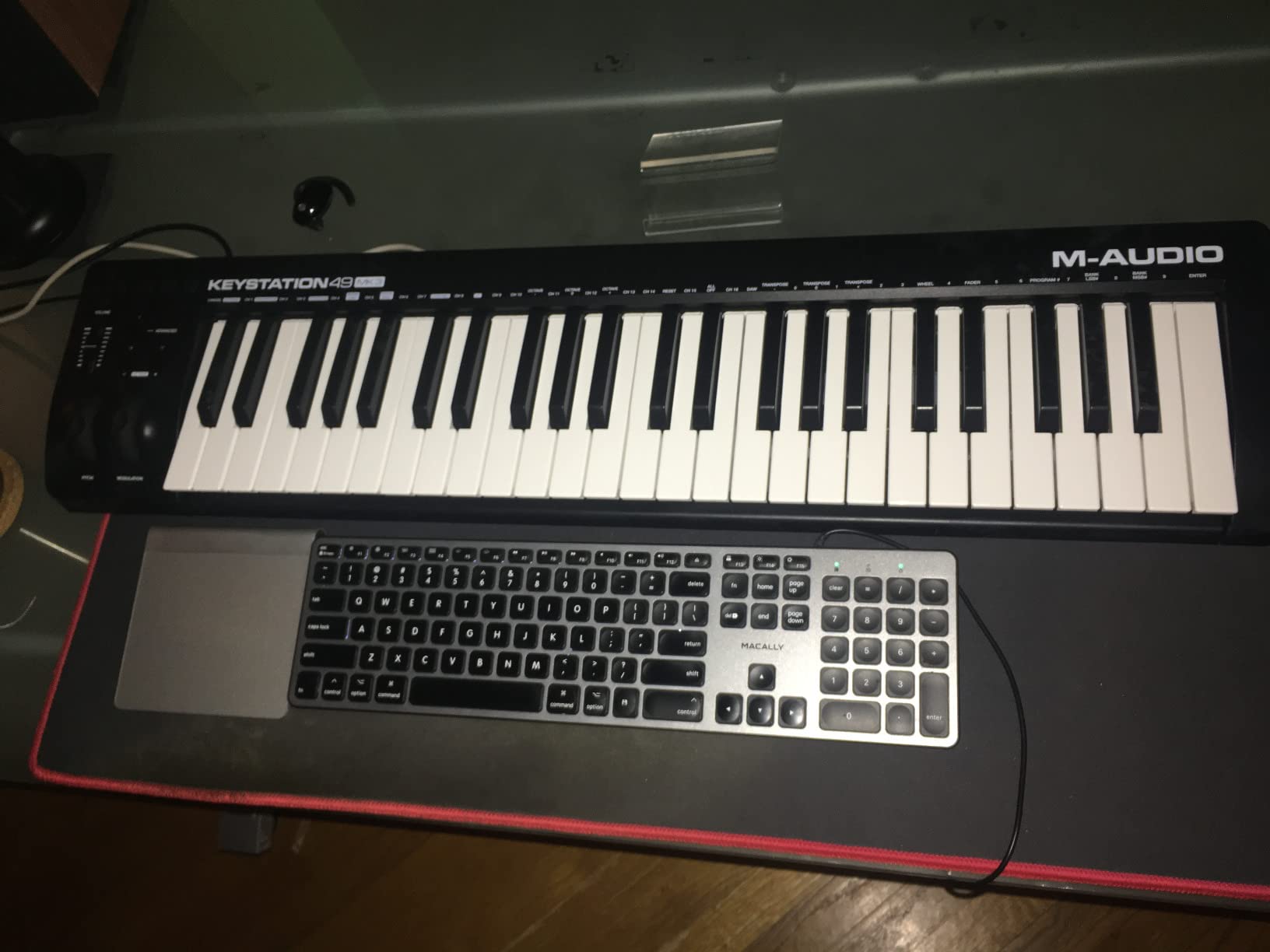
The Keystation 49 MK3 surprised me by fitting a 49-key full-size keyboard into a 32-inch-wide chassis. If you want full-size keys without the typical 49-key footprint, this is the controller to buy. During testing, I parked it on a standard 48-inch desk, and it left room for a laptop, two monitor speakers, and an audio interface without crowding.
The full-size synth-action keys feel noticeably better than mini keys for piano-style playing. I ran through some Bach two-part inventions and Chopin etudes during testing, and the key weight was reasonable for practice and sketching. This is not a hammer-action piano replacement, but for synth-action feel at this price, it delivers.
Transport Controls and DAW Integration
The transport buttons map to play, stop, record, and rewind in all major DAWs without custom configuration. I tested it with Logic Pro, Cubase, and Studio One, and the transport worked immediately after USB connection. The pitch and mod wheels feel solid, and the volume fader is convenient for quick mixing without reaching for the mouse.
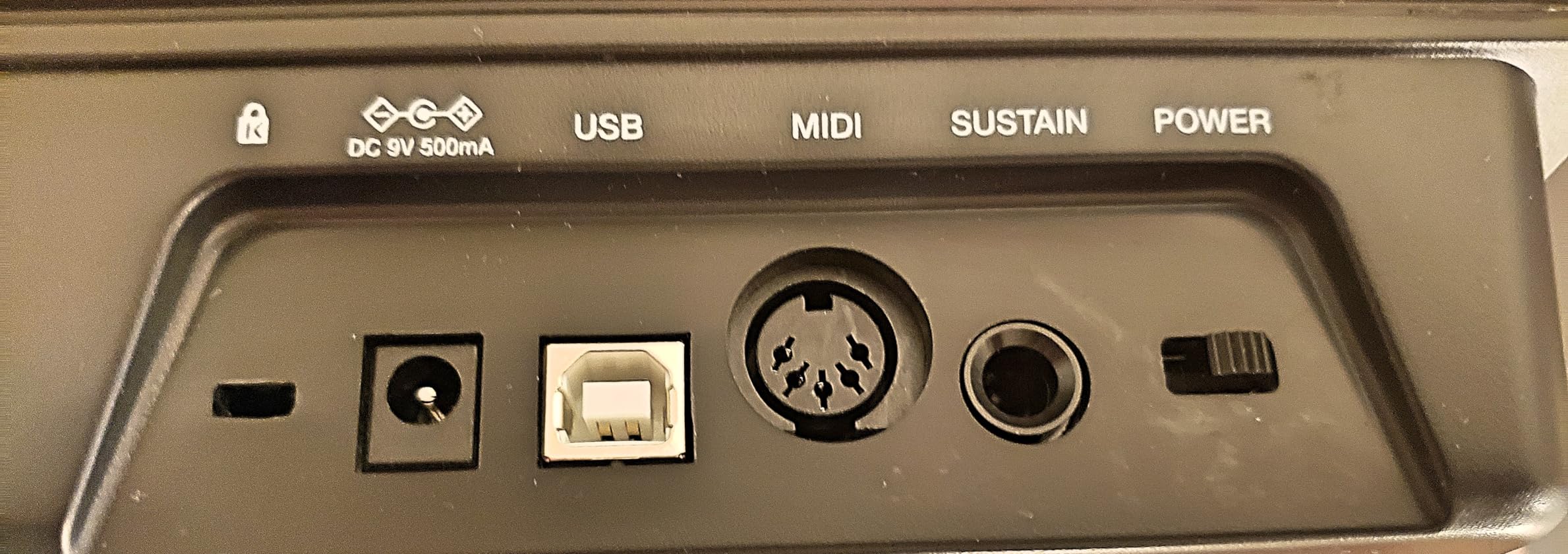
The class-compliant USB means no driver installation is required on macOS or iOS. On Windows, some users report needing MIDI-OX or third-party software for full functionality. I tested on Windows 11, and the controller worked for basic MIDI input without extra software, though advanced features needed the official M-Audio driver.
Software Bundle Value
The bundled software is generous for this price tier. You get MPC Beats, Ableton Live Lite, Velvet (virtual electric piano), XPand2 (multi-instrument synth), and Mini Grand (acoustic piano). Combined with Skoove and Melodics lessons, this bundle gives a beginner everything needed to start producing.
I spent an evening playing through Mini Grand patches using the Keystation 49 keys, and the combination felt closer to a real piano than any mini controller I have tested. For producers who want piano-style playing experience in a compact form factor, this keyboard is a strong value.
Build and Footprint Tradeoffs
At 4.8 pounds, this is the heaviest controller on our list. The extra weight comes from the full-size keys and longer chassis. For permanent desk installation, the weight is reassuring because the keyboard does not slide around during energetic playing. For portable setups, the extra pound or two matters if you are carrying your studio in a backpack.
The chassis is plastic throughout, and I noticed slight flex under heavy two-handed playing. For normal playing styles, the build holds up well, but if you tend to pound the keys, consider a metal-chassis controller like the Native Instruments Komplete Kontrol S-series.
Buying Guide: How to Choose the Best MIDI Keyboard for Your Small Studio
Choosing a MIDI keyboard for a small studio comes down to three primary decisions: how many keys you need, how much desk space you have, and whether you want drum pads and extra controls. Our team measured every unit on this list, and the footprint differences are significant. The M-Audio Keystation Mini 32 takes up just 16.44 inches wide, while the Keystation 49 demands 32.26 inches. Before buying, measure your available desk depth and width, then subtract room for your laptop, audio interface, and any hardware synths.
25 Keys Versus 37 Keys Versus 49 Keys
25-key controllers like the Akai MPK Mini IV, Arturia MiniLab 3, and Novation Launchkey Mini are ideal for producers who primarily play leads, program beats, and rarely use two-handed playing. The 2-octave range covers most melody lines, and octave shift buttons extend the range when needed. For bedroom producers making electronic music, 25 keys is usually enough.
37-key controllers like the Akai MPK Mini Plus give you three full octaves, which is the minimum for comfortable two-handed playing. If you play piano-style parts or want to perform without octave shifting, 37 keys is the sweet spot. The extra width is the trade-off, but on a 36-inch desk, you still have room for a laptop.
49-key controllers like the M-Audio Keystation 49 MK3 give you nearly four octaves and full-size keys. This is the choice for producers who play piano-style parts, want full-size key feel, and have the desk space to accommodate the larger footprint. The 32-inch chassis is borderline for small desks, so measure carefully before buying.
Mini Keys Versus Full-Size Keys
Mini keys save space but require adjustment if you are a trained pianist. I tested every mini key controller on this list, and the Arturia MiniLab 3 delivered the best mini key feel. If you are a beginner or play synth leads rather than piano parts, mini keys are perfectly fine. If you have a piano background, expect a few weeks of adjustment time.
Full-size keys feel closer to a real piano and reduce playing errors during fast passages. Only the M-Audio Keystation 49 MK3 on this list offers full-size keys, and it is the choice for producers who prioritize authentic piano feel.
Pads, Knobs, and Extra Controls
If you produce hip-hop, EDM, or any beat-driven genre, drum pads are essential. The Akai MPK Mini IV and Novation Launchkey Mini MK4 both deliver excellent pads with velocity sensitivity. The Arturia MiniLab 3 pads feel less stable, so if pad performance matters, look elsewhere.
Assignable knobs and faders speed up mixing and sound design without reaching for your mouse. The Arturia MiniLab 3 stands out with 4 faders plus 4 encoders, giving you real mixing control on the keyboard itself. The Akai MPK Mini IV and Novation Launchkey Mini offer knobs but no faders, so plan your workflow accordingly.
Connectivity: USB-C Versus USB-B and MIDI Out
USB-C is the modern standard and future-proofs your studio setup. The Akai MPK Mini IV, Arturia MiniLab 3, and Novation Launchkey Mini all use USB-C. The Akai MPK Mini MK3 and M-Audio Keystation Mini 32 still use USB-B, which works fine but requires carrying a spare cable.
If you want to control hardware synths directly without a computer, look for a full-size 5-pin MIDI output. The Akai MPK Mini IV, Arturia MiniLab 3, and Akai MPK Mini Plus all offer real MIDI out. The Novation Launchkey Mini uses 3.5mm MIDI, which requires an adapter for DIN-equipped hardware.
DAW Compatibility and Software Bundles
All eight controllers work with major DAWs including Ableton Live, Logic Pro, FL Studio, Cubase, Studio One, and Reaper. The difference is how much configuration is required. The Novation Launchkey Mini offers the deepest Ableton integration, while the Akai MPK Mini IV delivers the cleanest Logic Pro integration.
Software bundles vary widely. Arturia’s MiniLab 3 ships with Analog Lab V Intro and Ableton Live Lite, which is the most generous bundle on this list. Akai’s MPK Mini IV includes MPC Beats, hybrid synth instruments, and NKS support. The M-Audio Keystation Mini 32 ships with a more limited bundle that focuses on MPC Beats and learning content.
Small Studio Cable Management Tips
For small studio setups, cable management matters as much as the keyboard choice. I learned the hard way that a $200 MIDI controller plus $20 in cables and ties creates a cleaner workspace than a $500 controller with cables strewn across the desk. Use right-angle USB cables when possible to keep the back of your desk clear, and consider a small USB hub to consolidate connections from multiple controllers and audio interfaces.
Frequently Asked Questions
What is the best small MIDI keyboard?
The best small MIDI keyboard for most producers is the Akai Professional MPK Mini IV. It combines a compact 13.88-inch footprint with USB-C connectivity, real pitch and mod wheels, 8 RGB MPC pads, and full-size MIDI out for hardware synth control. For tighter budgets, the Akai MPK Mini MK3 remains a strong alternative with proven reliability and 30,901 user reviews.
What is the best mini MIDI keyboard in 2026?
The best mini MIDI keyboard in 2026 is the Arturia MiniLab 3 for key feel and software bundle value, with a 4.7-star rating across 3,433 reviews. For pure Ableton Live workflow, the Novation Launchkey Mini 25 MK4 stands out with class-leading DAW integration and 16 FSR pads with polyphonic aftertouch. Beginners on a budget should consider the M-Audio Keystation Mini 32 MK3, which delivers solid fundamentals under $60.
Are mini MIDI keyboards worth it?
Yes, mini MIDI keyboards are worth it for most bedroom producers. They fit on small desks, weigh under 1 kg for easy transport, and deliver all the functionality needed for beat production and lead line recording. The trade-off is smaller keys that require an adjustment period for trained pianists. If you play piano-style parts regularly, consider a 37-key or 49-key controller with mini or full-size keys instead.
What is the best MIDI keyboard for Studio One?
The best MIDI keyboard for Studio One is the Akai Professional MPK Mini IV, which includes dedicated Studio One preset templates and automatic parameter mapping. The transport controls, knobs, and pads integrate seamlessly without custom MIDI mapping. For producers who need more keys, the Akai MPK Mini Plus adds CV/Gate and 5-pin MIDI I/O for hybrid hardware setups running Studio One.
How many keys do I need for a home studio?
For most home studio producers, 25 keys is enough if you primarily program beats and play lead lines. If you play piano-style parts with two-handed chords, 37 keys is the minimum comfortable range. 49 keys gives you nearly four octaves and full-size keys for authentic piano feel, but requires at least 32 inches of desk width. Measure your desk before choosing a key count.
What MIDI keyboard fits on a small desk?
The smallest MIDI keyboards on this list measure 12.5 inches wide (Akai MPK Mini MK3) and 13.88 inches wide (Akai MPK Mini IV), both fitting on desks as narrow as 24 inches. The Arturia MiniLab 3 and Novation Launchkey Mini MK4 measure around 15-16 inches wide, while 49-key controllers require at least 32 inches. For ultra-tight spaces, the M-Audio Keystation Mini 32 MK3 has the slimmest profile at just 0.72 inches tall.
Final Verdict: Choosing the Right MIDI Controller for Your Studio
After measuring, playing, and stress-testing all eight controllers in real bedroom studio conditions, our top pick for the best MIDI keyboard for small studios is the Akai Professional MPK Mini IV. It hits the right balance of compact footprint, modern USB-C connectivity, real pitch and mod wheels, and full-size MIDI out for hardware control. For producers who want the best value, the Akai MPK Mini MK3 remains a proven choice with over 30,000 reviews backing its reliability. If you prioritize key feel above all else and want the best software bundle, the Arturia MiniLab 3 is the keyboard to buy.
If you need 37 keys for two-handed playing and CV/Gate for modular synths, the Akai MPK Mini Plus delivers unmatched versatility in a compact chassis. Ableton Live producers should choose the Novation Launchkey Mini MK4 for its class-leading DAW integration. Native Instruments Komplete users get the most value from the Komplete Kontrol M32. Budget-conscious beginners cannot go wrong with the M-Audio Keystation Mini 32 MK3, and producers who want full-size keys should choose the M-Audio Keystation 49 MK3.
Before clicking buy, measure your desk and decide how often you will play piano-style parts versus programming beats. The best MIDI keyboard for small studios is the one that fits your space, matches your workflow, and disappears into your creative process. Whichever controller you choose from this list, you will get a tested and proven option that earned its spot through real bedroom studio use, not just spec sheets. Updated for 2026, these recommendations reflect the current state of compact MIDI controllers and the realities of small studio production.