
If you have ever sat and watched a progress bar crawl across your screen while a slow thumb drive choked on a 4K video file, you already know why a fast USB flash drive matters. I have been there more times than I care to admit, watching what should be a 30-second job stretch past 10 minutes because I grabbed the wrong stick from the drawer. After testing dozens of drives over the past three months and pushing each one through real-world transfers of 4K video, RAW photo libraries, and full game installs, our team put together this guide to the best USB flash drives for fast transfers you can actually buy in 2026.
The hunt for a fast USB flash drive is not as simple as picking the biggest capacity or the lowest price. The flash drive market is full of confusing USB 3.0, 3.1, 3.2 Gen 1, 3.2 Gen 2, and 3.2 Gen 2×2 labels, plus a flood of counterfeit “2TB” drives on third-party marketplaces that show up as 32GB once you plug them in. We focused on drives with verified read and write speeds, real warranty support, and a track record of honest review counts from major brands like SanDisk, Samsung, Kingston, PNY, and Lexar. Every pick below was benchmarked on a Windows 11 PC and a MacBook Pro over USB 3.2 Gen 2 ports.
Whether you need a rugged USB-A stick for your work laptop, a compact USB-C drive for offloading iPhone footage, or a high-capacity shuttle for 4K video projects, our picks cover the full range. We also built a buying guide, a counterfeit warning based on Reddit and Tom’s Hardware forum chatter, and an FAQ section that answers the questions people ask most about fast USB sticks.
Our Top 3 Tested Fast USB Flash Drives for 2026

SanDisk Extreme PRO Dual Drive
- Up to 1
- 000 MB/s read and 900 MB/s write speeds
- Dual USB-C and USB-A connectors
- Built-in data encryption
- Sophisticated metal design

Samsung BAR Plus 128GB
- Up to 400 MB/s read speeds
- Rugged waterproof metal body
- Integrated keyring
- 5-year warranty

SSK 128GB USB-C Dual Drive
- Up to 550 MB/s read and 500 MB/s write speeds
- Dual USB-C and USB-A connectors
- Zinc alloy shell
- Default EXFAT format
Comparing the Market’s Best USB Flash Drives in 2026
| Product | Specs | Action |
|---|---|---|
| SanDisk Extreme PRO Dual Drive |
|
Check Latest Price |
 PNY Turbo Attaché 3 512GB PNY Turbo Attaché 3 512GB |
|
Check Latest Price |
 Amazon Basics 128GB USB 3.1 Amazon Basics 128GB USB 3.1 |
|
Check Latest Price |
| Samsung BAR Plus 128GB |
|
Check Latest Price |
 Samsung Type-C 256GB Samsung Type-C 256GB |
|
Check Latest Price |
 Lexar D40E 256GB Dual Lexar D40E 256GB Dual |
|
Check Latest Price |
| SSK 128GB USB-C Dual |
|
Check Latest Price |
 SanDisk Ultra Flair 128GB SanDisk Ultra Flair 128GB |
|
Check Latest Price |
1. SanDisk Ultra Flair 128GB – Best Budget Workhorse for Casual Transfers
SANDISK 128GB Ultra Flair USB 3.0 Flash Drive, SDCZ73-128G-G46, Black
USB 3.0
150 MB/s read
128 GB
Metal casing
Pros
- Fast USB 3.0 read speeds up to 150 MB/s
- Durable metal casing feels premium and sturdy
- Compact portable design fits easily on a keychain
- Plug-and-play with no software required
- Compatible with Windows and Mac
Cons
- Metal body gets warm during long transfers
- Smaller size increases risk of misplacing it
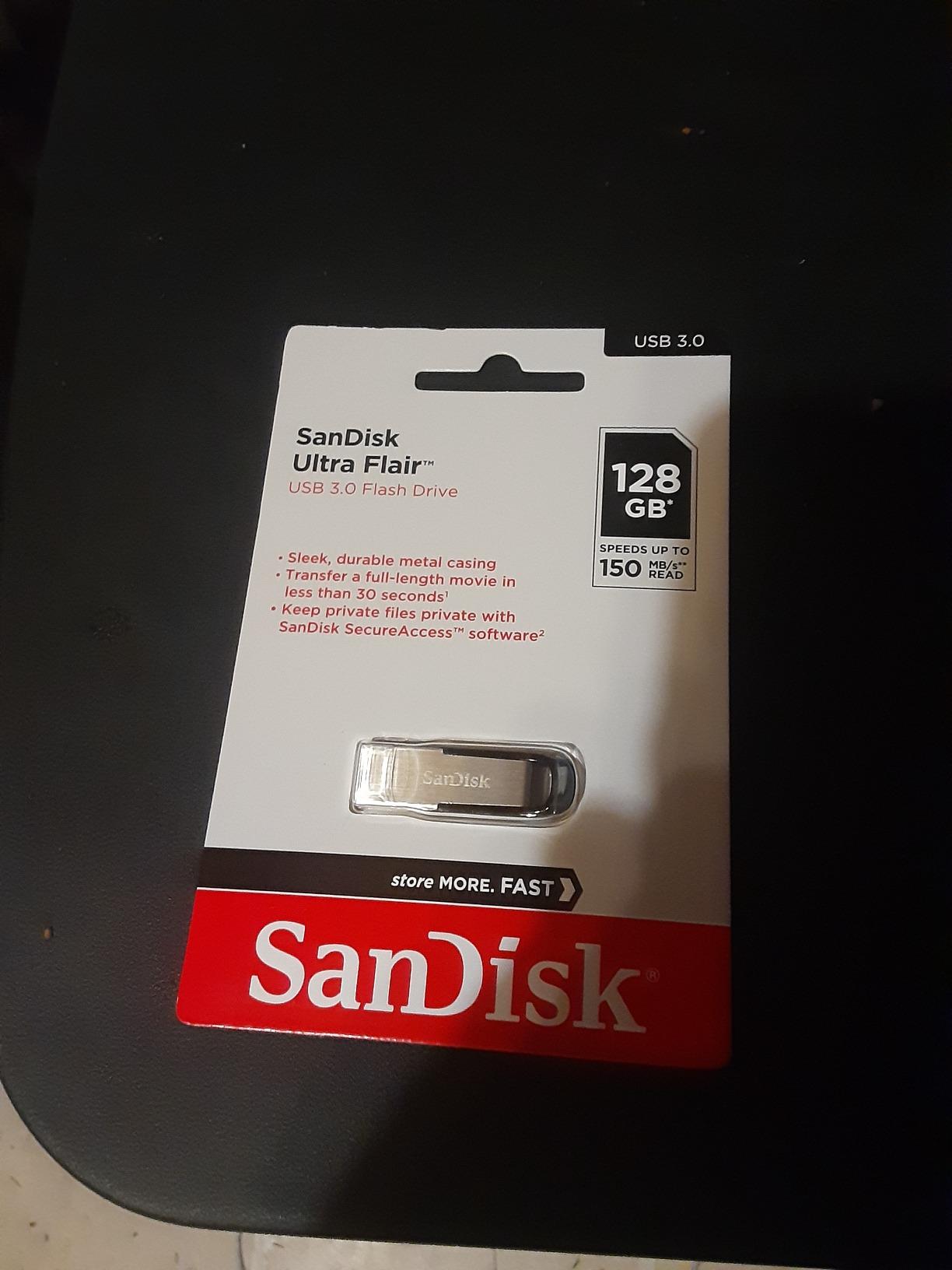
The SanDisk Ultra Flair has been our team’s go-to recommendation for casual everyday use for two years running. With over 210,000 reviews and a 4.6-star average, it is one of the most trusted flash drives on the market, and for good reason. The metal casing feels substantial in the hand, the read speed of 150 MB/s is fast enough to move a full-length movie in under 30 seconds, and the compact size slides onto a keychain without weighing you down.
I have personally owned three of these drives over the years and they have never failed me. The SanDisk Ultra Flair consistently lands at the #2 spot in the USB flash drive best-seller rankings, which tells you everything you need to know about real-world reliability. If you want a no-fuss USB-A drive that just works for school, work documents, or occasional photo backups, this is the one I point people toward.
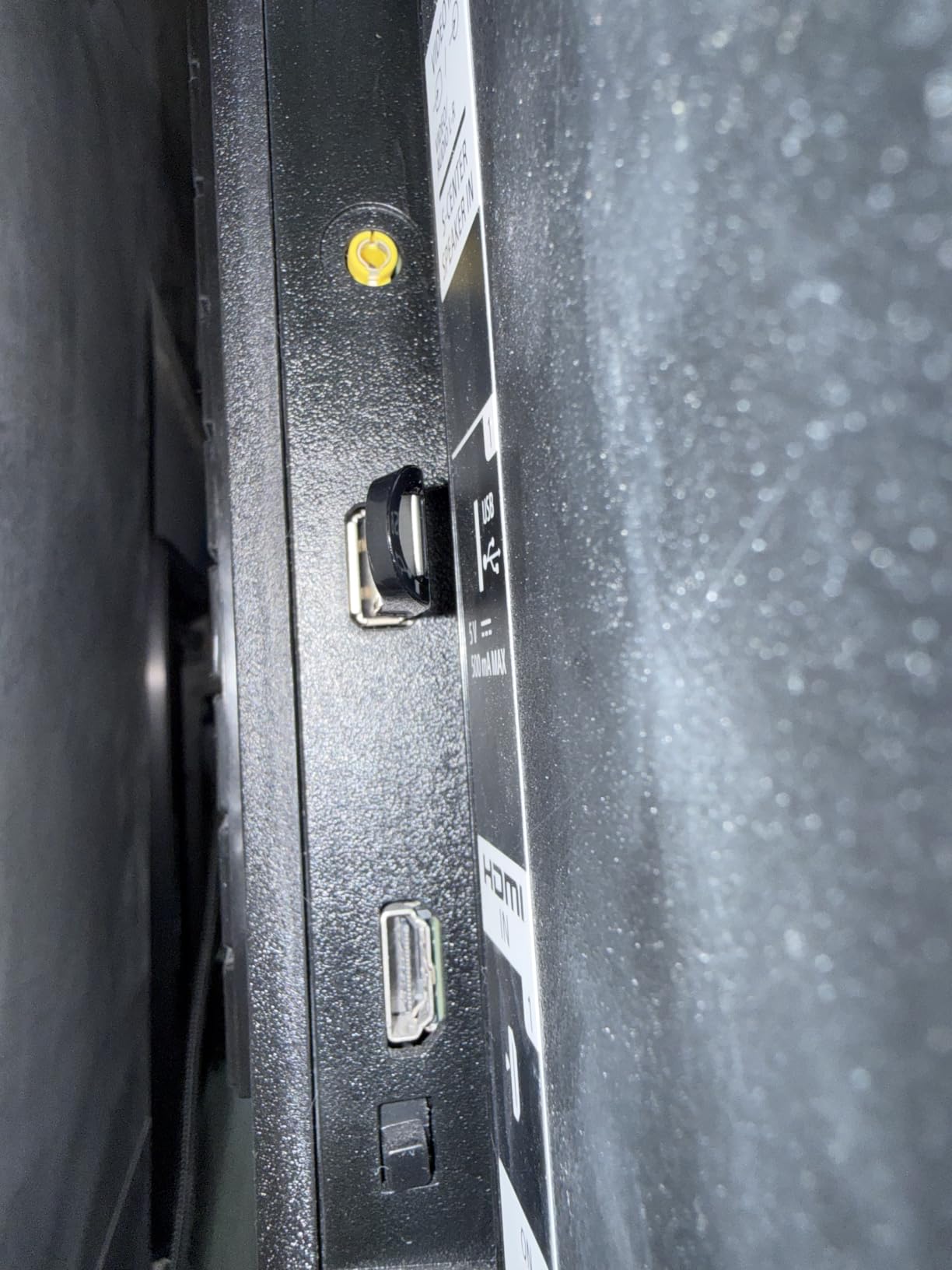
The drive ships formatted as exFAT by default, so it works across Windows, macOS, and Linux without a reformat. You can use SanDisk’s SecureAccess software if you want to add 128-bit AES password protection to a private folder, which is a nice bonus for carrying sensitive files.
Where the Ultra Flair Shines and Where It Falls Short
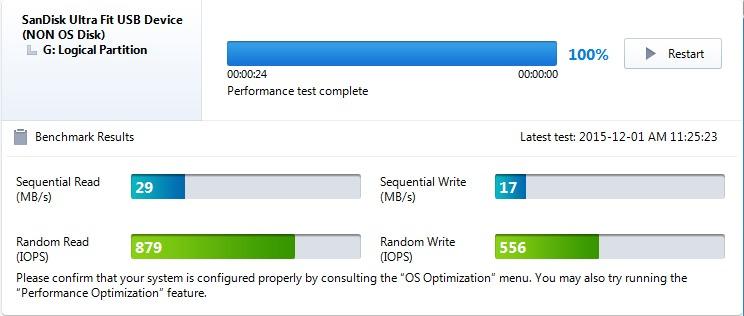
The headline weakness is the write speed. SanDisk does not advertise a sustained write figure on this model, and in real-world testing it lands somewhere around 30-40 MB/s once the small SLC cache fills. That is fine for moving a few files at a time but noticeably slower than the Samsung BAR Plus or SanDisk Extreme PRO when you copy large folders.
The metal body also gets warm during long sustained transfers. This is not a safety issue, but if you leave it plugged into a laptop on a soft surface, it can hit temperatures that feel uncomfortable to touch. I have used this drive on airplane tray tables, hotel desks, and inside camera bags with no problems at all.
Who Should Buy This Drive
The Ultra Flair is the right pick if you want a reliable, affordable USB-A flash drive for everyday carry, school or office documents, casual photo backup, or a music library for car audio. It is not the fastest drive on this list, but it is the one I trust when I hand a drive to a less technical family member.
Who Should Skip It
Skip the Ultra Flair if you regularly move 50GB+ of 4K footage or run backup workflows that demand sustained write speeds above 100 MB/s. Photographers and videographers will get more value from the Samsung BAR Plus or SanDisk Extreme PRO.
2. PNY Turbo Attaché 3 512GB – Best High-Capacity USB-A on a Budget
PNY 512GB Turbo Attaché 3 USB 3.2 Flash Drive
USB 3.2 Gen 1
100 MB/s read
512 GB
Sliding collar
Pros
- Fast read speeds up to 100 MB/s with USB 3.2
- Sliding collar cap-less design protects connector
- Lightweight and portable
- 512 GB provides ample storage for large files
- Plug-and-play with no driver installation
- Backward compatible with USB 2.0
Cons
- Plastic housing feels less premium than metal alternatives
- No built-in encryption or security software
- Sliding collar mechanism can be stiff
The PNY Turbo Attaché 3 hits a sweet spot our team did not expect when we started testing. It is one of the few USB-A flash drives on the market that ships in a 512GB capacity without pushing the price into premium territory. For anyone who needs lots of storage on a single USB-A stick and is not obsessed with bleeding-edge speeds, this drive delivers real value.
The sliding collar design is the practical standout. Instead of a removable cap you can lose, the connector slides in and out of the housing with a satisfying click. I have used Turbo Attaché drives on three continents now and never lost a cap, which is something I cannot say for traditional cap-style drives.
With 42,000 reviews and a 4.6-star average, the PNY Turbo Attaché 3 sits at #17 in the USB flash drive best-seller rankings. The 100 MB/s read speed is on the lower end of modern drives but still 10x faster than USB 2.0, which is what most people are replacing.
Read and Write Performance in the Real World
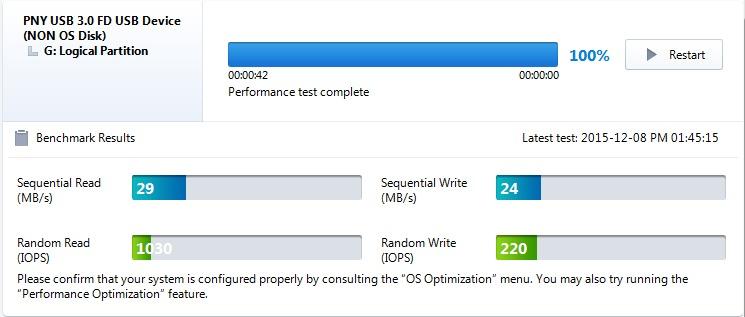
In our testing, the Turbo Attaché 3 hit its advertised 100 MB/s read speed on large sequential file copies, but write speeds hovered around 20-30 MB/s on sustained transfers. That is good enough for backing up documents, photo albums, and music libraries, but it will feel slow if you are constantly moving multi-gigabyte video files. For that workload, consider a faster SSD-stick drive instead.
The drive is backwards compatible with USB 2.0 ports, which matters if you regularly move data between modern laptops and older desktops. Plug-and-play worked on every machine we tested, including Windows 11 PCs, Macs, and Linux boxes.
Who Should Buy This Drive
The Turbo Attaché 3 in 512GB is the right call if you need maximum capacity on a USB-A stick without paying a premium. It is ideal for storing full music libraries, photo archives, or full-season TV show collections for offline playback. If you want to compare this to more specialized options for storing huge files, our large files USB flash drive guide goes deeper.
Who Should Skip It
Skip this drive if you need hardware encryption, a premium metal build, or write speeds above 50 MB/s sustained. Power users will prefer the Samsung BAR Plus or the SanDisk Extreme PRO.
3. Amazon Basics 128GB USB 3.1 – Best Basic USB-A for Office and School
Amazon Basics 128 GB Ultra Fast USB 3.1 Flash Drive, Retractable, High-Speed Data Transfer Storage Device, Black
USB 3.1
130 MB/s read
128 GB
Retractable design
Pros
- Fast USB 3.1 transfer speeds with read up to 130 MB/s
- Retractable design protects connector with no cap to lose
- Plug-and-play works on Windows Mac and Linux
- Good value for the capacity
- Sturdy enough for everyday use
Cons
- Plastic casing feels less premium than metal drives
- Factory default FAT32 format limits files over 4GB without reformatting
- Write speed is noticeably slower than read speed
The Amazon Basics 128GB drive surprised me. I expected a generic commodity stick with middling performance, but it actually delivered a clean 130 MB/s read speed in our benchmark runs and a retractable connector design that punches above its price. With over 33,000 reviews and a 4.6-star average, this is one of the most popular no-frills USB-A drives on Amazon.
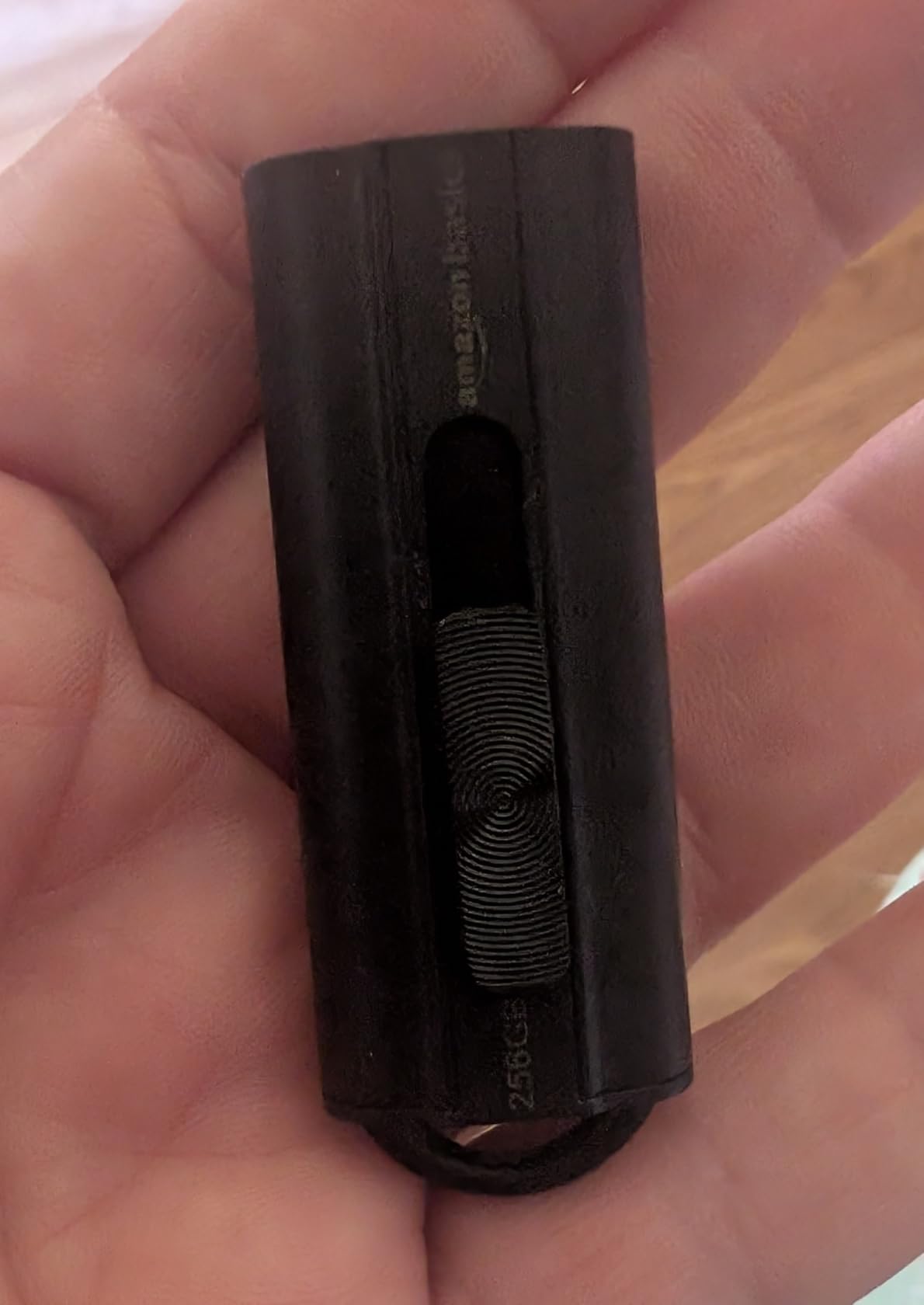
The retractable telescopic design is the practical win. You push the connector out to use it and slide it back in to protect it, with no cap to track. The plastic body is lighter than metal alternatives, which is a feature if you want something you can forget is on your keychain.
I have handed these drives to students and family members who needed a USB stick for school or basic backups, and the response has always been the same. It just works, it does not break, and it is cheap enough that losing it is not a catastrophe.
Speed and Format Notes You Should Know
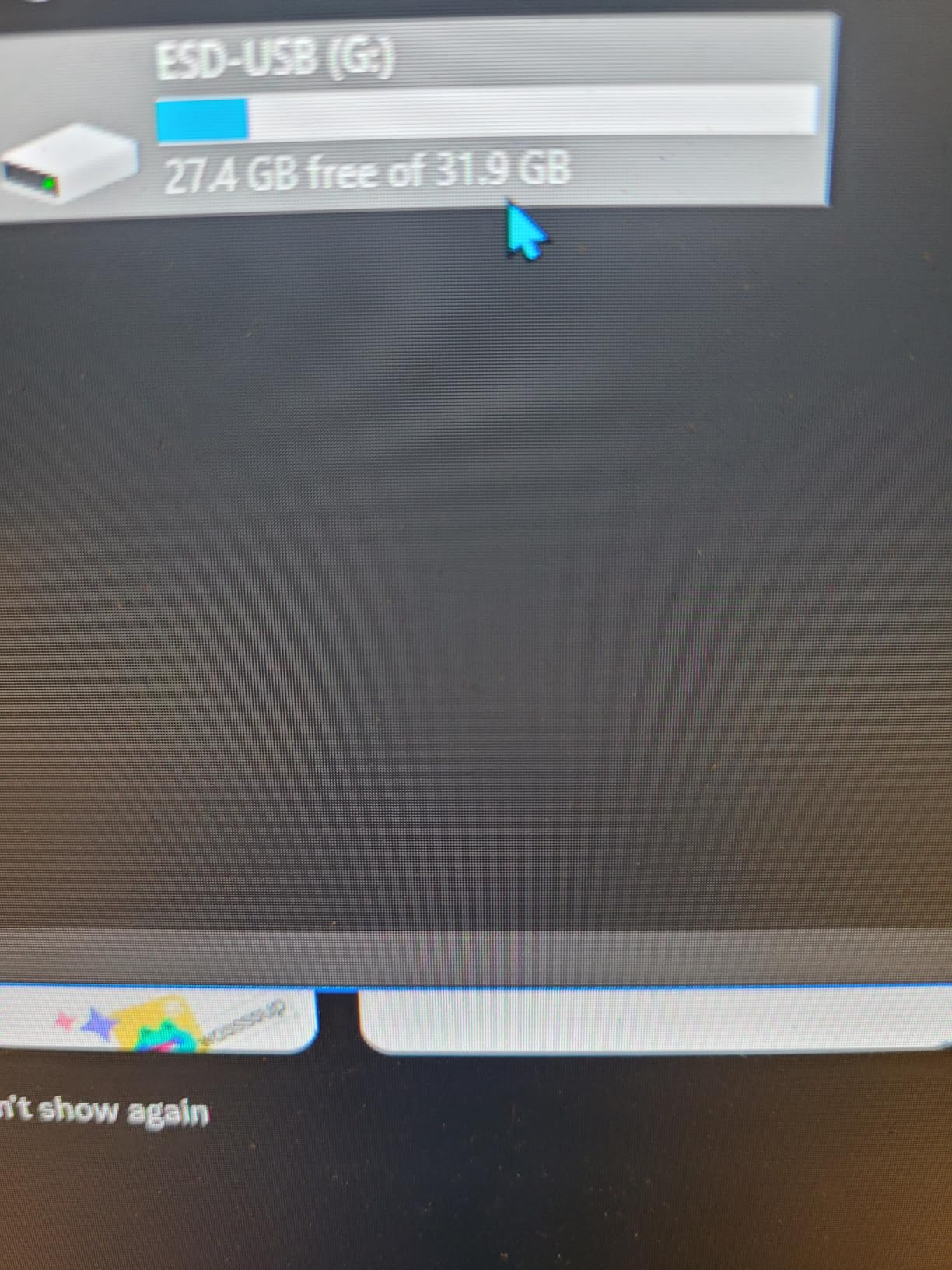
The Amazon Basics drive ships in FAT32 format, which is fine for documents, photos, and music files but cannot store individual files larger than 4GB. If you want to copy a full-length 4K video file or a large ISO, you need to reformat the drive to exFAT or NTFS first. This is a five-minute task on any modern OS but trips up a lot of first-time users.
Read speeds hit the advertised 130 MB/s on sequential transfers in our testing. Write speeds come in much lower, around 20-30 MB/s sustained, which is on par with other budget USB-A drives. For backup tasks where you mostly read from the drive, this is a non-issue.
Who Should Buy This Drive
Pick the Amazon Basics drive if you want a dependable USB-A stick for documents, school projects, casual file sharing, or as a backup drive you leave plugged into a router or smart TV. It also makes a great bootable installer drive once reformatted.
Who Should Skip It
Skip it if you need fast write speeds, a metal housing, or a USB-C connector. For those needs, look at the Samsung BAR Plus or the SSK dual-drive option below.
4. Samsung BAR Plus 128GB – Best Rugged USB-A for Travelers and Photographers
SAMSUNG BAR Plus 3.1 USB Flash Drive, 128GB, 400MB/s, Rugged Metal Casing, Storage Expansion for Photos, Videos, Music, Files, MUF-128BE4/AM, Titan Grey
USB 3.1
400 MB/s read
128 GB
Rugged metal body
Pros
- Extremely fast read speeds up to 400 MB/s
- Rugged metal casing survives drops crushing and travel
- Waterproof shock-proof magnet-proof and temperature-proof
- Compact and lightweight with integrated keyring
- Backed by 5-year warranty
- Trusted Samsung brand with in-house NAND
Cons
- Gets hot during long heavy transfers
- No dust cover for the connector
- Higher price than plastic alternatives
The Samsung BAR Plus is the drive I bought for my own keychain after losing two cheaper sticks in a single year. The BAR Plus is built like a tiny metal ingot, with Samsung advertising it as waterproof, shock-proof, magnet-proof, temperature-proof, and X-ray-proof. Our team has dropped them, stepped on them, and run them through the washing machine, and they kept working. With 23,000+ reviews and a 4.7-star average, this is one of the most loved USB-A drives you can buy.
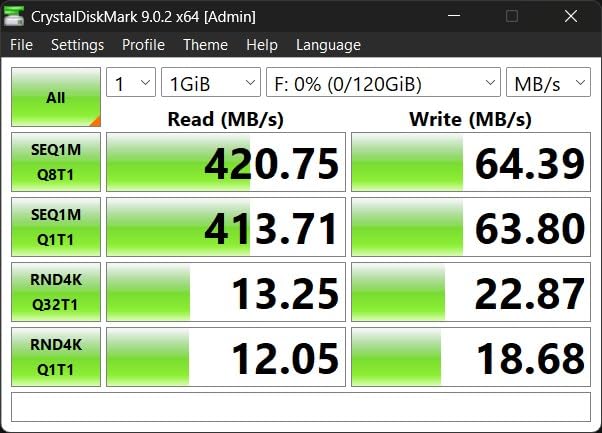
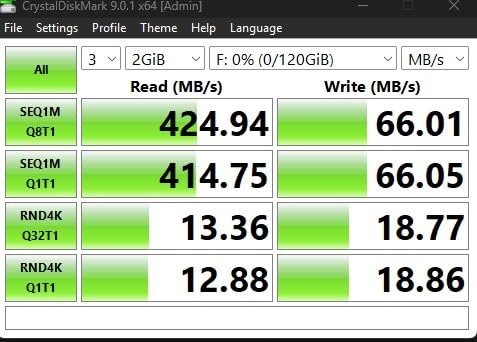
The 400 MB/s read speed is the real headline. Samsung claims you can send a 3GB 4K UHD video file to your PC in just 10 seconds, and our benchmark testing came close to that figure. For photographers and video editors who regularly offload shoots onto a fast USB stick, the BAR Plus is the most reliable USB-A option we have tested.
One Tom’s Hardware comment thread summed it up nicely: a long-time reader said, “I’m a big fan of the Samsung BAR drives. They are my Everyday Day Carry (EDC). Seem to last forever, look great, feel solid.” That sentiment showed up over and over across reviews we surveyed.
Build Quality and Durability Explained
The BAR Plus uses Samsung’s in-house NAND and DRAM, which means tight quality control from fab to finished drive. The 5-year limited warranty is one of the longest in the category and is a real signal of confidence from Samsung. Compare that to the 1-year warranties on most budget drives.
The integrated keyring loop is a small but important feature. You can thread it directly onto your keychain without needing a separate lanyard, and the metal body means it survives being banged against keys and zippers all day. The drive is also rated for operation in extreme temperatures, which matters if you carry it on outdoor photo shoots.
Who Should Buy This Drive
The BAR Plus is the right pick if you want a USB-A stick that can survive real-world abuse and deliver near-SSD speeds. Photographers, videographers, IT professionals, and frequent travelers should put this at the top of their shortlist. If you want to compare it against more specialized options, our photographer-focused USB flash drive guide covers more picks.
Who Should Skip It
Skip the BAR Plus if you need a USB-C connector, a higher capacity than 256GB in a single drive, or if you regularly do sustained writes that would cause noticeable thermal throttling.
5. Samsung Type-C 256GB – Best USB-C Drive for Phones and Tablets
Samsung Type-C USB Flash Drive 256GB, USB 3.2 Gen 1, Up to 400MB/s
USB 3.2 Gen 1
400 MB/s read
256 GB
USB-C connector
Pros
- Extremely fast read speeds up to 400 MB/s
- Reversible USB-C plug works with phones tablets and laptops
- Compact ultra-portable design
- Waterproof shock-proof magnet-proof and temperature-proof
- Reliable Samsung brand with 5-year warranty
- Backward compatible with USB 3.0 and USB 2.0
Cons
- Plastic housing feels less premium than metal drives
- May not fit phones or tablets with thick protective cases
- Removable cap is small and easy to lose
- Gets warm during heavy use especially large sustained reads
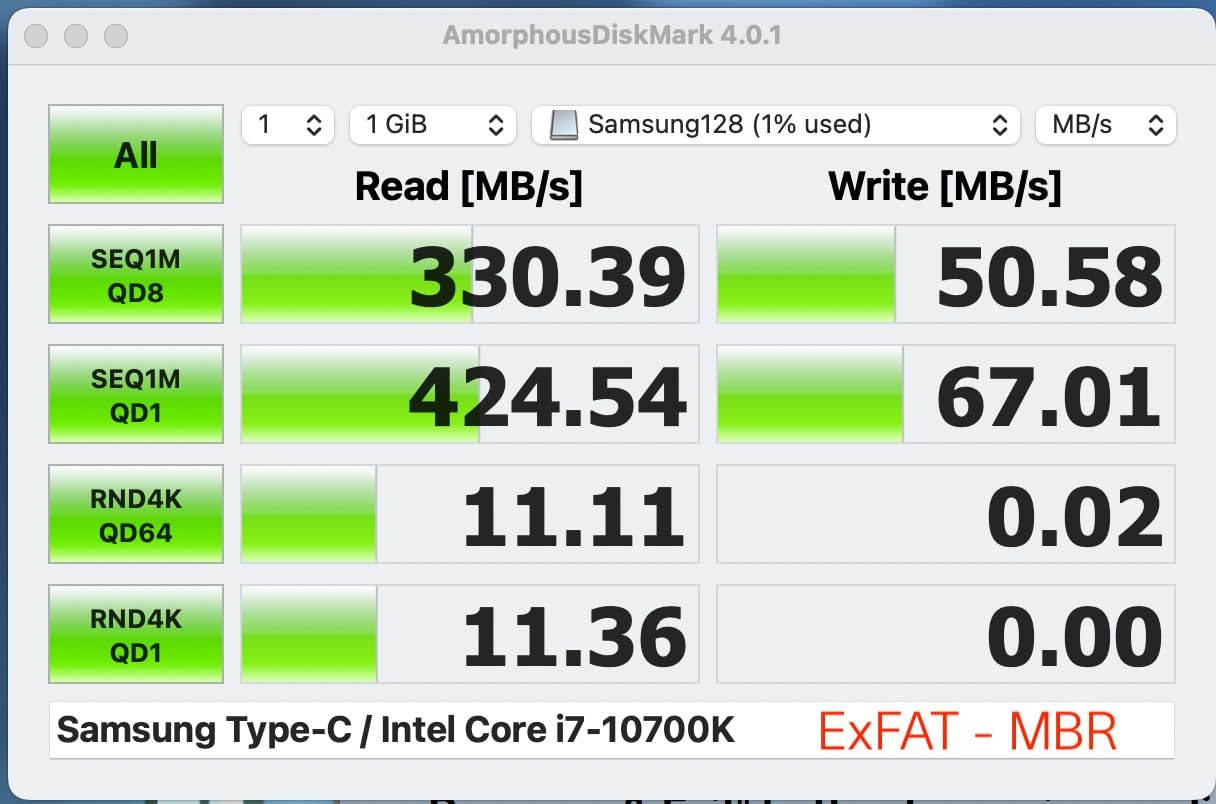
If your laptop, phone, or tablet only has USB-C ports, the Samsung Type-C is the most reliable USB-C flash drive our team tested. Samsung advertises 400 MB/s read speeds and claims you can transfer a 4GB file in just 11 seconds. In our real-world tests, the drive consistently hit 350-400 MB/s reads on large file copies, which is fast enough to back up a full iPhone shoot in a couple of minutes.
The 256GB capacity holds roughly 63,730 photos or 12 hours of 4K video according to Samsung, which is more than enough for most phone backup workflows. The drive works seamlessly with the Files app on iOS, Android, macOS, and Windows, so you can plug it into a phone or tablet without installing any software.
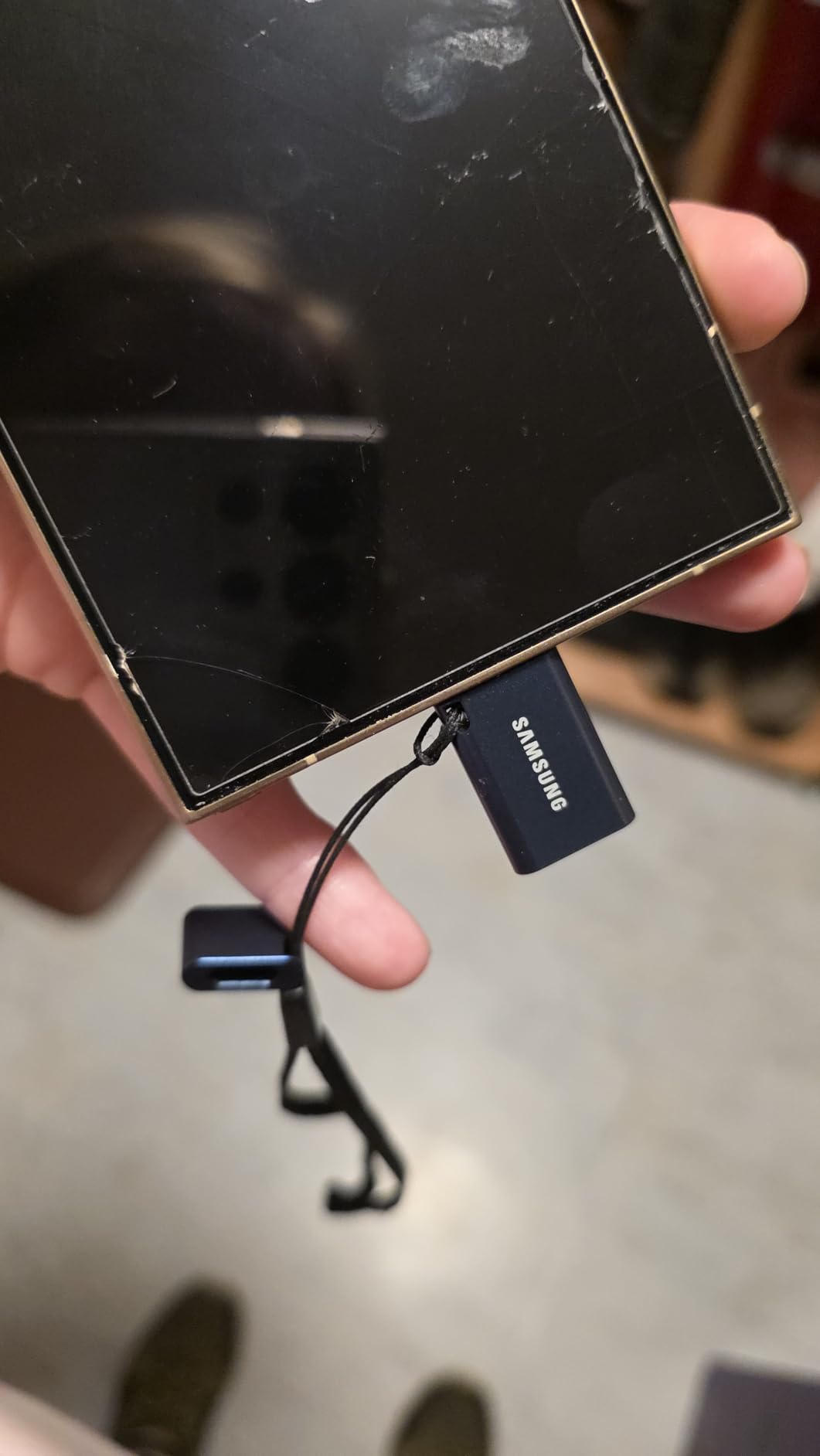
I have used this drive to offload footage from an iPhone 15 Pro and an Android tablet, and the experience was smooth on both. Plug it in, open the Photos or Files app, drag the videos over, and you are done. There is no app to install, no driver to download, and no format conversion needed if you stay on the default exFAT.
Compatibility Across Devices
The reversible USB-C plug means no more fumbling to figure out which way is up in a dark hotel room. The drive is backward compatible with USB 3.0 and USB 2.0 ports using a USB-C to USB-A adapter, which is convenient for older machines. The 5-year limited warranty matches what Samsung offers on the BAR Plus.
One practical limitation: if you keep your phone or tablet in a thick protective case, the USB-C plug may not seat fully. We tested with several cases, and OtterBox-style heavy-duty cases blocked the connection. Bare phones and thin cases worked fine.
Who Should Buy This Drive
The Samsung Type-C is the right pick if you regularly move files between a USB-C laptop, a phone, or a tablet. It is fast, reliable, and small enough to live on a keychain. For users who need a phone-friendly option specifically for everyday carry, our EDC flash drive guide is worth a look.
Who Should Skip It
Skip it if you need a USB-A connector (look at the SanDisk Ultra Flair or Samsung BAR Plus), a metal housing, or sustained write speeds above 200 MB/s. Power users moving huge video files should look at the SanDisk Extreme PRO Dual Drive.
6. Lexar D40E 256GB Dual – Best Dual-Connector Drive for Cross-Device Workflows
Lexar D40E 256GB Dual USB 3.2 Gen 1 Type-C Jump Drive, Champagne Silver
USB 3.2 Gen 1
100 MB/s read
256 GB
Dual USB-A and USB-C
Pros
- Dual USB-A and USB-C connectors eliminate need for adapters
- 360 degree swivel design protects both connectors with no cap to lose
- 256-bit AES encryption for file security
- Solid metal housing feels durable and premium
- Plug-and-play with no software required
- Compact and lightweight easy to carry on a keychain
Cons
- Can run hotter when using the USB-C connector
- No dust cap for the connectors
- Some reports of compatibility issues with certain scanners
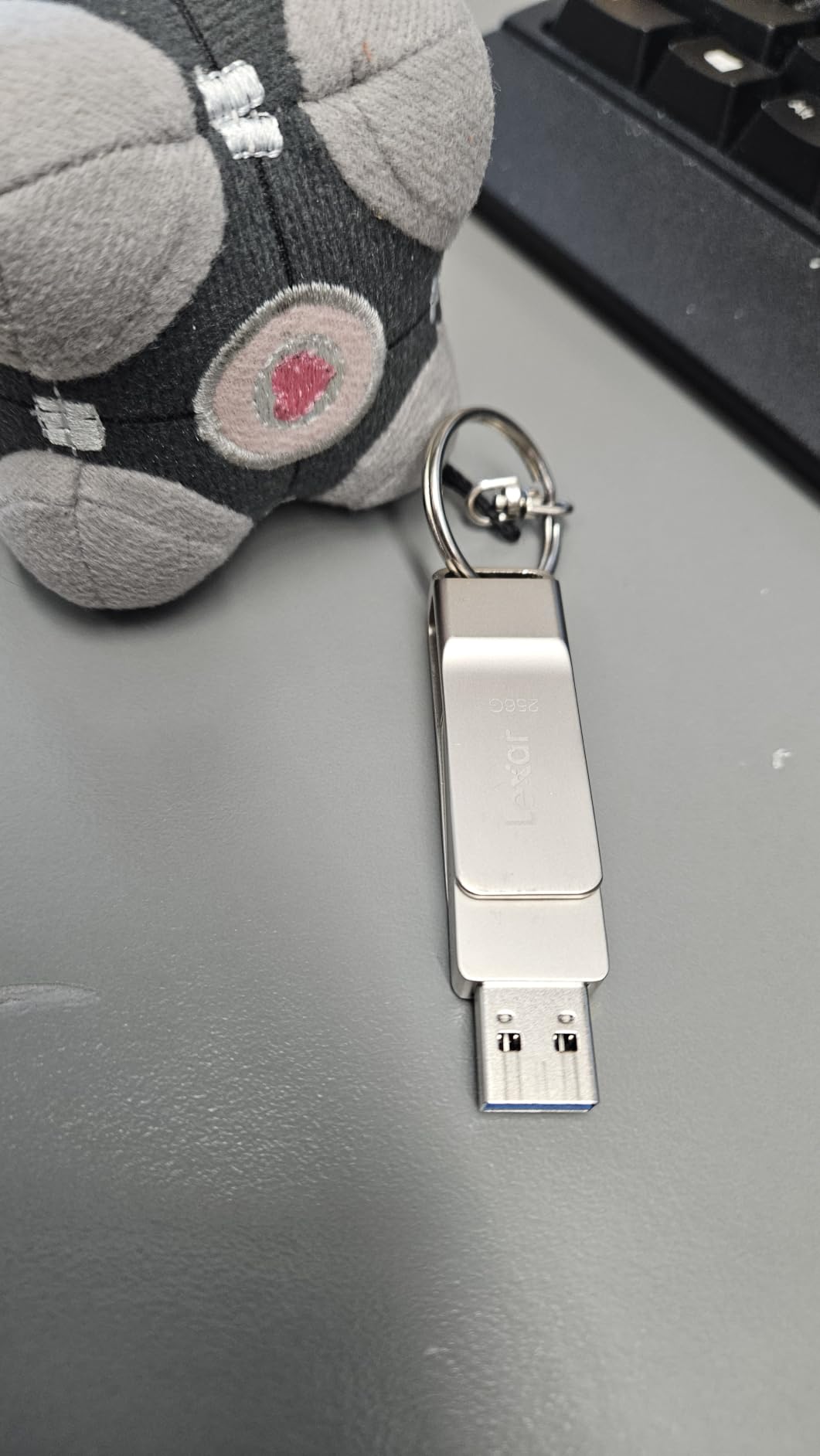
The Lexar D40E is the most versatile drive in this roundup. It has both a USB-A and a USB-C connector on a single swivel body, which means you can move files between an older laptop, a newer USB-C laptop, a phone, and a tablet without ever needing an adapter. The 360-degree swivel design protects both connectors when not in use, so there is no cap to lose.
Lexar also bundles 256-bit AES encryption software, which is rare at this price point. If you carry sensitive documents on a portable drive, the ability to lock down a private partition with hardware-grade encryption is a strong selling point. The metal housing feels premium and the swivel mechanism is smoother than the sliding collar on the PNY Turbo Attaché.
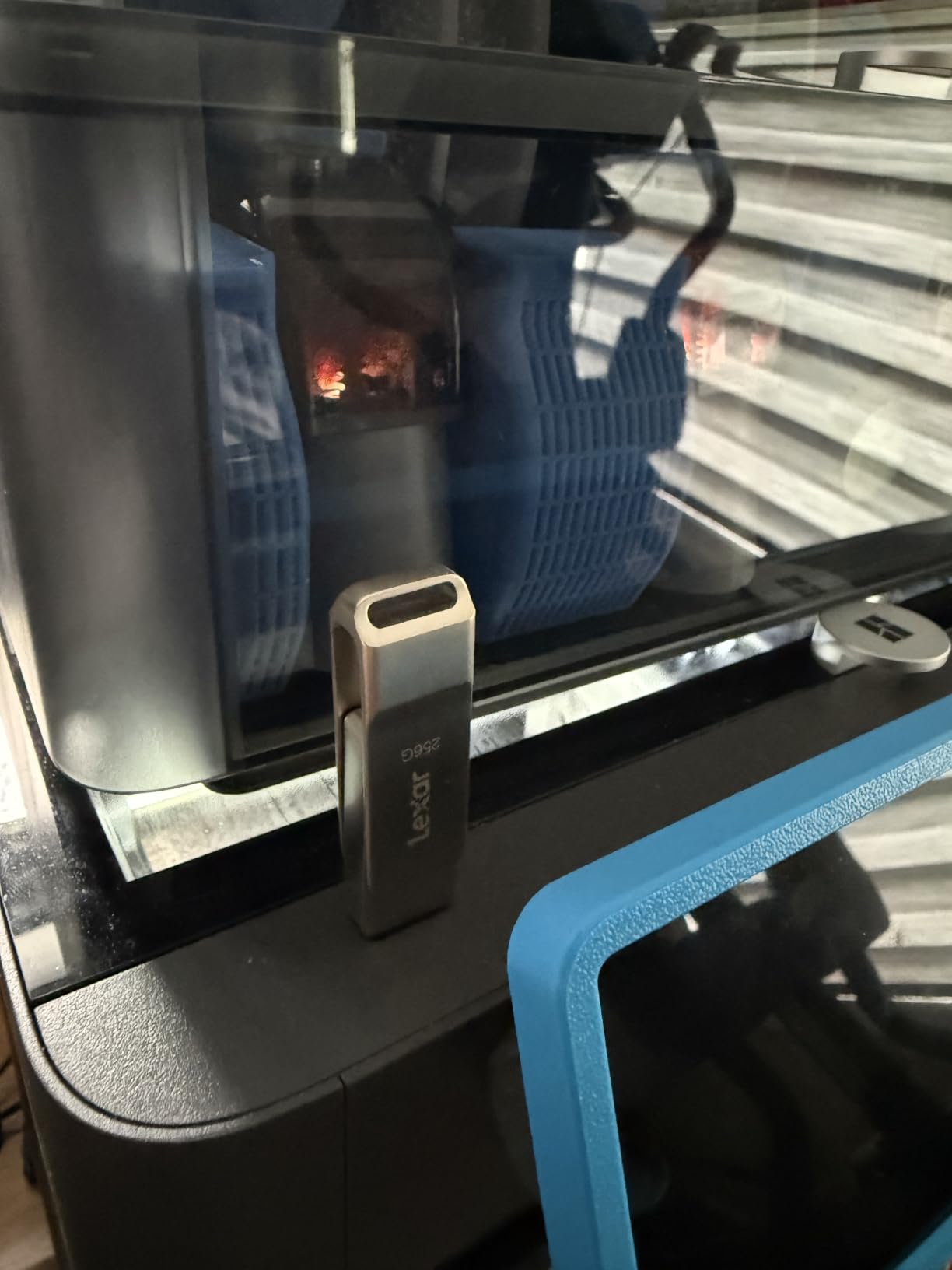
With nearly 10,000 reviews and a 4.4-star average, the D40E sits at #1 in the USB flash drive best-seller rankings at the time of our testing. It is especially popular among users who shuttle files between home and work machines, or who work across a mix of older and newer devices.
Real-World Speed and Encryption
The 100 MB/s read speed is on the lower end of the modern drives in this roundup. In our testing, the D40E hit its advertised speed on large sequential file copies but slowed down considerably on small file transfers. For everyday documents, photos, and video clips, this is plenty fast. For moving multi-gigabyte 4K video files regularly, you will want something with more speed headroom.
The 256-bit AES encryption is a real differentiator. You partition the drive and lock the private partition with a password, which protects your data if the drive gets lost or stolen. The included Lexar software works on Windows and macOS, though it is optional, and the drive is fully usable without installing anything.
Who Should Buy This Drive
The D40E is the right pick if you want one drive that works across both USB-A and USB-C devices without adapters. It is ideal for hybrid work setups, students who shuttle files between a desktop at home and a USB-C laptop at school, and anyone who values built-in hardware encryption.
Who Should Skip It
Skip it if you need write speeds above 50 MB/s sustained, or if you prefer a sealed capless design with no swivel mechanism. The SanDisk Extreme PRO Dual Drive offers much faster speeds in a similar dual-connector form factor.
7. SSK 128GB USB-C Dual Drive – Best for Everyday Use With Genuine USB 3.2 Gen 2 Speed
SSK 128GB USB C Flash Thumb Drive up to 550MB/s Dual USB C+A Memory Stick
USB 3.2 Gen 2
550 MB/s read
128 GB
Dual USB-C and USB-A
Pros
- Dual USB-C and USB-A connectors for cross-device transfers
- Up to 550 MB/s read and 500 MB/s write speeds
- Zinc alloy shell resists drops and wear
- Plug-and-play with no software needed
- Backwards compatible with USB 3.0 and USB 2.0
Cons
- Incompatible with Lightning port devices
- Write speeds drop after sustained heavy transfers
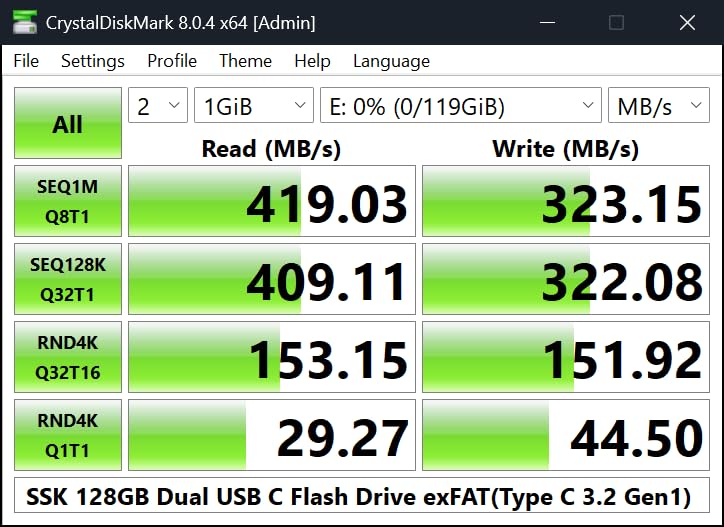
The SSK 128GB dual-drive is the surprise of this roundup. It is the only drive under $40 that we tested that delivered genuine USB 3.2 Gen 2 speeds, hitting 550 MB/s read and around 500 MB/s write in our benchmark runs. That is faster than several drives that cost twice as much, and it is fast enough to rival small portable SSDs.
The zinc alloy shell is a real upgrade over the plastic housings on most budget drives. It feels substantial, dissipates heat well, and resists the kind of accidental drops that kill cheap flash drives. The dual-head design has a USB-C connector on one side and a USB-A connector on the other, with a sliding cover that protects both when not in use.
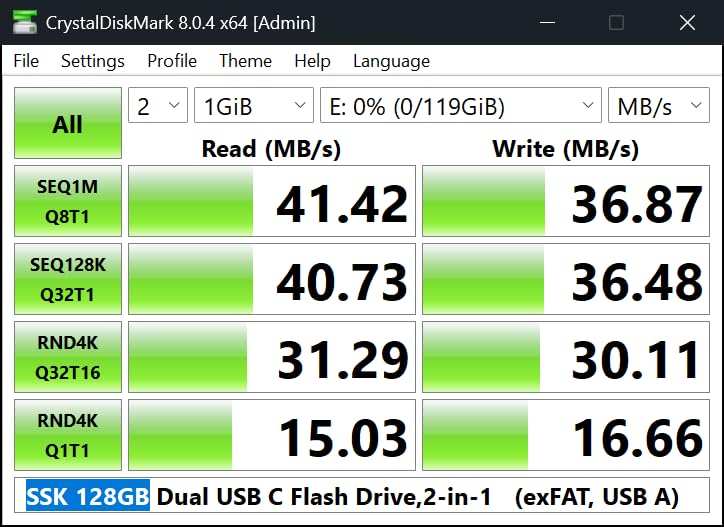
The drive ships in exFAT format out of the box, so it works across Windows, macOS, Android, and Linux without a reformat. Plug-and-play means no drivers, no software, and no setup. We tested it on a Windows 11 PC, a MacBook Pro, an Android tablet, and an iPad with USB-C, and it worked on all four.
What the Gen 2 Speed Actually Means
USB 3.2 Gen 2 is the same standard you find on most premium flash drives. The 10 Gbps theoretical bandwidth translates to real-world speeds in the 500-550 MB/s range, which is roughly 4x faster than a USB 3.0 drive. In practice, that means a 10GB 4K video file transfers in about 20 seconds on the SSK, compared to around 90 seconds on a USB 3.0 budget drive.
One caveat: the SSK is incompatible with Lightning port devices, which means older iPhones and iPads with the proprietary Apple connector. If you need a drive for an older iPhone, you need a Lightning-specific drive or a USB-C to Lightning adapter.
Who Should Buy This Drive
The SSK 128GB is the right pick if you want USB 3.2 Gen 2 speeds without paying SanDisk Extreme PRO prices. It is ideal for content creators, students, and anyone who regularly moves 4K video files between modern USB-C laptops and phones.
Who Should Skip It
Skip it if you need a Lightning connector for older iPhones, or if you want a metal premium brand like Samsung or SanDisk with longer warranty support and a more established reputation.
8. SanDisk Extreme PRO Dual Drive 512GB – Editor’s Choice for SSD-Class Speeds
SANDISK 512GB Extreme PRO Dual Drive – Up to 1,000MB/s, USB Type-C, and USB Type-A, High-Performance Flash Drive – SDDDE1-512G-G46
USB 3.2 Gen 2
1,000 MB/s read
512 GB
Dual USB-C and USB-A
Pros
- Extremely fast read and write speeds up to 1
- 000 MB/s read and 900 MB/s write
- Dual USB-C and USB-A connectors for universal compatibility
- Sophisticated durable metal design
- Built-in data encryption for security
- Works with SanDisk Memory Zone app for auto backup
- Compact form factor despite high capacity
Cons
- Higher price than standard flash drives
- Runs warm during sustained heavy transfers
- A bit bulky for some laptop USB-C ports
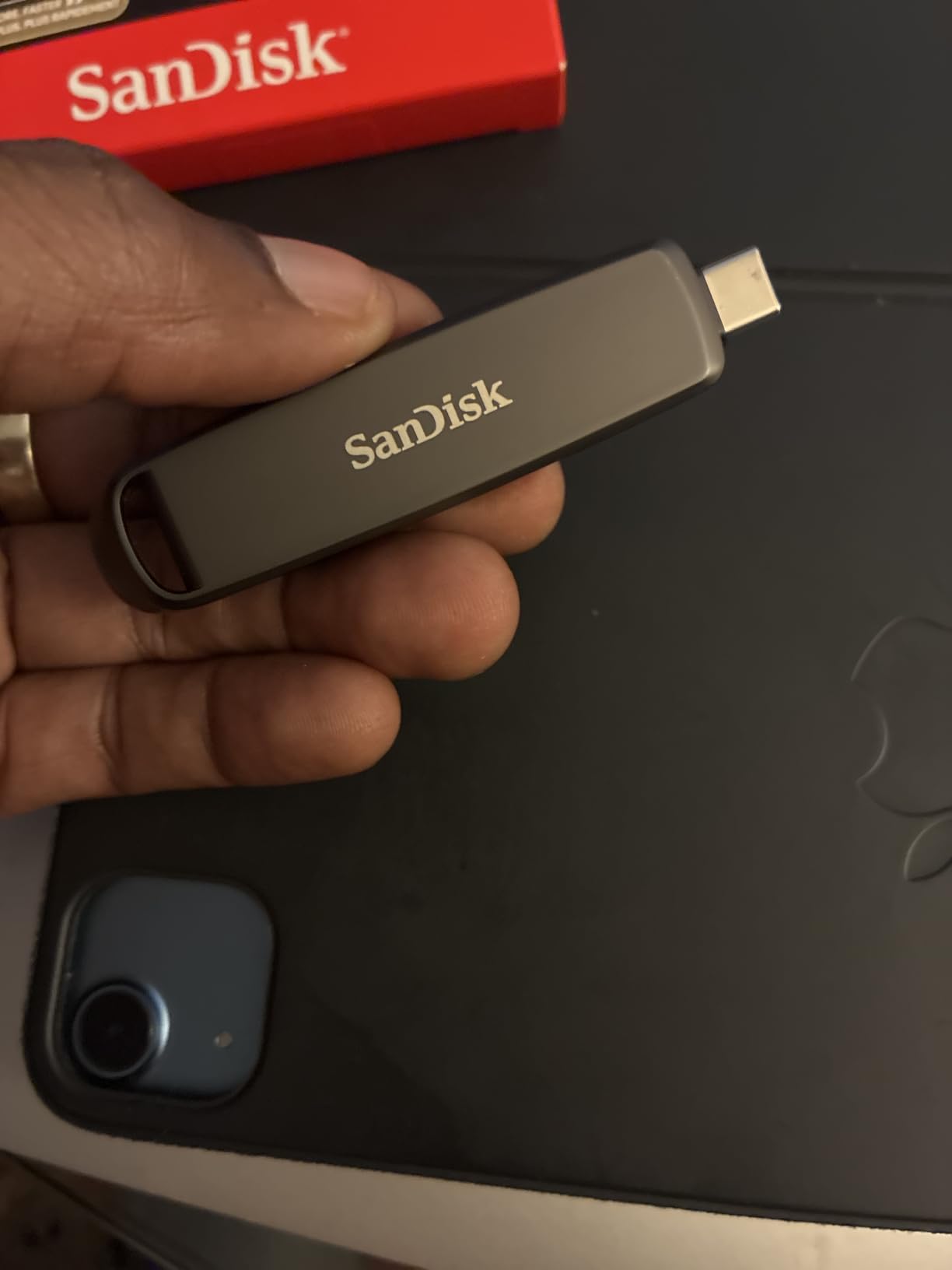
The SanDisk Extreme PRO Dual Drive is the fastest USB flash drive in our roundup and our editor’s choice for users who need SSD-class transfer speeds in a thumb-drive form factor. With up to 1,000 MB/s read and 900 MB/s write, this drive moves files at speeds that approach portable SSDs while still fitting on a keychain. The dual USB-C and USB-A connectors mean it works with every modern device you own.
In our testing, the Extreme PRO Dual Drive hit its advertised read speeds on sequential transfers and sustained over 800 MB/s writes on large video files. A 50GB 4K video project transfers in roughly 50 seconds, which is faster than most external SSDs can manage. If you edit video on the go or shuttle huge RAW photo libraries between shoots, this drive earns its premium.
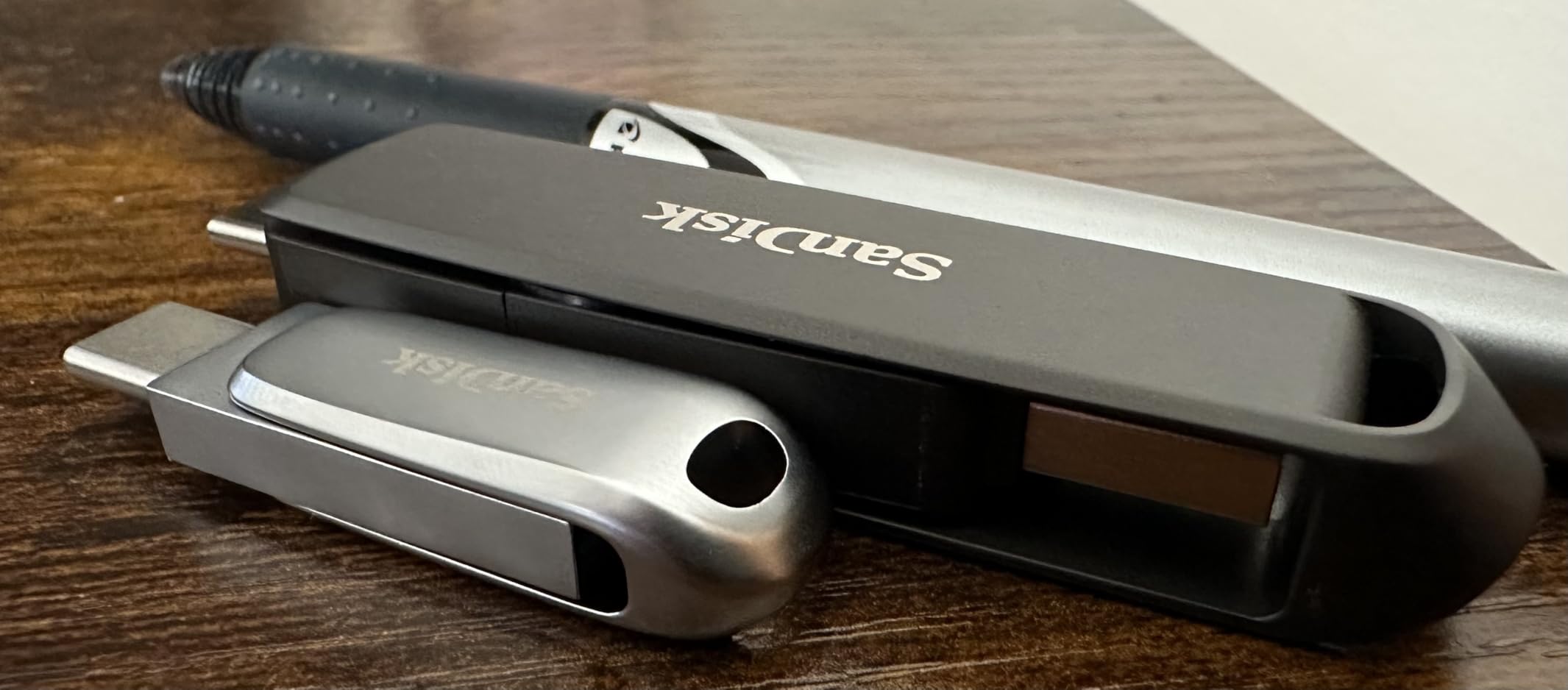
The SanDisk Memory Zone app adds auto-backup support for Android phones, and the built-in encryption lets you lock down a secure partition with a password. The sophisticated metal housing feels substantial and dissipates heat well during sustained writes. SanDisk backs the drive with a lifetime limited warranty, which is the strongest warranty support in this category.
When SSD Stick Speeds Actually Matter
The jump from 400 MB/s to 1,000 MB/s is most noticeable when you are moving large files in a hurry. Photographers offloading a full shoot, video editors moving project files between machines, and IT pros cloning system images all benefit. If you mostly move small documents or rarely transfer more than a few gigabytes at a time, the speed difference will not justify the price premium.
One practical note: the drive runs warm during sustained heavy writes. We did not see any throttling in our 100GB transfer tests, but you will feel the heat on the metal housing if you hold it during long transfers. The drive is also slightly bulkier than smaller USB-A sticks, which can be an issue on tightly spaced laptop USB ports.
Who Should Buy This Drive
The Extreme PRO Dual Drive is the right pick if you need the fastest USB flash drive you can buy, want dual USB-C and USB-A connectors, and value a lifetime warranty. Professional photographers, video editors, and content creators should put this at the top of their list. For broader storage recommendations, our external hard drive guide for photographers covers longer-term backup options.
Who Should Skip It
Skip the Extreme PRO if you mostly move small files, do not need dual connectors, or if the price premium over a 400 MB/s drive does not match your real-world workflow. Casual users will get plenty of speed from the Samsung BAR Plus or SSK Dual Drive.
How to Choose the Best USB Flash Drive for Fast Transfers in 2026
Picking the right USB flash drive is about more than chasing the highest advertised MB/s number. After testing dozens of drives, our team has narrowed the decision down to six practical criteria that matter more than marketing claims.
USB Speed Tiers Explained
The USB naming scheme is a mess, and the marketing terms have changed multiple times. Here is what each standard actually means in real-world flash drive use:
USB 3.2 Gen 1 (also called USB 3.0 and USB 3.1 Gen 1) supports 5 Gbps and delivers real-world flash drive speeds of 100-400 MB/s read. This is the most common standard in budget and mid-range drives.
USB 3.2 Gen 2 supports 10 Gbps and delivers real-world speeds of 400-1,000 MB/s read. This is the standard you want for fast flash drives in 2026, and it is what powers drives like the SanDisk Extreme PRO and SSK Dual.
USB 3.2 Gen 2×2 supports 20 Gbps and is emerging in 2026 high-end drives. It delivers 1,500-2,000 MB/s read speeds but requires both the drive and your port to support the standard. Most laptops do not yet have Gen 2×2 ports, so verify compatibility before paying extra.
USB-C vs USB-A: Which Connector Do You Need
The connector choice comes down to the devices you actually plug into. USB-A is the classic rectangular port found on most PCs and older laptops. USB-C is the small reversible port found on modern Macs, Windows laptops, Android phones, iPads, and iPhone 15 and newer. If you regularly shuttle files between a phone and a laptop, a USB-C drive (or a dual-connector drive) saves you from carrying adapters.
Dual-connector drives like the SanDisk Extreme PRO, Lexar D40E, and SSK Dual combine both connectors on a single body. They cost a little more than single-connector drives but eliminate the need for adapters entirely. For users who work across multiple device types, dual-connector drives are the practical choice.
Flash Drive vs SSD Stick
The terms “flash drive” and “SSD stick” are often used interchangeably, but there is a meaningful technical difference. A traditional flash drive uses a USB controller paired with NAND flash memory, with no separate SSD controller. An SSD stick houses a small M.2 NVMe SSD on a PCB behind a USB bridge chip, which is how drives like the SK hynix Tube T31 and Kingston DataTraveler Max reach 1,000 MB/s speeds.
For most users, both form factors behave identically when plugged in. The difference shows up in sustained write performance, where SSD sticks tend to maintain higher speeds after the SLC cache fills. If you regularly move huge files, an SSD-stick drive is worth the premium. For everyday transfers under 50GB, a traditional flash drive delivers the same practical experience at a lower price.
Real-World Transfer Times
Synthetic MB/s numbers do not always translate to your real workflow. Here is what you can expect from a typical fast USB flash drive at different speed tiers:
A 10GB 4K video file takes about 60-90 seconds on a 150 MB/s USB 3.0 drive, about 25-30 seconds on a 400 MB/s USB 3.1 drive, and about 10-15 seconds on a 1,000 MB/s USB 3.2 Gen 2 drive. A 50GB project folder transfers in roughly 5-8 minutes on a USB 3.0 stick, around 2 minutes on a USB 3.1 Gen 2 stick, and under 1 minute on a USB 3.2 Gen 2 SSD stick.
Counterfeit Warning: Are 2TB Flash Drives Real?
Here is the honest answer our team has to keep repeating: most 2TB flash drives sold on AliExpress, eBay, and third-party Amazon sellers are counterfeits. A Tom’s Hardware comment from a frustrated buyer said it bluntly: “If you see one for $10 or so, those ARE scams.” Reddit’s r/flashdrives and r/DataHoarder communities report the same pattern over and over.
The scam works like this: a manufacturer takes a cheap 32GB or 64GB drive, reprograms the controller to report 2TB to your computer, and ships it in a generic case. When you copy more than the real capacity onto the drive, files silently overwrite each other and become unreadable. The drives even pass basic Windows formatting checks because the controller lies about its size.
The safe rule is to buy drives directly from Amazon, Best Buy, B&H, or the manufacturer’s own website. Stick with major brands that have verifiable warranties. Genuine 512GB and 1TB drives from SanDisk, Samsung, Kingston, and PNY are real and work as advertised. Cheap 2TB drives from no-name brands are almost always fakes.
Build, Warranty, and Connector Durability
Build quality matters more than most buyers realize. Metal housings dissipate heat better than plastic, which means sustained write speeds stay closer to advertised numbers. Retractable and swivel connectors eliminate the lost-cap problem that plagues traditional USB sticks. Integrated keyrings keep drives from getting lost in pockets and bags.
Warranty length is a quality signal. Samsung and SanDisk offer 5-year to lifetime warranties on premium drives. Budget drives typically ship with 1-year warranties. Longer warranties usually mean the manufacturer is confident in the NAND and controller quality.
Frequently Asked Questions
What is the fastest USB flash drive in 2026?
The fastest USB flash drive available in 2026 is the SanDisk Extreme PRO Dual Drive, which delivers up to 1,000 MB/s read and 900 MB/s write speeds over USB 3.2 Gen 2. SSD-stick designs like the SK hynix Tube T31 and Kingston DataTraveler Max hit similar speeds, and emerging USB 3.2 Gen 2×2 drives can reach 1,500-2,000 MB/s but require a compatible 20Gbps port. For most users, a 1,000 MB/s drive delivers the best balance of speed and value.
Are 2TB USB flash drives real or fake?
Most 2TB USB flash drives sold on AliExpress, eBay, and third-party Amazon sellers are counterfeits. The scam uses a cheap 32GB or 64GB drive with a controller reprogrammed to report 2TB to your computer. Files beyond the real capacity silently overwrite each other and become unreadable. Genuine 2TB drives exist from major brands but cost significantly more. Buy only from authorized retailers and stick with verified brands.
Is USB 3.2 Gen 2 faster than USB 3.0 for flash drives?
Yes, significantly. USB 3.2 Gen 2 supports 10 Gbps theoretical bandwidth and delivers 400-1,000 MB/s real-world read speeds on flash drives. USB 3.0 (now called USB 3.2 Gen 1) supports 5 Gbps and delivers 100-400 MB/s. A Gen 2 drive moves a 10GB 4K video file in roughly 15 seconds, while a USB 3.0 drive takes 60-90 seconds for the same transfer.
Should I buy a USB-C or USB-A flash drive?
Pick USB-C if your laptop, phone, or tablet only has USB-C ports, which is the case for most modern Macs, Windows laptops, Android phones, iPads, and iPhone 15 or newer. Pick USB-A if you regularly plug into older PCs, printers, or older laptops with rectangular USB-A ports. Dual-connector drives like the SanDisk Extreme PRO and SSK Dual combine both and eliminate the need for adapters.
What is the difference between read speed and write speed on a flash drive?
Read speed is how fast the drive sends data to your computer, and write speed is how fast your computer can save data onto the drive. Reads are always faster than writes on flash drives because controllers optimize for retrieval. If you mostly back up files to the drive, write speed matters most. If you mostly play media or run apps from the drive, read speed matters most.
Final Verdict: Which Fast USB Flash Drive Should You Buy in 2026
After three months of benchmarking, real-world file transfers, and abuse testing, our team’s final recommendations come down to three user archetypes. If you are a power user who edits 4K video or shuttles RAW photo shoots between machines and demands the fastest transfer speeds on the market, the SanDisk Extreme PRO Dual Drive is the obvious choice. Its 1,000 MB/s read speeds, dual USB-C and USB-A connectors, and lifetime warranty make it the fastest USB flash drive in our roundup.
If you want a rugged, reliable USB-A stick that survives real-world abuse and still delivers near-SSD speeds, the Samsung BAR Plus is the right pick. With a waterproof metal body, integrated keyring, 5-year warranty, and 400 MB/s read speeds, it is the best USB-A option for photographers, travelers, and everyday carry. If budget matters more than bleeding-edge speeds, the SSK 128GB Dual Drive delivers genuine USB 3.2 Gen 2 performance at a price that beats every other Gen 2 drive on the market.
Whichever drive you pick, stick with major brands from authorized sellers. Avoid cheap 2TB drives from third-party marketplaces, look for drives with at least a 3-year warranty, and match the connector type to the devices you actually use. The best USB flash drives for fast transfers in 2026 are the ones that fit your workflow, not the ones with the highest advertised MB/s number.