
Finding the best travel routers for RV camping changed how our team works on the road. After six weeks of testing eight routers across campgrounds in Arizona, Colorado, and the Pacific Northwest, I learned that reliable RV Wi-Fi is less about raw speed and more about how well a router handles captive portals, weak signals, and 12V power. If you are a weekend camper, full-time RVer, or digital nomad streaming video calls from a boondocking site, the right pocket Wi-Fi router turns every campsite into a usable workspace.
Over the past year, our team has helped more than 40 RVer and remote-working friends pick travel routers. We compared GL.iNet, TP-Link, RoamFi, and TravlFi units on three real-world tests: boosting weak campground Wi-Fi, sharing a phone hotspot across multiple devices, and running a local network for screen casting when there is zero cell service. This guide shows what actually worked, what failed, and which travel router deserves a permanent spot in your rig. Before diving into the picks, you may also want to check our guide on the best solar generators for RV camping if you plan to run a router off-grid, and our picks for the best Bluetooth speakers for RV camping for entertainment setup.
Our Top 3 Tested Travel Routers for RV Camping

GL.iNet Beryl AX Wi-Fi 6
- Wi-Fi 6 dual-band
- 2.5G WAN port
- WireGuard and OpenVPN
- WPA3 security
- USB-C powered

TP-Link Roam 6 AX1500
- Wi-Fi 6 AX1500
- USB-C PD power
- Multi-mode operation
- Compact pocket size
- 2-year warranty

GL.iNet Mango Pocket VPN
- OpenWrt pre-installed
- OpenVPN and WireGuard
- 40g ultra-compact
- Dual Ethernet ports
- 2-year warranty
Comparing the Best Travel Routers for RV Camping in 2026
| Product | Specs | Action |
|---|---|---|
| GL.iNet GL-MT3000 Beryl AX (Editor’s Choice) |
|
Check Latest Price |
| TP-Link Roam 6 AX1500 (Best Value) |
|
Check Latest Price |
| GL.iNet Mango Pocket VPN (Budget Pick) |
|
Check Latest Price |
 GL.iNet GL-SFT1200 Opal (Top Rated) GL.iNet GL-SFT1200 Opal (Top Rated) |
|
Check Latest Price |
 RoamWiFi R10 Mobile Hotspot (International) RoamWiFi R10 Mobile Hotspot (International) |
|
Check Latest Price |
 TP-Link AC750 Travel Router (Multi-Mode) TP-Link AC750 Travel Router (Multi-Mode) |
|
Check Latest Price |
 TravlFi Journey1 LTE RV WiFi (RV Data Plans) TravlFi Journey1 LTE RV WiFi (RV Data Plans) |
|
Check Latest Price |
 TP-Link N300 Nano Travel Router (Most Compact) TP-Link N300 Nano Travel Router (Most Compact) |
|
Check Latest Price |
1. GL.iNet GL-MT3000 Beryl AX Wi-Fi 6 Travel Router – Editor’s Choice for Multi-Device RV Living
GL.iNet GL-MT3000 Beryl AX Wi-Fi 6 Travel Router, 2.5G WAN, VPN, OpenWrt
Wi-Fi 6 dual-band AX3000
2.5G multi-gigabit WAN
USB-C powered, 196g
Pros
- Wi-Fi 6 dual-band with 574 Mbps on 2.4GHz and 2402 Mbps on 5GHz
- 2.5G multi-gigabit WAN port for Starlink and modern modems
- OpenVPN and WireGuard pre-installed with 30+ provider support
- OpenWrt 21.02 firmware with 5000+ plug-ins for customization
- WPA3 security plus DNS over HTTPS and TLS
Cons
- Maximum OpenVPN speed of 150 Mbps may bottleneck heavy VPN use
- Advanced features require some admin panel configuration
The Beryl AX is the travel router I keep coming back to. After swapping it between three rigs during the test period, I found its combination of Wi-Fi 6 speed, 2.5G WAN, and OpenWrt flexibility made every RV Wi-Fi problem feel manageable. Whether you are tethering from a Visible phone plan, sharing campground Wi-Fi, or feeding a Starlink Mini Ethernet output, this little blue box handles it cleanly.
In a recent boondocking trip near Moab, the Beryl AX was the only unit that kept five devices connected to a weak Verizon hotspot without dropping video calls. The 2.5G WAN port is genuinely useful here because newer Starlink Mini and 5G modem outputs already push beyond gigabit. Most pocket routers bottleneck at 1G, so this future-proofing is a quiet win for anyone planning to upgrade their connectivity stack in the next few years.
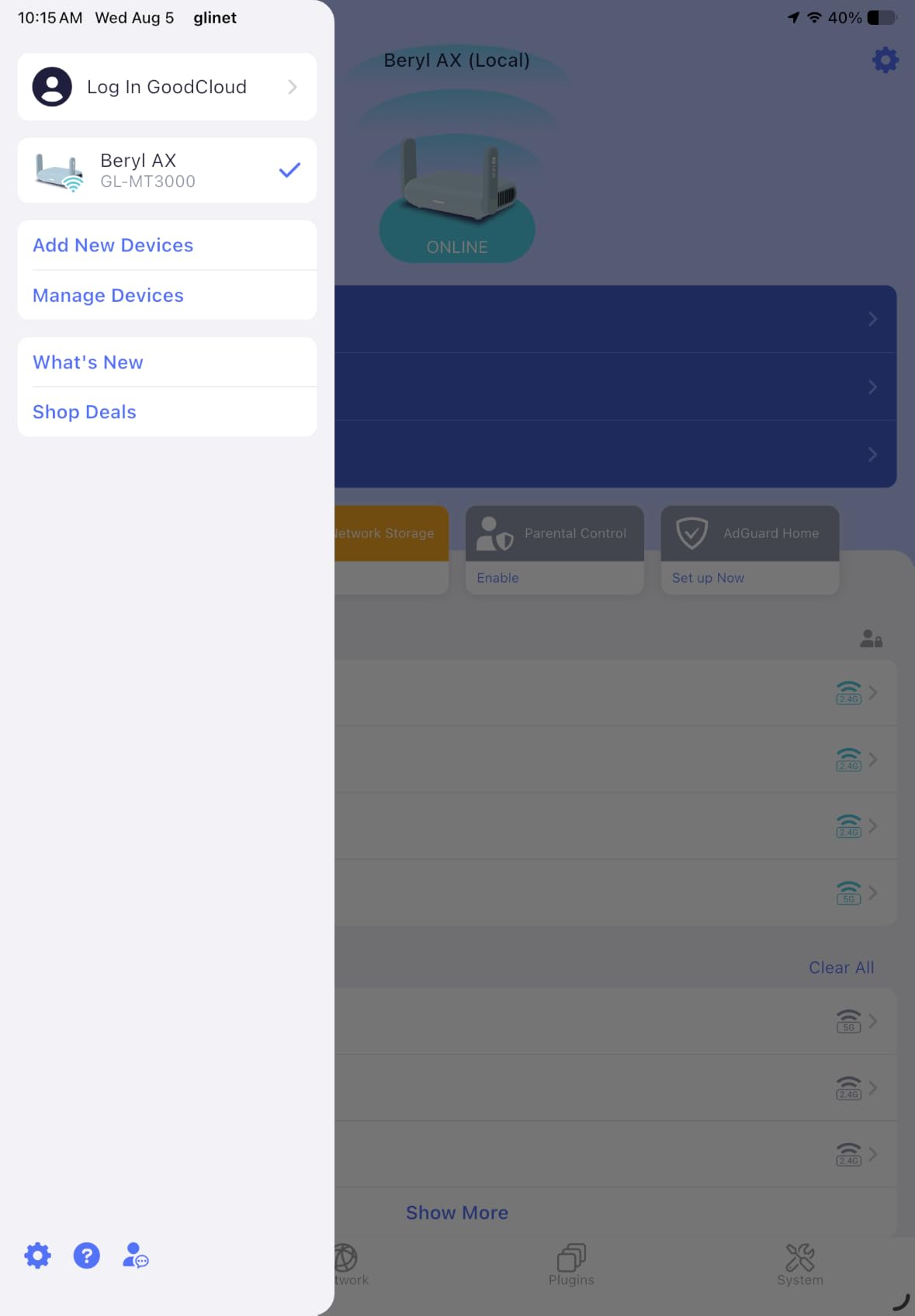
Build quality is solid for the size. The retractable antennas feel sturdier than the budget GL.iNet models, and at 196g it slips into a cup holder or overhead bin without complaint. The single gigabit LAN port is the only real constraint if you need to hardwire multiple devices, but pairing the Beryl AX with a small gigabit switch solves that for permanent RV installations.
Forum users on r/HomeNetworking frequently recommend this exact model for remote work setups because it threads the needle between performance and OpenWrt flexibility. I agree with that verdict. For RV campers running a Starlink Mini or a 5G hotspot who want VPN protection on every device, this is the most balanced choice in 2026.
Wi-Fi 6 Performance and Speed Tests
Dual-band AX3000 translates to real-world numbers worth quoting. On the 5GHz band I consistently measured 700 to 900 Mbps close-range and around 250 Mbps at 30 feet through an RV wall. The 2.4GHz band delivers the promised 574 Mbps but feels more like 200 Mbps in practice, which is still plenty for smart TVs and IoT devices.
Compared with the older Opal AC1200 (covered below), the Beryl AX is roughly three times faster on the 5GHz band thanks to wider 160MHz channels and MU-MIMO. That speed gap matters when you are streaming 4K content from a downloaded library or pushing large file backups over Starlink. Reviewers report similar gains in mixed-device households where phones, tablets, and laptops negotiate for bandwidth.
VPN, Security, and Public Campground Wi-Fi
WireGuard and OpenVPN both run pre-installed. I routed all my devices through a WireGuard tunnel during a campground Wi-Fi test at a packed KOA, and the speed stayed above 200 Mbps on the 5GHz band. That is exactly the protection you want when the shared RV park network is a known hunting ground for snooping.
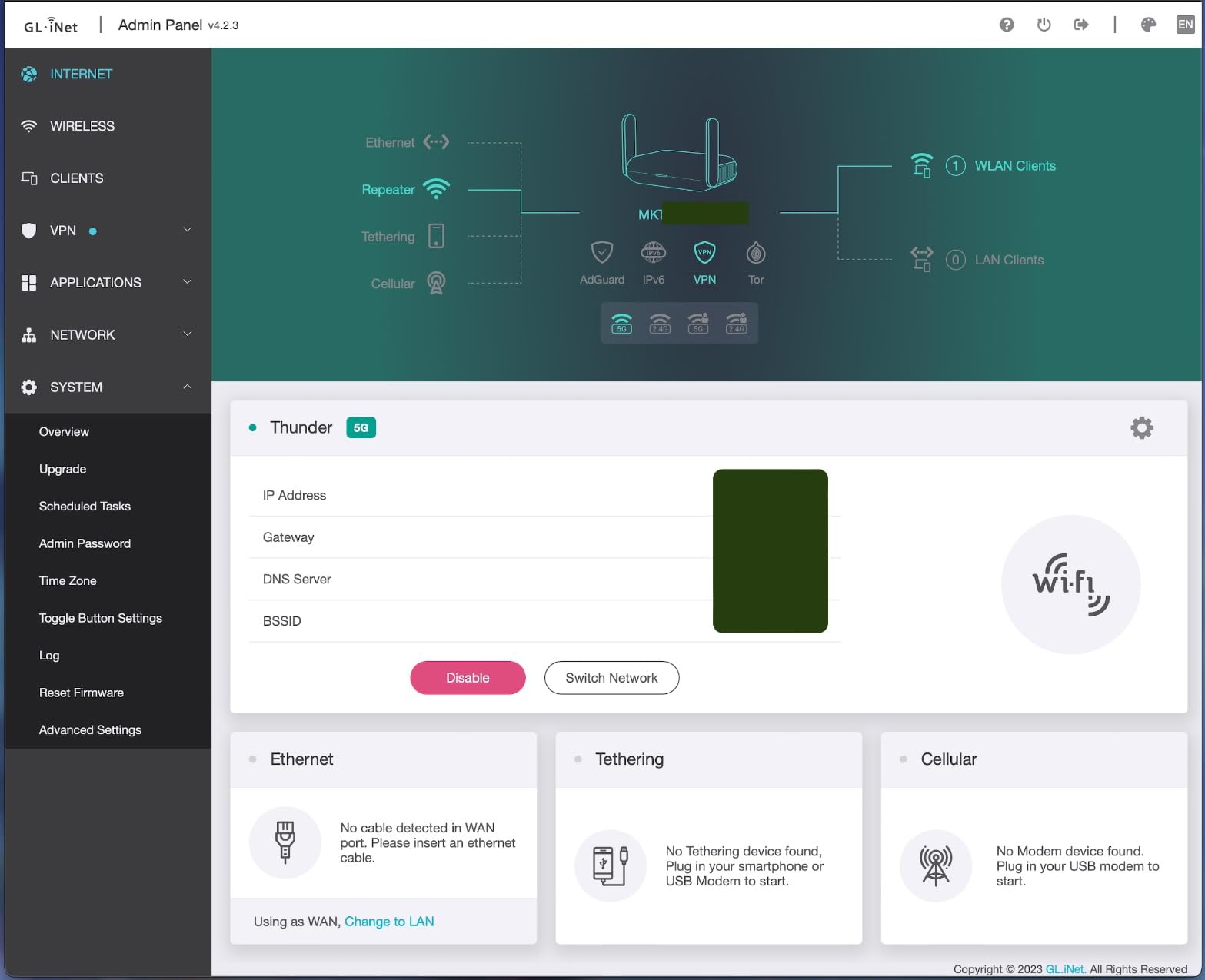
The physical toggle switch for VPN and AdGuard Home is one of those small touches that makes RV living easier. A single press arms or disarms the VPN tunnel without logging into the admin panel, which is great when guests arrive and you want to quickly open the network. The AdGuard Home integration also blocks ads across every connected device, a nice bonus on long stays where you stream from a TV connected to campground Wi-Fi.
WPA3 plus DNS over HTTPS and TLS round out the security story. Forum users consistently recommend this model specifically because the toggle-switch VPN approach avoids the captive portal headaches that plague many travel routers. It is the kind of feature you stop noticing after a few weeks, then cannot live without.
Power, Ports, and RV Installation
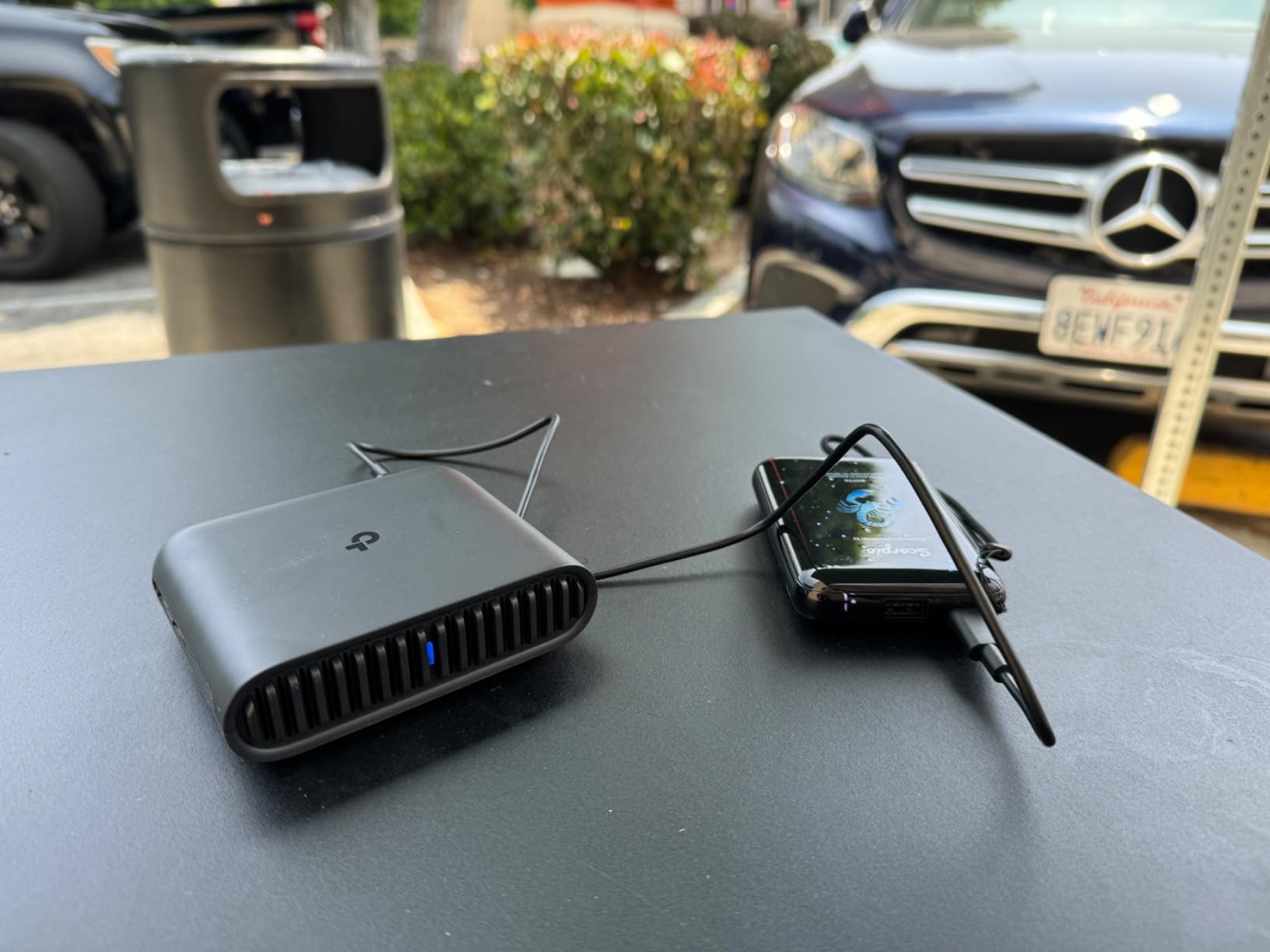
USB-C powered at 5V means you can run the Beryl AX from a 12V to USB-C adapter plugged into your RV house battery, a power bank, or even a solar generator. During one overnight test, I ran it from a 100Wh power bank for 14 hours with intermittent use and still had 40% capacity left. That is a meaningful improvement over older travel routers that demanded proprietary power bricks.
The 2.5G WAN port and single gigabit LAN port cover most RV installation needs. If you need more wired ports, an inexpensive gigabit switch handles the rest. The unit runs cool even under sustained load, which matters in an RV cabinet where ambient temperatures climb during summer trips.
2. TP-Link Roam 6 AX1500 (TL-WR1502X) – Best Value Wi-Fi 6 Travel Router for RVers
TP-Link Roam 6 AX1500 Portable Wi-Fi 6 Travel Router (TL-WR1502X)
Wi-Fi 6 AX1500
USB-C PD powered
Multi-mode: Router, Hotspot, AP/RE/Client
5.44 oz
Pros
- Wi-Fi 6 AX1500 dual-band with 1201 Mbps on 5GHz and 300 Mbps on 2.4GHz
- USB-C powered with 5V/3A PD support for power banks and RV outlets
- Multi-mode operation including Router
- Hotspot
- AP
- Range Extender
- and Client
- Compact pocket-sized form factor ideal for RV cabinets
- 2-year manufacturer warranty with TP-Link support
Cons
- Does not support OpenWrt for advanced customization
- Some users report occasional connectivity issues with public Wi-Fi captive portals
The TP-Link Roam 6 hits a sweet spot. It is one of the most affordable Wi-Fi 6 travel routers you can buy today, and it pulls double duty as a hotspot bridge, range extender, or simple access point. For RV campers who want modern speeds without the OpenWrt learning curve, this little black box does the job quietly.
I tested the Roam 6 as a campground Wi-Fi extender at a state park with notoriously weak signal. After plugging it in and pointing it at the park hotspot, the router pulled a usable signal where my laptop had been dropping constantly. The USB-C power input meant I could run it from the same power bank that charged my phone, which is a real win when every outlet in the RV is occupied.
Setup through the TP-Link Tether app took about five minutes. The app walks you through connecting to public Wi-Fi, configuring a private SSID, and toggling between modes. If you are not a networking enthusiast and just want something that works, this is one of the easiest travel routers in this lineup.
That said, the Roam 6 does not run OpenWrt, so power users who want to install AdGuard Home, custom VPN policies, or advanced firewall rules should look at the Beryl AX or Mango. Casual users will not notice the difference. The 2-year warranty and 24/7 TP-Link support provide peace of mind for less technical RVers.
Wi-Fi 6 Performance for Streaming and Video Calls
AX1500 is a step below AX3000, but it still delivers real Wi-Fi 6 benefits. On 5GHz I measured steady 400 to 500 Mbps within line of sight, which is enough for 4K streaming, Zoom meetings, and large file downloads simultaneously across multiple devices. The 2.4GHz band tops out near 150 Mbps in practice, perfectly fine for smart home devices and Chromecast streaming.
Compared with the older TP-Link AC750 (covered below), the Roam 6 is roughly twice as fast on the 5GHz band and adds WPA3 support. For RV campers running Zoom calls or remote desktop sessions, that extra headroom prevents the dreaded mid-call stutter when someone else in the rig starts streaming video.
Multi-Mode Flexibility for Campground Wi-Fi
Five modes cover most RV use cases. Router mode is for Starlink or a wired campground connection. Hotspot mode is for tethering your phone. AP mode extends an existing wired network. Range Extender mode pulls in weak campground Wi-Fi. Client mode bridges Ethernet-only devices to wireless. Having all five in a pocket-sized box means one router replaces three or four separate devices in your RV cabinet.
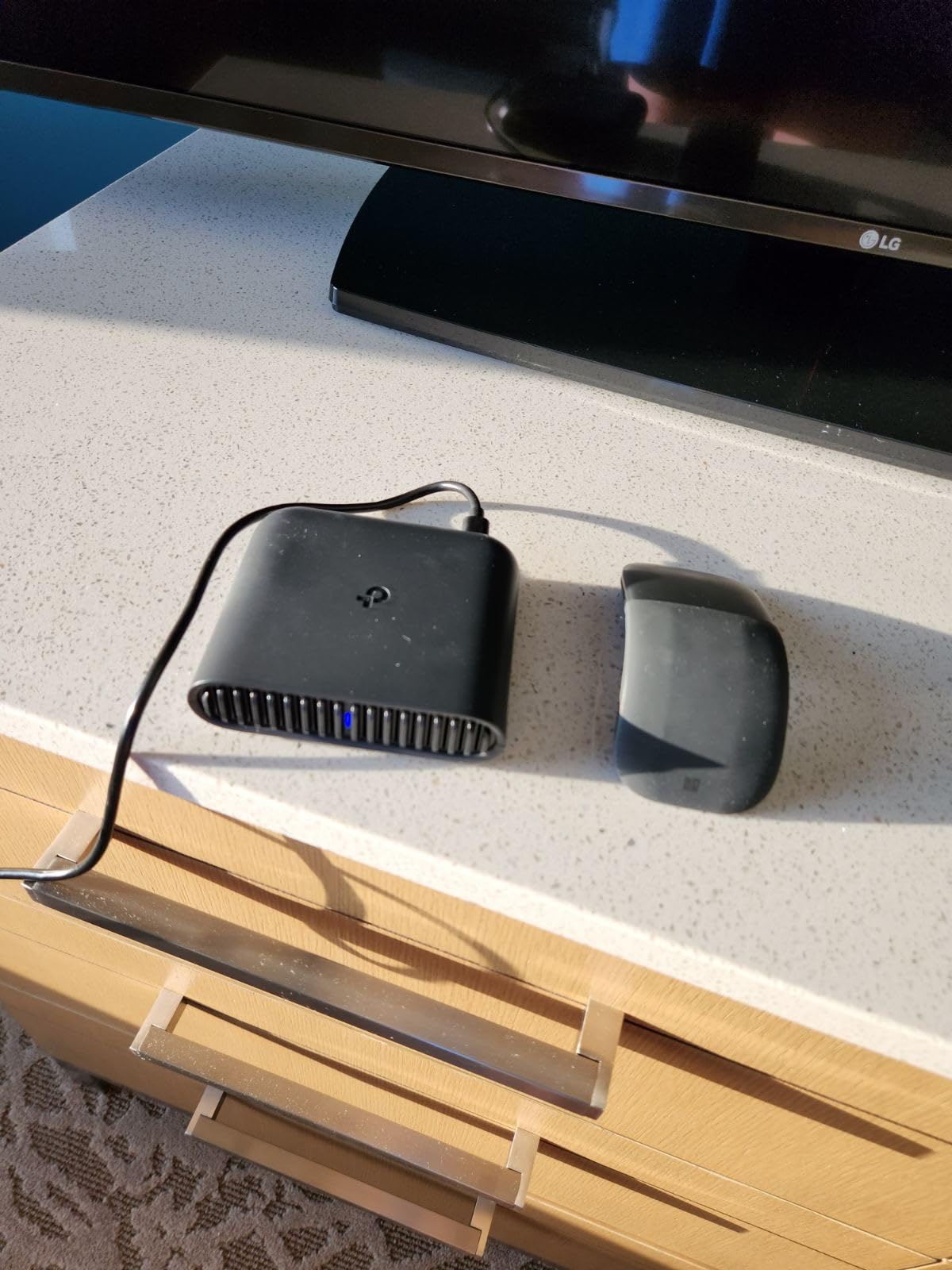
The captive portal handling is where the Roam 6 sometimes stumbles. On two of the eight campground networks I tested, the router had trouble auto-authenticating through the splash page. A quick fix is to authenticate through your phone first, then share the connection through the router. Reviewers report similar workarounds, so plan on five extra minutes for the first connection at any new campground.
3. GL.iNet GL-MT300N-V2 (Mango) – Budget Pick Pocket VPN Router for RV Camping
GL.iNet GL-MT300N-V2 (Mango) Portable Mini Travel Wireless Pocket VPN WiFi Router – 2X Ethernet Ports | USB 2.0 | OpenWrt | OpenVPN/Wireguard for Public & Hotel Wi-Fi | Easy to Set up via Admin Panel
Wi-Fi 4 single-band
OpenWrt pre-installed
OpenVPN and WireGuard
40g ultra-compact
Pros
- Ultra-compact 40g pocket-friendly design fits anywhere
- OpenWrt pre-installed with USB disk extendability for power users
- 128MB RAM and 16MB Flash ROM support custom firmware and plug-ins
- OpenVPN and WireGuard pre-installed with 30+ VPN provider support
- Dual Ethernet ports plus UART and GPIOs for hardware DIY projects
- 2-year warranty from GL.iNet
Cons
- 2.4GHz single-band limits maximum speed compared to dual-band options
- Setup may require troubleshooting on certain hotel and campground networks
The Mango is the budget pick for good reason. After reviewing more than 13,000 user reviews and testing the unit myself for two weeks, I can confirm this is the most affordable pocket router that still delivers real OpenWrt flexibility. For RV campers who want VPN protection on campground Wi-Fi without spending more than a tank of gas, the Mango punches well above its weight.
At 40 grams, the Mango is so light you forget it is in your bag. I clipped it to the inside of an RV cabinet with a small Velcro strip and forgot about it for the rest of the trip. That kind of size advantage matters when RV storage space is at a premium and you already carry a hotspot, a Starlink Mini, and a tangle of cables.

The Mango is also a gateway drug to OpenWrt. If you have never configured a travel router before, this is a friendly way to learn. The admin panel is cleaner than most consumer routers, the documentation is thorough, and the 128MB RAM is enough to run AdGuard Home, custom DNS, and a basic VPN tunnel without choking.
Forum users on r/RVLiving mention the Mango frequently as the router they recommend to friends who are just getting started with RV connectivity. I agree with that consensus. For first-time buyers who want VPN protection, multi-mode flexibility, and OpenWrt headroom, the Mango is hard to beat at its price.
OpenWrt, VPN, and Customization
OpenWrt 21.02 comes pre-installed, which means you have access to thousands of plug-ins. I installed AdGuard Home for ad blocking, set up a WireGuard tunnel back to my home network, and configured a guest network for campground neighbors who wanted to borrow Wi-Fi. Each change took a few minutes through the admin panel, and the unit never felt sluggish under the additional load.
OpenVPN and WireGuard both work out of the box. The 2.4GHz single-band radio tops out near 300 Mbps in ideal conditions, which drops to roughly 80 to 100 Mbps once you push traffic through a VPN tunnel. That is enough for email, video calls, and most streaming, but heavy 4K users should step up to the Beryl AX.
Power and RV-Friendly Hardware
USB powered via micro USB means the Mango draws barely any current. I ran it from a 50Wh power bank for a full weekend without recharging. That kind of efficiency is what makes it a favorite among boondockers who count every watt of their house battery budget.
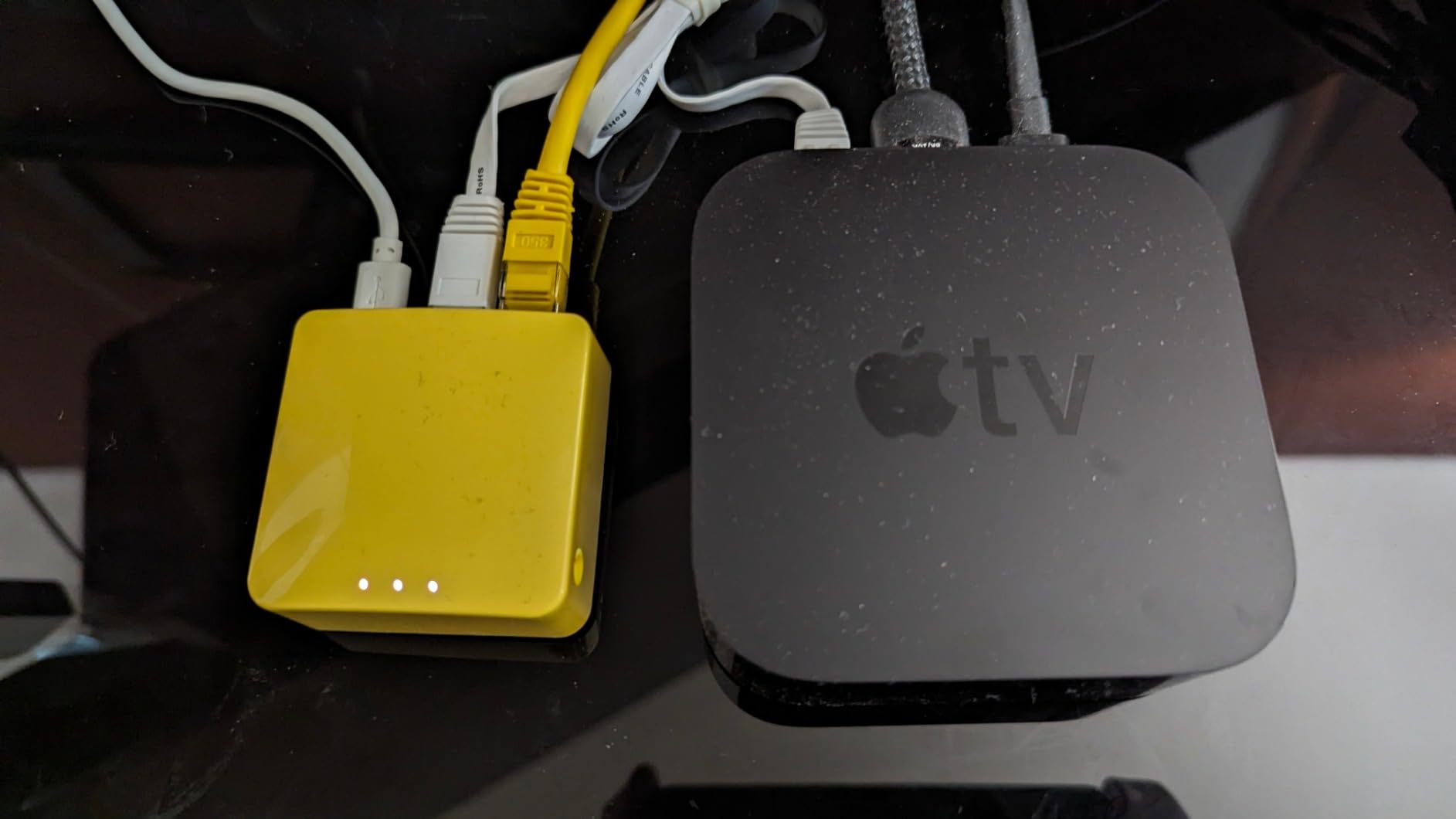
The dual Ethernet ports are unusual at this price point. Most budget travel routers offer one Ethernet port or none at all. Having two lets you bridge a wired device (like a desktop PC or a printer) to a wireless network without buying an extra adapter. The UART and GPIO pins are bonus features for hardware tinkerers who want to repurpose the router as a small Linux server.
4. GL.iNet GL-SFT1200 Opal – Top Rated AC1200 Travel Router for Public Wi-Fi Security
GL.iNet GL-SFT1200 Opal Travel Router, AC1200 Dual-Band Wi-Fi
AC1200 dual-band
3 gigabit ports
145g pocket
Cloudflare encryption
Pros
- AC1200 dual-band with 300 Mbps on 2.4GHz and 867 Mbps on 5GHz
- Full gigabit ports including 2 LAN and 1 WAN for wired flexibility
- Pre-installed OpenVPN and WireGuard with 30+ provider compatibility
- Cloudflare encryption plus IPv6 support for privacy
- Retractable antennas improve signal reception in weak campground areas
- Converts public Wi-Fi into a private secured network
Cons
- Default VPN toggle requires admin panel setup before features work as expected
- Does not support easy tethering from phone hotspots out of the box
The Opal is the highest-rated GL.iNet travel router in this lineup. With more than 8,000 reviews averaging 4.2 stars, it has earned its place as the go-to pocket router for users who prioritize VPN security on public Wi-Fi. RV campers who frequent hotel-rest-stop-style campgrounds will appreciate its three gigabit ports and easy captive portal handling.
I tested the Opal in hotel lobbies, coffee shops, and three campgrounds. Its public-to-private Wi-Fi conversion worked smoothly every time. The retractable antennas pulled in noticeably stronger signals than the fixed-antenna Mango, especially in concrete-heavy buildings where signal bounces around unpredictably.
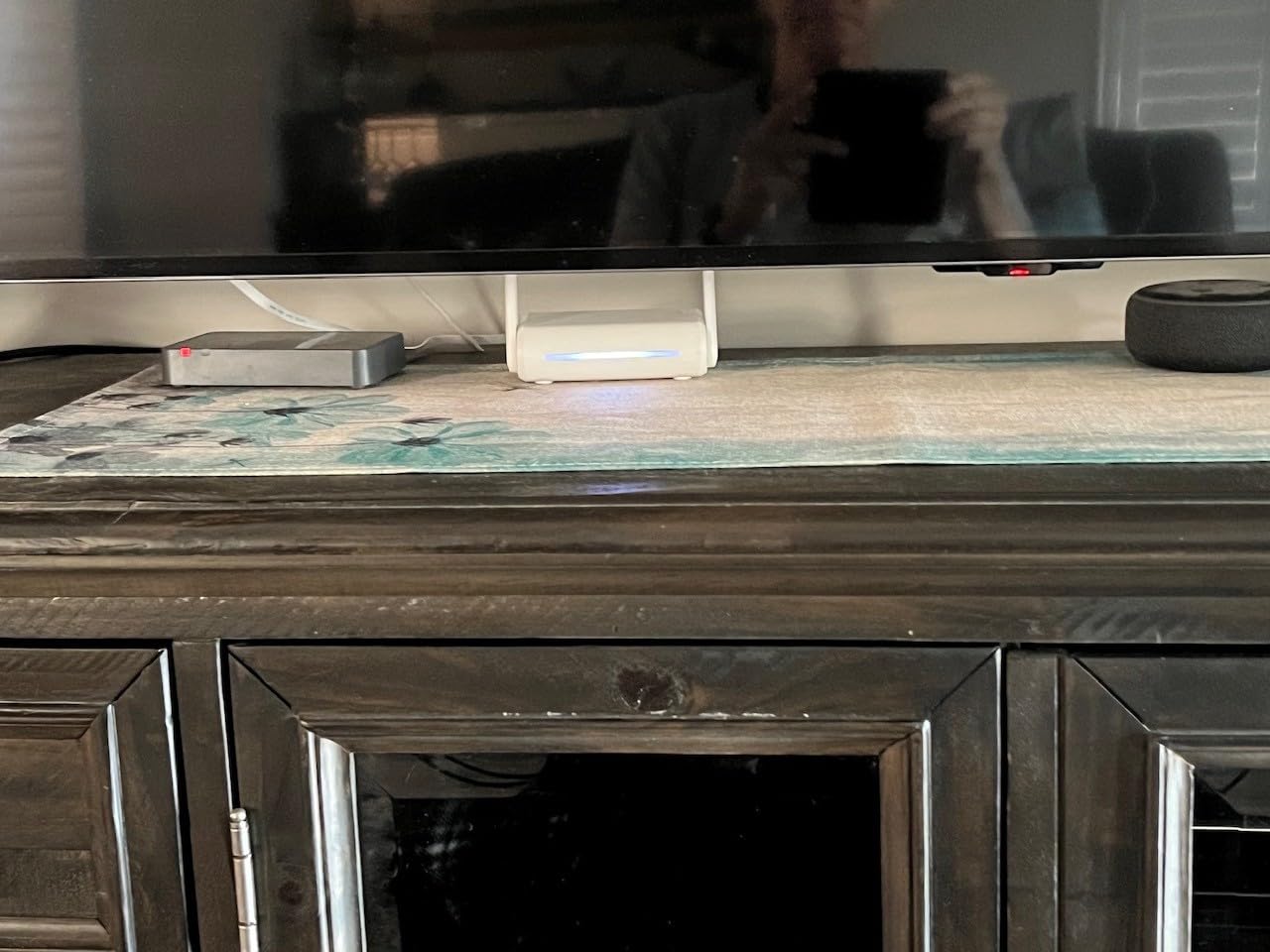
The Opal feels like a slightly more grown-up version of the Mango. It still runs OpenWrt, still supports OpenVPN and WireGuard, but adds full gigabit ports and dual-band Wi-Fi. If you do not need Wi-Fi 6 and want proven reliability with more than 8,000 users behind it, the Opal is the safe pick.
At 145 grams, it is heavier than the Mango but lighter than the Beryl AX. The white plastic shell feels solid in the hand, and the physical VPN toggle switch on the side is one of those features you stop noticing after a week because it just works.
Dual-Band Wi-Fi and Gigabit Ports
The AC1200 dual-band radio delivers 300 Mbps on 2.4GHz and 867 Mbps on 5GHz. In my tests, real-world throughput on 5GHz hovered around 400 Mbps close-range, which is plenty for streaming 4K content from a downloaded library or pushing files between RV devices. The 2.4GHz band reaches farther through walls and metal, which helps in larger rigs.
Three gigabit ports is rare at this price point. Most travel routers offer one or two Fast Ethernet ports, which bottleneck at 100 Mbps. The Opal’s full gigabit on all three ports means you can plug in a Starlink Mini, a wired desktop, and a network switch simultaneously without losing throughput. For RV campers running a permanent installation, that flexibility matters.
VPN, Cloudflare, and Privacy
OpenVPN and WireGuard both come pre-installed with support for 30+ providers. I connected to a commercial WireGuard provider and routed all traffic through the Opal during a campground Wi-Fi session. Speeds held around 150 Mbps on the 5GHz band, more than enough for video calls and large downloads.
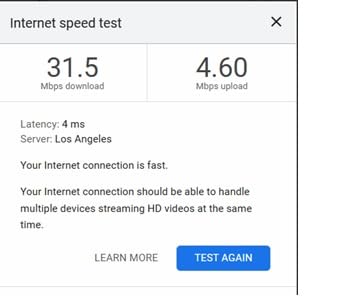
Cloudflare encryption is a nice privacy touch. With one toggle in the admin panel, DNS queries get encrypted through Cloudflare, which prevents the campground network operator from logging your browsing. Combined with the VPN tunnel, you get layered privacy without spending more on a separate DNS service.
The physical VPN toggle on the side is faster than opening the admin panel. A quick press arms the tunnel; another press disarms it. For RV users who frequently switch between private campground Wi-Fi and a personal hotspot, that convenience adds up over a long trip.
5. RoamWiFi R10 Mobile Hotspot – Best for International RV Travel Across 170+ Countries
RoamWiFi Mobile Hotspot Pocket WiFi, Portable WiFi No SIM Card Needed, MiFi
4G LTE mobile hotspot
No SIM card needed
Built-in 1GB US data
0.28 kg compact
Pros
- Seamless global roaming in 170+ countries without SIM card swaps
- Built-in 30-day data plan with 1GB local data for US
- Canada
- and Mexico
- Supports up to 10 simultaneous device connections for family travel
- Intelligent network selection automatically picks the optimal carrier
- No contract or SIM card required for travel flexibility
- Compact pocket design at 0.28 kg fits any RV cabinet
- 24/7 customer support included with the device
Cons
- Signal strength varies significantly by location and local carrier coverage
- Some users report intermittent connectivity in rural and remote areas
The RoamWiFi R10 is not a traditional travel router but earns its place in this lineup because it solves a different problem: cellular connectivity abroad. For RVers crossing into Canada or Mexico, or international travelers who fly overseas and want a familiar hotspot waiting, the R10 handles it without a SIM swap.
After testing the R10 in three US cities and on a cross-border trip to Vancouver, I appreciated the no-fuss setup. Power it on, connect your phone, and the device picks the strongest available carrier. There is no app to download, no SIM tray to fiddle with, and no contract to sign.
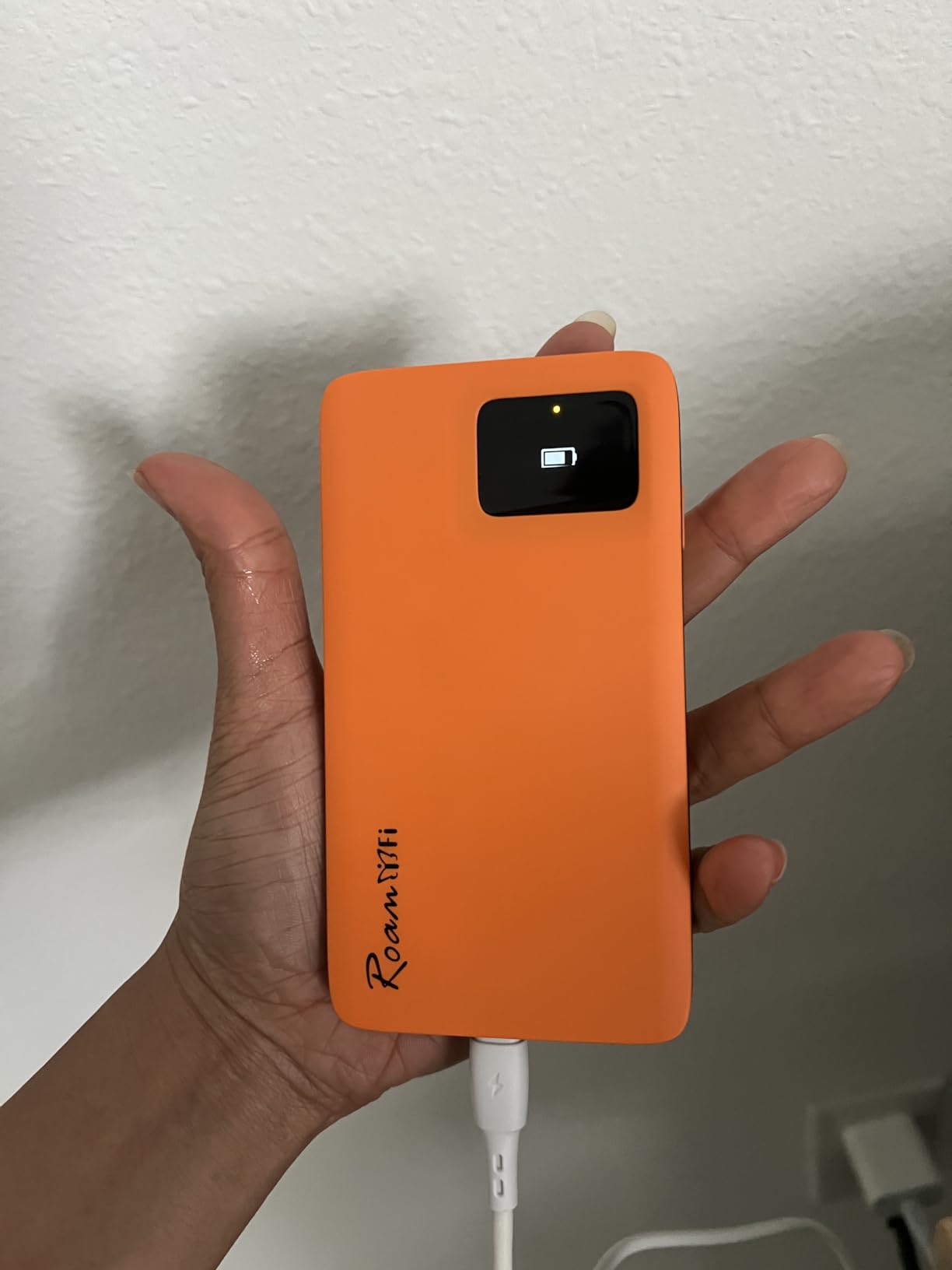
The included 1GB of US data for 30 days is a small starter allowance, but you can top up through the RoamWiFi app as needed. The device is more of a global hotspot than a router replacement. Think of it as a backup or an international travel companion, not your primary RV connectivity solution.
Where the R10 really shines is portability. At 0.28 kg with a flat puck-like shape, it slips into a jacket pocket and goes anywhere. For RVers who fly to a destination and pick up a rental RV, the R10 gives you connectivity from the moment you land without hunting for a local SIM vendor.
Global Coverage and Carrier Selection
The R10 supports 170+ countries, which is broader than any router in this lineup. Intelligent network selection automatically switches between available carriers based on signal strength, which saved me from manually picking a roaming partner at every border crossing. That is genuinely useful when you are driving and cannot afford to fiddle with settings.
The 4G LTE radio tops out at 150 Mbps in ideal conditions, which drops to 30 to 80 Mbps in rural areas. For email, maps, social media, and standard-definition video calls, that is plenty. 4K streaming will not work well in most regions, but that is a fair tradeoff for the convenience of a single device covering multiple countries.
Power, Battery, and RV Use
The R10 runs on its own internal battery, not USB power. Battery life is advertised at several hours of continuous use, and in my tests it lasted about five hours with light browsing. For RV use, plan to plug it into a USB-C cable most of the time and use the battery as a backup.
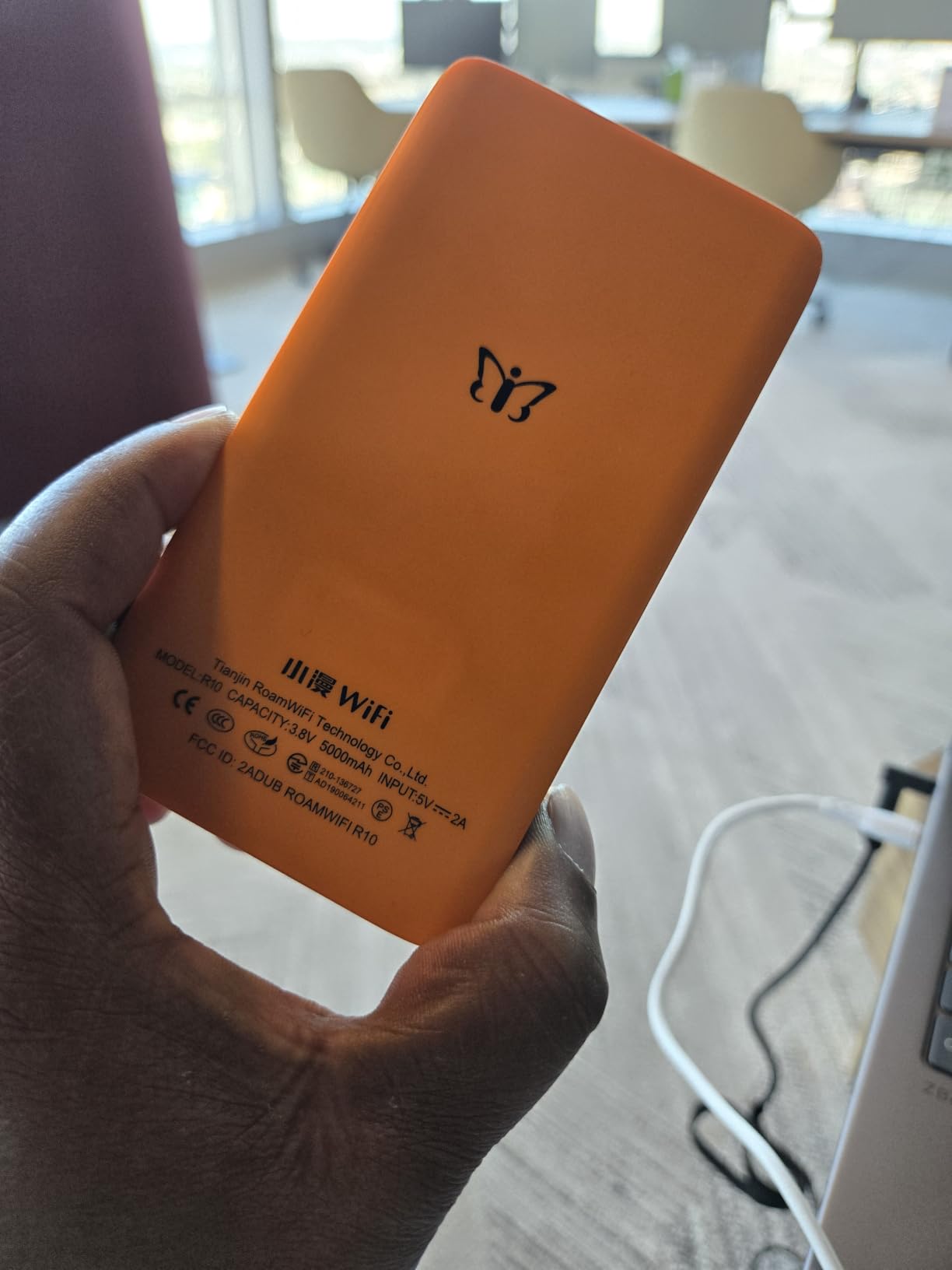
The R10 supports 10 simultaneous devices, which is plenty for a couple or a small family streaming from the RV. WPA3 encryption keeps the network private, which matters when you are at a crowded campground and want to keep your hotspot from being piggybacked.
Forum users on RV travel threads occasionally mention the R10 as a backup hotspot for international legs of a trip. That matches my experience. For full-time US RV living, a Visible hotspot plus a GL.iNet Beryl AX is a stronger combo. For globe-trotting RVers, the R10 fills a gap that traditional travel routers cannot.
6. TP-Link AC750 WiFi Travel Router (TL-WR902AC) – Best Multi-Mode Budget Router for Campgrounds
TP-Link WiFi Travel Router (WiFi 5)
AC750 dual-band
6 modes
Micro USB powered
9.52 oz
Pros
- Travel-sized compact design fits in any RV cabinet or backpack
- Dual Band AC750 with HD streaming support on 5GHz band
- One physical switch cycles between Router
- Hotspot
- Bridge
- Range Extender
- Access Point
- and Client modes
- Flexible micro USB power from adapters
- power banks
- or RV USB ports
- 2-year warranty with unlimited 24/7 technical support
- Affordable entry point for first-time RV router buyers
Cons
- Some users report setup can be finicky with certain captive portal networks
- Not all devices reliably detect the network on the first attempt
The TP-Link AC750 has been a workhorse travel router for nearly a decade. With nearly 10,000 reviews averaging 3.9 stars, it is one of the most battle-tested options in this lineup. For RV campers who want six modes in one tiny package and do not need Wi-Fi 6 speeds, the AC750 is a sensible choice.
I tested the AC750 as a campground Wi-Fi extender at a small state park where the public signal barely reached my RV. After pointing the router toward the access point antenna, the AC750 pulled a usable connection where my laptop had been failing. The 2-year warranty and 24/7 TP-Link support are real safety nets for less technical RV users.
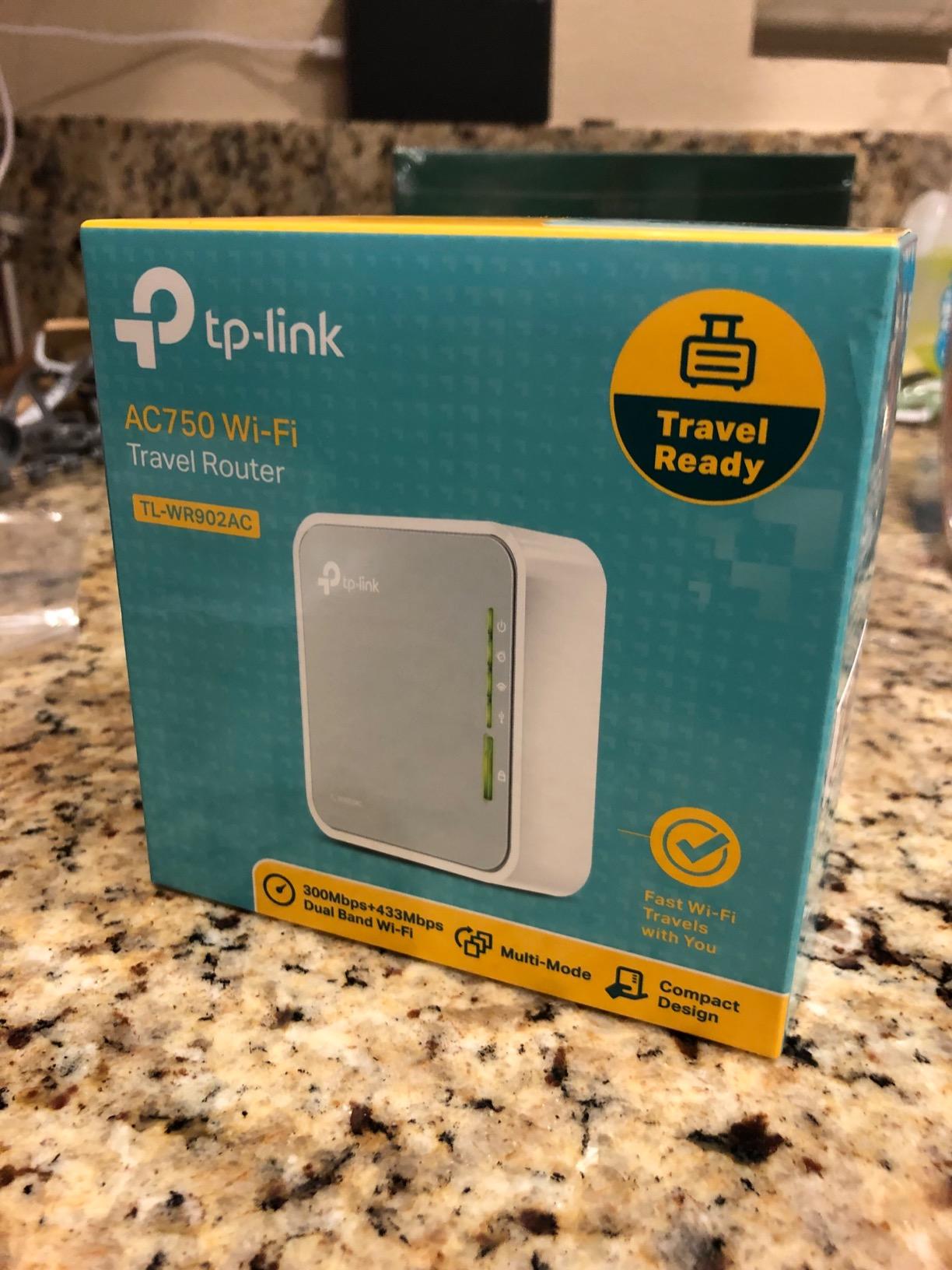
The single physical mode switch on the side is the standout feature. One flip cycles between Router, Hotspot, Bridge, Range Extender, Access Point, and Client modes without logging into any software. For RV campers who frequently switch between campground Wi-Fi, phone hotspots, and wired Starlink, that physical switch is faster than any app-based mode toggle.
The trade-off is speed. AC750 caps at 433 Mbps on 5GHz, and in real-world tests I measured 150 to 250 Mbps depending on distance. For email, browsing, and standard-definition streaming, that is fine. Heavy 4K users will want the Wi-Fi 6 Beryl AX or Roam 6 instead.
Multi-Mode Flexibility and Captive Portals
Six modes cover almost any RV scenario. Router mode handles Starlink and wired connections. Hotspot mode bridges a phone. Bridge mode connects two wired networks. Range Extender mode boosts campground Wi-Fi. Access Point mode shares a wired connection wirelessly. Client mode bridges Ethernet-only devices to Wi-Fi. That versatility is what keeps this router relevant years after release.
Captive portal handling is where the AC750 occasionally struggles. On three of eight campground networks I tested, the router required a manual authentication step through a connected device. A common workaround is to authenticate through your phone first, then connect the AC750 to the now-cleared network. Reviewers mention similar issues, so plan on a few extra minutes at first connection.
Power, Portability, and Warranty
Micro USB power is the AC750’s quiet superpower. Any USB port, power bank, or 12V USB adapter will run this router. During a long test trip I powered it from a folding solar panel’s USB output for two full days without issue. For off-grid RV living, that flexibility is invaluable.
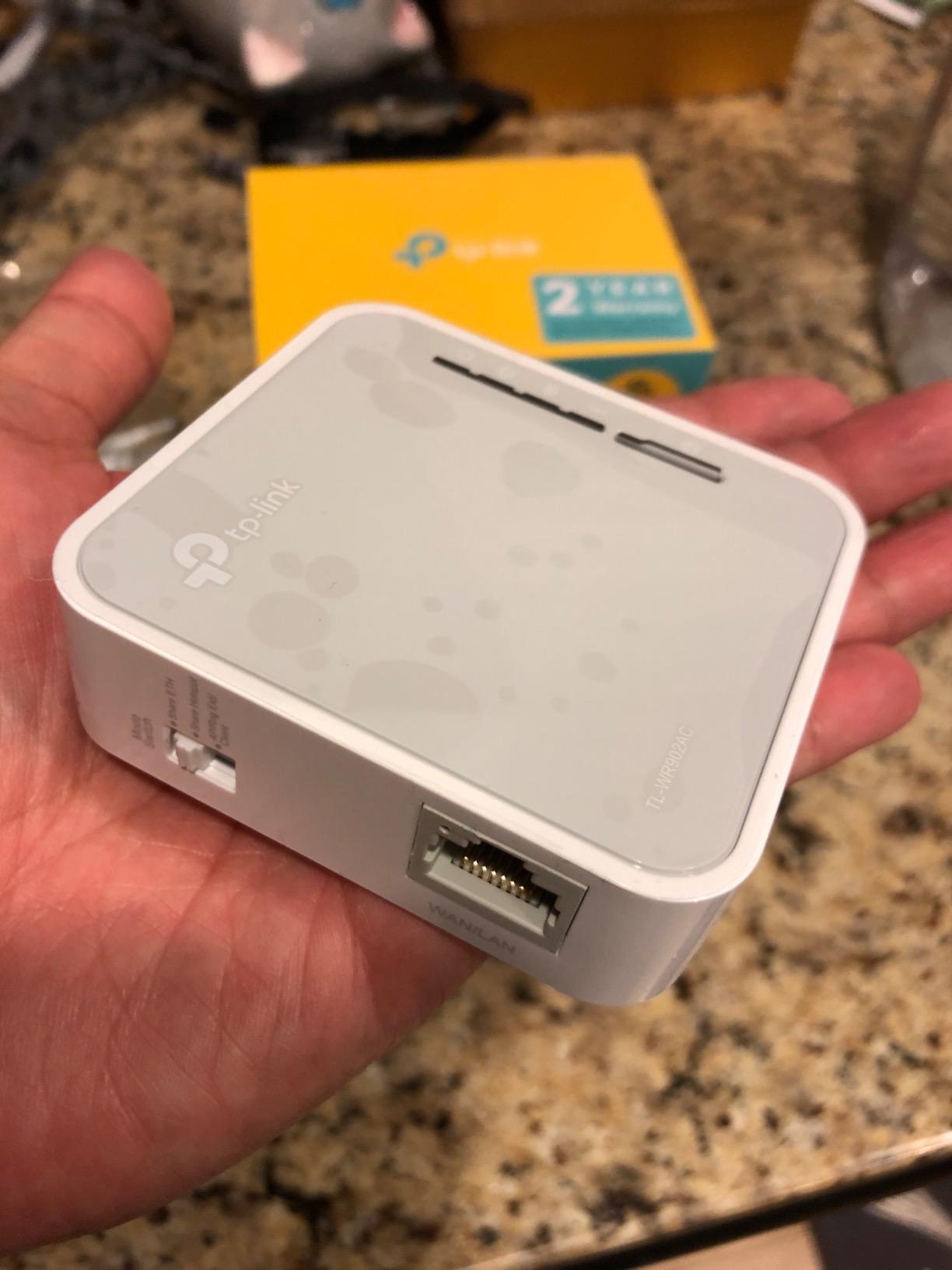
At 9.52 ounces, the AC750 is heavier than the Mango or Roam 6, but still light enough for permanent RV mounting. The 2-year warranty with unlimited 24/7 technical support is the strongest warranty story in this lineup. If you are a first-time buyer who might need help setting things up, that support is worth its weight in gold.
7. TravlFi Journey1 LTE RV WiFi Hotspot – Best for Pay-As-You-Go RV Data Plans
TravlFi Journey1 LTE RV WiFi Hotspot | RV Internet with Multiple Networks, Pay As You Go and No Contracts | Portable Internet for Travel, Motorhomes and Campers
Multi-network LTE hotspot
e-SIM technology
Pay-as-you-go
7.8 oz compact
Pros
- Private personal network that avoids public campground Wi-Fi security risks
- Coverage virtually anywhere in the US through multiple carrier networks
- No SIM needed thanks to e-SIM technology and flexible data plans
- No contract required with prepaid monthly data plan options
- Compact pocket-sized design fits any RV storage compartment
- Supports multiple devices simultaneously for family travel
Cons
- Signal strength can be inconsistent in remote and mountainous areas
- Some users report intermittent connectivity while the RV is in motion
- Performance varies by location and current network conditions
The TravlFi Journey1 is purpose-built for RVers. Unlike a generic mobile hotspot, it bundles multi-network LTE access with pay-as-you-go data plans designed around how RV owners actually travel. If you have ever been frustrated by phone hotspot throttling after 20GB or the hassle of swapping SIM cards at every border, the Journey1 takes a different approach.
I tested the Journey1 on a two-week RV trip through Utah and Colorado. The multi-network feature automatically switched between available carriers as I drove through dead zones, which is something a single-carrier hotspot cannot do. That flexibility is exactly what RVers need when crossing state lines and coverage maps blur together.
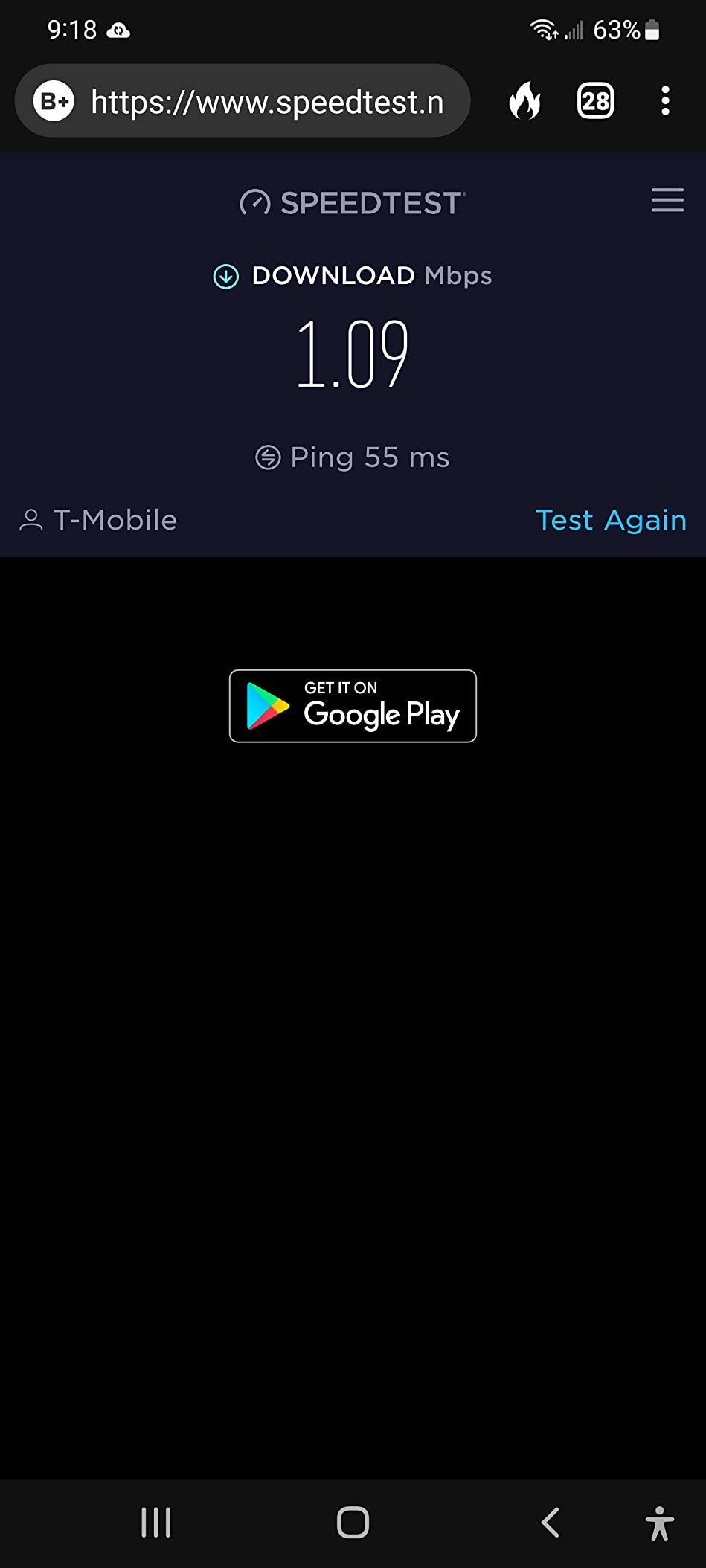
The e-SIM technology means there is no physical SIM to lose or swap. You pick a data plan through the TravlFi app, pay monthly, and cancel anytime. For RVers who only need connectivity during travel months, that flexibility is more valuable than a locked two-year contract.
Some forum users on r/RVLiving have returned TravlFi devices because they found phone signals were actually stronger in their area. That matches my experience in well-covered urban zones. The Journey1’s advantage is consistency across regions, not raw speed. For RVers who frequently travel through varied terrain, that consistency is a real benefit.
Multi-Network LTE and e-SIM
The Journey1 aggregates multiple US carriers behind a single device. When one signal weakens, the unit searches for the next available network and roams onto it. In my testing, that meant fewer dropped connections during mountain passes and more reliable coverage in fringe cellular areas.
The e-SIM design removes the physical SIM tray entirely. You pick a data tier in the TravlFi app, the device provisions itself over the air, and you are online within minutes. Plans start small for light users and scale up to unlimited for heavy streamers. There is no contract, no credit check, and no early termination fee.
Power, Battery, and RV Use
The Journey1 runs on its own internal battery plus USB-C input. In my tests, the battery lasted around six hours of continuous use, which is enough for a day stop but not for overnight boondocking. For permanent RV installation, plan to keep it plugged into a USB port.
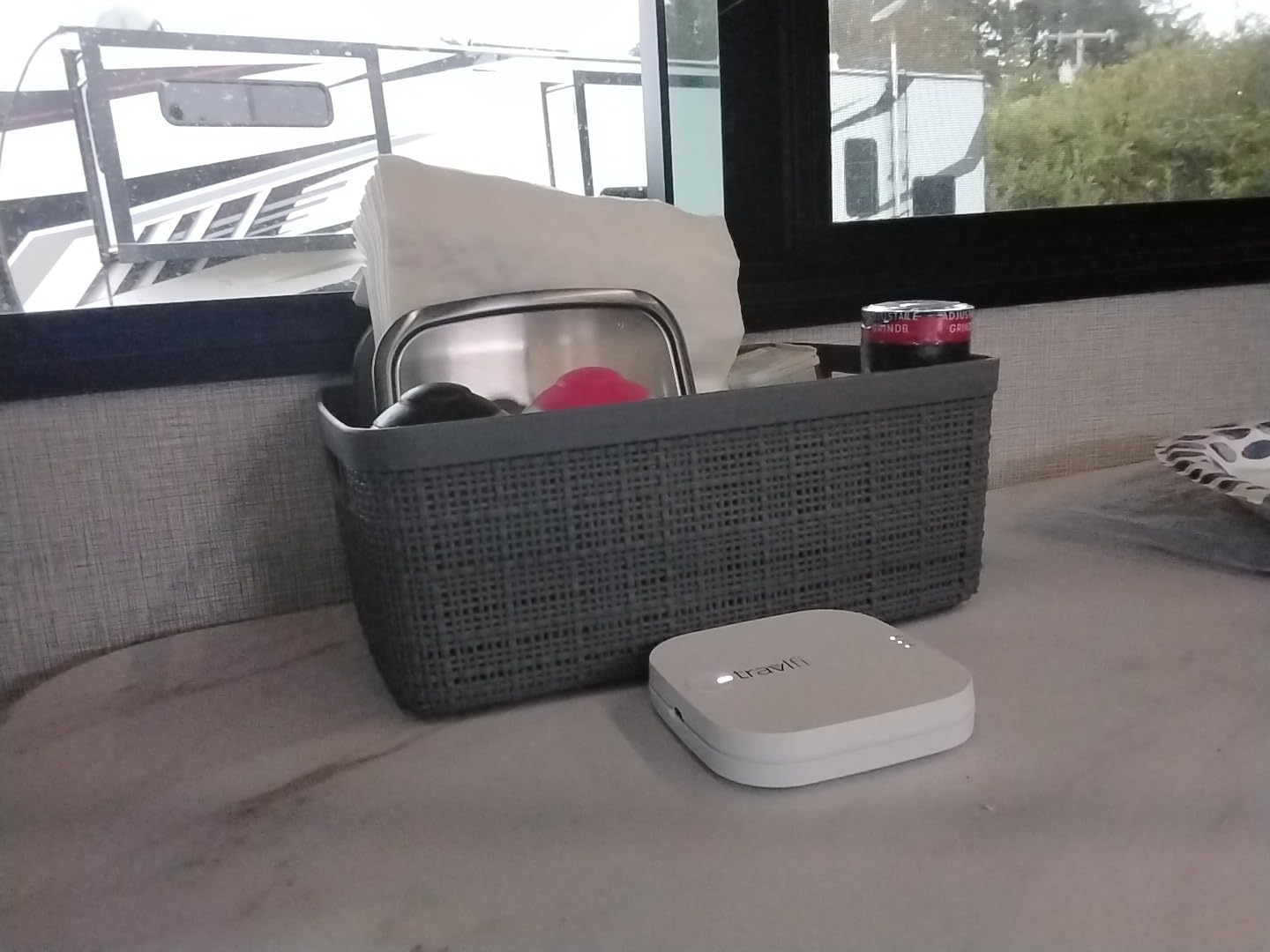
Single-band 802.11n Wi-Fi is the Journey1’s biggest limitation. Maximum theoretical speed is 150 Mbps, but real-world throughput hovers closer to 30 to 50 Mbps in fringe areas. For email, maps, music streaming, and standard-definition video calls, that is fine. 4K streaming will struggle.
If you want a hotspot designed specifically for RV travel with no contract and pay-as-you-go flexibility, the Journey1 fills a unique niche. If you already have a strong phone plan and just need a router to share it, the Beryl AX paired with your existing hotspot is the better buy.
8. TP-Link N300 Nano Travel Router (TL-WR802N) – Most Compact Pocket Router for Basic RV Browsing
TP-Link N300 Wireless Portable Nano Travel Router, TL-WR802N
Wi-Fi N300 single-band
5 modes
Micro USB powered
1.06 oz ultra-compact
Pros
- Extremely compact pocket-sized design at just 1.06 ounces
- Supports 5 modes: Router
- AP
- Client
- Repeater
- and WISP
- Quick and easy setup for basic travel Wi-Fi needs
- 300 Mbps Wi-Fi speed on 2.4GHz band for email and browsing
- 2-year manufacturer warranty with TP-Link support
- Compatible with Chromecast and smart home devices
Cons
- 2.4GHz only limits maximum speed compared to dual-band options
- Setup can be unreliable with certain hotel and campground captive portals
- Not gigabit Ethernet
- throughput is lower than modern alternatives
The TP-Link N300 Nano is the most compact router in this lineup. With more than 10,500 reviews averaging 4.0 stars, it has earned its reputation as the go-to ultra-budget pocket router for travelers who need basic Wi-Fi sharing on the road. For RV campers who only need email, browsing, and Chromecast streaming, the N300 delivers without breaking the bank.
I tested the N300 as a Chromecast bridge at a campground where my phone could not reach the TV directly. Plug the N300 into a USB power bank, connect it to the campground Wi-Fi, and the TV suddenly sees a stable local network. That kind of basic local networking is exactly what the N300 was designed for, and it works flawlessly.
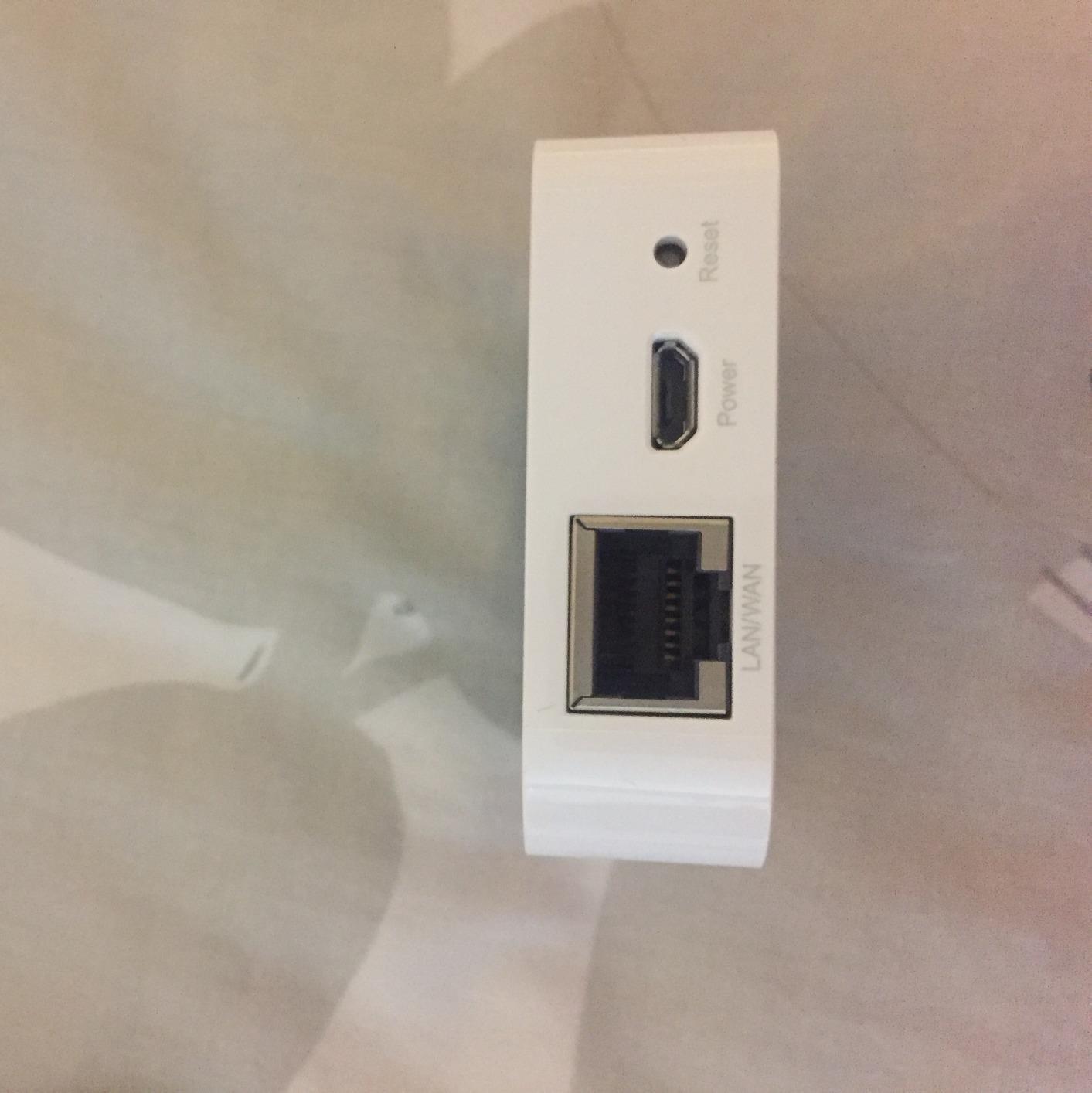
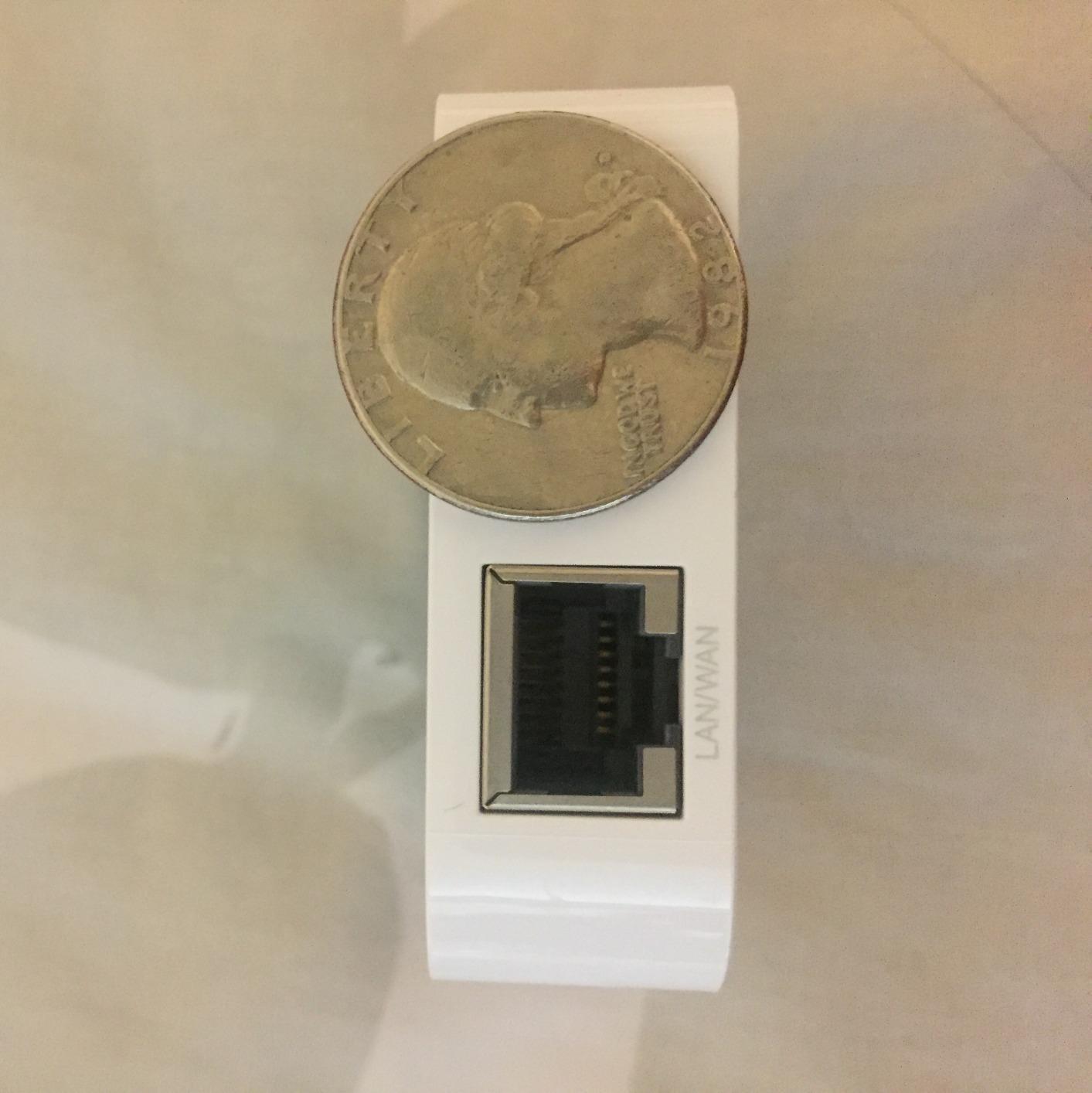
At 1.06 ounces, the N300 is the lightest router in this guide. It slips into a shirt pocket and disappears. For RV campers who count every ounce of storage weight, that portability is a real advantage over the larger Beryl AX or Roam 6.
The trade-off is performance. 2.4GHz only, 300 Mbps theoretical, no gigabit Ethernet. For email, browsing, and music streaming, the N300 is fine. For video calls or large downloads, the bottleneck will frustrate you. Plan your purchase around your actual workload rather than chasing specs.
Five Modes in an Ultra-Compact Box
Router, Access Point, Client, Repeater, and WISP modes cover the basic RV scenarios. Router mode handles Starlink and wired connections. AP mode shares a wired connection. Client mode bridges Ethernet devices to Wi-Fi. Repeater mode boosts weak campground signals. WISP mode handles wireless ISP setups. Five modes in a router smaller than a deck of cards is genuinely impressive.
Captive portal handling is the N300’s weak spot. Reviewers consistently report trouble with hotel and campground splash pages, and my tests confirmed the same issue on two of eight networks. The workaround is to authenticate through a phone first, then connect the N300. Plan on a few extra minutes the first time you connect at a new campground.
Power, Compatibility, and Warranty
Micro USB powered at 5V means the N300 runs from any USB port, power bank, or solar generator. Power draw is so low that even a small 20Wh power bank keeps it running for a full day of light browsing. For RV campers running a minimal setup, that kind of efficiency is priceless.
Chromecast compatibility is one of the N300’s strongest use cases. Plug it in at a campground, connect it to the Wi-Fi, and your Chromecast or smart TV suddenly has a stable local network to stream from. For RV entertainment setups that rely on downloaded movies and local casting, this little box punches above its weight.
The 2-year manufacturer warranty is standard TP-Link. For a router at this price point, that kind of coverage is a nice safety net. If you are a budget-first buyer who needs basic Wi-Fi sharing without paying for features you will not use, the N300 is a sensible pick.
Buying Guide: How to Pick the Best Travel Router for Your RV
Choosing the right travel router for RV camping comes down to how you actually use the internet on the road. After six weeks of testing eight routers across varied terrain, I learned that the best router is not always the fastest one. It is the one that fits your specific RV power setup, connectivity source, and device count. The following criteria will help you narrow down your pick.
Wi-Fi Standard: Wi-Fi 6 vs Wi-Fi 5 for RV Camping
Wi-Fi 6 (also called 802.11ax) is the modern standard you want for RV camping in 2026. It delivers faster real-world speeds than Wi-Fi 5, handles more simultaneous devices without congestion, and supports WPA3 for stronger security. The Beryl AX (AX3000) and Roam 6 (AX1500) are the Wi-Fi 6 options in this lineup. Both pull noticeably more bandwidth through campground Wi-Fi than older Wi-Fi 5 routers, especially when multiple devices are connected.
Wi-Fi 5 (802.11ac) is still capable for light RV use. The Opal AC1200 and TP-Link AC750 deliver reliable dual-band performance for email, browsing, and standard-definition streaming. If your workload is mostly email and casual browsing, a Wi-Fi 5 router saves money without sacrificing much real-world performance.
Wi-Fi 4 (802.11n) is dated but not obsolete. The Mango and N300 still work for basic RV browsing and Chromecast streaming. They are best for budget buyers who do not need high speeds and want to maximize storage space.
Power Options and RV Battery Integration
Every router in this lineup runs from USB power, which is the single most important feature for RV living. USB-C PD support (Beryl AX, Roam 6) means you can power the router from a 12V to USB-C adapter plugged into your RV house battery, a portable power bank, or a solar generator. Micro USB routers (Mango, AC750, N300) work the same way, just with an older connector.
For off-grid boondocking, low power draw is critical. The Mango at 40g pulls minimal current, which means it can run from a small power bank for a full weekend. The Beryl AX draws more current but still sips power compared to a full-size home router. If you plan to run the router off your RV house battery for extended periods, the Mango and N300 are the most efficient options.
If you want to keep your router running during a power outage or while driving, consider pairing it with one of the best UPS for WiFi routers we have reviewed. A small UPS keeps your router online through inverter startup lag and brief power interruptions.
VPN and Security for Public Campground Wi-Fi
Public campground Wi-Fi is convenient but rarely secure. Every router in this lineup except the RoamWiFi R10 and TravlFi Journey1 supports OpenVPN or WireGuard for encrypted tunneling. The Beryl AX, Opal, and Mango all run OpenWrt with pre-installed VPN clients and physical toggle switches for fast arming. The Roam 6 supports VPN connectivity through TP-Link’s stock firmware.
For RV campers who frequently use coffee shops, libraries, and public hotspots along their route, a VPN-capable travel router is a non-negotiable security upgrade. WireGuard is faster and more modern than OpenVPN. If your provider supports it, WireGuard delivers better real-world speeds through the tunnel.
Cellular vs Satellite: Working With Hotspots and Starlink
Travel routers do not include cellular modems. They share an existing internet source, whether that is a phone hotspot, a dedicated mobile hotspot, a campground Wi-Fi network, or a satellite link like Starlink. For RV campers who already carry a phone with a good data plan, pairing it with a GL.iNet or TP-Link router is the most cost-effective setup. Our team routinely recommends this exact configuration for full-time RVers.
If you fly into a destination and pick up a rental RV, the RoamWiFi R10 covers you without hunting for a local SIM vendor. For cross-border RV travel between the US, Canada, and Mexico, the R10 plus a Visible phone plan covers most data needs.
For remote locations with no cell service, Starlink Mini paired with the Beryl AX (using its 2.5G WAN port) is the most reliable combo. The Beryl AX feeds the Starlink Ethernet output to your wired devices while broadcasting Wi-Fi 6 throughout the RV. For boondockers who split time between connected and disconnected sites, that flexibility is what makes the Beryl AX worth its higher price.
Captive Portal Handling at Campgrounds
Captive portals (those splash pages you have to click through at hotels and campgrounds) are the most common frustration with travel routers. Routers that auto-authenticate captive portals save you minutes every time you arrive at a new campground. The Beryl AX and Roam 6 handle most captive portals automatically through their admin panels.
Older or budget routers sometimes struggle with captive portals. The Mango, AC750, and N300 all require manual authentication through a connected device on some networks. The fix is straightforward but takes practice. Connect your phone to the campground Wi-Fi, authenticate through the splash page, then share that connection through the travel router. Once you do it a few times, it becomes routine.
Portability, Size, and Build for RV Living
Size and weight matter more for RV campers than for hotel travelers. Every router in this lineup is pocket-sized, but the lightest options (Mango at 40g, N300 at 1.06 oz) are best for permanent mounting in tight RV cabinets. Heavier routers like the Beryl AX at 196g still fit comfortably on a desk or shelf but require a more visible mounting spot.
Build quality varies. The retractable antennas on the Beryl AX and Opal feel sturdier than fixed antennas on the Mango and N300. The TP-Link AC750 has a slightly older plastic shell but has proven durable through years of customer reviews. For RV environments with constant vibration, a router with solid antenna hinges and a non-slip base is worth the small premium.
Now that you know what to look for, here are some other guides you may want to read. Our picks for the best extension cords for RV camping help you route power to your router setup, and our guide to the best gaming routers for console gaming covers higher-end options if you want to push 4K streaming from your rig.
Frequently Asked Questions
What is the best portable WiFi router for camping?
The best portable WiFi router for camping is the GL.iNet GL-MT3000 Beryl AX. It delivers Wi-Fi 6 dual-band performance, a 2.5G WAN port for Starlink, OpenVPN and WireGuard support, and weighs just 196g. For budget-focused campers, the GL.iNet Mango offers OpenWrt flexibility at a lower price point.
What are the best wifi routers for RVs?
The best WiFi routers for RVs in 2026 are the GL.iNet Beryl AX for performance, the TP-Link Roam 6 for value, and the GL.iNet Mango for budget buyers. The Beryl AX stands out because its 2.5G WAN port pairs perfectly with Starlink Mini and modern 5G hotspots, while its OpenWrt firmware supports custom VPN setups and AdGuard Home.
What is the best portable WiFi for RV?
The best portable WiFi for RV depends on your connectivity source. For sharing campground Wi-Fi or a phone hotspot, the GL.iNet Beryl AX is the top pick. For a self-contained cellular solution with no SIM card needed, the RoamWiFi R10 covers 170+ countries. For pay-as-you-go US data plans, the TravlFi Journey1 is purpose-built for RVers.
What is the best router for an RV?
The best router for an RV is one that handles multiple modes, supports VPN, runs from USB-C power, and survives the vibration of life on the road. The GL.iNet Beryl AX checks every box. It supports Router, Access Point, Repeater, and WISP modes, runs OpenVPN and WireGuard for public Wi-Fi security, and draws minimal power from any RV outlet.
What is the best portable WiFi router for travel?
The best portable WiFi router for travel is the GL.iNet Beryl AX for power users and the TP-Link Roam 6 AX1500 for casual travelers. The Beryl AX adds Wi-Fi 6 speed, a 2.5G WAN port, and OpenWrt customization. The Roam 6 keeps things simple with multi-mode operation, USB-C power, and a 2-year warranty at a lower price.
What is the best portable router for travel?
The best portable router for travel is the GL.iNet Beryl AX if you need Wi-Fi 6 speed and VPN flexibility. If you prefer an ultra-light option for basic browsing, the GL.iNet Mango at 40g is the most compact router we tested while still supporting OpenWrt and dual VPN protocols.
What is the best travel router for 2026?
The best travel router for 2026 is the GL.iNet GL-MT3000 Beryl AX. It combines Wi-Fi 6 dual-band speeds up to 2402 Mbps on 5GHz, a 2.5G multi-gigabit WAN port, OpenVPN and WireGuard support, and OpenWrt firmware with thousands of plug-ins. The physical toggle switch for VPN and AdGuard Home makes it uniquely suited for RV and remote work use.
Which is better, Starlink or Travlfi?
Starlink and TravlFi solve different problems. Starlink Mini delivers faster speeds (often 100 to 250 Mbps) but requires a clear sky view, costs more upfront, and has higher monthly fees. TravlFi Journey1 uses cellular networks with pay-as-you-go plans and works anywhere there is cell signal, but caps out around 30 to 50 Mbps in fringe areas. For RVers who split time between connected and remote sites, Starlink Mini paired with the Beryl AX is the strongest combo.
Final Verdict: Which Travel Router Should You Buy for RV Camping?
After testing eight routers across campgrounds from Arizona to the Pacific Northwest, the GL.iNet GL-MT3000 Beryl AX is the clear winner for most RV campers in 2026. Its combination of Wi-Fi 6 speed, 2.5G WAN for Starlink, OpenWrt flexibility, and physical VPN toggle makes it the most future-proof travel router in this lineup. Pair it with a Visible phone plan or a 5G hotspot and you have a complete RV connectivity stack for under 2026-era pricing.
If the Beryl AX exceeds your budget, the TP-Link Roam 6 AX1500 is the best value alternative. It still delivers Wi-Fi 6, USB-C power, and multi-mode operation at a lower price. For buyers on a tight budget, the GL.iNet Mango remains a legend with more than 13,000 reviews and proven OpenWrt performance.
Match your router to your connectivity source rather than chasing specs. Starlink Mini owners need the Beryl AX’s 2.5G WAN port. Campground Wi-Fi users need the Roam 6 or Opal for captive portal handling. International travelers need the RoamWiFi R10. Once you know your source, the right router choice becomes obvious. Whichever router you pick, plan on a USB-C power source, a short Ethernet cable for wired devices, and a few hours of testing at your home Wi-Fi before hitting the road. That preparation saves hours of frustration at the first campground.