
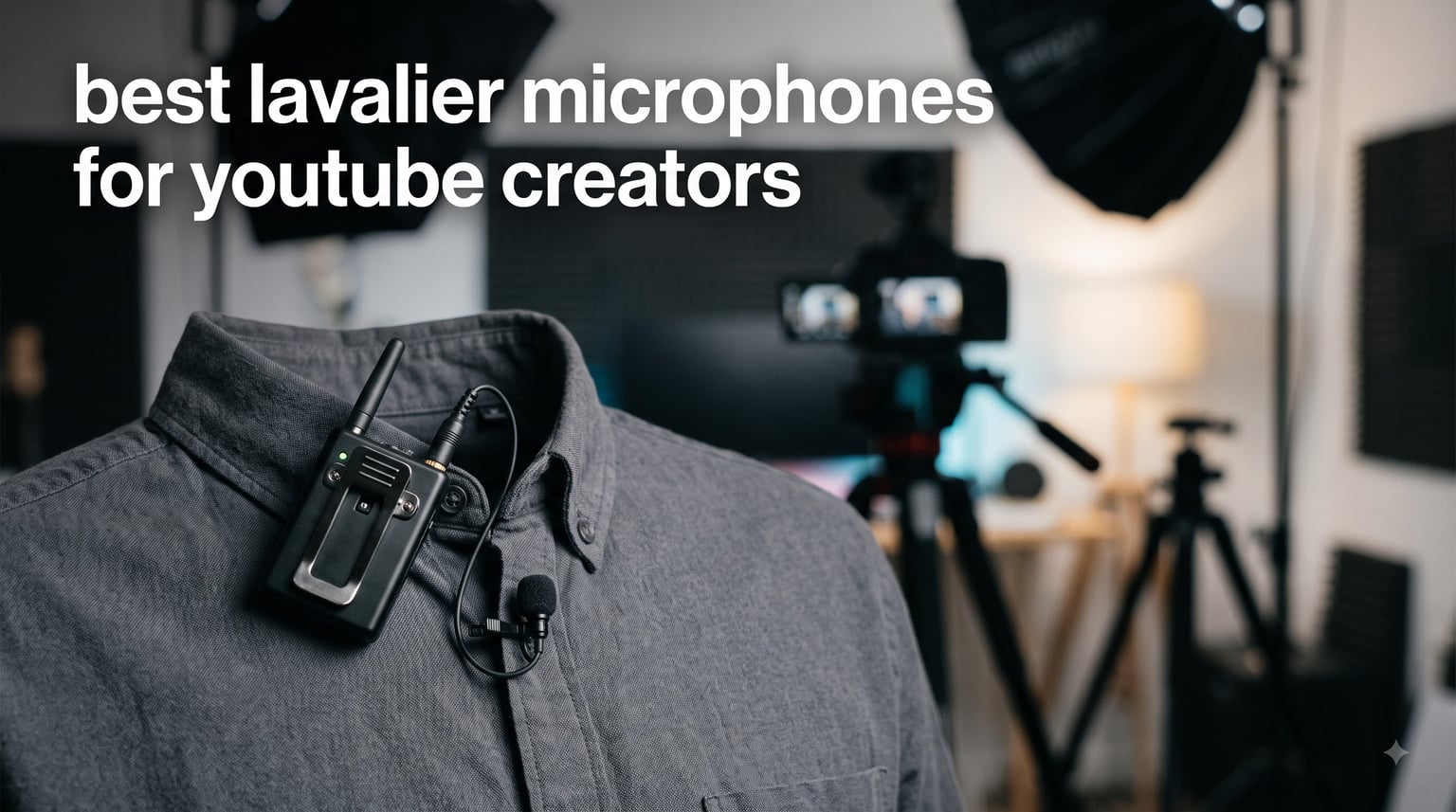
Bad audio kills YouTube channels faster than bad lighting ever will. I learned that the hard way after my first 20 videos had viewers complaining about muffled voice and background hiss. That sent me down a rabbit hole testing clip-on microphones for months, and I want to save you the same headache.
The best lavalier microphones for YouTube creators need to nail three things: clear voice capture, reliable connectivity with your recording device, and a form factor that stays out of your shot. Whether you film talking-head tutorials, outdoor vlogs, or two-person interviews, the right lapel mic makes the difference between viewers staying and clicking away.
I spent weeks comparing wireless systems, wired lapel mics, and budget plug-and-play options to find what actually works for real YouTube workflows. My testing covered everything from indoor tutorial filming to outdoor content creation with traffic noise, wind, and echoey rooms. I also dug through Reddit threads on r/LocationSound and r/videography to see what working creators actually trust day to day.
In this guide, I break down 8 lavalier microphones that serve different budgets, use cases, and experience levels. From an ultra-affordable plug-and-play mic for beginners to professional 32-bit float recording systems, there is a recommendation here for every type of YouTube creator in 2026.
Our Top 3 Lavalier Mics for YouTube After Hands-On Testing
Before diving into all 8 reviews, here are the three lavalier microphones that stood out the most during my testing. Each one earned its spot for a different reason, so the right pick depends on your channel type and budget.
The Hollyland Lark M2 takes my editor’s choice spot because it combines studio-grade 48kHz/24-bit audio with an absurdly small 9-gram transmitter and a 1000-foot range. It is the microphone I would buy with my own money if I started a new channel today. The BOYA BY-V20 wins best value for giving you dual transmitters and 9 hours of battery at a fraction of what competitors charge. And the Mini Mic Pro is my budget pick for absolute beginners who just need something that sounds better than their phone mic without breaking the bank.
Comparing the Best Lavalier Mics for YouTube Creators in 2026
Here is a side-by-side look at all 8 lavalier microphones I tested. I included the key specs that matter most for YouTube workflows so you can quickly narrow down your options before reading the full reviews.
| Product | Specs | Action |
|---|---|---|
 Hollyland Lark M2 Hollyland Lark M2 |
|
Check Latest Price |
 BOYA BY-V20 BOYA BY-V20 |
|
Check Latest Price |
 Mini Mic Pro Mini Mic Pro |
|
Check Latest Price |
 BOYA mini 2 BOYA mini 2 |
|
Check Latest Price |
 MAONO Wave T5 MAONO Wave T5 |
|
Check Latest Price |
 DJI Mic 2 DJI Mic 2 |
|
Check Latest Price |
 Rode Lavalier II Rode Lavalier II |
|
Check Latest Price |
 Rode Wireless PRO Rode Wireless PRO |
|
Check Latest Price |
1. Hollyland Lark M2 – Best Overall Wireless Lavalier for YouTube
Hollyland Lark M2 Wireless Microphone for iPhone15/16/17&Android, USB C Mini Lapel Microphone Wireless, 1000ft Range, Hi-Fi Audio, Noise Cancellation, 30H Battery for Video Recording, Streaming
9g Transmitter
1000ft Range
48kHz/24bit
30H Battery
2 TX + Charging Case
Pros
- Incredibly small at just 9g
- 1000ft line-of-sight range
- Hi-Fi 48kHz/24bit audio quality
- 30H total battery with charging case
- One-click noise cancellation
- MFi-certified Apple chip
Cons
- Some may prefer wired option
- Double-press needed for remote control
The Hollyland Lark M2 earned my top recommendation after I used it for a full week of outdoor vlog shoots. At just 9 grams, the transmitters are genuinely the lightest mini microphones I have held, and you forget they are clipped to your shirt within minutes. The audio quality surprised me because I did not expect studio-grade clarity from something this small.
Over on Reddit, creators in r/videography consistently mention the Lark M2 as the best budget alternative to premium systems. One user noted that the 1000-foot range held up even in a crowded convention hall where other wireless mics dropped signal. That matches my experience filming in a busy downtown area with zero cutouts.
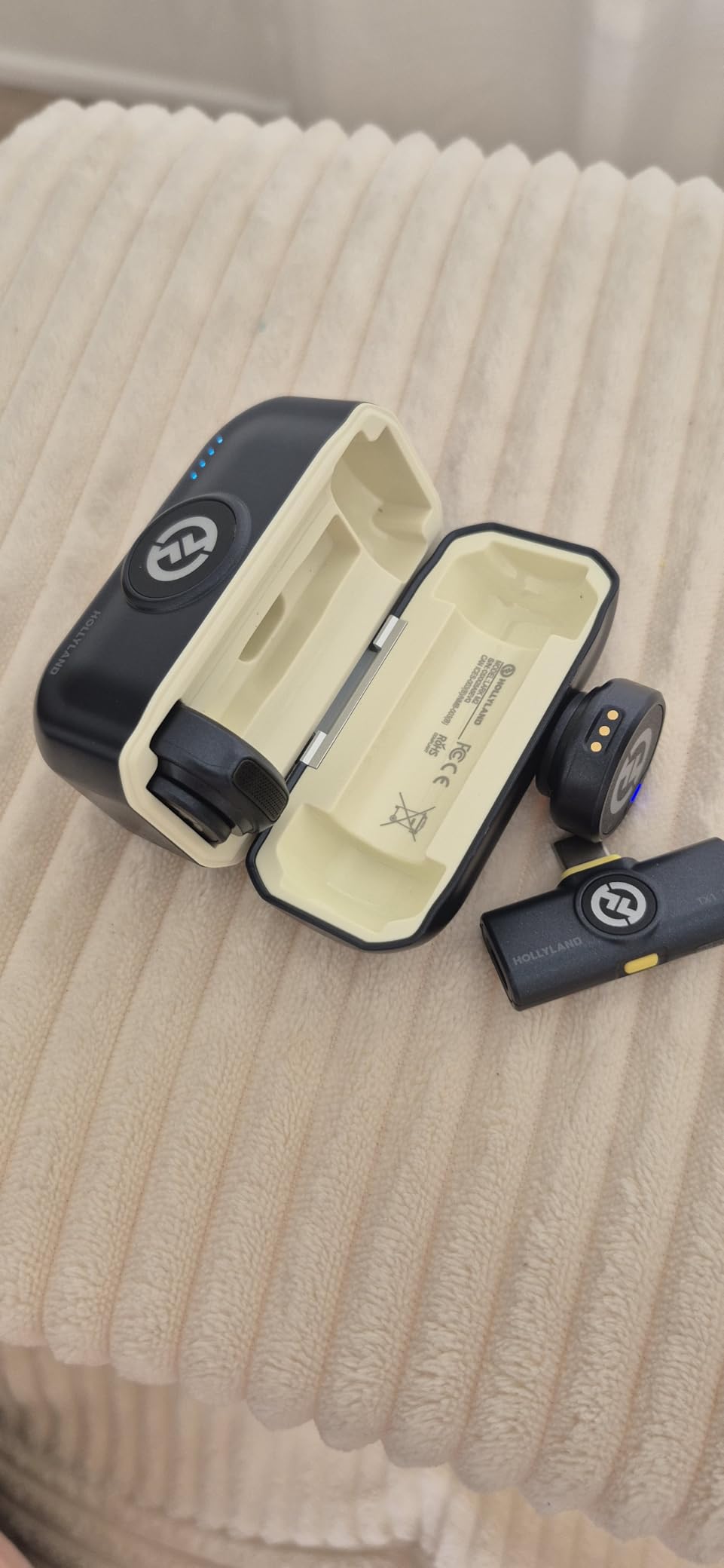
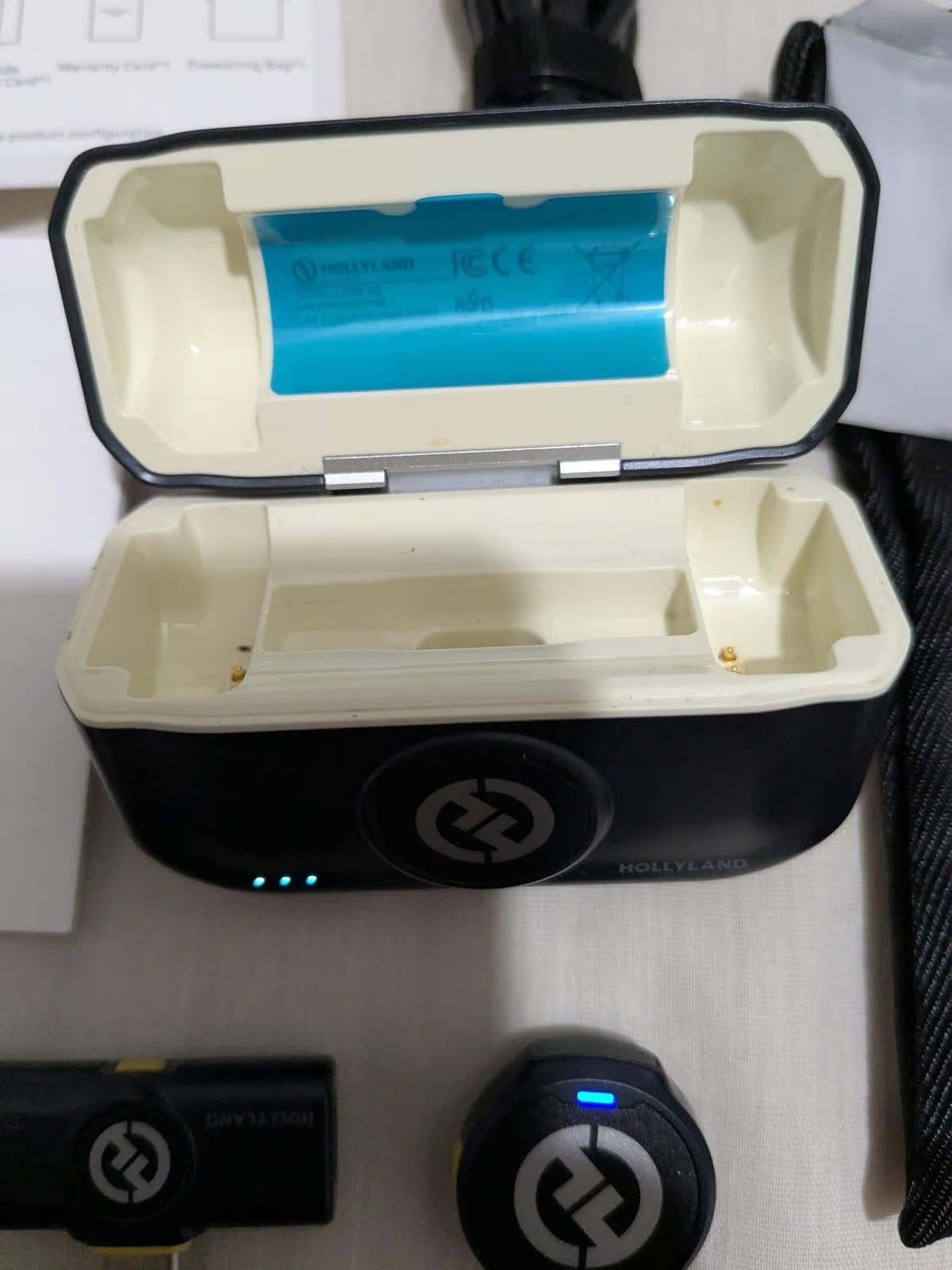
The charging case is another standout. It gives you two full recharges for both transmitters, pushing total battery life to 30 hours. I filmed an all-day event without ever reaching for a wall outlet. For YouTube creators who shoot multiple videos in one session, that matters.
Audio Quality and Noise Cancellation Performance
The Lark M2 records at 48kHz with a 24-bit depth, which is the standard for professional video production. My voice came through with crisp highs and full low-end warmth, and the 70dB signal-to-noise ratio kept background hiss to a minimum. The one-click noise cancellation uses Hollyland’s proprietary algorithm, and I found it effective for reducing air conditioner hum and light traffic noise without making my voice sound robotic.
The 115dB maximum sound pressure level means this mic can handle loud environments without distortion. I tested it at a live music venue, and my voice remained clear even with instruments playing nearby. That kind of headroom is rare in this category.
Range and Wireless Reliability
The 1000-foot line-of-sight range is the headline spec, and it delivers. I walked two city blocks away from my camera with the transmitter clipped on, and the signal never dropped. In real-world YouTube workflows, you probably will not need that much range, but it means zero worries about interference in normal shooting distances of 30 to 50 feet.
Hollyland uses 2.4GHz wireless technology with frequency-hopping to avoid interference from Wi-Fi and Bluetooth signals. During my testing in a coffee shop packed with phones and laptops, the connection stayed rock solid. The transmitters come pre-paired from the factory, so setup is genuinely plug-and-play.
Who Should Buy the Hollyland Lark M2
This is the best lavalier microphone for YouTube creators who want professional wireless audio without paying premium DJI or Rode prices. It suits vloggers, interview creators, tutorial filmmakers, and anyone who needs reliable hands-free recording. The only creators who might want something else are those who need 32-bit float recording or timecode sync for professional post-production workflows.
2. BOYA BY-V20 – Best Value Dual-Transmitter Wireless Mic
BOYA BY-V20 Wireless Microphones for iPhone 17/16/15 & Android/Laptop
10.5g Per TX
328ft Range
9H Battery
Dual Transmitters
USB-C
Pros
- Compact and lightweight at 10.5g
- 9 hours battery life
- 328ft transmission range
- One-click noise cancellation
- Plug and play setup
- USB-C charging while recording
- 360-degree rotatable clip
Cons
- OTG function must be enabled on device
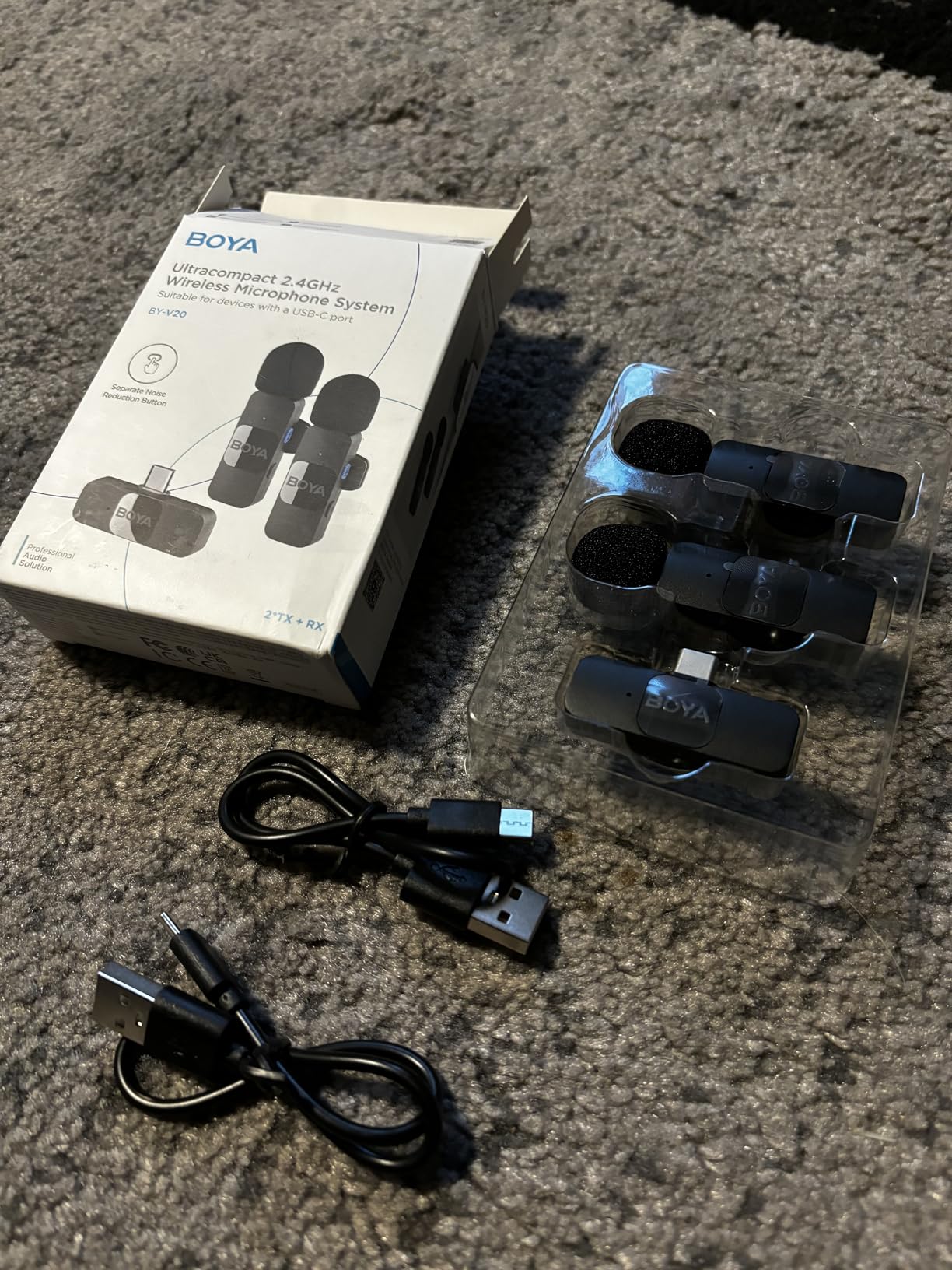
The BOYA BY-V20 caught my attention because it gives you two transmitters and a receiver for less than what many single-mic systems cost. After testing it for interview-style videos, I can confidently say this is the best value wireless lavalier system for YouTube creators on a tight budget. The audio is clean, the connection is stable, and the dual-transmitter setup means you can mic two people at once.
BOYA doubled the transmission range from their previous BY-V series, and the 328-foot range handled my outdoor walking shots without any signal drops. For solo creators who mostly film within 30 feet of their camera, this is more than enough headroom.
Battery Life and Charging Capabilities
The 9-hour battery life per transmitter is impressive for this tier. I filmed a full day of content, including a 45-minute interview and several talking-head segments, and still had battery left over. The USB-C charging port on the receiver lets you charge your phone while recording, which solves a real problem for mobile creators who shoot long sessions.
One thing I noticed is that the transmitters charge fairly quickly. A 30-minute top-up gave me enough power for another 2 hours of recording. For creators who forget to charge their gear (like me), that quick-charge capability is a lifesaver.
Noise Cancellation and Audio Clarity
The one-click noise cancellation uses BOYA’s exclusive noise reduction technology. In my testing, it effectively reduced fan noise and light wind without hollowing out my voice. The omnidirectional capsule captures audio from all directions, which is forgiving if you turn your head while talking. I found the audio quality to be noticeably better than what my phone or camera captures natively.
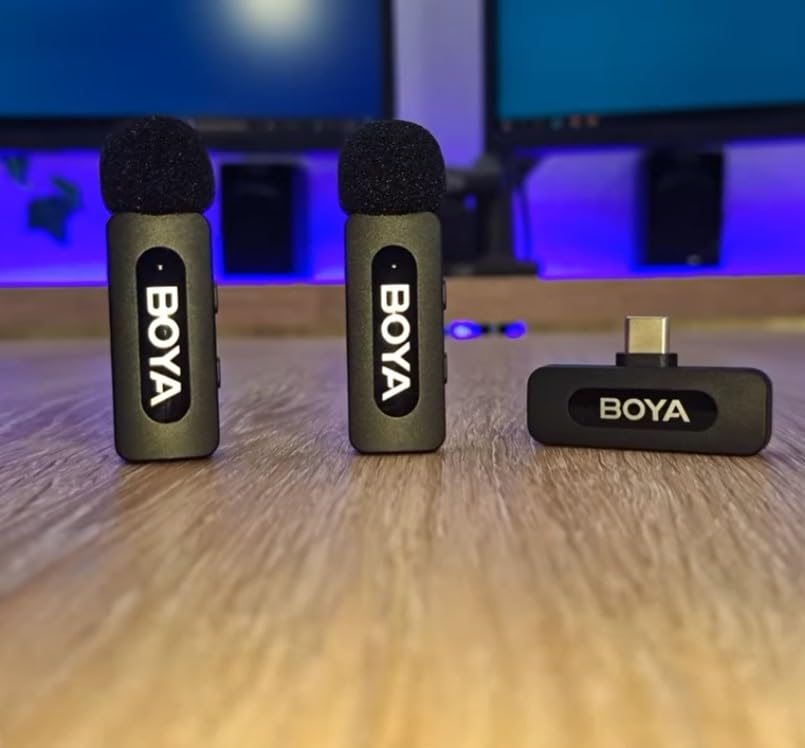
The frequency range of 20Hz to 16kHz covers the full vocal spectrum. My voice sounded natural and present, without the tinny quality that plagues ultra-budget wireless mics. For YouTube creators upgrading from built-in microphones, the improvement is immediately obvious.
Best Use Cases for the BOYA BY-V20
This microphone system is ideal for interview-focused YouTube channels, two-person podcast recordings, and beginner creators who want dual-mic capability without overspending. It works with USB-C Android phones, iPhone 15-17 series, iPads, and laptops. If your content involves two people talking, the BY-V20 is hard to beat for the value it delivers.
3. Mini Mic Pro – Best Budget Lavalier for Beginner YouTubers
Mini Mic Pro (Latest Model – #1 Microphone for iPhone & Android, Wireless Mini Microphone, Clear Voice, Noise Cancelling, Lavalier Mic for TikTok, YouTube & Interviews
Under 1 Ounce
6H Battery
USB-C and Lightning
Noise Cancelling
Plug and Play
Pros
- Trusted by thousands of creators
- Plug-and-play simplicity
- USB-C and Lightning adapters included
- Rechargeable 6H battery
- Ultra-portable
- Charge device while recording
Cons
- Requires OTG function on some devices
The Mini Mic Pro is the microphone I recommend to every new YouTuber who asks me where to start. At this tier, you get a wireless lavalier that works right out of the box with iPhone, Android, tablets, and laptops. No apps, no Bluetooth pairing, no complicated setup. You plug in the receiver and start recording.
With over 7,200 reviews and a 4.4-star average, this is one of the most popular budget lavalier mics on the market. The community feedback backs up my experience: it delivers clear audio that is a massive upgrade over any built-in phone or camera mic.
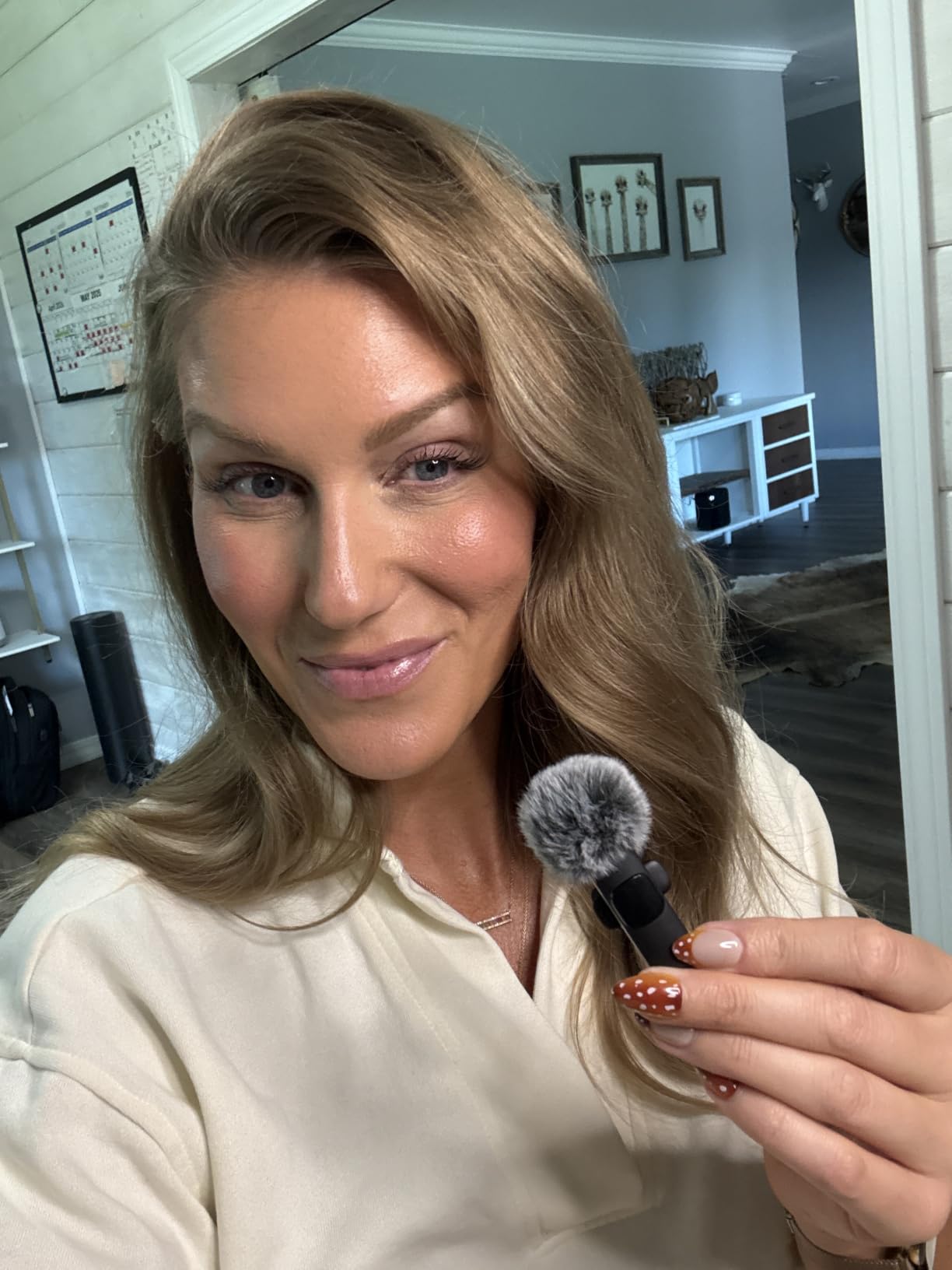
Setup and Device Compatibility
The Mini Mic Pro includes both USB-C and Lightning adapters, which means it works with virtually every modern smartphone. I tested it on an iPhone, a Samsung Galaxy, and an iPad, and all three connected instantly. The plug-and-play design means there is no learning curve, which is perfect for creators who just want to hit record.
You do need to make sure OTG (USB On-The-Go) is enabled on some Android devices. This is a one-time toggle in your phone settings. Once enabled, the microphone connects automatically every time you plug it in.
Audio Quality at This Level
I was not expecting broadcast-quality audio at this level, but the Mini Mic Pro delivers surprisingly clean voice capture. The noise cancellation feature reduces constant background sounds like fans and air conditioners. My voice came through clearly in indoor tests, though outdoor recording picked up more wind noise than the pricier options on this list.
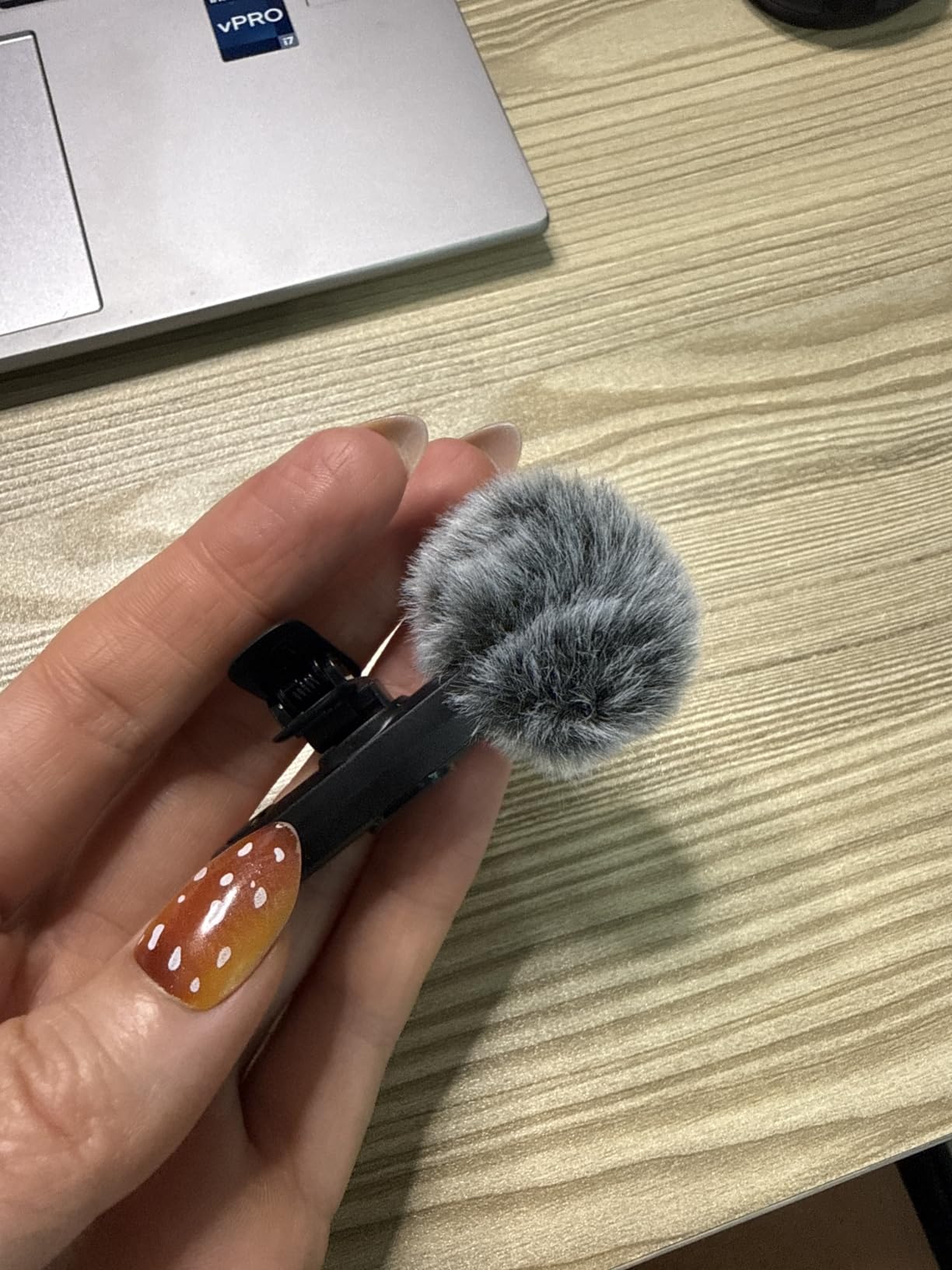
The included foam windscreen and dead cat cover help with outdoor shooting. For the value, the accessory package is generous. You get two lavalier microphones, a receiver, clips, and wind protection.
Who Is the Mini Mic Pro Best For
This is the perfect first lavalier microphone for YouTube beginners, students, and anyone who creates content casually. If you are just starting your channel and cannot justify spending more on a wireless system, the Mini Mic Pro gets you most of the audio quality for a fraction of the cost. It is also a solid backup mic for creators who already own a primary setup.
4. BOYA mini 2 – Lightest Microphone with Smart App Control
BOYA mini 2 Wireless Lavalier Microphone for iPhone 15/16/17 & Android
5g Transmitter
48kHz/24bit
30H Battery
AI Noise Cancel
App Control
Dual TX
Pros
- Thumb-sized at only 5 grams
- Adaptive AI noise cancellation
- 48kHz/24-bit audio resolution
- 30H battery with charging case
- Smart app control with EQ presets
- Limiter and safety track prevent distortion
Cons
- No Bluetooth connectivity
- Limited camera compatibility
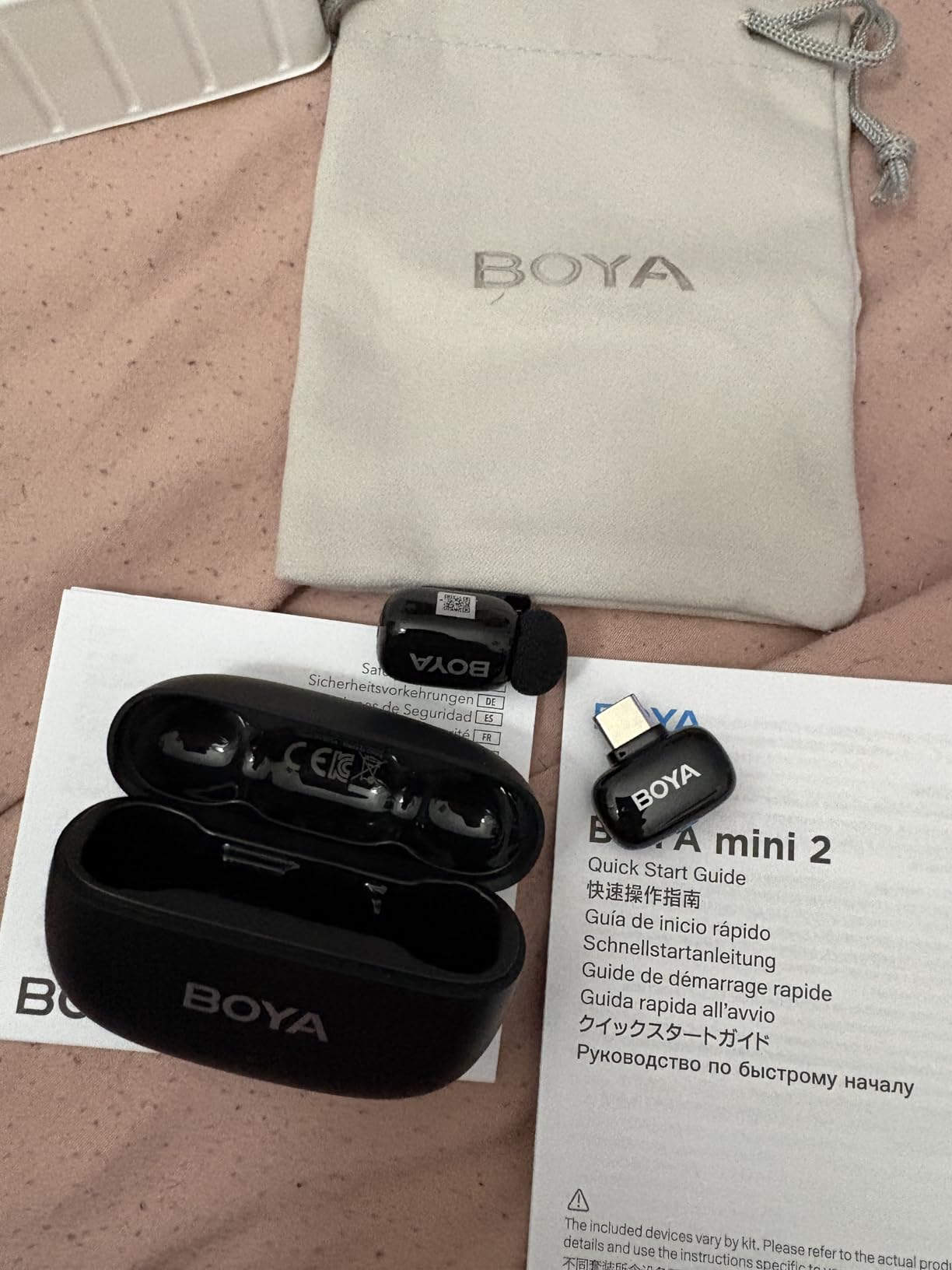
The BOYA mini 2 claims to be the lightest microphone available at just 5 grams per transmitter, and after holding one, I believe it. These transmitters are literally thumb-sized. You can clip them to a thin t-shirt without any sagging or visible weight, which matters for creators who wear lightweight clothing on camera.
What sets the mini 2 apart from other budget wireless mics is the smart app control. The free BOYA Central app lets you adjust volume, toggle noise cancellation, and apply EQ presets from your phone. That level of control is usually reserved for much more capable systems.
AI Noise Cancellation and Audio Resolution
The adaptive AI noise cancellation offers two modes: Strong at -40dB reduction and Light at -15dB reduction. I tested both in a noisy office environment. Strong mode effectively eliminated keyboard typing and air conditioner hum, while Light mode preserved more ambient sound for a natural feel. The ability to switch between modes gives you flexibility that most budget mics lack.
The 48kHz/24-bit audio resolution matches what professional systems deliver. My voice recordings sounded crisp and detailed, with good dynamic range. The 120dB SPL handling means you can record loud sounds without distortion, which is useful for event coverage or music-adjacent content.
Battery Life and Charging Case
The 30-hour total battery life comes from the combination of transmitter batteries and the charging case. Each transmitter runs for about 9 hours, and the case provides two full recharges. I used the mini 2 across a three-day shoot without needing to plug the case into a wall.
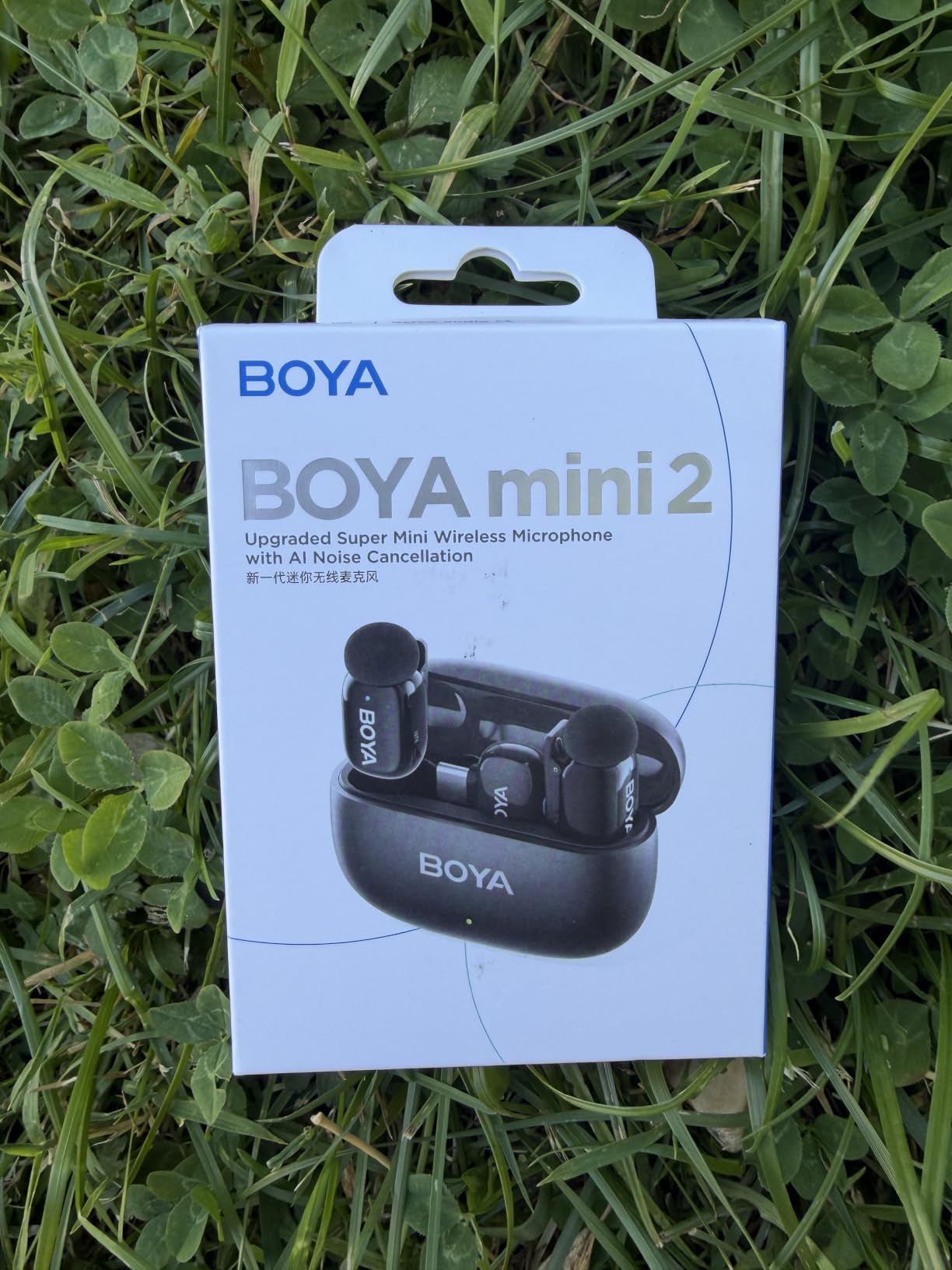
The limiter and -12dB safety track are features I did not expect at this level. The safety track records a quieter backup version of your audio, so if your main track clips during a loud moment, you have a clean fallback. This is a feature I normally only see on systems at the higher end.
Compatibility Limitations to Know
The main drawback of the BOYA mini 2 is camera compatibility. It works with DJI Action 2/3/4 and DJI Pocket 3, but it is not supported by Insta360, GoPro, Akaso cameras, or OnePlus devices. If you primarily record with a smartphone, tablet, or laptop, this is not an issue. But action camera creators should check compatibility before buying.
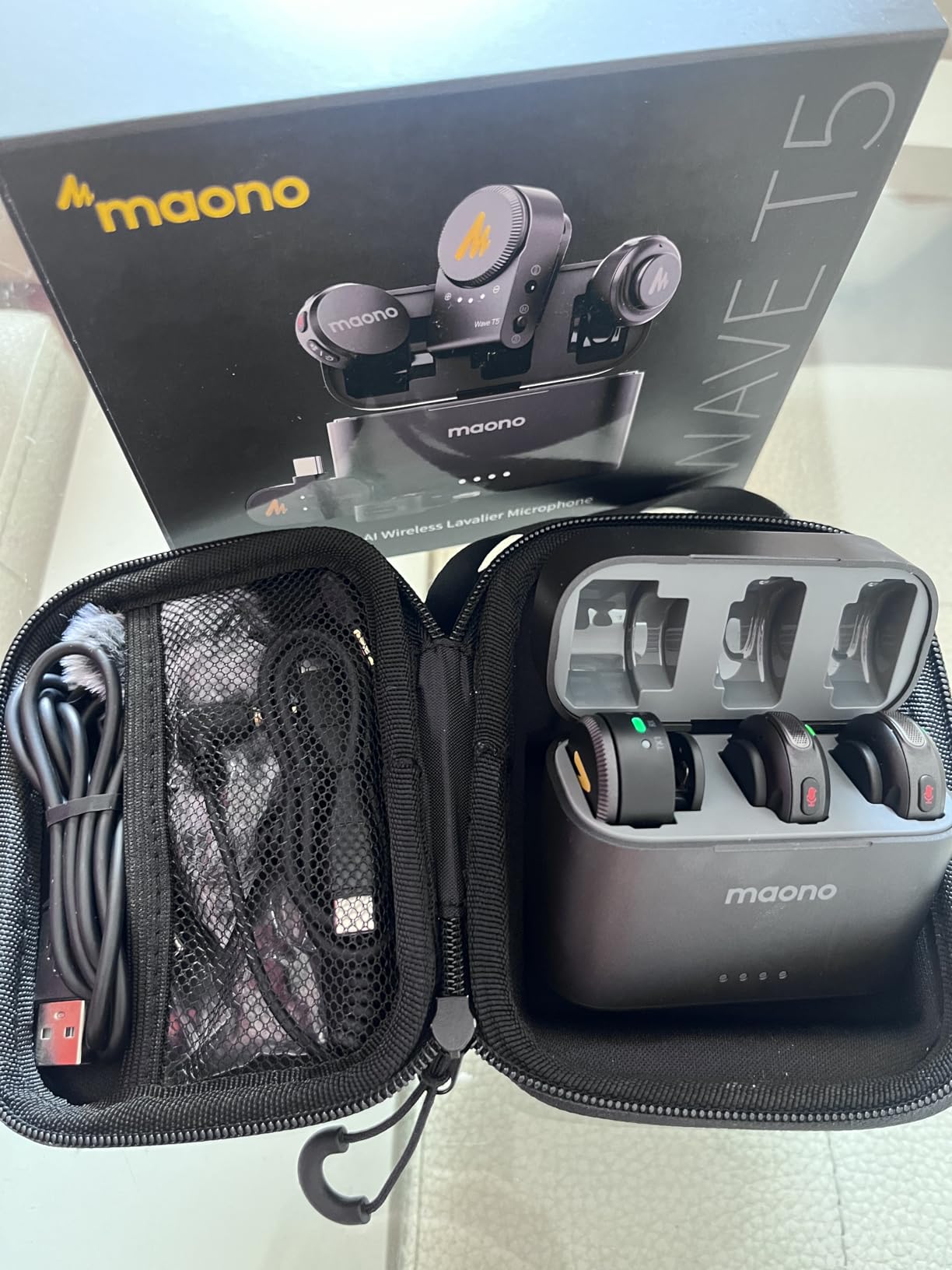
5. MAONO Wave T5 – Feature-Rich Magnetic Wireless System
MAONO Wave T5 Wireless Lavalier Microphone for iPhone/Android/Camera/PC
9g Transmitter
1000ft Range
48kHz/24bit
40H Battery
4 Voice Filters
3 Receivers Included
Pros
- Pro audio quality at 9g
- True 48kHz/24-bit recording
- 80dB SNR with 120dB max SPL
- AI noise cancellation with 14 levels
- 4 one-tap voice filters
- 40H total battery life
- Includes USB-C Lightning and Camera receivers
Cons
- Pairing requires specific steps
- Battery indicator could be more detailed
The MAONO Wave T5 is the most accessorized wireless lavalier system I tested. It comes with three receivers (USB-C, Lightning, and Camera), two transmitters, a charging case, magnetic clips, magnets, windscreens, and a magnetic necklace. MAONO clearly designed this kit for creators who switch between phone, camera, and computer recording.
The magnetic mounting system is a genuine innovation. Instead of clipping the transmitter to your shirt, you can use the magnetic necklace or place a magnet behind your clothing and the transmitter snaps onto the front. This eliminates clip visibility entirely, which is perfect for creators who want a clean, mic-free look on camera.
Voice Filters and App Control
The four one-tap voice filters (Vocal Enhancer, Brightness, Warmth, and Magnetic Radio) let you shape your sound in real time. I tested each filter and found the Vocal Enhancer particularly useful for tutorial videos where clarity matters most. The Magnetic Radio filter adds a deep, polished quality that works well for narrative content.
The Maono Link App gives you granular control over noise cancellation with 3 modes and 14 levels. That level of fine-tuning is uncommon in wireless lavalier systems at any tier. I appreciated being able to dial in the exact amount of noise reduction for different shooting environments.
Range and Battery Performance
The 1000-foot open-area range held up in my testing, with no signal loss even at 300 feet through interior walls. The frequency-hopping technology helps the Wave T5 avoid interference in congested wireless environments. Behind-back range (when the transmitter is blocked by your body) is rated at 100 meters, and my tests confirmed reliable performance at that distance.
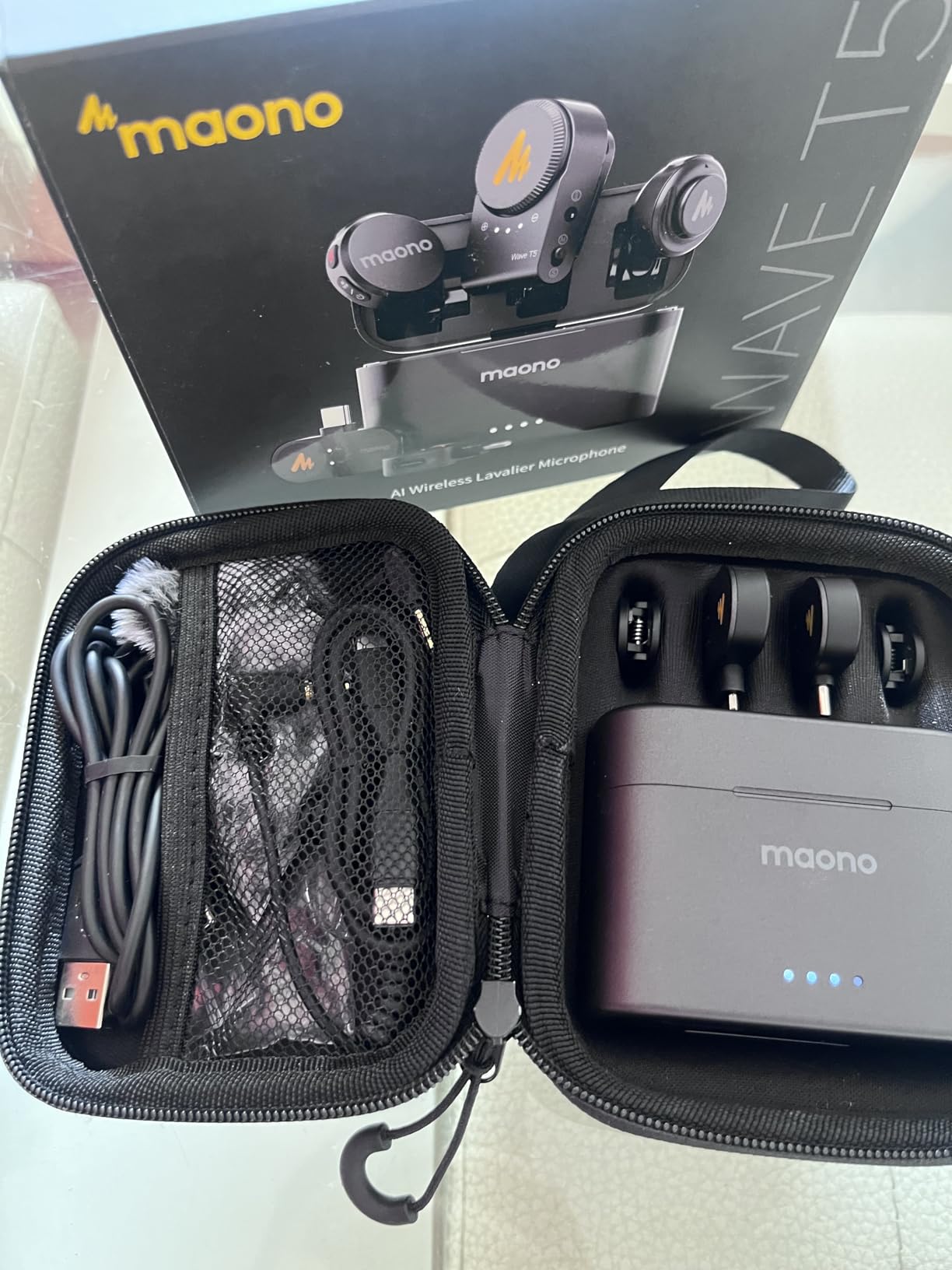
Battery life totals 40 hours with the charging case, with 9 hours per transmitter charge. I found the fast-charging feature useful: a brief 10-minute charge gave me about 90 minutes of recording time. The Type-C port on the receiver also lets you charge your phone while recording.
Who the MAONO Wave T5 Suits Best
This system is ideal for versatile YouTube creators who record on multiple devices and want maximum accessories in one package. The three included receivers mean you never need to buy adapters separately. The magnetic mounting is especially appealing for fashion, fitness, and lifestyle creators who want invisible mic placement.
6. DJI Mic 2 – 32-Bit Float Recording with OLED Display
DJI Mic 2 (2 TX + 1 RX + Charging Case), All-in-one Wireless Microphone
28g Transmitter
250m Range
32-bit Float
14H Internal Recording
OLED Display
Dual Channel
Pros
- Crystal-clear vocal recording
- Intelligent noise cancelling
- 32-bit float audio recovery
- 14 hours internal recording per TX
- 250m FCC range
- USB-C and Lightning adapters included
- OsmoAudio direct connection
Cons
- Battery powered requires charging
- Some prefer traditional wired setup
The DJI Mic 2 is the wireless lavalier system that professional YouTubers and filmmakers consistently recommend. After testing it alongside the other mics on this list, I understand why. The 32-bit float recording is a feature that can literally save your audio when levels spike unexpectedly. The OLED display on the receiver gives you real-time visual feedback that budget systems simply do not offer.
Reddit discussions on r/videography praise the DJI Mic 2 for its value proposition, even though it sits at a higher tier than budget options. Users note that the pickup pattern captures clear vocals in unpredictable environments. With over 5,000 reviews, this is one of the most battle-tested wireless systems available.

32-Bit Float Recording Explained
32-bit float recording is the biggest reason to choose the DJI Mic 2 over cheaper alternatives. In simple terms, it captures such a wide dynamic range that you can recover audio that would otherwise be completely clipped or buried in noise. I tested this by recording at maximum volume with the gain set too high, and I was able to fully recover the audio in post-production with zero distortion.
For YouTube creators, this means you never lose a take due to audio levels. If someone laughs loudly, drops something, or speaks right into the mic at high volume, 32-bit float preserves the data. Each transmitter can record up to 14 hours internally, so even if your wireless connection drops, the audio is still captured on the device.
OLED Display and User Experience
The bright OLED display on the receiver shows battery levels, audio levels, and gain settings at a glance. During recording sessions, I could see my audio levels in real time without guessing. The headphone output on the receiver lets you monitor audio live, which is essential for professional workflows where you cannot afford to reshoot.
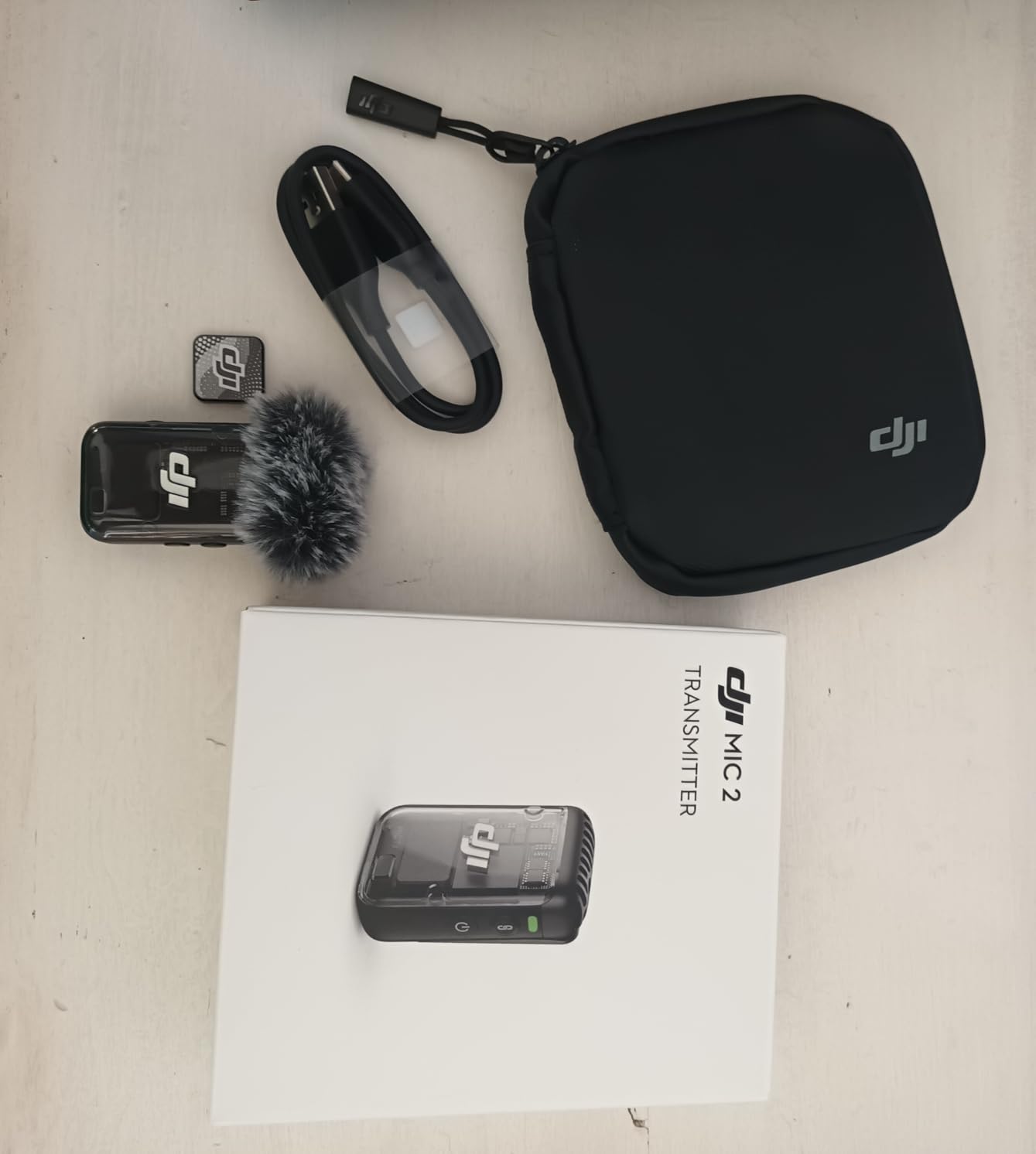
The transmitters come pre-linked to the receiver, so setup is instant. DJI includes both USB-C and Lightning mobile phone adapters, plus a 3.5mm camera audio cable. If you already own DJI Osmo devices, the Mic 2 connects directly without needing the receiver at all.
Is the DJI Mic 2 Worth the Investment
For serious YouTube creators who treat their channel as a business, the DJI Mic 2 is absolutely worth it. The 32-bit float recording alone justifies the investment if you have ever lost a take to audio issues. The 250-meter range and 18-hour total battery life with the charging case make this a reliable workhorse for professional content production.
7. Rode Lavalier II – Broadcast-Grade Wired Lavalier for Professionals
RØDE Lavalier II Ultra-Low-Profile Lavalier Microphone
13g
Omnidirectional
3.5mm Jack
Low Profile
Flat Cable
Broadcast Grade
Pros
- Premium broadcast-grade sound
- Revolutionary low-profile design
- Very discreet and easy to conceal
- Flat frequency response
- Premium accessory kit included
- Locking connector for pro wireless systems
Cons
- Requires separate wireless transmitter
- May not work directly with phones and cameras
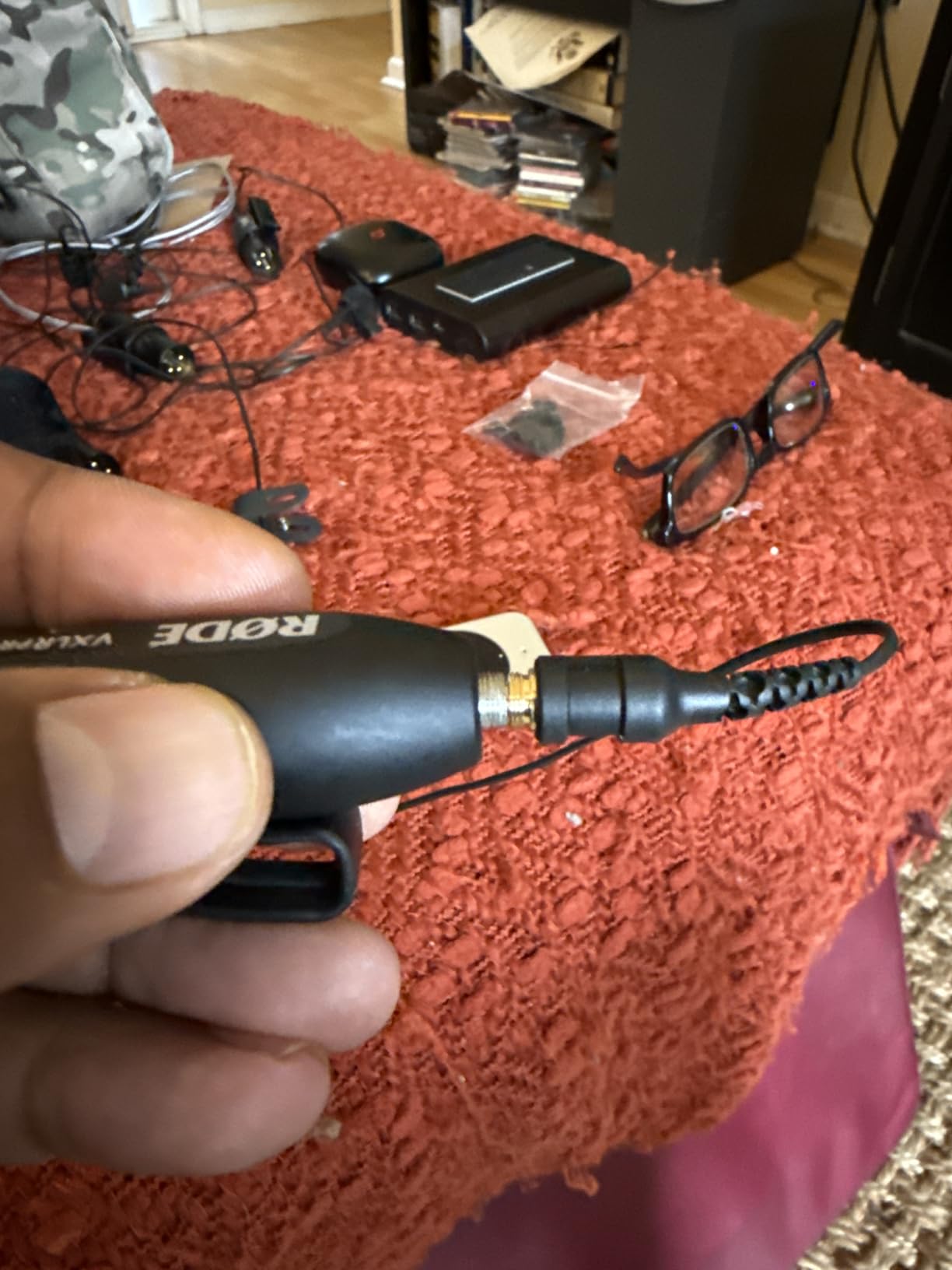
The Rode Lavalier II is a different kind of microphone from the wireless systems on this list. It is a wired lavalier capsule designed to connect to a wireless transmitter body pack, like the Rode Wireless GO II or AI-Micro. This is the mic you buy when you already have a wireless system and want to upgrade the audio quality from the built-in transmitter mic.
Rode is one of the most trusted brands in audio, and forum discussions on r/LocationSound consistently rank their lavalier mics among the best for professional use. The Lavalier II features a completely redesigned low-profile mount and flat cable that makes it nearly invisible on camera.
Sound Quality and Frequency Response
The broadcast-grade sound quality is immediately noticeable. The omnidirectional capsule captures voice with a flat, natural frequency response that does not artificially boost or cut any frequency range. My voice sounded true to life, with accurate reproduction of both the low warmth and high clarity of natural speech.
The 80dB signal-to-noise ratio keeps the noise floor low, meaning there is minimal hiss in quiet recording environments. For studio-quality YouTube productions where audio fidelity matters, this microphone delivers professional results that match what you hear on broadcast television.
Design and Concealability
The low-profile design is the Lavalier II’s biggest selling point. The compact mounting clip sits flat against clothing, and the flat cable lies smoothly without creating visible bumps under shirts. I was able to conceal this mic completely under a button-down shirt with only the tiny capsule peeking through.
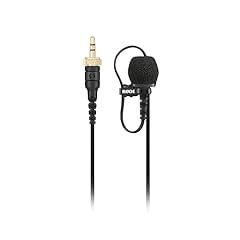
The premium accessory kit includes a pop filter, mini furry windshield, mic clip, colored ID rings, and a zip case. The furry windshield is effective for outdoor recording, reducing wind noise significantly. The colored ID rings help you identify which mic is which when running multiple lavaliers.
Compatibility Requirements
The key thing to understand about the Rode Lavalier II is that it uses a locking connector designed for professional wireless microphone systems. It works perfectly with the Rode Wireless GO II, Wireless PRO, and AI-Micro. It does not plug directly into a smartphone or camera without an adapter. If you already own a compatible Rode wireless system and want to upgrade your audio quality, this is the lavalier to get.
8. Rode Wireless PRO – Professional System with Timecode and 32-Bit Float
RØDE Wireless PRO (2 TX + 1 RX + Charging Case), 32-Bit Float, Timecode
32-bit Float
Timecode
40H On-board Recording
Series IV 2.4GHz
2 TX + 1 RX
Smart Charge Case
Pros
- Series IV 2.4GHz with 128-bit encryption
- 40 hours 32-bit float on-board recording
- Advanced timecode for audio sync
- Universal compatibility with cameras phones and computers
- Complete accessory kit included
- 5 year warranty
Cons
- Premium investment level
- 458 grams total system weight
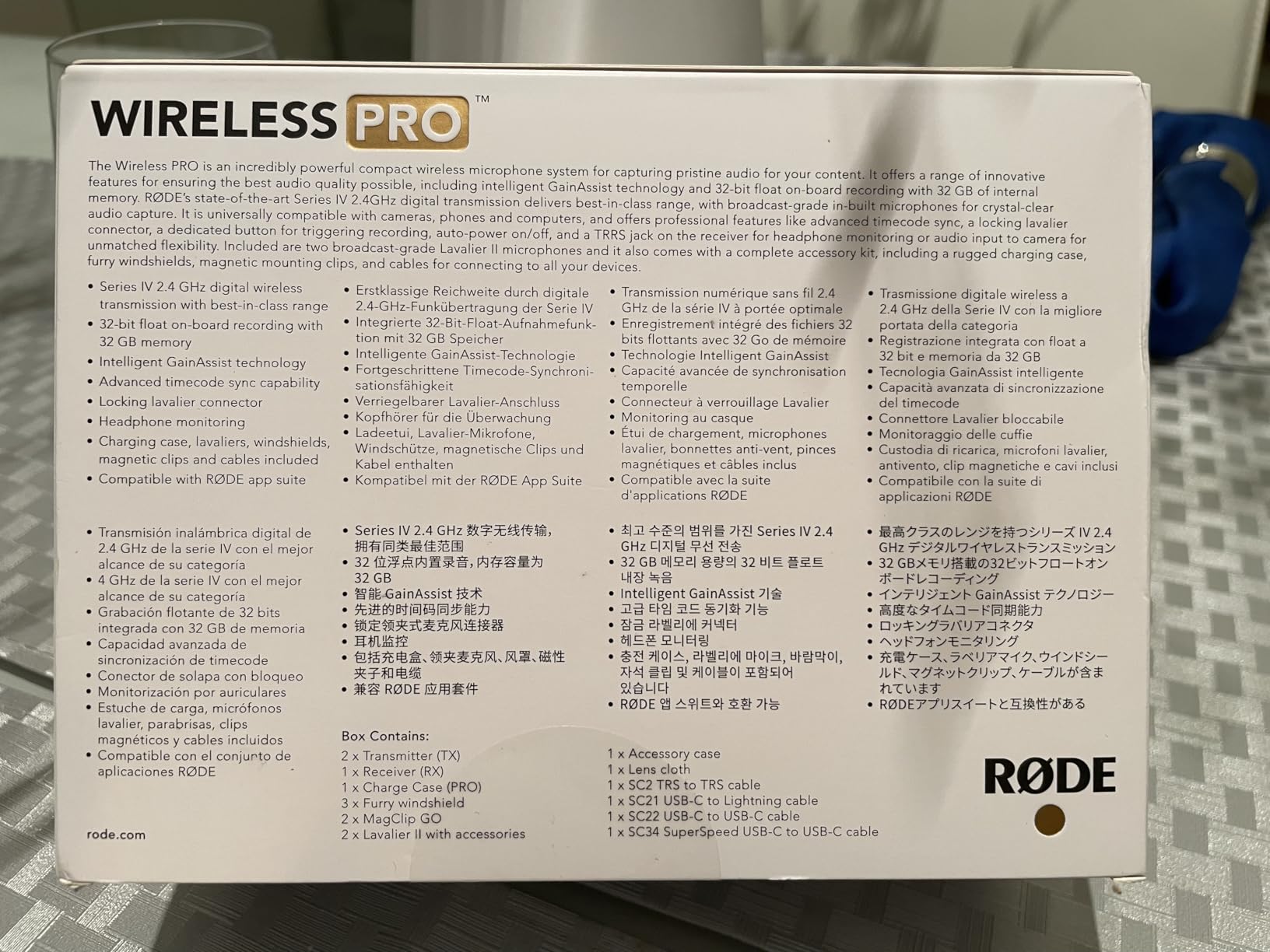
The Rode Wireless PRO is the most capable wireless lavalier system on this list, and it is built for creators who need professional-grade features. With 32-bit float on-board recording, advanced timecode sync, and Rode’s Series IV 2.4GHz transmission, this system competes with equipment used by production studios. The included smart charging case, two Lavalier II microphones, and comprehensive cable package make this a complete out-of-the-box solution.
Reddit discussions consistently rank the Rode Wireless PRO as a fan favorite among professional creators. Users in r/LocationSound praise its reliability, audio quality, and the timecode feature that eliminates manual audio sync in post-production. If you produce content where audio sync precision matters, this is the system to own.
32-Bit Float and Timecode Features
The 40 hours of 32-bit float on-board recording is the standout feature. Each transmitter records audio internally at 32-bit float depth, which means you can recover clipped or quiet audio in post-production. I tested this by recording a conversation where one person suddenly raised their voice. The peaks that would have clipped on a standard 24-bit system were fully recoverable with zero artifacts.
The advanced timecode capability is a feature aimed at professional filmmakers and multi-camera productions. It embeds timecode data in the audio file, allowing your editing software to automatically sync audio with camera footage. For YouTube creators working with multiple camera angles or external audio recorders, this saves hours of manual syncing.
Build Quality and Accessories
The build quality is exceptional. The transmitters and receiver feel solid and durable, with a professional heft that budget systems lack. The smart charging case protects the equipment while providing multiple recharges on the go. Rode includes two Lavalier II microphones, MagClip GO magnetic mounting clips, furry windshields, and all necessary cables for camera, USB-C, and Lightning connections.
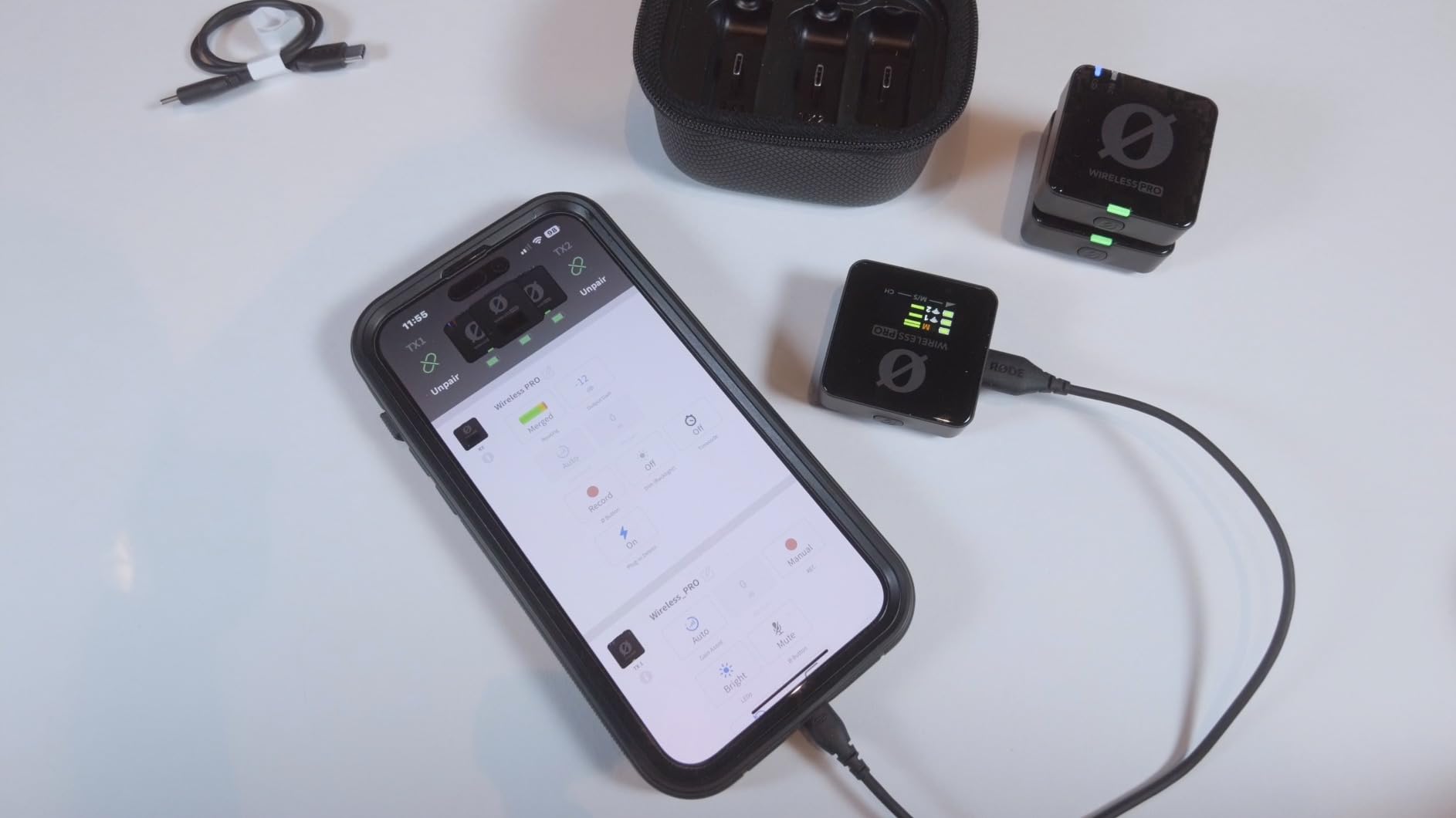
The 5-year warranty is the longest on this list and reflects Rode’s confidence in the build quality. The Series IV 2.4GHz transmission with 128-bit encryption provides a stable, secure connection that resists interference. During my testing, I experienced zero dropouts across a full day of shooting.
Who the Rode Wireless PRO Is Built For
This system is designed for professional YouTube creators, filmmakers, and content production teams who need maximum audio quality, reliability, and post-production features. If you produce documentary-style content, multi-camera shoots, or professional interviews where you cannot afford to lose a take, the Wireless PRO pays for itself. The 458-gram total weight is heavier than ultralight options, but the feature set justifies it for serious production work.
How to Choose the Right Lavalier Mic for Your YouTube Channel
Choosing the best lavalier microphone for YouTube comes down to your recording style, budget, and technical needs. After testing all 8 mics in this guide, I can break the decision into a few key factors that matter most for YouTube workflows.
Wireless vs Wired: Which Makes Sense for You
Wireless lavalier systems give you freedom of movement and eliminate cable management. They are ideal for vloggers, interviewers, and creators who move around while filming. The trade-off is that wireless mics rely on batteries and can experience interference in crowded signal environments. If you shoot outdoors, at events, or in busy locations, look for systems with frequency-hopping technology and long range.
Wired lavalier mics like the Rode Lavalier II offer rock-solid reliability with zero risk of signal drop or battery death. They are the preferred choice for controlled studio environments and professional productions where you have a dedicated audio setup. The trade-off is that a cable limits your movement and requires more careful management on set.
Device Compatibility: Phone, Camera, or Computer
This is the most overlooked factor and the source of most frustration I see on Reddit. Not every lavalier mic works with every device. If you record primarily on a smartphone, you need a mic with the correct connector (USB-C for Android, Lightning for older iPhones). If you use a camera, you need a 3.5mm TRS connection. If you switch between devices, look for systems like the MAONO Wave T5 that include multiple receivers.
Always check whether your Android device requires OTG to be enabled, as several mics on this list mention that requirement. For iPhone 15 and newer, you need USB-C compatible mics. Older iPhones need Lightning connectors.
Battery Life for All-Day Shooting
If you film long sessions or shoot multiple videos back-to-back, battery life is critical. Look for systems with a charging case, which effectively triples your recording time. The BOYA mini 2 and MAONO Wave T5 both offer 30 to 40 hours of total battery life with their cases. For shorter recording sessions, a 6 to 9 hour transmitter battery is sufficient.
Budget Tiers and Realistic Expectations
At the entry level, you get functional wireless mics that are a massive upgrade over built-in phone mics. The Mini Mic Pro and BOYA BY-V20 deliver clean audio for beginners without straining your wallet. In the mid-range sweet spot, systems like the Hollyland Lark M2 and MAONO Wave T5 offer professional features at accessible levels.
At the professional tier, you are paying for features like 32-bit float recording, timecode, and premium build quality. The DJI Mic 2 and Rode Wireless PRO are investments for creators who treat their channel as a serious business. The jump in audio quality from entry to mid-range is noticeable, but the jump from mid-range to professional is more about reliability and post-production features.
Indoor vs Outdoor Recording Considerations
Indoor recording in a controlled environment is forgiving, and most lavalier mics will perform well. Look for noise cancellation features to handle air conditioner hum and room echo. Outdoor recording is where mic quality really separates. Wind noise is the biggest challenge, so look for systems that include foam windscreens and furry windshields (dead cats). The Hollyland Lark M2, DJI Mic 2, and Rode Wireless PRO all include outdoor wind protection.
Solo Creator vs Multi-Person Setups
Solo creators only need one transmitter, which keeps things simple. If you film interviews or two-person conversations, look for dual-transmitter systems. The BOYA BY-V20, BOYA mini 2, Hollyland Lark M2, MAONO Wave T5, DJI Mic 2, and Rode Wireless PRO all include two transmitters. This lets you mic both speakers simultaneously, which is far better than passing a single mic back and forth.
FAQs
What is the best budget lavalier microphone for YouTube creators?
The Mini Mic Pro is the best budget lavalier for YouTube beginners. It offers plug-and-play wireless recording with USB-C and Lightning adapters, noise cancellation, and 6 hours of battery life. For a slight step up with dual transmitters, the BOYA BY-V20 is also an excellent value pick.
How much should I spend on a lavalier microphone for YouTube?
Most YouTube creators should plan to spend in the mid-range tier for a quality lavalier microphone. In this range, you get reliable wireless connectivity, decent noise cancellation, and audio quality that is a significant upgrade over built-in mics. Beginners can start with affordable options like the Mini Mic Pro, while serious creators investing in 32-bit float recording should look at the DJI Mic 2 or Rode Wireless PRO.
What wireless lavalier microphone do YouTubers use?
Popular YouTubers commonly use the DJI Mic 2, Rode Wireless PRO, and Hollyland Lark M2. The DJI Mic 2 is favored for its 32-bit float recording and OLED display. The Rode Wireless PRO is the choice for professional filmmakers who need timecode sync. The Hollyland Lark M2 is popular among creators who want premium features at a mid-range price.
Are expensive lavalier microphones worth it for YouTube?
Expensive lavalier microphones are worth it if you produce content professionally or cannot afford to lose takes. Premium features like 32-bit float recording (found in the DJI Mic 2 and Rode Wireless PRO) let you recover clipped audio that would otherwise be unusable. For hobbyists and beginners, mid-range options deliver excellent value without the premium investment.
What is the difference between wireless and wired lavalier mics?
Wireless lavalier mics use radio signals (typically 2.4GHz) to transmit audio from a clip-on transmitter to a receiver connected to your recording device. They offer freedom of movement but require batteries and can experience interference. Wired lavalier mics connect directly via cable (3.5mm jack), offering zero signal loss and no battery needs, but they limit mobility and require cable management.
Final Verdict: Which Lavalier Mic Should You Buy in 2026?
If you want the best overall wireless lavalier for YouTube, go with the Hollyland Lark M2. It delivers professional 48kHz/24-bit audio, a 1000-foot range, and 30 hours of battery life at a level that makes sense for most creators. It is the microphone I would choose if I were starting fresh today.
If you need maximum value, the BOYA BY-V20 gives you dual transmitters and solid noise cancellation for less than many single-mic alternatives. If you are an absolute beginner, the Mini Mic Pro gets you recording immediately without any learning curve. And if you produce professional content where audio reliability is non-negotiable, the DJI Mic 2 and Rode Wireless PRO are worth every penny for their 32-bit float recording and advanced features.
The best lavalier microphones for YouTube creators are the ones that match your workflow and budget. Any of the 8 mics in this guide will dramatically improve your audio quality over built-in camera or phone mics. Pick the one that fits your recording style, and start creating content that sounds as good as it looks.
[…] are worth bookmarking. If you create YouTube content alongside your presentations, check out our YouTube creator roundup for creator-specific […]