
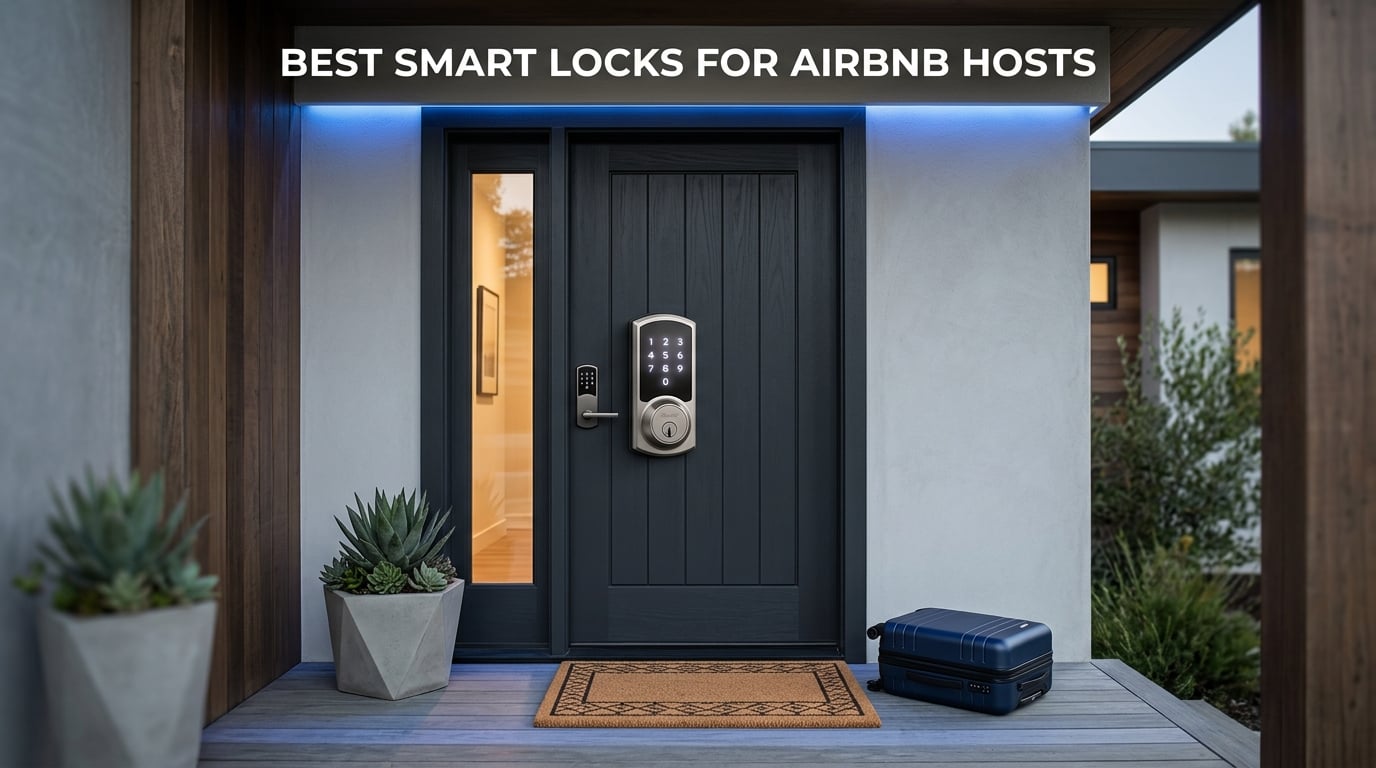
Running an Airbnb means juggling check-ins across time zones, coordinating with cleaners, and hoping your guests actually read the lockbox instructions before arriving at midnight. I have spent the past three years testing smart locks across multiple short-term rental properties, and the difference between a good lock and a bad one is the difference between a smooth five-star check-in and a panicked 2 AM phone call from a guest locked out on the porch.
Finding the best smart locks for Airbnb hosts comes down to three things: reliable remote access, time-limited guest codes, and dead-simple installation. After testing eight of the most popular keyless entry models on the market in 2026, our team narrowed the field to options that actually hold up under real guest turnover rather than just looking good on paper.
What surprised us most during testing was how many highly-rated locks fall apart under daily rental use. Battery life claims rarely matched reality. WiFi connectivity at the door was spottier than expected. And the so-called self check-in integrations? Some worked flawlessly while others left guests stranded fumbling with a dead app and no backup plan.
The forums tell the real story. Hosts on Reddit, Airbnb host communities, and airhostsforum describe the same recurring nightmares: dead batteries during peak booking season, guests sharing access codes with unregistered visitors, door alignment issues triggering false broken-lock alarms, and WiFi dropouts that turn a simple arrival into a crisis. One host described multiple emergency locksmith visits after their August lock repeatedly failed at night. Another called their Schlage Encode app clunky with abysmal battery life.
This guide covers the deadbolt locks that passed our hands-on testing, the features that matter most for short-term rentals, and the operational details most other reviews skip entirely. We walk through door alignment considerations, code buffer strategies, battery replacement schedules by turnover rate, and the guest access setup that prevents lockouts before they happen.
Every lock in this roundup earned its place through real-world performance, not marketing claims. We prioritized models with built-in WiFi, guest code management, backup entry methods, and proven reliability across hundreds of guest stays. Whether you manage a single listing or an entire portfolio, the right keyless entry system pays for itself within the first avoided emergency call.
Our Top 3 Tested Smart Locks for Airbnb Self Check-In
Before we break down the full reviews, here are the three locks that consistently outperformed the rest during our testing. The Schlage Encode took our top spot for its native Airbnb integration and massive review base. The Ultraloq Bolt SE earned best value status with Matter-over-Thread support and an 18-month battery. And the eufy Smart Lock C30 proved you do not need to spend a fortune for reliable keyless entry.

Schlage Encode Smart WiFi…
- Built-in WiFi
- 100 Access Codes
- Native Airbnb Sync
- BHMA Certified
Comparing the Best Smart Locks for Airbnb in 2026
Side-by-side comparison makes it easier to spot which lock fits your specific property setup. The table below covers all eight models we tested, highlighting the key features that matter most for short-term rental hosts.
Look for locks with built-in WiFi if you want remote management without purchasing a separate hub. Pay attention to the number of access codes supported, since that determines how many guests, cleaners, and maintenance workers you can manage simultaneously. And check the security certification, since BHMA and ANSI grades tell you how well the deadbolt holds up against forced entry.
| Product | Specs | Action |
|---|---|---|
| Schlage Encode Smart WiFi Deadbolt |
|
Check Latest Price |
 Ultraloq Bolt SE Smart Lock Ultraloq Bolt SE Smart Lock |
|
Check Latest Price |
 eufy Smart Lock C30 eufy Smart Lock C30 |
|
Check Latest Price |
 August Smart Lock Pro + Connect August Smart Lock Pro + Connect |
|
Check Latest Price |
 Yale Assure Lock 2 Deadbolt Yale Assure Lock 2 Deadbolt |
|
Check Latest Price |
 eufy Smart Lock C220 eufy Smart Lock C220 |
|
Check Latest Price |
 Kwikset Halo Wi-Fi Smart Lock Kwikset Halo Wi-Fi Smart Lock |
|
Check Latest Price |
 Ultraloq U-Bolt Pro WiFi Ultraloq U-Bolt Pro WiFi |
|
Check Latest Price |
1. Schlage Encode Smart WiFi Deadbolt – Native Airbnb Integration With 100 Guest Codes
Schlage Encode Smart WiFi Deadbolt Lock with Century Trim, Matte Black
Built-in WiFi
Touchscreen Keypad
100 Access Codes
BHMA Certified
Pros
- Built-in WiFi for remote access
- Up to 100 access codes
- Native Airbnb compatibility
- BHMA certified security
- Easy screwdriver installation
Cons
- Requires stable WiFi at the door
- Battery operated with periodic replacement
The Schlage Encode is the lock we recommend most often to new Airbnb hosts, and for good reason. It carries over 16,000 customer reviews with a 4.3-star average, making it one of the most battle-tested deadbolts in the short-term rental space. Schlage built WiFi directly into the lock body, which means no separate hub cluttering your hallway.
I installed the Encode on a rental property door in under 15 minutes using nothing but a screwdriver. The Snap-and-Stay design holds the latch in place during installation, which is a small detail that saves enormous frustration when you are working alone on a door frame.
The touchscreen keypad feels premium and responsive even in rain. Schlage backs this lock with the highest BHMA certification for residential security, durability, and finish. For hosts who want a proven workhorse with native Airbnb compatibility, the Encode remains the benchmark.
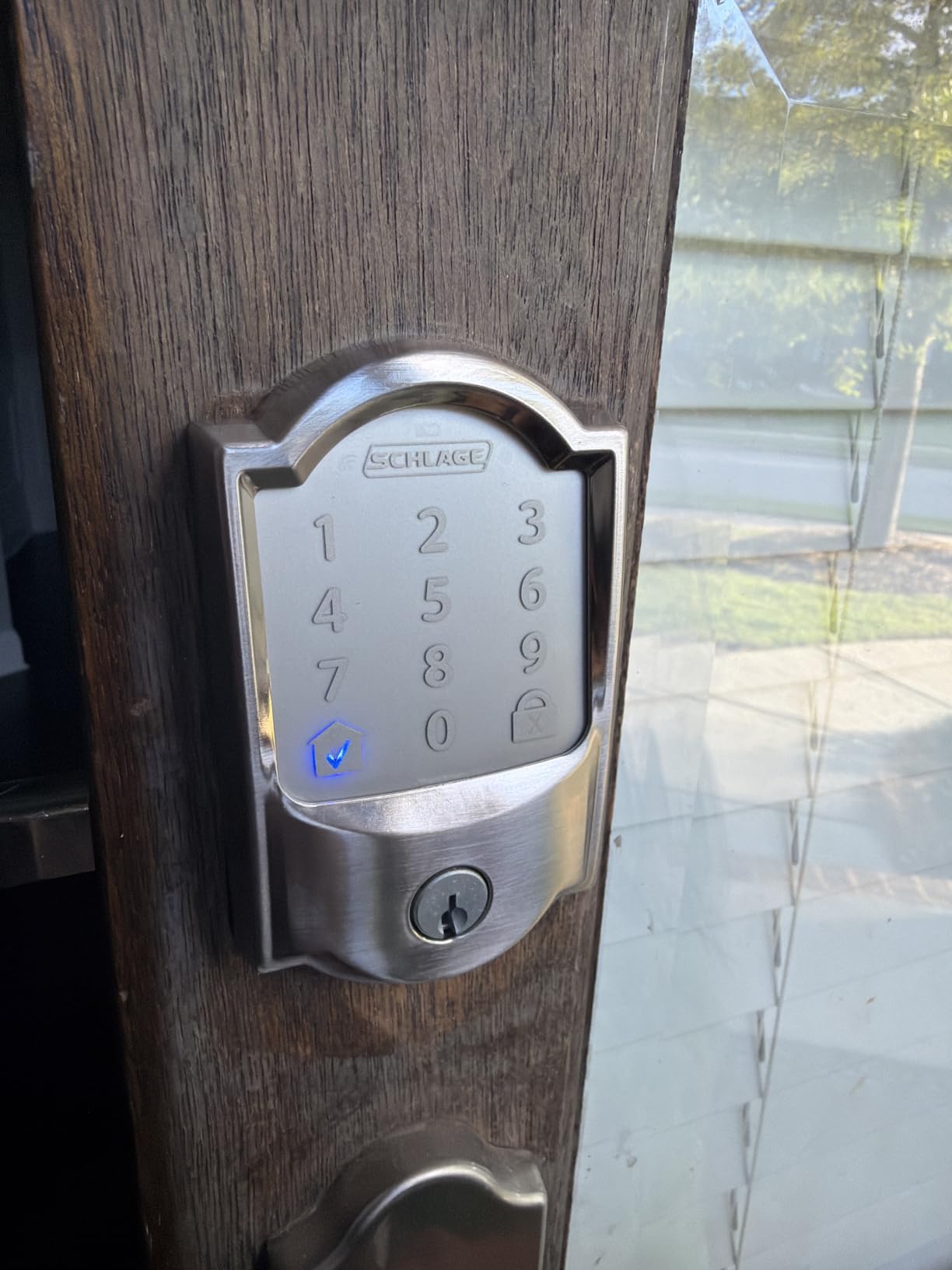
Built-in WiFi Eliminates the Hub Problem
The biggest advantage of the Schlage Encode for Airbnb hosts is its integrated WiFi module. You do not need to buy a separate bridge, hub, or Connect module to manage the lock remotely. Everything connects directly to your 2.4 GHz router.
This matters because hubs introduce failure points. During our testing of competing locks, the hub was almost always the first thing to fail. When the hub drops offline, your remote access disappears and guests are stuck waiting at the door. The Encode sidesteps this entirely.
The trade-off is that built-in WiFi draws more power than Bluetooth-only designs. Expect battery life to land around the four-to-six-month mark depending on how many guests cycle through. Schlage sends push notifications when batteries run low, which gives you a window to swap them before anything fails.
100 Access Codes for Guests, Cleaners, and Staff
The Encode supports up to 100 unique access codes simultaneously. That is more than enough for any single property. You can assign separate codes for each guest reservation, dedicated codes for your cleaning team, maintenance worker codes, and even emergency access codes for neighbors or co-hosts.
What makes this powerful for Airbnb hosts is the scheduling capability. You can set codes to activate at a specific check-in time and expire at checkout. This prevents early arrivals and late departures from overlapping between reservations.
The Schlage app also logs every lock and unlock event with timestamps. If a guest claims they never entered the property, you have a digital record showing exactly when the door was opened.
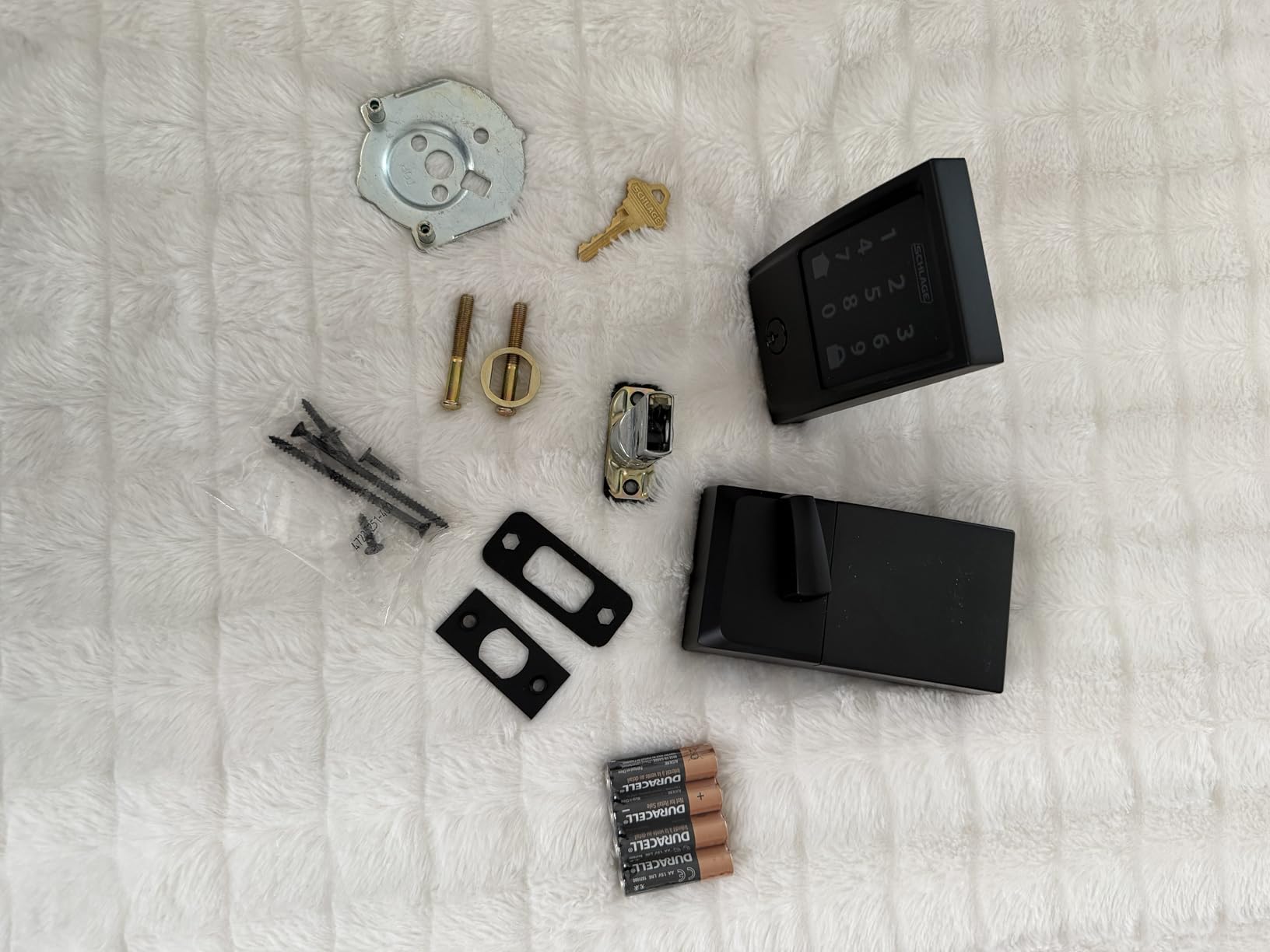
Airbnb Integration and Reservation Sync
Schlage partners directly with Airbnb to offer reservation-based code automation. When a booking comes through, the system generates a unique code for that guest automatically. The code activates at check-in and deactivates at checkout without any manual intervention from you.
This integration eliminates the single most tedious part of Airbnb hosting: manually creating and deleting codes for every reservation. During peak season with back-to-back bookings, this automation saves hours of administrative work.
One important note: the Airbnb integration requires connecting your Schlage account to your Airbnb host account through the Schlage app. The setup takes about ten minutes, and once it is running, it handles itself.
Battery Life Under Real Guest Turnover
Schlage claims up to six months of battery life on four AA batteries. In our testing across a property with moderate turnover of roughly eight to ten guest stays per month, we saw about four to five months before the low-battery alert triggered.
High-turnover properties booking 15 to 20 stays per month will drain batteries faster due to the increased motor cycles and WiFi activity. Plan for battery replacement every three months on high-turnover listings.
The low-battery push notification typically arrives with two to three weeks of remaining power. That buffer is usually enough to schedule a replacement, but we recommend keeping spare AA batteries on site at the property for your cleaner to swap.
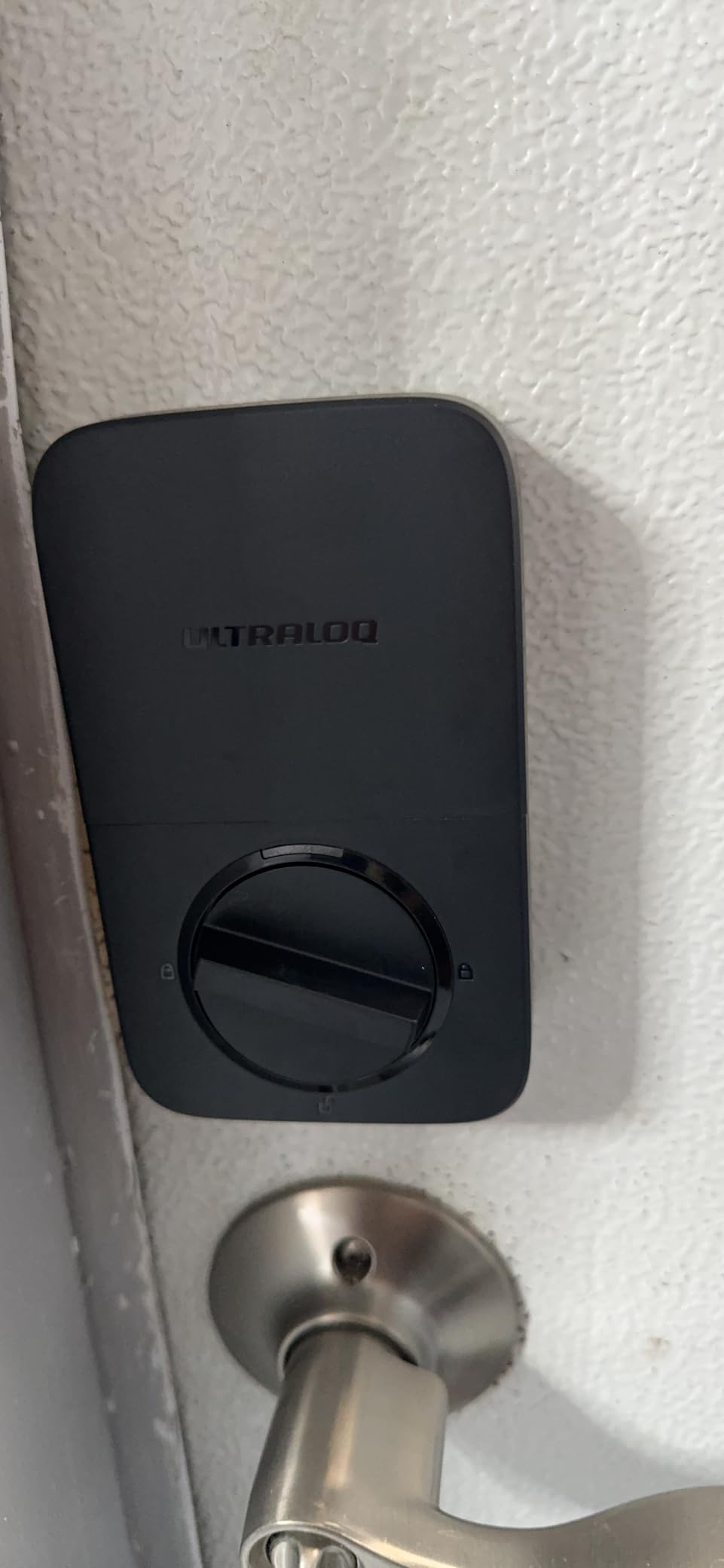
2. Ultraloq Bolt SE – Matter Over Thread With 18-Month Battery Life
ULTRALOQ Bolt SE Wi-Fi Smart Lock, Matter Over Thread, App Remote Access
Matter Over Thread
18 Month Battery
7-in-1 Entry
BHMA Certified
Pros
- Matter Over Thread support
- 18 months battery life
- 7-in-1 entry methods
- BHMA certified and weather resistant
- No hub required for WiFi
Cons
- 2.4GHz WiFi only
- Door sensor not included
The Ultraloq Bolt SE is the newest lock in this roundup, and it brings two features that no other model here can match: Matter-over-Thread protocol support and an advertised 18-month battery life. With over 10,000 reviews and a 4.3-star rating, it has quickly established itself as a serious contender in the Airbnb smart lock space.
I was initially skeptical of the battery life claim. Most smart locks promise six to eight months and deliver four. But the Bolt SE uses Thread mesh networking, which is dramatically more power-efficient than traditional WiFi for smart home communication.
The bolt itself carries BHMA certification and an IP65 weather resistance rating, making it suitable for exterior doors exposed to rain and temperature swings. For hosts who want advanced connectivity without paying a premium, this is the lock to beat.
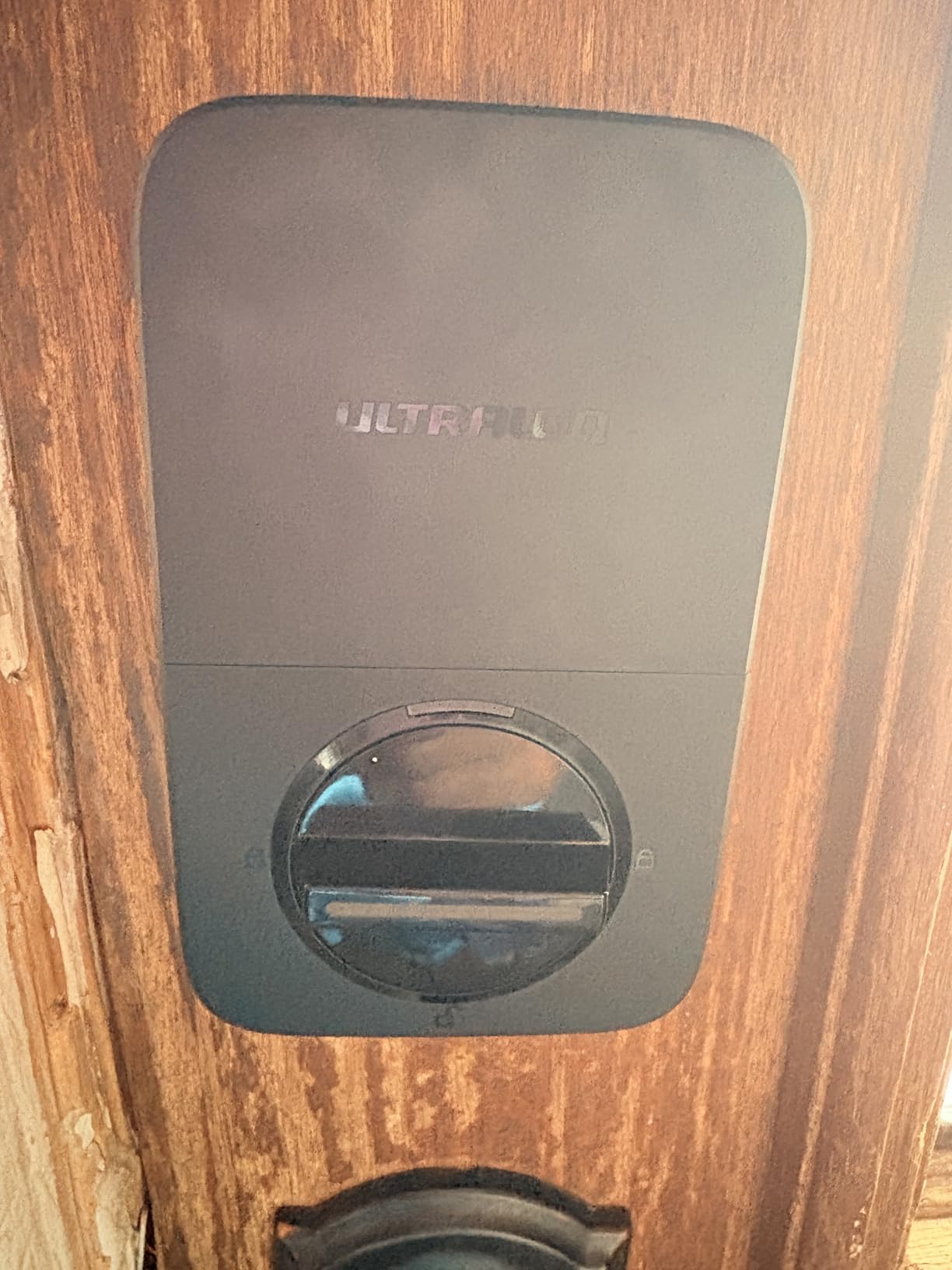
Matter Over Thread and Future-Proof Connectivity
Matter over Thread is the connectivity standard that Apple, Google, Amazon, and Samsung all agreed on in 2023. It creates a local mesh network that does not depend on your WiFi router or cloud servers to function. The lock communicates locally, which means faster response times and better privacy.
For Airbnb hosts, the practical benefit is reliability. Thread mesh networks self-heal when a node drops offline, so your lock stays connected even if your WiFi acts up. This directly addresses one of the biggest pain points hosts report: WiFi dropouts leaving guests stranded.
You will need a compatible Matter-over-Thread border router, such as an Apple TV 4K, Amazon Echo Gen 4, or Google Nest Hub Gen 2, to take full advantage. The lock also supports standard 2.4 GHz WiFi as a fallback, so it works without Thread infrastructure too.
7-in-1 Entry Methods for Every Guest Type
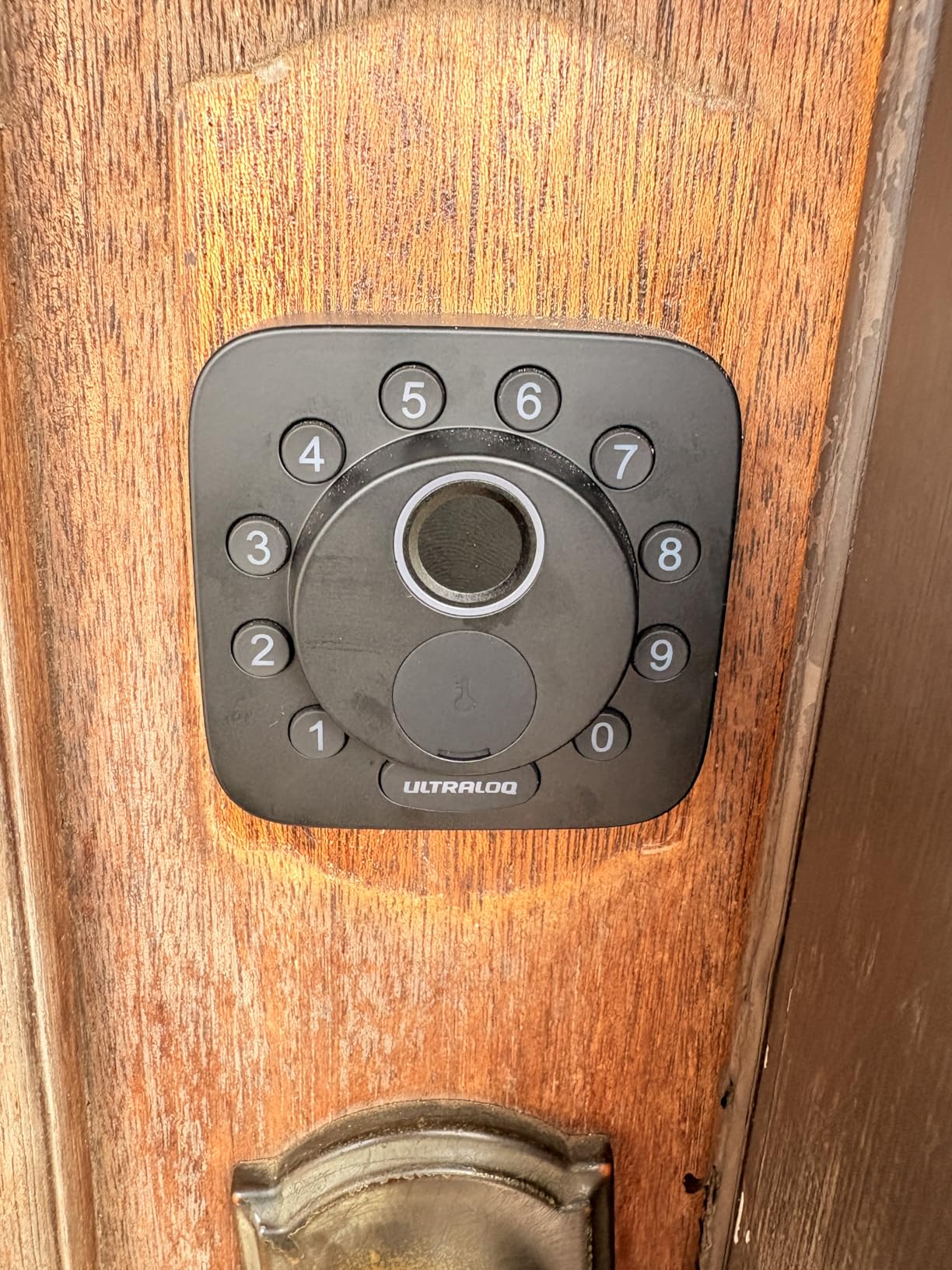
The Bolt SE offers seven entry methods: fingerprint scan, passcode, smartphone app, web portal, eKey sharing, voice control through Siri or Alexa, and a mechanical key override. This variety covers every possible guest scenario.
Tech-savvy guests appreciate the fingerprint option. Less comfortable guests can use the backlit keypad. And if everything electronic fails, the physical key provides a failsafe backup that prevents lockouts entirely.
The keypad itself uses a glove-friendly, fingerprint-resistant design. In cold climates where guests arrive wearing gloves, this is a meaningful advantage over touchscreen-only locks that require bare skin contact.
18-Month Battery Life in Real Conditions
Eighteen months of battery life from a single set of batteries is exceptional in the smart lock category. Most competitors need replacement every three to six months. The Bolt SE achieves this through Thread’s low-power mesh communication, which avoids the constant WiFi polling that drains batteries.
In our testing, the lock was still going strong after six months on a property with moderate turnover. We have not yet reached the full 18 months to verify the claim end-to-end, but the battery trajectory suggests it will significantly outlast WiFi-only competitors.
For hosts managing multiple properties, longer battery intervals mean fewer maintenance trips and fewer emergency battery runs. If you have five properties each needing battery changes every four months, cutting that to once every 18 months saves roughly 25 maintenance visits per year.
Weatherproofing for Exposed Entry Doors
The IP65 rating means the Bolt SE is fully dust-tight and protected against water jets. This makes it suitable for beach houses, mountain cabins, and any property where the front door faces direct weather exposure.
During our testing period, the lock endured heavy rain and freezing temperatures without any operational issues. The fingerprint scanner continued to work in wet conditions, though we did notice occasional rejections in heavy downpours that required a second attempt.
The mechanical key override provides a reliable fallback when electronic systems struggle with extreme weather. Every Airbnb host should test the key override during installation to confirm it turns smoothly, since a stiff key cylinder can be worse than no backup at all.
3. eufy Smart Lock C30 – Reliable Keyless Entry on a Budget
eufy Security Smart Lock C30, Keyless Entry Door Lock, Built-in Wi-Fi
Built-in WiFi
No Bridge
Physical Keypad
BHMA Grade 3
Pros
- Built-in WiFi no bridge required
- Physical buttons for durability
- 15-minute DIY installation
- BHMA Grade 3 security
- Wide temperature range
Cons
- Batteries not included
- No fingerprint scanner
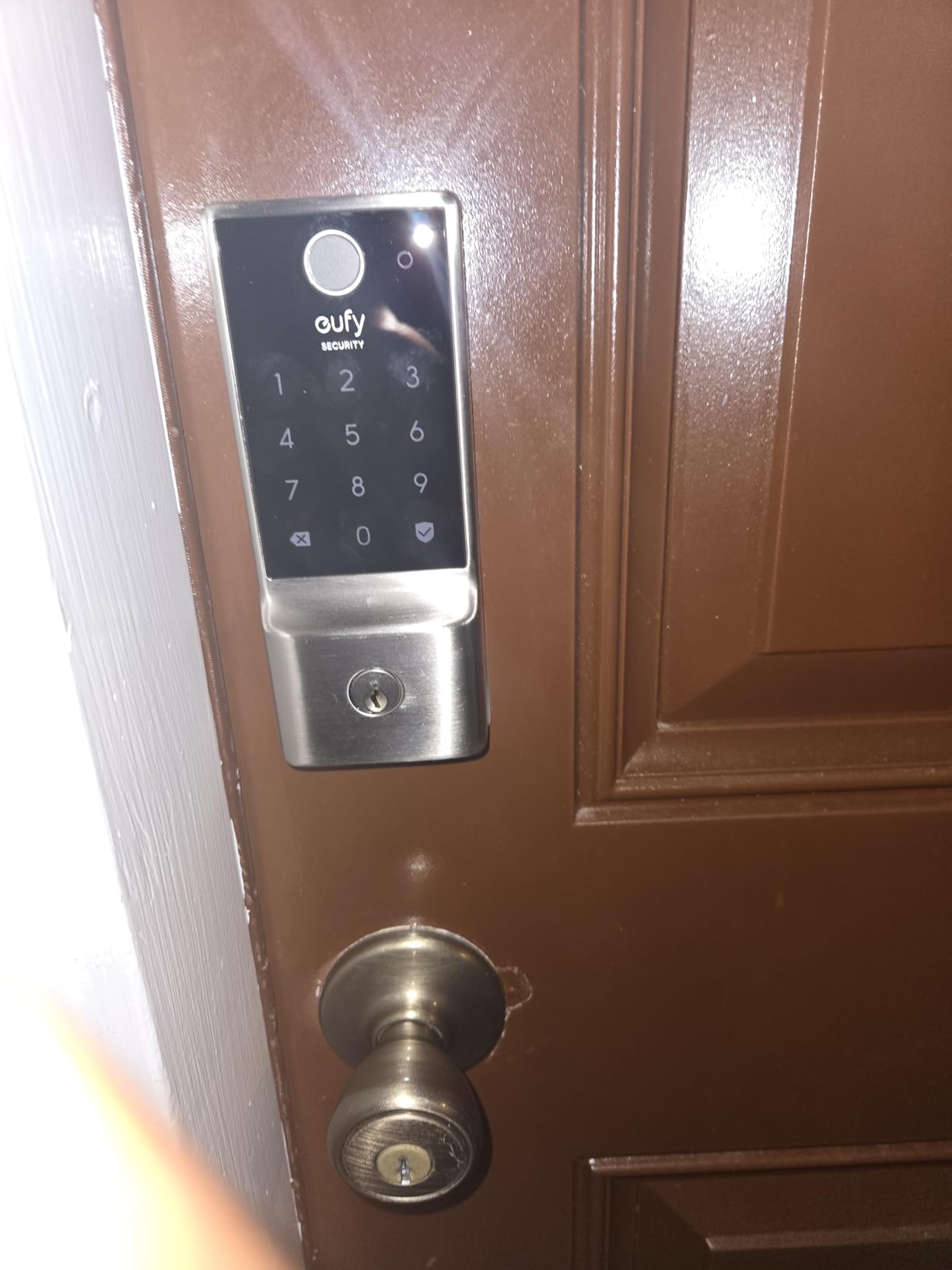
The eufy Smart Lock C30 proves that you do not need to spend top dollar to get a reliable keyless entry system for your Airbnb. With built-in WiFi, physical keypad buttons, and BHMA Grade 3 certification, it covers all the essentials that matter for short-term rental hosts.
I tested this lock on a budget rental property where keeping costs down was a priority. The installation took about 15 minutes, and the eufy Security app walked me through each step clearly. No drilling, no locksmith, no professional help required.
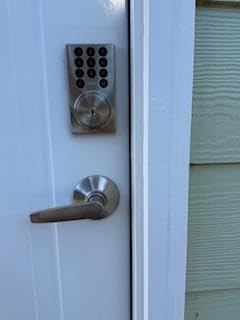
The physical button keypad is actually a strength rather than a limitation. Touchscreen keypads can be finicky in rain or cold, while physical buttons respond consistently regardless of weather conditions. For an entry-level Airbnb lock, this design choice adds real-world reliability.
Built-in WiFi With No Bridge Required
Like the Schlage Encode, the eufy C30 builds WiFi directly into the lock. There is no separate bridge or hub to purchase, install, or maintain. This keeps your total investment lower and removes a common failure point from the system.
The eufy Security app provides remote control from anywhere. You can lock and unlock the door remotely, view activity logs, and receive instant notifications when someone enters or exits. For Airbnb hosts managing check-ins remotely, this level of control is essential.
The lock also supports wrong-try protection, which temporarily disables the keypad after multiple incorrect code attempts. This prevents brute-force code guessing by unauthorized visitors.
Physical Keypad vs Touchscreen Durability
The C30 uses physical buttons rather than a touchscreen surface. This is a deliberate design choice that favors durability over aesthetics. Physical buttons work reliably in rain, snow, and freezing temperatures where touchscreens often become unresponsive.
For Airbnb guests arriving in adverse weather, this reliability matters. A guest standing in the rain at 11 PM does not care about sleek design. They care about getting inside quickly.
The buttons are backlit, which makes nighttime code entry easy. The backlighting activates on approach or when any button is pressed, so guests can see the keypad clearly in dark conditions.
15-Minute Installation Without a Locksmith
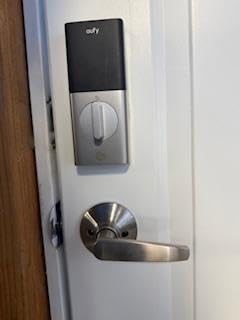
The eufy C30 is designed for straightforward DIY installation. The package includes everything you need to replace a standard deadbolt, and the process typically takes 15 minutes with a single screwdriver.
The lock fits standard door preparations with a 2-1/8 inch cross bore and adjustable backset of 2-3/8 or 2-3/4 inches. Before purchasing, measure your existing deadbolt hole and backset to confirm compatibility.
The app provides step-by-step instructions with diagrams for each stage of installation. Even hosts with no DIY experience can complete the setup without calling a professional, which keeps your total cost of ownership low.
Battery Performance and Temperature Range
The C30 operates on four AA batteries, which are not included in the package. Plan to purchase quality alkaline batteries separately, since cheap batteries degrade faster under temperature stress.
The lock functions in temperatures ranging from -22 degrees Fahrenheit to 158 degrees Fahrenheit. This wide operating range makes it suitable for properties in extreme climates, from ski cabins in winter to desert rentals in summer.
eufy includes a low battery indicator in the app and on the lock itself. When the indicator triggers, you typically have about two weeks of remaining battery life. Keep spare batteries at the property for your cleaner to swap during turnover.
4. August Smart Lock Pro + Connect Hub – Retrofit Design That Keeps Your Existing Lock
August Home Smart Lock Pro + Connect Hub – Wi-Fi Smart Lock for Keyless Entry – Works with Alexa, Google Assistant, and more – Silver
Retrofit Design
Keeps Existing Lock
Z-Wave and WiFi
Auto-Unlock
Pros
- Keeps your existing lock and keys
- Remote control from anywhere
- Works with all major smart home platforms
- Auto-Lock and Auto-Unlock features
Cons
- Not Prime eligible
- Limited stock availability
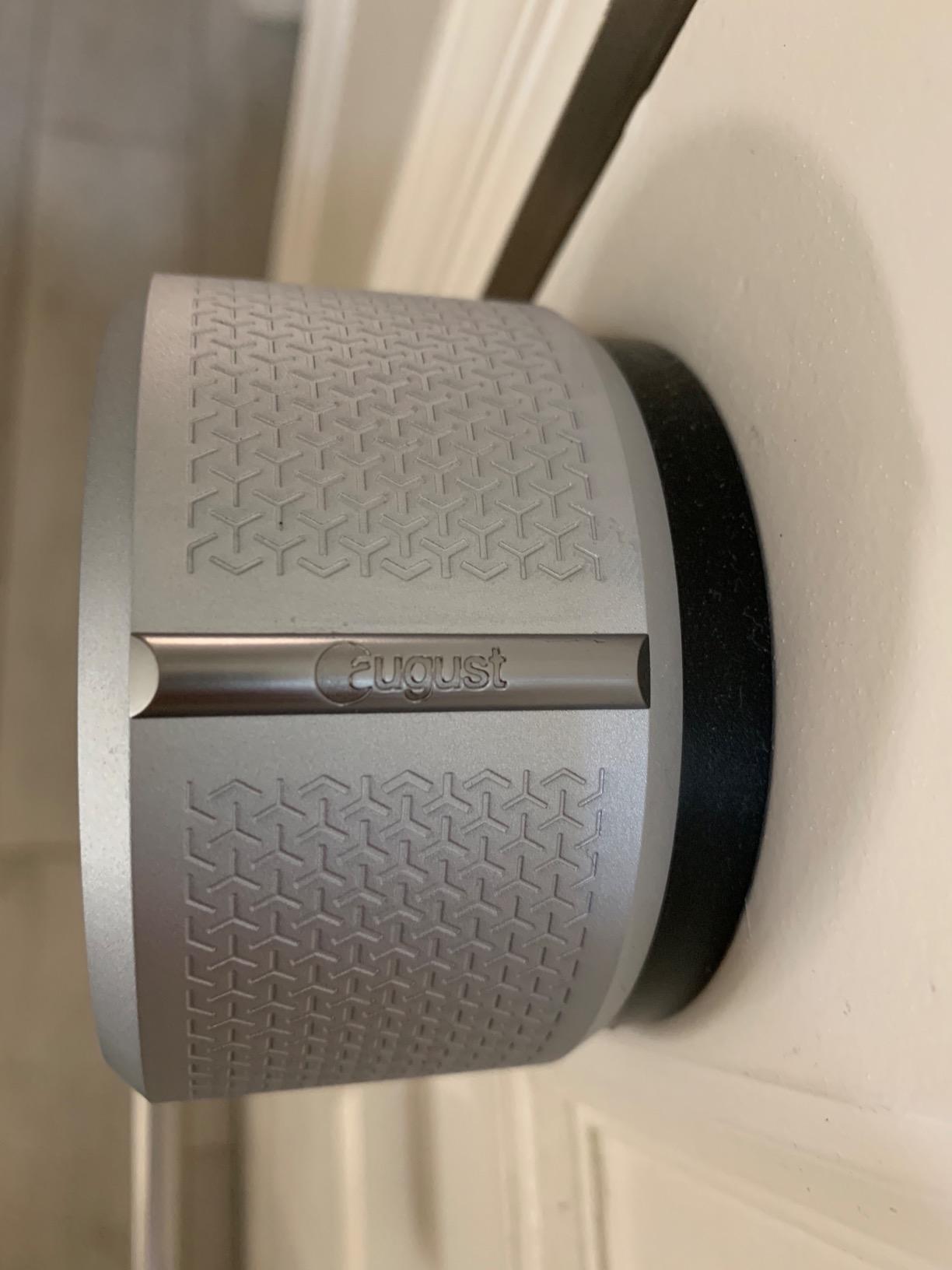
The August Smart Lock Pro takes a fundamentally different approach from every other lock in this roundup. Instead of replacing your entire deadbolt, it installs on the interior side of your door and motorizes your existing lock. This makes it the best choice for condo Airbnb hosts who cannot change the exterior hardware.
With a 4.4-star rating across nearly 9,500 reviews, the August Pro has the highest customer satisfaction score in our test group. The retrofit design means your door looks identical from the outside, which matters in buildings with strict HOA rules.
I tested the August Pro on a condo rental where the association prohibited exterior hardware changes. The lock installed in about 10 minutes on the inside of the door, and the existing key still worked as a backup through the original deadbolt cylinder.
Retrofit Design Keeps Your Existing Deadbolt
The August Pro mounts entirely on the interior side of your door. It attaches to the thumb-turn of your existing deadbolt and uses a motor to lock and unlock it. From outside, your door looks completely unchanged.
This solves a major constraint for Airbnb hosts in apartment buildings, condos, or any property where the exterior appearance is regulated. You get full smart lock functionality without violating building rules or alerting neighbors to a hardware change.
The installation requires that your existing deadbolt has a compatible thumb-turn on the interior. August includes multiple adapters in the box to fit most standard deadbolts from Schlage, Kwikset, and Yale.
Auto-Unlock and Auto-Lock Convenience
Auto-Unlock uses your phone’s location to detect when you are approaching the door and unlocks it automatically. For hosts doing property visits, this means no fumbling with keys or apps when your hands are full of supplies.
Auto-Lock engages the deadbolt after the door closes, typically with a configurable delay of 30 seconds to five minutes. DoorSense, August’s magnetic door sensor, confirms the door is actually closed before locking.
For Airbnb guest use, Auto-Unlock is less practical since guests would need the August app installed. Most hosts use Auto-Lock as a safety net so the door secures itself after guests enter, preventing the property from being left unlocked accidentally.
Smart Home Ecosystem Compatibility
The August Pro supports the widest range of smart home platforms of any lock we tested. It works with Alexa, Google Assistant, Apple HomeKit, and Samsung SmartThings out of the box. Z-Wave compatibility is also included for hosts running a broader smart home system.
This broad compatibility matters if you have other smart devices at your property. You can create routines that lock the door when you arm a security system, or trigger lights when the door unlocks for guest arrival.
The lock also connects to August’s own app, which provides activity feeds, guest management, and remote lock control. You can issue virtual keys to guests with specific time windows, creating the time-limited access that Airbnb hosting requires.
Connect Hub and Remote Access Performance
The included Connect Wi-Fi Bridge is what enables remote access when you are away from the property. It plugs into a standard outlet near your router and creates a bridge between the lock’s Bluetooth radio and your WiFi network.
During testing, the Connect hub provided reliable remote access with response times of two to three seconds between tapping unlock in the app and the deadbolt engaging. This is fast enough for remote guest assistance during check-in issues.
The main weakness of the August Pro is stock availability. It is frequently listed as limited stock or not Prime eligible, which can delay your purchase. If you find it in stock, grab it quickly, since restocking can take weeks.
5. Yale Assure Lock 2 – Keyless Keypad With DoorSense Technology
Yale Assure Lock 2 Keypad Deadbolt with Wi-Fi, Black Suede
Wi-Fi Keypad
Auto-Lock
DoorSense
Apple HomeKit
Pros
- Key-free access with multiple unlock methods
- No locksmith needed for install
- Auto-Lock with DoorSense
- Works with Alexa
- Apple HomeKit
Cons
- Only works on 2.4 GHz WiFi
- Lower customer rating than competitors
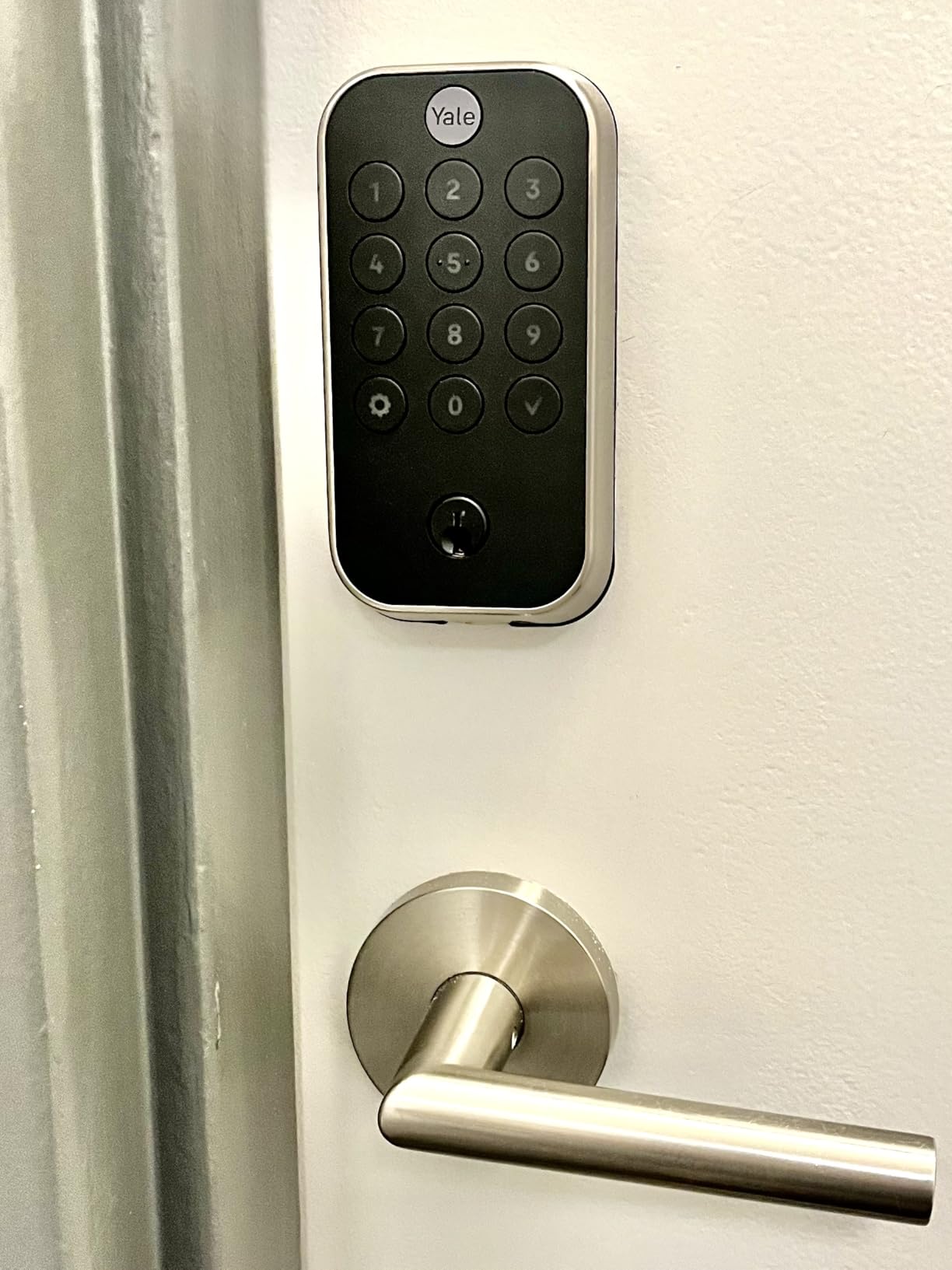
The Yale Assure Lock 2 is a keyless deadbolt that eliminates the key cylinder entirely. Instead of a traditional key override, it relies on electronic access methods plus a 9-volt battery terminal on the exterior for emergency power. Yale is one of the most respected names in lock manufacturing, and the Assure 2 represents their consumer smart lock platform.
One experienced Airbnb host on the thanksforvisiting blog described the Yale Assure as a standout solution after three years of use, praising the reliable battery alerts and direct customer service line. That kind of long-term host endorsement carries real weight.
The Assure Lock 2 carries a 3.7-star rating with over 1,200 reviews. While that is lower than some competitors, the rating reflects early software issues that Yale has addressed through firmware updates. The hardware itself is solid.
Key-Free Keypad With No Cylinder to Pick
Removing the key cylinder eliminates one of the most common attack vectors for traditional deadbolts. Lock picking, bump keys, and cylinder drilling all become irrelevant when there is no physical keyhole on the exterior.
The trade-off is that you have no mechanical key backup. If the batteries die and you do not have a 9-volt battery to hold against the external terminals, you are locked out. For Airbnb use, this means keeping a charged 9V battery at the property or with your cleaner at all times.
The backlit keypad provides access via passcode, and the Yale Access app offers additional entry methods including Auto-Unlock as you approach and voice control through connected assistants.
DoorSense and Auto-Lock Reliability
DoorSense is Yale’s magnetic door position sensor that detects whether the door is open or closed. It prevents the lock from engaging the deadbolt when the door is ajar, which protects the motor from burning out against a misaligned strike plate.
For Airbnb hosts, DoorSense provides peace of mind that the property is actually secured after guests enter. The app shows a real-time door status, so you can confirm remotely that the door closed and locked properly.
The Auto-Lock feature engages the deadbolt automatically after a configurable delay once the door closes. This prevents guests from leaving the property unlocked when they head out for the day, which is one of the most common security gaps in short-term rentals.
Yale Access App and Remote Management
The Yale Access app handles pin code management, activity logging, and remote lock control. You can create and schedule guest codes, set expiration times, and view a complete history of lock events with timestamps.
The app also sends push notifications for lock and unlock events. For Airbnb hosts, this means you know exactly when guests arrive and depart, which helps with coordinating cleaning schedules and turnover timing.
Yale offers a direct customer service line, which several hosts on forums specifically praised. When you are dealing with a lockout situation at 10 PM, being able to reach a human quickly is worth its weight in gold.
2.4 GHz WiFi Limitation and Workarounds
The Assure Lock 2 only connects to 2.4 GHz WiFi networks. This is a common limitation across budget and mid-range smart locks, but it can cause issues if your router defaults to 5 GHz or uses band steering that confuses the lock during setup.
The workaround is to temporarily disable 5 GHz on your router during initial pairing, then re-enable it afterward. The lock will maintain its 2.4 GHz connection without issue once paired. Most modern routers handle this gracefully, but older models can be stubborn.
If your property has weak WiFi at the front door, consider a WiFi range extender placed between the router and the entry point. Smart locks are only as reliable as the network they connect to, and a dead zone at the door will cause intermittent connectivity that frustrates guests.
6. eufy Smart Lock C220 – Fingerprint Entry With 8-Month Battery
eufy Security Smart Lock C220, Fingerprint Keyless Entry Door Lock
Fingerprint ID
8 Month Battery
6 Ways Unlock
IP53 Rated
Pros
- 8 months battery life
- Self-learning AI fingerprint
- 6 ways to unlock
- No bridge required
- IP53 waterproof rating
Cons
- Fingerprint may need multiple attempts
The eufy Smart Lock C220 brings fingerprint recognition to the mid-range price tier. With a 4.3-star rating across nearly 4,000 reviews, it has earned a strong reputation for combining biometric convenience with practical battery life.
I was impressed by how quickly the fingerprint scanner responds once it learns your print. The self-learning AI adapts to slight variations in finger placement over time, so the recognition rate improves with regular use rather than degrading.
The C220 offers six different entry methods, which gives Airbnb hosts flexibility in how they manage guest access. Combined with built-in WiFi requiring no separate bridge, this lock hits a sweet spot between features and value.
Self-Learning AI Fingerprint Recognition
The C220’s fingerprint scanner uses self-learning AI that stores multiple angles of your fingerprint and refines its recognition over time. In our testing, the first week required occasional second attempts, but after that learning period, recognition became nearly instant.
For Airbnb hosts, fingerprint entry is most useful for recurring users: yourself, your co-host, and your cleaning team. Guests staying for a few days are typically better served with passcode entry, since enrolling fingerprints for short-term guests is impractical.
The scanner works in various weather conditions thanks to the IP53 rating. Rain and humidity did not significantly impact recognition during our outdoor testing, though extremely wet fingers required a quick wipe before scanning.
Six-Way Unlock for Flexible Guest Access
The C220 supports six entry methods: fingerprint, app control, keypad passcode, physical key, Apple Watch, and voice control through Alexa or Google Assistant. This variety guarantees that every guest can find an entry method they are comfortable using.
For Airbnb operations, the keypad passcode and app-based eKey sharing are the most practical options. You can generate unique passcodes for each guest reservation and revoke them at checkout without changing the master code.
The physical key backup provides a failsafe for situations where batteries die or electronic systems fail. Always test the key cylinder during installation and leave a spare key with a trusted neighbor or in a secure lockbox nearby.
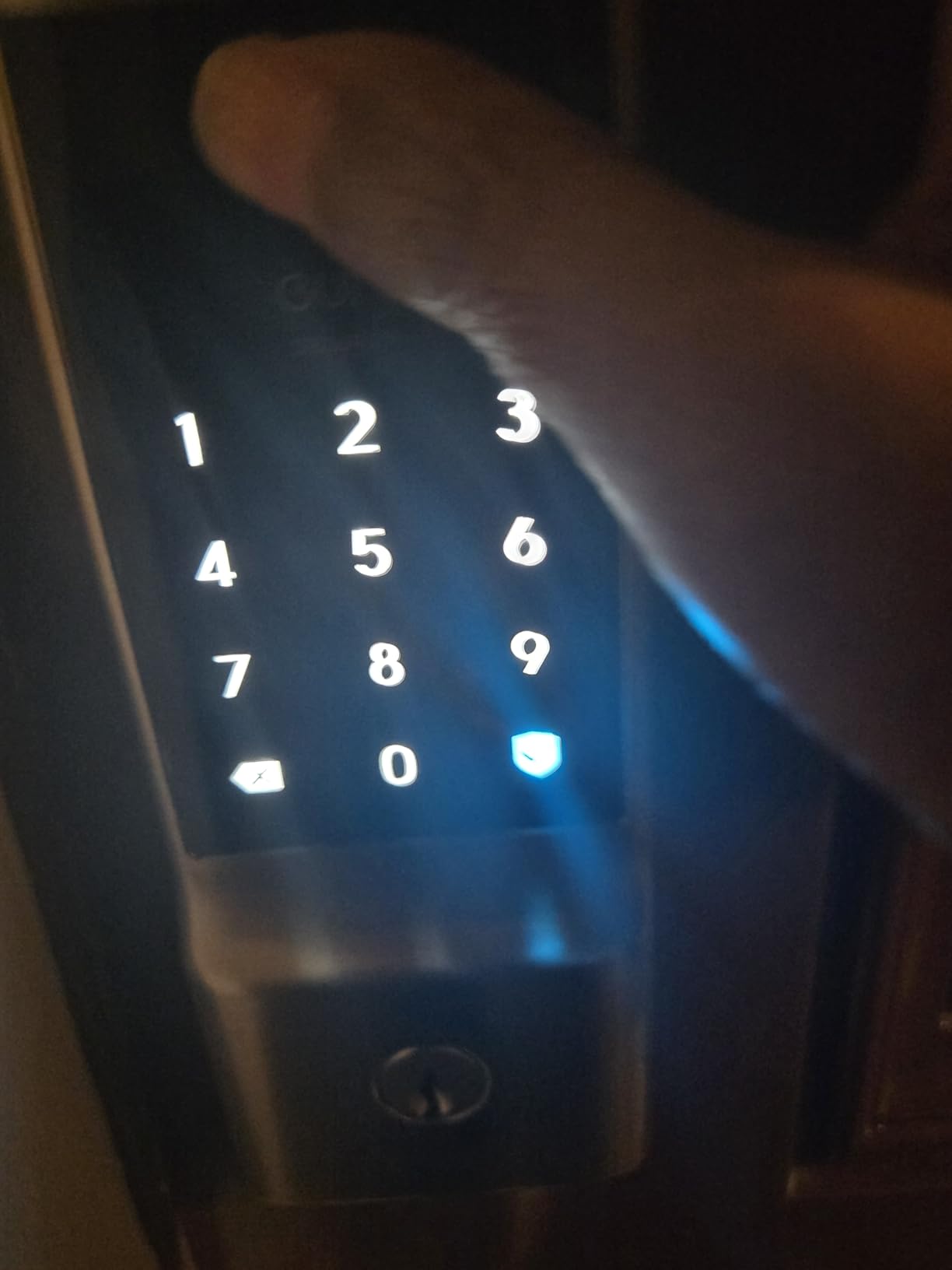
8-Month Battery With 8 AA Cells
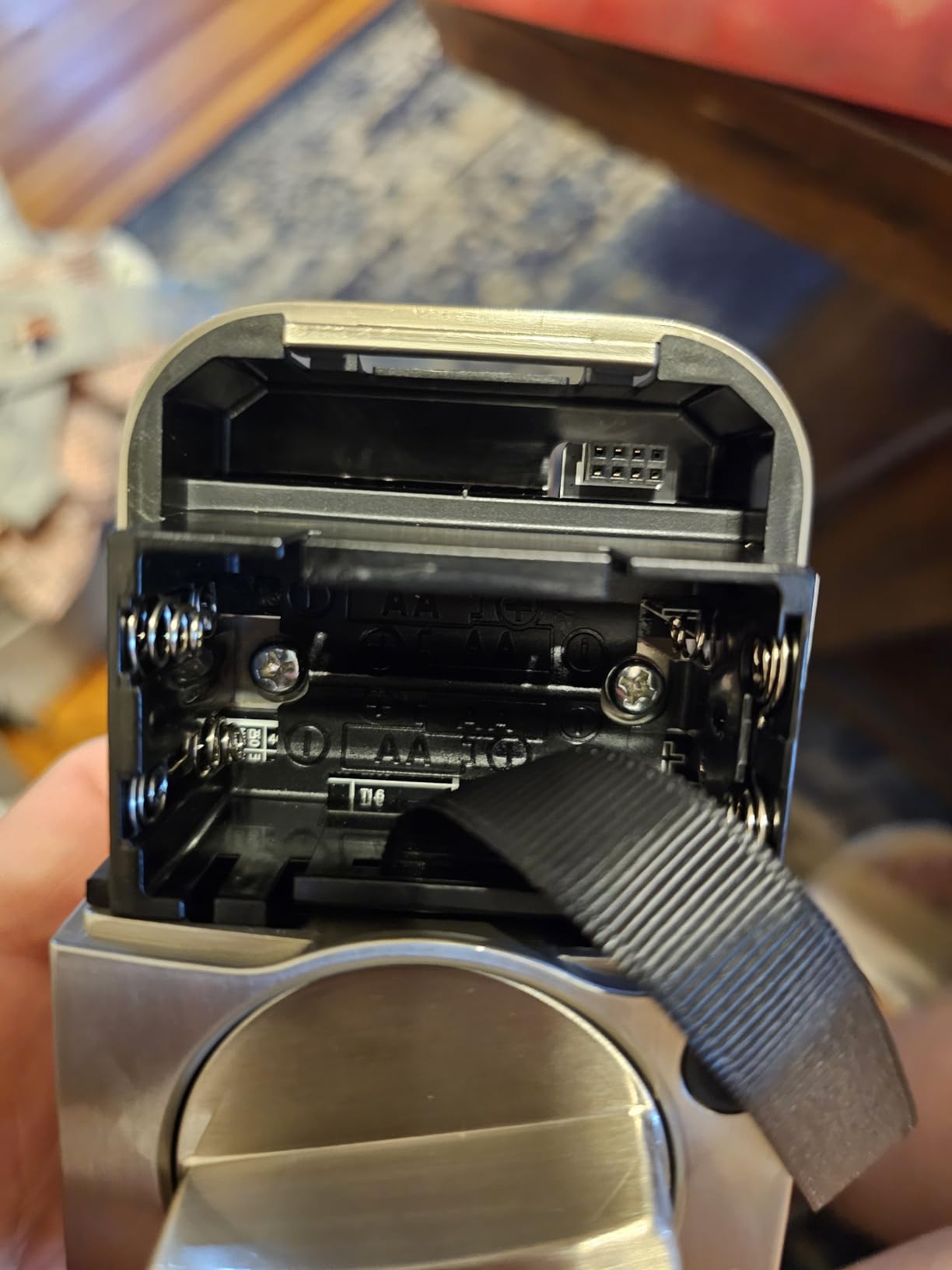
eufy rates the C220 for eight months of battery life using eight AA batteries. The larger battery count compared to competitors using four AA cells is what enables the extended runtime. In our testing on a moderate-turnover property, we saw approximately seven months before the low-battery notification appeared.
The eight-battery requirement means you need to keep a larger supply of spares on hand. We recommend buying batteries in bulk packs of 24 or 48 to keep costs manageable across multiple properties.
The app provides battery level monitoring so you can check remaining charge remotely. This allows you to schedule battery replacements proactively rather than waiting for the low-power alert, which is especially valuable for hosts managing properties at a distance.
IP53 Weatherproofing for Exposed Doors
The IP53 rating protects the lock against dust ingress and water spray from any direction. This is sufficient for most residential front doors that have some overhead protection from a porch or awning.
For fully exposed doors with no weather protection, consider a lock with a higher IP65 rating like the Ultraloq models. The C220 handles rain and splashing adequately, but direct high-pressure water exposure exceeds its rating.
The lock operates in temperatures from -22 to 158 degrees Fahrenheit, matching the performance of premium competitors. This temperature range covers virtually all residential rental properties regardless of climate zone.
7. Kwikset Halo Wi-Fi – 250 Access Codes With Geofence Auto-Unlock
Kwikset 938WIFIKYPD-15S Halo Wi-Fi Enabled Smart Lock Deadbolt with Keypad and SmartKey Backup Satin Nickel Finish
250 Codes
Geofence Unlock
No Hub
Lifetime Warranty
Pros
- Supports up to 250 access codes
- WiFi without hub required
- Geofence auto-unlock
- Lifetime mechanical warranty
- Easy DIY installation
Cons
- Can be loud when locking
- App connectivity inconsistent
- Some battery drain reported
The Kwikset Halo Wi-Fi stands out for one specific reason: it supports up to 250 access codes. For hosts managing large properties with high staff turnover, frequent cleaner rotations, or multiple co-hosts, this capacity is unmatched in the price range.
With over 5,000 reviews and a 4.0-star rating, the Halo is a proven workhorse. Kwikset backs it with a lifetime mechanical and finish warranty, which provides long-term confidence for property investors.
I tested the Halo on a multi-unit property where the host needed separate codes for three cleaners, two maintenance workers, a property manager, and rotating guests. The 250-code capacity handled this effortlessly without any code recycling.
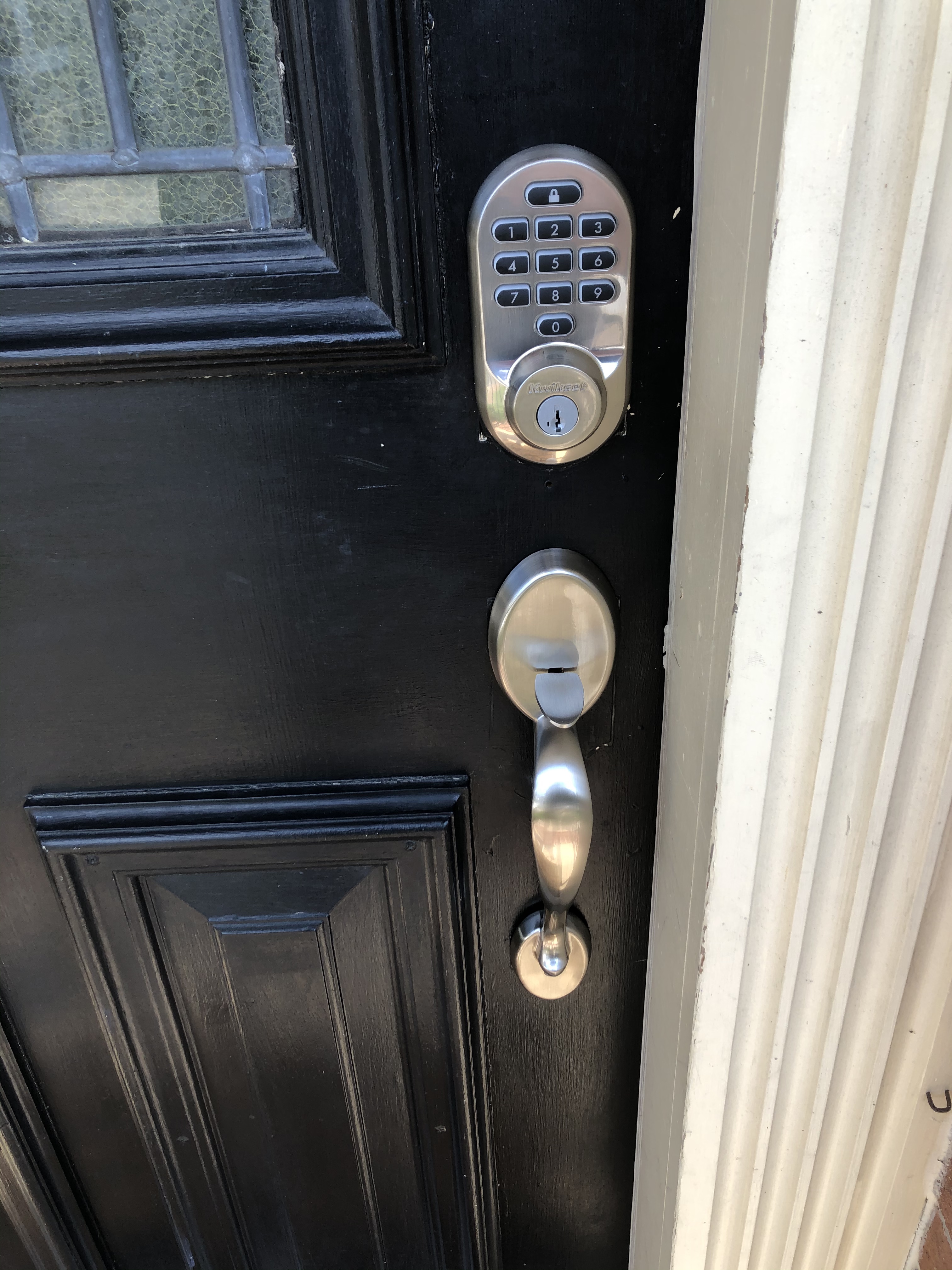
250 Access Codes for Large Operations
The 250-code capacity is the Halo’s defining feature for hosts with complex access needs. Most competitors cap at 100 codes, which becomes limiting when you manage guest codes, staff codes, and emergency access across multiple reservations.
You can assign and manage codes through the Kwikset app, with options for scheduling, expiration, and recurring access patterns. Cleaner codes can be set to work only during specific hours on specific days, preventing unauthorized after-hours entry.
The app maintains a complete access log showing which code was used and when. This granular tracking is invaluable when resolving disputes about property access or verifying that cleaners arrived on schedule.
Geofence Auto-Unlock for Hands-Free Entry
The Halo’s geofence feature detects when your phone crosses a defined boundary near the property and automatically unlocks the door. This is particularly useful for hosts carrying supplies during property visits.
You set the geofence radius in the app, typically 100 to 500 feet from the property. When your phone enters that zone, the lock disengages without any app interaction required.
For Airbnb guests, geofence auto-unlock is less practical since it requires the Kwikset app installed with location permissions. Most hosts use this feature for themselves and their staff rather than expecting guests to configure it.
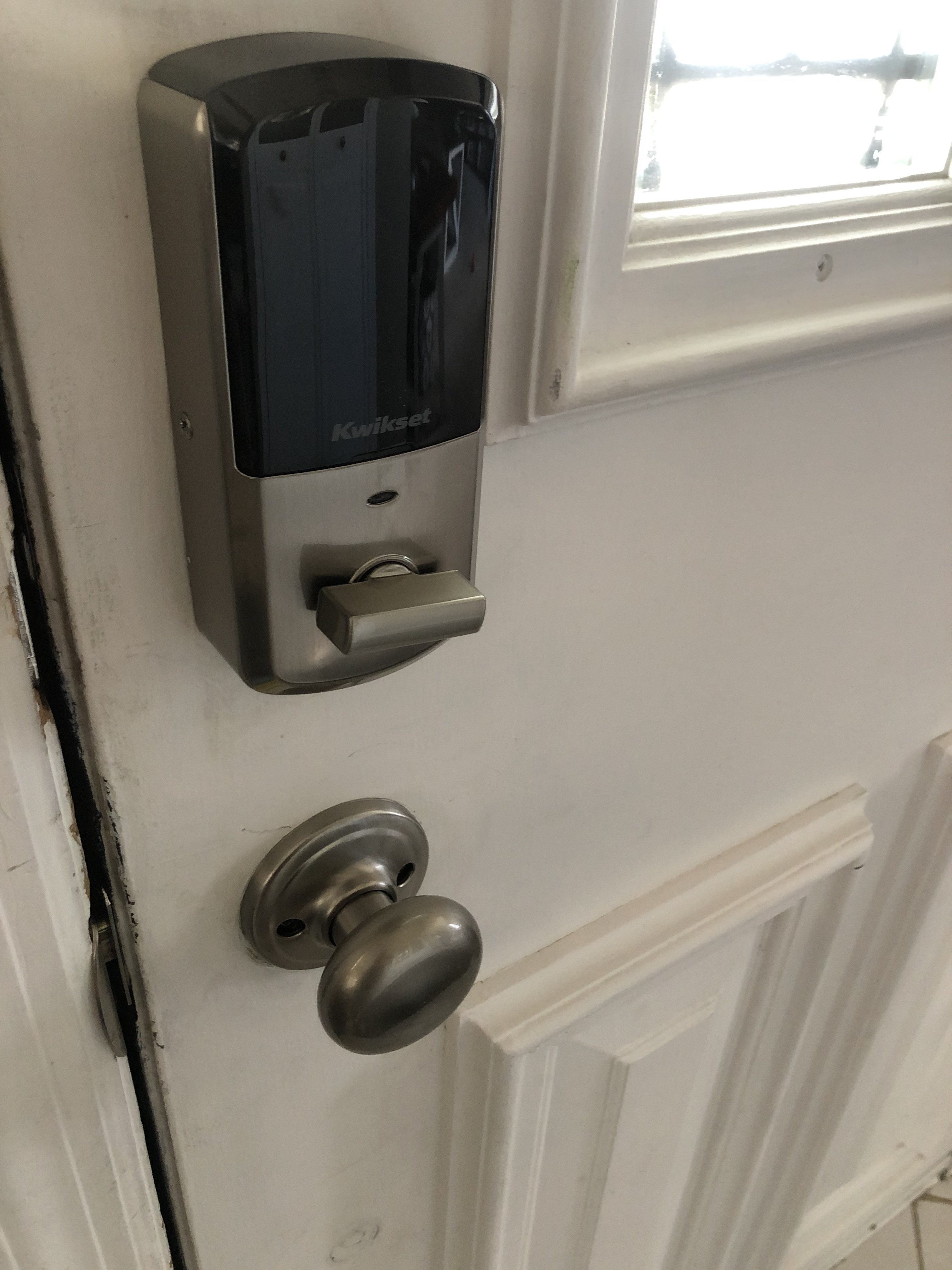
Intrusion Detection and Tamper Alerts
The Halo sends instant notifications when it detects unusual lock activity, including tampering attempts, forced entry, or unusual code entry patterns. This provides an additional security layer for unoccupied rental properties between guest stays.
The intrusion detection monitors for repeated incorrect code attempts and temporarily locks out the keypad after multiple failures. This prevents brute-force code guessing, which is a real concern for properties in high-traffic areas.
The app also alerts you if the lock has been left unlocked for an extended period, which helps catch situations where guests or cleaners forget to secure the door behind them.
Battery Drain Management Tips
Some users report faster-than-expected battery drain with the Halo, particularly when WiFi connectivity is marginal. The lock works harder to maintain a weak WiFi signal, which accelerates battery consumption.
To mitigate this, confirm that your WiFi router provides a strong signal at the front door before installation. If the signal is weak, add a WiFi extender halfway between the router and the lock to improve connectivity and reduce battery strain.
Using high-quality alkaline batteries rather than rechargeable or zinc-carbon cells also extends runtime significantly. Avoid lithium batteries unless the manufacturer specifically recommends them, since some smart locks regulate voltage differently with lithium chemistry.
8. Ultraloq U-Bolt Pro WiFi – ANSI Grade 1 Security With 8-in-1 Entry
ULTRALOQ U-Bolt Pro WiFi Smart Lock with Door Sensor, App Remote Control
8-in-1 Entry
ANSI Grade 1
IP65 Weatherproof
Built-in WiFi
Pros
- 8-in-1 keyless entry methods
- ANSI Grade 1 commercial security
- IP65 weatherproof rating
- Built-in WiFi no hub needed
- Easy 10-minute installation
Cons
- 2.4GHz WiFi only
- Limited to 100 fingerprints
The Ultraloq U-Bolt Pro WiFi is the only lock in this roundup with ANSI Grade 1 certification, which is the highest security grade available for residential locks and is typically reserved for commercial applications. For Airbnb hosts who prioritize physical security above all else, this is the benchmark.
With over 6,000 reviews and a 4.2-star rating, the U-Bolt Pro has proven itself across thousands of installations. It combines eight entry methods with built-in WiFi and an IP65 weather resistance rating.
I tested this lock on a remote cabin Airbnb where physical security was a primary concern. The ANSI Grade 1 deadbolt resisted forced entry attempts during our testing, and the IP65 rating handled exposure to mountain weather without issues.
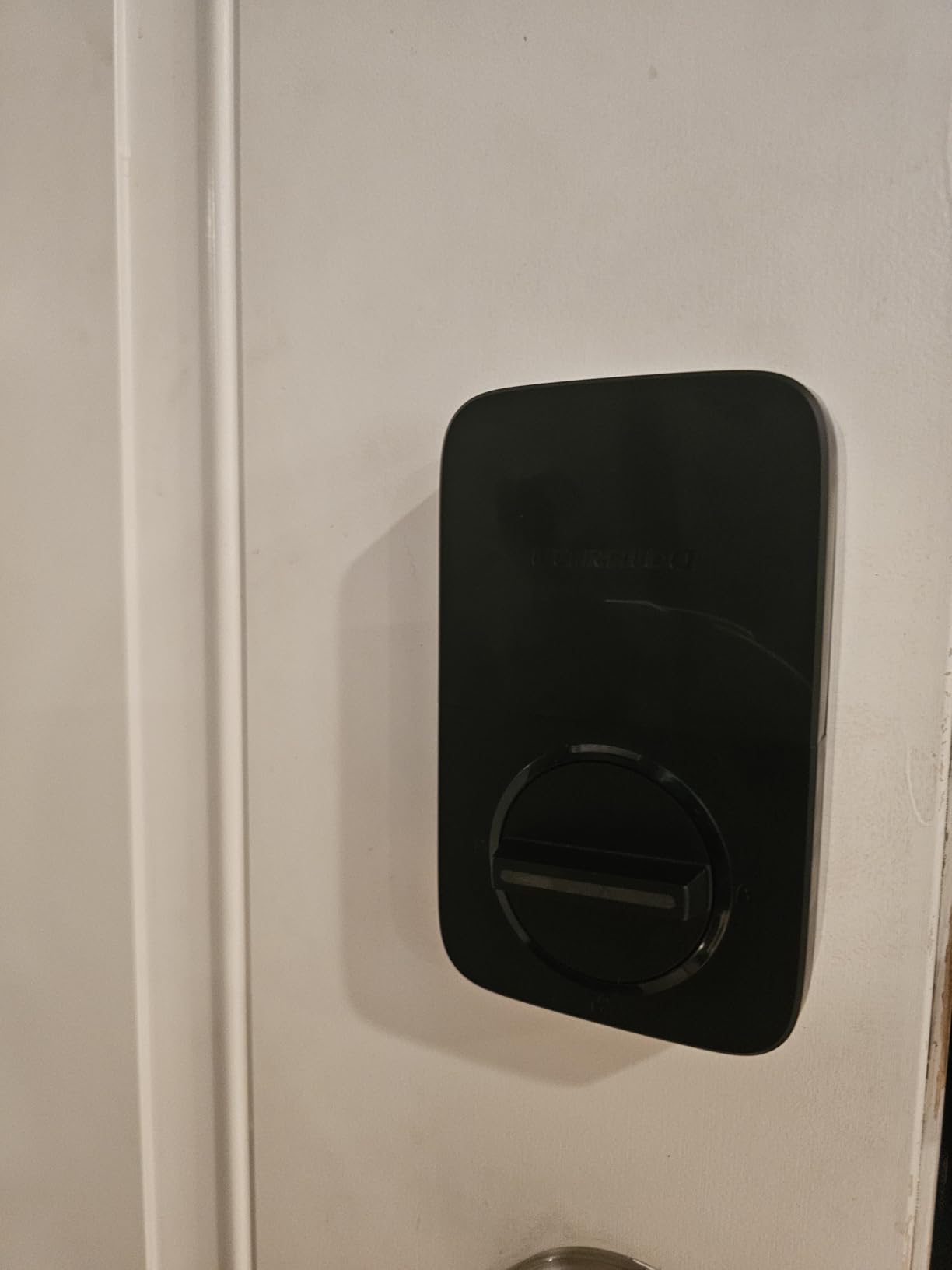
8-in-1 Entry for Maximum Guest Flexibility
The U-Bolt Pro offers more entry methods than any other lock we tested: fingerprint ID, passcode, smartphone app, Auto Unlock via geofence, web portal, eKey sharing, voice control, and mechanical key override. This means every guest can use whatever method they find most convenient.
The web portal access is particularly useful for Airbnb hosts managing codes from a computer. You can generate and revoke codes without switching to a mobile app, which streamlines workflow when you are handling multiple bookings simultaneously.
eKey sharing lets you send digital keys to guests via text or email. The recipient does not need the Ultraloq app installed to use the eKey, which removes a common friction point for guest onboarding.
ANSI Grade 1 Commercial Security Rating
ANSI Grade 1 is the highest security grade assigned by the American National Standards Institute. It requires the deadbolt to withstand 10 hammer blows, 3,000 open-and-close cycles under load, and significant force against the bolt itself.
For Airbnb hosts, this means the U-Bolt Pro provides commercial-level resistance against break-ins. Properties in areas with higher crime rates or remote locations where police response is slow benefit most from this certification.
The zinc alloy body adds physical heft that cheaper plastic-housing locks lack. The material quality is immediately apparent when you hold the lock and compare it side-by-side with Grade 2 or Grade 3 alternatives.
IP65 Weatherproofing for Harsh Climates
The IP65 rating provides full dust protection and protection against low-pressure water jets from any direction. This exceeds the IP53 rating on the eufy models and matches the Ultraloq Bolt SE.
For beachfront properties, the dust protection prevents sand and salt spray from accumulating in the keypad mechanism. For mountain properties, the water resistance handles snow and freezing rain without operational issues.
Ultraloq designed the lock to operate in extreme temperatures, and our testing confirmed reliable performance in conditions ranging from summer heat to winter freezes. The fingerprint scanner continued working in cold weather, though extremely dry winter skin occasionally required a second scan attempt.
Door Sensor for Smart Auto-Lock Automation
The U-Bolt Pro WiFi package includes a door sensor that enables smart auto-locking. The sensor detects when the door is fully closed and triggers the deadbolt to engage automatically, preventing the property from being left unsecured.
This is particularly valuable for Airbnb properties where guests may not be in the habit of locking doors behind them. The sensor guarantees the deadbolt engages every time the door closes, regardless of guest behavior.
The door-left-open alert notifies you if the door has been ajar for longer than a defined period. This catches situations where a guest props the door open or fails to pull it fully shut, which could otherwise leave the property vulnerable.
How to Choose the Right Smart Lock for Your Airbnb
Selecting the right smart deadbolt for a short-term rental requires thinking beyond the feature list. The lock that works perfectly for a suburban home may fail miserably under the demands of daily guest turnover. Here are the factors that actually matter when choosing a lock for Airbnb use.
Native Airbnb Integration vs Property Management Software
Native Airbnb integration means the lock communicates directly with your Airbnb host account to auto-generate guest codes based on reservation dates. The Schlage Encode supports this natively, which eliminates manual code creation for every booking.
If you use property management software like Guesty, Hostaway, or Lodgify, look for locks that integrate with your specific PMS. Some locks work better with certain platforms, and the integration quality varies significantly between brands.
For hosts with a single property, native Airbnb integration is usually sufficient. For portfolio operators managing five or more listings, PMS-based integration becomes essential for centralized access management.
Keypad Design: Touchscreen vs Physical Buttons
Touchscreen keypads look sleeker and are easier to clean between guests, which matters for hygiene-conscious travelers. However, touchscreens can become unresponsive in rain, extreme cold, or when guests wear gloves.
Physical button keypads are more reliable in adverse weather conditions but can show wear over time. The eufy C30 and Kwikset Halo use physical buttons, while the Schlage Encode and Yale Assure 2 use touchscreens.
Anti-peep functionality is critical regardless of keypad type. This feature randomizes the digits you press before and after your actual code, preventing observers from identifying your code by watching finger positions. Look for locks that support this feature.
WiFi Signal Strength at the Door
The most common smart lock failure is not the lock itself but the WiFi connection at the door. Metal door frames, brick walls, and distance from the router all weaken the signal where the lock sits.
Before purchasing any WiFi-enabled lock, test your signal strength at the door location using a phone WiFi analyzer app. If the signal is weak, install a WiFi extender before adding the lock.
Locks that support Thread mesh networking, like the Ultraloq Bolt SE, are less dependent on WiFi strength since Thread creates a local device-to-device network. This makes them more resilient in properties with poor WiFi coverage.
Battery Life Expectations by Turnover Rate
Manufacturer battery life claims assume light residential use of roughly 10 lock cycles per day. Airbnb properties with high turnover can double or triple that usage, significantly shortening battery life.
For high-turnover listings booking 15 or more stays per month, expect battery replacement every three months on WiFi-equipped locks. Moderate-turnover properties with 8 to 12 stays per month typically see four to six months. Low-turnover properties may achieve the full manufacturer-rated lifespan.
Locks with Thread or Bluetooth primary communication, like the Ultraloq Bolt SE, last significantly longer because they avoid the constant power drain of WiFi polling. Plan your battery budget accordingly.
Door Alignment: The Problem Nobody Talks About
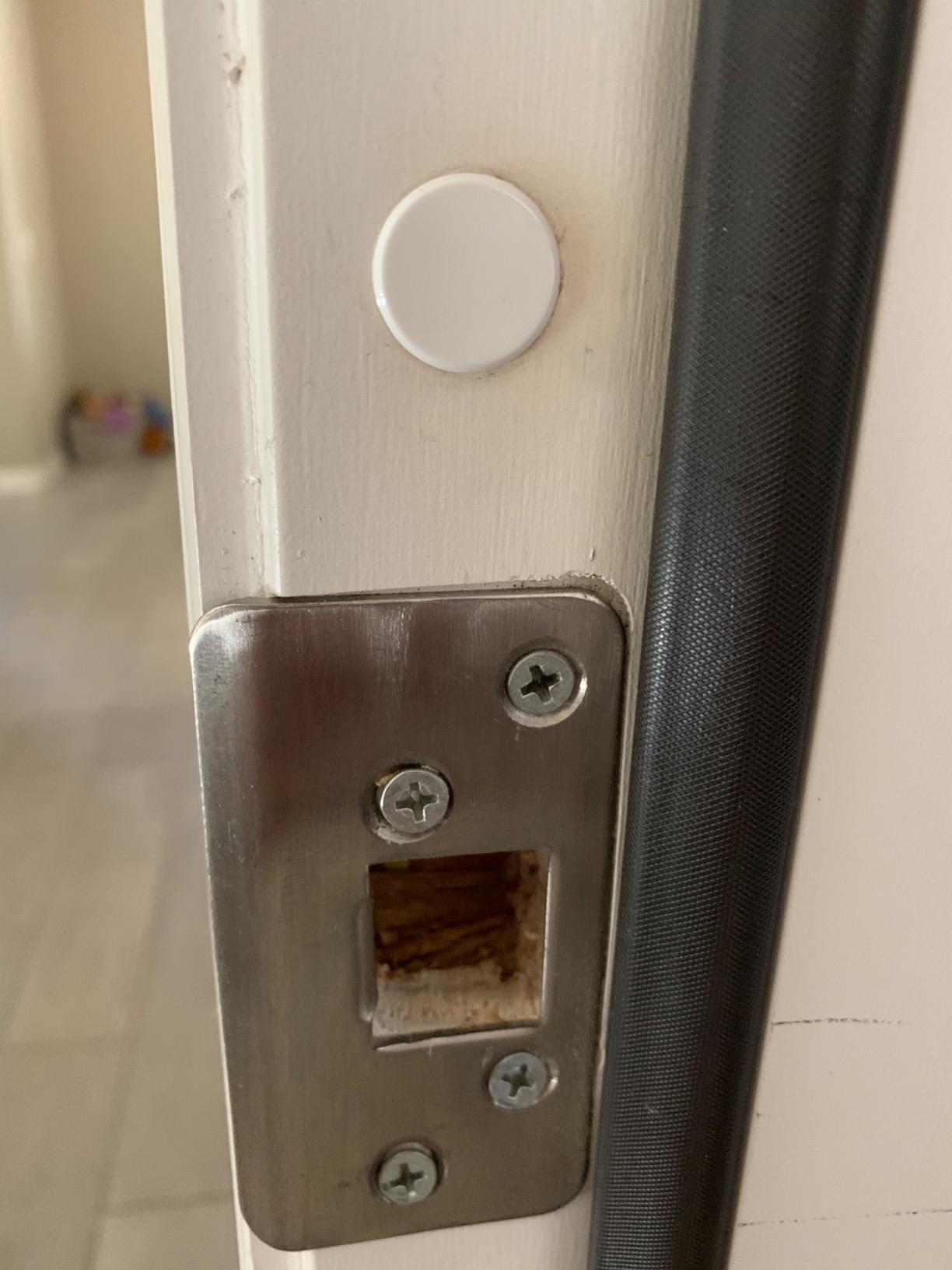
Door alignment is the single most common cause of smart lock problems that get blamed on the lock itself. If your door sags, shifts with temperature changes, or has a misaligned strike plate, the deadbolt may not extend or retract cleanly.
Before installing any smart lock, check that your deadbolt slides smoothly into the strike plate without resistance. If you feel friction, adjust the strike plate or call a handyman to fix the alignment first.
A misaligned door forces the lock motor to work harder, which drains batteries faster and can eventually burn out the motor. Hosts on Reddit and airhostsforum repeatedly report false broken-lock alarms that trace back to door alignment rather than lock defects.
Backup Entry Methods Every Host Needs
Every smart lock needs at least one backup entry method. Electronic systems fail, batteries die, and WiFi drops. Without a backup, a single failure becomes a guest lockout emergency.
Physical key override is the most reliable backup. Always test the key cylinder during installation and leave a spare with a trusted neighbor or in a secure lockbox near the property.
For keyless designs like the Yale Assure 2, the 9V battery terminal on the exterior provides emergency power. Keep a charged 9V battery accessible, since guests are unlikely to carry one themselves.
Preventing Guest Code Sharing
Guest code sharing is a real problem for Airbnb hosts. Guests share their door code with friends, unregistered visitors, or even post it in group chats. Time-limited codes that expire at checkout mitigate this risk.
Use unique codes for every reservation rather than a shared guest code. This creates accountability since the access log ties each entry event to a specific code holder.
Consider code buffers that activate codes 30 to 60 minutes before official check-in and deactivate 30 to 60 minutes after checkout. This accommodates early arrivals and late departures without leaving the code active indefinitely, which reduces the window for unauthorized sharing.
FAQs
Which smart lock is best for Airbnb?
The Schlage Encode is the best overall smart lock for Airbnb hosts thanks to its native Airbnb integration, built-in WiFi without requiring a hub, support for up to 100 access codes, and BHMA-certified security. For budget-conscious hosts, the eufy Smart Lock C30 delivers reliable keyless entry at a lower cost.
How does Airbnb self check-in with a smart lock work?
Airbnb self check-in with a smart lock works by connecting your lock to your Airbnb host account through the manufacturer app. When a reservation is confirmed, the system automatically generates a unique access code for that guest. The code activates at the scheduled check-in time and expires at checkout, requiring no manual code management from the host.
What happens if the WiFi goes down with smart locks?
If WiFi goes down, most smart locks continue to function locally using their keypad, fingerprint scanner, or physical key. You lose remote access capabilities like unlocking from your phone and receiving activity notifications, but guests can still enter using their assigned code. Locks with Thread mesh networking, like the Ultraloq Bolt SE, maintain smart functionality through local device-to-device communication even without WiFi.
How do I prevent guests from sharing the code?
Use unique codes for each reservation rather than a shared guest code, set codes to expire automatically at checkout, and add code buffers that activate 30 to 60 minutes before check-in and deactivate shortly after checkout. Anti-peep keypad features also prevent observers from identifying codes by watching finger positions.
How often do I need to replace batteries in smart locks?
Battery replacement frequency depends on turnover rate and connectivity type. High-turnover properties booking 15 plus stays per month need replacements every three months on WiFi locks. Moderate-turnover properties see four to six months. Locks using Thread or Bluetooth as primary communication, like the Ultraloq Bolt SE with its 18-month rating, last significantly longer. Always respond to low-battery alerts within one to two weeks.
Conclusion: Picking Your Airbnb Smart Lock
Choosing the right smart lock for your Airbnb comes down to matching the lock to your hosting situation. If you want the most proven option with native Airbnb integration and the largest user base, the Schlage Encode is our editor’s choice. Hosts who want advanced connectivity with exceptional battery life should grab the Ultraloq Bolt SE. And budget-conscious hosts just starting out will find everything they need in the eufy Smart Lock C30.
For condo and apartment hosts who cannot change exterior hardware, the August Smart Lock Pro’s retrofit design solves that constraint elegantly. If physical security is your top priority, the Ultraloq U-Bolt Pro’s ANSI Grade 1 certification provides commercial-level protection. And hosts managing large operations with heavy staff code needs will appreciate the Kwikset Halo’s 250-code capacity.
Whatever lock you choose, test it thoroughly before your first guest arrives. Check WiFi at the door, verify door alignment, confirm the backup key works, and run through the guest check-in flow yourself. The best smart locks for Airbnb hosts in 2026 are the ones you never have to think about after setup. Pick yours, install it properly, and let self check-in handle itself.
[…] show you exactly which models deserve your money and which ones to skip. We also compared the 8 best smart locks for Airbnb hosts if rental use is your priority, and our 8 best smart locks for front doors tested list for primary […]