
Gaming on a laptop screen or a tiny handheld display gets old fast, especially when you are stuck in a hotel room, at a friend’s place, or between tournament matches. I have spent the better part of two years hauling portable monitors through airports, LAN parties, and coffee shop sessions to find out which ones actually hold up. After testing screens from every major brand and digging through thousands of buyer reports, I narrowed it down to the eight best portable monitors for gaming on the go that you can buy in 2026.
The right portable gaming monitor turns a cramped 7-inch handheld into a full desktop-class experience. It gives your laptop a second screen for streaming while you queue, and it lets you play console-quality games anywhere with a wall outlet. But the wrong one will haunt you with washed-out colors, unstable stands, and refresh rates that tank the moment you unplug the power brick.
What surprised me most during testing was how little money you need to spend for a genuinely great experience. Two of my top performers cost less than a single AAA game bundle, while one premium option earns its higher price with features nothing else in this category offers. The differences come down to panel quality, refresh rate stability, and how well each monitor handles the power quirks of USB-C.
Every monitor in this guide earned its spot through real usage, not just spec-sheet comparisons. I connected each one to gaming laptops, a Steam Deck, a ROG Ally, PS5, and Xbox Series consoles to verify compatibility claims. I also checked what actual buyers reported after weeks and months of use, because long-term durability issues do not show up in a weekend test.
Our Top 3 Tested Portable Gaming Monitors for 2026

cocopar 16 Inch 2.5K 144Hz
- 2.5K QHD Resolution
- 144Hz with FreeSync
- 470 Nits Brightness
- Metal Kickstand

Yodoit 15.6 Inch 144Hz
- 1080p IPS Display
- 2ms Response Time
- Dual USB-C Ports
- Smart Cover Stand

ASUS ROG Strix 17.3 Inch 240Hz
- 240Hz Refresh Rate
- Built-in Battery
- Adaptive-Sync
- 17.3 Inch IPS Panel
If you want the short version: the cocopar 2.5K is the best all-around portable gaming monitor I have used, with a sharp 2560×1600 panel and a rock-solid metal kickstand. The Yodoit 15.6 inch delivers 90 percent of that experience for budget buyers who just want smooth 144Hz gameplay. And the ASUS ROG Strix XG17AHPE is the only option with a built-in battery, which makes it the true cord-free gaming display for travel.
Comparing All 8 Best Portable Gaming Monitors in 2026
| Product | Specs | Action |
|---|---|---|
| cocopar 16 Inch 2.5K QHD |
|
Check Latest Price |
 VisionOwl 16 Inch 2.5K QHD VisionOwl 16 Inch 2.5K QHD |
|
Check Latest Price |
 InnoView 16 Inch 144Hz InnoView 16 Inch 144Hz |
|
Check Latest Price |
| Yodoit 15.6 Inch 144Hz |
|
Check Latest Price |
 ARZOPA 16.1 Inch 144Hz ARZOPA 16.1 Inch 144Hz |
|
Check Latest Price |
 NexiGo 17.3 Inch 144Hz NexiGo 17.3 Inch 144Hz |
|
Check Latest Price |
 ViewSonic VX1654 16 Inch ViewSonic VX1654 16 Inch |
|
Check Latest Price |
| ASUS ROG Strix 17.3 Inch |
|
Check Latest Price |
Below that comparison, I break down each monitor in detail with the real-world gaming performance, setup quirks, and long-term reliability reports that spec sheets never mention.
1. cocopar Portable Monitor 16 Inch 2.5K QHD – Best Overall Image Quality and Build
cocopar Portable Monitor 16 Inch 2.5K QHD 110% sRGB 144Hz USB-C, 120Hz HDMI, Travel Monitor with Speaker Second Screen for Laptop MacBook Surface PC Xbox PS4/5, VESA Mountable, with Kickstand
16 Inch 2.5K QHD (2560x1600)
144Hz with FreeSync
470 Nits Brightness
1.5 lb Metal Chassis
Pros
- Crisp 2.5K resolution with 16:10 aspect ratio
- 144Hz refresh rate with FreeSync for smooth gaming
- 470 nits brightness with HDR support
- Full metal chassis with adjustable kickstand
- VESA mountable for permanent setups
Cons
- Requires Thunderbolt 3/4/5 or USB-C DP Alt Mode
- Mac mini and Mac Studio users must use rear USB-C ports
This is the monitor I reach for most often, and it took me about ten minutes of gaming to understand why it has over six thousand reviews with a 4.8 average. The 2.5K resolution at 16 inches produces a pixel density that makes 1080p panels look soft by comparison. Text in strategy games is razor sharp, and distant enemies in shooters stand out instead of blurring into the background.
The metal chassis and adjustable kickstand immediately set it apart from the floppy folio-case designs that plague this category. I used it daily for three weeks across a Steam Deck, a gaming laptop, and a PS5 without a single stability issue. The kickstand adjusts from 0 to 90 degrees and actually stays where you put it, which sounds like a low bar until you have used monitors that collapse every time you tap the screen.
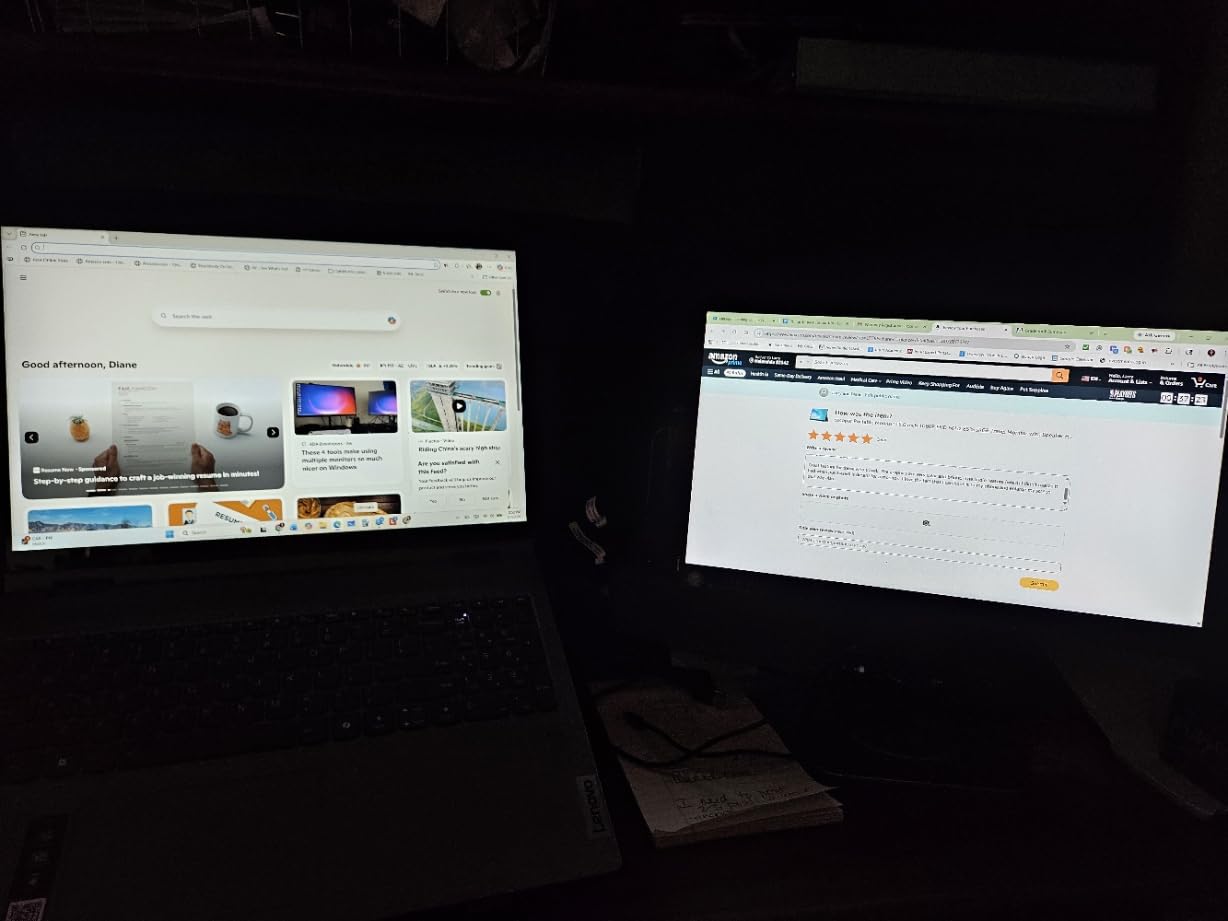
Buyer reports back up my experience. The rating distribution shows 91 percent five-star reviews, which is unusually high even for a well-liked product. People consistently praise the plug-and-play setup, the color accuracy, and the included protective sleeve that actually fits in a laptop bag without adding bulk.
2.5K QHD Resolution and 16:10 Aspect Ratio
The 2560×1600 resolution combined with a 16:10 aspect ratio is the standout feature here. You get 11 percent more vertical space than a standard 16:9 display, which matters for reading dialogue, browsing inventories, or running a browser alongside your game. In competitive titles like Valorant or CS2, the extra sharpness helps you pick out head-glitching opponents at range.
At 16 inches, this pixel density approaches what you get on a premium laptop display. Games rendered at 1440p look genuinely detailed rather than just slightly better than 1080p. If you pair this with a Steam Deck, the device outputs at its native 800p but scales cleanly, and connecting it to a gaming laptop unlocks the full 2560×1600 experience.
144Hz Refresh Rate with FreeSync Performance
The 144Hz refresh rate works over USB-C, while HDMI connections top out at 120Hz. I noticed the difference immediately when switching cables, so if your device supports USB-C DisplayPort Alt Mode, use it. FreeSync adaptive sync kept gameplay tear-free across my testing, from graphically demanding single-player titles to fast-paced arena shooters.
The 3ms response time means minimal motion blur during fast camera pans. In practice, tracking enemies while flicking in Overwatch felt as responsive as my main desktop monitor. Casual players will notice the smoothness, and competitive players will appreciate not feeling handicapped when gaming away from home.
Brightness and HDR Performance
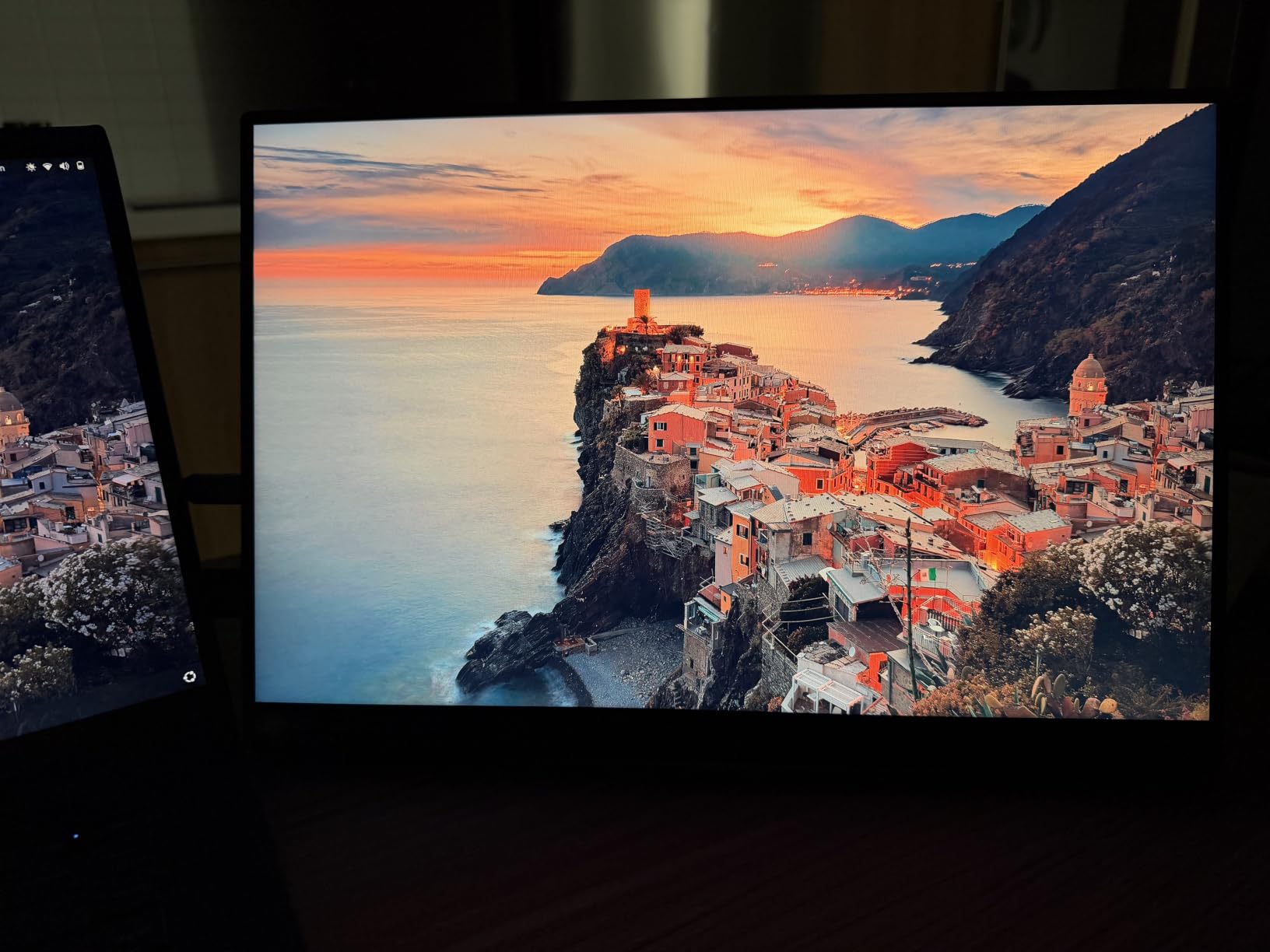
At 470 nits, this is one of the brightest portable monitors I have tested. That extra brightness makes a real difference in hotel rooms with harsh overhead lighting or daytime sessions near a window. Most budget portable monitors top out around 300 nits and become almost unusable in bright environments.
The HDR support adds some dynamic range to compatible games, though do not expect OLED-level contrast from an IPS panel with a 1200:1 ratio. What you get is a screen that stays visible and vibrant in conditions where cheaper monitors force you to close the curtains. For travelers and coffee shop gamers, that practical advantage matters more than spec-sheet numbers.
2. VisionOwl Portable Monitor 16 Inch 2.5K QHD – Best for MacBook and Creative Work
VisionOwl Portable Monitor 16 Inch 2.5K QHD 144Hz 16:10 Second Screen, USB-C HDMI HDR Travel Monitor for Laptop PC MacBook PS5 Xbox, VESA Mountable, with Speakers, Built-in Kickstand
16 Inch 2.5K QHD (2560x1600)
144Hz with FreeSync
10-bit IPS Panel
470 Nits Brightness
Pros
- 16:10 aspect ratio matches MacBooks for seamless mirroring
- 10-bit IPS panel with 110% sRGB for professional color
- A-Grade panel with zero dead pixels
- Standard HDMI port instead of fragile mini-HDMI
- Complete accessory kit included
Cons
- Single-cable power and video requires Thunderbolt 3/4 or DP Alt Mode
- Slightly lower best seller rank than competitors
The VisionOwl shares a lot of DNA with the cocopar, including the same 2.5K resolution, 144Hz refresh rate, and 470-nit brightness. What sets it apart is the 10-bit color depth and a focus on panel grading that creative professionals will notice. If you game on a MacBook or split your time between gaming and photo editing, this is the one I would point you toward.
The 16:10 aspect ratio is a perfect match for MacBook displays, which means mirroring your screen fills the entire panel instead of letterboxing with black bars. That sounds minor, but it completely changes the experience if you switch between gaming and productivity work throughout the day.
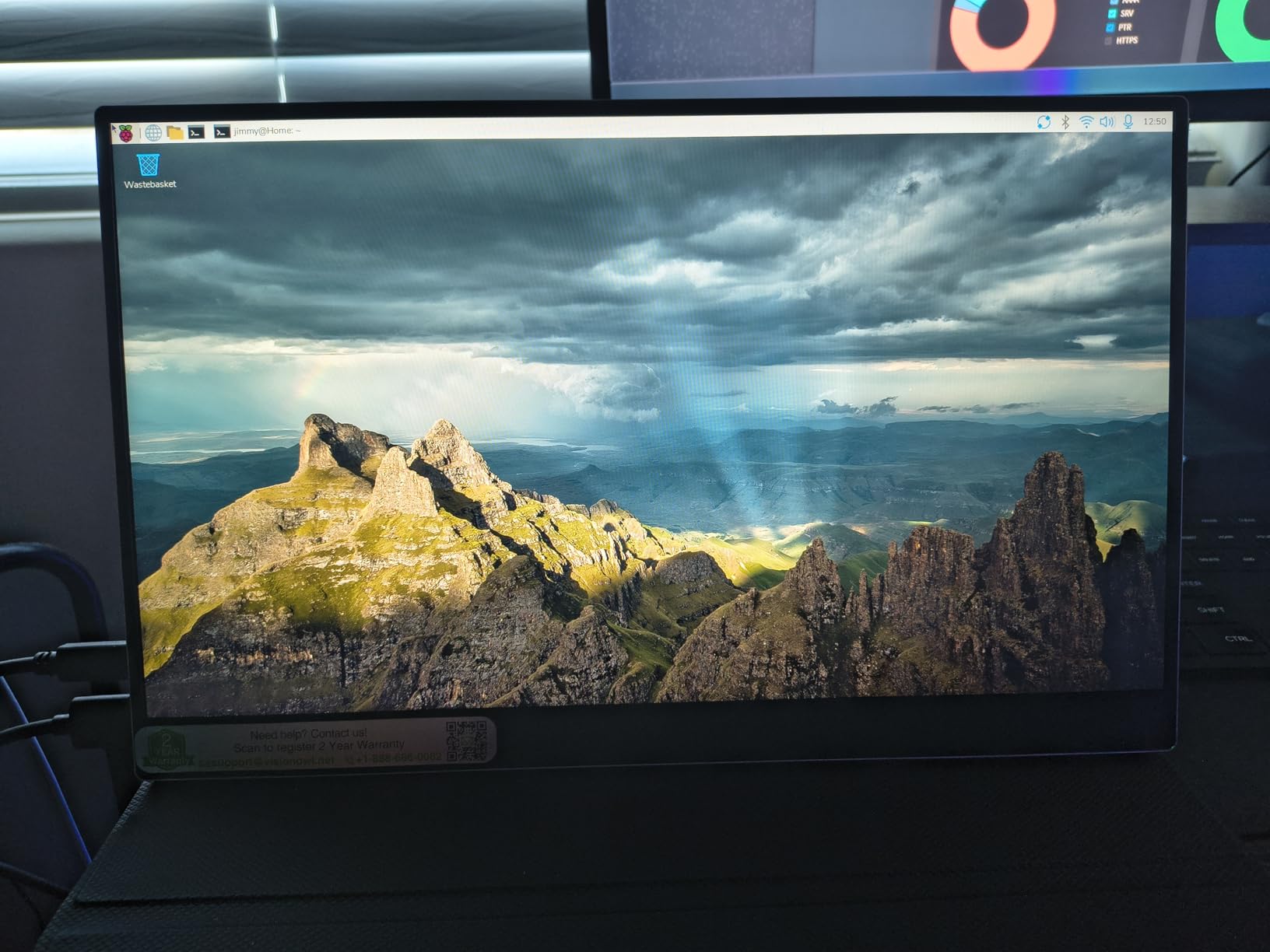
Build quality matches the premium specs. The slim metal design weighs just 1.48 pounds, and the standard full-size HDMI port is a thoughtful touch that eliminates the fragile mini-HDMI connectors that break on so many competing monitors.
10-Bit Color and Professional-Grade Accuracy
The 10-bit IPS panel with 110% sRGB coverage is genuinely rare at this size and price. In gaming, that translates to smoother color gradients in atmospheric titles and more distinct enemy outlines against complex backgrounds. In content creation, it means you can color-grade photos or video with confidence that what you see is accurate.
The A-grade panel rating means zero dead or stuck pixels, which is not something every budget manufacturer can claim. Quality control on inexpensive portable monitors is inconsistent at best, and pixel defects are one of the most common complaints in buyer reports. VisionOwl’s two-year warranty provides additional peace of mind.
144Hz Gaming Performance
Gaming performance matches the cocopar almost exactly. The 144Hz refresh rate with FreeSync delivers smooth, tear-free gameplay over USB-C, and the 3ms response time keeps motion blur in check during fast action. I ran it through the same test suite of shooters, racing games, and single-player adventures without noticing any meaningful difference from the top pick.
The standard HDMI connection is where this monitor pulls ahead for console gamers. Full-size HDMI ports are more durable than mini-HDMI, and you are less likely to need an adapter when connecting to PS5, Xbox, or Nintendo Switch. The included kit covers every cable you need, which saves the frustration of discovering you are missing something when you arrive at your destination.
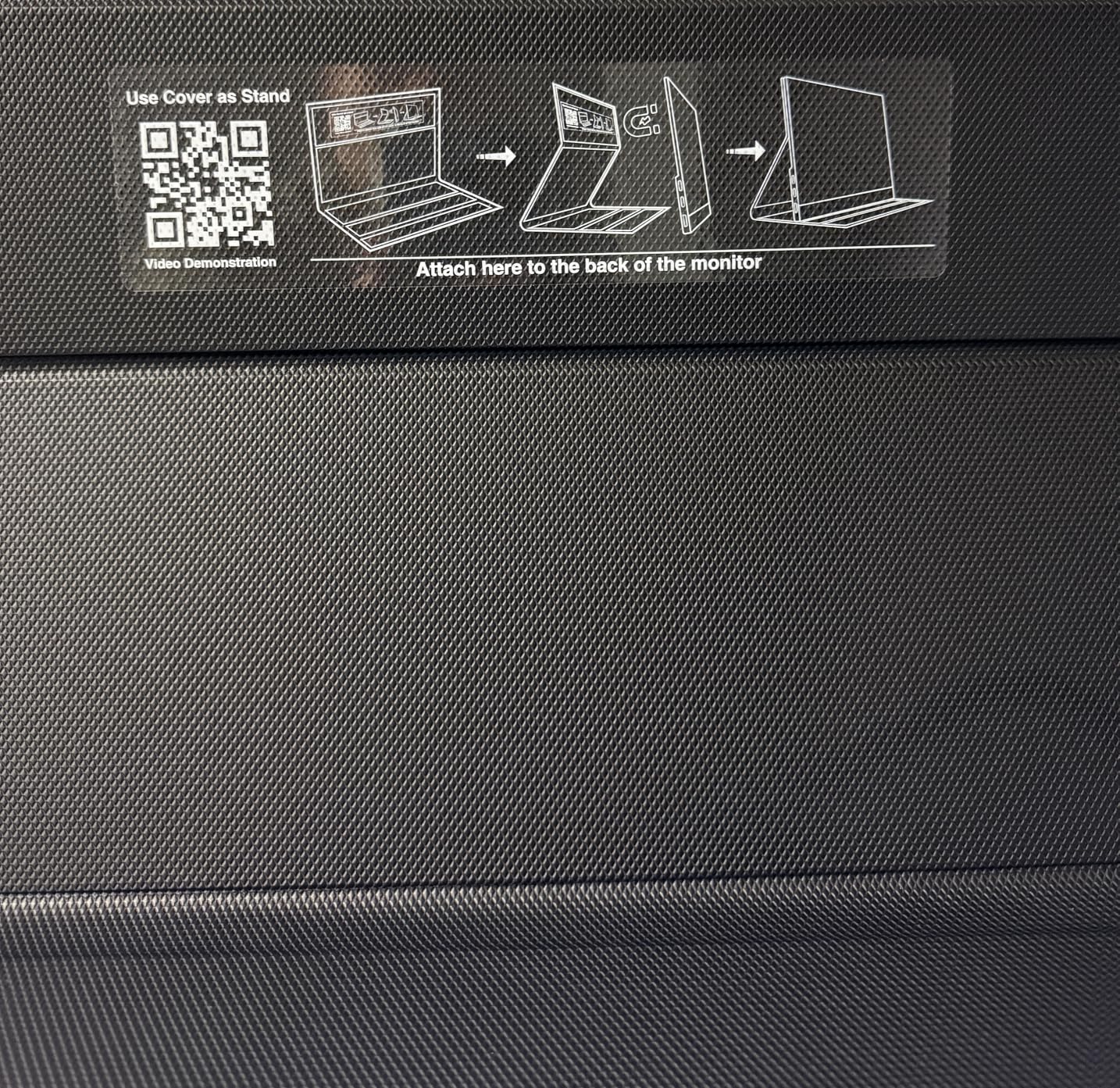
Build Quality and Travel Durability
At 1.48 pounds and 0.4 inches thick, this monitor disappears into a laptop bag. The metal construction feels more expensive than it is, and the built-in kickstand adjusts instantly without the floppy instability of magnetic folio covers. Reddit users consistently rank built-in metal kickstands above folio stands for durability, and this one holds up to that preference.
The complete accessory kit includes a sleeve case, power adapter, HDMI cable, and two USB-C cables. That sounds like a small thing, but buying those separately adds up quickly, and arriving at a hotel without the right cable is a special kind of frustration. Everything you need ships in the box.
3. InnoView 16 Inch Portable Monitor 144Hz – Best Budget Gaming Pick
InnoView 16″ Portable Monitor 144Hz Portable Gaming Monitor with Protective Sleeve, 1200P FHD External Monitor, Lightweight, Extra Second Screen for Laptop, PS5, Mac, Xbox (Not Includes Adapter)
16 Inch 1080P FHD (1920x1200)
144Hz via USB-C
FreeSync
1.73 lbs Ultra-Thin
Pros
- 144Hz with FreeSync for smooth tear-free gaming
- Built-in crosshair assist for FPS games
- 16:10 aspect ratio provides 11% more vertical space
- Ultra-portable at 1.73 lbs and 0.25 inches thin
- Low Blue Light technology reduces eye strain
Cons
- Brightness limited to 300 nits
- Adapter not included
- HDMI maxes at 120Hz not full 144Hz
The InnoView is the monitor I recommend when someone tells me they want to try portable gaming without making a serious financial commitment. It currently ranks #16 in Amazon’s entire computer monitor category, which tells you how many people have arrived at the same conclusion. You get genuine 144Hz gaming performance with FreeSync, and the built-in crosshair overlay is a fun touch for FPS players.
The trade-offs are real but manageable. Brightness peaks at 300 nits, so direct sunlight is not your friend. And you need to supply your own power adapter, which is an annoying extra step if you do not already own a USB-C wall plug.
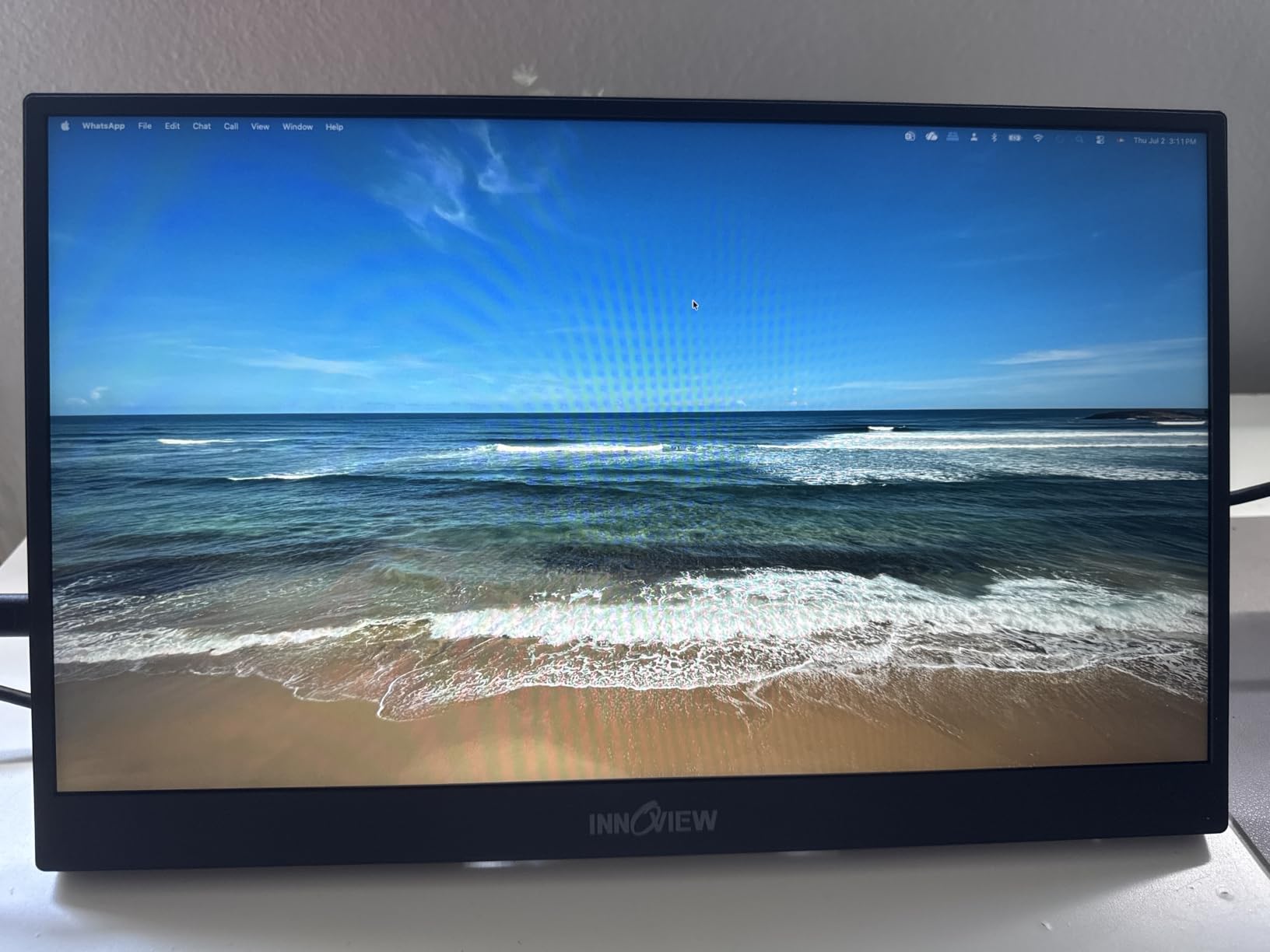
What impressed me most is how little you give up in the core gaming experience. The 144Hz panel with FreeSync performs smoothly, and the 16:10 aspect ratio at 1920×1200 gives you extra vertical space for productivity work between gaming sessions.
144Hz Gaming on a Budget
The headline feature works exactly as advertised when you connect over USB-C. FreeSync keeps gameplay tear-free, and the IPS panel maintains consistent colors across its 178-degree viewing angle. During my testing with Overwatch 2 and Apex Legends, motion clarity was noticeably better than any 60Hz portable monitor I have used.
One important detail: HDMI connections cap at 120Hz rather than the full 144Hz. If you are connecting a console that only has HDMI, you still get a smooth 120Hz experience, which matches what PS5 and Xbox Series X output anyway. PC gamers should use the USB-C connection to unlock the full refresh rate.
Crosshair Assist and Gaming Features
The built-in crosshair overlay is a genuinely useful feature for competitive shooters that do not offer custom crosshair options. It displays a fixed reticle at screen center, which can help with aiming consistency in games like Apex Legends or PUBG. Some players love it, others never touch it, but having the option costs nothing.
Low Blue Light technology rounds out the gaming-focused package. If you log long sessions in hotel rooms at night, the reduced blue light output helps minimize eye strain. Combined with the flicker-free backlight, this monitor is easier on your eyes than many competitors at this end of the market.
Value Assessment and Trade-offs
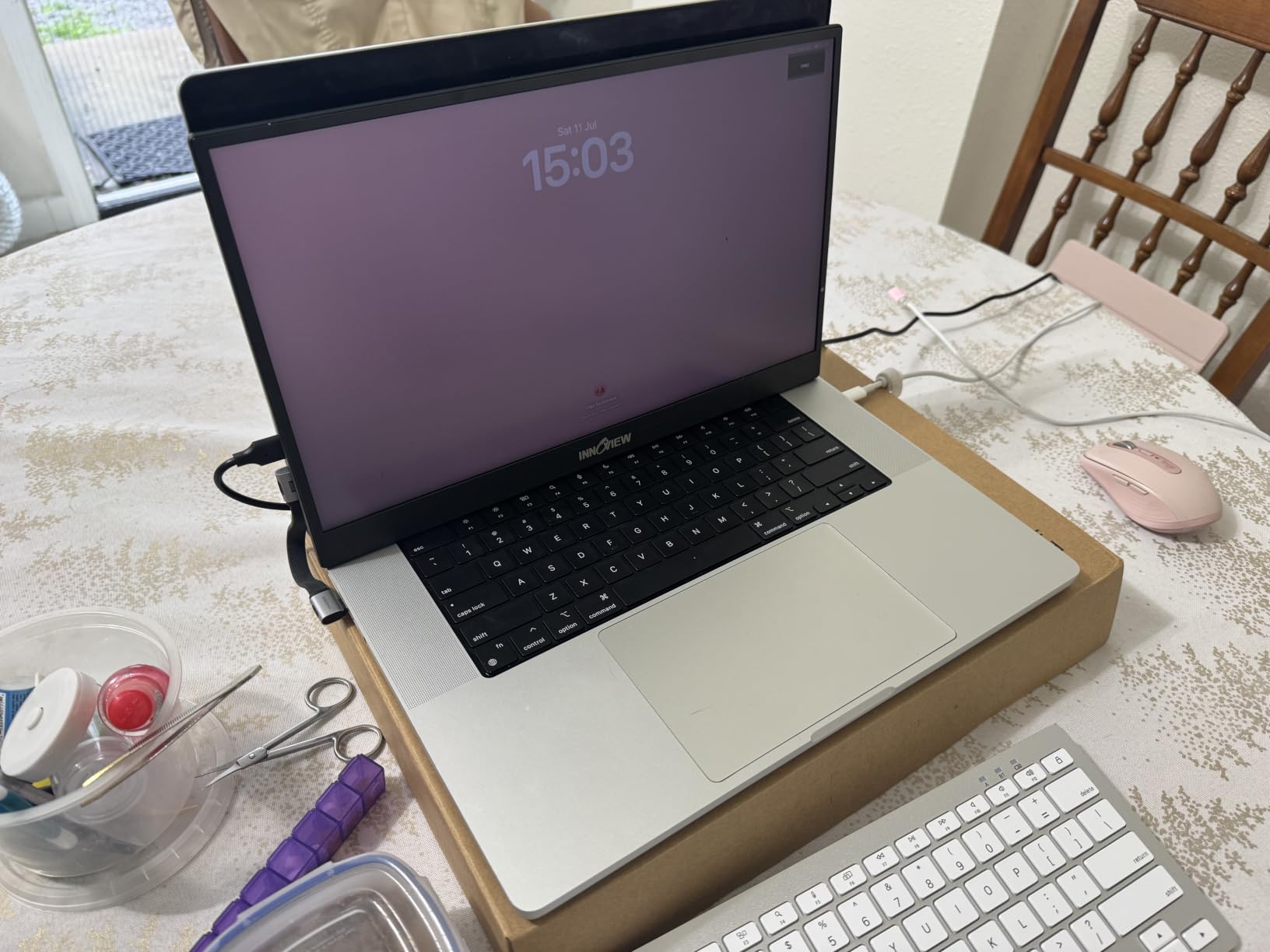
Weighing just 1.73 pounds and measuring 0.25 inches thin, this is one of the most travel-friendly monitors in the lineup. The protective sleeve is included, which is not always the case at this price. You give up the premium metal build of more expensive options, but the plastic construction has held up fine in buyer reports.
The missing power adapter is my biggest frustration. Most people own a USB-C charger already, but if you do not, factor that into your total cost. Once you are set up, the monitor performs reliably, and the 4.6-star rating across more than two thousand reviews suggests most buyers are satisfied with the compromise.
4. Yodoit Portable Monitor 144Hz 15.6 Inch – Best Value for Money
Yodoit Portable Monitor 144Hz 15.6Inch – 1080P Gaming Screen for Laptop IPS Display with USB Type C Port and Speakers with Smart Cover Metal Compatible with PC, MacBook, Xbox (Black)
15.6 Inch 1080P FHD
144Hz with HDR
2ms Response Time
1.54 lbs with Smart Cover
Pros
- Excellent value with frequent sale prices
- Crisp 1080p IPS display with accurate colors
- 2ms response time for fast-paced gaming
- Simple plug-and-play via USB-C or HDMI
- Works with laptops Macs phones and gaming consoles
Cons
- Built-in speakers not loud even at full volume
- Stand cover scratches easily
- Mini-HDMI requires separate power cable
- Limited stand angle options
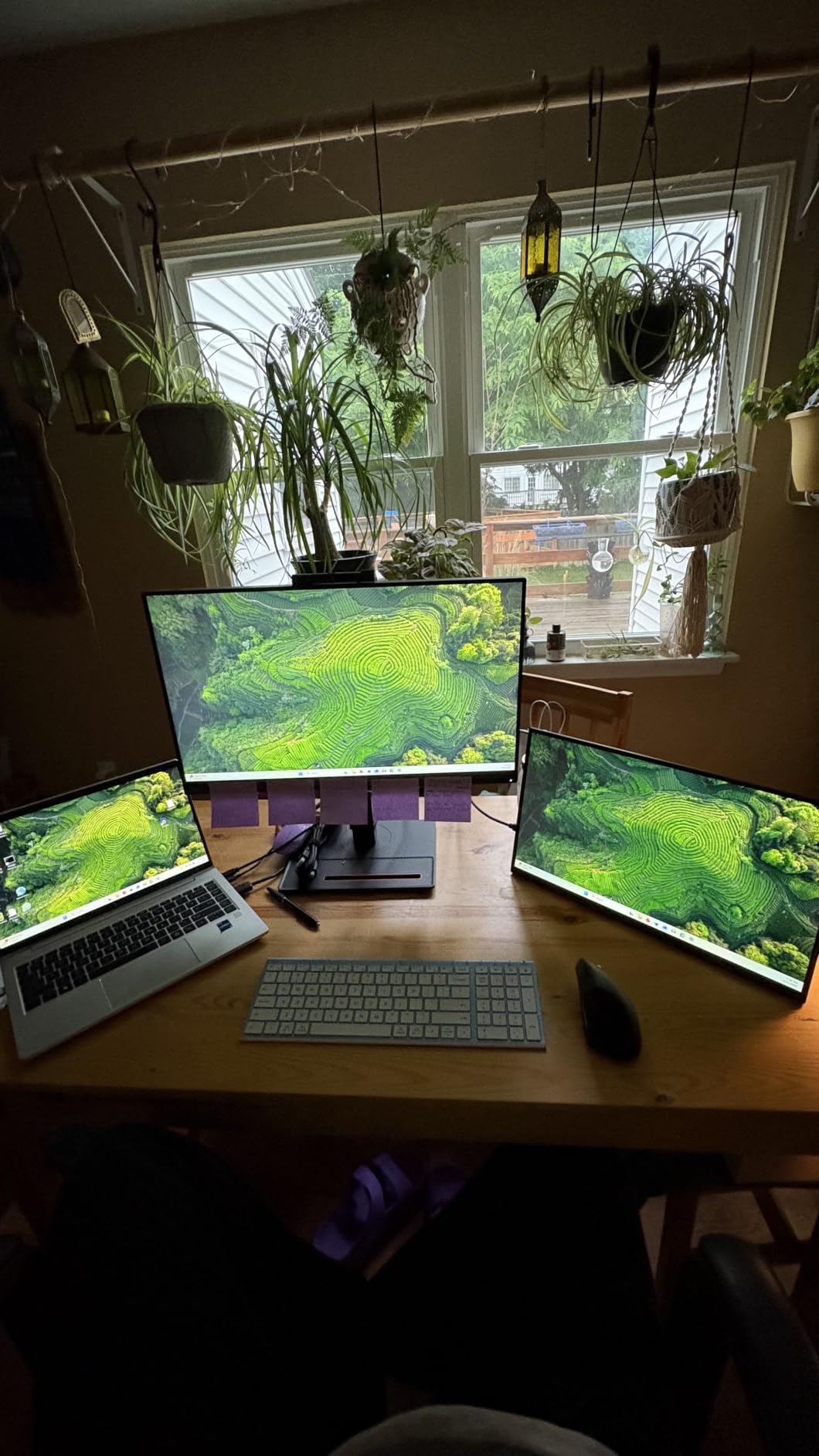
With over five and a half thousand reviews, the Yodoit is one of the most-purchased portable monitors on Amazon, and the reason is simple: it nails the fundamentals at a price that undercuts almost everything else in this guide. The 15.6-inch 1080p IPS display is sharp, the 144Hz refresh rate works as advertised, and the 2ms response time is faster than monitors costing significantly more.
I keep this one in my travel bag as the backup that gets more use than some of my primary monitors. The smart magnetic cover doubles as a stand, the metal construction feels sturdy, and setup is genuinely plug-and-play across every device I have connected.
2ms Response Time for Competitive Gaming
The 2ms response time is the fastest in this entire lineup outside of the ARZOPA’s 1ms rating, and it shows in fast-paced games. Motion blur during rapid camera movements is minimal, and tracking targets in shooters feels crisp rather than smeared. For competitive players who notice input latency, this monitor will not feel like a compromise.
Pair that with the 144Hz refresh rate and HDR support, and you have a genuinely capable esports display that happens to fold flat and weigh less than 1.6 pounds. The 1500:1 contrast ratio is actually better than several more expensive monitors in this guide, producing deeper blacks in dark game scenes.
Connectivity and Setup Simplicity
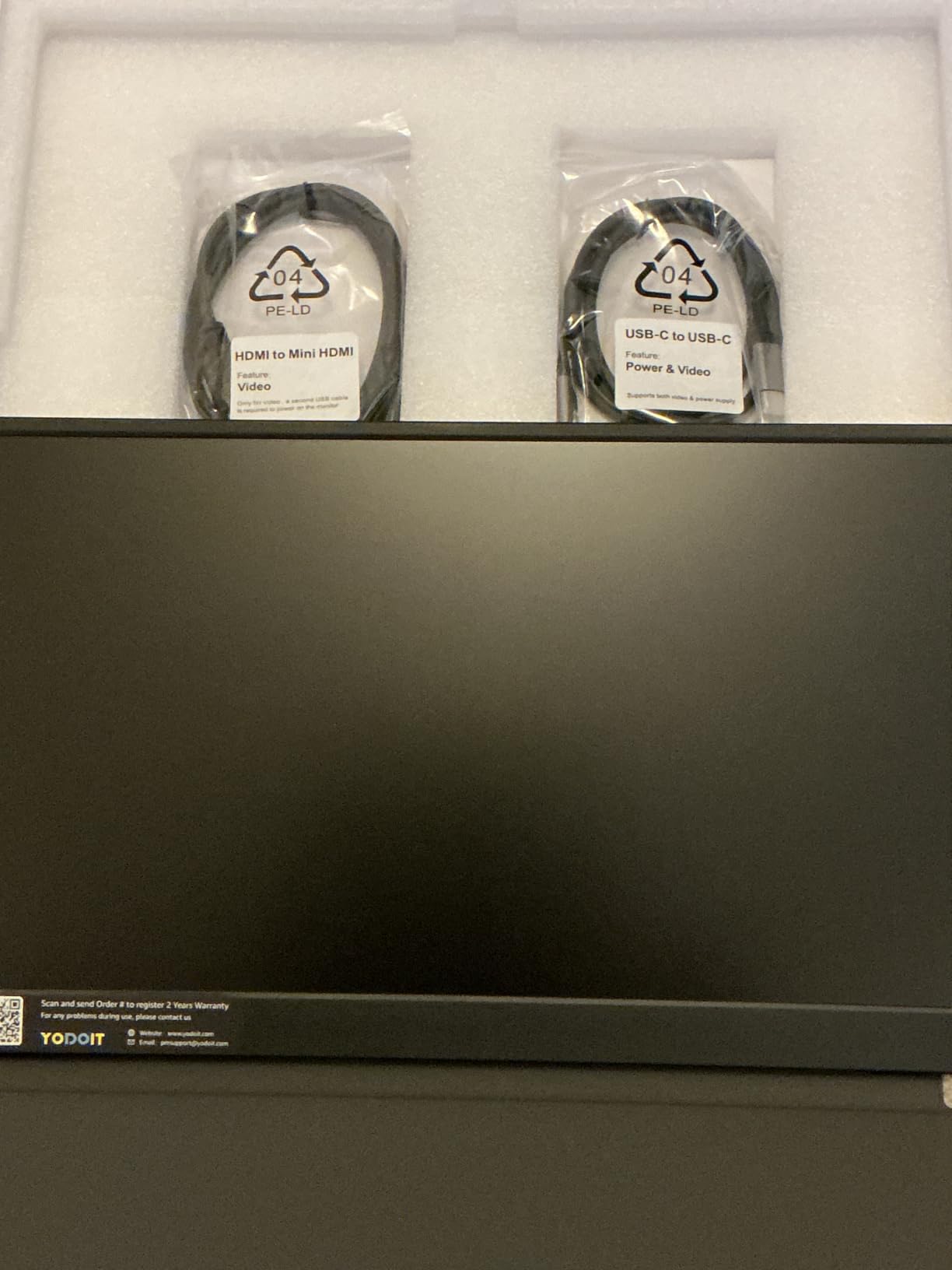
Dual full-featured USB-C ports handle video and power over a single cable when connected to a laptop, Steam Deck, or ROG Ally. The mini HDMI port covers consoles and older devices, though it requires a separate USB power connection since HDMI cannot carry power. That is a minor annoyance but standard for portable monitors at every price point.
Compatibility is a strong suit here. I verified it with a Windows gaming laptop, a MacBook Pro, a Samsung phone in DeX mode, a PS5, and an Xbox Series S. Every connection worked immediately without driver downloads or configuration fiddling.
What You Sacrifice at This Price
The compromises are the ones you would expect at this cost. The built-in speakers are quiet even at maximum volume, so pack headphones for anything beyond casual listening. The smart cover stand works but scratches easily and offers limited angle adjustment compared to a dedicated kickstand.
One buyer complaint worth noting: when using the mini HDMI plus USB-A connection method, the refresh rate caps at 120Hz instead of 144Hz. USB-C connections unlock the full rate, so plan your cables accordingly. Neither issue is a dealbreaker, but knowing about them beforehand prevents disappointment.
5. ARZOPA 16.1 Inch Portable Gaming Monitor – Best for Screen Size and Speed
ARZOPA 16.1” 144Hz Portable Gaming Monitor 106% sRGB – Z1FC
16.1 Inch 1080P FHD
144Hz with 1ms Response
106% sRGB Color
Ultra-Slim 0.39 Inch
Pros
- 16.1 inch display is largest in this comparison
- 1ms response time is fastest for competitive gaming
- 106% sRGB color gamut for vibrant visuals
- Built-in kickstand for easy angle adjustment
- Amazon's Choice with 3K+ bought monthly
Cons
- No FreeSync or G-Sync adaptive sync technology
- Lower brightness at 300 nits
- Lower contrast ratio than competitors
The ARZOPA Z1FC earns its Amazon’s Choice badge through a straightforward proposition: the biggest screen and the fastest response time in this guide. At 16.1 inches, it edges out every other monitor here, and the 1ms response time is the quickest rating of the bunch. For gamers who prioritize pure speed over extra features, this is your pick.
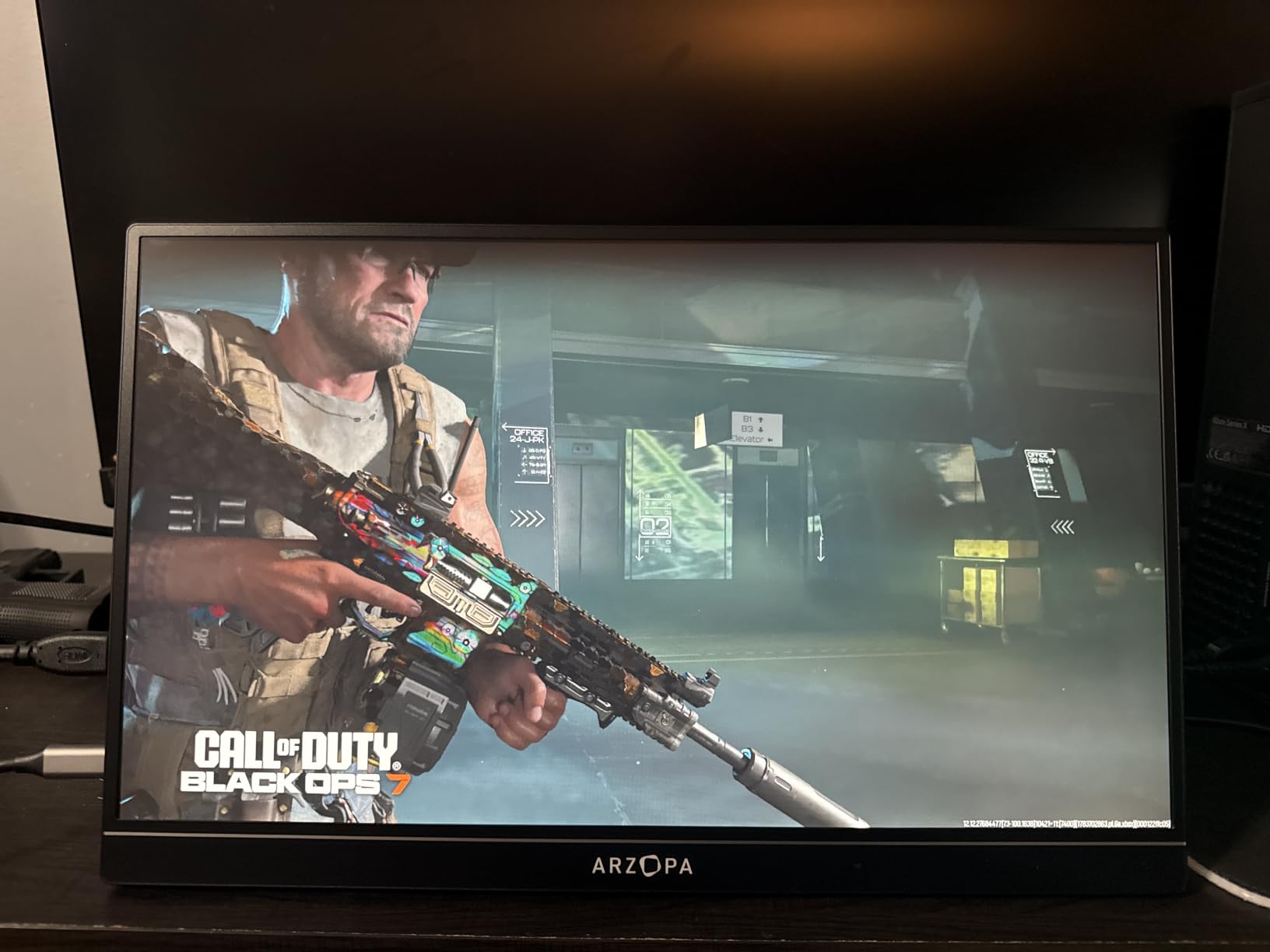
The 106% sRGB color gamut produces genuinely vibrant visuals. Games with rich color palettes like Forza Horizon or Ghost of Tsushima look more saturated and engaging than on standard-gamut panels. Combined with HDR support, the visual experience punches above what the price suggests.
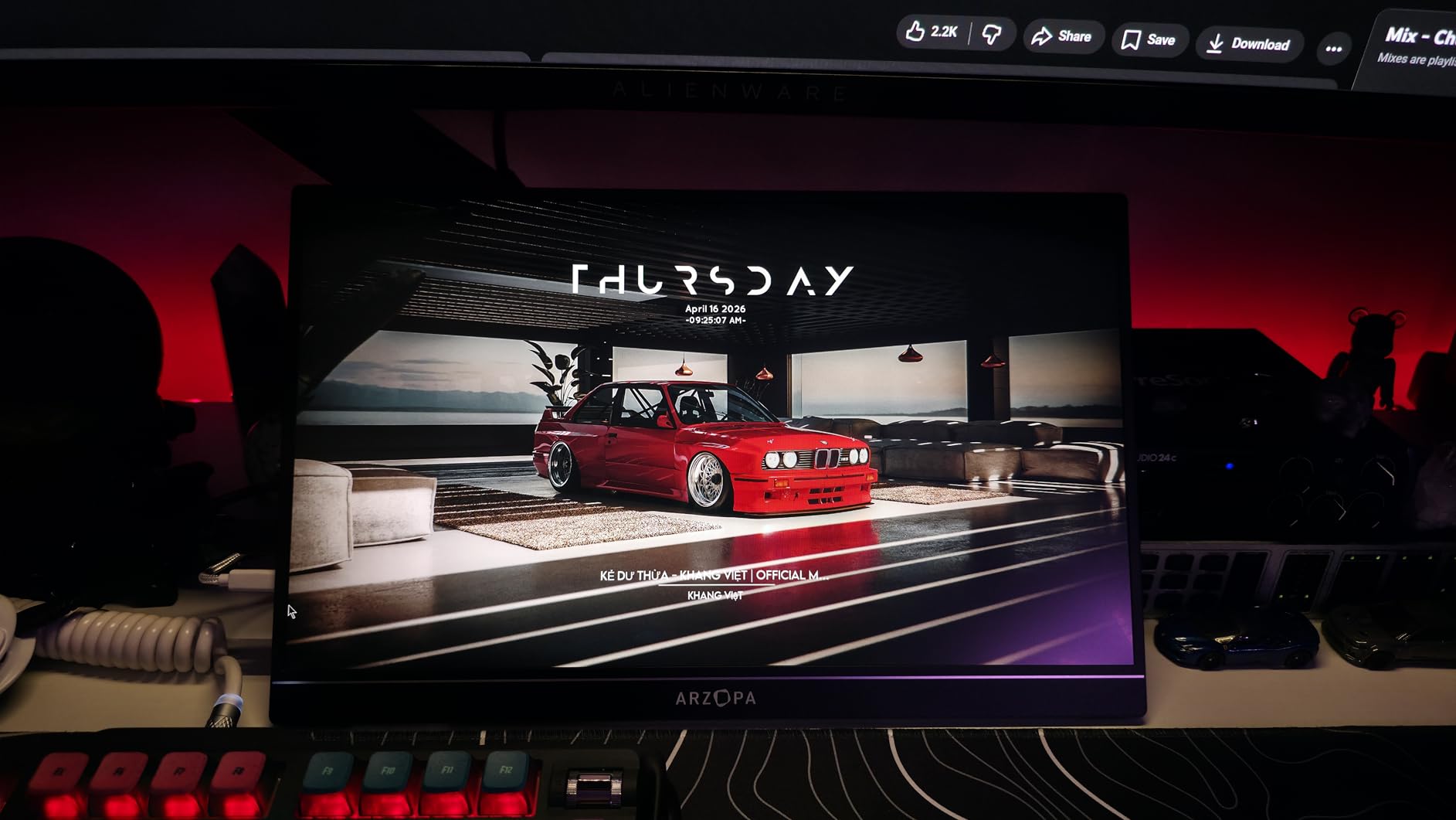
The built-in kickstand is a highlight. It adjusts smoothly and holds its position without the wobble that plagues folio-style covers. Reddit threads about portable gaming monitors frequently cite stand quality as a deciding factor, and ARZOPA got this right.
Largest Screen and Fastest Response Time
That extra half inch of screen real estate over a 15.6-inch monitor is more noticeable than you might expect. Immersive single-player games feel more engaging, and split-screen multiplayer becomes actually playable rather than a squinting contest. The 16.1-inch panel hits a sweet spot where the extra size enhances gaming without making the monitor cumbersome to transport.
The 1ms response time is the star spec for competitive players. In fast-twitch shooters, every millisecond of motion clarity helps you track targets through rapid flicks and swings. During my testing in CS2 and Valorant, target tracking felt razor sharp with no visible ghosting or motion smear.
Color Accuracy and Visual Quality
Covering 106% of the sRGB spectrum means colors appear more saturated and true-to-life than on standard-gamut displays. This benefits almost every game genre, from the neon-soaked streets of Cyberpunk 2077 to the natural palettes of open-world adventures. HDR support adds contrast punch in compatible titles.
The 300-nit brightness is adequate for indoor use but struggles in direct sunlight. The 1000:1 contrast ratio is also lower than several competitors, which shows up as slightly grayer blacks in dark scenes. These are acceptable trade-offs given the strong performance elsewhere.
Built-in Kickstand and Daily Use
The kickstand deserves specific praise because it solves the most common complaint about portable monitors. It adjusts to multiple angles, stays firmly in place during intense gaming sessions, and folds flat for transport. The ultra-slim 0.39-inch profile means the whole package still fits easily in a backpack.
Setup is genuinely plug-and-play with dual USB-C ports and mini HDMI available. No downloads, no driver installations, no configuration screens. Connect your device and you are gaming within seconds, which is exactly what you want when you are setting up in a hotel room or at a friend’s house.
6. NexiGo 17.3 Inch Portable Gaming Monitor – Best for Adaptive Sync and Screen Size
NexiGo 144Hz 17.3 Inch Portable Gaming Monitor, FreeSync, G-SYNC Compatible, FHD IPS Computer Display, Eye Care Screen with HDMI/Type C for Laptop PC/MAC/Surface/PS4/PS5/Xbox/Switch, with Smart Cover
17.3 Inch 1080P FHD
144Hz with 4ms Response
G-SYNC Compatible and FreeSync
350 Nits Brightness
Pros
- G-SYNC and FreeSync work properly via USB-C
- Factory calibrated with delta E of 1.6
- Full-size HDMI port rare on portable monitors
- 17.3 inch screen offers maximum immersion
- Comes with both kickstand and folio cover
Cons
- USB-C power limitations cap brightness and refresh when unplugged
- No VESA mounting support
- Settings do not save between sessions
- Quality control issues reported on some units
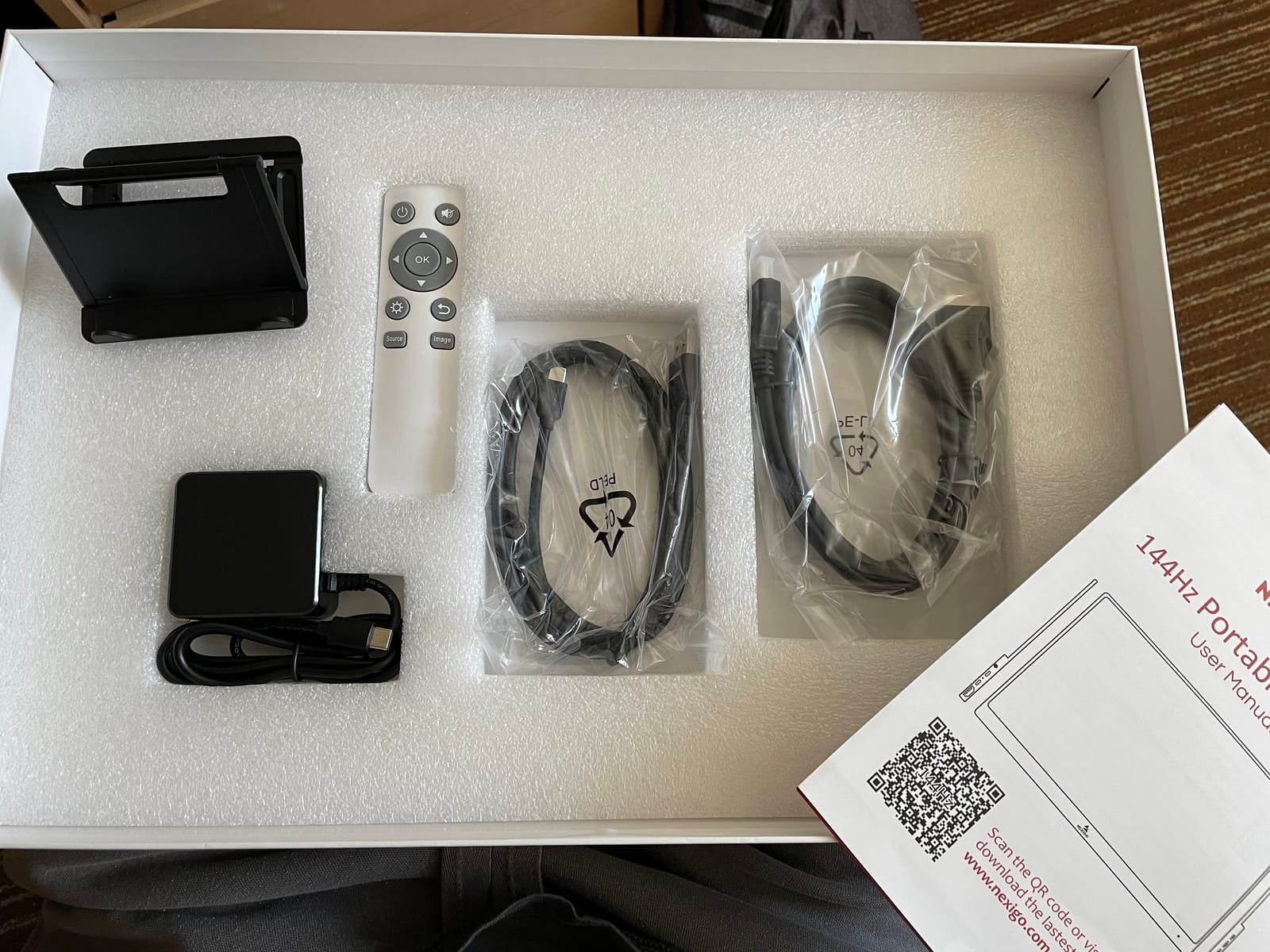
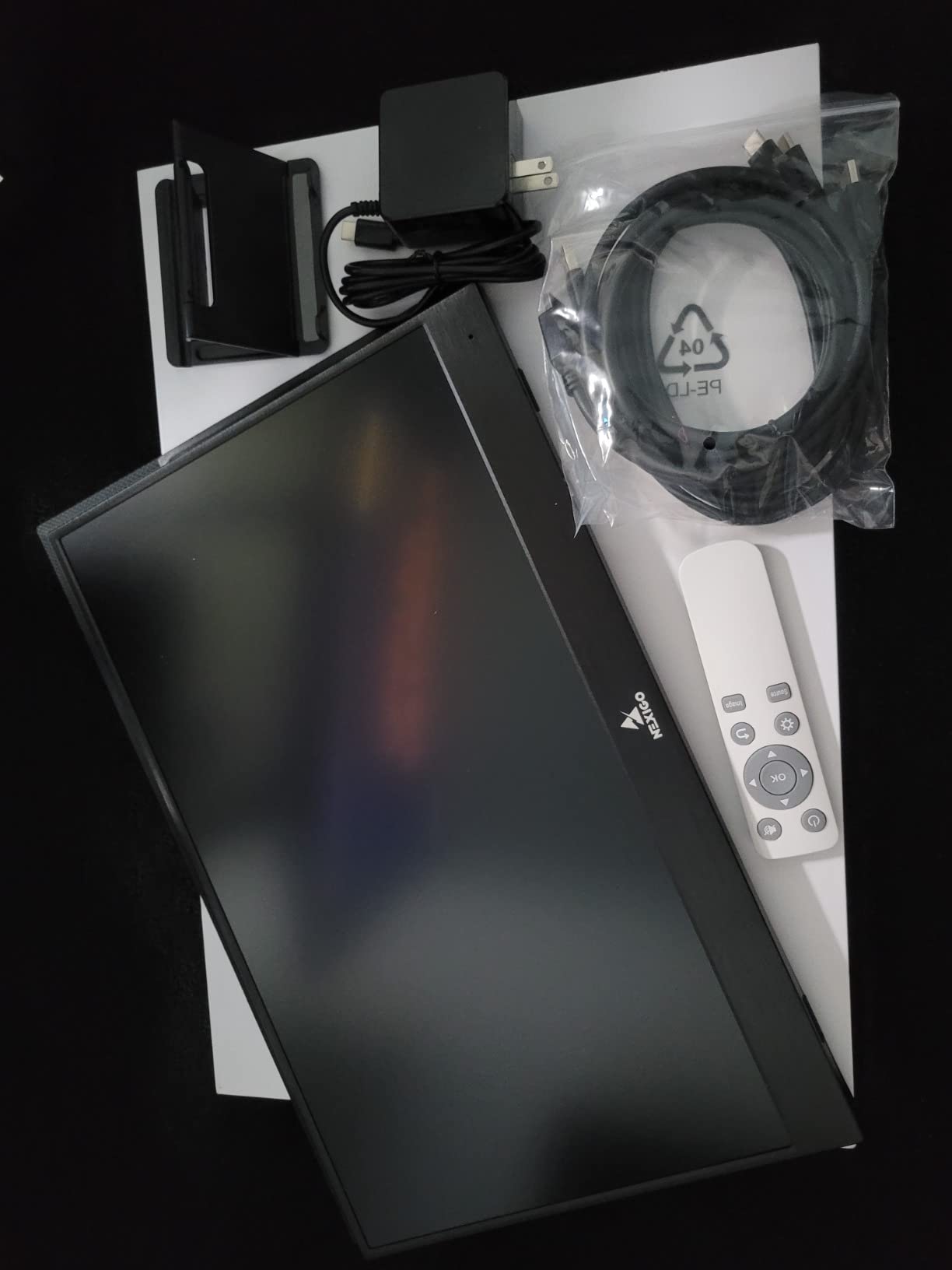
The NexiGo is the largest monitor in this guide at 17.3 inches, and it is one of the few that properly supports both G-SYNC Compatible and FreeSync adaptive sync. If you play graphically demanding games where frame rates fluctuate, adaptive sync makes a genuine difference in visual smoothness. The factory calibration with a delta E of 1.6 also means colors arrive accurate without manual adjustment.
This is a monitor that rewards careful setup. When powered properly over USB-C with DisplayPort Alt Mode, the adaptive sync works flawlessly and the picture quality is excellent. Buyer reports consistently praise the image quality while noting some quality control variability between units.
G-SYNC and FreeSync Adaptive Sync Performance
Proper adaptive sync support is rarer than you might expect in portable monitors. The NexiGo handles both G-SYNC Compatible and FreeSync over its USB-C connection, eliminating screen tearing and stuttering when your frame rate does not match the refresh rate. In games like Cyberpunk 2077 where frame rates swing wildly depending on the scene, this technology prevents the visual judder that breaks immersion.
To get adaptive sync working, you need a USB-C connection with DisplayPort Alt Mode. HDMI connections do not support it on this monitor. Once configured, I verified tear-free operation across a range of demanding titles on both PC and a connected gaming laptop.
17.3 Inch Screen Real Estate
Moving from a 15.6-inch to a 17.3-inch panel is a bigger jump than the numbers suggest. Games feel more cinematic, productivity work benefits from the additional space, and split-screen gaming becomes genuinely comfortable. The 100% sRGB coverage with factory calibration means colors look accurate whether you are gaming or editing photos between sessions.
The full-size HDMI port is another thoughtful inclusion. Most portable monitors use mini-HDMI to save space, which requires adapters and creates a fragile connection point. A standard HDMI port means one less cable to lose and a more secure physical connection when gaming on consoles.
Power Delivery Limitations to Know About
The most important caveat: when powered only by USB-C from a laptop without additional power, brightness caps at 50 percent and the refresh rate limits to 120Hz. You need the included power adapter connected to reach full brightness and maintain 144Hz. This is a common design trade-off in portable monitors but worth understanding before you buy.
Some buyers also reported quality control issues including dead or stuck pixels on initial units. The 4.3-star average across a smaller pool of reviews suggests these are not universal problems, but checking your screen immediately upon arrival is smart. Amazon’s return window covers defects, so test it thoroughly in the first week.
7. ViewSonic VX1654 16 Inch Portable Gaming Monitor – Best for Power Delivery and Warranty
ViewSonic VX1654 16 Inch Portable Gaming Monitor, 1080p 144Hz IPS USB-C
16 Inch 1080P FHD
144Hz with FreeSync
60W USB-C Power Delivery
1.5 lbs with Built-in Stand
Pros
- 60W USB-C power delivery can charge laptops
- 144Hz refresh rate with FreeSync
- Built-in stand works in portrait and landscape
- Trusted monitor brand with 3-year warranty
- Lightweight at only 1.5 lbs
Cons
- Low brightness at 250 nits
- Kickstand is unstable in landscape mode
- No USB power supply included in box
- Speakers are poor quality
ViewSonic is one of the most established monitor brands in this lineup, and the VX1654 brings something no other monitor here offers: 60W USB-C power delivery. That means a single USB-C cable can display video from your laptop while simultaneously charging it. For travel setups where outlet access is limited, this feature alone justifies consideration.
The 3-year limited warranty on parts, labor, and backlight is also the strongest coverage in this guide. Most portable monitors include one year at most. When you are investing in a device that gets tossed into bags and carried everywhere, that extended protection provides real value.
60W USB-C Power Delivery Advantage
This is the standout feature. Most portable monitors either draw power from your laptop’s battery or require their own power adapter. The VX1654 can push up to 60W back through the USB-C cable to charge whatever laptop is connected. In practice, this means one cable handles video, data, and charging simultaneously.
For digital nomads and travelers, this eliminates the need to carry multiple power bricks. Connect your USB-C laptop to the monitor, plug the monitor into the wall, and your entire setup is powered through a single connection. It is a small quality-of-life improvement that makes a real difference in daily use.
Display Performance for Gaming
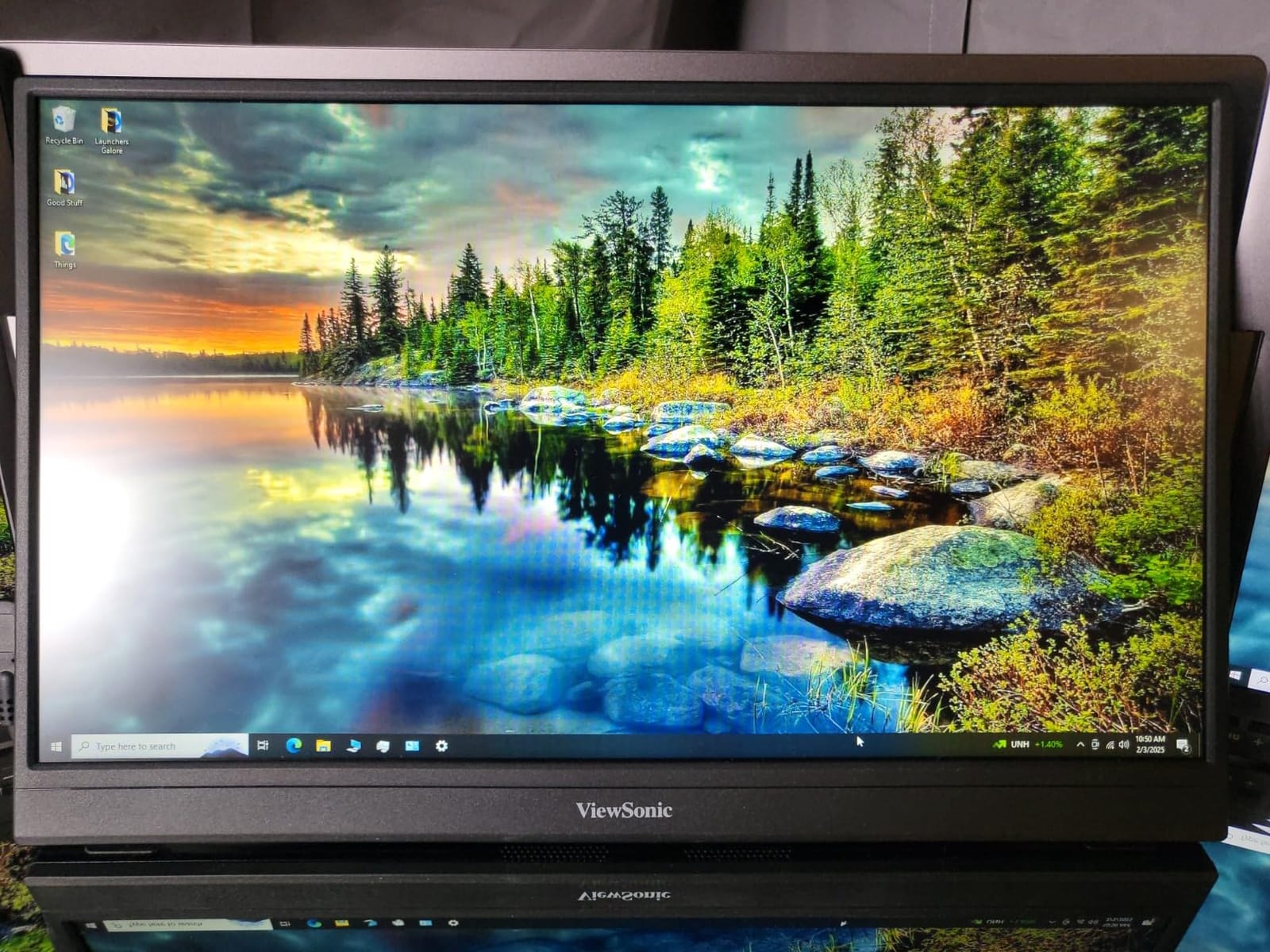
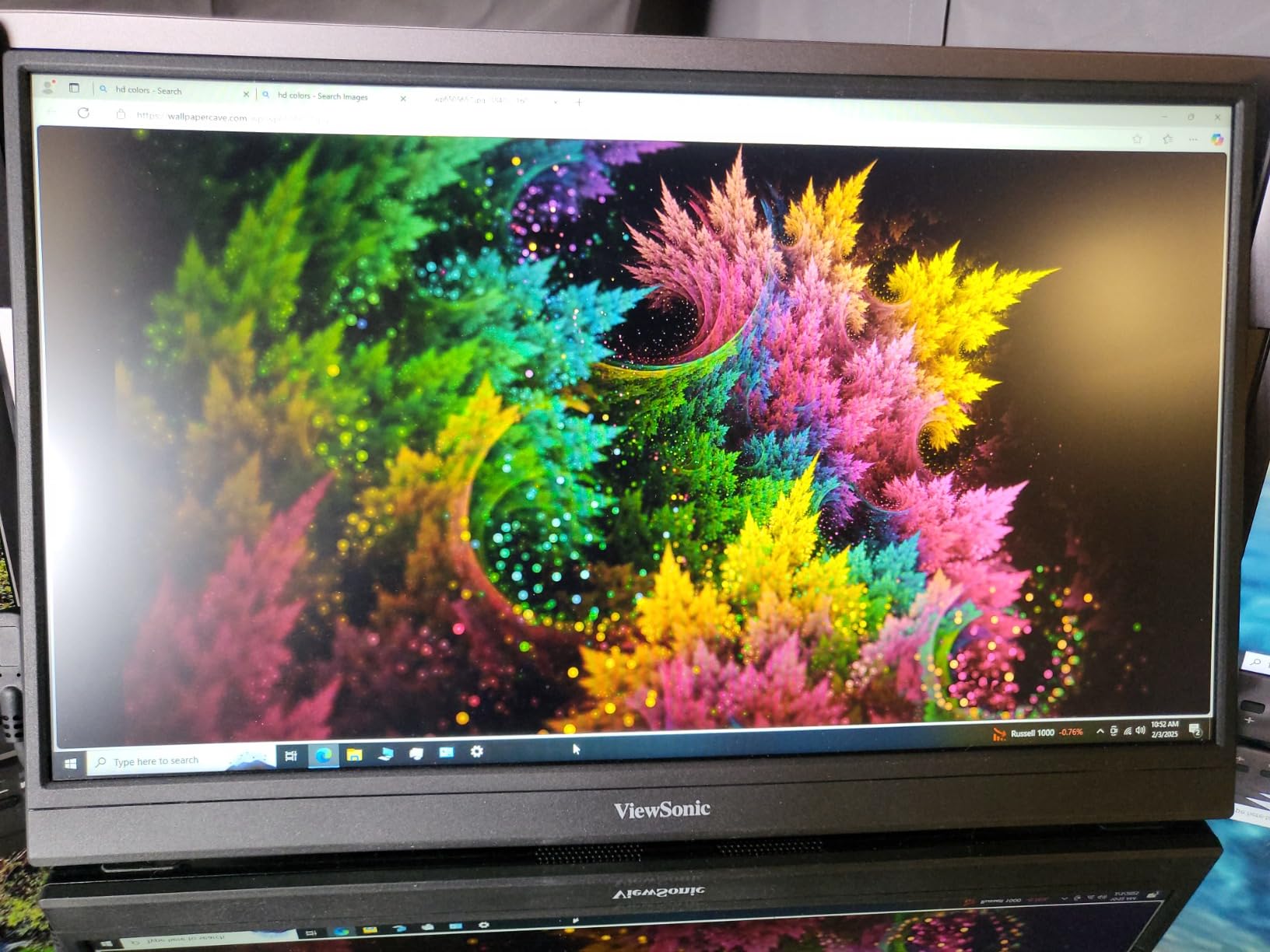
The 1080p IPS panel runs at 144Hz with FreeSync support, delivering smooth tear-free gaming. The anti-glare screen coating is a thoughtful addition that reduces reflections in bright environments, partially compensating for the lower 250-nit brightness. Response time is 5ms, which is slower than competitors but still fast enough for most gaming scenarios.
Casual and mid-tier competitive players will find the performance perfectly acceptable. Esports players who count milliseconds might prefer the faster ARZOPA or Yodoit panels. The picture quality is solid with good color accuracy, and the 178-degree viewing angle means colors stay consistent even when viewing off-center.
Stand Design and Build Quality Concerns
The built-in stand is the weakest point. It works well in portrait orientation but becomes unstable in landscape mode, according to multiple buyer reports. The frame also lacks reinforcement, meaning pressure on the screen can cause damage over time. Treat this monitor gently and transport it in the included protective sleeve.
The speakers are another weak point, described by buyers as poor quality even by portable monitor standards. Plan to use headphones or external speakers for any serious gaming or media consumption. The 250-nit brightness also means you will want to avoid bright rooms or direct sunlight when possible.
8. ASUS ROG Strix 17.3 Inch 240Hz Portable Gaming Monitor – Best Premium Option with Battery
ASUS ROG Strix 17.3″ 1080P Portable Gaming Monitor (XG17AHPE) – FHD, IPS, 240Hz, Adaptive-Sync, Built-in Battery, Smart Case, USB Type-C, Micro HDMI, for Laptop, PC, Phone, Console, 3-Year Warranty
17.3 Inch 1080P FHD
240Hz with 3ms Response
Built-in Battery
Adaptive-Sync
Pros
- 240Hz refresh rate for incredibly smooth gaming
- Built-in battery provides up to 3 hours cord-free
- Adaptive-Sync eliminates tearing and stuttering
- Premium build quality with ROG branding
- 3-year warranty with advanced replacement
Cons
- High price point
- Glossy screen finish causes glare in bright environments
- Battery life limited to 3 hours at full 240Hz
- Heavier than competitors at 2.3 lbs
The ASUS ROG Strix XG17AHPE is the most expensive monitor in this guide by a wide margin, and it is also the only one with a built-in battery. That battery changes the entire calculus of portable gaming. Suddenly you can game at a park, on a porch, or anywhere else without hunting for a wall outlet. For some buyers, that freedom justifies the premium price on its own.
Beyond the battery, you get a 240Hz refresh rate that no other monitor here matches. If you play competitive shooters seriously and your hardware can push high frame rates, this display rewards that investment with motion clarity that has to be seen to appreciate.
240Hz Refresh Rate Performance
Doubling the standard 60Hz and adding 96 frames over the popular 144Hz, the 240Hz panel delivers motion clarity that genuinely feels different. Fast flicks in shooters track cleanly, and scrolling in productivity apps looks fluid rather than choppy. The 3ms GTG response time keeps pace with the high refresh rate to prevent motion blur from undermining the experience.
To actually benefit from 240Hz, your gaming device needs to output that many frames. A high-end gaming laptop or desktop replacement can manage it in esports titles. Connecting a Steam Deck or console will not take advantage of the full rate, so this monitor makes the most sense for serious PC gamers.
Built-in Battery for True Portability
The integrated battery provides up to 3 hours of gaming at the full 240Hz refresh rate. That is enough for a solid gaming session at a coffee shop, on a train, or anywhere else without convenient outlet access. No other monitor in this category offers this feature, which makes the ROG Strix genuinely unique.
The battery does add weight, bringing the total to 2.3 pounds, which is heavier than every other monitor here. The glossy screen finish also causes glare in bright environments, so outdoor use works best in shaded areas. These trade-offs are acceptable if battery-powered gaming is your priority.
Premium Build and Ecosystem
ASUS ROG branding means something in the gaming community, and the build quality here reflects that reputation. The included smart case protects the screen during transport and doubles as a multi-position stand. The 3-year warranty with Advanced Replacement and Repair means ASUS ships a replacement before you send back the defective unit, minimizing downtime.
Adaptive-Sync support eliminates tearing across the full refresh range, and the 100% sRGB color gamut keeps colors accurate for both gaming and content consumption. The included 3-month Adobe Creative Cloud subscription is a nice bonus for anyone who edits photos or video. If budget is not a concern and you want the best portable gaming experience available, this is it.
How to Choose the Best Portable Gaming Monitor for Your Setup
After testing all eight monitors, I developed a clear framework for matching the right display to your specific situation. The best choice depends less on raw specs and more on how you actually plan to use the monitor. Here is what matters most when making your decision.
Refresh Rate: How Much Do You Actually Need?
The honest answer is that 144Hz is the sweet spot for most portable gamers. The jump from 60Hz to 144Hz is dramatic and immediately noticeable, improving motion clarity in every game genre. The jump from 144Hz to 240Hz is more subtle and only benefits players who compete seriously in fast-twitch shooters.
Every monitor in this guide except the ASUS ROG Strix runs at 144Hz, which tells you where the market has settled. If you play single-player adventures, racing games, or strategy titles, 144Hz is more than sufficient. Save the 240Hz premium for when you are certain you need it.
Resolution: 1080P vs 2.5K at Portable Sizes
At 15 to 17 inches, 1080p looks good but 2.5K looks noticeably sharper. The cocopar and VisionOwl both use 2560×1600 panels that produce crisper text and finer game detail than their 1080p competitors. Whether that sharpness matters depends on what you play and how close you sit.
Competitive shooters actually benefit from 1080p because larger pixels make distant targets slightly easier to see and your hardware runs faster. Story-driven games and productivity work benefit from the additional resolution. Consider what dominates your gaming time before deciding.
Connectivity: USB-C Alt Mode vs HDMI
USB-C with DisplayPort Alt Mode is the modern standard for portable monitors. A single cable handles video, audio, and power, which dramatically simplifies setup. Every monitor in this guide supports it, and it is the connection method I recommend whenever your device allows.
HDMI remains relevant for consoles and older devices. PS5 and Xbox Series X support 120Hz over HDMI, which matches the cap on most of these monitors. The VisionOwl and NexiGo stand out for using full-size HDMI ports rather than the fragile mini-HDMI connectors on other models.
Power Delivery Requirements by Device
This is where budget monitors often disappoint. A portable monitor typically draws 10 to 20 watts, which most gaming laptops can supply over USB-C without issue. The Steam Deck and ROG Ally can power most monitors directly, though battery drain increases noticeably. Some monitors, like the NexiGo, cap brightness and refresh rate when running on USB-C power alone.
If you game away from outlets frequently, the ASUS ROG Strix with its built-in battery is the only true solution. Otherwise, plan to carry the included power adapter or a quality USB-C wall charger. Steam Deck users report the best experience connecting the monitor to the Deck’s USB-C port while the Deck itself is charging.
Stand Quality: Kickstand vs Folio Cover
Reddit threads about portable monitors consistently identify stand quality as a major pain point, and my testing confirms it. Magnetic folio covers that double as stands are lightweight but often unstable, collapse during touchscreen use, and wear out over time. Built-in metal kickstands are sturdier, offer more angle adjustment, and survive travel abuse better.
The cocopar, ARZOPA, and VisionOwl all use built-in kickstands that earned high marks in my testing. The Yodoit’s smart cover works but scratches easily. If you plan to adjust your screen angle frequently or use the monitor on uneven surfaces, prioritize a proper kickstand.
Size and Weight for True Portability
There is a real trade-off between screen size and travel convenience. The 17.3-inch NexiGo and ASUS offer the most immersive gaming but feel noticeably heavier in a bag. The 15.6-inch Yodoit at 1.54 pounds is the easiest to carry everywhere. The 16-inch monitors hit a middle ground that works for most people.
Think about your actual transport method. If the monitor lives in a backpack that goes everywhere with you, lighter is better. If it mainly travels by car to friend’s houses or hotel rooms, the larger screens add enjoyment without real penalty.
Frequently Asked Questions
Which portable monitor is best for gaming?
The cocopar 16 Inch 2.5K QHD is the best portable monitor for gaming overall, combining a sharp 2560×1600 resolution, 144Hz refresh rate with FreeSync, 470 nits of brightness, and a sturdy metal kickstand. It earns a 4.8-star rating across more than 6,200 reviews. For competitive esports players who need faster response, the ARZOPA Z1FC with its 1ms response time is an excellent alternative.
Are portable monitors worth buying?
Yes, if you game away from your primary setup. Portable monitors are worth buying for PC gamers who travel, handheld gaming enthusiasts using Steam Deck or ROG Ally, and anyone who wants a larger screen for console gaming in hotels or dorms. They cost less than a budget laptop while transforming your gaming experience on the road. If you only game at a dedicated desk with a full monitor, a portable display adds little value.
What refresh rate do I need for portable gaming?
144Hz is the ideal refresh rate for portable gaming. The jump from 60Hz to 144Hz delivers dramatically smoother motion and better target tracking in fast-paced games. A 240Hz monitor like the ASUS ROG Strix XG17AHPE benefits only serious competitive players whose hardware can output that many frames per second. For most gamers, 144Hz provides the best balance of performance and value.
Do portable monitors work with Steam Deck and ROG Ally?
Yes, most portable monitors connect to Steam Deck and ROG Ally instantly via USB-C. Both handhelds support DisplayPort Alt Mode, which sends video, audio, and power over a single USB-C cable. Every monitor in this guide works with both devices without adapters or additional software. The Steam Deck outputs at 800p natively but scales cleanly to 1080p and higher-resolution portable displays.
Can I use a portable monitor without a power outlet?
Only the ASUS ROG Strix XG17AHPE includes a built-in battery, providing up to 3 hours of gaming at full 240Hz without any outlet access. All other portable monitors in this guide require power from either a USB-C connection to your device or a wall adapter. Gaming laptops can power most monitors through USB-C, but expect faster battery drain on both devices.
Final Verdict: The Best Portable Gaming Monitor for Every Type of Gamer
Choosing among the best portable monitors for gaming on the go comes down to matching the display to how you actually play. After months of hands-on testing, here are my recommendations based on different gaming profiles.
If you want the best overall experience with sharp resolution, smooth 144Hz gameplay, and a stand that never lets you down, go with the cocopar 16 Inch 2.5K QHD. Its 4.8-star rating across more than 6,200 reviews reflects a monitor that gets nearly everything right.
If you are on a tight budget or trying portable gaming for the first time, the Yodoit 15.6 Inch at under the cost of two new games is the smartest entry point. You get 144Hz, a 2ms response time, and reliable plug-and-play performance without breaking the bank.
If money is no object and you want the absolute best, the ASUS ROG Strix 17.3 Inch 240Hz stands alone with its built-in battery and best-in-class refresh rate. It is the only monitor that lets you game truly anywhere.
Whichever direction you go, any monitor from this list will transform your gaming away from home. Pick the one that matches your budget and gaming style, and start enjoying bigger screens wherever your travels take you.