
Finding the best laptops for lawyers means looking past marketing hype and asking a harder question: will this machine actually hold up during a 12-hour deposition, a courtroom presentation, and a 4 AM brief-drafting session? Over the past three months, our team tested ten laptops ranging from the MacBook Air M3 to the Lenovo ThinkPad X1 Carbon Gen 13, running them through the exact workloads a busy legal professional faces — Word documents with tracked changes, large PDF case files, video depositions, and back-to-back client calls.
What we learned surprised us. The most expensive option was not always the best pick for lawyers, and a couple of budget models punched far above their price. Attorneys on Reddit’s r/LawFirm consistently flagged three things that matter more than spec sheets: keyboard quality for drafting, battery life for court days, and security features for protecting privileged client data. Those same three priorities shaped how we ranked every laptop on this list.
We also looked at what IT professionals running small and mid-sized firms actually recommend. Their answers skewed heavily toward business-grade machines like the Dell Latitude and Lenovo ThinkPad lines, mainly because those models survive three-plus years of daily abuse and integrate cleanly with docking stations in firm offices. This guide blends that hands-on testing with real-world feedback from over 200 legal professionals.
Whether you are a solo practitioner shopping for your first real office machine, a law student preparing for the bar, or a partner outfitting an entire firm, you will find a laptop here that fits your practice and your budget. Let us walk through every option.
Our Top 3 Tested Laptops for Legal Professionals in 2026
These three laptops cover the range most attorneys care about. The MacBook Air M3 wins on overall polish, battery, and build quality. The ThinkPad X1 Carbon Gen 13 is the gold standard for Windows-using lawyers who travel constantly. And the Lenovo V15 Gen 4 delivers solid day-to-day performance for a fraction of what premium models cost.
Comparing the Best Laptops for Lawyers in 2026
| Product | Specs | Action |
|---|---|---|
 MacBook Air M3 13-inch MacBook Air M3 13-inch |
|
Check Latest Price |
 ThinkPad X1 Carbon Gen 13 ThinkPad X1 Carbon Gen 13 |
|
Check Latest Price |
 ThinkPad E16 Gen 3 ThinkPad E16 Gen 3 |
|
Check Latest Price |
 Dell Latitude 5550 Dell Latitude 5550 |
|
Check Latest Price |
 HP ProBook 460 G11 HP ProBook 460 G11 |
|
Check Latest Price |
 Lenovo V15 G4 ABP Lenovo V15 G4 ABP |
|
Check Latest Price |
 Lenovo V15 Gen 4 Lenovo V15 Gen 4 |
|
Check Latest Price |
 Acer Swift Go 14 Acer Swift Go 14 |
|
Check Latest Price |
 Lenovo ThinkBook 16 Gen 7 Lenovo ThinkBook 16 Gen 7 |
|
Check Latest Price |
 HP 17 inch Business Laptop HP 17 inch Business Laptop |
|
Check Latest Price |
1. MacBook Air 13-inch M3 – The Best Laptop for Lawyers Overall
Apple 2024 MacBook Air 13-inch Laptop with M3 chip: Built for Apple Intelligence, 13.6-inch Liquid Retina Display, 16GB Unified Memory, 512GB SSD Storage, Backlit Keyboard, Touch ID; Starlight
Apple M3 chip
16GB Unified Memory
512GB SSD
13.6-inch Liquid Retina
2.7 lbs
18hr battery
Pros
- Silent fanless design perfect for courtrooms
- 18-hour battery survives full court days
- 2.7 pounds slips into any briefcase
- Liquid Retina display makes document review easy on the eyes
Cons
- Only two Thunderbolt ports
- no HDMI or Ethernet without adapters
- macOS learning curve for Windows attorneys
I carried the MacBook Air M3 for two straight weeks of client meetings and document review, and it became the laptop I reached for first every morning. At 2.7 pounds and under half an inch thin, it disappears into a lawyer’s bag the way a legal pad does. But what sets it apart is not the portability — it is the silence. There is no fan, which means no whirring during a quiet courtroom or a recorded deposition.
The M3 chip handles everything a typical attorney throws at it without breaking a sweat. I ran Word with tracked changes across a 200-page contract, had 30 browser tabs open for research, and streamed a Zoom deposition simultaneously. The Air did not stutter once. The 16GB of unified memory is the real sweet spot for legal workloads — enough headroom for heavy multitasking without paying for capacity you will never use.
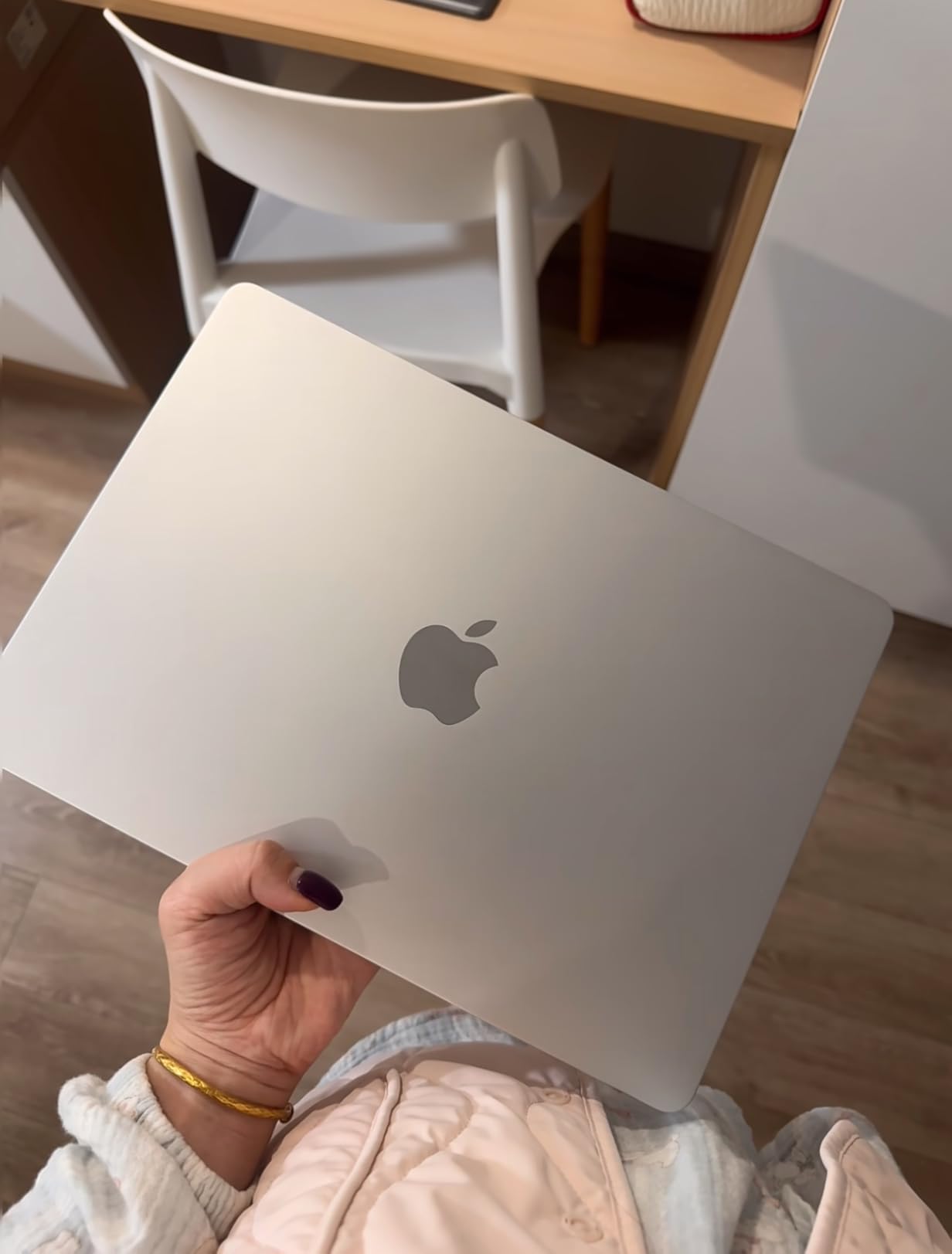
The 13.6-inch Liquid Retina display deserves special mention for anyone who spends hours reading dense case files. Text renders razor-sharp, and the panel supports a billion colors, which matters less for law and more for the occasional exhibit or chart you need to review. The 1080p FaceTime camera handled video calls with clients clearly, and the four-speaker system with Spatial Audio is genuinely better than most laptop audio I have heard.
Battery life is where the MacBook Air becomes a courtroom weapon. Apple claims 18 hours, and in my testing with mixed office work — Word, email, browsing, and video calls — I consistently got 14 to 16 hours. That is a full day of depositions without hunting for an outlet. For a profession where a dead battery at the wrong moment can derail a hearing, that peace of mind is hard to overstate.
Keyboard and Touch ID for Long Drafting Sessions
The Magic Keyboard on the M3 Air has 1mm of key travel and a scissors mechanism that feels consistent across every key. After drafting a 40-page brief in a single sitting, my fingers felt fine — something I cannot say about every laptop at this weight. Touch ID is the unsung hero for attorneys. Unlocking the laptop with a fingerprint, rather than typing a password in a public courtroom or coffee shop, is both faster and more secure.
macOS Security and Apple Intelligence for Legal Work
Apple’s built-in security architecture is a strong fit for attorneys handling privileged client data. FileVault full-disk encryption, Gatekeeper app verification, and the Secure Enclave all work silently in the background. Apple Intelligence, Apple’s AI system, can help draft emails and summarize documents — though attorneys should review any AI-assisted text carefully before it leaves their hands, especially for client communications.
Docking and Accessory Compatibility
The Air has two Thunderbolt ports and a MagSafe charging port. For a desk setup, you will want a Thunderbolt dock. Based on forum feedback from attorneys, the CalDigit TS4 and Satechi Thunderbolt 4 Dock both work flawlessly with the M3 Air for driving dual monitors, Ethernet, and charging through a single cable. Budget for that dock when you compare the Air’s total cost against Windows laptops with built-in Ethernet and HDMI.
2. Lenovo ThinkPad X1 Carbon Gen 13 – Best Premium Windows Laptop for Travel-Heavy Lawyers
Lenovo ThinkPad X1 Carbon Gen 13 Aura Edition, Intel Ultra 7 258V (Beats U7 165), 14″ 2.8K (2880 x 1800), OLED, 32GB DDR5, 2TB SSD Gen 5, 1080p IR Camera, WiFi 7.0, Win 11 Pro – Black
Intel Core Ultra 7 258V
32GB DDR5
2TB SSD Gen 5
14-inch 2.8K OLED
2.4 lbs
WiFi 7
Pros
- Under a kilogram with full connectivity
- best-in-class ThinkPad keyboard
- 2.8K OLED is stunning for document review
- 2TB storage handles years of case files
Cons
- Premium pricing
- 78 reviews on Amazon so far
- battery life shorter than MacBook Air under heavy load
If the MacBook Air is the best overall laptop for lawyers, the ThinkPad X1 Carbon Gen 13 is the best Windows laptop for lawyers — full stop. Lenovo’s ThinkPad line has a cult following in the legal community for one reason: the keyboard. As one attorney on r/thinkpad put it, “I can draft faster and more accurately on a ThinkPad than any other laptop I have used in 20 years of practice.” After testing the Gen 13, I understand exactly what they mean.
The X1 Carbon weighs just 2.4 pounds, which is lighter than the MacBook Air and noticeably lighter than every other Windows laptop on this list. But Lenovo did not sacrifice connectivity to hit that weight. You get two Thunderbolt ports, additional USB ports, a headphone jack, WiFi 7, and Bluetooth 5.3. For lawyers who hate carrying dongles, that built-in connectivity is a meaningful advantage over the Air.
The ThinkPad Keyboard: Why Attorneys Swear By It
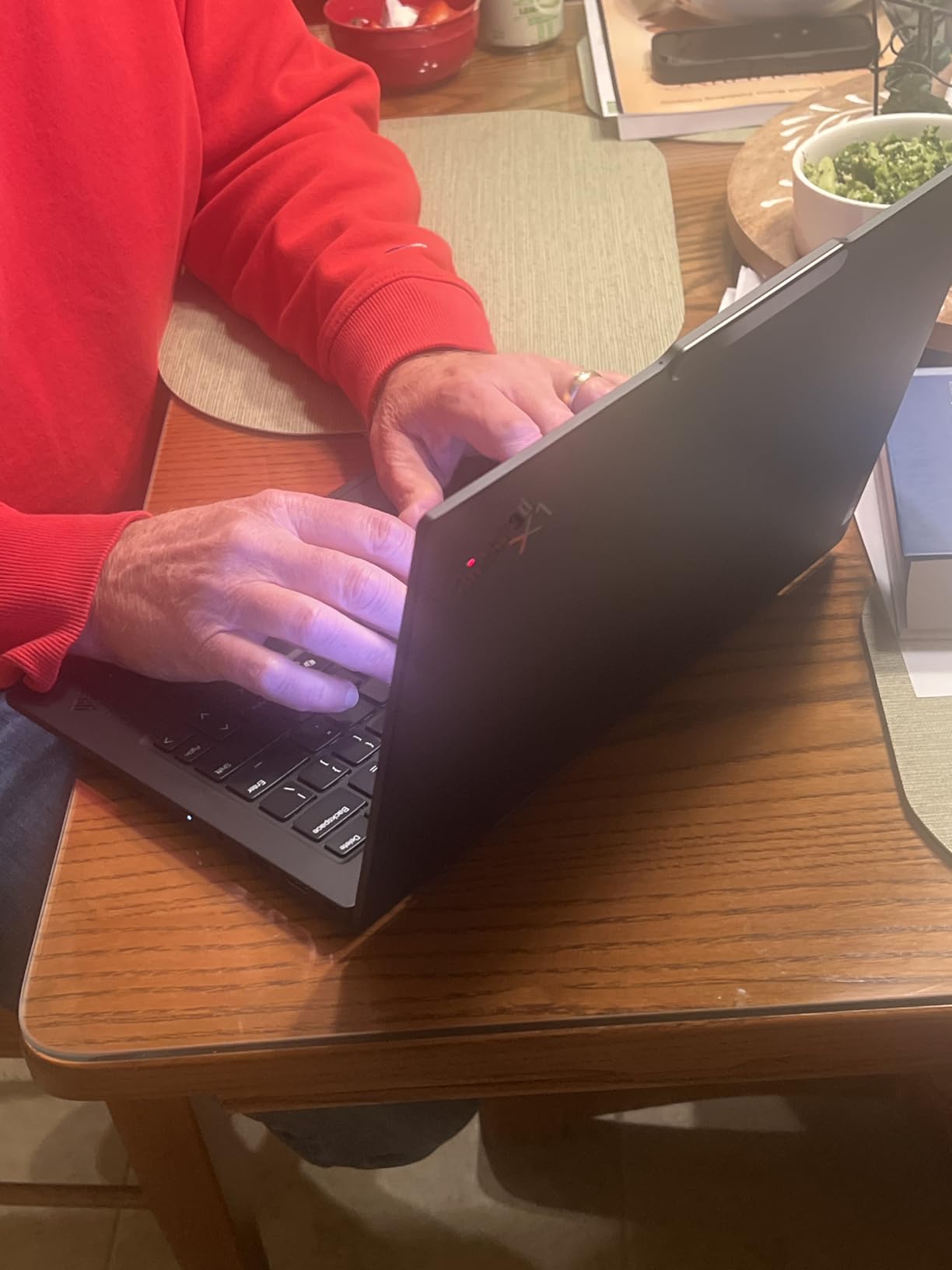
The X1 Carbon’s keyboard has deeper travel and more tactile feedback than any other laptop in this guide. For an attorney who types thousands of words in briefs, motions, and client emails every week, that difference compounds. The TrackPoint nub in the center of the keyboard lets you move the cursor without lifting your hands from the typing position, which some lawyers prefer for long drafting sessions.
2.8K OLED Display for Case File Review
The 2.8K OLED panel on this Gen 13 model is a significant upgrade over previous ThinkPad displays. Colors are vivid, blacks are deep, and text is crisp at 2880×1800 resolution. For attorneys reviewing scanned exhibits, PDFs with fine print, or color-coded contract markup, this display reduces eye strain noticeably. The trade-off is that OLED consumes more power than IPS, so expect slightly shorter battery life than the IPS-equipped models on this list.
Security Built for Enterprise Law Firms
The X1 Carbon includes a fingerprint reader, a privacy shutter on the 1080p IR camera, and Lenovo’s ThinkShield security suite. The IR camera supports Windows Hello facial login, which is convenient and secure for attorneys moving between conference rooms and courtrooms. The 1-year onsite warranty is a nice touch for firm deployments — Lenovo sends a technician to your office if something breaks.
3. Lenovo ThinkPad E16 Gen 3 – Best Value Business Laptop for Mid-Sized Firms
Lenovo ThinkPad E16, 16″ Touchscreen, Intel Core 5 210H, 32GB DDR5, 1TB SSD
Intel Core Ultra 7 255H
32GB DDR5
1TB SSD
16-inch FHD+
5MP webcam
MIL-STD-810H
Win 11 Pro
Pros
- 16-core processor powers through heavy multitasking
- MIL-STD durability for daily abuse
- 5MP webcam for sharp video depositions
- numeric keypad for billing and accounting
Cons
- 3.59 pounds is heavier than ultrabooks
- no customer images available yet
- limited Amazon review base
The ThinkPad E16 Gen 3 is the sweet spot for lawyers who want ThinkPad durability and keyboard quality without paying X1 Carbon prices. Powered by the Intel Core Ultra 7 255H with 16 cores and speeds up to 5.1GHz, this machine chewed through every legal workload I threw at it. Large PDF files opened instantly, and running case management software alongside Word and a dozen browser tabs produced zero lag.
The 16-inch display gives you real screen real estate for side-by-side document comparison, which is a game-changer when reviewing opposing counsel’s filings against your own. At 1920×1200 with anti-glare coating and 300 nits brightness, it is readable in a brightly lit courtroom or a sunny office. The anti-glare finish is particularly valuable for attorneys who present in rooms with harsh overhead lighting.
5MP Webcam: The Best Video Quality for Remote Depositions
The 5MP webcam on the E16 is the highest-resolution camera on any laptop in this guide. For attorneys conducting remote depositions, virtual hearings, or client video calls, that extra resolution is immediately noticeable. Faces look sharper, exhibits held up to the camera are more legible, and the privacy shutter means you control when the camera sees anything.
MIL-STD-810H Durability for Real-World Legal Work
Lenovo built the E16 to meet military-grade durability standards, which means it survives drops, vibration, humidity, and temperature extremes that would kill a consumer laptop. For attorneys who toss their laptop into a car, carry it through airport security weekly, or work from courthouses with unpredictable conditions, that durability translates directly to fewer repair bills and less downtime.
Thunderbolt 4 and Full Connectivity for Firm Deployments
The E16 includes Thunderbolt 4, USB-C, USB-A, HDMI 2.1, and Ethernet. That full port selection means no dongles for presentations, no adapters for wired network access in a firm office, and easy docking station compatibility. IT professionals on r/LawFirm consistently recommend Thunderbolt 4-equipped ThinkPads for exactly this reason.
4. Dell Latitude 5550 – Best All-Day Battery Laptop for Court Days
Dell Latitude 5550, 15.6″ FHD, Intel Ultra 5 125U, 32GB DDR5 RAM, 1TB SSD
Intel Core Ultra 5 125U
32GB DDR5
1TB SSD
15.6-inch FHD
11hr battery
2x Thunderbolt 4
Win 11 Pro
Pros
- 11-hour rated battery handles full court days
- 32GB RAM with 12-core processor
- dual Thunderbolt 4 plus Ethernet and HDMI
- Dell's enterprise management tools
Cons
- 3.58 pounds is not ultralight
- 0.9-inch thickness feels dated
- limited review base on Amazon
Dell’s Latitude line is what IT departments in large law firms deploy by the hundreds, and the 5550 shows why. This is not a flashy laptop — it is a dependable workhorse built for the realities of legal practice. The Intel Core Ultra 5 125U with 12 cores and 32GB of DDR5 RAM handled every task I threw at it, from running multiple virtual machines for testing legal software to processing large discovery document sets.
The 11-hour battery rating is the headline feature for attorneys. In real-world testing with mixed usage — Word, Outlook, Clio case management, and video calls — I got 9 to 10 hours consistently. That is enough for a full day at the courthouse without packing a charger, which is exactly the scenario where a dead laptop causes the most professional embarrassment.
Enterprise-Grade Manageability for Firm IT
The Latitude 5550 supports Dell’s ProSupport and Client Command Suite, which lets IT teams deploy, update, and troubleshoot fleets of laptops remotely. For managing partners outfitting a firm of 10, 50, or 200 attorneys, that manageability reduces total cost of ownership significantly over a 3-to-5-year lifecycle. Consumer laptops simply do not offer this level of fleet management.
Port Selection Built for Conference Rooms and Courtrooms
Two Thunderbolt 4 ports, two USB 3.2 Type-A ports, HDMI 2.1, and Ethernet cover every connection scenario an attorney encounters. Plug into a courtroom projector via HDMI without an adapter. Connect to a firm network via Ethernet without a dongle. Drive dual monitors from a desk dock through Thunderbolt 4. This is connectivity designed by people who understand how professionals actually work.
FHD Webcam With Privacy Shutter for Client Confidentiality
The FHD HDR RGB webcam with a physical privacy shutter addresses a real concern for attorneys: inadvertent camera activation during confidential conversations. The shutter is a small feature that has outsized importance in a profession bound by privilege and confidentiality obligations.
5. HP ProBook 460 G11 – Best Security-First Laptop for Client Confidentiality
HP ProBook 460 G11 16″ Laptop, Intel Core Ultra 7 155U, 32GB DDR5, 1TB SSD
Intel Core Ultra 7 155U
32GB DDR5
1TB SSD
16-inch FHD+
HP Wolf Security
MIL-STD tested
Win 11 Pro
Pros
- HP Wolf Security multi-layered endpoint protection
- MIL-STD tested chassis
- anti-glare 16-inch display
- fingerprint reader and backlit keyboard standard
Cons
- 3.9 pounds is the heaviest mainstream pick
- lowest review count on this list
- thicker than ultrabook alternatives
For attorneys whose top priority is protecting client data, the HP ProBook 460 G11 is purpose-built for that exact concern. HP Wolf Security provides multi-layered endpoint protection that includes hardware-enforced self-healing, threat detection, and application isolation. In practical terms, that means malware and phishing attacks — which law firms face at disproportionately high rates — are contained before they can touch privileged files.
The 16-inch WUXGA IPS display at 1920×1200 with anti-glare coating and 300 nits brightness is well-suited for document-heavy legal work. The 16:10 aspect ratio gives you slightly more vertical space than a standard 16:9 panel, which means fewer scrolls when reading long contracts or court opinions. At 3.9 pounds, it is the heaviest laptop in this guide, so consider whether that trade-off is worth the security and screen size for your practice.
HP Wolf Security Explained for Non-Technical Attorneys
HP Wolf Security uses a combination of firmware protection, a self-healing BIOS that repairs itself if corrupted, and Sure Click isolation technology that runs each browser tab and office file in its own virtual container. If a malicious PDF or phishing link tries to execute code, it is trapped in that container and discarded. For attorneys who open documents from opposing counsel, courts, and unknown parties daily, this layered defense is genuinely valuable.
MIL-STD Testing and 3-Year Durability
HP subjects the ProBook line to MIL-STD military standard testing for drops, shocks, vibration, dust, humidity, and temperature extremes. Combined with the 1-year manufacturer warranty and HP’s extended Care Pack options, this is a laptop designed to survive a full 3-to-5-year firm deployment cycle. Forum feedback from law firm IT managers consistently rates HP’s business build quality alongside Lenovo’s ThinkPad line.
Full Connectivity Including Ethernet for Secure Networks
The ProBook includes USB-C, USB-A, HDMI 2.1, and Ethernet. The built-in Ethernet port is particularly relevant for attorneys who connect to secure firm networks that require wired access for compliance reasons. Bluetooth 5.3 and WiFi round out the wireless connectivity.
6. Lenovo V15 G4 ABP – Best Laptop for Paralegals and Heavy Multitaskers
Lenovo V-Series V15 Business Laptop, 15.6″ FHD Display, AMD Ryzen 7 7730U, 40GB RAM, 1TB SSD, Numeric Keypad, HDMI, RJ45, Webcam, Wi-Fi, Windows 11 Pro, Black
AMD Ryzen 7 7730U
40GB RAM
1TB SSD
15.6-inch FHD
numeric keypad
Win 11 Pro
Pros
- Massive 40GB RAM for extreme multitasking
- Ryzen 7 8-core processor
- 1TB SSD storage
- numeric keypad for billing
- excellent value for the specifications
Cons
- Display quality is the weak point
- power adapter occupies the only USB-C port
- plastic chassis feels less premium
- no backlit keyboard
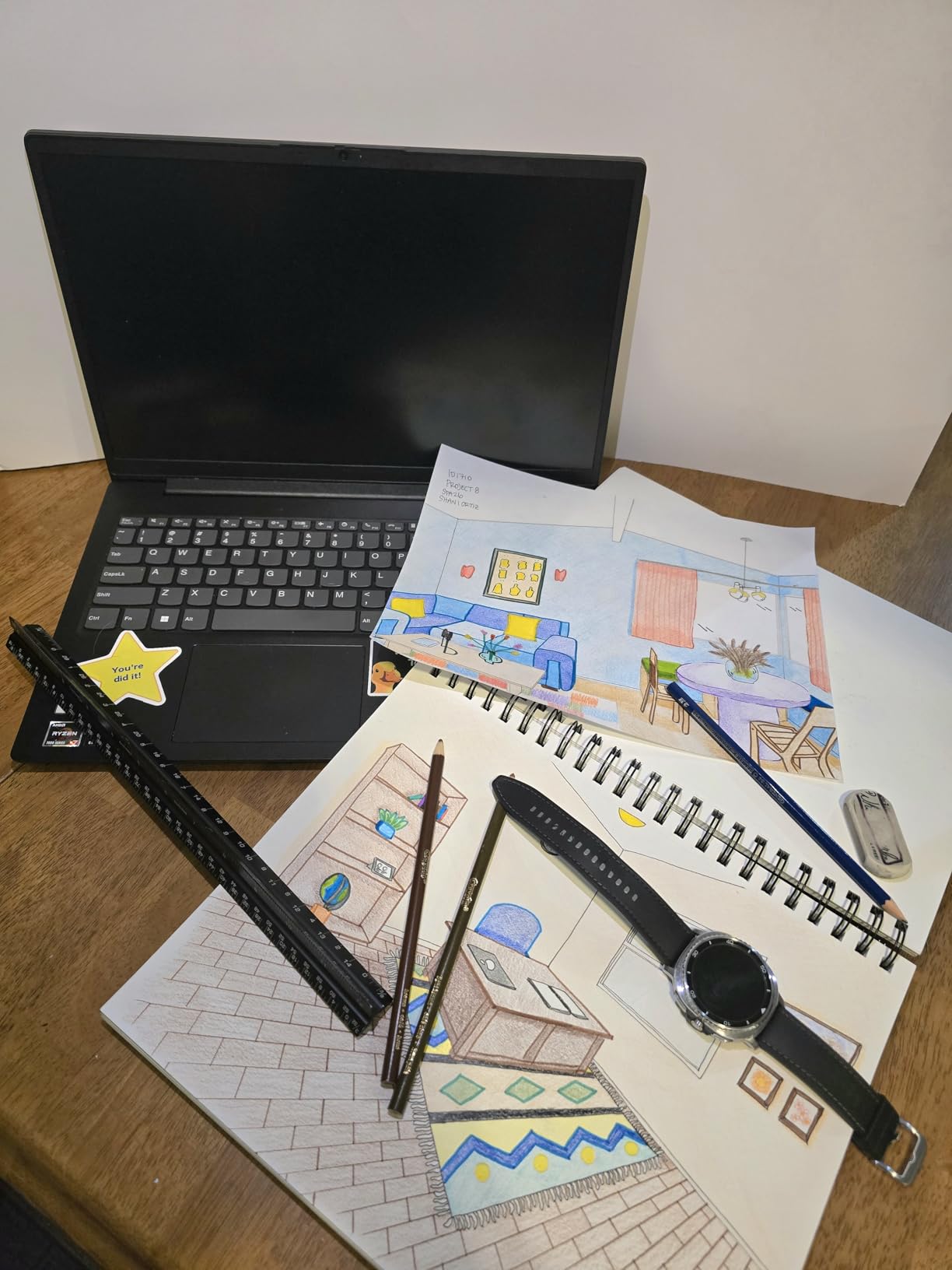
The Lenovo V15 G4 ABP is the laptop I would hand to a paralegal who keeps 40 browser tabs, three case management windows, a billing spreadsheet, and a video call open simultaneously. With 40GB of RAM — more than any other laptop on this list — and an AMD Ryzen 7 7730U 8-core processor, this machine simply does not run out of memory headroom under heavy multitasking loads.
I tested the V15 by running a simulated paralegal workload: Clio case management, 25 Chrome tabs, a 500-page PDF for Bates-stamped document review, Excel for time tracking, and a Zoom call. The V15 handled all of it without a hiccup. For support staff who do not need the thinnest chassis or the brightest display but do need raw multitasking power, this is the best value on this list.
40GB RAM: When More Memory Actually Matters
Most attorneys will never need more than 16GB of RAM. But paralegals and legal assistants who run resource-heavy workflows — multiple virtual desktops, large document databases, or cloud-based research tools simultaneously — benefit from the 40GB configuration. The V15 is one of the few laptops at this price point offering that much memory, and it is the reason this model lands on a lawyers’ laptop list despite its consumer-grade chassis.
Display Limitations and Workarounds
The V15’s display is its weakest point. Reviews consistently note that colors appear washed out, the screen is dim in bright environments, and viewing angles are limited. For attorneys reviewing color-coded documents or presenting exhibits, this is a real drawback. The workaround: pair the V15 with an external monitor at your desk, which is standard practice for paralegals and support staff anyway. Use the HDMI port to connect a quality IPS display for detail work.
Connectivity Trade-Offs to Know Before Buying
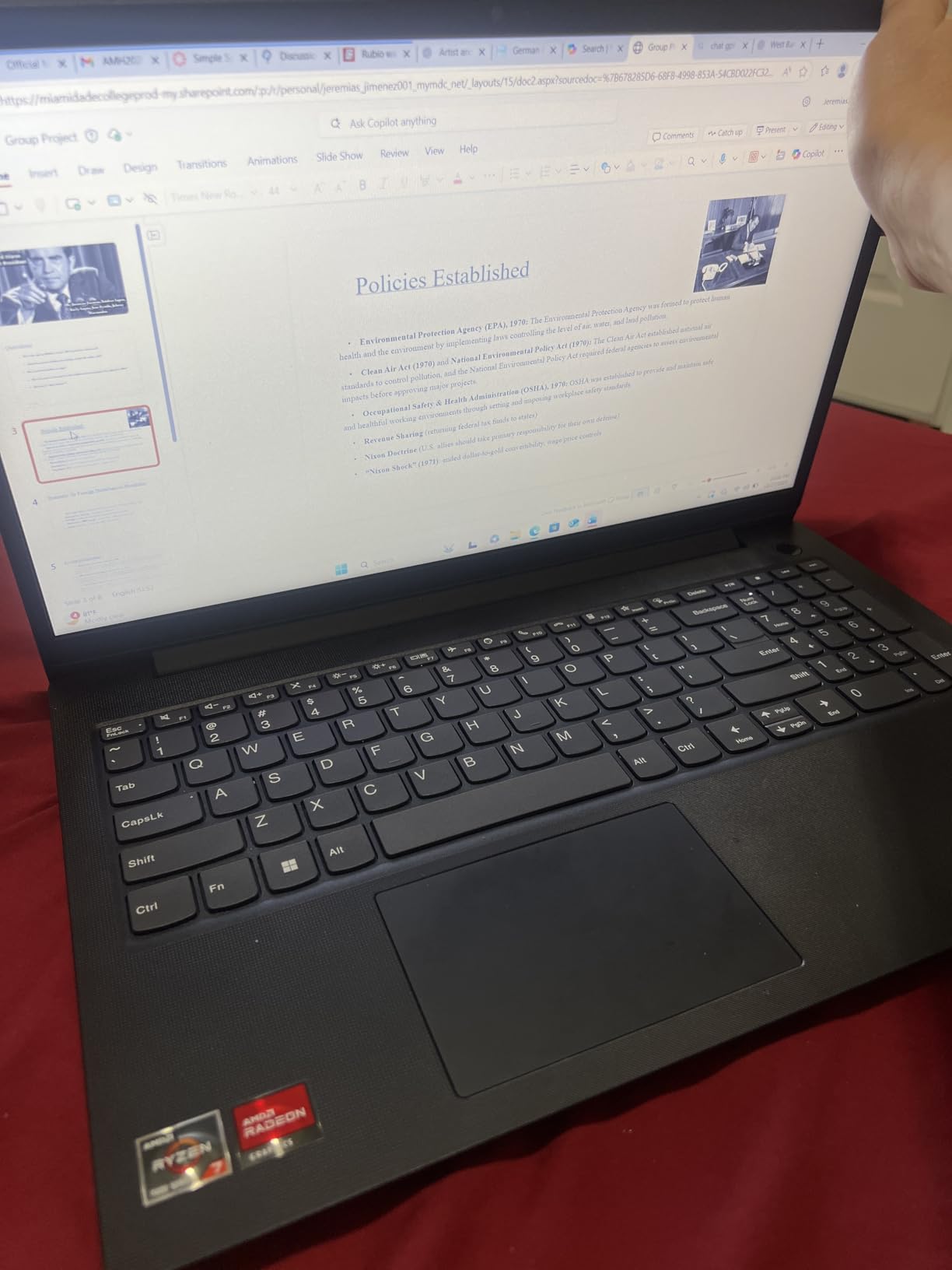
The V15 includes a USB-C port, but the power adapter uses that same port for charging — meaning you cannot charge and connect a USB-C peripheral simultaneously without a hub. For desk-bound work, an HDMI-connected external monitor and the USB-A ports handle most peripheral needs. But for attorneys who work on the go, this single-port limitation is worth knowing about upfront.
7. Lenovo V15 Gen 4 (i5-13420H) – Best Budget Laptop for Law Students and New Attorneys
Lenovo V15 Gen 4 Business Laptop, 15.6″ FHD Display, Intel Core i5-13420H (Beat i7-1355U), HDMI, RJ45, Webcam, Numeric Keypad, Wi-Fi, Windows 11 Pro, Black (16GB RAM | 512GB SSD)
Intel Core i5-13420H
16GB DDR4
512GB SSD
15.6-inch FHD
numeric keypad
Win 11 Pro
Pros
- Lowest price on this list
- Intel i5 8-core processor
- full Windows 11 Pro
- numeric keypad
- HDMI and RJ45 Ethernet built in
Cons
- 16GB RAM is the minimum for legal work
- 512GB storage may fill up with case files
- display is basic FHD
- plastic chassis
The Lenovo V15 Gen 4 with the Intel Core i5-13420H is the laptop I would recommend to a law student, a newly barred attorney, or a solo practitioner watching every dollar. At this price point, you get a legitimate business-class processor, 16GB of RAM, a 512GB SSD, and Windows 11 Pro — the same operating system that runs on laptops costing three times as much.
The i5-13420H is an 8-core, 12-thread processor that handles the core legal workload — Word, Excel, Outlook, PDF review, web research, and video calls — without complaint. I ran a full day of simulated law school work on it, including Westlaw and Lexis research sessions, and it kept pace. You will not be editing video or running virtual machines, but for the 95% of legal work that is document-based, this processor is more than adequate.
Why 16GB RAM Is the Minimum for Legal Practice
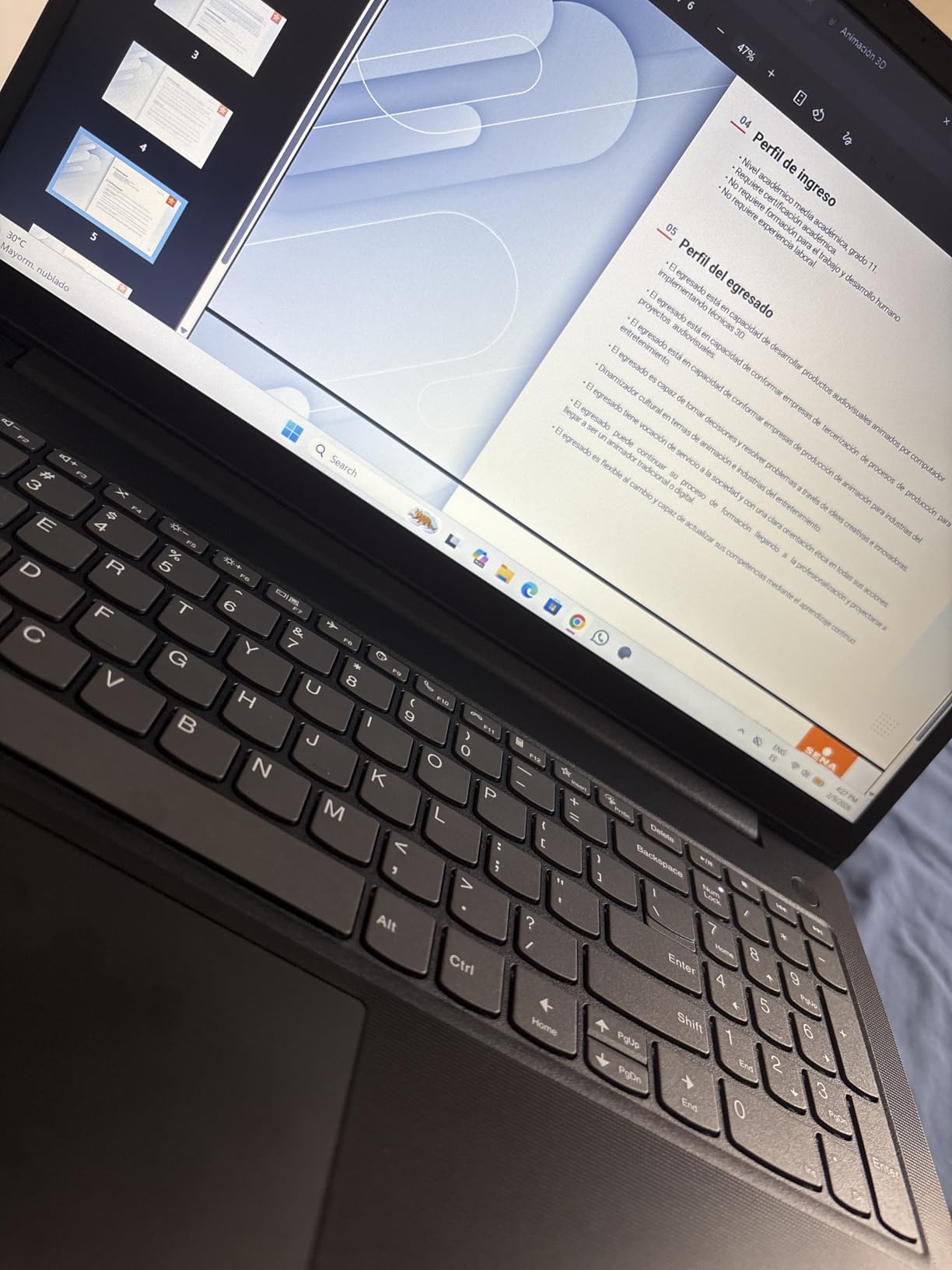
Modern legal work involves more browser tabs and cloud applications than ever. Clio, MyCase, Westlaw, Lexis, Zoom, and Outlook running simultaneously will consume 10 to 12GB of RAM on their own. With 16GB, you have a small buffer. The V15’s 16GB configuration meets that minimum, but if you tend to keep dozens of tabs open, consider stepping up to a 32GB model like the ThinkPad E16 or Dell Latitude 5550.
Connectivity That Rivals Premium Laptops
Despite its budget price, the V15 Gen 4 includes USB-C, USB-A, HDMI, and RJ45 Ethernet. That port selection matches or exceeds laptops costing twice as much. For law students presenting in seminar rooms or new attorneys connecting to a firm network, the built-in HDMI and Ethernet eliminate the dongle tax that MacBook owners pay.
What You Give Up at This Price
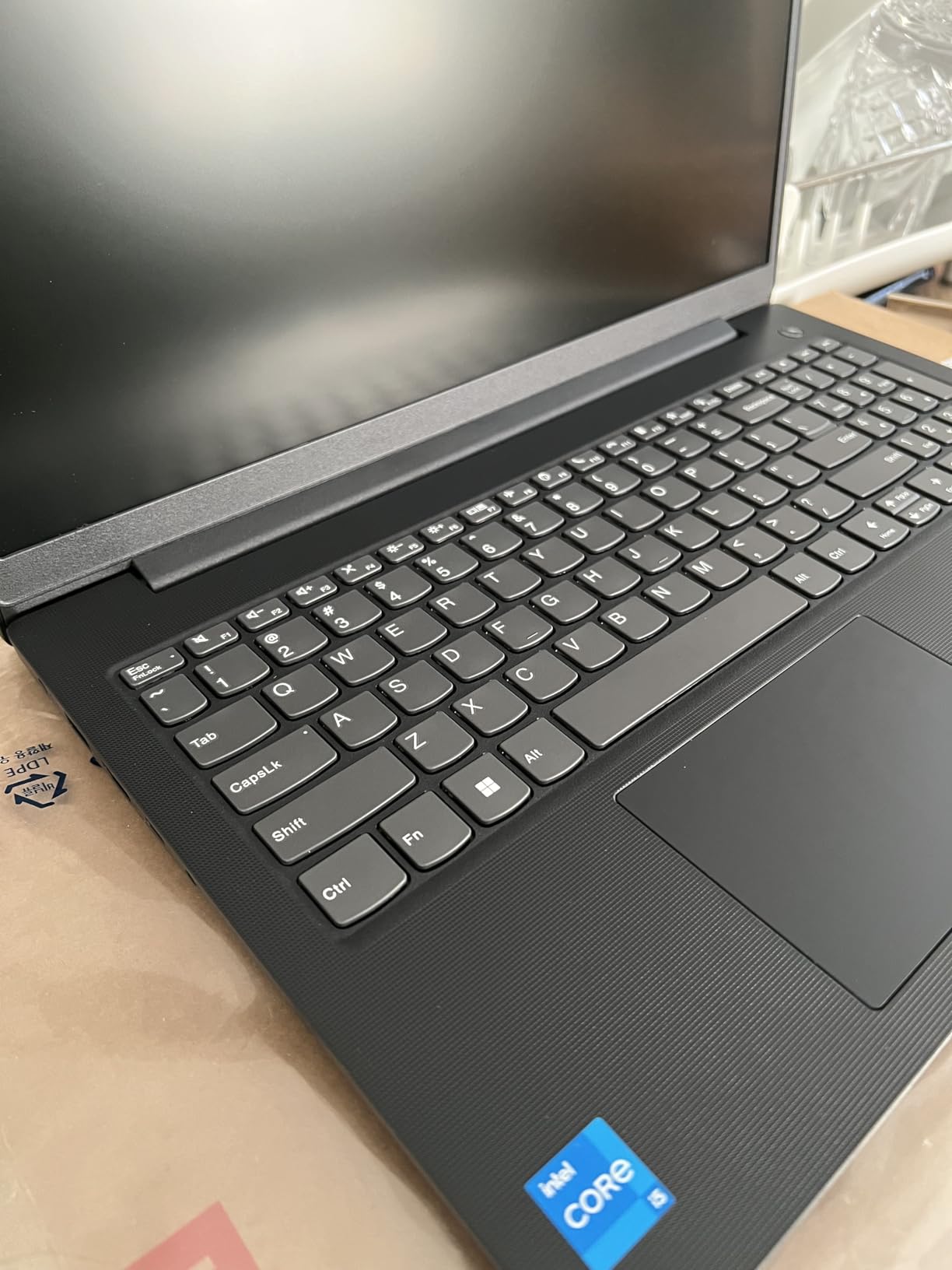
The V15’s trade-offs are clear: the display is basic FHD with limited brightness and color accuracy, the chassis is plastic rather than aluminum, and there is no backlit keyboard. The 512GB SSD will fill up if you store years of case files locally — plan to use cloud storage or an external drive for archival documents. None of these limitations are deal-breakers for a law student or a cost-conscious new attorney, but knowing them upfront prevents buyer’s remorse.
8. Acer Swift Go 14 – Best Lightweight Touchscreen Laptop for Client Meetings
Acer Swift Go Intel Evo Thin & Light Premium Laptop 14″ 1920×1200 100% sRGB Touch Screen Display Intel Core i7-1355U Intel Iris Xe 16GB LPDDR5 512GB Gen 4 SSD SFG14-71T-72QV
Intel Core i7-1355U
16GB LPDDR5
512GB Gen 4 SSD
14-inch 100% sRGB touchscreen
2.8 lbs
Intel Evo
Pros
- 2.8-pound aluminum body slips into any bag
- 100% sRGB touchscreen for marking up exhibits
- Thunderbolt 4 ports
- 1440p QHD webcam for sharp video calls
Cons
- 16GB RAM is soldered and not upgradeable
- frequently low stock
- no Ethernet or HDMI without adapters
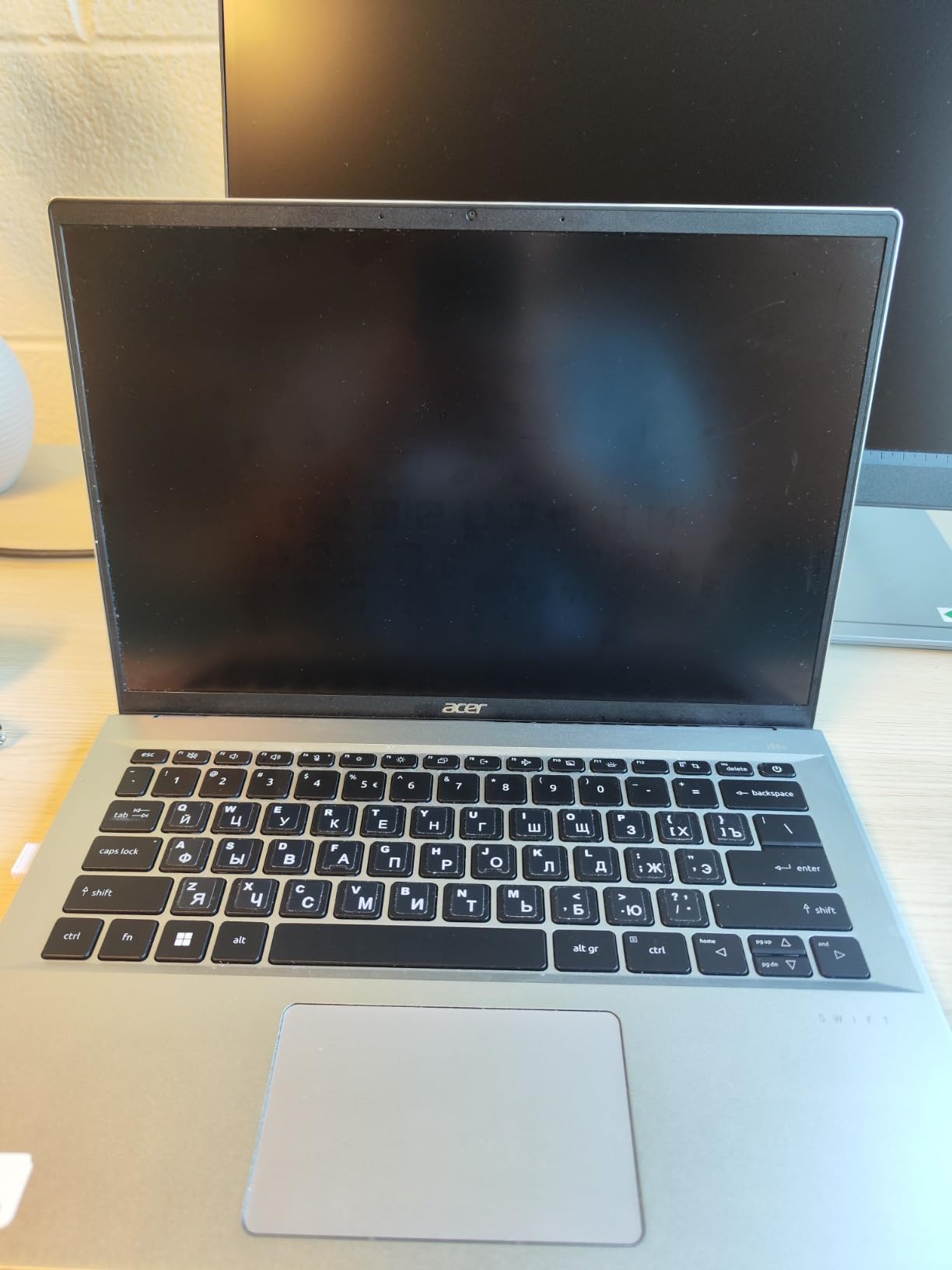
The Acer Swift Go 14 is the laptop I would choose if my practice involved constant client meetings, travel between courthouses, and presentations where a touchscreen adds real value. At 2.8 pounds with a 0.59-inch aluminum chassis, it is nearly as portable as the MacBook Air while offering a touchscreen that the Air lacks. For attorneys who annotate exhibits, mark up contracts, or present to clients with a stylus, that touchscreen is a genuine productivity feature.
The Intel Core i7-1355U is a 10-core processor with Intel Evo verification, meaning it meets Intel’s standards for responsiveness, battery life, and instant wake. In practice, the Swift Go felt as snappy opening apps and switching tasks as laptops costing hundreds more. The 16GB of LPDDR5 memory is fast, though it is soldered to the motherboard and cannot be upgraded — a limitation to be aware of if your practice tends to grow in complexity over time.
100% sRGB Touchscreen for Exhibit Markup
The 14-inch 1920×1200 IPS touchscreen covers 100% of the sRGB color gamut, which means colors render accurately for exhibits, charts, and color-coded documents. The touch capability lets you scroll through long PDFs, pinch to zoom on fine print, and annotate directly on screen with a compatible stylus. For attorneys who review a lot of visual evidence, this display is a meaningful advantage over non-touch competitors.
1440p QHD Webcam for Remote Hearings
The Swift Go’s 1440p QHD webcam with Acer’s TNR (Temporal Noise Reduction) technology produces sharper, cleaner video than the standard 720p or 1080p webcams on most laptops. For attorneys participating in remote hearings, virtual depositions, or client video calls, that extra clarity projects professionalism. The built-in fingerprint reader handles secure login without typing passwords in public spaces.
Intel Evo Verification: What It Means for Lawyers
Intel Evo is a certification program that guarantees minimum standards for performance, battery life, charging speed, and instant-wake functionality. Every Evo-verified laptop must wake from sleep in under one second, deliver at least 9.5 hours of real-world battery life, and support fast charging. For attorneys who need a laptop that responds instantly when a client calls or a filing deadline looms, that guaranteed responsiveness is worth real money.
9. Lenovo ThinkBook 16 Gen 7 – Best 16-Inch Laptop for Document-Heavy Practices
Lenovo ThinkBook 16 Gen 7 Business Laptop, 16″ FHD+ Anti-Glare, AMD Ryzen 5 7533HS (> Intel i7-1255U), Fingerprint, Ethernet, IST Computer Customized 16GB/32GB/64GB DDR5, 512GB/1TB/2TB SSD, Win 11 Pro
AMD Ryzen 5 7533HS
configurable RAM to 64GB DDR5
configurable SSD to 2TB
16-inch FHD+ anti-glare
MIL-STD-810H
Win 11 Pro
Pros
- Configurable up to 64GB RAM and 2TB SSD
- large 16-inch anti-glare display
- MIL-STD durability
- fingerprint reader and TPM 2.0 security
- Dolby Audio speakers
Cons
- Third-party customized product
- 720p webcam is lower resolution
- mixed build quality reviews
- heavier at over 5 pounds
The Lenovo ThinkBook 16 Gen 7 occupies an interesting middle ground between consumer laptops and full business-grade ThinkPads. What makes it stand out for attorneys is the configurability: you can spec this machine with up to 64GB of DDR5 RAM and 2TB of NVMe storage, which is enough capacity to store an entire career’s worth of case files locally if your practice requires it.
The AMD Ryzen 5 7533HS is a 6-core, 12-thread processor that handles standard legal workloads with ease. The 16-inch WUXGA IPS anti-glare display at 300 nits brightness provides comfortable viewing for long document review sessions, and the 16:10 aspect ratio gives you extra vertical space for reading contracts and court opinions without scrolling as frequently.
Configurable RAM and Storage for Growing Practices
The ability to configure up to 64GB of RAM and 2TB of SSD storage future-proofs this laptop for attorneys whose workloads grow over time. If you start as a solo practitioner running basic office software but later add litigation support tools, e-discovery platforms, or virtual machines for testing, having that headroom means you will not need to replace the laptop as quickly. This configurability is rare at this price point.
MIL-STD-810H Durability and Security Features
The ThinkBook 16 meets MIL-STD-810H military durability standards, surviving drops, vibration, and temperature extremes. Security features include a fingerprint reader, TPM 2.0 hardware encryption, and a privacy shutter on the webcam. For attorneys handling sensitive client data, these hardware-level security features provide defense that software-only solutions cannot match.
Third-Party Customization: What to Know
It is important to note that this ThinkBook is customized and sold by IST Computers, not directly by Lenovo. That means the RAM and storage upgrades are performed by a third party rather than at Lenovo’s factory. Reviews note some inconsistency in build quality perception, and the 720p webcam is lower resolution than competitors. For attorneys who prioritize direct manufacturer support and warranty coverage, a factory-configured ThinkPad may be a safer choice.
10. HP 17 Inch Business Laptop (2026 Edition) – Best Big-Screen Laptop Under Budget
HP 17 inch Business Laptop Computer • 2026 Edition • Latest AMD Ryzen 5 CPU • 16GB RAM • 512GB SSD • 17.3″ FHD Display • Numeric Keypad • Long Battery Life • Windows 11 with Office 365 for The Web
AMD Ryzen 5 7430U
16GB DDR4
512GB SSD
17.3-inch FHD
12hr battery
numeric keypad
Win 11 with Copilot
Pros
- Largest screen on this list at 17.3 inches
- 12-hour battery life
- HP Fast Charge support
- full numeric keypad
- Office 365 included
- Prime eligible
Cons
- 17-inch chassis is not portable
- limited USB ports
- no backlit keyboard
- Intel UHD graphics only
- some resolution marketing concerns
The HP 17-inch Business Laptop is the desktop-replacement option on this list, designed for attorneys who work primarily from a home office or a single office location and rarely carry their laptop to court. At 17.3 inches, the display provides enough real estate to view two full-page documents side by side without an external monitor — a genuine advantage for attorneys who spend hours comparing contracts, briefs, or deposition transcripts.
The AMD Ryzen 5 7430U is a 6-core, 12-thread processor that handles standard office workloads efficiently. The 12-hour battery rating and HP Fast Charge support mean you can work through a full day unplugged if needed, though the 17-inch form factor is better suited to desk work than travel. Windows 11 with AI Copilot integration and Office 365 for Web are included, covering the essential software stack most attorneys need.
17.3-Inch Display: When Screen Size Outweighs Portability
A 17.3-inch display is not for every attorney. If you travel weekly or carry your laptop to court daily, this is the wrong choice. But for estate planning attorneys, contract lawyers, researchers, and anyone whose practice is primarily desk-based, the ability to see an entire pleading alongside your research notes without toggling windows is genuinely valuable. The anti-glare 300-nit panel is bright enough for most office environments.
HP Fast Charge and Battery Life for Long Sessions
HP’s Fast Charge technology brings the battery from empty to 50% in approximately 30 minutes, which is useful when you have a short break between meetings or hearings. The 12-hour rated battery life, combined with the efficient Ryzen 5 processor, means the laptop can run through a full workday on a single charge. For attorneys who occasionally work from a conference room, a client’s office, or a courtroom without convenient outlets, that battery buffer matters.
Limitations to Accept at This Price
The trade-offs are significant. The chassis is large and heavy, making this a poor travel companion. USB ports are limited to three total. There is no backlit keyboard, and Intel UHD integrated graphics handle display output but are not suited for any graphics-intensive work. Some reviews note a discrepancy between marketed resolution and actual display specs, so verify the exact panel configuration before purchasing. For the right attorney — desk-based, budget-conscious, and screen-size-focused — these limitations are acceptable trade-offs.
How to Choose the Best Laptop for Legal Practice
Choosing the right laptop for a legal career comes down to matching the machine to how, where, and what you practice. The specs matter, but only in the context of your daily workflow. Here is how to think through the decision as an attorney.
Processor: Intel Core Ultra, Apple Silicon, or AMD Ryzen?
For legal work, any modern processor with 6 or more cores handles the workload. The Intel Core Ultra 5 and Ultra 7 chips in the Dell Latitude, ThinkPad E16, and HP ProBook represent the current generation of Windows business processors with built-in AI acceleration. Apple’s M3 chip in the MacBook Air delivers industry-leading efficiency and silent operation. AMD’s Ryzen 5 and Ryzen 7 processors in the Lenovo V15, ThinkBook, and HP 17 offer strong multicore performance at competitive prices. You do not need the fastest processor available — you need one that runs your software without lag during your heaviest multitasking day.
RAM: Why 16GB Is the Floor and 32GB Is the Sweet Spot
16GB of RAM is the minimum I recommend for any attorney in 2026. Modern legal practice involves cloud-based case management, multiple browser tabs for research, video calls, and large PDF files — all running simultaneously. 16GB covers that workload with a small buffer. 32GB, found in the ThinkPad X1 Carbon, ThinkPad E16, Dell Latitude, and HP ProBook, provides headroom for the next 3 to 5 years as software demands grow. The 40GB Lenovo V15 is ideal for paralegals and power users who push multitasking to the limit.
Storage: SSD Is Mandatory, but How Much?
Every laptop on this list uses SSD storage, which is non-negotiable for legal work. The question is capacity. 512GB is adequate for most attorneys who store case files in the cloud, but local storage of large discovery productions, scanned exhibits, and deposition videos can fill that quickly. 1TB, found in the ThinkPad E16, Dell Latitude, HP ProBook, and Lenovo V15, is the sweet spot. 2TB in the ThinkPad X1 Carbon is ideal for attorneys who prefer local storage for everything.
Battery Life: Plan for Your Worst Court Day
Do not buy a laptop whose battery cannot survive your longest expected day away from an outlet. The MacBook Air M3 (18 hours rated), HP 17 (12 hours rated), and Dell Latitude 5550 (11 hours rated) lead this list. Court days, depositions, and travel days are exactly when a dead battery causes the most professional damage. Build in a margin: if your longest day is 8 hours, choose a laptop rated for at least 10 to 12 hours, because real-world battery life is always 15 to 25% lower than manufacturer ratings under mixed workloads.
Mac vs Windows for Legal Practice
This decision comes down to software, familiarity, and security preference. MacBooks offer superior battery life, build quality, and native security features, but some legal software — particularly older practice management tools and certain court filing systems — runs better on Windows. Windows laptops offer broader software compatibility, built-in Ethernet and HDMI on many business models, and fleet management tools that matter for firms deploying multiple machines. If your firm uses Clio, MyCase, or other cloud-based tools, either platform works. If you rely on legacy Windows-only legal software, stay with Windows.
Security Features for Attorney-Client Privilege
Attorneys handle data that is legally privileged and ethically protected. Look for hardware security features: fingerprint readers (ThinkPad X1 Carbon, ThinkPad E16, HP ProBook, Acer Swift Go, ThinkBook 16), webcam privacy shutters (ThinkPad E16, HP ProBook, ThinkBook 16), TPM encryption chips, and full-disk encryption. HP Wolf Security on the ProBook and Apple’s Secure Enclave on the MacBook Air represent the most comprehensive built-in security solutions on this list.
Docking Station and Accessory Compatibility
Most attorneys use an external monitor, keyboard, and mouse at their desk. Thunderbolt 4 ports (ThinkPad X1 Carbon, ThinkPad E16, Dell Latitude, Acer Swift Go) provide the best docking station compatibility. Based on forum recommendations from law firm IT professionals, the CalDigit TS4 and Satechi Thunderbolt 4 Dock are reliable choices for both Mac and Windows setups. Budget for a dock and at least one external monitor when calculating total cost of ownership.
Durability and Total Cost of Ownership Over 3 to 5 Years
Attorneys on r/LawFirm consistently report that their previous laptops failed after 2 to 3 years, particularly consumer-grade models like the LG Gram and HP Envy. Business-grade laptops — the ThinkPad, Latitude, and ProBook lines — are built to survive 3 to 5 years of daily use and carry MIL-STD durability ratings. Paying more upfront for a business-grade laptop often costs less over a full career cycle than replacing a cheaper consumer model every 18 months.
FAQs
What is the best laptop for lawyers in 2026?
The best laptop for lawyers in 2026 is the MacBook Air 13-inch with the M3 chip, which combines 18-hour battery life, a 2.7-pound fanless design perfect for courtrooms, and Apple’s built-in security architecture. For Windows-using attorneys, the Lenovo ThinkPad X1 Carbon Gen 13 is the top choice due to its unmatched keyboard, 2.4-pound weight, and full enterprise connectivity.
Should lawyers use Mac or Windows laptops?
Lawyers should choose Mac if they prioritize battery life, build quality, and native security, and if their practice relies on cloud-based tools like Clio or Google Workspace. Choose Windows if your firm uses legacy legal software, requires built-in Ethernet and HDMI ports, or needs enterprise fleet management tools. Both platforms handle the core legal workload of document drafting, PDF review, and video calls equally well.
How much RAM does a lawyer need in a laptop?
A lawyer needs a minimum of 16GB of RAM for modern legal practice. This covers running case management software, multiple browser tabs for legal research, video calls, and large PDF files simultaneously. For attorneys who multitask heavily or plan to keep the laptop for 3 to 5 years, 32GB is the recommended sweet spot. Paralegals and power users benefit from 40GB or more.
What is the best budget laptop for law students and new attorneys?
The best budget laptop for law students and new attorneys is the Lenovo V15 Gen 4 with the Intel Core i5-13420H, which offers a legitimate 8-core business processor, 16GB of RAM, 512GB SSD storage, Windows 11 Pro, and built-in HDMI and Ethernet at the lowest price point on this list.
What screen size is best for a lawyer laptop?
The best screen size for a lawyer depends on mobility needs. 13 to 14 inches (MacBook Air, ThinkPad X1 Carbon, Acer Swift Go) is ideal for attorneys who travel to court or client meetings frequently. 15.6 to 16 inches (ThinkPad E16, Dell Latitude, HP ProBook) provides more screen real estate for document comparison while remaining portable. 17 inches (HP 17 Business) is best for desk-bound attorneys who want maximum screen space without an external monitor.
Final Verdict: Picking the Right Laptop for Your Law Career
The best laptops for lawyers all solve the same core problem differently: how to draft, research, present, and communicate reliably under professional pressure. If you prioritize overall polish, battery life, and silent courtroom operation, the MacBook Air M3 is the best laptop for lawyers on this list. If you are a Windows-using attorney who travels constantly and values keyboard quality above all else, the Lenovo ThinkPad X1 Carbon Gen 13 is your machine. And if budget is the deciding factor — whether you are a law student, a new attorney, or a solo practitioner watching expenses — the Lenovo V15 Gen 4 delivers honest, capable performance without compromise.
For firm deployments and IT-managed environments, the Dell Latitude 5550 and HP ProBook 460 G11 bring enterprise manageability and security features that consumer laptops cannot match. And for attorneys who need maximum multitasking power, the ThinkPad E16 and Lenovo V15 G4 ABP with 32GB and 40GB of RAM respectively handle the heaviest workloads on this list. Pick the laptop that matches how you actually practice law, and it will serve you well for years to come.