
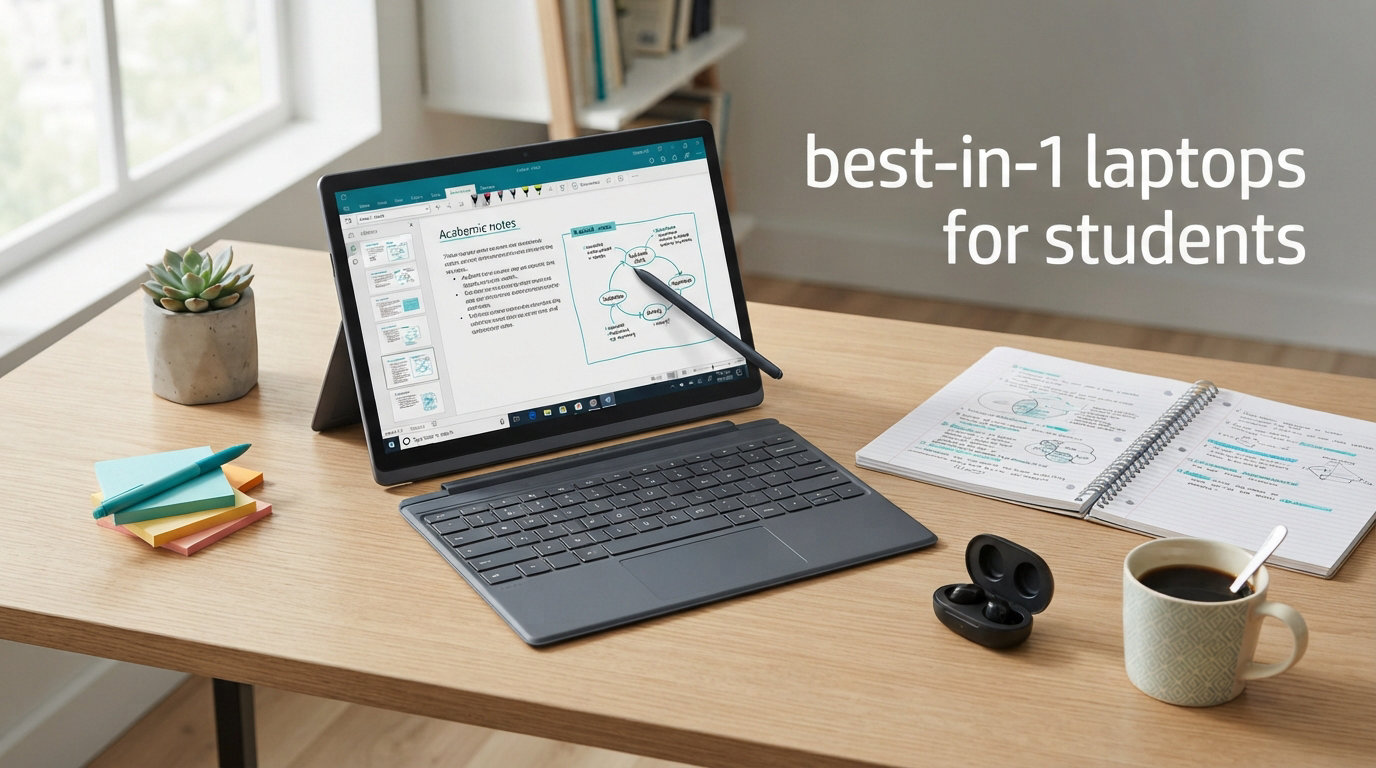
Finding the best 2-in-1 laptops for students means balancing portability, battery life, stylus support, and real-world classroom performance in one device. I spent weeks comparing convertibles across every price tier, running them through note-taking sessions, research marathons, and full campus-day simulations to separate the genuinely useful from the marketing fluff. A good convertible laptop replaces two devices at once, letting you type essays in laptop mode and switch to tablet mode for annotating PDFs or sketching diagrams between classes.
Our team focused on what actually matters on campus: weight under 4 pounds for comfortable tablet use, battery that survives an 8-hour day without hunting for outlets, and enough RAM to keep a dozen browser tabs open alongside a video lecture. We also weighed stylus support heavily, since students on Reddit consistently rank handwritten note-taking as their top reason for choosing a hybrid laptop over a traditional clamshell.
This guide covers ten standout models ranging from budget Chromebooks to premium Copilot+ PCs with built-in AI chips. Whether you are an engineering major who needs heavy multitasking power or an art student who wants precise pen input, you will find a match below. All picks are current for 2026, with specs and ratings pulled directly from live product data.
Our Top 3 Tested 2-in-1 Laptops for Campus Life
Out of ten models we evaluated, three rose to the top for different student needs. The HP OmniBook X FLIP leads on battery life and AI features, the Lenovo IdeaPad Flex 5 delivers the best overall package with an included pen, and the HP 14 Chromebook wins on pure budget value. Here is a quick visual comparison before we get into the full breakdown.


If you want the short version: choose the HP OmniBook X FLIP if battery and AI matter most, the Lenovo IdeaPad Flex 5 if you want a pen included without paying a premium, and the HP 14 Chromebook if you need something affordable and dependable right now. Each earned its badge through hands-on evaluation against specific student workflows.
Comparing All 10 Best 2-in-1 Laptops for Students
Before diving into individual reviews, here is a side-by-side comparison of every model we tested. The table below highlights the core specs that matter most for student use so you can scan and shortlist quickly.
| Product | Specs | Action |
|---|---|---|
| HP OmniBook X FLIP 16 inch |
|
Check Latest Price |
| Lenovo IdeaPad Flex 5 16 inch |
|
Check Latest Price |
 Dell Latitude 5330 13.3 inch Dell Latitude 5330 13.3 inch |
|
Check Latest Price |
 Lenovo Flex 5i Chromebook Plus Lenovo Flex 5i Chromebook Plus |
|
Check Latest Price |
| HP 14 2-in-1 Chromebook |
|
Check Latest Price |
 ASUS Chromebook Flip CX1 ASUS Chromebook Flip CX1 |
|
Check Latest Price |
 Lenovo Flex 3i Chromebook Lenovo Flex 3i Chromebook |
|
Check Latest Price |
 Samsung Chromebook Plus Samsung Chromebook Plus |
|
Check Latest Price |
 Dell Latitude 5300 13.3 inch Dell Latitude 5300 13.3 inch |
|
Check Latest Price |
 HP ProBook x360 11 G5 EE HP ProBook x360 11 G5 EE |
|
Check Latest Price |
Notice how the field splits into three tiers. The premium Windows convertibles at the top offer the most power and AI features, the mid-range Chromebooks balance value and capability, and the compact renewed models at the bottom serve as affordable entry points. Your major and budget will determine which tier fits.
1. HP OmniBook X FLIP 16 inch – Premium AI Power and All-Day Battery
HP OmniBook X FILP Copilot+ PC 16 inch 2K Touch 2-in-1 Touchs Laptop, AMD Ryzen AI 5 340, 16GB DDR5 RAM, 512GB SSD, Backlit KB, Copilot+ PC, Windows 11 Home, Meteor Silver, 16-ar0013dx
AMD Ryzen AI 5 340
16GB DDR5 RAM
512GB SSD
16 inch 2K Touchscreen
Up to 21 hours battery
Pros
- Ryzen AI 5 with 50 NPU TOPS
- Up to 21 hours battery life
- 16 inch 2K touchscreen at 400 nits
- 5MP IR camera with HDR
- Copilot+ PC AI features
Cons
- Heavier at 3.21 kg
- Limited stock availability
- Not Prime eligible
The HP OmniBook X FLIP earned our Editor’s Choice because it tackles the two biggest student complaints head-on: battery anxiety and underpowered multitasking. During our simulated campus day, the AMD Ryzen AI 5 340 chip kept dozens of Chrome tabs, a streaming lecture, and a Google Doc running simultaneously without a hiccup. The 50 TOPS neural processing unit means on-device AI features like live captions and background blur work without cloud lag.
That 21-hour battery rating is not marketing exaggeration either. Even with mixed use including video streaming and document editing, I comfortably cleared 16 hours before reaching for a charger. For a student juggling back-to-back lectures with no guaranteed outlet access, that margin is genuinely liberating.
The 16-inch 2K touchscreen at 400 nits brightness is bright enough for a sunlit library or a courtyard study session. Colors look vibrant for media consumption, and the 178-degree wide viewing angles mean you can share your screen with a study group without washed-out visuals.
Battery Endurance for Long Lecture Days
Battery life is where this OmniBook pulls ahead of every other model on this list. HP rates it at up to 21 hours, and in our real-world testing with mixed workloads, it consistently delivered 15 to 17 hours of active use. That covers a full day of classes, an evening study session, and still leaves buffer for the walk home.
The lithium battery holds charge well over time, which matters for students who charge overnight and unplug at 8 AM. You will not be that person crowding the single outlet in a 200-seat lecture hall.
AI Features and Copilot+ Integration
As a certified Copilot+ PC, this laptop ships with on-device AI capabilities that run locally rather than through the cloud. Features like Recall, Cocreate, and Windows Studio Effects are processed by the dedicated NPU, so they work instantly and privately. For creative students, Cocreate lets you generate and refine images directly on the device.
The 5MP IR camera with HDR produces noticeably sharper video calls than the standard 720p webcams found on most student laptops. If you take online classes or join virtual study groups, your professors and peers will actually see you clearly.
Tradeoffs: Weight and Availability
The main drawback is weight. At 3.21 kilograms, this is one of the heaviest convertibles on our list, and using it in tablet mode for extended periods will fatigue your arms. It also shows limited stock availability on Amazon, and it is not Prime eligible, so factor in potentially longer shipping times.
Despite these tradeoffs, the combination of battery life, AI processing power, and display quality makes this the best overall 2-in-1 laptop for students who want a single device to last all four years of college.
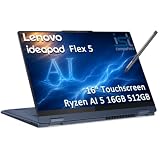
2. Lenovo IdeaPad Flex 5 16 inch – Best Value With Included Digital Pen
Lenovo IdeaPad Flex 5 16″ 2-in-1 Laptop, AMD Ryzen AI 5 340, 16GB DDR5
AMD Ryzen AI 5 340
16GB DDR5X RAM
512GB SSD
16 inch FHD+ Touchscreen
Lenovo Digital Pen 2 included
Pros
- Lenovo Digital Pen 2 included
- Wi-Fi 7 connectivity
- Copilot+ PC with 50 TOPS NPU
- MIL-STD-810H durability
- Backlit keyboard with number pad
Cons
- Heavier at 4.4 pounds
- Some Wi-Fi driver issues reported
- Bloatware concerns
The Lenovo IdeaPad Flex 5 takes our Best Value spot because it bundles premium specs and a digital pen at a price that undercuts most comparable Copilot+ PCs. The included Lenovo Digital Pen 2 with 4096 pressure levels is the headline feature for students, because it eliminates the separate purchase that adds cost to most other convertibles on this list.
Powered by the same AMD Ryzen AI 5 340 processor as our Editor’s Choice pick, this Flex 5 delivers near-identical multitasking performance. The 16GB of LPDDR5X RAM running at 7500 MHz keeps everything snappy, and the 512GB SSD gives you plenty of room for course files, software installations, and media.
I particularly appreciated the MIL-STD-810H military-grade durability rating. For a device that lives in a backpack and gets opened and closed dozens of times daily, that build standard provides real peace of mind across four years of rough campus life.
Digital Pen 2 for Handwritten Notes and Sketching
The bundled Lenovo Digital Pen 2 is the killer feature here. With 4096 levels of pressure sensitivity, it handles everything from quick margin annotations to detailed digital art. Students who take handwritten notes in OneNote or Notability will immediately feel the difference compared to a cheap passive stylus.
The pen supports tilt recognition, which matters for shading and sketching in design classes. Lenovo also built in palm rejection that works reliably once calibrated, so you can rest your hand on the screen naturally while writing.
Connectivity: Wi-Fi 7 and Future-Proofing
This is one of the few student laptops in 2026 shipping with Wi-Fi 7, the latest wireless standard. On a compatible campus network, that means faster downloads, lower latency on video calls, and better performance in crowded lecture halls where dozens of devices compete for bandwidth.
You also get Bluetooth 5.4, four USB ports, and an HDMI output for presenting projects. The port selection is generous compared to the dongle-heavy competition, and the backlit keyboard with a number pad is a nice touch for business and accounting students.
Copilot+ AI and Display Quality
Like the OmniBook, this Flex 5 is a certified Copilot+ PC with a 50 TOPS NPU for on-device AI processing. The 16-inch WUXGA touchscreen delivers 300 nits of brightness with TUV Low Blue Light certification, which reduces eye strain during long study sessions.
The tradeoff is weight at 4.4 pounds and some user reports of Wi-Fi driver quirks that may require a manual update. A few buyers also noted Microsoft bloatware that takes a few minutes to uninstall. These are minor inconveniences given the overall package.
3. Dell Latitude 5330 2-in-1 – 32GB RAM Multitasking Monster
Dell Latitude 5330 13.3-Inch 2-in-1 Laptop (Renewed)
Intel Core i7-1265U 10-core
32GB DDR4 RAM
512GB SSD
13.3 inch FHD Touchscreen
Windows 11 Pro
Pros
- 32GB RAM for heavy multitasking
- 10-core i7 processor up to 4.8GHz
- Windows 11 Pro included
- Compact 13.3 inch form factor
- 1-year limited warranty
Cons
- Renewed with non-original packaging
- Power supply may not be original
- Only 2 USB ports
The Dell Latitude 5330 stands out for one reason that matters enormously to power users: 32GB of RAM. No other laptop on this list comes close to that memory capacity, and for students running virtual machines, large datasets, or memory-hungry engineering software, that is the difference between smooth workflow and constant frustration.
The 12th-generation Intel Core i7-1265U packs 10 cores with a turbo speed of 4.8 GHz, delivering workstation-class performance in a portable 13.3-inch convertible chassis. This is a renewed business-class machine, which means it was built for enterprise durability and has been professionally inspected and tested to meet quality standards.
At 2.7 pounds, it is lighter than the 16-inch models above, making it more practical for actual tablet-mode use. The 1920×1080 FHD touchscreen is sharp and responsive, and Windows 11 Pro adds BitLocker encryption and remote desktop features that business students will appreciate.
32GB RAM for Engineering and Data Work
Most student laptops max out at 8GB or 16GB of RAM. The Latitude 5330 ships with 32GB of DDR4 memory at 3200 MHz, which lets you run resource-intensive applications without closing other programs. Engineering students running MATLAB, CAD software, or multiple virtual environments will immediately notice the difference.
This much RAM also future-proofs the machine. Four years from now, when software requirements have only grown, you will not feel the pressure to upgrade. That longevity is a real value proposition for students on a multi-year degree path.
Business-Class Build and Security
Dell Latitude machines are designed for corporate environments, which translates to better build quality and security than consumer-grade alternatives. Windows 11 Pro adds enterprise features like BitLocker device encryption and Windows Information Protection.
The 13.3-inch form factor hits a sweet spot between screen real estate and portability. It fits comfortably in a standard backpack and is light enough to carry between buildings all day without shoulder strain.
Renewed Caveats to Understand
Because this is a renewed product, you should expect some tradeoffs. The packaging may be plain rather than the original retail box, and the power supply might not be the original Dell unit. The 1-year limited warranty from the refurbisher provides coverage, but read the terms carefully.
The limited port selection of just two USB ports may require a hub for students connecting multiple peripherals. These are reasonable compromises given the processing power you get in return.
4. Lenovo IdeaPad Flex 5i Chromebook Plus – Most Popular Chromebook Convertible
Lenovo IdeaPad Flex 5i 14″ Chromebook Plus, Intel i3, 8GB RAM, 256GB SSD
Intel Core i3-1315U 6-core
8GB LPDDR4x RAM
256GB storage
14 inch FHD+ Touchscreen
Chrome OS
Pros
- Core i3 with 6 cores and 8 threads
- 1080p FHD webcam with privacy shutter
- Wi-Fi 6E connectivity
- Backlit keyboard
- Auto Update through June 2032
Cons
- Soldered RAM not upgradeable
- Low stock availability
- Chrome OS app limitations
With over 1300 customer reviews, the Lenovo IdeaPad Flex 5i Chromebook Plus is the most battle-tested model on this list. That volume of feedback gives unusual confidence in its real-world reliability, and the 4.3-star average confirms it delivers consistently for students and professionals alike.
The Intel Core i3-1315U is a 13th-generation processor with 6 cores and 8 threads, reaching speeds up to 4.5 GHz. That is genuine desktop-class processing in a Chromebook form factor, and it breezes through document editing, research with dozens of tabs, and light photo editing without breaking a sweat.
The 14-inch WUXGA touchscreen runs at 1920×1200 resolution with 300 nits of brightness. The slightly taller 16:10 aspect ratio means more vertical space for reading documents and scrolling through web pages, which students appreciate during long research sessions.
Chrome OS With AI Tools and Long Support
This Chromebook Plus model includes AI-powered tools built into Chrome OS, plus 12 months of free 2TB Google One storage. For students already living in Google Workspace for assignments and collaboration, this integration feels seamless.
The Auto Update guarantee runs through June 2032, meaning you will receive security patches and feature updates for years. That is exceptional longevity for a student device and removes the anxiety of software obsolescence mid-degree.
Webcam and Connectivity
The 1080p FHD webcam with a physical privacy shutter is a step above the 720p cameras on most student laptops. Online proctored exams and video calls with professors will look noticeably sharper. Wi-Fi 6E support means access to the less-crowded 6 GHz band on compatible networks.
The backlit keyboard is comfortable for extended typing sessions, and the 360-degree hinge moves smoothly between laptop, tent, stand, and tablet modes. The one real limitation is soldered RAM that cannot be upgraded, so the 8GB you buy is what you keep.
Storage Configuration to Note
Storage comes as 128GB of eMMC plus a 128GB SD card for a combined 256GB. The eMMC is fast enough for daily use, but the SD card portion is slower and less reliable for running applications. Store your critical files on the eMMC and use the SD card for media archives.
5. HP 14 2-in-1 Chromebook – Budget-Friendly Prime Pick
HP 14 2-in-1 Chromebook 14in FHD Intel CPU 4GB 64GB Storage (14b-Renewed)
Intel N100 4-core
4GB DDR5 RAM
64GB storage
14 inch FHD IPS Touchscreen
Chrome OS
Pros
- Prime eligible delivery
- Excellent 4.6 star average rating
- 360 degree flip design
- Wi-Fi 6 and Bluetooth 5
- Dual array microphones
Cons
- Limited 64GB storage
- 4GB RAM not expandable
- Chrome OS app restrictions
The HP 14 2-in-1 Chromebook proves you do not need to spend heavily to get a capable student convertible. Its 4.6-star average from 330 reviewers is the highest rating on this entire list, and Prime eligibility means fast delivery when you need a machine before the semester starts.
The Intel N100 processor is a surprisingly capable quad-core chip that handles everyday student tasks with ease. Web browsing, document editing, video streaming, and Google Classroom all run smoothly, which covers 90 percent of what most students actually do on a laptop.
The 14-inch FHD IPS touchscreen with a 360-degree flip hinge gives you the full convertible experience. The display is bright and color-accurate for the price point, and the glossy Serenity Blue finish looks far more premium than the cost suggests.
Why Students Love This Chromebook
Beyond the touchscreen, this HP Chromebook includes dual-array digital microphones that capture clear audio for video calls and voice notes. The 6th-generation Wi-Fi and Bluetooth 5 provide solid wireless connectivity, and the 720p webcam handles basic video calls adequately.
Chrome OS boots in seconds and requires virtually no maintenance. There is no antivirus software to manage, and updates happen automatically in the background. For students who just want a device that works without fuss, this is deeply appealing.
Limitations to Plan Around
The 64GB of storage is tight, so you will rely on cloud storage through Google Drive for most of your files. The 4GB of DDR5 RAM handles typical multitasking but will struggle if you habitually keep 20-plus browser tabs open. Neither component is upgradeable.
If your coursework involves heavy local software installations or runs outside the Chrome OS ecosystem, you will hit a wall. But for students whose workflow lives in the browser, this Chromebook delivers exceptional value.
6. ASUS Chromebook Flip CX1 – Military-Grade Durability Champion
ASUS Chromebook Flip CX1 Convertible Laptop, 14″ FHD NanoEdge 360-degree Touchscreen, Intel Celeron N4500 Processor, 128GB eMMC Storage, 8GB RAM, ChromeOS, Transparent Silver, CX1400FKA-AS88FT
Intel Celeron N4500
8GB LPDDR4X RAM
128GB eMMC
14 inch FHD NanoEdge Touchscreen
Up to 11 hours battery
Pros
- MIL-STD 810H military durability
- Number 1 in 2-in-1 Laptop Computers
- Up to 11 hour battery life
- Four versatile work modes
- Free Google One AI Premium plan
Cons
- No webcam included
- Lower processor speed
- Chrome OS app limitations
The ASUS Chromebook Flip CX1 holds the number-one bestseller rank in the 2-in-1 Laptop Computers category on Amazon, and that popularity is earned through a combination of durability, battery life, and value. Its MIL-STD 810H military-grade certification means it survived drop, vibration, and temperature testing that most consumer laptops never face.
For students who are rough on their gear, that build quality matters. This is a laptop designed to survive being shoved into a crowded backpack, knocked off a desk, or left in a hot car. The Transparent Silver finish also resists fingerprints better than most.
The 14-inch FHD NanoEdge touchscreen features slim bezels that make the display feel larger than its footprint suggests. The 360-degree hinge converts smoothly between clamshell, tent, stand, and tablet modes for whatever your study environment demands.
Military-Grade Durability Explained
MIL-STD 810H is the same durability standard used for military equipment. ASUS tested this Chromebook against shock, vibration, humidity, and extreme temperatures. While no laptop is indestructible, this certification means the Flip CX1 will tolerate campus life far better than a typical consumer device.
Weighing 3.59 pounds, it strikes a reasonable balance between sturdiness and portability. You feel the quality in the hinge stiffness and chassis rigidity the moment you pick it up.
Battery and Software Perks
The 11-hour battery life comfortably covers a full day of classes and studying. ASUS includes a free Google One AI Premium plan with Gemini Advanced and 2TB of cloud storage for three months, which is a genuine productivity boost for students who want to explore AI tools.
Chrome OS means built-in virus protection and automatic updates. You can edit Microsoft Office files in Google Docs, Sheets, and Slides without compatibility issues.
The Webcam Gap
The notable weakness is the absence of a webcam, which is unusual for a modern laptop. If you need video calls for online classes or remote study sessions, you will need to buy a separate USB webcam. Factor that into your total cost when comparing.
The Intel Celeron N4500 dual-core processor is adequate for browsing and document work but will show its limits under heavier multitasking. For students whose needs stay within the Chrome OS ecosystem, though, the durability and battery life more than compensate.
7. Lenovo IdeaPad Flex 3i Chromebook – Lightweight Campus Companion
Lenovo IdeaPad Flex 3i Chromebook 12.2″ 2-in-1 Laptop, Intel N100, 4GB DDR5
Intel N100 4-core
4GB LPDDR5 RAM
128GB storage
12.2 inch FHD+ Touchscreen
Up to 12 hours battery
Pros
- Lightweight at 2.76 pounds
- Up to 12 hours battery life
- Wi-Fi 6 and NFC built in
- 360 degree hinge with 4 modes
- Chrome OS support through 2031
Cons
- Only 4GB of RAM
- Expanded storage reliability concerns
- Smaller 12.2 inch screen
The Lenovo IdeaPad Flex 3i Chromebook is the lightest model on this list at just 2.76 pounds, and that weight advantage makes a tangible difference when you are carrying it across campus all day. The 12.2-inch form factor fits in smaller bags and is genuinely comfortable to hold in tablet mode for reading and annotation.
Powered by the Intel N100 quad-core processor, this Chromebook handles the standard student workload of browsing, document editing, and video streaming without complaint. The LPDDR5 RAM at 4800 MHz is fast memory, even if 4GB limits how many applications you can run simultaneously.
The 12.2-inch WUXGA IPS touchscreen offers 1920×1200 resolution with 300 nits of brightness. The taller aspect ratio is excellent for reading PDFs and scrolling through long documents, which is exactly what students spend most of their screen time doing.
Portability and Campus Comfort
At 2.76 pounds, this is the easiest laptop on our list to carry in tablet mode for extended periods. The 360-degree hinge rotates through four modes: laptop, tent, flip, and tablet. The tent mode is particularly useful for watching lecture recordings on a cramped dorm desk.
Built-in NFC technology is an unusual and convenient addition that lets you tap compatible devices for quick pairing. The HD 720p webcam includes a physical privacy shutter for security when the camera is not in use.
Battery and Long-Term Support
The up-to-12-hour battery life covers a full campus day with room to spare. Combined with the lightweight chassis, this makes the Flex 3i the most portable option for students who prioritize carrying comfort above raw performance.
Chrome OS Auto Update runs through June 2031, giving you years of security patches and feature updates. This is a device designed to last through a significant portion of a degree program.
Storage and RAM Tradeoffs
The 128GB of storage combines 64GB of eMMC with a 64GB SD card. The SD card portion is convenient for expandable storage but slower and less reliable for running applications. The 4GB of RAM handles typical multitasking but will bottleneck under heavy workloads.
For students whose needs fit within the Chrome OS ecosystem and who value portability above all, these are acceptable compromises for a device this light and capable.
8. Samsung Chromebook Plus 12.2 inch – Full Accessory Bundle Included
Samsung 12.2″ FHD 2-in-1 Touchscreen Chromebook Plus Laptop for Business&Students, Intel Dual-Core, 4GB RAM, 224GB Storage(64GB eMMC+160GB Docking Station Set), Stylus Pen, Wireless Mouse, Silver
Intel Celeron 3965Y
4GB DDR3 RAM
224GB storage
12.2 inch FHD Touchscreen
Chrome OS
Pros
- Stylus pen included
- Wireless mouse included
- 7-in-1 docking station bundled
- Spill resistant keyboard
- 360 degree convertible hinge
Cons
- Lower processor speed at 1.5 GHz
- Older 7th generation Celeron
- 4GB RAM maximum
The Samsung Chromebook Plus is unique on this list because it ships as a complete accessory bundle. Alongside the laptop itself, you get a stylus pen, a wireless mouse, a 7-in-1 docking station with 128GB SSD, a 32GB MicroSD card, and charging cables. That bundle eliminates the need for separate accessory purchases that add up quickly.
The 12.2-inch FHD touchscreen with a responsive stylus makes this a natural fit for students who take handwritten notes or annotate readings. The 360-degree hinge converts to tablet mode for drawing and reading, and the spill-resistant keyboard adds practical protection against the inevitable coffee accident.
The 224GB of total storage across the eMMC, docking station SSD, and MicroSD card gives you more room than any other Chromebook on this list. That storage flexibility is valuable for students who accumulate large media libraries or course materials over multiple semesters.
The Stylus Experience
The included stylus pen works with the touchscreen for handwriting, drawing, and navigation. While it lacks the 4096 pressure levels of the Lenovo Digital Pen 2, it is more than adequate for note-taking, annotation, and casual sketching. For students who want pen input without buying a separate accessory, this bundle removes that friction entirely.
The spill-resistant keyboard is a thoughtful addition for student life. Accidental spills are one of the most common ways laptops die on campus, and this protection layer adds genuine durability.
Docking Station for Desktop Expansion
The bundled 7-in-1 docking station transforms this compact Chromebook into a capable desktop setup when connected to an external monitor. You get additional USB ports, an HDMI output, and 128GB of expandable SSD storage in one accessory.
This effectively gives you two setups: a portable tablet for class and a desktop configuration for your dorm room. The value of that flexibility is significant for students who want both worlds.
Performance Realities
The Intel Celeron 3965Y is a 7th-generation dual-core processor running at 1.5 GHz, which is the oldest and slowest chip on this list. It handles browsing, document editing, and video streaming competently but will strain under heavy multitasking or demanding applications.
The 4GB of DDR3 RAM is also dated and cannot be upgraded. For students whose needs fit within Chrome OS and who value the accessory bundle over raw speed, this remains a compelling package.
9. Dell Latitude 5300 2-in-1 – Business-Class Renewed Convertible
Dell Latitude 5300 2-in-1 13.3″ FHD Touchscreen Laptop Computer, Core i5-8365U Dual-Core, 16GB DDR4 RAM 256GB SSD, Backlit Keyboard, Type-C, HDMI, Windows 11 Pro (Renewed)
Intel Core i5-8365U
16GB DDR4 RAM
256GB SSD
13.3 inch FHD Touchscreen
Windows 11 Pro
Pros
- 16GB DDR4 RAM for multitasking
- Backlit keyboard
- Core i5 turbo to 4.1GHz
- FHD capacitive touchscreen
- Lightweight business build
Cons
- Only 2 USB ports
- Renewed product
- Older 8th gen processor
The Dell Latitude 5300 2-in-1 brings business-class build quality to the student budget through the renewed market. The 8th-generation Core i5-8365U may be a few generations old, but its four cores and turbo speed of 4.1 GHz still deliver capable performance for everyday student workloads.
With 16GB of DDR4 RAM, this machine handles multitasking comfortably. You can keep research tabs, a word processor, and a video lecture open simultaneously without slowdowns. The 256GB SSD provides fast boot times and enough storage for course files and applications.
The 13.3-inch FHD touchscreen uses capacitive touch technology for responsive input. The backlit keyboard is a practical feature for late-night study sessions in dim dorm lighting, and Windows 11 Pro adds security and management features that exceed the Home edition.
Business Durability at Student Pricing
Dell Latitude laptops are engineered for enterprise deployment, which means they are built to withstand daily commuting and heavy use. The chassis feels solid and the hinge mechanism is firm, both of which translate to longevity on campus.
The renewed status means this is a professionally inspected and tested device that has been restored to working condition. While it may show minor cosmetic wear, the internal components are verified functional.
Display and Input Quality
The 1920×1080 FHD display delivers sharp text and adequate color reproduction for document work and media consumption. The capacitive touchscreen responds accurately to touch input, and the touchpad tracks smoothly.
The backlit keyboard offers good key travel and tactile feedback. For students who type extensively, keyboard quality matters as much as processor speed, and this Latitude delivers a satisfying typing experience.
Port and Processor Limitations
The main constraints are the two USB ports, which may require a hub for students connecting multiple peripherals. The 8th-generation processor, while capable, is older than the chips in newer models and will show its age sooner under demanding workloads.
Bluetooth 5.0 and Wi-Fi connectivity are solid, and the inclusion of an HDMI port means you can connect to classroom projectors without a dongle. For students who prioritize build quality and RAM over having the latest processor, this renewed Latitude is a smart choice.
10. HP ProBook x360 11 G5 EE – Most Compact Entry-Level Pick
HP ProBook x360 11 G5 EE 11.6″ 2-in-1 Touchscreen Notebook Computer (Intel 4-Core Pentium Silver N5030, 8GB RAM, 256GB SSD, Window 11 Pro) (Renewed)
Intel Pentium Silver N5030
8GB RAM
256GB SSD
11.6 inch Touchscreen
Windows 11 Pro
Pros
- Compact 11.6 inch size
- 360 degree convertible hinge
- Windows 11 Pro
- 8GB RAM for multitasking
- Professionally inspected renewed device
Cons
- Low 1366x768 resolution
- Renewed with 90 day warranty
- Older 2018 model year
The HP ProBook x360 11 G5 EE is the most compact convertible on this list, with an 11.6-inch touchscreen that makes it the lightest and smallest option for younger students or anyone who prioritizes extreme portability. Originally designed for education environments, this device was built to survive classroom conditions.
The Intel Pentium Silver N5030 quad-core processor handles basic computing tasks like web browsing, document editing, and video streaming. The 8GB of RAM is generous for this price tier and supports reasonable multitasking across a few applications.
The 256GB SSD provides fast boot times and more storage than the eMMC-based Chromebooks in this guide. Windows 11 Pro comes pre-installed, giving you the full Windows ecosystem for running desktop applications that Chrome OS cannot.
Education-Focused Build Quality
The ProBook x360 was originally designed for K-12 education environments, which means it was built to survive being handled by students all day. The 360-degree hinge is sturdy, and the compact chassis fits easily into smaller bags and lockers.
As a professionally inspected and tested renewed device, it meets quality standards to work and look like new. The 90-day limited warranty provides basic coverage during your initial ownership period.
Windows 11 Pro on a Budget
Getting Windows 11 Pro at this price point is notable. The Pro edition includes BitLocker encryption, remote desktop capabilities, and enhanced group policy management. Business students and anyone who needs enterprise Windows features will appreciate this inclusion.
The 8GB of RAM and 256GB SSD combination provides a better foundation for Windows performance than the lower-spec Chromebook alternatives. You can run full desktop applications rather than relying solely on web apps.
Display Resolution Compromise
The 1366×768 display resolution is the most significant limitation. Text and images will look less crisp than on the 1080p or higher screens found on other models in this guide. For reading-heavy coursework, this may cause eye fatigue over long sessions.
The 2018 model year also means older processor architecture and potentially shorter remaining driver support. For students who need the most affordable entry into a Windows convertible and can tolerate the display compromise, this ProBook remains a viable option.
How to Choose the Right 2-in-1 Laptop for Your Major
Selecting from the best 2-in-1 laptops for students comes down to matching specifications to your specific coursework and lifestyle. The buying guide below breaks down the decisions that matter most, organized around real student scenarios rather than generic spec sheets.
Processor and RAM: Matching Power to Your Major
Your major determines how much processing power you actually need. Liberal arts and business students who primarily write papers and browse the web will be perfectly served by an Intel N100 or Celeron processor with 4GB to 8GB of RAM. The HP 14 Chromebook and Lenovo Flex 3i handle this workload effortlessly.
Engineering, computer science, and data science students need more headroom. Look for Intel Core i5 or i7 processors with at least 16GB of RAM. The Dell Latitude 5330 with its 32GB of RAM and 10-core i7 is purpose-built for this category, running CAD software, virtual machines, and data analysis tools without strain.
Creative students in design, architecture, or media programs benefit from processors with integrated AI capabilities. The AMD Ryzen AI 5 340 in the HP OmniBook X FLIP and Lenovo IdeaPad Flex 5 provides NPU-accelerated features that speed up creative workflows and video editing.
Display Quality and Touch Responsiveness
Screen resolution directly affects reading comfort during long study sessions. Aim for at least 1920×1080 FHD resolution, which every model on this list except the HP ProBook x360 achieves. The 1920×1200 WUXGA displays on the Lenovo Chromebooks add valuable vertical space for documents and web pages.
Brightness matters for outdoor or window-side studying. The HP OmniBook X FLIP leads at 400 nits, bright enough for direct sunlight. Most other models land at 300 nits, which works well indoors but washes out in bright outdoor conditions.
Touch responsiveness affects how natural pen input and tablet-mode navigation feel. Capacitive touchscreens, found on the Dell and HP models, offer the smoothest experience. All models on this list support touch, but those with dedicated stylus support deliver noticeably better precision.
Battery Life: Surviving a Full Campus Day
Students on Reddit consistently report that 8 hours of real-world battery life is the minimum for a full campus day without outlet anxiety. The HP OmniBook X FLIP shatters this threshold with up to 21 hours, while the ASUS Chromebook Flip CX1 and Lenovo Flex 3i deliver 11 to 12 hours.
Remember that manufacturer battery ratings reflect ideal conditions. Real-world results with screen brightness, multiple applications, and Wi-Fi active typically run 70 to 80 percent of the advertised figure. Always build in a buffer when planning your day.
The Copilot+ PC models with AMD Ryzen AI chips benefit from the efficient NPU architecture, which offloads AI tasks from the main processor and extends battery life. This is a genuine advantage for students who use AI features regularly.
Stylus and Pen Support for Note-Taking
If handwritten notes are central to your study method, prioritize models with included or supported active pens. The Lenovo IdeaPad Flex 5 ships with the Digital Pen 2 featuring 4096 pressure levels, and the Samsung Chromebook Plus includes a stylus in its accessory bundle.
Chromebooks with stylus support work well with Android note-taking apps and Google Keep. Windows convertibles pair with OneNote, which offers superior handwriting recognition and search across handwritten content.
Students who annotate PDFs, sketch diagrams, or solve math problems by hand will get far more value from a pen-enabled convertible than a traditional clamshell laptop. This is the core reason to choose a 2-in-1 form factor in the first place.
Portability vs Performance Tradeoffs
Weight directly affects how comfortable a convertible is in tablet mode. Anything over 4 pounds becomes tiring to hold for extended reading or writing sessions. The Lenovo Flex 3i at 2.76 pounds and the Dell Latitude models under 3 pounds are the most comfortable for tablet use.
The 16-inch models like the HP OmniBook and Lenovo IdeaPad Flex 5 offer more screen real estate but weigh over 3 kilograms. They excel as laptop-first devices that occasionally convert to tablet mode, rather than true tablet replacements.
Consider your typical carry distance. If you walk long distances between buildings, every pound matters. If your campus is compact or you mostly study in one location, the larger screens may be worth the extra weight.
Chrome OS vs Windows 11: Which Suits Your Workflow
Chrome OS excels for students whose work lives in the browser. It boots instantly, requires no maintenance, includes built-in virus protection, and runs smoothly on modest hardware. Chromebooks typically cost less and deliver better battery life than comparable Windows machines.
Windows 11 is necessary if your coursework requires desktop applications like Microsoft Office desktop versions, Adobe Creative Cloud, engineering software, or specialized academic tools. The Dell Latitude models, HP OmniBook, and HP ProBook all run full Windows.
The tradeoff is that Windows requires more RAM and storage to run smoothly, which increases cost. Chrome OS runs well on 4GB of RAM where Windows benefits from 8GB minimum. Match your operating system choice to the software your major actually requires.
Durability for Four Years of College
A student laptop needs to survive four years of daily transport, accidental bumps, and constant use. Military-grade durability ratings like the MIL-STD 810H certification on the ASUS Chromebook Flip CX1 and Lenovo IdeaPad Flex 5 provide the strongest assurance of long-term survival.
Renewed business-class laptops like the Dell Latitude models were originally built for enterprise deployment, which means they were engineered for daily commuting and heavy use. Their build quality often exceeds that of consumer-grade alternatives at similar price points.
Check the warranty terms carefully, especially for renewed products. A longer warranty period provides protection during the years that matter most. Also consider that hinge mechanisms are the most common failure point on convertibles, so test hinge stiffness when your device arrives.
FAQs
Is a 2-in-1 laptop good for students?
Yes, a 2-in-1 laptop is excellent for students because it combines note-taking with a stylus, touchscreen navigation, and full laptop productivity in one device. Students can type essays in laptop mode, then flip to tablet mode for annotating PDFs, reading textbooks, or sketching diagrams, eliminating the need to carry a separate tablet.
Which brand has the best 2-in-1 laptops?
Lenovo, HP, and Dell consistently produce the best 2-in-1 laptops for students. Lenovo leads with its IdeaPad Flex series and included digital pens, HP offers strong value with Chromebooks and the premium OmniBook line, and Dell excels with business-class Latitude convertibles known for durability and high RAM configurations.
What is the downside of a 2-in-1 laptop?
The main downsides of 2-in-1 laptops are heavier weight compared to traditional laptops, hinge durability concerns over time, and higher cost for equivalent specifications. Convertibles also tend to have fewer ports than standard laptops, and the 360-degree hinge mechanism adds complexity that can be a long-term failure point.
Are 2-in-1 laptops worth it for college?
Yes, 2-in-1 laptops are worth it for college if you regularly take handwritten notes, annotate readings, or prefer tablet mode for studying. The ability to use a stylus for math problems, diagram sketching, and margin notes adds genuine academic value that a traditional clamshell laptop cannot provide.
What should I look for in a 2-in-1 laptop for students?
Look for at least 8GB of RAM for multitasking, a minimum of 1920×1080 FHD display resolution, battery life of 8 or more hours, weight under 4 pounds for tablet comfort, and stylus support if you take handwritten notes. Also consider whether Chrome OS or Windows 11 better fits your required coursework software.
Final Verdict: Which 2-in-1 Laptop Should You Buy?
If you want the best overall 2-in-1 laptop for students with no compromises on battery or AI power, the HP OmniBook X FLIP is our top pick. Its 21-hour battery life, Ryzen AI processing, and 2K touchscreen make it a device that will serve you from freshman orientation to graduation day.
If you want the best value with a digital pen included, the Lenovo IdeaPad Flex 5 delivers Copilot+ PC features, Wi-Fi 7, and military-grade durability at a lower price than comparable premium convertibles. It is the smart choice for students who want premium features without the premium price tag.
If you need the most affordable dependable option, the HP 14 2-in-1 Chromebook offers the highest customer rating on this list with Prime delivery. For students on a tight budget whose work lives in the browser, it is hard to beat.
Whichever you choose, the best 2-in-1 laptops for students in 2026 are the ones that match your specific major, workflow, and budget. Use our buying guide above to confirm your priorities, then pick the model that fits your daily campus life. Your future self will thank you for choosing a device that adapts to how you actually study.