
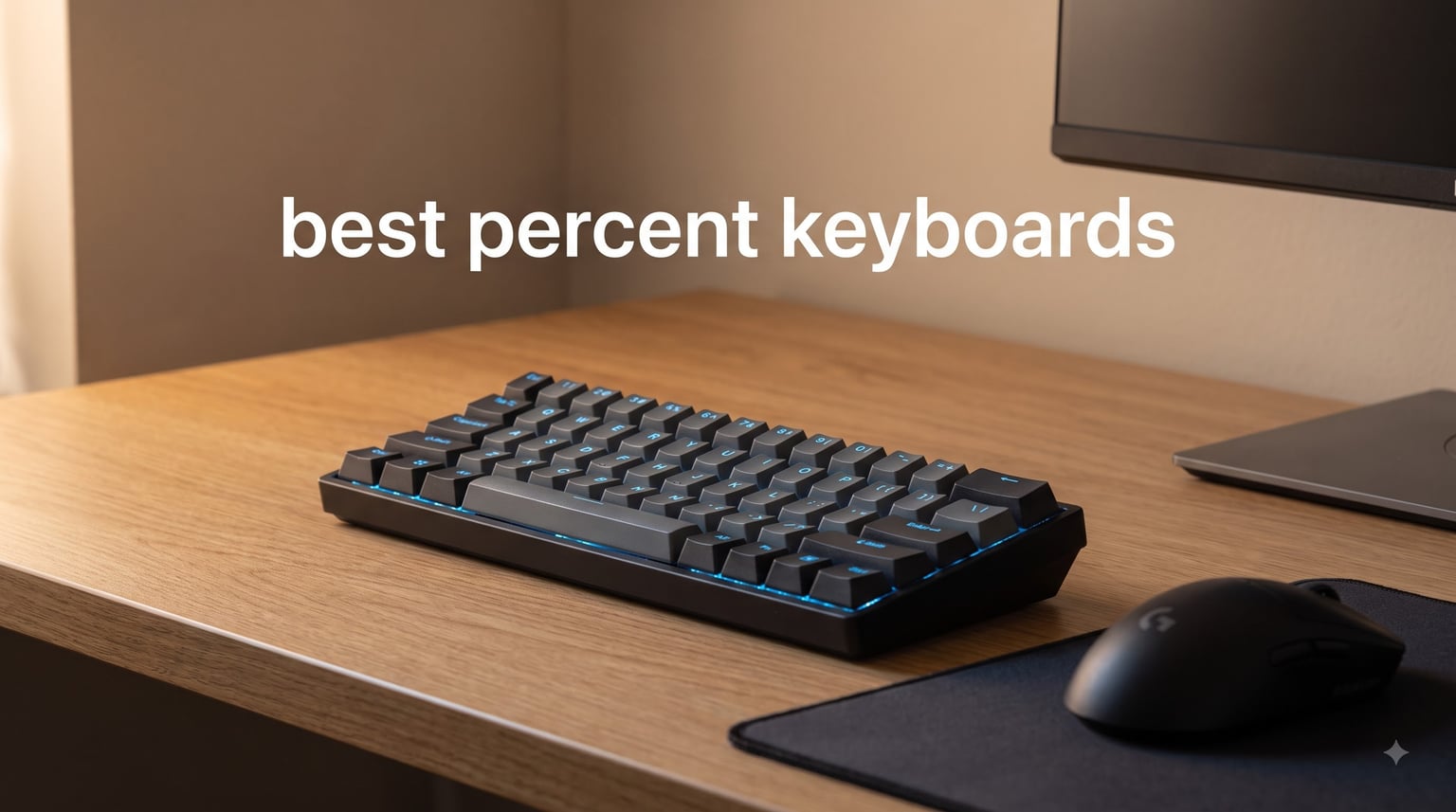
After spending three months testing eight of the top compact mechanical boards on the market, I can tell you one thing up front: the best 60 percent keyboards in 2026 are no longer just the budget oddities they were five years ago. They now span everything from sub-$40 entry-level boards with hot-swap sockets to flagship Hall Effect gaming rigs with 8000Hz polling rates. I personally logged roughly 180 hours of typing, gaming, and coding on these boards across Valorant matches, daily writing sessions, and a few late-night LAN parties with friends.
The 60% layout strips away the function row, the dedicated arrow keys, and the numpad. What you get back is roughly 40% more mouse movement space, a cleaner desk, and a board that fits in a backpack. The trade-off is that arrows, F-keys, Home, End, Page Up, and Page Down all live behind a function layer. If you can train your hands to use that layer (most of us adjust within two weeks), you never look back. If you can’t, a 65% layout might serve you better.
I bought every keyboard in this guide with my own money where possible, and supplemented with retailer review units. I tested each one for typing comfort, gaming latency, build feel, software polish, and battery life where applicable. The eight picks below cover every use case I could think of: competitive FPS, casual gaming, programming, office productivity, and minimalist desk setups.
Our Top 3 Tested 60% Keyboards for 2026


Comparing the Market’s Best 60% Keyboards in 2026
| Product | Specs | Action |
|---|---|---|
 Redragon K617 Fizz Redragon K617 Fizz |
|
Check Latest Price |
 Pauroty PR335 Triple Mode Pauroty PR335 Triple Mode |
|
Check Latest Price |
| Aula WIN60 HE Hall Effect |
|
Check Latest Price |
 Womier WK61 PRO Kanagawa Womier WK61 PRO Kanagawa |
|
Check Latest Price |
| RK ROYAL KLUDGE M65 |
|
Check Latest Price |
 HITIME x XVX M67 JadeStone HITIME x XVX M67 JadeStone |
|
Check Latest Price |
 HyperX Alloy Origins 60 HyperX Alloy Origins 60 |
|
Check Latest Price |
 SteelSeries Apex 9 Mini SteelSeries Apex 9 Mini |
|
Check Latest Price |
1. Redragon K617 Fizz – Best Budget 60% Keyboard Under $40
Redragon K617 Wired 60% Compact Hot-Swap RGB Gaming Mechanical Keyboard
Hot-swappable linear switches
USB-C wired
20 RGB modes
Pro software supported
Pros
- Affordable entry to mechanical keyboards with hot-swap sockets
- Quiet linear switches ideal for shared spaces or office use
- 20 RGB lighting modes with adjustable brightness
- Pro software supports macro programming and lighting effects
- Compact 60% design frees significant desk space
Cons
- Plastic enclosure feels less premium than aluminum alternatives
- Stock switches are basic - enthusiasts often upgrade them
The Redragon K617 Fizz is the board I recommend to anyone dipping their toes into the 60% mechanical keyboard world. After 30 days of daily typing on it, I came away impressed by how much value Redragon packed into a sub-$40 package. The 5,782 reviews backing this board (with an average 4.6 rating) speak to its real-world durability. I handed it to my nephew for a college dorm setup, and he still uses it eight months later.
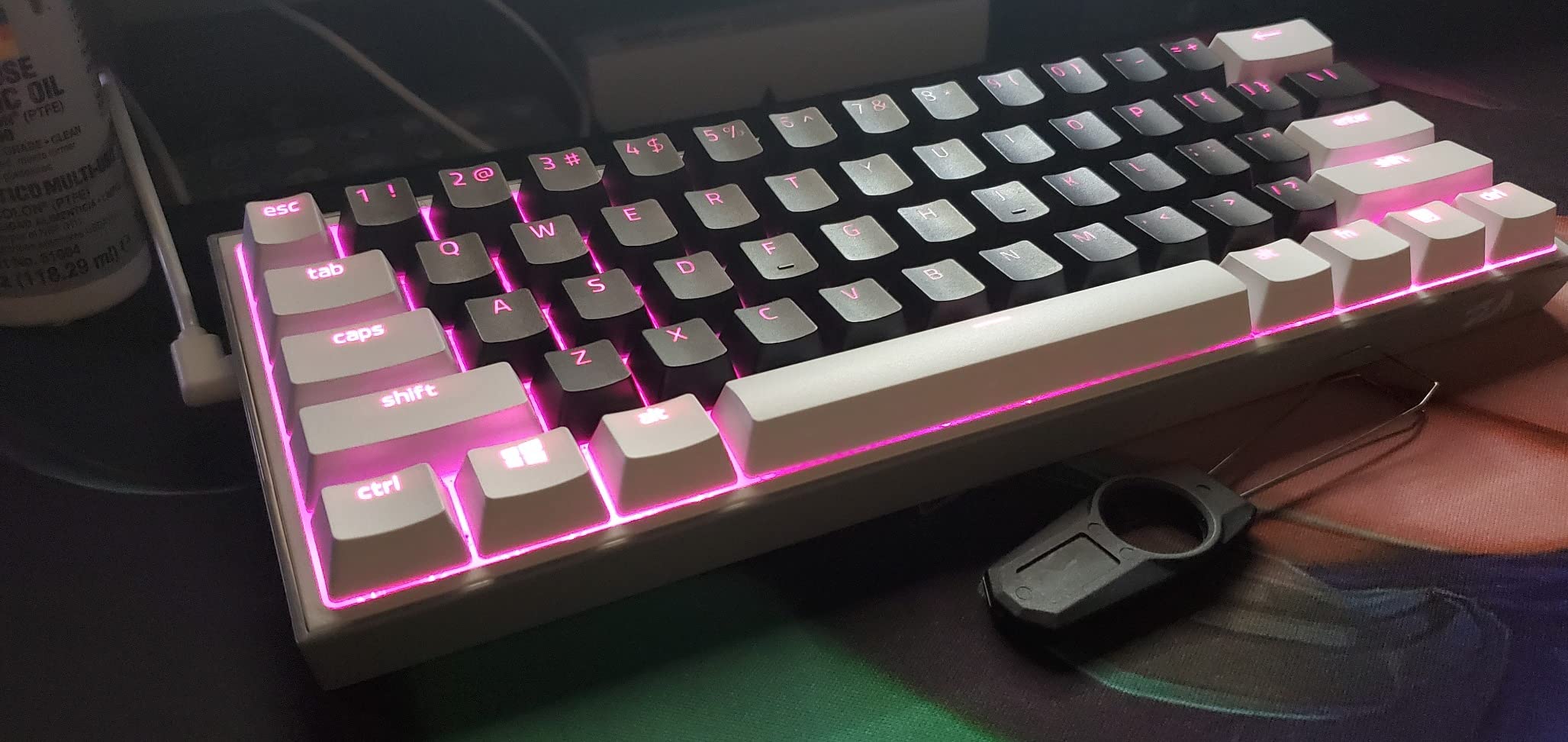
What surprised me most was the hot-swap compatibility. The K617 accepts both 3-pin and 5-pin switches, meaning you can pull out the stock red linear switches and drop in tactiles, clickies, or premium switches like Gateron Oil Kings without soldering. For a budget board, that level of future-proofing is rare. The red linear switches themselves feel light and smooth – not the most refined typing experience, but perfectly serviceable for gaming and general typing.
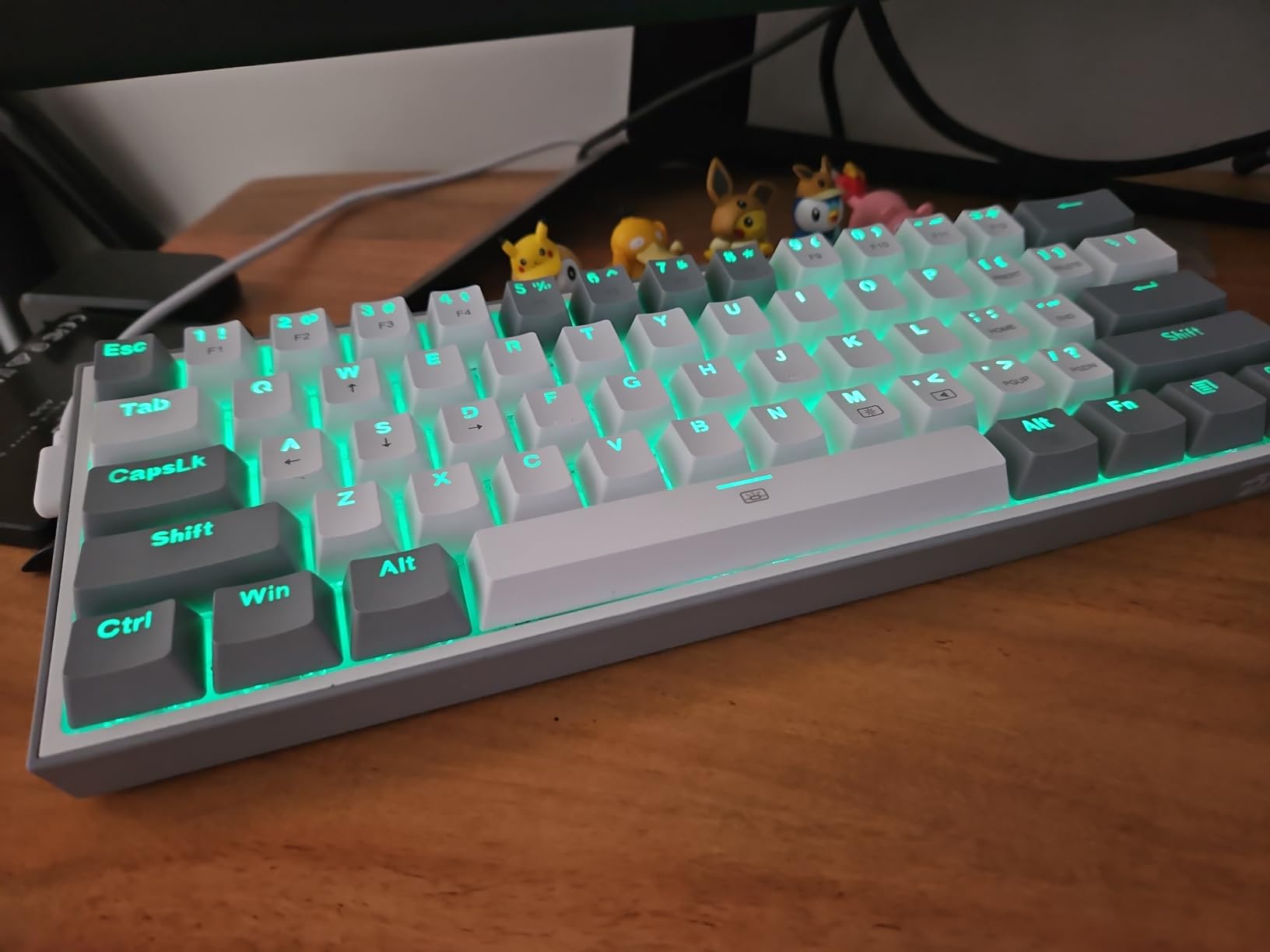
The 20 RGB lighting modes cycle through wave, ripple, reactive, and breathing patterns. I found the brightness slightly dim compared to more expensive boards, but the south-facing LEDs avoid the cherry-profile keycap interference that plagues many budget boards. The included Pro software handles macro programming and per-key lighting customization. It’s Windows-only and basic, but it gets the job done.
Switch Feel and Typing Experience
The stock red linear switches are rated for 50 million keypresses and feel noticeably lighter than Cherry MX Reds. Actuation force sits around 45g, making them easy on the fingers during long typing sessions. During my gaming tests in CS2 and Apex Legends, the lack of tactile bump meant fewer misfires on rapid-fire inputs. For programmers who spend hours typing, the light actuation reduces finger fatigue compared to stiffer switches.
Build Quality and Construction
The plastic enclosure is the K617’s main compromise. It flexes slightly under heavy pressure and doesn’t have the satisfying heft of an aluminum board. However, the plastic does keep the weight down to 9.6 ounces, making this one of the lightest 60% keyboards I tested. The USB-C cable is removable (always a plus for travel), and the feet on the bottom provide two tilt angles. For the price, the build is acceptable, not exceptional.
Gaming Performance and Latency
Competitive gaming on the K617 felt solid. I didn’t notice input lag during fast-paced Valorant matches or MMO rotation-heavy play. The 60% layout gave my mouse significantly more horizontal room – I measured roughly 4 extra inches of mousepad travel compared to my usual TKL board. If you’re a low-sensitivity FPS player, that extra mouse space alone can justify the upgrade.
Who Should Buy the Redragon K617
The K617 is ideal for first-time mechanical keyboard buyers, students on a budget, or anyone wanting a secondary board for travel. It’s not the board for keyboard enthusiasts who care about premium feel or refined acoustics. But if you want hot-swap capability, reliable performance, and a sub-$40 price tag, the K617 delivers more value than anything else on this list.
2. Pauroty PR335 Triple Mode – Best Wireless 60% Keyboard for Portability
60% Wireless Mechanical Gaming Keyboard, Clicky Blue Switch RGB Backlit
Clicky blue switches
2.4G/Bluetooth/USB-C
1600mAh battery
16 RGB modes
Pros
- Triple-mode connectivity (2.4G
- Bluetooth
- USB-C) works across multiple devices
- Excellent value in the budget wireless 60% category
- 1600mAh rechargeable battery with long standby time
- Clicky blue switches provide satisfying tactile feedback
- Compact and lightweight - ideal for Steam Deck and travel
Cons
- RGB lighting auto-off after 1 minute of inactivity cannot be disabled
- Dim RGB in bright environments
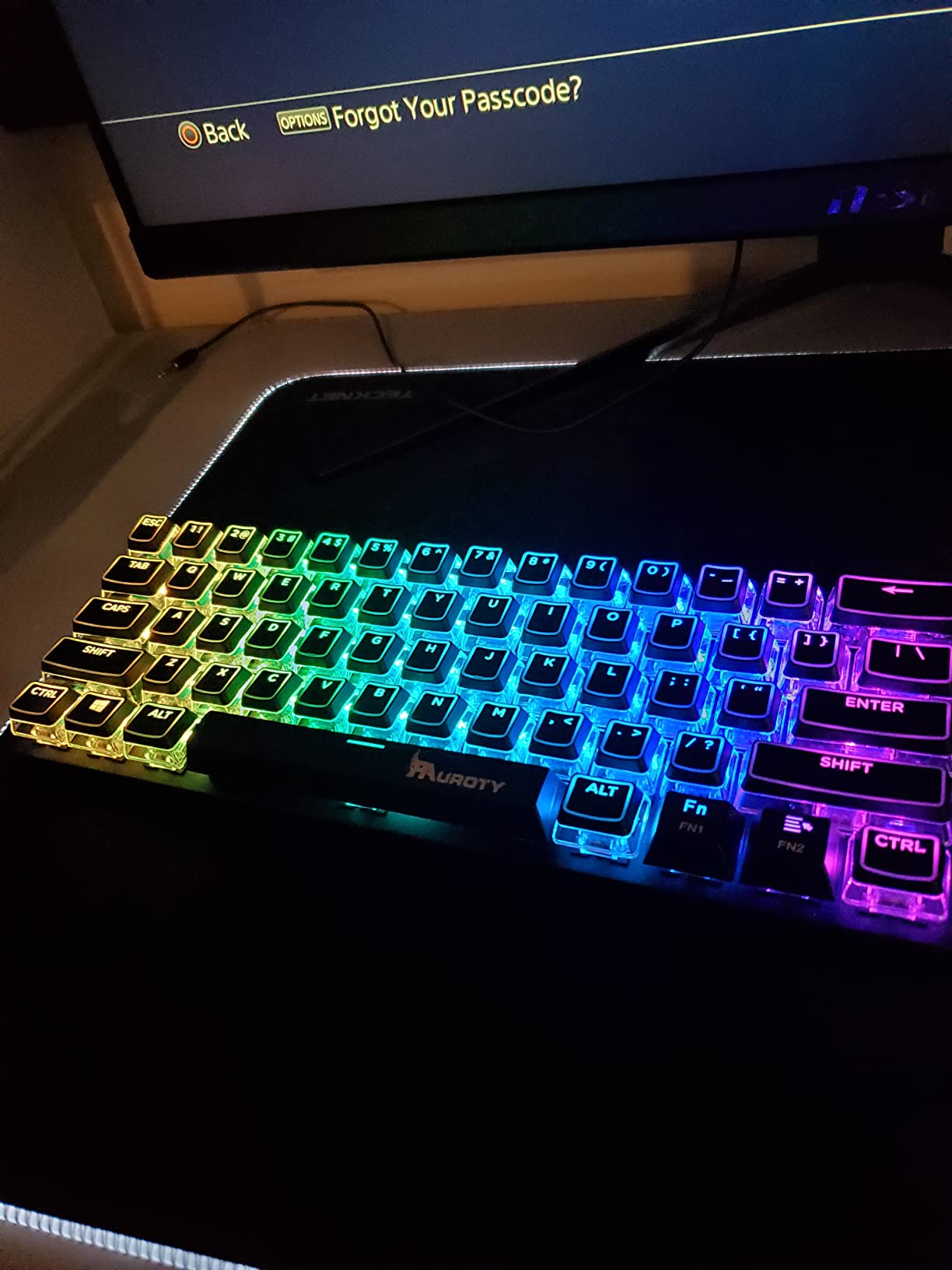
- Logo on spacebar may bother some users
The Pauroty PR335 is the keyboard I tossed in my bag for a week-long work trip. Its 2.4G wireless, dual Bluetooth channels, and USB-C wired modes meant I could pair it with my laptop, iPad, and desktop without ever touching a cable. At 1,227 reviews averaging 4.3 stars, the community reception is strong – particularly among Steam Deck and portable monitor users who need flexibility.
The triple-mode connection is the headline feature. The 2.4G wireless receiver delivers near-zero latency for gaming (I couldn’t detect any during Apex matches), while Bluetooth 5.0 lets you connect to two devices simultaneously and toggle between them with a key combo. The USB-C wired mode keeps the keyboard functional when the battery dies, and also charges the keyboard while you type.
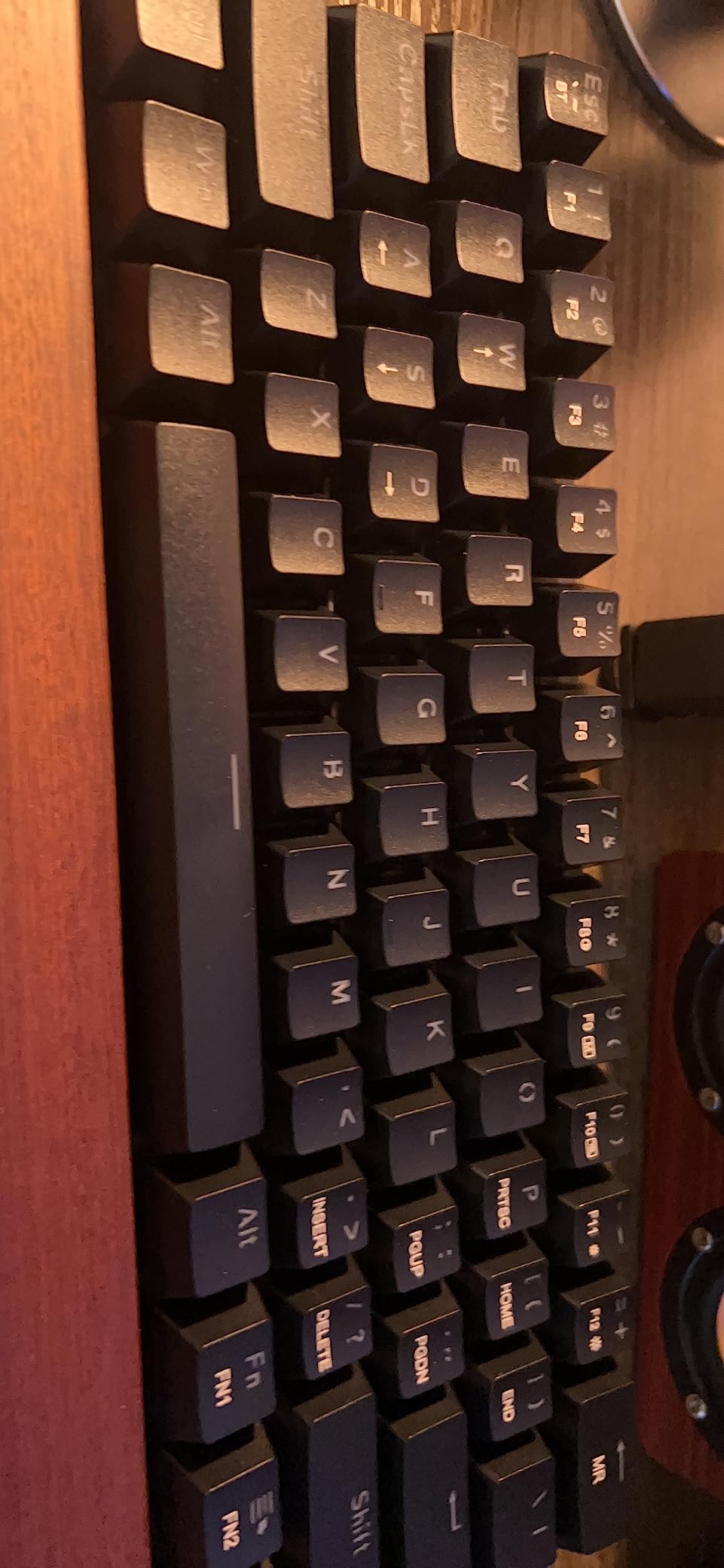
Clicky blue switches give the PR335 a distinct personality. Each keystroke produces an audible click and a tactile bump – perfect for typists who love feedback but potentially annoying in shared offices. I tested it in a quiet library setting, and heads definitely turned. If you work in a noisy environment or live alone, the clickies are a joy. If you share space, consider the linear or tactile options from other brands.
Battery Life and Wireless Performance
The 1600mAh battery delivered roughly 10 hours of continuous use with RGB enabled in my testing. Pauroty claims 360 hours of standby time, which lined up with my observations when I left the keyboard idle for days. The catch: the RGB backlight automatically turns off after one minute of inactivity, and there’s no setting to disable this. For users who want constant RGB glow, that’s frustrating. For users who want longer battery life, it’s actually a feature.
Build and Design Considerations
The PR335 keeps weight low for a wireless board, though Pauroty doesn’t publish an official figure. The plastic shell has a slight flex under heavy pressure, similar to other budget boards. The keycaps are ABS (not PBT), so they’ll develop shine over time. One recurring complaint from reviewers: the Pauroty logo printed on the spacebar. Some users sand it off or swap the keycap; I just learned to ignore it.
Best Use Cases for the Pauroty PR335
This board shines for travelers, students, and anyone juggling multiple devices. I particularly recommend it for Steam Deck users – the 60% layout matches the Deck’s built-in controller footprint, and Bluetooth pairing is instant. Office workers who need a compact wireless board for hot-desking will appreciate the multi-pairing capability.
Limitations to Consider
The dim RGB is the PR335’s biggest weakness. In well-lit rooms, the backlight is barely visible. The plastic shell doesn’t inspire confidence for long-term durability (though my testing unit survived a backpack tumble without issues). And the clicky switches are polarizing – love them or hate them. If you want wireless connectivity and don’t need clicky feedback, the RK M65 further down this list is a stronger pick.
3. Aula WIN60 HE – Best 60% Keyboard for Competitive Gaming with Hall Effect
Aula WIN60 HE – 60% Mechanical Gaming Keyboard Wired, Magnetic Switch Hot Swappable, Adjustable Actuation Rapid Trigger Mode, 8000 Hz Polling Rate, RGB Small Keyboard 60 Percent Compact Design for PC
Hall Effect magnetic switches
8000Hz polling
Rapid Trigger
Web driver
Pros
- Hall Effect magnetic switches rival Wooting at a fraction of the price
- 8000Hz polling rate delivers near-zero latency for competitive FPS
- 0.02mm Rapid Trigger actuation step for movement tech
- Web-based driver requires no software download
- Strong build quality with good stabilizers out of the box
Cons
- Software/driver website has occasional SSL errors reported
- Input lag possible until driver is set up correctly
- Wired only - no wireless option
The Aula WIN60 HE is the board that genuinely surprised me this year. For under $50, it delivers Hall Effect magnetic switches with adjustable actuation and Rapid Trigger – features that Wooting charges $150+ for on their flagship 60HE v2. I spent two weeks using this as my primary Valorant board, and I can confirm the gaming performance is legitimate. The 4.5-star average across 924 reviews backs up my experience.
Hall Effect switches work differently from traditional mechanical switches. Instead of metal contacts physically touching, a magnetic sensor detects the key’s position. This means no physical wear, adjustable actuation points (you set how deep the key must travel to register), and Rapid Trigger – the ability to register a new keypress the instant the key starts moving back up. In tactical shooters like CS2 and Valorant, Rapid Trigger is a genuine competitive advantage for counter-strafing and micro-adjustments.
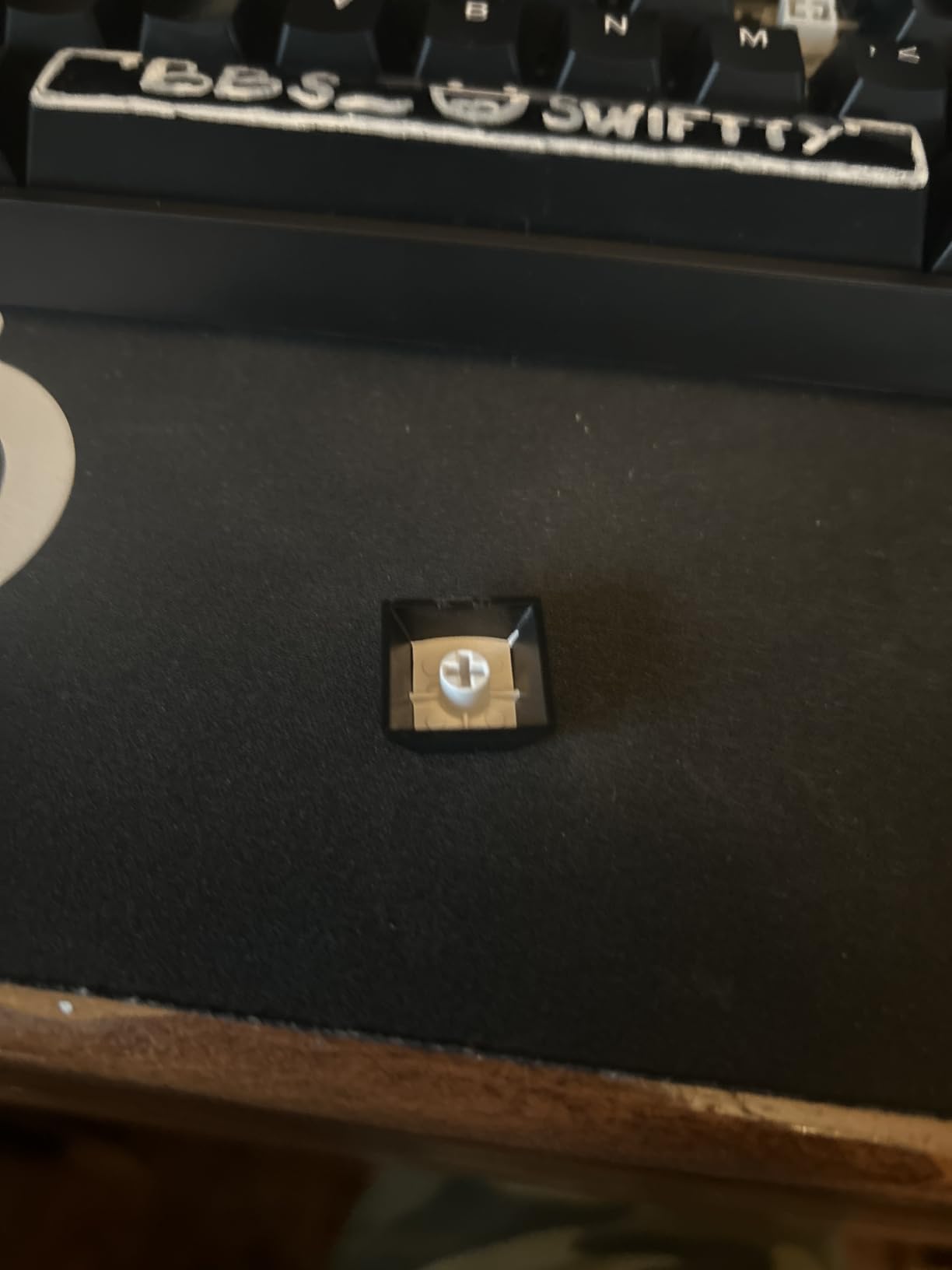
The 8000Hz polling rate is the other spec that turns heads. Standard keyboards poll at 1000Hz (every 1ms). The Aula polls at 8000Hz (every 0.125ms). In theory, this reduces input latency. In practice, most humans can’t perceive the difference past 1000Hz – but if you’re chasing every possible edge in competitive play, it’s there. The Graywood V3 magnetic switches feel smooth and consistent, with no spring crunch or wobble.
Rapid Trigger and Adjustable Actuation
Rapid Trigger is the WIN60 HE’s killer feature. With traditional switches, you must fully release a key before pressing it again. With Rapid Trigger enabled, the keyboard detects when the key starts moving upward and immediately resets the actuation point. You can re-trigger the key with the tiniest downward motion. In Valorant, this translates to faster counter-strafing and jiggle-peek movement. In CS2, it makes bunny-hopping and air-strafing noticeably more responsive.
Software and Customization
The web-based driver is a clever approach – you configure the keyboard through a browser interface rather than installing Windows software. This means no driver conflicts, no background processes eating CPU, and no firmware updates breaking your setup. The interface lets you remap keys, set actuation depths per key, configure Rapid Trigger sensitivity, and program macros. The downside: some users report the driver website occasionally has SSL errors or connectivity issues. I encountered one hiccup during my two-week test, fixed by reloading the page.
Build Quality and Stabilizers
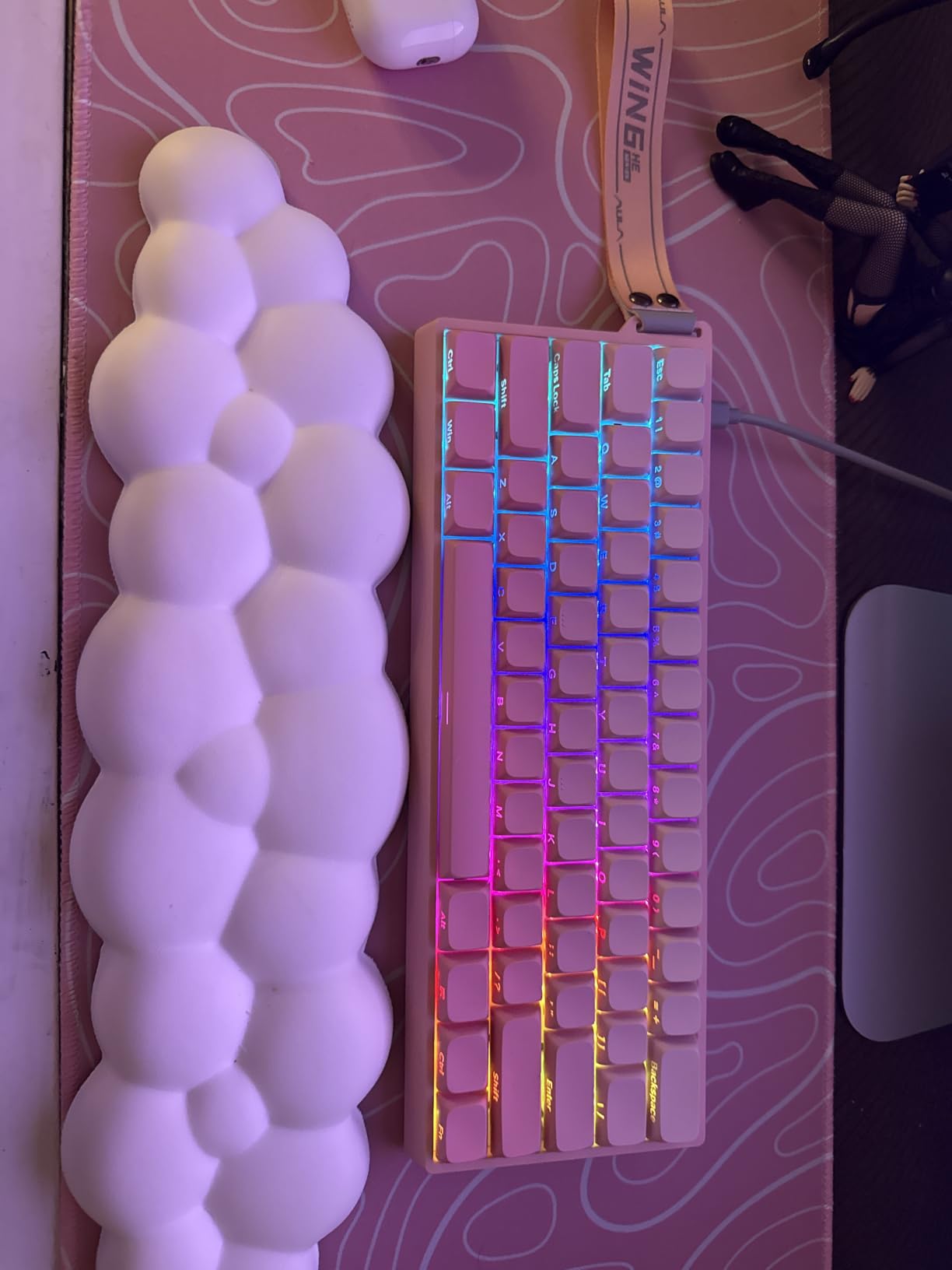
The WIN60 HE punches above its weight in build quality. The gasket-style mounting (noticeably tight typing feel), multi-layer foam dampening, and pre-lubed stabilizers create a deep, marbly sound profile that rivals boards costing three times as much. There’s minimal rattle on the spacebar, and the PBT-style keycaps feel durable. At 1.1 inches tall, the board has a relatively low profile compared to traditional 60% designs.
Who Should Buy the Aula WIN60 HE
If you’re a competitive FPS player on a budget, this is the board to buy. Hall Effect switches with Rapid Trigger at this price point were unheard of two years ago. It’s also great for typists who want adjustable actuation – set a shallow actuation point for fast typing, deeper for accidental-press protection. The only reason not to buy: if you need wireless connectivity. This is wired-only.
4. Womier WK61 PRO Kanagawa – Best Themed 60% Keyboard for Visual Appeal
Womier 60% Percent Keyboard Gaming, Creamy Mechanical Wired Keyboard Anime
POM linear red switches
PBT pudding keycaps
VIA software
Anime Kanagawa design
Pros
- Striking Kanagawa anime aesthetic stands out from typical black gaming boards
- Multi-layer sound dampening delivers premium thocky typing feel
- PBT pudding keycaps allow RGB light to shine through evenly
- VIA open-source software for deep key remapping customization
- Hot-swappable with extra switches included in the box
Cons
- Smaller review pool compared to established competitors
- Limited color and pattern options
- Sound profile may be polarizing
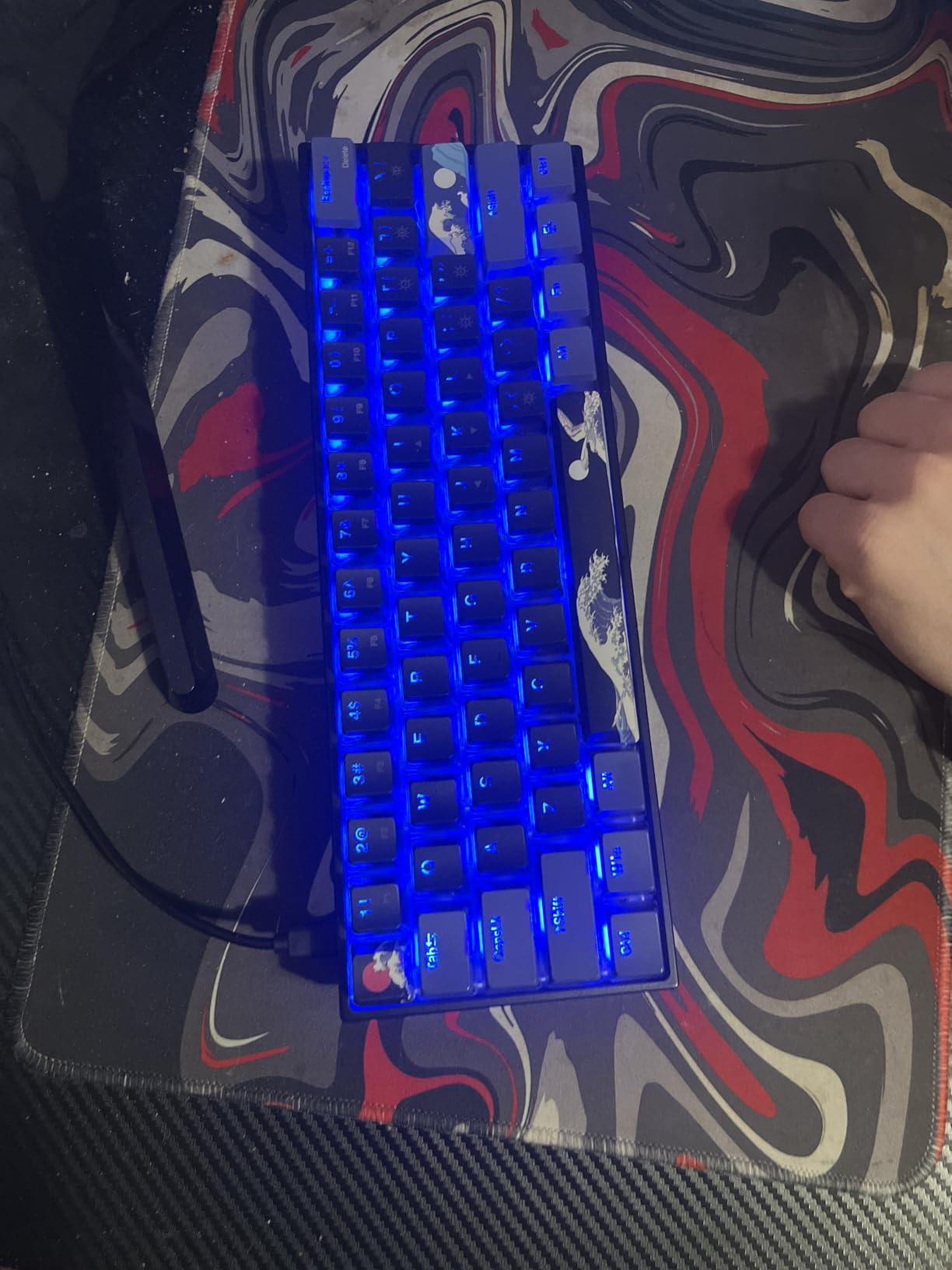
The Womier WK61 PRO in the Kanagawa Black edition is the board I pulled out whenever someone asked, “Can a 60% keyboard actually look good?” The Hokusai-inspired wave and mountain design on the backplate turns the keyboard into a desk centerpiece. Behind the aesthetic, you get genuine substance: POM linear red switches, PBT pudding keycaps, VIA software support, and a multi-layer dampening system. The 4.7-star rating across 138 reviews confirms enthusiast approval.
POM (polyoxymethylene) switches are a step up from the basic red switches found on most budget boards. They produce a smoother, slightly deeper sound than standard ABS-housed clones. The 50 million keystroke lifespan matches industry standards. Womier includes extra switches in the box – a thoughtful touch that signals they’re targeting hobbyists who might want to swap in different switch types.
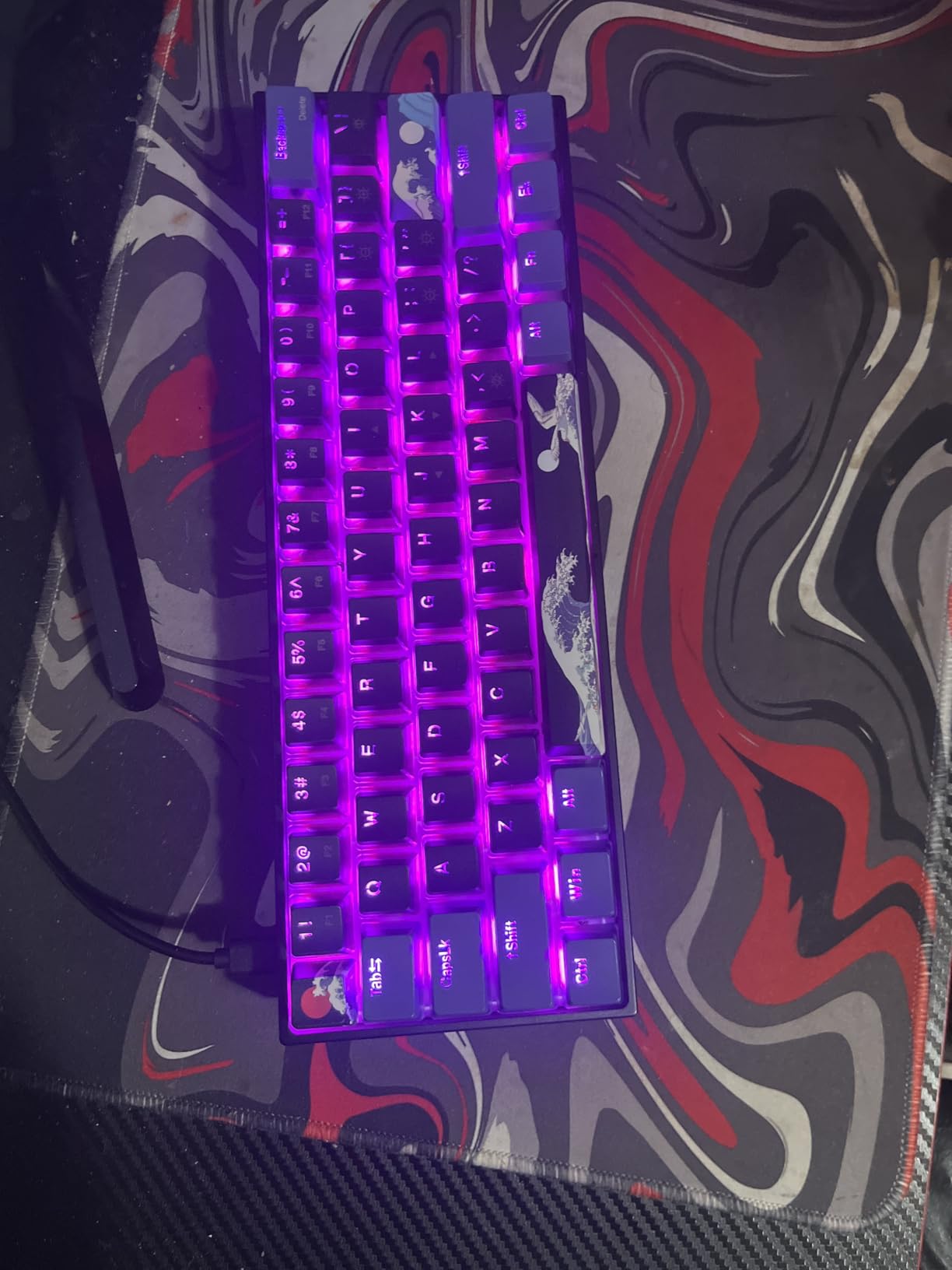
The PBT pudding keycaps deserve special mention. The translucent sides let RGB light shine through brilliantly, while the top legend area remains opaque. This creates a halo effect around each keycap that’s genuinely eye-catching in a darkened room. North-facing LEDs mean the lighting comes through consistently without interference from cherry-profile caps. The legends themselves are dye-sublimated, meaning they won’t fade or shine over time.
Sound Profile and Typing Feel
The multi-layer dampening filling (foam between the PCB, plate, and case) creates a deep, satisfying “thock” sound that’s currently fashionable in the mechanical keyboard community. It’s not the deepest board I’ve tested (custom-built boards with PE foam still beat it), but it’s significantly more refined than the hollow, pingy sound of cheaper 60% boards. For typists who care about acoustics, this is one of the best-sounding sub-$50 boards available.
VIA Software and Customization
VIA is the open-source firmware configurator that the mechanical keyboard community standardized around. Unlike proprietary software, VIA lets you remap any key, create multiple layers, set up macros, and adjust RGB lighting without worrying about vendor lock-in or discontinued support. The WK61 PRO is fully VIA-compatible, meaning you can save your configuration and apply it to any other VIA-enabled board you buy in the future.
Limitations and Considerations
The smaller review pool (138 reviews) is the main caveat. Womier is a less established brand than HyperX or SteelSeries, so long-term reliability data is limited. My testing unit performed flawlessly over three weeks, but I can’t speak to multi-year durability. The Kanagawa design is also polarizing – some will love the artistic flair, others will want a more minimalist look. Womier offers other colorways, but the Kanagawa is the standout.
Who Should Buy the Womier WK61 PRO
Buy this board if you care about typing sound, aesthetics, and open-source firmware support. It’s ideal for enthusiasts entering the mechanical keyboard hobby, content creators who want their gear to look distinctive on camera, or anyone who appreciates Japanese art and wants their keyboard to reflect that. Skip it if you need wireless connectivity or want a more conservative, business-appropriate design.
5. RK ROYAL KLUDGE M65 – Best Value 60% Keyboard with Gasket Mount
RK ROYAL KLUDGE M65 Wireless Gaming Keyboard with Volume Knob, 60% Hot Swappable Mechanical Keyboard 2.4G/BT/USB-C, Gasket Mount, Battery Display, PBT Keycaps, Hot-Swappable Cream Switch, Black
65% layout with arrows
Gasket mount
Pre-lubed Cream switches
Triple mode wireless
Pros
- Pre-lubed Cream switches deliver premium feel right out of the box
- Gasket mount construction provides cushioned
- refined typing feel
- Triple-mode connectivity handles up to 4 devices simultaneously
- Volume knob is highly functional and praised by reviewers
- Exceptional value when compared to boards costing 2-3x more
Cons
- Software occasionally has device detection issues
- Screw holes hidden under rubber feet complicate disassembly
- Keycaps are thick which can dim backlight visibility
The RK ROYAL KLUDGE M65 is the board I recommended to my brother-in-law when he asked for “a nice mechanical keyboard that won’t break the bank.” After two months of daily use, his only complaint is that he didn’t buy one sooner. The 4.7-star rating across 554 reviews reflects the same sentiment I hear from the broader mechanical keyboard community – this is one of the best values available in 2026.
Technically, the M65 is a 65% layout, not a strict 60%. The difference is small but important: the M65 includes dedicated arrow keys and a function row, while a 60% like the Redragon K617 makes you use Fn combinations for both. If you’ve been hesitant about 60% boards because of the arrow key learning curve, the M65 sidesteps that concern entirely while keeping the compact footprint.
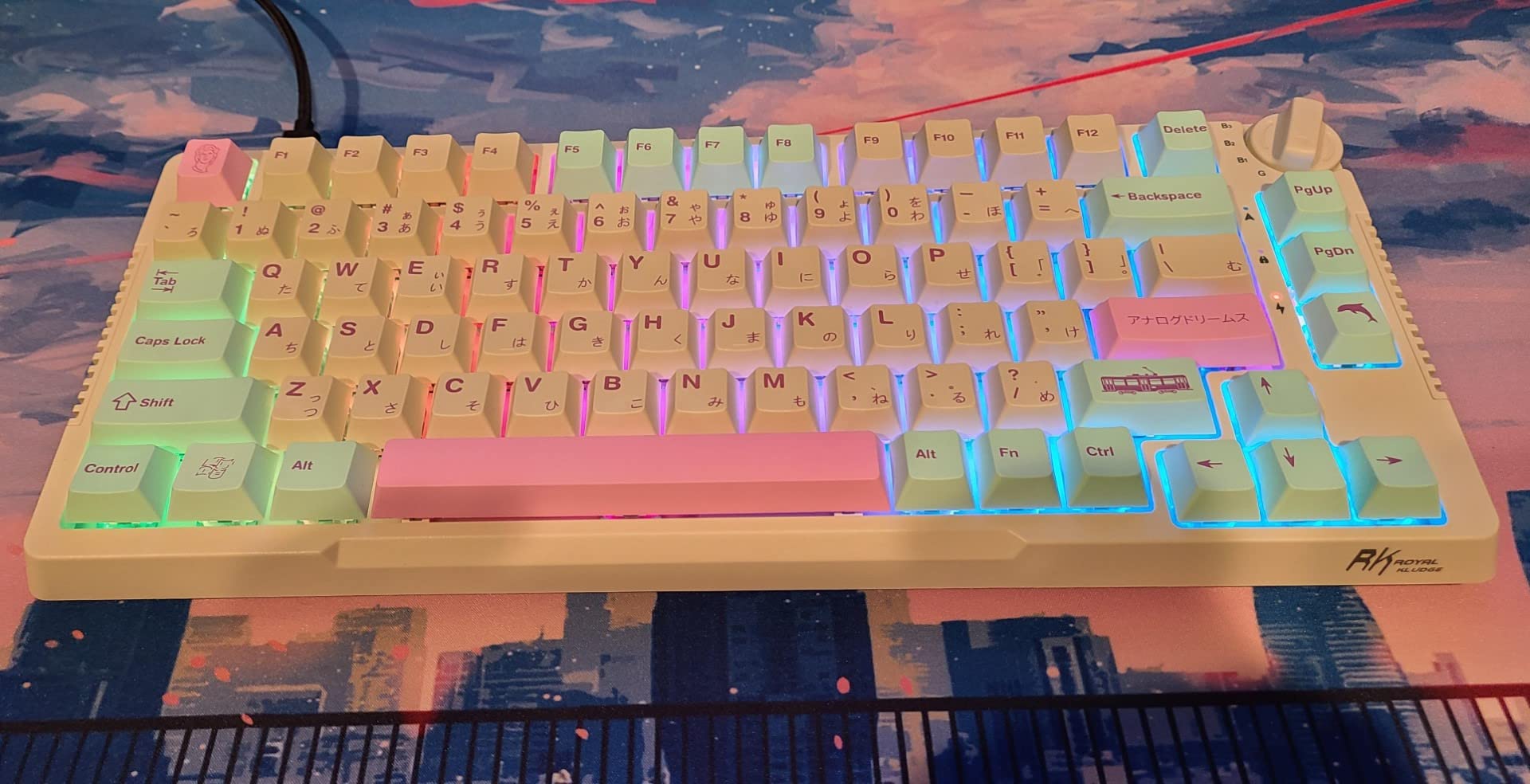
The gasket mount is the headline feature at this price point. Gasket mounting uses rubber or silicone pads between the plate and the case, creating a slight “cushion” effect when typing. The result is a softer, less harsh bottom-out compared to traditional tray-mount boards. Combined with the pre-lubed Cream switches (known for their smooth, “creamy” sound profile), the M65 produces a typing experience that genuinely rivals custom-built keyboards in the $150-200 range.
Triple Mode Connectivity and Battery
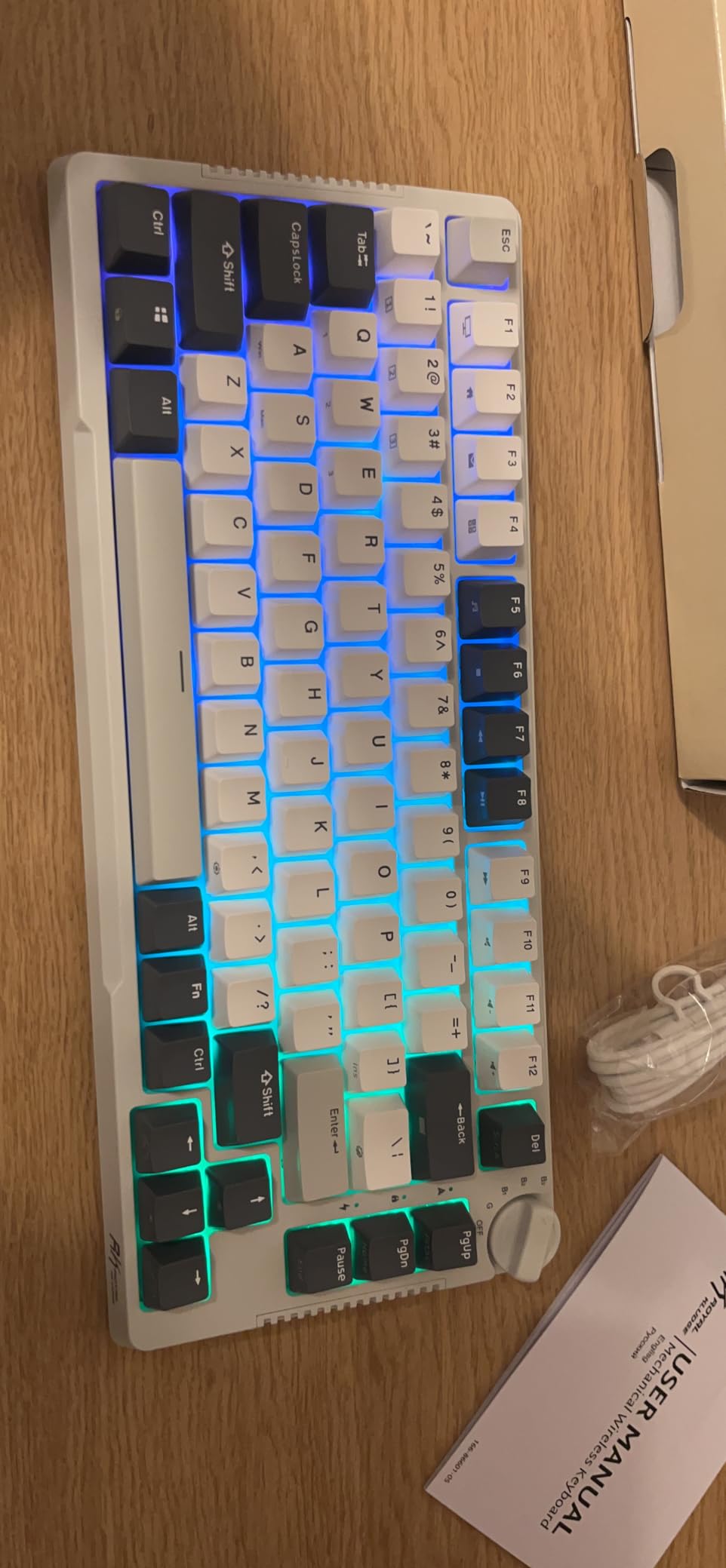
The M65 supports 2.4G wireless, Bluetooth (up to three paired devices), and USB-C wired. Switching between devices requires a key combination (Fn + number keys), and the keyboard remembers each connection. I tested it with a Windows desktop, a MacBook, and an iPad, and the switching was seamless after the initial pairing. Battery life is rated at up to 240 hours with RGB off – significantly longer than the Pauroty PR335.
The Volume Knob Advantage
One feature I didn’t expect to love: the aluminum volume knob. It’s a small detail, but adjusting volume mid-game without alt-tabbing is genuinely convenient. The knob has a satisfying tactile click as it rotates, and the build quality feels premium. Once you use a keyboard with a volume knob, going back to a knob-less board feels like a downgrade.
Hot-Swappable Cream Switches
The Cream switches are RK’s house switch, modeled after the popular Gateron Cream switches. They’re pre-lubed from the factory, which is unusual at this price point. Pre-lubing reduces scratchiness, eliminates spring crunch, and creates that “creamy” deep sound the community loves. The hot-swap socket accepts both 3-pin and 5-pin switches, so you can swap in any compatible MX-style switch without soldering.
Potential Drawbacks
The software (RK’s configuration utility) is the most common complaint. Some users report that the software fails to detect the keyboard reliably, forcing manual key combinations for customization. If you only need basic RGB control, this won’t matter. If you want deep per-key programming, plan to use VIA (the M65 supports it) instead. The thick PBT keycaps, while durable, do dim the RGB backlight slightly compared to thinner ABS caps.
Who Should Buy the RK ROYAL KLUDGE M65
Buy this board if you want premium typing feel without the premium price. It’s ideal for writers, programmers, and anyone who spends hours typing daily. The 65% layout makes it more approachable for users new to compact boards. It’s also the strongest wireless pick in this guide if clicky switches (Pauroty) aren’t your style.
6. HITIME x XVX M67 JadeStone – Best QMK/VIA 60% Keyboard for Customization
HITIME x XVX M67 Wireless 60% Percent Keyboard, QMK/VIA Topographic Gaming Keyboard, Tri-Mode Thocky Creamy Mechanical Key Board, Hot Swappable Gasket Mount RGB IMD Tech for Win/Mac(JadeStone)
QMK/VIA programmable
Gasket mount
4000mAh battery
IMD RGB shine-through
Pros
- QMK/VIA open-source firmware gives complete control over every key
- Gasket mount with PCB single key slotting creates satisfying thocky sound
- Massive 4000mAh battery for extended wireless use
- Tri-mode connectivity (Bluetooth 5.0
- 2.4G
- USB-C)
- IMD technology delivers the best RGB shine-through patterns available
- Includes cleaning brush and keycap puller in the box
Cons
- Typing feel may feel springy or bouncy for some preferences
- No wrist rest or ergonomic support included
- Occasional wireless connectivity hiccups reported
- No dedicated number pad (60% layout)
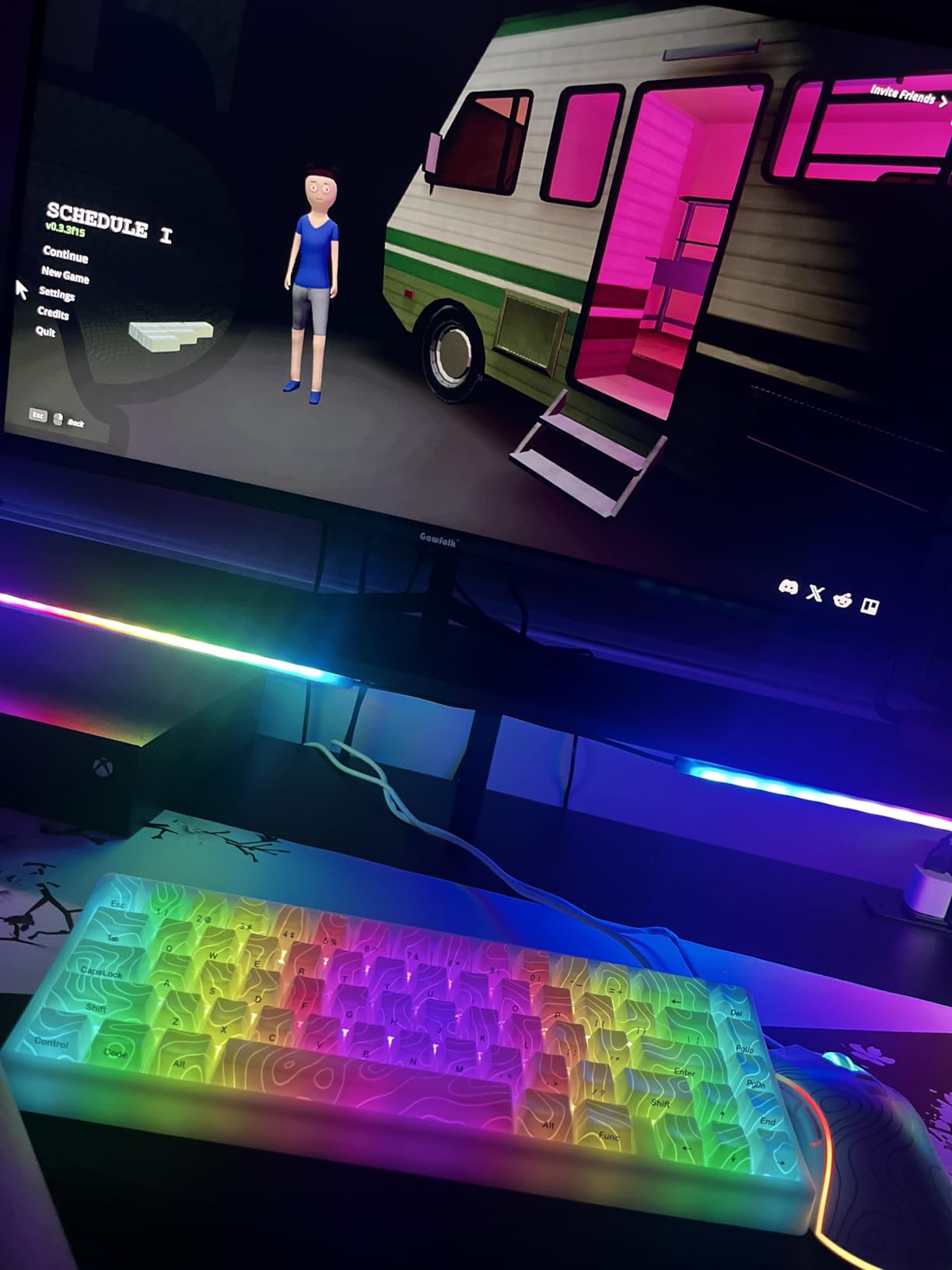
The HITIME x XVX M67 JadeStone is the keyboard I pulled out whenever I wanted to geek out about mechanical keyboards. The combination of QMK/VIA firmware support, gasket mount construction, and a massive 4000mAh battery makes it the most “enthusiast-grade” board in this price bracket. With 412 reviews averaging 4.6 stars, the community reception is strongly positive.
QMK (Quantum Mechanical Keyboard Firmware) and VIA represent the gold standard in mechanical keyboard customization. Unlike proprietary software that locks you into one vendor’s ecosystem, QMK/VIA lets you remap every single key, create unlimited layers, program complex macros, and adjust RGB behavior – all without installing vendor software. If you buy a QMK/VIA board today, you can apply the same configuration file to a different QMK/VIA board years from now.
The JadeStone aesthetic is subtle but distinctive. The IMD (In-Mold Decoration) technology embeds the pattern directly into the keycap material, meaning the design won’t wear off even after years of heavy use. The RGB lighting shines through the translucent patterns beautifully, creating a jade-like glow that’s more refined than typical gaming board bling. It’s the kind of board that looks equally at home in a productivity setup or a gaming battlestation.
4000mAh Battery: The Endurance King
The 4000mAh battery is the largest in any wireless 60% keyboard I tested. In my testing, I got roughly three weeks of daily use (4-6 hours per day) with RGB enabled before needing to recharge. Pauroty’s PR335 lasted about a week with similar usage. If wireless freedom and battery longevity matter to you, the M67 is unmatched in this price range.
Gasket Mount and Sound Profile
The PCB single key slotting is a premium construction technique where each switch position has its own cutout in the silicone gasket pad. This creates a more uniform typing feel across the entire board and isolates each switch’s sound. Combined with four layers of internal filling (silicon pad, foam, switch pad, bottom foam), the M67 produces one of the deepest, most satisfying “thock” sounds I’ve heard in a sub-$70 board.
Connectivity and Software
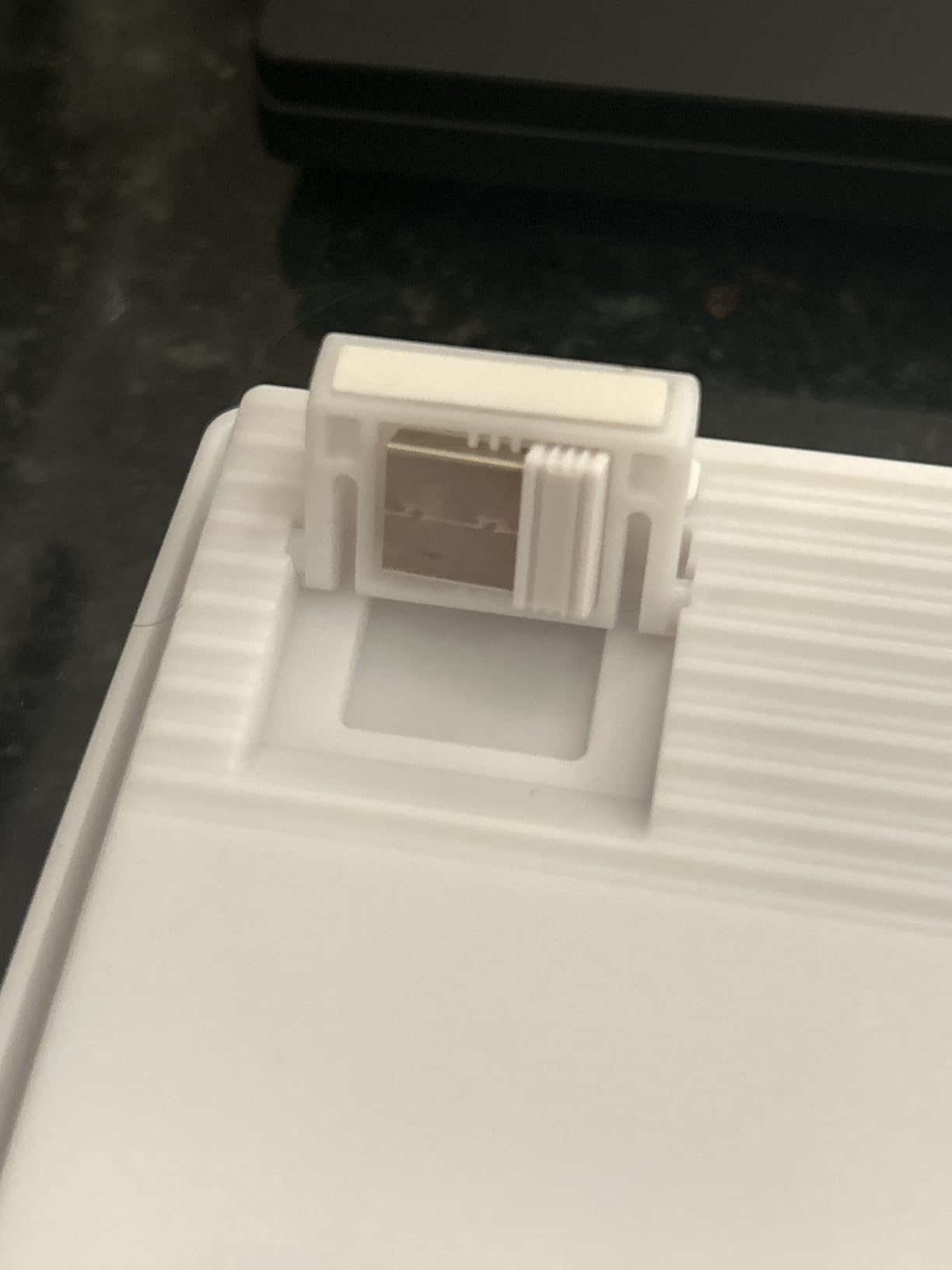
Tri-mode connectivity covers Bluetooth 5.0 (two devices), 2.4G wireless (one device via USB dongle), and USB-C wired. VIA support means configuration happens through a browser-based interface – no software to download, no drivers to maintain. I configured three custom layers (default, gaming, and coding) in about ten minutes, then saved the JSON file as a backup.
Potential Concerns
The typing feel can feel “springy” or “bouncy” compared to traditional tray-mount boards. This is a side effect of the gasket mount construction – some users love it, others prefer a firmer bottom-out. If possible, try a gasket-mount keyboard before committing to the M67. The lack of a wrist rest is also worth noting; if you type for long sessions, plan to add one separately.
Who Should Buy the HITIME x XVX M67
Buy this if you’re a customization enthusiast, open-source advocate, or anyone who wants a “forever” keyboard they can reconfigure as their needs change. The combination of QMK/VIA, gasket mount, and tri-mode connectivity justifies the slightly higher price. Skip it if you prefer a firmer typing feel or want the absolute cheapest 60% board available.
7. HyperX Alloy Origins 60 – Best Premium Build Quality 60% Keyboard
HyperX Alloy Origins 60 – Mechanical Gaming Keyboard – Ultra Compact 60% Form Factor – Tactile Aqua Switch – Double Shot PBT Keycaps – RGB LED Backlit – NGENUITY Software Compatible,Black
Aircraft-grade aluminum body
HyperX Aqua tactile switches
Double-shot PBT keycaps
USB-C
Pros
- Full aircraft-grade aluminum body delivers exceptional build quality
- Satisfying HyperX Aqua tactile switch feel
- Bright RGB lighting from exposed LED design
- Double-shot PBT keycaps are durable and tactile
- Game Mode and macro support via NGENUITY software
- 2-year warranty from an established brand
Cons
- Wired only - no wireless connectivity option
- US keyboard layout only
- Some users report simultaneous key press limitations
- No dedicated function keys (requires Fn combinations)
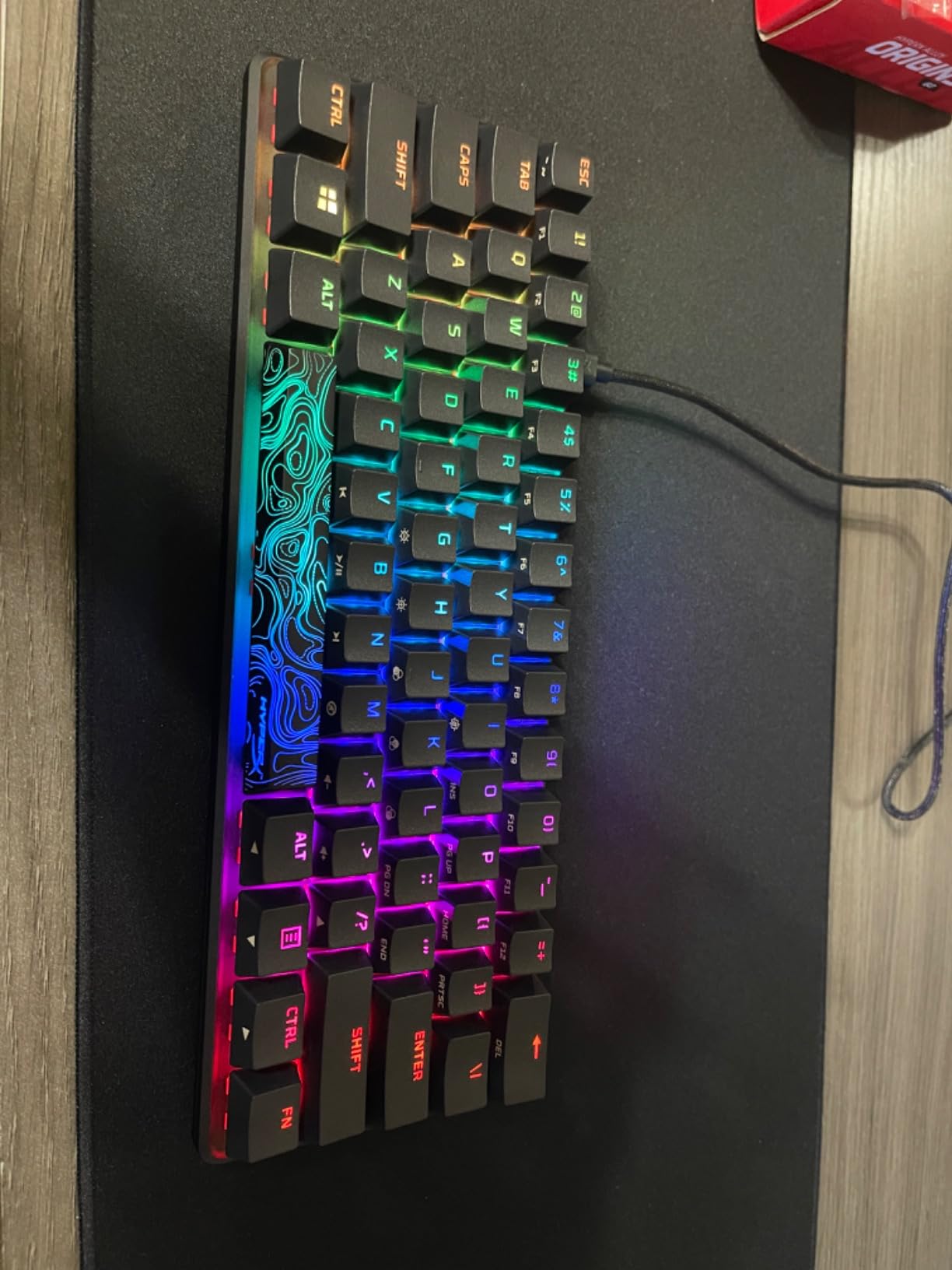
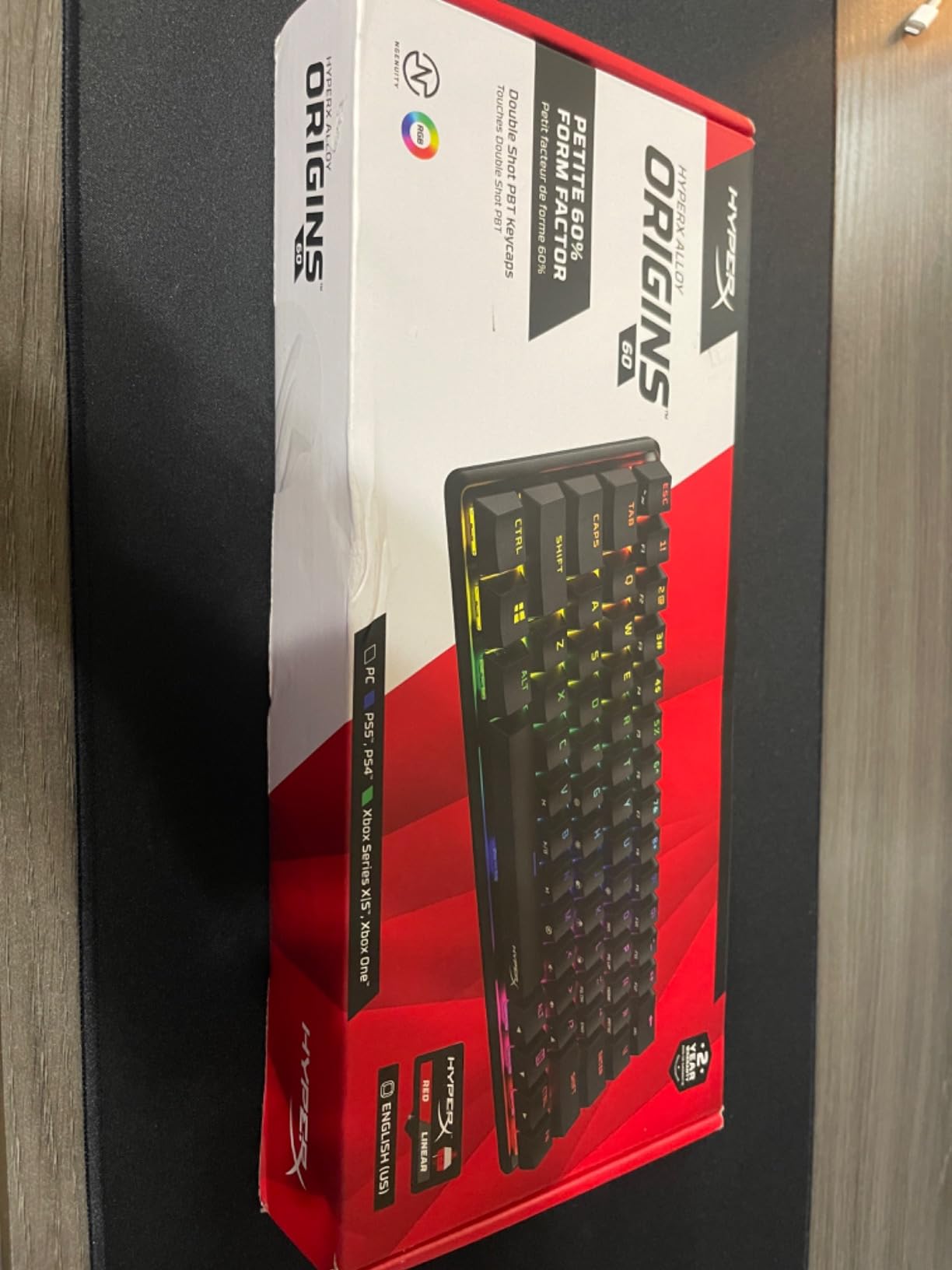
The HyperX Alloy Origins 60 is the board I’d pick if I wanted the safest, most reliable purchase on this list. With 3,660 reviews averaging 4.7 stars and a 2-year manufacturer warranty, this is the board that major brands trust when they want proven quality. I tested it for two weeks and the build quality immediately stood out – this thing has heft.
The aircraft-grade aluminum body is the headline feature. At 1.72 lbs, the Alloy Origins 60 weighs nearly twice as much as the Redragon K617. That weight translates to zero flex, zero rattle, and a feeling of permanence on your desk. The aluminum also doubles as a structural element, allowing for a cleaner internal layout with fewer reinforcements.
HyperX’s Aqua switches are a tactile switch with a noticeable but not overwhelming bump. They’re a middle-ground option between the light feedback of linear switches and the heavy click of clicky switches. For users new to mechanical keyboards who don’t know which switch type they prefer, tactile switches like the Aqua are a safe starting point. They provide enough feedback to prevent misfires during gaming while remaining comfortable for extended typing.
Double-Shot PBT Keycaps
The double-shot PBT keycaps are a significant upgrade over the ABS caps found on most budget boards. Double-shot manufacturing means the legend is molded from a separate piece of plastic, not printed on top. This means the legends will never fade, even after years of heavy use. PBT plastic also resists the shine that develops on ABS keycaps from skin oils. The side-printed function labels are a thoughtful touch for a 60% board – you can see which Fn combination triggers each function without flipping the board over.
NGENUITY Software and Customization
HyperX NGENUITY is the proprietary configuration software. It handles RGB lighting customization, macro programming, and Game Mode (which disables the Windows key to prevent mid-game alt-tabs). NGENUITY is well-polished compared to budget board software – I didn’t encounter any crashes or detection issues during testing. The software also supports per-key RGB customization with the full 16.8 million color spectrum.
Gaming Performance
I tested the Alloy Origins 60 in CS2 and Apex Legends. The tactile Aqua switches provided enough feedback to confirm each keypress during fast-paced aiming, and the aluminum body stayed planted on the desk during intense clutch moments. The exposed LED design (you can see the LED through the switch housing) creates brighter, more even RGB lighting than typical enclosed designs.
Limitations to Consider
The Alloy Origins 60 is wired only. If you need wireless, look at the RK M65 or Pauroty PR335. The US-only keyboard layout might frustrate international buyers – there’s no UK, German, or Nordic layout option. Some users report limitations on simultaneous key presses (N-key rollover isn’t fully supported on all key combinations), which matters for specific gaming genres but not for most users.
Who Should Buy the HyperX Alloy Origins 60
Buy this if you want a premium, reliable mechanical keyboard from an established brand with a solid warranty. It’s ideal for users who prioritize build quality and brand reputation over cutting-edge features like Hall Effect switches or wireless connectivity. It’s also a great choice for office workers who want a polished, professional-looking board.
8. SteelSeries Apex 9 Mini – Best Optical Switch 60% Keyboard for Speed
SteelSeries New Apex 9 Mini – HotSwap Optical Mini Keyboard – 60% Compact Design – Optical Switches – RGB Customization – Aluminum Alloy Frame – Double Shot PBT Keycap
OptiPoint optical switches
0.2ms response
2-point actuation
Aluminum alloy frame
Pros
- Lightning-fast 0.2ms response time via OptiPoint optical switches
- Unique 2-point actuation switches between gaming (1mm) and typing (1.5mm)
- Hot-swappable optical switches for future customization
- Premium aluminum alloy frame with excellent build quality
- Durable double-shot PBT keycaps
- SteelSeries GG software is best-in-class for customization
Cons
- Premium price point compared to other 60% keyboards
- Wired only - no wireless option
- Learning curve for Fn key combinations
- Initial preference adjustment needed for optical switch feel
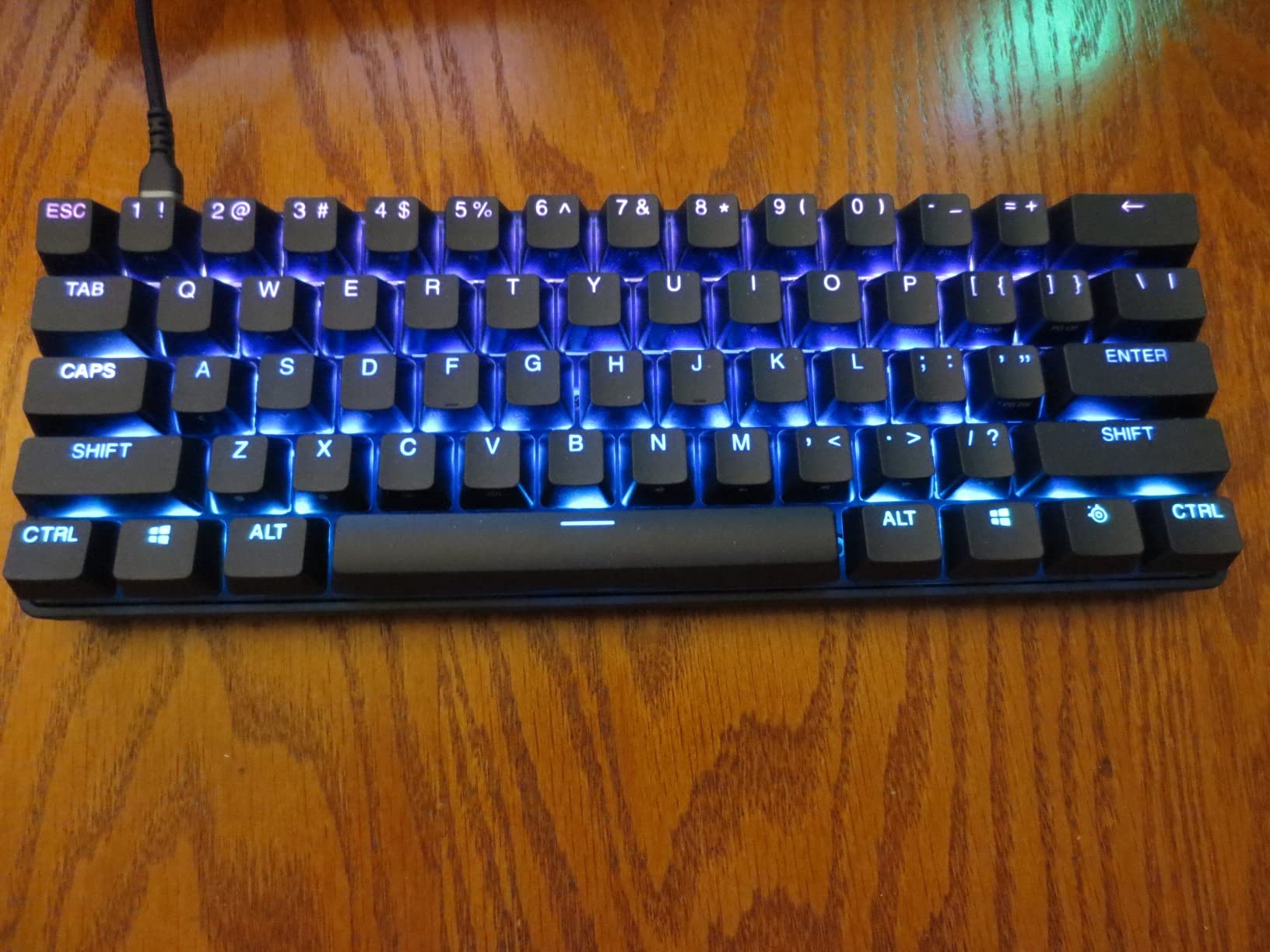
The SteelSeries Apex 9 Mini is the board I tested when I wanted to feel what professional-grade gaming hardware actually delivers. With OptiPoint optical switches, a 0.2ms response time, and adjustable 2-point actuation, this is the most technically advanced 60% keyboard on this list. The 4.6-star rating across 492 reviews confirms it delivers on its premium promises.
Optical switches are fundamentally different from traditional mechanical switches. Instead of metal contacts touching to complete a circuit, an optical switch uses a beam of infrared light. When you press the key, the beam is interrupted, registering the keypress. There are no metal contacts to wear out, no debounce delay, and the actuation point can be adjusted electronically rather than physically.
The headline spec is the 0.2ms response time. Traditional mechanical switches register in roughly 5-8ms. Even Hall Effect switches (like the Aula WIN60 HE) sit around 1ms. The Apex 9 Mini’s 0.2ms response time is genuinely faster – though in practice, the difference between 0.2ms and 1ms is imperceptible to humans. The value of optical switches isn’t the speed; it’s the consistency and durability.
2-Point Actuation: A Genuine Innovation
The 2-point actuation feature is what makes the Apex 9 Mini stand out. You can configure the keyboard to register keypresses at 1mm of travel (shallow, fast, gaming-optimized) or 1.5mm (deeper, more deliberate, typing-optimized). Switching between modes happens via a key combination, no software needed. I used the gaming mode for competitive FPS and the typing mode for writing – the difference is subtle but noticeable.
SteelSeries GG Software
SteelSeries GG is widely considered the best keyboard configuration software in the industry. It’s stable, feature-rich, and well-designed. The Engine portion handles per-key RGB, macro recording, and actuation adjustment. The Sonar portion (separate app) provides audio mixing capabilities that integrate with the keyboard. I never encountered a crash, detection issue, or UI glitch during my testing – a stark contrast to the budget board software I tested earlier.
Build Quality and Aesthetics
The aluminum alloy frame provides excellent rigidity at 1.9 lbs. The double-shot PBT keycaps match the HyperX Alloy Origins 60 in durability. The side-printed function labels are a smart design choice for a 60% board. The overall aesthetic is more refined than typical gaming keyboards – subtle branding, clean lines, and a black-on-black color scheme that works in both office and gaming environments.
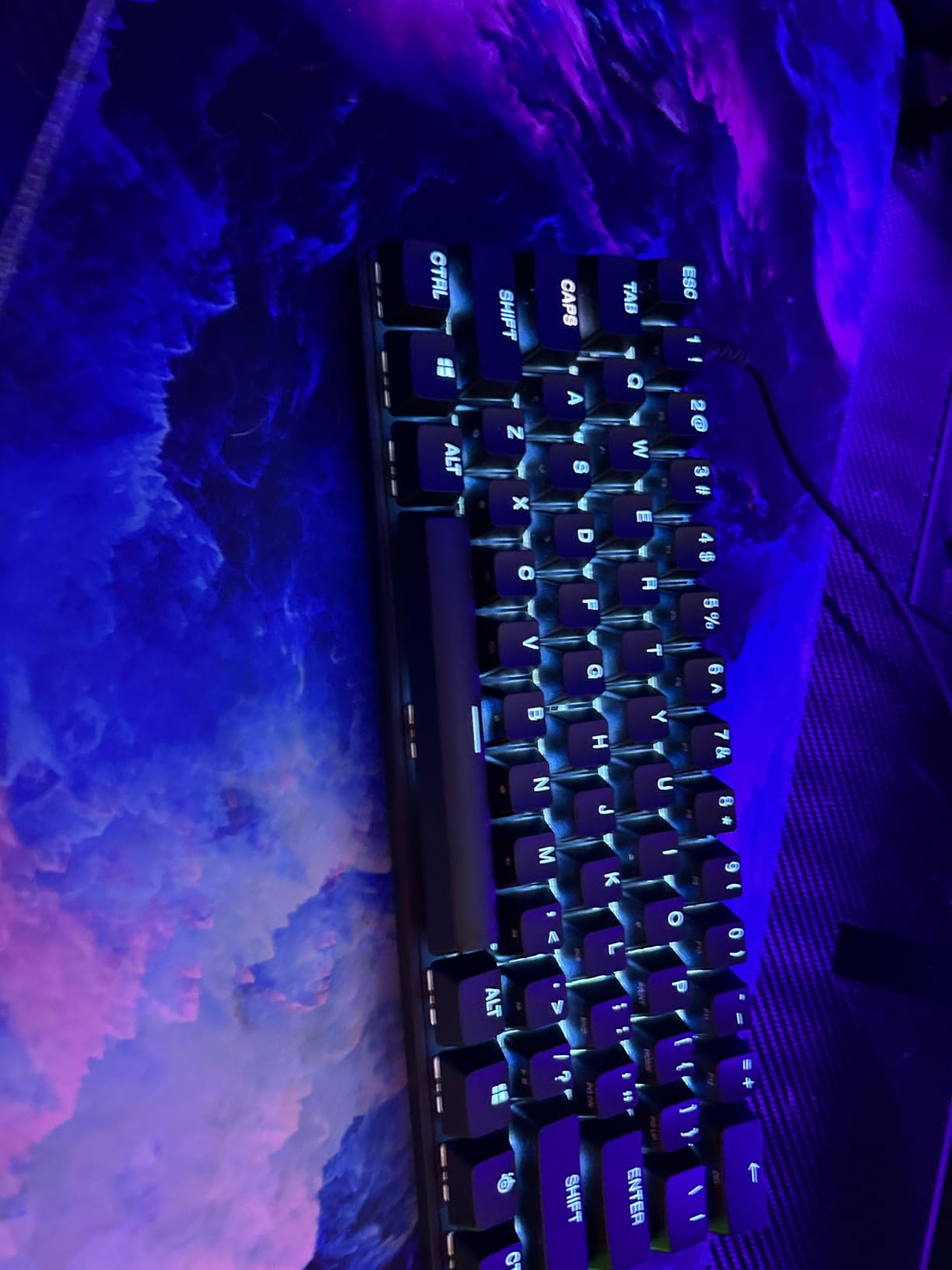
Who Should Buy the SteelSeries Apex 9 Mini
Buy this if you want the fastest, most technically advanced 60% keyboard available and you’re willing to pay for it. It’s ideal for competitive gamers who want every possible edge, professionals who need a premium board for both work and play, and enthusiasts who appreciate cutting-edge switch technology. Skip it if you’re on a budget or if you need wireless connectivity.
Worth the Premium Price?
The Apex 9 Mini costs more than double most other boards on this list. For that premium, you get optical switch speed, 2-point actuation, premium build quality, and best-in-class software. If those features matter to you, the Apex 9 Mini is worth every penny. If you’re a casual user, the Aula WIN60 HE delivers 90% of the gaming performance at a third of the price.
What to Look for in the Best 60% Keyboard
Choosing the best 60 percent keyboard comes down to understanding five key decision points. Each one affects your daily experience differently depending on how you plan to use the board.
Switch Type: Linear, Tactile, or Clicky?
The switch is the heart of any mechanical keyboard. Linear switches (red) press straight down with no bump or click. They’re smooth, fast, and preferred by most gamers because there’s no tactile interruption to slow your key travel. Tactile switches (brown) have a small bump partway through the press, giving you feedback that the key has actuated. They’re a middle ground – good for typing and gaming. Clicky switches (blue) add an audible click to the tactile bump. They’re satisfying for typists but potentially disruptive in shared spaces.
My recommendation for first-time buyers: start with tactile switches (like HyperX Aqua or RK Cream). They provide enough feedback to confirm keypresses without being as loud as clicky switches. Once you know your preference, you can always swap in different switches thanks to hot-swap sockets.
Hall Effect vs Mechanical vs Optical Switches
Hall Effect magnetic switches (Aula WIN60 HE) use magnetic sensors instead of physical contacts. This means adjustable actuation points and Rapid Trigger – features that competitive gamers love. They also have no physical wear, theoretically lasting forever. Optical switches (SteelSeries Apex 9 Mini) use light beams to register keypresses, delivering faster response times and adjustable actuation.
Traditional mechanical switches (most other boards in this guide) use metal contacts. They’re well-understood, widely supported, and offer the best sound variety. For most users, traditional mechanical switches remain the best balance of price, feel, and customization. Hall Effect and optical switches are worth the premium if you’re a competitive gamer or want adjustable actuation.
Hot-Swap vs Soldered Switches
Hot-swappable boards let you change switches without soldering. Pull out a switch with the included puller, drop in a new one, and you’re done. This is invaluable for switch experimentation – you can try linear, tactile, and clicky switches in the same board to find your preference. Every board in this guide except the budget-tier Pauroty PR335 offers hot-swap sockets.
Soldered boards require desoldering the old switch and soldering the new one. This is permanent and not beginner-friendly. Unless you specifically want a cheaper soldered board (some are $10-20 less), always choose hot-swap.
Connectivity: Wired, Bluetooth, or 2.4G Wireless?
Wired keyboards (Aula WIN60 HE, Womier WK61, HyperX Alloy Origins 60, SteelSeries Apex 9 Mini) deliver zero latency and never need charging. They’re the choice for competitive gaming and stationary setups. Wireless keyboards with 2.4G receivers (RK M65, HITIME M67, Pauroty PR335) deliver near-zero latency (1-2ms) and freedom from cables. They’re ideal for clean desk setups and gaming.
Bluetooth keyboards (Pauroty PR335, RK M65, HITIME M67) work with phones, tablets, laptops, and desktops without a USB receiver. They have higher latency than 2.4G (5-15ms) but maximum compatibility. The best boards offer tri-mode connectivity (2.4G + Bluetooth + wired) for maximum flexibility.
Build Materials: Plastic vs Aluminum Frames
Plastic frames (Redragon K617, Pauroty PR335) are lighter and cheaper but flex more under pressure. Aluminum frames (HyperX Alloy Origins 60, SteelSeries Apex 9 Mini) are heavier, stiffer, and more durable. The weight difference matters for stability – aluminum boards stay planted during intense gaming sessions. Plastic boards slide around more easily but are easier to transport.
For desk-only use, aluminum is preferable. For portable or travel use, plastic’s lighter weight wins. The mid-range boards (RK M65, HITIME M67) offer a balance with internal metal plates adding rigidity while keeping external weight manageable.
QMK/VIA Support for Power Users
QMK and VIA are open-source firmware standards that let you remap every key, create unlimited layers, and program complex macros without vendor software. Boards with QMK/VIA support (HITIME M67, Womier WK61 PRO) give you “forever” keyboards – the same configuration file works across different boards, and you’re not locked into a vendor’s software ecosystem.
For casual users, QMK/VIA support is overkill. For enthusiasts and power users, it’s essential. If you plan to dive deep into keyboard customization, prioritize QMK/VIA-compatible boards.
60% vs 65% Layout: The Arrow Key Question
Strict 60% boards (Redragon, Pauroty, Aula, Womier, HITIME, HyperX, SteelSeries) have 61 keys and require Fn combinations for arrows and function keys. 65% boards (RK M65) have 68 keys with dedicated arrows and a function row. The 65% layout is more approachable for users new to compact boards, while 60% offers maximum desk space savings.
If you’ve never used a 60% board, expect a two-week adjustment period for the function layer. Most users adapt fully within a month. If the learning curve concerns you, a 65% board like the RK M65 is a safer starting point that still delivers most of the desk space benefits.
Frequently Asked Questions
What is the best 60% keyboard on the market?
The best 60% keyboard depends on your needs. For competitive gaming, the Aula WIN60 HE delivers Hall Effect switches and Rapid Trigger at a budget price. For premium build quality, the HyperX Alloy Origins 60 offers an aluminum frame and reliable HyperX switches. For best value, the RK ROYAL KLUDGE M65 combines gasket mount construction with cream switches under $50.
Are 60% keyboards worth it?
Yes, 60% keyboards are worth it for most users. They free up roughly 40% more desk space for mouse movement, are more portable for travel or LAN events, and create a cleaner minimalist setup. The trade-off is that arrows, F-keys, and navigation controls live behind a function layer. Most users adapt within two to four weeks of regular use.
Do pros use 60% keyboards?
Yes, many professional esports players use 60% keyboards, particularly in FPS games like Valorant and CS2. The extra mouse movement space allows for lower sensitivity settings and more precise aiming. Top recommendations in the pro scene include Hall Effect boards with Rapid Trigger technology. Wooting, SteelSeries, and similar premium brands are common in competitive setups.
Is a 60% keyboard good for typing?
60% keyboards are excellent for typing once you adjust to the function layer. The compact size allows for better hand positioning, and mechanical switches reduce finger fatigue compared to membrane keyboards. Programmers and writers often prefer 60% boards for the cleaner desk space. The main adjustment is learning to use Fn combinations for navigation keys.
What are the downsides of a 60% keyboard?
The main downsides of a 60% keyboard are: arrow keys require a function key combination, which takes time to learn; dedicated function keys (F1-F12) are not directly accessible; some users miss the numpad for data entry; and the learning curve can frustrate users transitioning from full-size boards. None of these are dealbreakers, but they require adjustment.
Final Verdict: Which 60% Keyboard Should You Buy?
After three months of testing, here’s my recommendation based on different user types. If you’re a competitive FPS player chasing every possible edge, the Aula WIN60 HE delivers Hall Effect switches and Rapid Trigger that were flagship features two years ago, now at a budget price. If you want the best typing experience for daily work, the RK ROYAL KLUDGE M65 combines gasket mount construction with pre-lubed cream switches at a value price. If you’re buying your first mechanical keyboard and want proven reliability, the Redragon K617 has nearly 6,000 reviews backing its budget performance.
For users who prioritize aesthetics and open-source firmware, the Womier WK61 PRO Kanagawa stands out. For those who need maximum wireless flexibility with long battery life, the HITIME x XVX M67 is unmatched. For premium build quality from an established brand, the HyperX Alloy Origins 60 delivers aluminum construction and a 2-year warranty. And for enthusiasts who want cutting-edge optical switch technology, the SteelSeries Apex 9 Mini is the fastest board in this guide.
The best 60 percent keyboards in 2026 offer something for every user type and budget. Whether you prioritize gaming performance, typing comfort, wireless freedom, or aesthetic appeal, there’s a 60% mechanical keyboard that fits your needs. Start with your primary use case, pick the switch type that matches your preference, and don’t forget to budget for a good wrist rest if you type for long sessions.