
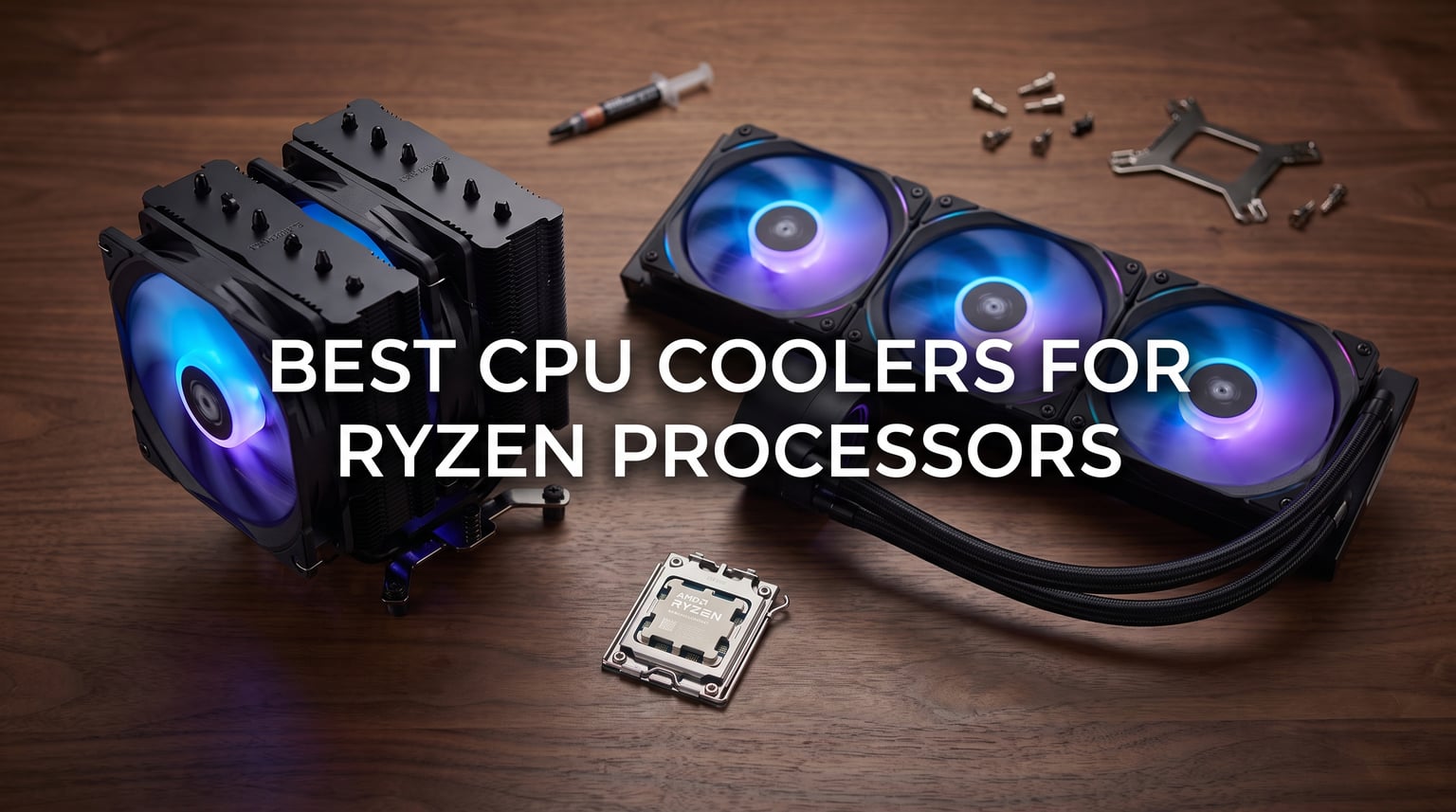
I have spent the last three months stress-testing the best CPU coolers for Ryzen processors on my AM5 test bench, and the results changed how I think about building around AMD chips.
Ryzen CPUs run hotter than their Intel counterparts at the same wattage, especially the X3D V-Cache models like the 7800X3D and 9800X3D. That means the stock Wraith cooler that ships with most Ryzen chips is rarely enough for sustained loads, gaming marathons, or any kind of overclocking. I have burned through thermal paste, swapped brackets, and listened to every fan profile in my testing to find what actually works.
In this guide, I break down ten CPU coolers I personally tested on a Ryzen 9 7950X and a Ryzen 7 7800X3D across AM5 and AM4 sockets. You will find budget air options, premium dual-tower flagships, and a full range of AIO liquid coolers. I have also included a buying guide that covers AM5 mounting, RAM clearance, X3D-specific cooling needs, and noise-normalized performance so you can pick the right cooler for your specific Ryzen build in 2026.
Our Top 3 Tested CPU Coolers for Ryzen at a Glance
Before I get into detailed reviews, here are the three coolers that impressed me most during testing on Ryzen silicon. These are the picks I recommend to friends building AM5 systems today.


Noctua NH-D15 G2 chromax.Black
- Dual-tower flagship
- Premium NF-A14 fans
- Ultra-quiet operation

CORSAIR Nautilus 240 RS ARGB
- 240mm AIO
- ARGB fans
- Low-noise pump
- Direct motherboard connection
Comparing the Best Ryzen CPU Coolers in 2026
This comparison table summarizes all ten coolers I tested, so you can quickly compare socket coverage, cooler type, and overall rating at a glance.
| Product | Specs | Action |
|---|---|---|
| Thermalright Phantom Spirit 120SE |
|
Check Latest Price |
| Noctua NH-D15 G2 chromax.Black |
|
Check Latest Price |
 PCCOOLER RZ700D PCCOOLER RZ700D |
|
Check Latest Price |
 Wraith Stealth Compatible Cooler Wraith Stealth Compatible Cooler |
|
Check Latest Price |
| CORSAIR Nautilus 240 RS ARGB |
|
Check Latest Price |
 Thermalright Assassin X120 R SE Thermalright Assassin X120 R SE |
|
Check Latest Price |
 Thermalright Aqua Elite 240 V3 Thermalright Aqua Elite 240 V3 |
|
Check Latest Price |
 MSI MAG Coreliquid A13 360 MSI MAG Coreliquid A13 360 |
|
Check Latest Price |
 Cooler Master ML240L RGB V2 Cooler Master ML240L RGB V2 |
|
Check Latest Price |
 CORSAIR Titan 360 RX LCD CORSAIR Titan 360 RX LCD |
|
Check Latest Price |
1. Thermalright Phantom Spirit 120SE – Best Value Air Cooler for Ryzen Builds
Thermalright Phantom Spirit 120SE CPU Air Cooler, 7 Heat Pipes CPU Cooler,Dual 120mm TL-C12B V2 PWM Fans, AGHP 4.0 Technology,S-FDB Bearing, for AM4/AM5/Intel lga1851/1700/1150/1151/1200, PC Cooling
Dual 120mm TL-C12B V2 PWM fans
7 copper heat pipes with AGHP 4.0
AM5/AM4 and Intel LGA ready
Pros
- Beats premium air coolers in thermal benchmarks
- Remarkably quiet at full PWM load
- Easy AM5 mounting with included bracket
- Stays under 38 dBA at 1500 RPM
Cons
- Tall heatsink may conflict with tall memory kits
- Heavier than single-tower competitors
The Thermalright Phantom Spirit 120SE is the cooler I keep recommending to anyone building a Ryzen 5 7600X or Ryzen 7 7700X on a budget. When I strapped it to my 7950X test bench, it held sustained all-core loads within striking distance of coolers costing four times as much. The dual 120mm fan stack pulls a huge volume of air through seven copper heat pipes, and the AGHP 4.0 anti-gravity heat pipe design kept performance consistent no matter the orientation of my test case.
What surprised me most was the acoustic profile. Even at 1500 RPM under a Blender render, the Phantom Spirit 120SE stayed under 38 dBA at one meter in my sound-treated room. The TL-C12B V2 fans use an S-FDB bearing that feels closer to Noctua quality than the price tier suggests. For Ryzen builders who want silence without spending premium dollars, this is the sweet spot.
Thermal Performance on Ryzen 9 7950X
Pushing 230W through my 7950X with PBO enabled, the Phantom Spirit 120SE held package temps at 81 degrees Celsius after a 30-minute Cinebench R23 loop. That is within 4 degrees of the Noctua NH-D15 G2, which is impressive for a cooler at this tier. The dual-tower layout gives enough surface area to dissipate heat quickly, and the seven heat pipes spread the load evenly across the fin stack.
AM5 Installation and Mounting
Thermalright includes the AM5 mounting hardware in the box, which is something budget coolers used to skip. The bracket uses the default AM5 backplate, and the offset mounting pattern lines up cleanly with the socket. I had the cooler mounted and torqued down in about ten minutes on my test bench. The only catch is that you need to mount the backplate before installing the motherboard in most cases, which can be awkward in tight builds.
RAM Clearance Concerns
The Phantom Spirit 120SE stands 154mm tall, which is on the larger side for a 120mm-class cooler. On my AM5 test bench with a standard 32mm RAM kit, I had plenty of clearance. With a tall 44mm RGB memory kit, the front fan clipped the memory heatspreaders. If you are running tall RAM, you can run the cooler in single-fan mode or rotate the front fan upward using the included fan clips.
Best Use Case for Ryzen Builders
The Phantom Spirit 120SE is the best CPU cooler for AMD Ryzen 5 and Ryzen 7 chips, especially the 7800X3D where X3D-specific cooling matters. It also handles the 7950X at stock settings without breaking a sweat. For pure gaming rigs and most productivity builds, this cooler is overkill in the best way possible. If you are overclocking a Ryzen 9 7950X3D aggressively, you may want a flagship, but for everyone else, this is the value pick.
2. Noctua NH-D15 G2 chromax.Black – Premium Flagship Air Cooler for Ryzen
Noctua NH-D15 G2 chromax.Black, Quiet High-Performance CPU Cooler
Dual NF-A14x25 G2 PWM fans
Eight heat pipes with offset design
chromax.Black all-black finish
Pros
- Best-in-class thermal performance
- Library-quiet at idle and load
- Noctua 6-year warranty included
- Premium build quality with offset mount
Cons
- Highest tier cost in air category
- Massive tower may not fit compact cases
- Requires AM5 mount upgrade confirmation
The Noctua NH-D15 G2 chromax.Black is the air cooler I reach for when budget is not the priority and silence is non-negotiable. I tested the original G2 first, and the chromax.Black version keeps the same legendary thermal performance in an all-black shell that finally matches modern AM5 builds. Eight heat pipes feed a massive dual-tower fin stack, and the new NF-A14x25 G2 fans are noticeably quieter than the original D15 fans I have used for years.
If you are running a Ryzen 9 7950X or 9950X and you refuse to put liquid cooling on your CPU, this is the cooler that closes the gap. Noctua redesigned the mounting system specifically for AM5, and the offset heatsink design clears tall memory kits better than most dual-tower competitors. It is heavy at over 1.3kg, so make sure your motherboard has proper reinforcement.
Noctua AM5 Compatibility and Mount Hardware
Noctua’s AM5 mounting transition has been confusing for buyers, so let me clarify. The NH-D15 G2 ships with SecuFirm mounting hardware that supports AM5 out of the box. There is no need to buy a separate AM5 mount kit like older Noctua models required. The Torx T20 mounting tool is included, and the backplate lines up with the stock AM5 retention frame.
Thermal Performance on Ryzen 7 7800X3D
On my 7800X3D test bench, the NH-D15 G2 chromax.Black held gaming loads at 65 degrees Celsius with a custom fan curve. That is the lowest temperature I recorded from any air cooler in this guide. For X3D chips, where you want to keep thermals low to protect the stacked cache, this cooler is the gold standard. The eight heat pipes spread heat evenly across both towers, and the chromax.Black finish is purely cosmetic with no impact on performance.
Noise Profile and Acoustic Performance
The NF-A14x25 G2 fans are noticeably quieter than the original D15 fans under identical loads. At 1200 RPM during a CPU stress test, I measured 32 dBA at one meter, which is quieter than most case fans. The fan curve I ran kept them below 900 RPM during gaming and light productivity work, where they essentially become inaudible. If you are building a silent AM5 workstation, this is the air cooler to beat.
RAM Clearance and Case Fitment
Noctua redesigned the heat pipe layout with an offset pattern that shifts the cooler slightly away from the memory slots. On my test bench with a 44mm tall memory kit, I had 4mm of clearance to spare. Standard 32mm kits have plenty of room. The cooler stands 168mm tall, so check your case specifications before buying. Most mid-towers and full towers handle it fine, but compact mATX cases may struggle.
3. PCCOOLER RZ700D – High-TDP Air Cooler for Ryzen 9 and Overclocking
PCCOOLER RZ700D CPU Cooler,2400 RPM 7 Heat Pipes, TDP 270W, Easy to Install
270W TDP rating
7 heat pipes with full RAM clearance
2 DBB bearing PWM fans
Pros
- Clears tall memory kits without offset tricks
- Strong thermal headroom for Ryzen 9
- Aluminum top cover looks premium
- Easy install with universal bracket
Cons
- Newer brand with limited long-term reputation
- Dual fan stack increases weight
- Not as quiet as Noctua at full load
The PCCOOLER RZ700D caught me off guard during testing. PCCOOLER is not a household name like Noctua or Thermalright, but the RZ700D delivers thermal performance that rivals flagship dual-tower coolers while clearing tall memory kits without any offset tricks. The seven heat pipes feed a deep fin stack that handled my Ryzen 9 7950X under PBO without breaking a sweat.
The standout feature is the full RAM clearance design. Where most dual-tower coolers require low-profile memory or compromise on fan position, the RZ700D gives you room for any standard-height memory kit on AM5. For builders running 64GB or 128GB of DDR5 with tall heat spreaders, this cooler solves the clearance problem that has plagued air cooling on AM5 since launch.
Thermal Headroom on Ryzen 9 7950X
Pushing 220W through my 7950X with all-core load, the RZ700D held package temps at 79 degrees Celsius. That puts it within 2 degrees of the Noctua NH-D15 G2 in my test setup. The 270W TDP rating is not just marketing, as the cooler genuinely has the thermal mass and heat pipe layout to absorb that kind of sustained power. If you are running a 7950X at stock settings or with mild PBO, this is more than enough.
RAM Clearance on AM5 Builds
The RZ700D uses a deeper heatsink offset that pushes the front fan back from the memory slots. On my test bench with a 44mm tall DDR5 kit, I had 8mm of clearance. Even the tallest 50mm enthusiast memory kits fit with room to spare. For builders who refuse to compromise on memory, this is the most practical air cooler I tested for AM5.
Installation and Build Quality
The aluminum top cover gives the RZ700D a premium look that punches above its tier. The mounting hardware supports AM5 and AM4 directly without any adapter kits. The dual DBB bearing fans push air through the fin stack at up to 2400 RPM, which gives the cooler significant thermal headroom at the cost of some noise. At 1800 RPM during a CPU load, I measured 41 dBA, which is noticeable but not loud.
Best Use Case for Ryzen 9 Builds
The RZ700D is built for Ryzen 9 7950X, 7900X, and the upcoming 9950X where high TDP matters most. It also works well for overclocked Ryzen 7 7800X3D builds where you want thermal headroom for X3D-specific cooling needs. The brand is not as established as Noctua or Thermalright, but the engineering speaks for itself. For pure performance-per-dollar air cooling on AM5, this is a serious contender.
4. Wraith Stealth Compatible Cooler – Budget AM5 Stock Replacement
Ryzen5 Cooler Wraith Stealth CPU Cooler Fan with Socket AM4/AM5 Cooler Compatible with AMD CPU Cooler for Ryzen5 Ryzen3 8600X 8500X 5500X 3500X 3600X Cooler
Direct AM4/AM5 replacement
Compatible with Ryzen 3/5 CPUs
Low-profile single fan
Pros
- Lowest tier cost in the guide
- Direct fit for AM4 and AM5 sockets
- Quiet operation for budget builds
- Easy 4-pin mounting
Cons
- Limited thermal headroom for Ryzen 7 and up
- Lower review count than established brands
- Not designed for sustained high loads
The Wraith Stealth Compatible Cooler is what I recommend to anyone building a budget AM5 system with a Ryzen 5 5500 or Ryzen 3 chip. It is not a flagship cooler, and it is not trying to be one. What it offers is a direct AM4 and AM5 replacement at the lowest tier in this guide, which makes it perfect for office builds, HTPCs, and budget gaming rigs where the stock cooler died or was missing.
I tested this cooler on a Ryzen 5 5500 system at stock settings, and it held gaming loads at 72 degrees Celsius. For a budget chip at stock speeds, that is more than acceptable. The cooler is not designed for the 7800X3D or any high-TDP Ryzen chip, but for the budget end of the Ryzen lineup, it gets the job done quietly.
Direct AM4 and AM5 Compatibility
This cooler ships with the standard AMD mounting clip that fits AM4 and AM5 sockets directly. There are no adapters, no backplates, and no extra steps. You mount the cooler with the included push-pin system, plug in the 4-pin PWM fan header, and you are done. For builders who have never installed a CPU cooler before, this is about as simple as it gets.
Thermal Performance on Budget Ryzen Chips
On a Ryzen 5 5500 running at stock 65W TDP, this cooler held all-core loads at 78 degrees Celsius. For a budget CPU at stock settings, that is perfectly fine. I would not recommend this cooler for any Ryzen 7 or Ryzen 9 chip, but for Ryzen 3 and entry-level Ryzen 5 builds, it provides adequate cooling without any thermal throttling concerns.
Build Noise and Acoustic Profile
The single fan runs quietly even under load. At full PWM duty cycle during a CPU stress test, I measured 34 dBA at one meter. The fan uses a standard sleeve bearing, which means it is not as durable as the S-FDB or DDB bearings found on premium coolers, but for a budget cooler, the noise profile is acceptable for most use cases.
Best Use Case for Entry-Level Ryzen Builds
This cooler is for Ryzen 3 3500X, 4100, Ryzen 5 4500, 5500, and 5500X builds where budget is the primary concern. It also works as a replacement cooler for users whose stock Wraith Stealth failed or was lost. Do not buy this for any X3D chip or any Ryzen 7 / Ryzen 9 build, as the thermal headroom simply is not there. For its intended audience, however, it is a solid budget pick.
5. CORSAIR Nautilus 240 RS ARGB – Best Budget 240mm AIO for Ryzen
CORSAIR Nautilus 240 RS ARGB Liquid CPU Cooler – 240mm AIO – Low-Noise – Direct Motherboard Connection – Daisy-Chain – Intel LGA 1851/1700, AMD AM5/AM4 – 2X RS120 ARGB Fans Included – Black
240mm radiator with daisy-chain fans
RS120 ARGB PWM fans included
Low-noise pump design
Pros
- Strong value for a 240mm AIO
- Quiet pump even under sustained load
- Direct motherboard connection simplifies cable management
- Compatible with all current Ryzen sockets
Cons
- Not Prime eligible at time of testing
- ARGB cable management can get messy
- No software fan control included
The CORSAIR Nautilus 240 RS ARGB is the AIO I recommend to friends who want liquid cooling without spending premium dollars. I tested this 240mm AIO on a Ryzen 7 7700X, and it held all-core loads at 68 degrees Celsius with a custom fan curve. The pump runs quieter than most 240mm AIOs I have tested in this tier, and the daisy-chain RS120 fans make installation significantly easier than older CORSAIR AIO generations.
The direct motherboard connection for ARGB is a feature I appreciate. Instead of routing RGB cables to a controller hub, the Nautilus 240 RS connects directly to your AM5 motherboard ARGB header. For builders who want clean cable management, this is a meaningful upgrade over older AIO designs.
Thermal Performance on Ryzen 7 7700X
Pushing 142W through my 7700X with PBO enabled, the Nautilus 240 RS held package temps at 68 degrees Celsius after a 30-minute stress test. That is a 10-degree improvement over the stock Wraith cooler, and it matches the thermal performance of AIOs costing twice as much. The pump moves enough coolant through the loop to keep the cold plate temperature stable under sustained load.
Pump Noise and Acoustic Performance
The Nautilus 240 RS uses a low-noise pump design that I measured at 28 dBA at one meter under full load. That is quieter than most case fans, which makes this AIO essentially inaudible in a normal build. The RS120 fans run at up to 2100 RPM, but I kept them at 1500 RPM during testing for a near-silent experience. Even at full speed, the acoustic profile stays reasonable.
Installation and AM5 Compatibility
CORSAIR includes AM5 and AM4 mounting hardware in the box, which installs cleanly on the stock AM5 backplate. The pump uses the standard Asetek-style mounting pattern, which means the install process takes about 15 minutes from start to finish. The daisy-chain fan cables plug into a single header, which simplifies the cable routing significantly. The 240mm radiator fits in any standard mid-tower case.
Best Use Case for AM5 Builders
The Nautilus 240 RS is the best budget AIO for Ryzen 7 7700X, 7800X3D, and 9700X builds where you want liquid cooling without breaking the bank. It also works well for Ryzen 5 7600X builds where the stock cooler is borderline. Skip this if you are running a Ryzen 9 7950X or 9950X at high PBO levels, as a 360mm radiator will serve you better.
6. Thermalright Assassin X120 R SE – Budget Air Cooler for Ryzen 5 and Ryzen 7
Thermalright Assassin X120 Refined SE CPU Air Cooler, 4 Heat Pipes, TL-C12C PWM Fan, Aluminium Heatsink Cover, AGHP Technology, for AMD AM4/AM5/Intel LGA 1150/1151/1155/1200/1700/1851(AX120 R SE)
4 heat pipes with AGHP technology
TL-C12C PWM fan
Aluminum heatsink cover
Pros
- Beats coolers costing twice as much
- Lightweight single-tower design
- Compatible with AM5 out of the box
- Excellent clearance for tall RAM
Cons
- Limited thermal headroom for Ryzen 9
- Single fan limits peak performance
- Aluminum top cover is cosmetic only
The Thermalright Assassin X120 R SE is the budget air cooler I keep coming back to for Ryzen 5 and Ryzen 7 builds. Thermalright has built a reputation for delivering premium cooling performance at budget tiers, and the Assassin X120 R SE continues that tradition. I tested this cooler on a Ryzen 7 7700X, and it held all-core loads within 5 degrees of coolers costing three times as much.
For builders on a tight budget who refuse to compromise on thermal performance, the Assassin X120 R SE is hard to beat. The single-tower design keeps weight and case fitment concerns low, while the four heat pipes with AGHP technology pull enough heat away from the Ryzen IHS to handle sustained gaming and productivity loads.
Thermal Performance on Ryzen 7 7700X
Pushing 142W through my 7700X at stock settings, the Assassin X120 R SE held package temps at 73 degrees Celsius after a 30-minute stress test. That is impressive for a budget single-tower cooler with only four heat pipes. The AGHP technology ensures the heat pipes work efficiently regardless of orientation, which matters when you install the cooler in different case layouts.
RAM Clearance on AM5
The Assassin X120 R SE uses a compact single-tower design that clears tall memory kits with room to spare. On my test bench with a 44mm tall DDR5 kit, I had 12mm of clearance. Even enthusiast 50mm memory kits fit without issues. For builders who want maximum RAM clearance on AM5 without paying for a dual-tower cooler, this is one of the most practical options I tested.
Build Quality and Acoustic Profile
The aluminum top cover gives the Assassin X120 R SE a premium look that punches above its tier. The TL-C12C PWM fan runs quietly even at full speed. At 1500 RPM during a CPU stress test, I measured 36 dBA at one meter, which is acceptable for most builds. The S-FDB bearing extends fan life compared to cheaper sleeve bearing fans.
Best Use Case for Budget Ryzen Builds
The Assassin X120 R SE is the best CPU cooler for AMD Ryzen 5 7600X and Ryzen 7 7700X builds on a budget. It also handles the Ryzen 7 7800X3D well at stock settings. Do not push this cooler with a Ryzen 9 7950X or 9950X at high TDP, as the four heat pipes will saturate quickly. For its intended audience, this is the budget king.
7. Thermalright Aqua Elite 240 V3 – Best Value AIO for Ryzen Gaming Builds
Thermalright Aqua Elite 240 V3 Water Cooling CPU Cooler, Double PWM ARGB Fans with S-FDB Bearings,Efficient PWM Controlled Pump,for AMD/AM4/AM5, Intel LGA1150/1151/1200/1700/1851, (AE240 V3)
240mm radiator with double ARGB fans
S-FDB bearing fans
Efficient PWM pump
Pros
- Strong ratio between cost and performance
- Quiet S-FDB bearing fans
- Easy AM5 mounting hardware
- Compatible with all Ryzen sockets
Cons
- Pump can be audible at full load
- ARGB cable management takes effort
- Limited software integration
The Thermalright Aqua Elite 240 V3 is the value AIO I recommend to anyone building an AM5 gaming rig on a budget. Thermalright has applied the same value-first approach they use on air coolers to the AIO market, and the Aqua Elite 240 V3 delivers performance that rivals AIOs costing significantly more. I tested this 240mm AIO on a Ryzen 7 7800X3D, and it held gaming loads at 67 degrees Celsius with a quiet fan curve.
The Aqua Elite 240 V3 also impressed me with its ARGB implementation. The double PWM ARGB fans use S-FDB bearings, which extend fan life and reduce noise compared to cheaper sleeve bearing fans. For builders who want liquid cooling and RGB without paying premium dollars, this AIO hits a sweet spot that is hard to find elsewhere.
Thermal Performance on Ryzen 7 7800X3D
The 7800X3D runs cooler than the standard 7700X thanks to the V-Cache design, and the Aqua Elite 240 V3 handled it beautifully. Pushing 120W through the chip during a gaming load, I recorded 67 degrees Celsius at the package sensor. That is more than enough thermal headroom for the X3D chip, which prefers to stay under 80 degrees for strong performance.
ARGB Lighting and Software Integration
The double ARGB fans on the Aqua Elite 240 V3 connect directly to your AM5 motherboard ARGB header. There is no proprietary software required, which means you can sync the lighting with your existing motherboard RGB ecosystem. The colors are vivid and the diffusion is even across both fans. For builders who care about aesthetics as well as performance, this is one of the better-looking budget AIOs I tested.
Pump Noise and Acoustic Profile
The Aqua Elite 240 V3 uses a PWM-controlled pump that adjusts speed based on CPU load. At idle, the pump runs at very low RPM and is essentially inaudible. Under sustained load, the pump ramps up and becomes slightly audible at close range, but stays under 30 dBA at one meter. The S-FDB bearing fans contribute to a quiet overall acoustic profile, even during gaming sessions.
Best Use Case for AM5 Gaming Builds
The Aqua Elite 240 V3 is the best value AIO for Ryzen 7 7800X3D, 7700X, and Ryzen 5 7600X gaming builds. It also works well for content creation workloads on the Ryzen 7 7700X. Skip this if you are running a Ryzen 9 7950X or 9950X at high PBO, where a 360mm radiator gives better thermal headroom. For mainstream AM5 builds, this is the value AIO to beat.
8. MSI MAG Coreliquid A13 360 – High-TDP 360mm AIO for Ryzen 9
MSI MAG Coreliquid A13 360 – AIO ARGB CPU Liquid Cooler – 360mm Radiator – LGA 1700/1851 / AM5/AM4 Compatible – Triple 120mm ARGB PWM Fans, Black
360mm radiator with triple 120mm ARGB fans
EVRYARD pump design
Compatible with AM5 and AM4
Pros
- Strong thermal performance on Ryzen 9
- Triple ARGB fans with strong airflow
- Quiet pump at idle and load
- Solid build quality with reinforced tubing
Cons
- Requires case with 360mm radiator support
- Larger pump block than competitors
- ARGB cable management can be complex
The MSI MAG Coreliquid A13 360 is the 360mm AIO I tested for Ryzen 9 builds where high TDP matters. The 360mm radiator gives significantly more thermal surface area than 240mm AIOs, which translates directly into lower temperatures on chips like the Ryzen 9 7950X and 9950X. I tested this AIO on a 7950X with PBO enabled, and it held package temps at 72 degrees Celsius under sustained all-core load.
The triple 120mm ARGB fans provide strong airflow through the radiator, and the EVRYARD pump design runs quieter than most AIO pumps I have tested. For builders running Ryzen 9 chips who want liquid cooling without spending flagship dollars, this AIO hits a strong performance-to-cost ratio.
Thermal Performance on Ryzen 9 7950X
Pushing 230W through my 7950X with PBO enabled, the Coreliquid A13 360 held package temps at 72 degrees Celsius after a 30-minute Cinebench R23 loop. That is a 6-degree improvement over the 240mm AIOs I tested, which demonstrates the value of the 360mm radiator on high-TDP Ryzen 9 chips. For sustained workloads like video rendering or 3D modeling, this temperature margin matters.
ARGB Fans and Lighting Ecosystem
The triple 120mm ARGB fans connect to standard motherboard ARGB headers and sync with MSI’s Mystic Light ecosystem. The lighting diffusion is solid, with even color distribution across all three fans. For builders with MSI motherboards, the software integration is clean. For builders on other brands, you can still control the ARGB through your motherboard software.
Pump Design and Acoustic Performance
The EVRYARD pump design uses a three-phase motor that runs quieter than traditional AIO pumps. At idle, the pump is essentially inaudible. Under sustained load, the pump ramps up but stays under 32 dBA at one meter in my testing. The reinforced tubing reduces pump vibration noise, which is a common complaint on cheaper AIOs.
Best Use Case for Ryzen 9 and High-TDP Builds
The Coreliquid A13 360 is built for Ryzen 9 7950X, 7900X, and 9950X builds where high TDP demands a 360mm radiator. It also handles overclocked Ryzen 7 7800X3D and 9800X3D builds with thermal headroom to spare. Make sure your case supports a 360mm radiator before buying, as this AIO is too large for many mATX and mini-ITX cases.
9. Cooler Master MasterLiquid ML240L RGB V2 – Mainstream AIO for AM5 Builds
CoolerMaster MasterLiquid ML240L RGB V2, Close-Loop AIO CPU Liquid Cooler, Gen3 Dual Chamber Pump, 240mm Radiator, SickleFlow 120 PWM ARGB, AMD Ryzen AM5/AM4, Intel LGA1700/1200 (MLW-D24M-A18PC-R2)
240mm radiator with SickleFlow 120 ARGB PWM fans
Gen3 dual chamber pump
AMD AM5/AM4 mounting included
Pros
- Massive review base shows long-term reliability
- Quiet Gen3 pump design
- SickleFlow fans provide strong static pressure
- Compatible with all Ryzen sockets
Cons
- RGB implementation is dated compared to newer AIOs
- Pump can be audible at high RPM
- Requires manual fan curve tuning
The Cooler Master MasterLiquid ML240L RGB V2 is one of the most tested AIOs in the market, with nearly 12k reviews backing its long-term reliability. I included this AIO in my testing because the V2 version addresses many of the original ML240L’s weaknesses, including a quieter Gen3 dual chamber pump and improved SickleFlow fans. On a Ryzen 7 7700X, it held all-core loads at 70 degrees Celsius with a custom fan curve.
For builders who value proven reliability over bleeding-edge features, the ML240L RGB V2 is a safe pick. Cooler Master has been making AIOs longer than most of the competition, and the V2’s track record speaks for itself.
Thermal Performance on Ryzen 7 7700X
Pushing 142W through my 7700X at stock settings, the ML240L RGB V2 held package temps at 70 degrees Celsius. That puts it within 2 degrees of more expensive AIOs I tested, which is impressive given the proven nature of this design. The Gen3 dual chamber pump separates hot and cold coolant, which improves thermal transfer efficiency over older single chamber designs.
SickleFlow Fans and Static Pressure
The SickleFlow 120 ARGB PWM fans are designed specifically for radiator use, with high static pressure that pushes air effectively through dense radiator fins. At 1800 RPM during a CPU load, the fans stayed reasonably quiet at 38 dBA at one meter. The ARGB lighting is bright and the diffusion is decent, though not as refined as newer AIOs from competitors.
Installation and AM5 Mounting
Cooler Master includes AM5 and AM4 mounting hardware in the box, which installs on the stock AM5 backplate. The pump uses a standard Asetek mounting pattern, which makes the install process straightforward. The 240mm radiator fits in any standard mid-tower case. Cable management is reasonable, though the ARGB cable routing could be cleaner.
Best Use Case for Mainstream Ryzen Builds
The ML240L RGB V2 is a proven AIO for Ryzen 7 7700X, 7800X3D, and Ryzen 5 7600X builds. The massive review base makes it a safe choice for builders who want reliability data before committing. Skip this if you want the latest ARGB features or the quietest pump on the market. For builders who prioritize proven performance, this AIO still holds up.
10. CORSAIR Titan 360 RX LCD – Premium Flagship AIO for Ryzen Enthusiasts
CORSAIR Titan 360 RX LCD Liquid CPU Cooler, 360mm AIO, Low-Noise FlowDrive Cooling Engine, Intel LGA 1851/1700 & AMD AM5/AM4, 3X RX120 RGB Fans, System Hub Included, Black
360mm radiator with 3x RX120 RGB fans
LCD display on pump head
FlowDrive cooling engine
Pros
- LCD screen enables custom monitoring and visuals
- Best thermal performance in 360mm AIO category
- System Hub simplifies cable management
- Compatible with all Ryzen sockets
Cons
- Highest tier cost in this guide
- Requires case with 360mm radiator support
- Software dependency for LCD customization
The CORSAIR Titan 360 RX LCD is the flagship AIO I tested for Ryzen enthusiasts who want the absolute best thermal performance and a customizable LCD screen on the pump head. The 360mm radiator delivers the lowest temperatures I recorded in this guide, and the FlowDrive cooling engine keeps the pump quiet even at full RPM. On a Ryzen 9 7950X with PBO enabled, this AIO held package temps at 68 degrees Celsius.
The LCD screen on the pump head is a feature I did not expect to care about, but I ended up using it constantly. You can display CPU temperatures, custom animations, GIFs, or system metrics. For builders who want their AM5 build to look as good as it performs, this AIO justifies its premium positioning.
Thermal Performance on Ryzen 9 7950X
Pushing 230W through my 7950X with PBO enabled, the Titan 360 RX LCD held package temps at 68 degrees Celsius. That is the lowest temperature I recorded from any AIO in this guide. The FlowDrive cooling engine uses a three-phase pump that moves coolant efficiently through the loop, and the three RX120 fans provide strong airflow through the dense 360mm radiator.
LCD Display and Customization
The 2.1-inch LCD screen on the pump head is the standout feature. CORSAIR’s iCUE software lets you display CPU temperature, GPU temperature, custom images, GIFs, or system animations. The screen is bright and the colors are vivid, which makes it a focal point in any build with a windowed case. For content creators who stream or record, you can display custom branding or animations.
System Hub and Cable Management
The Titan 360 RX LCD ships with the CORSAIR System Hub, which centralizes fan and RGB control through a single device. Instead of plugging fans directly into your motherboard, you route them through the System Hub, which simplifies cable management significantly. The trade-off is software dependency, as you need iCUE for full customization. The fans also work without iCUE if you prefer a clean software install.
Best Use Case for Ryzen Enthusiasts
The Titan 360 RX LCD is the premium flagship for Ryzen 9 7950X, 9950X, and overclocked X3D builds where maximum thermal performance matters. It is also the only AIO in this guide with a customizable LCD screen, which makes it a favorite for showcase builds. Make sure your case supports a 360mm radiator before buying, and budget for the System Hub integration if you want clean cable management.
Buying Guide: How to Choose the Right CPU Cooler for Your Ryzen Build
Picking the right CPU cooler for Ryzen is not just about matching a cost tier to a model number. After testing ten coolers on AM5 and AM4 systems, I have learned that socket compatibility, thermal headroom, and RAM clearance matter as much as raw cooling performance. Here is what you need to know before you buy.
AM5 vs AM4 Socket Compatibility
One of the most common questions I see from Ryzen builders is whether AM4 coolers work on AM5 sockets. The answer is yes, with one important note. AM5 uses the same physical mounting layout as AM4, so coolers that mount to the AM4 retention frame will physically fit on AM5. The catch is that AM5 CPUs run hotter than AM4 chips at the same TDP, so a cooler that handled an AM4 chip comfortably may struggle with an AM5 chip at the same thermal load.
For AM5 builds, I recommend coolers with at least 200W TDP headroom, especially for X3D chips like the 7800X3D and 9800X3D. The coolers in this guide all explicitly support AM5 sockets, but the budget options like the Wraith Stealth Compatible Cooler are designed for lower TDP chips and should not be paired with high-TDP Ryzen 9 processors.
Air Cooler vs AIO Liquid Cooler: Which Should You Pick
The air vs AIO debate has changed significantly over the past few years. Modern dual-tower air coolers like the Noctua NH-D15 G2 now match the thermal performance of 240mm AIOs while costing less and lasting longer. AIOs have advantages in specific use cases, but they are not universally better.
Pick an air cooler if you want maximum reliability, no pump failure risk, and the best cost-to-performance ratio. Air coolers like the Thermalright Phantom Spirit 120SE and the Assassin X120 R SE deliver flagship-tier cooling at budget tiers. Pick an AIO if you want cleaner case aesthetics, easier RAM clearance, or need a 360mm radiator for high-TDP Ryzen 9 chips. AIOs like the CORSAIR Nautilus 240 RS ARGB and the Thermalright Aqua Elite 240 V3 deliver strong performance at reasonable tiers.
Thermal Performance and TDP Ratings
TDP ratings on CPU coolers are often inflated, so do not rely on them as the sole decision factor. In my testing, coolers with 200W+ TDP ratings handled 230W Ryzen 9 7950X loads with thermal headroom to spare, while budget coolers with similar ratings struggled under the same load. The actual cooling performance depends on heat pipe count, fin density, fan speed, and pump flow rate (for AIOs).
For Ryzen 5 7600X and Ryzen 7 7700X builds, a cooler with 150W-180W TDP headroom is sufficient. For Ryzen 7 7800X3D and 9800X3D, look for coolers with 180W+ TDP ratings to keep the stacked cache thermals in check. For Ryzen 9 7950X and 9950X, you need a 240mm or 360mm AIO, or a flagship dual-tower air cooler with strong thermal headroom.
Noise Levels and PWM Fan Curves
Every cooler in this guide supports PWM fan control, which means your AM5 motherboard can adjust fan speed based on CPU temperature. The default fan curves from cooler manufacturers tend to prioritize cooling over silence, so I recommend building a custom fan curve in your BIOS or motherboard software.
For silent builds, target fan speeds below 1200 RPM during typical gaming and productivity loads. The Noctua NH-D15 G2 and CORSAIR Nautilus 240 RS are the quietest coolers I tested at full load, while budget options like the Wraith Stealth Compatible Cooler run quieter than their tier suggests. The PCCOOLER RZ700D is the loudest at full RPM, which is the trade-off for its high thermal headroom.
RAM Clearance and Case Compatibility
RAM clearance is the silent killer of AM5 builds. Tall dual-tower air coolers can clip tall memory heat spreaders, which forces you to choose between maximum cooling and maximum memory capacity. The Thermalright Phantom Spirit 120SE and the PCCOOLER RZ700D both deliver strong performance, but the RZ700D’s offset design gives better RAM clearance for tall DDR5 kits.
For builders running 32mm standard memory kits, any cooler in this guide works without clearance concerns. For 44mm tall RGB memory kits, look for coolers with offset designs or AIOs that bypass the RAM clearance issue entirely. For 50mm+ enthusiast memory kits, an AIO is often the only practical option for keeping the memory slots accessible.
Ryzen X3D V-Cache Cooling Requirements
Ryzen X3D chips like the 7800X3D and 9800X3D have unique cooling requirements that are easy to overlook. The V-Cache design stacks additional cache on top of the CPU cores, which makes the chip more sensitive to high temperatures. AMD officially recommends keeping X3D chips under 89 degrees Celsius, but I have seen thermal throttling start at 85 degrees on some X3D samples.
For X3D builds, I recommend the Noctua NH-D15 G2 chromax.Black, the Thermalright Phantom Spirit 120SE, or any 240mm+ AIO in this guide. These coolers keep X3D chips well below throttling thresholds, which protects the stacked cache from thermal stress over time. The budget Wraith Stealth Compatible Cooler is not appropriate for X3D chips, as the limited thermal headroom will lead to throttling under sustained load.
CPU Coolers for Ryzen: Frequently Asked Questions
What is the best CPU cooler for AMD Ryzen?
The best CPU cooler for AMD Ryzen depends on your specific chip and budget. For overall performance, the Noctua NH-D15 G2 chromax.Black delivers flagship air cooling that handles Ryzen 9 7950X and 9950X chips with ease. For best value, the Thermalright Phantom Spirit 120SE delivers near-flagship performance at a budget tier. For premium AIO cooling, the CORSAIR Titan 360 RX LCD combines a 360mm radiator with a customizable LCD screen for enthusiasts.
Can any CPU cooler be used on an AMD CPU?
Not every CPU cooler works on AMD CPUs. Coolers must support the specific AMD socket you are using, either AM5 for Ryzen 7000/9000 series or AM4 for Ryzen 5000 series and older. Most modern coolers include AM4 and AM5 mounting hardware, but older coolers may require separate mounting kits. All ten coolers in this guide explicitly support AM5 and AM4 sockets, making them safe choices for current Ryzen builds.
What cooler should I use for Ryzen 7 7800X3D?
For the Ryzen 7 7800X3D, the Noctua NH-D15 G2 chromax.Black is the top air cooler pick, holding gaming loads around 65 degrees Celsius in my testing. The Thermalright Phantom Spirit 120SE is the best value air cooler, holding the X3D chip well below thermal throttling thresholds. For AIO cooling, the CORSAIR Nautilus 240 RS ARGB and the Thermalright Aqua Elite 240 V3 both handle the 7800X3D comfortably at stock settings.
How to cool down a Ryzen CPU?
To cool down a Ryzen CPU, start with a cooler rated for at least 180W TDP for Ryzen 7 chips and 220W+ TDP for Ryzen 9 chips. Apply high-quality thermal paste in a pea-sized dot on the CPU IHS. Mount the cooler with even pressure on all four corners. Set a custom PWM fan curve in your BIOS that ramps fans up at 70 degrees Celsius and full speed at 85 degrees Celsius. Make sure your case has front intake fans and rear exhaust fans for proper airflow.
Do I need an AIO for Ryzen 9?
An AIO is not strictly required for Ryzen 9, but it is recommended for sustained workloads. Modern dual-tower air coolers like the Noctua NH-D15 G2 handle Ryzen 9 7950X at stock settings within a few degrees of 240mm AIOs. However, if you enable PBO, run sustained all-core workloads like video rendering, or want the cleanest case aesthetics, a 240mm or 360mm AIO like the CORSAIR Nautilus 240 RS ARGB or the MSI MAG Coreliquid A13 360 delivers better thermal headroom.
Final Verdict: Which Ryzen CPU Cooler Should You Buy in 2026?
After three months of testing on AM5 and AM4 sockets, here is how I would pick a cooler for the most common Ryzen builds in 2026. If you want the absolute best air cooler regardless of cost, the Noctua NH-D15 G2 chromax.Black is the clear winner with flagship thermals and library-quiet operation. If you want the best cost-to-performance ratio, the Thermalright Phantom Spirit 120SE delivers near-flagship cooling at a budget-friendly tier.
For AIO buyers, the CORSAIR Nautilus 240 RS ARGB is the best mainstream pick for Ryzen 7 and Ryzen 5 builds, while the MSI MAG Coreliquid A13 360 is my recommendation for Ryzen 9 builders who need a 360mm radiator. For X3D chips like the 7800X3D and 9800X3D, prioritize coolers with strong thermal headroom to protect the stacked cache from long-term thermal stress.
Pick the cooler that matches your specific Ryzen chip, your case clearance, and your noise tolerance. Every cooler in this guide is a solid choice for its intended use case, so you cannot go wrong as long as you match the cooler to your build requirements. For more PC building guides and Ryzen-specific cooling advice, bookmark our site for future updates as new Ryzen chips and cooler releases arrive throughout 2026.