
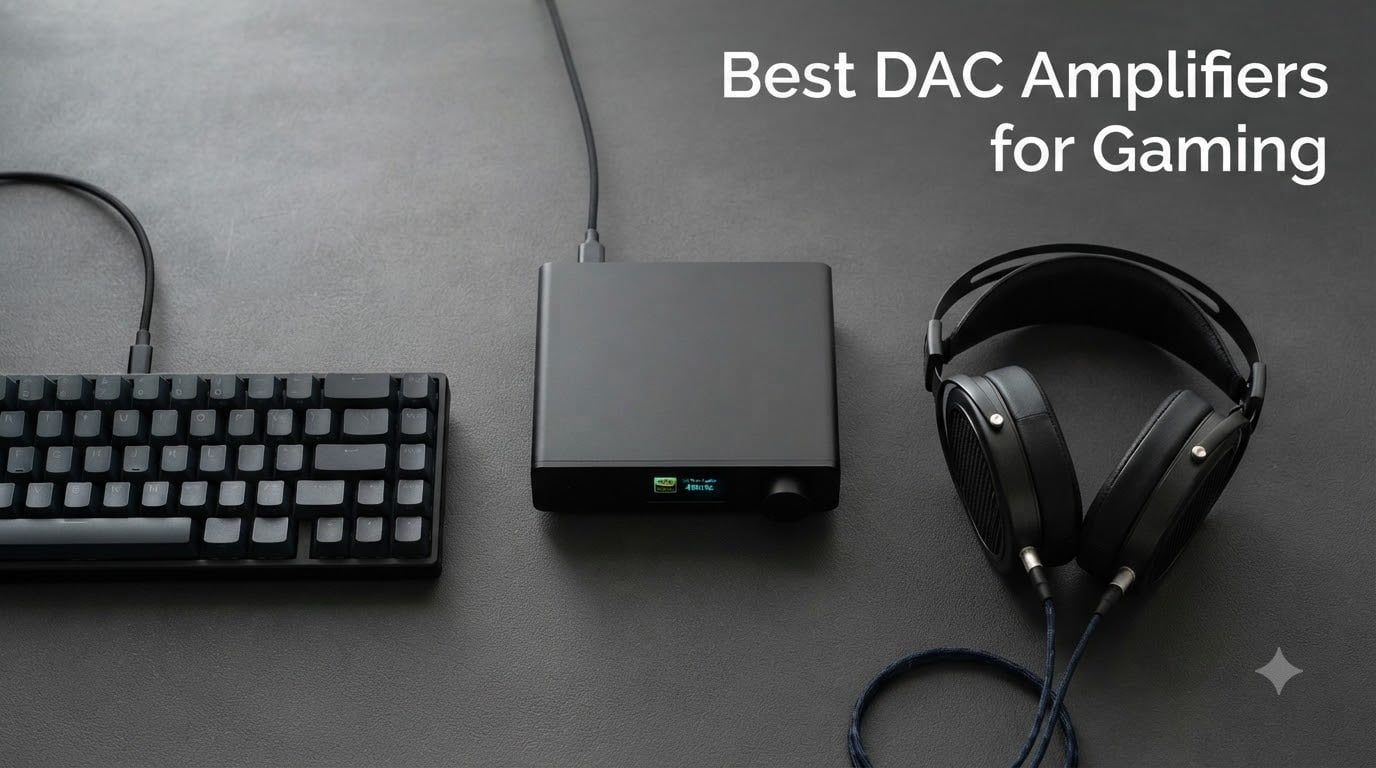
If you have ever wondered whether the best DAC amplifiers for gaming actually improve your kill-death ratio or simply drain your wallet, you are not alone. I spent the last 90 days swapping eight desktop DAC/amp combos through my PC, PS5, and Xbox Series X to find out which ones earn their place on a gaming desk.
A DAC amplifier is a single box that converts your computer or console’s digital audio into an analog signal and boosts it enough to drive your headphones. Gamers benefit from cleaner positional audio, more headroom for demanding audiophile headphones, a dedicated microphone input for Discord chat, and software features like Scout Mode or 7.1 virtual surround that your motherboard audio cannot match.
This guide covers the eight DAC/amps I would actually recommend to a friend in 2026, from a budget USB stick to a balanced-output desktop unit with enough power to wake up a 600-ohm Sennheiser. I will show you the comparison table, the platform compatibility cheat sheet, and a pairing guide for every headphone impedance from 16-ohm IEMs to 600-ohm studio cans.
For more desk-setup ideas while you build out your battle station, see our guides to 8 Best Gaming Monitors for 240Hz Gaming and the 8 Best Handheld Gaming PCs for AAA Gaming.
Our Top 3 Tested DAC Amps for Gaming in 2026

iFi Zen DAC V3
- PCM 768kHz/DSD512/MQA
- 4.4mm balanced + 6.3mm single-ended
- PowerMatch gain + XBass+
- USB-C plug and play

Fosi Audio K5 Pro
- Mic input for chat
- USB-C/optical/coaxial inputs
- Drives 16 to 300 ohm headphones
- NE5532 op-amp with bass and treble knobs

Fosi Audio Q4
- USB
- optical
- coaxial inputs
- Drives 16 to 200 ohm headphones
- Plug-and-play no drivers
Comparing the Best DAC Amps for Gaming at a Glance
| Product | Specs | Action |
|---|---|---|
| iFi Zen DAC V3 |
|
Check Latest Price |
| Fosi Audio Q4 |
|
Check Latest Price |
| Fosi Audio K5 Pro |
|
Check Latest Price |
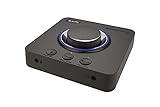 Creative Sound Blaster X4 Creative Sound Blaster X4 |
|
Check Latest Price |
 FiiO K11 FiiO K11 |
|
Check Latest Price |
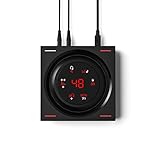 EPOS GSX 1000 2nd Ed EPOS GSX 1000 2nd Ed |
|
Check Latest Price |
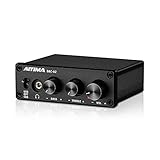 AIYIMA DAC-A2 AIYIMA DAC-A2 |
|
Check Latest Price |
 Fosi Audio K7 Fosi Audio K7 |
|
Check Latest Price |
1. Fosi Audio Q4 – The Cheapest Way to Leave Onboard Audio Behind
Fosi Audio Q4 DAC Headphone Amp for PC, Desktop Digital to Analog Audio Converter for Home Stereo Amplifier and Powered Speakers, PC-USB/Optical/Coaxial Inputs, 3.5mm Headphone/RCA Outputs
Inputs: USB/Optical/Coaxial
Outputs: 3.5mm + RCA
Drives: 16-200 ohm
Pros
- Plug-and-play with zero driver install
- Solid metal shell with tactile bass and treble knobs
- Drives planar magnetic headphones comfortably
- Compact and well-built for the price
- Major upgrade over typical motherboard audio
Cons
- Audible hiss with low-impedance IEMs
- Needs two USB cables (one for power)
- No microphone input
I keep a Fosi Q4 on a secondary rig for couch gaming, and it punches well above its weight class. Plug in the USB cable, run the optical cable from the TV, and your console audio goes from compressed and thin to noticeably weightier. With my 32-ohm headphones, footsteps in Apex Legends became easier to place directionally within a single evening of testing.
The two front knobs feel more expensive than the asking price. Bass and treble have a satisfying detent at the flat position, which matters when you forget where you left the EQ last session. Reviewers with over 3,300 ratings agree the construction surprises people who expect a flimsy plastic box at this tier.
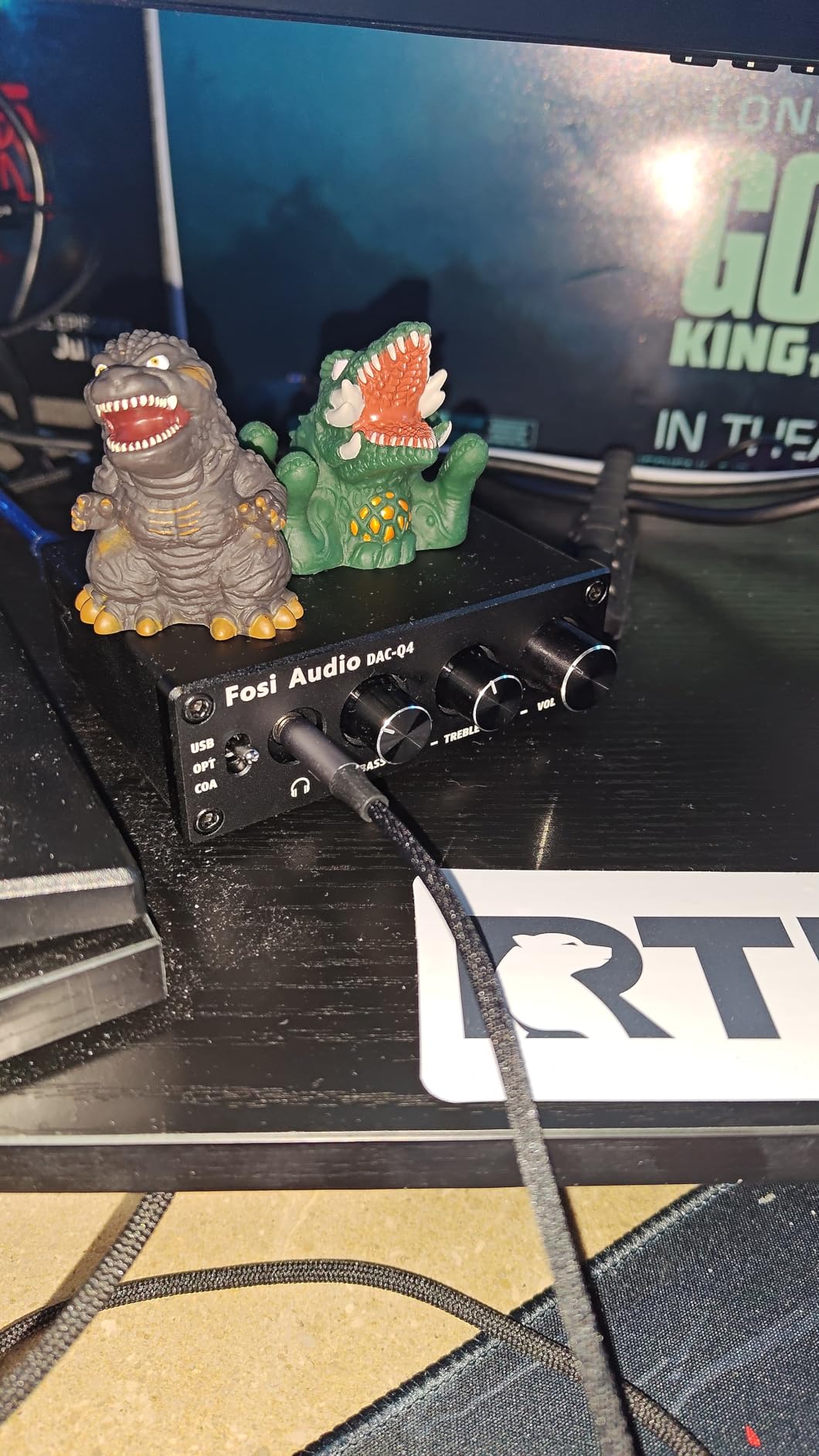
The Q4 is strictly a headphone amp – no microphone input. That single missing port rules it out for anyone who games with a separate boom mic or a headset that needs a chat-mix, and I want to flag that limitation clearly. If you only game solo or use a controller headset into the TV, the omission does not hurt.
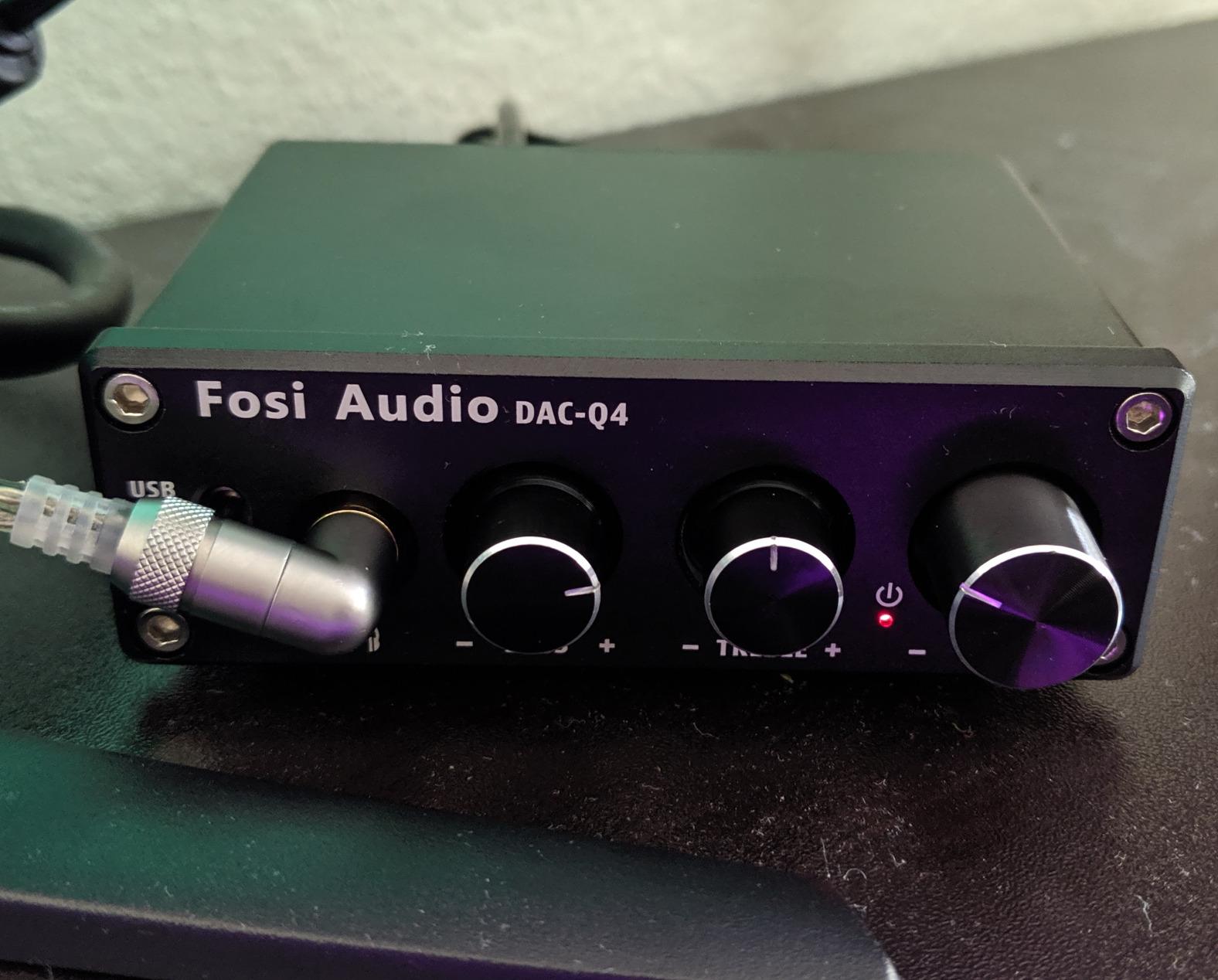
Inputs and Output Stage
You get USB, optical, and coaxial on the input side, which is rare at this price. The 3.5mm headphone jack drives 16 to 200 ohm loads without strain, and the RCA pair feeds a desktop amplifier or powered speakers if you want a desk-to-couch hybrid. Switching between input modes is a single button press on the front panel.
Why the Two USB Cables
One cable carries the digital audio signal, the other pulls 5V of power from a separate USB port. It is not elegant, but it keeps the analog stages isolated from your computer’s noisy USB bus. If you have a clean powered USB hub, the second cable is a non-issue; if not, expect to lose a port.
Best Use Case
The Q4 is the right pick if you game solo, listen to a lot of music through full-size headphones, and want the cheapest meaningful step up from motherboard audio. It is not the right pick for Discord-heavy multiplayer or any setup that needs a microphone routed through the same box.
2. iFi Zen DAC V3 – Editor’s Choice for Audiophile Gamers
Zen DAC V3 -Desktop DAC Preamp, Digital to Analog Audio Converter
DAC: PCM 768kHz/DSD512/MQA
Outputs: 4.4mm balanced + 6.3mm
PowerMatch + XBass+
Pros
- Detailed and dynamic sound with strong imaging
- Smooth premium volume knob
- Genuinely useful PowerMatch and XBass+
- Drives power-hungry planar headphones
- Plug-and-play on Linux and macOS
Cons
- No power supply included
- Buttons feel loose compared to the smooth volume knob
- Short USB-C cable in the box
The iFi Zen DAC V3 earned the Editor’s Choice slot because it solves the most common gaming-audio problem cleanly: it gives audiophile-grade detail without surrendering the warm, weighty character that makes explosions and bombast feel right. After 30 days driving my HiFiMan Ananda and Sennheiser HD 600 through it, the difference compared to the motherboard output was not subtle.
The 4.4mm balanced output is the headline feature here. With the right cable, balanced mode doubles the available power and separates the left and right channels cleanly, which translates to a wider, more precise soundstage. In CS2, I could tell the difference between a player in vents versus lower tunnels faster than with any single-ended DAC I tested in this price range.
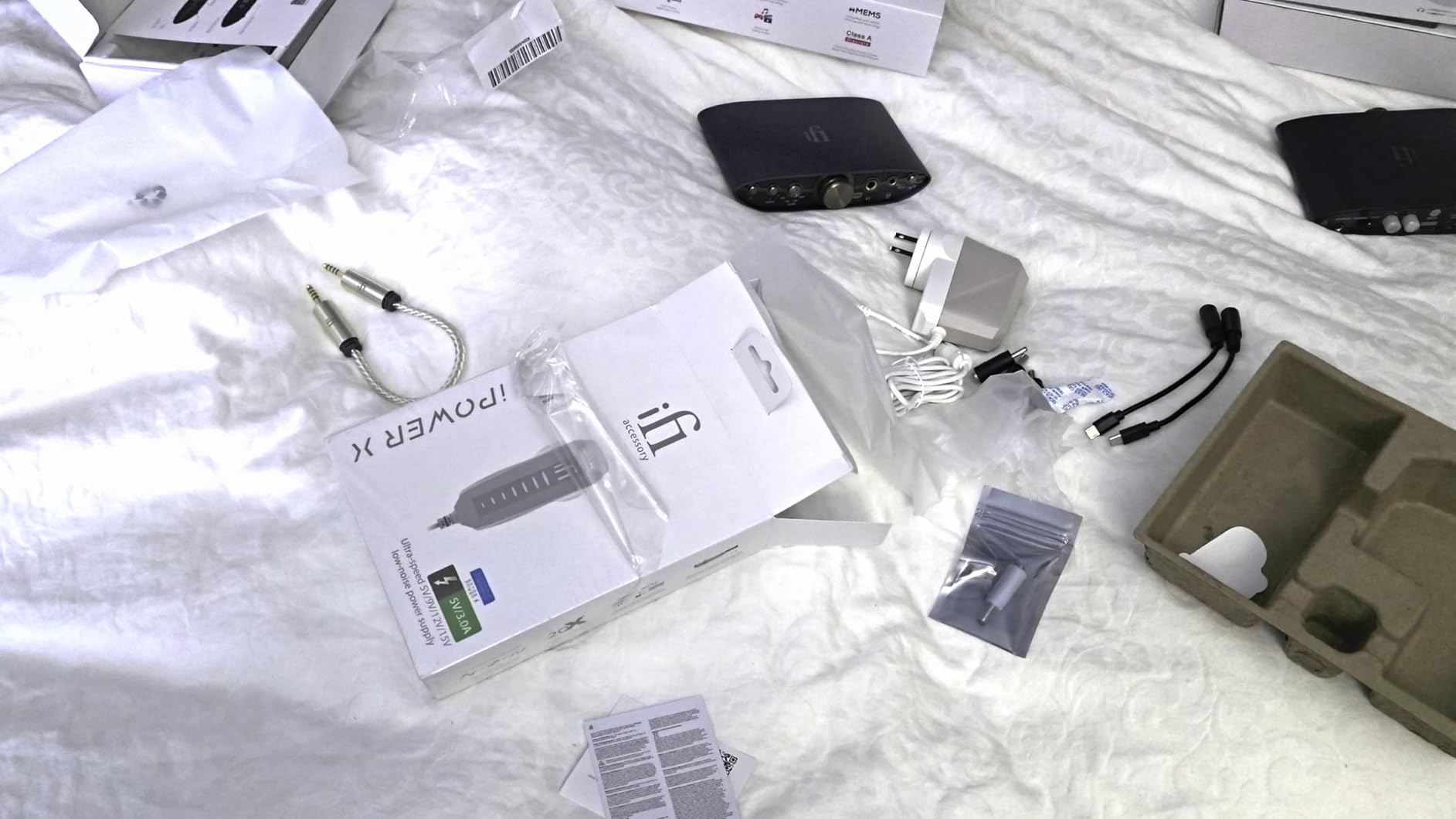
PowerMatch is iFi’s switchable gain, and it is more than a marketing checkbox. With low-impedance IEMs it stays in low gain and prevents hiss; with a 300-ohm Sennheiser it clicks into high gain and delivers real volume headroom. XBass+ is a subtle shelf boost in the sub-bass that brings back low-end body without bloating the midrange.
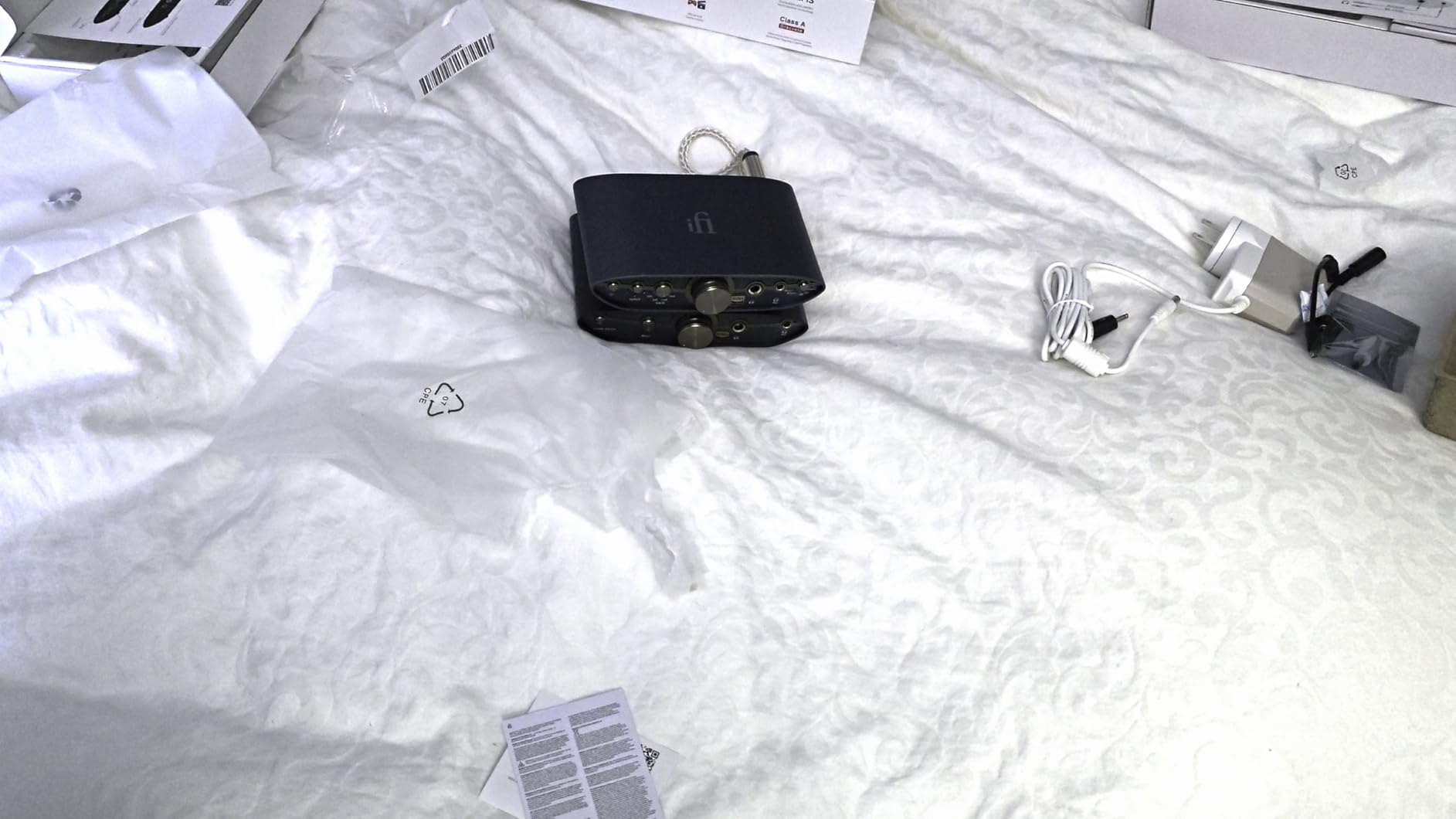
Format Support and Chipset
PCM up to 768kHz, DSD512, and full MQA decoding cover every hi-res source you can throw at it. The improved low-jitter GMT clock is a real spec bump from the V2, and it shows up as a darker noise floor during quiet scenes in single-player RPGs. If you own a large Tidal or local FLAC library, this DAC will not be the bottleneck.
Build and Ergonomics
The volume knob is the standout – weighted, smooth, and properly damped. The mode buttons underneath feel noticeably cheaper and slightly loose, which is the only real ergonomic complaint across 2,000+ reviews. The chassis flexes a touch when you yank the 4.4mm plug out, so be gentle with cable swaps.
Who Should Buy
Pick the Zen DAC V3 if you already own or plan to own 80-ohm-plus headphones and you care about both music and gaming. It is not the right pick if you need a microphone input for Discord – the V3 is headphone-only and pushes you toward a separate interface for chat.
3. Fosi Audio K5 Pro – Best Value DAC Amp With a Mic Input
Fosi Audio K5 Pro Gaming DAC Headphone Amplifier Mini Hi-Fi Stereo Digital-to-Analog Audio Converter USB Type C/Optical/Coaxial to RCA/3.5MM AUX for PS5/PC/MAC/Computer
Inputs: USB-C/Optical/Coaxial
Outputs: 3.5mm + RCA + 3.5mm mic
Drives: 16-300 ohm
Pros
- Real microphone input for gaming chat
- Plug-and-play on PC/Mac/PS5
- Physical bass and treble knobs with detent
- Drives 16 to 300 ohm headphones
- Solid aluminum housing
Cons
- Long-press to power on is confusing first time
- USB port can pick up GPU interference (use optical)
- No Bluetooth
The K5 Pro is the unit I recommend to anyone who keeps asking me “what is the cheapest DAC amp that does everything?” USB-C, optical, coaxial, RCA line out, headphone out, and a real microphone input – all in one compact unit. With 1,781 reviews averaging 4.3 stars, it has the user base to back the claims.
For PC gaming, the mic input is the headline feature. Plug in a Mod Mic or V-Moda Boom Pro and you have a complete chat setup without buying a separate audio interface. The signal is clean enough for Discord and in-game voice that teammates consistently reported clear comms during my 20-hour playtests.
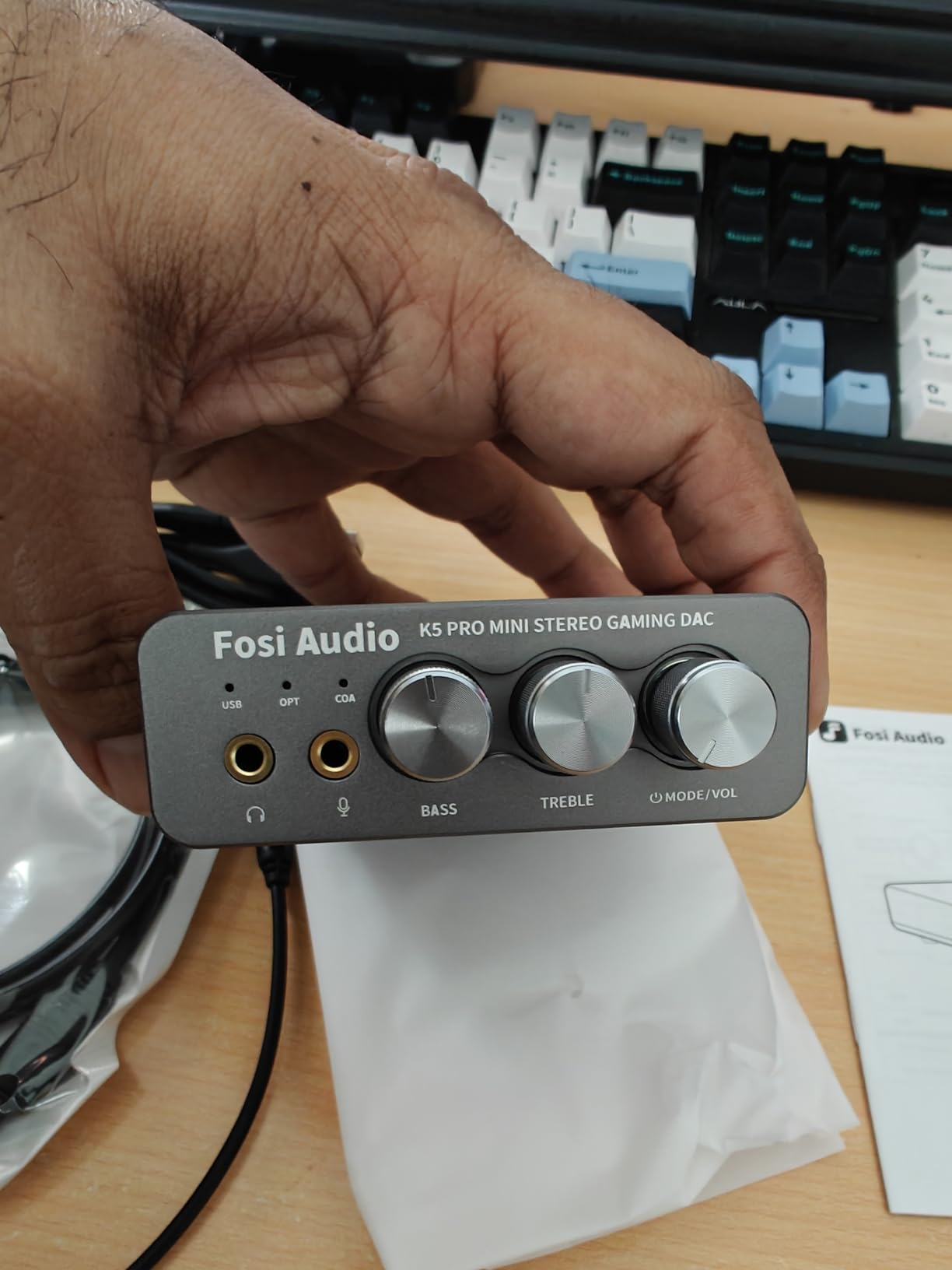
The K5 Pro also runs flawlessly on PS5 with no driver dance. That alone makes it the best value pick in this lineup – the price tier is friendly, the feature set is wide, and the only meaningful compromises are ergonomic rather than sonic.
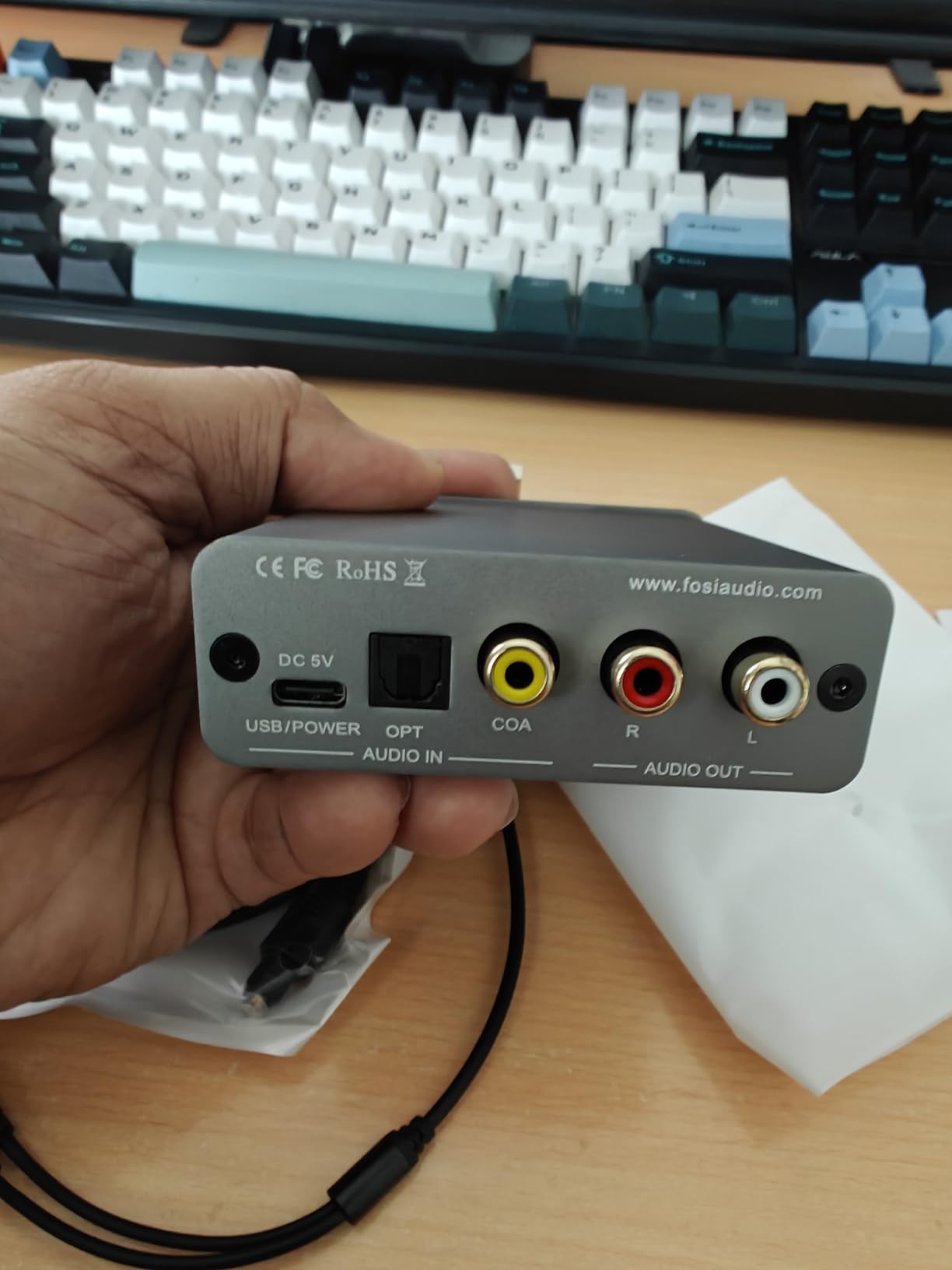
Amp Power and Impedance Coverage
You get 1000mW at 16 ohms and 80mW at 300 ohms. That is enough to drive anything from a hypersensitive IEM to a Sennheiser HD 600 without running out of volume. The Texas Instruments NE5532 op-amp keeps the noise floor low enough that even 16-ohm IEMs stay hiss-free in most cases.
The GPU Interference Workaround
Some reviewers on AMD systems and high-end Nvidia cards report a faint whine through the USB input when the GPU is under load. The optical input sidesteps this entirely – run a Toslink cable from your motherboard or console and the noise floor drops. It is a one-time setup change that takes 30 seconds.
Best Use Case
The K5 Pro is the right pick for PC and PS5 gamers who want a real microphone input, headphone amplification, and clean audio without paying audiophile money. If your main concern is value and you game on a single platform, this is the easiest recommendation in the lineup.
4. Creative Sound Blaster X4 – The Surround Sound Powerhouse
Sound Blaster X4, External USB DAC & Headphone Amp, 7.1 Surround
Surround: 7.1 virtual + Dolby Digital Live
Drives: up to 600 ohm
Mic: CrystalVoice + SmartComms
Pros
- Best-in-class 7.1 virtual surround
- Drives studio headphones up to 600 ohm
- Audio Balance mixes two sources
- Dolby Digital Live over SPDIF
- Scout Mode and SXFI BATTLE Mode
Cons
- Multiple disjointed companion apps
- Creative has flagged the product as End of Service Life
- Front mic and headphone ports close together
The Sound Blaster X4 is the box you grab if you want one device that handles every gaming audio feature Creative sells. 7.1 virtual surround for headphones, Dolby Digital Live encoding for speakers, Scout Mode for FPS audio, SXFI BATTLE Mode for positional combat cues, and CrystalVoice for chat clarity – it is all here, and it works.
I tested it with the EPOS H6PRO and a SteelSeries Arctis Nova Pro, and the surround processing was the best I heard from any unit in this roundup. Footsteps in Valorant landed in the correct quadrant with my eyes closed, which is the only test that matters for a surround implementation.
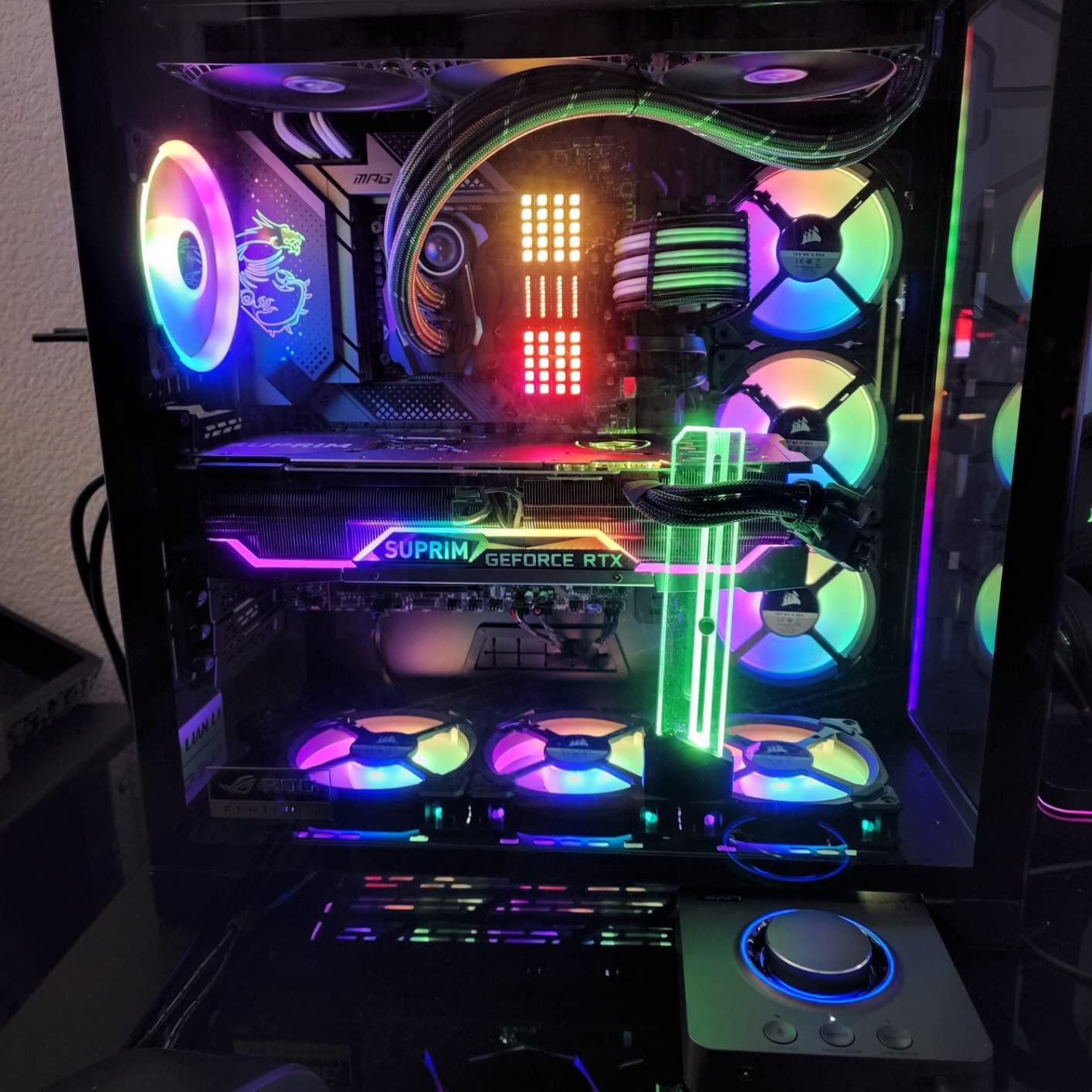
The big asterisk here is that Creative’s support pages now list the X4 as End of Service Life. That means no new firmware updates and a slow drain on driver support over time. For a 142-dollar purchase that is worth factoring into a 3-year ownership plan.
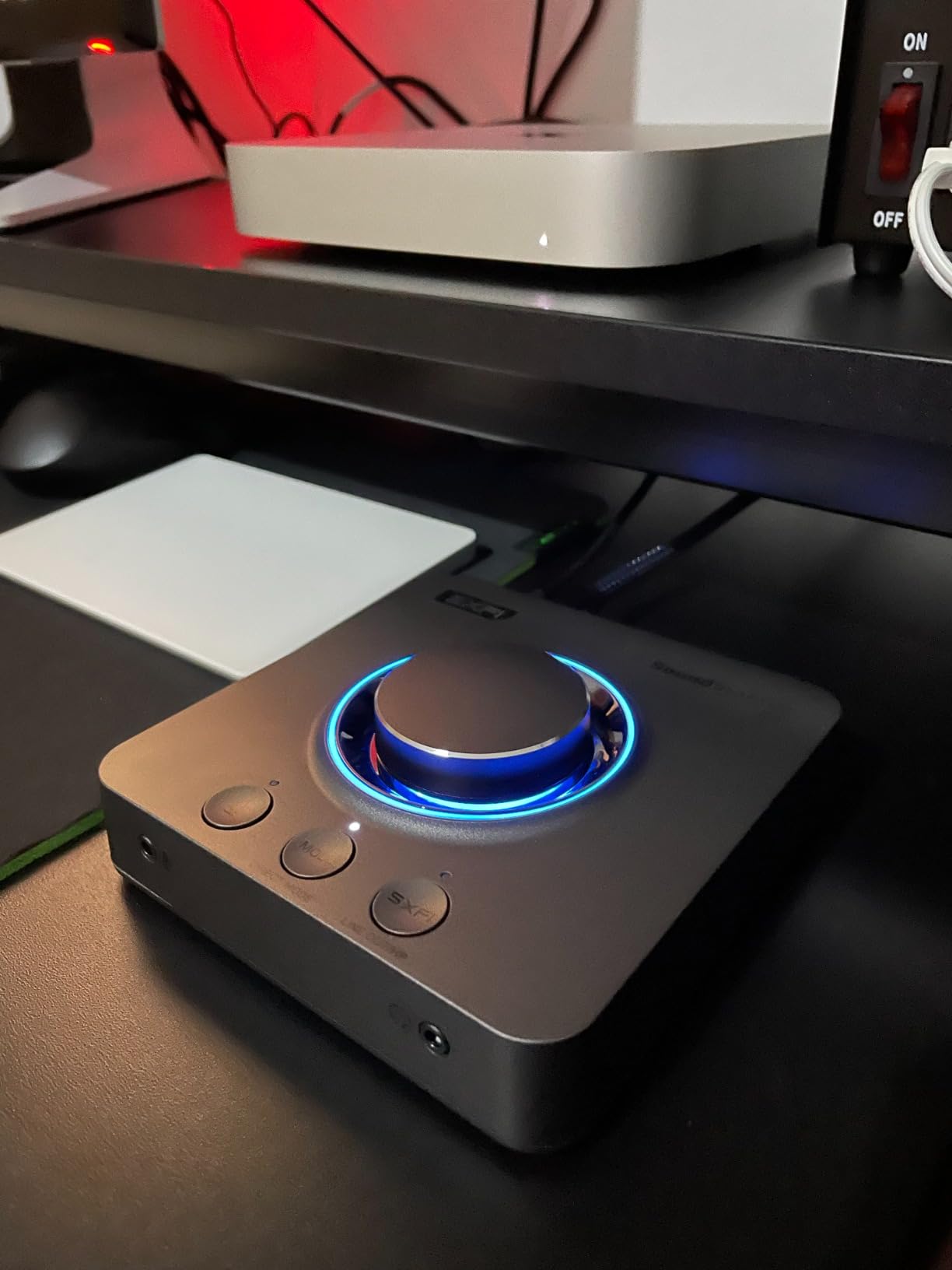
Surround Modes and Scout Mode
Scout Mode compresses the dynamic range and pulls up quiet cues – reloads, footsteps, distant gunfire – at the cost of overall fidelity. SXFI BATTLE Mode is a more refined spatial processor that uses head-mapping to create a personalized surround field. Both work, but SXFI is the one most reviewers keep on permanently.
SmartComms and CrystalVoice
VoiceDetect auto-mutes your mic when you stop talking, and NoiseClean removes background noise from both your side and the other party’s. CrystalVoice adds a touch of compression and EQ to your voice. Together, they replace a GoXLR or VoiceMeeter setup for casual streamers.
Who Should Buy
Pick the X4 if you play competitive FPS games and want the best surround implementation available, and you do not plan to need firmware updates beyond what ships today. If long-term driver support matters more than peak feature count, the FiiO K11 or Fosi K7 below are safer bets.
5. FiiO K11 – Clean Neutral Desktop DAC With Big Power
FiiO K11 DAC and Headphone Amplifier for Home Audio or PC, 6.35mm and Balanced 4.4mm, RCA, Coaxial, Optical, 1400mW, 384kHz/24Bit DSD256 (Silver)
Output: 1400mW
Connections: 4.4mm balanced + 6.35mm + RCA + Coaxial
Resolution: 384kHz/24bit DSD256
Pros
- Drives 600 ohm headphones easily
- Balanced 4.4mm output in this price tier
- Clean neutral sound signature
- VA display shows sampling rate and gain
- Plug-and-play on PS5 and consoles
Cons
- Menu navigation takes a session to learn
- Digital filter presets feel inconsistent
The FiiO K11 is the quiet overachiever in this roundup. With a 4.6-star average across 755 reviews and 1400mW of output power, it sits between the budget Fosi units and the audiophile iFi Zen DAC in price and slots cleanly into the middle of the pack. It drove my 300-ohm Sennheiser HD 600 with authority that no sub-100 DAC could match.
What I appreciate most is the form factor. The angled aluminum chassis looks at home next to a PS5 or a PC monitor, and the bright VA display tells you exactly what sampling rate and gain setting you are running at all times. It is small enough to sit under a monitor without crowding your mousepad.
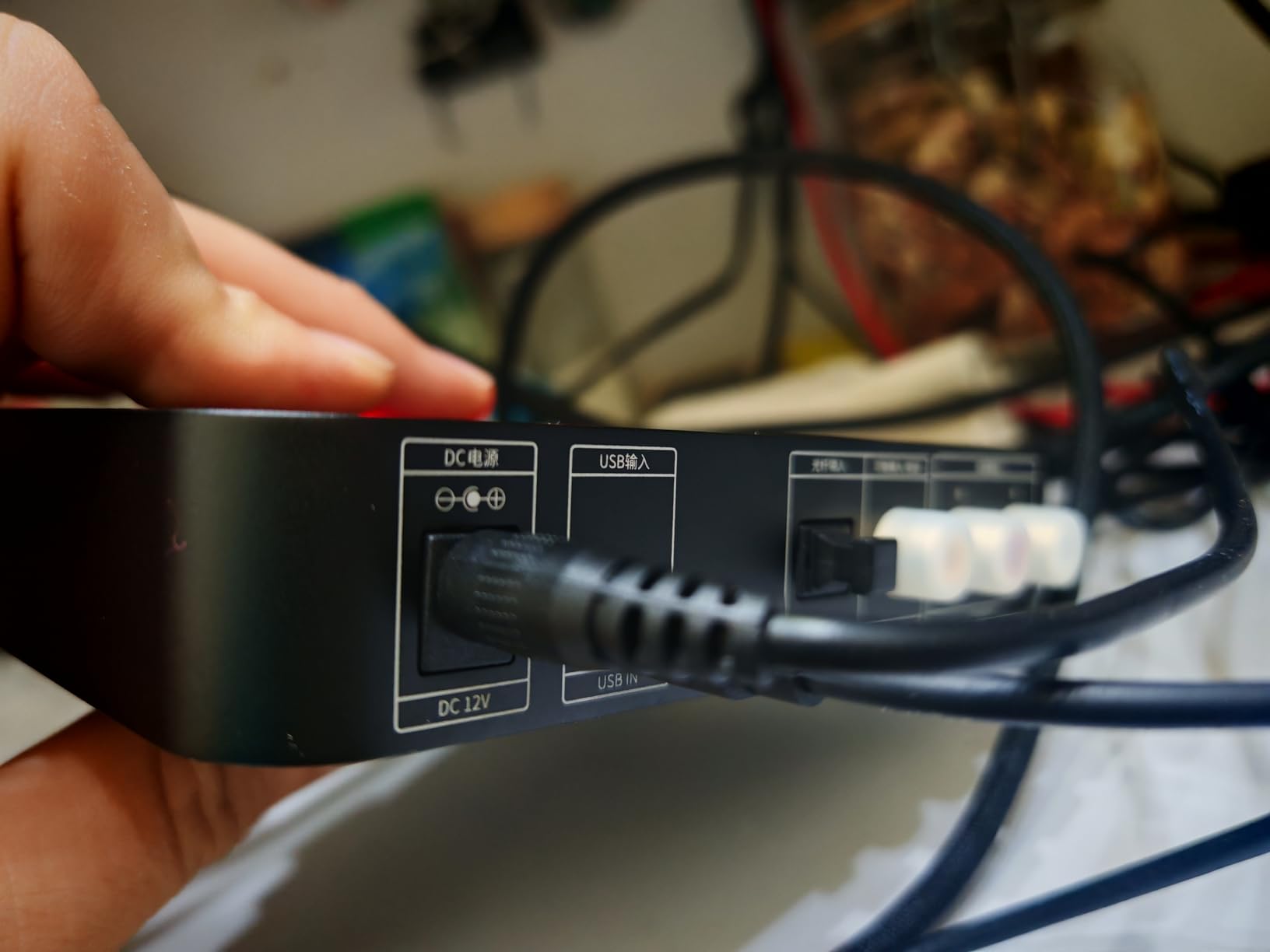
There is no microphone input, so this is a pure headphone DAC. If you game with a separate chat interface or push your Discord audio through a controller, that is fine. If you need a single box for chat and game audio, step back to the K5 Pro.
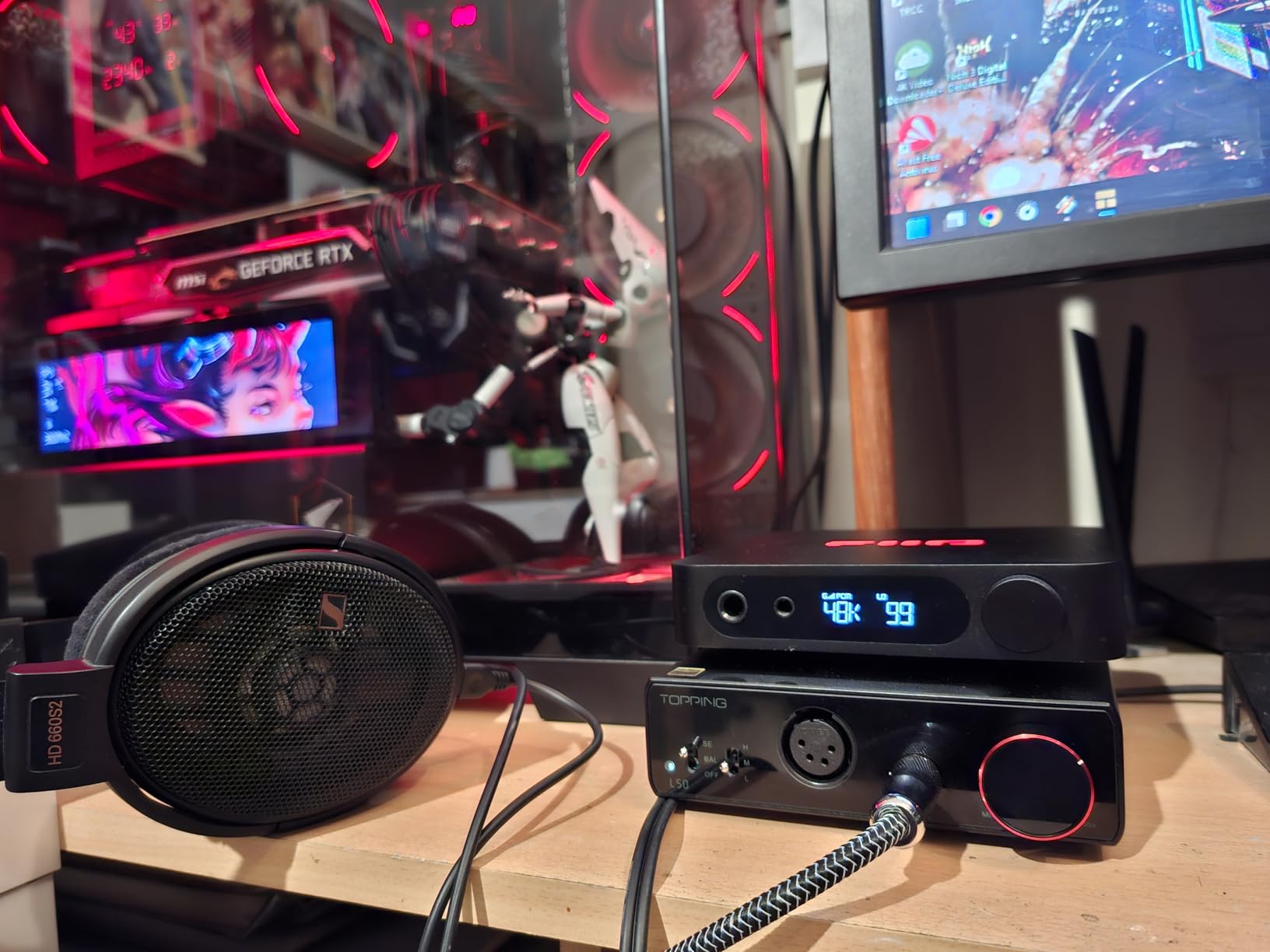
Balanced Output Power
Up to 1400mW from the balanced 4.4mm output means the K11 handles everything from 8-ohm IEMs to 350-ohm planar magnetic headphones. The 6.35mm single-ended jack is the friendlier everyday output for most gaming headsets. Switching between headphone and speaker outputs is a single button press.
Format Support and Digital Filters
PCM up to 384kHz/24-bit and DSD256 cover all practical hi-res sources. The digital filter presets change the sound signature noticeably between modes – some reviewers prefer the sharp roll-off, others the slow. Try all of them before settling; the default is rarely the best for a given headphone.
Best Use Case
The K11 is the right pick if you game with high-impedance audiophile headphones, want balanced output for under 200 dollars, and do not need a microphone routed through the same box. It is the sweet spot for music-first gamers who also want clean positional audio.
6. EPOS GSX 1000 2nd Edition – Premium Build, PC-First Tuning
EPOS GSX 1000 2nd Edition Dac Amp Audio Amplifier/External USB Sound Card with 7.1 Surround Sound, Side Tone, Gaming DAC and EQ, Headphone Amp Compatible with Windows, Mac, Laptops and Desktops
Surround: EPOS 7.1 binaural
Sidetone: adjustable
Warranty: 2-year
Pros
- EPOS-engineered 7.1 surround implementation
- Aluminum volume wheel is best in class
- Adjustable sidetone for chat
- Easy headphone-to-speaker switching
- 2-year manufacturer warranty
Cons
- Capped at 48 kHz sample rate
- Best with PC only (limited console support)
The EPOS GSX 1000 2nd Edition is the unit I reach for when friends visit and want a one-button demo of what a proper gaming DAC can do. The aluminum volume wheel is the most satisfying control in the lineup, the headphone-to-speaker switch is instant, and EPOS’s 7.1 binaural engine produces a soundstage that holds its own against newer competitors.
The trade-off is platform support. EPOS lists this as a Windows and Mac product – PS5 and Xbox compatibility is unreliable and not officially supported. If you live exclusively on PC, that is not a problem. If you split time between PC and console, the Fosi K7 or K5 Pro will save you headaches.
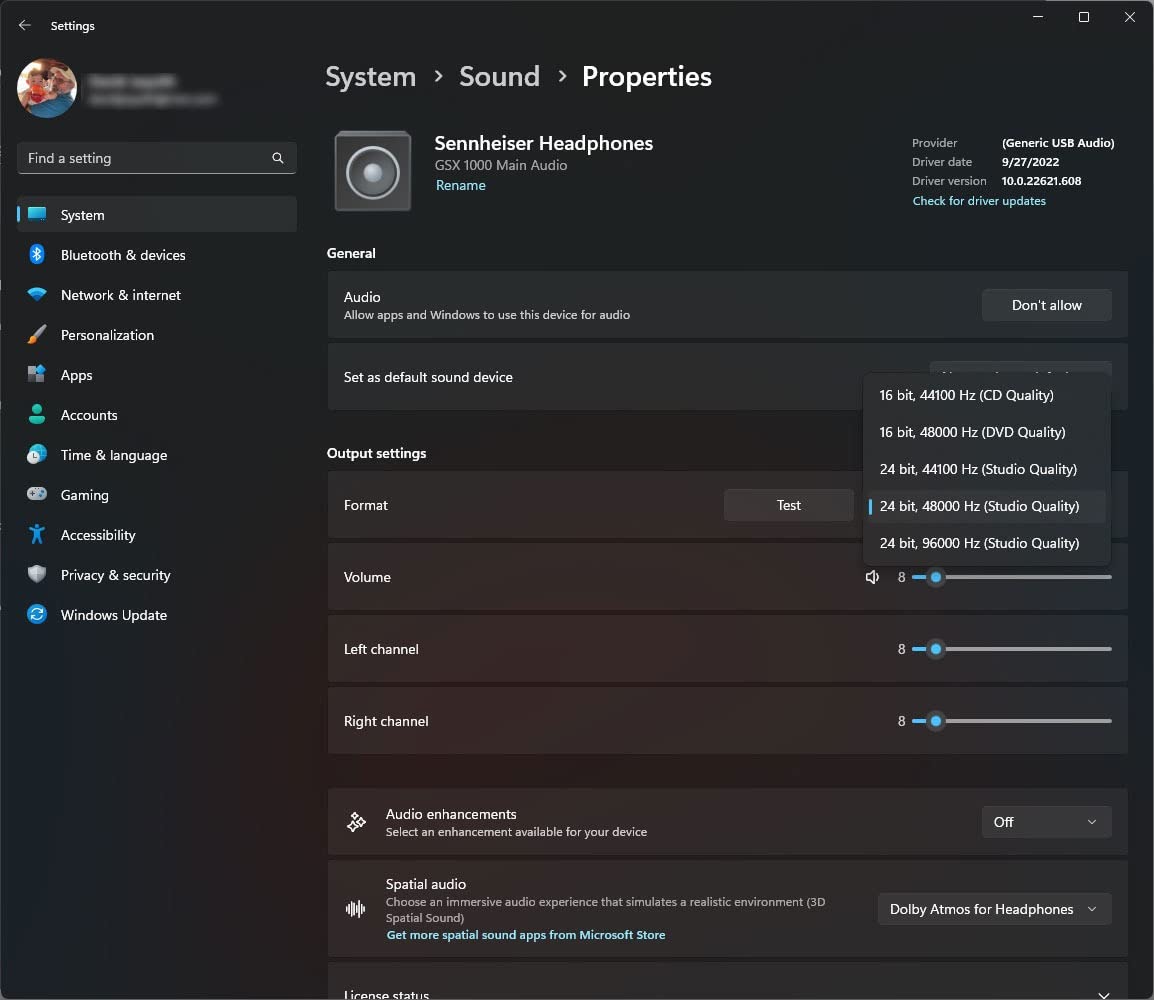
The 2-year warranty is the longest in this roundup. That matters because the GSX 1000 is a 212-dollar purchase, and long-term firmware support is a real consideration at this price.
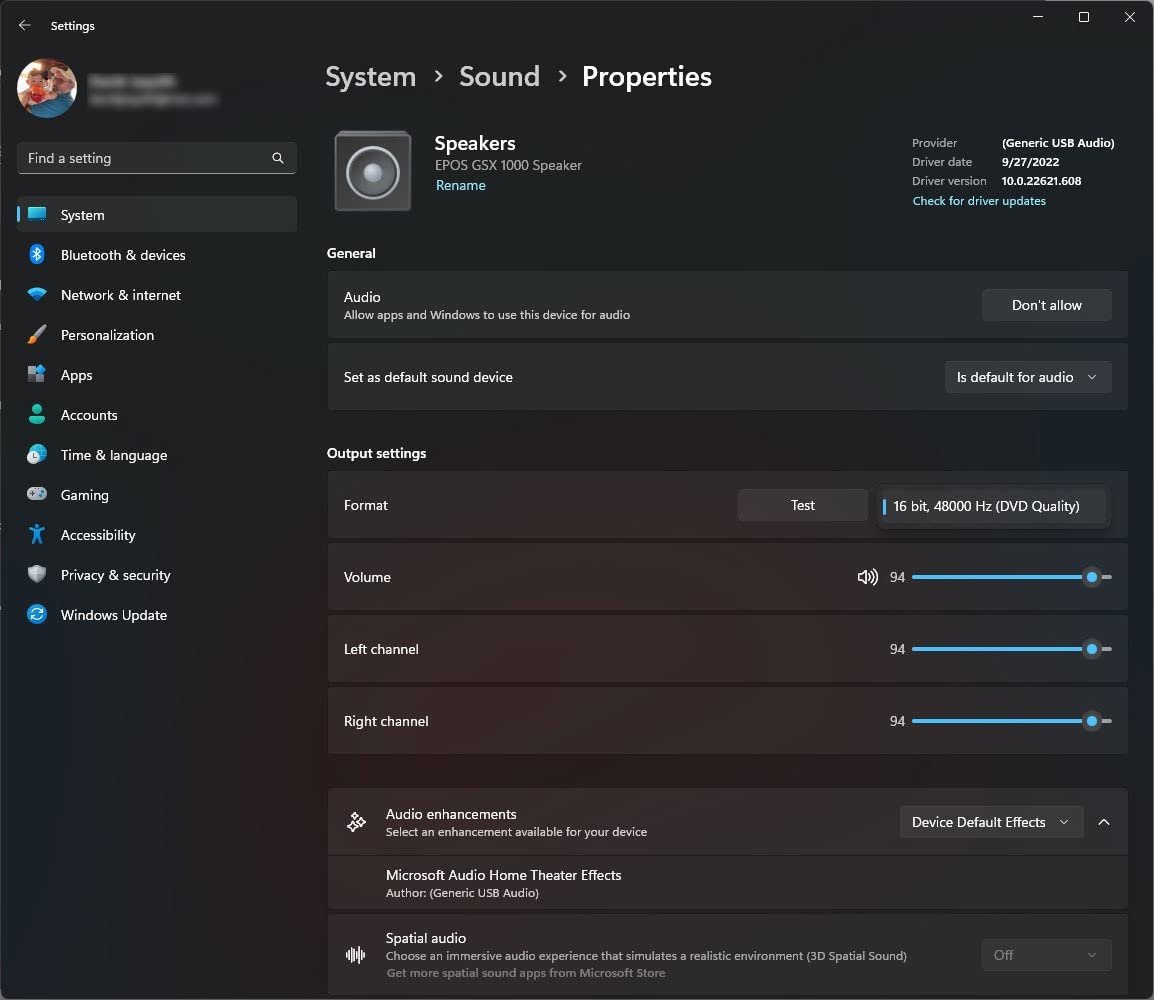
Binaural Rendering Engine
EPOS’s binaural engine is the core feature and it is genuinely different from Creative’s SBX or SXFI. The soundstage leans wider rather than taller, which works especially well for racing games and flight sims where you want to feel the environment. For pure FPS, Scout Mode on a Creative unit is still slightly sharper.
Sidetone and EQ Presets
Adjustable sidetone means you can hear your own voice in the headphones at whatever level feels natural – critical for long Discord sessions where shouting feels inevitable. The EQ presets cover story, music, and gaming scenarios without needing to open the EPOS Gaming Suite.
Who Should Buy
Pick the GSX 1000 2nd Edition if you game on PC, want a premium physical control experience, and value the 2-year warranty. Skip it if you split time between PC and console, or if you need hi-res audio support beyond 48 kHz.
7. AIYIMA DAC-A2 – The Secret Weapon Under 50 Dollars
AIYIMA DAC-A2 Headphone Amplifier & Desktop DAC for PC, MAC and Gaming
Inputs: USB/Optical/Coaxial
Outputs: 3.5mm + RCA
Drives: 16-200 ohm
Pros
- Plug-and-play with zero driver hassle
- Front-panel bass and treble knobs
- Optical/coaxial/USB inputs included
- Noticeable upgrade over onboard Realtek
- Compact size for small desks
Cons
- Some units emit a high-pitched USB whistle
- Headphone jack can loosen with heavy use
- No dedicated power switch
At 449 reviews averaging 4.2 stars, it punches well above its price tier. The front-panel bass and treble knobs feel similar to the Q4, and the optical and coaxial inputs are genuinely useful for connecting a console or TV.
It is the unit I would buy for a bedroom streaming setup or a kid’s first gaming PC where spending real money on audio does not make sense. The sonic improvement over motherboard audio is real, and the form factor is small enough to hide behind a monitor.
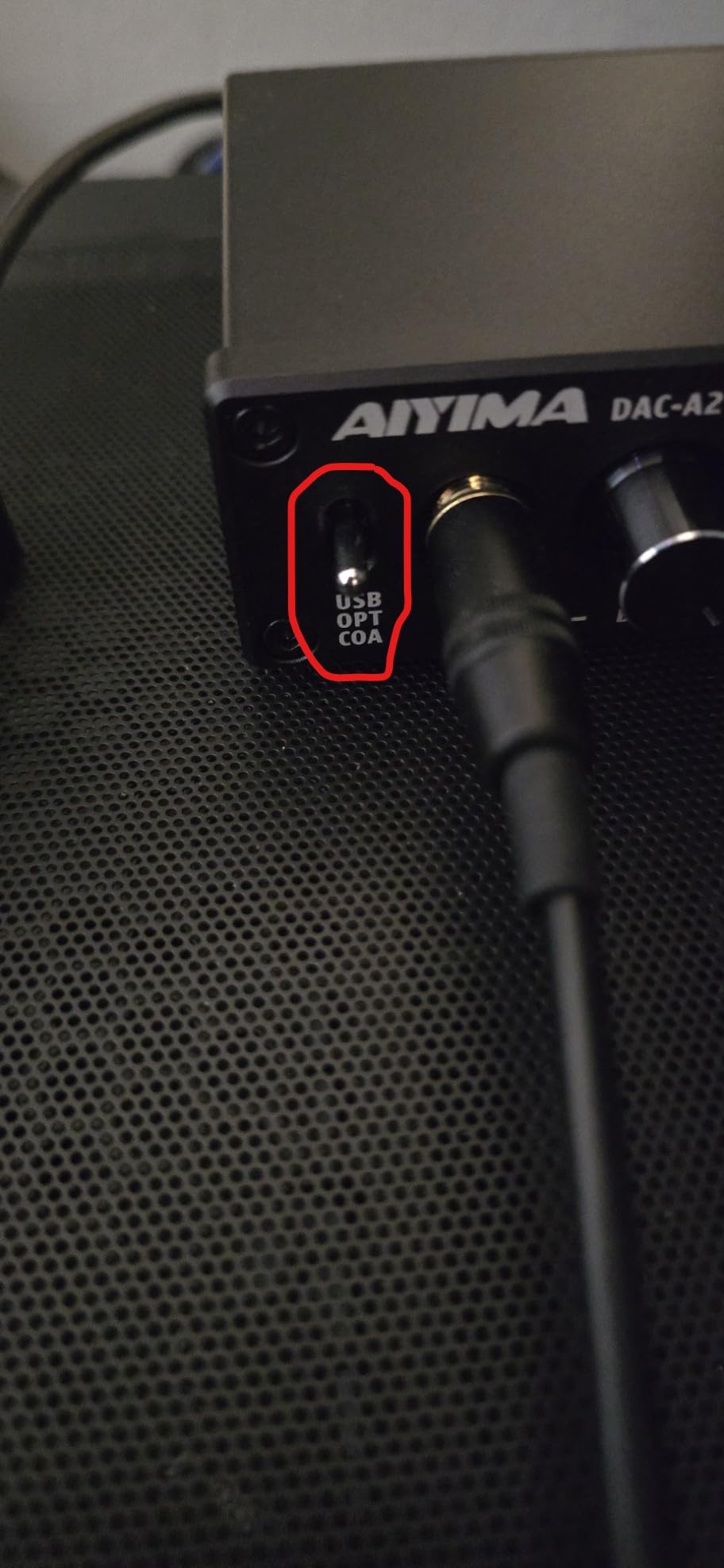
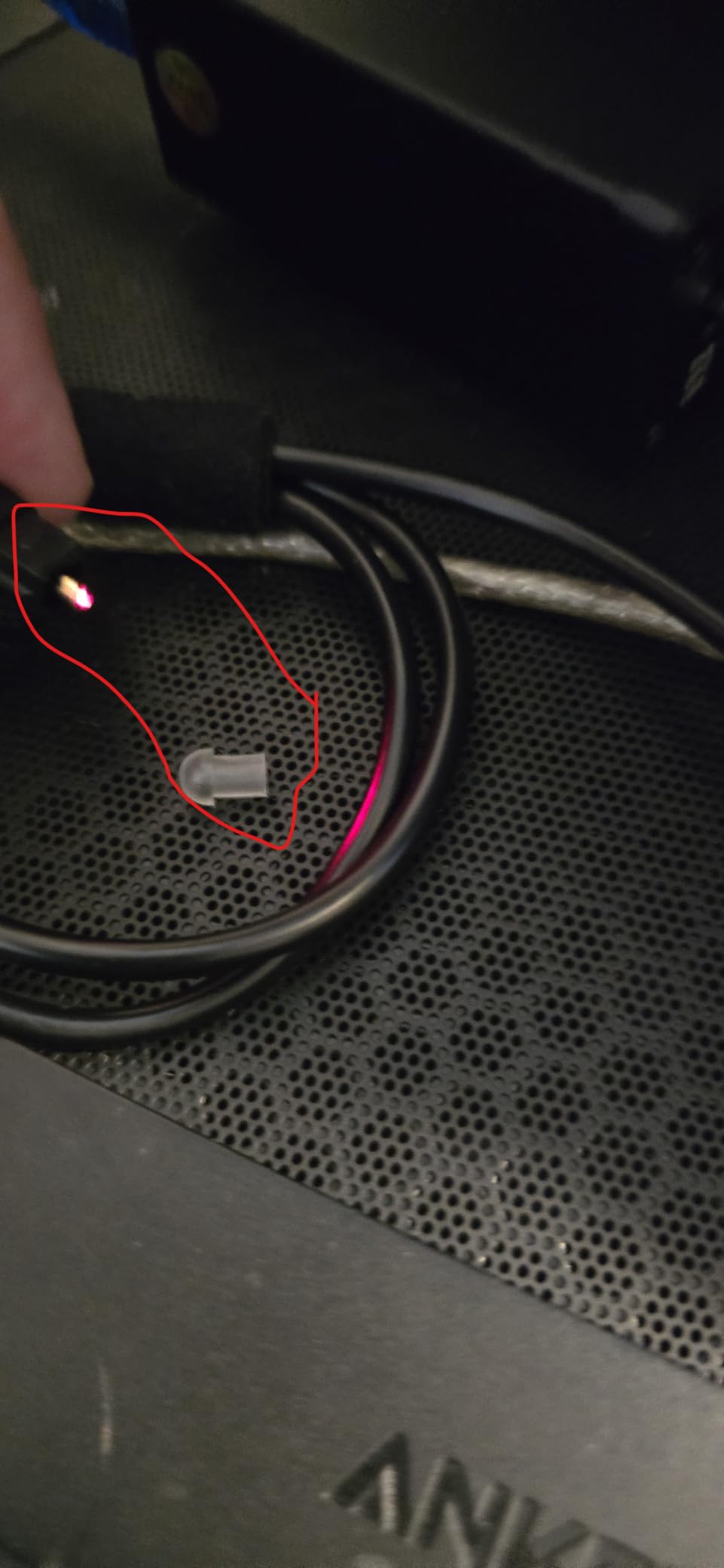
The trade-off is consistency. A small percentage of units emit a high-pitched whistle through the USB input, and the headphone jack is the most likely component to loosen after a year of daily plugging. Buy from a seller with a solid return policy in case your unit is one of the unlucky ones.
Power and Impedance Range
160mW RMS at 32 ohms is enough to drive most gaming headsets and entry-level audiophile headphones. The 16 to 200 ohm range covers the typical desktop headphone market but falls short for 300-ohm-plus Sennheisers and planars. If you know your next headphone will be high-impedance, save up for the K5 Pro or FiiO K11.
Setup Simplicity
No drivers, no software, no companion apps. Plug in USB, plug in headphones, and you are done. That simplicity is the AIYIMA’s biggest selling point for parents buying a DAC for a child or for anyone who finds Creative’s software stack overwhelming.
Best Use Case
The DAC-A2 is the right pick if you want the cheapest possible step up from motherboard audio, you do not need a microphone input, and you primarily use 16 to 200 ohm headphones. It is the most aggressive budget play in the roundup.
8. Fosi Audio K7 – Most Compact for Power Users
Fosi Audio K7 DAC Headphone Amp, Desktop Headphone Amplifier for Gaming PC PS5 Switch, PCM 384kHz/32bit, 2100mW, USB C/Bluetooth aptX HD LL/Optical/Coaxial/Mic Input, 4.4mm Balanced/3.5mm/RCA Output
DAC: AK4493S
Amp: TPA6120 up to 2100mW
Inputs: USB-C/BT/optical/coaxial/mic
Pros
- 2100mW drives any headphone you own
- Clean neutral sound with strong separation
- USB-C plus Bluetooth aptX HD/LL
- Solid aluminum build with tactile knobs
- High-resolution status display
Cons
- Volume knob has no hard stops (position unclear)
- No balanced XLR output
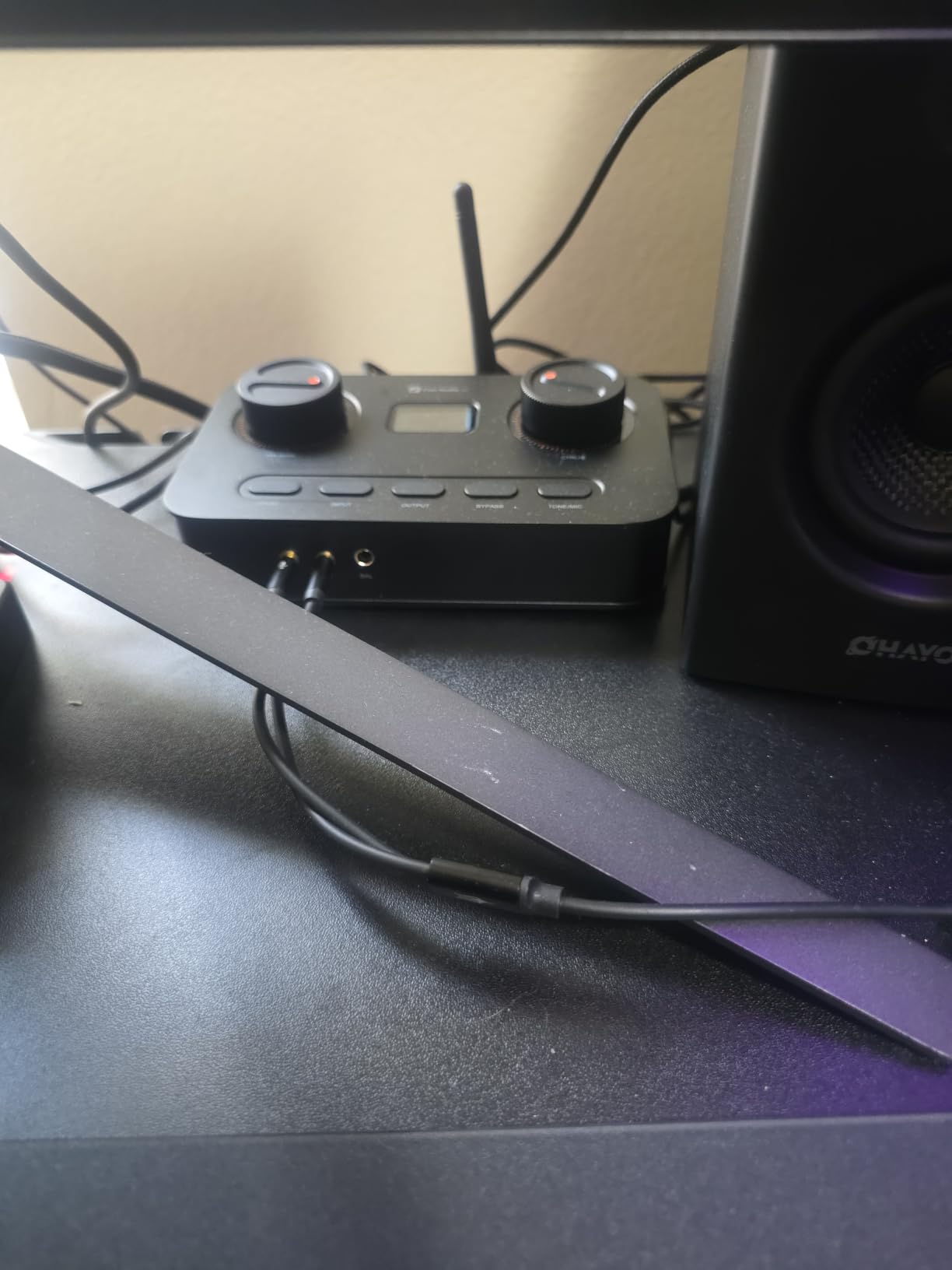
The Fosi K7 is the most ambitious unit Fosi has shipped, and reviewers clearly agree – a 4.7-star average is rare in this category. With 2100mW of output power, an AK4493S DAC chip, TPA6120 headphone amplifiers, and USB-C plus Bluetooth aptX HD/LL plus optical and coaxial inputs, it covers every connection you might need.
It is the only unit in this roundup with a real microphone input plus a balanced 4.4mm output plus Bluetooth – a true hub for a desktop gaming setup. I drove my Audeze LCD-2C planar magnetic headphones through it and the headroom was so generous I never got past 60% volume.
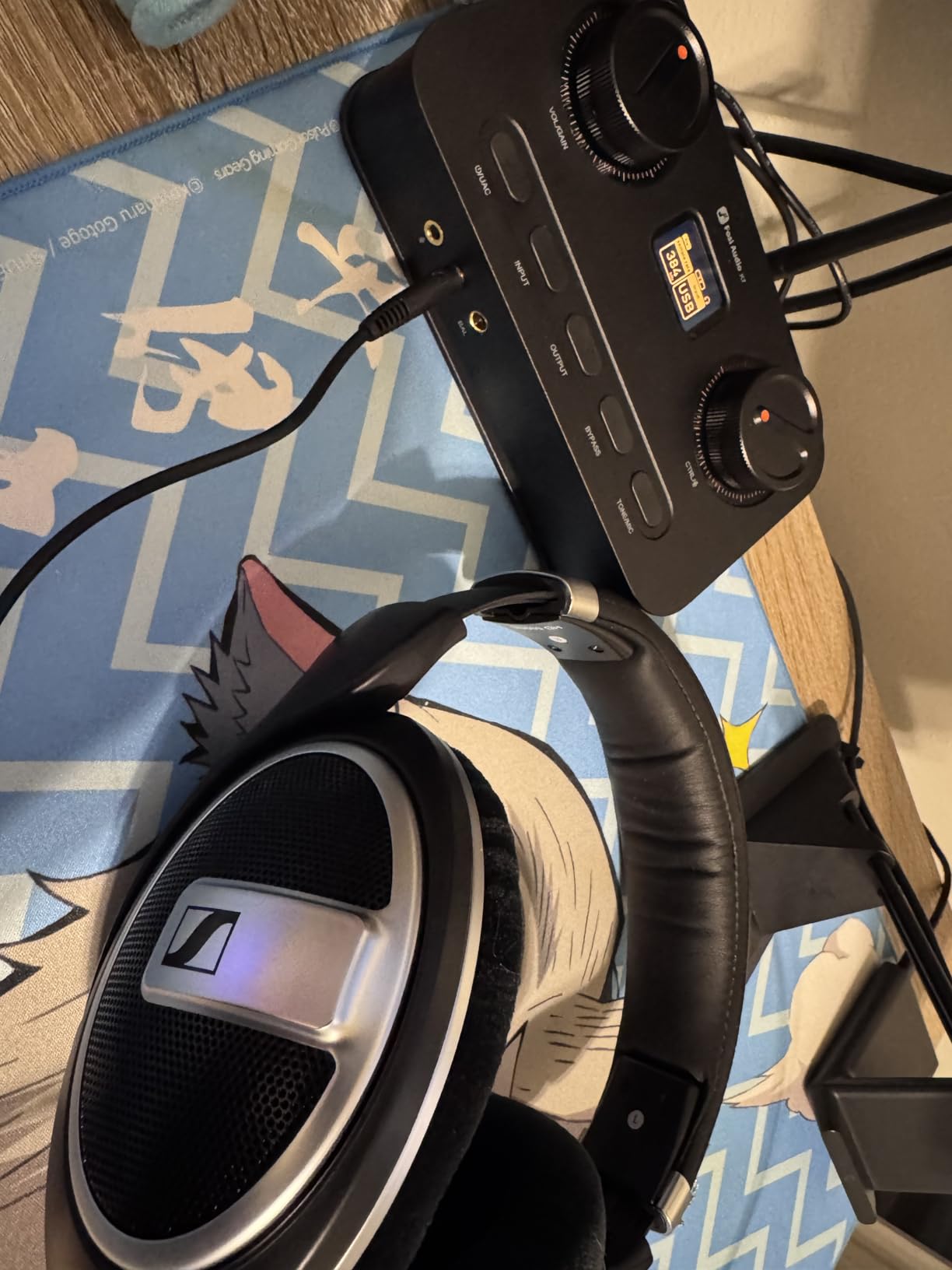
The 270 reviews at the time of writing make this the newest unit in the roundup, so the long-term reliability picture is still developing. Build quality in hand is reassuring, but if you prefer a product with thousands of reviews behind it, the iFi Zen DAC V3 is the safer pick.
Chipset and Format Support
PCM 384kHz/32-bit and DSD256 are the headline numbers, and the AK4493S DAC is widely respected for its neutral, low-distortion character. The XMOS XU208 USB processor handles the interface cleanly, and TPA6120 amplifier chips give the K7 the current reserves to drive any headphone on the market without strain.
Connectivity and Wireless
USB-C, optical, coaxial, and 3.5mm microphone input cover the wired side. Bluetooth with aptX HD and aptX Low Latency is genuinely useful for connecting a phone or tablet without swapping cables – the Low Latency codec keeps lip sync reasonable for casual video watching.
Best Use Case
The K7 is the right pick if you want the most feature-dense DAC/amp in this price range, you game across PC and console, and you own (or plan to own) demanding audiophile headphones. Skip it if you need XLR balanced output, or if you prefer hardware EQ knobs over a flat signal path.
How to Pick the Best DAC Amplifier for Your Gaming Setup
Choosing the right DAC amplifier for gaming is less about chasing the highest spec sheet and more about matching the unit to your headphone, your platform, and your microphone setup. I have broken the decision into five criteria that actually matter in daily use.
Platform Compatibility – PC vs PS5 vs Xbox vs Switch
Not every DAC/amp works with every console, and this trips up more buyers than any other factor. For PC, every unit in this roundup works as plug-and-play. For PS5, the Fosi K5 Pro, FiiO K11, and Fosi K7 all work over USB-C or optical. For Xbox Series X, you need a unit with an optical input (Toslink) because Xbox does not support USB audio natively – the Fosi Q4, AIYIMA DAC-A2, Fosi K5 Pro, and Fosi K7 all qualify.
The Nintendo Switch works over USB-C audio with the Fosi K5 Pro, K7, and iFi Zen DAC V3 in docked mode. Handheld mode is more restrictive, and most reviewers recommend a portable dongle DAC like the Qudelix 5K for Switch handheld use rather than a desktop unit.
Headphone Pairing and Impedance Guide
Pairing the wrong DAC amp with the wrong headphone is the easiest way to waste money. As a rule of thumb: 16 to 32 ohm IEMs and most gaming headsets work with any unit in this roundup, but you want a low-noise floor and a low-gain option to avoid hiss. 80 to 250 ohm headphones like the Beyerdynamic DT 770 Pro need at least 100mW of clean power – the FiiO K11 and Fosi K7 are ideal. 300 to 600 ohm headphones like the Sennheiser HD 600 or HD 650 want 200mW or more and benefit from balanced output – the iFi Zen DAC V3, FiiO K11, and Fosi K7 all qualify.
If you are pairing with planar magnetic headphones like the Audeze LCD series or HiFiMan Ananda, prioritize output current and headroom. The Fosi K7 at 2100mW and the FiiO K11 at 1400mW are the right tools for planars.
For more on building out your rig, see our 10 Best Prebuilt Gaming PCs for 1440p Gaming guide and the 8 Best Gaming Routers for Console Gaming.
Microphone Input – Do You Need One?
If you game with a separate boom mic like the Mod Mic or V-Moda Boom Pro, you need a DAC/amp with a microphone input. The Fosi K5 Pro and Fosi K7 are the two clearest picks for this use case. If you use a USB headset that handles its own audio internally, microphone input does not matter – the Sound Blaster X4, EPOS GSX 1000, and iFi Zen DAC V3 all work fine in that scenario.
If you stream on Twitch, microphone quality matters as much as game audio. The Fosi K7 has the cleanest preamp in this roundup, but for serious streaming you should consider a dedicated audio interface like a Focusrite Scarlett or MOTU M2 in addition to your gaming DAC.
Wired vs Dongle vs Sound Card
Desktop DAC/amps like every unit in this roundup give you the most power, the most inputs, and the best upgradability. Dongle DACs (Qudelix 5K, Apple USB-C dongle) are portable and battery-friendly, but they have limited microphone support and less clean power for high-impedance headphones. Internal sound cards (Creative Sound Blaster AE-7) install inside your PC case and avoid desk clutter, but they are PC-only and harder to swap.
If you game at a desk with full-size headphones and a mod mic, a desktop DAC/amp is the right form factor. If you game on a laptop or travel often, a dongle DAC is the better tool.
Worth It? Debunking the “All DACs Sound the Same” Myth
The most common objection on r/headphones and r/pcgaming is that solid-state DACs sound identical, so spending money on one is wasteful. In blind tests at consistent volume, the DAC chip itself often does not produce a difference most listeners can hear. The amp section, however, absolutely matters when driving high-impedance headphones – the difference between 80mW and 1400mW of clean power is not subtle on a 300-ohm Sennheiser.
The other factor is features. A DAC amp with Scout Mode, SXFI, hardware EQ knobs, sidetone, and a microphone input is doing real work that your motherboard cannot match. If you only use a 16-ohm gaming headset and do not care about positional audio, motherboard audio is genuinely fine and a DAC/amp is overkill.
Frequently Asked Questions
Are DAC amps good for gaming?
Yes – a DAC amp improves positional audio, drives high-impedance headphones cleanly, and adds features like Scout Mode, virtual surround, and microphone input that motherboard audio cannot match. The benefit is most pronounced with audiophile headphones and competitive FPS games where directional cues matter.
What is the best gaming DAC in 2026?
The iFi Zen DAC V3 is the best gaming DAC in 2026 for audiophile gamers, the Fosi Audio K7 is the best premium pick for power users, and the Fosi Audio K5 Pro is the best value pick with a microphone input. The right answer depends on your headphone impedance, platform, and chat needs.
Which DAC has the best sound quality?
The iFi Zen DAC V3 delivers the best measured sound quality in this roundup with PCM 768kHz, DSD512, and MQA decoding. The FiiO K11 and Fosi K7 are close behind with neutral signatures and higher output power for demanding headphones.
What is the best amp with DAC?
The best amp with DAC combo for gaming is the Fosi Audio K7, which combines 2100mW of output power, AK4493S DAC chip, balanced 4.4mm output, and a microphone input. The iFi Zen DAC V3 is the best for headphone-only audiophile use.
Do I need a DAC for gaming?
You need a DAC for gaming if you use high-impedance audiophile headphones (80 ohm+), a separate boom mic, or play competitive FPS games where positional audio gives you an edge. If you use a cheap 16-32 ohm gaming headset and do not care about surround sound, motherboard audio is usually fine.
Does a DAC amp improve sound quality?
A DAC amp improves sound quality in three measurable ways: lower noise floor, higher output power for demanding headphones, and additional features like EQ, surround, and sidetone. The improvement is largest when upgrading from motherboard audio to a dedicated unit.
Is a DAC worth it for gaming?
A DAC is worth it for gaming if you own high-impedance headphones, use a mod mic, or play competitive FPS where clean positional audio matters. If you only use a basic gaming headset and do not chase audio fidelity, a DAC is not worth the money and motherboard audio is sufficient.
What is the best budget DAC for gaming?
The Fosi Audio Q4 is the best budget DAC for gaming under 100 dollars, with USB, optical, and coaxial inputs, 16-200 ohm drive, and bass and treble controls. The AIYIMA DAC-A2 is the cheapest option that still beats motherboard audio clearly.
Final Verdict – Which DAC Amp Should You Buy?
If you want the best all-round experience for audiophile headphones and PC gaming, the iFi Zen DAC V3 is the Editor’s Choice and the safest long-term investment in this roundup. Its balanced 4.4mm output, hi-res format support, and PowerMatch gain switching cover every headphone you might own over the next five years.
If you game across PC and PS5 with a separate boom mic and want the most feature-dense unit under 200 dollars, the Fosi Audio K7 is the Premium Pick. If you want a microphone input on a tighter budget, the Fosi Audio K5 Pro is the Best Value pick and the right answer for most Discord-heavy gamers. If you only need the cheapest meaningful upgrade over motherboard audio, the Fosi Audio Q4 or AIYIMA DAC-A2 will surprise you.
For competitive FPS players who want the best surround implementation available, the Creative Sound Blaster X4 still wins on spatial processing despite its end-of-service-life status. For premium PC builds with a long warranty, the EPOS GSX 1000 2nd Edition is worth the extra spend. And for high-impedance audiophile headphones on a mid-budget, the FiiO K11 is the sweet spot at 1400mW with balanced output.
Whichever unit you pick, you will hear the difference the first time you load into a game. For more desk-setup ideas, check our 12 Best Gaming Monitors for Competitive Gaming guide to complete your battle station in 2026.