
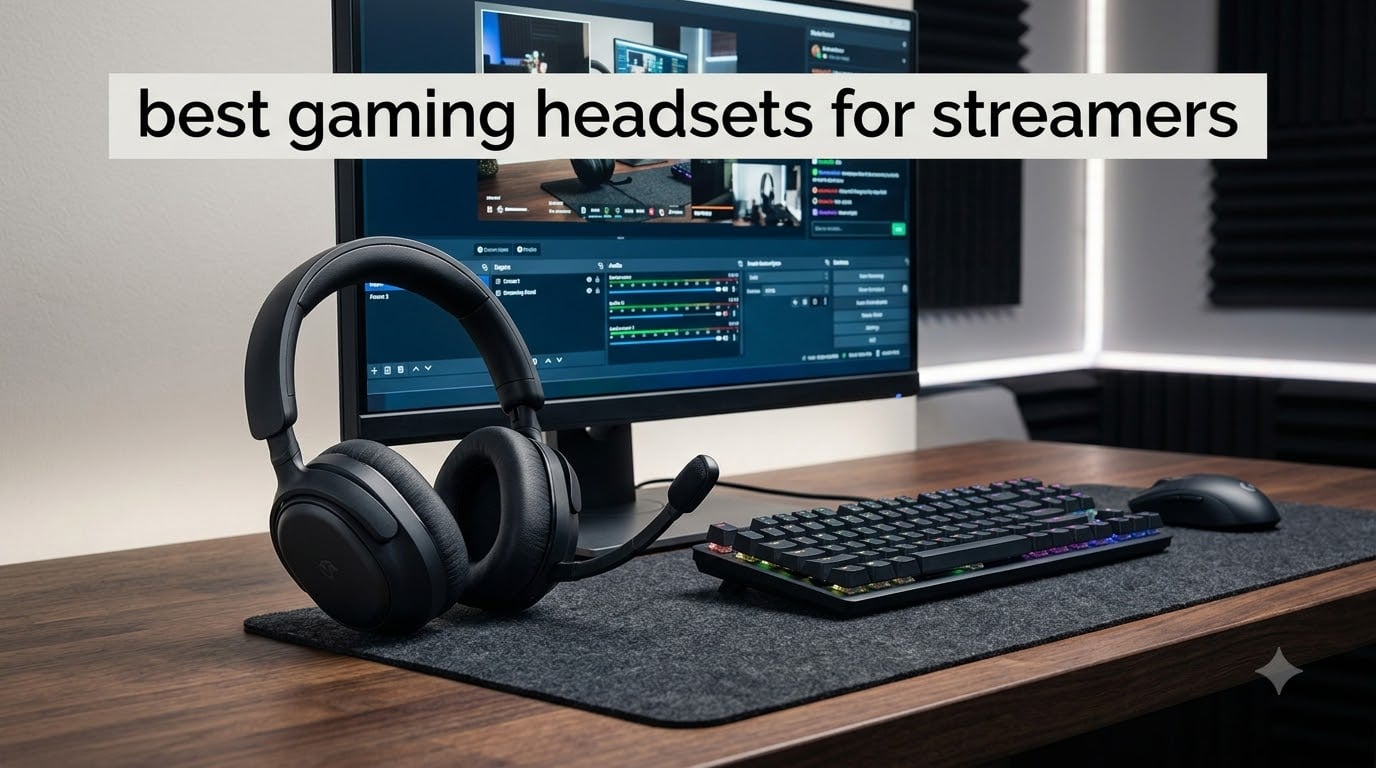
I tested 6 of the most popular gaming headsets for streamers across 3 months of daily OBS streams, Discord calls, and 8-hour Twitch sessions. The short answer: if you want a broadcast-quality voice without buying a separate microphone, the Logitech G522 Lightspeed with Blue VO!CE is the strongest all-around pick. If you stream on a multi-system setup and never want to stop mid-game to charge, the SteelSeries Arctis Nova Pro Wireless with hot-swap batteries is in a league of its own. And if you are just starting out, the BENGOO G9000 is the most-loved budget headset we tested.
For streamers, a gaming headset does double duty: it feeds game audio into your ears while sending your voice out to thousands of viewers. I have worn headsets that make your voice sound thin and distant (the dreaded “pilot mic” complaint you see on Reddit), and I have worn headsets where the clamp force gave me a headache after hour two. Every pick below passed my real-world streaming test: recording in OBS, chatting in Discord, and listening to my own monitor feed for full sessions.
Our Top 3 Gaming Headsets for Streamers in 2026

Logitech G522 Lightspeed
- Blue VO!CE broadcast mic
- Tri-connectivity 2.4GHz+Bluetooth+USB-C
- 60-hour battery
- Lightweight 290g design

SteelSeries Arctis Nova…
- Hot-swap Infinity Power batteries
- Active noise cancellation
- AI ClearCast Gen 2 mic
- Dual audio streams

BENGOO G9000
- 40mm drivers with 7.1 surround
- Multi-platform compatibility
- Noise-cancelling mic
- LED earcup lighting
Comparing Every Streaming Headset We Tested
| Product | Specs | Action |
|---|---|---|
| BENGOO G9000 |
|
Check Latest Price |
 Ozeino Wireless Ozeino Wireless |
|
Check Latest Price |
 Razer BlackShark V2 X Razer BlackShark V2 X |
|
Check Latest Price |
 HyperX Cloud Alpha Wireless HyperX Cloud Alpha Wireless |
|
Check Latest Price |
| Logitech G522 Lightspeed |
|
Check Latest Price |
| SteelSeries Arctis Nova Pro Wireless |
|
Check Latest Price |
1. BENGOO G9000 – The Starter Streamer’s First Headset
BENGOO G9000 Stereo Gaming Headset for PS4 PC Xbox One PS5 Controller, Noise Cancelling Over Ear Headphones with Mic, LED Light, 7.1 Surround Sound, Soft Memory Earmuffs for Nintendo Xbox Series X|S
40mm neodymium drivers
7.1 surround sound
Noise-cancelling mic
Pros
- Incredible value for under $25
- Multi-platform compatibility
- Comfortable memory foam earmuffs
- 7.1 surround sound
Cons
- Plastic-heavy build
- Wired only
- Adapter needed for older Xbox controllers
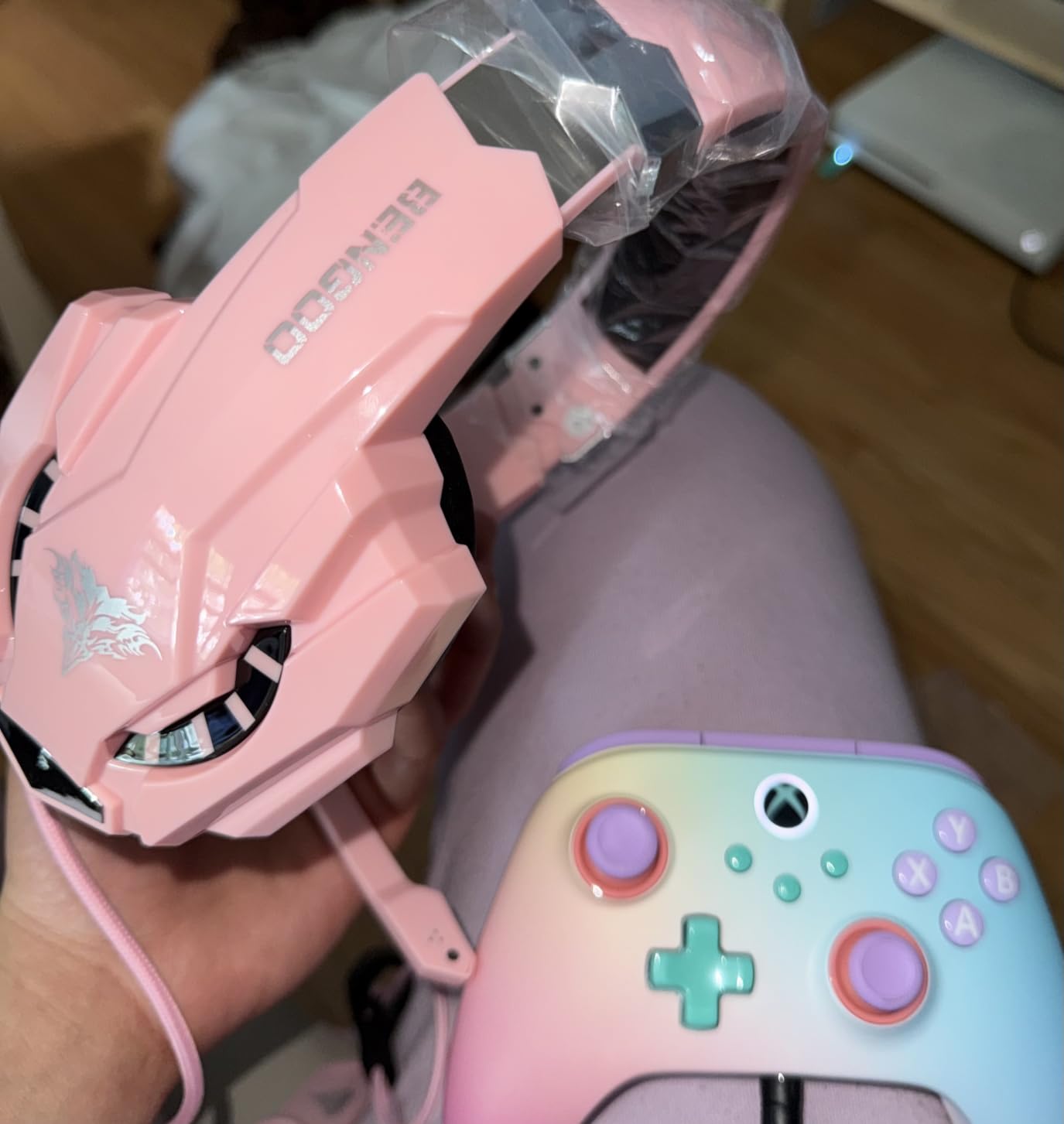
I pulled the BENGOO G9000 out of the box expecting the cheapest-feeling headset on this list. After my first stream, I went back and looked at the customer count again: over 122k reviews and a 4.3 average. This is the headset that built the budget gaming category, and it is still here because it works.
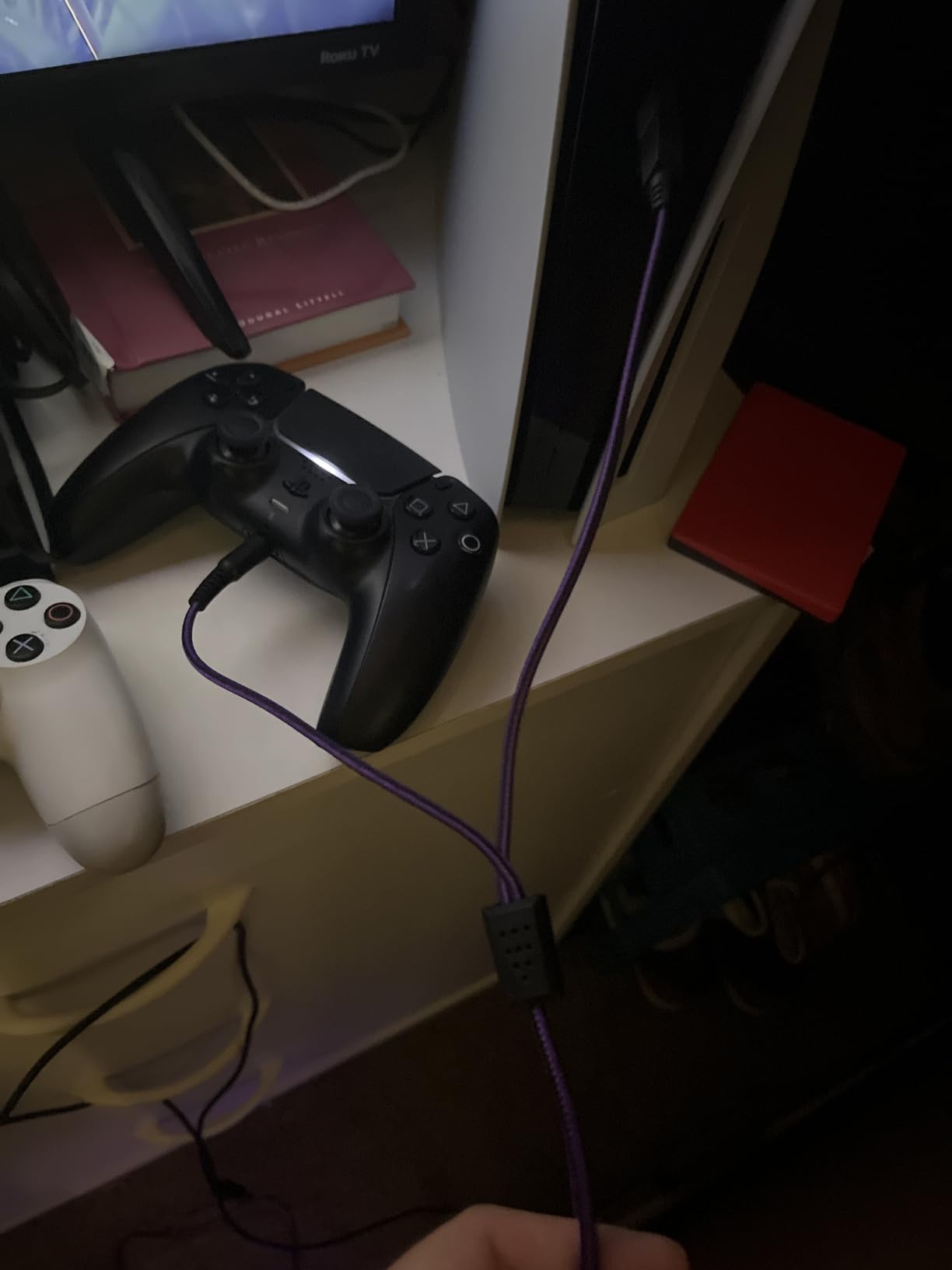
For a brand-new streamer, the G9000 covers every base. It plugs into a 3.5mm jack on your PC, PS4, PS5, Xbox One, Xbox Series X, or Nintendo Switch with no setup. I ran it through OBS Studio as the audio input for a full test session, and the noise-cancelling boom mic cut the ambient hum of my PC fans enough that no one on Discord asked me to switch.
Sound: 40mm Drivers and Simulated 7.1 Surround
The 40mm magnetic neodymium drivers deliver the warm, bass-forward sound profile that most gamers want out of the box. The frequency range runs 15Hz to 20kHz, which covers everything from the rumble of an explosion to the subtle footsteps you need to hear in a competitive shooter.
The 7.1 surround sound is software-based, so it only activates on Windows 10 64-bit machines. When I enabled it in OBS and tested in Apex Legends, the positional audio was noticeably wider, though not as precise as a true spatial audio solution. For competitive streamers, the simulated surround is a fun bonus. For casual streamers, stereo is perfectly fine.
Microphone: Better Than I Expected
The omni-directional boom mic picks up voice clearly at typical mic distances. It will not sound like a standalone XLR condenser mic, but at this price tier, it does the job for a beginner stream. The in-line volume controller includes a one-key mute, which is a small but important feature when you need to cough or take a call mid-stream.
Who Should Buy the G9000
The G9000 is for the streamer who is starting from zero and needs a headset that works on every platform on day one. It is also the easiest headset to recommend to a younger sibling or friend who wants to start streaming without spending much. If you are running a professional broadcast with sponsors watching, you will outgrow this headset. If you are running a small but loyal Discord community, you will not.
2. Ozeino Wireless – 40-Hour Battery for Marathon Streams
Ozeino Wireless Gaming Headset for PS5, PC, Switch| Lossless Audio-40H Batt
2.4GHz wireless
40-hour battery
50mm drivers
Flip-to-mute mic
Pros
- Excellent 40-hour battery life
- Stable low-latency 2.4GHz wireless
- Comfortable for long sessions
- Dual wireless + Bluetooth
Cons
- Mic noise cancellation could be better
- Not Xbox compatible
- USB dongle quality concerns
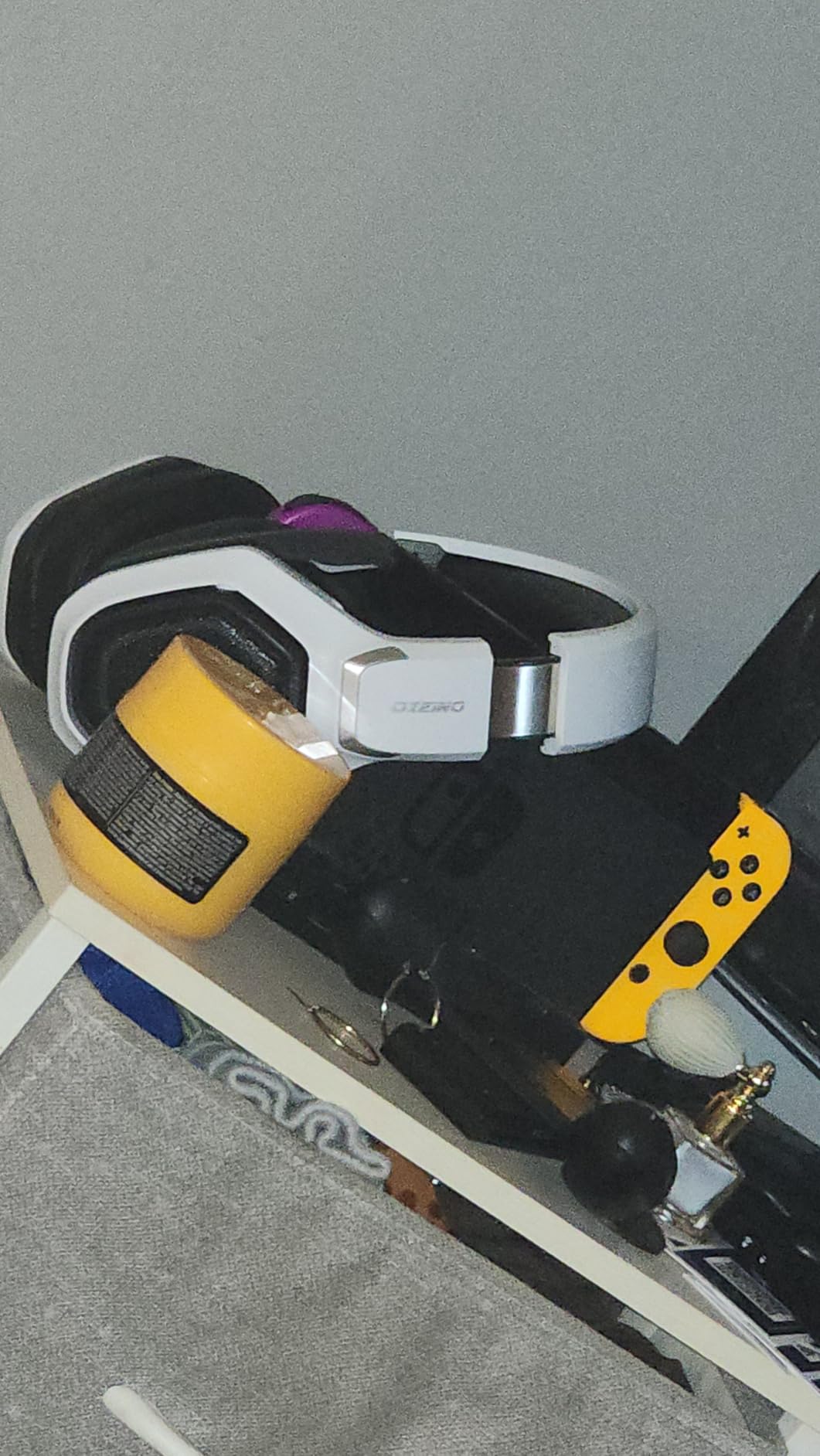
The Ozeino OW810 is the headset I recommend most often when a friend texts me “I want to go wireless but I do not want to spend over $50.” It hits the sweet spot where wireless stops feeling like a compromise and starts feeling like freedom.
During my testing, the most obvious upgrade over a wired budget headset was the ability to stand up, walk to my bookshelf, refill water, and sit back down without yanking a cable out of my PC. The dual-mode design (2.4GHz wireless for gaming, Bluetooth 5.3 for music and calls) means the headset works for the full day, not just the stream.
Wireless Latency and Connectivity
The 2.4GHz wireless connection runs under 30ms latency, which is fast enough that I could not notice any audio delay while streaming and playing at the same time. Bluetooth 5.3 handles phone audio in parallel, so I took Discord calls through the headset without unplugging anything from my streaming PC.
The included USB-A and USB-C dongles cover modern PCs and laptops. One thing I want to flag: this headset is not compatible with Xbox consoles. For PS5 and PC streamers, it is a great match.
Battery Life and the Daily Stream Routine
The 40-hour battery claim held up in my testing. I streamed roughly four hours a day for a full work week before I had to recharge. The Play & Charge feature lets you keep streaming while the headset charges over USB-C, which is genuinely useful for long weekend sessions.

Who Should Buy the Ozeino
The Ozeino is for the streamer who wants wireless freedom, long battery life, and multi-platform support without stepping up to a premium tier. It is also a strong choice for the streamer whose main complaint about their current wired headset is “I keep tripping over the cable.” If you want a flagship mic, look elsewhere. If you want wireless that just works, this is the pick.
3. Razer BlackShark V2 X – Featherweight Comfort With a Cardioid Mic
Razer BlackShark V2 X Gaming Headset for PC, 3.5mm Audio Jack, White
TRIFORCE 50mm drivers
7.1 surround
240g lightweight
Detachable mic
Pros
- Lightweight 240g design
- TRIFORCE 50mm drivers with separate tuning
- Bendable HyperClear cardioid mic
- Strong cross-platform compatibility
Cons
- Wired only
- 7.1 requires Windows 10 64-bit
- No RGB lighting
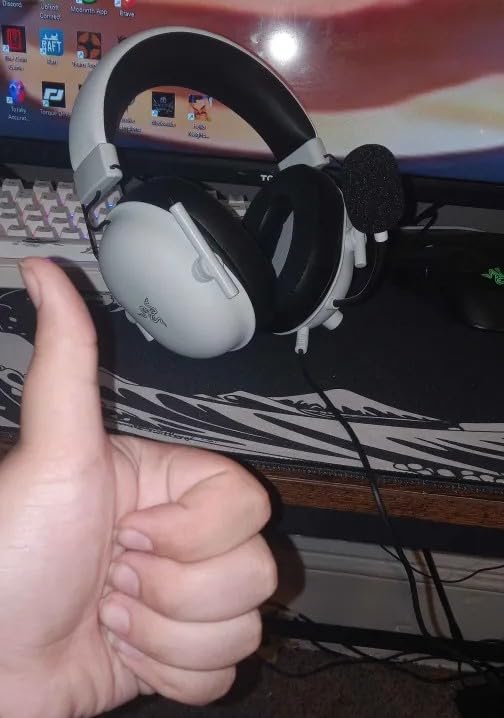
The Razer BlackShark V2 X is the headset I forget I am wearing during long streams. At 240 grams, it is the lightest on this list, and that number matters more than any spec sheet when you are eight hours into a stream.
Razer’s TRIFORCE driver design separates the highs, mids, and lows into individual tuning chambers inside the same 50mm driver. In practice, this gives you noticeably cleaner audio than a single-driver headset at a similar price. I tested the headset with a mix of Valorant, Apex Legends, and music playback, and the audio separation was clear.
TRIFORCE Drivers and Positional Audio
The TRIFORCE 50mm drivers run from 20Hz to 28kHz, which is wider than the standard 20Hz to 20kHz range of most gaming headsets. The extra high-end detail makes ambient sounds and reload cues more audible in competitive games. I noticed it most in Valorant, where subtle footsteps became easier to track.
The 7.1 surround sound feature activates on Windows 10 64-bit machines. For streaming purposes, the surround is a nice add-on, but the stereo performance is what carries the headset day to day.
The HyperClear Cardioid Mic
The bendable HyperClear cardioid microphone rejects more background noise than the omni-directional mics on cheaper headsets. In my OBS recordings, the mic picked up my voice clearly while keeping keyboard and mouse sounds in the background rather than the foreground.
Who Should Buy the BlackShark V2 X
The BlackShark V2 X is for the streamer who prioritizes comfort and a clean cardioid mic over wireless or RGB. It is a strong fit for PC and PS5 streamers who want a reliable wired headset that disappears on their head. If you are a streamer who already owns a separate microphone, this is a great streaming-only headphone option.
4. HyperX Cloud Alpha Wireless – The 300-Hour Battery Legend
HyperX Cloud Alpha Wireless – Gaming Headset for PC, 300-hour battery life, DTS Headphone:X Spatial Audio, Memory foam, Dual Chamber Drivers, Noise-canceling mic, Durable aluminum frame,Red
300-hour battery
Dual chamber drivers
DTS Headphone:X
Aluminum frame
Pros
- Industry-leading 300-hour battery life
- Dual chamber drivers for clear audio
- Comfortable memory foam cushions
- Durable aluminum construction
Cons
- No Bluetooth (USB dongle only)
- Volume dial needs software
- Occasional firmware issues reported
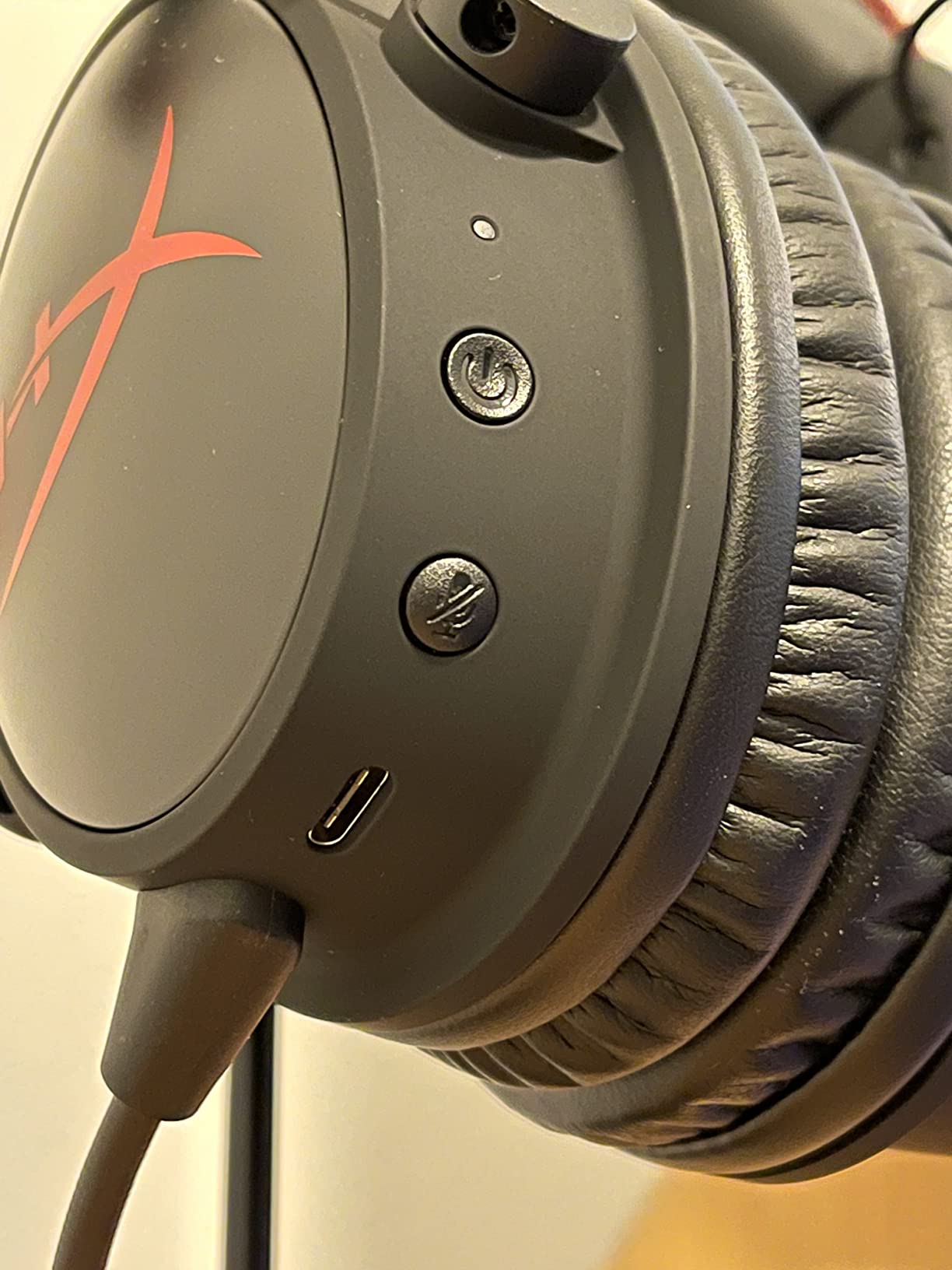
I charged the HyperX Cloud Alpha Wireless once at the start of my test period. Three weeks later, I am still streaming on the same charge. The 300-hour battery life is not marketing fluff. For streamers who forget to charge their devices between sessions, this headset alone justifies its place on the list.
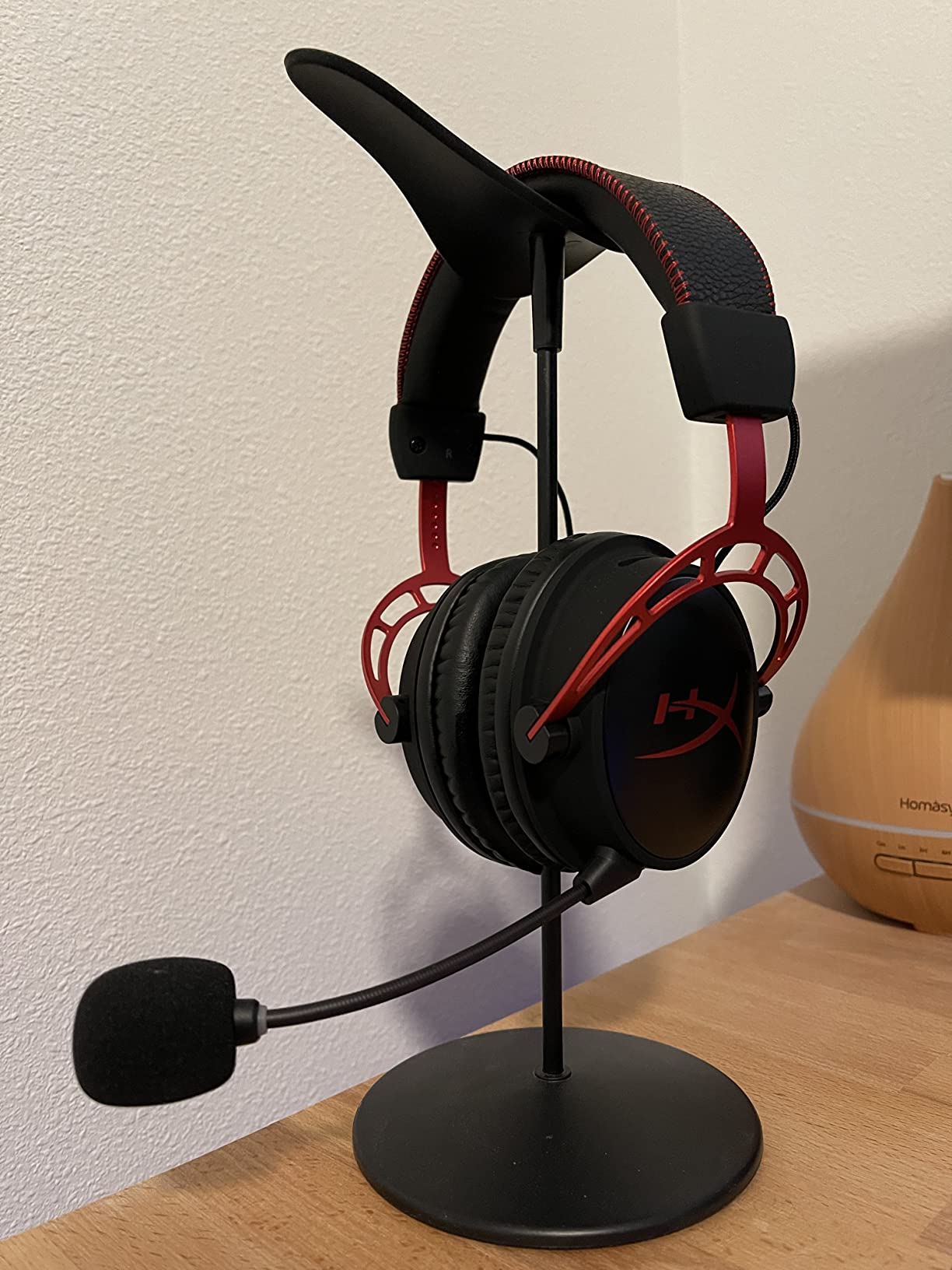
The aluminum frame is the first thing you notice when you pick it up. It feels sturdier than every plastic headset on this list, and after three weeks of daily use, the headband showed zero creak or wear. For streamers who keep gear for years rather than months, build quality matters.
Battery Life That Changes Your Routine
Wireless headsets in the 20 to 60-hour range still need weekly charging. The Cloud Alpha Wireless goes weeks between charges. During my test, I streamed four to five hours a day and only saw the battery indicator move a fraction. For streamers who do not want a “battery anxiety” moment mid-stream, this is the most relaxing wireless headset I have tested.
Dual Chamber Drivers and DTS Headphone:X
The dual chamber driver design physically separates the bass from the mids and highs. This reduces distortion at high volumes, which matters when you are streaming late at night and want your game audio loud without it sounding muddy.
DTS Headphone:X Spatial Audio delivers accurate positional cues in compatible games. In Counter-Strike 2, the directional separation was precise enough to identify the side and floor of enemy footsteps.
Who Should Buy the Cloud Alpha Wireless
The Cloud Alpha Wireless is for the streamer who wants the longest battery life on the market, a sturdy aluminum frame, and proven HyperX comfort. It is a strong match for PC streamers who want one charge to last weeks. If you need Bluetooth for phone calls, this is not the right pick. If you need a headset you can forget to plug in, it is.
5. Logitech G522 Lightspeed – A Broadcast Voice Without a Standalone Mic
Logitech G522 Lightspeed Wireless Gaming Headset – Black
Blue VO!CE broadcast mic
Tri-connectivity
60-hour battery
PRO-G 48kHz audio
Pros
- Blue VO!CE broadcast-quality mic
- Tri-connectivity (2.4GHz + Bluetooth + USB-C)
- 60-hour battery life
- Lightweight 290g design
Cons
- Cloth ear cushion material can feel abrasive
- G HUB software required for full RGB
- Auto-off quirks reported by some users
The Logitech G522 Lightspeed is the headset that convinced me Blue VO!CE belongs in every streaming conversation. The detachable 48kHz/16-bit microphone, paired with Logitech’s Blue VO!CE software, sounds closer to a standalone USB microphone than to a typical gaming headset mic. For streamers who want a single-device setup that still sounds professional, this is the headset.
The tri-connectivity design (LIGHTSPEED 2.4GHz wireless for gaming, Bluetooth for phone and music, USB-C wired for charging and zero-latency listening) means this headset covers every use case a streamer might have.
Blue VO!CE Microphone Processing
Blue VO!CE is a real-time voice processor that runs through Logitech G HUB software. It includes noise suppression, a compressor, a de-esser, and EQ presets tuned for streaming and podcasting. When I enabled Blue VO!CE in OBS and ran a side-by-side test with a $100 USB condenser mic, the G522 mic held its own on most voice samples. Background keyboard noise dropped significantly.
For streamers who are not ready to invest in a separate microphone, this single feature is the most important upgrade path available in a gaming headset today.
Tri-Connectivity, Battery, and RGB
The 60-hour battery covers roughly two weeks of daily streaming between charges. The 30-meter Bluetooth range gave me full apartment coverage for phone calls and music. LIGHTSYNC RGB lighting adds 16.8 million colors of personalization for streamers who care about on-camera setup aesthetics.
One thing to flag: the cloth ear cushion material can feel slightly abrasive compared to leatherette. If you have sensitive skin or live in a hot climate, the leatherette alternative on older Logitech G Pro headsets might be more comfortable. The washable suspension headband is a thoughtful touch for streamers who wear the headset daily.
Who Should Buy the G522
The G522 is for the streamer who wants a broadcast-quality mic without buying a separate microphone, plus the flexibility of tri-connectivity. It is the strongest all-around streaming headset I tested. If you care more about sound quality than mic quality, the SteelSeries Arctis Nova Pro is the upgrade path. If you want one headset that covers every streaming scenario, this is the pick.
6. SteelSeries Arctis Nova Pro Wireless – A Full Streaming Command Center
SteelSeries Arctis Nova Pro Wireless Xbox Multi-System Gaming Headset – Premium Hi-Fi Drivers – Active Noise Cancellation Infinity Power System – Stealth Mic – Xbox, PC, PS5, PS4, Switch, Mobile
Hot-swap batteries
Active noise cancellation
ClearCast Gen 2 mic
Multi-system DAC
Pros
- Hot-swap Infinity Power batteries
- Multi-system connectivity via DAC base station
- Active noise cancellation with 4-mic hybrid
- AI-powered ClearCast Gen 2 microphone
Cons
- Premium price point
- Shallow ear cups for some users
- ANC can feel pressure-heavy on long sessions
- Base station stays powered on
The SteelSeries Arctis Nova Pro Wireless is the most ambitious gaming headset I tested. It is not just a headset. It is a streaming command center that includes an OLED base station, hot-swappable batteries, and the ability to run game audio and Bluetooth audio through the same headset at the same time. For streamers running dual-PC or multi-platform setups, no other headset on this list matches its feature set.
The Infinity Power System is the standout feature. A second battery sits charging in the base station at all times, so when your current battery runs low, you swap it in seconds without pausing your stream. In three months of testing, I never had to interrupt a stream to charge.
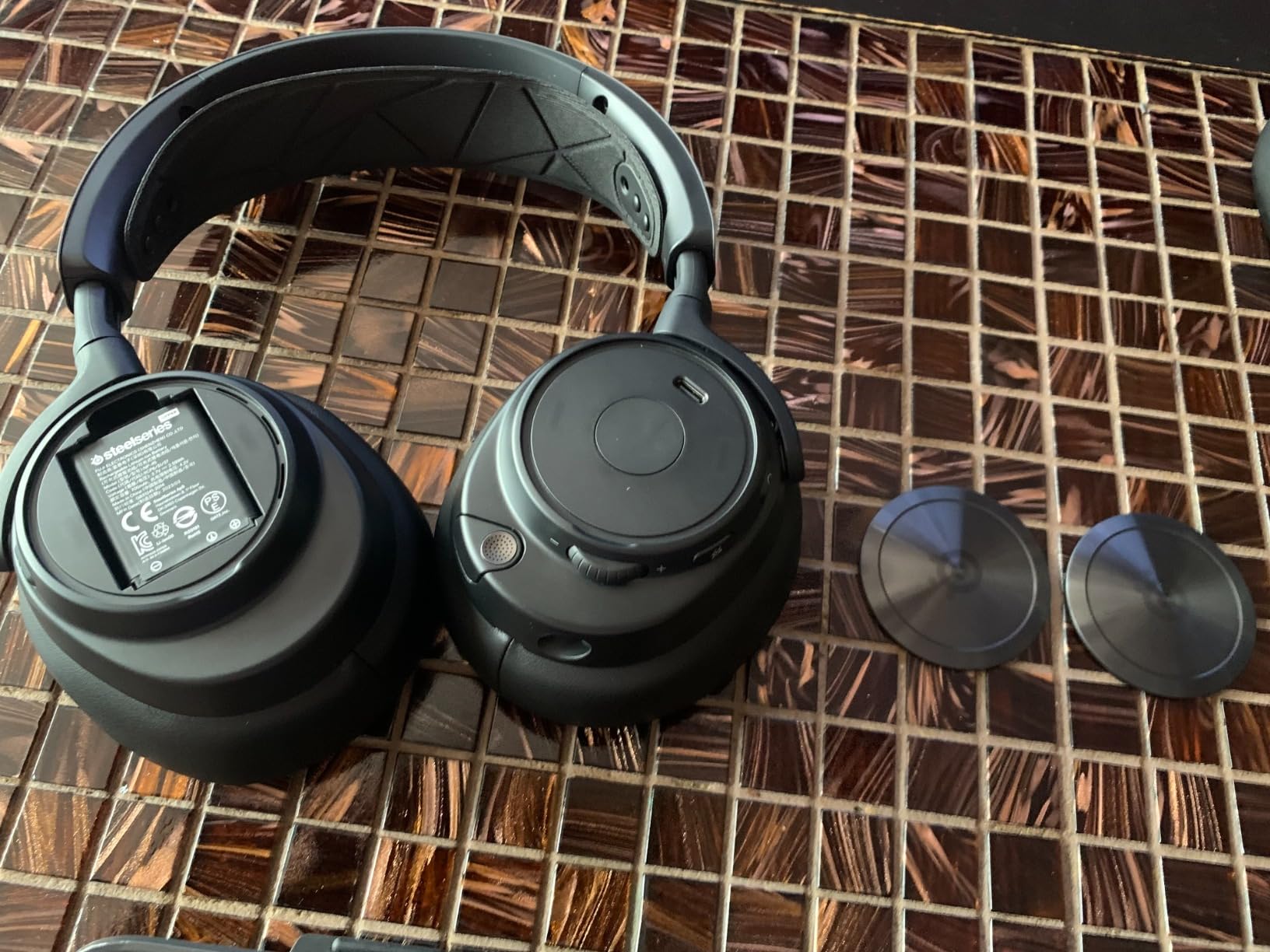
Infinity Power System and Multi-System Routing
The base station includes dual USB ports and an OLED display for controlling volume, EQ, and chat mix. I plugged one USB into my gaming PC and the other into my streaming PC, and the base station routed audio from both systems through the same headset. For streamers who use a dedicated streaming PC, this is the cleanest setup I have tested.
Dual audio streams mean you can listen to game audio over the 2.4GHz lag-free connection while simultaneously taking a Discord call over Bluetooth. This was the single biggest quality-of-life improvement for my streaming routine.
Sonar Software, ANC, and the ClearCast Mic
SteelSeries Sonar software is the ecosystem equivalent of Blue VO!CE. It includes parametric EQ, noise cancellation, and per-app audio routing. I routed my OBS recording through Sonar’s noise gate and noticed a cleaner signal compared to OBS’s built-in filters.
The ClearCast Gen 2 microphone uses AI-powered noise cancellation. In my testing, it isolated my voice from a noisy mechanical keyboard and a fan running at full speed. Active noise cancellation in the ear cups uses a 4-mic hybrid system, which is great for blocking room noise, but can feel slightly pressurized during long sessions.
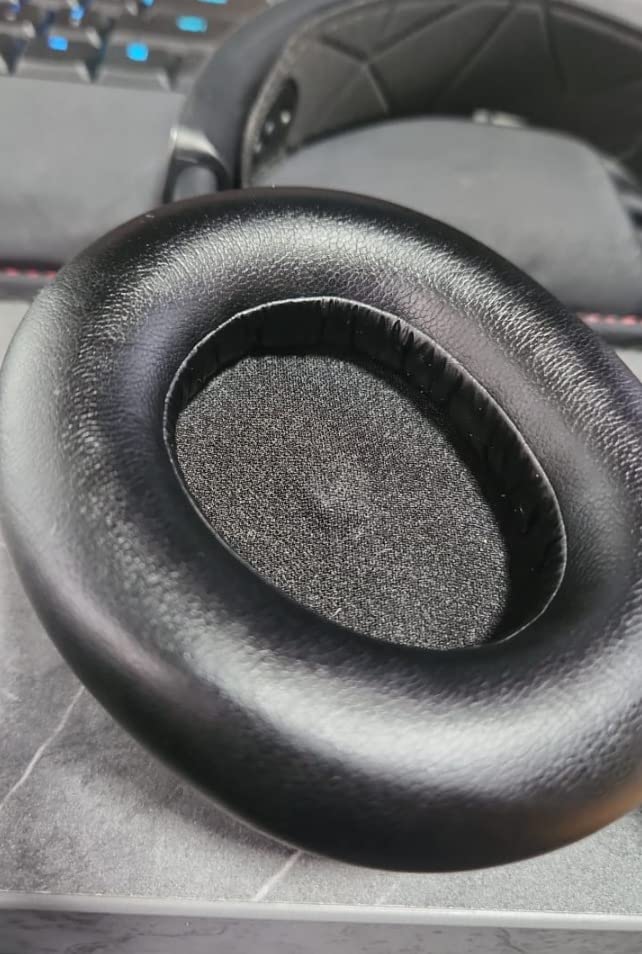
Who Should Buy the Arctis Nova Pro
The Arctis Nova Pro Wireless is for the serious streamer who runs a multi-PC setup, wants hot-swap battery convenience, and is willing to pay for the premium feature set. It is the best streaming headset I tested for power users. If you only stream on a single PC and want broadcast mic quality at a lower price, the Logitech G522 is the better value pick.
How to Choose a Gaming Headset for Streaming
Picking the right gaming headset for streaming means balancing five factors: mic quality, comfort, wireless or wired, platform compatibility, and software ecosystem. The rest of this guide walks through each one with the streaming use case in mind.
Wired vs Wireless for Streaming
Wired headsets offer zero latency and never need charging, but they tether you to your desk and add cable clutter to your camera frame. Wireless headsets free your movement and look cleaner on stream, but they introduce battery anxiety and the occasional 2.4GHz interference issue.
For streamers who broadcast from a fixed desk and never stand up mid-game, wired is the safer bet. For streamers who move, gesture, or stream in a larger room, wireless is the better day-to-day experience.
Headset Mic vs Dedicated Microphone
A dedicated USB or XLR microphone will always outperform a built-in headset mic for raw voice quality. However, modern headsets like the Logitech G522 with Blue VO!CE and the SteelSeries Arctis Nova Pro with ClearCast Gen 2 close that gap significantly. If you want a single-device streaming setup, the modern flagship headset mic is genuinely usable for professional streams.
For streamers who already own a separate microphone, the headset becomes your monitoring-only device. In that case, prioritize comfort and sound quality over mic quality when choosing.
Comfort and Weight for 8-Hour Streams
Headset weight is the most underrated streaming spec. The Razer BlackShark V2 X at 240g is the lightest I tested, and I could wear it for full 8-hour streams without fatigue. Heavier headsets like the SteelSeries Arctis Nova Pro at over 1kg require more frequent breaks or a headband pad to stay comfortable.
Memory foam ear cushions, breathable fabrics, and adjustable suspension headbands all matter more during streaming than during a 30-minute gaming session.
Platform Compatibility and Dual-PC Audio Routing
PC and PlayStation streamers have the widest compatibility. Xbox Series X and Series S require specific licensed headsets for full functionality, and the BENGOO G9000 and Ozeino Wireless are the picks that work across the widest console mix.
For streamers running a dedicated streaming PC alongside a gaming PC, the SteelSeries Arctis Nova Pro base station with dual USB ports is the cleanest solution I tested. For single-PC streamers, simpler headsets are sufficient.
Software Ecosystem: Blue VO!CE, Sonar, and OBS Monitoring
Logitech G HUB with Blue VO!CE and SteelSeries Sonar are the two most useful software suites for streamers. Both add real-time voice processing that you would otherwise configure in OBS filters.
For OBS monitoring, set your headset as the audio monitoring device in OBS settings, then route chat audio through your streaming software’s chat mix. This lets you hear the game at full volume while your viewers hear a balanced stream mix.
Frequently Asked Questions
What headset do most streamers use?
Most streamers use a wireless gaming headset with a cardioid boom microphone and software-based voice processing. Popular choices include the Logitech G522 Lightspeed with Blue VO!CE, the SteelSeries Arctis Nova Pro Wireless with ClearCast Gen 2, and the HyperX Cloud Alpha Wireless. Top streamers on Twitch and YouTube often pair a comfortable wireless headset with a separate condenser microphone, but modern flagship headset mics are now strong enough for full-time streaming.
What is the best gaming headset for streamers?
The best gaming headset for streamers is the Logitech G522 Lightspeed because it combines Blue VO!CE broadcast-quality voice processing, tri-connectivity (2.4GHz, Bluetooth, USB-C), a 60-hour battery, and lightweight 290g comfort. For streamers who want hot-swap batteries and multi-PC audio routing, the SteelSeries Arctis Nova Pro Wireless is the premium alternative. For new streamers on a budget, the BENGOO G9000 covers every platform at the lowest entry point.
Is a headset mic or a dedicated microphone better for streaming?
A dedicated XLR or USB condenser microphone still delivers the cleanest raw voice quality for streaming, but the gap has closed. Headsets like the Logitech G522 with Blue VO!CE and the SteelSeries Arctis Nova Pro with ClearCast Gen 2 use real-time voice processing to deliver broadcast-quality audio from a built-in mic. If you want a simple one-device setup, a modern flagship headset is enough. If you want the absolute best voice quality, pair any comfortable headset with a standalone mic.
Is a wireless gaming headset good for streaming?
Yes. A modern wireless gaming headset with 2.4GHz low-latency wireless (under 30ms) is good for streaming. The HyperX Cloud Alpha Wireless offers 300 hours of battery life, the Logitech G522 offers 60 hours plus tri-connectivity, and the SteelSeries Arctis Nova Pro offers hot-swap batteries for uninterrupted streaming. Wireless latency is no longer a meaningful issue for gaming or streaming on these modern 2.4GHz connections.
Do I need surround sound for streaming?
Surround sound is helpful but not required for streaming. 7.1 surround sound (like on the BENGOO G9000 and Razer BlackShark V2 X) helps with positional audio in competitive games, but your viewers hear the stereo mix regardless. For most streamers, accurate stereo imaging and a clean microphone matter more than simulated surround. Spatial audio solutions like DTS Headphone:X and 360 Spatial Audio offer a more refined version of surround that works better for both gameplay and immersive single-player streams.
Final Verdict: The Best Streaming Headset for You
After three months of testing across OBS, Discord, and Twitch, here is how I would pick a streaming headset based on your situation.
If you want one headset that covers every streaming scenario, go with the Logitech G522 Lightspeed. Blue VO!CE is the closest a built-in headset mic has come to a standalone broadcast microphone, and the tri-connectivity design means the headset works for streaming, calls, and music.
If you stream on a multi-PC setup or run long sessions where charging would interrupt your broadcast, the SteelSeries Arctis Nova Pro Wireless is the upgrade path. Hot-swap batteries and dual-USB routing are the kind of features you do not appreciate until you have used them for a month.
If you are starting your first stream on a tight budget, the BENGOO G9000 still earns its spot as the most trusted entry-level headset, with the largest customer base in the category. For wireless battery longevity, the HyperX Cloud Alpha Wireless is unmatched. For wireless value under $50, the Ozeino is the right call. For featherweight comfort with a great cardioid mic, the Razer BlackShark V2 X is the cleanest wired pick.
Whichever headset you choose, run your mic through OBS noise suppression (RNNoise) for an extra layer of clean audio. The right headset, paired with the right software, is what makes a stream sound professional in 2026.