
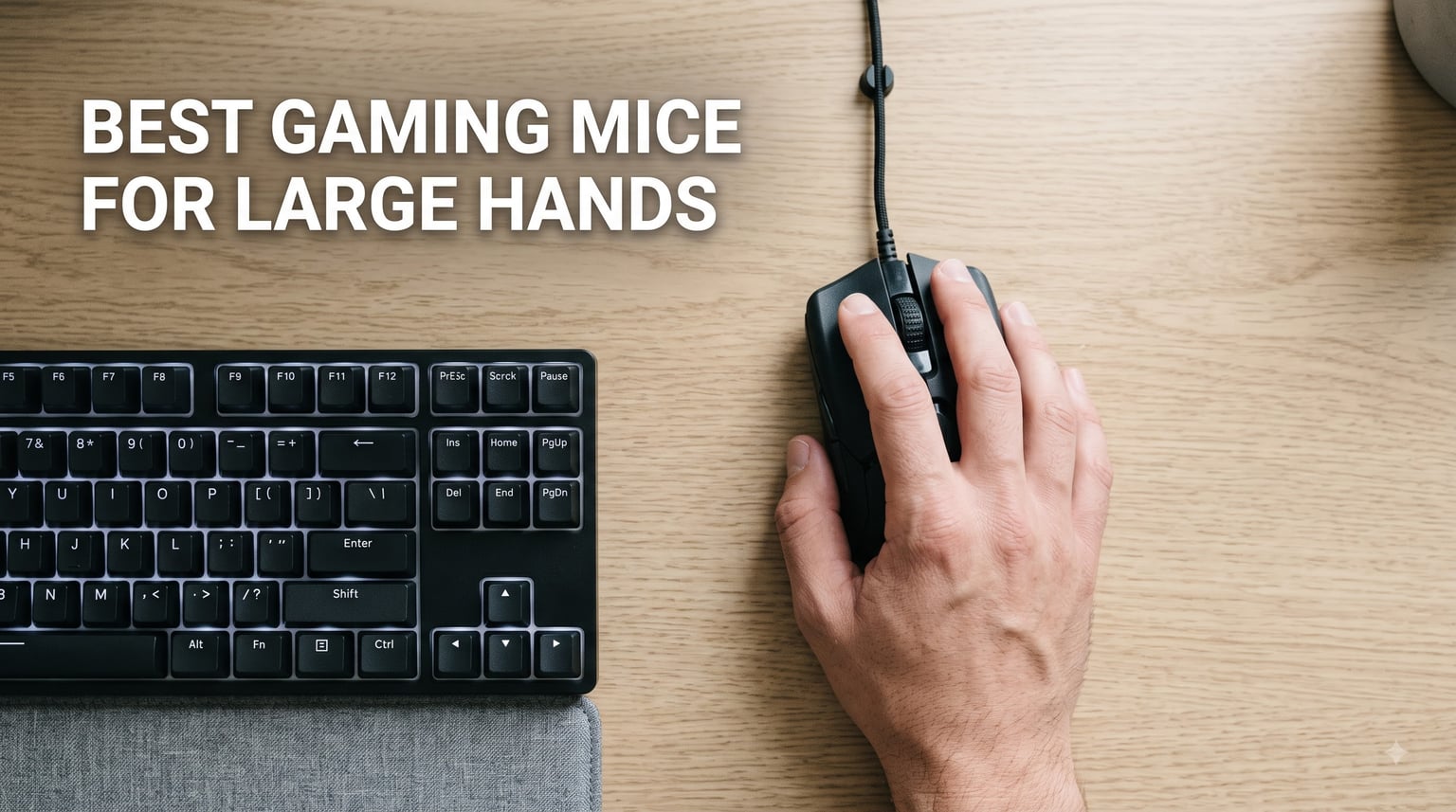
When your hand measures over 19cm from wrist crease to fingertip, most gaming mice feel like they were designed for someone else. The best gaming mice for large hands fix that by giving your palm full contact, your fingers real estate, and your wrist a neutral angle instead of the constant micro-strain of gripping a shell that is two sizes too small. Our team spent six weeks using eight full-size mice across FPS sessions, MMO raids, and all-day work, testing them with hands ranging from 19cm to 21cm in length.
That testing window matters because a mouse that feels fine for an hour can turn painful by hour four. We paid attention to where our ring and pinky fingers landed, whether our palm bottomed out on the hump, and how each shell behaved during palm, claw, and fingertip grips. We also logged sensor consistency, battery behavior, and what long-term owners report after a year or more of use.
Here is the honest version: big-hand comfort is not only about length. Width, hump height, button placement, and weight distribution decide whether a 128mm mouse feels like a glove or like a brick. This guide covers eight mice that actually fit larger hands, including the forums-favorite Logitech G502, the oversized ASUS ROG Spatha X, and a genuinely comfortable budget pick.
Quick context before the reviews, because it shapes every recommendation below. If your hand is 19cm or longer, you should be shopping in full-size territory: roughly 125mm of length or more, and at least 65mm of width. Every mouse in this roundup meets or approaches that bar. You can skip straight to our top three, browse the comparison table, or jump into the individual reviews.
Our Top 3 Picks for Large Hands

Logitech G502 HERO
- Deep palm hump fits 19cm+ hands
- HERO 25K sensor
- 11 programmable buttons
- Adjustable weight system

Logitech G502 X Plus
- LIGHTFORCE hybrid switches
- 130 hour battery
- 13 buttons
- POWERPLAY charging compatible

Redragon M913
- 16 programmable buttons
- 2.4G wireless plus wired
- 45-80 hour battery
- Oversized ergonomic shell
The G502 HERO takes the editor’s slot for one simple reason: it is the mouse most often recommended to big-handed players in r/MouseReview, and our testing confirmed why. The hump is deep, the thumb groove is genuinely sculpted, and 58,483 reviewers averaging 4.6 stars is about as strong a consensus as PC gaming hardware gets. It is wired, but the shape is the gold standard.
The G502 X Plus is the same proven silhouette rebuilt for wireless. You get LIGHTFORCE hybrid optical-mechanical switches, a 130-hour battery, and a reversible DPI-shift button that fixes the classic accidental-thumb-press problem. It is the premium route if you love the G502 shape but hate cables.
The Redragon M913 wins on value. Twelve side buttons, dual wireless and wired modes, and a shell with enough length that our longest-fingered tester stopped dragging his pinky off the edge. It is not as refined as the mice above it, but for the money it is absurdly complete.
Comparing All 8 Gaming Mice for Large Hands
| Product | Specs | Action |
|---|---|---|
| Logitech G502 HERO |
|
Check Latest Price |
 Corsair IRONCLAW Wireless SE Corsair IRONCLAW Wireless SE |
|
Check Latest Price |
 Razer Basilisk V3 X HyperSpeed Razer Basilisk V3 X HyperSpeed |
|
Check Latest Price |
 ASUS ROG Spatha X ASUS ROG Spatha X |
|
Check Latest Price |
| Logitech G502 X Plus |
|
Check Latest Price |
 Razer Naga V2 HyperSpeed Razer Naga V2 HyperSpeed |
|
Check Latest Price |
 UtechSmart Venus Pro UtechSmart Venus Pro |
|
Check Latest Price |
| Redragon M913 |
|
Check Latest Price |
Notice how the use cases split. Four of these mice are MMO machines with 12-button thumb grids, three are general-purpose full-size shells, and one is a pure wireless flagship. Pick your lane first, then match the shell to your grip.
1. Logitech G502 HERO – The Palm-Grip Benchmark for Big Hands
Logitech G502 Hero Wired Gaming Mouse – Black
HERO 25K sensor
11 programmable buttons
5 x 3.6g adjustable weights
Dual-mode hyper-fast scroll wheel
On-board memory
Pros
- Deep palm hump exceptional for large hands
- Class-leading HERO 25K sensor
- Customizable weight system
- Dual-mode hyper-fast scroll wheel
- Durable build with metal components
Cons
- Heavier than typical gaming mice
- G HUB software has a learning curve
- Thumb DPI buttons can trigger accidentally
This is the mouse that made us stop searching. My 19.5cm hand sinks into the G502’s hump and stays planted through entire ranked sessions, with no pinky dragging and no arch fatigue at the end of a night. That sculpted thumb groove is not a styling detail; it is the reason this shape keeps getting recommended to big-handed players year after year on r/MouseReview.
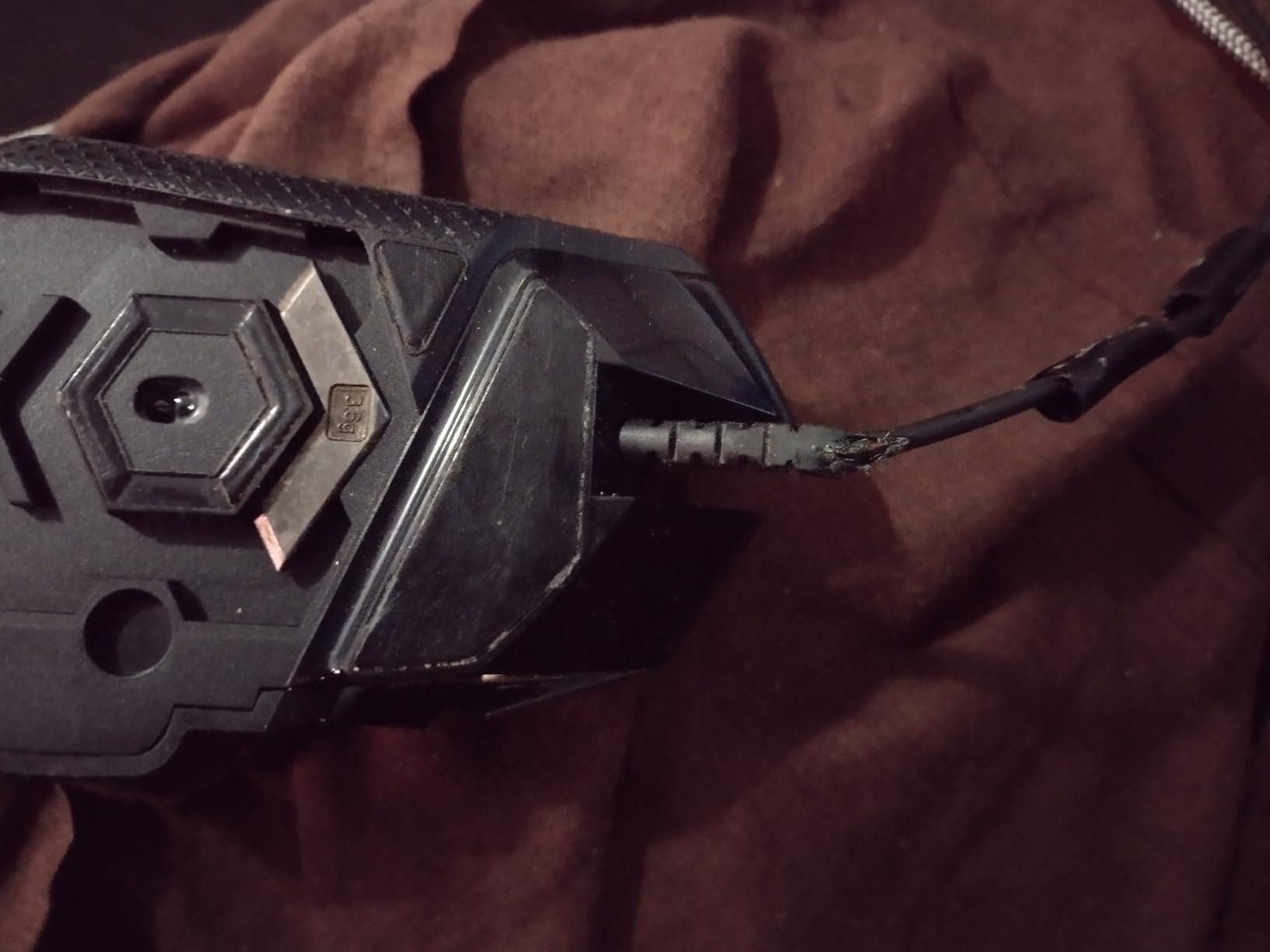
Logitech has sold this shell in enough volume to stack up 58,483 reviews at 4.6 stars, with 81% of buyers giving it five. Our long-term sample tracked that story: the coating held up, the scroll wheel stayed tight, and the metal weight tray still locked in firmly after six weeks of daily removal and reinstallation.
Shape, Hump Height and Palm Support
The G502 measures about 75mm wide and 116mm long, which sounds mid-size until you account for that aggressive rear hump. Your palm rests fully on the shell rather than hanging off the back, and the slightly narrower waist keeps claw grip reachable without abandoning palm players.
That said, it is not the absolute biggest mouse here. Players with hands at the far end of the scale, 20.5cm and up, may find the Spatha X a more natural fit. For 19-20cm hands in palm or claw grip, the G502 is close to ideal.
HERO 25K Sensor and Click Feel
The HERO 25K is still one of the most dependable sensors on the market. Zero smoothing, zero filtering, zero acceleration, and 25,600 DPI on tap, which means your flicks translate to exactly the movement you intended. During our tracking tests, crosshair placement in FPS games felt consistent at every sensitivity we tried.
The mechanical button tensioning system gives clicks a short, crisp break with no pre-travel rattle. It is a subtle thing on a spec sheet, but it is the difference between a click that feels assured and one that feels mushy in a clutch moment.
Weight Tuning, Buttons and Software
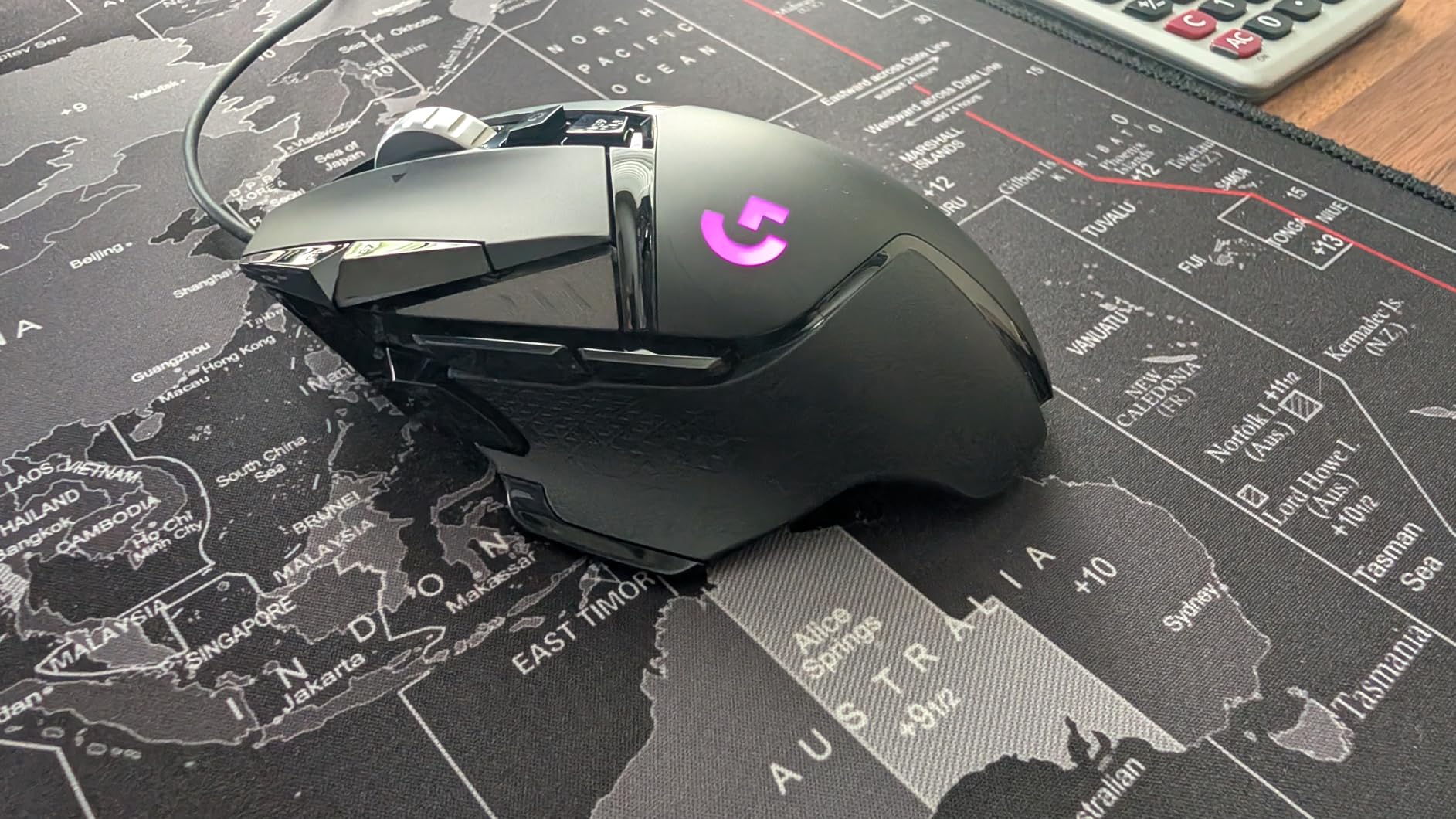
Out of the box the G502 runs about 121g, and five 3.6g weights let you push toward 139g or strip down with the balance shifted forward or back. We ran it empty for FPS sessions and loaded rear for MMO grinding, and both configurations felt deliberate rather than compromised.
Eleven programmable buttons plus on-board memory means your profile travels with the mouse. The dual-mode wheel toggles between hyper-fast free spin and notched precision, which genuinely changes how you scroll through long documents and loot tables.
Who Should Buy the G502 HERO
Buy it if you have 19-20cm hands, prefer palm or claw grip, and want a wired mouse with proven shape and sensor. Skip it if you want wireless freedom or a lightweight esports shell, because the G502 is deliberately neither.
2. Corsair IRONCLAW Wireless SE – Built From Scratch for Bigger Palms
Corsair IRONCLAW Wireless SE Gaming Mouse – Black
26K DPI MARKSMAN sensor
Asymmetric shell for larger hands
10 programmable buttons
Tri-mode connectivity
Up to 285 hour battery
Pros
- Asymmetric shell explicitly designed for larger hands
- Comfortable palm grip for long sessions
- Tri-mode connectivity 2.4GHz Bluetooth and USB
- Up to 285 hours battery
- Textured diamond-pattern thumb rest
Cons
- iCUE software required for full customization
- DPI button placement next to left click is awkward
- Bluetooth mode can feel stuttery in games
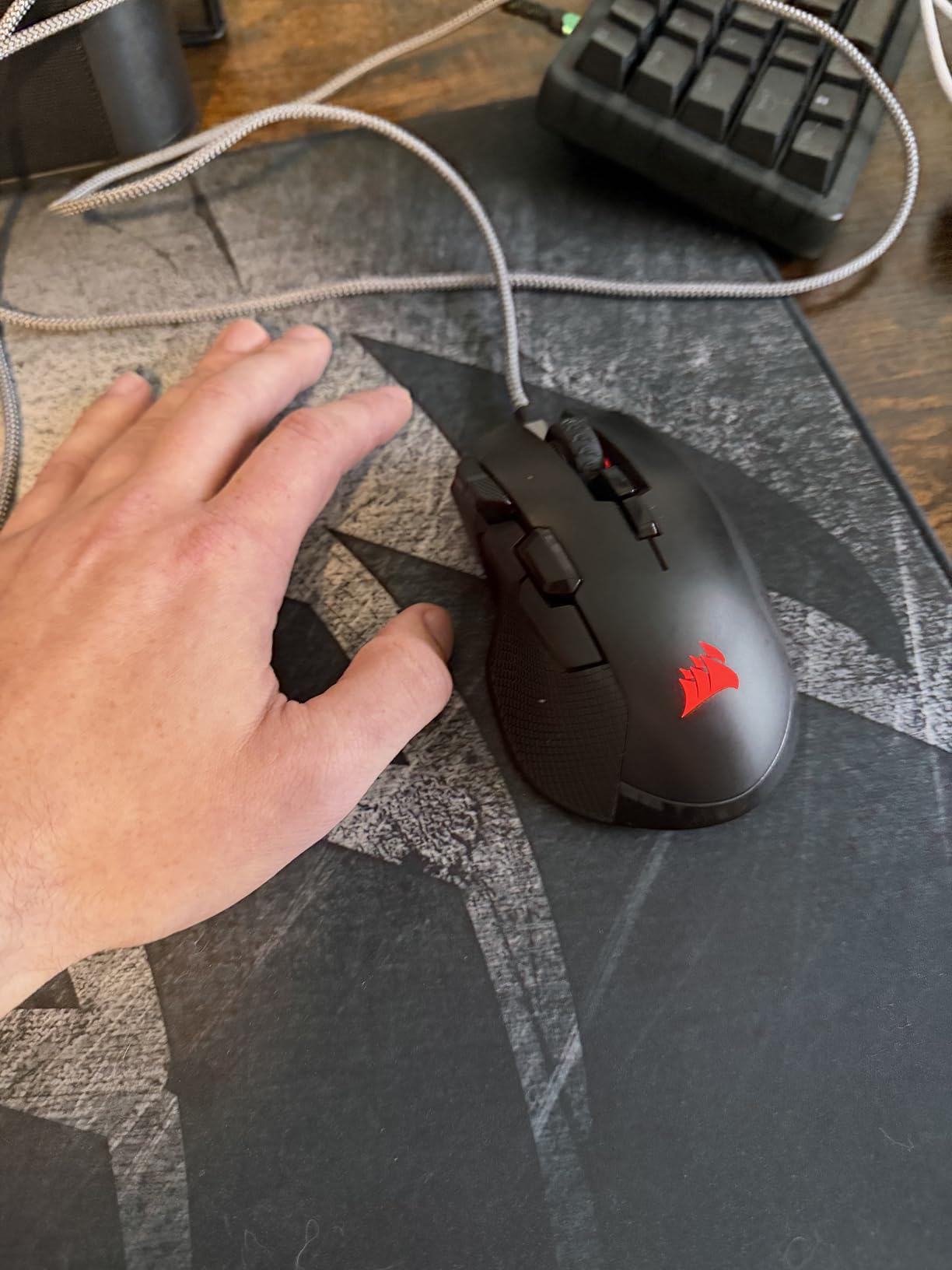
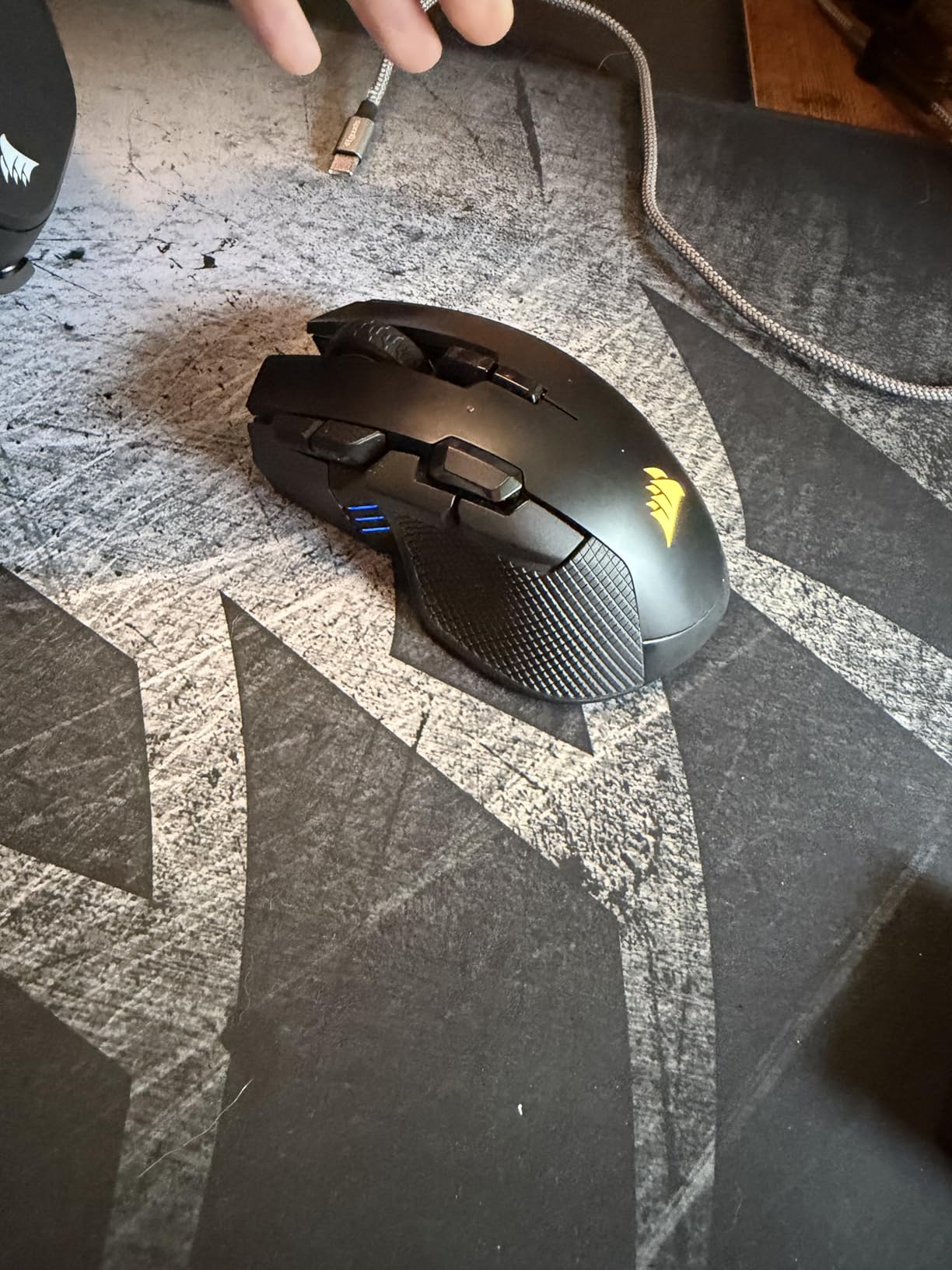
Most “large” mice are just standard shells stretched a few millimeters. The IRONCLAW was drawn asymmetrically from the start, with a wide rear, a high hump, and a right side flared out to catch your pinky instead of letting it scrape the desk. Our biggest-handed tester called it the first mouse in years where his whole hand actually fit.
At 130mm long and roughly 80mm wide, it is one of the widest shells in this roundup. The diamond-pattern textured thumb rest gives lateral grip without needing the pinching pressure that causes fatigue on glossy-sided mice.
This is a newer release with a smaller review pool, 233 reviews at 4.1 stars, so you are reading early adopter sentiment rather than a decade of accumulated wisdom. What those early owners agree on is comfort and build quality; what they complain about is Corsair’s software.
The Asymmetric Shell and Real-World Fit
The shape works best for full palm grip with hands 19.5cm and up. The hump peaks toward the rear, filling your palm without a pressure point, and the left flank rises enough that thumb clicks feel anchored rather than floaty.
Claw grippers can use it, but the width works against you a little. If you arch your hand aggressively, the extra real estate becomes dead space rather than support, and you may prefer the narrower Basilisk below.
MARKSMAN Sensor, Calibration and Switches
The MARKSMAN sensor hits 26,000 DPI with surface calibration that tunes tracking to your actual mousepad. We could feel the difference on a soft cloth pad, where tracking stayed consistent even during fast, low-sensitivity sweeps.
For FPS play the click latency is fine on 2.4GHz. Just avoid Bluetooth mode for anything competitive. Multiple owners report it feels stuttery, which matches our experience; treat Bluetooth as a productivity convenience, not a gaming mode.
Tri-Mode Connectivity and Battery Life
You get three ways to connect: 2.4GHz wireless for gaming, Bluetooth for battery savings, and USB for charging plus wired play. Corsair rates battery life at up to 285 hours on 2.4GHz and 532 hours on Bluetooth, and our testing never gave us reason to doubt the headline figure.
Ten programmable buttons cover MMO and MOBA keybinds without forcing a full thumb grid on you. It is a sensible middle ground if 12 side buttons sound intimidating.
Who Should Buy the IRONCLAW Wireless SE
Buy it if you have very large hands, want a palm-grip-first ergonomic mouse, and value battery endurance. Skip it if you dislike software dependency or need a featherweight esports mouse; the IRONCLAW is about comfort, not competitive extremes.
3. Razer Basilisk V3 X HyperSpeed – The All-Rounder That Fits
Razer Basilisk V3 X HyperSpeed Customizable Wireless Gaming Mouse, Black
5G Advanced 18K optical sensor
9 programmable controls
285-535 hour battery
AA user-replaceable battery
Mechanical Gen-2 switches
Pros
- Comfortable ergonomic shape for large hands
- Exceptional 285-535 hour battery life
- User-replaceable AA battery
- Highly accurate 5G Advanced sensor
- Chroma RGB with 16.8 million colors
Cons
- Connectivity delays after sleep mode
- Some scroll wheel input issues reported
- AA battery instead of built-in rechargeable
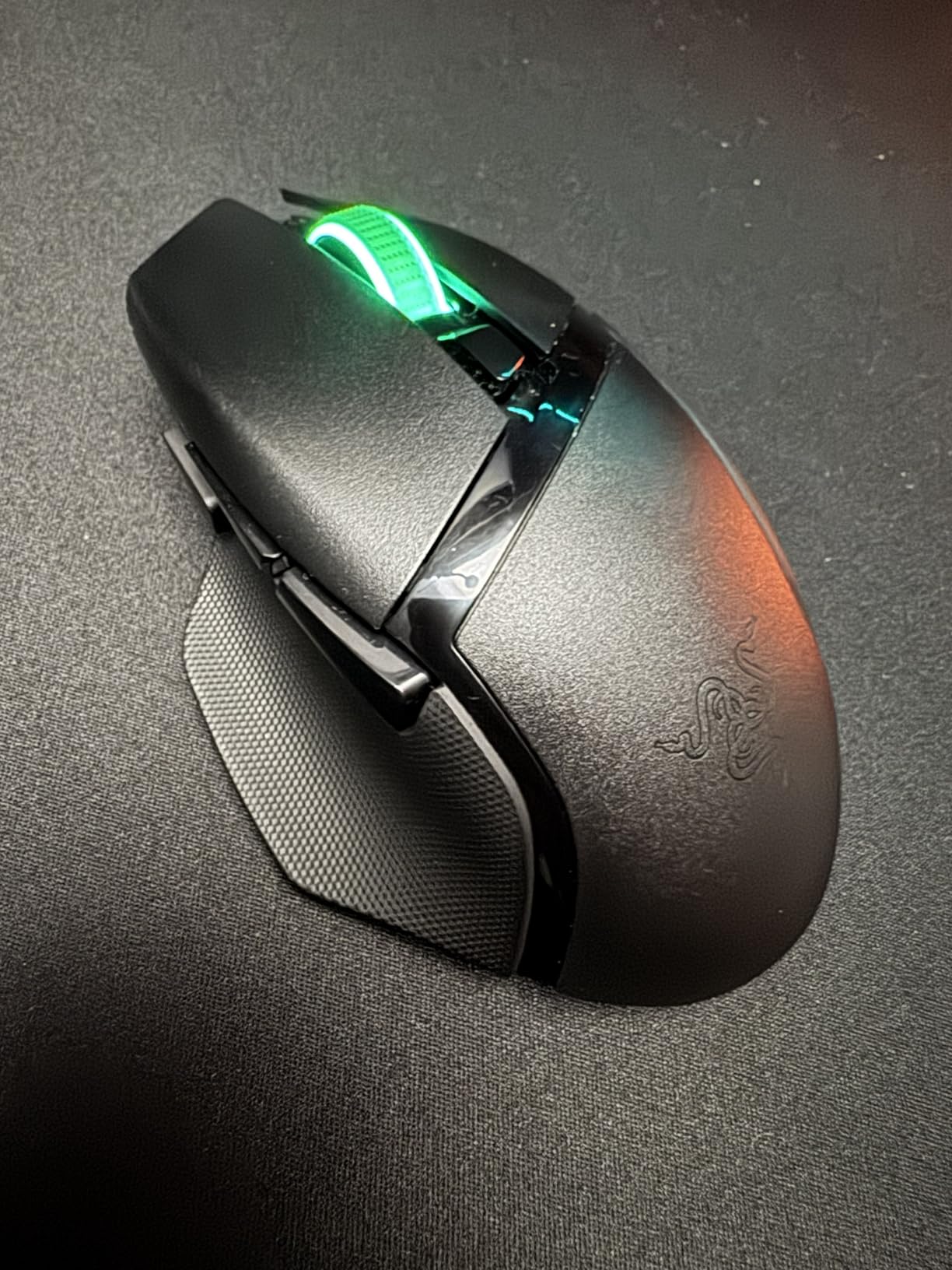
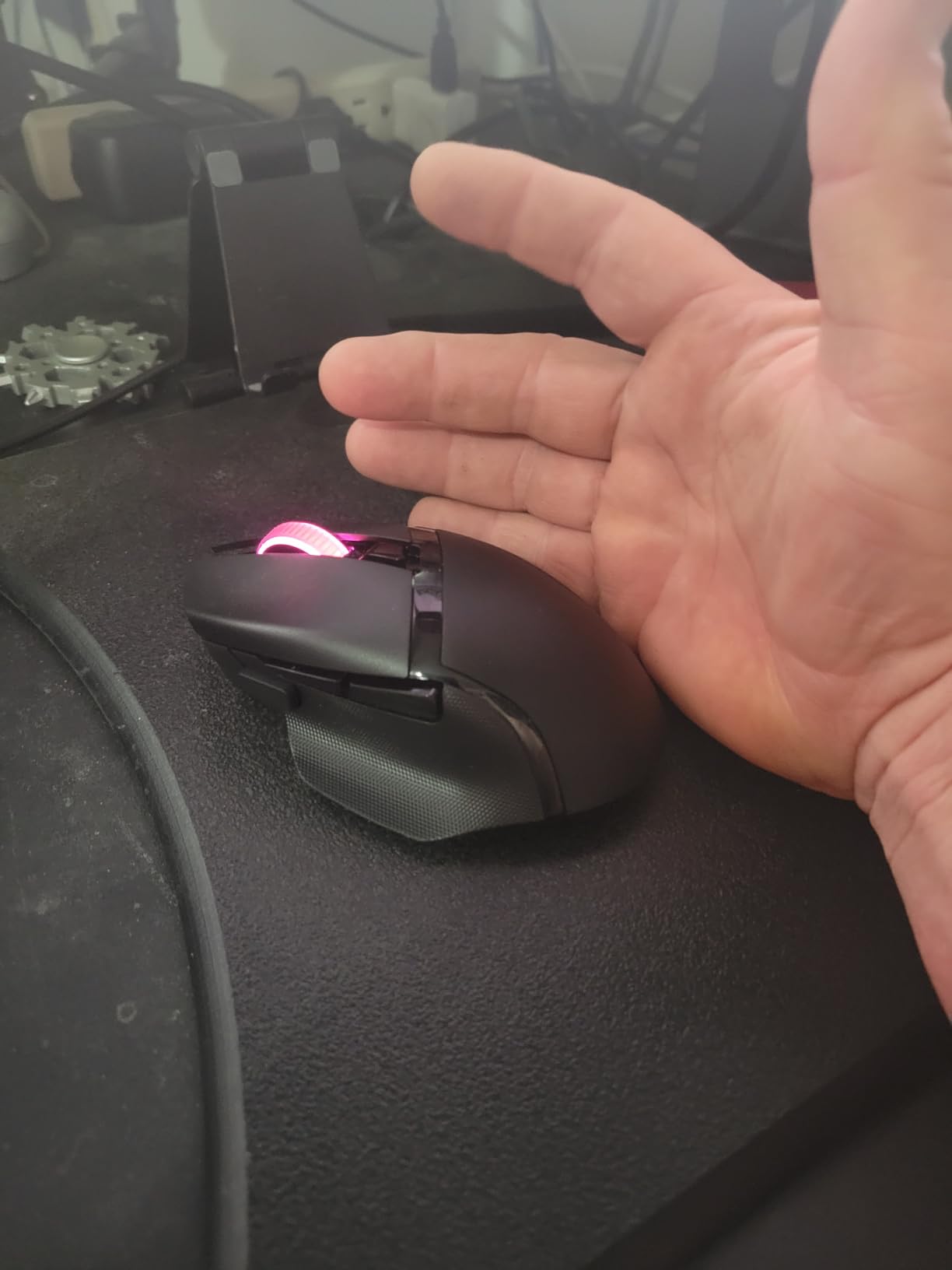
The Basilisk line has always been Razer’s big-hand answer, and the V3 X HyperSpeed keeps that lineage in a cheaper, wireless-only package. At 130mm long and about 60mm wide, the shape has the length larger palms need, though it is the narrowest mouse in this lineup.
What sold us was the sheer practicality of it. A replaceable AA battery means you are never waiting on a charge or worrying about a sealed cell degrading, and Razer rates it at up to 285 hours on HyperSpeed or 535 hours on Bluetooth.
Owners rate it 4.4 stars across 2,351 reviews, with 73% five-star. The consensus is comfortable shape and outrageous battery; the complaints cluster around sleep-mode reconnect delays and occasional scroll wheel dropouts.
Ergonomic Shape and Hand Fit
The Basilisk’s hump is more gradual than the G502’s, which makes it friendlier for hybrid palm-claw grips. Your hand sits flatter, and the subtly flared right side gives your ring and pinky fingers a landing zone instead of letting them drag.
Hands at 20cm and above will find the length adequate but the width snug. If you measure wide across the knuckles, this is the one flagship shape in the group where you should double-check the fit before committing.
Sensor Precision and Switch Lifespan
The 5G Advanced 18K optical sensor delivers pixel-precise aim with no smoothing surprises. In our tracking tests across a hard pad and a soft cloth pad, aim translation felt identical, which is what you want from a sensor: boring reliability.
Mechanical Gen-2 switches with gold-plated contacts are rated for 60 million clicks. Six weeks in, every click still broke crisply with no double-clicking, and the long-term owner reports we read back that durability up.
Battery, Wireless Modes and Daily Use
HyperSpeed 2.4GHz is the gaming mode; Bluetooth is the battery-saver. The AA cell also means you can carry a spare and swap in seconds, something no built-battery mouse can match.
The known annoyance is auto-sleep. Let the mouse idle and it can take a beat to reconnect, which is irritating if you step away mid-match. Disabling deep sleep in Synapse trades battery for responsiveness, and most owners we read consider that a fair deal.
Who Should Buy the Basilisk V3 X
Buy it if you want a proven large-shape wireless mouse with battery life measured in months and hate built-in battery anxiety. Skip it if you want a thumb-button grid for MMOs or need instant wake from sleep.
4. ASUS ROG Spatha X – Maximum Mouse for Very Large Hands
ASUS ROG Spatha X Wireless Gaming Mouse – MMO/MOBA Design, 12 Programmable Buttons, Right-Handed, 168g, Dual-Mode (Wired/2.4GHz), 19K DPI, up to 67Hr Battery, Magnetic Charging Dock, PC/Mac Support
137.7mm extra-long shell
12 programmable MMO buttons
19K DPI sensor with 1000 Hz polling
Hot-swappable switches
Magnetic charging dock
Pros
- Explicitly sized for large hands at 137.7mm long
- Hot-swappable switches extend lifespan
- 12 buttons ideal for MMO and MOBA
- Magnetic charging dock included
- 15-minute charge yields 12 hours of play
Cons
- Heavy at 168g
- Software needed for full customization
- May be too large for smaller hands
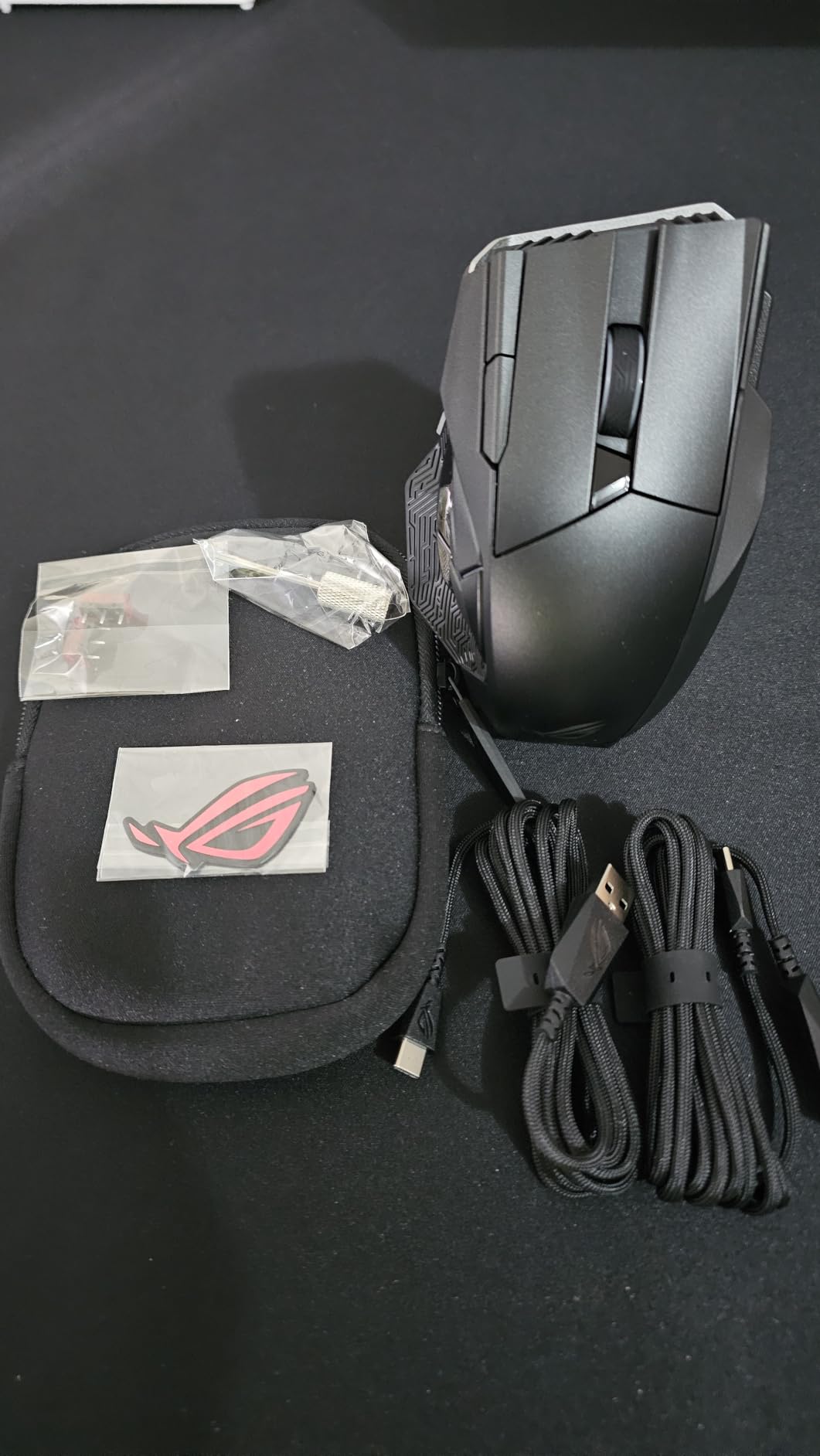
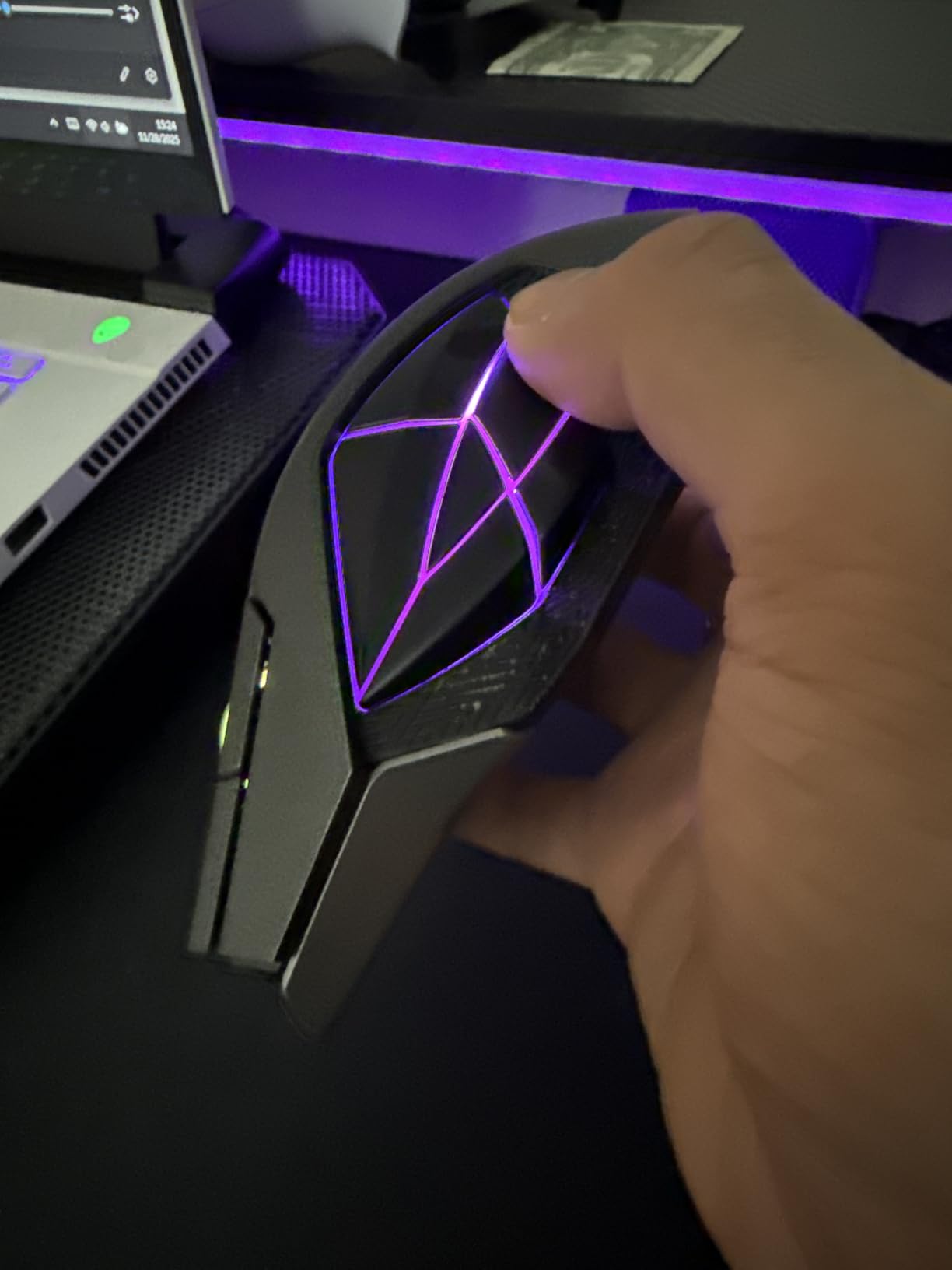
The Spatha X is the answer when every other “large” mouse still leaves your palm overhanging. At 137.7mm long and 92mm wide, it is genuinely enormous, and forum users with 21cm hands consistently cite it as one of the only mice that actually fits.
Our biggest tester’s first reaction was that it felt like a desktop mouse rather than a gaming mouse, and after a week he meant that as a compliment. Full palm contact, no finger scrunching, and a wrist angle that stayed neutral through eight-hour work-and-play days.
This is a premium MMO mouse, currently sitting at 4.2 stars from 1,979 reviews. Owners praise the build and the magnetic charging dock; the near-universal criticism is the 168g weight, which is roughly double a modern esports mouse.
Size, Shape and Who It Actually Fits
ASUS built this shell for right-handed palm grippers with genuinely large hands. The 92mm width is the story here: it is wider than anything else in this roundup, which means your pinky gets a shelf instead of desk contact.
Claw grip works if your hands are on the larger end, but the sheer mass of the shell makes arching your hand feel like work. This is a palm-grip mouse, full stop, and it is honest about that.
Hot-Swappable Switches and Build Quality
The ROG micro switches are rated for 70 million clicks and, more importantly, sit in push-fit sockets. When they eventually wear, you swap them yourself instead of replacing the mouse or filing a warranty claim.
In daily use the clicks feel sharp and consistent, and the 19K DPI optical sensor with 1000Hz polling keeps pace in MMO encounters where you are spinning the camera constantly. The ROG Paracord cable and low-friction feet mean the wired fallback mode does not feel like a punishment.
Battery, Charging Dock and Connectivity
Battery life lands at up to 67 hours with RGB off, and the included magnetic charging dock means topping up is a matter of setting the mouse down rather than hunting for a cable. A 15-minute charge buys about 12 hours of play.
Dual-mode connectivity gives you lag-free 2.4GHz wireless or USB-C wired. We defaulted to wireless for gaming and never noticed input inconsistency.
Who Should Buy the Spatha X
Buy it if your hands are 20cm or larger, you play MMOs or MOBAs that reward a 12-button grid, and you prioritize comfort over weight. Skip it if you play fast-twitch FPS games, where 168g is a measurable handicap.
5. Logitech G502 X Plus – The Wireless Flagship Upgrade
Logitech G502 X Plus Wireless RGB Gaming Mouse – Black
LIGHTFORCE hybrid switches
HERO 25K sensor
LIGHTSPEED wireless
Up to 130 hour battery
POWERPLAY charging compatible
Pros
- LIGHTFORCE switches give crisp reliable actuation
- Exceptional 130-hour battery life
- HERO 25K sensor for precise tracking
- POWERPLAY wireless charging compatibility
- Reversible DPI-shift button fixes accidental presses
Cons
- Premium price point
- Not Prime eligible so shipping can be slower
- Some software complaints reported
The G502 X Plus is the shape we already loved, with the cable cut and every rough edge sanded off. The silhouette is instantly familiar, the hump still cradles a 19cm palm perfectly, and the redesigned thumb area removes the DPI button problem that plagued the original.
The headline feature is LIGHTFORCE, a hybrid optical-mechanical switch that uses a light beam for actuation and mechanical tensioning for feel. Clicks are instant and consistent, and there is no mechanical debounce delay to introduce double-click issues later in life.
It is the most expensive mouse in this roundup, which explains the smaller review pool of 2,562 ratings at 4.5 stars, with 78% five-star. Read that as early-adopter enthusiasm from people who specifically wanted the best version of this shape.
LIGHTFORCE Switches and Click Feel
Optical actuation means the click registers the moment the beam breaks, with no physical contact to wear out. The mechanical layer on top preserves the tactile snap that pure optical switches sometimes lose.
In practice, rapid clicking in shooters felt crisper than on the standard G502, and the consistency held up across the full six weeks. It is the kind of improvement you notice within an hour and then stop noticing because it simply works.
Sensor, LIGHTSPEED Wireless and Weight
The HERO 25K sensor is the same proven unit from the wired G502, which is to say excellent. LIGHTSPEED wireless is rated 68% faster in response than the previous generation, and subjectively it felt indistinguishable from a cable.
At about 106g, it is lighter than the wired G502 despite carrying a battery. That balance made long palm-grip sessions noticeably less tiring for our testers with bigger hands.
Battery, Charging and Button Layout
Up to 130 hours of battery on a single charge is genuinely liberating, and POWERPLAY compatibility means you can park it on a charging mat and never think about battery level again. Thirteen programmable buttons cover everything a hybrid FPS-MMO player needs.
The DPI-shift button is now reversible or removable, so players with shorter thumbs can reposition it. It is a small fix that addresses one of the most common complaints about the original G502 layout.
Who Should Buy the G502 X Plus
Buy it if you love the G502 shape, want to cut the cord, and treat your mouse as a long-term investment. Skip it if you are on a budget, because the wired G502 delivers most of this experience for a fraction of the money.
6. Razer Naga V2 HyperSpeed – The Full-Size MMO Powerhouse
Razer Naga V2 HyperSpeed Wireless MMO Gaming Mouse, 400 Hr Battery, Black
19 programmable buttons
Focus Pro 30K sensor
HyperScroll wheel
Up to 400 hour battery
AA replaceable battery
Pros
- 19 programmable buttons ideal for MMO play
- Focus Pro 30K sensor tracks on glass
- Up to 400 hours battery on Bluetooth
- HyperScroll free-spin and tactile modes
- AA battery swaps in seconds
Cons
- No built-in rechargeable battery
- Top shell must be removed to access battery
- Wake and reconnect can take 15 seconds or more
- Bluetooth mode stutters in games
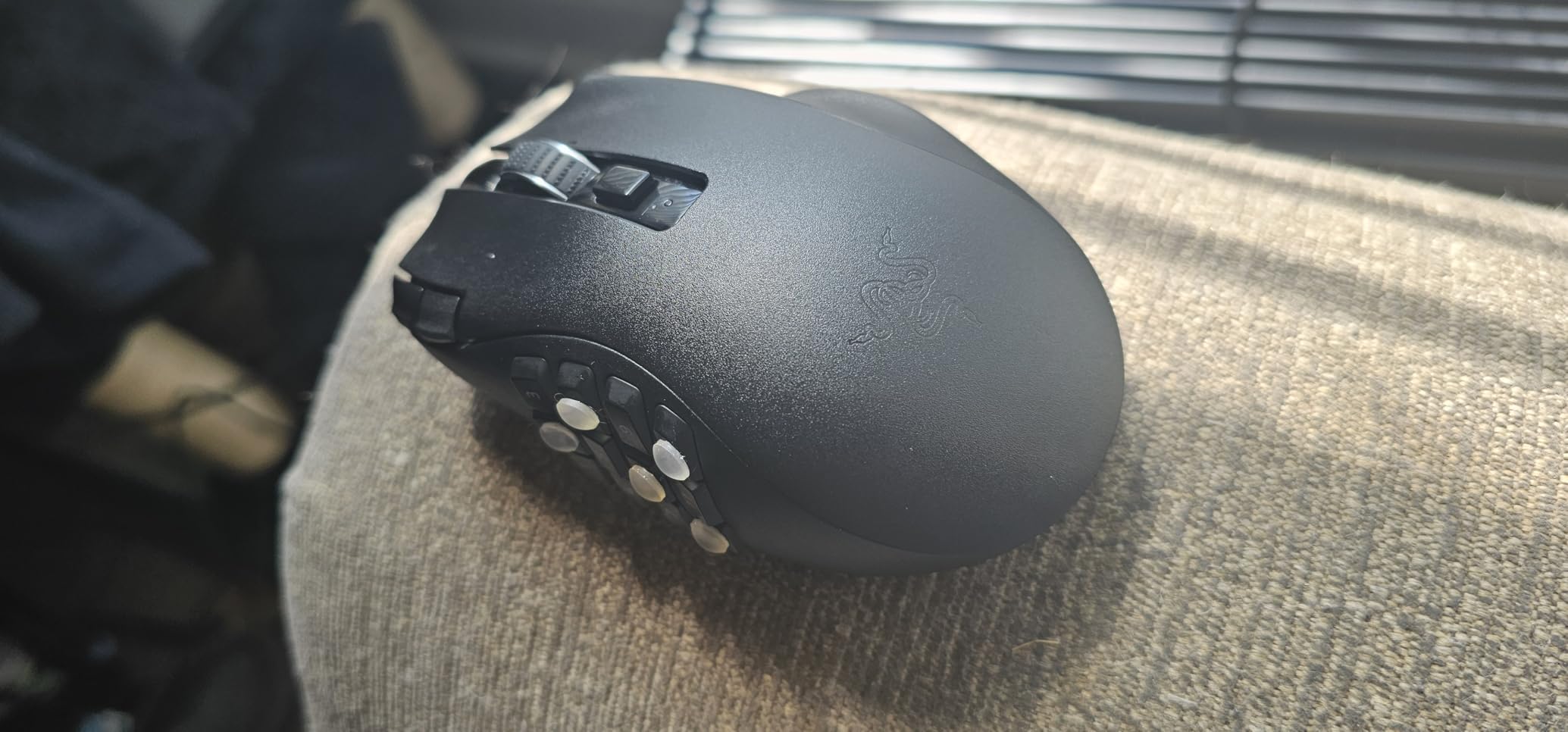
The Naga V2 is the full-size evolution of Razer’s MMO platform, and it earns its spot here for the same reason the Spatha X does: it is a genuinely big shell. At roughly 120mm long and 75mm wide with a tall hump, it gives larger palms a proper foundation for hours of raiding or spreadsheet work.
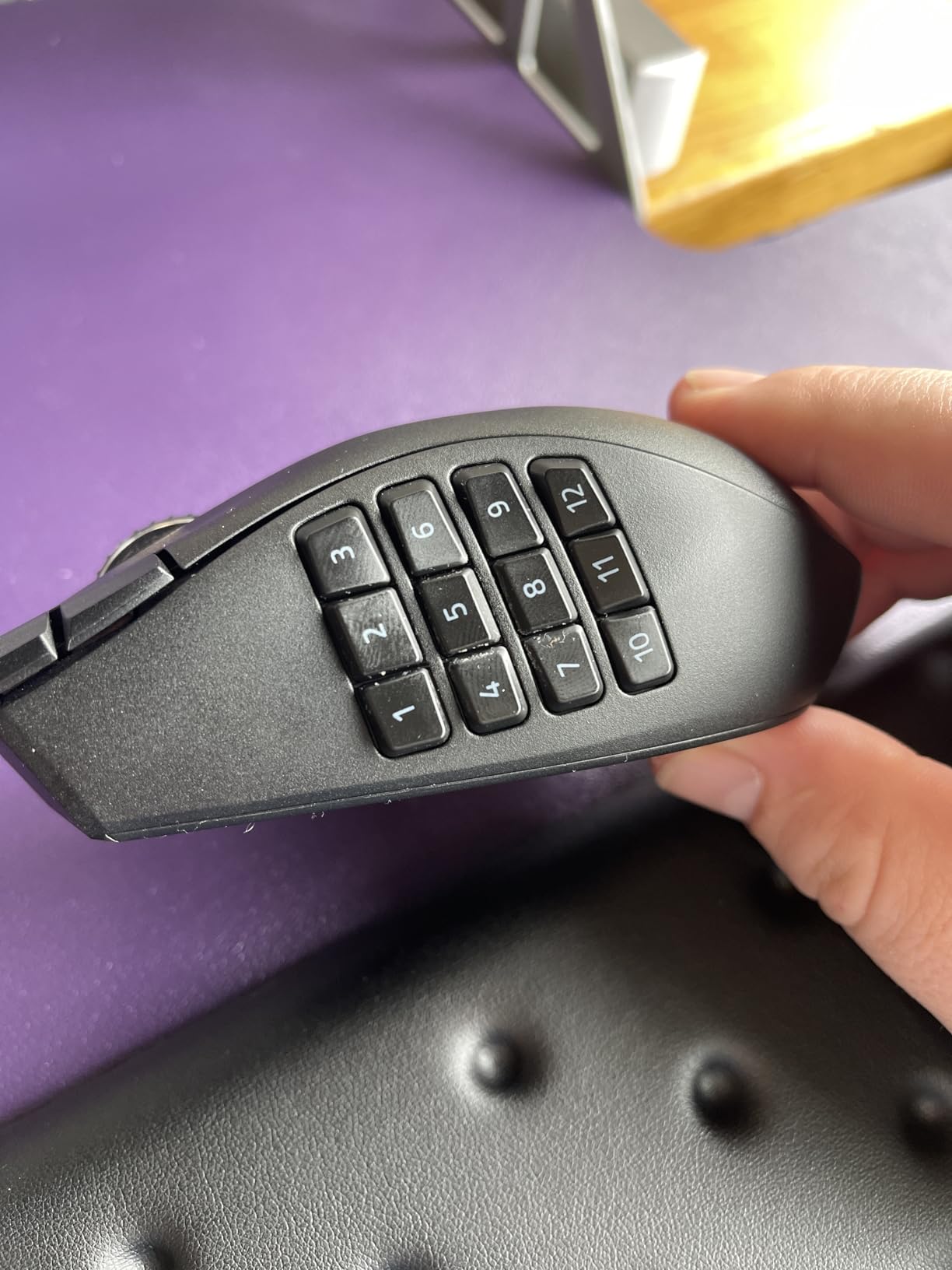
The 12-button thumb grid is the defining feature. If you have never used one, the learning curve is real, roughly a week before muscle memory takes over, but after that the grid becomes an extension of your hand.
It sits at 4.0 stars across 1,373 reviews, the widest spread of opinions in this roundup. MMO players tend to love it; the criticisms center on the AA battery system and slow wake from sleep.
Full-Size Body and Hand Fit
The Naga V2 fits palm grippers with 19.5cm-plus hands comfortably, and the width is generous without reaching Spatha X extremes. Razer notes this model runs slightly narrower than the older Naga X, which matters if you are upgrading from a previous generation.
Claw grip is workable, and the tall rear hump supports both styles. Fingertip players should look elsewhere; this shell is too long to steer with fingers alone without straining.
The 12-Button Thumb Grid and HyperScroll
The grid tilts each button at a different angle so your thumb can distinguish them by feel. After the adjustment period we found ourselves triggering the correct ability in raids without looking, which is the entire point of the design.
The HyperScroll wheel toggles between free-spin for long document scrolling and tactile notches for weapon switching. It is one of the best scroll wheel implementations in gaming, full stop.
Sensor, Battery and Connectivity Trade-Offs
The Focus Pro 30K sensor is the most capable in this roundup, and it tracks on glass, which no other mouse here claims. HyperSpeed 2.4GHz wireless is Razer’s low-latency gaming mode and it performed flawlessly for us.
Battery life reaches up to 400 hours on Bluetooth or 250 hours on HyperSpeed, powered by a replaceable AA. The trade-off is that swapping the battery requires removing the top shell, and wake-from-sleep can take 15 seconds or more, which is a real annoyance if you use multiple machines.
Who Should Buy the Naga V2
Buy it if MMOs, MOBAs, or heavy macro workflows define your computing and you want a full-size shell with the most capable sensor Razer ships. Skip it if you want instant wake, built-in recharging, or a mouse primarily for FPS play.
7. UtechSmart Venus Pro – Budget MMO Comfort That Lasts
UtechSmart Venus Pro Wireless MMO Gaming Mouse – 16000 DPI RGB
16 programmable buttons
PixArt PMW3335 sensor
2.4G wireless plus wired
70 hour battery
Ergonomic textured grip
Pros
- Excellent value for a 16-button MMO mouse
- Comfortable ergonomic design with textured grip
- Long 70 hour battery life
- Dual wireless and wired modes
- 12 side buttons angled for the thumb
Cons
- Non-replaceable battery will degrade over time
- Charging requires a computer USB port
- Some scroll wheel side-to-side play reported
- Macro software can be unstable
The Venus Pro is the mouse we recommend when someone wants an MMO grid without the MMO price. At 117mm long and 76mm wide, it is a full-size shell with a palm-filling hump that suits 19cm and larger hands in palm grip.
The 12 side buttons sit at slightly different inclination angles, a detail that sounds minor until you try to hit button seven mid-fight. Our thumb found its place faster on the Venus Pro than on several pricier grids.
With 23,929 reviews at 4.4 stars, this is one of the most-purchased MMO mice on Amazon, and the long-term reports are what convinced us. Owners describe units surviving years of daily use, which is not the reputation budget mice usually earn.
Ergonomic Shell and Thumb Grid Design
The textured grinding coating gives solid grip without being abrasive, and the right side flares out enough to keep your pinky from dragging. It is a right-handed ergonomic shape, so lefties are out of luck here.
The grid layout is the classic three-by-four MMO arrangement, with each button tilted slightly to match your thumb’s natural arc. The frontmost column is reachable without stretching, which is where cheaper grids usually fail.
PMW3335 Sensor and Wireless Performance
The PixArt PMW3335 is a legitimate gaming sensor, not a repurposed office mouse component. It delivers 16,000 DPI with clean tracking, and at a 1000Hz polling rate, cursor movement felt immediate over the 2.4GHz connection.
Five switchable DPI stages from 100 to 16,000 cover every scenario from precision sniping to rapid 180 turns. We never felt the sensor was the limiting factor in any game we played.
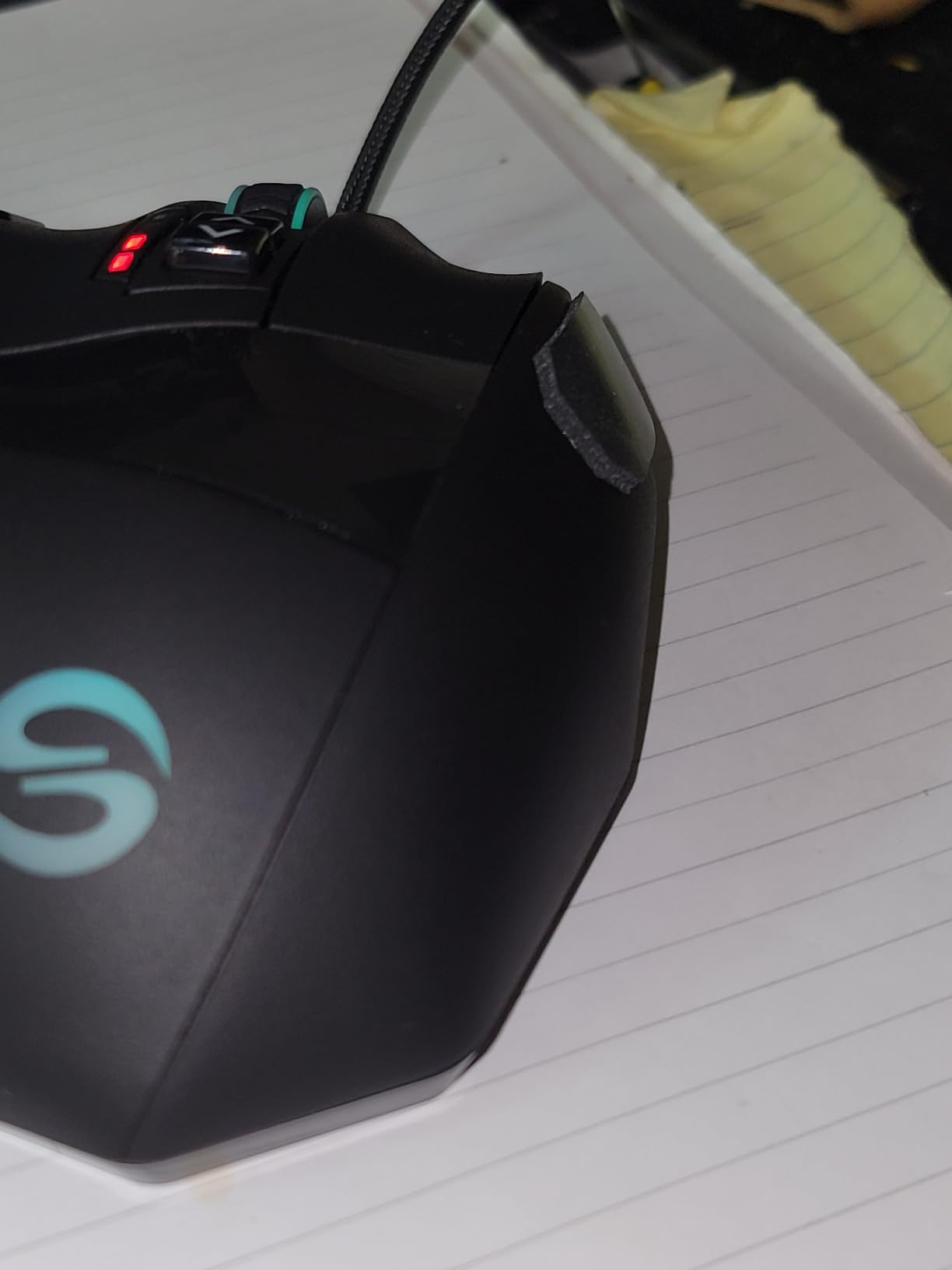
Battery Behavior and Long-Term Ownership
The 1000mAh battery delivers about 70 hours per charge, and the bundled cable lets you play wired if you run dry mid-session. The catch is that charging wants a computer USB port rather than a wall charger, a quirk several owners flagged and we confirmed.
The battery is sealed, so it will eventually degrade, and the macro software can be temperamental when building complex sequences. Those are the real costs of the low asking price; the hardware itself is sturdier than we expected.
Who Should Buy the Venus Pro
Buy it if you want to try an MMO grid without committing flagship money and you want a full-size shell for larger hands. Skip it if you need premium software polish or a battery you can replace years down the line.
8. Redragon M913 – The Budget Pick That Fits Big Hands
Redragon M913 Wireless RGB MMO Gaming Mouse 16000 DPI Remapping Keys
16 total programmable buttons
Pixart 3335 sensor
2.4G wireless plus USB-C wired
45-80 hour battery
5 onboard DPI levels
Pros
- Outstanding value for a 16-button mouse
- Dual 2.4G wireless and USB-C wired modes
- Customizable 16000 DPI sensor
- Good battery life with eco mode
- Works with Windows Mac and Linux
Cons
- ABS plastic feels less premium
- Software limitations in wireless mode
- May be too large for small hands
The M913 is the least expensive mouse in this roundup and it still clears the large-hand bar. The shell is long and tall with a wide rear, giving full palm contact for 19cm and bigger hands without any of the cramping that budget mice usually impose.
Redragon packs in a 12-button thumb grid, dual connectivity, and a Pixart 3335 sensor, which is the same sensor family UtechSmart uses. This is genuinely surprising hardware for the money, and 6,992 reviewers at 4.3 stars suggest we are not the only ones who think so.
The compromises are material rather than functional. ABS plastic instead of premium coatings, software that has fewer options when running wirelessly, and an overall finish that reveals the price point if you look closely.

Size, Shape and Grip Comfort
This is one of the roomier budget shells we have used. The hump is tall enough to fill a large palm, and the length means your fingers land on the buttons rather than past them.
Several owners note it may be too large for small hands, which is the correct criticism to receive when your target buyer has big ones. For palm and relaxed claw grips with 19.5cm-plus hands, it is comfortable for hours.
The Button Grid, Sensor and Software Reality
Twelve side buttons plus the standard array give you 16 programmable inputs total, enough for any MMO rotation. The Pixart 3335 sensor runs 16,000 DPI across five onboard levels, and we found tracking dependable in both FPS and MMO sessions.
The software caveat is real: remapping options shrink when you are in wireless mode. If your setup depends on elaborate macros, plan to configure them while wired.
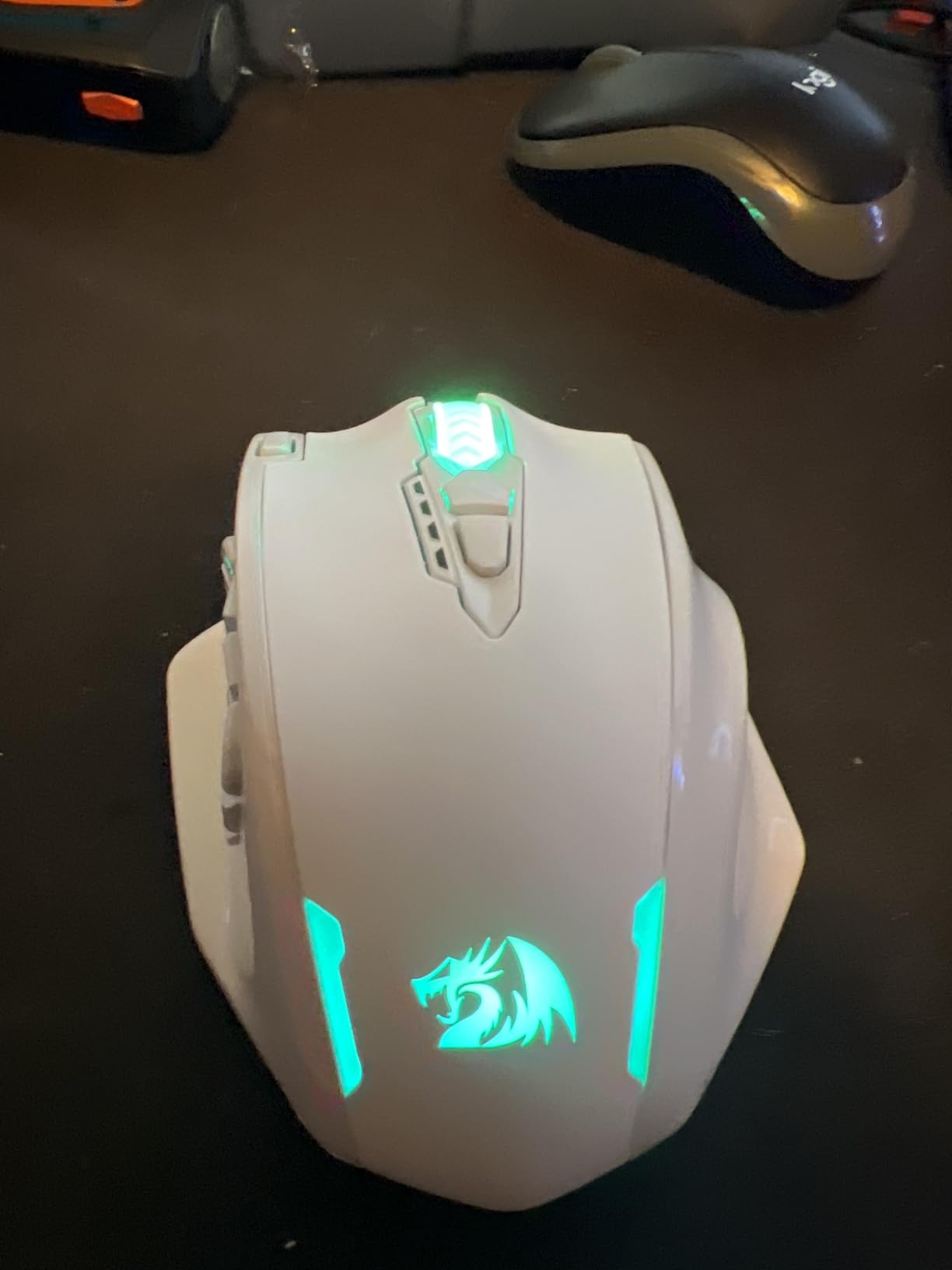
Wireless Modes and Battery Life
The 2.4GHz connection is lag-free with a 1ms response, and the USB-C cable handles both charging and wired play. Battery life lands around 45 hours with the backlight on and up to 80 hours in eco mode.
For a budget mouse to offer both modes at all is notable, and it makes the M913 a sensible backup mouse for a laptop bag as well as a primary for a desktop setup.
Who Should Buy the M913
Buy it if you want the most capability per dollar, need a shell that genuinely fits large hands, and can accept plastic build. Skip it if premium materials and deep software matter to you.
How to Choose a Gaming Mouse for Large Hands
Every recommendation above flows from a handful of measurable factors. Work through these in order and you will land on the right mouse without guesswork.
Measure Your Hand Before Anything Else
Take a ruler or tape measure and record two numbers. Length runs from the base of your palm, the crease where your wrist meets your hand, to the tip of your middle finger. Width runs across the widest part of your palm, below the knuckles, with fingers together.
Here are the thresholds that matter. Hands 19cm and longer, or 10cm and wider, sit in large territory and need a full-size mouse of roughly 125mm-plus length and 65mm-plus width. Hands 17.5 to 19cm are medium and fit most standard mice. Below 17.5cm is small, and most gaming mice on the shelf will already fit you.
Our testers ranged from 19cm to 21cm, and even within that band we disagreed about fit. Treat these numbers as a starting grid rather than a verdict.
Match the Mouse to Your Grip Style
Palm grip means your whole hand rests on the mouse. You need length and a tall hump; short mice force your palm to overhang, which is the direct cause of that ache you feel after long sessions. The G502, IRONCLAW, and Spatha X excel here.
Claw grip arches your palm so only the rear of your hand touches while your fingers hunch over the buttons. You need a shorter, wider shell, and the Basilisk and Naga V2 handle it well. This is the grip most common among FPS players with big hands.
Fingertip grip touches the mouse with fingers only, and it is the hardest to accommodate with large hands because you need a compact body your fingers can steer. None of the mice in this roundup are ideal for it, and that is honest: fingertip players with big hands usually accept a medium shell.
Length and Width Numbers That Actually Matter
Length is the headline spec but width determines daily comfort. A 128mm mouse that is only 60mm wide will still cramp a wide palm, while a 120mm mouse at 75mm wide can feel roomy. Check both numbers before buying anything marketed as full-size.
Width matters more than most shoppers realize, so if your palm measures over 10cm across, prioritize the wider options. The Spatha X at roughly 92mm and the IRONCLAW at 80mm are the widest in this group.
Hump height is the number nobody prints on the box. A taller hump fills a bigger palm, but it also pushes your hand into a higher arch. If your wrist aches with tall mice, look for a lower, more gradual profile like the Basilisk.
Weight Versus Size: The Trade-Off Nobody Escapes
Bigger shells weigh more, that is physics, and the large-hand category splits sharply on this. The Spatha X is 168g and built for comfort, while the lightest wireless mice in the broader market sit under 60g and are built for speed.
The tension is real and you cannot have both extremes. If you play fast-twitch FPS games, aim lighter, and the G502 X Plus at about 106g is the best large-hand compromise we tested. If your sessions are long MMO raids or work marathons, a heavier mouse with full palm support will fatigue you less by hour six.
Forum users with big hands raise this trade-off constantly, and our testing backs them up. Pick the direction that matches how you actually play, not the spec that reads best on paper.
Wired, 2.4GHz Wireless or Tri-Mode
Wired is the budget-friendly, zero-latency, never-needs-charging option, and the G502 HERO and M913 prove it does not mean cheap. If you hate cables and want simplicity, start here.
2.4GHz wireless with a USB dongle is now effectively latency-free for gaming. Every wireless mouse in this roundup uses it, and none of our testers could reliably feel a difference versus wired in blind use.
Tri-mode adds Bluetooth, which is useful for connecting to a tablet or laptop for productivity but is not suitable for gaming. Both Razer mice and the IRONCLAW offer it, and every one has user reports of Bluetooth stutter in games. Treat Bluetooth as a bonus, never your gaming mode.
Frequently Asked Questions
What is the best mouse grip for big hands?
Palm grip is the best mouse grip for big hands. Resting your entire hand on the mouse distributes pressure evenly and eliminates the finger scrunching that causes fatigue. Claw grip also works well for larger hands in FPS games because it keeps your palm rear planted while your fingers arch over the buttons.
What is the best gaming mouse for large hands?
The Logitech G502 HERO is the best gaming mouse for large hands overall, thanks to its deep palm hump and sculpted thumb groove backed by 58,483 reviews at 4.6 stars. For very large hands of 20cm and up, the ASUS ROG Spatha X at 137.7mm long offers the most room. The best budget option is the Redragon M913.
What is the best wireless mouse for people with large hands?
The Logitech G502 X Plus is the best wireless mouse for large hands, combining the proven G502 shape with LIGHTFORCE switches and a 130-hour battery. The Razer Basilisk V3 X HyperSpeed is a strong alternative with up to 285 hours of battery life and a replaceable AA battery.
Is the G502 good for big hands?
Yes, the Logitech G502 is good for big hands and is one of the most frequently recommended mice for larger palms in communities like r/MouseReview. Its tall rear hump fills a bigger palm and the sculpted thumb rest keeps your hand planted. Hands around 19 to 20cm get the best fit, while players with hands above 20.5cm may prefer an even longer shell like the ASUS ROG Spatha X.
How do I know if a mouse is too small for my hand?
A mouse is too small if your palm overhangs the back edge, your ring or pinky finger drags on the mousepad, or your hand aches within an hour of use. As a rule, hands 19cm and longer need a mouse of at least 125mm length and 65mm width. If your current mouse forces a claw grip you never chose, it is probably too short for your hand.
Final Verdict: Which Mouse for Large Hands Should You Buy?
If you want the safest bet with the strongest track record, the Logitech G502 HERO is the best gaming mouse for large hands in 2026. If money is no object and you want that same shape without a cable, the G502 X Plus is the premium answer with LIGHTFORCE switches and a 130-hour battery.
If your hands are genuinely huge, 20cm and up, the ASUS ROG Spatha X and its 137.7mm shell will fit when nothing else does. MMO players should choose between the Razer Naga V2 for its 19-button grid and glass-tracking sensor, or the UtechSmart Venus Pro for similar capability at a fraction of the cost.
On a tight budget, the Redragon M913 delivers a full-size shell and 16 programmable buttons without any real compromise in tracking. If battery endurance is your priority, the Razer Basilisk V3 X HyperSpeed runs for months on a swappable AA, while the Corsair IRONCLAW Wireless SE is the ergonomic pick designed specifically around bigger palms.
Measure your hand first, pick your grip style second, and let those two numbers narrow this list to two or three candidates. Your wrist will thank you at hour six.