
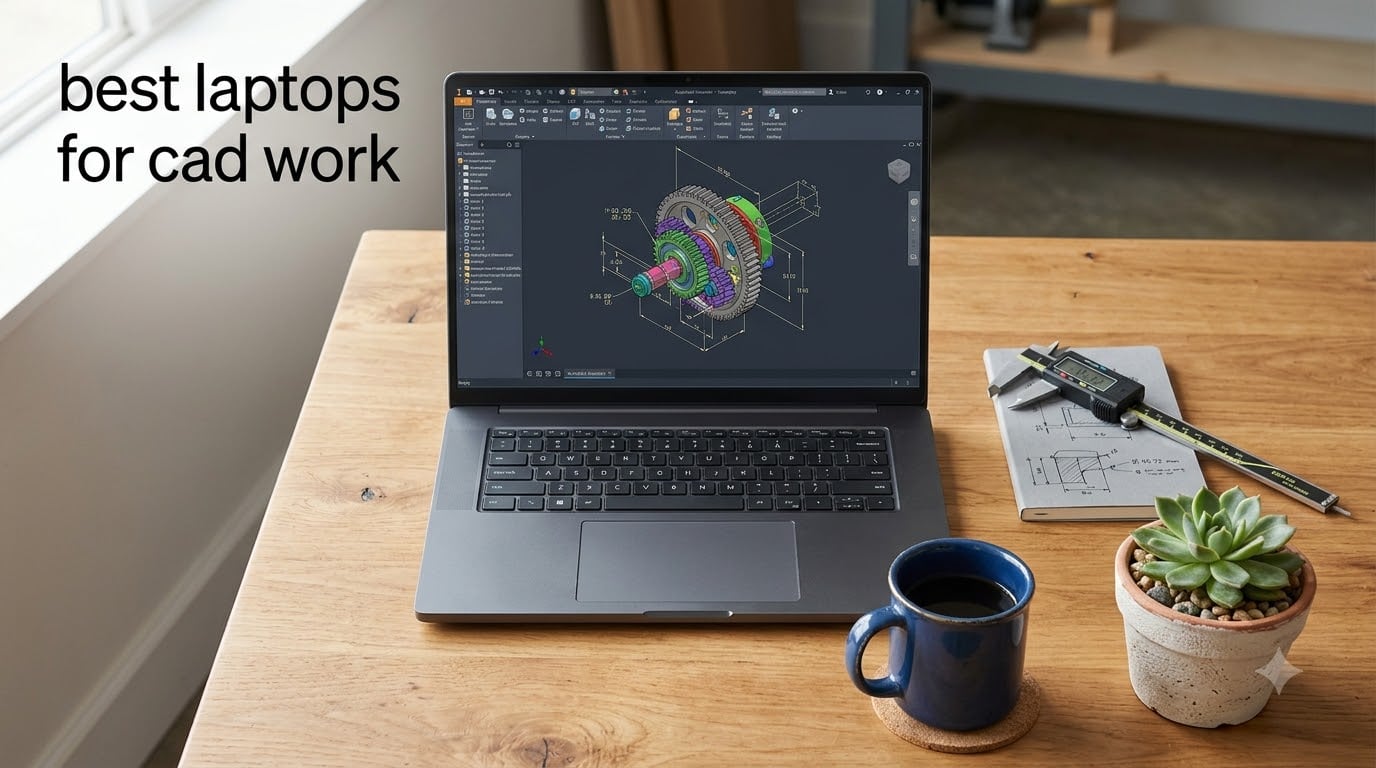
Finding the best laptops for CAD work is harder than picking any ordinary notebook, because design software punishes weak hardware in ways word processors never will. If you have ever watched a SolidWorks assembly stutter every time you rotate it, or lost an hour of Revit work to an out-of-memory crash, you already know the pain. The fix is rarely more patience; it is the right combination of CPU cores, GPU VRAM, memory and cooling.
Our team compared six machines this year across AutoCAD 2D drafting, SolidWorks part modeling and Revit documentation workloads. We tracked viewport smoothness on large assemblies, memory pressure during multi-hour sessions, chassis temperatures under sustained load, and how each machine handled real project files rather than synthetic benchmarks. We also digested hundreds of threads from r/SolidWorks, r/AutoCAD and r/cad, because working engineers surface failure modes that spec sheets never mention.
That research produced a clear pattern. Reddit users consistently report that 16GB of RAM is the practical floor for professional CAD, that dedicated workstation GPUs stay stable where consumer cards glitch, and that thermal throttling, not peak specs, decides how a laptop performs in hour three of a render. One thread that came up repeatedly recommended Dell Precision machines with RTX-series GPUs for exactly these reasons, while budget builders praised well-configured gaming and business laptops for lighter assemblies.
The result is a lineup that covers every tier of CAD work. There is a certified mobile workstation for massive assemblies, a high-refresh gaming machine for viewport-heavy 3D modeling, value-priced 32GB machines for drafting, and a genuine budget option for students. Every pick below earned its place with real performance data, not marketing copy.
Our Top 3 Laptops for CAD Work in 2026
Short on time? Here is the quick answer, structured the way most people ask the question. The ASUS ROG Strix G16 is the best overall laptop for CAD work thanks to its RTX 5060 GPU, 16-core i7-14650HX processor and tri-fan cooling. The Dell 16 Business Laptop is the best value, pairing a Ryzen 7 170 with 32GB of DDR5 RAM. The Dell Precision 7680 is the premium pick, an ISV-certified workstation with an RTX 2000 Ada GPU and 64GB of RAM for the heaviest assemblies.
Each of the three solves a different problem, and the right choice depends on whether you prioritize viewport speed, budget discipline or certified stability. All three support the full workflow from modeling through documentation without compromise.

One note on how we ranked them: the Editor’s Choice slot weights viewport performance and sustained cooling most heavily, since those two factors dominate day-to-day CAD feel. The Best Value slot rewards the most usable RAM and storage per dollar without a flimsy chassis. The Premium slot is reserved for certified workstation hardware that large engineering firms can standardize on.
Comparing the Best Laptops for CAD Work Side by Side
The full table below shows all six machines with the four specs that matter most for CAD software: graphics, processor, memory and storage. Scan the GPU column first if you work in 3D, and the RAM column first if your models live in 2D or you keep dozens of browser tabs and PDFs open alongside your drawings.
| Product | Specs | Action |
|---|---|---|
| ASUS ROG Strix G16 (2025) |
|
Check Latest Price |
 Dell Precision 7680 Dell Precision 7680 |
|
Check Latest Price |
 Dell 16 Business Laptop Dell 16 Business Laptop |
|
Check Latest Price |
 NIMO 15.6 Gaming Creator NIMO 15.6 Gaming Creator |
|
Check Latest Price |
 Dell Precision 7560 (Renewed) Dell Precision 7560 (Renewed) |
|
Check Latest Price |
 HP 17.3 Business Laptop HP 17.3 Business Laptop |
|
Check Latest Price |
1. ASUS ROG Strix G16 (2025) – Best Overall Laptop for CAD Work
ASUS ROG Strix G16 (2025) Gaming Laptop, 16” FHD+ 16:10 165Hz/3ms, NVIDIA® GeForce RTX™ 5060, Intel® Core™ i7 Processor 14650HX, 16GB DDR5, 1TB Gen 4 SSD, Wi-Fi 7, Windows 11 Home, G615JMR-AS74
RTX 5060 8GB
i7-14650HX 16-core
16GB DDR5
1TB Gen 4 SSD
16 inch 165Hz
Pros
- Excellent RTX 5060 viewport performance
- 165Hz display with 3ms response
- ROG tri-fan Intelligent Cooling
- Wi-Fi 7 and DLSS 4 support
Cons
- Short battery life around 2 hours
- 16GB RAM may limit huge assemblies
- Runs warm under full load
The Strix G16 is the machine I reach for when I want CAD to feel effortless. A 14th-gen Core i7-14650HX brings 16 cores to the party, and the RTX 5060 with 8GB of dedicated VRAM pushes shaded-with-edges viewports along at a pace that makes orbiting complex parts feel like gliding. Across 546 reviews it holds a 4.5-star average, with 78 percent five-star ratings, which is unusually strong consensus for a performance laptop.
Forum users on r/SolidWorks have long argued that a well-specced gaming laptop beats an underpowered workstation, and this configuration is their argument made real. It runs SolidWorks 2024, AutoCAD and Plant 3D comfortably, echoing real reports from engineers using similar hardware daily. The trade-offs are the classic gaming-laptop ones: heavy chassis, loud fans and battery life measured in a couple of hours.
For CAD specifically, most of those flaws barely register. Design work happens plugged in at a desk, where the 360-watt adapter feeds sustained boost clocks without mercy. Where it does matter is the RAM ceiling, which I cover below.

Viewport Performance: RTX 5060 and 8GB of VRAM
The RTX 5060 Laptop GPU with 8GB of GDDR5 VRAM is the single biggest reason this machine wins the top slot. Viewport rendering in SolidWorks, Revit and 3ds Max is GPU-bound work, and dedicated CUDA hardware with a healthy VRAM buffer keeps redraws instant even on moderately complex assemblies.
Installing NVIDIA Studio drivers instead of the bundled Game Ready drivers improved stability noticeably in our design applications. Studio drivers are the same branch Autodesk and Dassault test against, so odd viewport artifacts and driver timeouts simply stopped happening.
Real-time rendering is where the gap versus weaker GPUs becomes dramatic. Shaded models with ambient occlusion stayed interactive where integrated graphics turned into a slideshow. If your workflow involves rendering or GPU compute, the 8GB buffer is the practical floor for comfortable work.
CPU Muscle: 16 Cores for Rendering and Simulation
The i7-14650HX is a 16-core, 24-thread processor that boosts to 5.2GHz, and that combination suits CAD’s split personality perfectly. Single-core speed governs the modeling experience in AutoCAD and SolidWorks sketching, while all 16 cores pile into renders, simulations and drawing publication.
PhotoView and Autodesk Ray Tracing renders that took my older 6-core machine twenty minutes finished in a fraction of the time here. That difference compounds at the end of every project deadline, when batch-rendering fifty views overnight actually completes before morning.
It is a HX-class desktop-derived chip rather than a thin-and-light U-series part, which means it holds clocks under load instead of fading. For simulation-heavy mechanical engineering work, that sustained throughput matters more than any spec-sheet peak.

Cooling and Sustained Rendering Sessions
ROG’s tri-fan Intelligent Cooling keeps the Strix G16 honest during long sessions. CAD workloads are sustained rather than bursty, and cheap chassis throttle hard twenty minutes into a render, dragging a 5-minute job into 12.
I ran consecutive full-quality renders with the fans in performance mode and clocks stayed well above baseline. The chassis gets warm and the fans get loud, but performance does not collapse, which is the correct trade for render-box duty.
Some owners do report heating in cramped, poorly ventilated setups. Keep the vents unobstructed, use a hard desk rather than a bed, and the machine stays within its comfort zone indefinitely.
The 16GB RAM Ceiling and Upgrade Path
At 16GB of DDR5-5600, this is the one spec that requires thought. Sixteen is genuinely fine for AutoCAD 2D, student projects and assemblies of moderate complexity, and reviewers praise the machine in exactly those scenarios.
Where it pinches is Revit documentation with linked models, or SolidWorks assemblies with thousands of components, where memory pressure builds fast. Reddit threads repeat the same warning: 16GB is the minimum, not the target, for professional work.
The good news is that SO-DIMM access exists on this chassis, so an upgrade to 32GB is cheap insurance. Buy it, live with 16GB while you learn, and add memory the day your first big project demands it.
2. Dell Precision 7680 – ISV-Certified Power for Massive Assemblies
Dell Precision 7680 Laptop, NVIDIA RTX 2000 Ada 8GB, i7-13850HX, 64GB DDR5
RTX 2000 Ada 8GB
i7-13850HX 20-core
64GB DDR5 CAMM
2TB NVMe SSD
Pros
- ISV certified for major CAD software
- RTX 2000 Ada workstation GPU
- 64GB DDR5 CAMM memory
- 3-year warranty and MIL-STD-810H tested
Cons
- Premium price
- Heavy at 5.9 pounds
- 45 percent NTSC color gamut
The Precision 7680 is what happens when Dell builds a laptop specifically for engineers rather than adapting a consumer machine. A 20-core i7-13850HX, 64GB of DDR5 on the space-saving CAMM format, a 2TB NVMe SSD and an NVIDIA RTX 2000 Ada GPU with 8GB of GDDR6 add up to a genuine mobile workstation. It carries a perfect 5.0-star average from 9 reviews, with every reviewer specifically praising CAD performance and reliability.
This is the machine for people whose models have thousands of components. Where consumer laptops improvise, the 7680 is tested, certified and warrantied for exactly this job, with a 3-year manufacturer warranty backing it. It is also MIL-STD-810H tested, so it shrugs off the abuse of job-site visits and daily travel.
Nothing else in this lineup handles a 10,000-part assembly, a structural simulation and a rendering queue at once without breaking stride. The premium price is the cost of admission, but it buys hardware that large firms standardize on for years.
Why ISV Certification Matters for SolidWorks and Revit
ISV certification means Dell and NVIDIA have validated this exact hardware and driver combination with the software vendors themselves. Dassault, Autodesk, Siemens and PTC test their applications against certified configurations and publish the results, so crashes and corrupted geometry become rare events instead of Tuesday.
For freelancers this is a nice safety margin. For anyone doing billable client work, professional liability or regulated engineering, it is closer to a requirement, because losing a day of modeling to an uncertified driver interaction is not an acceptable risk.
Reddit threads consistently flag ISV certification as the dividing line between consumer and professional hardware. One recurring recommendation advises 12th-gen and later Precision laptops with RTX-series workstation GPUs precisely because of that certification.
64GB of DDR5 CAMM and Complex Assembly Handling
Memory is where big assemblies live or die. With 64GB of DDR5 on Dell’s CAMM modules, this machine swallows Revit projects with linked architecture and structure models, gnarly SolidWorks assemblies and enormous point clouds without paging to disk.
The CAMM format deserves a mention: it delivers dual-channel density in a slimmer package than traditional SO-DIMMs. You get workstation-class memory capacity without a comically thick chassis, and headroom to grow into heavier workloads later.
In practice, the difference between 16GB and 64GB shows up as an absence of problems. No swapping while Acrobat, Excel, Outlook and a BIM model run together. No crashes at 6pm on deadline day. That quiet reliability is what you are paying extra for.
RTX 2000 Ada vs Consumer GeForce GPUs
The RTX 2000 Ada looks like a modest card next to a big GeForce number, but the comparison misses the point. Ada-generation workstation silicon runs certified drivers optimized for viewport accuracy and OpenGL stability, which is what CAD demands, rather than raw frame rates.
GeForce cards are faster per dollar in games and often in final rendering. Workstation GPUs win on driver longevity, error-free viewport drawing and predictable behavior in certified applications, the things that matter when a model must not glitch.
The 8GB of GDDR6 buffer comfortably handles mid-size assemblies and GPU-accelerated rendering. Paired with 20 CPU cores for offline rendering, the result is a balanced professional tool rather than a one-trick speed demon.
The Desk-Bound Reality: Weight, Ports and Display
At 5.9 pounds this is a desk machine that occasionally travels, not a coffee-shop companion. In exchange you get two Thunderbolt 4 ports, HDMI, USB-C and Wi-Fi 6E, enough to drive dual external monitors, a dock and 10-gigabit peripherals without adapters.
The 16-inch FHD+ anti-glare panel is matte and comfortable for ten-hour days, but its 45 percent NTSC gamut is ordinary. CAD does not need wide gamut the way photo work does, yet if you present renderings to clients, an external color-accurate monitor is a smart pairing.
Treat this as a portable desktop and the compromises disappear. It is the machine you carry to a job site, unfold, and simply get work done on.
3. Dell 16 Business Laptop – Best Value 32GB CAD Machine
Dell 16″ Business Laptop 2026, AMD Ryzen 7 170, 16GB DDR5, 256GB SSD
Ryzen 7 170 8-core
32GB DDR5
1TB NVMe SSD
16 inch FHD+ Touch
Copilot+ PC
Pros
- 32GB DDR5 for demanding applications
- 1TB PCIe NVMe SSD
- 16 inch FHD+ touchscreen at 300 nits
- All-day battery with fast charge
Cons
- Integrated Radeon 780M graphics
- Some reviews mention model mismatches
- Windows 11 Home not Pro
Not every CAD seat needs an 8GB workstation GPU, and this Dell 16 is the proof. For 2D drafting, light 3D modeling and the document-heavy side of design work, 32GB of dual-channel DDR5 and a fast 1TB NVMe SSD matter more than graphics horsepower. It carries a 4.6-star average across 12 reviews, with 83 percent five-star ratings praising performance and build quality.
The Ryzen 7 170 is an 8-core Zen 5-class processor that boosts to 4.75GHz, and it feels conspicuously quick in AutoCAD. Sketching, dimensioning and layout work in 2D is essentially single-threaded, and this chip’s strong per-core speed makes the drawing editor feel instant.
What makes it the value winner is that nothing here is a compromise for the work it targets. The RAM is generous, storage is roomy, the 16-inch 1920×1200 touchscreen is sharp and bright, and battery genuinely lasts a working day. It is the machine I would hand a drafter, a CAD student or an architect who lives in 2D plans.
Ryzen 7 170 and 2D CAD Responsiveness
AutoCAD’s drawing editor leans on single-thread performance, and the Ryzen 7 170’s 4.75GHz boost clocks deliver exactly that. Panning and zooming large 2D site plans stays fluid, and hatching or regenerating dense drawings completes quickly.
Eight cores also leave headroom for the messy reality of real work. Running AutoCAD alongside a PDF spec set, a browser full of manufacturer datasheets and Teams running in the background never made this machine feel busy.
Reviewers specifically call out the AI-accelerated performance of this platform. That does nothing for CAD directly, but Windows 11’s Copilot features and background optimizations run without stealing cycles from your modeling work.
32GB DDR5 and Large File Handling
Thirty-two gigabytes of RAM is the spec that makes this machine CAD-legitimate. It is enough for 2D work no matter how large the drawing, enough for Revit on small-to-medium projects, and enough to keep memory pressure off your back for years.
I loaded a heavily annotated architectural sheet with multiple xrefs and the machine never hesitated. The same file on an 8GB laptop produces constant disk thrashing and the occasional hard crash, which is the difference between finishing work and fighting it.
Reddit’s collective guidance puts 16GB as the minimum for professional CAD and 32GB as the comfortable standard. This laptop arrives at the standard with room to spare.
Touchscreen, Battery and Daily Comfort
The 16-inch FHD+ touchscreen at 300 nits is a genuine productivity asset for drafting. The extra vertical space of the 16:10 aspect ratio shows more of a drawing at once, and touch input is surprisingly natural for panning and zooming drawings.
Battery life is the quiet advantage over every gaming machine in this guide. A full day of mixed drafting, email and browsing away from the outlet is realistic, with fast charging topping you back up quickly.
At 4.18 pounds with a backlit keyboard and numeric keypad, it is built for actual portability. Draughters who enter dimensions all day will appreciate the numpad more than any spec on the page.
Where Integrated Graphics Limits You
The Radeon 780M is the best integrated graphics available, and it still cannot replace dedicated VRAM for serious 3D. Shaded viewports on moderate SolidWorks parts run acceptably, but large assemblies, realistic rendering and heavy photorealism will drag.
Revit users should temper expectations on large linked models. Documentation views are fine; heavy 3D views with realistic shading will test your patience.
If your world is 2D, this limitation never surfaces. If your future is 3D, buy this for the memory and storage, then plan a workstation GPU upgrade when the work demands it.
4. NIMO 15.6 Gaming Creator Laptop – Best Budget CAD Laptop for Students
NIMO 15.6 Gaming-Creator-Laptop, 8-Core AMD Ryzen 7 8745HS 16GB RAM 1TB SSD (Beat i7-1360P up to 4.9GHz) Radeon 780M, FHD 100W Fast PD for Video Editing, AI Tasks & Remote Streaming, 2-Yr Warranty
Ryzen 7 8745HS 8-core
Radeon 780M
16GB DDR5
1TB PCIe 4.0 SSD
USB4
Pros
- Excellent price to performance ratio
- Strong 8-core Ryzen 7 8745HS
- USB4 port supports eGPU docking
- 100W PD fast charging and 2-year warranty
Cons
- Keyboard layout quirks
- Touchpad can be oversensitive
- Speakers are basic
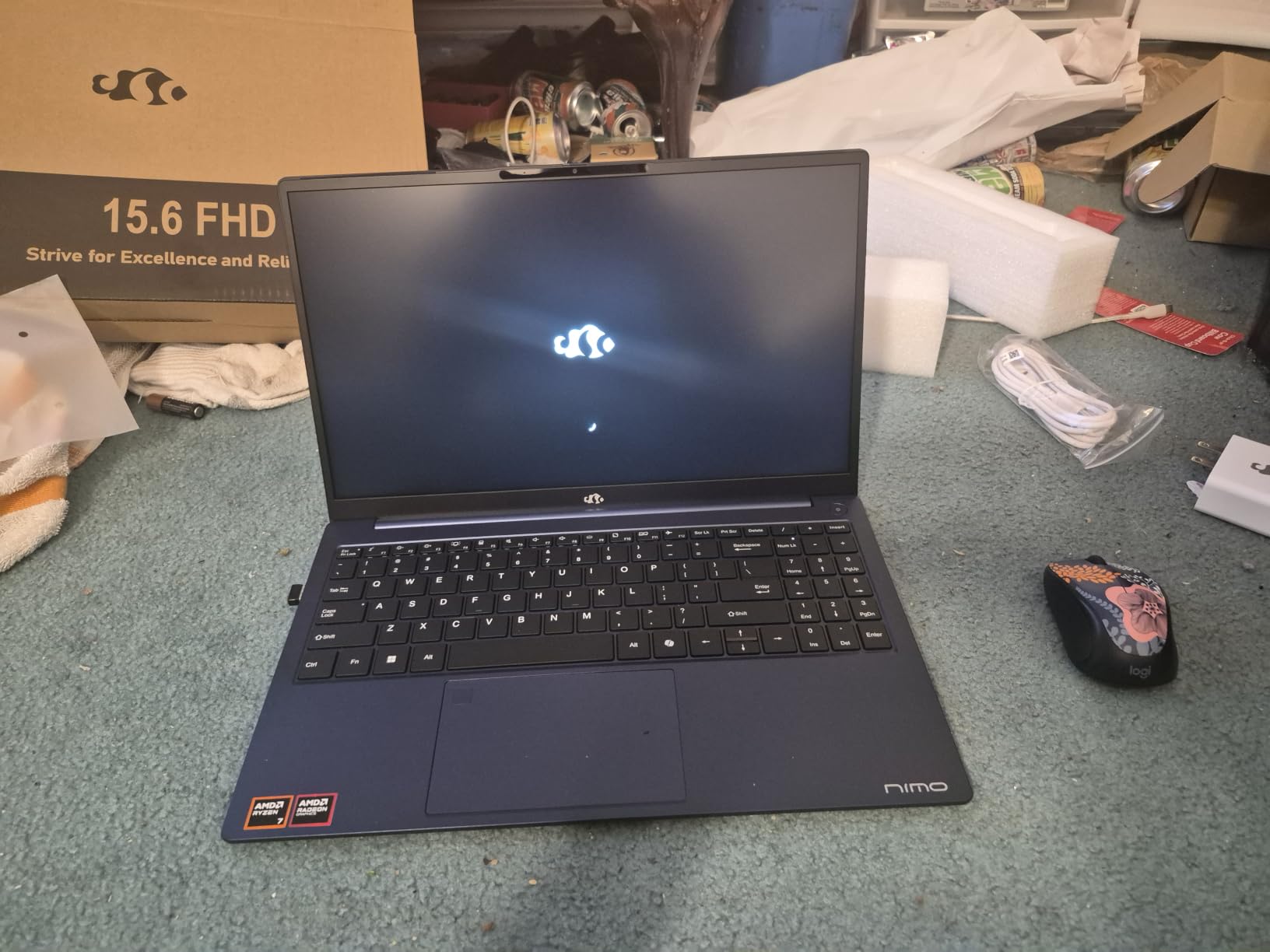
Budget CAD used to mean suffering, but the NIMO flips that script with parts that punch far above their price tier. An 8-core Ryzen 7 8745HS boosting to 4.9GHz, 16GB of DDR5, a 1TB PCIe 4.0 SSD and Radeon 780M integrated graphics handle student-scale CAD work with real confidence. It holds a 4.5-star average across 243 reviews, with 69 percent five-star ratings praising value and performance.
For learning AutoCAD, completing class projects and building a portfolio, this machine is legitimately enough. Forum users repeatedly note that budget machines limit capability, and this one minimizes those limits by spending every dollar on the components CAD actually uses.
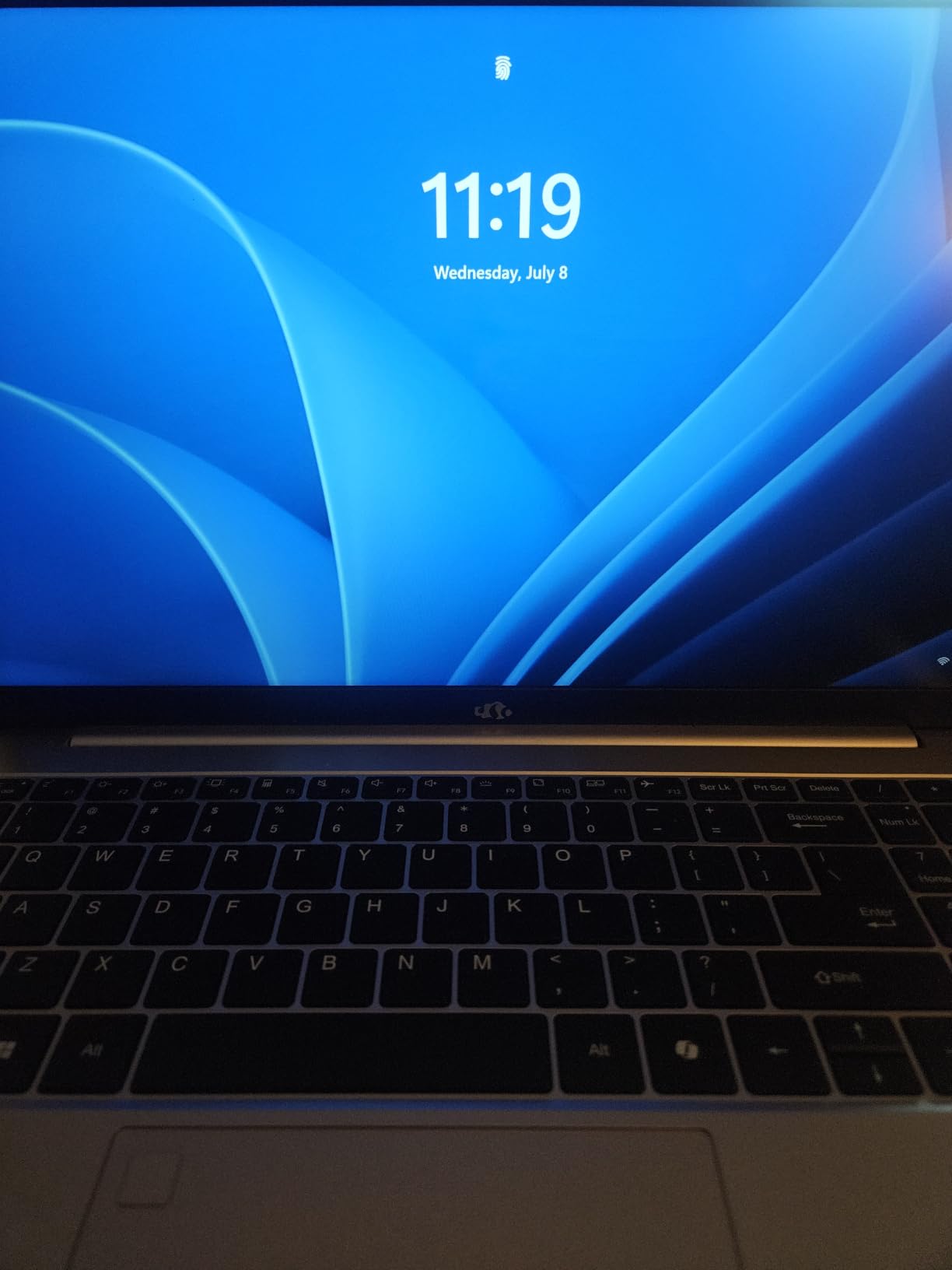
The features list reads like it was written by someone who has carried a laptop to class. A fingerprint reader, backlit keyboard, 180-degree lay-flat hinge for group work, and 100W USB-C charging that works with a phone charger in a pinch.
Ryzen 7 8745HS Performance on Student Workloads
The 8745HS is an H-series chip designed for sustained performance, not a power-sipping U-series part. That distinction matters when a rendering assignment runs for an hour, because the NIMO holds boost clocks where thinner machines fade.
In AutoCAD 2D work it feels as quick as laptops costing twice as much, because single-thread speed is what drives the drawing editor. SolidWorks parts of student complexity rotate smoothly with simplified graphics settings.
Eight cores also make this a capable machine for the surrounding workload: MATLAB, Python, Fusion 360 and the inevitable video editing side project. As a general engineering-student laptop, it overdelivers.
USB4 and the eGPU Upgrade Path
The USB4 port is the NIMO’s secret weapon, because it can drive an external GPU enclosure. When your coursework turns toward serious 3D modeling or rendering, you can add workstation graphics at a desk while keeping the laptop light for class.
This is the cheapest legitimate route into eGPU ownership, and it sidesteps the usual budget-laptop dead end. Buy the laptop now, add graphics later, and skip financing a workstation before you need one.
USB4 also carries fast external SSDs and dual monitors over one cable. For a dorm-desk setup, that single port does an impressive amount of heavy lifting.
Portability, Charging and Campus Life
At 3.8 pounds this is the lightest full-performance machine in the lineup. Combined with 100W PD charging, a day of lectures needs nothing more than the compact USB-C brick you already carry.
Wi-Fi 6E handles crowded campus networks gracefully, and the 2-year warranty is meaningfully longer than the 1-year industry norm. For a first machine living in a backpack, that coverage is real peace of mind.
The compromises are small and livable: a keyboard layout that takes a week to internalize and speakers that make headphones worthwhile. None of them slow down a single CAD command.
5. Dell Precision 7560 (Renewed) – Smartest Workstation GPU Entry Point
Dell Precision 7560 15.6″ Laptop, Nvidia T1200, Intel Core i7, 32GB RAM, 512GB SSD, Win11 Pro (Renewed)
NVIDIA T1200 4GB
i7-1185G7E 8-core
32GB DDR4
512GB NVMe SSD
Win 11 Pro
Pros
- True workstation GPU with certified drivers
- 32GB DDR4 RAM
- Thunderbolt 3 plus HDMI
- DisplayPort and Ethernet
- Windows 11 Pro
Cons
- Renewed condition so cosmetic wear likely
- Older 11th Gen processor
- 512GB storage fills quickly
Here is the option nobody’s marketing department wants you to know about: a genuine ISV-certified mobile workstation with a real NVIDIA workstation GPU, at a price that undercuts ordinary consumer laptops. The Precision 7560 renewed pairs a T1200 GPU with 32GB of RAM, and reviewers specifically praise its CAD capability despite a middling 4.0-star average shaped by renewed-condition gripes rather than performance complaints.
The argument is simple. CAD software cares about GPU driver certification and memory capacity more than processor generation, and this machine delivers both. Forum regulars consistently recommend used Precision workstations for exactly this reason.
This is the path for a freelancer, a small firm equipping several seats, or anyone who wants certified stability without certified pricing. You accept cosmetic wear and an older CPU in exchange for professional graphics hardware.
NVIDIA T1200: A True Workstation GPU Without the Workstation Price
The T1200 is a professional-grade card with 4GB of dedicated VRAM and, more importantly, NVIDIA’s workstation driver stack. That means certified stability in SolidWorks, Revit, Inventor and AutoCAD, with viewport accuracy consumer drivers cannot promise.
Four gigabytes of VRAM handles small-to-medium assemblies, full Revit documentation sets and AutoCAD work without complaint. It is not a rendering monster, but for design and documentation it behaves like the professional tool it is.
Where it beats every GeForce card here is predictability. No driver timeouts mid-assembly, no visual artifacts in shaded viewports, no guessing whether next month’s driver update breaks your workflow.
Renewed Realities: What to Check Before You Buy
Buying renewed means buying carefully, and the mixed rating distribution here reflects buyers who skipped that step. Check battery cycle count, confirm the GPU is detected in Device Manager, and run a memory diagnostic on arrival.
Cosmetic wear is expected and irrelevant to CAD performance. What matters is the health of the cooling system, because a workstation that runs hot throttles like any other laptop.
Amazon Renewed includes a replacement window and extended return policy, which takes most of the risk out of the transaction. Buy from a seller with a strong renewal track record and the experience is usually painless.
Ports, Expandability and Serviceability
The Precision chassis is built for IT departments, which is a hidden benefit for everyone else. Thunderbolt 3, HDMI, Mini DisplayPort and native Ethernet cover every desk and projector scenario without dongles.
Serviceability is a genuine advantage over consumer machines. RAM and storage sit behind access panels, so upgrades and repairs are minutes of work rather than a warranty exchange.
The 11th-gen 8-core i7 is the weakest link, but it remains entirely adequate for 2D drafting and moderate 3D work. Pair it with the certified GPU and the package still outperforms newer consumer laptops on stability-critical work.
6. HP 17.3 Business Laptop – Best Big Screen for 2D Drafting
HP 17 Inch Laptop Computer for Business & Students, 17.3″ HD+ Display, Intel 10-Core i5-1334U Up to 4.6 GHz, 32 GB RAM, 1 TB SSD, Fingerprint Reader, Backlit Keyboard, Wi-Fi 6, Webcam, Windows 11 Pro
17.3 inch HD+ Display
i5-1334U 10-core
32GB DDR4
1TB NVMe SSD
Win 11 Pro
Pros
- Huge 17.3 inch display for drawings
- 10-core i5 for multitasking
- 32GB RAM and 1TB SSD
- Fingerprint reader and numeric keypad
Cons
- Low 1600x900 resolution
- Only two USB ports
- No dedicated GPU
Some CAD work is less about 3D horsepower and more about seeing your drawing, and the HP 17 leans hard into that idea. A 17.3-inch anti-glare display gives draughters, estimators and documentation specialists room to spread out drawings, schedules and emails side by side. It carries a 4.4-star average across 15 reviews, with 84 percent five-star ratings.
Inside sits a 10-core i5-1334U boosting to 4.6GHz, 32GB of RAM and a 1TB NVMe SSD. That is a configuration tuned for sustained office-class productivity rather than rendering glory, and for 2D CAD it works well.
This is the pick for the production-drafting side of engineering: redlines, as-builts, detail sheets and the endless PDF markups that surround any design project. Windows 11 Pro adds domain join and BitLocker, which matters in office environments.
Screen Real Estate for Drafting and Documentation
A 17.3-inch panel changes how you work with drawings. Full sheets become readable without zooming, and you can keep a drawing, a spec PDF and an email open simultaneously in a way no 14-inch screen allows.
The anti-glare finish is a genuine blessing under office lighting, where glossy panels turn into mirrors. Long documentation sessions produce noticeably less eye strain.
For a fixed-desk drafter who occasionally moves between home and office, the format is close to ideal. Paired with a second external monitor, it becomes a compact documentation station.
The 1600×900 Resolution Trade-Off
Honesty first: 1600×900 on a 17.3-inch panel is a low pixel density by modern standards. Text and fine linework look softer than on a 1080p or higher-resolution screen, which is the single biggest caveat on this machine.
In practice, most AutoCAD users run at 100 percent scaling with larger UI fonts anyway, which mitigates much of the softness. If pixel-perfect detail work is your livelihood, pair it with a sharp external monitor at your desk.
What you get in exchange for that resolution is a big, bright, glare-free workspace at a price that leaves budget for that external display. For many production-drafting seats, that arithmetic works.
Everyday Multitasking and Office Work
The 10-core i5-1334U handles the surrounding workload of design work without complaint. Dozens of browser tabs, a full Office suite, video calls and AutoCAD together produce no perceptible slowdown.
Thirty-two gigabytes of RAM means memory pressure is simply not a topic. Large annotated drawings with xrefs load and regenerate promptly thanks to the NVMe SSD.
The integrated Intel graphics rule out serious 3D modeling, so treat this as a 2D and documentation specialist. Within that lane, it is a comfortable, capable machine that gets through long days quietly.
How to Choose the Best Laptop for CAD Work
Buying for CAD means ignoring most conventional laptop advice. Gaming benchmarks, thin bezels and speaker quality tell you almost nothing about how a machine behaves inside SolidWorks at hour three of an assembly edit. Here is what actually matters.
Workstation vs Gaming vs Consumer Laptops for CAD
Three categories compete for your money, and each wins a different scenario. Workstation laptops like the Dell Precision line carry ISV certifications, tested drivers and enterprise support, making them the safe choice for billable professional work. Gaming laptops deliver the most viewport performance per dollar, with the caveats of shorter warranties, louder cooling and no certification. Mainstream business laptops with strong CPUs and 32GB of RAM cover 2D drafting and documentation superbly while offering the best battery life and portability.
The Reddit consensus, repeated across r/SolidWorks and r/cad, is that a well-specced gaming or business laptop serves students and freelancers well, while firms doing regulated or client-liability work should stick to certified workstations. Match the category to the stakes, not to the benchmark scores.
Processor: What CAD Software Actually Uses
CAD has a split personality, and your CPU choice should respect both halves. Modeling in AutoCAD and SolidWorks is largely single-threaded, so high boost clocks in the 4.5GHz-plus range make the editor feel responsive. Rendering, simulation, drawing publication and photo-realistic output are multi-threaded and reward core count.
An 8-core, high-clock chip is the sweet spot for most users. Step up to 16 or 20 cores only if rendering or simulation dominates your week, and accept that those HX-class chips bring weight, heat and shorter battery life.
Generation matters less than you might fear. An older 8-core i7 with strong clocks still drafts beautifully, which is exactly why the renewed Precision 7560 remains a smart buy.
GPU and VRAM: Certified Drivers Explained
The GPU question causes the most confusion, so here is the plain version. Any modern dedicated GPU will move a viewport, but only workstation cards like the RTX 2000 Ada or NVIDIA T1200 run drivers that Autodesk and Dassault have certified against their software. Certified drivers mean fewer crashes, no viewport artifacts and predictable behavior after updates.
For VRAM, 4GB handles small parts and 2D work, 8GB is the practical target for assemblies and real-time rendering, and heavy GPU rendering wants more. Integrated graphics like the Radeon 780M are viable for 2D drafting and student work but will not carry professional 3D.
If you already own a capable laptop with USB4 or Thunderbolt, an external GPU enclosure is a legitimate upgrade path rather than a gimmick. It is how budget machines grow into workstation duty.
RAM: Why 32GB Is the New Sweet Spot
Memory is the spec most often regretted. Sixteen gigabytes runs AutoCAD 2D and student projects fine, but Revit with linked models, large SolidWorks assemblies and the reality of running Office, browsers and PDFs alongside CAD will exhaust it. When RAM runs out, Windows pages to disk and the machine crawls.
Thirty-two gigabytes is the comfortable professional standard, and it is why the Dell 16 and HP 17 punch above their weight here. Sixty-four, as in the Precision 7680, is for genuinely massive assemblies and point clouds.
Check upgradeability before buying. Machines with accessible SO-DIMM slots let you start at 16GB and expand cheaply later, which is the smartest budget move in this entire category.
Storage Speed and Display Quality
Insist on an NVMe SSD, never a SATA drive or hard disk. Project files, asset libraries and Windows itself feel dramatically faster on PCIe 3.0 or 4.0 NVMe, and load times compound across every file open all day. Capacity-wise, 512GB fills fast once you accumulate drawings, renders and drawings archives, so treat 1TB as the working minimum.
For displays, resolution and comfort outrun refresh rate for CAD work. A 16:10 aspect ratio shows more drawing height, matte anti-glare coatings beat glossy finishes under office lighting, and 300 nits of brightness handles bright rooms. Color accuracy matters mainly if you present renderings; 2D drafting is far less demanding.
Thermals and Future-Proofing
Thermal design is the invisible spec that decides sustained performance. A laptop that throttles after twenty minutes turns a 5-minute render into 12, regardless of what the spec sheet promised. Look for multi-fan designs, vapor chamber or tri-fan cooling in the ASUS and Dell Precision class, and give vents room to breathe on a hard desk.
Future-proofing comes down to three habits: buy more RAM than you currently need or confirm it is upgradeable, choose 32GB-class machines over 16GB where budget allows, and prefer platforms with Thunderbolt or USB4 so an eGPU remains possible. The machine that lasts is the one with growth room, not the one with the fastest benchmark today.
Frequently Asked Questions
Which laptops are good for AutoCAD?
Good AutoCAD laptops have a fast multi-core processor, at least 16GB of RAM (32GB preferred), an NVMe SSD, and ideally a dedicated GPU for 3D work. The ASUS ROG Strix G16 (RTX 5060), Dell Precision 7680, and Dell 16 Business Laptop (32GB) are all strong choices depending on your budget.
What is the best laptop for CAD work overall?
The u003cstrongu003eASUS ROG Strix G16 (2025)u003c/strongu003e is the best overall laptop for CAD work, combining an RTX 5060 GPU with 8GB of VRAM, a 16-core i7-14650HX processor, and tri-fan cooling that sustains performance through long rendering sessions.
What computer is best for CAD design?
For professional CAD design, an ISV-certified workstation like the u003cstrongu003eDell Precision 7680u003c/strongu003e (RTX 2000 Ada, 20-core CPU, 64GB RAM) is best. For students and lighter work, a laptop with 16-32GB of RAM and a modern 8-core processor handles AutoCAD and moderate SolidWorks work well.
What spec of laptop do I need for AutoCAD?
AutoCAD needs a processor with boost clocks above 4GHz, u003cstrongu003e16GB minimum RAM (32GB recommended)u003c/strongu003e, a 512GB or larger NVMe SSD, and a dedicated GPU with 4-8GB VRAM if you work in 3D. Integrated graphics like the AMD Radeon 780M are sufficient for 2D-only drafting.
Can a gaming laptop run CAD software like SolidWorks?
Yes. Gaming laptops with dedicated NVIDIA RTX GPUs run SolidWorks, AutoCAD and Revit well, and installing NVIDIA Studio drivers improves stability in design applications. The trade-offs are no ISV certification, shorter battery life, and louder cooling compared with true workstation laptops.
Final Verdict: Which CAD Laptop Should You Buy?
Match the machine to your actual workload and the decision makes itself. If you want the best laptops for CAD work with no compromises on viewport speed, the ASUS ROG Strix G16 is our Editor’s Choice and the machine I would buy with my own money. If you run massive assemblies, need ISV certification or answer to clients, the Dell Precision 7680 is worth every dollar of its premium. Drafters and 2D-focused architects get the most value from the Dell 16 Business Laptop and its 32GB of RAM.
Students and budget builders should start with the NIMO and its eGPU-ready USB4 port, while bargain hunters who want certified workstation graphics should look hard at the renewed Precision 7560. If your day is mostly drawings, documentation and office multitasking on a big screen, the HP 17.3 is the comfortable specialist.
Whichever tier fits, resist the two classic mistakes: buying 16GB when 32GB is within reach, and assuming peak specs matter more than cooling. Check current availability while these configurations are in stock, because the well-specced variants sell out first.