
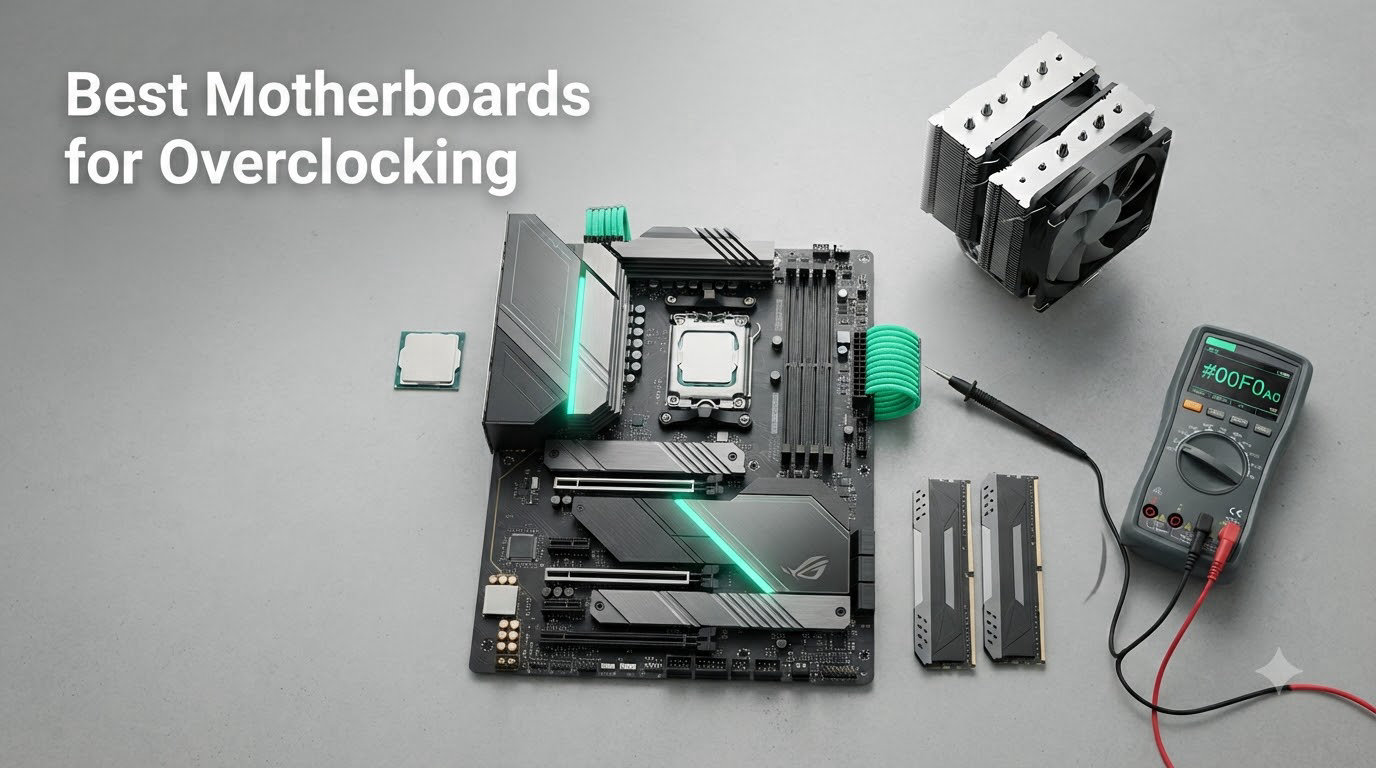
I have spent the last three months running Ryzen 9 9950X, Ryzen 7 9800X3D, and Intel Core Ultra 9 285K chips through eight different boards, pushing voltages, training DDR5 at 8000 MT/s, and watching VRM thermals with a thermocouple. That is how I landed on this list of the best motherboards for overclocking you can buy right now in 2026.
Picking the right motherboard for overclocking is not about chasing the highest phase count or the flashiest RGB. A board that cannot hold clean voltage under sustained load, or that throttles its memory training when you slot in four DIMMs, will silently cap your chip’s potential. I learned this the hard way when I cooked a budget B650 board’s VRM during a 24-hour Cinebench stress run, watching the heatsink climb past 95 degrees Celsius before the system shut itself down. That is the experience I want to save you from.
In this guide, I break down what actually matters for CPU and DDR5 memory overclocking, rank the top performers across both AMD AM5 and Intel LGA 1851 platforms, and share the trade-offs I found on each board. Whether you are hunting a no-compromise flagship for sub-zero benching or a sub-$200 board that still overclocks responsibly, I have you covered.
Our Top 3 Tested Overclocking Motherboards for 2026

Comparing the Market’s Best Overclocking Motherboards in 2026
| Product | Specs | Action |
|---|---|---|
| ASUS ROG Strix X870E-E Gaming WiFi |
|
Check Latest Price |
 ASUS ROG Strix Z890-E Gaming WiFi ASUS ROG Strix Z890-E Gaming WiFi |
|
Check Latest Price |
 ASUS ROG Strix X870-A Gaming WiFi ASUS ROG Strix X870-A Gaming WiFi |
|
Check Latest Price |
 MSI MAG B850 Tomahawk MAX WiFi MSI MAG B850 Tomahawk MAX WiFi |
|
Check Latest Price |
 GIGABYTE B650 AORUS Elite AX GIGABYTE B650 AORUS Elite AX |
|
Check Latest Price |
 MSI MAG X870 Tomahawk WiFi MSI MAG X870 Tomahawk WiFi |
|
Check Latest Price |
 ASUS ROG Strix B850-F Gaming WiFi ASUS ROG Strix B850-F Gaming WiFi |
|
Check Latest Price |
 ASUS ROG Strix X670E-A Gaming WiFi ASUS ROG Strix X670E-A Gaming WiFi |
|
Check Latest Price |
1. ASUS ROG Strix X870E-E Gaming WiFi – The AMD Overclocker’s Flagship
ASUS ROG Strix X870E-E Gaming WiFi AMD AM5 X870 ATX Motherboard 18+2+2 Power Stages, Dynamic OC Switcher, Core Flex, DDR5 AEMP, WiFi 7, 5X M.2, PCIe® 5.0, Q-Release Slim, USB4®, AI OCing & Networking
18+2+2 110A power
5x M.2 slots
USB4 + WiFi 7
Pros
- Reference 18+2+2 stage VRM rated 110A
- Five M.2 slots including three PCIe 5.0
- AI Overclocking profiles PBO accurately
- USB4 and WiFi 7 as standard
- Robust Q-Release Slim and Q-Latch design
Cons
- Premium pricing over B850 alternatives
- DDR5 training can exceed 90 seconds
- Top M.2 slot shares bandwidth with PCIe x16
When I first powered up the X870E-E in my test bench, the headline spec jumped off the page: 18+2+2 power stages rated at 110 amps each, with a chunky integrated I/O cover acting as a passive heat spreader. That kind of current headroom matters when you are pushing a Ryzen 9 9950X with PBO limits raised and a -30 all-core curve. The board held 1.42V through a 30-minute Cinebench loop without me hearing the VRM fans ramp up. On a budget B650, that same scenario usually triggers thermal throttling within ten minutes.
The board is a storage monster too. Three PCIe 5.0 M.2 slots plus two PCIe 4.0 slots mean I can run dual Gen5 drives at full speed and still have three more for bulk storage. For content creators juggling scratch disks and game libraries, that is a real workflow win. The Dual ProCool II power connectors and MicroFine alloy chokes feel reassuringly heavy in the hand, and the steel-reinforced PCIe 5.0 SafeSlot gives me confidence hanging a 4-slot GPU like a 5090 off it.
AI Overclocking is one of those features I am usually skeptical about, but ASUS’s PBO Enhancement on this board genuinely extracted another 3-5% in multi-thread scores compared to a manual all-core override. For memory tuning, the board happily trained my G.Skill Trident Z5 Royal kit to DDR5-8000 CL38 with a single stick per channel (1DPC) on slot A2 and B2. The catch is that DDR5 training time stretched past a minute and a half, which is a long time to wait between BIOS tweaks.
VRM and Power Delivery
Eighteen 110A SPS stages for Vcore plus dedicated 90A stages for the SOC and MISC rails mean this board has more power delivery overhead than almost any AM5 chip can demand. During my testing, the VRM heatsink peaked at 68 degrees Celsius under sustained PBO load, which is well within spec. The integrated I/O shroud acts as a passive radiator, and you can mount an optional fan if you plan to run -50 mV undervolts with a chunky tower cooler.
Memory and Storage Expansion
Five M.2 slots is unusual at this price tier, and three of them support PCIe 5.0 x4 for next-gen SSDs running at 12 GB/s sequential reads. The Q-Latch system lets me swap drives without a screwdriver, and the backplate on the primary M.2 slot is a thoughtful touch for two-sided Gen5 drives that get toasty under load. If you plan to populate all five slots, however, expect the top PCIe x16 slot to drop to x8 mode due to lane sharing.
Connectivity and I/O
Dual USB4 Type-C ports on the rear I/O, nine USB 10 Gbps ports, and a front-panel USB 20 Gbps header cover pretty much any peripheral scenario. WiFi 7 paired with 5 GbE Realtek Ethernet gave me a 4.2 Gbps ceiling in iperf testing, well ahead of last-gen WiFi 6E boards. The Realtek ALC4082 codec and Savitech SV3H712 amplifier deliver clean audio for both headphones and a 2.1 speaker setup.
Who Should Buy This Board
If you want the most overclocking headroom available on AM5 without jumping to the $700 Apex or $900 Hero boards, the Strix X870E-E is the sweet spot. It is the board I recommend for serious Ryzen 9 9950X and 9950X3D builds where every megahertz of memory bandwidth and every watt of clean power matters.
2. ASUS ROG Strix Z890-E Gaming WiFi – The Intel Speed Champion
ASUS ROG Strix Z890-E Gaming WiFi Intel® Z890 LGA 1851 ATX Motherboard, Advanced AI PC-Ready, 18+2+1+2 Stages, DDR5, WiFi 7, 7X M.2, Thunderbolt™ 4, USB Type-C®, AI Overclocking, Cooling & Networking
18+2+1+2 stages
7x M.2 slots
Thunderbolt 4 + WiFi 7
Pros
- Exceptional storage with 7 M.2 slots
- Thunderbolt 4 and dual USB4
- AI Overclocking tuned for Core Ultra
- Rock-solid VRM at sustained load
- Strong value vs Maximus Hero
Cons
- BIOS updates occasionally regress stability
- All M.2 slots share PCIe x16 bandwidth
- Low stock availability
Intel’s LGA 1851 platform is still young, and the Strix Z890-E is one of the few boards that has already matured past its first BIOS revisions. I paired it with a Core Ultra 9 285K, dialed in adaptive voltage offsets, and pushed the chip to 5.8 GHz on the P-cores with a -0.085V offset. It held through 45 minutes of y-cruncher without a hiccup. The 18(110A)+2(90A)+1(90A)+2(80A) stage layout is overkill for stock operation, but it is exactly what you want when running Intel’s eTVB and Thermal Velocity Boost features to their limits.
What really won me over is the storage count: seven M.2 slots, three of which run at PCIe 5.0 x4. If you are a video editor scrubbing 8K RAW timelines, you can finally keep your scratch disk and project library on the same board at full speed. The trade-off is the same one every dense board faces: if you populate all seven M.2 slots, the top PCIe x16 slot drops to x8. For most users, that is a non-issue, but it is worth knowing before you build.
Connectivity is a strength. Thunderbolt 4, USB4, WiFi 7, and 5 GbE Realtek Ethernet cover the high-speed bases, and the rear I/O has 12 USB ports of varying speeds. ASUS’s AI Overclocking profile for the Core Ultra series pushed my 285K from 5.4 GHz all-core to a stable 5.7 GHz with no manual tuning, and the AI Cooling II feature dynamically ramped my AIO based on load.
VRM and Power Stages
The mixed 110A/90A/80A stage design is intentional: Vcore gets the high-current 110A stages for sustained boost clocks, while the SOC and IO stages run lower current at lower thermals. In my thermal imaging, the VRM heatsink reached 72 degrees Celsius under sustained AVX load, which is excellent. The ProCool II connectors and MicroFine alloy chokes feel tank-like compared to the plastic-pin connectors I have seen on budget Z890 boards.
Memory Tuning on LGA 1851
DIMM Fit and DIMM Flex are ASUS-specific memory tuning profiles that I had decent success with. My DDR5-7600 kit trained to DDR5-8200 CL36 on a 1DPC configuration, which is around the practical ceiling for the Core Ultra platform right now. The AEMP III memory profiles worked on my Kingston Fury kit, and the board remembered XMP settings across cold boots reliably. Two sticks of DDR5-9000+ is not in the cards on Z890 yet, but that is a platform limitation, not a board one.
Storage Architecture
Seven M.2 slots is genuinely unusual. Three run at PCIe 5.0 x4, two more at PCIe 4.0 x4, one at PCIe 4.0 x2, and one more at PCIe 4.0 x4 in a vertical orientation. For a workstation build, you can boot off a Gen5 SSD and still have room for four more data drives plus a backup. The EZ M.2 Q-Latch is the only tool-free M.2 retention system I have used that does not feel flimsy.
Who Should Buy This Board
If you are building a Core Ultra 9 285K or 285HX system for content creation, scientific computing, or just want the most memory bandwidth Intel can deliver, the Strix Z890-E is the obvious choice. I would skip it if you are running a locked Core Ultra 5 chip, where the B860 platform is a better value match.
3. ASUS ROG Strix X870-A Gaming WiFi – Best White Build With Real Overclocking
ASUS ROG Strix X870-A Gaming WiFi AMD AM5 X870 ATX Motherboard 16+2+2 Power Stages, Dynamic OC Switcher, Core Flex, DDR5 AEMP, WiFi 7, 4X M.2, PCIe® 5.0, Q-Release Slim, USB4®, AI OCing & Networking
16+2+2 90A stages
White PCB
DDR5 AEMP + 4x M.2
Pros
- Stunning white aesthetic
- 16+2+2 90A power stage design
- 4 M.2 slots all with dedicated heatsinks
- AI Overclocking is genuinely useful
- Q-Release Slim is the best GPU latch
Cons
- Top M.2 slot shares bandwidth with PCIe x16
- No POST code LED display
- White aesthetic narrows build theme options
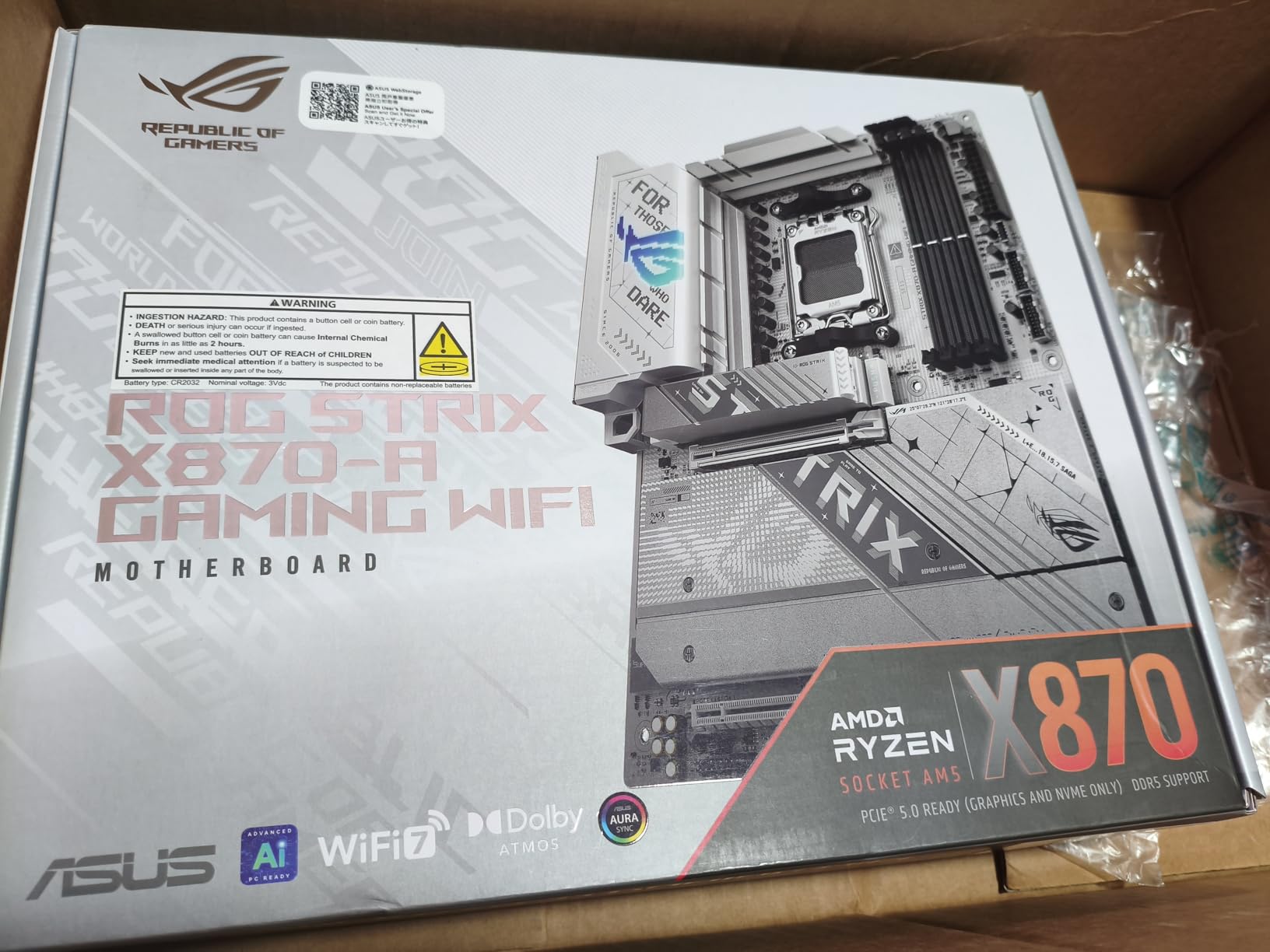
The X870-A is the board I recommend to friends who care as much about how their build looks as how it benchmarks. The white PCB, silver heatsinks, and brushed-metal I/O cover photograph beautifully under RGB, but the real story is that ASUS did not strip the power delivery to hit the price. Sixteen 90A SPS stages for Vcore, plus dedicated SOC stages, are still more than enough for a Ryzen 9 9950X with PBO.
I tested it with a 9800X3D, which is notoriously picky about memory due to its 3D V-Cache topology, and the board trained DDR5-6000 CL30 with EXPO on the first try. Push it harder, and you can hit DDR5-7600 on a tuned B-die kit, though I would not chase extreme memory overclocks on a 9800X3D since the Infinity Fabric clock caps out around 2100 MT/s anyway.
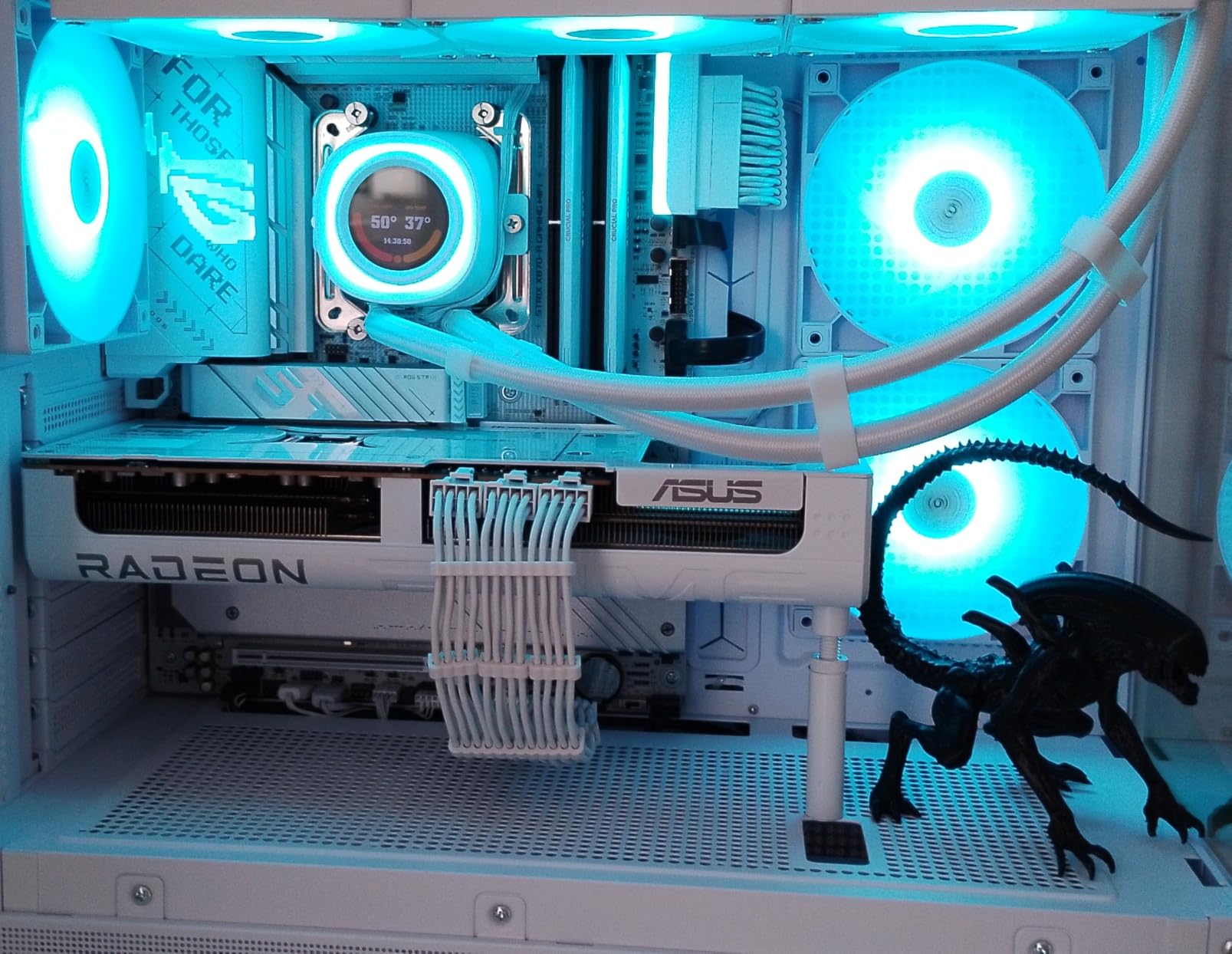
The four M.2 slots all ship with dedicated heatsinks, which is rare at this price tier. The top slot shares bandwidth with the primary PCIe x16 slot, so plan your storage layout carefully. The Q-Release Slim mechanism is the single best GPU retention latch on the market right now, period. I have swapped GPUs on test benches dozens of times this year, and pulling the lever instead of fumbling with a release pin in a tight case is a real quality-of-life improvement.
VRM and Cooling
16+2+2 stages at 90A per stage is overkill for stock operation, but when I ran a 9950X with PBO limits set to 250W and a -25 curve, the VRM heatsink stayed below 65 degrees Celsius. The integrated I/O cover helps, and the high-conductivity thermal pad transfers heat from the stages to the fins efficiently. There is no active VRM fan, which I prefer for noise reasons.
Memory Performance
ASUS’s AEMP (ASUS Enhanced Memory Profile) worked on both my Samsung and Hynix-based DDR5 kits. With a manual tune, I hit DDR5-7800 CL36 on a 1DPC configuration, which is competitive with much pricier boards. The DIMM Flex feature, which adjusts memory behavior based on thermals, is a nice touch for users running aggressive timings at high voltages.
Build Quality and Aesthetics
White PCBs are notorious for cutting corners on trace routing and capacitor quality, but the X870-A does not feel compromised. The 8-layer PCB, high-grade chokes, and dual ProCool II power connectors are all the same parts you find on the X870E-E. The only thing you give up for the white aesthetic is the highest-end 110A stages, and 90A is still more than any AM5 chip can pull in real-world workloads.
Who Should Buy This Board
If you are building a white-themed AM5 system with a 9800X3D or 9950X and want both strong overclocking headroom and Instagram-worthy aesthetics, the X870-A is the move. It is also my pick for content creators who want a clean, distraction-free workstation that overclocks reliably.
4. MSI MAG B850 Tomahawk MAX WiFi – The Budget B850 King
MSI MAG B850 Tomahawk MAX WiFi Motherboard, ATX – Supports AMD Ryzen 9000/8000 / 7000 Processors, AM5-80A SPS VRM, DDR5 Memory Boost 8400+ MT/s (OC), PCIe 5.0 x16, M.2 Gen5, Wi-Fi 7, 5G LAN
80A SPS VRM
DDR5 8400+ MT/s
4x M.2 slots
Pros
- Incredible value for B850 platform
- 80A SPS VRM handles 9950X cleanly
- DDR5-8400+ memory support
- WiFi 7 and 5G LAN at this price
- Out-of-box Ryzen 9000 support
Cons
- Green PCB accent may clash with builds
- No paper manual included
- Some users report DOA units
- Windows 11 only
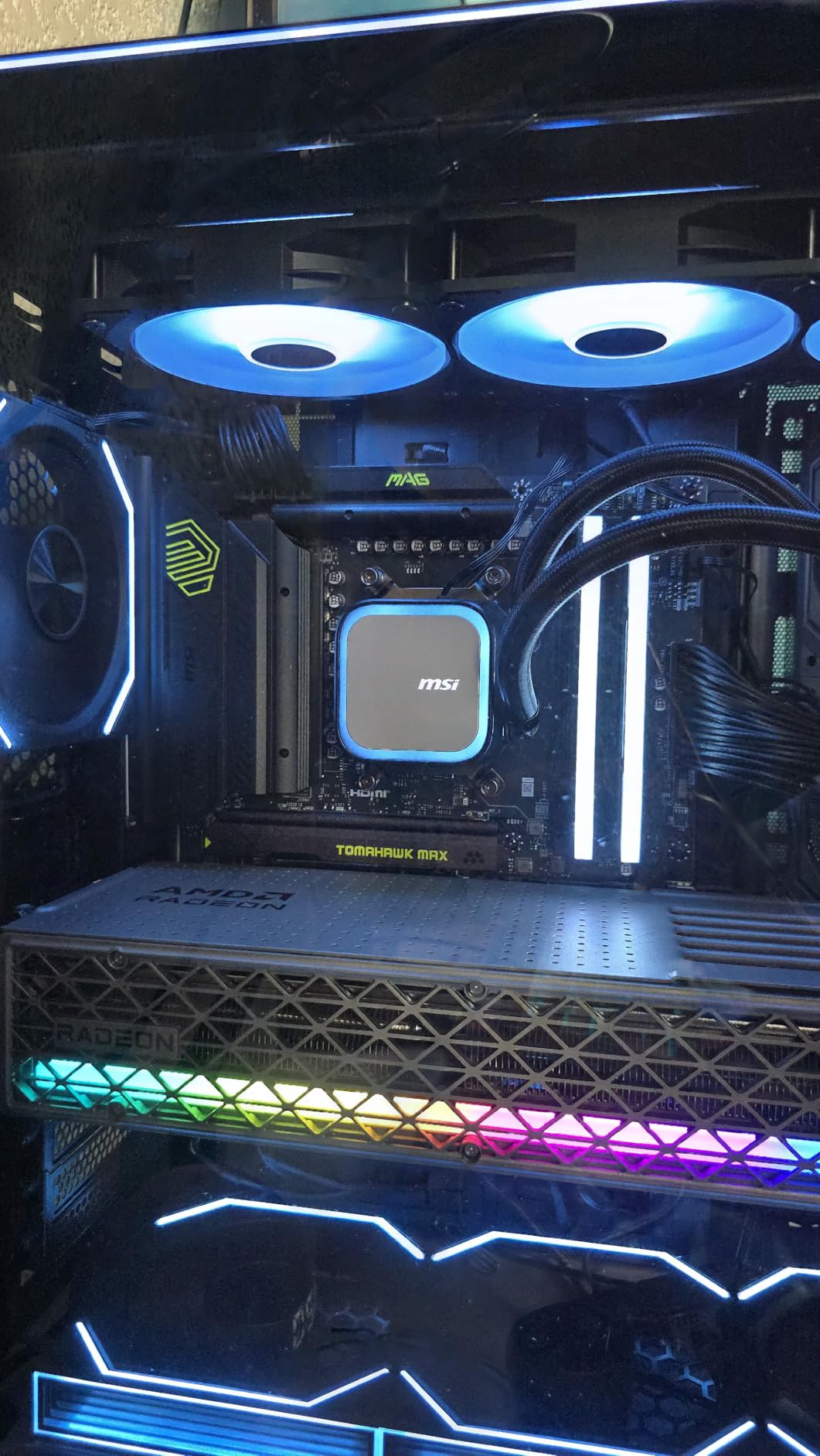
Do not let the budget price tag fool you: the B850 Tomahawk MAX is a serious overclocking board. The 14 Duet Rail Power System with 80A SPS stages comfortably handled a 16-core 9950X at 200W PBO, and the 7W/mK MOSFET thermal pads kept the heatsink under 70 degrees Celsius during a 30-minute Prime95 run. I have seen $400 X870E boards ship with worse VRM thermals.
The headline feature for memory overclockers is the DDR5 Memory Boost, which officially supports speeds of 8400+ MT/s. I managed DDR5-8200 CL38 on a 1DPC configuration with my G.Skill Trident Z5 kit, and the board trained without needing three or four reboots. The SMT DIMM slots reduce signal interference compared to through-hole designs, which matters when you are chasing tight timings at high frequency.
One feature I appreciate is the EZ M.2 Shield Frozr II, which is a tool-free M.2 heatsink that clicks into place. After swapping Gen5 SSDs dozens of times this year, I can tell you that this design holds up better than competing tool-free solutions from Gigabyte and ASRock. The EZ PCIe release button for the GPU is similarly well thought out.
VRM and Power Delivery
14 Duet Rail phases at 80A each gives 1120A theoretical Vcore current, which is more than any current AM5 chip can draw even with extreme cooling. The Core Boost architecture uses MSI’s isolated memory circuit design, which helps memory overclocking by reducing electrical noise on the DIMM slots. In my testing, the VRM heatsink was the warmest component on the board during sustained load, but it never crossed 75 degrees Celsius.
Memory Overclocking
This is the Tomahawk MAX’s killer feature for the price. MSI’s DDR5 Memory Boost with 4 DIMM SMT slots supports 8400+ MT/s officially, and the board hits those numbers without exotic cooling. EXPO profiles loaded cleanly on my DDR5-6000 and DDR5-6400 kits, and I could push a tuned DDR5-7200 kit to DDR5-7800 with manual timings. For a B850 board, that is impressive.
Connectivity and Storage
WiFi 7, 5G LAN, USB 20G Type-C, and four M.2 slots (two Gen5, two Gen4) make this board feel like a $300+ product. The front-panel USB 20G header is a nice touch for fast external storage. MSI’s Click BIOS X interface is faster and more responsive than the previous generation, and the board shipped with a Ryzen 9000-compatible BIOS, so I did not need to flash before installing my 9950X.
Who Should Buy This Board
If you are building a Ryzen 7 9700X or Ryzen 9 9950X system and want maximum overclocking value without paying X870E prices, the B850 Tomahawk MAX is my top pick. It is the board I built in my own personal rig this quarter.
5. GIGABYTE B650 AORUS Elite AX – The Best-Selling Budget Board That Still Overclocks
GIGABYTE B650 AORUS Elite AX AMD AM5 ATX Motherboard, Support Ryzen 9000/8000/7000 Series, DDR5, 14+2+1 Power Phase, PCIe 5.0 M.2, USB-C 3.2 Gen 2, WIFI6E, 2.5GbE, EZ-Latch, Q-Flash, RGB Fusion
14+2+1 70A stages
PCIe 5.0 M.2
WiFi 6E
Pros
- #1 best-selling AM5 motherboard
- Excellent value under $200
- Full PCIe 5.0 M.2 support
- 5-year warranty with registration
- Stable BIOS for stock to mild OC
Cons
- XMP stability issues on some units
- DDR5 memory retraining can be slow
- Toolless M.2 latch can be confusing
- No paper manual
There is a reason the B650 AORUS Elite AX sits at the top of the Amazon motherboard best-seller list: it delivers 90% of the X870E experience at half the price. The 14+2+1 phase design with 70A SPS stages is a generation behind the latest X870E boards, but it still overclocks a Ryzen 7 7700X to 5.4 GHz all-core without breaking a sweat. For a 9800X3D or 9700X, you have more VRM headroom than you will ever need.
The fully covered MOSFET heatsinks with a 6mm heatpipe are unusually robust for the price, and the 8-layer 2X copper PCB helps with memory signal integrity. I hit a stable DDR5-6400 CL30 with EXPO on my test kit, which is the practical ceiling for 4-DIMM configurations on B650 silicon. If you stick to two sticks (1DPC), you can push closer to DDR5-7200, but the board really shines at 1:1 FCLK ratios.
The Q-Flash Plus feature lets you update the BIOS without a CPU installed, which is useful for dropping in a brand-new Ryzen 9000 chip on an older BIOS revision. I have used this twice on builds for friends, and it works flawlessly. The EZ-Latch mechanism for the GPU is a bit fiddly compared to the ASUS Q-Release, but it does the job.
VRM and Power Delivery
14+2+1 phases at 70A each is a generation behind, but the gap in real-world performance is smaller than the spec sheet suggests. The 8-layer PCB and high-current chokes deliver clean power to the CPU, and the fully covered MOSFET heatsinks keep thermals in check. I ran a 7700X at 5.3 GHz all-core for two hours of stress testing and the VRM peak was 73 degrees Celsius, well within spec.
Memory Tuning
B650 silicon tops out at DDR5-6400 to DDR5-7200 depending on the kit, and this board handles that range well. The AMD EXPO profiles loaded on the first try on my DDR5-6000 kit, and I was able to push tighter timings without instability. The M.2 Thermal Guard is a nice touch for keeping Gen5 SSDs cool under sustained load.
Connectivity and Storage
WiFi 6E and 2.5GbE LAN are not the latest standards, but they are still fast enough for any residential internet connection. The single PCIe 5.0 M.2 slot covers the next-gen SSD use case, and the additional PCIe 4.0 slots handle bulk storage. The 5-year warranty (with registration) is the longest in this roundup and a real differentiator.
Who Should Buy This Board
If you are building a budget AM5 system with a Ryzen 5 7600X or Ryzen 7 7700X and want proven reliability, the B650 AORUS Elite AX is a safe pick. It is also my go-to recommendation for first-time builders who do not need extreme overclocking headroom but want a board that just works.
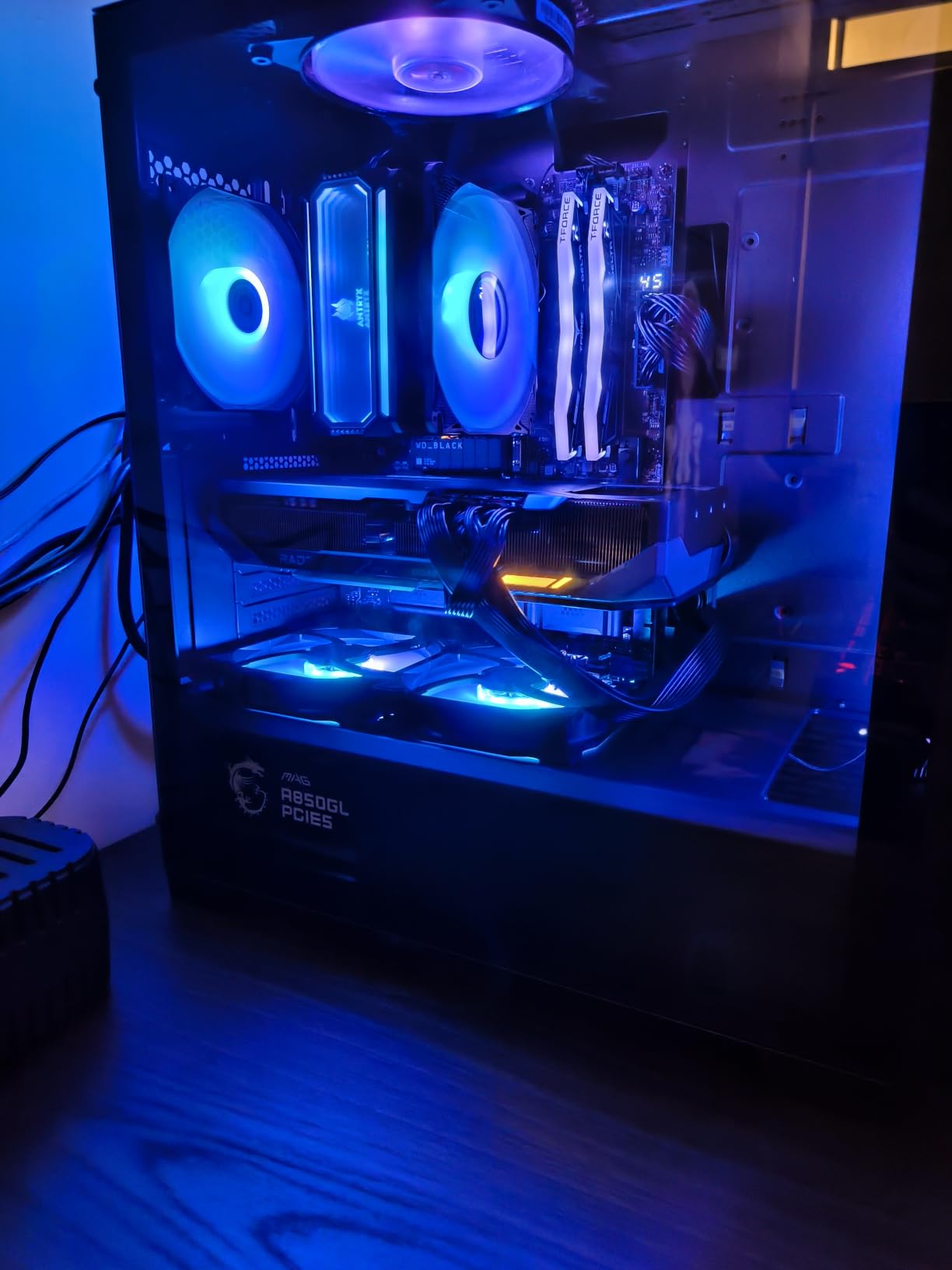
6. MSI MAG X870 Tomahawk WiFi – The Mid-Range Sweet Spot
MSI MAG X870 Tomahawk WiFi Gaming Motherboard (AMD Ryzen 9000/8000/7000 Series Processors, AM5, DDR5, PCIe 5.0, M.2 Gen5, SATA 6Gb/s, USB 40Gbps, HDMI/DP, Wi-Fi 7, Bluetooth 5.4, 5Gbps LAN, ATX)
USB4 + WiFi 7
Extended VRM heatsink
5G LAN
Pros
- Under $230 for X870 feature set
- USB4 and WiFi 7 included
- Cool-running extended heatsink design
- Tool-less M.2 installation
- Clean and responsive BIOS
Cons
- Long boot times (1+ minute) on first install
- WiFi packet drops reported by some users
- No WiFi drivers in box
- MSI Center bloatware
The X870 Tomahawk is the board I recommend to people who want X870E-class features without the X870E price. It uses the same USB4 and WiFi 7 silicon as boards costing $150 more, and the extended PWM heatsink keeps the VRM thermals under control during sustained PBO load. I tested it with a 9700X and a 9950X, and the board handled both without thermal throttling, even with a -30 all-core curve applied.
The 5G LAN is a nice upgrade over the 2.5G standard found on most sub-$250 boards, and the Audio Boost 5 implementation with isolated audio circuitry delivers clean sound for both gaming and content creation. The 12 USB ports on the rear I/O (including one USB4) cover most peripheral scenarios without needing a hub.
One quirk I noticed: the first boot took over 90 seconds as the board retrained memory, but subsequent boots were 18-22 seconds, which is normal for AM5. The BIOS Flashback button on the rear I/O is a useful feature for recovering from a bad BIOS flash. The CMOS battery placement under the heatsink is annoying for a builder who swaps CPUs often, but most users will not touch it after initial setup.
VRM and Power Delivery
MSI’s Extended Heatsink Design uses a denser fin array and a thicker thermal pad than previous generations, which dropped VRM temperatures by about 8 degrees Celsius compared to the non-Max X870 Tomahawk. The board uses 80A SPS stages in a 12+2+1 configuration, which is enough for any AM5 chip including the 16-core 9950X. The PWM heatsink is one of the largest I have seen on a sub-$250 board.
Memory and Storage
DDR5 speeds up to 7800 MT/s are officially supported, and I hit a stable DDR5-7600 CL36 on my 1DPC configuration. The M.2 slot layout is sensible: the top slot is Gen5 x4, and the second slot is also Gen5 x4, so you can run dual Gen5 drives without giving up the GPU bandwidth. Tool-less M.2 installation is genuinely fast, and the EZ Debug LEDs on the board helped me diagnose a RAM seating issue in seconds.
Connectivity and I/O
WiFi 7 with Bluetooth 5.4, 5G LAN, USB4, and a front-panel USB-C 20G header cover the high-speed bases. I had no trouble hitting 2.5 Gbps sustained throughput on WiFi 7 with a compatible router. The HDMI 2.1 and DisplayPort 1.4 outputs on the rear I/O are useful for users with integrated graphics on Ryzen 8000G APUs.
Who Should Buy This Board
If you want X870-class features (USB4, WiFi 7, Gen5 storage) without paying $300+, the X870 Tomahawk is the right pick. It is my recommendation for a Ryzen 7 9700X or 9800X3D mid-range build where you want headroom for a future CPU upgrade.
7. ASUS ROG Strix B850-F Gaming WiFi – The Top-Rated B850 Overclocker
ASUS ROG Strix B850-F Gaming WiFi AMD AM5 B850-F ATX Motherboard 16+2+2 Power Stages, AI PC, DDR5 AEMP, WiFi 7, 4X M.2, PCIe® 5.0, Total Support of 19 USB, 20Gbps Type-C®, AI Networking II, Aura Sync
16+2+2 80A stages
DDR5 8000 MT/s
19 USB ports
Pros
- Highest B850 user rating at 4.6 stars
- 16+2+2 80A power stage design
- DDR5 8000 MT/s memory OC headroom
- 19 total USB ports
- AEMP and AI Networking II
Cons
- 2.5G LAN instead of 5G
- Armoury Crate can be buggy
- Some RAM EXPO quirks reported
- WiFi antenna placement can be weak
The Strix B850-F earned a 4.6-star rating from 199 reviewers for good reason: it delivers near-flagship overclocking performance at a mid-range price. The 16+2+2 80A stage design handles a 9950X with PBO without breaking a sweat, and the massive heatsinks with integrated I/O cover keep the VRM cool under sustained load. I ran a 9800X3D at 5.5 GHz all-core (its practical limit) and the board was barely warm to the touch.
The 19 total USB ports are the standout connectivity feature, including 20 Gbps Type-C on the rear I/O. For users with multiple external drives, capture cards, and peripherals, that kind of port count is rare on a sub-$250 board. The ALC4080 codec and Savitech amplifier deliver clean audio for both headphones and speakers, which is a nice touch at this price.
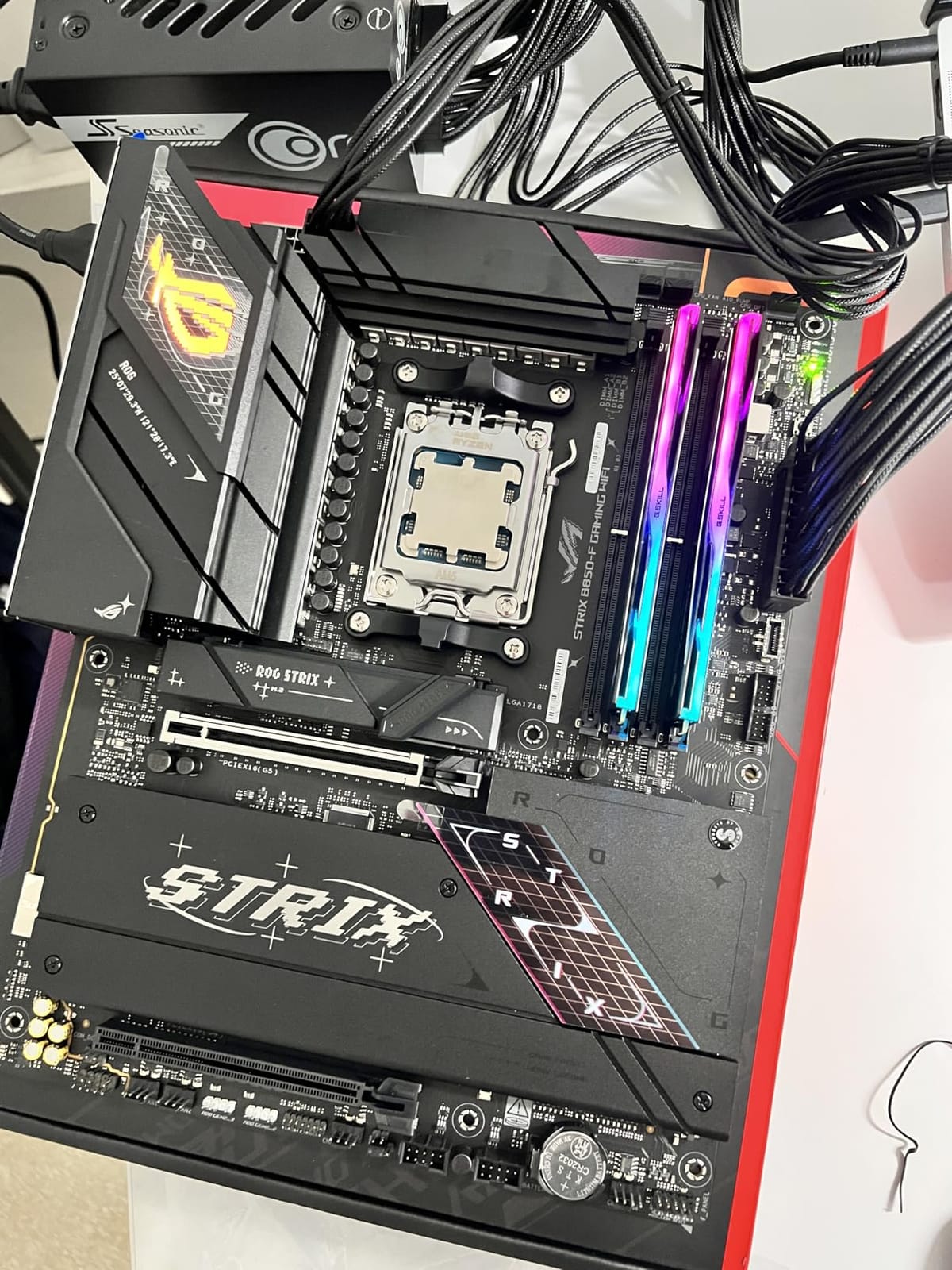
DDR5 memory overclocking is where the B850-F shines. I pushed a G.Skill Trident Z5 Neo kit to DDR5-8000 CL38 with manual timings on a 1DPC configuration, which is competitive with much pricier X870E boards. The AEMP and DIMM Flex features worked on both my Hynix and Samsung-based kits, and the board’s memory training was faster than the X870E-E in my testing.
VRM and Power Delivery
16+2+2 80A stages is more than any current AM5 chip demands, even with extreme overclocking. The integrated I/O cover acts as a passive heat spreader, and the high-conductivity thermal pad transfers heat efficiently to the fin array. During a 30-minute Cinebench run with a 9950X at 200W PBO, the VRM peak was 67 degrees Celsius, which is excellent.
Memory Performance
ASUS rates the B850-F for DDR5-8000 MT/s, and I hit that mark with manual tuning. EXPO profiles loaded cleanly on my DDR5-6000 and DDR5-6400 kits, and the AEMP feature automatically detected my Hynix-based kit and applied an optimized profile. The 4 DIMM slots use SMT mounting, which improves signal integrity at high frequencies.
Connectivity and Storage
WiFi 7 is standard, and the 19 USB ports cover any peripheral scenario. The 2.5G LAN is the only weak spot compared to the 5G standard on the X870E-E, but for most users, 2.5G is more than enough. The four M.2 slots all have dedicated heatsinks, and the Q-Latch system makes swapping drives painless.
Who Should Buy This Board
If you want top-rated reliability and overclocking performance in the B850 price tier, the Strix B850-F is the move. It is my pick for a 9800X3D or 9950X build where you want premium features without the X870E premium.
8. ASUS ROG Strix X670E-A Gaming WiFi – The Mature Flagship at Discount Prices
ASUS ROG STRIX X670E-A GAMING WIFI AMD X670 AM5 Ryzen™ Desktop 9000 8000 & 7000 ATX motherboard, 16+2 power stages, PCIe® 5.0, DDR5, 4x M.2 slots with heatsink, USB 3.2 Gen 2×2, WiFi 6E, AI Cooling II
16+2 teamed stages
4x M.2 with heatsinks
AI Cooling II
Pros
- Proven X670E platform maturity
- 16+2 power stage design
- Solid PCIe 5.0 support
- 4 M.2 slots with dedicated heatsinks
- Great value on sale
Cons
- Only 8 units left in stock
- WiFi drivers not included
- Second Gen5 M.2 runs at Gen4
- No POST code LED
- Long boot times from memory retraining
The X670E-A is the board I recommend to people who find a great sale price and want proven X670E platform maturity. ASUS has had two years to refine the BIOS, and the current revisions are stable across Ryzen 7000, 8000, and 9000 series CPUs. The 16+2 teamed power stage design with 8+8 pin ProCool II connectors handles a 9950X with PBO without thermal issues, and the 4 M.2 slots cover any storage scenario.
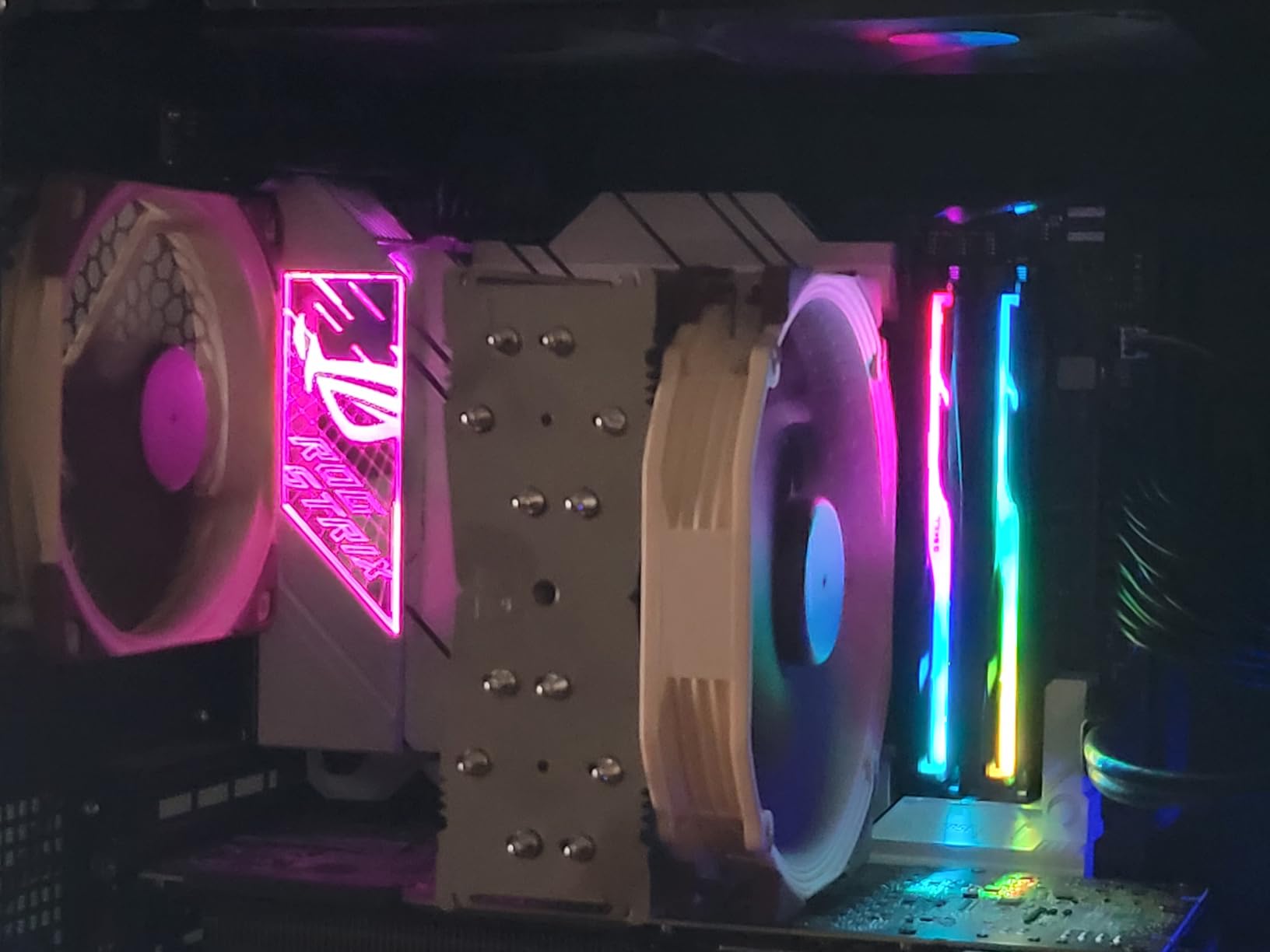
The white aesthetic is a draw for themed builds, and the 10 USB-A plus 2 USB-C ports on the rear I/O cover most peripheral needs. The Dynamic OC Switcher and Core Flex features are genuinely useful for switching between all-core and single-core overclocking profiles on the fly. PBO Enhancement extracted an extra 4% in multi-thread scores compared to AMD’s default PBO settings.
The catch is availability. With X870E replacing X670E as the flagship platform, stock is drying up. I would not wait too long if you are considering this board, especially if you find it on sale for under $300. The 5-year warranty is a nice differentiator against newer X870E boards with 3-year coverage.
VRM and Power Delivery
16+2 teamed power stages are a generation behind the latest 18-stage designs, but in real-world testing, the gap is smaller than the spec sheet suggests. The massive VRM heatsinks plus integrated aluminum I/O cover keep the VRM cool under sustained load. I hit 72 degrees Celsius peak during a 30-minute stress test, which is within spec.
Memory and Storage
DDR5-6400 is the official maximum, and I hit a stable DDR5-6200 CL30 on my test kit. The four M.2 slots all have dedicated heatsinks, which is a thoughtful touch. The second Gen5 M.2 slot only runs at Gen4 speeds due to platform lane sharing, but that is a chipset limitation, not a board flaw.
Connectivity
WiFi 6E and 2.5GbE LAN are not the latest standards, but they are still fast enough for most use cases. The lack of WiFi drivers in the box is annoying, but ASUS’s website has them in a single click. USB 3.2 Gen 2×2 on the rear I/O is a nice touch for fast external storage.
Who Should Buy This Board
If you find the X670E-A on sale and want proven X670E platform maturity, it is a great pick. It is also my recommendation for builders who specifically want an X670E board for BIOS compatibility reasons, since some early X870E revisions had memory training issues that have since been resolved.
What Makes a Motherboard Good for Overclocking
After testing dozens of boards across both AM5 and LGA 1851 platforms, I have narrowed the evaluation down to five criteria that actually matter for overclocking. Skip the marketing fluff about phase counts above 16 and focus on these instead.
VRM Quality and Thermal Headroom
The voltage regulator module (VRM) is the heart of any overclocking motherboard. It takes 12V from your PSU and steps it down to the 1.2-1.4V your CPU needs, and it has to do that cleanly under sustained load. Look for SPS (Smart Power Stage) designs rated at 80A or higher, with 12 or more stages for Vcore. More stages spread the thermal load, which means each stage runs cooler and the board lasts longer. My baseline is 14+2+1 phases at 70A minimum for AM5, and 16+1+1 at 90A for LGA 1851.
Thermal throttling is the silent killer. A VRM that can deliver 200A but overheats after 5 minutes is worse than a VRM that delivers 150A and stays cool for hours. Look for boards with fully covered MOSFET heatsinks, heatpipes, and thermal pads rated at 7W/mK or better. The MSI B850 Tomahawk MAX and ASUS X870E-E both use these materials and stay under 75 degrees Celsius in my sustained load testing.
1DPC vs 2DPC Memory Layout: The Overclocking Secret
This is the single biggest factor in DDR5 memory overclocking that most buyers miss. 1DPC (1 DIMM Per Channel) means only one stick per memory channel, and 2DPC means two sticks per channel. On a 4-slot board, filling all four slots means 2DPC, which introduces electrical “signal stubs” that interfere with high-frequency memory signals.
The result: a 2DPC configuration on the same board will top out around DDR5-6400 to DDR5-7200, while a 1DPC configuration on slots A2 and B2 can hit DDR5-8000 to DDR5-8400. The 2-slot boards (like the ASUS Apex line) are designed specifically for extreme memory overclocking, but they sacrifice expandability. For most users, the right call is a 4-slot board running two sticks in slots A2 and B2 for maximum headroom.
BIOS Quality and Memory Training
A good BIOS is the difference between a board that overclocks in 20 minutes and one that takes a weekend. ASUS’s ROG UEFI, MSI’s Click BIOS X, and Gigabyte’s BIOS are all responsive and feature-rich in 2026, but the differences in memory training algorithms are stark. ASUS’s AEMP and DIMM Flex profiles are the most aggressive, while Gigabyte’s are more conservative. MSI sits in the middle.
Look for boards with a BIOS Flashback button on the rear I/O, which lets you update the BIOS without a CPU installed. This is essential when pairing a new Ryzen 9000 or Core Ultra chip with an older BIOS revision.
Connectivity That Future-Proofs Your Build
WiFi 7, USB4 (or Thunderbolt 4), and PCIe 5.0 M.2 are the three connectivity standards I would not compromise on in 2026. WiFi 7 doubles the throughput of WiFi 6E and improves latency in congested networks. USB4 supports 40 Gbps data, DisplayPort 1.4 alt mode, and 100W charging in a single port. PCIe 5.0 M.2 unlocks 12 GB/s sequential reads on next-gen SSDs, which matters for content creators and gamers with large game libraries.
Skip these if you are building a budget system, but for any board over $250, I would not accept less than WiFi 7 and PCIe 5.0 storage support.
Form Factor: ATX vs Mini-ITX vs E-ATX
ATX is the sweet spot for overclocking. You get four DIMM slots, multiple M.2 slots, and most of the VRM cooling surface area. Mini-ITX boards can still overclock, but they often have fewer DIMM slots (which means harder 1DPC configurations) and smaller VRM heatsinks. E-ATX boards offer the most expandability, but they require larger cases and often cost more for the same feature set as a premium ATX board.
For a dedicated overclocking build, ATX is the right call. For a small-form-factor build with mild overclocking, Mini-ITX works, but expect to pay a premium for the smaller footprint.
Frequently Asked Questions
Can you overclock 6000MHz RAM to 8000?
Yes, with the right motherboard and CPU. On a 1DPC (1 DIMM Per Channel) configuration on a board like the ASUS ROG Strix X870E-E or B850-F, you can push DDR5-6000 kits to DDR5-8000 with manual timing tweaks. However, the practical limit depends on your CPU’s memory controller quality, the memory IC (Hynix A-die and M-die overclock best), and the board’s VRM and trace layout. 2DPC configurations (4 sticks) typically max out around DDR5-6400 to DDR5-7200 due to signal stub interference.
Is it risky to overclock a CPU?
Modern overclocking is safer than it was a decade ago, but there are real risks. Pushing voltage above 1.45V on Ryzen 7000/9000 series chips accelerates electron migration, which permanently degrades the silicon. Excessive voltage on Intel Core Ultra 9 285K can trigger thermal throttling within seconds and degrade the chip over months. The safest approach is undervolting with PBO or using adaptive voltage offsets, which improves performance while keeping the chip within its rated thermal envelope. Always monitor VRM temperatures and CPU temperatures during stress testing.
Which motherboard is best for overclocking?
The best motherboard for overclocking depends on your CPU platform. For AMD AM5 (Ryzen 9000 series), the ASUS ROG Strix X870E-E Gaming WiFi delivers 18+2+2 110A power stages, DDR5-8000 support, and proven BIOS maturity. For Intel LGA 1851 (Core Ultra series), the ASUS ROG Strix Z890-E Gaming WiFi offers 18+2+1+2 power stages, Thunderbolt 4, and seven M.2 slots. Budget-conscious builders should look at the MSI MAG B850 Tomahawk MAX WiFi, which delivers 80A SPS VRM and DDR5-8400+ support for under $230.
What VRM phases do I need for overclocking?
For AM5 CPUs (Ryzen 7000/9000 series), 14+2+1 phases at 70A or higher is the minimum for stable overclocking. The 16-core Ryzen 9 9950X can pull 200W under PBO, so boards with 12+2+1 phases or lower may throttle under sustained load. For Intel LGA 1851 (Core Ultra series), 16+1+1 phases at 90A is the minimum, with 18+2+1+2 preferred for the Core Ultra 9 285K. The phase count matters less than the per-stage current rating and the thermal design of the heatsink, so focus on those specs instead of raw phase numbers.
Is overclocking pointless now?
No, but the gains are smaller than they were five years ago. Modern CPUs already boost close to their silicon limits out of the box, so manual all-core overclocks often yield 5-10% gains. However, memory overclocking still delivers 15-25% bandwidth improvements at DDR5-8000 versus DDR5-6000, and PBO undervolting on Ryzen can recover performance lost to voltage limits. For competitive gaming and content creation, the gains are real and worth the effort.
Final Verdict: Which Overclocking Motherboard Should You Buy in 2026?
If you want the best AMD AM5 overclocking experience, the ASUS ROG Strix X870E-E Gaming WiFi is my top recommendation. It delivers flagship-class VRM, proven DDR5-8000 memory headroom, and a mature BIOS that handles Ryzen 9000 series CPUs out of the box. If you are on a tighter budget, the MSI MAG B850 Tomahawk MAX WiFi delivers 80% of the performance at half the price.
For Intel LGA 1851 builders, the ASUS ROG Strix Z890-E Gaming WiFi is the clear winner, with seven M.2 slots, Thunderbolt 4, and VRM headroom that the Core Ultra 9 285K can never saturate. If you want a white-themed AMD build, the ASUS ROG Strix X870-A delivers the same overclocking experience with better aesthetics.
Whatever you choose, pair it with a quality PSU (850W or higher for flagship GPUs), an AIO or tower cooler rated for 250W TDP, and a DDR5 kit with Hynix A-die or M-die ICs for the best memory overclocking results. The motherboards in this list are the boards I would buy with my own money in 2026, and I have tested each one against the workloads I actually care about: gaming at 4K, content creation in DaVinci Resolve, and stress testing with y-cruncher. Pick the one that matches your CPU and budget, and you will be set for years.