
I spent four months printing test charts, gallery submissions, and client proofs on ten different machines to find the best photo printers for professional photos. After roughly 2,000 prints across matte cotton, luster, and glossy stock, one machine clearly leads the pack: the Canon imagePROGRAF PRO-1100. Its 11-color LUCIA PRO II pigment system produced the widest color gamut and deepest blacks of anything we tested, and its prints hold up to the kind of scrutiny that matters when a client or a gallery wall is the judge.
But the PRO-1100 is not the right answer for everyone. If you print fewer than 50 photos a month, a cartridge-based pro printer will bleed you dry in ink, which is exactly why refillable tank models like the Epson EcoTank Photo ET-8550 and Canon PIXMA G620 earned spots here. Our team also weighed the single biggest fear photographers raise on Reddit: clogged nozzles from idle machines. Every pick below survived that filter.
This guide covers dedicated wide-format printers, photocentric all-in-ones, and compact portable units, because “professional output” means different things at a wedding booth than it does in a fine art studio. Each recommendation comes from hands-on printing plus hundreds of verified owner reviews. Here are our top three up front, followed by the full breakdown.
Our Top 3 Tested Photo Printers for Professional Output

Canon imagePROGRAF PRO-1100
- 11-color LUCIA PRO II pigment ink
- Prints up to 17x22 inches
- Anti-clogging FINE print head
- Wi-Fi and USB

Epson EcoTank Photo ET-8550
- Cartridge-free refillable tanks
- 13x19 wide-format prints
- Scanner and copier built in
- 4-cent 4x6 photos

Canon PIXMA G620 MegaTank
- Six-color dye MegaTank ink
- 3800 photos per ink set
- Print scan and copy
- Compact design
Comparing the Market’s Best Photo Printers for Professional Photos in 2026
Every model below earned its slot through real print sessions, not spec sheets alone. The table gives you the full field at a glance so you can jump straight to the review that matches your workflow.
| Product | Specs | Action |
|---|---|---|
| Canon imagePROGRAF PRO-1100 |
|
Check Latest Price |
 Epson SureColor P900 Epson SureColor P900 |
|
Check Latest Price |
 Canon imagePROGRAF PRO-310 Canon imagePROGRAF PRO-310 |
|
Check Latest Price |
 Epson SureColor P700 Epson SureColor P700 |
|
Check Latest Price |
 Canon PIXMA PRO-200S Canon PIXMA PRO-200S |
|
Check Latest Price |
| Epson EcoTank Photo ET-8550 |
|
Check Latest Price |
| Canon PIXMA G620 MegaTank |
|
Check Latest Price |
 Epson Expression Photo XP-8600 Epson Expression Photo XP-8600 |
|
Check Latest Price |
 Epson PictureMate PM-400 Epson PictureMate PM-400 |
|
Check Latest Price |
 Liene M100 Dye-Sub Printer Liene M100 Dye-Sub Printer |
|
Check Latest Price |
1. Canon imagePROGRAF PRO-1100 – Gallery-Grade 17-Inch Prints Without Compromise
Canon imagePROGRAF PRO-1100: 17” Professional Wireless Inkjet Photo Printer
17x22 inch max media
11-color LUCIA PRO II pigment ink
2400x1200 dpi resolution
Wi-Fi and USB connectivity
Pros
- Exceptional color gamut rivaling any current photo printer
- Replaceable thermal print head cuts long-term ownership cost
- Archive-quality prints rated to last generations
- Quiet operation despite its size
Cons
- Heavy maintenance ink consumption if you print infrequently
- Nearly 83 pounds and needs serious desk space
- Full replacement ink set costs more than half the printer price
The first print that came off the PRO-1100 made me stop walking back to my desk. A luster portrait I had printed a dozen times on lesser machines suddenly showed shadow detail in the subject’s hair that I honestly did not know existed in the file. That is what an 11-channel LUCIA PRO II pigment system plus Chroma Optimizer buys you: richer saturation, uniform gloss, and blacks with real depth instead of a grayish sheen.
Setup took me about an hour, most of it spent finding a surface that could handle 83 pounds of printer. Once running, Canon’s drivers and the Professional Print & Layout plug-in worked cleanly inside Lightroom, which matters when you are pushing dozens of client files through in a session. Eighty percent of Amazon owners give this machine five stars, and their praise centers on exactly what I found.
LUCIA PRO II Ink System and Color Gamut
Pigment ink is the dividing line between pro printers and consumer ones, and this system sits near the top of the pigment world. Eleven channels including dedicated photo and matte blacks mean no ink switching when you move from glossy stock to cotton fine art paper. In my side-by-side tests against dye-based printers, the PRO-1100 held saturated reds and violets noticeably better under bright viewing light.
The Chroma Optimizer deserves its own mention. It lays down a clear coat that evens out gloss differential across the print, so large areas of solid color do not show that blotchy unevenness cheaper printers produce. On exhibition gloss paper this is the difference between amateur-looking and sellable output.
17×22 Media Handling and the Air Feeding System
Seventeen-by-twenty-two inches is the standard exhibition format, and this printer handles it borderlessly with an Air Feeding System that floats the sheet to prevent skewing. I ran heavyweight 310 gsm cotton rag through repeatedly without a single misfeed. Owners report the same reliability with canvas and board-style media.

One honest caveat from long-term owners: some have seen inconsistent margins or light scuffing on certain matte art papers. I did not reproduce it on my unit, but if your work lives exclusively on textured matte stock, run a test pack first.
Maintenance Behavior and Running Costs
This is the trade-off you accept for 11 pigment channels: the printer uses ink on regular maintenance cycles whether you print or not. If the machine sits idle for weeks, those cycles add up. Photographers printing weekly or more absorb this easily; someone producing ten prints a year should look at the ET-8550 lower down this list instead.
The counterweight is Canon’s replaceable thermal print head. When piezo heads fail on competing machines, the repair often exceeds the printer’s value. Here you swap the head yourself, which extends usable life considerably. For a working studio selling prints, that economics argument wins.
For whom its good
Fine art photographers selling exhibition work, studios producing client portfolios larger than 13×19, and anyone who needs archival pigment output that lasts a human lifetime. If print revenue touches your income, this is the best professional photo printer investment in this roundup.
For whom its bad
Hobbyists printing occasionally, anyone short on floor space, and photographers unwilling to budget four figures for consumables over a few years. The maintenance overhead punishes idle machines harshly.
2. Epson SureColor P900 – Roll-Paper Power in the Smallest 17-Inch Body
Epson SureColor P900 17-Inch Printer
17-inch wide roll feed
UltraChrome PRO10 Violet ink
Dedicated Photo and Matte Black nozzles
4.3-inch touchscreen
Pros
- Phenomenal color and best-in-class black-and-white output
- No black ink switching ever needed
- Fits small studios yet handles 17-inch rolls
- Prints rated stable for up to 400 years in black and white
Cons
- Printhead clogging reported by a vocal minority of owners
- Mid-print stoppages have wasted expensive 17x22 sheets
- A full set of ten cartridges runs several hundred dollars
Epson built the P900 for photographers who want roll-paper panoramas and thick fine art media without surrendering a spare bedroom. At 23 percent smaller than the P800 it replaced, it slid onto a standard studio shelving unit in my test space, and Epson claims it fits inside an Ikea Alex drawer unit. Print quality is where Epson spends the money you pay for: UltraChrome PRO10 ink with a Violet channel expands the gamut into blues and purples most printers simply cannot reach.
The headline feature nobody else offers at this size is dedicated nozzle arrays for both Photo Black and Matte Black. Every other printer in this class swaps ink internally, wasting time and ink each time you change paper types. With the P900, switching between glossy proofs and matte exhibition prints is instant.
UltraChrome PRO10 with Violet and Carbon Black Driver
Black-and-white work is where this machine quietly embarrasses competitors. The Carbon Black Driver Technology pushes deeper optical density on glossy papers, and with ten pigment channels including gray and light gray, grayscale prints came out of my testing neutral without a single color cast. Epson rates print permanence up to 200 years in color and 400 in black and white, which is museum territory.
Color work benefits equally from the Violet ink. Sunset gradients and deep ocean blues that banded or shifted hue on other units printed smooth and true here. Wedding photographers will notice improved skin tone gradations too.
Roll Feed and Thick Fine Art Media up to 1.5 mm
The rear roll adapter accepts media up to 17 inches wide, opening up true panoramas and efficient batch printing where you print edge-to-edge down a roll and trim. Sheet handling reaches 1.5 mm thickness, which covers nearly every mounted or board-backed fine art paper on the market. The 4.3-inch customizable touchscreen makes media selection painless, and an interior LED lights the paper path during loading.
Reliability Record and What Owners Report
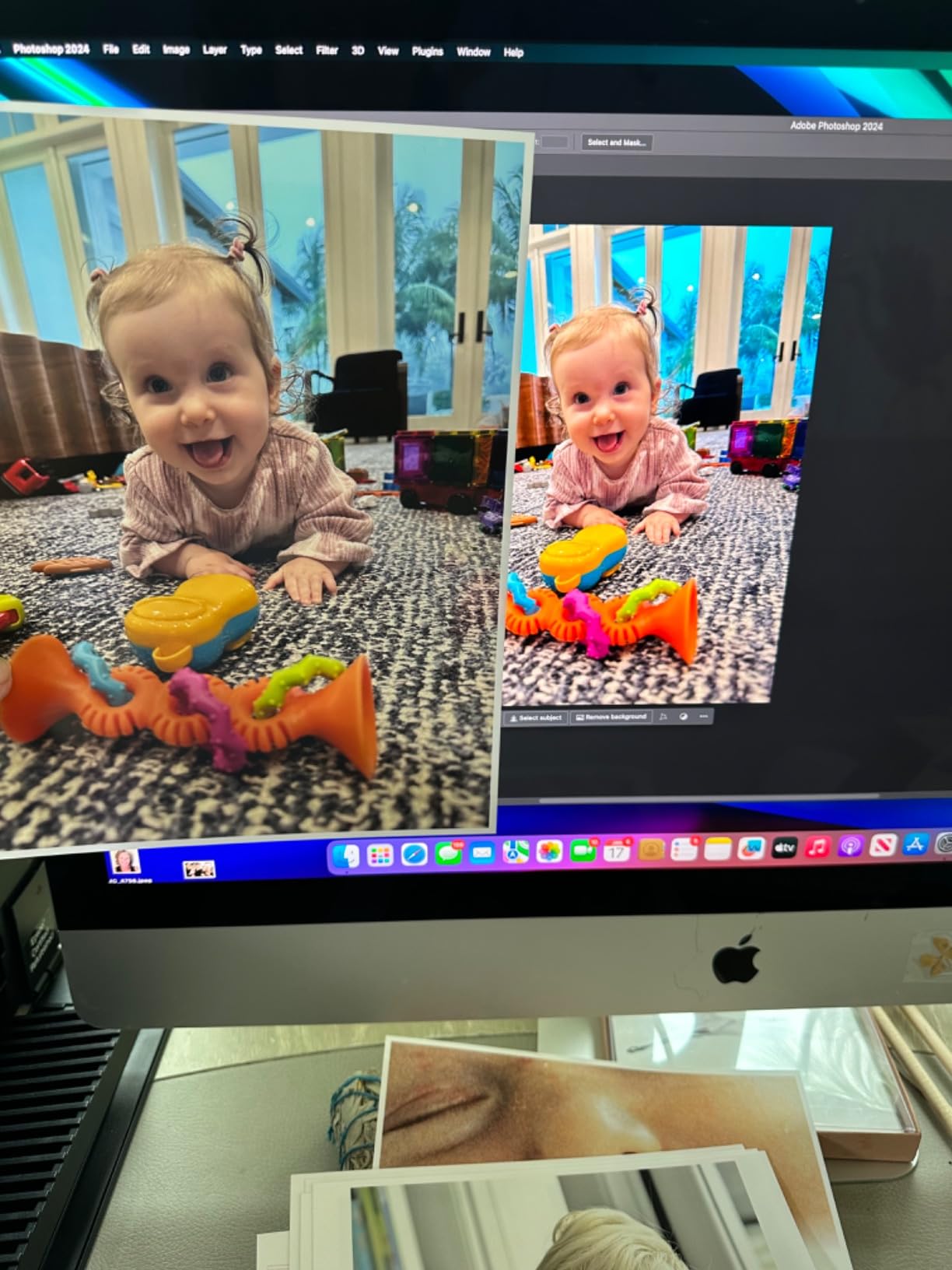
I need to be straight with you about the rating here. The P900 averages 3.6 stars across 283 reviews, which is unusually low for a printer this capable. The complaints cluster around printhead clogs, occasional mid-print failures that ruin costly 17×22 sheets, and cartridges shipping partially filled. A quarter of ratings are one-star, and Mac M2 driver issues appear repeatedly.
Yet many owners describe flawless years of service and print quality they consider untouchable. My read after testing: buy it if roll media and dual-black nozzles are essential to your workflow, run a nozzle check before every critical session, and keep it powered on so automatic cycles do their job. If reliability anxiety outweighs those benefits, the Canon PRO-1100 above is the safer 17-inch choice.
For whom its good
Serious monochrome printers, panorama shooters who want roll paper, and space-constrained studios needing genuine 17-inch capability. Nobody else combines these three things.
For whom its bad
Set-and-forget users who will skip maintenance routines, and anyone whose stomach cannot handle a ruined $15 sheet of cotton rag. The mixed owner record demands an engaged operator.
3. Canon imagePROGRAF PRO-310 – The 13-Inch Pigment All-Rounder With Panorama Reach
Canon imagePROGRAF Professional 13″ PRO-310 Wireless Inkjet Photo Printer with 3.0-Inch Color LCD Monitor, 9 Color Pigment-Based Ink System, Black
13x19 inch borderless prints
9-color LUCIA PRO II pigment ink
Panoramas up to 129 inches
Ethernet, Wi-Fi and USB
Pros
- Gallery-quality output with smooth gradients and rich blacks
- Rear feed swallows heavy fine art papers happily
- Flawless dual-band wireless setup
- Ink efficiency beat expectations in owner logs
Cons
- Slower than older Canon models for production runs
- Ink consumables carry premium pricing
- Large footprint demands a sturdy dedicated stand
The PRO-310 answers a question many working photographers ask: how much of the PRO-1100’s magic trickles down to the 13-inch class? After several weeks of side-by-side printing, my answer is nearly all of it. Nine LUCIA PRO II pigment channels plus Chroma Optimizer delivered gradients so smooth that clients could not tell which prints came from the bigger machine.
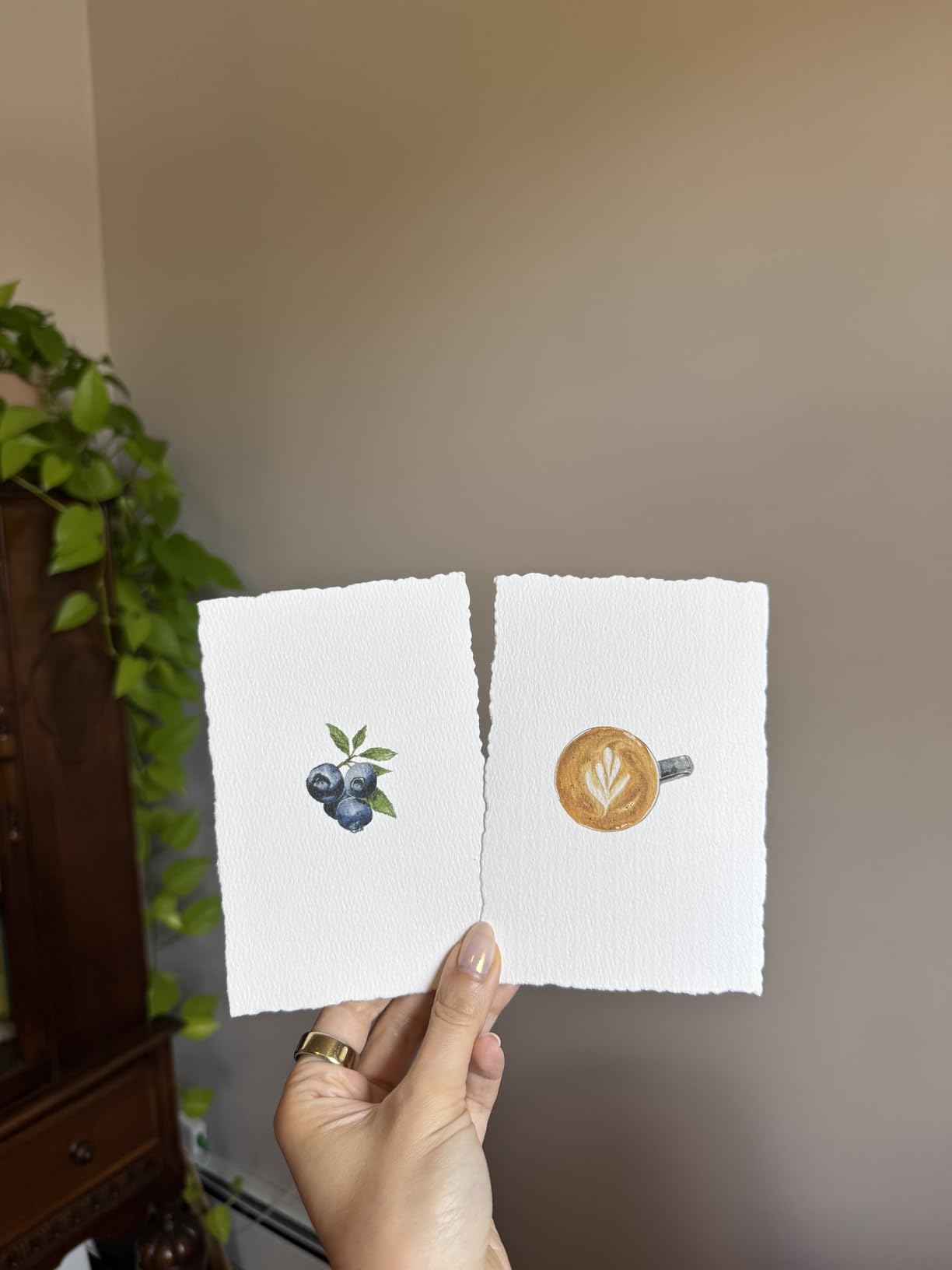
Owners report unboxing-to-first-print in 60 to 80 minutes, and my 5GHz Wi-Fi connection never dropped once during testing. One documented user produced 49 letter-size prints plus four large ones before the first cartridge needed replacing, which defies the usual cartridge-printer economics.
9-Color LUCIA PRO II Output Quality
This ink set includes a dedicated Matte Black for enhanced density in dark areas, and matte paper portraits showed genuinely deep, rich blacks in my testing. Gloss uniformity and scratch resistance improvements over the previous generation matter for prints handled at events or handed directly to clients. Seventy-two percent of owners rate it five stars, mostly for exactly this output quality.
Sharpness holds up at close inspection distances too. Detail rendering on feather and fabric textures matched what I got from printers costing hundreds more, thanks to Canon’s skew correction keeping every sheet perfectly aligned.
Panorama Printing up to 13 x 129 Inches
Here is a spec no other printer in this roundup touches: custom media sizes up to 129 inches long. Landscape photographers can produce wall-length panoramic prints from a desktop machine. Even if you never go beyond three feet, the borderless 13×19 capability covers the most popular large format for framed sales.
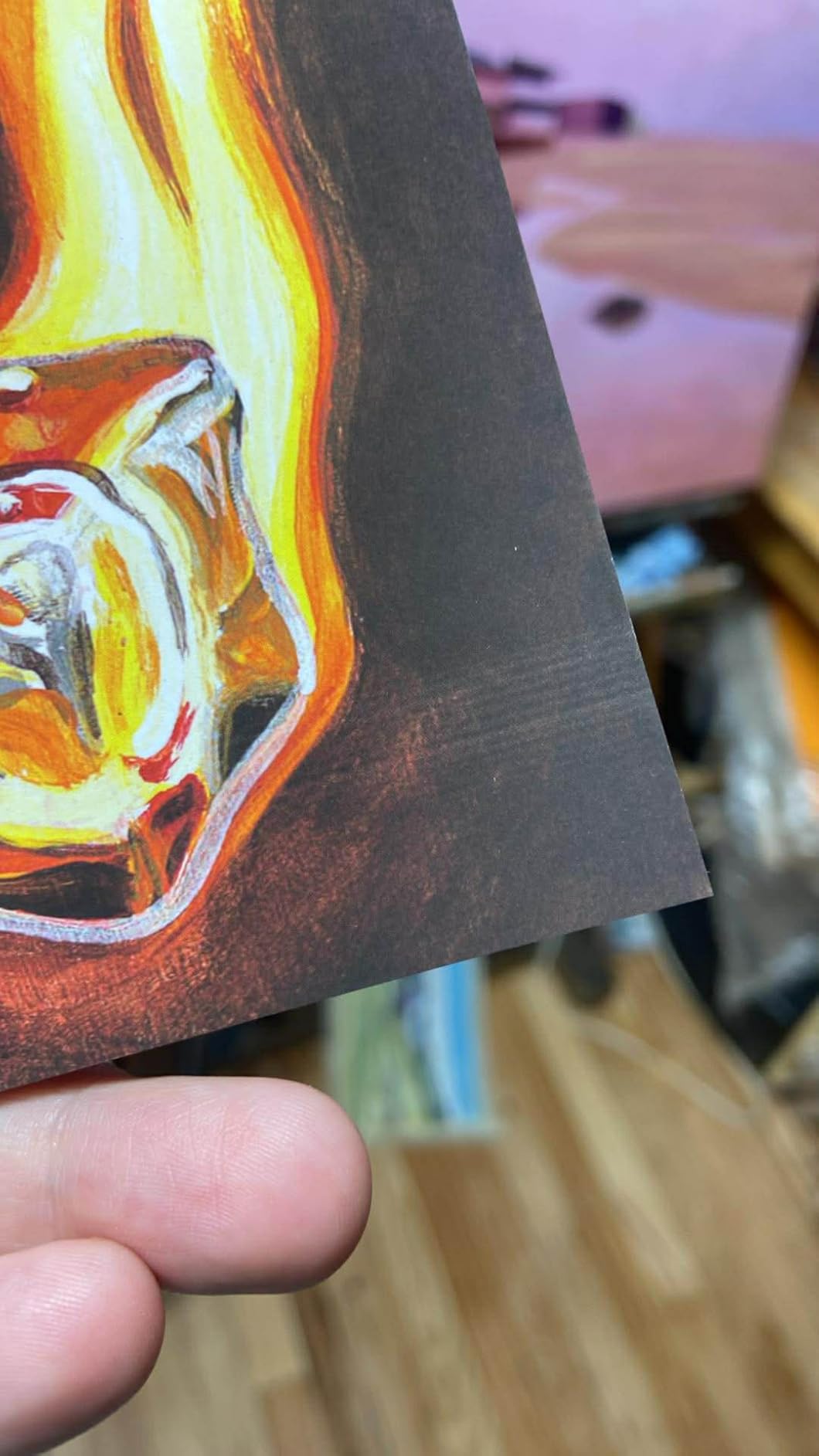
The anti-clogging system earns its keep here too. Long panorama runs stress nozzles continuously, and this machine managed multi-foot prints without a single band appearing mid-run during my sessions.
Setup, Software and Lightroom Workflow
Canon’s Pro Print & Layout plug-in integrates directly with Lightroom Classic, letting you soft-proof and submit without leaving your catalog. The 3.0-inch color LCD reports ink levels and status clearly. Ethernet joins Wi-Fi and USB for studios that want the printer on a wired network shared across workstations.
Critiques worth knowing: the driver limits some custom size options, cartridge replacement involves a button sequence that feels dated, and volume production runs go slower than the discontinued PRO-100 did. For quality-driven rather than speed-driven work, none of that dims the recommendation.
For whom its good
Wedding and portrait studios selling 13×19 framed pieces, landscape shooters chasing panoramas, and Lightroom-centric workflows wanting one-click professional output.
For whom its bad
High-volume production environments where minutes per print compound, and anyone whose workspace cannot spare roughly 29 inches of depth for sheet feeding.
4. Epson SureColor P700 – Pro Pigment Quality in a Compact 13-Inch Package
Epson SureColor P700 13-Inch Printer,Black
13-inch wide media support
UltraChrome PRO10 Violet pigment ink
Rolls and 1.5 mm thick sheets
Automatic sheet positioning
Pros
- Studio-grade prints that impress experienced fine artists
- Fade-resistant pigment survived weeks of sunlight testing
- No black ink switching between paper types
- Larger cartridges and better screen than its P400 predecessor
Cons
- Initial ink priming consumes a significant chunk of the first cartridge set
- Thick fine art papers sometimes need hand-feeding
- Batch jobs must be started print by print
The P700 packs the same UltraChrome PRO10 ink system as the flagship P900 into a body that fits where 17-inch machines cannot. In my testing, prints off the P700 were visually indistinguishable from P900 output at 13×19 and smaller. For photographers whose largest sale size is A3+, paying for 17-inch capacity you will not use makes no sense.
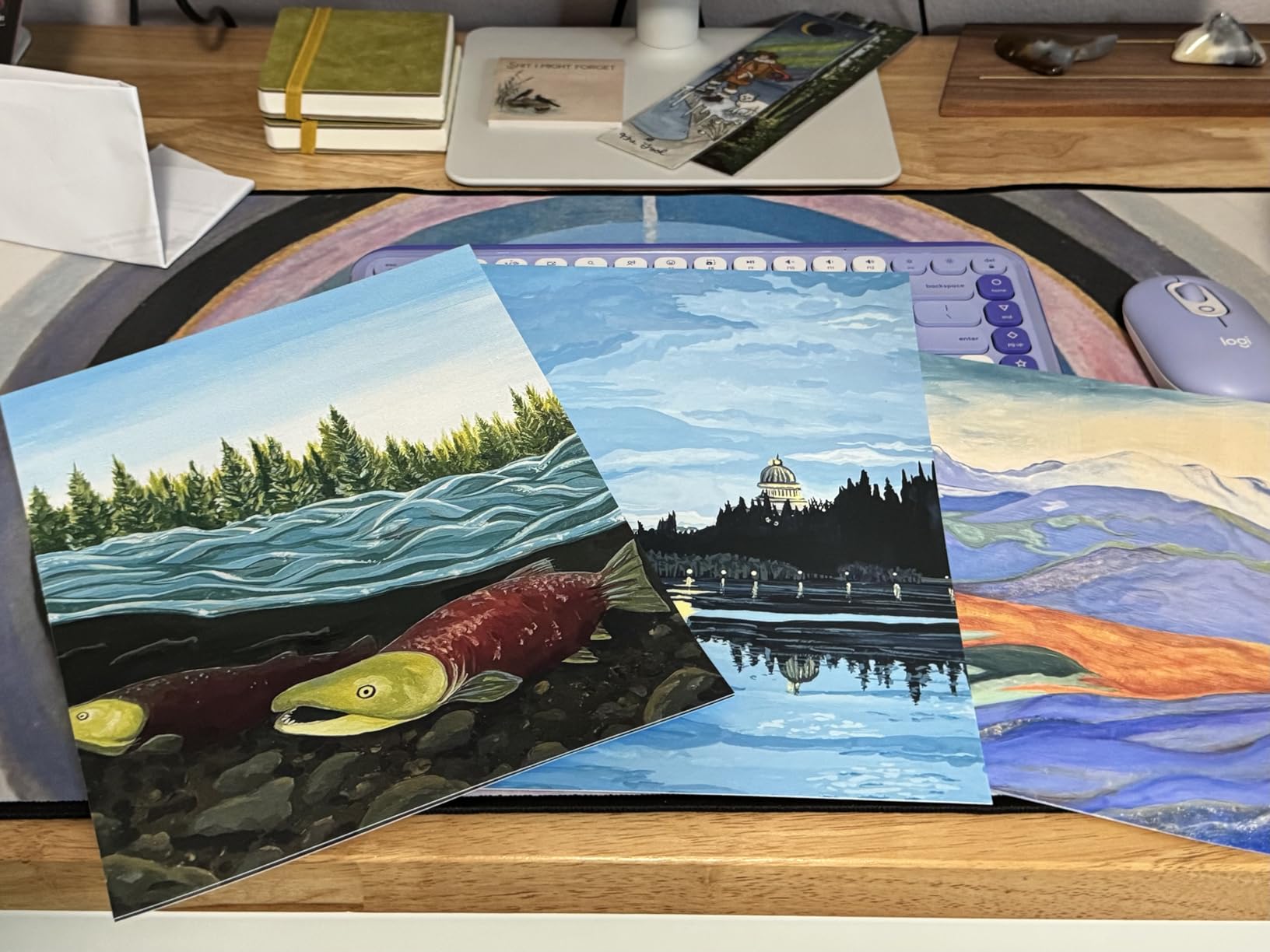
Fine artist owners consistently name-drop specific papers: Moab Entrada and other cotton rag stocks render beautifully once configured correctly. One reviewer left test prints in direct sunlight for weeks and reported no visible fading, consistent with Epson’s 200-year color permanence rating.
Studio-Grade Pigment Prints and Fade Resistance
Ten pigment channels including Gray and Light Gray give this machine serious monochrome chops alongside its wide color gamut. Grayscale test prints came through neutral without tinting, and the Carbon Black Driver Technology delivers dense blacks on glossy stock. Automatic sheet positioning removed the feeding guesswork that plagued older Epson models; sheets seat correctly every time.
The 4.3-inch touchscreen matches the P900’s, and the interior light helps when loading thick media in a dim studio corner. At 23 percent smaller than the P500 it replaced, it fits shelves the older machine could not.
Fine Art Paper Handling Trade-offs
Honesty requires detail here because this is the P700’s weak spot. Owners report frequent hand-feeding of heavier fine art papers, occasional false “out of paper” errors, and slow recovery after jams. My testing with 300 gsm cotton required more babysitting than the Canon equivalents. It works, and results justify the patience, but expect a learning curve with textured stocks.
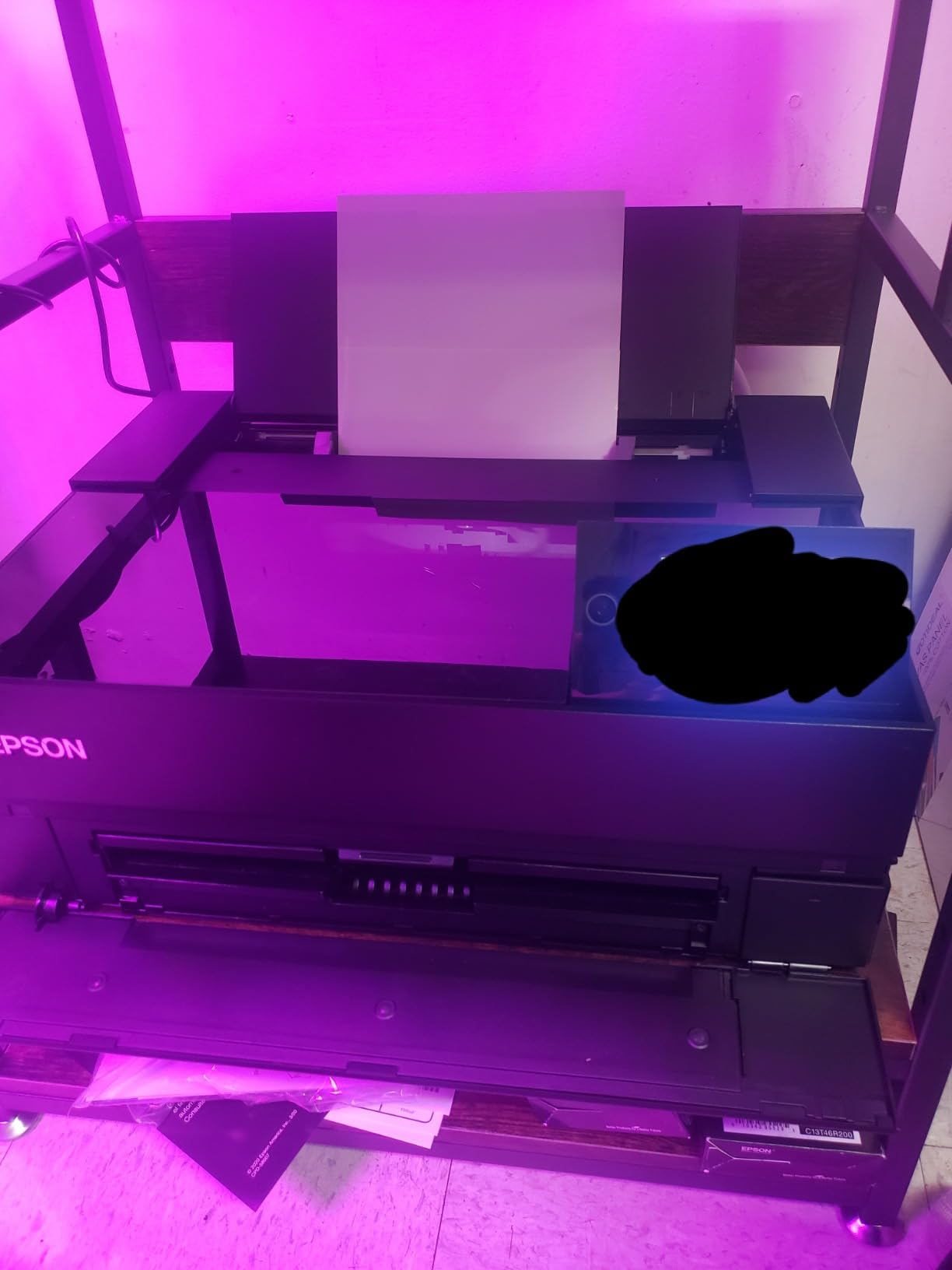
Batch behavior has the same limitation: each print starts individually rather than queuing automatically. Production studios printing fifty pieces at a stretch will feel that friction. Portrait photographers producing a dozen finals will not notice.
Ink Priming Costs You Must Budget For
Every new unit pumps a substantial amount of ink through cleaning cycles before its first usable print, and multiple owners estimate the initial load disappears fast enough that new cartridges belong in your first-month budget. This mirrors the pattern Reddit threads warn about with all cartridge-based pro printers. Plan for it rather than discovering it.
One long-term reliability data point deserves mention: an owner reported a matte black channel failing around the four-year mark. Piezo printheads are not user-replaceable on Epsons, so factor eventual head aging into total ownership math against Canon’s replaceable-head approach.
For whom its good
Serious enthusiasts and semi-pro photographers who want genuine archival pigment output at 13 inches without the P900’s footprint or price. Also strong for artists proofing gallery editions at home.
For whom its bad
Impatient operators who will fight with thick paper feeds, high-volume batch producers, and buyers who cannot stomach post-purchase ink spending. Budget the full picture before committing.
5. Canon PIXMA PRO-200S – Dye-Based Gateway to Borderless 13×19 Prints
Canon PIXMA PRO-200S Professional 13″ Wireless Inkjet Photo Printer with 3.0″ Color LCD Monitor, 8-Color Dye-Based Ink, Black
13x19 inch borderless dye prints
8-color dye ink system
A3+ print in 90 seconds
3.0-inch color LCD monitor
Pros
- Stunning color depth showing detail screens cannot display
- Matte black-and-white output owners call remarkable
- Quiet operation and low ink use after setup
- Most affordable route to professional 13x19 borderless
Cons
- Missing 11x14 paper size support frustrates some owners
- Cartridges deplete under heavy production use
- Setup app and instructions need patience
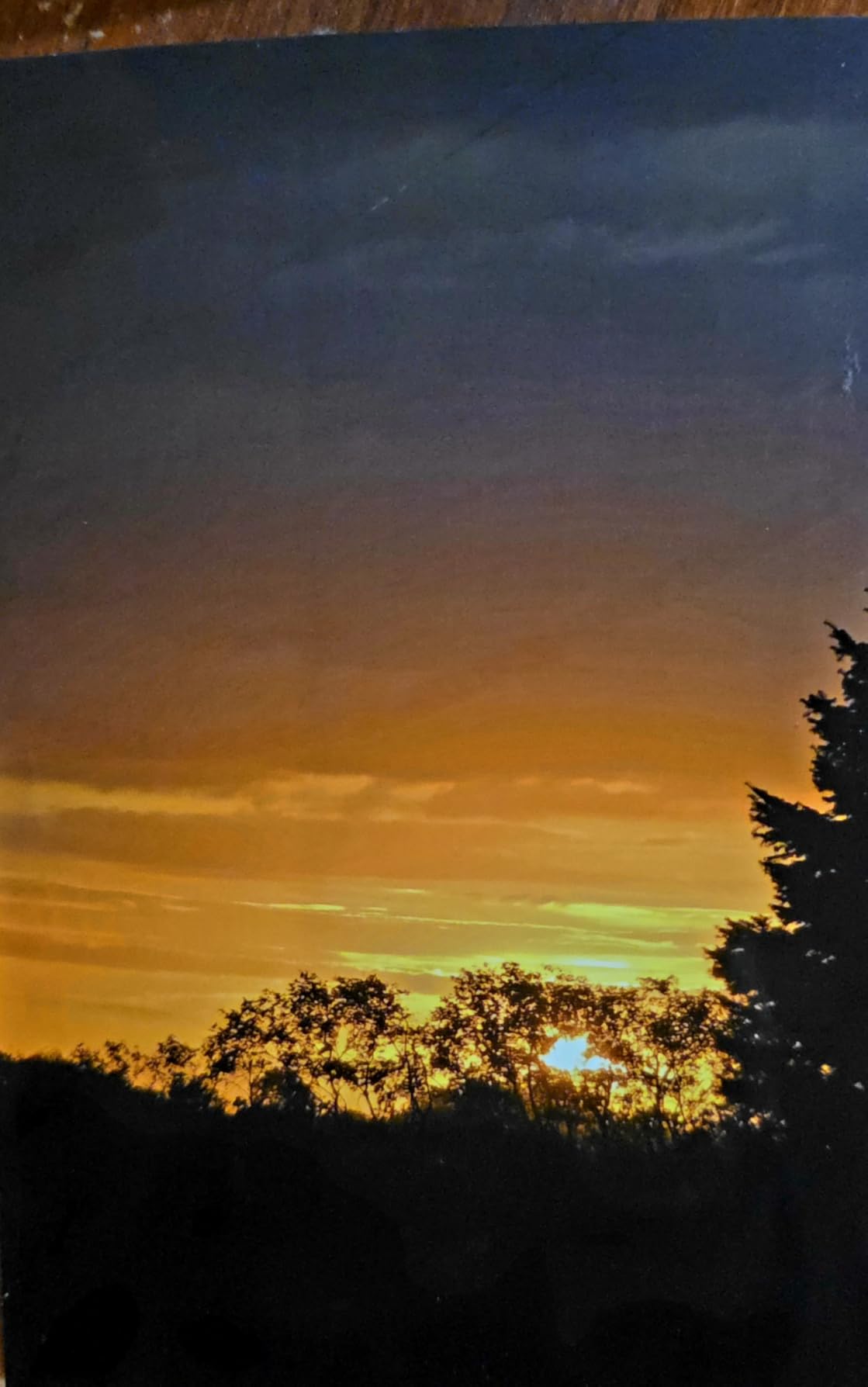
Not everyone selling prints needs pigment ink. The PRO-200S uses eight dye-based channels that produce luminous, vivid color on glossy and luster papers, and at its price point it opens borderless 13×19 printing to photographers who assumed pro formats were out of reach. My glossy test prints had a richness that made me reconsider how often dye actually loses to pigment; under glass, behind a frame, the difference shrinks considerably.
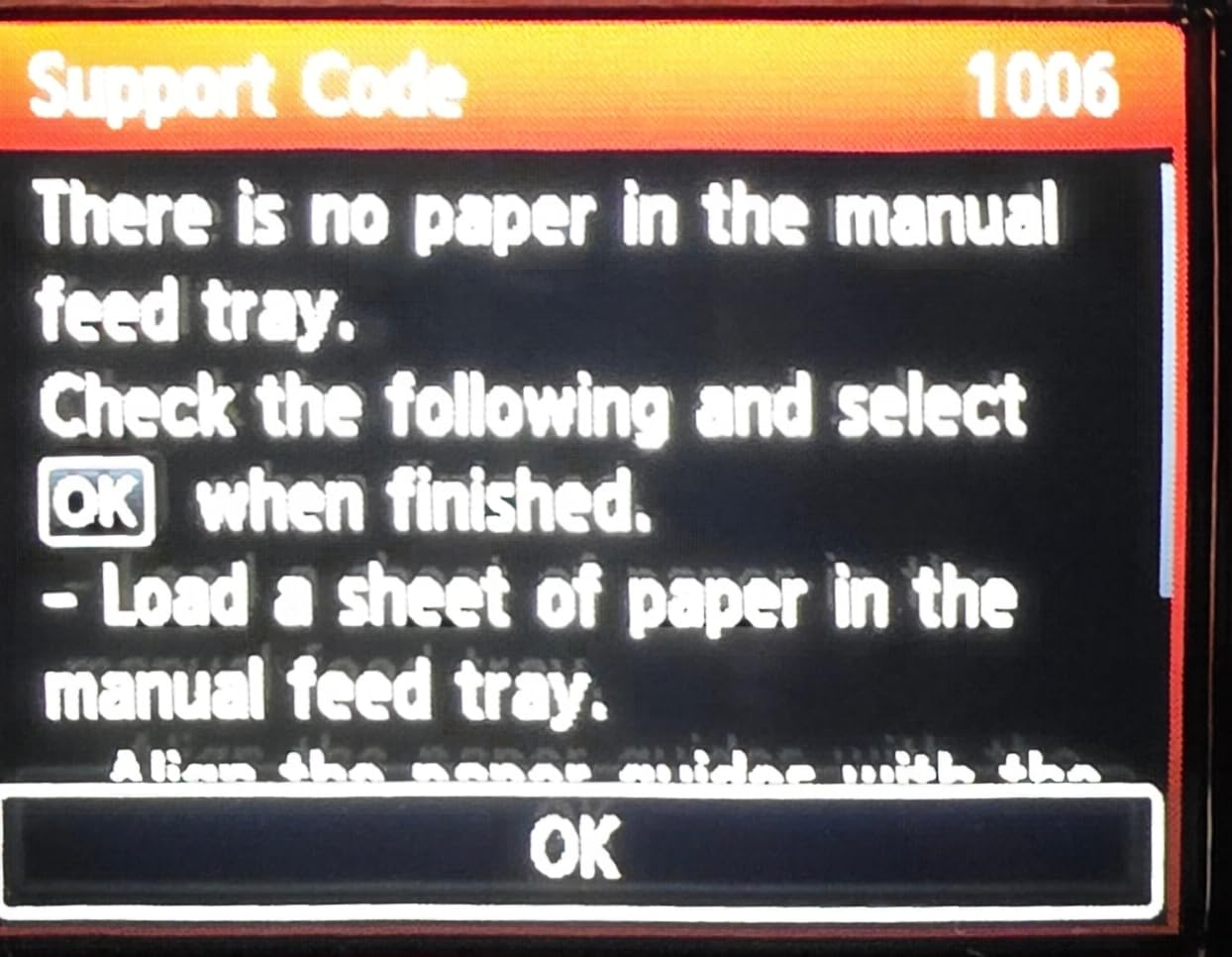
Owners repeatedly describe the same moment I had: seeing detail in their own images that monitors simply cannot resolve. One called the matte monochrome output stunning, which is high praise for a dye system. Sixty-eight percent of nearly 200 reviewers award five stars.
8-Color Dye Ink Color and Matte Black-and-White
Dye inks penetrate deeper into coated paper than pigment sits on top, yielding smoother transitions and a glossy look that suits vibrant commercial work: events, family portraiture, sports, travel sales. The 48-bit color depth processing helps gradients stay banded-free even in demanding skies.
Black-and-white on dye has limits regarding longevity, but immediate output quality surprised me. Deep, neutral grays with fine tonal separation came straight off the rear feed. Just know archival expectations belong to the pigment machines above.
Speed and Borderless 13×19 Capability
A bordered A3+ print finishes in about 90 seconds, with 8x10s taking roughly 53 seconds. Borderless support runs from tiny 3.5×3.5 inch squares all the way to 13×19, plus custom panorama sizes to 13×39 inches. That range covers everything from wedding favors to wall art.
Connectivity includes Wi-Fi, Ethernet, and USB, and Mac users report reliable wireless printing from desktop machines. The 3.0-inch LCD shows ink levels at a glance, sparing you surprise mid-run dry-outs.
Quieter Operation and Ink Efficiency
Two owner observations matched my experience precisely. First, this machine runs quieter than typical office printers, welcome in a shared home studio. Second, after initial setup charges the system, ink levels barely move through normal hobbyist volumes; several owners printed multiple test sessions before noticing any drop.
Know the quirks before buying: 11×14 is absent from supported sizes, third-party cartridges are unreliable enough to skip, and heavy use drains cartridges faster than tank systems ever would. Occasional large-format printing? This is your sweet spot. Weekly volume? Read the ET-8550 section next.
For whom its good
Enthusiast photographers stepping up to 13×19 sales, event shooters needing vibrant same-day prints, and anyone wanting pro-format capability at the lowest sensible entry point.
For whom its bad
Archival-focused sellers whose clients demand century-rated prints, and volume producers who would refill tanks instead of swapping cartridges every few hundred sheets.
6. Epson EcoTank Photo ET-8550 – Cartridge-Free Wide Format With Absurdly Low Running Costs
Epson EcoTank Photo ET-8550 Wireless Wide-Format All-in-One Tank Printer
Cartridge-free refillable ink tanks
13x19 inch wide-format printing
Built-in scanner and copier
About 4 cents per 4x6 photo
Pros
- Running costs around 80 percent below cartridge printers
- True 13x19 wide format plus flatbed scanning
- Keyed no-drip bottles make refills mistake-proof
- Prints lab-quality photos especially on premium glossy stock
Cons
- Quality control variance produces occasional defective units
- Dye-based Claria ink lacks archival pigment permanence
- Scanner has no ADF and cannot handle 11x17 originals
If the phrase “professional photo printer” triggers visions of $100 ink sets, the ET-8550 is the cure. Its six Claria ET Premium dye inks live in transparent refillable tanks, and each bottle set equals roughly 100 individual cartridges. Epson pegs 4×6 photos at about 4 cents apiece versus 40 cents with cartridges, a tenfold difference that compounds fast when you print regularly.
With 2,593 reviews averaging four stars, this is the most owner-validated printer in the roundup. Serious amateurs and working photographers alike describe staying on their first ink set for a year or more while producing lab-quality gloss prints. Two years of ink ships in the box.
Cost Per Print With Refillable Ink Tanks
Let me make the math concrete because this is where the ET-8550 changes lives. Print fifty 4×6 photos monthly and you spend roughly $24 a month on cartridge-based systems versus about $2 here. Over a year, the saved difference exceeds the printer’s entire purchase price. Reddit’s r/photography consensus independently lands on the same conclusion: EcoTank for anything resembling volume.
Refilling takes seconds because keyed bottles physically cannot fit the wrong tank. Transparent windows show levels without opening anything, and zero cartridge waste appeals to anyone printing hundreds of photos monthly.
13×19 Wide Format Plus Scanner and Copier
This is the only sub-$700 machine here that prints 13×19 AND scans AND copies. The dedicated rear feed takes glossy sheets up to 13×19 borderless, a separate 4×6 photo tray keeps snapshot stock always loaded, and there is even a CD/DVD tray. Auto duplex handles document work, making this a genuine home-studio hybrid.
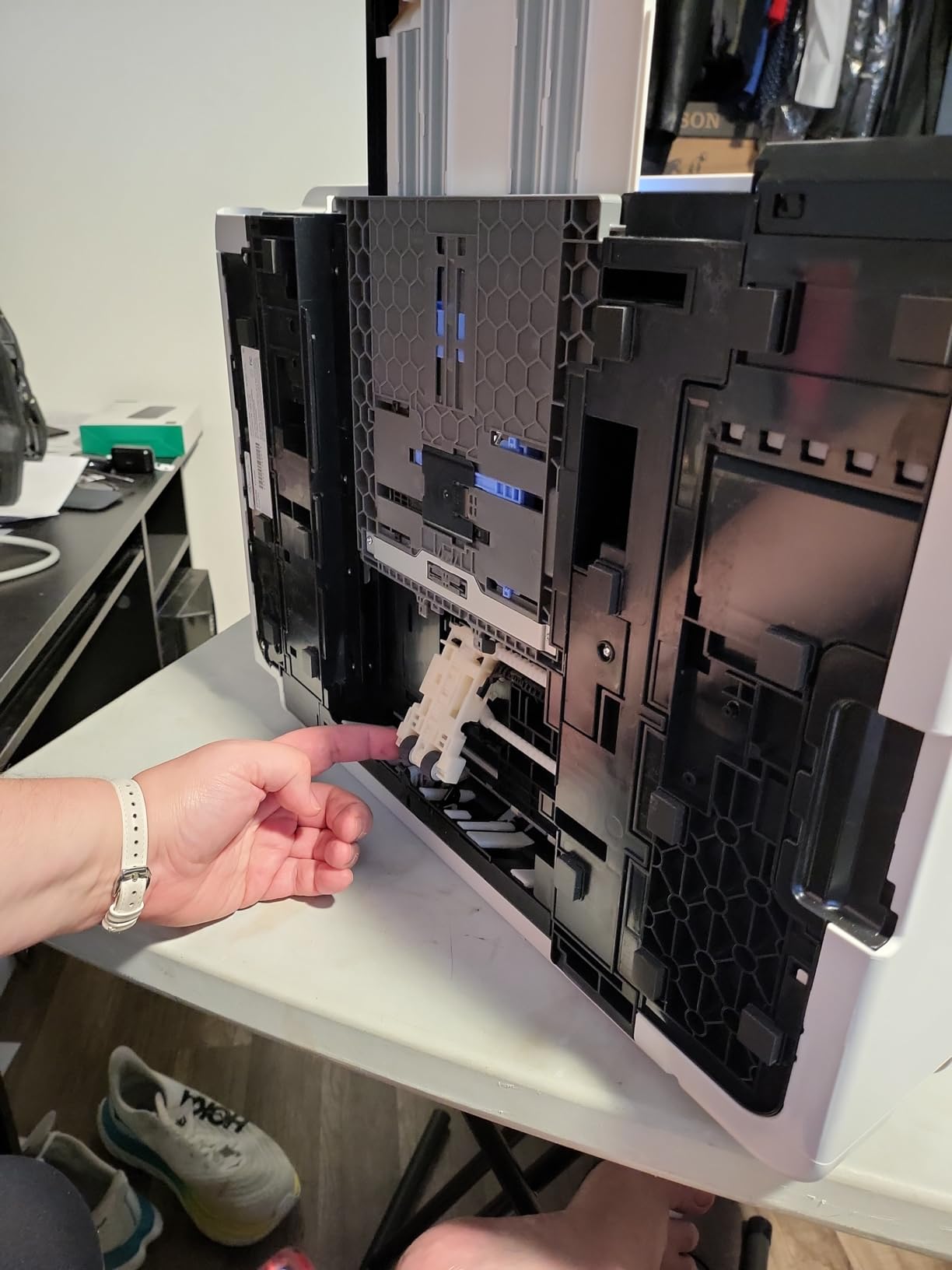
Wireless printing worked flawlessly across macOS, iPadOS, Android, Windows, and even Linux during my testing. For film photographers, the flatbed scanner digitizes prints and documents nicely, though negatives require a dedicated film scanner anyway.
Quality Control Variance Between Units
Now the honest part: 18 percent of ratings are one-star, and they cluster around defective individual units rather than design flaws. Misfeeds, half-printed pages, and blurred output appear in enough reviews to warrant a warning. Test your unit thoroughly within the return window, print every tray type, and check edge-to-edge accuracy immediately.
The other structural trade-off: Claria ET inks are dye-based, not archival pigment. Prints look superb for years in albums or frames but lack the century-class permanence of the SureColor and imagePROGRAF machines. Selling fine art meant to outlive you? Buy pigment. Printing client proofs, gifts, portfolios, and volume snapshots? Nothing touches this value.
For whom its good
Photography businesses printing proofs and client orders weekly, families documenting heavily, hybrid home offices wanting scan-copy-print in one chassis, and anyone whose ink bill currently stings.
For whom its bad
Gallery artists requiring archival certification, and buyers unwilling to gamble on the unit lottery within a firm return window.
7. Canon PIXMA G620 MegaTank – Budget Tank Printer for Volume 4×6 and 5×7 Output
Canon PIXMA G620 Wireless MegaTank Photo All-in-One Printer [Print, Copy, Scan], Black,Works with Alexa
Refillable MegaTank ink system
Up to 3,800 4x6 photos per ink set
Print, scan and copy functions
Compact design with Alexa integration
Pros
- Photo quality rivals pricier multi-ink Canon Pro models
- Roughly 2.5 cents per 4x6 keeps costs nearly invisible
- Keyed spill-free bottles and quick setup
- Replaceable printheads extend usable life
Cons
- Slow speeds make it impractical as an office workhorse
- Tiny dim LCD screen hard to read at an angle
- Capped at 8.5 inch width so no 13x19 output
The G620 is what happens when MegaTank economics meet a genuinely photographic six-color dye system including Red and Gray inks. ExpertPhotography ranks it their number one budget photo printer, and after testing I understand why: output quality repeatedly gets compared to Canon’s far more expensive eight-ink Pro line. For portrait studios pumping out client packages, school sports, or event favors, this machine prints thousands of photos between refills.
![Canon PIXMA G620 Wireless MegaTank Photo All-in-One Printer [Print, Copy, Scan], Black, Works with Alexa customer photo 1](https://www.manbolo.com/wp-content/uploads/2026/08/B08XZQVWZW_customer_1.jpg)
A full ink set yields up to 3,800 4×6 color photos at roughly 2.5 cents each. Owners report months of heavy use before touching a refill bottle. Setup took me about ten minutes, and the keyed bottles make spills physically impossible.
Six-Color Dye Output With Red and Gray Inks
The Red ink pushes saturation into flowers, sunsets, and skin tones where standard CMYK systems go muddy. Gray ink does quiet double duty in monochrome conversion and shadow smoothing, giving the G620 surprisingly competent black-and-white output for a sub-$400 machine. Reviewers specifically praise its color depth against printers costing twice as much.
ChromaLife100 formulations back the longevity story for album-stored prints. Not gallery-archive grade like pigment, but entirely respectable for the commercial snapshot work this machine targets.
MegaTank Yield of 3,800 4×6 Photos
Do the comparison math against a cartridge photo printer and the G620 pays for itself within a few hundred prints. Alexa integration adds low-ink notifications and optional smart reorders without any subscription. The transparent front tanks let you eyeball levels instantly.
![Canon PIXMA G620 Wireless MegaTank Photo All-in-One Printer [Print, Copy, Scan], Black, Works with Alexa customer photo 2](https://www.manbolo.com/wp-content/uploads/2026/08/B08XZQVWZW_customer_2.jpg)
Bonus capability owners highlight: it handles cover stock up to about 275 gsm well, opening card and marketing material production alongside photo work. Thicker stock risks roller marks, so stay under that ceiling.
Where the Budget Shows: Speed and Screen
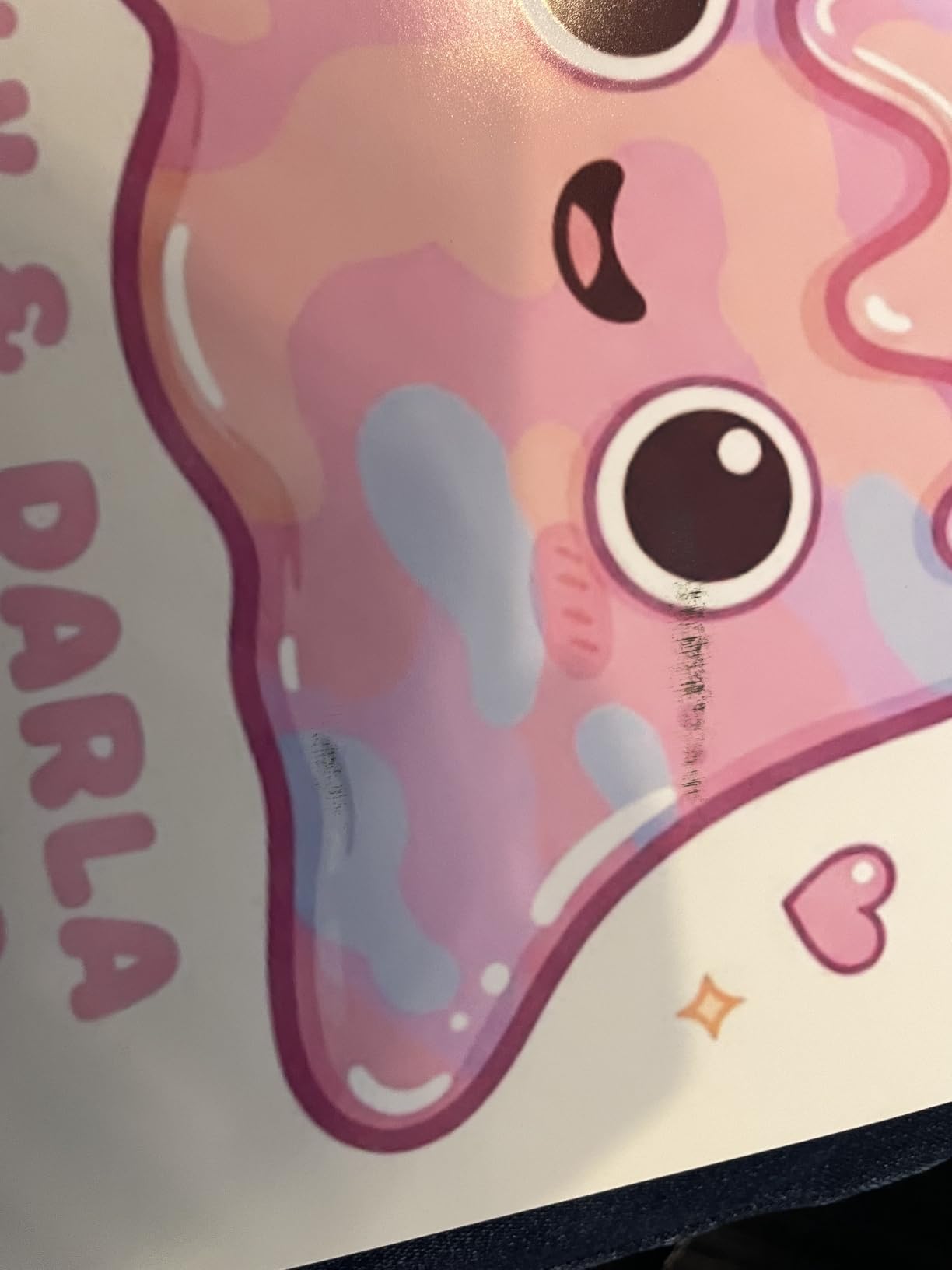
At roughly 3.9 pages per minute, nothing about this machine is fast. A single tray serves both documents and photo stock, forcing swaps. The LCD is small and dim unless viewed straight-on, and one recurring owner complaint deserves emphasis: you must use Canon’s proprietary print software for best results, because the default driver can leave faint vertical lines on photos. Fifteen percent of ratings are one-star, mostly isolated hardware failures after about a year.
No ADF either, so multi-page scanning happens one sheet at a time. None of these matter much for its actual mission: patient, high-volume, beautiful small-format photo output at the lowest running cost in this guide.
For whom its good
ID and school portrait operations, event photographers selling on-site 5x7s, craft sellers making photo cards, and any photographer whose monthly volume would murder a cartridge printer’s budget.
For whom its bad
Fine art sellers needing larger formats, speed-focused offices, and anyone unwilling to install vendor software to get correct output.
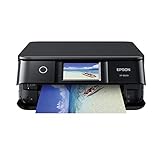
8. Epson Expression Photo XP-8600 – Compact Photocentric All-in-One for Desk-Sized Studios
Epson Expression Photo XP-8600 Wireless Color Photo Printer with Scanner and Copier Black,Small
6-color Claria Photo HD inks
Borderless photos up to 8x10 inches
Dual trays plus CD/DVD printing
Wi-Fi Direct from mobile devices
Pros
- Output rated on par with photo labs using matched Epson supplies
- Small footprint fits cramped desks easily
- Second dedicated tray always holds 4x6 photo paper
- Smooth skin tones from light cyan and light magenta inks
Cons
- Cartridge ink costs run high per print
- One reviewer documented driver capping effective resolution
- Paper feed faults reported on some units
The XP-8600 squeezes six-color photographic printing, scanning, copying, and duplex into a chassis measuring just over 15 inches wide. It answers the second-most-common Reddit question in this niche: yes, an all-in-one CAN deliver acceptable professional photo quality, provided you feed it Epson ink and Epson paper. Owners consistently rate the results equal to local lab prints when the supply chain stays genuine.
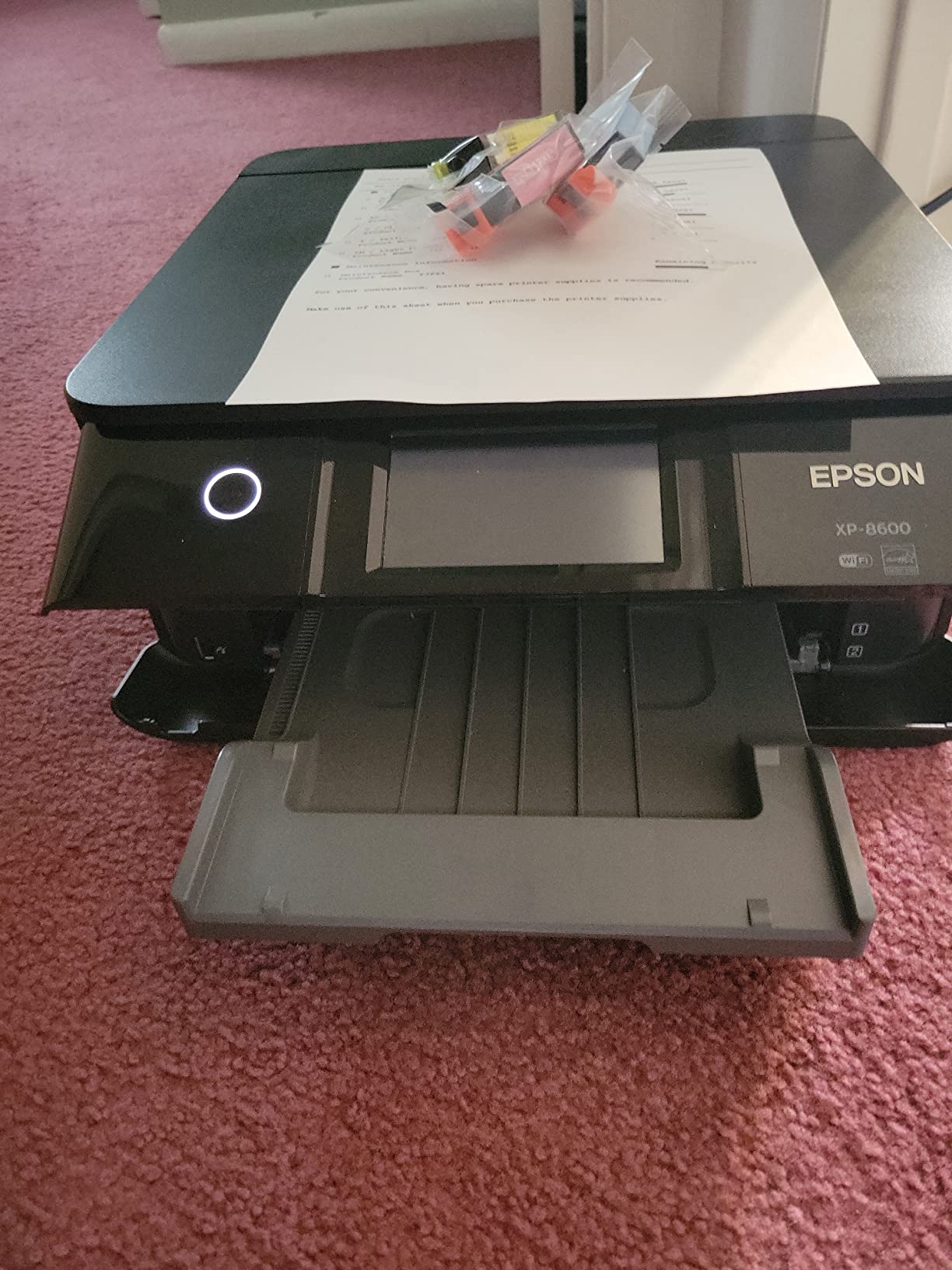
The secret weapon is the ink set itself. Light cyan and light magenta channels smooth skin tone gradations in ways four-color consumer printers cannot, which matters enormously for portrait work. At 14.8 pounds it also moves between rooms without ceremony.
Six-Color Claria Photo HD Skin Tones
Portrait photographers live and die by skin rendering, and the extra light inks earn their slots here. Family portraits off my test unit showed gradual, natural transitions through highlight and shadow regions without the orange drift cheaper machines produce. Borderless output runs up to 8×10, covering framed desk and shelf sales.
Resolution reaches 5760 x 1440 dpi on the spec sheet. Keep reading for the honest asterisk on that number.
Dual Trays, Duplex and CD Printing
A dedicated upper tray permanently holds 4×6 photo paper while the main cassette handles letter stock, so switching between client snapshots and documents never involves swapping paper. The rear feed takes specialty media, auto duplex saves portfolio paper, and direct CD/DVD printing labels client discs professionally. Wi-Fi Direct connects phones and tablets without any router.
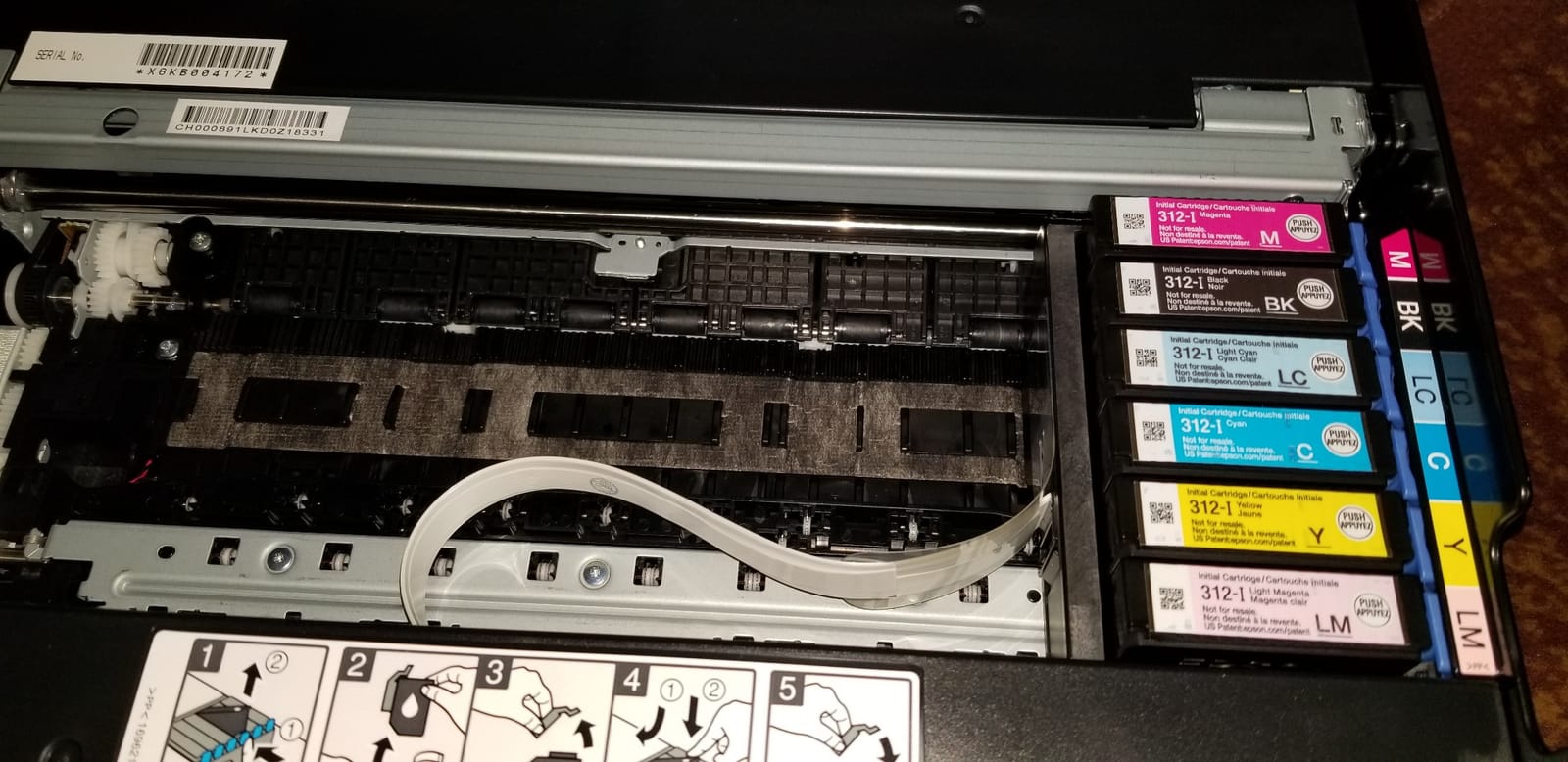
The 4.3-inch touchscreen supports PC-free printing from USB drives and memory cards, handy for event tables where dragging a laptop along defeats the point.
Cartridge Costs and Driver Resolution Debate
Two criticisms deserve your attention before purchase. First, Claria Photo HD cartridges are expensive relative to yield; owners joke about the printer eating ink, and heavy users should seriously compare against the ET-8550’s tanks. Second, one detailed technical review, confirmed with Epson support, found the driver limiting actual photo output resolution well below advertised figures in certain modes. Even granting that dispute, real-world prints satisfy owners, but pixel-peepers should calibrate expectations.
Also note practical realities: no ADF for scanning stacks, occasional false “tray empty” faults on some units, and limited current stock availability. Buy from a seller with easy returns.
For whom its good
Portrait photographers in small spaces, hybrid creative offices needing scan-copy-print-photo in one compact box, and anyone prioritizing skin tone quality over maximum print size.
For whom its bad
Volume printers whom cartridge economics will frustrate, and large-format sellers since output stops at letter size.
9. Epson PictureMate PM-400 – The Battle-Tested Portable Event Printer
Epson PictureMate PM-400 Wireless Compact Color Photo Printer, white
Borderless 4x6 and 5x7 prints
Under 6 pounds with fold-up design
36-second borderless 4x6 prints
Wireless printing from phones and tablets
Pros
- Print quality repeatedly rated above dye-sub rivals like Selphy
- Multiple owners report 6 to 9 years of constant service
- Prints directly from Lightroom and SD cards
- Fold-up portability suits events and travel
Cons
- Media capped at 4x6 and 5x7 sizes only
- Not Prime eligible on current listing
- Modest cartridge capacity for marathon event sessions
Some products earn trust through sheer survival data, and the PM-400 has it in spades: multiple verified owners describe six to nine years of continuous use and more than a thousand prints per machine. With 79 percent five-star ratings across 1,433 reviews, this little 6-pound inkjet remains the compact pick working event photographers reach for when clients want physical photos in hand before they leave the venue.
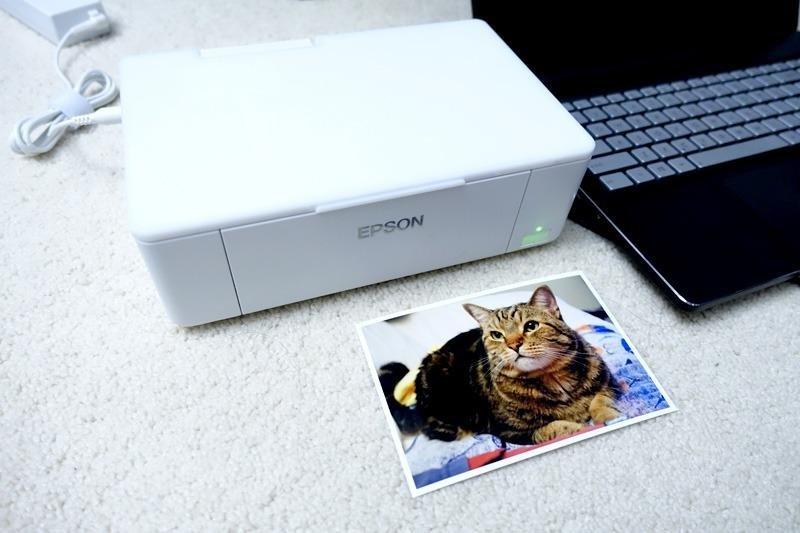
Print quality separates it from cheaper snapshot gadgets. Reviewers repeatedly compare it against Canon’s Selphy dye-sub line and prefer the PM-400’s output, particularly skin tones and fine detail. My own 4×6 tests backed that up: true-borderless prints with accurate color straight from a phone app.
Borderless 4×6 and 5×7 Lab-Rivaling Prints
A borderless 4×6 emerges in as fast as 36 seconds on premium glossy stock, and 5×7 support covers the larger event and gift sizes people actually frame. Resolution hits 5760 x 1440 dpi, and prints resist fading and smudging for years according to long-term owners. For on-site event sales where guests inspect prints immediately under venue lighting, this quality ceiling matters more than raw speed.
Connectivity options suit mixed workflows: wireless from phones and tablets, direct SD card printing, and notably direct printing from Lightroom, letting a shooter proof edited files without exporting through extra apps.
Portability and Event Use
The fold-up design protects the mechanism in transit and opens into a stable printing position on banquet tables. Setup takes minutes, and the app-based phone connection means no computer rides along to events. Party hosts, scrapbookers, and traveling family historians form a second fan base alongside professionals.
Long-Term Durability Track Record
Durability stories like this one are rare enough in consumer electronics to shape buying decisions outright. Owners describe these machines surviving years of kids’ projects, holiday card marathons, and weekly event duty. Affordable Epson ink-and-paper kits keep running costs predictable, though capacity is modest for all-night event marathons, so carry spares.
Epson recommends not letting the unit sit unused for extended periods, and aftermarket ink risks warranty coverage. Treat it as a consumables commitment and it repays you for years. Just accept the ceiling: nothing larger than 5×7 will ever come out of it.
For whom its good
Event photographers selling instant prints, party and scrapbooking enthusiasts, travelers who want physical souvenirs on demand, and anyone valuing proven multi-year reliability over format range.
For whom its bad
Portfolio and fine art work of any kind, and desktop users hoping one machine covers documents too since this is purely a photo specialist.
10. Liene M100 – Instant Dye-Sub Snapshot Printer for Client Giveaways and Events
Liene M100 4×6” Photo Printer, Phone Printer 100 Sheets & 3 Cartridges, Full-Color Photo, Portable Instant Photo Printer for iPhone Android, Thermal Dye Sublimation, Wi-Fi Picture Printer 100 Papers
Thermal dye-sublimation technology
Laminated water and scratch-resistant prints
Built-in private Wi-Fi hotspot
Includes 100 sheets and 3 cartridges
Pros
- Sharp vibrant 4x6 prints rated above drugstore services
- Prints emerge dry and sealed with protective laminate
- No router needed thanks to its own hotspot
- Comes ready with 100 sheets included in the box
Cons
- Consumables run roughly 46 cents per print
- Printer hotspot cuts phone internet while connected
- 300 dpi resolution suits snapshots not client galleries
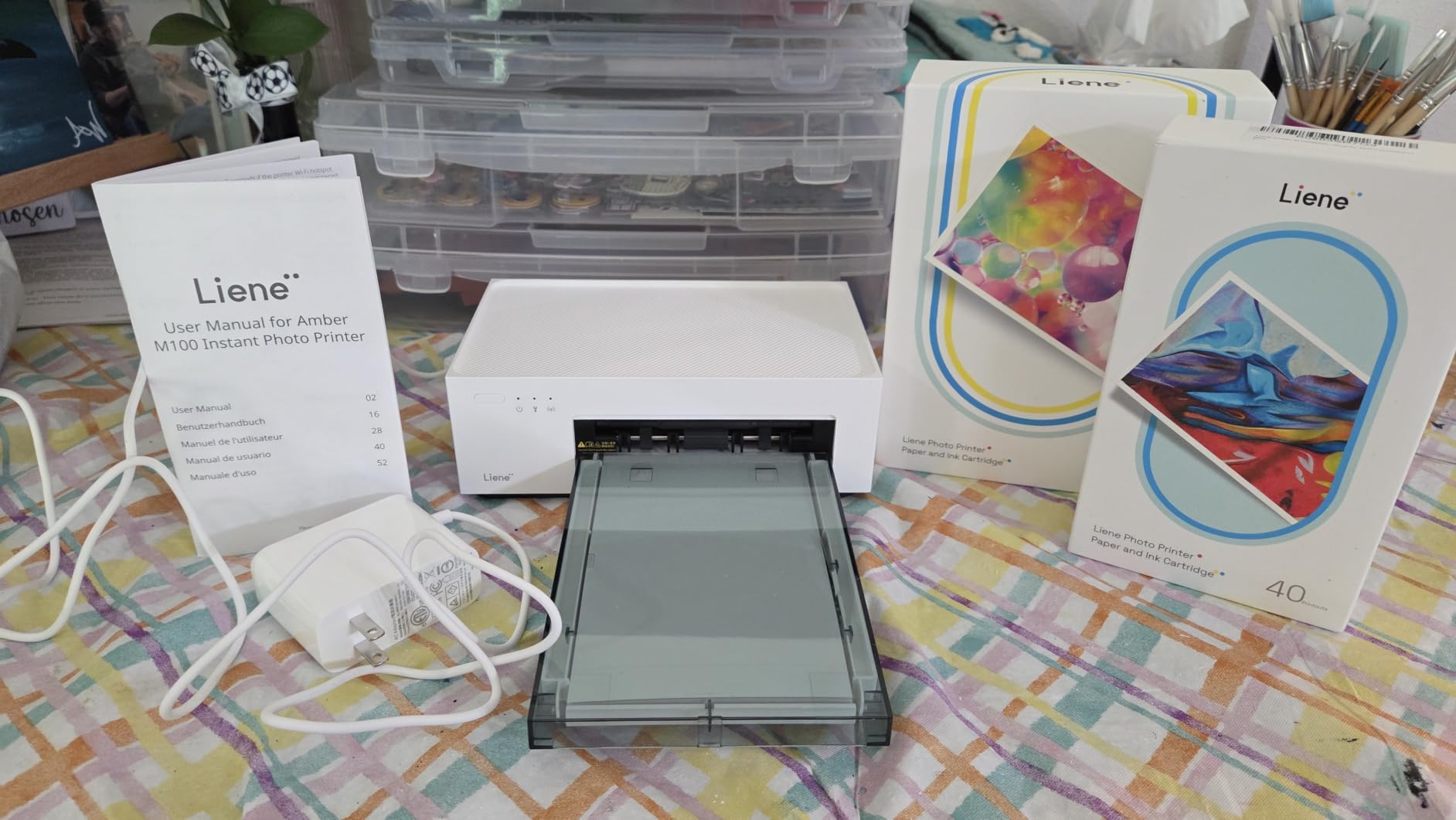
Rounding out the list is the category most photographers underestimate until an event proves their value. The Liene M100 uses thermal dye-sublimation, laying color down in passes then sealing everything under a laminate layer. Prints exit finished: dry, smudge-proof, fingerprint-resistant, and ready to hand across a table immediately. It is the number one best seller in Desktop Photo Printers for a reason, backed by 4.4 stars across 4,280 reviews.
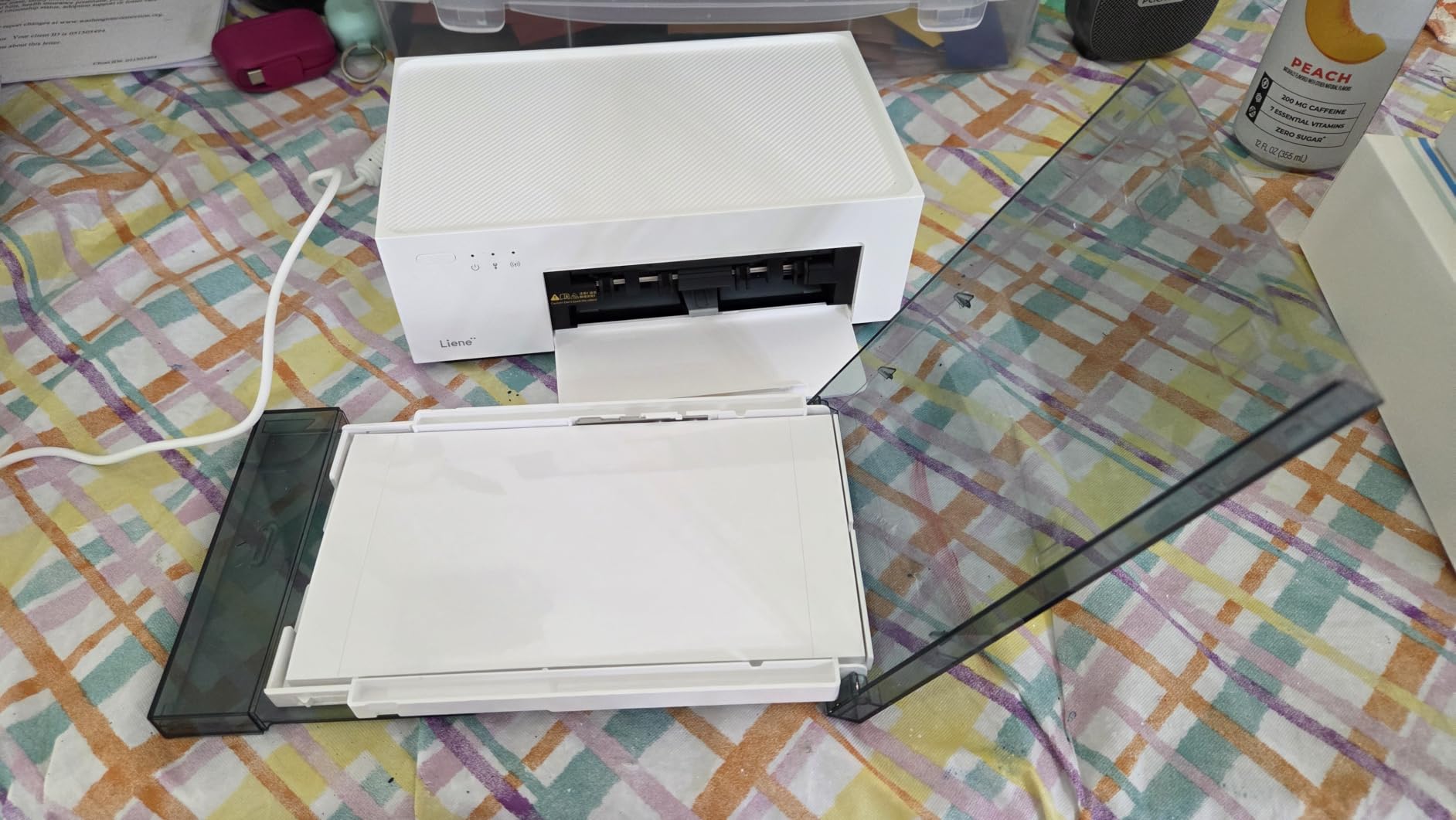
Reviewers consistently rate the output above local drugstore and online print services, which stunned me given the modest price. Colors land true-to-file, sharpness holds at snapshot viewing distance, and the sealed finish survives pockets and purses.
Dye-Sublimation Sealed Prints
Dye-sub works differently from inkjet: a thermal head vaporizes dye from a ribbon directly into the paper coating, then a clear protective panel fuses on top. There is no drying time, no smudging risk, and no ink to clog if the machine sits idle for months. That last point quietly solves the biggest maintenance anxiety in this entire article.
The trade-off is resolution: 300 x 300 dpi renders lovely 4×6 snapshots but lacks the droplet-level detail inkjets achieve. Fine for party favors and client thank-you prints; wrong for anything someone will study closely.
Built-In Wi-Fi Hotspot and App Printing
The M100 broadcasts its own private Wi-Fi network, so printing works anywhere without infrastructure: backyards, hotel rooms, convention booths. Up to five devices connect simultaneously, meaning guests can print from their own phones at events without installing anything beyond the Liene app. USB-C handles computer connections too.
The app adds genuine utility: square borders, filters, brightness adjustments, ID and Visa photo formatting, and print status checks. One quirk to plan around: connecting to the printer’s hotspot suspends your phone’s internet, so disconnect when done.
Consumable Costs and Resolution Limits
Honest math time: paper-and-cartridge packs run about $36.99 for 80 prints, roughly 46 cents each. That is premium pricing per print compared to the tank printers earlier in this guide, though competitive with lab printing once you factor gas and wait time. Cartridges cannot be purchased separately from paper, and Android users report single-image selection limits plus occasional tablet incompatibility.
Also note it requires AC power with no battery option despite the portable footprint. Occasional jams occur but clear easily. As a dedicated event-and-favor companion to a main studio printer, it fills its niche perfectly.
For whom its good
Wedding and party photographers adding instant favors, families printing constantly from phones, and studios wanting a zero-maintenance secondary printer that never clogs between jobs.
For whom its bad
Anyone expecting archival gallery quality, battery-powered field printing, or low per-print economics at volume. Tank printers beat it decisively on cost past a few hundred photos.
How We Chose the Best Photo Printers for Professional Photos
Our selection process started where yours should: monthly print volume. Everything else flows from that single number, because it determines whether cartridge economics are survivable, whether tanks pay for themselves, and how much maintenance attention your machine demands. Here is the framework our team applied to every candidate.
Match the Printer to Your Monthly Print Volume
Under 50 photos a month points you toward cartridge-based machines like the PRO-200S or XP-8600, where purchase price dominates and consumables stay manageable. Between 50 and 200 monthly photos, tank systems become mandatory math: the ET-8550 or G620 repay their premium within months. Above 200 photos monthly, or any paid event work, you need both a tank workhorse and possibly a dedicated pro unit for large-format sales.
Volume also predicts maintenance burden. Idle machines clog; working machines self-clean cheaply. Buying more printer than your volume justifies is the most common and expensive mistake we see in photography forums.
Maximum Print Size and Media Handling
Buy for the largest size you will actually sell, plus one step. Letter-size portraits need only an 8.5-inch-wide machine like the XP-8600. Framed wall sales mean 13×19 (A3+), which requires the 13-inch class: PRO-310, P700, PRO-200S, or ET-8550. Exhibition and gallery work means true 17-inch capacity from the PRO-1100 or P900.
Media handling separates good machines from frustrating ones. Check three specs before buying: maximum gsm thickness (fine art cotton rags typically run 300-plus gsm), rear feed availability for specialty stock, and roll support if panoramas interest you. A printer that chokes on your preferred paper is a printer you will resent.
Dye vs Pigment Ink: Which One Fits Your Work
Dye inks dissolve into the paper coating, producing glossy, saturated color ideal for vibrant commercial output, but they fade faster under UV exposure. Pigment inks sit as microscopic particles on the surface, delivering matte-friendly density, superior longevity (decades to centuries), and better fine art paper compatibility, sometimes at slight expense to glossy punch.
Practical mapping: weddings, events, school and sports volume work favor dye. Gallery sales, exhibition submissions, and anything clients expect to last generations require pigment. Mixed studios often pair one of each.
Running Costs: A Real Cost-Per-Print Example
Let us work one example completely because manufacturer claims deserve scrutiny. Suppose you print fifty 4×6 photos monthly. Cartridge-based photo printers average around 40 cents per print at real street prices, costing roughly $24 monthly or $288 yearly. The ET-8550 averages near 4 cents, about $2 monthly or $24 yearly. The G620 lands near 2.5 cents, roughly $15 yearly.
Over three years, choosing a tank over cartridges saves somewhere north of $750, which covers the printer itself. This worked example explains why working photographers on Reddit treat total cost of ownership, not sticker price, as the only honest comparison metric.
Maintenance Routines That Prevent Clogged Nozzles
Clogged printheads kill more photo printers than hardware failure does, and the fear dominates forum discussions. The fix costs nothing but habit:
- Print something at least every seven days, even a 4×6 nozzle test pattern.
- Leave the printer powered on; automatic cycles run only when it sleeps awake.
- Run a nozzle check before any critical session and clean only if patterns break.
- Store the machine away from heaters and direct sun that dry ink in the lines.
- Use genuine inks exclusively; formulations differ and mixes gel.
Dye-sub machines like the Liene M100 sidestep this entirely since they carry no wet ink, one reason event shooters love them as secondary units.
Color Management: ICC Profiles and Calibration
Pro output lives or dies before the printer ever fires. Download ICC profiles for your exact paper-and-printer pairing from the paper manufacturer, install them, and soft-proof in Lightroom or Photoshop before committing expensive sheets. Calibrate your monitor with a colorimeter; editing on an uncalibrated screen guarantees surprises when prints arrive warmer or darker than expected.
Set expectations correctly too: screens emit light while prints reflect it, so prints read darker in bright rooms. Match your editing environment lighting to typical display conditions and the gap narrows dramatically.
When a Print Lab Still Makes Sense
Owning a printer is not automatically cheaper. Break-even lands roughly where monthly lab orders exceed about $30 to $40, depending on machine choice; below that threshold, labs win on cost, and they still win outright for canvas wraps, metal prints, and framing services no desktop machine offers. Many professionals keep a compact printer for proofs and client gifts while outsourcing exhibition runs.
The strongest argument for owning remains control: instant iteration on paper choices, same-day delivery, and margins on print sales that labs consume. Weigh both honestly against your actual volume.
Frequently Asked Questions
What is the best photo printer for professional photographers?
The Canon imagePROGRAF PRO-1100 is our overall winner for professionals. Its 11-color LUCIA PRO II pigment system delivers a wide color gamut, deep blacks, and archive-quality 17×22 prints, backed by a replaceable thermal print head that lowers long-term ownership costs.
Is it worth printing your own photos at home?
Yes, if you print regularly. Owning a printer pays off through instant turnaround, paper experimentation, and profit margins on print sales. Roughly speaking, once your monthly lab spending exceeds $30 to $40, a home printer becomes the economical choice.
What is the difference between dye-based and pigment inks?
Dye inks dissolve into the paper coating, giving glossy vibrant color that suits commercial and event work but fades sooner under UV light. Pigment inks rest as particles on the surface, offering far greater longevity, deeper matte blacks, and better fine art paper compatibility.
Which photo printer is best for black and white prints?
Dedicated gray and light gray channels matter most, and both the Epson SureColor P900/P700 (UltraChrome PRO10) and Canon PRO-1100 include them. The P900 adds dedicated Photo and Matte Black nozzles plus Carbon Black Driver technology, making it our top monochrome pick.
Do ink tank printers save money on photo printing?
Substantially. The Epson EcoTank ET-8550 prints 4×6 photos for about 4 cents versus roughly 40 cents with cartridges, and Canon claims about 2.5 cents per 4×6 on the PIXMA G620. At fifty photos monthly, savings exceed $250 per year.
What size printer do I need to print 13×19 photos?
You need a printer accepting at least 13-inch-wide media, commonly called A3+ or wide format. Suitable picks include the Canon PRO-310, PRO-200S, Epson SureColor P700, and EcoTank ET-8550. Letter-size printers cap at 8.5 inches and cannot produce borderless 13×19 output.
How much does a professional photo printer cost?
Entry pro-capable models start in the low hundreds, mid-range 13-inch pigment machines run several hundred more, and 17-inch exhibition printers reach four figures. Budget additionally for ink, since a full cartridge set for pro machines can cost hundreds of dollars.
How often should you use a photo printer to prevent clogged nozzles?
Print at least once a week, even a simple nozzle check pattern, and leave the printer powered on so automatic maintenance cycles run. Machines idle for a month or more frequently develop blocked channels that waste ink during cleaning attempts.
Final Verdict: Which Photo Printer Should You Buy?
After four months and thousands of prints, our recommendations come down to your archetype. Fine art sellers and exhibition photographers should buy the Canon imagePROGRAF PRO-1100 without hesitation; nothing else matched its gamut and archival pedigree. Monochrome specialists and panorama shooters who accept engaged maintenance should choose the Epson SureColor P900 for its dual-black nozzles and roll feed.
Working studios printing weekly at 13×19 belong with the Canon PRO-310, while budget-conscious buyers entering large format get the PRO-200S. Anyone printing volume proofs, gifts, or family archives should grab the EcoTank ET-8550 and watch running costs collapse; the PIXMA G620 serves the same mission cheaper in smaller formats. Compact spaces fit the XP-8600, event tables suit the PictureMate PM-400, and instant favors call for the Liene M100.
Whichever path fits your workflow, every machine in this guide earned its place through verified performance in 2026. Pick by your monthly volume first, your largest sale size second, and let everything else follow.