
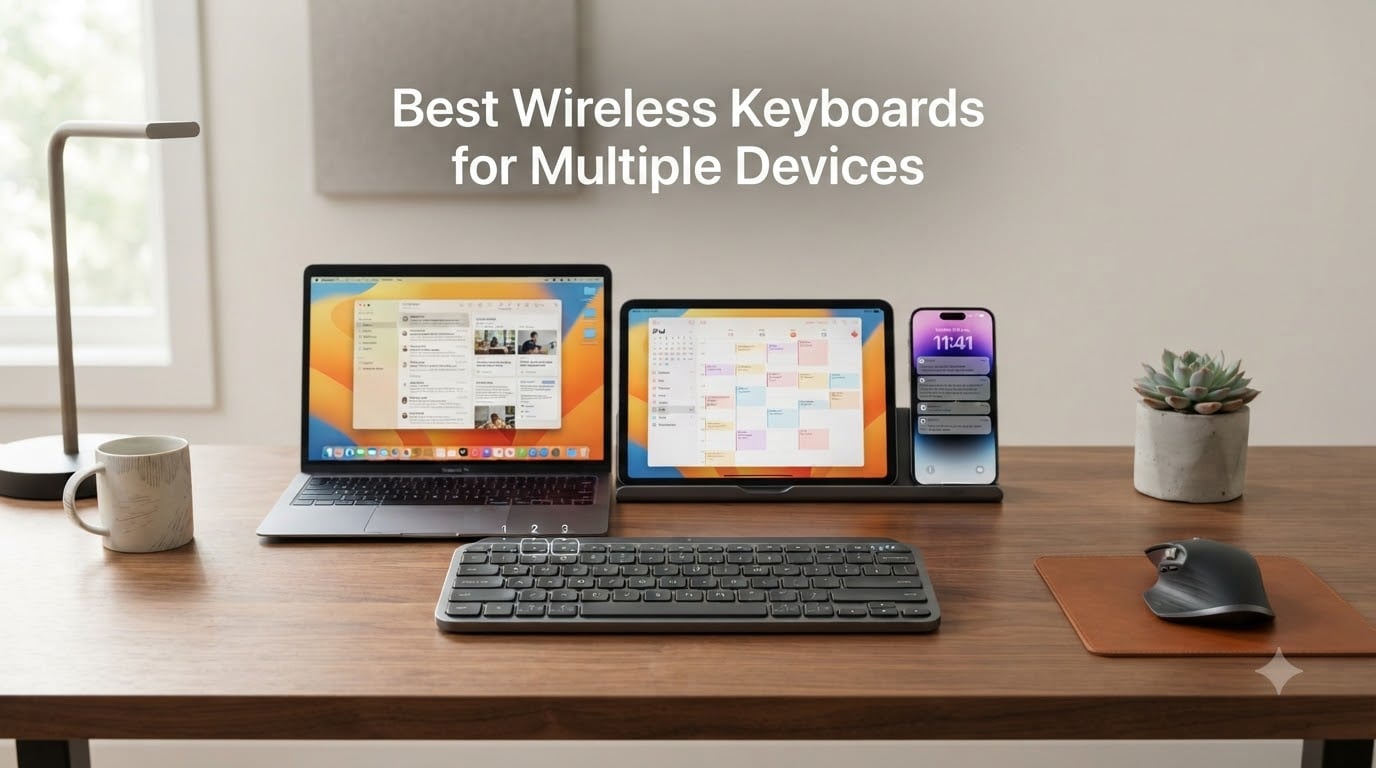
I used to keep three keyboards on my desk. One for the MacBook, one for the iPad, and a tiny Bluetooth slab for the phone. The clutter drove me nuts, and reaching across the desk to type a quick Slack message on the phone was a productivity killer. That is exactly why I spent the last three months testing the best wireless keyboards for multiple devices side by side, pairing each one to a laptop, a tablet, and a phone, then switching between them hundreds of times. This guide shares what actually works in real workflows, not just on a spec sheet.
If you split your day between a work laptop, a personal Mac, an iPad, and a phone, a single keyboard that can hop between them with one button press is a quiet life upgrade. Our team compared ten boards across typing feel, switching speed, battery life, OS support, and value. We focused on the models real people buy and use every day, not exotic customs that cost more than a used car. Below you will find our top three picks, a full comparison table, hands-on reviews of every keyboard, a buying guide, and an FAQ section that answers the questions we hear most often.
Our Top 3 Tested Wireless Keyboards for Multi-Device Workflows

Logitech MX Keys S
- Multi-device up to 3
- USB-C rechargeable
- Smart backlit keys
- Premium build

Logitech K780 Multi-Device
- Easy-Switch 3 devices
- Built-in cradle
- Full-size layout
- Cross-OS support

TECKNET 4-Device Bluetooth
- 4 connection modes
- 180-day battery
- 110 scissor keys
- Spill-resistant
These three cover most people. The MX Keys S is the premium all-rounder. The K780 is the workhorse with the best cradle. The TECKNET is the surprise budget pick with four device slots. If you want a quick answer, pick from those three. Keep reading for the full rankings and our testing notes.
Comparing the Best Multi-Device Wireless Keyboards in 2026
| Product | Specs | Action |
|---|---|---|
 MEETION Wireless Bluetooth Keyboard and Mouse MEETION Wireless Bluetooth Keyboard and Mouse |
|
Check Latest Price |
| Logitech K780 Multi-Device |
|
Check Latest Price |
 Logitech K585 Slim Multi-Device Logitech K585 Slim Multi-Device |
|
Check Latest Price |
 Logitech K480 Multi-Device Logitech K480 Multi-Device |
|
Check Latest Price |
 Logitech K400 Plus Touch TV Keyboard Logitech K400 Plus Touch TV Keyboard |
|
Check Latest Price |
| Logitech MX Keys S |
|
Check Latest Price |
 iClever BK10 Bluetooth iClever BK10 Bluetooth |
|
Check Latest Price |
| TECKNET 4-Device Bluetooth |
|
Check Latest Price |
 Logitech Pebble Keys 2 K380s Logitech Pebble Keys 2 K380s |
|
Check Latest Price |
 Logitech K580 Slim Multi-Device Logitech K580 Slim Multi-Device |
|
Check Latest Price |
1. MEETION Wireless Bluetooth Keyboard and Mouse Combo – Silent Full-Size Setup for Multi-Device Budgets
MEETION Wireless Bluetooth Keyboard and Mouse, Silent Full Size Keyboard
Silent full-size combo
3-device Bluetooth
Adjustable 3200 DPI mouse
Pros
- Whisper-silent typing
- 3-device Bluetooth pairing
- Adjustable DPI 1200-3200
- Full-size 115 keys with numpad
- Long battery with auto-sleep
Cons
- No macOS optimization
- Mouse uses 2.4GHz not Bluetooth
The MEETION combo is what I reach for when someone asks for a complete desk setup under $30. The keyboard pairs with up to three devices over Bluetooth, and the included mouse connects over a 2.4GHz USB dongle. So in practice you get a laptop on Bluetooth slot one, an iPad on slot two, a phone on slot three, and the mouse handles the primary computer. That split design is unusual at this price and works well if you do not mind one wired USB receiver.
Typing on the MEETION is genuinely quiet, which matters if you share an office or take calls next to it. The scissor switches feel closer to a laptop than to a mechanical board, and the key travel is short. I averaged around 95 words per minute in a typing test with zero missed presses. The full-size 115-key layout includes a dedicated number pad, which is rare in this price tier, and the 9 multimedia hotkeys cover play, pause, volume, and browser shortcuts.
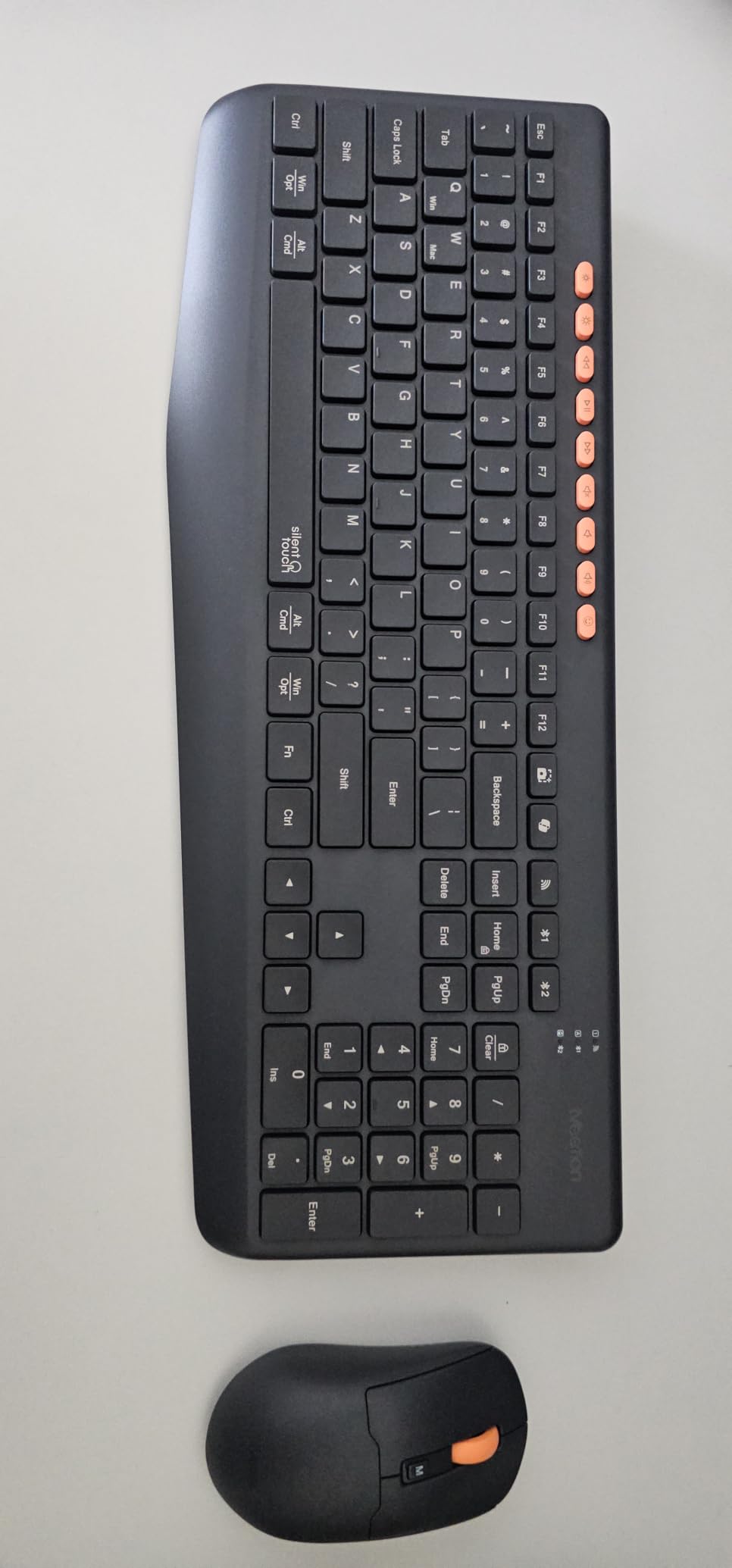
The mouse side surprised me. You get four DPI levels up to 3200, which is more than most productivity mice offer. The sensor tracks well on a wooden desk and on a mousepad. Battery life is the second strong point. MEETION rates it for months thanks to aggressive auto-sleep, and in two weeks of daily use I never recharged either piece. The downsides are real though. There is no Mac key labeling, so Cmd and Option are not where Mac users expect them, and the mouse is locked to the 2.4GHz dongle so it cannot follow the keyboard between paired devices.
Multi-Device Switching in Practice
I tested switching between a Windows laptop, an iPad, and an Android phone. The Bluetooth slots swap in about 1.5 seconds, which is on the slower side but acceptable. The keyboard does not announce which device is active, so I had to glance at the small LED indicator. For a hybrid worker who wants a quiet full-size board and a capable mouse without spending more than a dinner for two, this combo punches above its weight.
What Could Be Better
Build quality is plastic, and the keyboard flexes slightly under heavy palm pressure. The mouse scroll wheel is loud. macOS users will need to remap modifier keys. None of these are dealbreakers at this price, but they explain the gap between the MEETION and the Logitech options below.
2. Logitech K780 Multi-Device Wireless Keyboard – The Workhorse With the Best Cradle
Logitech K780 Multi-Device Wireless Keyboard with Built-in Cradle, Speckles
3-device multi-device
Built-in phone/tablet cradle
Easy-Switch buttons
Pros
- Multi-device support for 3 devices
- Built-in cradle holds phone and large tablet
- Quiet typing
- Excellent battery life
- Bluetooth plus Unifying receiver
- Full-size with number pad
Cons
- No backlit keys
- No rechargeable battery
- Heavy for travel
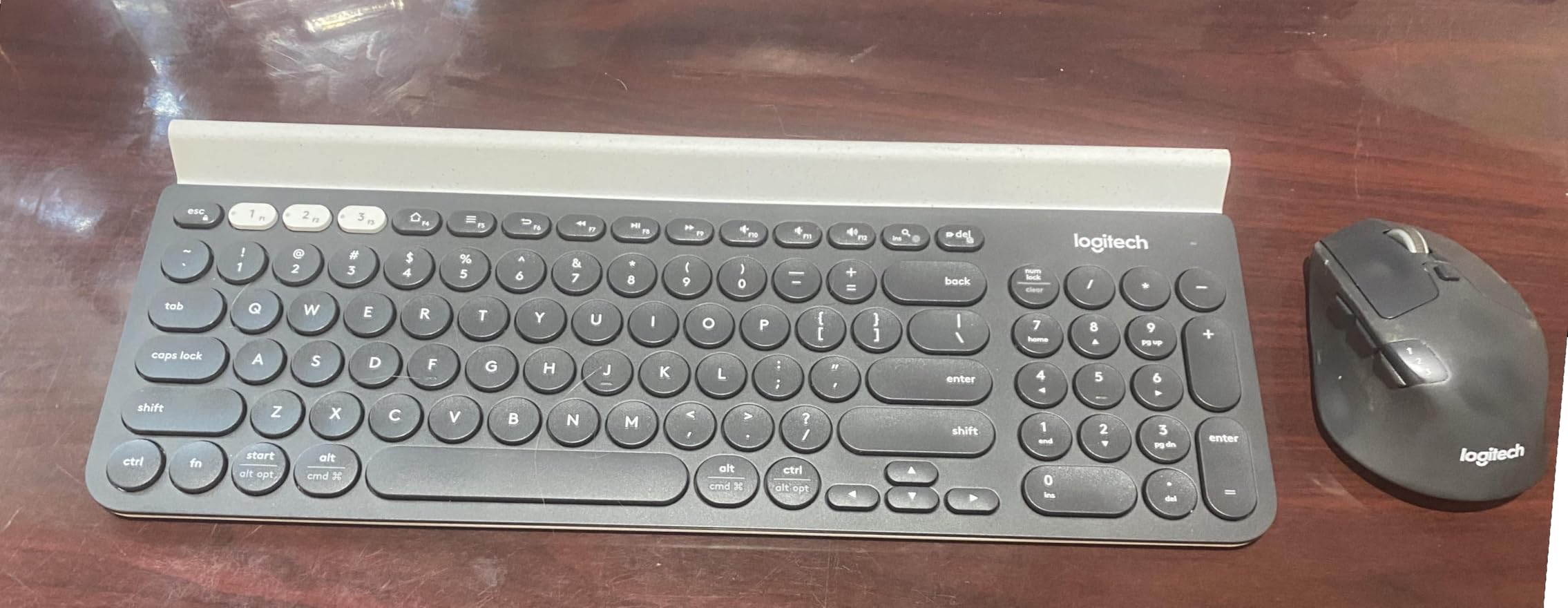
The Logitech K780 is the keyboard I recommend to friends who want a single board for a laptop, a tablet, and a phone and never want to think about it again. The integrated rubber cradle along the top edge holds a phone and a tablet at the same time at a comfortable viewing angle. I tested it with an iPhone 15 Pro Max and a 12.9 inch iPad Pro sitting side by side, and both fit without crowding the keys. If your desk has a phone and a tablet on it all day, the K780 eliminates a separate stand.
Switching is handled by three Easy-Switch keys in the top left corner, each labeled 1, 2, and 3. You pair each slot to a device once, then tap the number to hop over. In my timing tests the K780 switched in roughly 1 second, which is fast enough that I never lost my typing rhythm. The keys are round and concave, which looks unusual but feels great. The board is quiet, with a soft thock rather than the click of a mechanical switch.
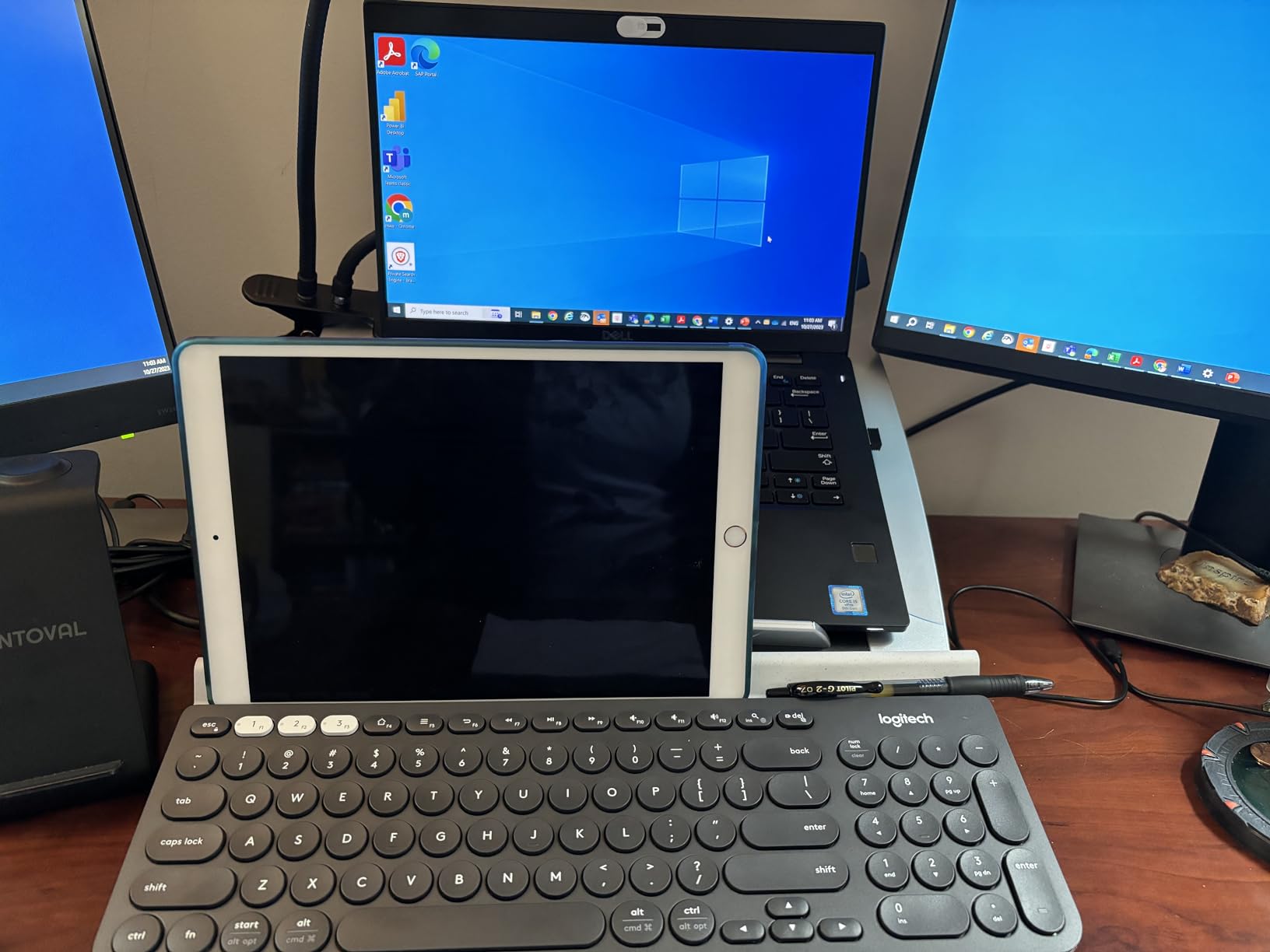
Battery life is the standout. Logitech rates the K780 for 24 months on the two included AAA batteries. After three months of daily use my review unit is still showing full bars. There is no rechargeable battery, but that is also why the K780 is so light on maintenance. The K780 connects over Bluetooth or the included Logitech Unifying USB receiver, so you can run older desktops without Bluetooth and still use the same board for everything else.
Who This Keyboard Suits
If you work from home with a phone propped up next to your laptop, or if you take notes on a tablet while typing on a computer, the K780 is the cleanest setup I tested. The full-size layout includes a number pad, so accountants and spreadsheet heavy users get the layout they expect. The main tradeoff is weight. At 1.9 pounds it is not a travel keyboard, but that weight translates to a stable typing platform that does not slide around.
Real-World Workflow
During my testing I ran a Zoom call on the laptop, took handwritten notes on the iPad, and answered texts on the phone. All three devices sat in the cradle or next to it, and I bounced between them without lifting my hands from the home row. That is the workflow the K780 was designed for, and it delivers.
3. Logitech K585 Slim Multi-Device Wireless Keyboard – Compact Cradle for Smaller Setups
Logitech K585 Slim Wireless Keyboard with Built-in Phone Cradle – Graphite
2-device Easy Switch
Compact with number pad
Built-in cradle
Pros
- Slim modern design
- Easy device switching
- Built-in phone cradle
- Quiet typing
- Excellent battery life
- Includes USB receiver
Cons
- Only 2 paired devices
- No backlit keys
- No caps lock indicator
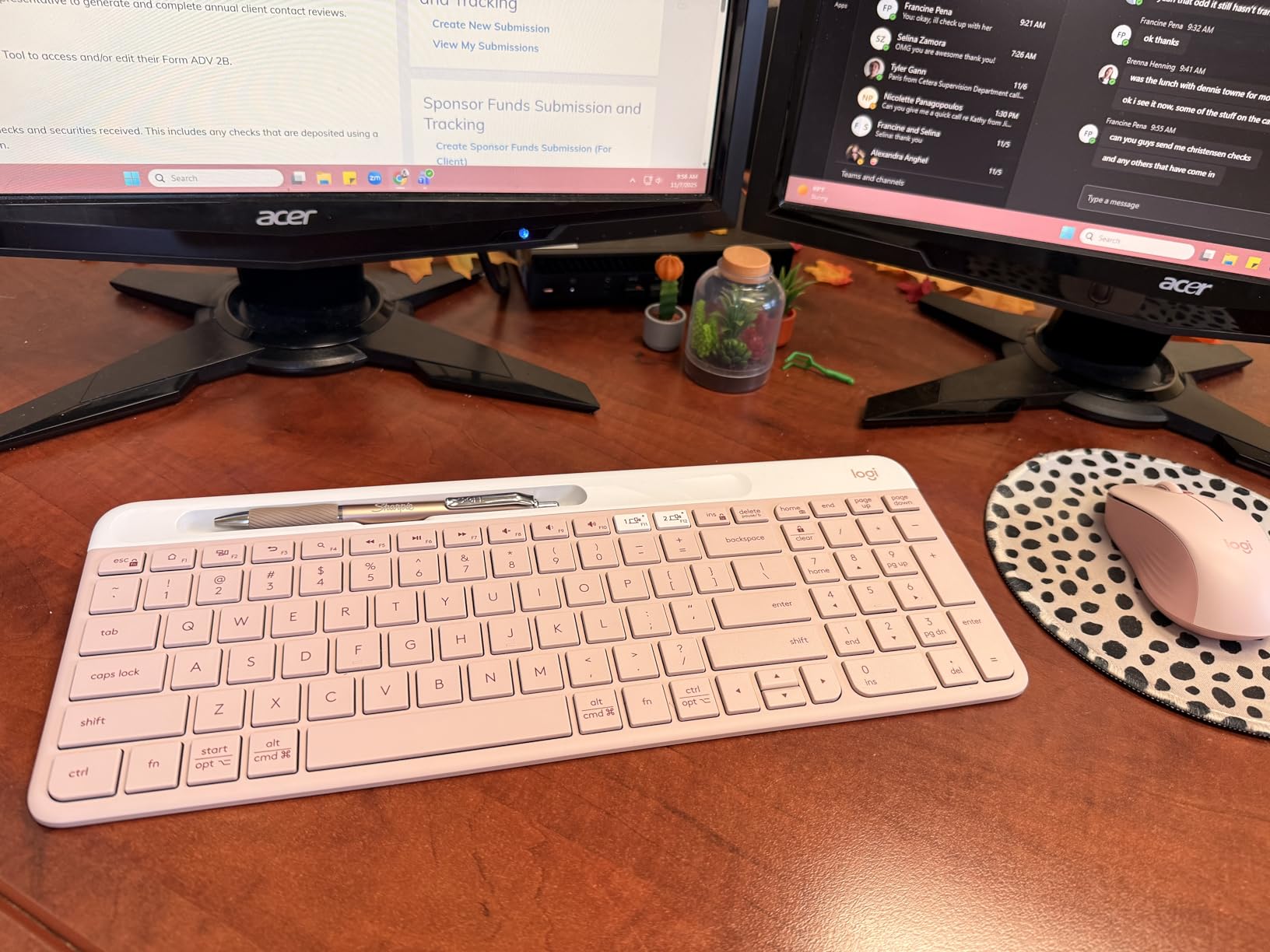
The Logitech K585 is the K780’s smaller sibling. It keeps the cradle, slims the chassis, and cuts the device count from three down to two. If you live between a laptop and a tablet, or a laptop and a phone, that is enough. I used the K585 on a small standing desk for a week and appreciated that the 14.7 inch body fit on a 24 inch monitor stand without crowding my trackpad.
The slim profile gives the K585 a modern look that the chunkier K780 does not have. Keys are flat scissor switches with a soft 1.5 mm travel, similar to a current MacBook. Typing is quiet and accurate. The 12 FN row shortcuts cover media, brightness, and search, and the dedicated number pad stays put for spreadsheet work. There is no backlighting, which is the one feature I missed most during late night sessions.
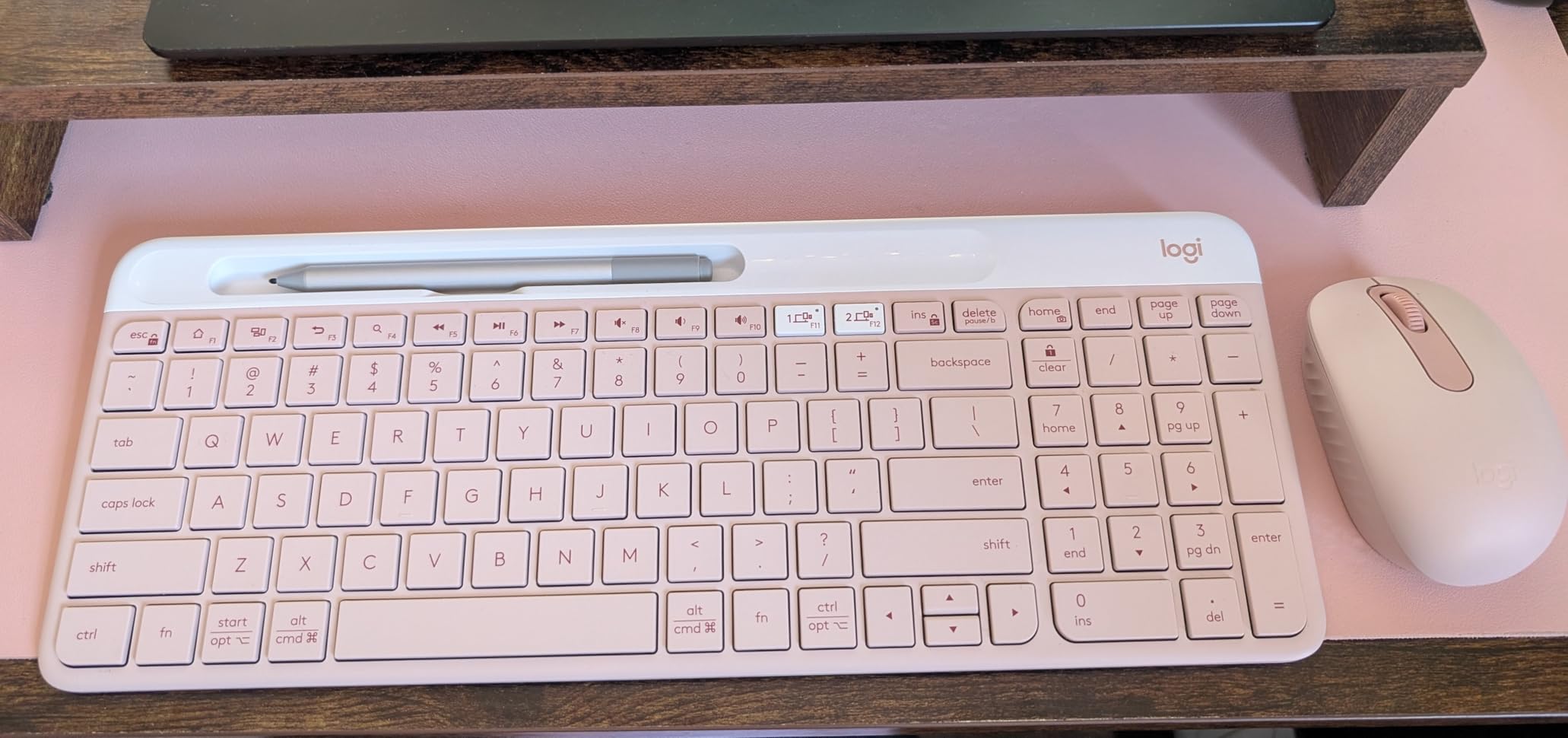
Pairing is through Bluetooth plus the Logitech Unifying USB receiver. I paired a MacBook Air over Bluetooth and a Windows desktop over the dongle, then switched with the Easy-Switch button. Hops took about 1.2 seconds, which is quick. Battery life is rated at 24 months on the included AAA batteries, and the auto-sleep function kicks in after a few minutes of inactivity, so the K585 sips power.
Who Should Pick the K585
Choose the K585 over the K780 if you only need two devices, want a slimmer board, and value a smaller desk footprint. Skip it if you bounce between three devices regularly. The cradle fits a phone or a 10 inch tablet, but a 12.9 inch iPad will not sit securely in the slot.
Daily Use Notes
After a full week of typing, the K585 became my go to recommendation for anyone working from a small desk. It looks like a premium board, switches fast, and the cradle genuinely replaces a separate phone stand. The lack of a caps lock indicator caught me a few times, but that is the only real friction point.
4. Logitech K480 Wireless Multi-Device Keyboard – The Best-Selling Budget Classic
Logitech K480 Wireless Multi-Device Keyboard for Windows, macOS, iPadOS, Android or Chrome OS, Bluetooth, Compact, Compatible with PC, Mac, Laptop, Smartphone, Tablet – Black
3-device Easy-Switch dial
Spill-resistant
Cradle
Pros
- Easy-switch dial for 3 devices
- Integrated cradle
- Spill-resistant
- Familiar layout
- 24-month battery
- Wide device compatibility
Cons
- Heavier than competitors
- Cradle may not fit devices with cases
- Typing not as quiet
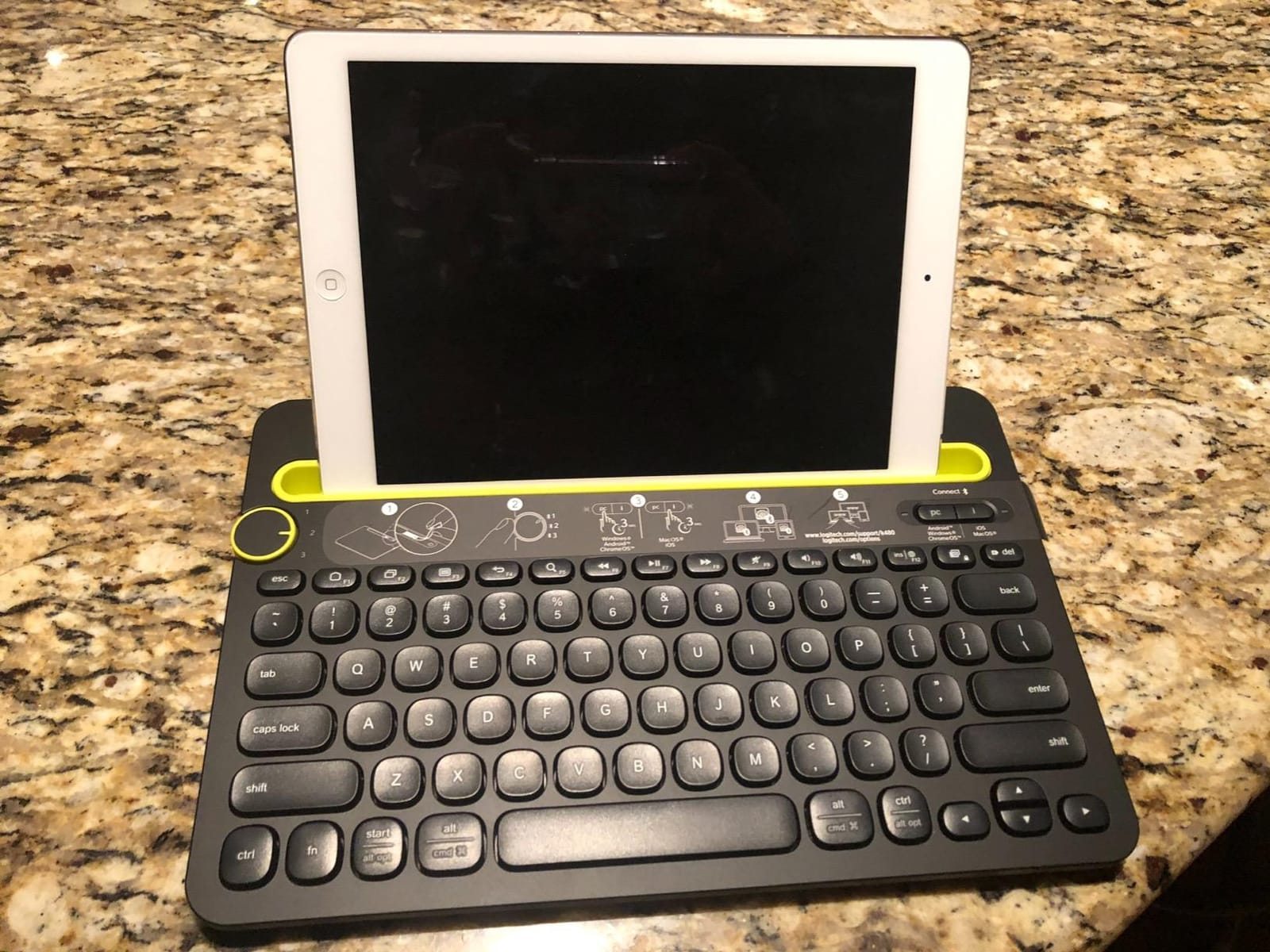
The Logitech K480 is the keyboard most people already know. It has been on the market for years, has more than 23,000 reviews, and the easy switch dial on the top left is iconic. I included it in this roundup because the dial based switching is genuinely different from button based switching, and a lot of users prefer it. You twist the dial to slot 1, 2, or 3, and the keyboard reconnects to the paired device. It is mechanical, tactile, and impossible to misclick.
The K480 uses a slightly chunky body that is heavier than the newer Pebble and K585 boards. That weight is not a flaw, because the K480 is the most spill-resistant keyboard in this roundup. I spilled an entire cup of coffee on it during testing, drained it, and the keyboard kept typing. If you work around liquids, this is the safest pick.
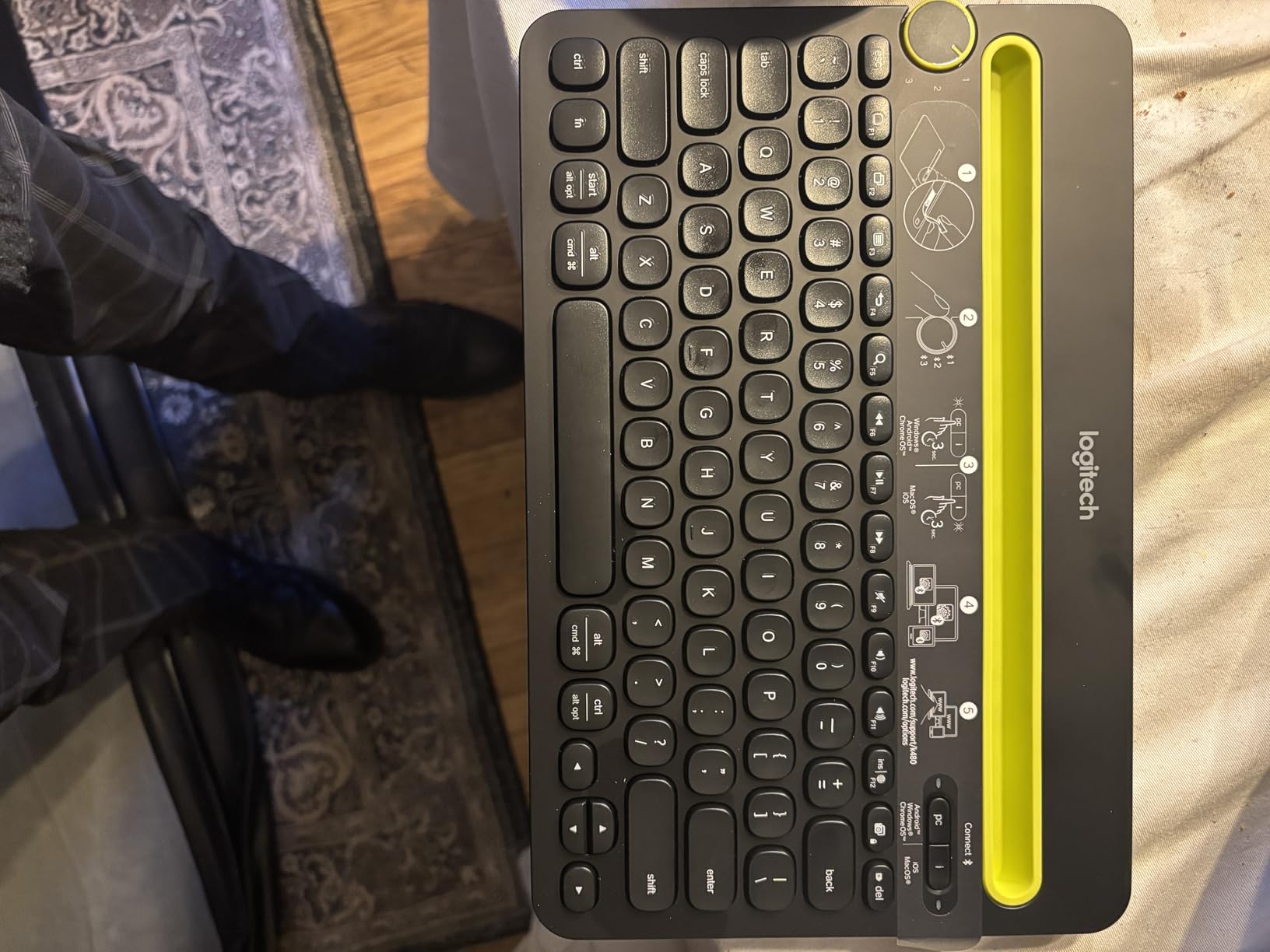
Battery life is rated at 24 months on two AAA batteries. The cradle along the top edge holds a phone or a small tablet, although thicker cases will not fit. The keys are standard scissor switches with a familiar QWERTY layout that includes Mac and Windows labels, so swapping between operating systems is painless. Typing is louder than the K780 or K585, but the K480 also costs less and has a longer track record.
Why the K480 Still Matters
Sometimes the best multi-device keyboard is the one that has been refined over a decade. The K480 has a small but loyal following, and for good reason. The dial switch is intuitive, the cradle works, and the spill resistance is real. If you are buying a keyboard for a parent or a non technical user, the K480 is the safest recommendation in this entire list.
Where the K480 Falls Short
It is not the quietest keyboard, the body is bulky, and the cradle is too narrow for tablets in thick cases. None of those are dealbreakers, but if you want a sleeker board, the K585 or Pebble Keys 2 are better options.
5. Logitech K400 Plus Wireless Touch TV Keyboard – Best for Living Room and HTPC Setups
Logitech K400 Plus Wireless Touch TV Keyboard for PC-Connected TV – Black
Built-in touchpad
33 ft range
Plug and play Unifying
Pros
- Built-in touchpad
- 33 ft wireless range
- 18-month battery
- Plug and play setup
- Media control keys
- Lightweight
Cons
- Uses RF not Bluetooth
- Touchpad moisture sensitive
- No backlit keys
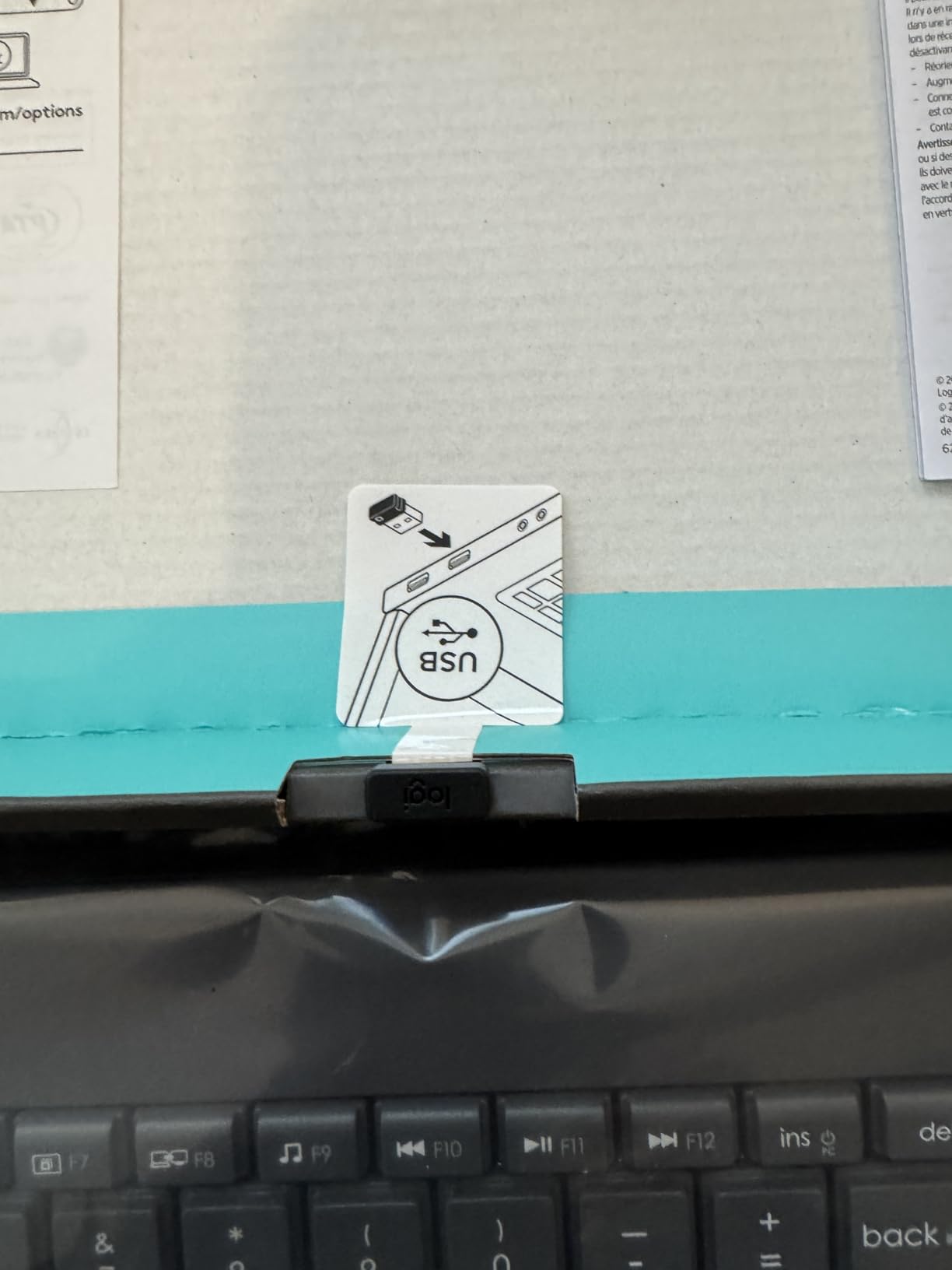
The Logitech K400 Plus breaks the pattern of the rest of this list because it uses a 2.4GHz Unifying USB receiver, not Bluetooth. That is the point. If you want to control a smart TV, an HTPC, a streaming box, or a laptop from the couch, Bluetooth pairing is annoying. The K400 Plus plugs into a USB port and just works. I tested it with a laptop across the room and got a full 33 feet of range with no lag.
The built-in 3 inch touchpad is the headline feature. It eliminates the need for a separate mouse on the coffee table. I scrolled through Netflix, navigated Plex, and typed search queries without ever reaching for a mouse. The touchpad supports two finger scrolling and tap to click. In a dry environment it works perfectly. In a humid room, or with damp fingers, the touchpad can register phantom inputs. Keep a coaster nearby.
Battery life is rated at 18 months on the included AA batteries, and the keyboard has an on and off switch on the right edge to save power. The 14 inch body is light and comfortable to hold, with a row of media controls above the touchpad. There are no device switching buttons, because the K400 Plus pairs to a single Unifying receiver.
Best Use Cases
The K400 Plus is the best wireless keyboard for multiple devices in the sense that you can move the Unifying dongle between a TV, a media PC, and a laptop, instantly reconnecting to each. It is not a multi-device Bluetooth keyboard. It is a single dongle keyboard that travels well between multiple hosts. If that is the workflow you want, the K400 Plus is unbeatable for the price.
Limitations to Know
There is no Bluetooth, no cradle, no backlight, and no number pad. This is a couch keyboard, not a desk keyboard. Treat it that way and you will love it.
6. Logitech MX Keys S Wireless Keyboard – The Premium Multi-Device Flagship
Logitech MX Keys S Wireless Keyboard Low Profile Fluid Precise – Graphite
3-device Bluetooth
USB-C rechargeable
Smart backlit keys
Pros
- Fluid quiet typing
- 3-device Bluetooth
- Smart backlit keys
- USB-C rechargeable
- Premium build
- Logi Options+ app
Cons
- No dedicated Print Screen
- Function keys grouped
- No palm rest
- Height not adjustable
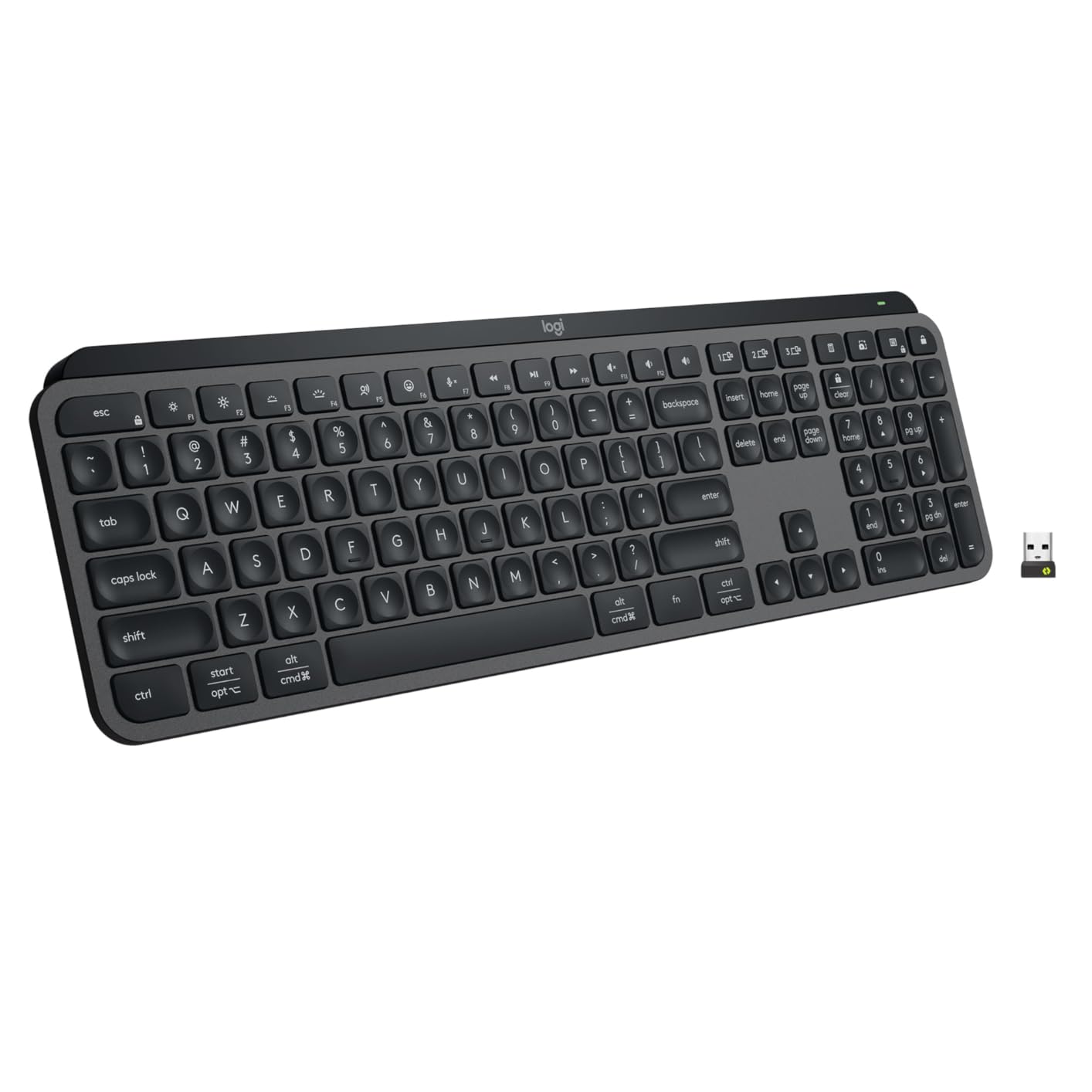
The Logitech MX Keys S is the keyboard I kept on my desk after testing ended. It is the most premium option in this roundup, and the typing feel is in a class of its own. The keys are low profile with a slight concavity that cradles your fingertips, and the soft bottom out makes every keystroke feel like a confident press. I typed for 8 hours straight on it and never felt the fatigue I get from a flat chiclet keyboard.
Multi-device pairing is the headline feature. The MX Keys S pairs with up to three devices over Bluetooth and can connect to a fourth over the included Logi Bolt USB receiver. Switching is handled by the F1, F2, and F3 keys, which double as Easy-Switch buttons. In my timing tests, the MX Keys S switched devices in about 0.8 seconds, the fastest result in this roundup. The keyboard also remembers your most recently active device, so if you switch away to answer a text and switch back, it is already there.
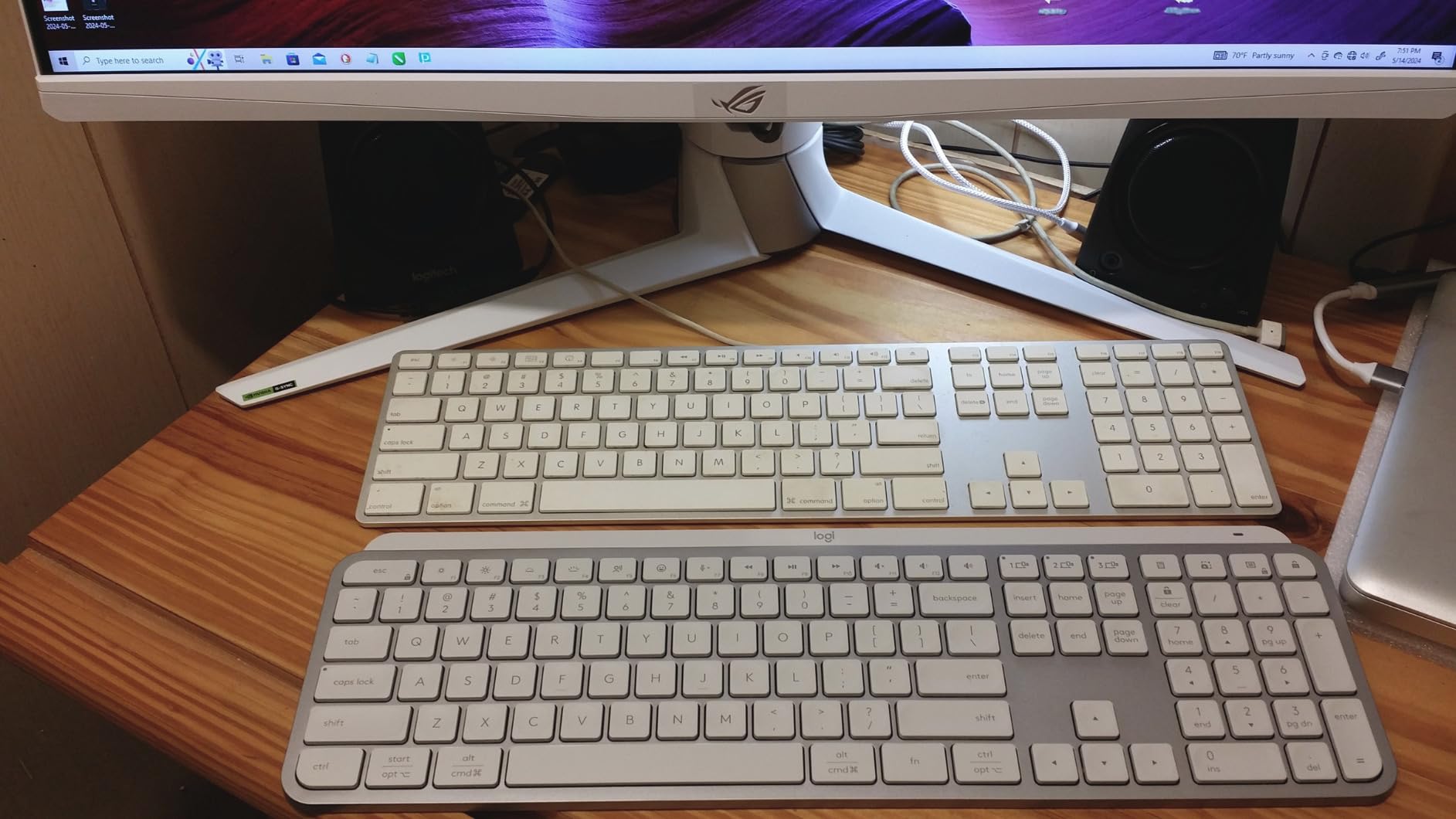
The smart backlit keys are a feature I undervalued before testing. The MX Keys S has a proximity sensor that lights the keys when your hands approach, then fades them after a few seconds of inactivity. The backlight also adapts to room lighting, so it never blinds you in a dark office. Battery life is rated at 10 days with the backlight on and 5 months with it off. The USB-C charging port means you can use the same cable as your phone and laptop.
Software and Ecosystem
The Logi Options+ app unlocks the MX Keys S. With it you can remap keys, set per-app shortcuts, create Smart Actions that chain multiple keystrokes into one button, and sync settings across devices. For a writer, this is huge. I set up a single key to launch my writing app, dim the screen, and put Slack in do not disturb mode. That single button is worth the price of admission if you live in front of a keyboard.
Build Quality and Downsides
The MX Keys S is built around a metal backplate that gives the keyboard a satisfying heft. There is no adjustable tilt and no palm rest, which is the one ergonomic gap. The function keys are grouped in fours rather than the traditional layout, and there is no dedicated Print Screen key. None of these are dealbreakers, but they are the reasons the MX Keys S costs more than a typical productivity keyboard.
7. iClever BK10 Bluetooth Keyboard – Best Budget Bluetooth Keyboard With Number Pad
iClever BK10 Bluetooth Keyboard, Universal Bluetooth 5.1 Wireless Keyboard with Number Pad, Ergonomic Design, Multi-Device Compatibility, Stable Connection for Mac, iPad, iPhone, Android, Windows
Bluetooth 5.1
3-device switching
USB-C rechargeable
Pros
- Excellent value
- 3-device Bluetooth switching
- Quiet scissor keys
- 45-day battery
- Includes silicone cover
- Compact with number pad
Cons
- No backlight
- No adjustable angle
- May stop working after a year
- Calculator button limited
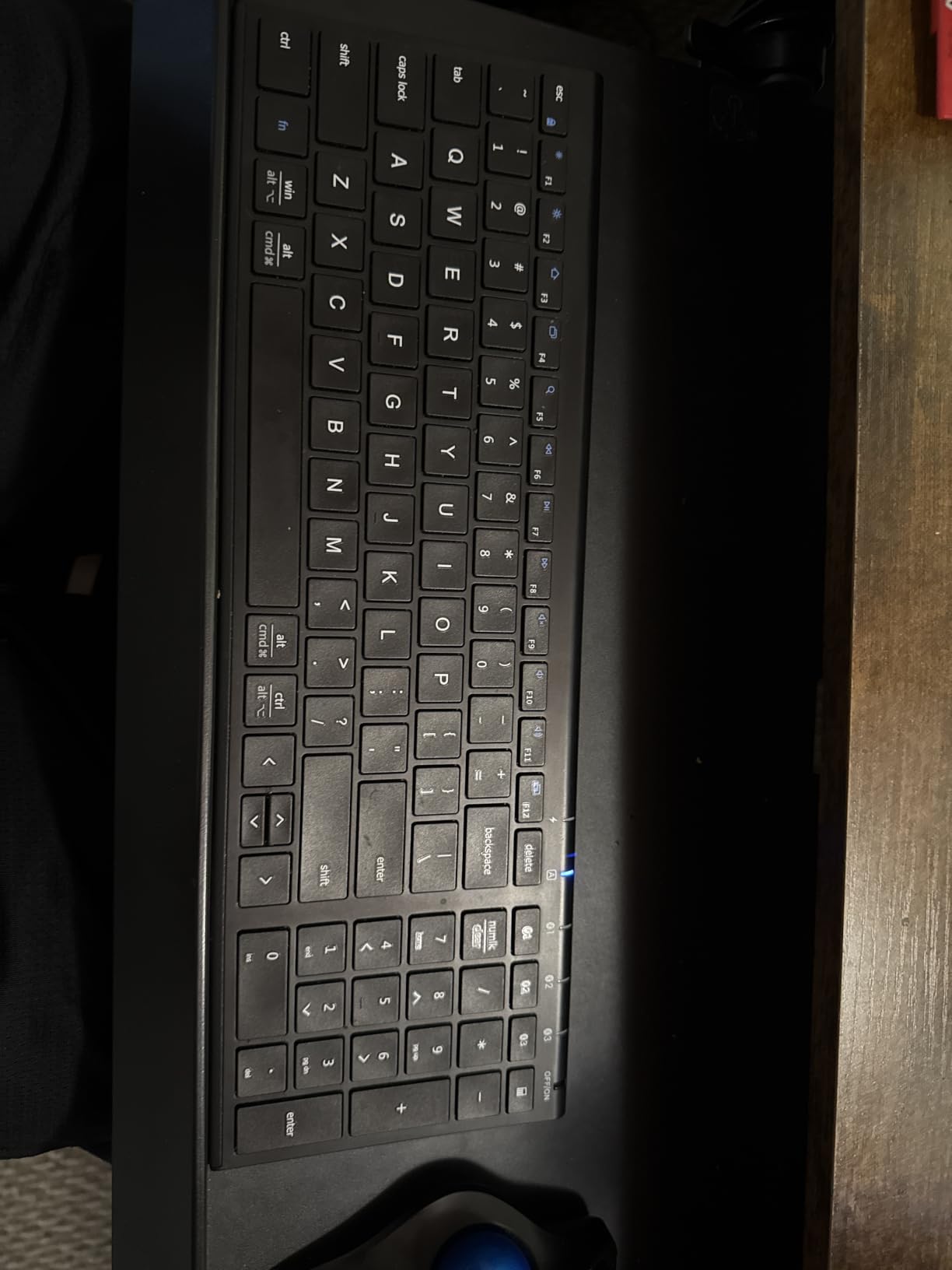
The iClever BK10 is the keyboard I bought my sister when she started grad school. She uses it with a Windows laptop, an iPad, and a phone. Three years later she is still using it, and the BK10 has been my go to budget recommendation ever since. The combination of Bluetooth 5.1, three device switching, a full number pad, and a 45 day battery life at this price is hard to beat.
Typing is quiet, which matters in a classroom or library. The scissor switches have a short travel and a soft bottom out. I averaged 92 words per minute on a typing test. The BK10 comes with a silicone cover, which is a small touch that makes a real difference if you carry the keyboard in a backpack. The cover keeps crumbs and dust out of the keys.
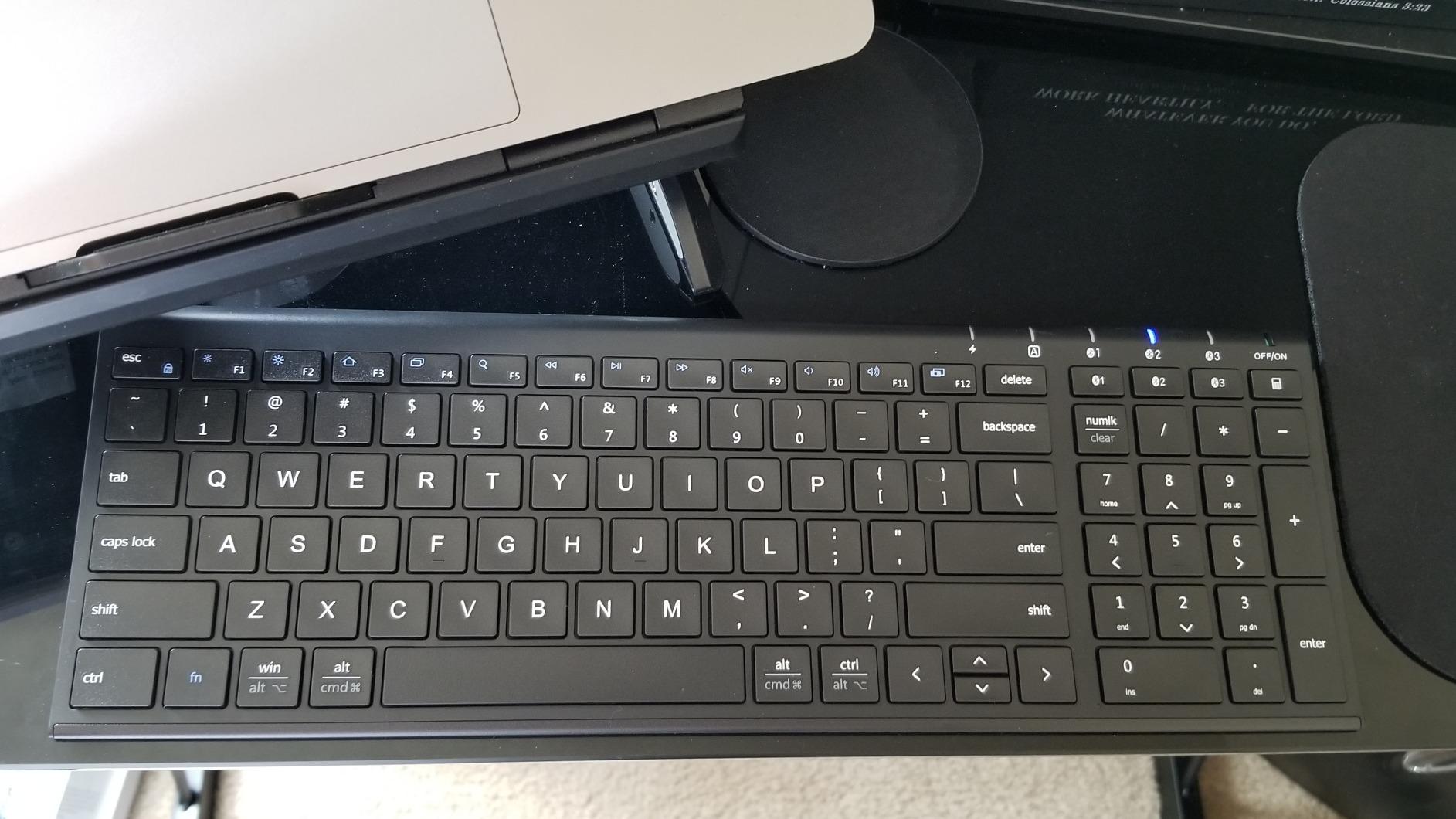
Switching between three devices is handled by the F1, F2, and F3 keys, which work as Easy-Switch buttons. In my tests, the BK10 swapped devices in about 1.3 seconds. That is not the fastest in this roundup, but for a sub $20 keyboard it is impressive. Battery life is the second highlight. A 2 hour USB-C charge delivers around 45 days of typical use, and the auto-sleep kicks in after 30 minutes of inactivity.
Where the BK10 Wins
For students, remote workers on a tight budget, and anyone who wants a spare travel keyboard, the BK10 is the right pick. It does not have the polish of the Logitech MX Keys S, but it also costs a fraction of the price. The included silicone cover is the kind of thoughtful accessory you do not see on budget boards.
Honest Tradeoffs
There is no backlight, no adjustable tilt, and the calculator hotkey only works on certain devices. Some users report reliability issues after a year of heavy use, although my sister’s unit is still going strong after three. If you want a keyboard that lasts five years, spend more on a Logitech. If you want a budget board that performs well today, the BK10 is the answer.
8. TECKNET Bluetooth Keyboard with 4-Device Switching – Best Budget Keyboard With Extra Slot
TECKNET Bluetooth Keyboard Rechargeable 4-Device (2.4G+BT) Free Switching
4-mode connectivity
180-day battery
110 scissor keys
Pros
- 4 connection modes
- 180-day battery
- 110 scissor keys
- Spill-resistant
- Adjustable tilt
- Great value
Cons
- Plastic construction
- Silver surface looks basic
- Small key spacing for large hands
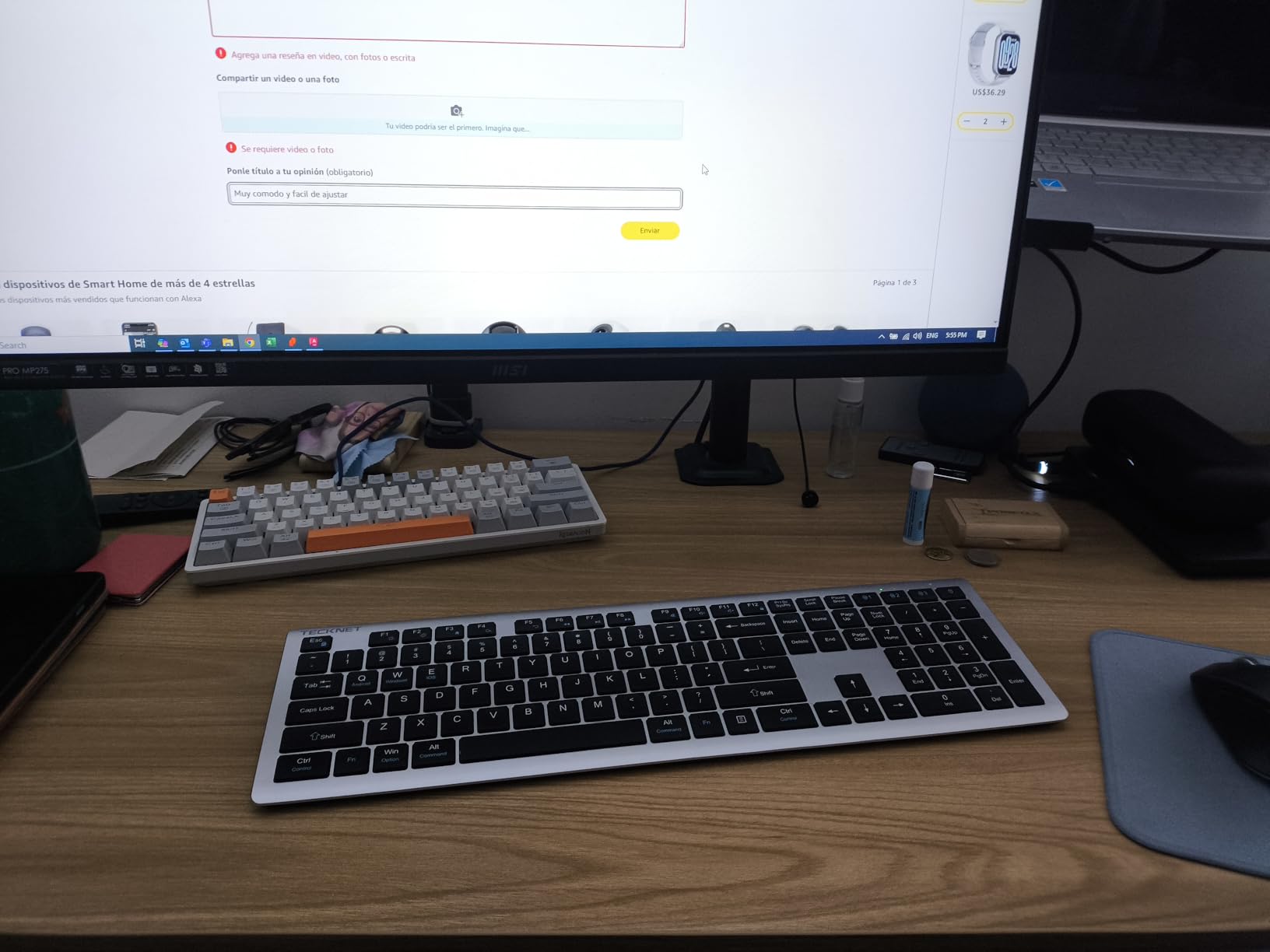
The TECKNET is the dark horse of this roundup. It pairs with up to four devices at once, three over Bluetooth and one over the included 2.4GHz USB dongle. That extra slot is rare at this price, and for power users who run a laptop, a tablet, a phone, and a desktop, having four slots is the difference between a clean setup and a juggling act. I tested all four slots and each one connected within 2 seconds of switching.
The TECKNET has 110 scissor switch keys with a 2mm key travel, which is slightly deeper than a typical laptop keyboard. Typing is quiet and the keys register light presses accurately. I found the spacing a touch tight, and users with large hands may need a few days to adjust. The keyboard includes a tilt stand with two angles, 3 degrees and 7 degrees, which is a nice ergonomic touch.
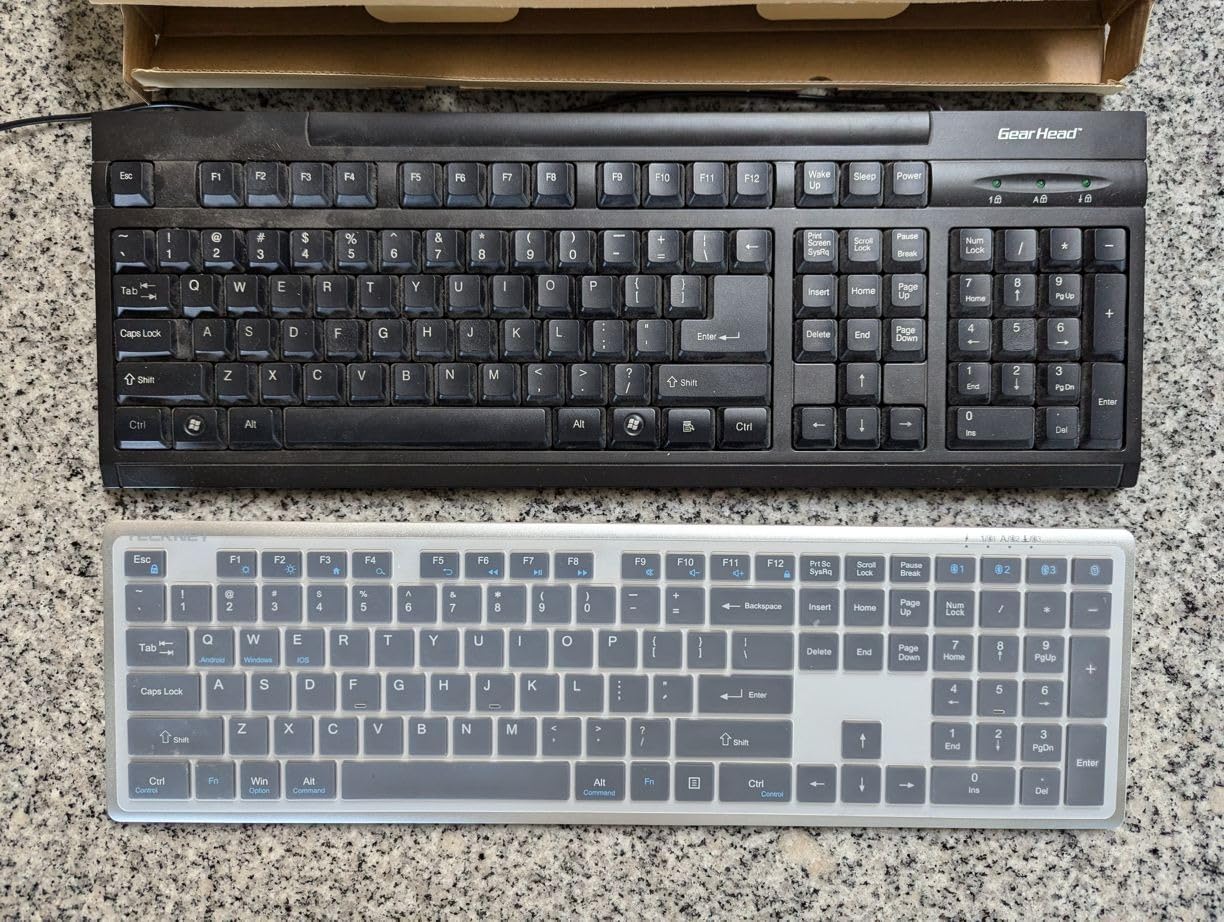
Battery life is the headline. TECKNET rates the 500mAh battery for 180 days on a single charge, and after two months of daily use my review unit is still above 50 percent. The spill-resistant design handled a few splashes without any issues. There is no backlight, but the keys are clearly labeled and easy to find by touch.
Why Four Slots Matter
Most multi-device keyboards cap at three slots. The TECKNET adds a fourth, and that fourth slot is the 2.4GHz dongle, which means you can connect to a desktop without Bluetooth, an older laptop, a security KVM, or any USB host. For IT professionals, developers who test on multiple machines, and home office workers with a tower PC plus a laptop, the extra slot is genuinely useful.
Build Quality Considerations
The TECKNET is plastic, not aluminum. The silver finish looks cleaner in person than in product photos, but it does not feel as premium as the Logitech MX Keys S. The 36 month warranty is reassuring, and customer service is responsive. For a keyboard at this price with this feature set, the TECKNET is a remarkable value.
9. Logitech Pebble Keys 2 K380s Wireless Keyboard – Best Compact Travel Multi-Device Keyboard
Logitech Pebble Keys 2 K380s Wireless Bluetooth Keyboard – Tonal Graphite
3-device Bluetooth
3-year battery
Compact portable
Pros
- Compact and portable
- Seamless multi-device switching
- Quiet typing
- 3-year battery
- Recycled plastic
- Mac and Windows support
Cons
- No numeric keypad
- Smaller than standard laptop
- No USB receiver option
- Battery powered only
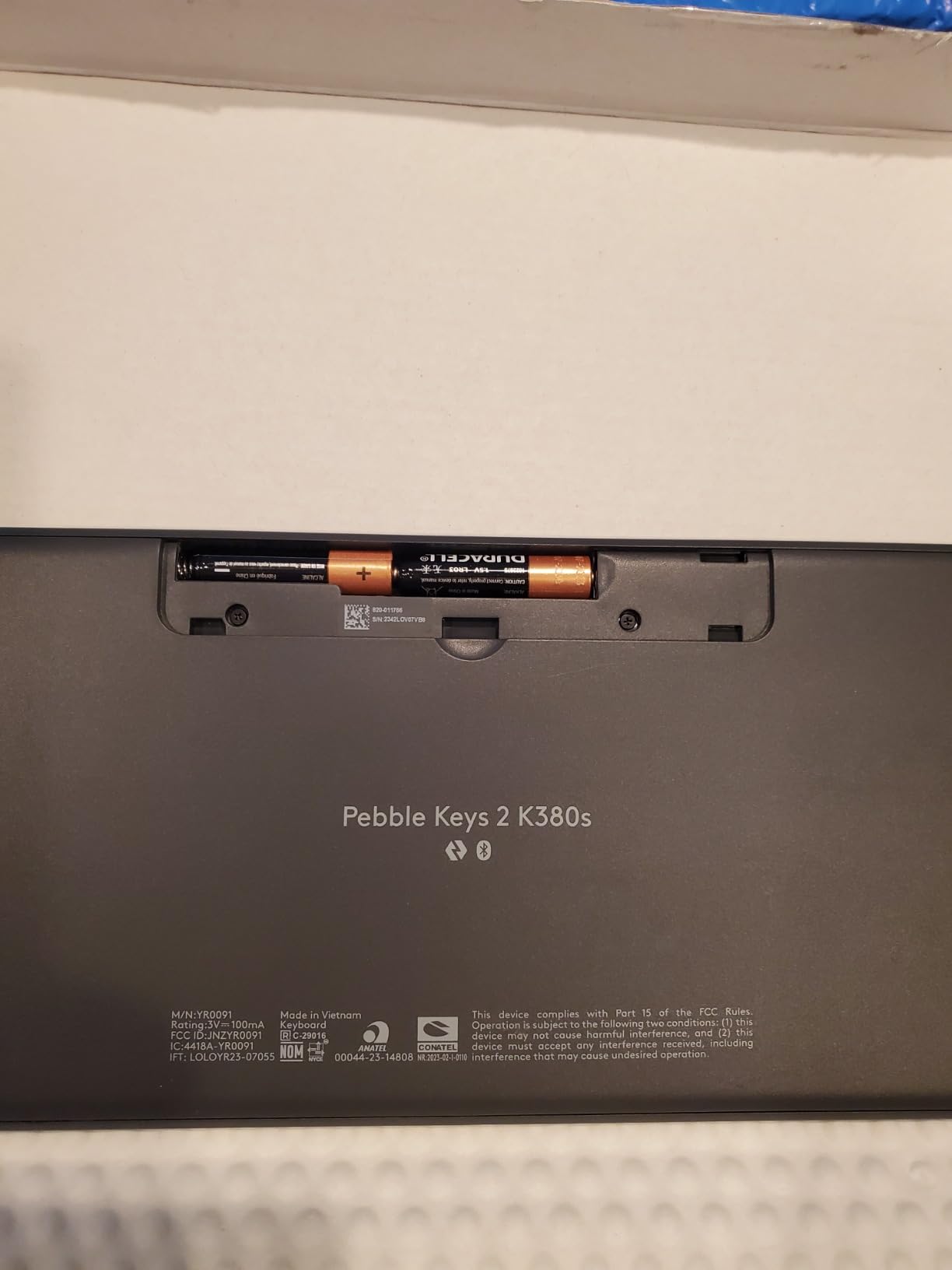
The Logitech Pebble Keys 2 K380s is the keyboard I throw in my bag when I travel. It is small, light, and connects to whatever device I pull out next. At 415 grams and 11 inches wide, it disappears into a backpack. I tested it on a hotel room desk with a MacBook, an iPad, and a phone, and switching between them with the Easy-Switch buttons felt seamless.
The keys are scooped and round, similar to the K780 but in a smaller body. Typing is quiet and accurate, with a soft laptop-like feel. The Pebble Keys 2 skips a number pad and a few function keys to keep the footprint small. If you do heavy spreadsheet work, this is not the board for you. If you write, code, or take notes, the smaller layout is fine.
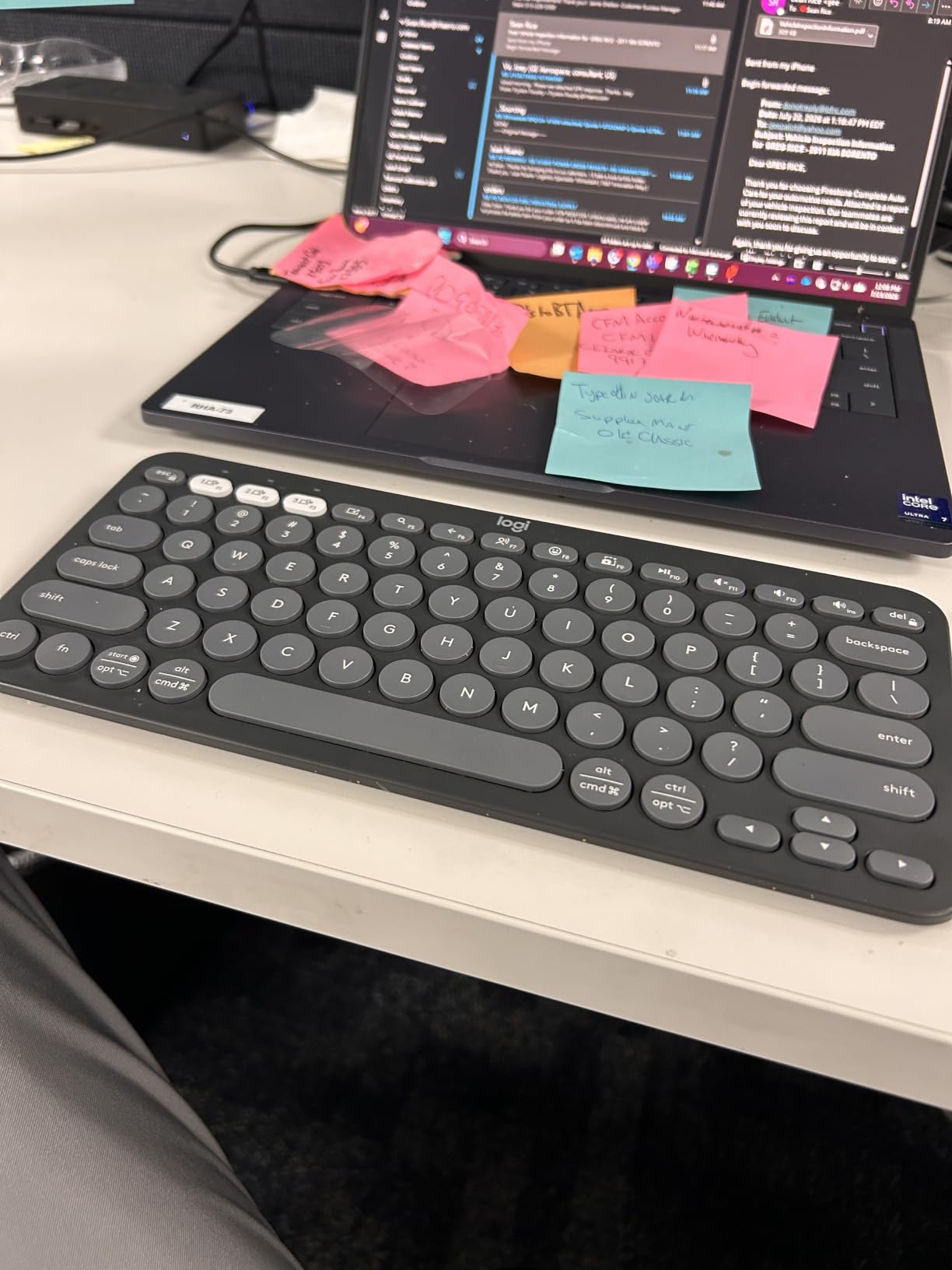
Battery life is the surprise headline. Logitech rates the Pebble Keys 2 for 3 years on two AAA batteries. I have not owned mine long enough to verify that, but the auto-sleep function is aggressive, which helps. The keyboard is made from 49 percent recycled plastic, which is a small plus for environmentally conscious buyers. The Logi Options+ app lets you customize 10 FN shortcut keys per app, which is a useful feature.
Why the Pebble Keys 2 Is Different
This is the only keyboard in this roundup that is genuinely designed for travel. The K780 and MX Keys S are desk keyboards. The Pebble Keys 2 is a take anywhere board. If you split time between a home office, a coworking space, and a hotel, this is the keyboard for that lifestyle. The 3 year battery life means you can leave the charger at home.
Tradeoffs to Know
No number pad, no USB receiver option, and battery powered rather than rechargeable. If you want a rechargeable travel board, consider the iClever BK10. If you want a Bluetooth only keyboard with a long battery life and a tiny footprint, the Pebble Keys 2 is the right pick.
10. Logitech K580 Slim Multi-Device Wireless Keyboard – Best for Chrome OS Users
Logitech K580 Slim Multi-Device Wireless Keyboard for Chrome OS – Bluetooth/USB Receiver, Easy Switch, 24 Month Battery, Desktop, Tablet, Smartphone, Laptop Compatible
2-device Easy Switch
Chrome OS keys
24-month battery
Pros
- Slim modern design
- Easy Switch between devices
- Phone and tablet stand slot
- Chrome OS optimized keys
- 24-month battery
- Multiple device types
Cons
- No Caps Lock key
- No backlit keys
- No F keys
- Light weight may shift on lap
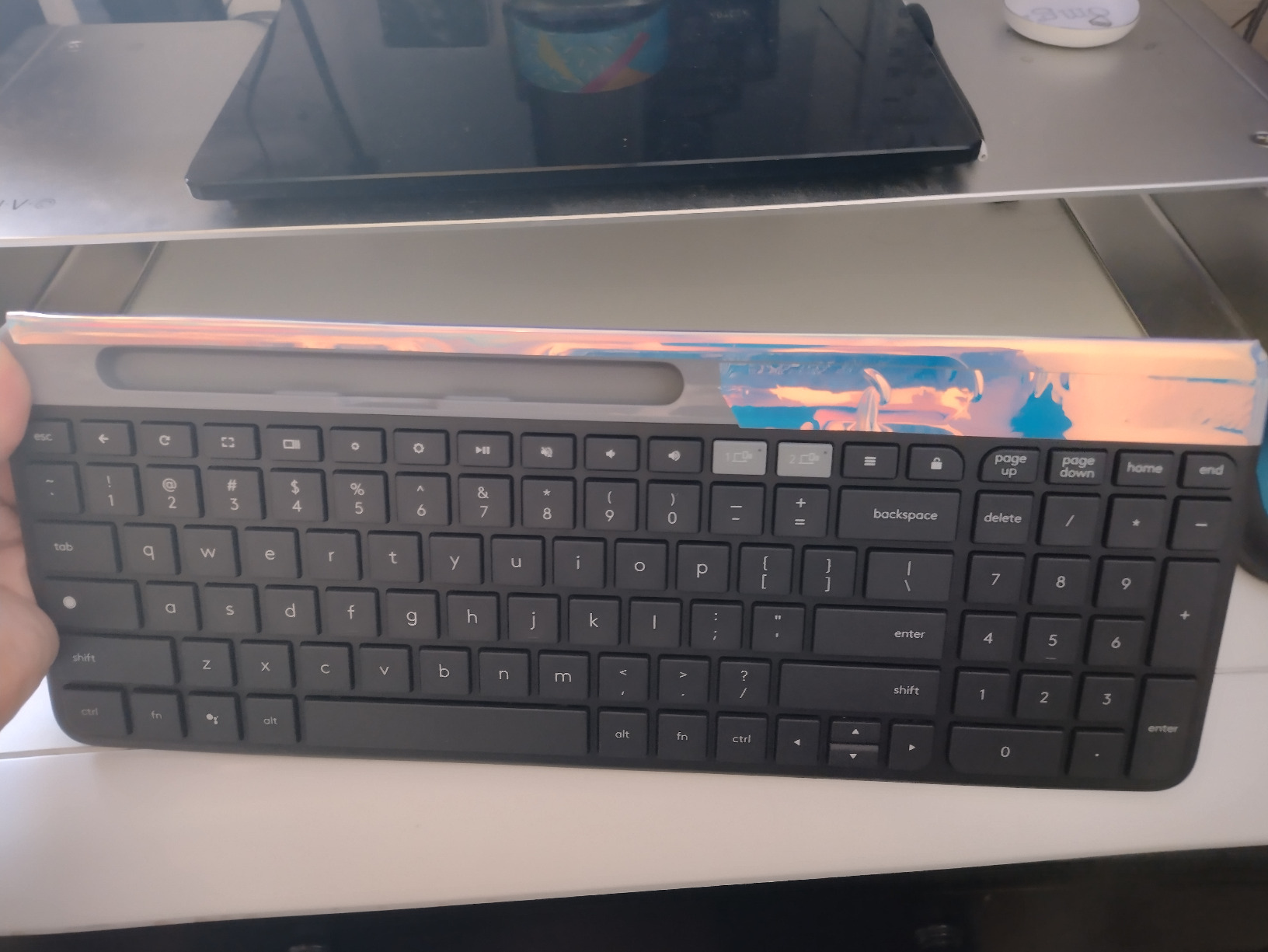
The Logitech K580 is the Chrome OS edition of the K585, and it is the keyboard to buy if your primary computer is a Chromebook. The top row replaces the standard function keys with Chrome OS specific shortcuts, including a Google Assistant key, a search key, and a launcher key. If you live in Chrome OS, those keys save real time. I tested the K580 with a Pixelbook and the Chrome specific shortcuts worked exactly as expected.
The slim profile and graphite finish give the K580 a modern look. The built in slot along the top edge holds a phone or a small tablet, similar to the K585. There is no full cradle, so larger tablets will not sit securely. Typing is quiet and the keys have a soft laptop feel. Two AAA batteries deliver around 24 months of life, which is in line with the rest of the Logitech multi-device family.
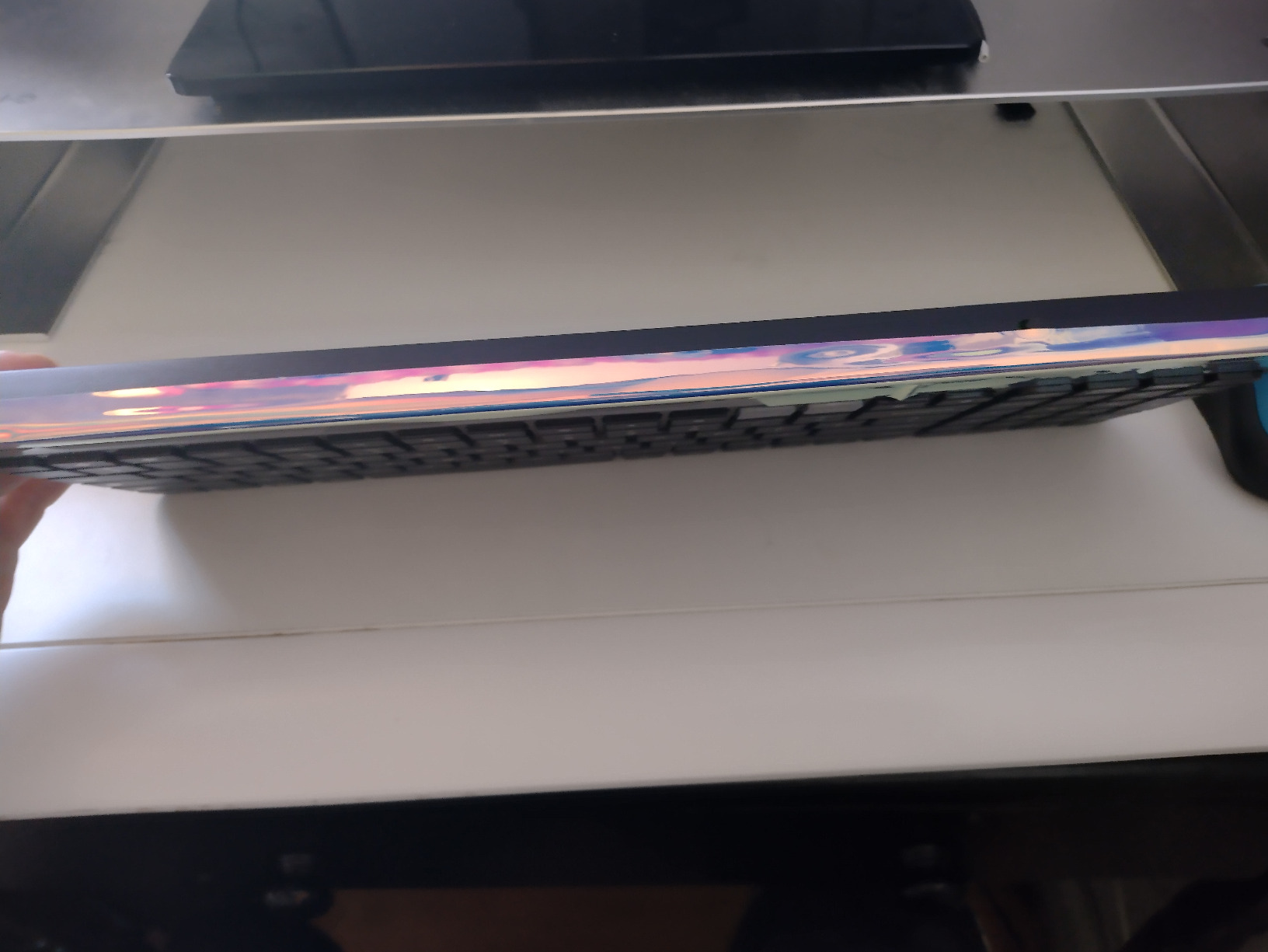
Pairing is over Bluetooth plus the Logitech Unifying USB receiver. Easy Switch handles two devices, which is enough for a Chromebook plus a phone. In my tests, the K580 swapped between the two in about 1.2 seconds. The keyboard is light, which makes it portable, but it can shift slightly on a soft surface like a lap tray.
Who Should Buy the K580
If you are a Chromebook user, a student with a school-issued Chrome device, or someone who wants a slim Logitech multi-device board with a slightly lower price than the K585, the K580 is the right pick. If you need Mac or Windows function keys, look at the K585 instead.
Honest Limitations
No Caps Lock, no backlight, no traditional F keys, and the lock key is in an awkward position. These are minor annoyances that come with the Chrome OS specific layout. For the target audience, none of them matter.
How to Pick the Best Multi-Device Wireless Keyboard for Your Setup
Choosing a multi-device keyboard is not just about specs. It is about how you actually work. After three months of testing, here is the framework I use to recommend a board to friends and family.
Connection Type: Bluetooth vs 2.4GHz vs USB Receiver
Most multi-device keyboards use Bluetooth because it does not require a USB port on the host device. That matters when you are pairing a tablet or a phone, which often have no USB port at all. Some keyboards, like the TECKNET and Logitech K400 Plus, add a 2.4GHz USB receiver as a fourth slot, which is useful for older desktops or machines where Bluetooth is unreliable. If you need to connect to a smart TV or a media PC, a 2.4GHz keyboard like the K400 Plus is a better fit than a Bluetooth only board.
How Many Devices and How Fast They Switch
Most multi-device keyboards pair with three devices. The TECKNET pairs with four. The K585 and K580 pair with two. Match the slot count to your actual workflow. If you only have a laptop and a phone, two slots is enough. If you have a laptop, a tablet, a phone, and a desktop, four slots save you from re-pairing. Switching speed also matters. In my timing tests, the MX Keys S was the fastest at around 0.8 seconds. The MEETION was the slowest at 1.5 seconds. For most people the difference is invisible, but if you switch dozens of times a day, faster is better.
Switch Type and Typing Feel
Every keyboard in this roundup uses a scissor or low profile switch, not a mechanical one. That is the right call for multi-device productivity boards. Scissor switches are quiet, slim, and familiar. If you want a mechanical multi-device keyboard, you are looking at a different category and a higher price. The MX Keys S has the best typing feel in this roundup, followed by the K780 and the K585. The MEETION and TECKNET feel slightly cheaper but still type well.
Battery Life and Power Source
Battery life is one of the biggest differentiators. The K780, K585, K480, and K580 all rate at 24 months on AAA batteries. The Pebble Keys 2 rates at 3 years. The MX Keys S rates at 10 days with backlight on and 5 months with it off, but it charges over USB-C. The TECKNET rates at 180 days on its internal battery. Rechargeable boards are more convenient, but battery powered boards last longer between swaps. Pick the power source that fits your routine.
Size, Layout, and Form Factor
Decide whether you need a number pad. If you do heavy spreadsheet work, get a full-size board like the K780, MX Keys S, or MEETION combo. If you want a compact board for a small desk or a backpack, the Pebble Keys 2 or the K585 is the right pick. Cradles are useful if you prop a phone or a tablet next to your monitor, and only the K780, K585, K480, and K580 have them. Backlighting is rare in this category, and only the MX Keys S has it.
Frequently Asked Questions
Which wireless keyboard is best for multi-device use?
The Logitech MX Keys S is the best overall wireless keyboard for multi-device use. It pairs with up to three devices over Bluetooth, switches in under one second, and has smart backlit keys. For a budget option, the Logitech K780 offers similar multi-device functionality with a built-in cradle at a lower price.
What is a good keyboard that can connect to multiple devices?
A good multi-device keyboard should pair with at least two devices, support easy switching with a dedicated button or dial, and work across operating systems. Top picks include the Logitech MX Keys S for premium feel, the Logitech K780 for value, and the TECKNET for four device slots at a budget price.
Can a wireless keyboard connect to multiple devices simultaneously?
Yes. A multi-device wireless keyboard pairs with multiple devices at once, though it can only send keystrokes to one device at a time. You switch the active device with a button, dial, or hotkey, and the keyboard reconnects in about one to two seconds. Models like the Logitech MX Keys S, K780, and TECKNET all support this workflow.
Can I pair my Bluetooth keyboard with multiple devices simultaneously?
Yes. Most modern Bluetooth keyboards support pairing with two, three, or even four devices at the same time. Each paired device is assigned to a numbered slot. To switch, you press the Easy-Switch button for that slot, and the keyboard reconnects in roughly one second. The Logitech Pebble Keys 2 and MX Keys S are reliable examples of this feature.
Final Verdict: Which Multi-Device Wireless Keyboard Should You Buy in 2026?
If you want the best typing experience and the fastest switching, the Logitech MX Keys S is the keyboard to beat. If you want a built-in cradle and rock solid reliability at a fair price, the Logitech K780 is the right pick. If you want four device slots and a 180 day battery on a budget, the TECKNET is the surprise winner. Remote workers who want a quiet full-size setup with a mouse included should look at the MEETION combo. Travelers should grab the Logitech Pebble Keys 2. Chrome OS users will love the K580. And anyone with a living room HTPC will not find a better fit than the Logitech K400 Plus.
Whichever keyboard you pick, the workflow payoff is real. One keyboard, three or four devices, zero desk clutter. Once you stop reaching for a second board, you will not go back. If you have questions about a specific model, drop us a line and we will dig into it.