

If you’re shopping Amazon’s October Prime event, the Redragon K521 is the mechanical-feel board most worth watching at the bottom of the list. It leads our picks because it pairs rainbow LED backlighting, anti-ghosting across 19 keys, and broad platform support at a price most buyers can stretch to. For shoppers who want more, the Logitech G213 is a quiet full-size gaming pick with a spill-resistant body and a built-in palm rest, while the AULA F99 is the board to watch if you want tri-mode wireless, hot-swap switches, and a creamy typing sound without crossing into premium territory. The Prime Big Deal Days sale runs October 6-7, 2026, and most offers need a Prime membership.
Our Top 3 Picks for Mechanical Keyboard Deals: Prime Big Deal Days (October 2026)

Redragon K521
- Switch: Mechanical-feel
- Layout: Full-size 104-key
- Connectivity: USB-A wired

Redragon K671
- Switch: Linear hot-swap
- Layout: Full-size 104-key
- Connectivity: USB wired
Mechanical Keyboard Deals: Prime Big Deal Days Compared
| Product | Specs | Action |
|---|---|---|
| Redragon K521 |
|
Check Deal Price |
 Logitech G213 Logitech G213 |
|
Check Deal Price |
| Redragon K671 |
|
Check Deal Price |
 Redragon K580 VATA Redragon K580 VATA |
|
Check Deal Price |
 SteelSeries Apex 5 SteelSeries Apex 5 |
|
Check Deal Price |
 RisoPhy Mechanical RisoPhy Mechanical |
|
Check Deal Price |
 AULA F99 AULA F99 |
|
Check Deal Price |
 AULA F2088 AULA F2088 |
|
Check Deal Price |
 AULA S99 AULA S99 |
|
Check Deal Price |
 Logitech MX Mechanical Logitech MX Mechanical |
|
Check Deal Price |
How We Chose
We pulled owner ratings, review volume, and the specs that actually change how a board feels and types — switch type, layout size, connectivity, hot-swap support, and build material — straight from each Amazon listing. Data was checked in October 2026. Discounts were not part of the shortlist: the board that fits your switch and layout preference is the one worth watching, regardless of how the price moves during the sale.
1. Redragon K521: Best for Budget Entry-Level
Redragon K521 Upgrade Rainbow LED Gaming Keyboard, 104 Keys Wired Mechanical Feeling Keyboard with Multimedia Keys, One-Touch Backlit, Anti-Ghosting, Compatible with PC, Mac, PS4/5, Xbox
Switch: Mechanical-feel
Layout: 104-key full-size
Connectivity: USB-A wired
Backlight: Rainbow LED
Pros
- Rainbow LED backlight with vibrant colors
- Mechanical-feeling keys at affordable price
- Anti-ghosting for accurate key combinations
- 12 multimedia keys for enhanced productivity
- Wide compatibility with Windows/Mac/PS4-5/Xbox
Cons
- Keys were a little clickier than preferred out of the box
- Some users reported durability issues after 5-6 weeks
The Redragon K521 is the mechanical-feel board for anyone who wants a solid typing experience without leaving the bottom of the price chart. Owners consistently mention the substantial feel and the punchy rainbow lighting, and the 12 multimedia shortcuts and anti-ghosting across 19 keys make it work for both gaming and everyday typing.
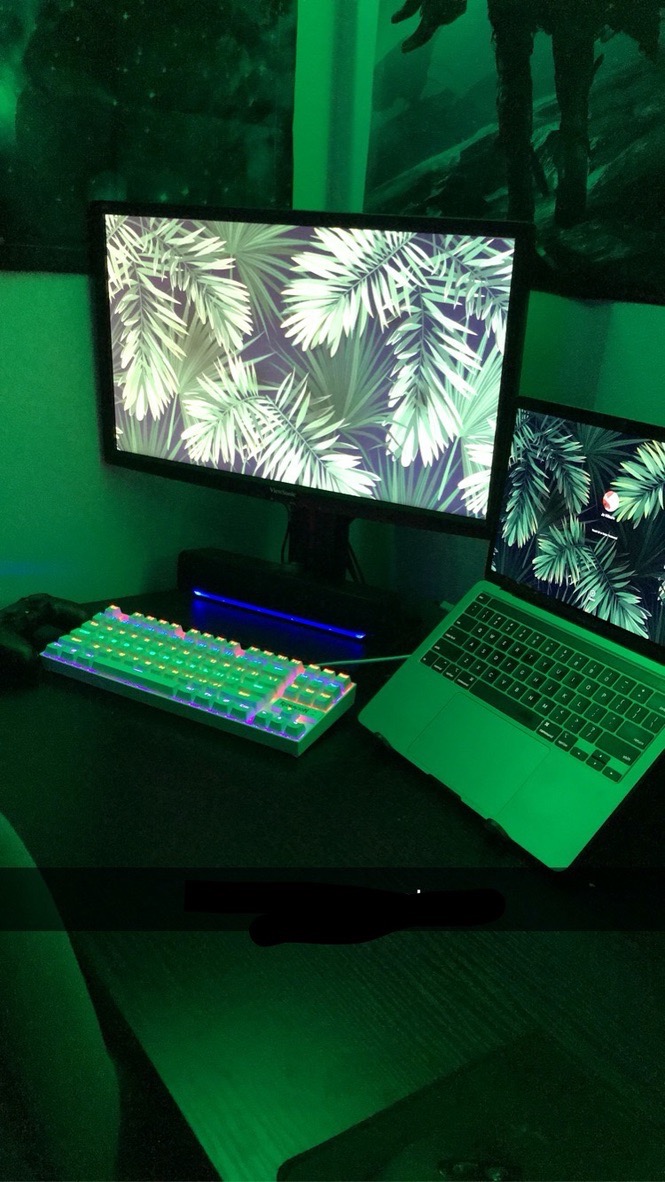
What stands out is the platform reach: the same board works on Windows, Mac, PS4/5, and Xbox without any extra software, which is rare in this tier. The trade-off owners report is longevity — a handful mention the keys going inconsistent after a couple of months, so treat it as a starter board rather than a forever board.
Not for you if you want true hot-swap switches: the K521 is a membrane-mechanical feel, not a hot-swap PCB. The Redragon K671 steps up there. If you want more refined build and spill resistance, the Logitech G213 is the next step up.
The K521 is louder and more arcade-style than the Logitech G213, which uses a quieter dome-style tactile feel. Both are full-size, but the K521 is the one to watch for tight budgets.
2. Logitech G213: Best for Spill-Safe Gaming
Logitech G213 Prodigy Wired RGB Gaming Keyboard – Black
Switch: Tactile Mech-Dome
Layout: 104-key full-size
Connectivity: USB wired
Backlight: 5 zones RGB
Pros
- Customizable RGB lighting zones
- Durable construction repels liquids and dirt
- Dedicated media controls
- Integrated palm rest for comfort
- Tactile feedback for gaming
Cons
- RGB lighting hotspots visible from angles
- Some quality control issues reported
- Keycaps may be difficult to replace
Best for: families and shared desks where coffee, soda, and snacks share the table. The G213’s spill-resistant body and integrated palm rest make it a comfortable full-size pick that holds up to daily use.
Owners appreciate the five-zone LIGHTSYNC RGB and dedicated media controls, and the Mech-Dome keys give a tactile bump that works well for both gaming and typing. A common complaint in reviews is that the lighting hotspots are visible from off-axis angles, so this is not the board for a clean minimalist look.
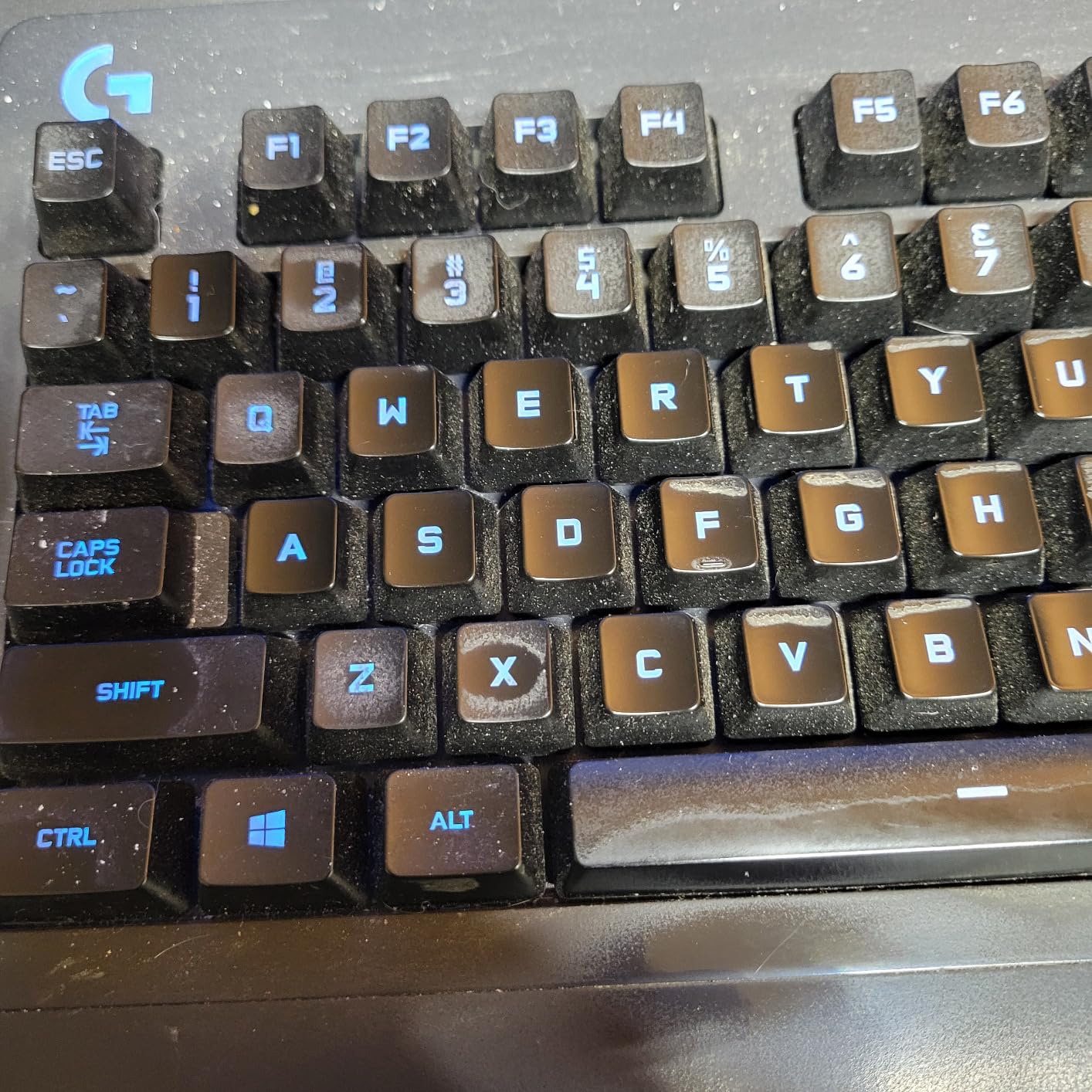
Good to know: the G213 is wired only, so if wireless matters, jump to the AULA F99. The G213 is quieter and more refined than the Redragon K521 but sits a step up in price for the same full-size footprint.
The palm rest is built in, not removable, which keeps the desk footprint compact. Several reviews mention the spill-resistant design has saved the board from more than one coffee spill, which is why families and shared setups keep coming back to it.
3. Redragon K671: Best for Hot-Swap on a Budget
Redragon Mechanical Gaming Keyboard Wired, 11 Programmable Backlit Modes, Hot-Swappable Red Switch, Anti-Ghosting, Double-Shot PBT Keycaps, Light Up Keyboard for PC Mac
Switch: Linear hot-swap
Layout: 104-key full-size
Connectivity: USB wired
Backlight: 11 modes RGB
Pros
- Hot-swappable switches for easy customization
- Vibrant RGB lighting with multiple modes
- Double-shot PBT keycaps for durability
- Smooth typing experience with red switches
- Good value for budget mechanical keyboard
Cons
- Color cannot be changed - fixed rainbow pattern
- Software is Windows only
- Keys are quite loud
Buy the Redragon K671 if you want real hot-swap without crossing into mid-range territory. The PCB accepts standard 3-pin and 5-pin switches, so you can swap to tactile or clicky without soldering, which is unusual at this size of a board.
Owners like the smooth linear feel out of the box and the 11 backlight modes. The honest limitation several reviews mention: the rainbow color is fixed, so if you want solid-color or per-key RGB, you need to step up.
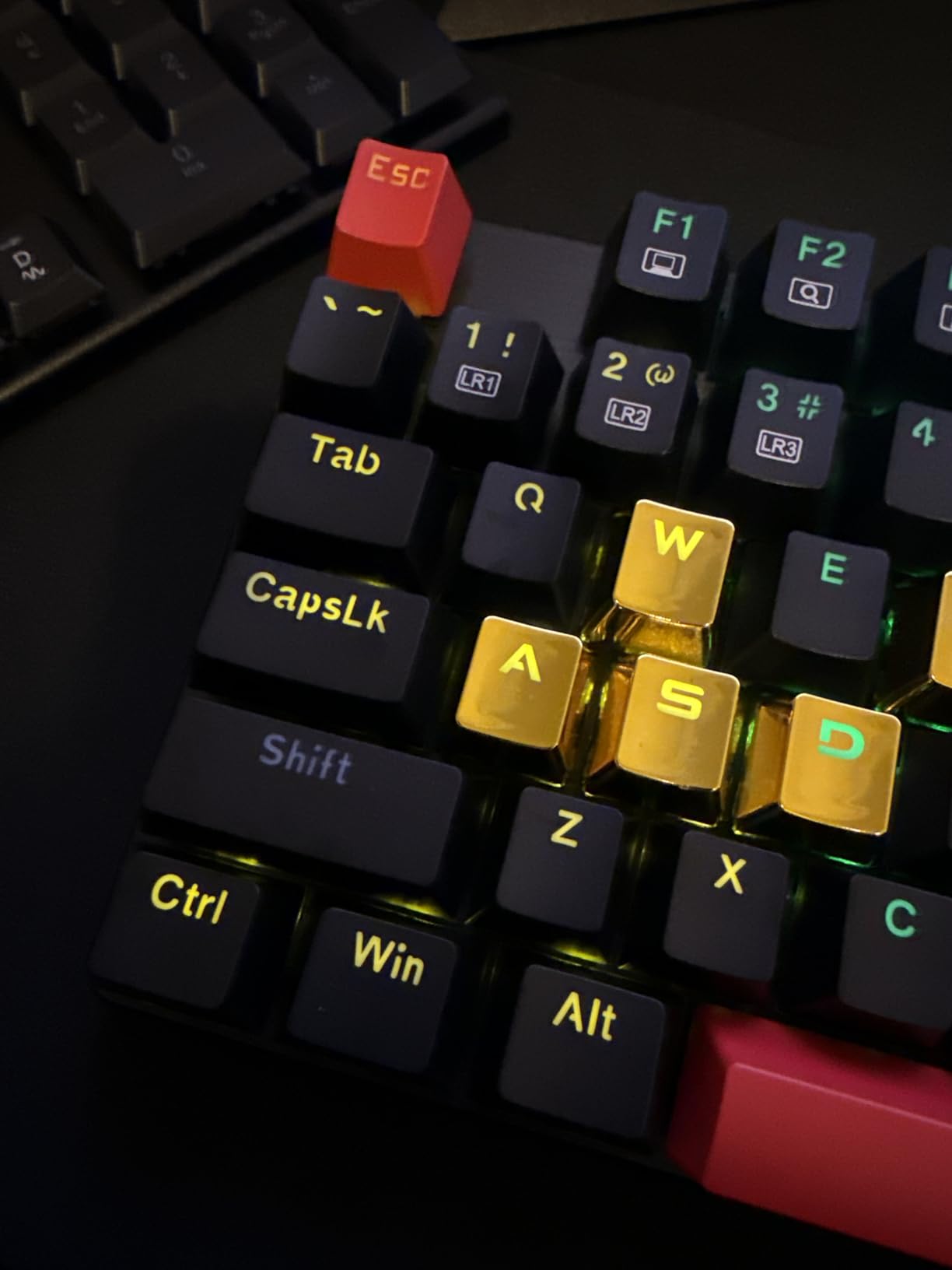
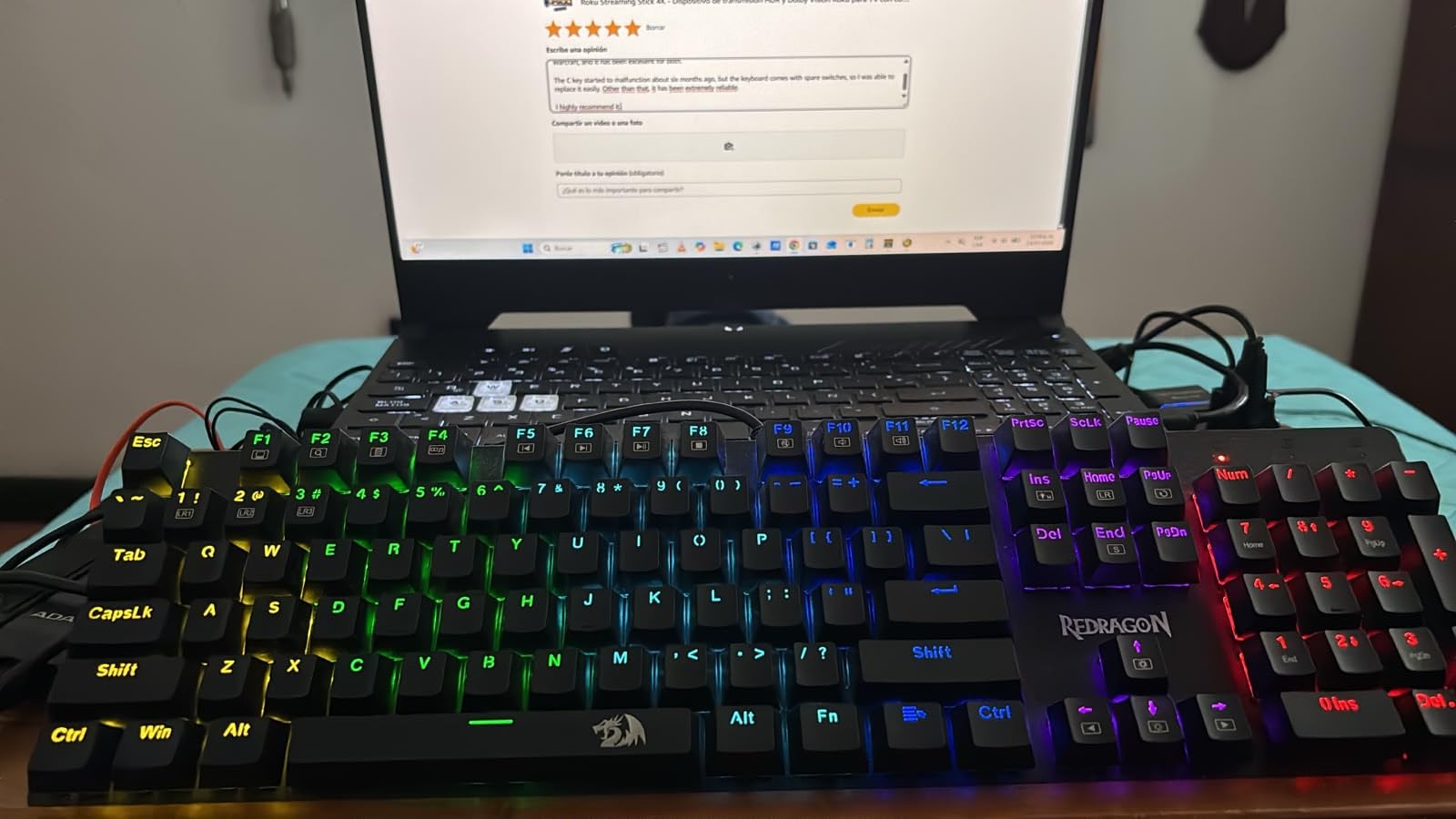
For a quieter typing experience with hot-swap, the AULA F99’s pre-lubed switches are the better pick. The Redragon K580 VATA is a step up if you also want clicky feedback and macro keys. The K671 fits the brief for anyone who plans to experiment with switches but doesn’t want to invest in a soldering iron.
Against the Redragon K521, the K671 is louder but adds hot-swap and a sturdier feel, which most reviewers say justifies the extra spend for anyone who plans to keep the board long-term.
4. Redragon K580 VATA: Best for Macro-Heavy Gaming
Redragon K580 Wired RGB Mechanical Gaming Keyboard, Macro Key & Media Wheel
Switch: Clicky Outemu Blue
Layout: 104-key full-size
Connectivity: USB-C
Backlight: Per-key RGB
Pros
- Hot-swappable switches without soldering
- Distinct tactile bump and audible click
- 5 dedicated macro keys for gaming
- Media control wheel convenient
- Durable aluminum frame
Cons
- USB-C cable may be stiff
- Software could be more intuitive
Best for: MMO and competitive gamers who want five dedicated macro keys, a media control wheel, and a satisfying clicky Outemu Blue action in a sturdy aluminum frame.
Owners consistently mention the per-key RGB, the satisfying click, and the durable aluminum body. The macro keys on the left side make it easy to map complex bindings in games like MMOs and raid titles, and the hot-swap sockets mean you can swap switches without soldering.
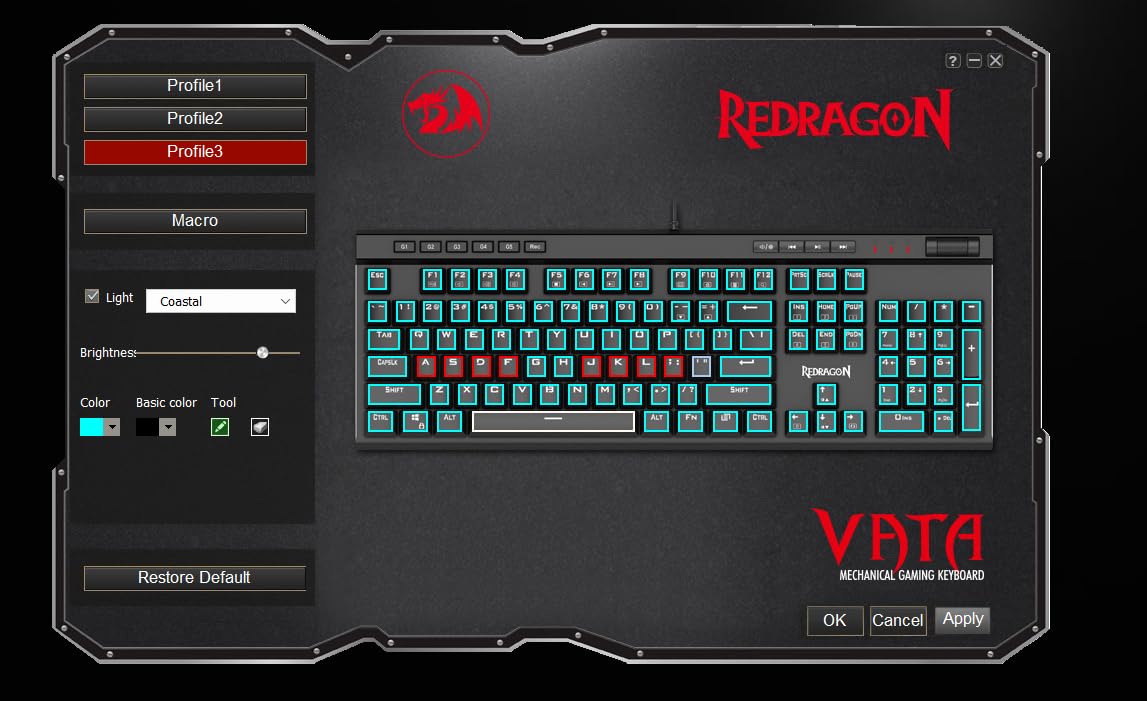
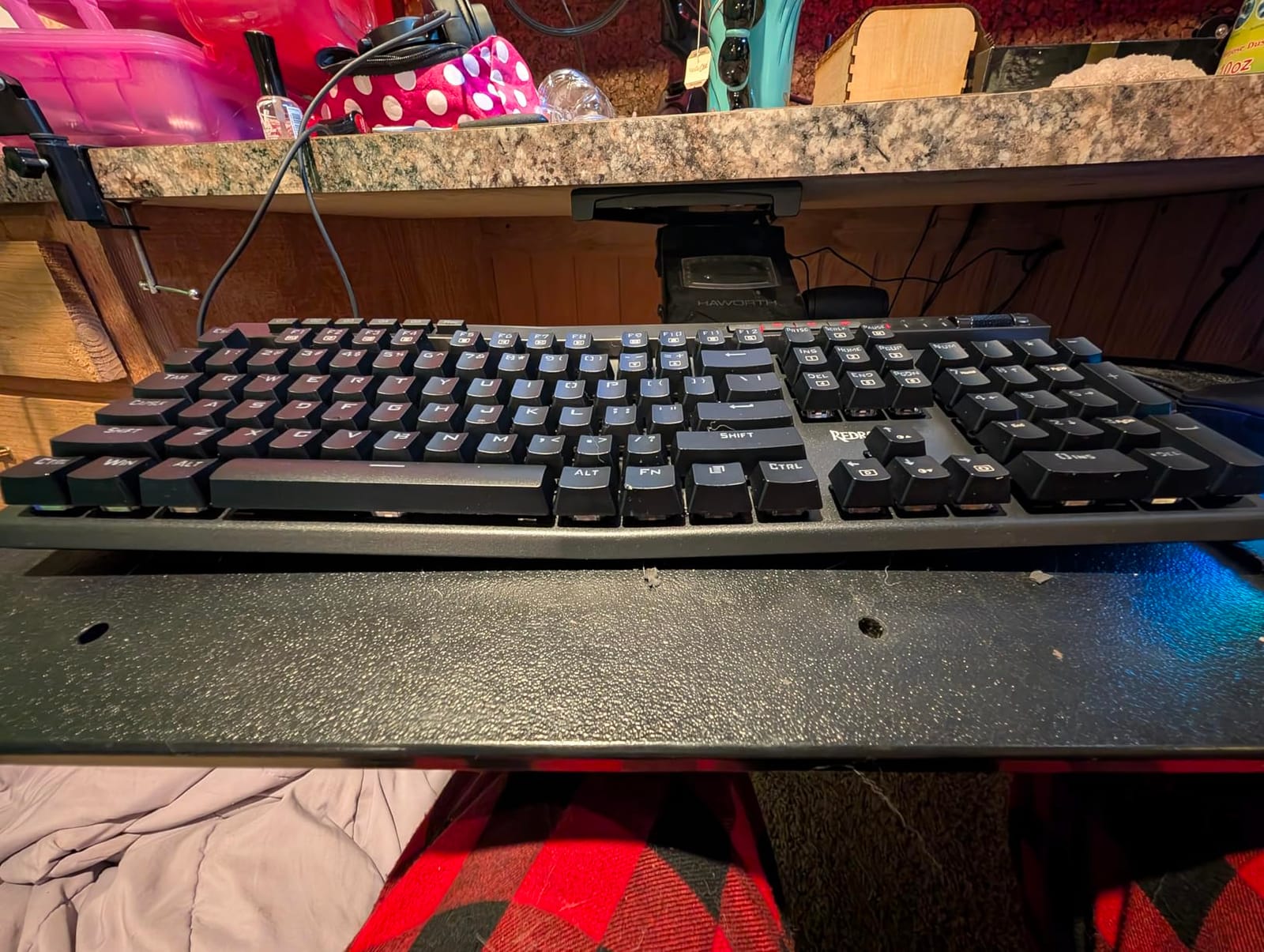
The trade-off most owners mention: the Outemu Blues are loud, so a shared or quiet workspace will not love this board. For a quieter option with the same hot-swap PCB, the Redragon K671 with linear switches is the closest cousin in this list.
Good to know: the optional companion software for advanced RGB and macro editing is Windows only, but the keyboard itself works on Mac and Linux out of the box.
5. SteelSeries Apex 5: Best for Premium OLED Build
SteelSeries USB Apex 5 Hybrid Mechanical Gaming Keyboard – Per-Key RGB Illumination – Aircraft Grade Aluminum Alloy Frame – OLED Smart Display (Hybrid Blue Switch)
Switch: Tactile hybrid
Layout: 104-key full-size
Connectivity: USB wired
Backlight: Per-key RGB
Pros
- OLED display is unique and functional
- Premium aluminum alloy frame feels very sturdy
- Satisfying hybrid blue switches
- Great RGB lighting per key
- Magnetic wrist rest comfortable
Cons
- Higher price point
- Switches are proprietary
The SteelSeries Apex 5 is the board for shoppers who want a premium-build full-size with an OLED smart display and an aircraft-grade aluminum frame. It is the heaviest, most refined board in this list, and owners repeatedly mention the sturdiness and the magnetic wrist rest as worth the spend.
The OLED display shows Discord messages, in-game info, or custom gifs, and the per-key RGB lighting is bright and even. The hybrid blue switches give a tactile click without the heavy clack of Outemu Blue, so it works in a home office as well as a gaming corner.
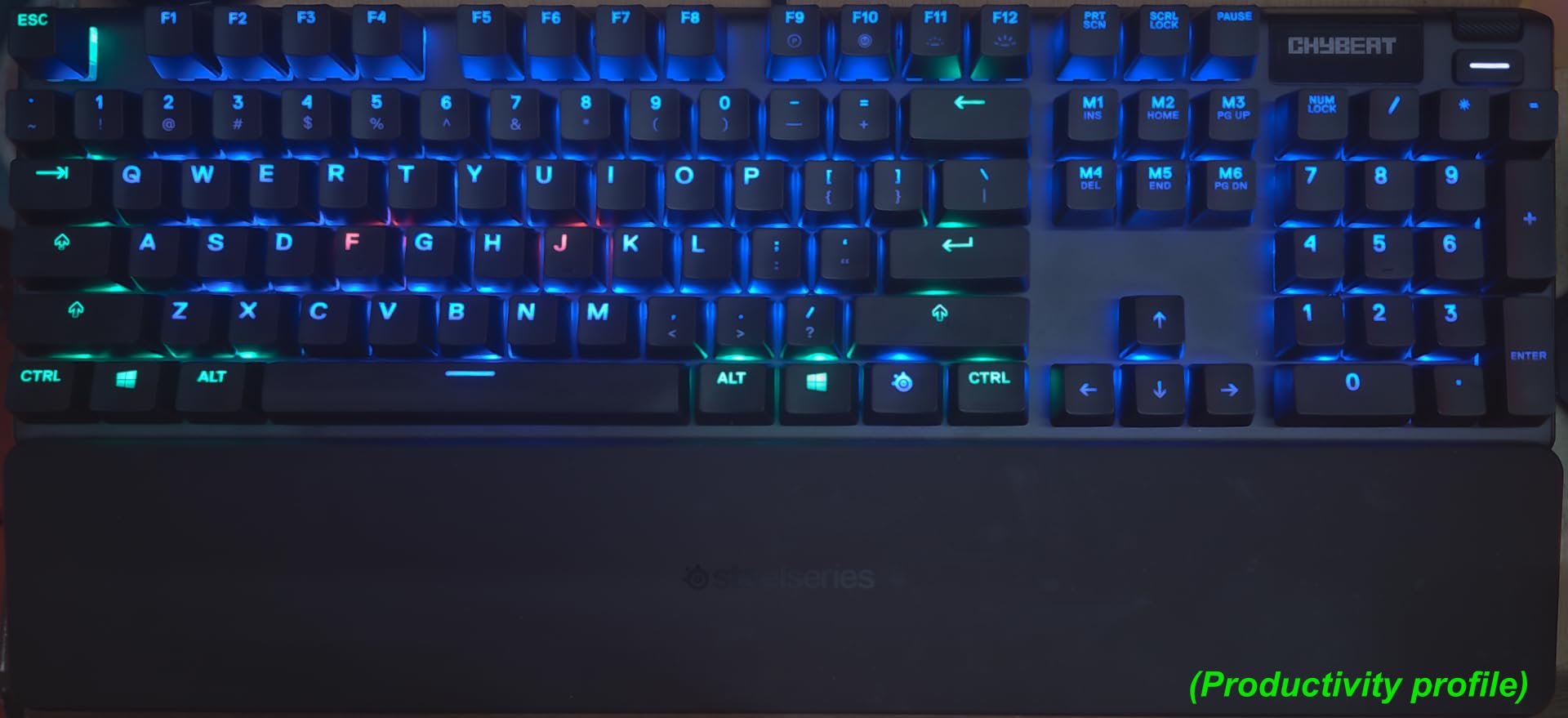
The main trade-off: the switches are SteelSeries-proprietary, so hot-swap is limited to compatible replacements only. If you want true universal hot-swap, the AULA F99 is a better fit. If you want a more compact layout, the K580 VATA drops the OLED for a smaller footprint.
Against the Logitech G213, the Apex 5 has a quieter, more satisfying tactile feel and a real metal frame, but at a noticeably higher price. The Apex 5 is the one to watch when the deal lands.
6. RisoPhy Mechanical: Best for Spill-Resistant Budget
RisoPhy Mechanical Gaming Keyboard, RGB 104 Keys Ultra-Slim LED Backlit USB Wired Keyboard with Blue Switch, Durable Abs Keycaps/Anti-Ghosting/Spill-Resistant Computer Keyboard for PC Mac Xbox Gamer
Switch: Clicky blue
Layout: 104-key full-size
Connectivity: USB-A wired
Backlight: 9 modes RGB
Pros
- Excellent value for money
- Satisfying clicky blue switches
- Spill-resistant design with hydrophobic holes
- Good RGB lighting options
- Comfortable ergonomic design with foldable kickstands
Cons
- RGB colors are fixed rainbow - cannot change to solid colors
- Very loud clicking sound
Best for: home and student desks where a drink is always within reach and the budget is tight. Four hydrophobic holes at the bottom and a spill-resistant frame mean the occasional splash won’t kill the board.
Owners praise the satisfying clicky blue switches and the foldable kickstands for ergonomic tilt. The 9 backlight modes and 5 brightness levels give plenty of variety, even though the color itself is fixed rainbow rather than per-key RGB.
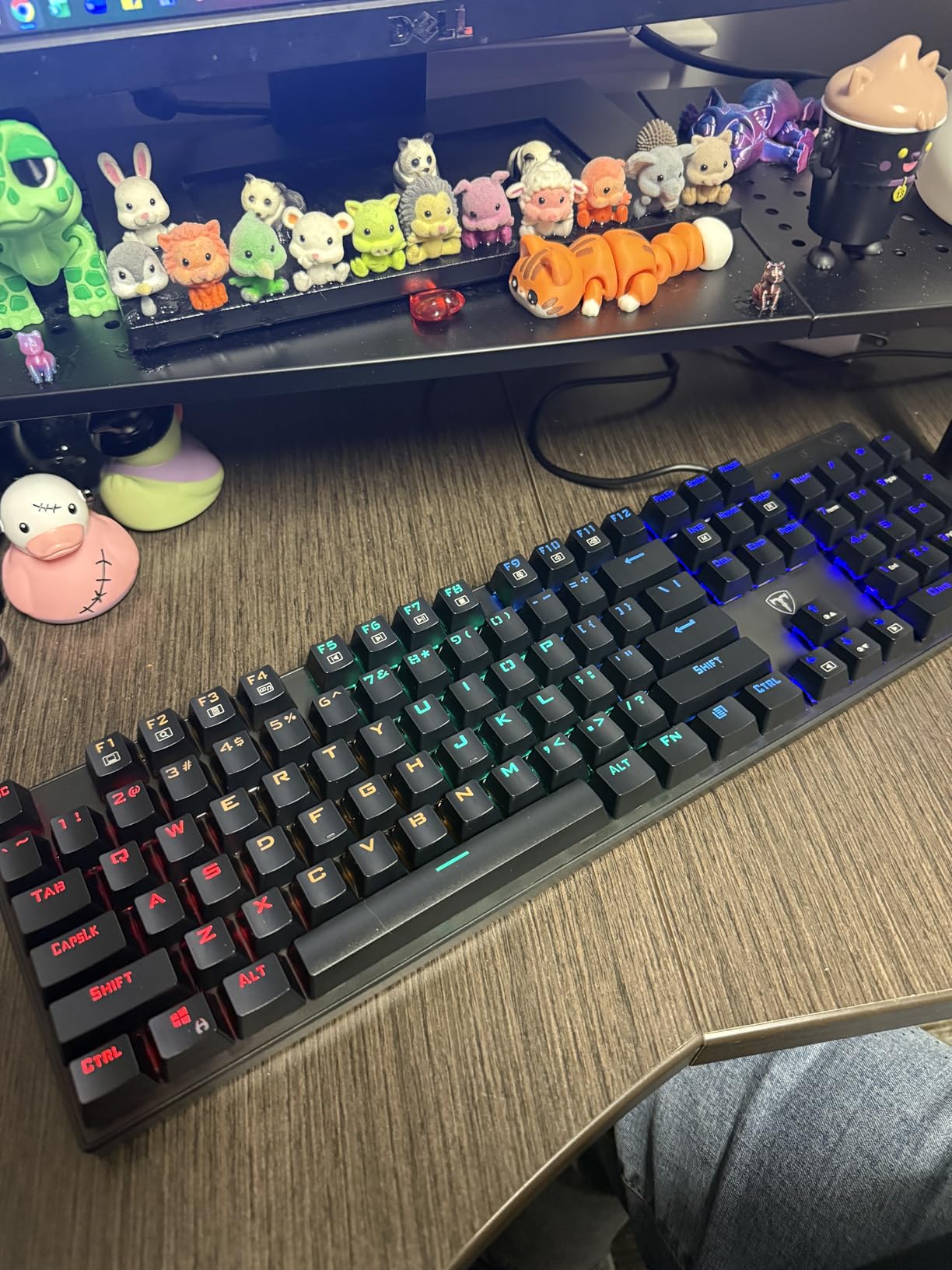
The catch with clicky blues at this price: they are loud, so a shared bedroom or study hall will hear every keystroke. For a quieter spill-resistant board, the Logitech G213 is the step up. Against the Redragon K521, the RisoPhy adds real spill protection and a more stable base, but it is the louder of the two.
Good to know: the keycaps are double-shot ABS, so the legends don’t wear off quickly. The Logitech G213 is the spill-resistant step up if you want quieter keys.
7. AULA F99: Best for Tri-Mode Wireless
AULA F99 Wireless Mechanical Keyboard,Tri-Mode BT5.0/2.4GHz/USB-C Hot Swappable Custom Keyboard,Pre-lubed Linear Switches,RGB Backlit Computer Gaming Keyboards for PC/Tablet/PS/Xbox
Switch: Linear hot-swap
Layout: 96% 99-key
Connectivity: BT5.0/2.4GHz/USB-C
Backlight: 16 RGB modes
Pros
- Creamy satisfying typing sound
- Excellent multi-device connectivity
- Great battery life
- Hot-swappable for easy customization
- Premium build quality with good weight
Cons
- RGB keycaps are not shine-through
- Software not compatible with Mac
- Some users reported connectivity issues
Buy the AULA F99 if wireless is non-negotiable and you want hot-swap and a creamy typing sound in one board. Tri-mode connectivity — Bluetooth 5.0, 2.4GHz, and USB-C — means you can swap between a laptop, a tablet, and a desktop without re-pairing, which is the key reason it lands on this list.
Owners highlight the gasket structure and pre-lubed linear switches for a softer, deeper sound than typical budget boards. The 8000mAh battery is the largest in this list, so daily wireless use doesn’t mean daily charging.
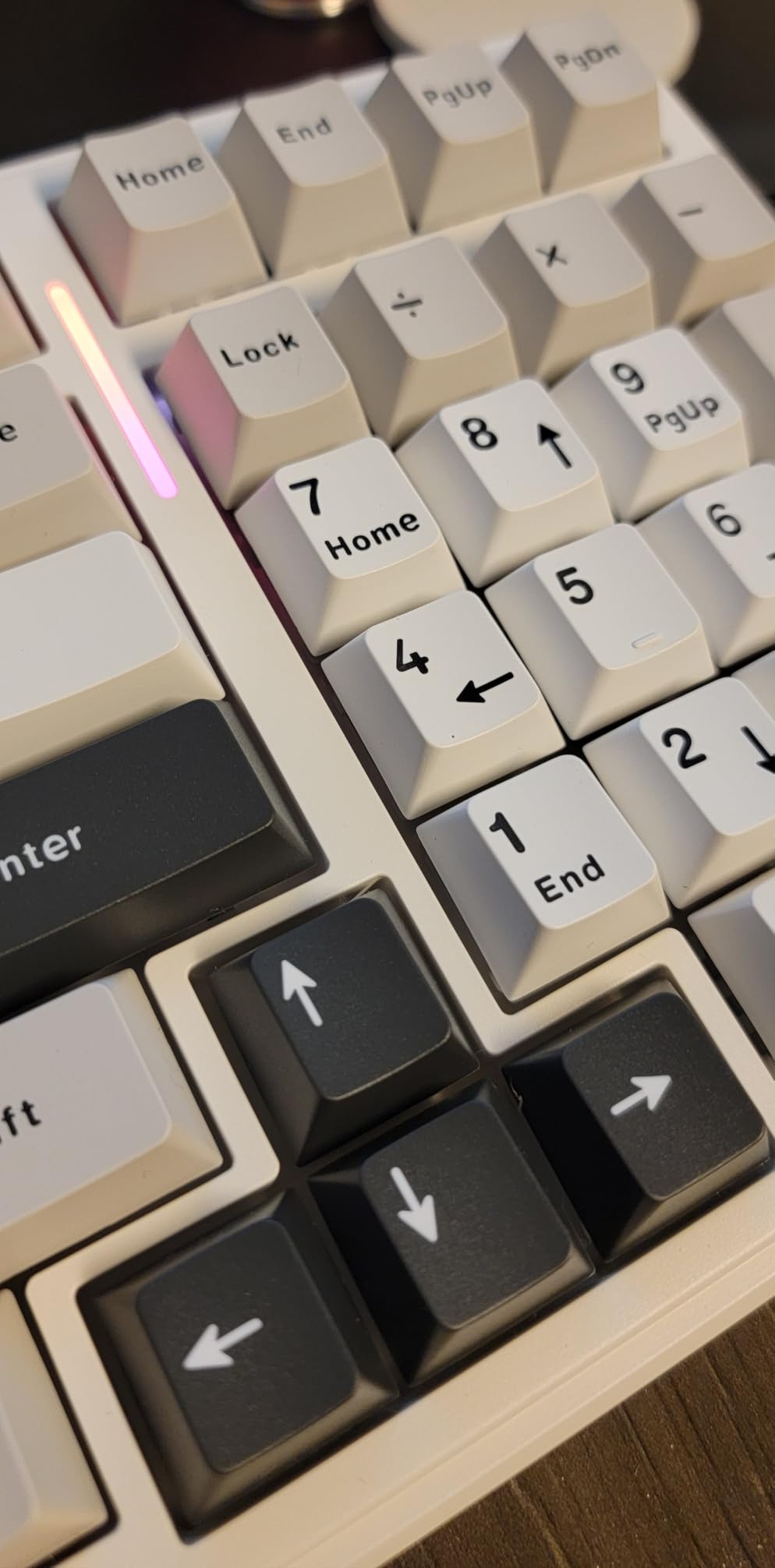
The honest trade-off: the companion software is Windows only, so Mac users will not get the per-key RGB customization. The keyboard itself pairs and types on Mac over Bluetooth without issue. If wireless and tactile quiet matter more than RGB, the Logitech MX Mechanical is the productivity pick.
Against the Redragon K671, the F99 trades full-size for a 96% layout (no numpad) and gains wireless plus a deeper sound. Several reviews mention the keys are noticeably quieter than typical linears, which makes the F99 a strong fit for late-night typing too.
8. AULA F2088: Best for Retro Typewriter Style
AULA F2088 Typewriter Style Mechanical Gaming Keyboard Wired, 104 Keys
Switch: Clicky blue
Layout: 104-key
Connectivity: USB wired
Backlight: 19 effects
Pros
- Beautiful retro typewriter aesthetic
- Satisfying clicky blue switches
- Durable aluminum frame
- Comfortable wrist rest
- Media control knob is convenient
Cons
- Single-color backlight (not RGB)
- Not water resistant
Best for: writers and home-office buyers who want the look of a vintage typewriter without giving up the clicky feel. The round, double-shot keycaps and brushed aluminum panel make this the most distinctive board in the roundup.
Owners like the satisfying click and the magnetic wrist rest for long typing sessions. The 19 backlight effects cycle through single colors, not full RGB, so it leans warm-amber rather than rainbow.
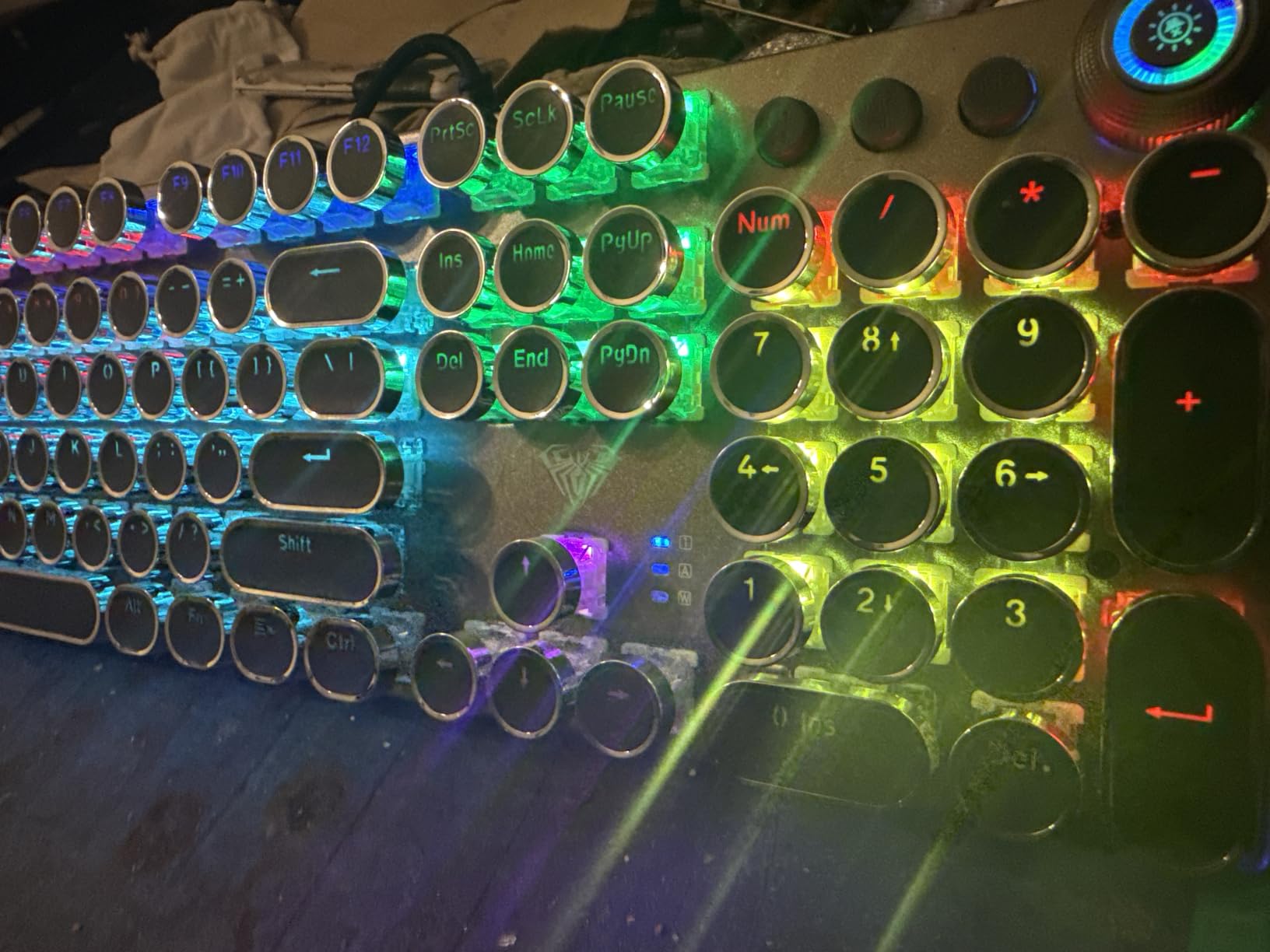
The trade-off: the F2088 has neither per-key RGB nor spill resistance. For a quieter desk-friendly version of the same aesthetic, look at the Logitech MX Mechanical. For something with a full rainbow, the Redragon K580 VATA is the louder, RGB-equipped cousin.
The RisoPhy Mechanical beats the F2088 on spill protection, while the F2088 wins on looks and that metal-frame feel. If typing comfort is your priority, our picks for wrist rests for mechanical keyboards pair well with this one.
9. AULA S99: Best for Multi-Device Versatility
AULA S99 Gaming Keyboard, Wireless Green Creamy Computer Keyboards
Switch: Mechanical
Layout: 96% 99-key
Connectivity: 4-mode
Backlight: RGB + knob
Pros
- Unique green creamy aesthetic
- Versatile tri-mode connectivity
- Dual-mode knob for volume and lighting control
- Good for both gaming and office use
- Affordable price point
Cons
- Membrane keyboard (not true mechanical)
- Not hot-swappable
Buy the AULA S99 if you bounce between a desktop, a laptop, a tablet, and a phone, and you want one board to cover all four. The four-mode connectivity (Bluetooth, 2.4GHz, USB-C, USB-A) is the broadest in this list, and the dual-mode rotary knob handles both volume and backlight control.
Owners appreciate the green-and-beige colorway and the full-key macro programming for gaming and shortcuts. The honest catch: the S99 uses membrane-mechanical feel rather than true mechanical switches, so if you want the click or the thock of a real switch, step up to the AULA F99.
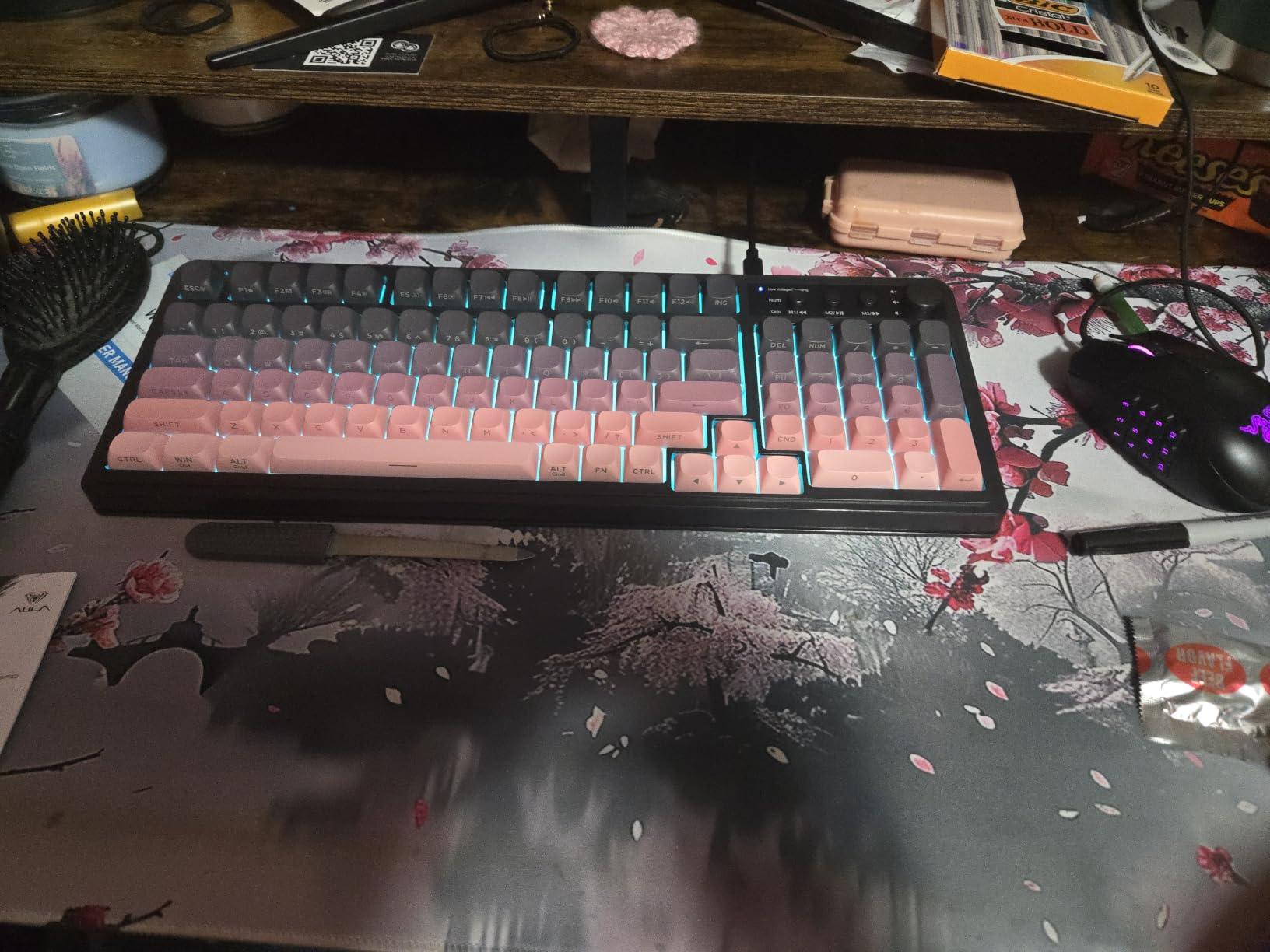
The trade-off for the price: the S99 is not hot-swappable and not true mechanical under the hood. For both, the AULA F99 is the natural step up. The S99’s 96% layout is the middle ground that keeps the numpad and arrow keys while trimming a few inches off the depth.
Against the AULA F2088, the S99 trades the typewriter look for a modern, creamy colorway and gains wireless. The F2088 is wired only.
10. Logitech MX Mechanical: Best for Wireless Productivity
Logitech MX Mechanical Wireless Illuminated Keyboard Tactile – Graphite
Switch: Tactile quiet
Layout: 104-key
Connectivity: Logi Bolt/USB
Backlight: Smart
Pros
- Excellent typing feel with tactile switches
- Smart backlight that auto-adjusts
- Multi-device connectivity works seamlessly
- Premium build quality with metal frame
- Long battery life
Cons
- Expensive for a keyboard
- No RGB lighting - only white
- Space bar squeaking reported
Buy the Logitech MX Mechanical if you type for a living and want a low-profile, wireless board with smart backlight and quiet tactile switches. The keys auto-illuminate when your hands approach, and the Logi Bolt receiver pairs up to three devices at once.
Owners mention the premium feel of the metal frame and the seamless multi-device switching. The 15-day battery life on a full charge means it disappears into the workflow rather than onto a charging cable.
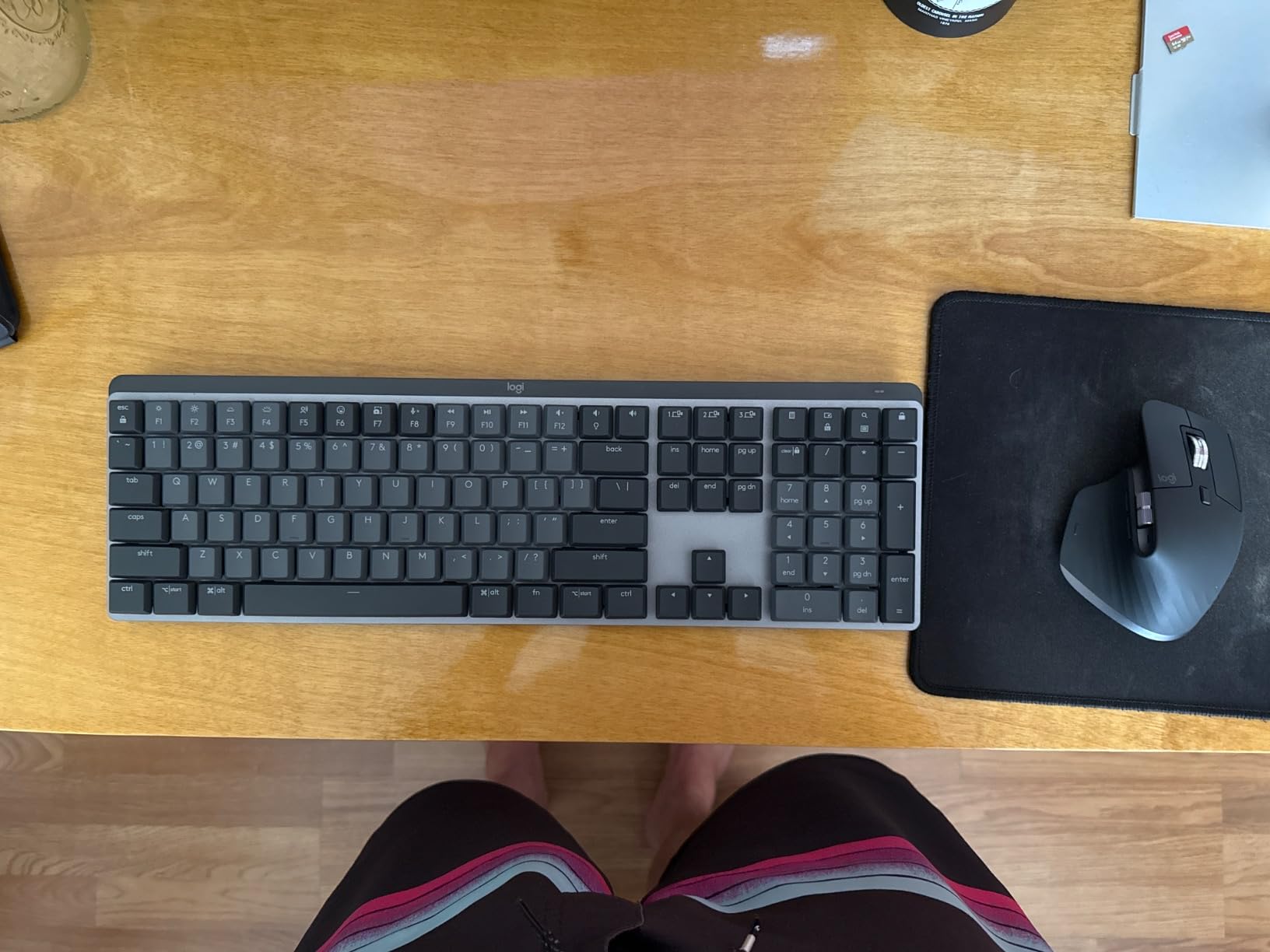
The trade-off: the MX Mechanical is not hot-swappable, has no clicky option, and no full RGB. The SteelSeries Apex 5 is the step up if you want full-size premium with a louder feel, and the AULA F99 is the wireless pick if you want real hot-swap linear switches.
Compared with the Logitech G213, the MX Mechanical is wireless, lower-profile, and quieter, but at a much higher price. The honest trade-off owners raise: the white-only backlight cannot compete with the G213’s per-zone RGB for desk flair, and a few units ship with a squeaky space bar.
How to Choose a Mechanical Keyboard During Prime Big Deal Days
Switch type
Switch type decides how a board feels and sounds. Linear (red-style) is smooth and quiet, good for gaming and fast typing. Tactile (brown-style) gives a small bump without the click and works well in shared spaces. Clicky (blue-style) is the loudest and most arcade-like — best for home setups. If you work in an office or a shared room, start with tactile or quiet linear, and check our mechanical keyboards for quiet offices guide.
Layout and size
Full-size (104-key) keeps the numpad, TKL drops it for a smaller footprint, 75% and 96% keep the arrow cluster, and 60% is the most compact. Pick by desk space and use: accountants and spreadsheet users want full-size; gamers and minimalist setups often prefer 65%–75%. If your desk is small, the mechanical keyboards for tiny desks guide covers compact options, and the 60 percent mechanical keyboards roundup goes even smaller.
Wired vs wireless
Wired is best for latency-sensitive gaming and removes battery anxiety. Wireless is best for clean desks, multi-device use, and tablet/laptop pairing. Modern 2.4GHz and Bluetooth 5.0 wireless are good enough for most gaming in 2026 at polling rates of 1000Hz over the dongle. For a deeper look at wireless-only picks, see our wireless mechanical keyboards guide.
Build and keycaps
Plastic bodies are light and affordable. Aluminum or metal plates add weight, rigidity, and a more premium sound. PBT keycaps resist shine and legend wear better than ABS. If you want a sturdier board that stays put on the desk, look for at least 1kg of weight and a metal plate.
Hot-swap and software
Hot-swap lets you change switches without soldering, which is the single biggest flexibility win on any board. Software support matters if you want per-key RGB, macros, or profile switching — but most companion apps are Windows-only, so Mac users should expect to skip them.
How to shop mechanical keyboard deals during the sale
During Prime Big Deal Days, keyboard listings change by the hour and the same ASIN can appear with different bundles or colors. Check the model number and the switch type on the listing before adding to cart, confirm it is sold and shipped by Amazon (or a known seller), and watch for older generations quietly relabeled. Most offers need a Prime membership — a free trial counts — and the better prices often appear mid-event, so a saved list helps.
Quick checklist:
- Pick switch type first (linear, tactile, clicky) — everything else follows.
- Choose layout by desk space and numpad need.
- Decide wired vs wireless before comparing features.
- Look for hot-swap if you might change switches later.
- Confirm platform support (Windows, Mac, Linux) for your setup.
Frequently Asked Questions
When are Amazon’s Prime Big Deal Days in 2026?
October 6-7, 2026. Amazon confirmed the dates for the fall Prime event, and most keyboard offers run across both days with new ones appearing as the sale goes on.
Do I need a Prime membership to get mechanical keyboard deals during Prime Big Deal Days?
Most mechanical keyboard deals during Prime Big Deal Days are gated to Prime members. A free 30-day trial counts, so you can sign up just for the event and cancel if you do not want to keep it.
How big are the discounts on mechanical keyboards during Prime Big Deal Days?
Discounts on mechanical keyboards during Prime Big Deal Days vary widely by model, with popular boards seeing the deepest cuts mid-event. Prices change frequently, so the current price is always the one on the listing.
Are mechanical keyboards worth buying during Prime Big Deal Days?
Yes, if you have already chosen a switch type and layout. Mechanical keyboards during this sale are a popular pick because the same boards that rarely drop in price see meaningful cuts during the event.
Which mechanical keyboard switch type is best for typing in an office?
Tactile quiet switches (brown-style or low-profile tactile) are usually best for typing in an office. They give a feedback bump without the loud click that disturbs nearby coworkers.
What size mechanical keyboard should I get, tenkeyless or full size?
Get full-size if you use the numpad for spreadsheets, data entry, or accounting. Pick tenkeyless (TKL) if you want more mouse room and a smaller footprint on the desk, and you can live without the numpad.
Are wireless mechanical keyboards good enough for gaming in 2026?
Yes. Modern wireless mechanical keyboards in 2026 use 2.4GHz dongles at 1000Hz polling, which is fast enough for most competitive and casual gaming. Bluetooth adds some latency and is better for typing and productivity than for fast-paced play.
Final Verdict: Mechanical Keyboard Deals: Prime Big Deal Days
The pick most worth watching during the sale is the Redragon K521 — it leads the roundup because it gives the broadest mechanical-feel experience as the most accessible entry point. For a budget alternative, the Redragon K671 adds real hot-swap linear switches and a sturdier feel. If you want premium, the SteelSeries Apex 5 is the OLED-equipped, aluminum-framed full-size to watch. Competitive gamers with macro-heavy titles should look at the Redragon K580 VATA, and wireless-first shoppers will get the most from the AULA F99. For typing-heavy productivity, the Logitech MX Mechanical is the quiet, low-profile wireless pick. These are the best mechanical keyboard deals worth watching during Prime Big Deal Days, so check the current price and add your pick to a list before the event starts.
 Elena Vasquez