
Prime Big Deal Days runs October 6-7, 2026, and the 2-in-1 laptop deals worth watching all share a few things in common: a real 360-degree hinge, a touchscreen you can lean on, and specs that hold up once the price drops. We sorted through the convertibles and detachables on offer this sale to surface the ones that actually balance tablet flexibility with laptop productivity.
Our editor’s pick is the HP OmniBook X Flip Ultra 7: a 16-inch 2K touchscreen, an Intel Core Ultra 7 with 47 NPU TOPS for Copilot+ features, 16GB of RAM and a 1TB SSD. If you’d rather spend less, the Lenovo Yoga 7i brings a Core Ultra 7 and a 1TB SSD to the mid-range, while the HP OmniBook X Flip OLED is the one to watch if battery life and a true OLED panel matter most. Most of these offers need a Prime membership, and prices change through the event, so the buttons below always show the latest number.
Our Top 3 Picks for 2-in-1 Laptop Deals: Prime Big Deal Days (October 2026)

HP OmniBook X Flip Ultra 7
- 16-inch 2K IPS touchscreen
- Intel Core Ultra 7 256V
- 16GB RAM and 1TB SSD
- Up to 47 NPU TOPS

Lenovo Yoga 7i
- 16-inch 2K IPS touchscreen
- Intel Core Ultra 7 155U
- 16GB RAM and 1TB SSD
- 360-degree flip

HP OmniBook X Flip OLED
- 16-inch 2K OLED touchscreen
- AMD Ryzen AI 5 430
- 16GB RAM and 1TB SSD
- Up to 30 hours battery
2-in-1 Laptop Deals: Prime Big Deal Days Compared
| Product | Specs | Action |
|---|---|---|
| HP OmniBook X Flip Ultra 7 |
|
Check Deal Price |
| Lenovo Yoga 7i |
|
Check Deal Price |
| HP OmniBook X Flip OLED |
|
Check Deal Price |
 Dell 16 Plus 2-in-1 Dell 16 Plus 2-in-1 |
|
Check Deal Price |
 QikPulse R2 15.6 QikPulse R2 15.6 |
|
Check Deal Price |
 BWPED B5 15.6 BWPED B5 15.6 |
|
Check Deal Price |
 YOZISUAN LIF-604 YOZISUAN LIF-604 |
|
Check Deal Price |
 Samsung Chromebook Plus Samsung Chromebook Plus |
|
Check Deal Price |
 ASUS Chromebook Flip CX1 ASUS Chromebook Flip CX1 |
|
Check Deal Price |
 HP 14 2-in-1 Chromebook HP 14 2-in-1 Chromebook |
|
Check Deal Price |
 Lenovo IdeaPad Flex 3i Lenovo IdeaPad Flex 3i |
|
Check Deal Price |
 Lenovo Chromebook 300e Lenovo Chromebook 300e |
|
Check Deal Price |
How We Chose
For this list we compared specs, hinge type, display size and panel, stylus support, battery life, weight and what owners are saying in their reviews. We checked pricing and ratings on Amazon in October 2026 and leaned on owner review themes for the real-world trade-offs.
1. HP OmniBook X Flip Ultra 7: Best Premium AI 2-in-1
HP OmniBook X Flip 2-in-1 Laptop 2026, Intel Ultra 7, 16GB RAM, 1TB SSD
Display: 16 inch 2K IPS
Processor: Intel Core Ultra 7 256V
RAM and Storage: 16GB and 1TB SSD
Pros
- Powerful Intel Core Ultra 7 with 47 NPU TOPS
- Large 16 inch 2K touchscreen with good brightness
- Includes accessory bundle with sleeve and stylus
- Poly Studio dual speakers with DTS:X Ultra
Cons
- Heavy for tablet mode
- Premium pricing
Buy the OmniBook X Flip Ultra 7 if you want a convertible that doubles as a proper workstation. The 16-inch 2K IPS panel is bright enough to work next to a window, and the Core Ultra 7 256V with 47 NPU TOPS handles on-device AI features in Windows 11 Pro without offloading to the cloud. The 16GB of LPDDR5X and 1TB PCIe Gen4 SSD keep multitasking snappy and leave room for years of files.
Owners report that the included sleeve and stylus make it easy to start using it as a tablet on day one. The 5MP IR camera with temporal noise reduction is a quiet highlight for video calls. The trade-off is weight: at 4.2 lb it is fine in laptop mode but noticeably heavier than a 14-inch convertible when you flip it around for a long note-taking session.
Compared with the Lenovo Yoga 7i below, the HP edges ahead on AI silicon, accessory bundle and speaker tuning. If you would rather spend less and still get a 16-inch 2K panel and a 1TB SSD, the Yoga 7i is the obvious alternative. For an OLED upgrade, skip to the HP OmniBook X Flip OLED at position 3.
2. Lenovo Yoga 7i: Best Value Mid-Range 2-in-1
Lenovo Yoga 7i 2-in-1 Laptop, 16″ 2K Touchscreen Display, Core Ultra 7 155U
Display: 16 inch 2K IPS
Processor: Intel Core Ultra 7 155U
RAM and Storage: 16GB and 1TB SSD
Pros
- Excellent 2K touchscreen display quality
- Powerful 12 core Ultra 7 processor
- Large 1TB SSD storage
- 360 degree convertible design
Cons
- Heavy for tablet mode use
- Speakers could be better quality
The Yoga 7i sits in the sweet spot for this sale: a 16-inch 2K touchscreen, a 12-core Intel Core Ultra 7 155U, 16GB of DDR5 and a full 1TB SSD for what you would have paid for a 512GB machine a year ago. The 360-degree hinge is the Yoga line’s party trick and works just as well in tent mode on a kitchen counter as it does in laptop mode on a desk.
Reviewers highlight the display as a standout at this tier, with good brightness and color for a productivity machine. The fingerprint reader, backlit keyboard and full port selection (two USB-A, two Type-C, HDMI and a microSD reader) are the kind of small touches that make a laptop feel grown-up. Several reviews mention that the speakers are the weakest link; headphones fix that, and most owners in this tier already have a pair.
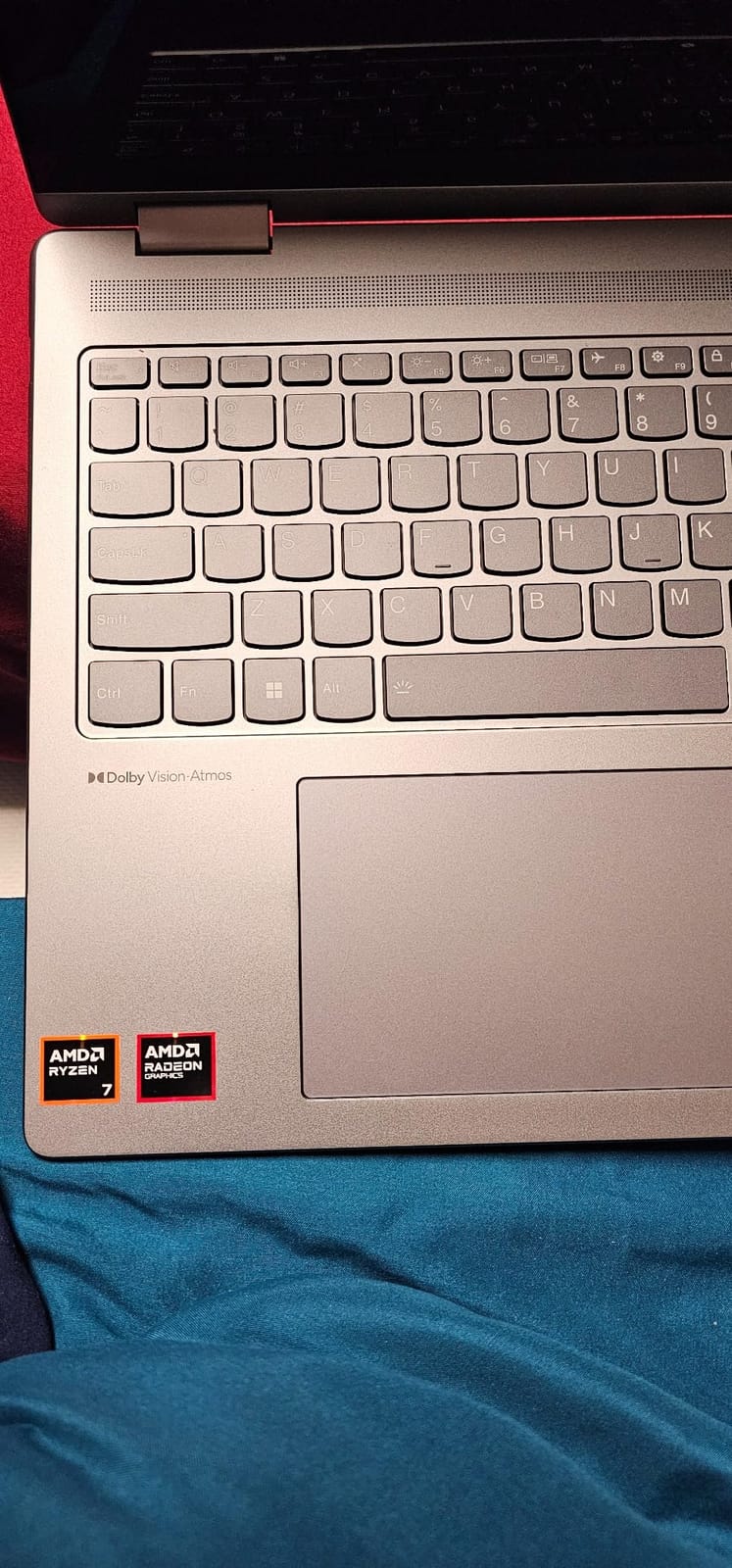
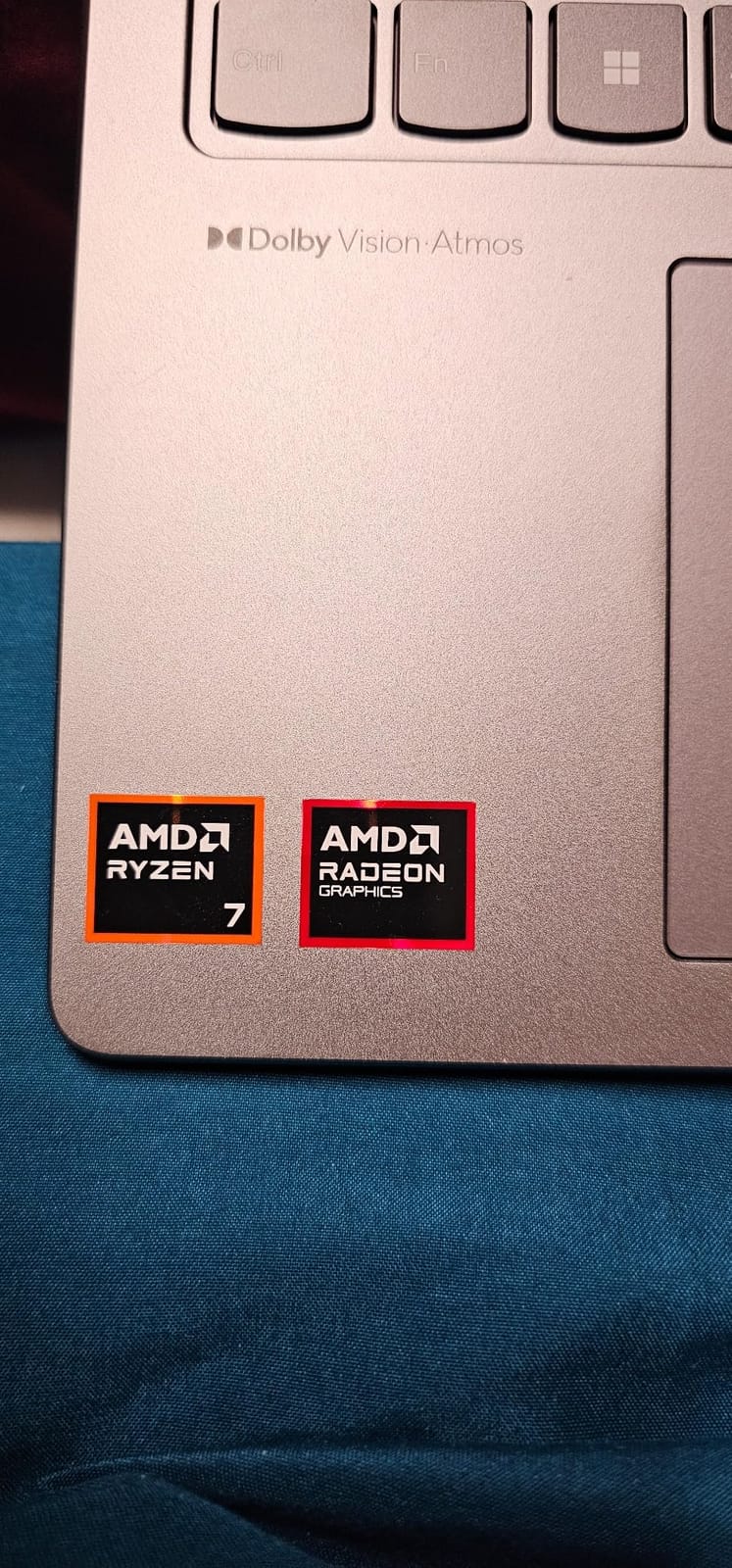
Skip the Yoga 7i if you want OLED or a fanless, lighter tablet experience. Compared with the HP OmniBook X Flip Ultra 7 above, you give up the AI silicon and the bundled stylus, but the Yoga 7i is the better value for most people who just need a fast, well-built 16-inch convertible.
3. HP OmniBook X Flip OLED: Best OLED and Battery Combo
HP OmniBook X Flip 2-in-1 Touchscreen Laptop 2026, 16″ 2K OLED, Ryzen AI 5 430, 16GB LPDDR5X, 1TB SSD, 50 NPU Tops Copilot+ AI PC, AMD Radeon 840M, 30H Battery, Backlit KB, Wi-Fi 7, Win 11 Pro
Display: 16 inch 2K OLED
Processor: AMD Ryzen AI 5 430
RAM and Storage: 16GB and 1TB SSD
Pros
- Stunning 16 inch 2K OLED display
- AMD Ryzen AI with 50 TOPS NPU
- Up to 30 hour battery
- Wi-Fi 7 and Bluetooth 6.0
Cons
- Premium price point
- Large size may be less portable
The OmniBook X Flip OLED is the one to watch if you watch a lot of video, edit photos on the go or simply want a 2-in-1 with a panel that does not look washed out next to a window. The 16-inch 2K OLED touchscreen is the headline, and the AMD Ryzen AI 5 430 with 50 NPU TOPS gives Windows 11 Pro its Copilot+ features on-device.
Owners mention the 30-hour battery claim as the most surprising part of daily use. In practice that number depends on brightness and workload, but a full work day on a charge is realistic. Wi-Fi 7 and Bluetooth 6.0 future-proof the wireless side, and the 5MP IR HDR camera holds up well in dim home offices.
Skip the OLED model if your workload leans on raw CPU rather than display and battery. The trade-off versus the Lenovo Yoga 7i at position 2 is a slightly older Intel chip for an OLED panel and a much bigger battery. If you are choosing between this and the editor’s choice HP OmniBook X Flip Ultra 7 above, the OLED model is the better pick for media and the Ultra 7 is the better pick for sustained CPU work.
4. Dell 16 Plus 2-in-1: Best for Office Productivity
Dell 16 Plus, 16″ 2-in-1 Laptop, Intel Ultra 7 256V, 16GB DDR5, 1TB SSD
Display: 16 inch WUXGA
Processor: Intel Core Ultra 7 256V
RAM and Storage: 16GB and 1TB SSD
Pros
- Excellent 16 inch display with ComfortView Plus
- Powerful Intel Core Ultra 7 processor
- Massive 1TB SSD storage
- Thunderbolt 4 and HDMI 2.1
Cons
- Brand quality concerns as third party seller
- Heavier than competitors
The Dell 16 Plus 2-in-1 is the pick if your work revolves around documents, spreadsheets and long video calls rather than touch-first tasks. The 16-inch WUXGA panel with ComfortView Plus cuts blue light without flattening the colors, and the Core Ultra 7 256V with 16GB of DDR5 chews through the kind of workload that used to need a desktop.
Several owners single out the 1TB PCIe NVMe SSD as the spec that made the difference for them, and the port selection is unusually generous: Thunderbolt 4, HDMI 2.1, Wi-Fi 7 and Bluetooth 5.3. The fingerprint reader and backlit keyboard round out the office feel. The 21-hour battery rating is the highest here after the HP OmniBook X Flip OLED, and it shows in real use.
Best for: a corporate buyer who lives in Outlook, Teams and Excel and does not need the HP’s accessory bundle. The Dell is heavier (4.5 lb) and ships with Windows 11 Home rather than Pro, but the display is tuned more for long reading sessions. If you do not need the HP OmniBook X Flip Ultra 7’s bundled stylus and sleeve, the Dell 16 Plus is the more office-native choice on this list.
5. QikPulse R2 15.6: Best Large-Screen Value
15.6″ 2-in-1 Touchscreen Laptop with Windows 11, i3-10100Y, 16GB, 256GB SSD
Display: 15.6 inch FHD
Processor: Intel Core i3-10100Y
RAM and Storage: 16GB and 256GB SSD
Pros
- Large 15.6 inch responsive touchscreen
- Generous 16GB RAM for multitasking
- Fast 256GB SSD with expansion options
- Versatile 360 degree convertible design
Cons
- Processor speed may be slow for demanding tasks
- Some users report slow startup
The QikPulse R2 is the option to look at if you want a 15.6-inch touchscreen without paying the 16-inch premium. The Intel Core i3-10100Y is an entry-level chip, but paired with 16GB of RAM and a 256GB SSD it is comfortable for browsers, office work, streaming and light photo edits. Storage is expandable up to 2TB if you outgrow it.
Good to know: at 2.2 kg the R2 sits in the middle of the pack for weight on this list, and the 15.6-inch canvas is genuinely useful in tent mode for following recipes or watching a show in bed. Wi-Fi 6 and Bluetooth 5.2 keep wireless fast, and the backlit keyboard is a nice extra at this tier.
Skip the QikPulse if you plan to install a lot of games or store raw photos locally; the 256GB SSD fills up quickly. If you want more SSD storage on day one, look at the BWPED B5 below. For a smaller, lighter Chromebook with similar everyday use, jump to the ASUS Chromebook Flip CX1 at position 9.
6. BWPED B5 15.6: Best Budget 15-Inch Convertible
BWPED 15.6 Inch 2-in-1 Touchscreen Laptop, 360° Flip Convertible Notebook, Core m3-8100Y, 16GB RAM 512GB SSD, FHD IPS Display, Win 11 Pro, WiFi 5, BT 5.1, Lightweight Computer for Work, Study & Travel
Display: 15.6 inch FHD IPS
Processor: Intel Core m3-8100Y
RAM and Storage: 16GB and 512GB SSD
Pros
- Large 15.6 inch FHD IPS touchscreen
- Generous 16GB RAM and 512GB SSD
- Versatile 360 degree flip design
- Lightweight for its size
Cons
- Entry level processor may lag for heavy tasks
- Purple color may not suit all preferences
The BWPED B5 is one of the cheapest 15.6-inch 2-in-1s on the list, and on paper it does not look budget: 16GB of RAM, a 512GB SSD and an IPS touchscreen with wide 178-degree viewing angles. The Core m3-8100Y is the limiting factor for heavy workloads, but for browsing, documents, email and streaming it is plenty.
Owners like the weight at 3.4 lb for a 15.6-inch machine, and the port selection (USB-A, Type-C, HDMI) covers most home setups. A few reviewers mention that the purple finish is more vivid than the listing photos suggest, so look closely before you order. Wi-Fi 5 and Bluetooth 5.1 are a generation behind the premium picks, but fine for a home or dorm network.
Compared with the QikPulse R2 above, the BWPED doubles the SSD storage but steps down to a quieter processor. Pick the BWPED if storage matters more to you than peak performance. For a smaller, even cheaper Chromebook that still feels premium, the Lenovo IdeaPad Flex 3i at position 11 is worth a look.
7. YOZISUAN LIF-604: Best for Students and Commuters
2 in 1 laptop computer 16GB RAM 512GB SSD,Touchscreen Laptop with Ryzen R3-3200U (up to 3.5 GHz) 15.6″ IPS FHD 1920X1080,360°Rotating Touch Screen Laptop for Students/Commuters with backlit keyboard
Display: 15.6 inch FHD IPS
Processor: AMD Ryzen 3 3200U
RAM and Storage: 16GB and 512GB SSD
Pros
- Generous 16GB RAM and 512GB SSD
- Large 15.6 inch FHD anti-glare display
- Smooth 360 degree rotation
- Backlit keyboard and privacy shutter
Cons
- Entry level Ryzen processor
- Battery life could be better
The YOZISUAN LIF-604 is the kind of spec sheet students and commuters tend to want: 16GB of RAM, a 512GB SSD, a 15.6-inch anti-glare IPS touchscreen, and a 360-degree hinge that flips into tablet mode for reading on the train. The Ryzen 3 3200U is a modest chip but it handles lecture slides, browser tabs, video calls and note-taking apps without breaking a sweat.
Reviewers call out the physical webcam privacy shutter and the backlit keyboard as the small touches that make it feel less like a budget machine. Three USB-A ports plus HDMI and Type-C mean you can plug in a monitor, a mouse and a flash drive at the same time without a dock. The 38Wh battery is the limiting factor for a full day away from a socket, so a charger in the bag is wise.
Good to know: this is one of the lightest 15.6-inch convertibles on the list, and the anti-glare coating is genuinely useful in bright classrooms. Compared with the BWPED B5 above, the YOZISUAN steps up the anti-glare coating and adds a privacy shutter; the BWPED has the more efficient processor. If a stylus is part of your study kit, the Samsung Chromebook Plus at position 8 ships one in the box.
8. Samsung Chromebook Plus: Best Stylus Bundle
Samsung 12.2″ FHD 2-in-1 Touchscreen Chromebook Plus Laptop for Business&Students, Intel Dual-Core, 4GB RAM, 224GB Storage(64GB eMMC+160GB Docking Station Set), Stylus Pen, Wireless Mouse, Silver
Display: 12.2 inch FHD
Processor: Intel Celeron 3965Y
RAM and Storage: 4GB and 224GB with dock
Pros
- Great tablet functionality with responsive touchscreen
- Includes stylus pen and wireless mouse
- Generous storage with docking station bundle
- Lightweight and portable design
Cons
- Slow performance reported by some users
- Occasional app freezing and glitches
The Samsung Chromebook Plus is the pick if you want a stylus in the box without paying extra for one. You get a 12.2-inch FHD touchscreen with a 360-degree hinge, a Celeron 3965Y, 4GB of RAM and 224GB of total storage once you count the included 7-in-1 docking station and 32GB microSD card. The stylus pen and wireless mouse in the box save a separate shopping trip.
Owners report that the tablet mode is the most comfortable on this list at 3 lb, and the 12.2-inch size is easier to hold one-handed than the 14-inch and 15.6-inch convertibles. The trade-off is power: 4GB of RAM and a Celeron chip will not multitask dozens of tabs, and a few reviewers mention occasional app freezing under heavier use.
Picture this: a one-handed reading session on a train with the stylus out for marking up a PDF. That is the use case this Samsung was built for, and the bundle means you do not have to hunt for accessories. If you do not need a stylus and want a tougher Chromebook, the ASUS Chromebook Flip CX1 below is the better pick. For a smaller, fanless Chromebook with Wi-Fi 6, jump to the Lenovo IdeaPad Flex 3i at position 11.
9. ASUS Chromebook Flip CX1: Best Chromebook Build Quality
ASUS Chromebook Flip CX1 Convertible Laptop, 14″ FHD NanoEdge 360-degree Touchscreen, Intel Celeron N4500 Processor, 128GB eMMC Storage, 8GB RAM, ChromeOS, Transparent Silver, CX1400FKA-AS88FT
Display: 14 inch FHD NanoEdge touchscreen
Processor: Intel Celeron N4500
RAM and Storage: 8GB and 128GB eMMC
Form: 360 degree flip
Pros
- 360 degree flippable touchscreen display
- Lightweight and durable military grade construction
- Up to 11 hour battery
- Fast Wi-Fi 6 connectivity
Cons
- Entry level processor for basic tasks only
- Limited storage at 128GB eMMC
The ASUS Chromebook Flip CX1 is the most rugged-feeling Chromebook on this list, and that is not marketing fluff: it carries MIL-STD 810H certification, which is rare in a sub-400 dollar convertible. The 14-inch FHD NanoEdge touchscreen flips through a full 360 degrees, and at 3.6 lb it is light enough to throw in a backpack for daily commutes.
Reviewers regularly mention the 11-hour battery as the reason it makes sense for school. Wi-Fi 6 and Bluetooth 5.2 are a generation ahead of older Chromebooks in the same bracket, and the four USB ports (two Type-C, two Type-A) plus a microSD slot cover most classroom accessories. The Celeron N4500 is fine for ChromeOS basics, and 128GB of eMMC storage is the floor rather than the ceiling.
Best for: a parent buying a first laptop for a middle-schooler who will absolutely drop it. The MIL-STD 810H rating is the main reason to pay slightly more for the CX1 over the HP 14 2-in-1 Chromebook at position 10. If a bundled stylus matters, jump to the Samsung Chromebook Plus above. For an even smaller Chromebook with newer Wi-Fi, the Lenovo IdeaPad Flex 3i below is the one to look at.
10. HP 14 2-in-1 Chromebook: Best Budget Chromebook
HP 14 2-in-1 Chromebook 14in FHD Intel CPU 4GB 64GB Storage (14b-Renewed)
Display: 14 inch FHD IPS touchscreen
Processor: Intel N100
RAM and Storage: 4GB DDR5 and 64GB
Form: 360 degree flip
Pros
- Affordable 2 in 1 Chromebook
- Good touchscreen display quality
- Chrome OS simplicity and security
Cons
- Limited storage at 64GB
- Basic RAM at 4GB
The HP 14 2-in-1 Chromebook is the lowest-friction way into the convertible Chromebook category. The Intel N100 is a four-core chip that runs up to 3.4GHz, which is more than enough for ChromeOS, and the DDR5 RAM is a small but real upgrade over older Chromebook generations. The 14-inch FHD IPS touchscreen is sharper than the panel on most Chromebooks in this price band.
Owners like the responsive 720p webcam and the dual-array microphones for video calls. Wi-Fi 6 and Bluetooth 5 are present, which keeps the wireless side from feeling dated. The two main limits are 4GB of RAM and 64GB of storage, so this is the machine to get if your needs are genuinely light: email, browsing, streaming and Google Docs.
Skip the HP 14 if you need more than 64GB of local storage or a ruggedized build. Both the ASUS Chromebook Flip CX1 above and the Lenovo IdeaPad Flex 3i below fit the same everyday ChromeOS use case, and either is worth the step up if your needs are heavier than email, browsing and Docs.
11. Lenovo IdeaPad Flex 3i: Best Compact Chromebook
Lenovo IdeaPad Flex 3i Chromebook 12.2″ 2-in-1 Laptop, Intel N100, 4GB DDR5
Display: 12.2 inch WUXGA IPS touchscreen
Processor: Intel N100
RAM and Storage: 4GB and 128GB
Form: 360 degree hinge
Pros
- Versatile 360 degree hinge design
- Up to 12 hour battery
- Bright IPS touchscreen with low blue light
- Wi-Fi 6 and NFC
Cons
- Touchpad quality criticized by some users
- Limited RAM at 4GB
The Lenovo IdeaPad Flex 3i is the small Chromebook to look at if you do not want a 14-inch or 15-inch screen. The 12.2-inch WUXGA IPS panel runs at 300 nits, which is bright for this tier, and the hinge works the usual four modes (laptop, tent, stand, tablet). At 2.8 lb, this is one of the lightest convertibles on the list.
Several reviewers call out the up-to-12-hour battery and the Wi-Fi 6 plus NFC combo, which is rare on a Chromebook at this size. The Intel N100 is the same efficient chip as in the HP 14 above, and 4GB of RAM is the matching compromise. A few owners flag the touchpad as the weakest part, so a Bluetooth mouse may improve daily use.
Compared with the ASUS Chromebook Flip CX1 at position 9, the Flex 3i is smaller and lighter but has less storage. If portability is your priority, the Flex 3i wins. If a tougher shell and more ports matter more, the ASUS is the better pick. For a stylus in the box at a similar size, the Samsung Chromebook Plus above is worth another look.
12. Lenovo Chromebook 300e: Best Budget Renewed Option
Lenovo Chromebook 300e 2nd Gen 2-in-1 11.6″ Touch 4GB 32GB X2 1.1GHz, Black (Renewed)
Display: 11.6 inch IPS touchscreen
Processor: Intel Celeron N4000
RAM and Storage: 4GB and 32GB
Form: 360 degree convertible
Pros
- Great value for basic computing
- Compact and portable 2 in 1 design
- Up to 10 hour battery
- Chrome OS simplicity and security
Cons
- Refurbished condition may vary
- Touchscreen accuracy issues reported by some
- Limited storage at 32GB
The Lenovo Chromebook 300e is the cheapest way onto this list, and it is a renewed unit, so set your expectations accordingly. The 11.6-inch IPS touchscreen flips a full 360 degrees, the Celeron N4000 is enough for ChromeOS basics, and the up-to-10-hour battery is genuinely useful for a school day. The compact size and light weight make it a sensible kid-or-classroom machine.
Owners regularly mention that you should not expect a brand-new laptop. Cosmetic condition varies between units, and a few reviewers note occasional touchscreen accuracy issues. With 4GB of RAM and 32GB of eMMC storage this is firmly a secondary or starter machine rather than a primary driver, but at the renewed price it is hard to argue with the value.
Compared with the HP 14 2-in-1 Chromebook above, the 300e is smaller, slower and older, but it is also a fraction of the price. If you want a new Chromebook with similar everyday use, the HP 14 is the safer bet. For a stylus in the box and similar compact size, jump back to the Samsung Chromebook Plus at position 8.
How to Choose 2-in-1 Laptops During Prime Big Deal Days
Form factor: convertible or detachable
Most 2-in-1s on this list are convertibles with a 360-degree hinge, which means the keyboard stays attached and the screen flips. Detachables, like some Surface models, let you remove the keyboard entirely. For most buyers, a convertible is the easier pick: the keyboard is always there for typing, and tent or tablet mode is one flip away. If you mostly want a tablet that occasionally types, a detachable is worth considering.
The right choice depends on how you actually plan to use the device. If you spend most of your day in a browser, documents and email, a convertible like the best 2-in-1 laptops for seniors guide points to the Lenovo Yoga 7i and the HP OmniBook X Flip Ultra 7. If you sketch or take handwritten notes, a convertible with a bundled stylus, like the Samsung Chromebook Plus, often beats a detachable at the same price.
Display and pen
Look for at least a 1920×1080 (FHD) IPS touchscreen. OLED panels, like the one in the HP OmniBook X Flip OLED, are worth the step up for media and photo work. If you take a lot of notes, prioritize a panel that supports an active stylus and check whether the pen is in the box or sold separately. Our picks for the best laptops for note taking include several convertibles on this list.
For most people, 14 inches hits the sweet spot between screen space and portability. If you watch a lot of video or work with two windows side by side, a 15.6-inch or 16-inch panel is worth the extra weight. 12.2-inch options like the Samsung Chromebook Plus and the Lenovo IdeaPad Flex 3i are best when portability matters more than screen real estate.
Processor and memory
For Windows 2-in-1s, an Intel Core Ultra 5 or 7 (or AMD Ryzen AI 5 and up) is the safe baseline for office work, browser-heavy multitasking and on-device AI features like Copilot+. For Chromebooks, the Intel N100 or a Celeron N4500 is fine for everyday browsing, and 4GB of RAM is the minimum. The 16GB-of-RAM Windows picks on this list, like the Lenovo Yoga 7i and the QikPulse R2, are noticeably smoother under load.
If you edit photos or video, prioritize a Core Ultra 7 or Ryzen AI 5 and 16GB of RAM. If you mostly stream and write, a Celeron Chromebook with 4GB will not feel slow. Avoid the very low end unless you genuinely only need a browser.
Battery life
Aim for at least 10 hours of rated battery life if you plan to leave the charger at home. The HP OmniBook X Flip OLED’s 30-hour rating and the Dell 16 Plus 2-in-1’s 21-hour rating are the two clear leaders on this list. The HP OmniBook X Flip Ultra 7 and the Lenovo Yoga 7i both comfortably last a full work day. For deeper comparisons, our guide to laptops with the longest battery life walks through more options.
Real-world battery life depends heavily on brightness, Wi-Fi and workload, so treat manufacturer ratings as optimistic. OLED panels tend to draw more at high brightness, but their deep blacks help in dimmer environments.
Weight and build
Weight matters more for 2-in-1s than for regular laptops because you will actually hold the device in tablet mode. Aim for under 3 lb for comfortable one-handed tablet use, or accept 4 lb and treat tablet mode as short sessions. The Lenovo IdeaPad Flex 3i (2.8 lb) and the Samsung Chromebook Plus (3 lb) are the lightest on this list; the 16-inch Windows picks are the heaviest at 4.2 to 4.6 lb.
If you travel a lot, pair your 2-in-1 with a compact portable USB-C laptop charger to leave the bulky brick at home. MIL-STD 810H build, like the ASUS Chromebook Flip CX1, is a quiet bonus for commuters and students who shove the laptop into a backpack every day.
How to shop 2-in-1 deals during the sale
Before you click, check the listing’s model year, exact screen size and storage number against the spec table. Convertibles get refreshed every year with similar model names but different specs, and a tempting price on last year’s panel is not always a real upgrade. Confirm the seller and shipper, and check whether the listing is for a new unit, an Amazon Renewed unit or a third-party renewed unit; the Lenovo Chromebook 300e on this list is an Amazon Renewed model and the condition varies. If the listing mentions a stylus, double-check whether it is included or sold separately.
Most of these offers need a Prime membership, and a free trial counts. Prices change through the event, so the button on each card always shows the current number. Use a price tracker to confirm that the listed price is actually lower than the 30-day average before you check out.
Quick checklist:
- Confirm the model year and exact screen size on the spec sheet.
- Check whether the stylus is included or sold separately.
- Verify the seller and whether the unit is new, Amazon Renewed or third-party renewed.
- Compare the price to the 30-day average with a price tracker.
- Make sure you have an active Prime membership or a free trial before the sale starts.
Frequently Asked Questions
When does Prime Big Deal Days run in 2026?
Prime Big Deal Days runs October 6-7, 2026, and most of the laptop offers are live for the full 48 hours, with some lightning offers that run only for part of the event. Check the Amazon event page the morning of October 6 to see which 2-in-1 deals are confirmed for the day.
Do I need a Prime membership to use Prime Big Deal Days 2-in-1 laptop deals?
Yes, most Prime Big Deal Days offers need an active Prime membership, including the 2-in-1 laptop deals. A free 30-day trial counts, so you can sign up the day the sale starts and still get the pricing.
Do 2-in-1 laptops usually get good deals during Prime Big Deal Days?
Convertibles and detachables tend to see meaningful price drops during Prime Big Deal Days, especially on the previous generation when a newer model has launched. The best way to confirm a real deal is to compare the listed price to the 30-day average with a price tracker before you check out.
What should I check before buying a 2-in-1 laptop during Prime Big Deal Days?
Before you check out, confirm the model year, exact screen size, panel type, RAM and storage on the spec sheet, and check whether the stylus is included or sold separately. Verify the seller and whether the unit is new, Amazon Renewed or third-party renewed.
Are renewed or open-box 2-in-1 laptops worth it during the sale?
Renewed 2-in-1 laptops can be a sensible buy at the right price, especially for a student machine or a secondary device. The Lenovo Chromebook 300e on this list is a renewed unit and the condition varies between listings, so read the condition notes, check the return window and prefer Amazon Renewed over unknown third-party sellers when you can.
Which 2-in-1 form factor is best: convertible or detachable?
Convertibles with a 360-degree hinge are the most versatile for most people because the keyboard is always there for typing and the screen flips into tent or tablet mode in one motion. Detachables make more sense if you mostly want a tablet that occasionally types, and they tend to cost more for similar specs. Most of the picks on this list are convertibles for that reason.
Final Verdict: 2-in-1 Laptop Deals: Prime Big Deal Days
Buy the HP OmniBook X Flip Ultra 7 if you want the most capable 2-in-1 in the sale: a 16-inch 2K touchscreen, an Intel Core Ultra 7 with 47 NPU TOPS, 16GB of RAM, a 1TB SSD and a bundled stylus and sleeve. Buy the Lenovo Yoga 7i if you want the best value: the same 16-inch 2K canvas and a 1TB SSD at a lower price, with the Yoga line’s well-known hinge and keyboard. Buy the HP OmniBook X Flip OLED if a true OLED panel and the longest battery life on the list are your priority.
For office productivity, the Dell 16 Plus 2-in-1 is a strong pick with its 21-hour battery, Thunderbolt 4 and ComfortView Plus display. For a large-screen value, the QikPulse R2 15.6 gives you 16GB of RAM and a 15.6-inch touchscreen at a friendly price. For a tight budget, the BWPED B5 15.6 and the HP 14 2-in-1 Chromebook are the two to watch, and the Samsung Chromebook Plus is the one to look at if a stylus in the box matters. The Lenovo Chromebook 300e is the renewed pick for a basic second machine. Pick the one that matches your use case, click through to see the current price, and watch the buttons on each card as the event moves through October 6-7, 2026.
If you are also shopping for a bag to carry your new convertible, our picks for laptop backpacks for tech professionals pair well with every model on this list.
 Priya Kapoor
  Elena Vasquez