
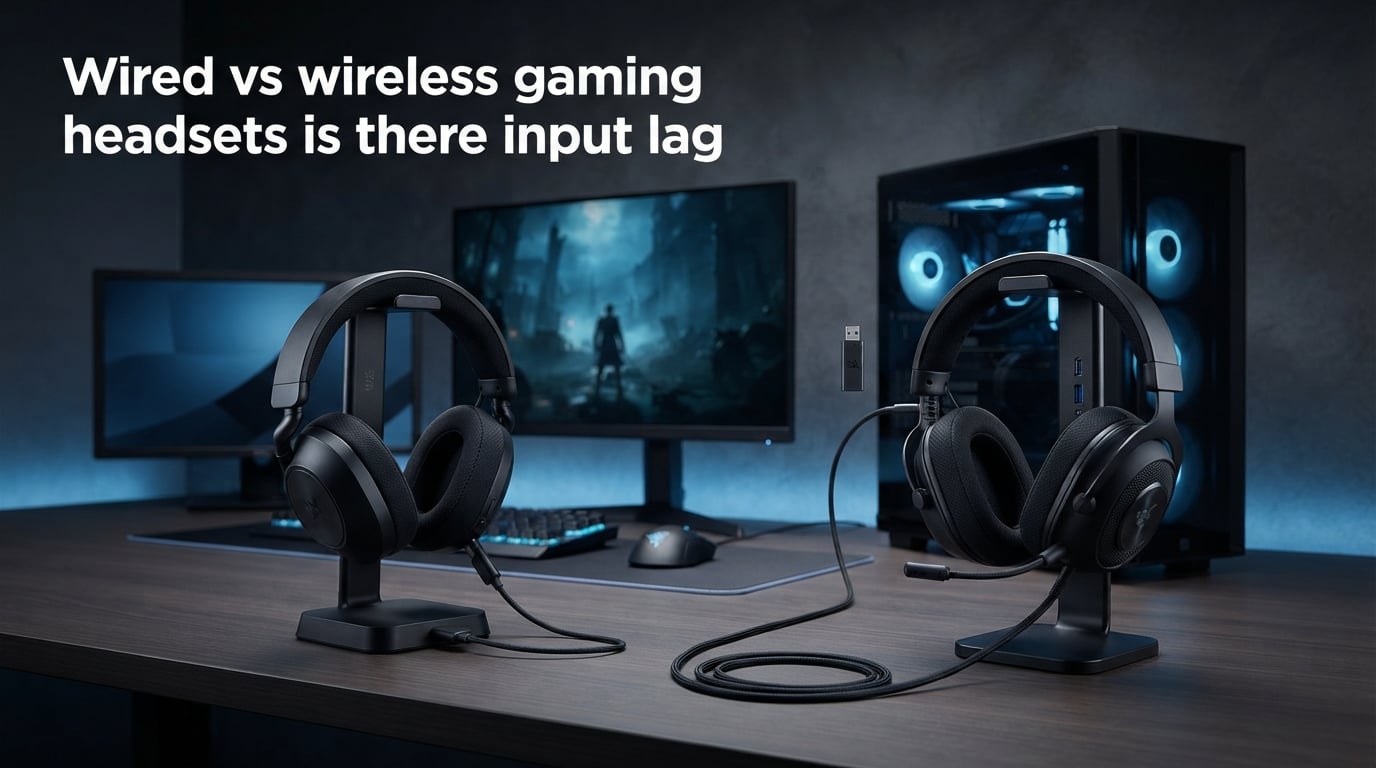
Yes, wireless gaming headsets have input lag, but how much depends entirely on the connection type. Wired headsets deliver audio at essentially 0 milliseconds latency, modern 2.4GHz wireless headsets add about 16 to 25 milliseconds, and Bluetooth headsets introduce anywhere from 100 to 300 milliseconds of delay. The real question is whether you can actually notice that difference, and the answer depends on what kind of gamer you are.
If you play competitive shooters like CS2 or Valorant at a high level, every millisecond can matter. If you mostly play single-player RPGs or casual matches with friends, the latency from a good 2.4GHz wireless headset is nearly impossible to detect.
In this guide, I will break down exactly what input lag means for gaming audio, give you the specific latency numbers for each connection type, explain what pro gamers actually use, and help you decide whether wired or wireless is right for your setup. The wired vs wireless gaming headsets input lag debate has a lot of nuance, and I want to cut through the marketing to give you real numbers.
What Is Input Lag and Audio Latency in Gaming Headsets?
Audio latency is the time delay between when a sound is generated by your game and when you actually hear it through your headset. Every connection type adds some amount of delay, but wired connections add so little that it is effectively zero for human purposes.
Think of it this way. When an enemy fires a weapon in your game, the audio engine generates the sound instantly. A wired headset receives that signal through copper wire at close to the speed of light. The delay is measured in nanoseconds, which is millions of times faster than your brain can process.
Wireless headsets work differently. They have to take that audio signal, convert it from analog to digital, compress it for transmission, send it through the air as a radio wave, receive it, decompress it, convert it back to analog, and then push it to the speaker drivers. Each of those steps takes a small slice of time, and those slices add up.
This is why a wired 3.5mm connection feels instant while a Bluetooth headset can feel noticeably behind. The signal path is fundamentally different.
Human Perception Threshold: What Can You Actually Hear?
Research on audio perception shows that most humans can detect audio delays of about 25 milliseconds or more. Below that threshold, your brain cannot distinguish the sound from the visual trigger that caused it. This is a key number to remember throughout this article.
Trained musicians and competitive gamers can sometimes detect delays as low as 15 to 20 milliseconds, especially in scenarios where audio and visual cues are tightly synchronized. But for the vast majority of players, anything under 20 milliseconds is imperceptible.
This is why the 2.4GHz wireless latency of 16 to 25 milliseconds sits right on the edge. Some people will notice it, most will not. Bluetooth at 100 to 300 milliseconds is noticeable to everyone.
Wired vs Wireless Gaming Headsets Input Lag: The Hard Numbers
Here are the actual latency numbers you can expect from each connection type. These figures come from independent testing and manufacturer specifications across multiple headset models.
Wired (3.5mm or USB): Near 0 milliseconds. The audio signal travels through copper wire at nearly the speed of light. The only delay comes from your computer or console audio processing, which affects all headset types equally.
2.4GHz Wireless (USB dongle): 16 to 25 milliseconds. This is the standard for gaming-grade wireless headsets from brands like SteelSeries, Logitech, and Razer. The dongle creates a dedicated low-latency radio link between your device and the headset.
Bluetooth: 100 to 300 milliseconds. Standard Bluetooth audio uses codecs like SBC that prioritize power efficiency and compatibility over speed. Even with aptX Low Latency or LC3 codecs, Bluetooth rarely gets below 40 milliseconds, and most gaming headsets do not support those advanced codecs.
Optical (TOSLINK): Near 0 milliseconds for the signal itself, but some processing overhead may apply depending on your equipment. Not commonly used in gaming headsets but relevant for home theater setups.
The gap between wired and 2.4GHz wireless is small enough that most gamers will never notice. The gap between 2.4GHz wireless and Bluetooth is massive and immediately noticeable.
2.4GHz Wireless vs Bluetooth: Not All Wireless Is Equal
This is where most of the confusion happens. When people say wireless gaming headsets have input lag, they are often thinking about Bluetooth. But gaming headsets designed for low latency use a completely different technology called 2.4GHz wireless, and the difference is enormous.
How 2.4GHz Wireless Works
2.4GHz wireless uses a dedicated USB dongle that creates a direct radio link between your device and the headset. This is the same frequency band used by Wi-Fi, but the headset operates on its own channel with minimal processing overhead. The dongle handles all the encoding and decoding, which keeps latency between 16 and 25 milliseconds.
Brands like Logitech with their Lightspeed technology, SteelSeries with their 2.4GHz connection, and Razer with their HyperSpeed wireless have pushed 2.4GHz latency down to levels that rival wired performance. In blind tests, most gamers cannot tell the difference.
Why Bluetooth Is Terrible for Gaming?
Bluetooth was designed for music streaming, phone calls, and general audio, not real-time gaming. The standard SBC codec adds significant buffering to prevent audio drops and stutters. This buffering is what causes the 100 to 300 millisecond delay.
Even Bluetooth codecs marketed as low latency struggle. AptX Low Latency can hit around 40 milliseconds, but it requires both your device and your headset to support it, and most gaming headsets do not. Regular aptX sits around 150 milliseconds. Standard SBC can exceed 250 milliseconds.
If you are gaming over Bluetooth, you will notice the delay. Footsteps arrive late, gunshots feel disconnected from the visual flash, and dialogue in cutscenes can have visible lip-sync issues. This is why every serious gaming headset uses 2.4GHz wireless instead of Bluetooth.
When Bluetooth Makes Sense?
Bluetooth is fine for single-player games where audio timing does not matter. It also works well if you are connecting your headset to a phone for mobile gaming or taking calls between matches. But for anything competitive, Bluetooth should be avoided entirely.
Benefits of Wired Gaming Headsets
Wired headsets remain the gold standard for competitive gaming, and the reasons go beyond just latency. Here is what makes a wired connection so compelling.
Guaranteed zero latency. A wired 3.5mm or USB connection eliminates any wireless processing. The audio signal travels through the cable with no compression, no encoding, and no transmission delay. For competitive players, this guarantee matters.
No battery anxiety. A wired headset never dies mid-match. You plug it in and it works forever. No charging cables, no battery degradation over time, no suddenly going silent during a clutch round because you forgot to charge last night.
No RF interference. In tournament environments with hundreds of wireless devices competing for spectrum, wired headsets are immune to interference. This is a major reason why esports pros refuse to switch to wireless.
Better sound quality for the price. Without the cost of wireless chips, batteries, and dongles, manufacturers can put better drivers and materials into a wired headset at the same price point. A wired headset at any budget typically sounds better than its wireless equivalent.
Universal compatibility. A 3.5mm wired headset works with every device. PC, PS5, Xbox, Switch, phone, tablet. No dongle to lose, no pairing process, no firmware updates.
No firmware issues. Wireless headsets occasionally need firmware updates that can introduce bugs or change audio profiles. Wired headsets are purely analog or use basic USB audio drivers that rarely need updating.
Benefits of Wireless Gaming Headsets
Wireless headsets have come a long way, and for most gamers, the benefits far outweigh the minor latency tradeoff. Modern 2.4GHz wireless is genuinely good enough for all but the most competitive scenarios.
Freedom of movement. No cable catching on your chair arm, no yanking when you turn your head quickly, no untangling before each session. This sounds minor until you go wireless and realize how annoying cables actually were.
Latency you cannot feel. At 16 to 25 milliseconds, modern 2.4GHz wireless is at or below the human perception threshold of 25 milliseconds. Unless you are playing at a professional level, you will not notice the delay.
Cleaner desk setup. One less cable on your desk makes a real difference in how your gaming space looks and feels. If you have a standing desk or a wall-mounted monitor, a wireless headset eliminates a trip hazard and visual clutter.
Multi-device capability. Many wireless gaming headsets can connect to two devices simultaneously. You can be in a Discord call on your phone while hearing game audio from your PC, all through the same headset. This is something wired headsets simply cannot do.
Better for living room and console gaming. If you game on a couch, a wireless headset is practically mandatory. Sitting 8 feet from your TV with a 12-foot cable draped across the room is not a viable solution.
Active noise cancellation. Some premium wireless headsets include ANC, which uses microphones and processing to block environmental noise. This feature requires power and processing, making it impractical for wired headsets.
Do Pro Gamers Use Wired or Wireless Headsets?
The overwhelming majority of professional esports players use wired headsets during tournaments. This is not because they are old-fashioned or unaware of modern wireless technology. It comes down to reliability and consistency under pressure.
At major tournaments like ESL, BLAST, and IEM events, the stage is saturated with wireless signals. Dozens of player devices, broadcast equipment, audience phones, and venue Wi-Fi all compete for the same radio spectrum. In this environment, even high-quality 2.4GHz wireless headsets can experience dropouts, crackling, or interference.
A wired headset eliminates that variable entirely. When millions of dollars and your career are on the line, you cannot afford a single audio dropout during a clutch round. Pros choose wired because it removes uncertainty.
Game-Specific Preferences
In tactical shooters like CS2 and Valorant, audio cues are everything. Hearing a footstep a fraction of a second earlier can mean the difference between winning and losing a round. Pro players in these games almost universally use wired headsets.
In fighting games and rhythm games, the story is even more dramatic. Turtle Beach published testing data showing a 37 percent performance difference in rhythm games between wired and Bluetooth connections. Players achieved a 97 percent hit rate with wired audio but only 60 percent with Bluetooth. That is not a subtle difference.
For MOBA games like League of Legends and Dota 2, audio timing matters less. Many pro MOBA players have been seen using wireless headsets at tournaments, since the gameplay relies more on visual information and communication than split-second audio cues.
The Shift Toward Wireless in Casual Competitive Play
It is worth noting that some professional players have started using wireless headsets for practice and streaming. The convenience of wireless is appealing when you are playing for hours every day. But when tournament time comes, most switch back to wired.
Can You Actually Hear the Lag? Real-World Testing
Forum discussions on Reddit communities like r/HeadphoneAdvice, r/GlobalOffensive, and r/headphones reveal an interesting pattern. Gamers who switch from wired to a good 2.4GHz wireless headset almost universally report that they cannot tell the difference. Gamers who try Bluetooth gaming report immediate and obvious lag.
This matches the latency numbers. At 16 to 25 milliseconds, 2.4GHz wireless is right at the edge of human perception. Most players simply do not have the training or sensitivity to detect that level of delay.
However, there are exceptions. Players who have used wired headsets for years in competitive shooters sometimes report that something feels slightly off when they switch to wireless. They cannot point to a specific moment where lag cost them a kill, but the overall feel is different.
The Rhythm Game Evidence
The most compelling real-world evidence comes from rhythm games, where audio timing is the entire gameplay mechanic. Games like osu!, Beat Saber, and Guitar Hero require you to hit notes in precise synchronization with music.
Players using wired headsets consistently score higher than those using Bluetooth. The 97 percent versus 60 percent hit rate difference cited by Turtle Beach is extreme, but it illustrates the point. When audio timing is critical, latency directly impacts performance.
For 2.4GHz wireless, the impact is much smaller. Most rhythm game players report being able to adjust to the slight delay within a few sessions. Many modern rhythm games even include audio offset calibration to compensate for known headset latency.
CS2 and Valorant Player Reports
On the r/GlobalOffensive and r/cs2 subreddits, competitive players frequently discuss headset latency. The consensus is that 2.4GHz wireless is fine for ranks below Faceit Level 10 or Global Elite, but at the very highest levels of competitive play, even small advantages matter.
Some players report that wireless headsets occasionally produce a brief crackle or dropout in crowded network environments. This is usually caused by Wi-Fi interference rather than the headset itself, but the effect is the same. A moment of silence at the wrong time can lose you a round.
How to Reduce Wireless Headset Lag?
If you are using or planning to buy a wireless gaming headset, there are several steps you can take to minimize latency and get the best possible performance.
Always use the 2.4GHz USB dongle, not Bluetooth. This is the single most important step. The difference between 2.4GHz and Bluetooth is massive, often 10x or more in terms of latency. If your headset supports both, always choose the dongle for gaming.
Use a USB extension cable for the dongle. Plugging the dongle directly into the back of your PC means it is buried behind a metal case, which can weaken the signal. A short USB extension cable lets you position the dongle on your desk with line-of-sight to the headset, improving signal strength and reducing dropouts.
Move Wi-Fi routers and other wireless devices away from the dongle. Since 2.4GHz wireless shares the same frequency band as Wi-Fi, having a router right next to your dongle can cause interference. Try to keep at least 3 feet of separation.
Keep your headset firmware updated. Manufacturers regularly release firmware updates that improve connection stability and reduce latency. Check for updates through the manufacturer software every few months.
Disable Windows audio enhancements. Windows has audio enhancement features like Spatial Sound and Communications Activity that can add processing delay. Disabling these in your sound settings can shave off a few milliseconds.
Use exclusive mode in your audio software. Some audio software allows the game to take exclusive control of the audio device, bypassing Windows audio mixing and reducing latency. Check your headset software for this option.
Keep your headset charged. Some wireless headsets reduce performance or switch to power-saving modes when the battery gets low. Keeping your headset above 20 percent charge ensures maximum performance.
Which Should You Choose: Wired or Wireless?
The right choice depends entirely on your gaming habits, skill level, and priorities. Here is a breakdown to help you decide.
Choose Wired If You Play Competitive Shooters Seriously
If you play CS2, Valorant, Apex Legends, or Rainbow Six Siege at a competitive level, wired is the right choice. The guaranteed zero latency, immunity to RF interference, and tournament-ready reliability make wired headsets the clear winner. When reaction time to audio cues like footsteps and reloads determines who wins a firefight, you want every advantage.
This is especially true if you attend LAN events or play in environments with lots of wireless traffic. A wired headset simply works, every time, without exception.
Choose 2.4GHz Wireless If You Game Casually or Value Comfort
For the vast majority of gamers, a 2.4GHz wireless headset is the better choice. The latency is at or below the threshold of human perception. The freedom of movement, cleaner desk setup, and multi-device capability make wireless genuinely better for everyday gaming.
If you play single-player games, MMOs, RPGs, or even casual multiplayer matches, you will never notice the 16 to 25 millisecond delay from a quality 2.4GHz headset. The convenience is worth it.
Choose Wired If You Play Rhythm Games
Rhythm games are the one genre where latency matters more than in any other. The entire gameplay loop depends on precise audio synchronization. Even 20 milliseconds of delay can throw off your timing and reduce your score.
If osu!, Beat Saber, Guitar Hero, or similar games are your main focus, stick with wired. The data backs this up unambiguously.
Platform-Specific Considerations
PC: Both wired and 2.4GHz wireless work flawlessly. PC gives you the most flexibility, including access to exclusive audio modes and software customization.
PS5: The PS5 supports both USB and 3.5mm headsets. Sony’s own Pulse 3D headset uses a wireless USB connection with very low latency. Third-party 2.4GHz headsets also work well.
Xbox: Xbox has stricter wireless requirements, so not all 2.4GHz headsets work wirelessly. Microsoft’s proprietary wireless protocol is used by official Xbox headsets. Many third-party headsets require the Xbox-specific version or a wired connection.
Nintendo Switch: The Switch supports Bluetooth audio natively but with significant latency. For acceptable performance, use a 2.4GHz headset with a USB-C dongle or a wired 3.5mm connection.
Budget Considerations
At any given price point, a wired headset will sound better and be built better than a wireless equivalent. The wireless technology adds cost that comes out of the audio components. If you are on a tight budget and prioritize sound quality, go wired.
If you have a larger budget and value convenience, the best wireless gaming headsets offer excellent sound quality along with their wireless features. You are just paying a premium for the wireless technology.
FAQs
Do wireless gaming headphones have delay?
Yes, all wireless gaming headphones have some delay. 2.4GHz wireless headsets add about 16 to 25 milliseconds, which most gamers cannot detect. Bluetooth headsets add 100 to 300 milliseconds, which is noticeable to everyone. Wired headsets have essentially zero delay.
Is it better to have a wireless or wired headset for gaming?
It depends on your playstyle. Competitive gamers and esports players should use wired headsets for guaranteed zero latency and RF interference immunity. Casual gamers who value freedom of movement and desk cleanliness will be happy with a 2.4GHz wireless headset, since its 16 to 25 millisecond delay is at or below human perception threshold.
Do pro gamers use wired or wireless headsets?
The overwhelming majority of professional esports players use wired headsets, especially in tactical shooters like CS2 and Valorant. Tournaments involve hundreds of wireless devices competing for spectrum, making wired the only reliable option. Some pro MOBA players use wireless, and many pros use wireless for practice but switch to wired for tournaments.
Do wireless gaming headsets have latency?
Yes, all wireless gaming headsets have latency. 2.4GHz wireless headsets have 16 to 25 milliseconds of latency. Bluetooth headsets have 100 to 300 milliseconds. The 2.4GHz latency is at the edge of human perception at 25 milliseconds, so most casual gamers will not notice it. Bluetooth latency is always noticeable.
Is 40 ms latency good for gaming headphones?
40 milliseconds is acceptable for casual gaming but noticeable in competitive play. Most humans can detect audio delays above 25 milliseconds. At 40 milliseconds, you may hear footsteps and gunshots slightly late in fast-paced shooters. For competitive FPS or rhythm games, aim for under 25 milliseconds, which means using a 2.4GHz wireless or wired headset.
Why are Gen Z wearing wired headphones?
Gen Z has embraced wired headphones for several reasons beyond gaming. Wired earbuds and headsets are affordable, never need charging, work with all devices, and have zero latency. There is also an aesthetic and cultural trend driven by nostalgia and a rejection of the disposable Bluetooth earbud culture. For gaming specifically, wired headsets offer guaranteed performance at a lower price point.
Conclusion: The Wired vs Wireless Gaming Headsets Input Lag Verdict
The wired vs wireless gaming headsets input lag debate comes down to one simple fact: wired has zero latency, 2.4GHz wireless has 16 to 25 milliseconds, and Bluetooth has 100 to 300 milliseconds. For competitive esports and rhythm games, wired is the only right answer. For everyone else, a quality 2.4GHz wireless headset delivers latency at or below the threshold of human perception, along with freedom and convenience that wired simply cannot match.
My recommendation is to be honest with yourself about your skill level and priorities. If you are grinding ranked in CS2 or Valorant and every millisecond matters, go wired. If you want a comfortable, versatile headset for gaming across multiple devices, go 2.4GHz wireless. And whatever you do, avoid Bluetooth for gaming.
Check your current headset connection type, test your latency perception, and choose the option that fits how you actually play. The best headset is the one that disappears into your gaming experience, whether it has a cable or not.