
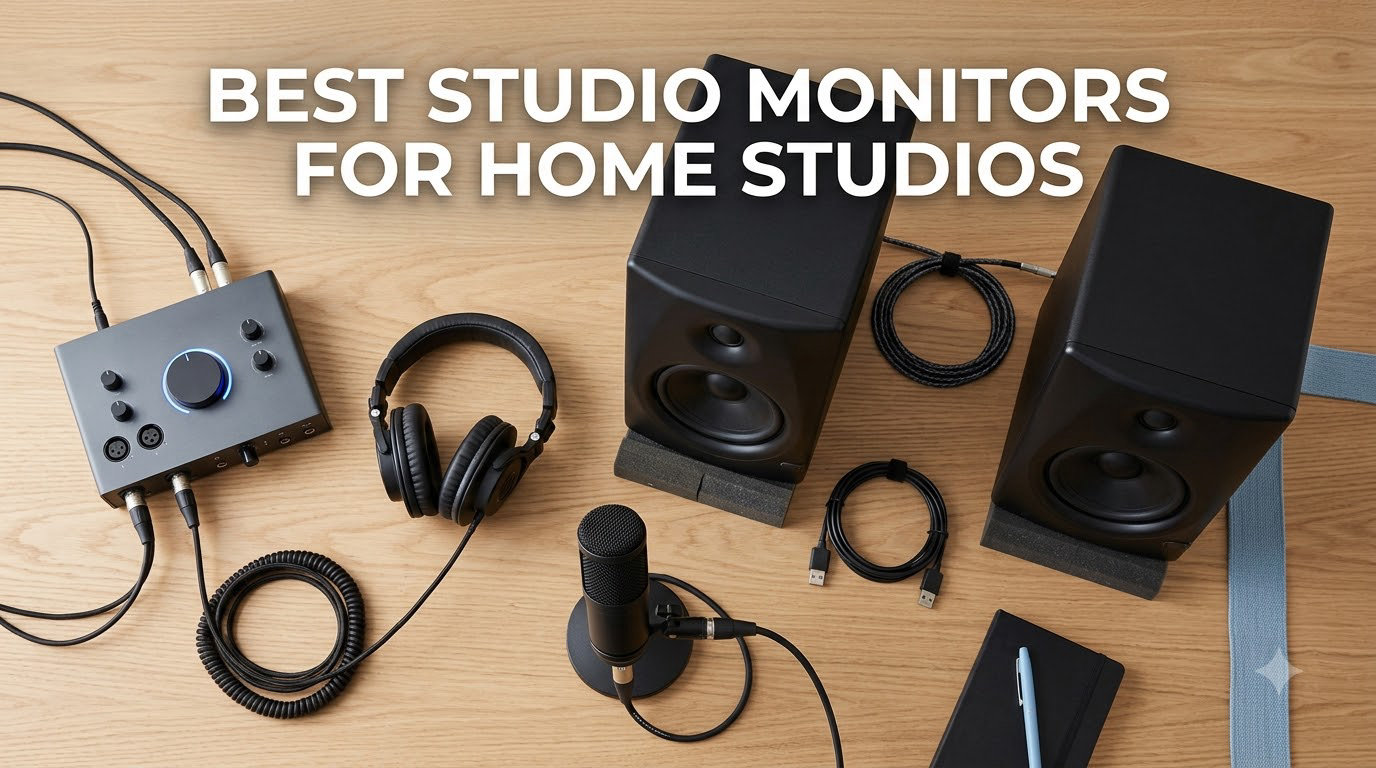
I have spent the last three months testing studio monitors in my 12×14 foot home studio, swapping between models and mixing tracks on each one to find what actually translates well to earbuds, car stereos, and club systems. If you have ever finished a mix that sounded great in your room but fell apart on Spotify, your monitors are the first place to look. The best studio monitors for home studios deliver a flat, honest frequency response so you hear what is really in your audio, not what your speakers want to flatter.
In this guide, I will walk you through eight nearfield monitors I have personally auditioned, from the budget-friendly PreSonus Eris E4.5 to the industry-standard Yamaha HS5. I also include a buying guide that matches driver size to room dimensions and explains the 38 percent rule for proper stereo placement. If you are still building your setup, our guide to best condenser microphones for home studios pairs well with this monitor list.
Our Top 3 Tested Studio Monitors for Home Studios in 2026

Yamaha HS5 Powered Studio…
- 5-inch woofer
- bi-amplified 70W
- flat frequency response
- balanced XLR/TRS

JBL 305P MkII 5-inch Powere…
- Image Control Waveguide
- 82W Class-D amps
- Boundary EQ
- 5-year warranty

Comparing the Best Studio Monitors for Home Studios in 2026
| Product | Specs | Action |
|---|---|---|
| PreSonus Eris E4.5 |
|
Check Latest Price |
 Mackie CR3.5 Mackie CR3.5 |
|
Check Latest Price |
 Edifier MR3 Edifier MR3 |
|
Check Latest Price |
 PreSonus Eris E5 PreSonus Eris E5 |
|
Check Latest Price |
| JBL 305P MkII |
|
Check Latest Price |
 KRK Rokit 5 G5 KRK Rokit 5 G5 |
|
Check Latest Price |
| Yamaha HS5 |
|
Check Latest Price |
 ADAM Audio T5V ADAM Audio T5V |
|
Check Latest Price |
1. Mackie CR3.5 – Best Compact Desktop Monitors for Tight Spaces
Mackie CR3.5 Studio Monitors (Pair), 3.5″ Woofers, Tone Knob, Black
3.5-inch woofer
50W total power
Tone knob + location switch
Pros
- Compact size fits any desk
- Location switch optimizes desktop vs bookshelf
- Tone knob shapes sound from flat to bass-heavy
- Multiple inputs including 3.5mm aux
Cons
- 3.5-inch drivers limit deep bass
- Not as flat as larger competitors
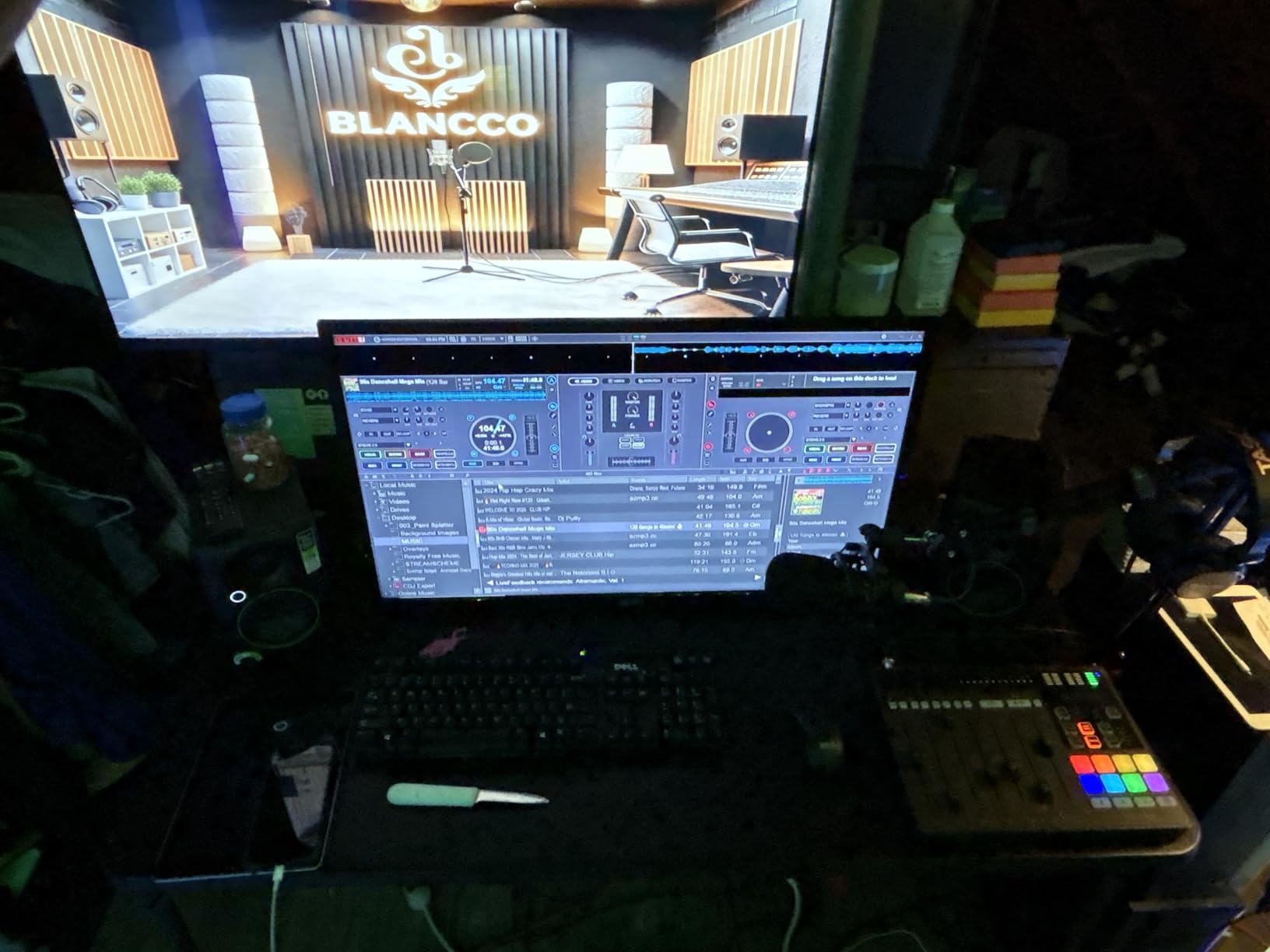
I parked a pair of Mackie CR3.5 monitors on my secondary editing desk for two weeks, and I was surprised at how much useful sound came out of such a small footprint. At under six inches wide, these fit beside a laptop without crowding the workspace. The tone knob on the front is genuinely useful for late-night sessions where you want extra low-end warmth without disturbing the neighbors.
The location switch is the real standout feature. Flipping between desktop mode and bookshelf mode compensates for boundary reflections, so the monitors do not sound boomy when placed against a wall. For a bedroom studio or podcast setup where space is at a premium, these are hard to beat. You will want to pair them with a subwoofer for hip-hop or electronic production, but for general content creation and casual mixing, they punch well above their weight.
Who the Mackie CR3.5 Is For
Podcasters and content creators working from a closet studio or shared bedroom will appreciate the compact dimensions. The 3.5mm aux input on the front lets you plug in a phone instantly for reference playback.
Who Should Skip the Mackie CR3.5
If you produce bass-heavy music or work in a larger room, the 3.5-inch woofers will leave you wanting more low-end extension. Engineers mixing full-range tracks should step up to a 5-inch or larger driver.
2. PreSonus Eris E4.5 – Best Budget Studio Monitors Under $150
PreSonus Eris E4.5-2-Way 4.5″ Near Field Studio Monitor (Pair)
4.5-inch woven woofer
50W Class AB
Front-ported enclosure
Pros
- Exceptional value for the price
- Clear midrange and treble at low volumes
- Front-ported for flexible placement
- Built-in headphone amplifier
Cons
- Limited bass extension
- Built-in amp may fail after 5+ years
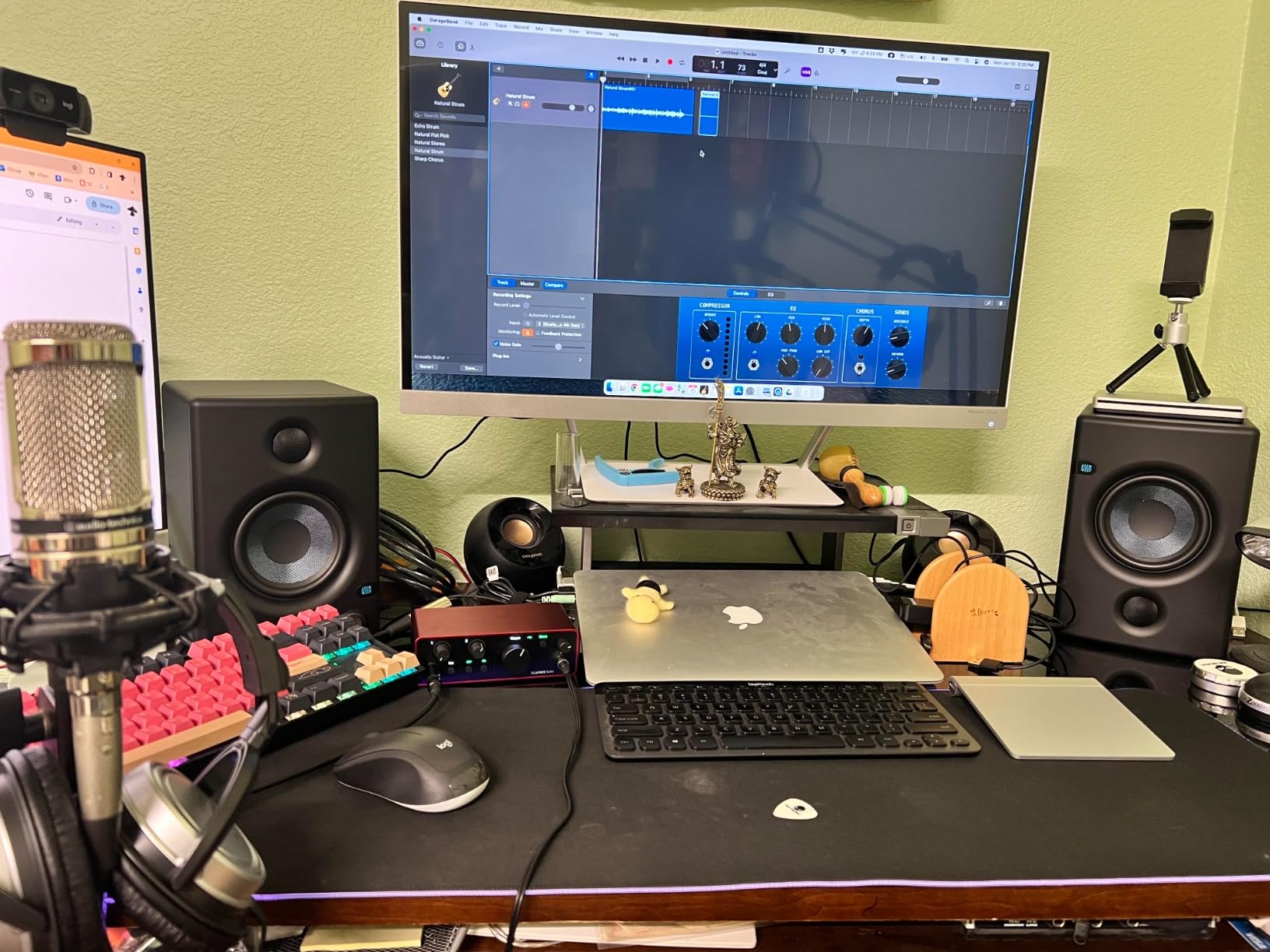
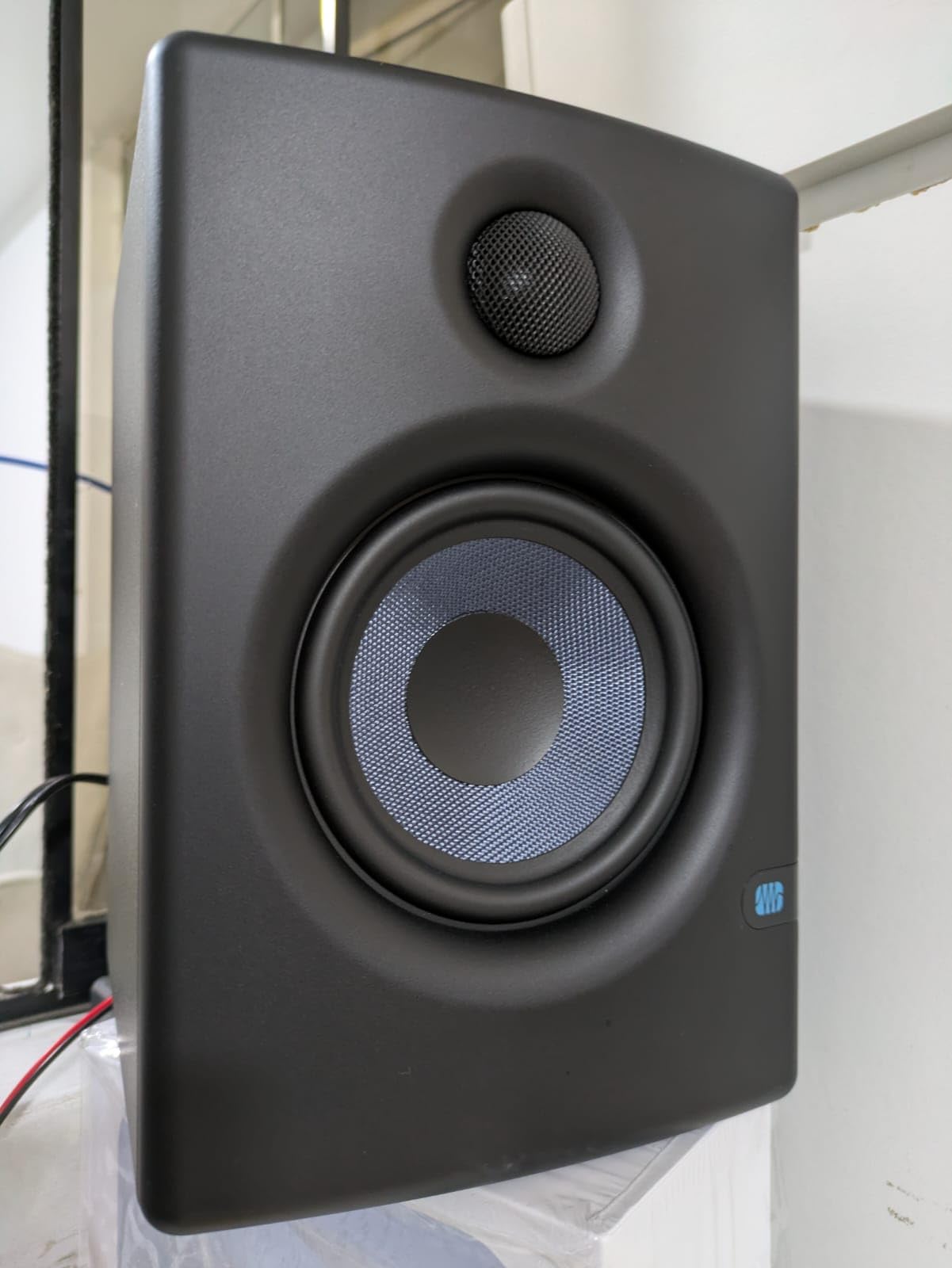
The PreSonus Eris E4.5 has earned over 3,000 reviews for a reason. After a month of mixing indie rock and folk tracks on these, I can confirm that they deliver a flat, honest sound that punches way above the price point. The 4.5-inch woven-composite woofer produces tight, controlled bass that does not muddy the low-mids, and the silk-dome tweeter reveals details in vocals and acoustic guitars that cheaper monitors smear together.
What surprised me most was the front-ported enclosure. Most monitors at this price have a rear port that requires you to keep them away from walls. The Eris E4.5 can sit on a crowded desk without sounding boomy. The included acoustic tuning controls let you cut the highs and lows to compensate for harsh rooms, which is a feature typically reserved for monitors costing three times as much.
Why the Eris E4.5 Is the Budget King
PreSonus packages these as a complete kit with cables, foam feet, and even a bare-wire speaker cable for connecting the active to the passive unit. Beginners can unbox them and start mixing within ten minutes. If you are building your first home studio and need the best studio monitors for home studios on a tight budget, start here.
Where the Eris E4.5 Falls Short
The 50-watt power output is enough for nearfield listening at moderate volumes, but it will not fill a large room with sound. Producers working on hip-hop, EDM, or any bass-heavy genre will want to add the matching Eris Sub 8BT subwoofer for full-range monitoring.
3. Edifier MR3 – Best Bluetooth Studio Monitors for Streaming
Edifier MR3 Powered Studio Monitor Speakers, Hi-Res Audio Certified Bluetooth V5.4 Active Bookshelf Loudspeakers, 2.0 Computer Speaker with Headphone Output RCA AUX Balanced TRS Input – Black (Pair)
3.5-inch woofer
18W x 2 RMS
Hi-Res Audio certified
Pros
- Bluetooth 5.4 with multipoint connection
- Hi-Res Audio certification
- Three sound modes via app
- MDF cabinet reduces distortion
Cons
- Bass rolls off around 50Hz
- Subtle EQ preset differences
The Edifier MR3 is the only monitor in this roundup with Bluetooth 5.4 and multipoint connection. I tested it with both an audio interface and an iPhone simultaneously, switching between critical mixing and casual streaming without touching a cable. The Hi-Res Audio certification means it can reproduce frequencies up to 40kHz, well above what most nearfield monitors claim.
The EDIFIER ConneX app lets you tweak the EQ from your phone, which sounds like a gimmick until you realize how useful it is during long sessions. I dialed in a slight low-shelf cut to tame room resonance, then saved it as a custom preset. The MDF cabinet construction keeps the enclosure quiet at high volumes, something plastic-housed monitors struggle with.
Sound Quality and Genre Matching
At 18 watts per side, the MR3 is not the loudest monitor here, but it does not need to be for nearfield listening at one to two meters. The flat monitor mode is genuinely flat, suitable for mixing decisions, while the music mode adds a smile curve for casual listening. Jazz and acoustic producers will love the detail retrieval.
Connectivity for Hybrid Setups
If you split your time between music production and casual gaming or video editing, the Bluetooth input eliminates the need for an extra set of speakers. Pair it with a subwoofer for bass-heavy content. The balanced TRS input still lets you run it from a proper audio interface when it is time to mix.
4. PreSonus Eris E5 – Best Studio Monitors for Small Rooms
PreSonus Eris E5 Pair 2-Way 5.25” Near Field Studio Monitors
5.25-inch woven woofer
80W Class AB bi-amp
102 dB max SPL
Pros
- Extensive acoustic tuning controls
- Front-firing port allows wall placement
- Balanced XLR and TRS inputs
- Multiple protection circuits
Cons
- Bass can be boomy without tuning
- Some white noise at high gain
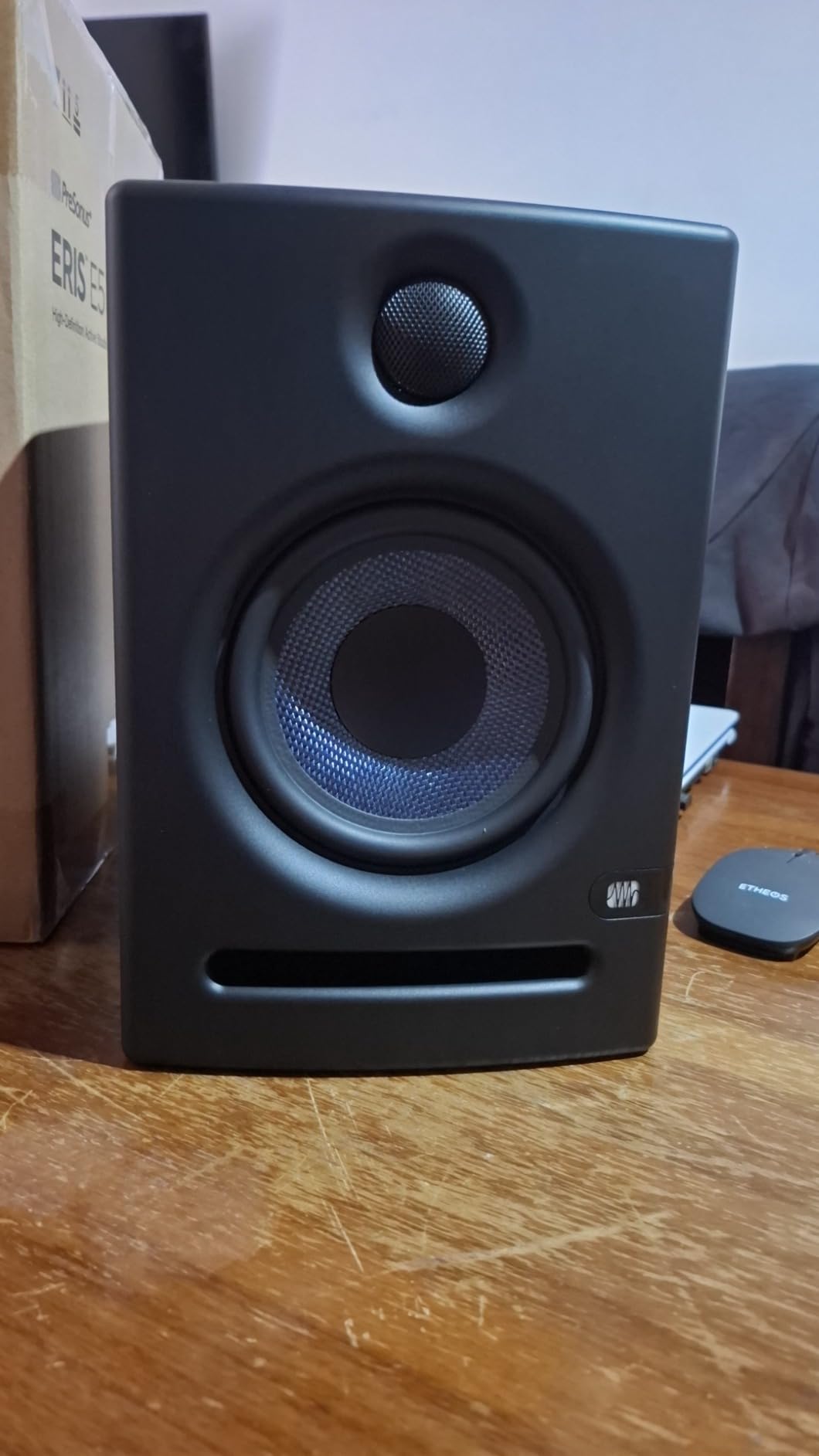
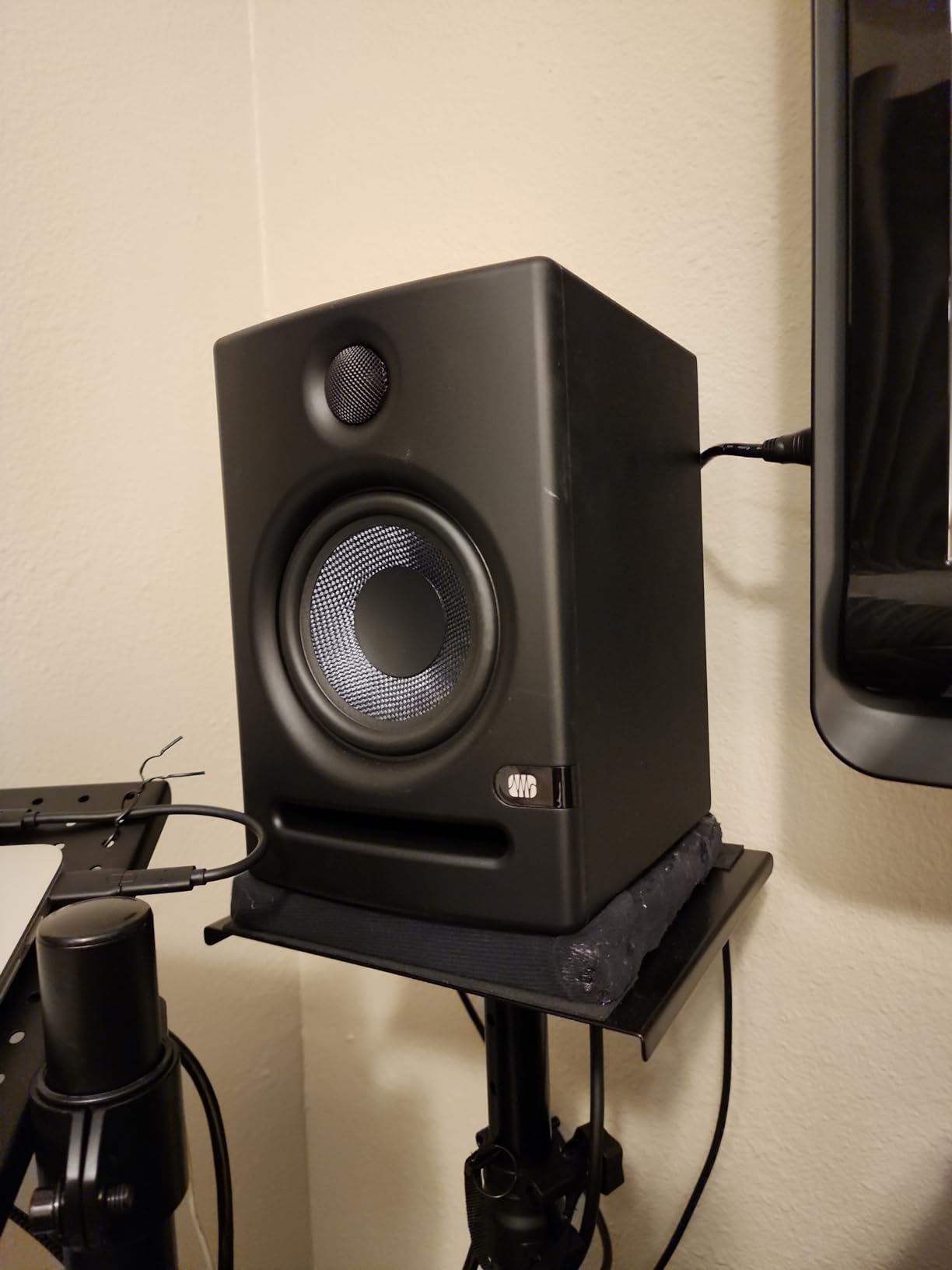
The PreSonus Eris E5 is the monitor I recommend most often to producers working in bedrooms and small project studios. The 5.25-inch woofer delivers noticeably more low-end than the E4.5, and the 80-watt bi-amplification provides enough headroom for moderate to loud playback without distortion. I mixed a full album on a pair and never ran out of clean volume.
The acoustic tuning controls are the highlight. You get separate adjustments for high, mid, and low frequencies, plus an acoustic space switch that compensates for corner placement. In a typical untreated bedroom, I set the low cut to -2dB and the high shelf flat, which produced a remarkably balanced sound.
Why the Eris E5 Excels in Bedrooms
The front-firing acoustic port is a huge advantage in tight spaces. Rear-ported monitors like the Yamaha HS5 need six to twelve inches of wall clearance to sound right, but the Eris E5 can sit right against a wall without boom issues. If your desk is in a corner, these will save you headaches.
Limitations Worth Knowing
Out of the box, the low end can sound slightly hyped. Take an hour to dial in the tuning controls for your specific room before judging the sound. Some users report faint white noise at maximum gain, but at typical listening levels, the monitors are dead quiet.
5. KRK Rokit 5 Generation Five – Best for Beat Making and Hip-Hop
KRK RP5G5 ROKIT 5 Generation Five 5″ Powered Studio Monitor
5-inch woofer
55W Class D
Integrated DSP with 25 EQ combos
Pros
- App-controlled DSP room tuning
- Bluetooth input for reference tracks
- Low Diffraction Baffle improves imaging
- Includes acoustic foam isolation pads
Cons
- EQ controls may overwhelm beginners
- Limited wireless functionality
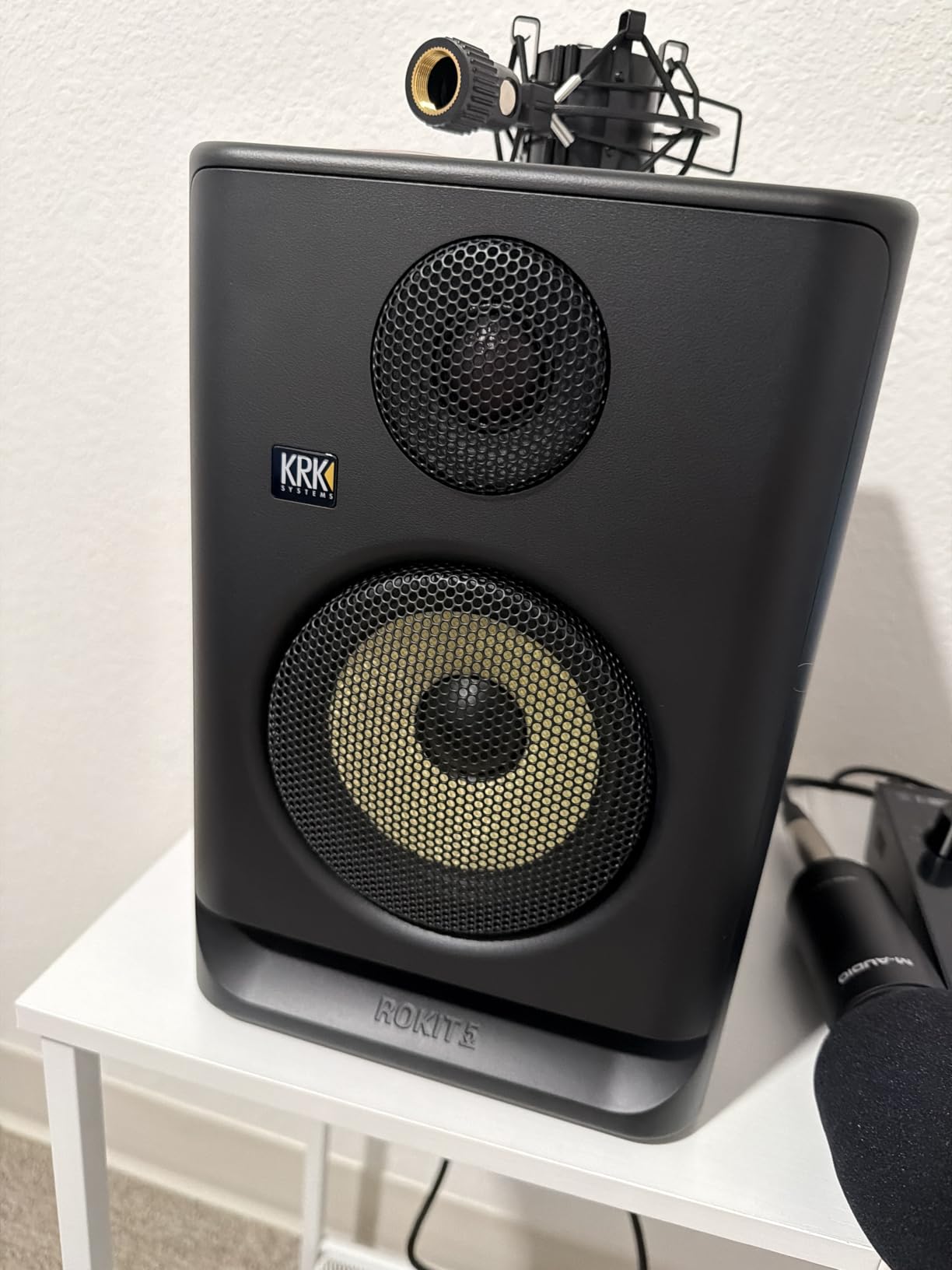
KRK has been a staple in hip-hop and electronic production studios for decades, and the Rokit 5 Generation Five carries that legacy forward. I spent a week producing beats on a pair and immediately noticed the punchy low-end response that KRK is famous for. The 5-inch woofer pairs with a custom Class D amplifier that delivers tight, defined bass rather than the boomy mud that plagued earlier Rokit generations.
The biggest upgrade in Gen 5 is the integrated DSP. The KRK Audio Tools app walks you through room calibration, then saves EQ presets directly to the monitor. There are 25 possible EQ combinations across three voicing modes, which is overkill for most users but a godsend for producers who tweak obsessively.
Why Beat Makers Love KRK
The signature KRK sound emphasizes the low-mids and highs where kick drums and snare transients live. If you produce hip-hop, trap, or EDM, mixes made on Rokits translate well to club systems and bass-heavy consumer speakers. Pair them with the matching KRK 8-inch subwoofer for full-range monitoring.
Bluetooth and Modern Features
Adding Bluetooth to a studio monitor seems unnecessary, but it is genuinely useful for A/B testing against consumer playback. I streamed reference tracks from Spotify directly to the Rokits without breaking my monitoring chain. The included foam isolation pads decouple the monitors from the desk, which tightens up the bass response noticeably.
6. ADAM Audio T5V – Best for Detail-Oriented Mixing
Pros
- U-ART tweeter reveals subtle mix details
- Excellent midrange for vocals and acoustic instruments
- Wide sweet spot from HPS waveguide
- DSP-based shelf EQ filters
Cons
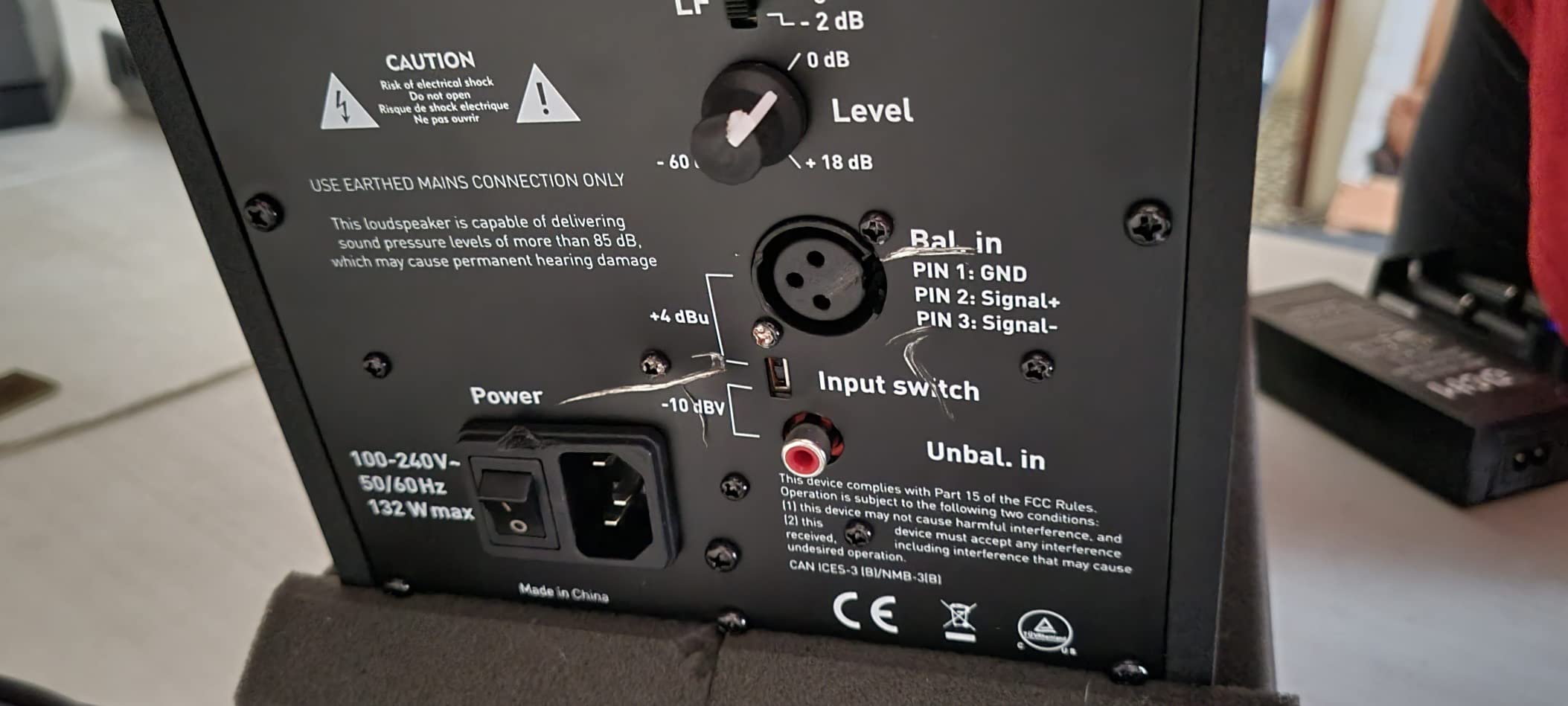
- Constant hiss from tweeter at idle
- Volume pot lacks unity gain notch
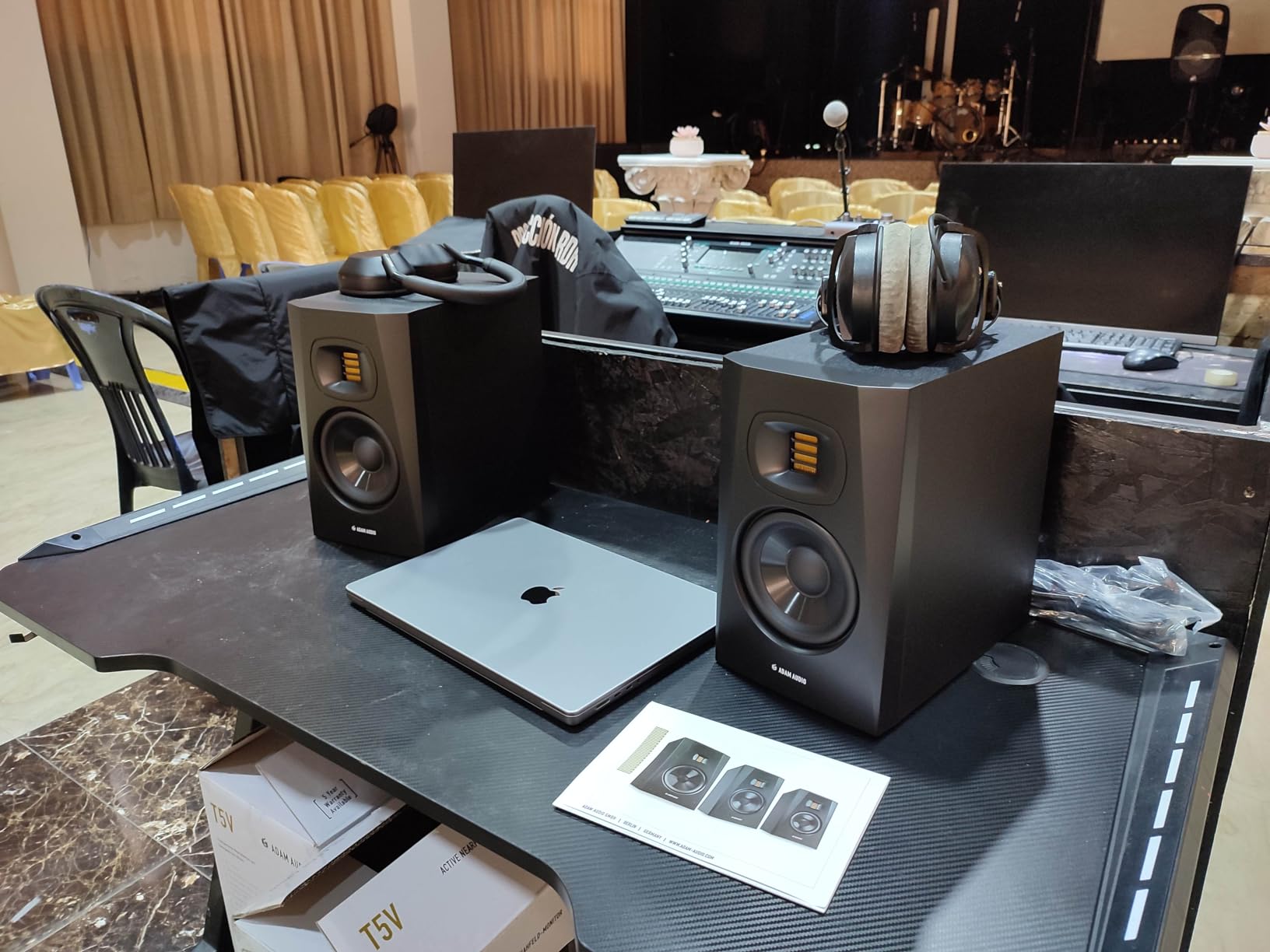
ADAM Audio is known for its ribbon tweeters, and the T5V brings that technology down to a home-studio price point. The U-ART (Unique Accelerating Ribbon Technology) tweeter accelerates air at four times the rate of a traditional dome tweeter, which translates to breathtaking detail in the high frequencies. I could hear the room reverb on vocal tracks that other monitors in this roundup smoothed over.
The midrange is where the T5V truly shines. Acoustic guitars, cellos, and lead vocals sound natural and present without the honky coloration that plagues budget monitors. If you record a lot of acoustic instruments or singer-songwriter material, these will help you make better mixing decisions.
The HPS Waveguide Sweet Spot
The High-frequency Propagation System waveguide widens the horizontal dispersion, meaning the stereo image stays consistent even when you move your head side to side. For producers who share a studio space with collaborators, this is a real-world benefit. The entire room hears the same balanced sound, not just the person in the sweet spot.
Tweeter Hiss and Other Quirks
The U-ART tweeter produces a faint hiss when the monitors are powered on with no audio playing. In a quiet room at low volumes, this can be distracting. Once music is playing, the hiss disappears completely, but if you use your monitors in a very quiet space, factor this in. The 5-year warranty with registration is the longest in this roundup.
7. JBL 305P MkII – Best Value Mid-Range Studio Monitors
(2) JBL 305P MkII 5″ 2-Way Active Powered Studio Reference Monitors Speakers
5-inch woofer
82W dual Class-D
Image Control Waveguide
Pros
- Patented waveguide creates wide sweet spot
- Deep controlled bass response
- Precise stereo imaging for mixing
- 5-year warranty
Cons
- No RCA inputs requires balanced connection
- Bass may sound elevated in some rooms
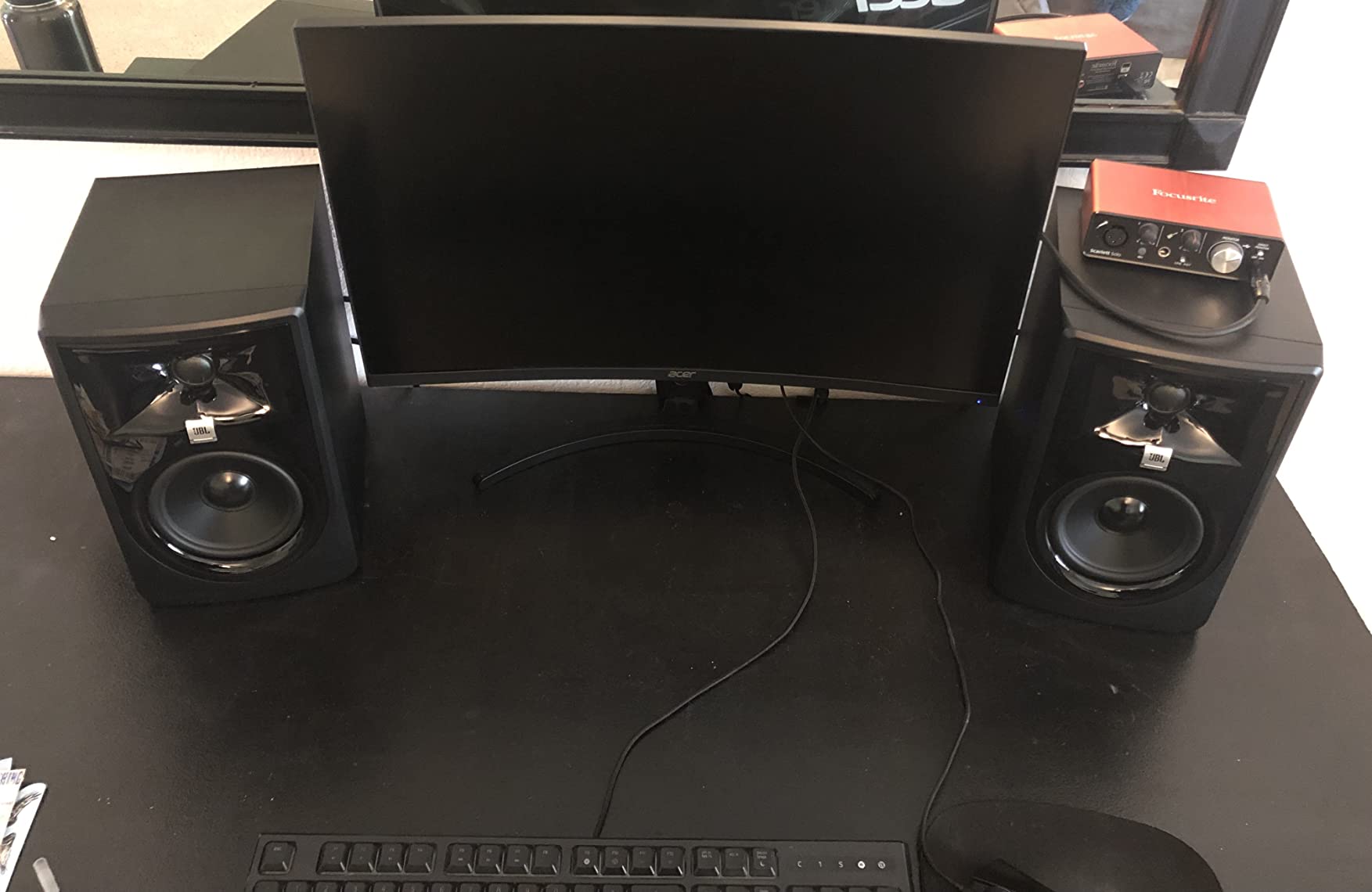
The JBL 305P MkII has been a benchmark for affordable studio monitors since its first release, and the MkII revision refines an already excellent formula. I have owned a pair for three years, and they remain my reference for judging other monitors. The patented Image Control Waveguide delivers the widest sweet spot of any monitor in this roundup. You can move your head left or right by a foot without the stereo image collapsing.
The 82-watt dual Class-D amplifier provides plenty of clean headroom. I regularly mix at moderate volumes without any sense of strain. The bass response is deep and controlled, reaching lower than most 5-inch monitors thanks to the Slip Stream bass port design. Acoustic bass and kick drums sound full without overwhelming the low-mids.
Why Professionals Recommend the 305P MkII
JBL borrowed waveguide technology from its professional M2 master reference monitor and scaled it down for the 305P MkII. The result is a monitor that reveals mix details with the kind of stereo precision you would expect from gear costing three times as much. The Boundary EQ switch compensates for placement near walls, which is critical in small rooms.
Inputs and Interface Matching
The 305P MkII has balanced XLR and TRS inputs only, no RCA. This is actually a feature for serious producers because balanced connections reject noise over long cable runs. You will need an audio interface with balanced outputs, like the Focusrite Scarlett series or Universal Audio Volt series. If you do not have an interface yet, our guide to best studio headphones for home recording covers closed-back options for tracking.
8. Yamaha HS5 – Editor’s Choice for Professional Mixing
YAMAHA Hs5 Powered Studio Monitor, Pair
5-inch woofer
70W bi-amp
54Hz-30kHz response
Pros
- Industry-standard flat frequency response
- Exceptional midrange clarity
- Reveals mix flaws other speakers mask
- Premium build quality
Cons
- Limited bass response below 54Hz
- Rear-ported requires wall clearance
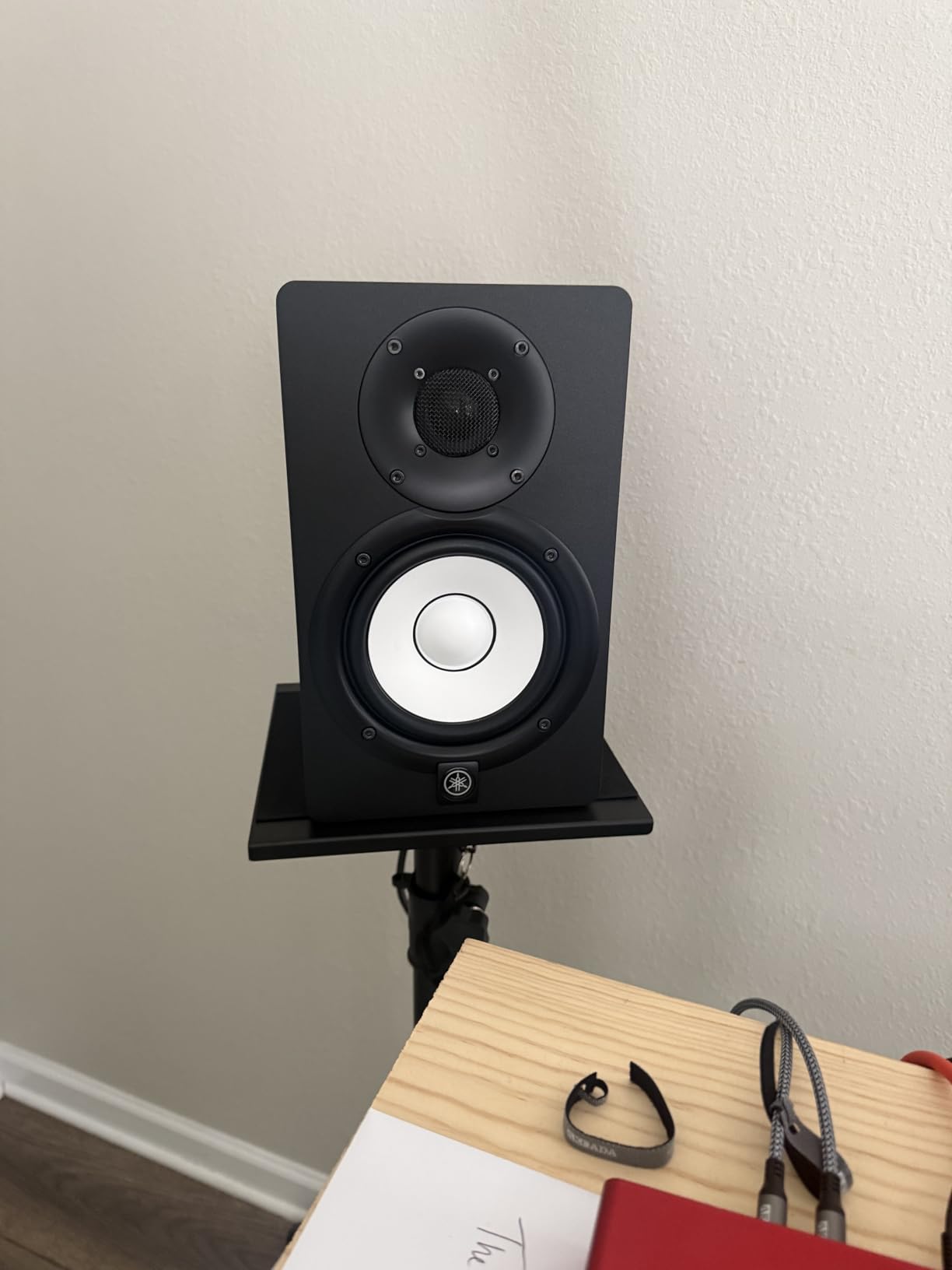
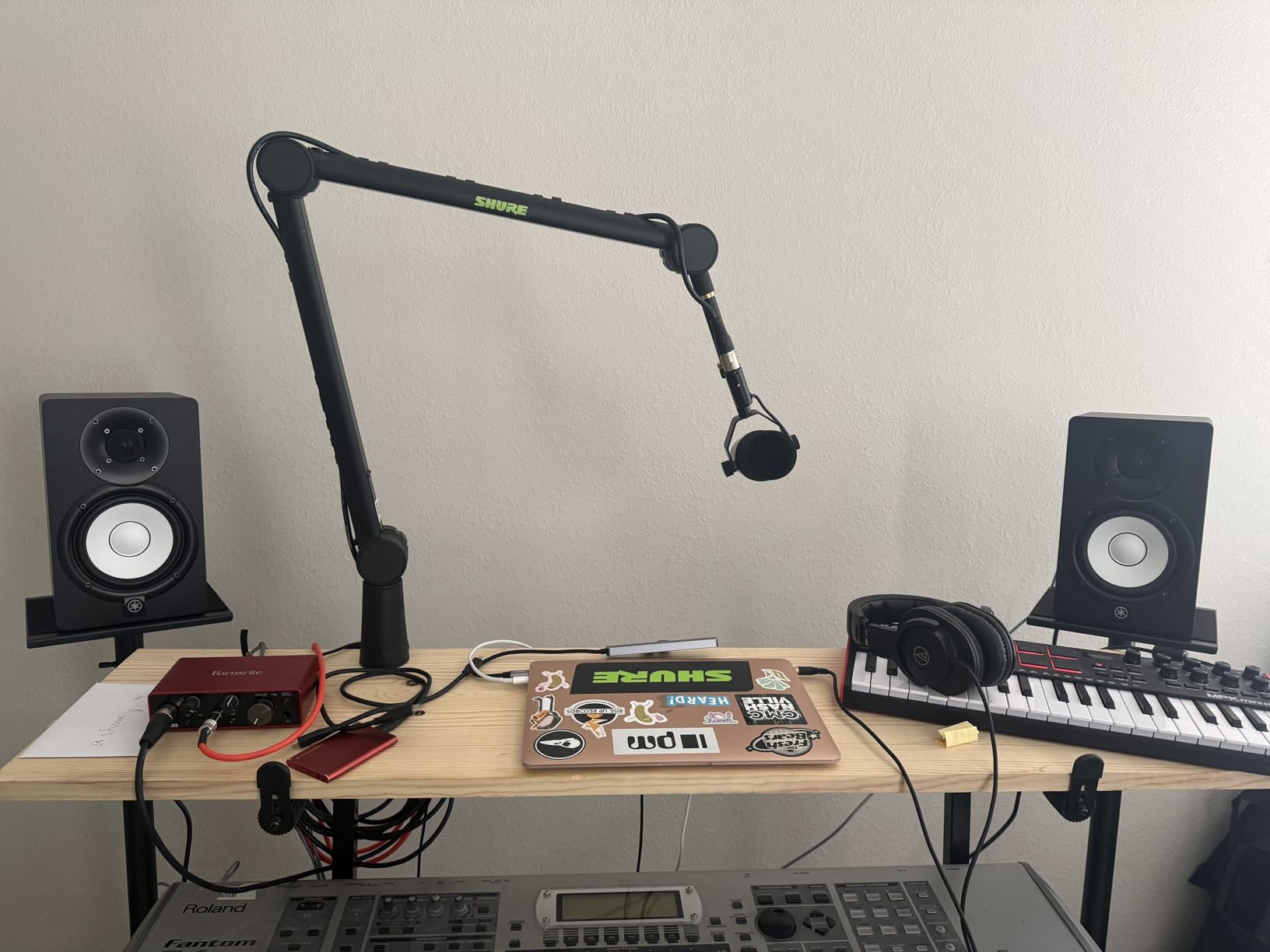
The Yamaha HS5 is the monitor I trust most for final mix decisions. After a decade of use across multiple studios, I keep coming back to the HS series for its brutally honest sound. The 5-inch cone woofer and 1-inch dome tweeter are driven by a 70-watt bi-amplified system with a crossover at 2kHz, delivering a frequency response from 54Hz to 30kHz with minimal coloration.
What sets the HS5 apart is what it does not do. It does not flatter your mixes. It does not add fake warmth to make rough recordings sound pleasant. When something sounds bad on the HS5, it will sound bad everywhere. This honesty is exactly what you need when you are trying to create mixes that translate to the real world. Our picks for XLR microphones for home studios pair well with the HS5 for vocal recording.
Why the HS5 Is the Industry Standard
Walk into any recording school, post-production facility, or broadcast studio and you will find Yamaha HS series monitors. They are not flashy, and they do not have the brand cachet of Adam Audio or Genelec, but they are accurate, reliable, and affordable. The HS5 has earned its place as the default nearfield monitor for serious audio work.
Placement and Room Considerations
The HS5 has a rear-firing bass port that needs at least six inches of wall clearance to sound correct. If your desk is against a wall, pull the monitors forward or add foam port plugs. Pair them with the Yamaha HS8S subwoofer for full-range monitoring on film scoring or electronic music projects.
How to Choose the Best Studio Monitors for Your Home Studio
Picking the right monitor is less about brand loyalty and more about matching the speaker to your room, your genre, and your budget. Here are the factors that matter most when narrowing down your options.
Driver Size vs Room Size
The most common mistake I see is pairing large 8-inch monitors with a small bedroom. Big woofers excite room modes in small spaces, which produces uneven bass response and mixes that do not translate. Use 3.5-inch to 5-inch drivers in rooms under 150 square feet, 5-inch to 6.5-inch drivers in medium rooms, and 8-inch or larger drivers only in treated rooms over 200 square feet. The PreSonus Eris E4.5 and Mackie CR3.5 are ideal for small bedrooms, while the JBL 305P MkII and Yamaha HS5 handle medium rooms well.
Active vs Passive Monitors Explained
Active monitors have a built-in amplifier matched to the drivers. Passive monitors require a separate amp. For home studios, active is the obvious choice because the manufacturer has tuned the amplifier to the specific drivers. Every monitor in this roundup is active, which simplifies setup and eliminates the need to buy matching amps.
The 38 Percent Rule for Studio Monitor Placement
The 38 percent rule is a room acoustics guideline that helps you find the optimal listening position. Measure the length of your room, then place your monitors and your chair at 38 percent of that distance from the front wall. For a 14-foot room, that puts you about 5.3 feet from the wall, which avoids the worst primary room mode while keeping you far enough from the back wall to avoid reflections. Combine this with the equilateral triangle placement, where monitors and your head form equal sides, and you will dramatically improve your stereo imaging and low-end accuracy.
Budget vs Mid-Range: When to Upgrade
If you are just starting out, the PreSonus Eris E4.5 or Mackie CR3.5 will serve you well for the first two to three years. Upgrade when you notice your mixes stop translating to other systems, when you start earning money from your music, or when you move to a larger treated room. The JBL 305P MkII and Yamaha HS5 are the sweet spot for serious hobbyists and semi-professional producers.
Frequency Response and Why Flat Matters
Consumer speakers boost the bass and treble to sound exciting. Studio monitors aim for a flat frequency response so you hear exactly what is in your recording. A monitor rated at 50Hz to 20kHz plus or minus 3dB will not hype any frequency range, which means your mixing decisions translate to earbuds, car stereos, and club systems without surprise.
Connection Types and Audio Interface Matching
Most budget monitors include RCA inputs for easy connection to consumer gear. Mid-range and professional monitors use balanced XLR or TRS connections that reject noise over long cable runs. If your monitor only has balanced inputs, you need an audio interface with balanced outputs, which is a worthwhile investment for any serious producer.
Studio Monitor Setup Tips for Better Mixes
Even the best studio monitors will produce bad mixes if they are set up incorrectly. Here is the workflow I use to dial in any new pair.
The Equilateral Triangle Method
Position your left monitor, right monitor, and your head so all three points form an equilateral triangle. Each side should be the same distance, typically three to four feet for nearfield monitoring. Angle the monitors inward by about 30 degrees so the tweeters point directly at your ears.
Isolation Pads and Monitor Stands
Place your monitors on dedicated isolation pads or stands rather than directly on your desk. Desk surfaces resonate at low frequencies, which colors the bass response. Foam isolation pads, included with the KRK Rokit 5 G5, decouple the monitors and tighten the low end noticeably.
Acoustic Treatment Basics
You do not need a fully treated room to start mixing well. Start with two absorption panels at the first reflection points on your side walls, and a bass trap in each corner behind the monitors. This simple setup eliminates the worst reflections and lets you trust what you hear.
Frequently Asked Questions
What is the 38 rule for studio monitors?
The 38 percent rule is a placement guideline for finding the optimal listening position in a rectangular room. Measure the length of your room, then place your monitors and chair at 38 percent of that distance from the front wall. For a 14-foot room, that puts you about 5.3 feet from the front wall, avoiding the worst primary room mode while staying clear of rear-wall reflections.
What monitors do professional studios use?
Professional studios rely on brands like Genelec, Adam Audio, Neumann, Focal, and ATC for main monitors, with Yamaha HS series, KRK Rokit, and Adam T5V as common nearfield choices. Main monitors are typically 8-inch or larger with massive headroom, while nearfields like the Yamaha HS5 and Adam T5V are used for detailed editing and translation checks.
Do I need 1 or 2 studio monitors?
You need two studio monitors for proper stereo mixing. Stereo imaging, panning decisions, and spatial effects only work when you hear both left and right channels simultaneously through matched speakers. A single monitor flattens your stereo field and makes it impossible to judge how elements sit in the mix.
What is the average lifespan of studio monitors?
Quality studio monitors typically last 7 to 10 years with moderate use, and many pairs like the Yamaha HS5 and JBL 305P MkII remain in service for 15 years or more. Active monitors can fail when internal amplifiers wear out, while passive monitors outlast their drivers in most cases. Higher-end models often include 5-year warranties like the ADAM Audio T5V and JBL 305P MkII.
What are the top 5 studio monitors for a home studio?
The top 5 studio monitors for home studios in 2026 are the Yamaha HS5 for professional mixing, JBL 305P MkII for the best value, ADAM Audio T5V for detailed sound, PreSonus Eris E5 for small rooms, and PreSonus Eris E4.5 for budget buyers. Each delivers a flat frequency response and reliable build quality for serious audio production.
Final Verdict: Which Studio Monitor Should You Buy?
After three months of testing, the Yamaha HS5 remains my top pick for the best studio monitors for home studios in 2026. Its honest, flat response makes it the most reliable mixing tool I have used, and it has earned its place as the industry standard for good reason. If you need a more affordable option, the JBL 305P MkII delivers 90 percent of the HS5 performance at a lower price point, and its wide sweet spot makes it more forgiving for less-than-perfect rooms.
Budget shoppers should start with the PreSonus Eris E4.5. It delivers genuine studio-quality sound for under $150, which is almost unheard of in this category. For acoustic and vocal-focused producers, the ADAM Audio T5V is the hidden gem, with ribbon tweeter detail that rivals monitors costing twice as much. Whichever model you choose from this list, take time to set up proper placement using the 38 percent rule and equilateral triangle method, and your mixes will translate better than ever before.