
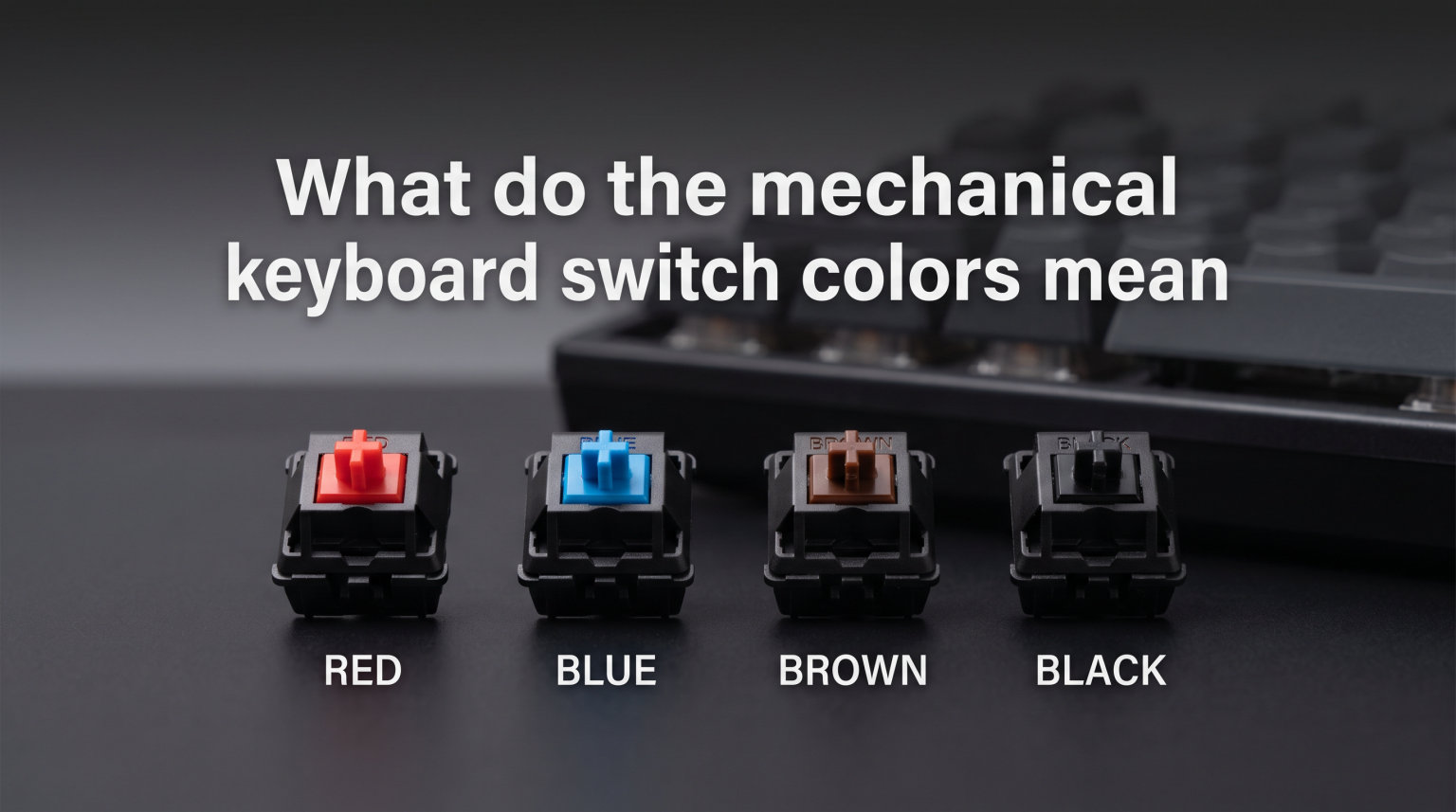
If you’ve ever shopped for a mechanical keyboard, you’ve probably noticed switches come in different colors: red, blue, brown, black, and more. These mechanical keyboard switch colors aren’t just for decoration. They tell you exactly how the switch will feel and sound when you type.
The color coding system started with Cherry MX switches back in the 1980s and has since become an industry standard. Each color represents a specific combination of actuation force, tactile feedback, and sound level. Understanding these colors helps you pick the right keyboard for gaming, typing, or office work without having to test dozens of switches in person.
In this guide, I’ll explain what every major switch color means, how they differ in feel and sound, and which one will work best for your needs. By the end, you’ll know exactly which switch color matches your typing style and environment.
What Are Mechanical Keyboard Switches?
Every key on a mechanical keyboard has its own individual switch mechanism underneath it. Unlike membrane keyboards that use a single rubber sheet for all keys, each mechanical switch operates independently. This gives you consistent feel, better durability, and the ability to customize each key’s response.
A mechanical keyboard switch is a self-contained unit with several moving parts that register your keypress. When you press a key, the switch’s stem moves down against a spring, eventually triggering an electrical contact that sends the signal to your computer. The way this happens determines whether you feel a bump, hear a click, or just get a smooth keystroke.
Mechanical vs Membrane Switches
Membrane keyboards use a rubber dome under each key that pushes down on a conductive layer. They’re quiet and cheap but offer little feedback and wear out faster. After a year or two, the rubber degrades and keys feel mushy.
Mechanical switches use metal springs and contacts rated for millions of keystrokes. Most Cherry MX switches last 50 to 100 million presses. You also get consistent feel throughout the keyboard’s lifespan, and if a single switch fails, you can replace just that one switch on many keyboards.
The trade-off is cost and noise. Mechanical keyboards cost more upfront, and some switch types are loud enough to disturb people in shared spaces. But the typing experience is vastly superior for most users.
Switch Anatomy: The Parts That Matter
Every mechanical switch has four main components. The housing is the outer shell that holds everything together. The stem is the part that moves up and down when you press the key. The spring determines how much force you need to press the key. And the contact mechanism is what registers the keypress electrically.
The stem shape determines whether you get a smooth press, a tactile bump, or an audible click. This is where the color coding comes in. Different colored switches use different stem designs that create different typing experiences.
The spring tension varies by switch color too. Some colors use lighter 45-gram springs, while others use heavier 60-gram or even 80-gram springs. Heavier springs resist accidental keypresses but require more finger strength during long typing sessions.
The Three Switch Types: Linear, Tactile, and Clicky
Before diving into specific colors, you need to understand the three switch categories. Linear switches move smoothly from top to bottom with no resistance change. You just feel the spring pushing back, then bottom out when the key hits the keyboard base.
Tactile switches have a bump in the middle of the keypress. You feel resistance build, then suddenly drop when the switch actuates. This bump gives you feedback that the key has registered without needing to bottom out.
Clicky switches combine the tactile bump with an audible click sound. The click happens mechanically when the switch actuates, not just from the key hitting the base. This gives both sound and feel feedback, which many typists love but office mates hate.
Each switch color falls into one of these three categories. Reds and yellows are linear. Browns are tactile. Blues are clicky. Once you know the category, you can predict the basic feel of any switch in that family.
Linear Switches: Smooth and Fast
Linear switches offer the smoothest typing experience. The key travels down without any bumps or clicks, just consistent spring resistance. Many gamers prefer linear switches because there’s nothing to slow down rapid keypresses.
The main advantage is speed. Without a tactile bump to overcome, you can press keys faster. This matters in competitive gaming where milliseconds count. The downside is that you don’t feel when the key registers, so you might press harder than necessary and tire your fingers.
Red Switches: The Gaming Standard
Red switches are the most popular linear option. Cherry MX Red switches use a 45-gram actuation force, which is light enough for fast typing but not so light that you’ll make accidental keypresses. The actuation point is 2 millimeters down, and the key travels 4 millimeters total.
Reds are nearly silent compared to clicky switches. You hear the key bottom out against the keyboard base, but there’s no click mechanism. This makes reds acceptable in quieter environments, though they’re still louder than membrane keyboards.
Competitive gamers often choose red switches for first-person shooters and fast-paced games. The smooth action lets you double-tap keys quickly, and the light force reduces finger fatigue during long gaming sessions. I’ve used red switches for gaming for years, and they feel like butter under your fingers.
The main complaint about reds is that some people find them too sensitive. Without tactile feedback, you might not realize when you’ve pressed a key, leading to accidental double-presses or missed keypresses. This takes some adjustment if you’re used to membrane keyboards.
Black Switches: Heavy and Stable
Black switches are linear like reds but use a heavier 60-gram spring. This extra resistance prevents accidental keypresses, which some gamers prefer. If you tend to rest your fingers on keys or make typos from light touches, blacks solve that problem.
The heavier spring also means you need more finger strength to type. During long gaming sessions or workdays, this can cause fatigue faster than lighter switches. Black switches work best for people who type hard and want precise control.
First-person shooter players sometimes prefer black switches because the extra weight helps with precision. You won’t accidentally press the wrong key during tense moments. But for typing long documents or coding, the weight can become tiring.
Yellow and Silver Switches
Yellow switches sit between red and black in terms of weight. Cherry MX Yellow uses around 50 grams of force, slightly heavier than red but lighter than black. Many users find this the sweet spot for gaming.
Silver switches are speed switches with a shorter actuation point at 1.2 millimeters instead of the standard 2 millimeters. This means they register faster than regular reds. The total travel distance is also reduced to 3.4 millimeters. Speed switches are designed specifically for competitive gaming where every millisecond matters.
Gateron, Kailh, and other brands have their own yellow variants. Some are slightly different in weight or smoothness, but they all fall in the medium-weight linear category. If you find reds too light and blacks too heavy, yellow switches are worth trying.
Tactile Switches: The Middle Ground
Tactile switches give you a bump in the middle of the keypress. This bump tells you when the key has registered without requiring you to bottom out. You can stop pressing once you feel the bump, which reduces finger strain during long typing sessions.
The tactile feedback helps with typing accuracy. You know exactly when each key registers, so you can develop a consistent typing rhythm. Many touch typists prefer tactile switches because they provide feedback similar to old mechanical typewriters.
Brown Switches: The Safe Choice
Brown switches are the most versatile option. They offer a tactile bump without the loud click, making them suitable for both gaming and typing. Cherry MX Brown has a 55-gram actuation force with a noticeable but subtle bump.
Browns are quiet enough for office use while still giving tactile feedback. You’ll hear the key bottom out, but there’s no click mechanism. Many people consider browns the best first switch because they work well for everything without excelling at any single task.
The downside is that browns don’t fully satisfy either camp. Gamers might find the bump distracting during fast keypresses. Dedicated typists might want a stronger bump or audible click. But for a single keyboard that handles gaming, work, and everything else, browns are hard to beat.
Browns work well for programming where you type code all day. The tactile feedback helps you feel each keystroke register, and the moderate weight reduces fatigue. I used brown switches for coding for two years and found them ideal for the mix of typing and occasional gaming I do.
Clear Switches: Heavier Tactile
Cherry MX Clear switches have a stronger bump and heavier spring than browns. The actuation force is 65 grams, and the tactile bump is much more pronounced. You can really feel when the key actuates.
Clears appeal to touch typists who want strong feedback. The heavier weight also prevents accidental keypresses better than browns. But the stronger bump takes more force to overcome, which can tire your fingers during extended typing sessions.
Some enthusiasts prefer clears for the satisfying tactile response. If you want to feel every keypress distinctly and don’t mind the extra effort, clears provide a unique typing experience. Zealio and other boutique switches are often based on the clear design with different weights and bump profiles.
Clicky Switches: Loud and Satisfying
Clicky switches combine tactile feedback with an audible click sound. The click mechanism is built into the switch stem, creating a crisp sound exactly when the key registers. This provides both sound and feel confirmation of each keypress.
Typists often love clicky switches because the feedback creates a satisfying rhythm. You hear and feel each letter register, which helps maintain typing speed and accuracy. The sound is similar to classic mechanical typewriters, which is part of the appeal.
The obvious downside is noise. Clicky switches are loud enough to disturb people in shared offices or thin-walled apartments. The sound varies by brand and model, but all clicky switches are noticeably louder than linear or tactile options.
Blue Switches: The Typist’s Favorite
Blue switches are the classic clicky option. Cherry MX Blue has a 50-gram actuation force with a sharp tactile bump and loud click. The actuation point is 2 millimeters, same as reds, but you get both feel and sound feedback.
Many typists consider blues the most satisfying switches for long writing sessions. The click gives immediate feedback that each key has registered, and you can develop a rhythmic typing style that feels almost musical. The tactile bump is more pronounced than brown switches, giving clear feedback.
The sound level is significant. Blue switches click at around 60 decibels, which is loud enough to hear through walls. In an open office, blue switches will annoy your coworkers. At home, family members might complain about the constant clicking.
I used blue switches for writing for about a year before switching to browns. The typing feel was amazing, but the sound became an issue during video calls and when others were working nearby. Blues are fantastic if you have a private space where noise won’t bother anyone.
Green Switches: Heavy Clicky
Green switches are essentially heavier blue switches. Cherry MX Green uses an 80-gram spring instead of 50 grams. The click and bump feel similar to blues, but you need significantly more force to press each key.
The heavy weight appeals to people who type hard and want resistance. You won’t accidentally press keys, and the strong feedback can feel satisfying for aggressive typists. But the weight is too much for most people to use comfortably for extended periods.
Some keyboard enthusiasts use green switches for modifier keys like spacebar and enter, paired with blue switches for letters. This gives a heavier feel for frequently used keys while maintaining consistent clicky feedback. It’s a niche setup, but some people love it.
Quick Reference: Switch Color Comparison
Here’s a quick comparison of the main switch colors to help you compare them side by side.
Red: Linear, 45g force, quiet, best for gaming. Smooth keystroke with no bump or click.
Black: Linear, 60g force, quiet, good for heavy typers. Heavier version of red for precise control.
Yellow: Linear, 50g force, quiet, middle ground. Slightly heavier than red, lighter than black.
Silver: Linear, 45g force, quiet, speed switch. Faster actuation point for competitive gaming.
Brown: Tactile, 55g force, quiet, versatile. Bump without click, good for gaming and typing.
Clear: Tactile, 65g force, quiet, strong bump. Heavier tactile for dedicated typists.
Blue: Clicky, 50g force, loud, best for typing. Bump with audible click, satisfying but noisy.
Green: Clicky, 80g force, very loud, heavy clicky. Heavier version of blue for strong fingers.
Brand Variations: Cherry MX and Beyond
While Cherry MX created the color standard, other manufacturers now make switches with the same colors but different characteristics. Gateron, Kailh, TTC, Outemu, and dozens of smaller brands offer their own interpretations of each color.
Cherry MX: The Color Standard
Cherry Corporation developed the MX switch in the 1980s and established the color coding that the entire industry follows. When someone says “red switch,” they’re referring to the Cherry MX Red specification, even if another brand makes the actual switch.
Cherry switches are known for consistency and durability. Every Cherry MX Red feels like every other Cherry MX Red. The quality control is excellent, and the switches last their rated 50 to 100 million keystrokes.
The downside is that Cherry switches are sometimes described as “scratchy” compared to newer competitors. The housing design creates slight friction that some users can feel. Cherry has improved this in recent years, but the perception persists.
Gateron, Kailh, and Other Brands
Gateron switches are often smoother than Cherry. Many enthusiasts prefer Gateron Reds and Browns for their buttery feel. The color coding matches Cherry, so Gateron Red is linear like Cherry Red, but the typing experience is slightly different.
Kailh switches offer more variety. They make standard versions of each color plus speed switches, thick click switches with louder clicks, and box switches that are dust and water resistant. Kailh Pro switches are popular for their smooth feel and durability.
The key difference between brands is not the color category but the feel within that category. A Gateron Blue is clicky like a Cherry Blue but has a different click sound and bump shape. Some people prefer one brand over another based purely on these subtle differences.
Price also varies. Cherry MX switches cost more than most alternatives. Gateron and Kailh switches are often cheaper while offering similar or better smoothness. For budget builds, these alternatives provide great value without sacrificing the typing experience.
How to Choose the Right Switch for You
Picking a switch color comes down to how you’ll use the keyboard and where you’ll use it. Gaming, typing, and office work each have different requirements. Your personal preference for feedback and sound also matters.
For Gaming: Speed and Consistency
Competitive gaming benefits from linear switches. The smooth keypress lets you tap keys rapidly without resistance from a bump. Red switches are the most popular choice because they’re light and fast.
First-person shooter players sometimes prefer black switches. The heavier weight prevents accidental movement when your fingers rest on WASD keys. The consistent linear feel helps with precise aim and timing.
Speed switches like Cherry MX Silver reduce actuation distance for even faster response. These are niche switches designed specifically for competitive gaming. The shorter travel takes adjustment, but they give you an edge in fast-paced games.
MMO and MOBA players might prefer tactile switches. The bump helps with the complex key combinations these games require, giving feedback that each key registered. Browns work well for this hybrid of gaming and general typing.
For Typing: Feedback and Comfort
Typists generally prefer tactile or clicky switches. The feedback helps you develop rhythm and know when each key registers. You can type without bottoming out, which reduces finger strain over long sessions.
Blue switches provide the most satisfying typing experience for many people. The combination of tactile bump and audible click creates clear feedback. If you type in a private space where noise doesn’t matter, blues are worth trying.
Brown switches are better for shared spaces. You get the tactile bump without disturbing others. The moderate weight works well for extended typing sessions without fatigue. Many writers and programmers prefer browns for this balance.
Clear switches offer stronger tactile feedback for people who want to feel every keypress distinctly. The heavier bump is satisfying for touch typists who don’t mind the extra effort.
For Office: Silence Matters
Office environments demand quiet switches. Clicky switches like blues are inappropriate for shared spaces. The constant clicking will disturb coworkers and make you unpopular.
Linear switches like reds are quieter than clicky switches but still produce sound when keys bottom out. For the quietest mechanical option, look for silent switch variants specifically designed to reduce noise.
Brown switches offer a good compromise for offices. The tactile feedback helps with typing accuracy, and the lack of click keeps noise reasonable. You’ll still hear key bottom-out, but it’s much less disruptive than clicky switches.
Some offices have noise policies that even brown switches might violate. In these cases, consider silent switch options or membrane keyboards. The mechanical typing experience isn’t worth creating workplace conflicts.
Trying Before Buying
The best way to choose a switch is to try it yourself. Switch feel is highly personal, and what I love might feel wrong to you. Several options exist for testing switches before committing to a keyboard.
Switch testers are small boards with one of each switch type. You can press each switch and compare them side by side. These cost around 20 to 30 dollars and give you a good sense of linear versus tactile versus clicky.
Electronics stores sometimes have mechanical keyboards on display. Typing on a full keyboard gives a better feel than individual switches on a tester. You get a sense of how the switch feels during actual typing, not just single keypresses.
Hot-swappable keyboards let you change switches without soldering. You can buy a keyboard that supports switch swapping and try different switches over time. This costs more initially but lets you experiment until you find your preferred switch.
Special Switch Types
Beyond the standard colors, several specialized switch types address specific needs. Silent switches reduce noise for office use. Optical and magnetic switches offer new technology with adjustable actuation points.
Silent Switches
Silent switches add rubber dampening inside the switch housing to absorb the sound of bottom-out and return. Cherry MX Silent Red and Silent Black are popular options that significantly reduce typing noise while maintaining the linear feel.
The trade-off is a slightly mushier feel. The rubber dampeners make the bottom-out less crisp than standard switches. Some people don’t notice this, while others find it distracting. Silent switches cost more than standard switches too.
For shared offices and apartments with thin walls, silent switches let you enjoy mechanical keyboards without disturbing others. They’re not completely silent, but they’re much quieter than standard mechanical switches.
Optical and Magnetic Switches
Optical switches use light beams instead of metal contacts to register keypresses. When you press a key, a stem blocks a light beam, triggering the signal. These switches can register faster than mechanical switches because there’s no physical contact to make.
Magnetic switches use Hall effect sensors to detect key position. Wooting keyboards popularized these with adjustable actuation points. You can set keys to register at different depths, even creating multiple actions from a single keypress at different points.
These newer switch types represent the future of mechanical keyboards. They offer customization impossible with traditional switches, though at higher prices. As the technology matures, expect more keyboards to offer optical or magnetic options.
Frequently Asked Questions
Which color switch is best for a mechanical keyboard?
There is no single best switch color because it depends on your use case. For gaming, red switches are typically best due to their smooth, fast action. For typing, blue or brown switches work well depending on whether you want audible feedback. For office use, brown or silent switches are ideal because they provide tactile feedback without excessive noise. The best approach is trying different switches to see which feels right for your typing style.
Is a blue or brown switch better?
Blue switches are better for typing in private spaces where noise doesn’t matter, offering both tactile feedback and an audible click that many typists find satisfying. Brown switches are better for shared spaces because they provide tactile feedback without the loud click sound. Browns are also more versatile if you mix typing with gaming, while blues are specifically optimized for typing. Choose blue for maximum feedback in quiet environments, or brown for a middle-ground option that works everywhere.
Which color switch is the loudest?
Blue and green clicky switches are the loudest options. They have an internal click mechanism that produces a distinct clicking sound at around 60 decibels each time a key registers. Green switches are slightly louder than blues due to their heavier springs causing more impact force. Between linear and tactile switches, all are quieter than clicky switches because they lack the click mechanism. The quietest options are silent switch variants like Cherry MX Silent Red, which use internal dampening to reduce bottom-out noise.
Does the color of keyboard switches matter?
Yes, switch color matters because it determines the typing experience. Each color represents a specific combination of actuation force, tactile feedback, and sound level. Red switches feel completely different from blue switches, and choosing the wrong type can lead to discomfort, reduced typing speed, or conflicts with your environment. The color coding system helps you predict how a switch will feel before you try it. Understanding switch colors ensures you get a keyboard that matches your needs for gaming, typing, or office work.
Now you understand what mechanical keyboard switch colors mean and how each one performs. The color coding system that Cherry MX established decades ago still guides the entire industry, making it easy to predict switch feel from a simple color name.
Red and black switches give smooth, linear action perfect for gaming. Brown and clear switches provide tactile feedback without excessive noise. Blue and green switches offer satisfying clicky feedback ideal for dedicated typists. Each color serves a purpose, and the right choice depends on your environment and preferences.
The best advice I can give is to try switches before buying a full keyboard. Switch testers and store demos let you experience the differences firsthand. Once you know your preferred switch type, you’ll never have to wonder about mechanical keyboard switch colors again.