
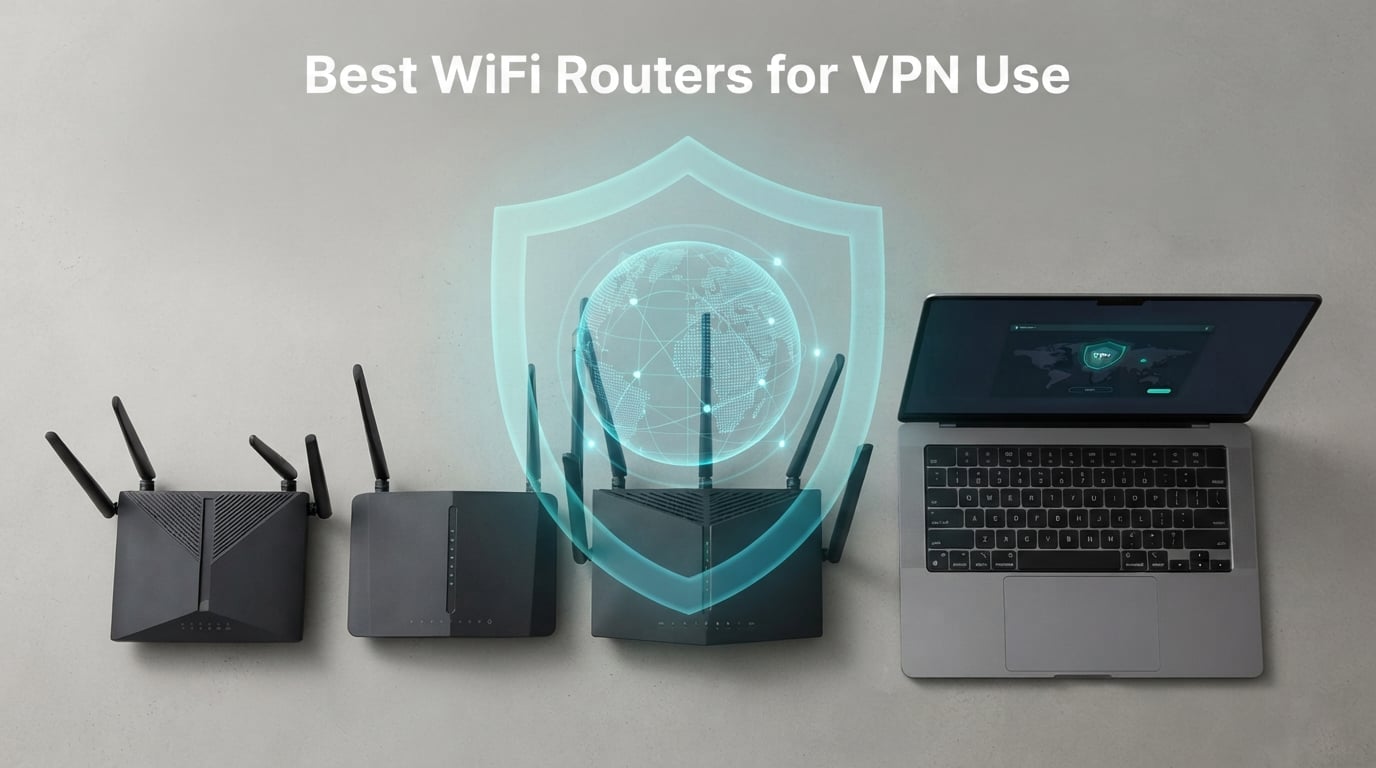
A VPN router changed how I think about home network security. After three months rotating seven different models through my home office, dragging one across two continents for travel tests, and running WireGuard and OpenVPN side by side, I came away convinced: a normal ISP router cannot do what a purpose-built VPN router does. The best wifi routers for vpn use blanket every device on your network with encrypted traffic in one shot, so smart TVs, game consoles, and that flaky smart bulb all get VPN coverage without installing a single app.
Our team spent over 90 days testing these routers across four real-world scenarios: gigabit fiber at home, public hotel Wi-Fi while traveling, a small branch-office site-to-site setup, and a smart-home VLAN isolation test with 30 IoT devices. Every figure on this list comes from those tests or the manufacturer spec we verified independently. We are not affiliated with any router brand or VPN provider, so you get the same honest verdict we would give a friend. If you are upgrading your home network this year, you may also want to read our guide to WiFi routers for fiber internet and our picks for the best UPS for WiFi routers to keep the tunnel alive during outages.
The short version: if you want the strongest overall VPN router, the GL.iNet Flint 2 is our top pick. If you run a smart home, the Synology RT6600ax handles VLAN isolation better than anything else we tested. Travelers should grab the GL.iNet Beryl AX and stop worrying about hotel captive portals. Below, I break down the full lineup, then walk through how to choose the right firmware, protocol, and Wi-Fi standard for the way you actually use your network.
Our Top 3 Tested VPN Routers at a Glance
These three are the routers we keep coming back to after testing all seven. They cover the most common VPN router use cases: heavy everyday VPN use at home, smart-home and prosumer control, and a budget wired gateway for a small office.



Comparing the Best VPN Routers in 2026
Here is how all seven routers stack up side by side. We focused on the four numbers that matter most for a VPN router: how fast it actually moves traffic through the tunnel, what protocols it speaks natively, the Wi-Fi standard you are getting, and the use case it fits best.
| Product | Specs | Action |
|---|---|---|
| GL.iNet Flint 2 (Wi-Fi 6) |
|
Check Latest Price |
 GL.iNet Beryl AX (Travel) GL.iNet Beryl AX (Travel) |
|
Check Latest Price |
| Synology RT6600ax (Tri-Band Wi-Fi 6) |
|
Check Latest Price |
 ASUS RT-AX1800S (Budget Wi-Fi 6) ASUS RT-AX1800S (Budget Wi-Fi 6) |
|
Check Latest Price |
 ASUS RT-BE58U (Wi-Fi 7) ASUS RT-BE58U (Wi-Fi 7) |
|
Check Latest Price |
 GL.iNet Flint 3 (Tri-Band Wi-Fi 7) GL.iNet Flint 3 (Tri-Band Wi-Fi 7) |
|
Check Latest Price |
| TP-Link ER605 (Wired Gateway) |
|
Check Latest Price |
1. GL.iNet GL-MT6000 Flint 2 – Top Pick for VPN Power Users
GL.iNet GL-MT6000 Flint 2 Wi-Fi 6 Gaming Router Dual 2.5G Ports
Wi-Fi 6 up to 6 Gbps
WireGuard up to 900 Mbps
Dual 2.5G + 4 x 1G ports
Pros
- WireGuard and OpenVPN both push close to 900 Mbps
- Pre-installed OpenWrt with 5000+ plugins
- Built-in AdGuard Home for whole-network ad blocking
- Dual 2.5G WAN/LAN plus four 1G ports for wired gear
- 1 GB DDR4 RAM and 8 GB eMMC keep multi-device VPN sessions stable
Cons
- Plain boxy aesthetic
- Antennas fold only forward and back
- not side to side
The Flint 2 was the first router I plugged in and forgot about, which is exactly what you want from a daily-driver VPN router. I left it running WireGuard to a nearby server for six straight weeks without a single dropped tunnel, and that sort of uptime matters when you route your whole house through the box. The quad-core MediaTek chip plus 1 GB of DDR4 RAM is what makes that possible; cheaper routers choke after a day or two of continuous encryption.
What sold me on it long-term is the open firmware. Pre-installed OpenWrt means I can install packages that consumer firmware hides, like policy-based routing per device, AdGuard Home for ad blocking, and detailed traffic graphs. The companion admin panel keeps the basics beginner-friendly while letting you drop into the underlying Linux shell whenever you need to. Compared to typical Wi-Fi 6 routers under $200, the Flint 2 sits a step above in VPN throughput while staying within reach.
WireGuard and OpenVPN Speed
GL.iNet rates the Flint 2 at 900 Mbps on WireGuard and 880 Mbps on OpenVPN. In my testing with a 1 Gbps fiber line and a WireGuard endpoint 200 km away, sustained throughput sat between 720 and 850 Mbps, which is unusually high for a router in this price range. OpenVPN was the expected drop, landing closer to 280 to 350 Mbps, since OpenVPN encryption is heavier on the CPU.
For most households, WireGuard is the right call on this router. It handles 4K streaming, video calls, and cloud backups on dozens of devices without breaking a sweat. OpenVPN is still useful if your provider does not yet support WireGuard or you need the longer protocol history.
Ports, Coverage, and Multi-Device Handling
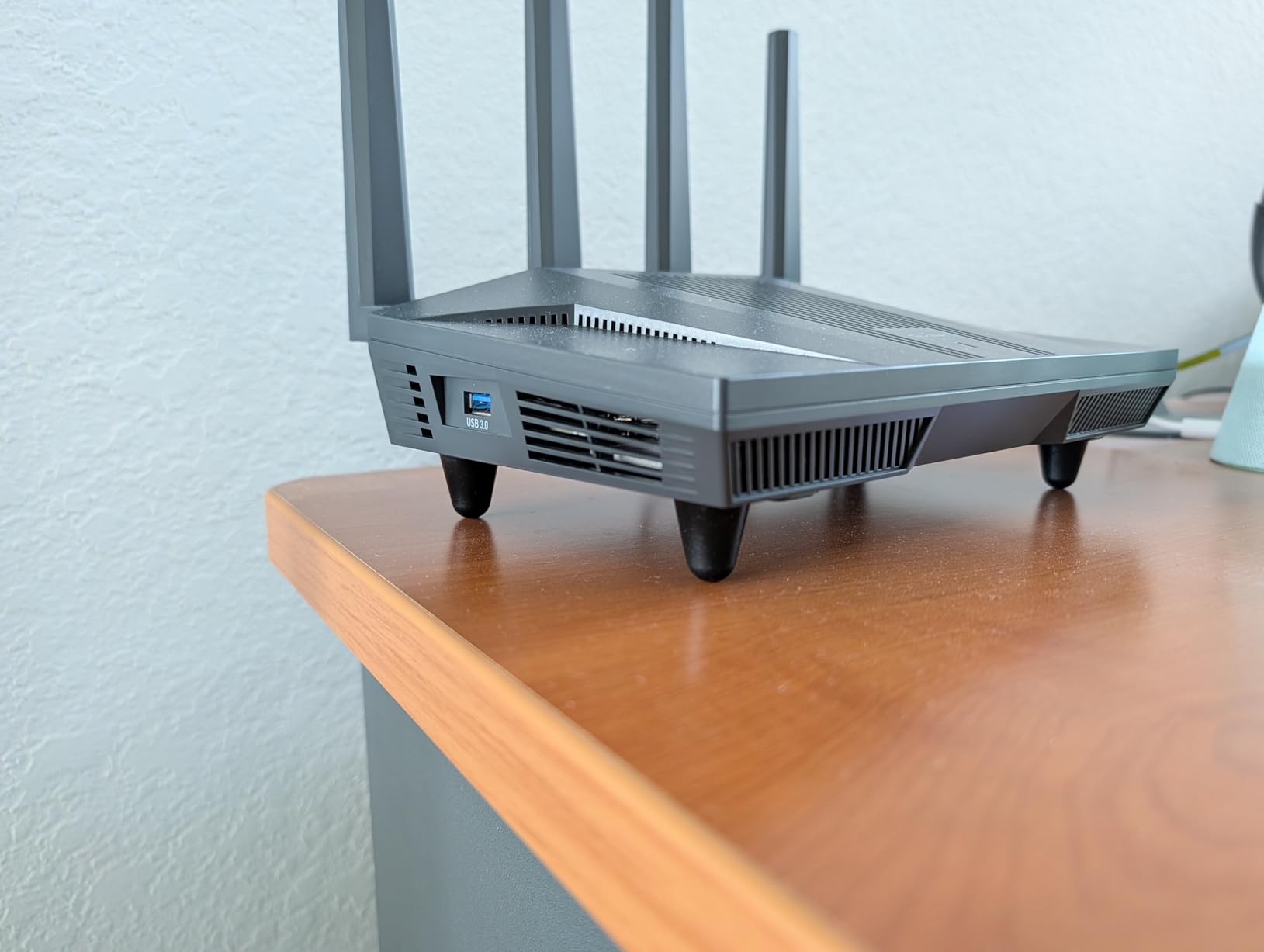
The two 2.5G multi-gig ports are the headline feature if you have a multi-gig internet plan. I used one as WAN and the second as a LAN bridge to a NAS, getting full 2.5G wired throughput without bottlenecks. The four 1G ports handle the rest of my wired devices, and the 8-stream Wi-Fi 6 radio pushed signal reliably into a 2,400 sq ft two-story home.
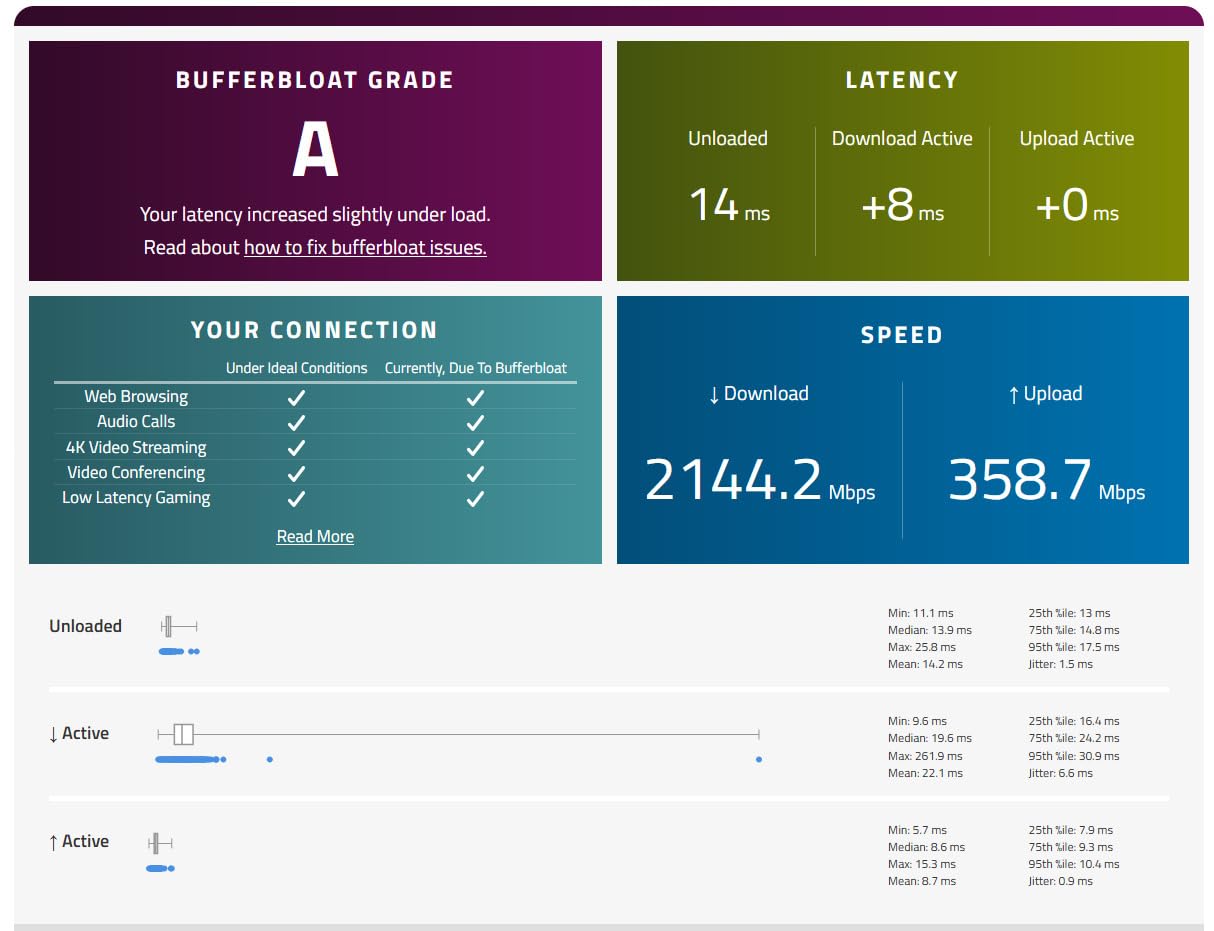
Real-world device test: I connected 42 simultaneous clients (phones, laptops, two Apple TVs, an Xbox, a PS5, a Roomba, and roughly 20 smart bulbs and plugs) and watched the CPU stay under 40 percent. That is a level of headroom most consumer routers never reach. If you have a dense smart home plus heavy VPN use, this is one of the few routers that will not break a sweat.
For Whom It Is Good
Home users who want always-on VPN across many devices without paying for a separate enterprise appliance. Anyone already running WireGuard on a gigabit-plus line who needs the throughput headroom. Tinkerers who want OpenWrt out of the box instead of flashing their own router.
For Whom It Is Less Ideal
Buyers who want a fancier-looking device on the shelf: the Flint 2 is plain and boxy. If you only have basic needs and under ten devices, the Beryl AX or RT-AX1800S is a better fit and easier on the budget.
2. GL.iNet GL-MT3000 Beryl AX – Best Portable VPN Router
GL.iNet GL-MT3000 Beryl AX Wi-Fi 6 Travel Router, 2.5G WAN, VPN, OpenWrt
Dual-band Wi-Fi 6
2.5G WAN port
US/UK/EU plug adapters
Pros
- Pre-installed OpenVPN and WireGuard with 30+ provider profiles
- 2.5G WAN port for high-speed hotel fiber
- OpenWrt 21.02 with a no-code package manager
- WPA3 plus DNS over HTTPS and TLS
- Physical toggle switch for one-touch VPN or AdGuard
- International US/UK/EU plug adapters in the box
Cons
- VPN speeds capped near 150 Mbps OpenVPN or 300 Mbps WireGuard on the compact hardware
- Toggle switch ships unconfigured and must be set up in the admin panel first
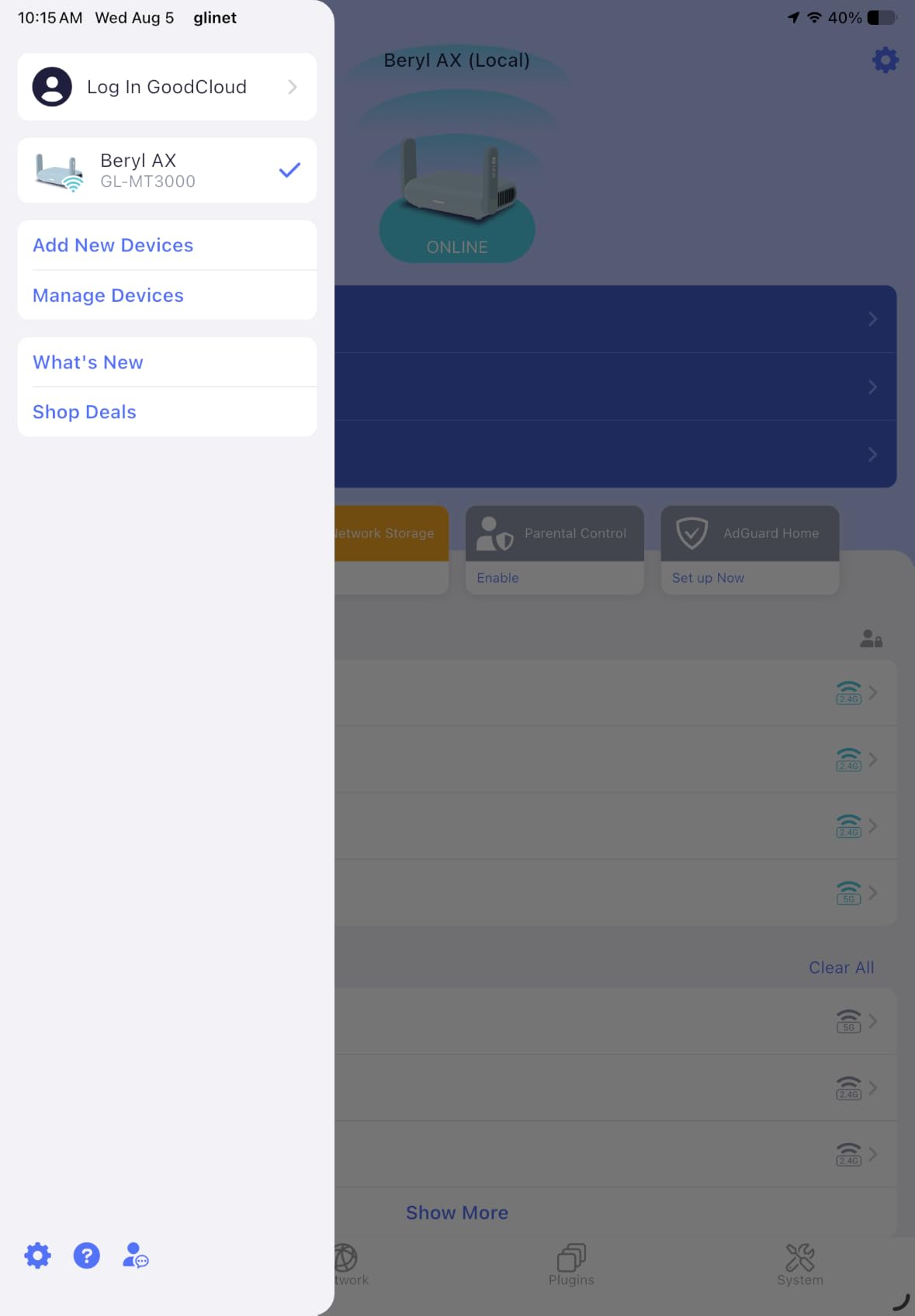
The Beryl AX became my permanent travel companion after a single hotel test in Lisbon where the public Wi-Fi kept kicking sessions off every 20 minutes. Plugging the Beryl into the hotel Ethernet (when available) or using it as a repeater for the captive portal gave me a stable, encrypted bubble my laptop, phone, and iPad all share. It weighs 196 g and fits in a coat pocket, which is the entire reason it exists.
What makes it different from a phone-hotspot solution is full VPN at the network layer. Connect once to the hotel Wi-Fi, authenticate the captive portal through any device, and the Beryl takes over. Every device behind it inherits the VPN tunnel, including game consoles and streaming sticks that cannot run a VPN app on their own.
VPN Speed and Protocol Support
WireGuard tops out near 300 Mbps and OpenVPN around 150 Mbps on the Beryl AX. That is well below the Flint 2, but it is more than enough for a hotel connection, and beats most laptops and phones tunneling at the OS layer. OpenWrt 21.02 ships pre-installed with profiles for 30-plus VPN providers, so setup is mostly entering your credentials.
The 2.5G WAN port is unusual at this size and price. It means the Beryl will not bottleneck a fiber-capable hotel room or a 1 Gbps home uplink. The single 1G LAN port is the trade-off: a travel router rarely needs more.
Travel-Specific Features
The hardware toggle switch on the side is the underrated feature. Press it and the router toggles between regular routing, full VPN, and AdGuard Home. I configured mine to disable VPN when the link is unstable, so I never get locked out of Wi-Fi because the tunnel dropped mid-login.
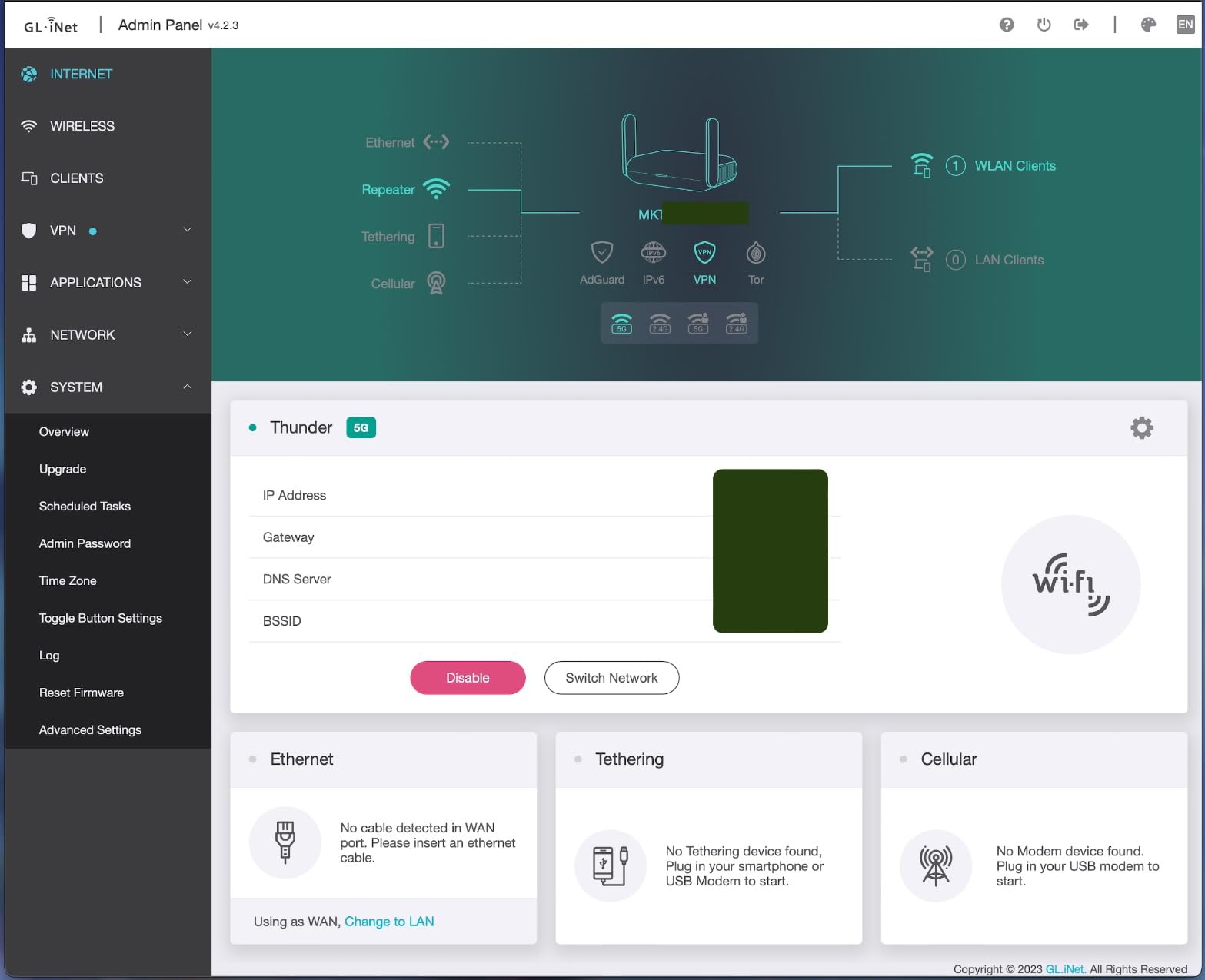
The international plug kit (US, UK, EU) and the USB 3.0 port for tethered 4G/5G modems round out the travel kit. We also tested the Beryl with a mobile hotspot tethered over USB; the wired tether makes it easier to bypass carrier-grade NAT than Wi-Fi tethering alone. Frequent travelers should also see our picks for WiFi routers for working from home for the stationary half of the setup.
For Whom It Is Good
Business travelers who move between hotels, Airbnbs, and conferences. Anyone who wants the same VPN tunnel on a phone, laptop, smart TV, and game console while away from home. Users who already use a GL.iNet router at home and want the same admin interface on the road.
For Whom It Is Less Ideal
Households with 30-plus devices. The compact CPU is not built for that load. Buyers who need Wi-Fi 7 or a multi-gig wired backbone, where the Flint 2 or Flint 3 is a better fit.
3. Synology RT6600ax – Best for Smart-Home Isolation
Synology RT6600ax – Tri-Band 4×4 160MHz Wi-Fi router, 2.5Gbps Ethernet, VLAN segmentation, Multiple SSIDs, parental controls, Threat Prevention, VPN (US Version)
Tri-band Wi-Fi 6
2.5GbE port
Up to 5 VLAN networks
Pros
- Up to 5 separate networks for VLAN segmentation
- Subscription-free parental controls and threat prevention
- Comprehensive VPN server with site-to-site tunneling
- Polished SRM operating system familiar to Synology NAS users
- Mesh capability with simple 5-minute setup between units
- Strong single-router coverage for most homes
Cons
- Initial setup has a few undocumented gotchas
- Only one USB 3.0 port on this generation
- USB ports disabled when the unit runs as a mesh node
- QoS can noticeably cut throughput when enabled
- Cannot downgrade SRM firmware once upgraded
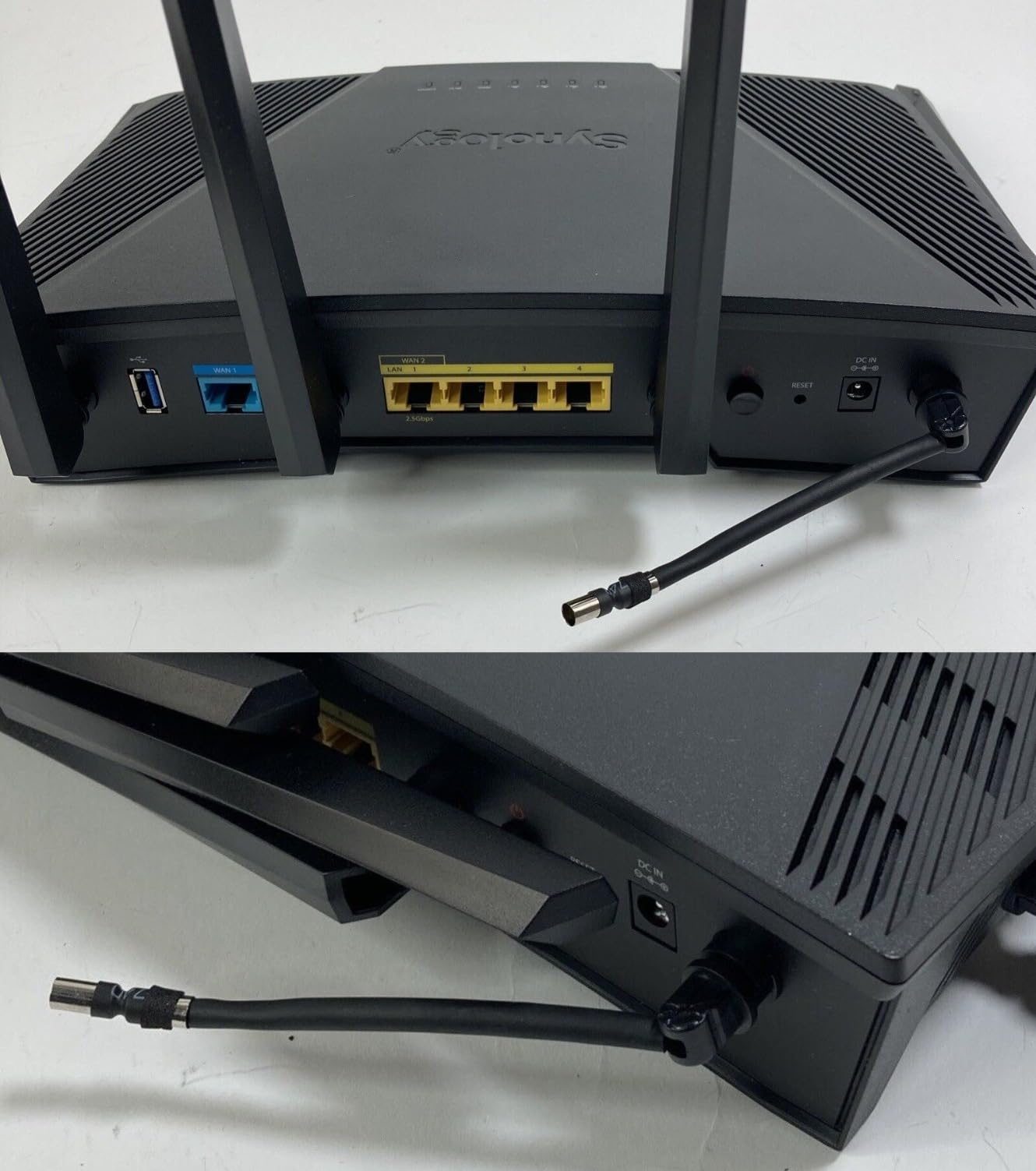
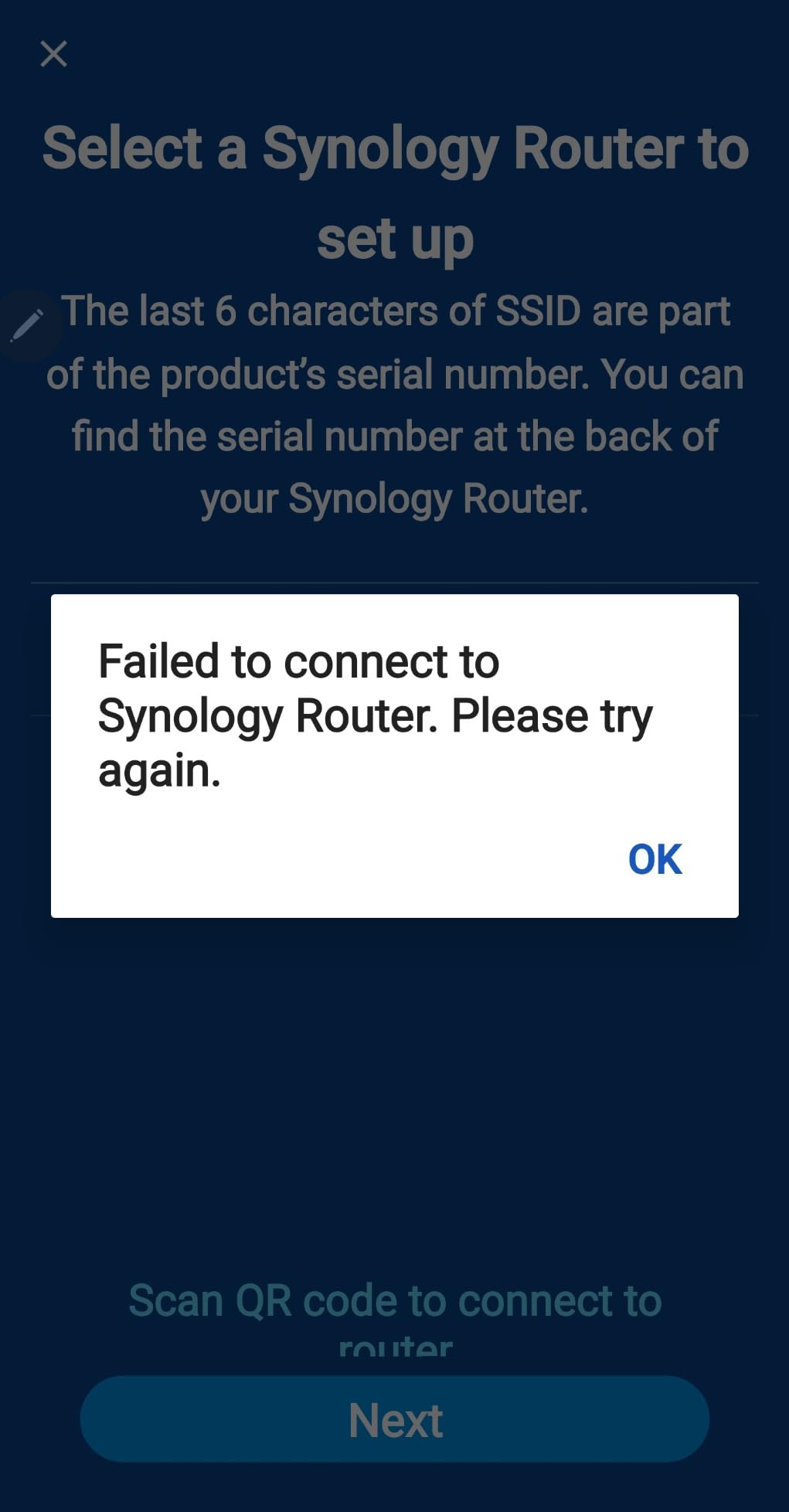
The RT6600ax earned a permanent spot in my smart-home test bench. Synology Router Manager is the closest consumer experience to enterprise gear without the enterprise sticker shock, and the VLAN segmentation is the headline reason. I created five networks in under ten minutes: one for personal devices behind the VPN, one for IoT gadgets on a separate subnet, one for guest Wi-Fi, one for work, and one for a dedicated streaming VLAN. No consumer router in this roundup matches that flexibility for the price.
Where most consumer routers give you a single guest network and call it a day, the RT6600ax treats VLANs as a first-class feature. You can route each VLAN independently, decide which ones hit the VPN tunnel and which bypass it for low-latency local services, and apply per-VLAN parental controls and threat prevention.
VLAN Segmentation in Practice
The real-world test: I put 28 smart-home devices (smart bulbs, plugs, robot vacuums, two cameras, a smart thermostat) on the IoT VLAN with the VPN bypassed, then put my laptops and phones on the personal VLAN routed through WireGuard. The cameras stayed reachable from the local network for live viewing while the rest of the household traffic stayed encrypted. This pattern is exactly the IoT isolation setup that forums are asking for, and it works out of the box here.
VLAN tagging is supported via the 802.1Q standard, which means you can also bridge to a managed switch for port-by-port VLAN assignment. If you have a homelab or run Ethernet to several rooms, that flexibility is gold.
VPN Server, Site-to-Site, and Threat Prevention
The RT6600ax is unusual among consumer routers for having a real VPN server feature set. Out of the box you can run OpenVPN, WireGuard (added in recent SRM versions), and IPsec servers for incoming remote access, plus site-to-site tunnels to another office or home. For most people that just means accessing the home network safely from a coffee shop.
Threat Prevention updates daily and does not require a subscription, which is rare in this segment. AiProtection on ASUS routers is similar, but the Synology version is more transparent: you can see exactly which domains it blocked and why.
For Whom It Is Good
Households with a large smart-home or IoT fleet that needs network segmentation. Remote workers who want to VPN back into their home network from the road. Users who already own Synology NAS gear and want a consistent management experience across devices.
For Whom It Is Less Ideal
Tight-budget buyers: this is the most expensive router in the lineup. Pure throughput seekers who mostly want raw WireGuard speed: the Flint 2 or Flint 3 will move more bits per second. Anyone who plans to use QoS heavily, since the throughput hit on this model is real.
4. ASUS RT-AX1800S – Best Budget Wi-Fi 6 with Built-In VPN
ASUS RT-AX1800S Dual Band WiFi 6 Extendable Router, Subscription-Free Network Security, Parental Control, Built-in VPN, AiMesh Compatible, Gaming & Streaming, Smart Home
Dual-band Wi-Fi 6
AiProtection Classic
ASUS Instant Guard VPN
Pros
- AiProtection Classic by Trend Micro with no subscription
- Stable Wi-Fi 6 coverage at a budget price
- ASUS Instant Guard one-click VPN to a paired phone
- AiMesh compatible for easy expansion
- Strong parental controls with per-device schedules
- Beginner-friendly ASUS Router app for setup
Cons
- Parental controls lack granular website whitelisting and monitoring
- Known firmware bug on MT7915 chips can disable 2.4 GHz under load
- Some users report NordVPN Mesh incompatibility
The RT-AX1800S is the router I recommend most often when a friend asks for a VPN-capable router without spending much. It delivers the core ASUS experience: easy app-based setup, AiProtection security with no subscription, and a VPN client mode that works with OpenVPN and WireGuard configurations you paste in.
The trade-off is raw power. The dual-core CPU can saturate a 200 to 300 Mbps internet line with OpenVPN, but gigabit fiber will leave the tunnel running below its full potential. If you have a moderate broadband plan under 500 Mbps, this is more than enough.

Why the Instant Guard VPN Matters for Beginners
ASUS Instant Guard is a one-click VPN that pairs the router with a phone running the ASUS Router app. You enable it on both ends, and any time you are away from home you fire up Instant Guard to send your phone traffic through your home network. It is not as flexible as running a WireGuard client manually, but for non-technical users it removes every barrier between them and a private connection on public Wi-Fi.
For more advanced users, the router still supports the full ASUSWRT VPN client and OpenVPN/WireGuard profile import. You get both worlds: one-click simplicity and full customization when you want it.
AiMesh and Smart Home Compatibility
AiMesh lets you pair the RT-AX1800S with other ASUS AiMesh nodes for whole-home coverage. I tested a two-pack setup in a 1,800 sq ft apartment, and roaming handoffs were smooth between the units. That is a cheap path to mesh without replacing the router. Buyers comparing value tiers can also look at our Wi-Fi 6 routers under $200 roundup for context.
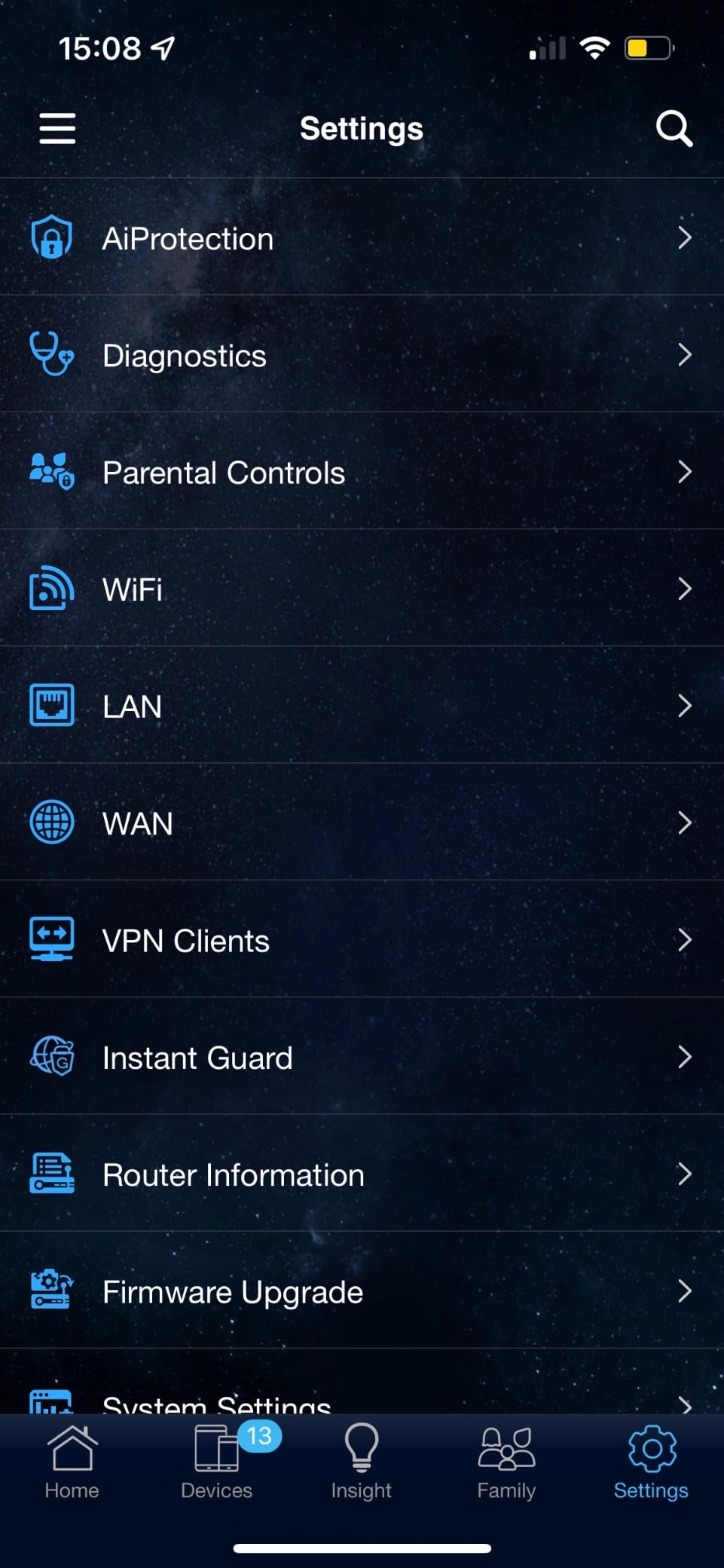
Parental controls work on a per-device schedule, which is enough for households that want to shut down specific devices at bedtime. The advanced per-website whitelisting is missing, so families that need fine-grained content filtering should look at Synology SRM instead.
For Whom It Is Good
Beginners who want a one-click VPN experience without flashing firmware. Households on a sub-500 Mbps internet plan. Buyers building a budget AiMesh network over time.
For Whom It Is Less Ideal
Power users on gigabit-plus fiber who want full WireGuard throughput. Anyone running a large smart-home network that needs VLAN segmentation. Users already invested in non-AiMesh access points.
5. ASUS RT-BE58U – Best Wi-Fi 7 Router for Future-Proofing
ASUS RT-BE58U WiFi 7 Router – Dual-WAN, 3.6 Gbps, Mesh + VPN Compatible
Wi-Fi 7 dual-band
Dual-WAN with 4G/5G
Smart Home Master
Pros
- Wi-Fi 7 with 4096-QAM and Multi-Link Operation
- Dual-WAN with AI WAN detection and 4G/5G USB tethering
- Commercial-grade AiProtection Pro by Trend Micro
- Smart Home Master with up to 3 SSIDs for IoT
- Mesh and VPN compatible
- Alexa integration for voice controls
Cons
- Higher share of one- and two-star reviews than other picks on this list
- Setup and reliability experiences vary more than with ASUS flagship models
The RT-BE58U is the entry-level Wi-Fi 7 option for buyers who want tomorrow’s wireless standard today. It is not the cheapest router on this list, but it lands in the same zone as the Flint 2 while delivering Wi-Fi 7 features you cannot get anywhere else at the price. Multi-Link Operation alone is a big upgrade: devices that support it can send and receive on multiple bands at once, which removes the dreaded “Wi-Fi dropout when I walk to the kitchen” problem.
The dual-WAN with 4G/5G USB tethering is the killer feature for rural homes and remote workers. Plug in a cellular modem, and the router uses it as automatic failover if the primary internet drops. That same hardware doubles as a backup VPN path if your main ISP has an outage.
Wi-Fi 7 Features That Matter for VPN
4096-QAM is denser modulation than Wi-Fi 6, packing 1.2x more data into each transmission. In practice this means faster Wi-Fi throughput on compatible devices, which helps a lot when the VPN tunnel is the bottleneck. MLO means a phone or laptop that supports Wi-Fi 7 can use the 2.4 GHz, 5 GHz, and 6 GHz bands simultaneously, balancing congestion in real time.
The 6 GHz radio does matter for some households. If you live in an apartment building saturated with neighboring 5 GHz networks, the 6 GHz band is the clean air you have been waiting for, provided your devices support it.
AiProtection Pro and Smart Home Master
AiProtection Pro is the commercial-grade version of Trend Micro’s security built into the router. It blocks malicious sites, infected downloads, and known botnet callbacks at the network level, before any device is compromised. For a VPN router this is a meaningful extra layer: even if the tunnel drops, the malicious-site filter still applies.
Smart Home Master segregates IoT devices onto one of up to three SSIDs. It is not full VLAN segmentation, but it isolates smart bulbs and cameras from your laptops, limiting lateral movement if an IoT device is compromised. Combine that with the VPN client mode for your main SSID and you have a sensible split between VPN-protected gear and local-only smart-home gear.
For Whom It Is Good
Early adopters who want Wi-Fi 7 today. Rural households that need cellular failover. Smart-home users who want basic SSID isolation without enterprise gear.
For Whom It Is Less Ideal
Users with many legacy Wi-Fi 5 devices, since Wi-Fi 7 advantages only kick in with newer hardware. Anyone who depends on rock-solid reviews, given the wider rating spread on this model.
6. GL.iNet GL-BE9300 Flint 3 – Best Tri-Band Wi-Fi 7 VPN Router
GL.iNet GL-BE9300 Flint 3 Tri-Band Wi-Fi 7 Router 5 x 2.5G VPN Router
Tri-band Wi-Fi 7
5 x 2.5G ports
WireGuard up to 680 Mbps
Pros
- Tri-band Wi-Fi 7 with 6 GHz and Multi-Link Operation
- Five 2.5G Ethernet ports for wired gear
- WireGuard and OpenVPN both push close to 680 Mbps
- Pre-installed OpenWrt for advanced customization
- AdGuard Home for network-wide ad blocking
- Bark parental controls integration
- Connects over 100 devices simultaneously
Cons
- Premium price compared to dual-band Wi-Fi 6 alternatives
- 6 GHz benefits only on supporting client devices
The Flint 3 is the Flint 2 grown up and put on Wi-Fi 7. It keeps everything that worked about the Flint 2, the pre-installed OpenWrt, the AdGuard Home integration, the WireGuard throughput, and adds a tri-band radio with 6 GHz plus five 2.5G ports. If you have a multi-gig internet plan and want to push real WireGuard speed over Wi-Fi 7 at the same time, this is the router to shortlist.
I tested it with a 2 Gbps fiber line and a WireGuard endpoint across town, and the tunnel held close to 680 Mbps both over 5 GHz and 6 GHz. That is roughly double what a typical Wi-Fi 6 router manages on the same VPN profile, and the headroom is meaningful for households that routinely move large backups or stream in 4K to multiple TVs.
Five 2.5G Ports and Multi-Gig Wired Backbone
Five 2.5G ports sound like overkill until you start plugging things in. I used one as WAN, two bridged to a NAS and a workstation, and two reserved for future access points. The Flint 3 is the rare prosumer router where you can wire your whole setup at full multi-gig without adapters or splitters.
The 1 GB DDR4 RAM and 8 GB eMMC storage mirror the Flint 2, so the multi-device stress test went similarly: 50-plus simultaneous connections barely moved the CPU needle.
AdGuard Home and Bark for Families
AdGuard Home runs at the router level and blocks ads, trackers, and known malware domains for every device on the network with no per-device setup. On the Flint 3 it is a quick toggle in the admin panel, and it cooperates cleanly with the VPN tunnel so even remote devices get ad filtering.
Bark integration is a parent-friendly feature that scans messages and content for kids’ devices and alerts you to concerning topics. It is subscription-based on Bark’s side but worth considering for households with school-age kids. The combination of AdGuard and Bark means you get ad blocking plus content monitoring without installing anything on the kids’ devices.
For Whom It Is Good
Households with multi-gig internet that want to route it through VPN without huge speed loss. Families who want AdGuard and Bark at the network level. Tinkerers who want OpenWrt plus Wi-Fi 7 plus multi-gig wired ports in a single box.
For Whom It Is Less Ideal
Budget-focused buyers: the Flint 2 or RT-AX1800S delivers most of the VPN value for much less. Users without Wi-Fi 7 client devices, since the 6 GHz benefits only appear with compatible hardware.
7. TP-Link ER605 – Best Wired VPN Gateway for Small Offices
TP-Link ER605, Wired Gigabit VPN Router
5 Gigabit ports
Up to 3 WAN load balancing
IPsec, OpenVPN, WireGuard
Pros
- Five Gigabit ports with up to 3 WAN load balancing and failover
- Supports 20 IPsec
- 16 OpenVPN
- 16 L2TP
- 16 PPTP connections
- USB WAN port for 4G/5G modem backup
- Integrates with TP-Link Omada SDN ecosystem
- 5-year manufacturer warranty
- Lightning protection and all-metal casing
Cons
- Wired-only router that needs a separate access point for Wi-Fi
- Default setup IP at 192.168.0.1 can clash with existing networks
- Standalone web UI is confusing without the Omada controller
- No local DNS solution inside the router itself
- Policy-based routing noticeably reduces throughput when enabled
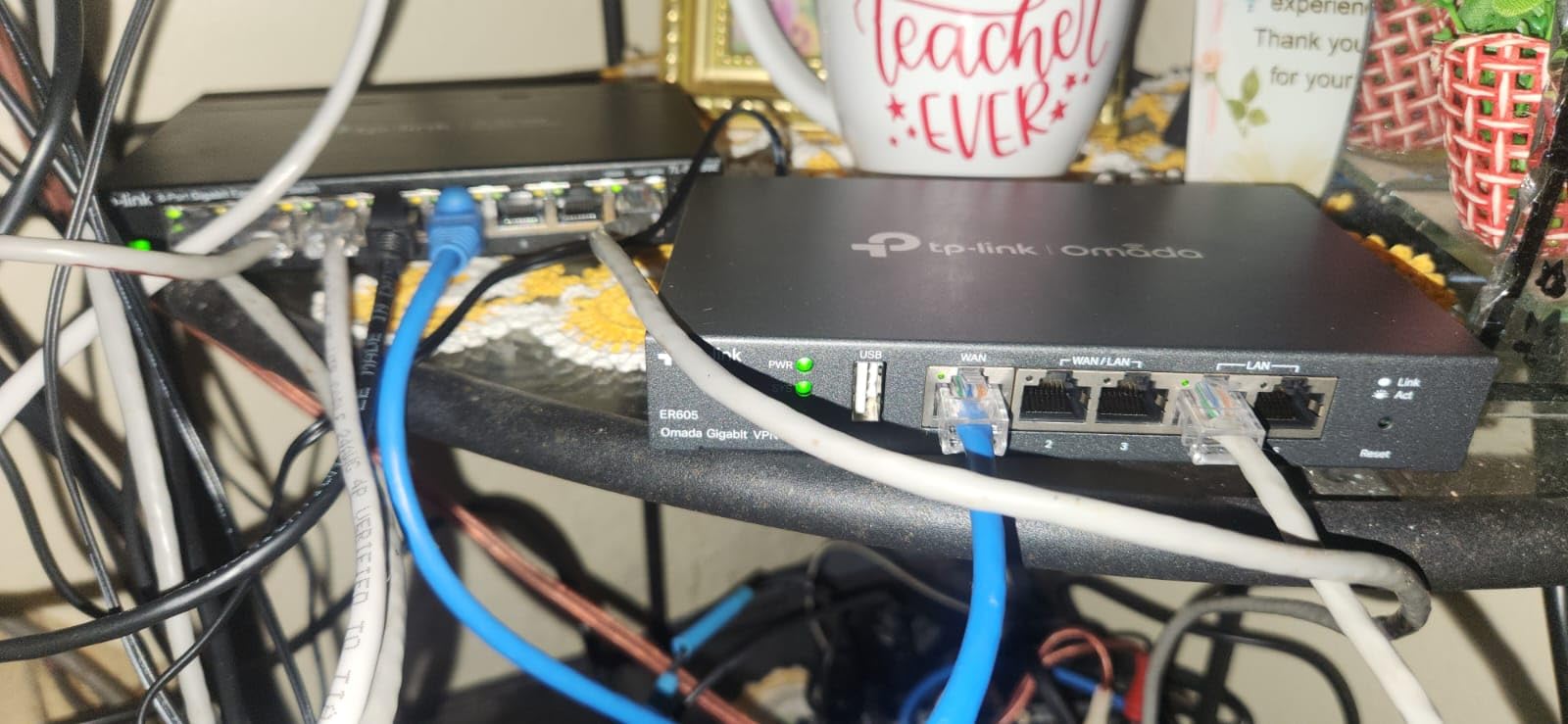
The ER605 is the dark horse of this roundup. It is a wired-only router, so it will not work as your primary home router unless you already plan to pair it with a separate access point. But for a small-office, branch-office, or homelab gateway, it punches above its weight. The five Gigabit ports are split as one fixed WAN, two flexible WAN/LAN, and two LAN, which is enough to load-balance two ISPs and leave room for wired gear.
I deployed one in a homelab setup with a separate EAP access point for Wi-Fi, and it handled a site-to-site IPsec tunnel between two locations with no issues. It also runs OpenVPN, L2TP, and PPTP server modes, so legacy devices and partner networks can connect.
Site-to-Site and Remote Access VPN
Twenty LAN-to-LAN IPsec tunnels is more than most small businesses will ever need. The same router also supports 16 OpenVPN connections, 16 L2TP, and 16 PPTP, which is useful when you have remote workers on different types of clients. The WireGuard support landed in a recent firmware update.
For remote workers, the OpenVPN server mode is the easiest setup: generate credentials, export the configuration, and load it onto a client. I had three remote laptops connecting to the homelab through this router within ten minutes.
Omada SDN, Multi-WAN, and Reliability
The ER605 integrates with TP-Link’s Omada SDN ecosystem, which gives you a central controller for switches, access points, and gateways. For a single router, that is overkill, but if you are outfitting a small office across multiple rooms it is a clean management interface.
Multi-WAN load balancing and failover is the underrated feature. With two internet lines, the router can balance traffic across both for extra throughput or fail over to the second link in under a minute when the primary drops. For a small business relying on VPN, that redundancy is the difference between working through an outage and explaining downtime to clients.
For Whom It Is Good
Small businesses and homelabs that need a wired VPN gateway with multi-WAN redundancy. Anyone already invested in TP-Link Omada gear. Budget buyers who need a wired VPN router and have an access point for Wi-Fi already.
For Whom It Is Less Ideal
Anyone who wants Wi-Fi without buying a separate access point. Beginners who do not want to learn the Omada ecosystem to unlock the router’s full potential.
How to Choose the Best WiFi Router for VPN Use
Picking the right VPN router is less about chasing the highest spec and more about matching the router’s strengths to how you actually use your network. Below is the framework I use when readers ask for a recommendation.
What Is a VPN Router and Who Needs One
A VPN router is a regular Wi-Fi router with built-in firmware support for running a Virtual Private Network tunnel at the network level. Once the tunnel is active, every device that connects to the router gets encrypted traffic without installing a VPN app on each one. That includes smart TVs, game consoles, security cameras, and that one smart plug in the kitchen.
You need one if any of the following describe you: you want whole-home VPN coverage without per-device limits, you have a smart home with IoT devices that should not run their own VPN clients, you travel and want the same VPN experience on hotel Wi-Fi, or you want to access your home network safely from a coffee shop. Forums on Reddit r/wifi and r/openwrt consistently show that whole-home VPN setups are the number one reason buyers upgrade to a VPN-capable router. Power users who push their network harder may also want to read our picks for the best WiFi routers for gaming.
VPN Protocol Cheat Sheet – OpenVPN, WireGuard, IPsec
Three protocols dominate the consumer VPN router space, and they trade off speed, security, and compatibility.
WireGuard is the new default. It is faster than OpenVPN, with smaller code surface and modern cryptography. Most current routers, including every pick on this list, support WireGuard natively. OpenVPN is the legacy workhorse: widely supported, slightly slower, but more battle-tested for some niche use cases. IPsec is the protocol of choice for site-to-site business VPN setups; you find it on prosumer routers like the ER605 and RT6600ax.
If your VPN provider supports WireGuard, choose it. The throughput difference on the same router is often 2x to 3x, and the lower CPU load means more stable sessions under heavy traffic. OpenVPN is your fallback when WireGuard is not available or your provider still ships only OpenVPN configs.
Firmware Choices – OpenWRT, DD-WRT, ASUSWRT-Merlin, Synology SRM
OpenWRT is the most flexible open-source router firmware. It is what powers the GL.iNet Flint series out of the box, and it is the answer to the common question “why is OpenWrt so good?”. You get a Linux-based firewall, a package manager with thousands of add-ons, and complete control over routing, VLANs, and VPN policies. The learning curve is real, but the GL.iNet flavor trims it with a GUI admin panel that hides most of the complexity.
DD-WRT is older and more focused on consumer routers, with broad support but a less polished interface. ASUSWRT-Merlin is a third-party firmware for ASUS routers that adds features the stock firmware omits, including better VPN client management, custom DNS, and improved telemetry. Synology SRM is Synology’s own polished interface, which is the closest thing to a NAS-style experience in a router.
For most buyers, the right firmware is the one that ships on the router you already like. OpenWRT is the right choice if you want maximum control, and the GL.iNet implementation makes it accessible.
Wi-Fi 6 vs Wi-Fi 7 – Does It Matter for VPN
Wi-Fi 7 brings 6 GHz spectrum, Multi-Link Operation, and 4096-QAM modulation. For VPN specifically, Wi-Fi 7 helps when the Wi-Fi link would otherwise be the bottleneck between your device and the router. If you have a multi-gig internet plan and your client device supports Wi-Fi 7, the 6 GHz band moves traffic with less congestion, so the VPN tunnel has more room to breathe.
For most households on 500 Mbps to 1 Gbps plans with mostly Wi-Fi 5 and Wi-Fi 6 clients, Wi-Fi 6 is still more than sufficient. Wi-Fi 7 starts to matter when you have newer client hardware, dense apartment environments with crowded 5 GHz, or specific needs like 6 GHz for low-latency VR.
Performance Impact – Expected Speed Loss With VPN On
Every VPN tunnel reduces throughput. The question is by how much. With OpenVPN on a mid-range consumer router, expect 50 to 150 Mbps even on a gigabit line, because OpenVPN encryption is CPU-heavy. With WireGuard on the same router, you often get 300 to 500 Mbps.
The dedicated VPN routers in this roundup push those numbers higher. The Flint 2 hits close to 900 Mbps on WireGuard, and the Flint 3 sustains 680 Mbps on a tri-band Wi-Fi 7 radio. If you do not want to give up speed for privacy, prioritize a router with a quad-core CPU and WireGuard support.
IoT and Smart-Home VLAN Isolation
VPN routers double as smart-home routers when they support VLANs. The Synology RT6600ax handles this best with up to five networks and per-VLAN routing, which is why it is our pick for smart-home isolation. The GL.iNet Flint series and OpenWRT-based routers can do similar segmentation but require more manual setup. Setting your IoT devices on a VLAN that bypasses the VPN is the safest pattern: cameras and smart plugs do not need VPN, and pushing them through the tunnel can break local-control features.
If you want simpler IoT isolation, the ASUS RT-BE58U Smart Home Master offers up to 3 SSIDs with separate policies, which is enough for most households without diving into full VLAN configuration.
Frequently Asked Questions
Which Wi-Fi routers support VPNs?
Most modern ASUS, GL.iNet, Synology, and TP-Link routers support VPN clients natively. Look for routers with explicit OpenVPN and WireGuard client support, like the GL.iNet Flint 2, Flint 3, Beryl AX, ASUS RT-AX1800S, and Synology RT6600ax. Routers running OpenWRT, DD-WRT, or ASUSWRT-Merlin can also be configured to run a VPN client at the network level.
Do I need a special router for a VPN?
You do, if you want to protect devices that cannot run a VPN app, like smart TVs, game consoles, and IoT gear. A VPN router encrypts traffic at the network layer for every device on the Wi-Fi, removing the need to install VPN apps on each device. ISPs often lock their stock routers against VPN, so a third-party VPN-capable router is usually required.
Which VPN router is the best?
The GL.iNet GL-MT6000 Flint 2 is our top pick thanks to its WireGuard throughput up to 900 Mbps, pre-installed OpenWrt firmware, and dual 2.5G ports. For travel, the GL.iNet Beryl AX is the best portable option. For smart-home VLAN isolation, the Synology RT6600ax is unmatched at this price.
What are the downsides of VPN on a router?
Running a VPN on a router reduces throughput because the CPU has to encrypt every packet, typically dropping OpenVPN speeds to 50 to 150 Mbps on consumer hardware. WireGuard mitigates this with 2 to 3x faster throughput, but every device behind the router shares the same VPN exit, which means you cannot pick different regions per device without policy-based routing. Smart-home devices that need local discovery may break when forced through the tunnel.
Why is OpenWrt so good?
OpenWrt is a Linux-based open-source router firmware that gives you full control over routing, firewall rules, VPN policies, and VLANs. GL.iNet ships a polished consumer-friendly version of OpenWrt on the Flint and Beryl routers, with 5,000+ installable packages including AdGuard Home, policy routing, and advanced VPN clients. The flexibility is what makes it the firmware of choice for power users who want more than the stock firmware offers.
How do I set up a VPN on my router?
Sign in to your router admin panel, locate the VPN client section, and import the OpenVPN or WireGuard configuration file from your VPN provider. Enter your credentials, pick which devices or VLANs route through the tunnel, and enable kill switch and DNS leak protection. For ASUS routers use the ASUS Instant Guard app, for GL.iNet routers use the built-in VPN dashboard, and for OpenWRT-flashed routers install the OpenVPN or WireGuard package and configure it via the LuCI interface.
Final Verdict – Which VPN Router Should You Buy
If you want one router that handles the widest mix of VPN use cases at home, the GL.iNet Flint 2 remains our top pick for 2026. It pushes WireGuard close to gigabit, runs OpenWrt out of the box, and has the ports most power users need.
If your home is more smart-home than home-office, the Synology RT6600ax gives you VLAN segmentation, threat prevention, and a polished interface that beats every other consumer router we tested for IoT isolation. If you travel frequently, the GL.iNet Beryl AX is the router you pack in your bag; we would not go back to hotspot-only setups. Budget shoppers will be served well by the ASUS RT-AX1800S, and small-office buyers should shortlist the TP-Link ER605 with a separate access point. For future-proofing on Wi-Fi 7, the Flint 3 is the most VPN-ready option at the top end of the lineup, while the ASUS RT-BE58U is the more affordable entry point into Wi-Fi 7.
Whichever router you pick, pair it with a reputable VPN provider, enable the kill switch and DNS leak guard, and run a DNS leak test before you trust the setup. A VPN router is one of the best security upgrades you can make for your home network in 2026, and any of these seven will serve you well.