
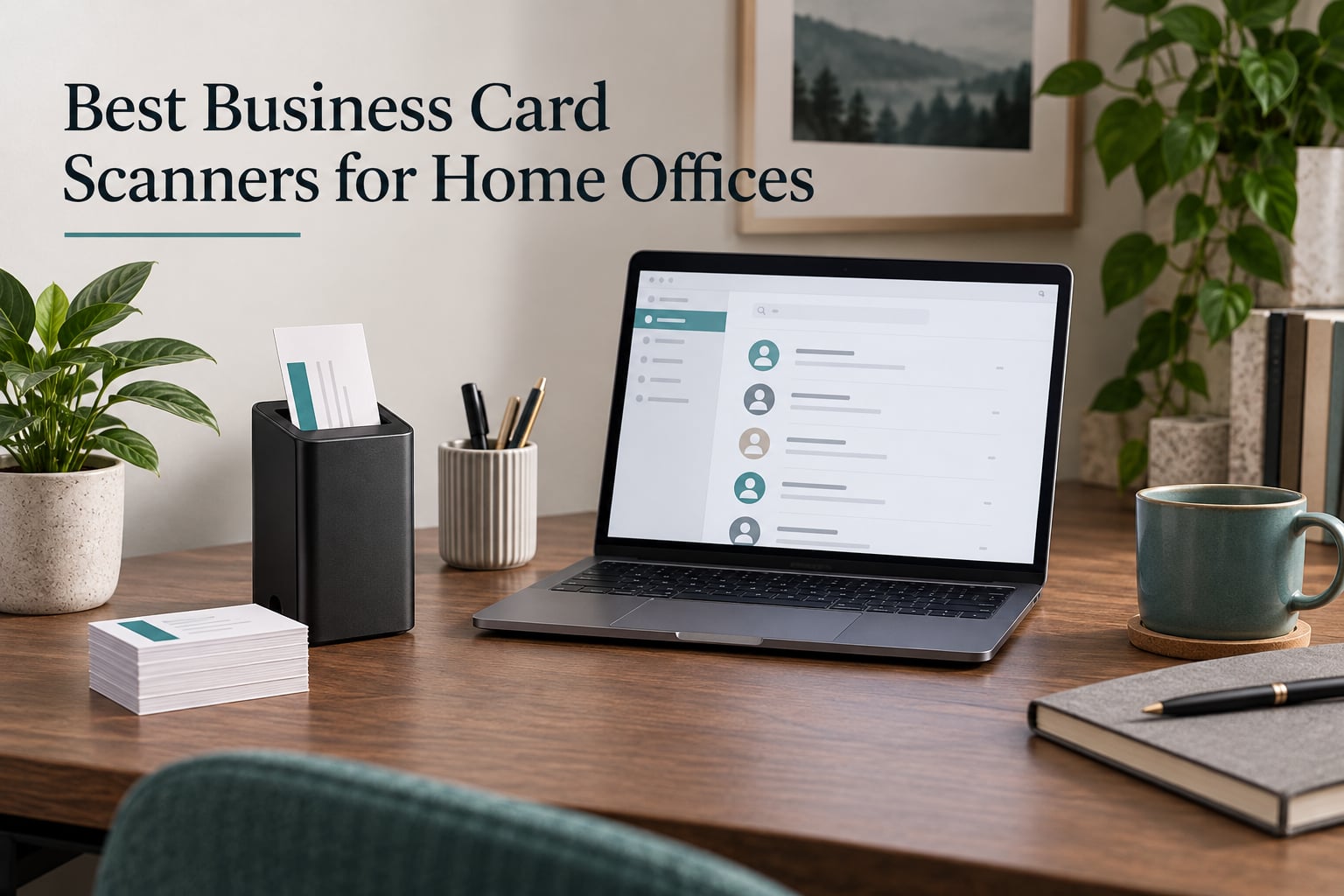
Most people searching for a business card scanner for a home office are not trying to build a contact database. They are trying to stop losing the stack of cards that accumulates on the corner of the desk, and they do not want a beige box taking up a quarter of it to do the job. That constraint, more than any spec sheet, decides the answer.
So we set out to find the best business card scanners for home offices in 2026, and the short version is this: your phone is genuinely good enough if you collect fewer than about twenty cards a month. Everything past that, a dedicated unit earns its place. The line between the two is not a brand, it is volume, plus whether you care about both sides of the card and whether your contacts need to land in Outlook as structured fields rather than as a photo.
To build the list, we worked through seven dedicated scanners and scored each one on the things a home office actually feels: desk footprint, how it draws power, what comes out the other end, and whether the bundled software still runs on a current laptop. We are not testing OCR accuracy percentages, because no vendor in this category publishes the methodology behind theirs, and a number without a method is decoration. Instead we read the review distributions closely, because in a niche this thin the distribution tells you more than the average.
One honest warning up front. This category has very few verified buyers. The most-reviewed unit here has 798 reviews; the least has 19. Almost nobody is posting about these machines, which means the reliability picture in the reviews is unusually polarised and a 4.9 average can rest on a sample of two dozen people. We have flagged that wherever it matters.
If you are also building out the rest of the workspace, our picks for document scanners for paperless offices and filing cabinets for home offices cover the storage and general-paper side of going paperless.
Do You Even Need Hardware? The Home Office Decision
Here is the decision framework, before any product names. A business card scanner is a device or app that uses optical character recognition to read the text on a paper card and turn it into a structured digital contact: name, title, company, phone, email, website. Hardware does that optically, then hands the image to software on your computer. An app does it with a camera you already own.
Three device types exist, and they are not interchangeable. A dedicated card scanner has a business card slot and a one-touch button that triggers recognition. A mobile document scanner is a small sheetfed or flatbed unit that treats a card as one page of a longer job. A phone app has no hardware at all and captures the card as a photo.
You want a dedicated card scanner when you are clearing a backlog, when cards are double-sided, or when contacts must land in a specific field of a specific system. You want a mobile document scanner when you also scan receipts, paperwork and mail. You want an app when volume is low or when the cards come to you irregularly and unpredictably, because an app is already in your pocket at the event.
Two failure modes show up repeatedly in forum threads about this category, and both argue for a slower approach. The first is data loss on bulk scans: scanning twenty cards at once produces contact records with missing or garbled fields, and the fix is a post-scan cleanup pass nobody budgets for. The second is duplicates, which arrive the moment you export to CSV and re-import into a system that already holds those names. Set your matching rule before the first batch, not after the third.
Privacy is the third consideration and it is under-discussed. A hardware unit with local software keeps the card image on your own drive. Most apps upload the image to a server to run recognition, and if your contacts are client data that belongs to someone else, that upload is worth asking about before you start.
Our Top 3 Business Card Scanners for a Home Office

PenPower WorldCard Pro
- 24-language recognition
- Contact field extraction
- vCard and CSV export
The WorldCard Pro takes the top slot for one reason: it is the only unit in this lineup that produces contact fields rather than pictures, and it has by far the largest verified review base at 798. The Ambir nScan 690gt is the tightest desk option with true duplex capture. The DYMO CardScan v9 Executive is the most direct route into Outlook on a Windows machine.
Comparing All 7 Business Card Scanners in 2026
| Product | Specs | Action |
|---|---|---|
| PenPower WorldCard Pro |
|
Check Latest Price |
 Ambir nScan 690gt-AS Ambir nScan 690gt-AS |
|
Check Latest Price |
 DYMO CardScan v9 Executive DYMO CardScan v9 Executive |
|
Check Latest Price |
 Plustek AD480 Plustek AD480 |
|
Check Latest Price |
 Ambir ImageScan Pro 687-AS Ambir ImageScan Pro 687-AS |
|
Check Latest Price |
 Ambir PS670ST-AS Ambir PS670ST-AS |
|
Check Latest Price |
 DYMO CardScan Personal DYMO CardScan Personal |
|
Check Latest Price |
Two things stand out in that lineup. First, every unit is USB, and four of the seven are vertical-feed designs that take up a postage-stamp of desk. Second, only three of the seven actually deliver contact fields, and the two with the strongest ratings are both image-only machines, which tells you something about where this category puts its energy.
How We Picked and What We Weighed
We scored each unit on six criteria, and we have deliberately left out the one everybody else leads with.
1. What comes out the other end. A contact field you can search beats a JPEG you have to name. This is the single biggest split in the category and it should decide your shortlist on its own.
2. Desk footprint. We recorded the published dimensions rather than judging from a product photo, because a vertical feeder at 3.3 inches deep and a flatbed-style unit at 11.4 inches wide are different objects in a small workspace.
3. How it draws power. A unit that pulls power over the same USB cable that already runs to your laptop means one socket free and one less thing to unplug. We noted wattage where the listing states it.
4. Driver and software support. The stated minimum operating system on each listing is a proxy for how alive the software is. Windows 7 as a floor is a warning sign on a machine you might keep for years; Windows 10 and 11 is a better bet.
5. Card handling edge cases. Double-sided cards, raised or embossed print, and worn cards from a drawer at home. The last of these is the one nobody publishes about.
6. What the reviews actually say. We read the rating distribution, not just the headline average. A 4.9 built on 25 reviews with no one-star entries at all means something different from a 4.0 built on 50 with a quarter of buyers unhappy, and we say which is which.
What we did not score is OCR accuracy percentage, because the vendors do not publish how they arrive at it. Test cards would be more honest, and we would rather tell you to run your own ten-minute check than quote a number you cannot reproduce.
1. PenPower WorldCard Pro – Contact Fields Straight Into Your Address Book
PenPower WorldCard Pro Business Card Scanner (Win/Mac)
24-language recognition
300 dpi CIS sensor
vCard and CSV export
0.17 kg body
Pros
- Only unit here that extracts contact fields itself
- Recognises cards in 24 languages
- Exports to vCard and CSV alongside the address book
- Categories photo attachment and keyword search
- Lightest body in the selection at 0.17 kg
Cons
- 300 dpi is the lowest resolution in the selection
- 1-bit output gives plain black-and-white card images
- Stated minimum system requirement is Windows 7
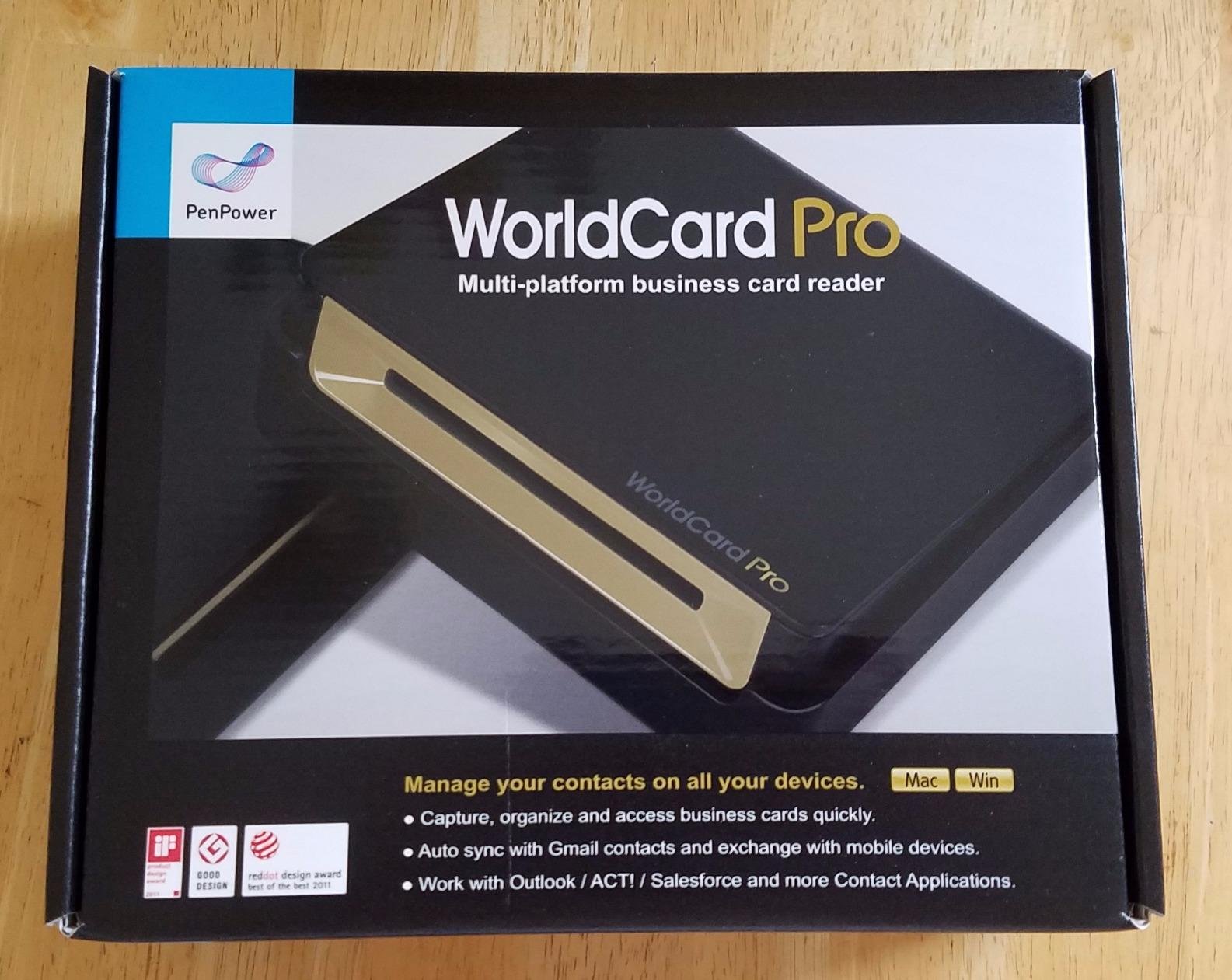
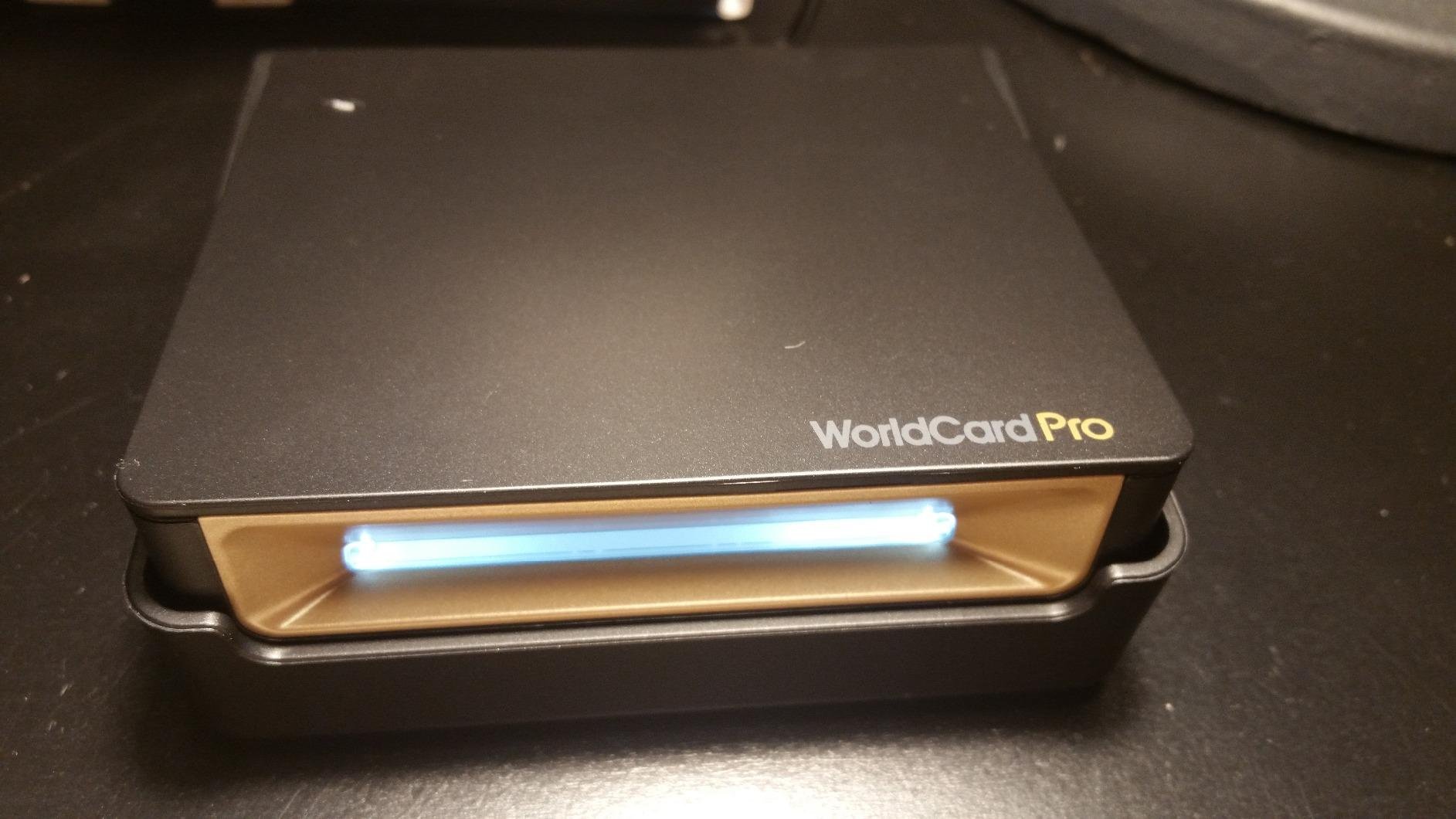
The WorldCard Pro is the oldest design here and the only one that does the actual job. Feed a card in, and it recognises the layout, pulls out name, company, title, phone, email and site, and files them as contact data rather than as an image you will never open again. That distinction is the whole reason to buy hardware instead of using your phone, and with 798 reviews it is the best-evidenced choice in a category where almost nobody posts.
It is also the most reviewed dedicated card scanner in this lineup by a wide margin, with 798 reviews behind a 3.3 average. That rating is low and it deserves an honest explanation. The distribution splits hard: 38% five-star and 20% four-star against 27% one-star. That is not a broken machine, it is a machine some people love and some people cannot get to cooperate, and the axis of the split appears to be recognition on unfamiliar card layouts rather than the optics.
Why 24 Languages Is the Feature That Matters
Twenty-four recognition languages against the seven offered by both DYMO units is the widest coverage in the group by a distance. If you meet people who work across Europe or Asia, this is not a small advantage. Misread a card and you have not saved a contact, you have created a wrong one you will trust for a year.
Management is solid rather than spectacular. You get multiple categories per contact, photo attachment, keyword search and an advanced search, and clicking a website or address field opens the map or the site. None of that is modern, and none of it is missing.
The Trade-Off Is Image Quality, Not Data Quality
The 300 dpi sensor is the lowest here, and the 1-bit colour depth means saved card images come out as simple black and white. For contact extraction that barely matters, because the text is what gets parsed and the text is legible. If you want an attractive image of each card to keep alongside the record, this is the wrong tool.
The listing states Windows 7 as the minimum system requirement, which tells you the software is long-lived and unlikely to have been rebuilt recently. On a current Windows machine it worked for plenty of reviewers, but expect the usual friction on first install rather than a modern onboarding flow.
What Exports Look Like in Practice
Contacts export and import through the address book, and separately as vCard or CSV, with text, HTML and image formats also supported. The vCard path is the one to use if Outlook is your system, because it carries structured fields instead of a table of columns you have to clean up. A scan here can take a few seconds end to end, which is the fastest rhythm of any unit in this roundup.
If your volume is low but your cards are international and double-sided, this is still the right pick, because it is the only one that turns a card into a contact without a second tool. Read the negative reviews first, though. This is a 3.3-rated machine and you should know what you are buying into.
2. Ambir nScan 690gt-AS – Front-Feed Duplex Capture in Under Two Seconds
Ambir nScan 690gt-AS High-Speed Vertical Card Scanner for Windows PC and MAC
Duplex single-pass capture
600 dpi at 48-bit colour
USB with TWAIN driver
3.3 x 6.6 x 5 inch
Pros
- Duplex captures both sides in one pass
- Front feed and front eject avoids touching the card
- TWAIN driver covers thousands of applications
- Saves to PDF TIF or JPG locally or to cloud
- Two-year warranty
Cons
- Images only with no contact field extraction
- 3.5 average with a 25% one-star share
- 600 dpi is tuned for ID-style cards
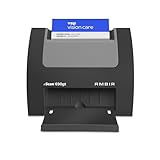
The nScan 690gt is the physical answer to the desk space problem. At 3.3 inches deep, 6.6 inches wide and 5 inches tall, it sits at the back of a desk in a way the flatter units here do not, and at 1.3 pounds you can move it one-handed. It also carries the Amazon Best Sellers rank in its category, which tells you it sells steadily, not that owners love it.
Operation is simple in a way that matters at a networking event. You drop the card into the front slot and it scans and ejects from the front in under two seconds, so you never touch the card twice. Duplex capture handles both sides in a single pass, which is a genuine saving when the reverse carries a second contact.
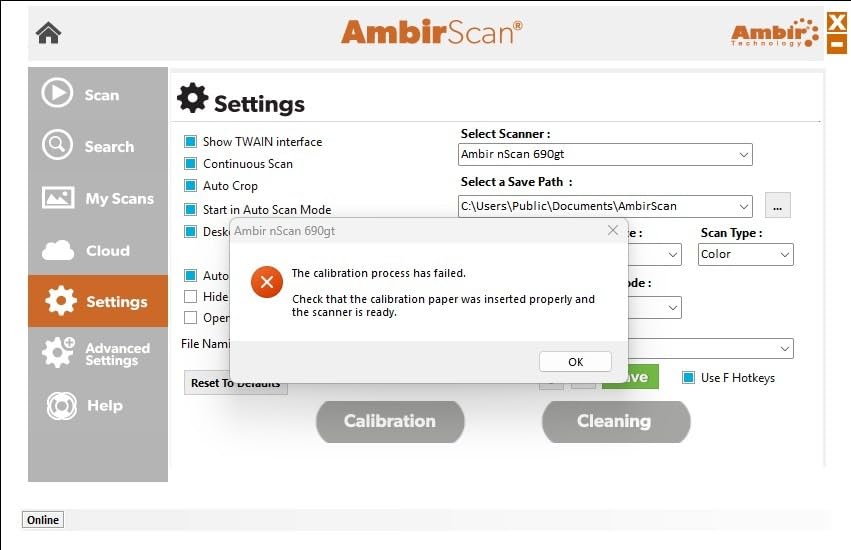
Images Are the Product, Not Contact Fields
Be clear about what this does. The nScan 690gt produces a 600 dpi image at 48-bit colour, and that is where it stops. There is no business card contact recognition and no field extraction, so anything you scan becomes a file that still needs software to become a contact.
That is a fine arrangement if your existing document or contact software reads TWAIN, and the bundled TWAIN driver covers a wide range of applications. It is a poor arrangement if you bought it expecting contacts. For a home office, that means this scanner is the image-capture half of a two-part workflow, not the whole thing.
Cloud Destinations and the Zapier Route
AmbirScan saves locally as PDF, TIF or JPG, or straight to Box, Dropbox, Evernote, OneDrive and Google Drive. There is also a Zapier workflow integration that sends metadata to trigger actions in other tools, though that one requires a Zapier Professional plan. The warranty is two years, which is the strongest in this selection.
The 600 dpi is honestly more than a business card needs, and the review consensus is that it is aimed at ID and insurance cards rather than dense printed cards. The 3.5 rating with 25% one-star entries reads as a durability story rather than a setup story, which is exactly the thing you cannot test in a week.
3. DYMO CardScan v9 Executive – Direct Outlook Hand-Off at 1000 dpi
DYMO CardScan v9 Executive Business Card Scanner and Contact Management System for PC or Mac (1760686)
1000 dpi resolution
7 languages across 14 countries
Direct Outlook hand-off
USB at 1.5 pounds
Pros
- Pushes contact data straight into Outlook
- Highest resolution here at 1000 dpi
- Verifies and corrects US addresses and ZIP plus 4
- Reads colour cards accurately
- Drag-and-drop capture from emails and web pages
Cons
- Tallest body here at 8.27 inches
- Only 7 recognition languages
- Stated minimum system requirement is Windows 7
The CardScan v9 Executive is built around one workflow: a Windows user who wants the contact in Outlook and does not care what happens in between. It scans a card, reads it, and hands structured data to Outlook, a Mac, Palm or a Windows mobile device, and the drag-and-drop address capture from emails and web pages extends the same tool to contacts you never received a card for.
Reviewers are broadly positive on the hardware and the hand-off, and broadly unhappy with the bundled software. The 3.5 average comes with a 26% one-star share, and the recurring theme in that negative third is recognition accuracy on unfamiliar layouts rather than the optics. At 1000 dpi this shares the highest resolution in the lineup, well clear of the 600 dpi group.
Seven Languages and Address Verification
Seven recognition languages across fourteen countries is a genuine limit if you meet international contacts, and it is the reason this unit is not our top pick despite the strong Outlook integration. Cards in a language outside that set still scan; they just do not become correct contacts. The address verification and ZIP plus 4 correction is a nice touch for US mailings and nothing else.
Colour cards are handled, and the executive model is described as accurate on recognition generally. Our caveat is that the stated minimum system requirement is Windows 7 and the listing does not detail the Mac path, so if you are on a Mac this is a Windows purchase with a question mark attached.
The Desk Footprint Is the Trade-Off
At 8.27 inches tall, 6.69 inches wide and 1.5 pounds, this is the bulkiest body in the selection. In a small home office that matters, and it is the main reason we did not put it first. The unit is also described as an executive model with a personal sibling that is physically smaller, which we cover further down.
If Outlook is where your contacts live and you are not moving desks, the integration is worth the volume. If desk space is the binding constraint, look at the two Ambir verticals instead.
4. Plustek AD480 – 20 Pages Per Minute Duplex With a One-Touch Card Button
Plustek AD480 Compact Desktop Scanner + Exclusive Card Slot – Windows only
Duplex at up to 20 pages per minute
One-touch business card button
20 sheet capacity
Bundled Presto BizCard 6
Pros
- Duplex throughput rated at up to 20 pages per minute
- One-touch BCR button starts card recognition
- Bundled Presto BizCard 6 handles card capture and sync
- Editable Word Excel and PowerPoint output
- Auto crop deskew and blank-page removal built in
Cons
- Windows only per the listing
- Heaviest unit here at 2.9 pounds and 11.4 inches wide
- Recognition relies on bundled software not onboard OCR
The AD480 is the only unit here that treats a business card as the start of a document job rather than the whole job. It is a compact desktop scanner with an exclusive card slot, a 20 sheet capacity and duplex multi-page scanning at up to 20 pages per minute into PDF, searchable PDF or JPEG. If you have a drawer to clear, this is the machine for the drawer.
There is a dedicated one-touch BCR button that launches business card recognition, and it bundles NewSoft Presto BizCard 6 to do the capture, editing and contact synchronisation. That is the difference from the Ambir units: recognition lives in the bundled software rather than in the hardware, and it is genuinely capable software.
The Strongest Rating Profile, on a Small Sample
The 4.0 average is the highest among the units with meaningful contact-handling claims, backed by 56% five-star and 16% four-star with only 10% one-star. Treat it as encouraging rather than established, because it rests on 50 reviews. The pattern is nonetheless the healthiest in the group: a broad middle rather than a spike at the extremes.
Image processing is thorough for a unit this size, with auto threshold, auto rotate, auto crop and deskew, blank page removal and colour dropout. It also generates editable Word, Excel and PowerPoint files, which is useful when a card ends up in a deck or a spreadsheet rather than a contact list.
Windows Only, and the Widest Body
Two hard limits. The listing states Windows only with no Mac support, and the stated minimum system requirement is Windows 7. At 2.9 pounds and 11.4 inches wide it is also the heaviest and widest unit here, so it earns its bulk by doing several jobs rather than one.
Recognition depends on the bundled Presto BizCard 6 package, which means the card workflow is a software install rather than a button press on a self-contained device. If that software matters to you, and for bulk work it probably does, this is the strongest card-and-document combination in the lineup.
5. Ambir ImageScan Pro 687-AS – A 1.69 Inch Tall Duplex Feeder for Raised Cards
Ambir ImageScan Pro 687-AS Duplex Card Scanner for Windows PC and MAC
Duplex capture in about three seconds
CCD sensor at 600 dpi
1.69 inch tall and 11.2 ounces
10 watts over USB
Pros
- Smallest and lightest body in the selection
- Reads raised and embossed characters
- Duplex front and back in a single pass
- TWAIN driver with Citrix Ready certification
- Two-year warranty
Cons
- No contact recognition software included
- Only 25 reviews behind the 4.9 average
- Sold as an ID card scanner first
The ImageScan Pro 687 is the best physical object in this roundup. At 1.69 inches tall, 8 inches wide, 1.7 inches deep and 11.2 ounces, it is the flattest and lightest unit here, and it is the one you would actually be willing to leave on a small desk permanently. The 10 watt draw over USB means it shares a cable or a hub with whatever else you have plugged in.
It captures front and back in a single duplex pass in about three seconds and it handles raised characters, which is the specification nobody else in this list addresses. Embossed print, raised patient IDs and similar stock are the classic failure case for a contact sensor, and this is a CCD rather than a CIS design for exactly that reason.
The 4.9 Comes From 25 Reviews
We want to be straight about this. The 4.9 average is the highest in the lineup, with 89% five-star and no ratings at three stars or below. But the sample is 25 people, and the review text is uniformly positive about setup, calibration, size and scan cleanliness, with one buyer noting image quality needs adjusting to avoid blur. It is a very good signal from a very small pool.
The practical reading is favourable. Nothing in the distribution suggests a known failure mode, and the certification and driver story is solid: an industry-standard TWAIN driver plus Citrix Ready certification means it will talk to whatever software you already run.
An ID Scanner First and Foremost
This is the honest limitation. The 687 includes no contact recognition or OCR software, and business card software is a separate license. The marketing is aimed at patient IDs, insurance cards, driver licences and vaccine cards, and it does that job superbly. Buying it for business cards means buying the scanning half of a workflow and sourcing the recognition half yourself.
Colour output is up to 24 bits per pixel, which is below the 48-bit depth of the Plustek AD480. For card images that difference rarely shows. If your cards are raised, embossed or unusually thick, nothing else here handles them this well.
6. Ambir PS670ST-AS – Single-Cable USB Power at 2.5 Watts
AMBIR ID Card and Business Card Scanner PS670ST-AS High Speed Single Sided Vertical USB Powered Card Scanner for Windows PC and MAC
USB powered at 2.5 watts
Single-sided 600 dpi capture
3.3 x 6.6 x 5 inch vertical feed
AmbirScan with cloud save
Pros
- Draws 2.5 watts over USB so no adapter is needed
- Card capture in under two seconds
- Vertical feed keeps the desk footprint small
- True 600 dpi output for third-party software
- Runs on 32-bit and 64-bit Windows 10 and 11
Cons
- Single-sided so the back needs a second pass
- No built-in contact recognition
- Only 19 reviews establish the 3.6 average
The PS670ST is the cleanest answer to a specific home office problem. At 2.5 watts it is powered entirely over USB, so there is no wall adapter, no second cable and no second thing to find when you need the scanner. On a laptop with two free ports you are working with one cable and one socket, which in a small space is a real saving.
It scans a card in under two seconds at a true 600 dpi, in colour or greyscale, and the vertical feed path is easy to load. The 3.3 by 6.6 by 5 inch body is the same compact vertical format as the nScan 690gt, so the footprint argument is identical and equally strong.
Single-Sided Is the Whole Trade
Unlike the 690gt, this unit is simplex only. The back of a card needs a second pass, and for double-sided cards that doubles your handling time and your file management. If most of your cards are printed on one side, which is common for freelancers and most service businesses, you lose nothing.
Like its Ambir siblings, it outputs images rather than contact fields. The bundled AmbirScan handles auto-scan, file formatting and cloud save, and it can scan continuously without stopping for a prompt, which is the right behaviour when you are working through a stack.
The Youngest and Least Settled Rating Here
Nineteen reviews is the smallest sample in the roundup, split between 54% five-star and 21% one-star. That polarity mirrors the other Ambir verticals, which suggests something about the brand rather than about this model. One more detail worth knowing: the listing headline emphasises Windows PC support while Mac compatibility appears only in the system requirements line.
On stated requirements this is one of the best-supported units here, with Windows 10 and 11 on both 32-bit and 64-bit, and a two-year warranty. If one cable is your priority, this is the machine to shortlist.
7. DYMO CardScan Personal – Fits a Drawer and a Travel Bag
DYMO 1760685 CardScan Personal Card Scanner
1000 dpi resolution
7 languages across 14 countries
Protective pouch included
Outlook and Palm hand-off
Pros
- Palm sized body with a protective pouch included
- Same 1000 dpi as the Executive model
- Sends card data to Outlook or Palm
- Verifies and corrects US addresses
- Compact enough for a travel bag
Cons
- Lowest rating here at 3.0 with a 32% one-star share
- Listed minimum system requirement is Windows XP
- Only 7 recognition languages
The CardScan Personal is the travel answer. It is small enough to hold in one hand, it comes with a protective pouch, and it keeps the same 1000 dpi resolution and the same seven-language recognition as the larger Executive model. For someone who picks up cards at two or three events a year and does not want a device living on the desk year-round, that is a coherent proposition.
The contact hand-off is the same idea. Card data goes to Outlook, Palm or a Windows mobile device, with US address verification and ZIP plus 4 correction. At 3.2 inches deep, 8.1 inches wide and 8.1 inches tall it is still a substantial object, so pocketable is generous, but the pouch means it can live in a bag rather than on a desk.
The Weakest Rating in the Lineup
At 3.0 stars with 68 reviews, this has the lowest average here, and the distribution is unusual: 32% five-star against 32% one-star, with the largest concentration of neutral three-star reviews in the roundup at 19%. That shape usually points to software that behaves inconsistently depending on the card, not to a hardware fault.
The listed minimum system requirement is Windows XP tells you everything about the software vintage. It is the oldest listing in this roundup and the least likely to install cleanly on a current machine, which is a legitimate reason to pass even if the hardware appeals.
When It Still Makes Sense
Choose it if the travel case is the point and you can confirm the software installs on your system first. The 1000 dpi, the pouch and the low weight are real advantages in a bag, and the resolution matches the flagship DYMO despite the smaller body.
Seven languages is the same limit as the Executive, and no Mac workflow is described. If your contacts are mostly domestic and your machine is current, the PenPower is the more sensible buy at a similar physical size. If you shred rather than store old cards, our paper shredder picks for home offices cover the other half of clearing the drawer.
Buying Guide: Choosing a Business Card Scanner for a Home Office
Seven criteria, in the order that they should actually decide your purchase. The first two are where most home office buyers get it wrong.
1. Contact fields or images? This is the hardware-versus-app question in hardware form. The PenPower WorldCard Pro and the DYMO CardScan v9 Executive hand contact data straight to Outlook on their own, while the Plustek AD480 does it through its bundled Presto BizCard 6 package. The Ambir units produce image files. If your contacts need to be searchable and follow-up-able, image-only hardware is half a solution.
2. What makes a card scanner accurate? Five things, roughly in order of impact. Sensor resolution, though 1000 dpi and 300 dpi both read a business card fine, so this matters less than vendors imply. Sensor type, where a CCD handles raised and embossed print that trips a contact sensor. The software behind the recognition, which is where the real difference sits and why we do not trust published accuracy percentages. Language coverage, because recognition outside the supported set produces a wrong contact rather than no contact. And lighting, which is why a flatbed or a phone in indirect daylight beats a lidless slot under a desk lamp.
3. Desk footprint. Measure before you buy. The two DYMO units and the Plustek AD480 occupy meaningfully more horizontal space than the three Ambir verticals. If your desk is 48 inches wide and already holds a laptop, a monitor and a keyboard, the footprint is the constraint that decides between the finalists, not the spec sheet.
4. Power. Everything in this lineup is USB, which is the good outcome. The difference is in the detail. The PS670ST draws 2.5 watts and the 687 draws 10 watts, so the first needs no adapter at all. Confirm whether your laptop has a free port or whether you need a hub, because that decision is made at install time and is annoying to undo.
5. Software currency. Check the stated minimum operating system before anything else. Four listings here state Windows 7 or Windows XP as the minimum, which means the software was built years ago and installation on a current machine is the first thing you should expect to go wrong. Windows 10 and 11 support, as on the Ambir units, removes an entire category of risk.
6. Volume and batching. Under roughly twenty cards a month, an app on the phone you already carry is the right answer and hardware is overkill. Between twenty and a hundred, a dedicated unit pays for itself in time saved. Above that, or if you are clearing an existing backlog, throughput matters more than anything else, which is what puts the Plustek AD480 in contention at the top of a bulk job.
7. Privacy and where the cards go. Hardware with local capture software keeps images on your machine. Ask any app you consider whether it uploads the card image for recognition and how long it is retained. If your contacts belong to a client, that question is not optional.
One practical note on duplicates, because it is the mess everyone creates. Set your matching rule before the first batch. Decide whether a new scan merges into an existing contact or creates a new one, and whether the scanned value overwrites what you already have. Doing that after three imports of the same stack is how you end up with four versions of one person and no confidence in any of them.
If you want the full picture of a paperless setup rather than the card-specific corner of it, our laser printer picks for home offices and powerline adapter guide cover the printing and networking side of the same project.
Frequently Asked Questions
Do I need a business card scanner or can I just use my phone?
If you collect fewer than about twenty cards a month, a phone app is genuinely enough. The camera you already own handles a card in seconds and the file lands in your address book without a device, a cable or a software install. Buy hardware when you are clearing a backlog, when your cards are double-sided, or when contacts must land as structured fields in Outlook or a contact manager rather than as a photo you never open again.
What is a good small scanner for a desk?
The three vertical-feed Ambir units are the compact options. The ImageScan Pro 687 is the flattest at 1.69 inches tall and 11.2 ounces, the nScan 690gt and the PS670ST are both 3.3 by 6.6 by 5 inches, and the PS670ST draws just 2.5 watts so it needs no power adapter. The bulkier alternatives to avoid on a small desk are the Plustek AD480 at 11.4 inches wide and both DYMO units at 8.1 to 8.27 inches tall.
Which card scanner is most accurate?
Accuracy depends more on the recognition software than the sensor, which is why vendor accuracy percentages are not comparable. Among units that produce contact fields, the PenPower WorldCard Pro leads on language coverage at 24 languages and has by far the largest verified review base at 798. For raised or embossed print specifically, the CCD sensor in the Ambir ImageScan Pro 687 is built for it. Run a ten-minute test with your own cards before buying.
Are business cards still relevant?
Fewer than they were, but they have not disappeared. People still hand you a card at conferences, client meetings and local networking events, and unlike a phone scan the card survives the meeting. For a home office the practical argument is about paper management, not networking: a shoebox of cards is a filing problem, and scanning is the cheapest way to stop accumulating one.
How do I get scanned contacts into Outlook or Google Contacts?
Prefer vCard export where the scanner offers it, because it carries structured fields rather than a table of columns you have to clean up. The PenPower WorldCard Pro and the DYMO CardScan v9 Executive both hand data directly to Outlook, and the Plustek AD480 syncs through its bundled Presto BizCard 6 package. Set your duplicate matching rule before the first batch so repeat imports merge rather than multiply.
The Verdict: Which Scanner Fits Your Desk
If you want scanned cards to become searchable contacts and nothing else, start with the PenPower WorldCard Pro. It is the only unit in this roundup that does that job on its own, it covers 24 languages, and its 798 reviews make it the best-evidenced choice in a category where nobody publishes much evidence at all. Read the 3.3 rating before you order.
If your constraint is desk space, the Ambir ImageScan Pro 687-AS is the finest object here at 1.69 inches tall and 11.2 ounces, and it handles raised and embossed cards better than anything else on the list. For duplex capture in a small footprint, the Ambir nScan 690gt-AS does front and back in a single pass. If one cable and no power adapter is the deciding factor, the Ambir PS670ST-AS draws 2.5 watts over USB and needs nothing else.
If Outlook is the destination and Windows is the machine, the DYMO CardScan v9 Executive is the most direct path, at the cost of the tallest body here. If you are clearing a drawer rather than scanning a few cards, the Plustek AD480 is the only unit built for throughput, with duplex at up to 20 pages per minute and a one-touch card button. The DYMO CardScan Personal earns its place only for travel, and only if you check the software installs first.
And if you are honest with yourself, the answer may still be the phone in your pocket. The best business card scanner for a home office is the one you will actually use, and for low volume that is free.