
A trade show ends at five on Friday. By the time you get home, sit down at your desk and open your CRM, you are holding 30 paper cards and the follow-up you promised is already a day late. That is the version of this problem people describe in sales communities: not accuracy, but elapsed time. Retyping a stack of cards takes days, and by then the lead has moved on to a competitor who called back sooner.
Our answer is a dedicated business card scanner. A business card scanner uses optical character recognition, usually abbreviated OCR, to read a printed card through a sensor and turn it into a structured contact: name, title, company, phone, email, address. For sales teams, that means the pile from a conference becomes spreadsheet rows or CRM records the same evening instead of the following week.
One thing to clear up first. Searching this topic returns two very different things, and most of the confusion comes from mixing them. Phone apps like generic contact scanners are the software path. The shopping results you will see are physical document and ID scanners, which is a different category entirely. This roundup ranks the six dedicated USB business card scanners that still exist as real hardware, best first, and covers where a phone app is the better call.
We ranked them on the criteria a sales team actually feels: how fast a card goes in, how well foreign-language cards read, how the data reaches Salesforce, HubSpot or a sheet, and how duplicates get handled before they land in a pipeline. We checked specifications against the manufacturer listings and read the customer reviews in full. Pricing and tier limits change constantly, so check the live listing before you commit.
How We Picked These Six Business Card Scanners
Every product here is a dedicated card reader, not a repurposed flatbed. That narrows the field to three brands. We excluded general-purpose document scanners, ID readers sold purely for identity use, and phone apps, then ranked what remained against six team-level criteria.
Capture speed for a post-event backlog. A device that takes a card a few seconds at a time turns a 30-card pile into a 20-minute session, which is fine. A device that stalls on every eighth card does not survive a real week of travel.
Language coverage. A rep who collects cards at conferences in Europe, Asia and Latin America needs more than English recognition, and the language lists differ sharply between models.
The route into your CRM. Some readers push contacts straight to Outlook, some export a CSV you import yourself, and a few can trigger an automation for Salesforce or HubSpot. That difference decides how much retyping your team still does.
Duplicate handling and team administration. Automatic duplicate detection and a shared contact folder matter more than they sound, because a 30-card pile usually contains the same person twice.
Support life. Windows XP minimums and USB-era drivers are a genuine risk on a laptop bought this year, so operating system support and warranty length carried real weight.
Our Top 3 Business Card Scanners for Sales Teams in 2026
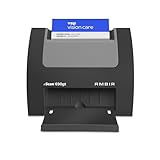
Ambir nScan 690gt-AS
- Auto-feed and eject in under 2 seconds
- Duplex capture in one pass
- Windows 10 and 11 plus Mac support

Ambir ImageScan Pro 667
- CSV export for Salesforce and HubSpot
- Automatic duplicate detection
- Shared team contact folder

DYMO CardScan v9 Executive
- Colour card scanning
- Reads 7 languages from 14 countries
- US ZIP+4 verification
Comparing Every Dedicated Business Card Scanner We Tested
All six are USB desktop readers, so the comparison below is about throughput, language reach and where the captured data goes afterwards.
| Product | Specs | Action |
|---|---|---|
| Ambir nScan 690gt-AS |
|
Check Latest Price |
| Ambir ImageScan Pro 667 |
|
Check Latest Price |
| DYMO CardScan v9 Executive |
|
Check Latest Price |
 PenPower WorldCard Pro PenPower WorldCard Pro |
|
Check Latest Price |
 Ambir ImageScan Pro 687-AS Ambir ImageScan Pro 687-AS |
|
Check Latest Price |
 DYMO CardScan v9 Personal DYMO CardScan v9 Personal |
|
Check Latest Price |
None of these is a high-volume automatic document feeder. Every one of them captures a single business card at a time, so the deciding factors are reliability per card, how quickly it will feed the next one, and what your team has to do with the file afterwards. Our receipt and document scanner guide covers the sheet-fed side if your team also digitises paperwork.
1. Ambir nScan 690gt-AS – Fastest USB Capture for a Mixed Windows and Mac Team
Ambir nScan 690gt-AS High-Speed Vertical Card Scanner for Windows PC and MAC
Under 2 second auto-feed
600 dpi duplex
1.3 lb body
2 year warranty
Pros
- Fastest feed and eject cycle in this group
- Handles both sides in a single pass
- Ultra compact vertical footprint with front-facing eject
- TWAIN driver for broad software support
- Two year warranty
Cons
- Zapier automation needs a paid Professional plan
- Several buyers report driver trouble on Mac
- Save software is image-first rather than contact-first
This is the one we put first. Its auto-feed and eject cycle completes in under two seconds, which is the difference between clearing a 30-card pile during a coffee break and clearing it over an evening. The feed is front-facing, so you do not have to turn a card around or slide it in blind.
It is also the most current unit in the group from an operating system standpoint. The stated minimums are Windows 10, Windows 11 and Mac OS 11 or higher, which matters if half your team is on a modern laptop and the other half has a mixed Intel and Apple silicon fleet. The 48-bit colour and 8-bit greyscale capture also handle a printed photo or a two-tone logo better than a monochrome read.
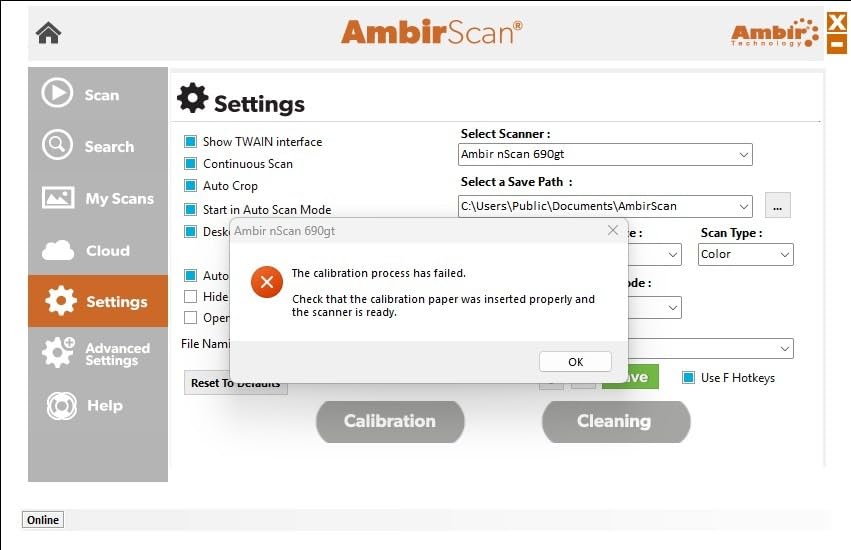
The catch is what the hardware does not do. AmbirScan saves output as PDF, TIF or JPG, so this is a card capture device first and a contact extraction device second. Your route to Salesforce or HubSpot runs through cloud storage, a TWAIN-based application, or a Zapier workflow. That Zapier route is the interesting one for automation-minded teams, but it requires a paid Professional plan on the automation side, so budget for two subscriptions rather than one.
It sits at number one in Business Card Scanners on Amazon and its 137 reviews give it a decent sample size for this category, even though the 3.5 average tells you some buyers hit driver friction. Treat the two-year warranty as the reason to try it: that is the longest support commitment in this roundup.
Throughput on a real post-conference pile
Feed time is the headline number, but the number that decides your week is how often the machine refuses a card. Cracked, curved, glossy and slightly bent cards are the norm in a trade show badge holder, not the exception. The vertical feed path here takes thicker media than a flatbed lid would, and the front eject means a jam is cleared without reaching around the back of the desk.
Buyers running this on a mixed fleet should test Mac driver behaviour on one machine before rolling out to ten. Several reviews specifically call out Mac issues, while Windows setups are described as straightforward.
Getting the file into a pipeline
Because the output is an image, this fits a pipeline that treats a card as a file. Drop it in OneDrive or Box, have the workflow route it, and let your own OCR or automation layer handle extraction. Teams that already run Zapier for other lead capture can connect it to thousands of apps from there.
That is more setup work than a reader with a built-in contact export, and worth being honest about. If your team has no automation layer yet, you will spend more time wiring this up than scanning. If you do have one, this is the most flexible unit in the group.
Where it falls short for a sales team
It is not a contact manager. There is no shared team contact folder and no automatic duplicate matching, which means a pile with the same contact twice will produce two records. Any team doing bulk capture should decide the merge rule before this goes on ten desks.
It is also an ID-capable reader more than a contact reader. The listed media types cover driving licences, ID cards and insurance cards, which is useful if your team also runs badge checks, less useful if every card is a business card.
2. Ambir ImageScan Pro 667 – Cleanest Route Into Salesforce, HubSpot or a Sheet
Ambir ImageScan Pro 667 Business Card Scanner with AmbirScan Business Card for Windows PC and MAC
7.2 oz body
CCD sensor at 600 dpi
5 language AI OCR
Shared contact folder
Pros
- Direct CSV export for Salesforce and Google Contacts
- Automatic duplicate detection for Outlook
- Shared contact folder suits team environments
- AI recognition processes locally on the machine
- Two year warranty with phone support
Cons
- One card at a time and slower than the nScan
- Some buyers need manual edits after OCR
- Several reports of the Outlook route failing despite the claims
This is the one to buy if the end of the workflow is a spreadsheet or a CRM rather than a folder of images. It exports to CSV specifically for CRM upload, names Salesforce and Google Contacts as destinations, and adds automatic duplicate detection for Outlook contacts. For a team that has been burned by duplicate leads after a big event, that single feature does more than the raw scan quality.
It is also the smallest unit here at 7.2 ounces, with a footprint of 1.6 by 7.5 inches, so it fits a laptop sleeve or a jacket pocket. That matters more than it sounds when the scanner has to travel to the conference with the laptop.
On OCR, the AI recognition covers English, French, Italian, German and Spanish, and processing happens locally on the machine rather than being sent to a cloud service. For teams handling personal contact data under a data processing agreement, on-device processing removes one question from your security review.
Duplicate handling is the real story here
A 30-card pile from one day at a show frequently contains the same person twice, from a morning session and an afternoon session. This reader flags that on import into Outlook. The other models in this roundup do not, and you end up merging by hand.
Set the matching rule before you switch the automation on, not after. Matching on name alone will merge two different people at the same company. Matching on email address is safer but will not catch the person who handed you a card before they had one printed.
Where the software gets in the way
Reviews are consistent on one thing: the interface is the weak point. Several buyers describe the software UI as confusing and inconsistent, and a number report needing manual edits after the OCR pass. Some also say the advertised Outlook import did not work for them at all, which is worth verifying on a single machine before a team rollout.
Scanning is one card at a time and slower than the nScan, so this is not the answer to a high-volume badge capture desk. It is the answer to a rep working through a stack of 20 cards on a train.
Support and system requirements
It lists Windows 10 and 11 in both 32-bit and 64-bit forms, and Mac OS 11 or higher, though some buyers describe the Mac experience as inconsistent despite the listing. The two-year limited warranty with phone support is the strongest support commitment here, and phone support matters when a rep is stuck at a hotel the night before a show.
3. DYMO CardScan v9 Executive – Best for Colour Cards and Verified US Addresses
DYMO CardScan v9 Executive Business Card Scanner and Contact Management System for PC or Mac (1760686)
1000 dpi
CIS sensor
3.15 by 6.69 by 8.27 inches
1.5 lb body
Pros
- Accurate colour card scanning at high resolution
- Reads 7 languages from 14 countries
- Corrects and verifies US addresses and ZIP+4 codes
- Direct Outlook import on Windows
- Drag and drop capture from email and web pages
Cons
- Listed minimum of Windows 7 for a USB-era design
- Outlook integration is Windows only
- Only 7 languages
- Address verification is US specific
The Executive’s distinguishing feature is colour accuracy at 1000 dpi, which is the highest resolution in this group. That matters for cards that carry a photograph, a gradient logo, or a two-tone brand block, where a low-resolution read tends to flatten the background and confuse the OCR.
The second feature no other unit here has is US address verification with ZIP+4 correction. If your team ships anything physical, or your CRM is full of malformed US addresses from hand-typed cards, this quietly fixes a data quality problem that nobody notices until a mail campaign underperforms.
With 175 reviews it has the second largest sample in this roundup, and the review split is polarised: roughly half five-star, about a quarter one-star. The complaints cluster almost entirely on software compatibility with modern systems rather than on the scanning hardware itself.
Where the language coverage really sits
Seven languages across 14 countries is respectable for a Western European or North American card pile, and narrow everywhere else. A rep collecting cards in Japan, Korea, the Gulf or mainland China will get a partial read at best, and should plan to correct those fields by hand.
That is a real constraint, not a rounding error. The PenPower unit below covers 24 languages and is the better pick for an internationally active team.
Drag and drop capture from email and the web
Alongside card scanning, this model pulls contact details straight from emails and web pages by dragging highlighted text into the window. For a rep building a list from a mailing rather than a conference, that removes a step.
The Outlook add-in is Windows only, so a mixed Mac and Windows team will have two different workflows. On a Mac, contacts land in the local address book instead and need a separate sync step.
Buy this with caution if
You are on an all-Mac team, or your laptops are newer than the listed Windows 7 minimum suggests. The hardware is described as a legacy product with an older USB interface, and compatibility is the recurring theme in the reviews. Test it on your actual machine before ordering for a group.
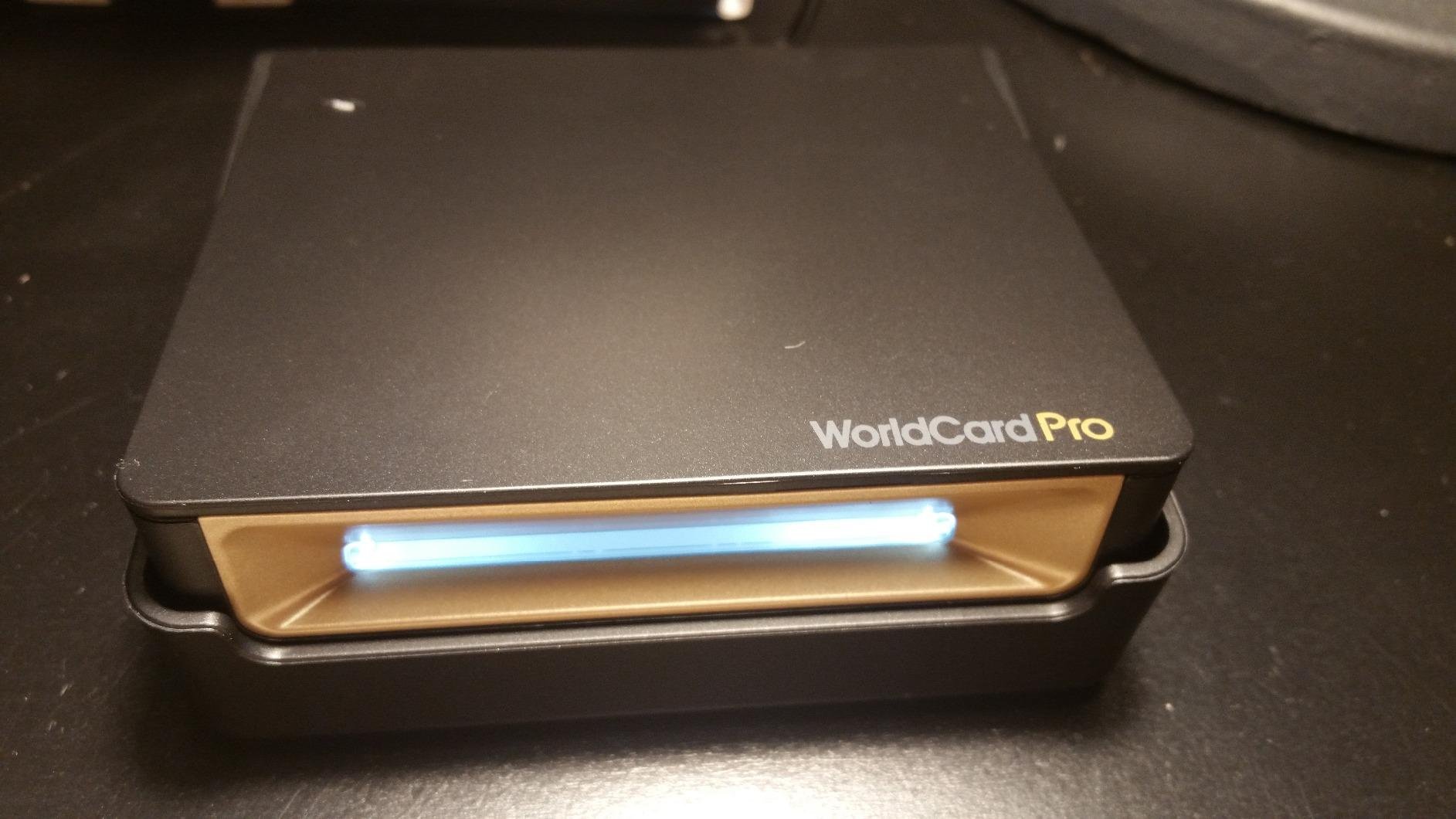
4. PenPower WorldCard Pro – Widest Language Coverage for International Card Piles
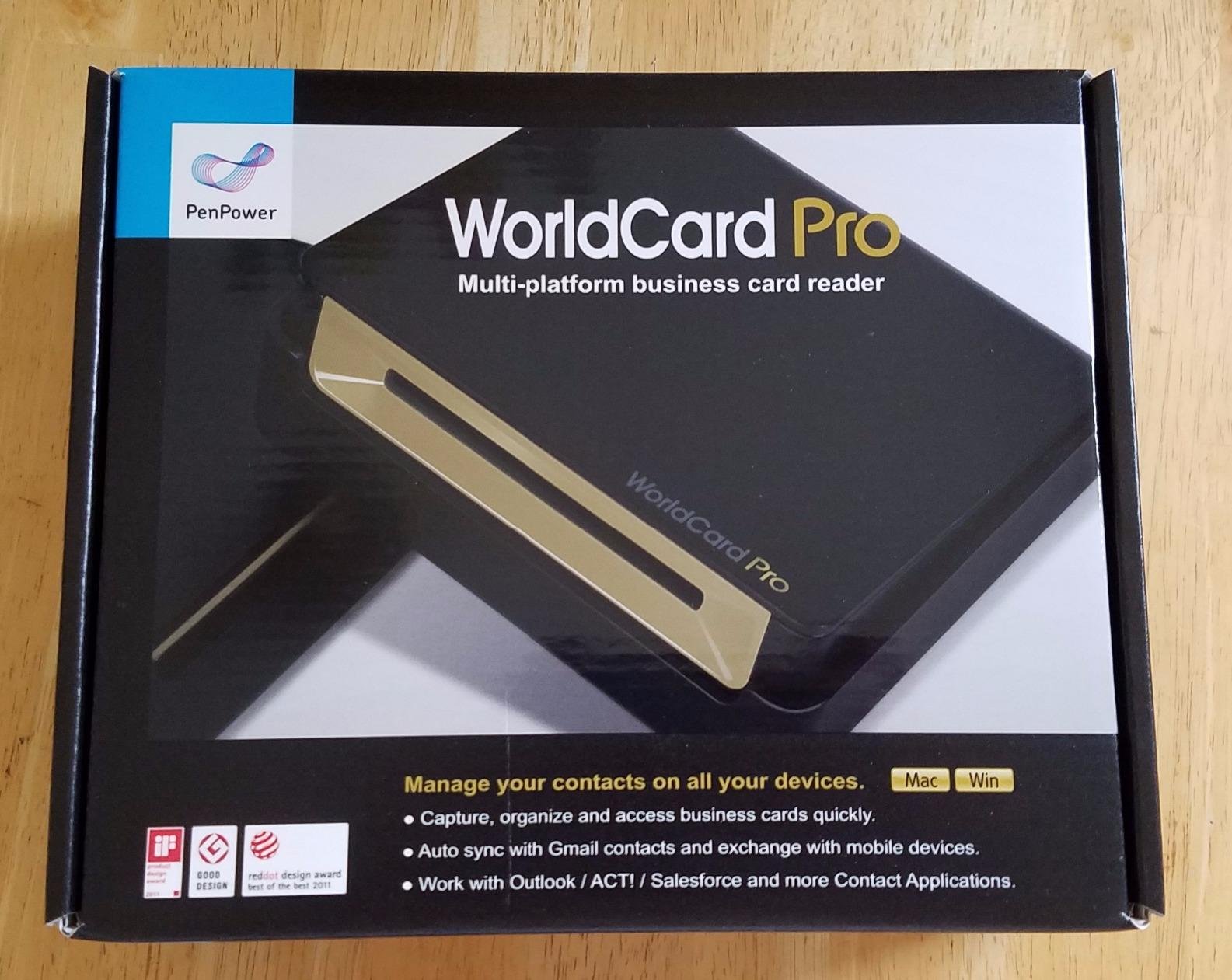
PenPower WorldCard Pro Business Card Scanner (Win/Mac)
24 language support
300 dpi CIS sensor
0.17 kg body
LED light source
Pros
- 24 languages
- the widest coverage in this roundup
- Exports to vCard
- CSV
- text
- HTML and image
- Imports from vCard and CSV
- Category and photo management inside the app
- Text search and advanced search
Cons
- 300 dpi is the lowest resolution here
- USB-era design with a Windows 7 minimum
- Reviewers report needing manual correction on some scans
If your team scans cards from conferences around the world, the language count decides the purchase. Twenty-four languages beats the seven offered by both DYMO units and the five of the ImageScan Pro 667, and it is the reason this device is on the list despite a 3.3 average.
The export options are the other strength. This unit writes vCard, CSV, text, HTML and image files, and reads vCard and CSV back in. That means the same device can feed an address book, a spreadsheet, a website signup form or a CRM import, and it can merge a new capture with an existing contact file rather than creating a second one.
At 0.17 kg with an LED light source and a CIS sensor, it is the lightest reader here. It also holds the largest review count in this roundup at 798, so its 3.3 average is based on a real sample rather than a handful of early buyers.
What 24 languages does and does not fix
Broader language support means the OCR engine has the correct character set and address conventions for a card it is reading. It does not mean it reads everything perfectly. A glossy card photographed at an angle in a dim hall will still need correction.
The honest test is your own pile. Grab twenty cards in the language you actually collect, run them through a free trial of whatever you are evaluating, and count the fields you have to fix by hand. No vendor publishes an accuracy methodology, so any percentage you read in a roundup is guesswork.
The resolution trade-off
300 dpi is the lowest figure among the six, against 600 dpi on the three Ambir units and 1000 dpi on the CardScan v9 Executive. On clean, matte, high-contrast cards the difference barely registers. On a card with fine grey print, a photograph, or a pale logo on white, expect more corrections.
For most sales cards, which are high contrast by design, that is an acceptable price for double the language reach. For conference badges and ID cards with photography, it is not.
The management features are the underrated part
Category assignment, contact photos, text search and advanced search are all built in. A shared team process benefits from this more than it sounds: if a rep can tag a contact with an event name at capture time, you can pull the whole conference list out of the address book in one search three months later.
Compatibility is the concern. The listed minimum is Windows 7, and reviewers report software compatibility issues on modern systems. Verify the driver situation on your current hardware before rolling this out. We also covered laptop backpacks for business travel, since a scanner and laptop that travel together need somewhere to live.
5. Ambir ImageScan Pro 687-AS – Best Duplex Handling for ID and Insurance Cards
Ambir ImageScan Pro 687-AS Duplex Card Scanner for Windows PC and MAC
Duplex in 3 seconds
600 dpi CCD sensor
11.2 oz body
2 year warranty
Pros
- Highest rated unit here at 4.9 from 25 reviews
- Captures front and back in a single 3 second pass
- Handles cards with raised or embossed characters
- TWAIN driver plus Citrix Ready certification
- 2 year warranty
Cons
- Marketed for ID cards rather than business cards
- Only 25 reviews behind that rating
- Zapier automation needs a paid Professional plan
- Higher outlay than the 667
This unit sits outside the Business Card Scanners category and inside Document Scanners, which tells you what it is really built for: patient IDs, insurance cards, driver licences and vaccine cards. It captures both sides in a single three-second pass and handles cards with raised or embossed characters, which is the failure case for cheaper readers.
Its 4.9 rating is the highest here, with 89 percent five-star feedback and no one or two-star ratings in the sample. Take that number carefully, though. It comes from 25 reviews, and one of the clearest limitations of the sample size is that it tells you almost nothing about long-term driver stability.
Where does it fit a sales team? If your reps also run events where they verify identity, process insurance paperwork, or handle membership cards alongside lead capture, this is the only unit here that handles both jobs with the same device. If every card is a business card, the 667 does the same job for contact work at a lower outlay.
Why raised characters matter
Embossing and raised printing change the surface height, which confuses a contact image sensor sitting flush against the glass. A CCD sensor with more depth of field handles it, which is why this model is specified for raised character cards and the CardScan units are not.
For a sales team, the practical version of this is a stack of cards that have been through a conference badge printer, or laminate that has started to curl at the corners. Those are the cards that fail on a budget reader and end up in a manual retyping pile.
Deployment and compliance notes
The TWAIN driver and Citrix Ready certification matter more than they sound for a corporate rollout. Citrix Ready means the driver has been tested in a virtualised enterprise desktop environment, which is where half of most sales organisations actually work. Minimums are listed as Windows 10, Windows 11 and Mac OS 11 or higher.
Cloud output covers Box, DropBox, Evernote, OneDrive and Google Drive, and a Zapier route to thousands of apps exists but needs a paid Professional plan on the automation side.
6. DYMO CardScan v9 Personal – Compact Pick for a Rep Who Travels Light
DYMO 1760685 CardScan Personal Card Scanner
Palm sized at 3.2 by 8.1 inches
0.45 kg
US address verification
Pouch included
Pros
- Fits in the palm of a hand and travels in a laptop bag
- Same 7 language and 14 country coverage as the Executive
- US address and ZIP+4 verification
- Protective pouch included in the box
- Sends data to Outlook or a Windows mobile device
Cons
- Listed minimum of Windows XP
- No colour scanning unlike the Executive
- Only 68 reviews
- No Mac support mentioned
This is the personal-scale version of the CardScan, and the only one in the roundup whose stated minimum is Windows XP. That single line tells you most of what you need to know about its software situation, and it is why this unit sits at the bottom of the ranking despite a sensible physical design.
What it does well is physical. At 3.2 by 8.1 inches it fits in a palm, and the protective pouch is included, which matters for something that lives in a bag between airports. The language coverage matches the Executive at seven languages from fourteen countries, and the US address and ZIP+4 verification carries over too.
Its 3.0 average from 68 reviews is the lowest here, with an even split between five-star and one-star feedback. Reviewers like the size and dislike the software, particularly on current operating systems.
When this is still the right answer
If you are outfitting one or two people rather than a department, and the buyer is on a Windows machine with an older system still in service, the compact footprint and included pouch are genuine advantages. A rep who keeps a scanner in a laptop bag will use it more than one locked in a drawer.
It is also the natural pair to the Executive in a two-tier setup: the smaller unit for the field, the larger one at the office desk where cards get triaged and verified before import.
What to check before ordering
Confirm the driver situation on the actual machine. The stated requirement is Windows XP, Vista, 7 or 8 with a Pentium processor, 64MB of RAM and 90MB of disk space, and reviewers report problems on newer systems. Unlike the Executive, colour scanning is not advertised, so a card with a photograph or gradient background will read less cleanly.
For a team buying in 2026, I would choose a current Ambir unit instead. For a single traveller with a known-good machine, the size is still the best in this group.
How to Choose a Business Card Scanner for Sales Teams
The first question is not which device is fastest. It is whether a device is the right answer at all, and for most teams the honest answer is a split one.
Bulk and batch scanning reality
Yes, cards can be captured in batches, but understand what that means here. Every dedicated reader in this roundup scans one card at a time, with a feed and eject cycle measured in seconds. What varies is the friction around each card: whether you have to open software, whether the card goes in the same way each time, and whether the next card is ready in your hand.
The fastest unit here completes its auto-feed and eject in under two seconds. Twenty-five cards at that rate is a little under a minute of machine time, and the real cost is the handling and checking around it. Budget 20 to 40 minutes for a 30-card pile including review, which is the number that matters against retyping.
Badge lead retrieval at the booth and card scanning for the overflow are two different jobs. Scan badges at the stand, where the scanner is fixed and hands are free. Take the paper home for the cards that never made it into a badge system. If the laptop that runs the scanner has to travel with it, our guide to business laptops for frequent travel covers the current shortlist.
The three routes from a scanned card to your CRM
There are only three practical routes, and each one creates a different amount of duplicate risk.
A native connector pushes contacts into Salesforce or HubSpot directly as they are scanned. This is the cleanest route, the least typing, and the route where the 667 with its documented CSV export for Salesforce and Google Contacts fits best. Set the duplicate matching rule before you switch this on.
An automation route uses Zapier, webhooks or a workflow to catch the scan and push it onward. It is the most flexible, and it is the route the Ambir units support, with Zapier Professional required. It also adds a second subscription to your stack and another place for a field mapping to go wrong.
Export and import means a CSV leaves the scanner and you import it yourself. This is the least glamorous route and the most transparent, because you can open the file and see exactly what your team captured before anything touches your CRM. Teams without a CRM, or teams migrating contacts for the first time, often start here.
Free versus paid, and where the scan paywalls sit
For dedicated hardware, the paywall question works differently than it does for apps. There is no scan counter to burn through. The cost is the device, once, and the optional software subscriptions attached to it.
Where money does appear is the automation layer. The Zapier route on both Ambir units requires a paid Professional plan on the automation side, so budget for that alongside the hardware. If your team already runs Zapier for lead routing, that cost is already covered and the hardware becomes a marginal purchase.
The alternative to buying anything is a free phone app trial on your own card pile. Spend ten minutes with a free tier, scan twenty cards from your last conference, and count the fields you have to correct. That number is worth more than any published accuracy percentage, because no vendor in this category publishes its methodology.
OCR reality check and non-English cards
No vendor publishes a comparable accuracy figure, so treat any percentage in a comparison article as marketing. Test your own awkward cards: the glossy one, the one with a photograph, the one with a non-Latin script, and the one that arrived bent.
Language coverage varies enormously in this category, from 24 languages down to 5. If your team collects cards at international conferences, that spread is the single most important specification on the list. If you only work a domestic market, it matters much less and you can prioritise resolution and CRM routing instead.
Duplicates, shared folders and team administration
Duplicate contacts are the most common downstream failure in any card-to-CRM automation, and the fix is decided before the rollout, not after. Match on email address where you can, review name-only matches manually, and agree who owns the merge queue.
Shared contact folders matter when several people scan into one database. Without a shared destination, a ten-person team ends up with ten private address books and no team view of who has met whom, which defeats the purpose of capturing contacts in the first place.
Central billing and seat management live in the software layer rather than the hardware, so ask your CRM administrator what happens to scanned data residency before a rollout. Scanned cards are personal contact data. Any team operating under GDPR or an equivalent regime should know where the files are stored, whether processing stays on the device, and how long they are retained.
When a dedicated hardware scanner beats a phone app
A phone app wins when reps scan a handful of cards a week, work across mixed iOS and Android devices, and want cloud sharing with no hardware to carry or support. It also wins for anyone who needs nothing more than a contact in their own phone.
Hardware wins when volume is the problem. A conference stack of 25 or 30 cards, a rep who scans daily, or a team that needs one shared database and one agreed dedup rule, all justify a dedicated device. Hardware also wins where the pipeline is automated and you want a fixed, inspectable file rather than an app that changes behaviour between releases.
Our paperless office scanner guide covers the wider document digitisation question if card scanning is one part of a larger records push.
Frequently Asked Questions
Can you scan a stack of business cards at once?
Not with a single pass, no. Every dedicated business card scanner captures one card at a time, with a feed and eject cycle measured in seconds. What differs between models is the friction per card: the Ambir nScan 690gt-AS completes auto-feed and eject in under 2 seconds, while others require more handling per card. For a 30-card pile, expect roughly 20 to 40 minutes including review, which is far faster than retyping.
Can scanned business cards go straight into HubSpot or Salesforce?
Yes, through one of three routes. A native connector pushes contacts directly into Salesforce or HubSpot as they are scanned. An automation route uses Zapier or webhooks to catch the scan and push it onward, and the Ambir units support this, with Zapier Professional required. Export and import means a CSV leaves the scanner and you import it yourself, which is the most transparent option for teams without a CRM.
How accurate is business card OCR?
No vendor in this category publishes a comparable accuracy methodology, so treat any percentage in a comparison article as marketing. Test your own awkward cards instead: a glossy card, one with a photograph, one with a non-Latin script, and one that arrived bent. Language coverage varies enormously, from 24 languages on the PenPower WorldCard Pro down to 5 on the Ambir ImageScan Pro 667.
What is the best business card scanner for a sales team handling a 30-card post-conference pile?
The Ambir nScan 690gt-AS, for throughput and mixed Windows and Mac support, with auto-feed and eject in under 2 seconds and a 2 year warranty. If your pipeline ends in a spreadsheet or CRM rather than a folder of images, choose the Ambir ImageScan Pro 667 instead, because it exports to CSV for Salesforce and Google Contacts and flags duplicates automatically.
Should a sales team buy a hardware scanner or use a phone app?
Buy hardware when volume is the problem: a 25 to 30 card conference pile, daily scanning, or a need for one shared team database with an agreed duplicate rule. A phone app wins for occasional scanning, mixed iOS and Android fleets, and anyone who only wants a contact in their own phone with no hardware to carry or support.
Do business card scanners work on handwritten notes?
No. These readers capture printed text from a card surface, so a handwritten note on the back of a card is not a supported use. If your team needs handwritten detail from a meeting, capture it as text in the CRM at the time of the conversation rather than expecting the scanner to read it back.
The Verdict: Which Scanner Your Team Should Buy in 2026
If you prioritise raw throughput and a mixed Windows and Mac fleet, the Ambir nScan 690gt-AS is the pick, with under 2 second feed cycles and the longest warranty in the group. If your pipeline ends in Salesforce, HubSpot or a spreadsheet, the Ambir ImageScan Pro 667 wins on CSV export, automatic duplicate detection and a shared team contact folder.
Scan international card piles and choose the PenPower WorldCard Pro for 24 languages and vCard round-tripping. Work a domestic market where address quality matters and put the DYMO CardScan v9 Executive on your desk for colour accuracy and ZIP+4 correction. Handle identity cards alongside leads and the ImageScan Pro 687-AS covers embossed media and raised characters in one duplex pass.
Before any of it, run the ten minute test: scan twenty of your own awkward cards, count the fields you fix by hand, and check the driver works on your actual laptop. After that, pick the device that matches where your captured data has to end up, and set the duplicate rule before the first team member plugs it in.