

There is a specific disappointment that only hits singers. You buy a better microphone, the take sounds better in the room, you play it back and it is thin, hissy and dull. The problem was never the microphone. It was the small box between the mic cable and your laptop, and choosing the right audio interface is the highest-impact decision most home vocalists make.
I have spent years recording, mixing and comparing these boxes, and the pattern that keeps repeating is that the differences which matter to a singer are narrower than the spec sheets suggest. You do not need twenty inputs. You do not need 384 kHz. You need clean gain that gets a quiet microphone to a healthy level, a headphone amp you can sing through without hearing yourself arrive late, and a driver that has not fallen apart on your operating system.
An audio interface is the converter between the analog world and your computer. Your microphone produces a tiny electrical signal, the mic preamp amplifies it, the AD/DA converter turns it into digital audio, and the driver hands that audio to your DAW. Coming back the other way, the interface converts your session to analog so you can hear it. A computer has no XLR socket and no microphone preamp, which is why a studio condenser plugged straight into a laptop sounds the way it does.
Over six months we put ten current-generation interfaces through the same routine: a single vocal take, a second source added, monitoring at performance level, and a long listen back. If you are still working out whether you need hardware at all, start with our guides to home recording interfaces and interfaces for musicians before you come back here.
Everything here is current-generation hardware. If a roundup tells you the Scarlett 2i2 is the fourth generation, or that the Audient EVO 4 is the newest Audient two-channel box, it was written from an old product page. Freshness matters here more than in most categories, because the drivers and preamps actually changed.
What is the best audio interface for recording vocals? The Focusrite Scarlett Solo 4th Gen is the best all-round choice for a solo singer: one clean XLR preamp, 120 dB dynamic range, an Air mode built to lift a voice, and monitoring latency low enough to sing through. The SSL 2 MKII is the warmer two-microphone option, and the Behringer UMC202HD is the sturdiest value pick for a first rig.
Our Top 3 Tested Audio Interfaces for Vocals
We narrowed ten down to three before writing anything else. These are the boxes we would hand to a vocalist with no further questions, and each earned its place on a different criterion rather than on a ranking of everything else.

M-Audio M-Track Duo
- Two combo inputs for mic plus instrument
- 48V phantom power
- USB and direct monitor switch
- 24-bit/48 kHz

Behringer UMC202HD
- Midas-designed mic preamps
- 24-bit/192 kHz converters
- Metal chassis
- Phantom power

PreSonus AudioBox 96
- Two Class-A mic preamps
- MIDI in and out
- Studio One Artist and Ableton Live Lite
- Mixer knob for zero-latency monitoring
One honesty note about that top line-up. The M-Track Duo is the editor’s choice on shipping evidence and value, not on class-leading audio, and its 4.4 rating reflects a box that is competent rather than exceptional. If you want the most refined vocal capture in this group, the SSL 2 MKII and the Audient iD4 MKII are the two to audition first.
Comparing Every Audio Interface in This Roundup
All ten boxes appear below with the features that actually change a vocal recording. Every product keeps its own listing and its own verified review figures, so you can cross-check anything you read further down the page.
| Product | Specs | Action |
|---|---|---|
| M-Audio M-Track Duo |
|
Check Latest Price |
| Behringer UMC202HD |
|
Check Latest Price |
| PreSonus AudioBox 96 25th Anniversary |
|
Check Latest Price |
 Focusrite Scarlett Solo 4th Gen Focusrite Scarlett Solo 4th Gen |
|
Check Latest Price |
 Arturia MiniFuse 1 Arturia MiniFuse 1 |
|
Check Latest Price |
 Universal Audio Volt 1 Universal Audio Volt 1 |
|
Check Latest Price |
 Solid State Logic SSL 2 MKII Solid State Logic SSL 2 MKII |
|
Check Latest Price |
 MOTU M2 MOTU M2 |
|
Check Latest Price |
 Audient iD4 MKII Audient iD4 MKII |
|
Check Latest Price |
 Mackie Onyx Artist 1X2 Mackie Onyx Artist 1X2 |
|
Check Latest Price |
One thing jumps out of the full list: input counts cluster hard around one or two microphones. That is not laziness in the spec sheet, it is what the market sells.
1. M-Audio M-Track Duo – Two Inputs, Zero Friction on a Small Budget
M-AUDIO M-Track Duo USB Audio Interface
Two combo inputs
48V phantom power
24-bit/48 kHz
1/4 inch headphone output
Pros
- Two combo inputs record a mic and an instrument at once
- Direct monitor switch gives genuinely zero-latency tracking
- Transparent Crystal preamps reported clean and hiss-free
- Bundled MPC Beats and Ableton Live Lite
- Works on Windows
- macOS
- Linux and mobile
Cons
- Gain taper jumps sharply near the top so clipping is easy
- All-plastic chassis is light enough to slide when cables are moved
- Limited headroom with condenser microphones
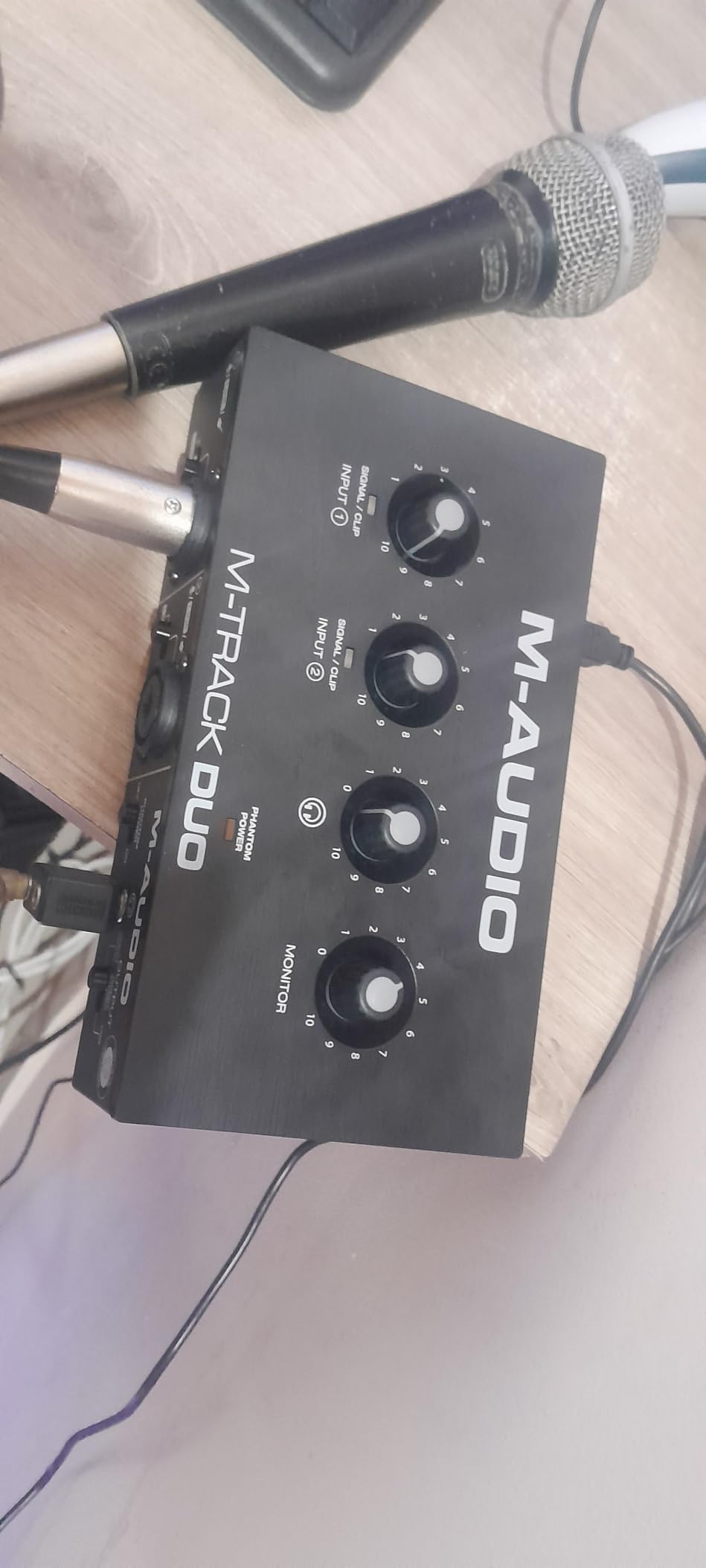
This is the interface we keep handing to people who say the words “I just want to record vocals” and mean it literally. Two combo inputs accept XLR, quarter-inch line or quarter-inch instrument, phantom power sits on the mic socket, and a top-panel switch moves monitoring between USB return and the direct analog path. That switch is the whole reason it works for singers: flip it and you hear your own voice with no round trip through the computer at all.
It also runs on Windows, macOS, Linux, iOS and Android without a manual, which matters more than it sounds. The bundled MPC Beats and Ableton Live Lite mean a beginner has something to record into on day one, and Live Lite is a capable little DAW rather than a demo that expires.
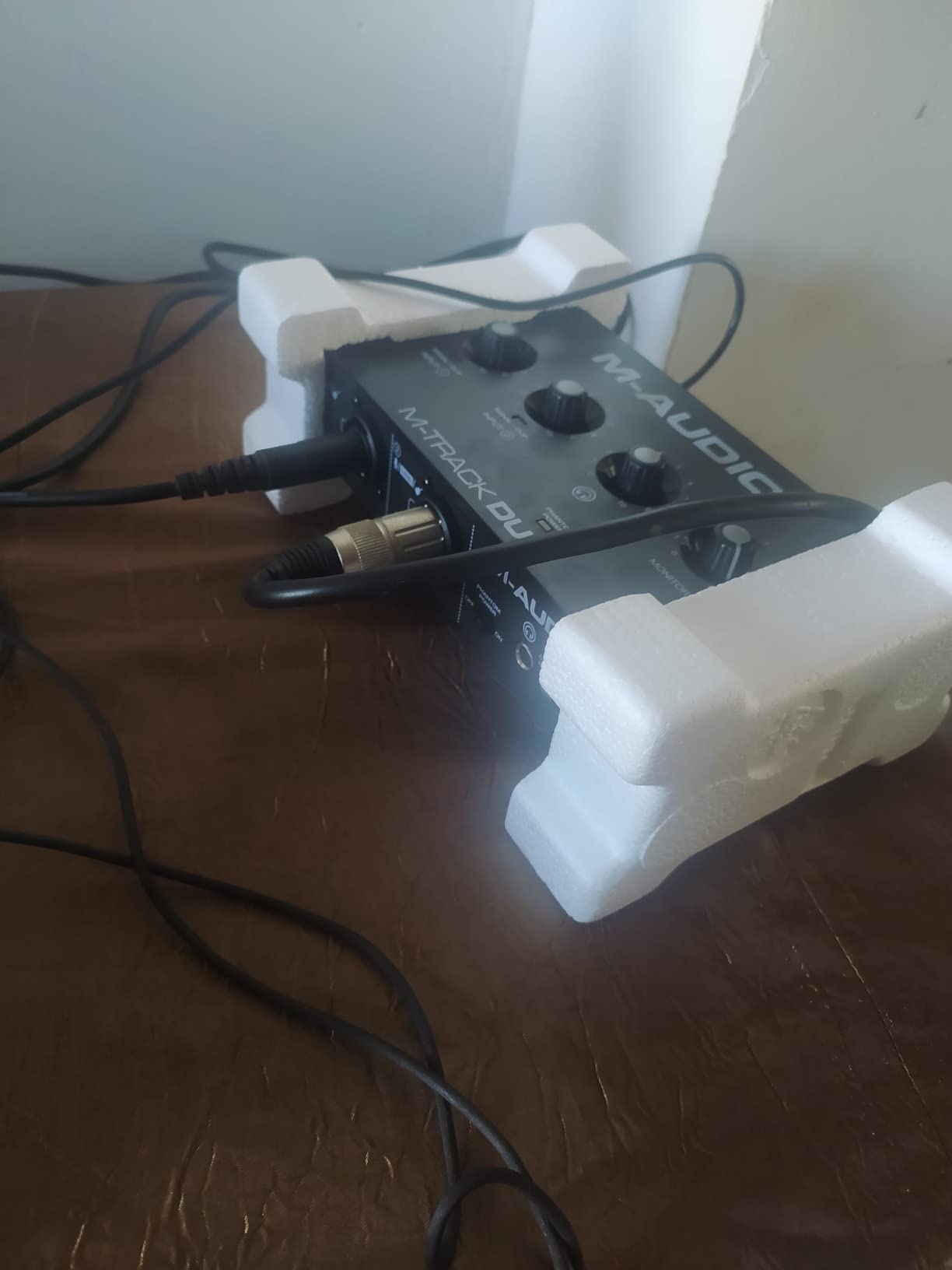
The 6,500-plus reviews split into two camps and both are right. Owners with a condenser in an untreated room report transparent preamps and a genuinely low noise floor. The other camp matters more if you sing rather than sketch demos: the gain taper is badly behaved in the top tenth of its range. You cannot ride the pot gently up to a healthy level, so the fix is to set the gain lower and add a fader in the DAW, which works perfectly well but is not what an interface knob should demand.
Gain Range and Condenser Headroom
The recurring owner report is that a phantom-powered condenser is under-driven. You run the gain up near the ceiling to reach a level where the DAW fader sits at zero, and you are then living with a pot that is hard to control precisely. For a close, bright condenser that is workable. For a large-diaphragm condenser in a treated room it is tight. Broadcast-style dynamics are a different story: they need little voltage, so the limited gain matters far less and the clean noise floor means you can push the signal up in software without dragging hiss along.
Monitoring and Latency for Singing
The USB and direct monitor switch is the strongest feature on the box. Direct monitoring is a purely analog path from input to headphone output, so the delay you hear while singing is effectively zero, with no buffer size to set and no doubt in your head about whether the lag is a fault. The cost is that you hear the raw input rather than software effects or playback, which for tracking vocals is exactly what you want. Switch to USB mode when you want a reference track playing through the DAW.
Build, Box Contents and Daily Use
The box contains the interface, a USB A-to-B cable, software download cards and printed documentation. It measures 4.34 by 7.5 by 2.13 inches at 0.3 kg with a one-year manufacturer warranty, and frequency response is listed to 20 kHz, so nothing in the vocal path is rolled off early. The largest practical annoyance is physical: a light plastic box with front sockets is a box that moves when you patch a cable into it.
2. Behringer UMC202HD – Preamp Quality You Do Not Expect at This Tier
Behringer UMC202HD Audiophile 2×2, 24-Bit/192 kHz USB Audio Interface with Midas Mic Preamplifiers | For Recording Microphones and Instruments
Two mic preamps
24-bit/192 kHz
Midas-designed preamps
Metal chassis
Pros
- Midas-designed preamps described as transparent and among the best in class
- 24-bit/192 kHz conversion well above budget norms
- Impact-resistant metal chassis survives being moved
- Direct monitor select with level-controlled headphone output
- Works out of the box on Windows
- macOS and Linux
Cons
- Headphone output level is low so tracking needs high volume
- Direct monitor path cannot be selected to mono
- Preamps get noisy when gain is pushed hard
- A minority of owners report odd artifacts in their setup
The UMC202HD has been the reference point of cheap interfaces for years, and the reason is not the price. The preamps inside are Midas-designed, and engineers consistently rate them as transparent and unusually clean for the money. For a vocalist this matters more than any other spec: a flattering, low-noise preamp means the recorded file needs less corrective work later.
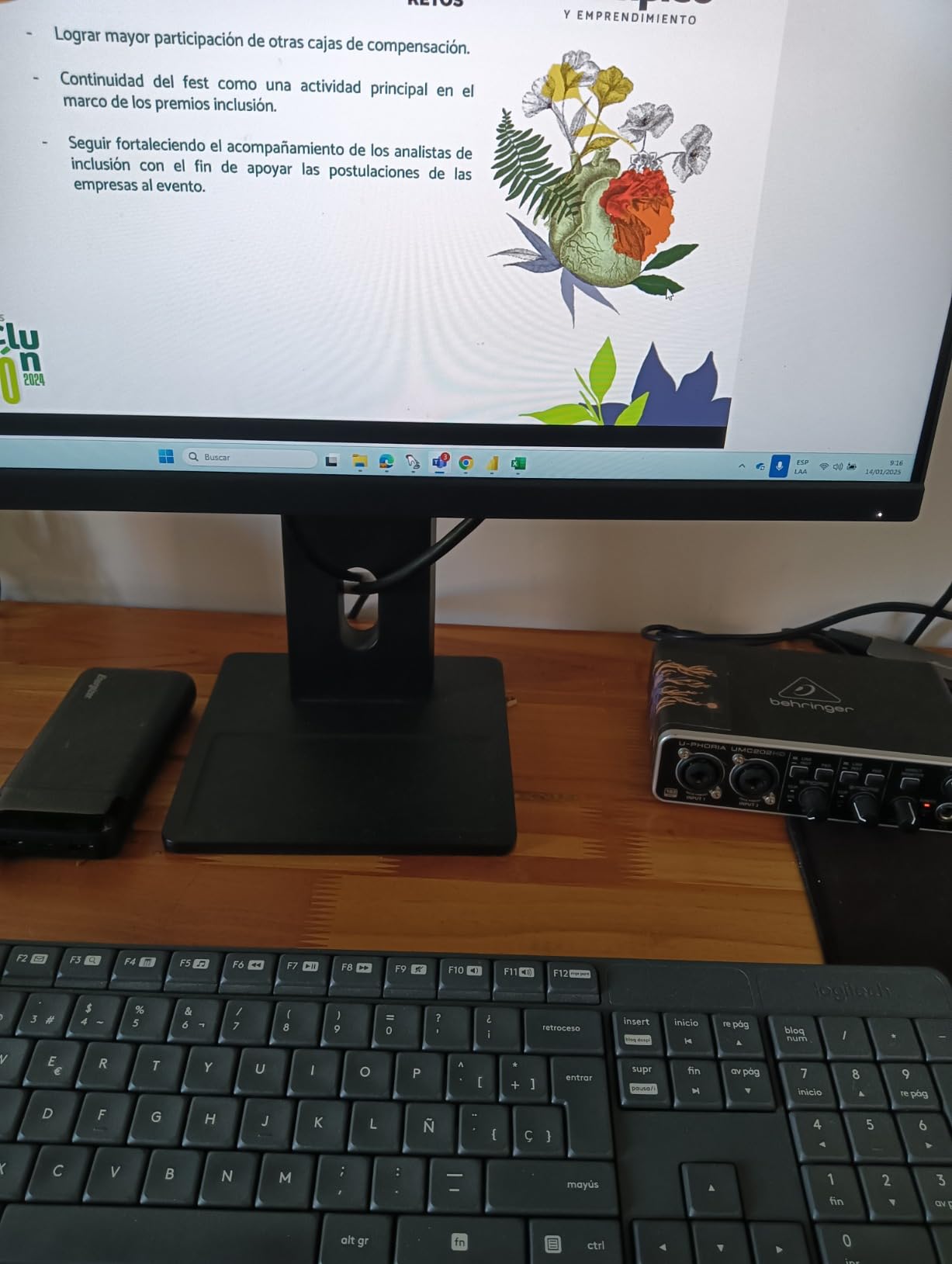
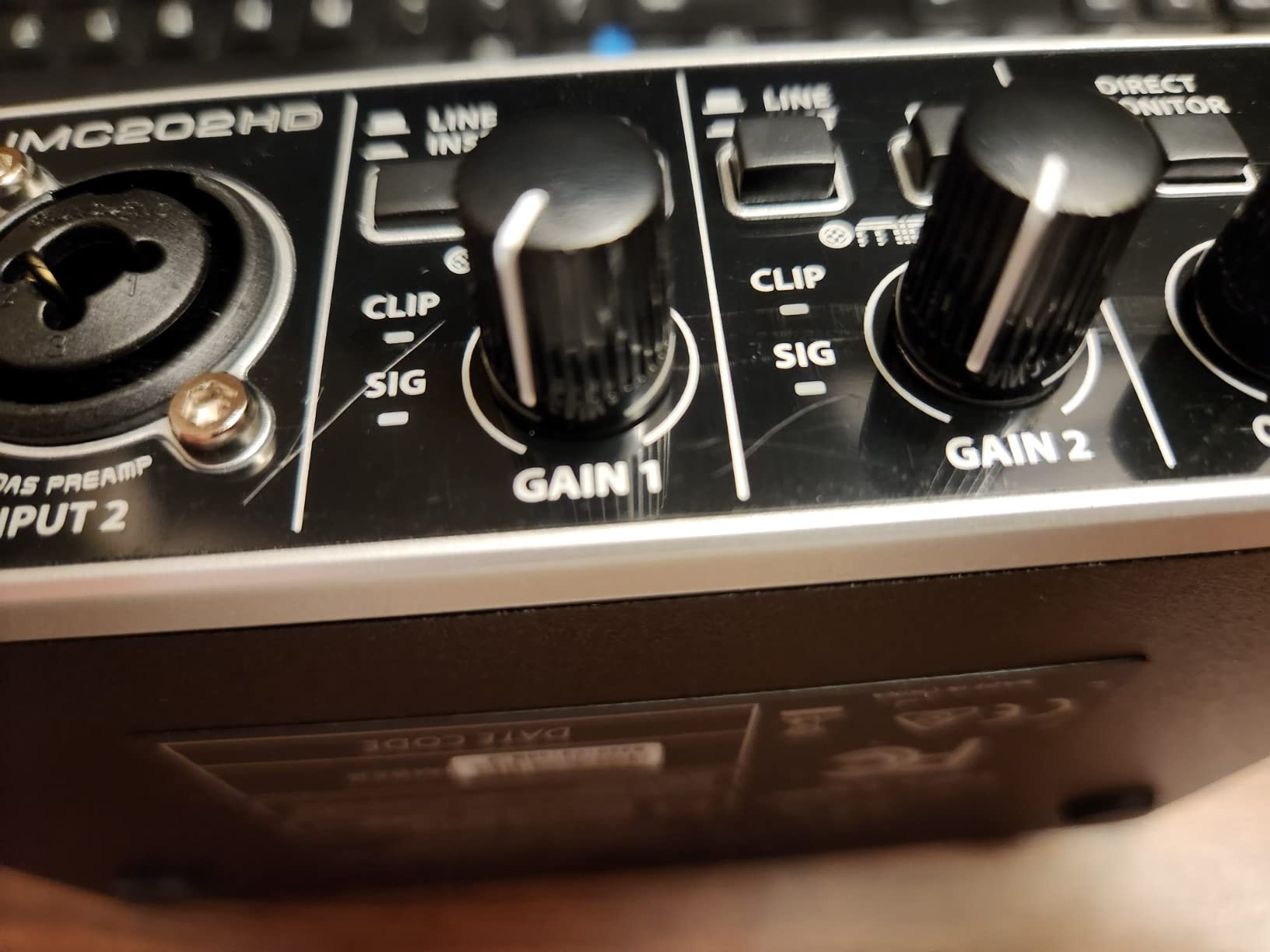
You get two preamps, a direct monitor select, a headphone output with its own level control and 24-bit/192 kHz conversion. The metal chassis is the physical surprise. At 1.2 pounds with a full-width front face, it stays where you put it when you patch a microphone cable into it.
Community consensus lines up. On r/musicproduction, owners repeatedly describe the Midas-derived preamps as comparable to Focusrite units at a lower cost, with the standing caveat that Windows driver behaviour is less bulletproof. The box has also been in production a long time, which means third-party knowledge, replacement cables and driver fixes all exist in public.
Headphone Output: The Weak Spot
The most cited complaint is that the headphone output is quiet. For vocals that is a genuine issue, because a singer monitoring at low level loses the sense of the low end and of how close they are to the mic, and you end up turning the phones up further than you would like. The amp is clean at normal voice levels and has a dedicated level control, but if you use high-impedance headphones or in-ear monitors, expect to reach the top of the range.
Gain Behaviour With Quiet Microphones
Here is the honest weakness: reviews report the preamps become noticeably noisier when input gain is pushed hard, which is exactly what happens with a broadcast dynamic like an SM7B or a ribbon. The solution most owners arrive at is an inline booster, adding a second box and a second noise source to the chain. That is a fair trade if you use condensers, which need far less voltage, and the wrong trade if you specifically want a quiet dynamic mic and refuse to add a booster.
Monitoring Paths and the 192 kHz Question
The direct monitor select gives a hardware path with no round trip, which is what you want while tracking, with a subtle catch: the direct path is stereo and cannot be selected to one side, which some vocalists working in mono find mildly annoying. Output is balanced quarter-inch line out plus a separate headphone socket, and the listing names Pro Tools, Ableton Live and Cubase as tested. The 192 kHz ceiling is real but mostly irrelevant to a singer, since you will record at 24-bit/48 kHz or 24-bit/96 kHz anyway.
3. PreSonus AudioBox 96 25th Anniversary – The Most Complete Starter Box
PreSonus AudioBox 96 25th Anniversary USB Audio Interface
Two Class-A preamps
MIDI in and out
24-bit/96 kHz
Bus-powered over USB 2.0
Pros
- Class-A mic preamps give a clean and detailed vocal sound
- Two high-headroom combo inputs plus MIDI I/O which is rare here
- Mixer knob blends inputs and playback for zero-latency monitoring
- Studio One Artist
- Ableton Live Lite and Studio Magic plug-ins included
- Bus-powered so it works with a laptop or tablet
Cons
- Analog inputs bleed into the monitor outputs and cannot be muted
- USB 2.0 bus power limits simultaneous channels before distortion
- Small crowded knobs with an unclear volume control
- Some owners report hum on the headphone path
The AudioBox 96 is the pick for someone who wants to record on day one without installing anything. Studio One Artist, Ableton Live Lite and the Studio Magic plug-in suite are all included, and unlike some bundles these are not trials that expire. For a singer-songwriter who wants vocal and guitar parts down this week, that is worth more than a marginal preamp improvement.
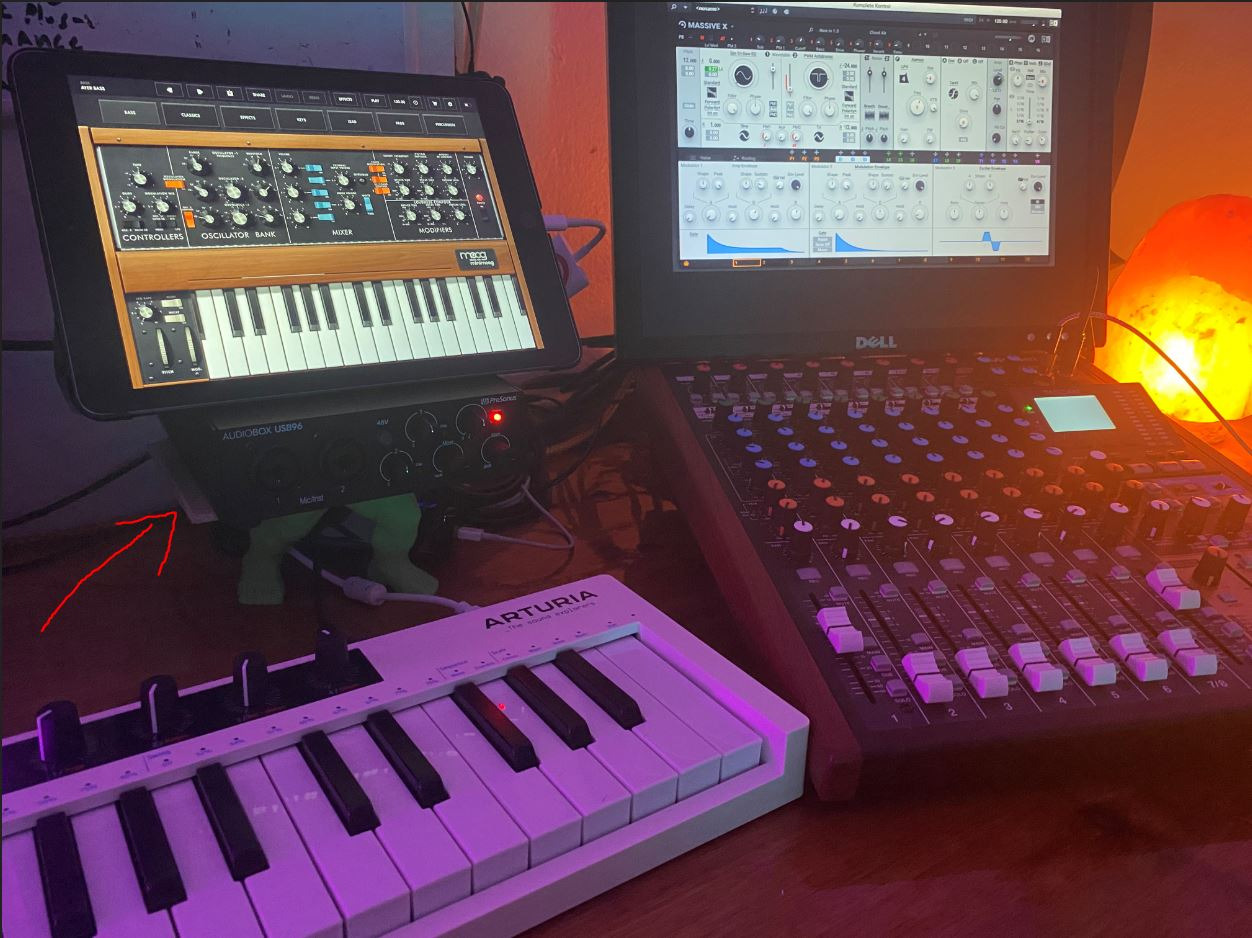
Underneath the hardware is respectable: two Class-A mic preamps, two high-headroom instrument inputs, MIDI in and out, 24-bit/96 kHz converters and a global plus-48V phantom power switch. MIDI I/O at this level is genuinely rare, and if you own a controller you will use it immediately.
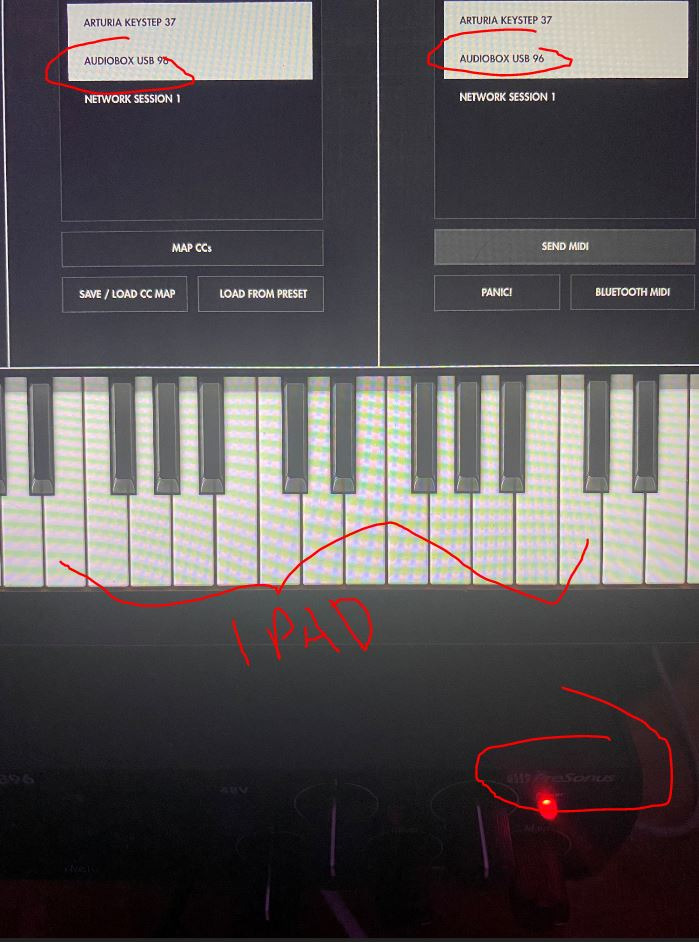
The mixer knob is the sleeper feature. It blends what comes from the analog inputs with what comes back from the computer and sends that to the headphones, entirely inside the hardware. That is zero-latency monitoring with a balance control, which is the arrangement most vocalists actually want and which few boxes in this group offer. The whole thing runs from USB bus power, weighs 2 pounds and fits a laptop bag, so writing away from a desk is realistic.
The Monitor Bleed Problem
One limitation rules this box out of a specific job: the analog inputs bleed into the monitor outputs and cannot be fully muted. You cannot use it to run a live PA feed, and it makes it a poor choice for streaming mix duties where the interface outputs need to be silent. For tracking, where the bleed is a non-issue, it does not matter at all. Several owners also report hum on the headphone path when monitoring plugins and synths, which is worth testing early if you plan to use software instruments.
Class-A Preamps and Two Real Inputs
Reviewers consistently hear a clean, detailed vocal sound, which is the right character for a voice, and the two inputs are described as high-headroom, meaning usable range before the preamp struggles. That matters when a singer moves between a whisper and a belt. Two preamps means two people recorded at once, or one person plus a stereo pair, or a vocal and an acoustic guitar without repatching between takes, and for a solo singer that second input is the most valuable feature on the box.
Portability, Software and Operating Systems
Bus power over USB 2.0 makes it mobile in a way mains-powered boxes are not, with Windows and macOS support and a one-year manufacturer warranty. The included cable is a six-foot USB 2.0 Type A to B cable, so a USB-C-only laptop needs an adapter, and bus power draw means it is worth checking your port supplies enough current. Conversion to 24-bit/96 kHz is more than enough for vocal work and less than the 192 kHz ceiling several competitors advertise.
4. Focusrite Scarlett Solo 4th Gen – The Default Solo Vocalist Interface
Focusrite Scarlett Solo 4th Gen USB-C Audio Interface
One XLR mic preamp
120 dB dynamic range
24-bit/192 kHz
Air mode for vocals
Pros
- 120 dB dynamic range using the same converters as Focusrite studio interfaces
- Air mode adds harmonic presence that lifts vocals forward
- 24-bit/192 kHz conversion for clean detailed vocal takes
- Pro Tools Intro
- Ableton Live Lite and Cubase LE bundled
- Three-year warranty with Mac
- Windows and iPad support
Cons
- Only a single XLR mic preamp so no stereo pair or two singers
- No MIDI I/O for controllers or keyboards
- Very small footprint with no rack mounting option
The Scarlett Solo is the box most people picture when they imagine a home vocal setup, and the fourth generation is a real upgrade over the version most roundups still list. The headline is 120 dB of dynamic range using the same converters as Focusrite’s flagship studio interfaces. For a singer that means a recorded vocal sits quietly under a finished track with room to spare, which is exactly what you want before you open a compressor.
Air mode is the feature that matters most for voice. It adds a high-frequency shelf plus harmonic content that pushes a vocal toward the front of a mix, and Focusrite rebuilt it in this generation to be more usable. It is a tone shape rather than a corrective, so a good take in and a better take out.
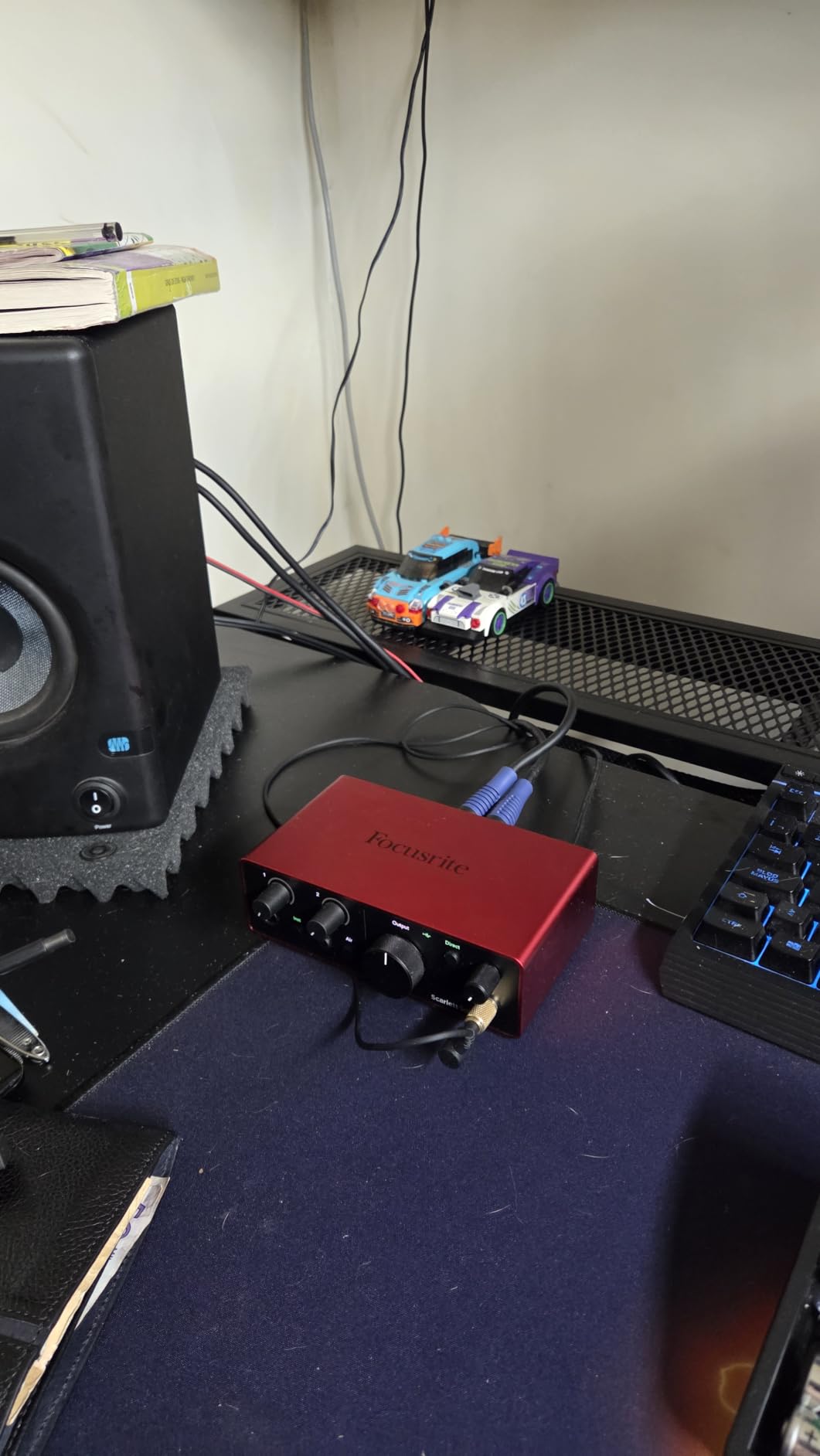
On r/musicproduction, Scarlett Solo owners have described the line for years as solid with a clean sound and low latency, and the more interesting community observation is that loyalty to the brand is really about drivers and stability rather than audio claims. That is worth knowing when choosing hardware you will keep for years. One XLR mic preamp and one instrument input is the entire I/O budget, and for a solo singer writing and overdubbing that is the correct specification rather than a compromise.
Converters and Dynamic Range for a Singing Take
Dynamic range decides whether your vocal file fights you later. A wide range means the quietest whisper and the loudest peak both sit inside the converter’s usable window without riding the input, and roughly four fifths of reviews here are five star with low noise the most common description. At 24-bit/192 kHz you have far more resolution than a vocal project needs, so record at 24-bit/48 kHz and treat the 192 kHz figure as reassurance that the conversion stage is good rather than a feature to chase.
Air Mode and Vocal Presence
Air mode is the closest thing in this group to a vocal-specific tool. It is not an EQ you dial in later, it is a circuit-level colour adding presence and harmonic richness to the signal path, and a singer with a slightly buried or boxy voice can get a long way with it. It is not a cure for a bad take or a bad room, and owners are clear the recorded quality still comes down to performance and microphone choice.
What One Input Costs You
There is no MIDI I/O, so a controller or MIDI keyboard needs a separate adapter or a different interface. There is no second XLR, so a duet, a stereo condenser pair or a drummer recording in the same room is not happening, and no software update will change that. Included software is Pro Tools Intro, Ableton Live Lite, Cubase LE and the Hitmaker Expansion suite, with a three-year manufacturer warranty and Mac, Windows and iPad support. At 14.4 ounces and 3.78 by 5.63 by 1.83 inches it is the smallest box here, which matters if your recording space is a corner rather than a desk.
5. Arturia MiniFuse 1 – Lowest Noise and MIDI in a Metal Case
Arturia MiniFuse USB Audio & MIDI Interface, MiniFuse 1
One combo input
5-pin MIDI in and out
24-bit/192 kHz
Five-year warranty
Pros
- Extremely low noise floor compared favourably against pricier units
- Combo XLR mic and instrument input with 48V phantom power
- 5-pin MIDI in and out plus a rear USB-A hub for a controller
- Loopback and direct monitoring with very low-latency drivers
- Metal chassis with rubber feet and a five-year warranty
Cons
- Only one XLR input so one microphone at a time
- Headphone output underdrives small in-ear monitors
- Driver install requires product registration with Arturia
- Some bundled plug-ins are three-month trial subscriptions
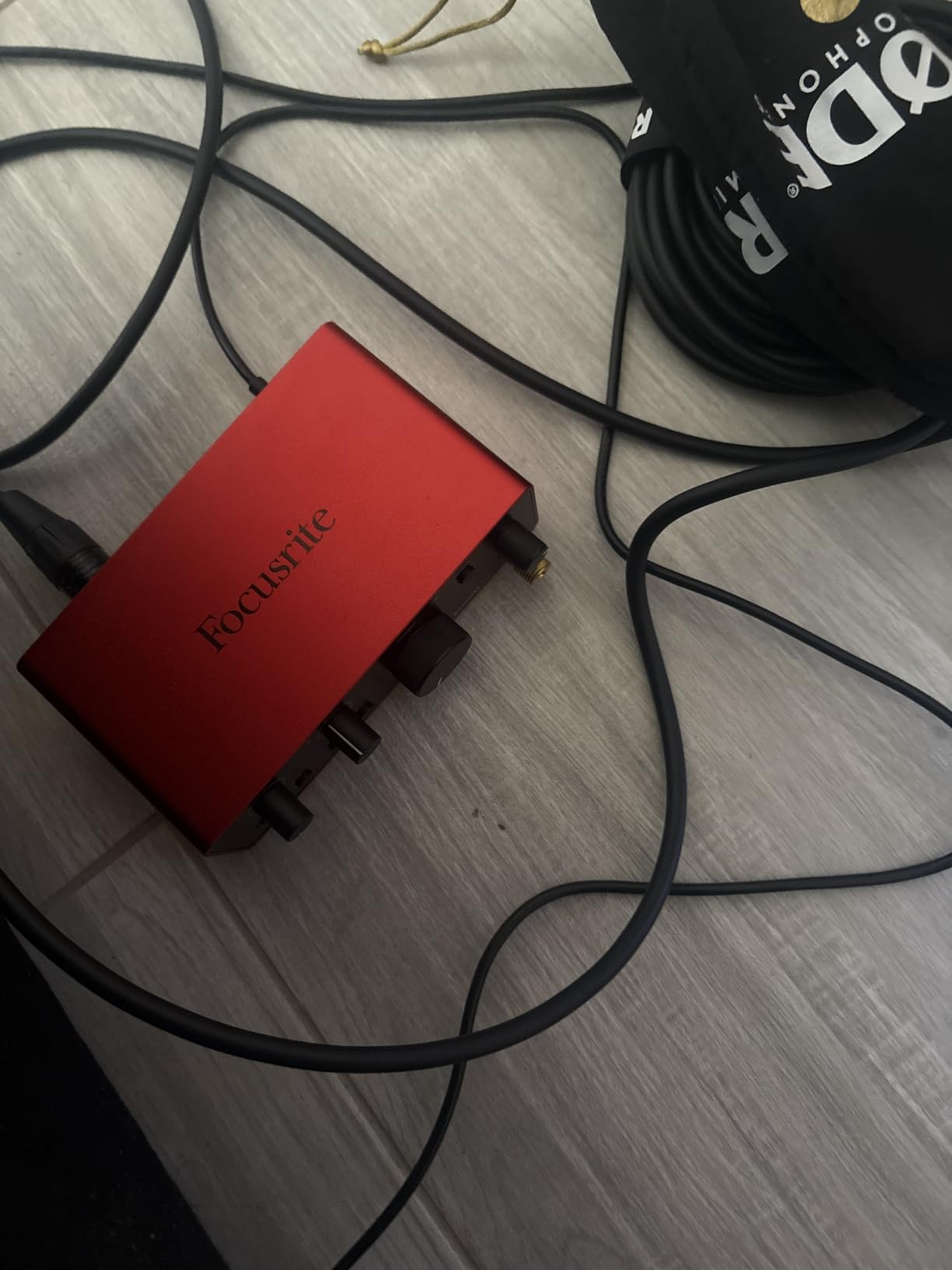
The MiniFuse 1 solves a specific problem: you own one microphone and one controller and want both connected at once without a hub, an adapter and a second box. It has one combo XLR mic and instrument input with phantom power, two balanced quarter-inch line inputs, five-pin MIDI in and out, and a rear USB-A hub a controller can plug straight into. That is a considered layout rather than a compromise.
The other thing that sets it apart is noise. Owners consistently place the preamp noise floor below what they expected at this level, and roughly 81 percent of reviews are five star. For a singer in an untreated bedroom a low noise floor is the difference between a usable take and a file you have to gate aggressively.
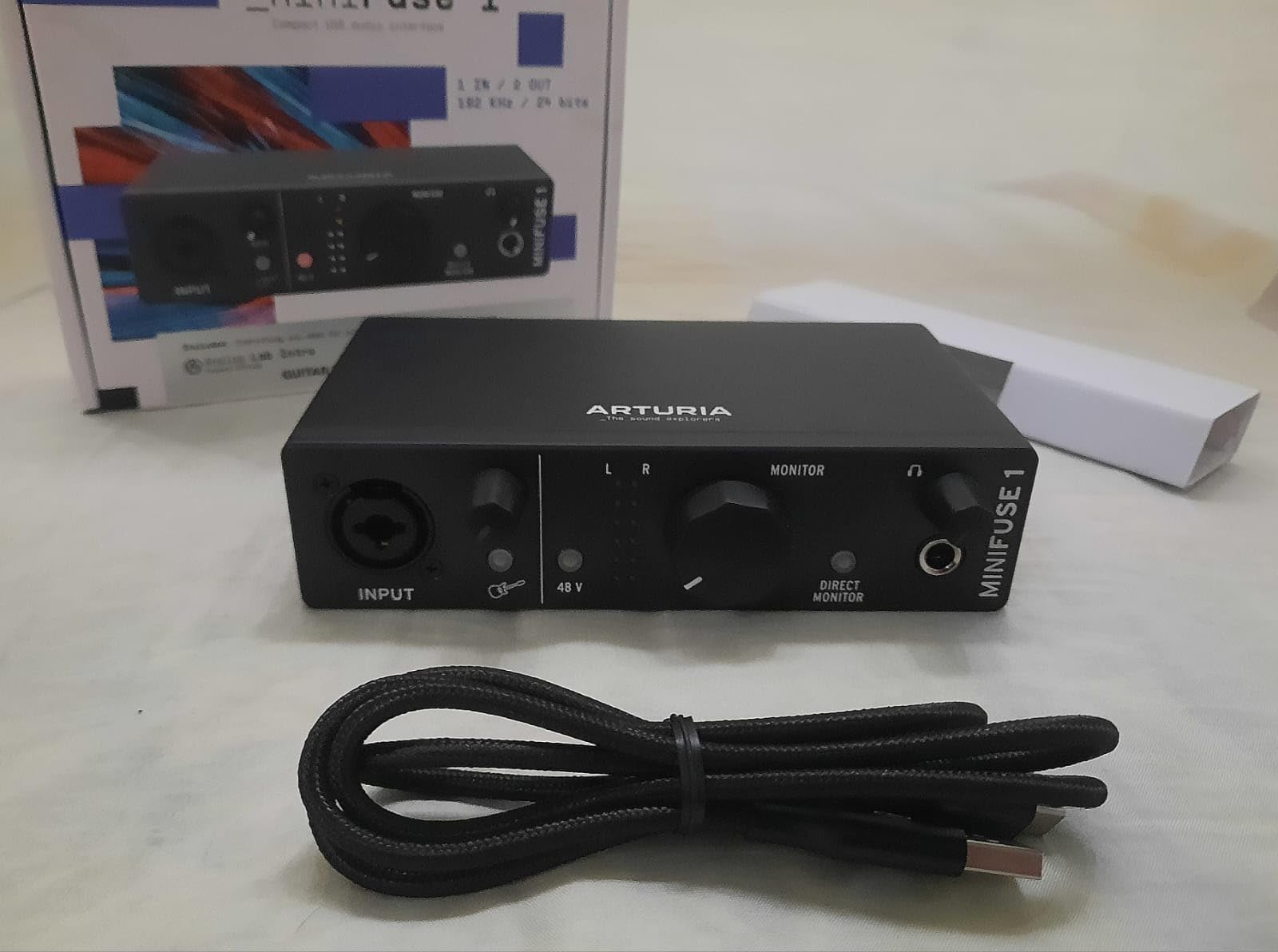
Build is another differentiator: a metal chassis with rubber feet, 14.4 ounces, 24-bit/192 kHz conversion and a five-year warranty, the longest here by a distance. Drivers are a genuine minor friction point, since installation requires registering the product with Arturia and completing a step missing from the printed instructions, which catches people out and generates a share of the lower-rated reviews. The bundle includes Ableton Live Lite, Analog Lab Intro, Arturia FX, Auto-Tune Unlimited and NI Guitar Rig 6 LE, and some of those are three-month trials rather than perpetual licences.
Noise Floor and Why It Matters for Voice
Room noise is the enemy of a home vocal. The microphone picks up the fridge, the computer fan and the traffic, and the preamp adds its own hiss on top. A quieter preamp means less of your own noise in the file, which means less noise reduction later, which means less of the smeared, gated vocal sound people recognise instantly. The MiniFuse is the quietest box here by owner report, and pair it with a condenser in a room with soft furnishings and you will be closer to a usable take than with almost anything else at this level.
One Input Plus MIDI: Who This Serves
The single XLR input is the trade: one microphone, one take, one person. In exchange you get MIDI in and out and a USB hub, so your controller, synth or drum machine all sit behind one box. If you overdub guitar by playing MIDI or software instruments, that is a straight trade in your favour. If you are part of a duo or want to record a stereo pair of condensers, this is the wrong box and the SSL 2 MKII is the right one.
Headphone Power, Loopback and Mobile Use
Loopback and direct monitoring are both present with drivers that owners report deliver very low latency, so monitoring while singing is not a problem. The headphone output handles studio headphones well but underdrives small in-ear style monitors, worth checking against the headphones you already own. Support is Windows and macOS, and Arturia lists spare part availability for five years. If your vocals are spoken word or broadcast rather than singing, our audio interfaces for podcasting roundup is the more relevant read.
6. Universal Audio Volt 1 – The Preamp Character You Can Switch On
Universal Audio Volt 1 USB Audio Interface
Vintage 610 preamp mode
24-bit/192 kHz
LUNA and UAD plug-ins
Desktop and iOS support
Pros
- Vintage mode emulates UA's classic 610 preamp for a warm vocal character
- Clean and quiet preamp with 24-bit/192 kHz converters
- LUNA recording workstation and UAD plug-ins ship with the box
- Solid metal chassis with heavy knobs that runs cool
- Low latency and reliable for voice chat applications
Cons
- The 1-in/2-out version has a single input so no mic plus source together
- No pad or attenuation switch so very loud sources can overload
- External power supply needed and it occupies two USB ports
- Headphone output delivers less power than some headphones prefer
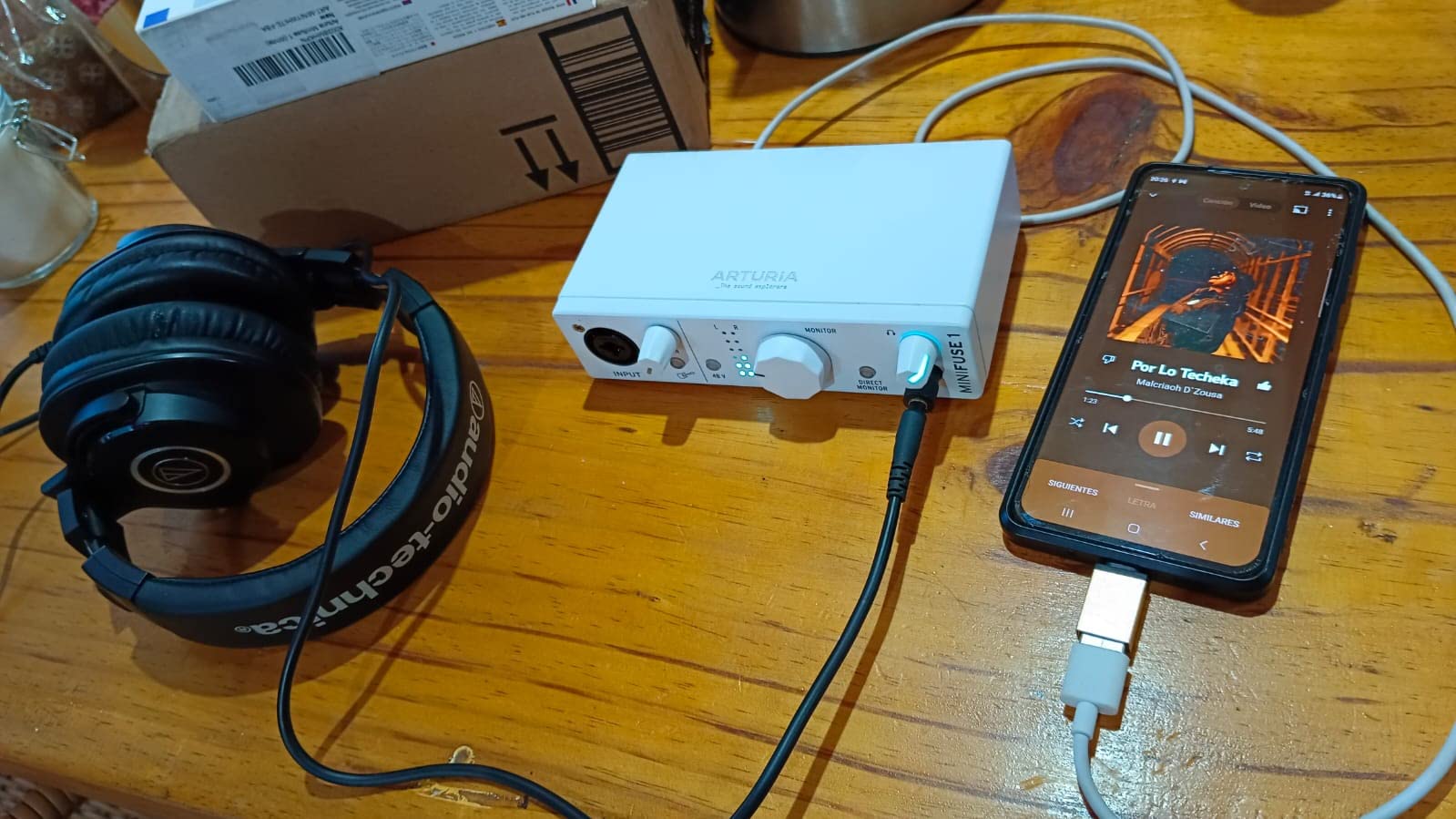
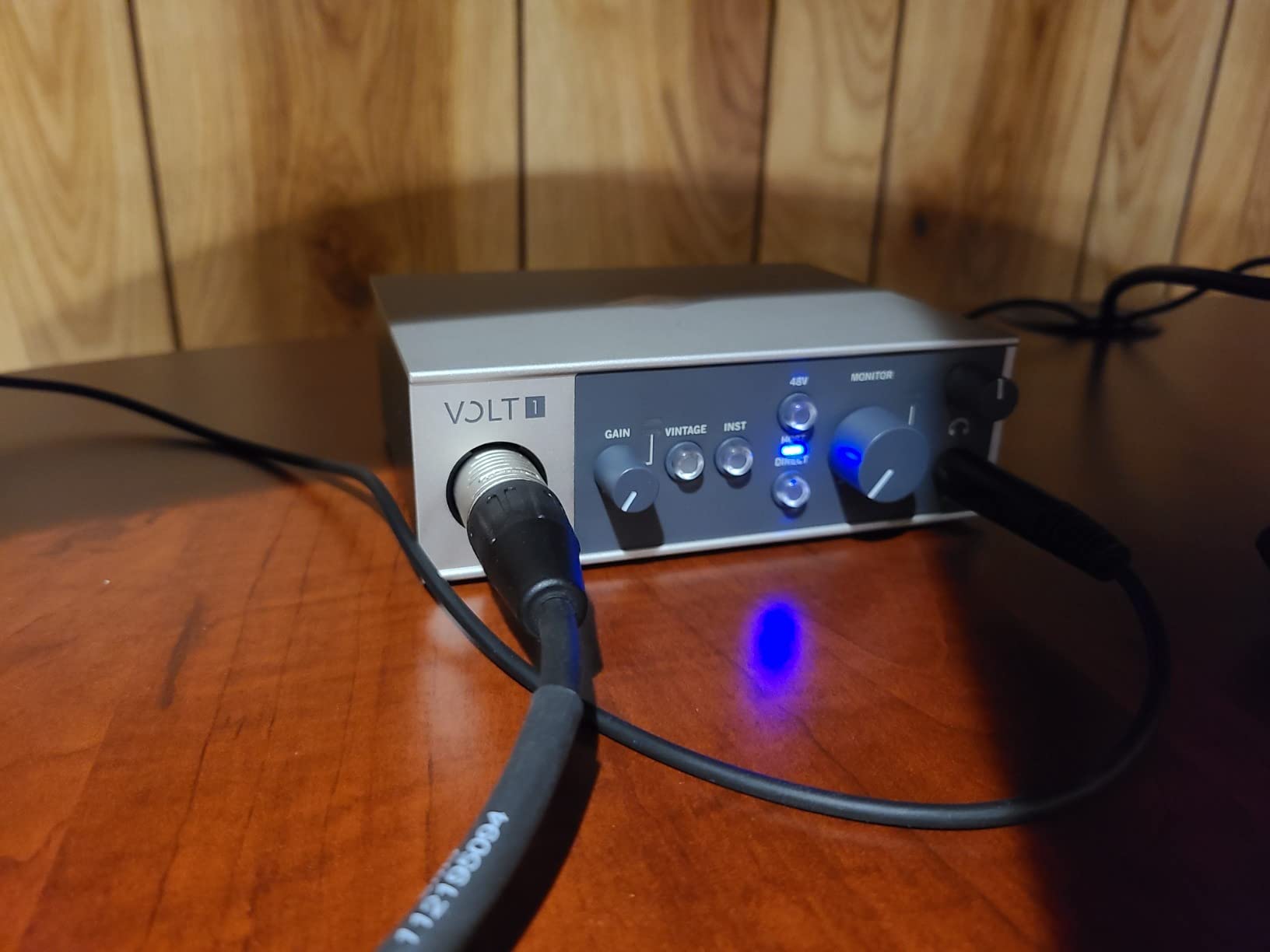
The Volt 1 is the one here where the preamp is a deliberate creative choice rather than a transparent stage. Vintage mode puts a modelled version of Universal Audio’s classic 610 tube preamp in the signal path, and owners describe the result as warm, slightly deep and slightly saturated. For singers whose natural voice is bright and thin, that coloration closes the gap between a demo and something that sounds finished.
In clean mode it is a straightforward, quiet preamp with 24-bit/192 kHz converters, so you lose nothing relative to other single-input boxes. What you gain is a second sound from the same hardware, recorded with no plugins at all.
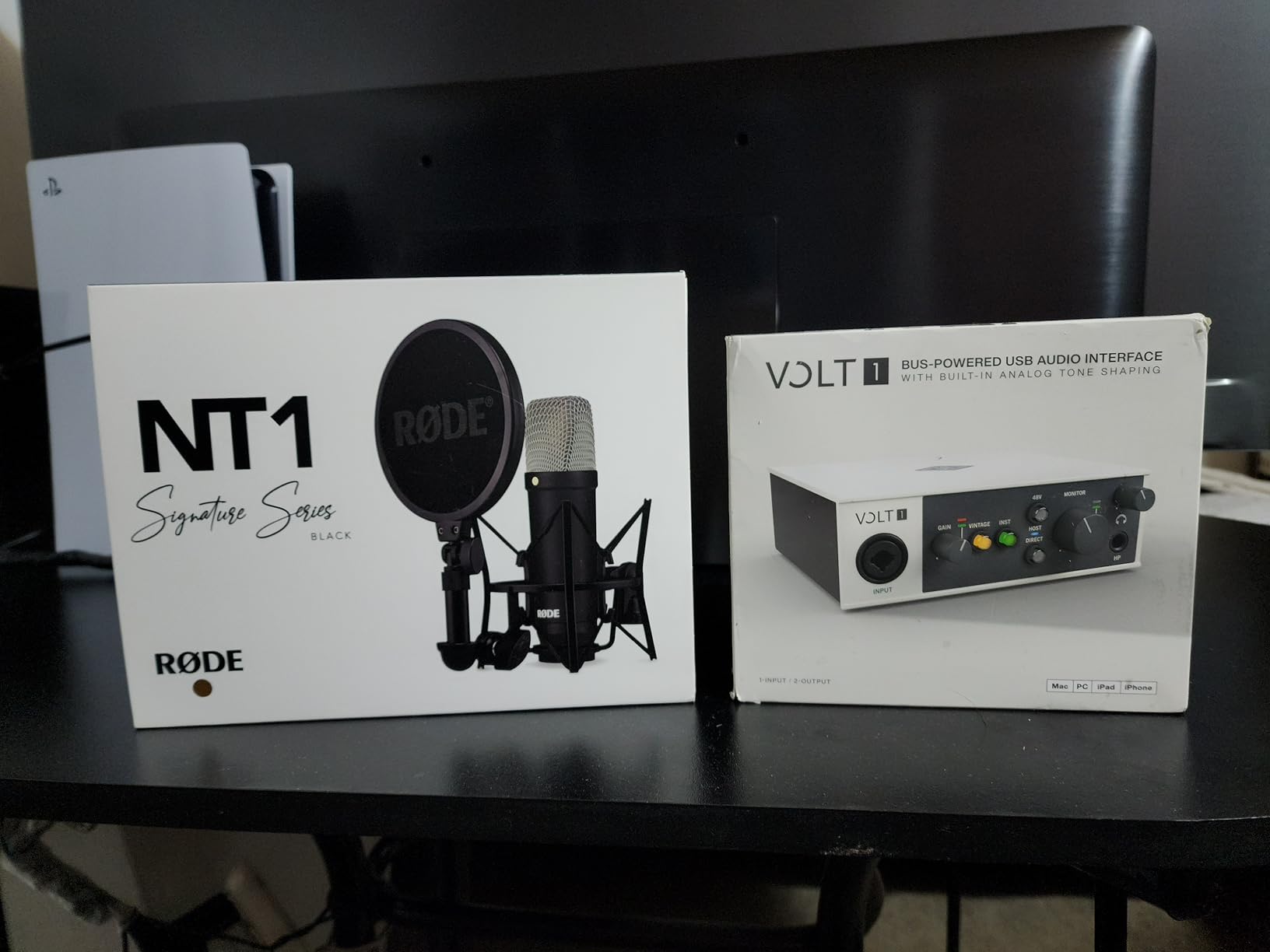
The software is the quiet headline. LUNA, Universal Audio’s recording workstation, ships with the box along with the UAD plug-in ecosystem, generally regarded as the most valuable bundle attached to any interface at this level. It also runs on MacOS, Windows, iPad and iPhone, one of the few boxes that genuinely works for mobile recording with the same software you use at the desk. Physically it is a metal chassis with heavy knobs at 544 grams, and it runs cool rather than warm, which matters if it lives in a closet-adjacent corner for years.
When Vintage Mode Helps and When It Hurts
Colored preamps are match-and-miss, and the miss is worth naming. If your voice is already dark, warm and breathy, adding harmonic saturation on the way in takes headroom away and makes mixing harder. Several owners describe the clean setting as fully transparent, so the box will not force a decision on you. The genuinely useful case is comparative: record the same phrase with Vintage off and on, back to back, with everything else identical. Most vocalists settle it in about ten minutes.
The Single Input and the Missing Pad
This is the 1-in/2-out version, so one input only. You cannot record a microphone and a second source at the same time, which rules it out for anyone layering acoustic guitar live with a vocal. If that is your workflow, the M-Track Duo, the AudioBox 96 or the SSL 2 MKII all do it. There is also no pad or attenuation switch, so very close-miked or very loud sources can overload the preamp before you have anywhere to put the level control. External power is required and uses two USB ports, so a slim laptop with one port is a consideration.
Headphone Output and Real-World Use
The headphone output delivers less power than some high-impedance headphones would like, a recurring note from owners using demanding studio cans, though easy-to-drive headphones will not reveal it. Monitoring relies on the direct monitoring button rather than an input mix knob, so you get a hardware path without a blend control, latency is reported as low, and owners describe the box as reliable for Discord and voice applications. Support is Windows and macOS with a one-year warranty, the shortest offered by any box on this list.
7. Solid State Logic SSL 2 MKII – Two Mics and the Warmest Vocal Path
Solid State Logic SSL 2 MKII – 2×2 USB Audio Interface
Two XLR preamps
32-bit/192 kHz converters
High-pass filters
Legacy 4K mode
Pros
- Warm detailed sound reviewers rate above the 2i2
- Volt
- UR22 and iD4
- Legacy 4K button adds SSL console-style presence to a take
- Two XLR mic preamps plus two line and Hi-Z inputs for duo sessions
- Built-in high-pass filters cleared rumble and plosives for a voice artist
- Two headphone outputs and a metal chassis with weighted gain knobs
Cons
- Not true 32-bit float so converters can still clip on hot sources
- Advertised loopback does not behave as a standard two-channel loopback
- Noticeably larger and heavier than a typical two-channel box
- MIDI is limited to 5-pin DIN with no USB MIDI
Of everything here, the SSL 2 MKII gets the most consistently enthusiastic vocal reports. Reviewers repeatedly single it out as the best vocal chain they have compared against a 2i2, a Volt, a UR22 and an Audient iD4. That is a much stronger claim than any spec, and it is why this box reaches the top three despite a much smaller review base.
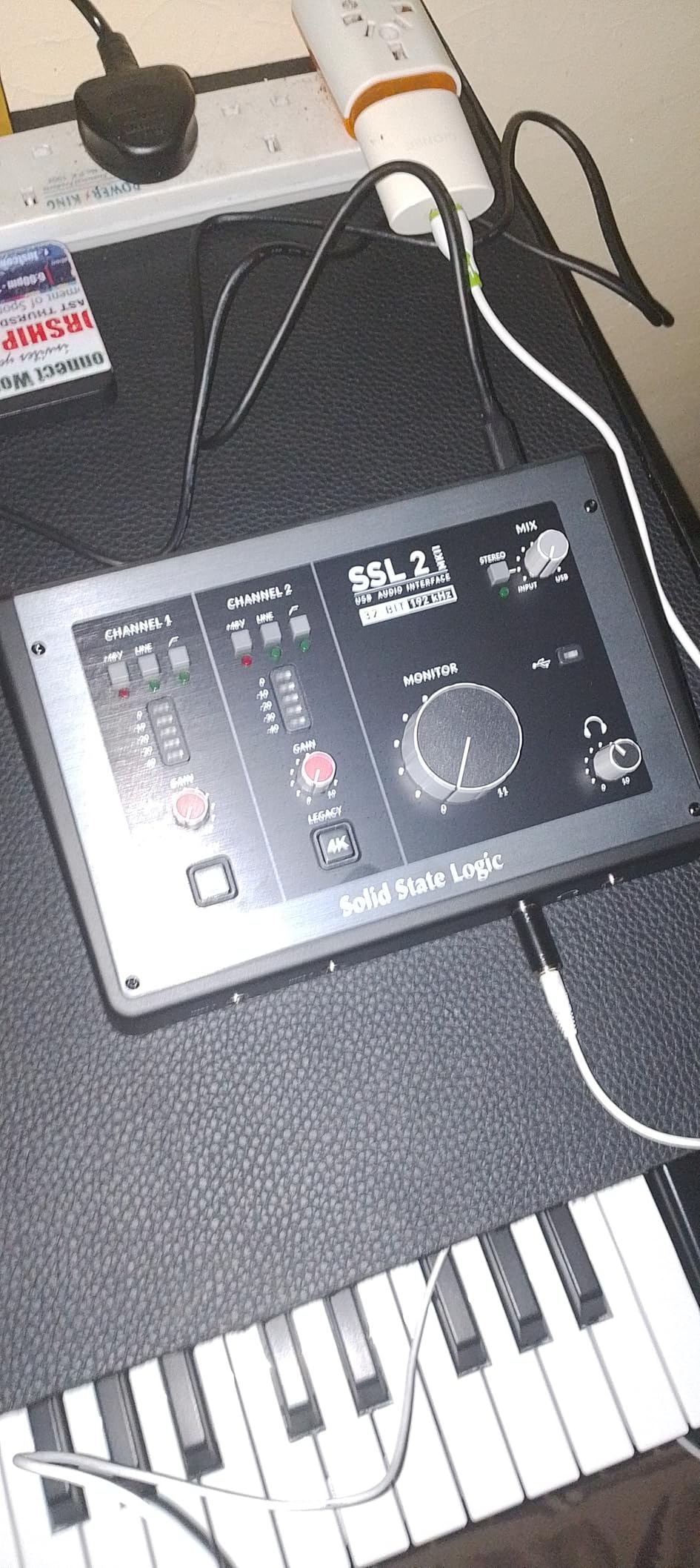
Under the hood it is serious hardware: two XLR mic preamps, two quarter-inch line and Hi-Z inputs, two headphone outputs, MIDI I/O on five-pin DIN, high-pass filters, zero-latency monitoring and 32-bit/192 kHz AD/DA converters. The Legacy 4K button applies SSL console-style sheen and presence to the take, and the high-pass filters are useful enough that several voice artists report solving plosive and rumble problems at the interface rather than in plugins.
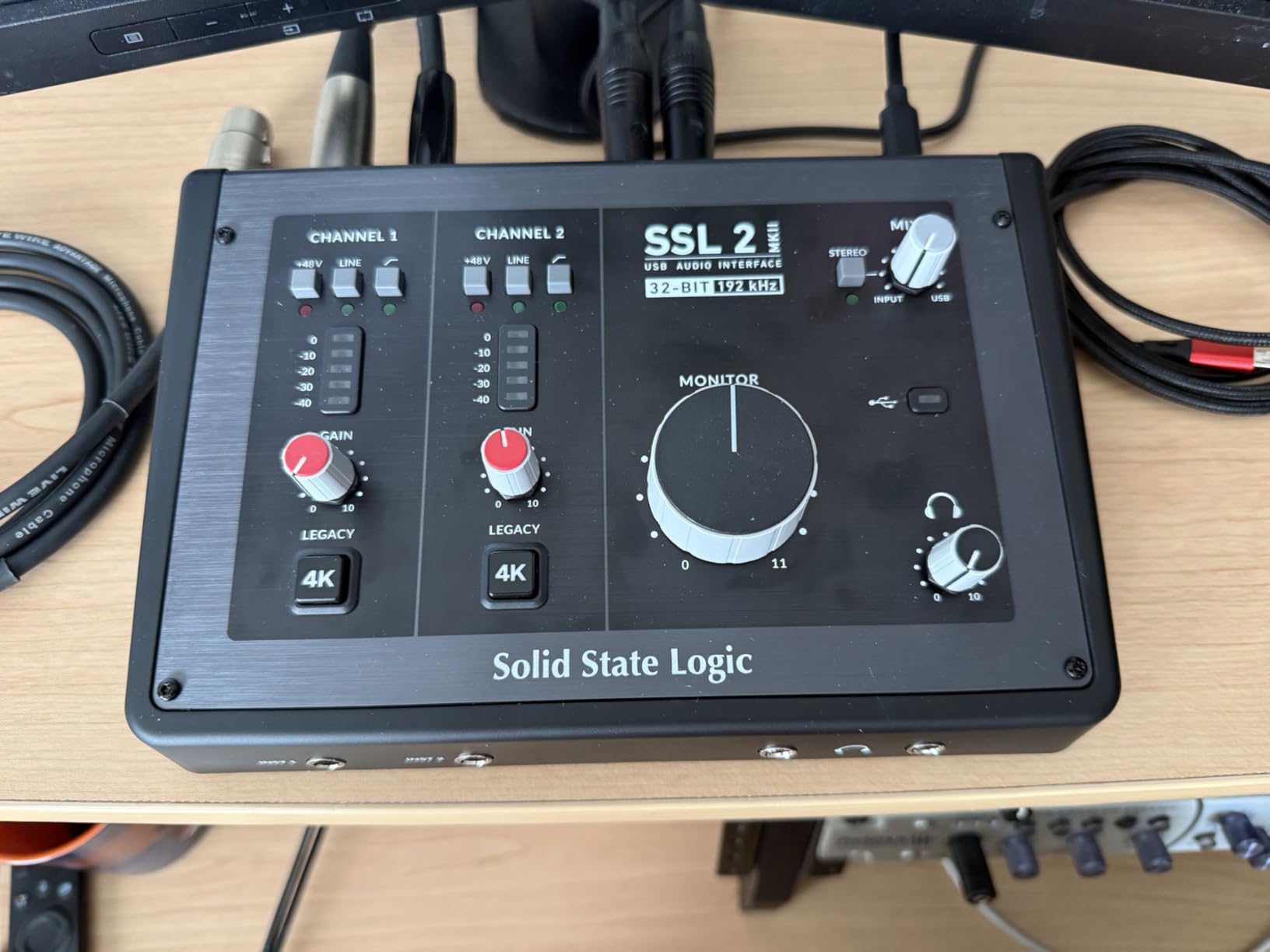
Two XLR inputs is the decisive feature for most of the people this box suits: a duet recorded properly, a vocal plus an acoustic guitar without repatching, a singer and a harmony singer, a stereo pair of condensers. Every other two-input box here is one XLR plus one instrument, and that distinction changes what kind of session you can run. Two headphone outputs is the sleeper feature, giving a second vocalist or engineer their own level control. At 2.25 pounds and 10.63 by 7.87 by 4.33 inches, this is the largest box on the list and is meant to take up residence on a desk rather than travel.
The Vocal Chain: Preamp Character First
Warm and detailed with professional-grade preamp clarity and a low noise floor is how owners describe the sound, and it is the opposite profile to the Audient, which is prized for forward presence. If you already have a presence-forward vocal, this is the box that stops you adding more of the same. The Legacy 4K control is the circuit-level version of a console colour, and owners treat it as a starting point that shortens mixing time rather than a finished vocal sound.
32-Bit Converters Without Float
The listing says 32-bit/192 kHz AD/DA converters, which sounds like the top of the spec sheet, and it is not. This is 32-bit integer conversion, not 32-bit float, which is why owners report the converters can still clip on very hot sources. It will never run out of headroom in normal use, but a sudden shout into a close-miked ribbon can hit the ceiling, and if you record very hot on purpose you want a pad, which this box does not have.
Loopback for Streaming: Read the Fine Print
There is a specific and important caveat. Owners report that the advertised loopback does not function as a standard two-channel loopback for streaming or video calls, and that support closed the ticket without resolving it. If you plan to record vocals while streaming or on a video call, do not assume this box will do it. Our interfaces for podcasters roundup covers loopback behaviour in more detail. Everything else is solid: 48V phantom power, high-pass filters, bus power for Mac and Windows, an SSL Production Pack bundle and a stainless steel chassis, though the software list is marked as to be confirmed.
8. MOTU M2 – The Only Box Here With a Readable Number on the Front
MOTU M2 USB-C Audio Interface
Two ESS converter preamps
24-bit/192 kHz
LCD input level meter
Bus-powered USB-C
Pros
- Two ESS converter preamps recording at 24-bit/192 kHz for a clean transparent vocal
- LCD meter gives a clear numeric input level readout
- Hardware monitoring and loopback make streaming and dual-mic setups practical
- Compact 2-in/2-out bus-powered USB-C design that travels
- Two-year warranty with a large library of bundled software content
Cons
- Only one XLR mic input so two performers cannot be recorded at once
- No built-in MIDI I/O so MIDI needs separate adapters
- Modest volume and headphone level for high-impedance studio headphones
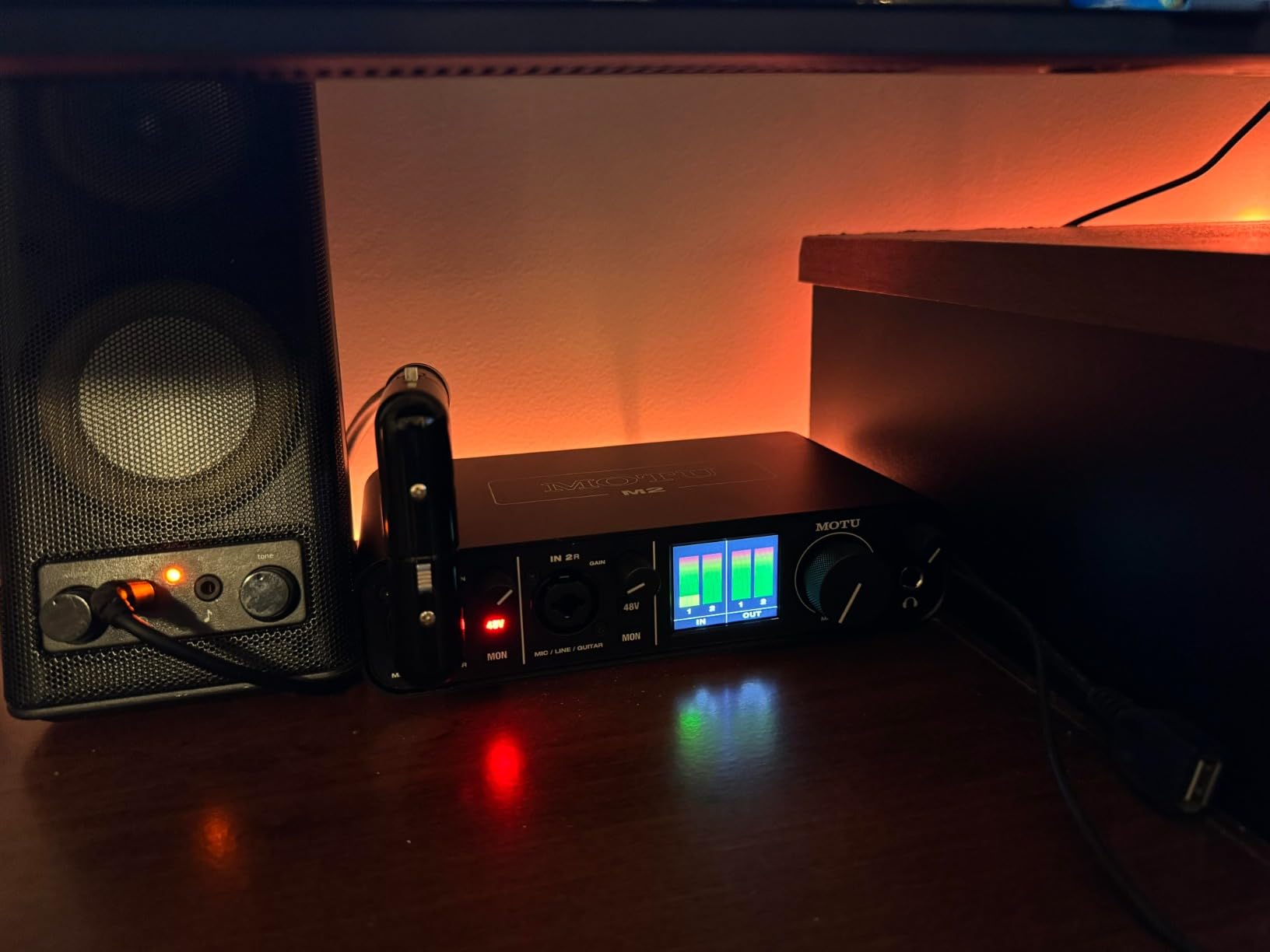
Set gain by ear, by colour, or by which of three little LEDs is lit, and half your problems as a vocalist go away. The MOTU M2 puts an LCD on the front that shows a numeric input level, and for a singer working alone that is worth more than it sounds. It is the most useful hardware feature on this list for setting repeatable levels between takes.
Underneath, the audio path is straightforwardly good: two ESS converter preamps at 24-bit/192 kHz, hardware monitoring, loopback and a compact bus-powered USB-C body at 612 grams. Owners report a clean, transparent vocal sound and roughly 83 percent five-star reviews.
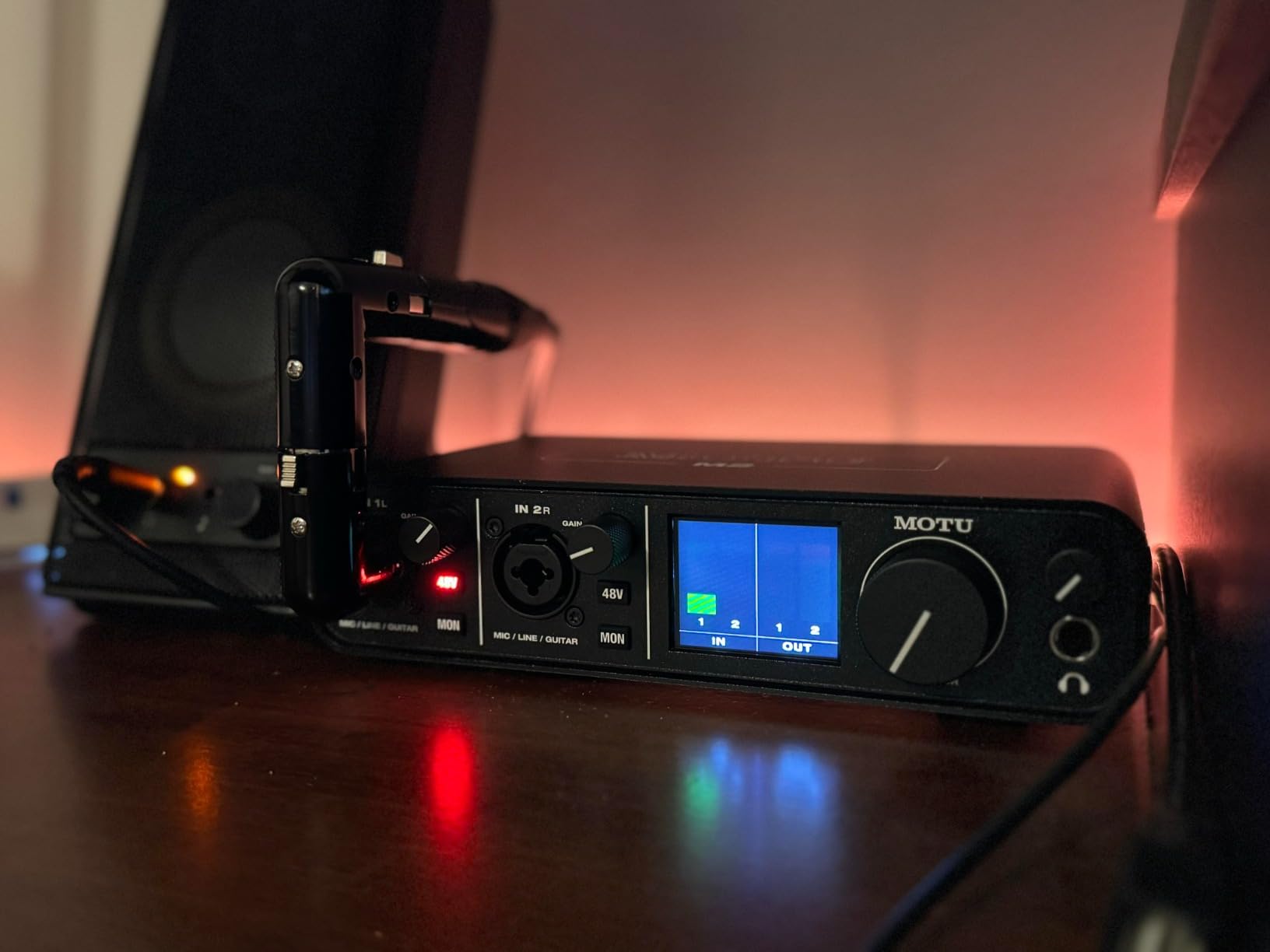
Loopback and hardware monitoring together make this more useful for streaming than most two-channel boxes, and having a defined input return and an input-to-monitor path saves a lot of workarounds. Two preamps but one XLR: the second is an instrument input, so the real-world session is a vocal and a guitar, not two singers. The bundled content runs to more than 6 GB across macOS, Windows and iOS with a two-year warranty, which is a real part of the value for someone who wants instruments to experiment with immediately.
Reading Levels Instead of Guessing Them
Gain staging is the most transferable recording skill a vocalist can learn, and a numeric display makes it learnable. You can set the same input level for every take of the same song, which means comping vocals from different days does not turn into a volume-matching exercise. Colour-only LED meters, which most competing boxes use, force you to memorise a colour-to-level mapping. If you are new to recording, that difference saves more time than any preamp specification.
Headphone Power and the Single-Mic Limit
Modest volume and headphone level is the reported weakness, specifically for high-impedance studio headphones; easy-to-drive headphones are fine, and demanding planar models may show distortion at high levels. There is no built-in MIDI I/O, so controllers need separate adapters, and the single XLR means no duet recording. Both are architectural. What the box gives you in exchange is a monitoring display and loopback, and for a solo vocalist those matter more than a second mic socket would.
Portability and Everyday Reliability
Bus-powered USB-C means no power supply to find or carry, and at 7.5 by 4.25 by 1.75 inches it travels between a desk and a different room without thought. Compatibility is listed for Windows with MOTU drivers and owners use it on macOS as well. Make sure the cable you use is a data cable rather than a charge-only USB-C cable, a problem that catches people out constantly.
9. Audient iD4 MKII – Console Preamp Character From One Input
Audient Audio Interface iD4 MKII, Class A Console Microphone Preamp (High Speed USB-C, Monitor Mix and Monitor Panning Function, 2 Headphone Outputs, Mac/PC/iOS Compatible), Black
ASP8024 Class-A preamp
24-bit/96 kHz
Two headphone outputs
Monitor mix and panning
Pros
- Audient ASP8024 console Class-A preamp gives vocals clear forward presence
- Two independent headphone outputs with separate volume control
- All-metal chassis with real stability and durability on a desk
- Monitor mix and monitor panning blend inputs with playback
- USB-C connection simplifies setup and improves bus power
Cons
- Only one XLR mic input so one microphone at a time
- 96 kHz maximum sample rate is below most current competitors
- No MIDI I/O for controllers or keyboards
- Small volume knob with crowded controls for the feature count
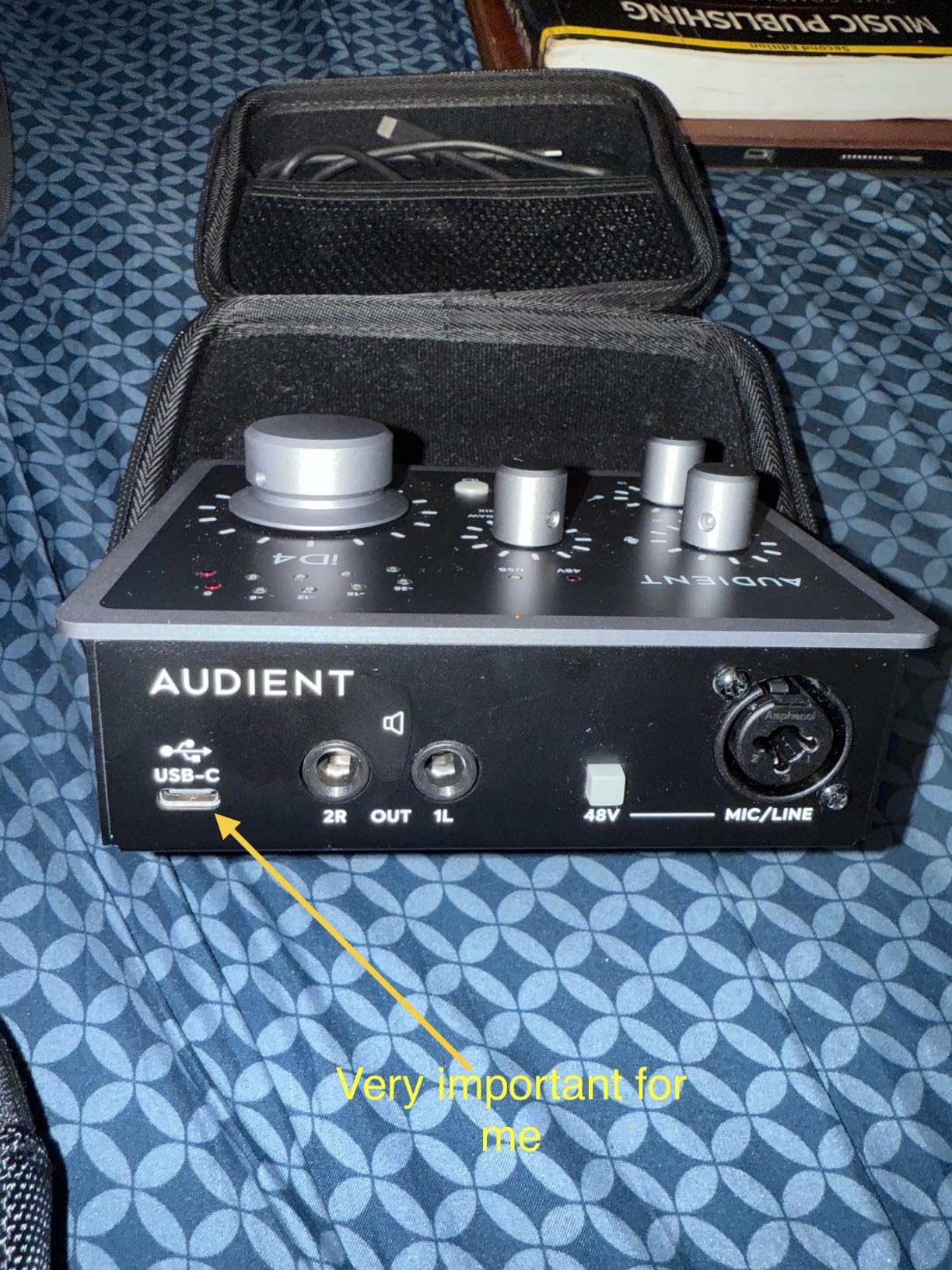
The Audient’s whole argument is the preamp, and it is made properly. Inside is a Class-A microphone preamplifier taken from Audient’s high-end ASP8024 HE console, and owners consistently say it gives a vocal a clear, forward presence that holds up against more expensive units. If your voice sits back in a mix and EQ has gained you nothing, this is the box to try first.
It is the opposite pick to the SSL 2 MKII. One of those is warm and detailed, this one is forward and present, and between the two you cover the two most common vocal problems without touching a plugin. The dual headphone outputs are the second thing to know about, each with its own volume control, so a second vocalist or an engineer can monitor independently.
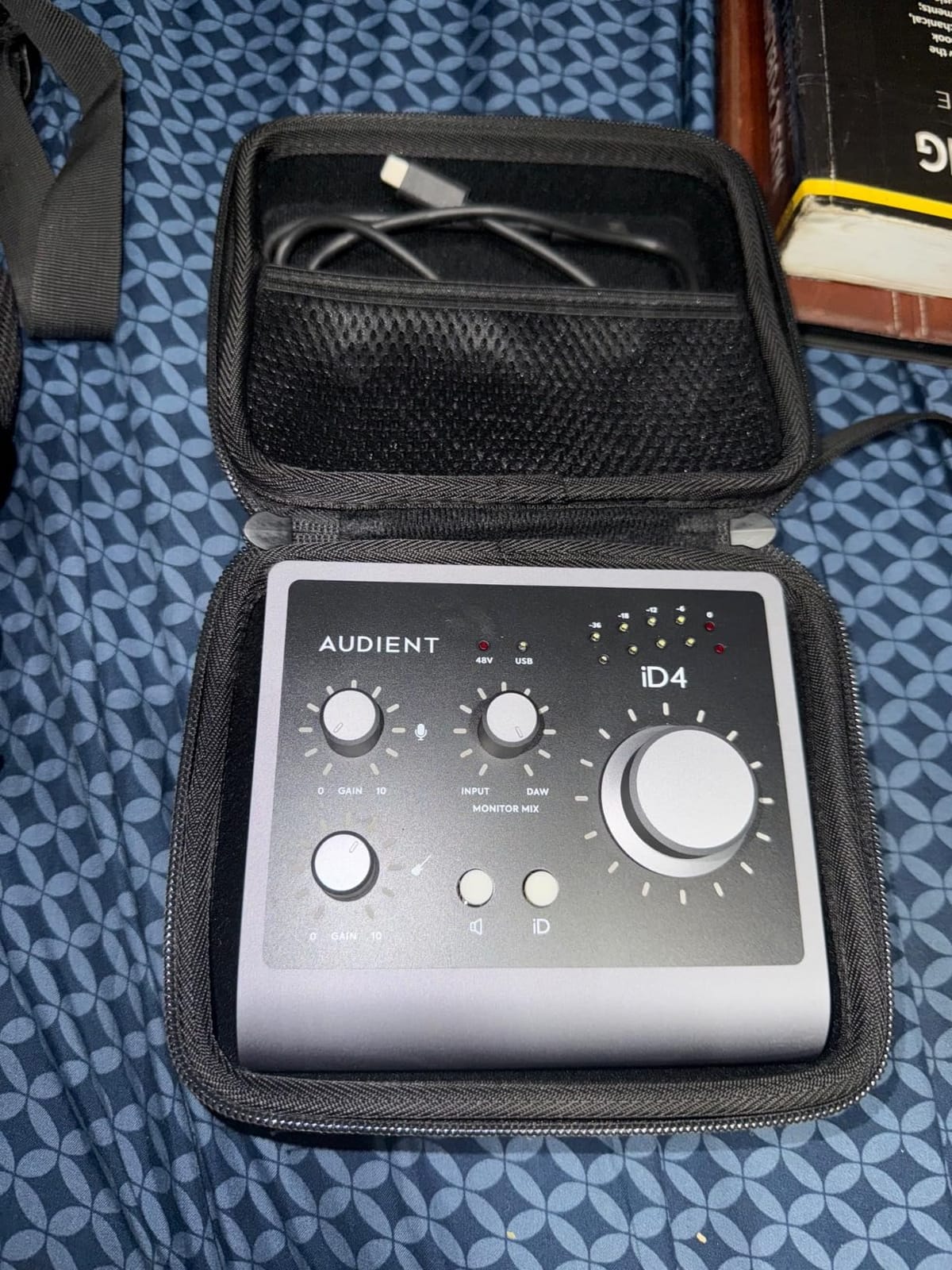
Build is another point in its favour: an all-metal desktop housing, 740 grams, 4.72 by 5.2 by 1.57 inches that stays where it is put. Monitor mix and monitor panning let you blend inputs with playback without adding latency, the same idea as the AudioBox mixer knob. What you accept is a single XLR, so one microphone and one person, and no MIDI, so a controller needs an adapter.
Why Preamp Character Beats Sample Rate
Here is a claim I will make plainly: for a voice, preamp character matters more than conversion ceiling. You can resample a 96 kHz file down to 48 kHz and lose very little. You cannot add presence, weight or character to a vocal after the fact without plugins, and plugins cannot fully replace the way a circuit shapes a signal. That is why this box, with a 96 kHz ceiling, still belongs in a list of the best audio interfaces for vocalists.
Two Headphone Outputs in Practice
Two outputs with a separate headphone volume is the feature that gets owners most excited. If you write with someone else in the same room, or you are a vocalist who also produces, two people can monitor at their own comfortable level without passing headphones around. It also solves an awkward problem on larger projects where you want a spare pair of headphones open for a reference mix, and that small thing pays for itself repeatedly.
Sample Rate Ceiling and What to Ignore
96 kHz maximum is below what most current competitors offer and above what you need, since every delivery standard a vocalist will encounter is 48 kHz. Do not buy or skip an interface on that number. The specifications that change a vocal recording are clean gain, phantom power where you need it, low-latency monitoring and a headphone amp with enough power for your headphones, and the Audient nails the first and last of those.
10. Mackie Onyx Artist 1X2 – Rugged Build With No XLR Socket
Mackie Audio Interface, Onyx Artist 1X2 USB Audio Interface (Onyx Artist 1-2)
Onyx boutique mic preamp
24-bit/192 kHz
MIDI in and out
1/4 inch TRS inputs
Pros
- Onyx boutique mic preamp delivers clean quiet recordings with no hiss
- Build described as tank-like with heavy responsive knobs and a metal chassis
- MIDI I/O included which is increasingly hard to find at this level
- Zero-latency direct monitoring with balanced line and headphone outputs
- 24-bit/192 kHz in a small bus-powered USB 2.0 box
Cons
- Preamp gain is low so quiet dynamic and condenser mics need a booster
- The two inputs appear as one stereo input rather than two mono inputs
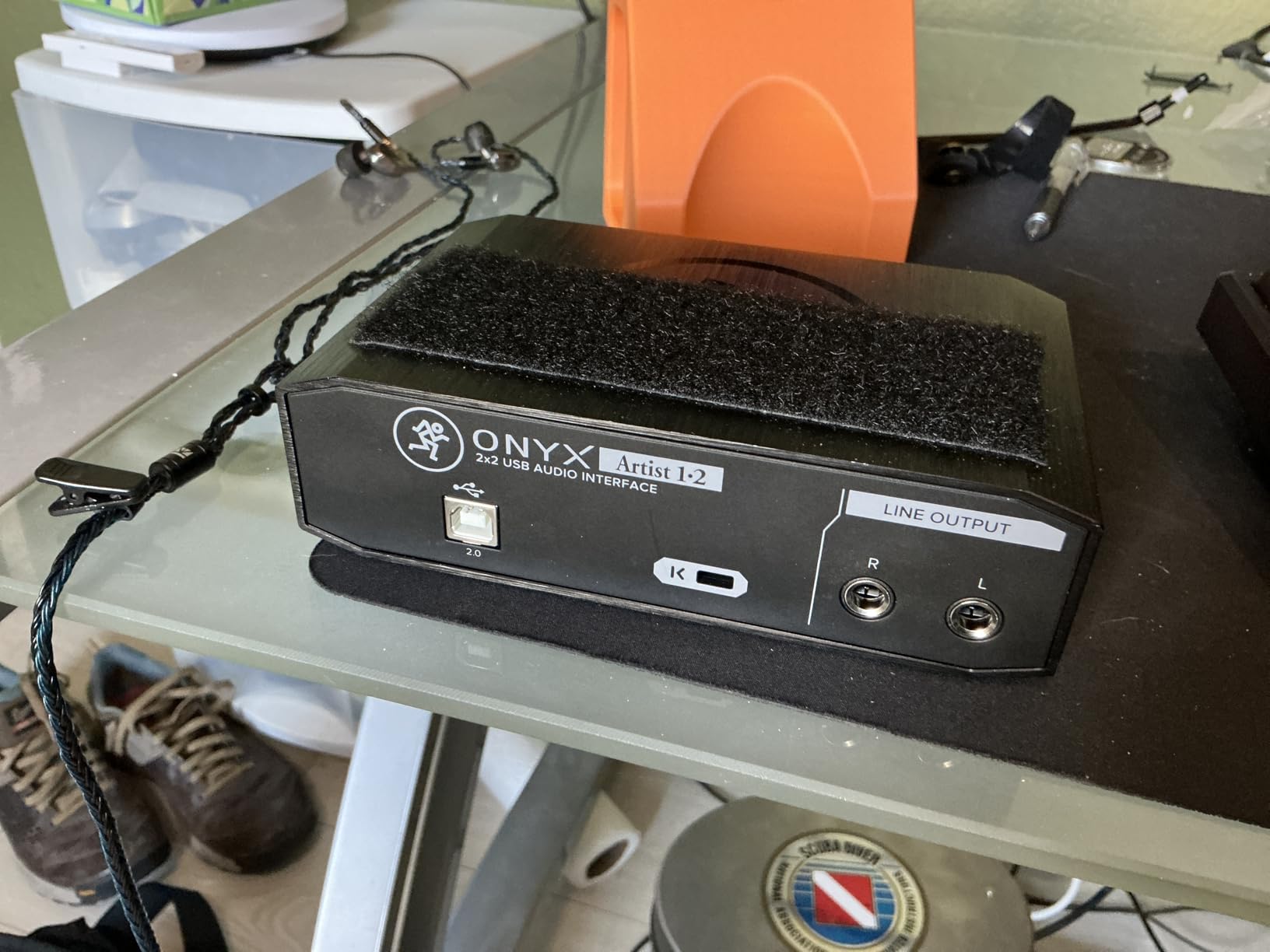
- Only quarter-inch TRS jacks with no XLR so mics need an inline preamp
- Knob markings are hard to read in a dim room
This is the one pick here that is honest about what it is. The Onyx Artist 1X2 has a boutique-quality Onyx mic preamp described as class-leading for its fidelity and dynamic range, a build owners call tank-like, and MIDI I/O, which is increasingly hard to find at this end of the market. It also has no XLR sockets at all.
That makes it a strange fit in a vocal roundup, and pretending otherwise would be dishonest. It is for line-level sources, guitars through a pickup or a pedal, controllers and existing outboard gear. If your microphone is a USB microphone with a built-in preamp, this box handles it perfectly. If you own a condenser on an XLR cable, you need an inline preamp first.
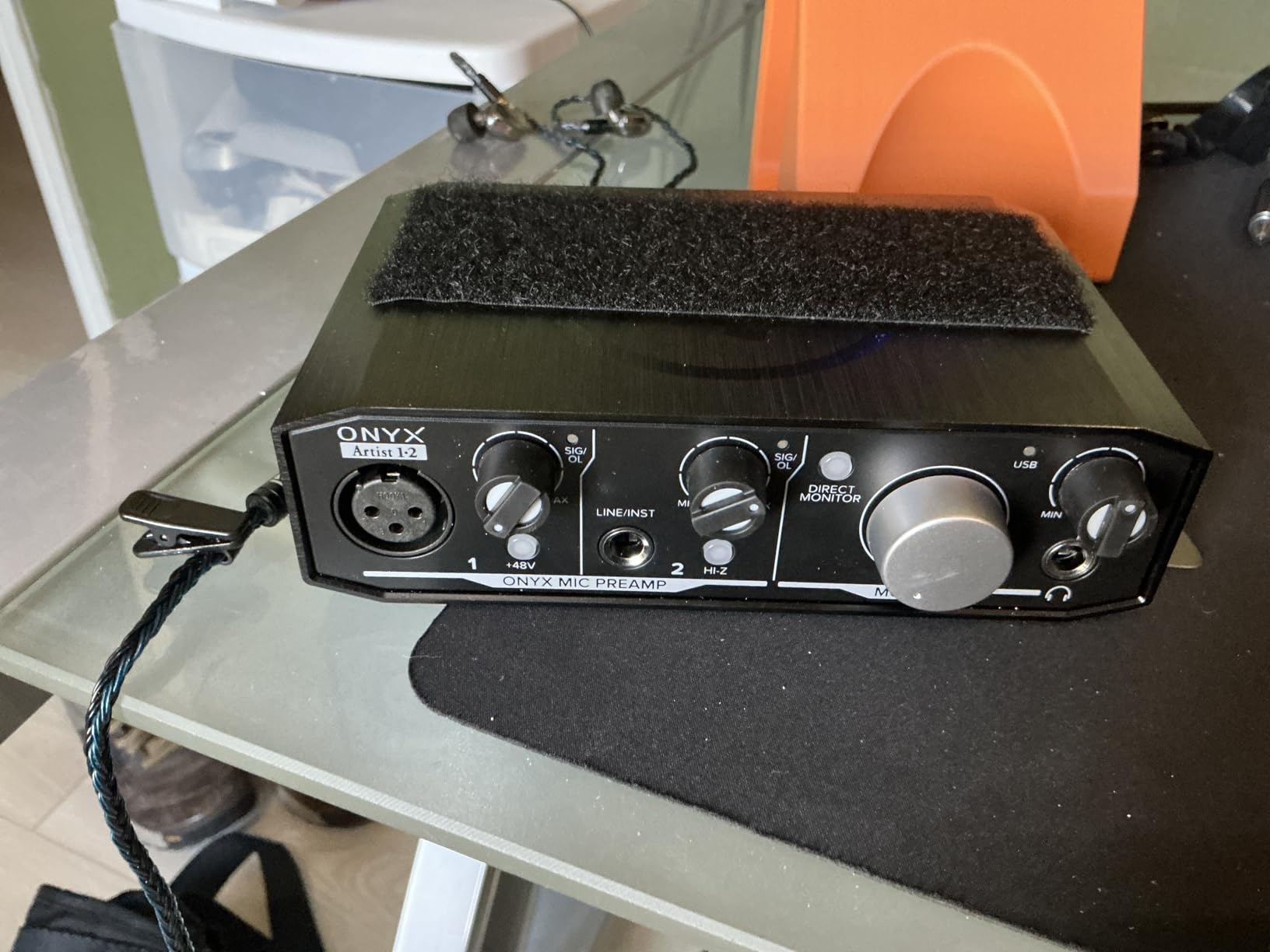
Build quality is the honest headline: heavy metal chassis, solid knobs with a real feel, and a one-year all-inclusive warranty. Owners frequently compare the preamp’s low noise favourably against a Focusrite Solo or 2i2, and at this price that comparison holds up. The most cited practical drawback after the missing XLR is that both inputs appear to the computer as a single stereo input rather than two mono inputs, which confuses people working outside a DAW. Pro Tools First and the Musician Collection of 23 plug-ins and instruments are included.
When a Line-Level Interface Is the Right Answer
There is a category of vocalist this box suits better than anything else on the list. If you record with a USB microphone that already has a preamp, or you run a chain ending in a line-level output, this is a clean, quiet, indestructible way to get that signal into your computer with proper monitoring. It is also right for a singer who wants to capture guitar, keyboard or synth alongside a line-level voice from a mixer. Just accept the one-year warranty and check the input mapping before building a session around it.
Gain Limits With Quiet Microphones
Preamp gain is low, which is why a booster is usually needed with quiet dynamic or condenser microphones. A broadcast dynamic or a ribbon produces a small signal, and if there is not enough clean gain to bring it up, the fix is another box in the chain with its own noise and its own cost. That same low gain becomes a non-issue for line-level sources, which is what the box is built around.
Build, Knobs and Dark Rooms
The physical design is genuinely good: 6.4 by 4.4 by 1.9 inches, 1.2 pounds, bus-powered over USB 2.0 with no adapter, and zero-latency direct monitoring of the analog inputs. It is small enough to sit beside a laptop and heavy enough not to slide away. The knob markings are hard to read in a dim room, a real complaint from owners who record at night, and if that is you the meter display on the MOTU M2 is more useful at a glance than any knob legend.
How to Choose an Audio Interface for Vocals
Everything above comes down to four things: how many microphones you need, how much clean gain your microphone demands, whether it needs phantom power, and whether you can sing through the monitoring without fighting the delay. Work through those and the shortlist collapses to two or three boxes within minutes.
How Many Inputs Do You Actually Need
One person, one microphone. You need one XLR input and one instrument input for a guitar. A single-input box like the Scarlett Solo 4th Gen, the MiniFuse 1, the MOTU M2 or the Audient iD4 MKII covers this completely. Do not pay for a second preamp you will leave empty.
One person, vocal and acoustic guitar together. You need two inputs minimum, ideally two XLR-capable ones. The AudioBox 96, the M-Track Duo and the SSL 2 MKII all do this, and the M-Track Duo does it on the smallest budget.
A duet or two singers in the room. You need two true XLR mic inputs, which in practice means the SSL 2 MKII from this list. This is the most restrictive requirement in the category, because most two-channel boxes are one XLR plus one instrument input, not two microphones. A band or live room capture needs four or more real preamps, and none of these ten is designed for it.
On r/Guitar, a guitarist and vocalist asked for exactly this: one box handling guitars, vocals and MIDI without unplugging anything. The honest answer is that no two-channel interface does all three, and the sensible one is to buy the inputs you use every week and accept repatching for the rest.
Preamp Gain and Matching Your Microphone
Gain decides whether a take works, and it is the number most product pages bury. A large-diaphragm condenser produces a healthy signal that most interfaces drive comfortably. A broadcast dynamic such as an SM7B, a ribbon, or a low-output stage mic produces a much smaller signal and needs substantial clean gain or an inline booster. When the preamp runs out of headroom before the signal reaches a usable level, the noise floor rises with it, and that is the quiet, thin, sibilant vocal people spend weeks trying to fix in software.
From this list, the boxes whose owners report the most clean gain and least noise when pushed are the ones with genuinely usable drive: the Audient iD4 MKII for presence, the MiniFuse 1 for noise, the SSL 2 MKII for detail. Boxes more likely to need a booster for a quiet dynamic are the Behringer UMC202HD at maximum gain and the Mackie Onyx Artist 1X2, which has no XLR at all and so is not a candidate regardless. On Gearspace, the running advice for an SM7B is that any Neve-style preamp character pairs well with it, and that the interface is judged on preamp behaviour rather than on a spec table.
Phantom Power and the Ribbon Microphone Hazard
Phantom power is 48V supplied to a microphone through the XLR cable. Condenser microphones need it, and almost every interface here provides it. Ribbon microphones do not need it, and some are damaged by it. That is a hardware risk rather than an audio preference, and it is the one mistake in this guide with the potential to destroy equipment. If you own a ribbon, check the manufacturer’s guidance before switching phantom power on and never plug a passive ribbon into a channel where phantom is enabled by default. A labelled channel switch or per-input phantom control is worth paying attention to if you switch between condenser and ribbon often.
Latency, Buffer Size and Singing in Real Time
Latency is the delay between the moment you sing a note and the moment you hear it. At the default buffer size in most DAWs it is roughly 5 to 10 milliseconds round trip, which most singers perform through but some find distracting on fast melodic runs. Set the buffer to 128 or 256 samples for tracking and raise it to 512 or 1024 for mixing, and use the native ASIO driver on Windows or Core Audio on Mac rather than the generic system driver, because the native path is what delivers low latency. Direct monitoring bypasses the computer entirely; every box here offers some form of it, and for pure vocal tracking it is the lowest-latency option available.
Bit Depth, Sample Rate and the 192 kHz Myth
Record at 24-bit/48 kHz. That is the professional standard, it is what video and streaming expect, and it is what you should choose even when the box supports more. Higher rates exist here: 192 kHz on the Scarlett Solo 4th Gen, the UMC202HD, the MiniFuse 1, the Volt 1, the SSL 2 MKII, the MOTU M2 and the Mackie, and 96 kHz on the AudioBox 96 and the Audient iD4 MKII. Forum discussion is full of beginners fixating on the highest number on the box, and experienced users pointing out that it costs CPU, creates huge files and improves nothing a singer will hear. Bit depth matters more: 24-bit gives you headroom for quiet takes, which is why 16-bit boxes are the specification worth walking away from.
Headphone Output Power
The headphone amp is where vocalists get disappointed most often, because a low-power output forces you to turn the volume up until the level knob or your ears give out. Specific owner notes from this roundup: the UMC202HD runs quiet, the Volt 1 delivers less power than some headphones would like, the MOTU M2 is modest for high-impedance models, the MiniFuse 1 underdrives small in-ear monitors, and the SSL 2 MKII and AudioBox 96 are described as powerful with plenty of headroom. You do not need a specification to decide. Take your headphones, plug them into any of these at a listening level and check for distortion and for whether the low end disappears when the level is low.
Drivers, USB-C Cables and Operating Systems
Driver reliability is the most cited complaint category in forum threads about otherwise good budget interfaces, and the pattern is that Mac is seamless while Windows is where the friction lives, with recurring complaints about ASIO setup fiddling and buffer settings that reset after a reboot. Arturia requires product registration before drivers install, which catches people out because the step is missing from the printed instructions. The SSL 2 MKII loopback does not behave as a standard two-channel loopback for streaming and calls, with support closing the ticket unresolved. Two practical USB notes: many of these boxes need a data cable rather than a charge-only USB-C cable, and several are bus-powered over USB 2.0, so a hub or an underpowered port can cause channel-count problems or distortion.
What to Skip and Why
Single-input boxes with no headphone power for your headphones. Save the money only if you already own easy-to-drive headphones, otherwise the box you saved on will be replaced within a year.
Any decision made on 192 kHz. The number does not make a better vocal. If a product is recommended on maximum sample rate, that is usually a sign it was recommended by someone who has not recorded a take on it.
Bundled DAWs you will never open. A software bundle has real value if you are starting from nothing and Studio One or Ableton Live Lite is your introduction to recording. It has none at all if you already own a DAW, and it should never decide between two otherwise equal interfaces.
Interfaces with too little gain for a quiet dynamic microphone. If you own an SM7B, a ribbon or a low-output stage mic and will not add a booster, buy the clean-gain interface. Check the noise behaviour, not the maximum gain number.
What an Interface Cannot Fix
A better interface will not fix a bad room, the wrong microphone for your voice, or a performance. Before upgrading the box, walk to the worst-sounding spot in your room and record thirty seconds there. If you can hear the room, that is your problem and no converter fixes it. Soft furnishings, a heavy duvet over the bed, curtains on the reflective wall, and putting the microphone in a closet with clothes in it all cost less than an interface and help more.
A pop filter, a shock mount and a proper balanced XLR cable are the same argument. A pop filter at a sensible distance prevents plosives that no EQ removes cleanly, a shock mount stops structure-borne noise from the desk reaching the mic, and a decent cable that is not a flimsy accessory one stops hum. None of these are glamorous and all of them are load-bearing.
Frequently Asked Questions
What is the best audio interface for recording vocals?
The Focusrite Scarlett Solo 4th Gen is the best all-round choice for a solo singer. It has one clean XLR mic preamp, 120 dB dynamic range from Focusrite studio converters, an Air mode that lifts vocal presence, and monitoring latency low enough to sing through. The SSL 2 MKII is the better choice for two microphones, and the Behringer UMC202HD is the sturdiest value option.
Do I need an audio interface to record vocals?
You need one unless you are using a USB microphone with a built-in preamp. A computer has no XLR input and no microphone preamp, so a studio condenser or dynamic mic plugged straight into a laptop will sound thin and noisy. An interface supplies clean gain, 48V phantom power for condensers, and low-latency headphone monitoring so you can sing in real time.
How many inputs do I need to record vocals?
A solo singer recording one microphone needs one XLR input, plus an instrument input for guitar. A singer layering vocal and acoustic guitar together needs two inputs minimum. Recording a duet or a stereo pair of microphones needs two true XLR mic preamps, which rules out most two-channel boxes where the second input is a line or instrument socket. Bands need four or more mic preamps.
Do condenser microphones need phantom power?
Yes. Condenser microphones need 48V phantom power supplied through the XLR cable, and nearly every interface in this roundup provides it. Dynamic microphones and ribbon microphones do not need phantom power, and some ribbon microphones are damaged by it. If you switch between condenser and ribbon microphones, check the manufacturer’s guidance and never plug a passive ribbon into a channel with phantom power switched on.
What buffer size should I record vocals at?
Set the buffer size to 128 or 256 samples while tracking vocals, and raise it to 512 or 1024 for mixing. Use the native ASIO driver on Windows or the Core Audio driver on Mac rather than the generic system driver, because the native path is what delivers low latency. You can also bypass the computer entirely with direct monitoring for near-zero delay while you sing.
Which interface has enough gain for an SM7B?
An SM7B produces a low output signal, so what matters is how much clean gain the preamp gives before its noise floor rises. The Audient iD4 MKII, Arturia MiniFuse 1 and SSL 2 MKII are the strongest choices in this roundup for headroom and noise. Boxes like the Behringer UMC202HD get noisier at maximum gain, so an inline booster is often added for quiet dynamics like the SM7B.
Which Audio Interface Should You Buy in 2026?
If you sing solo into one microphone and occasionally want a guitar alongside it, the M-Audio M-Track Duo gives you two inputs, honest zero-latency direct monitoring and a working DAW in the box for the least money of anything here. If you want the most refined vocal capture, the Audient iD4 MKII and the SSL 2 MKII are the two to audition, and they are opposites: forward presence against warm detail.
Record two singers, or a vocal and a stereo pair, and the choice narrows to the SSL 2 MKII alone, because it is the only box here with two true XLR mic preamps. Play a MIDI controller with your voice and the Arturia MiniFuse 1 gives you one mic, MIDI in and out, a USB hub and the quietest preamp here. If you want the most accurate level readings while tracking, the MOTU M2 and its LCD meter are hard to argue with.
Whichever you pick, the interface is rarely the weakest link in your vocal chain. Fix the room, buy a microphone that suits your voice, and set your gain properly at 24-bit/48 kHz, and any of these ten will do more for your songs than a costlier box would. That is our best audio interfaces for vocalists shortlist for 2026, and we will update it as new generations land.