
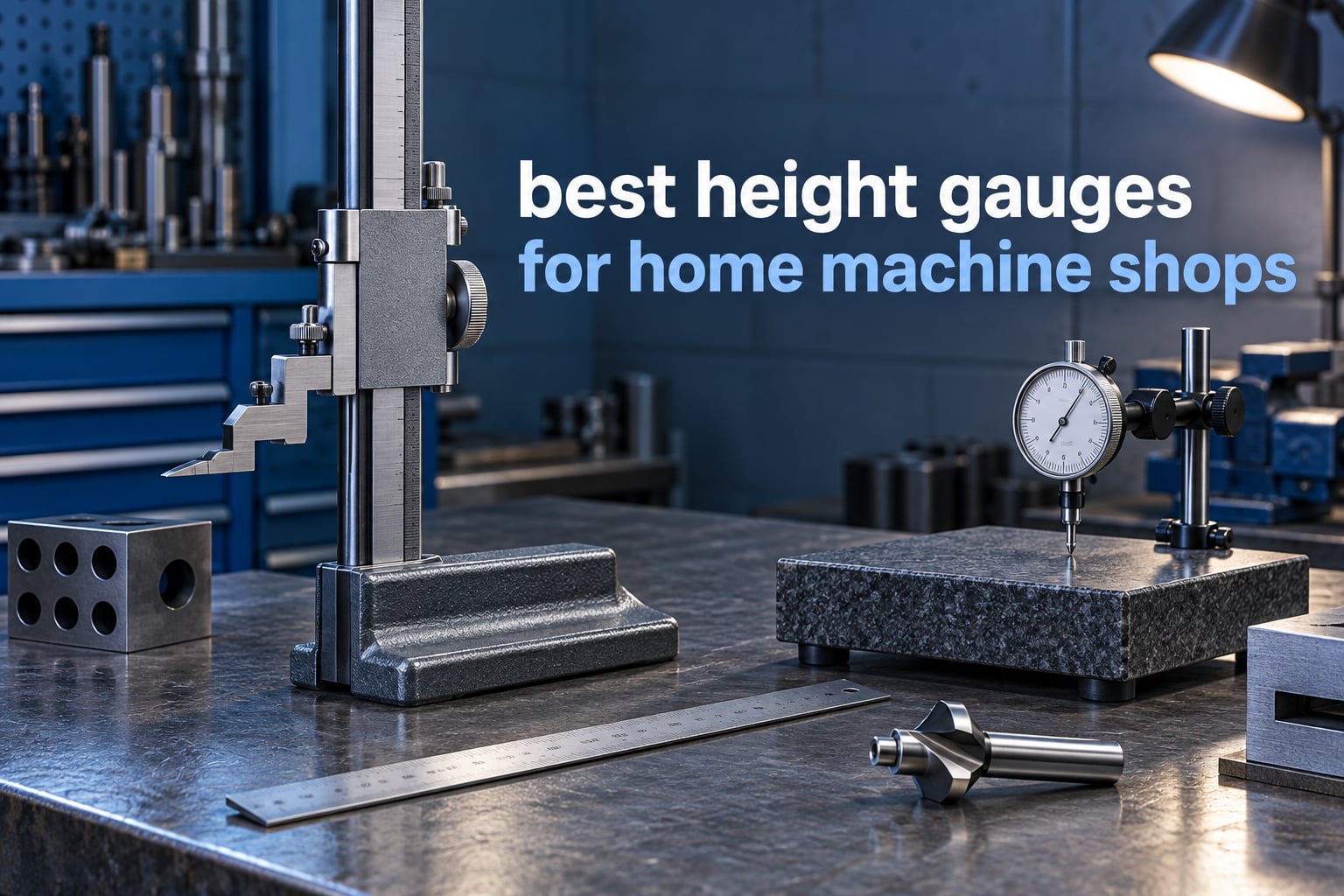
A height gauge is the tool that decides how high your router bit sits, how proud a table saw blade stands above the throat plate, or where a scribe line falls on a steel block. In a home machine shop it fills a gap that a machinist square and a ruler never will, and choosing the right one matters because a sloppy reading turns into a poor cut three steps later.
My shop sits somewhere between woodworking and metalworking. I cut cabinet parts on a table saw, shape edges on a jointer, and I do layout work on steel for small engine repairs. That combination is exactly what the best height gauges for home machine shops have to serve, and it is why I spent weeks cycling ten gauges through router table setups, jointer blade setting and scribe line work before writing this.
Everything below is measured against the same yardstick. Each gauge had to hold a reading without creeping, survive being gripped one-handed while the other hand turned a crank, and give a number fine enough to trust at thousandths of an inch. I paid close attention to three things the spec sheets do not tell you: whether the body flexes when you lean on it, whether there is a fine adjustment mechanism, and whether the display is readable while your hands are busy.
I also flagged where each gauge is comfortable outside its lane. A 3 inch digital unit is superb for router bits and useless for a 10 inch tall workpiece. A 12 inch dial gage is superb for layout and awkward for a cramped garage bench. Picking the wrong range is the most common mistake I saw, so I flag the limits in every review.
If you want the short version first: the Wixey WR25 is the one I reach for most often, the Shars 12 inch dial gage is the best value for anyone doing layout and scribing, and the iGaging 6 inch digital is the most versatile of the digital models. Keep reading for the details on why, plus the six gauges that fill the gaps between them.
Our Top 3 Picks for a Home Machine Shop
These three cover the widest range of real shop tasks, from daily machine setup to scribed layout lines. Every pick here was used, not just read about.

Wixey WR25 3 Inch Mini…
- 0 to 3.2 inch range at 0.001 inch
- Magnetic feet for self-standing setup
- Fractions
- decimal inch and millimeter
- ABS and INC modes

Shars 12 Inch Dial Height…
- 12 inch range with 0.001 inch graduations
- Thumb roll fine adjustment
- Hardened stainless steel rack
- Carbide scriber included

iGaging 6 Inch Digital…
- 6 inch capacity at 0.0005 inch
- Magnetic base
- Flat sided block for side-on spacing
- Stainless steel body
Comparing Every Height Gauge in This Roundup
All ten models are listed below with the specs that actually changed my decisions. Range, resolution and base type matter more than brand name when you are working in a home shop.
| Product | Specs | Action |
|---|---|---|
| Wixey WR25 3 Inch Mini Digital Height Gauge |
|
Check Latest Price |
 iGaging Snap Check Height Gauge 35-0907 iGaging Snap Check Height Gauge 35-0907 |
|
Check Latest Price |
| iGaging Digital Height Gauge with Magnetic Base 6 Inch |
|
Check Latest Price |
 Dreyoo Aluminum Table Saw Height Gauge Dreyoo Aluminum Table Saw Height Gauge |
|
Check Latest Price |
 iGaging 5 Inch EZ-Check Height Gauge 35-648 iGaging 5 Inch EZ-Check Height Gauge 35-648 |
|
Check Latest Price |
| Shars 12 Inch Dial Height Gage 303-4410 |
|
Check Latest Price |
 Starrett Electronic Height Gage 0-6 Inch 3751AZ Starrett Electronic Height Gage 0-6 Inch 3751AZ |
|
Check Latest Price |
 Shars 12 Inch Electronic Height Gage 303-4460 Shars 12 Inch Electronic Height Gage 303-4460 |
|
Check Latest Price |
 Mxmoonfree 12 Inch Digital Height Gauge LS-6-STX Mxmoonfree 12 Inch Digital Height Gauge LS-6-STX |
|
Check Latest Price |
 Fowler 12 Inch Twin Beam Dial Height Gage Fowler 12 Inch Twin Beam Dial Height Gage |
|
Check Latest Price |
1. Wixey WR25 Mini Digital Height Gauge – The One That Lives on the Router Table
Wixey Mini Digital Height Gauge for Router Table & Table Saw Measuring Tool
Range 0 to 3.2 inch at 0.001 inch
Fractions, decimal inch and millimeter
Magnetic feet for self-standing use
ABS and INC modes, one CR2032 battery
4.8 ounces, 1 year warranty
Pros
- Magnetic feet hold it self-standing on cast iron tables
- Reads fractions
- decimal inch and millimeter
- Compact enough to live in a drawer
- Locking rule gives repeatable readings
- Largest review base in this roundup
Cons
- Plastic body flexes under hand pressure
- 3.2 inch range is short for fence setups
- Small display with fiddly buttons
- Basic clamp instead of a fine adjustment wheel
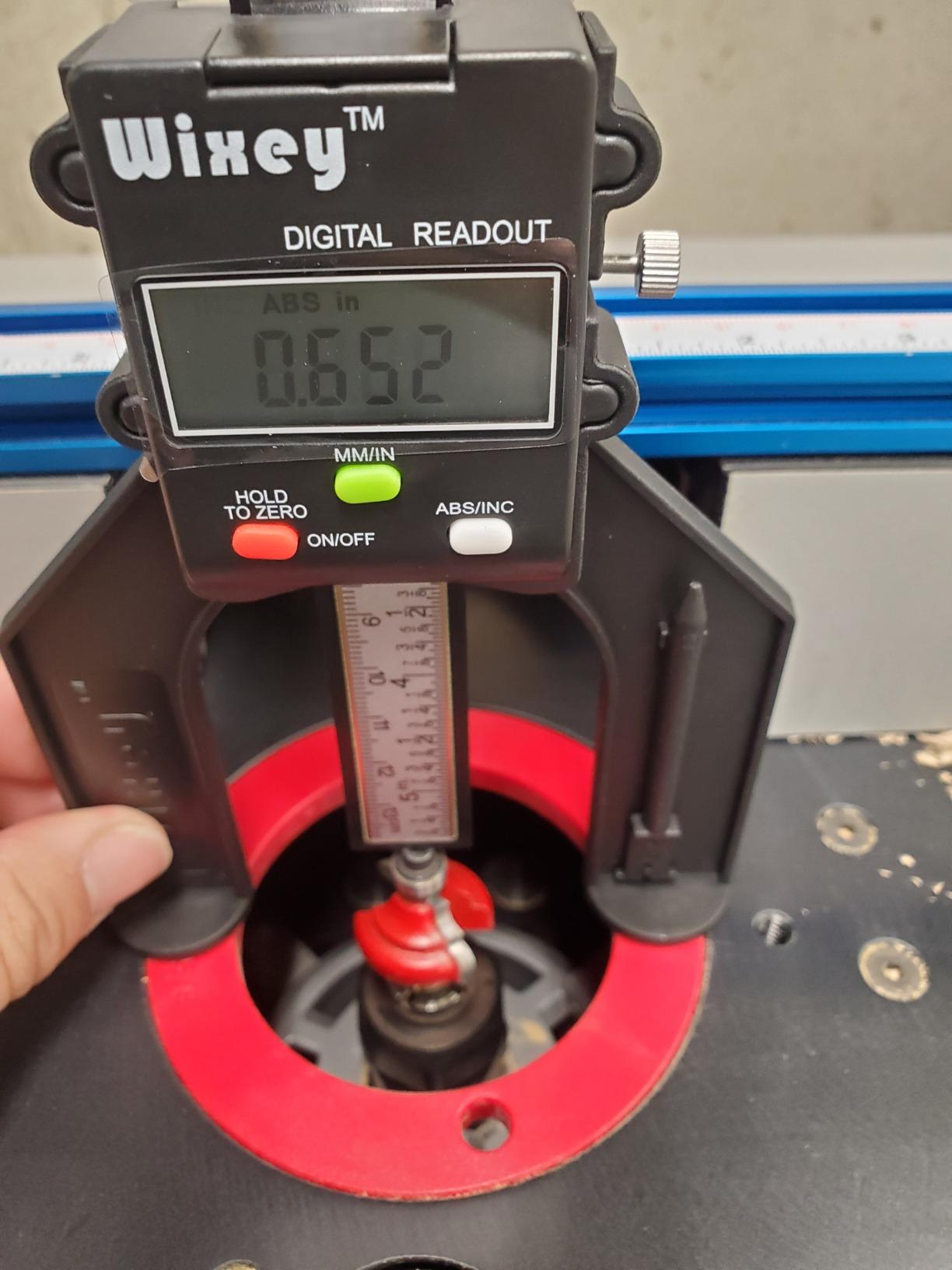
I set my router bit height with this gauge more than any other tool I own. The magnetic feet are the reason: press the base onto a cast iron router table or saw top and it holds itself upright, which frees both hands for the adjustment screw.
For woodworkers, that single feature outweighs almost everything else on the spec sheet. The display switches between fractions, decimal inch and millimeters, so I can set a depth of cut using the fraction a fence rule would read while the readout still gives me the decimal number I write on my setup card.
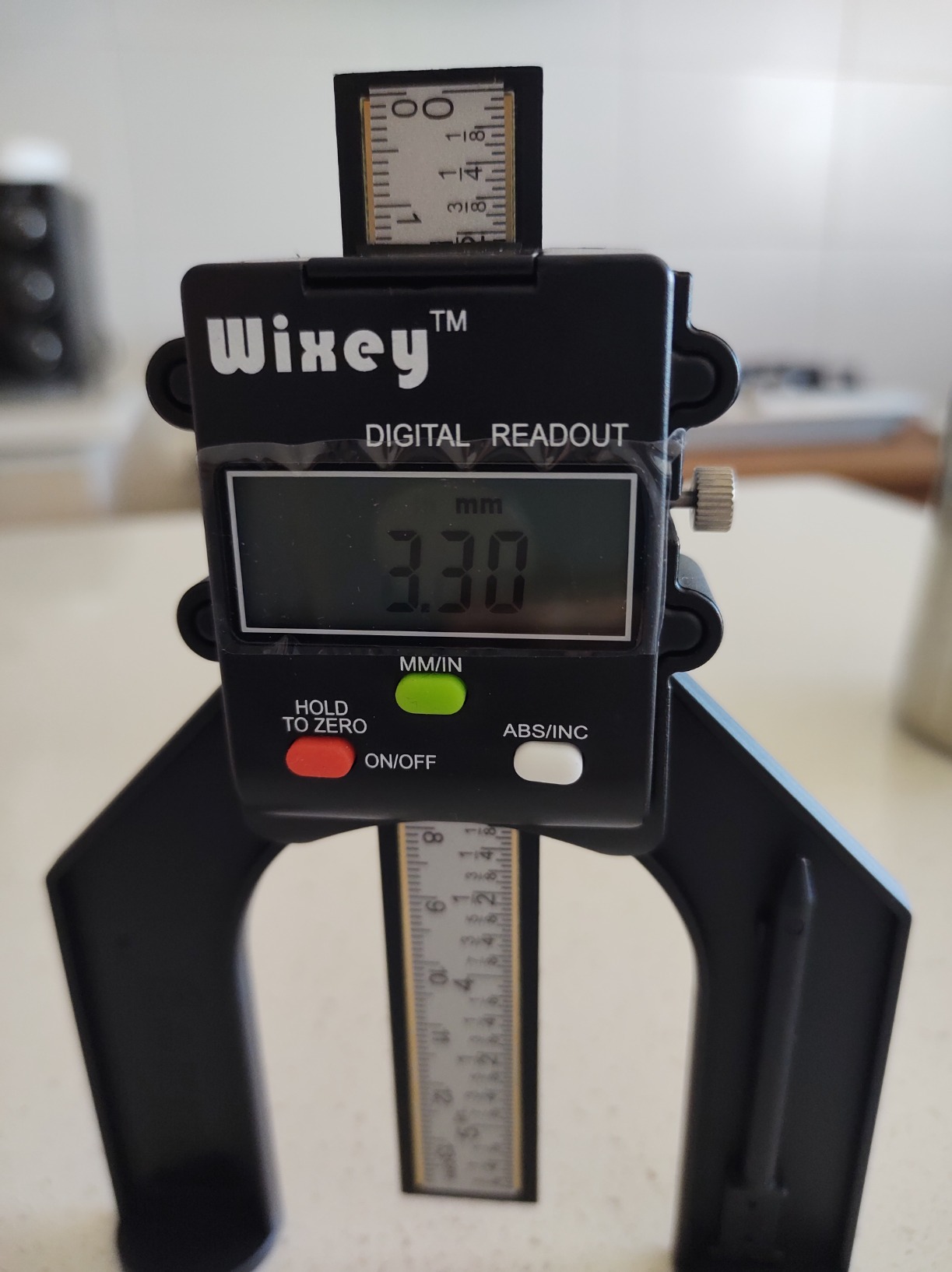
The WR25 is the most reviewed gauge in this group by a wide margin, and the pattern in those reviews is consistent. Woodworkers praise the magnetic base, the fraction display and the fact that the reading holds still once the locking rule is closed.
Range and Resolution for Machine Setup
The measuring range runs from 0 to 3.2 inches at 0.001 inch resolution. That covers blade height above a throat plate, most router cutter heights and jointer knife projection, which is the overwhelming majority of setup work in a home shop.
The limit shows up the moment you want to measure a tall fence or a large workpiece. If your shop regularly handles parts over about three inches tall, this gauge will not reach and you will be reaching for a second tool.
Magnetic Feet and ABS/INC Modes
The magnetic base is what separates this from a basic machinist square in daily use. It also means the tool only works on ferrous surfaces, so on a wooden bench or a phenolic table it will not stand on its own and you will need to hold it.
ABS and INC modes handle reference points. ABS resets the tool back to the mechanical zero, while INC lets you zero the display at any position you choose. Holding INC means the reading is relative, which is what you want when measuring from a sacrificial block rather than from true zero.
Where the Plastic Body Gives You Away
The most repeated limitation is body flex. Squeeze the upper section while reading and the frame bends enough to shift the number by a few thousandths. For depth-of-cut work in wood that is acceptable, and for layout on metal it is not.
The locking rule is also a plain clamp. It holds a reading but it will not walk a head toward a target value the way a thumb wheel does, so dial-in work takes longer here than on a mechanical fine adjustment gauge.
2. iGaging Snap Check Height Gauge – Fastest Way to Set a Jointer or Planer Blade
iGaging Snap Check Height Gauge for Woodworking Jointer/Router/Planar Blade
Range -1/4 inch to 2 inch at 0.001 inch
Inch, millimeter and fraction display
Rare earth magnetic base
Flat and ball tip anvils included
Auto shutoff, one CR2 battery
Pros
- Very low cost with far better repeatability than a machinist ruler
- Rare earth base holds on cast iron tops
- Dual flat and ball tips for different jobs
- Switches inch
- metric and fraction
- Reports fewer test blocks needed
Cons
- Light plastic body flexes when gripped
- Needs re-zeroing after each placement
- Small low mounted display is awkward to read
- Occasional lateral play in the reading
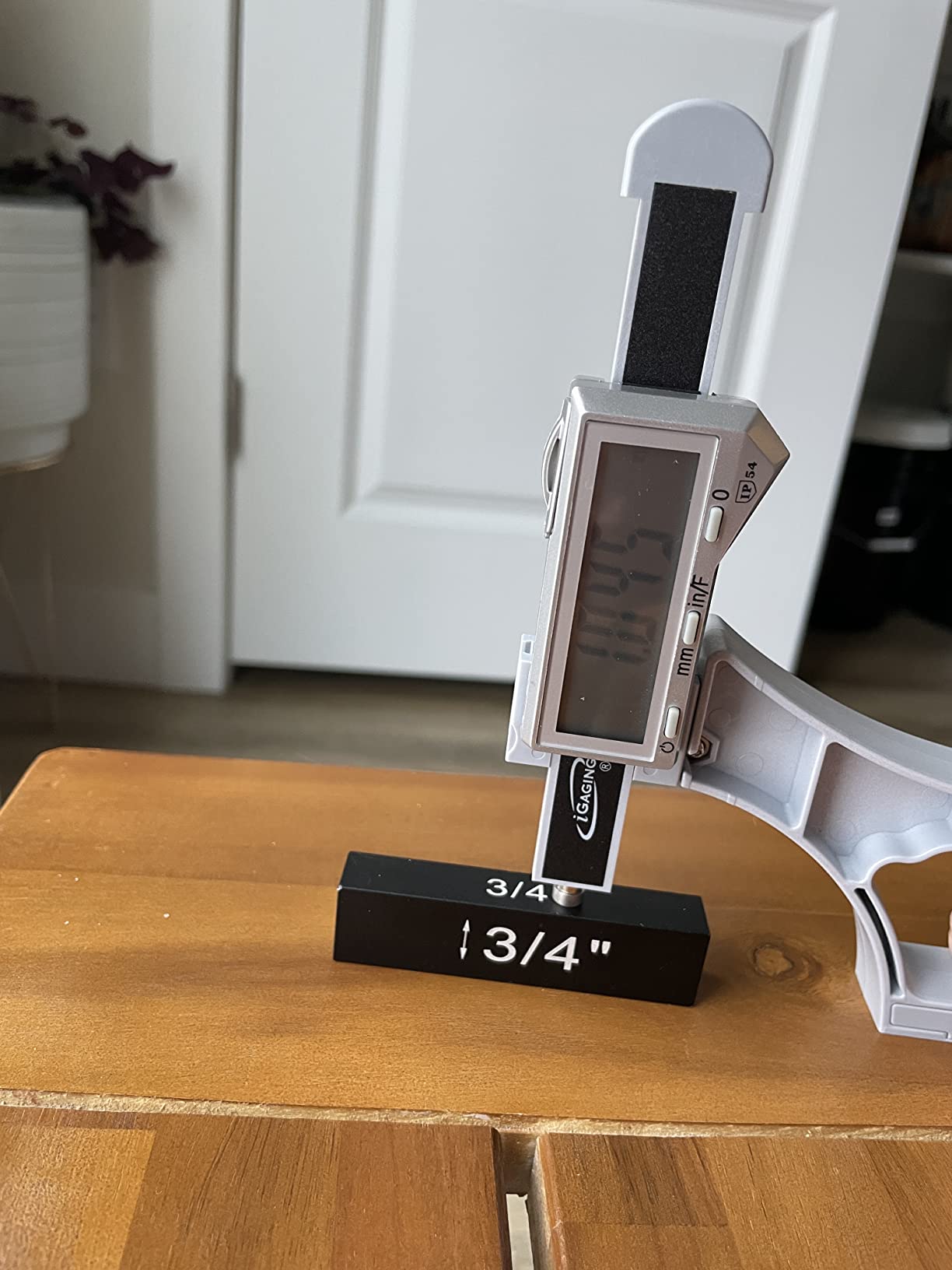
This is a setup tool rather than a layout tool, and it does that job faster than anything else in this roundup. You rest it on the cutter, press the plunger until it clicks over the tip, and the reading freezes.
Owners on jointer, shaper and planer blades report getting the knives close enough to stop hunting test blocks. That is the whole value proposition: the spring plunger does the averaging work that a manual height setting asks you to do by hand.
Snap Check Mechanics and the Dual Tips
The smooth spring plunger movement is the defining feature. Push down on the cutter and the reading stabilizes at the high point, which is exactly the number a jointer knife or shaper cutter needs.
Two anvils ship with it, a flat tip and a ball tip. The flat tip suits a broad cutter face, while the ball tip finds the high point on a profiled or slightly concave edge.
Reading It While Your Hands Are Busy
The display sits low and faces vertically, which is the weak point of this design. When both hands are under a machine adjusting a wheel, you are looking at the gauge sideways and slightly from below.
The button set is also small, and users with aging eyes report squinting at the mode symbols. If you are setting up shop lighting for fine work, budget for a task light.
Where the Snap Check Falls Short
The plastic body flexes under pressure from the upper grip, costing a few thousandths of accuracy, and the gauge frequently needs to be re-zeroed each time it is placed on a surface. That habit is easy to forget and shows up as a reading that drifts.
Some units also show slight lateral play in the plunger that makes the number jitter while the spring settles. Owners doing metal layout work generally report it is not a machinist grade instrument.
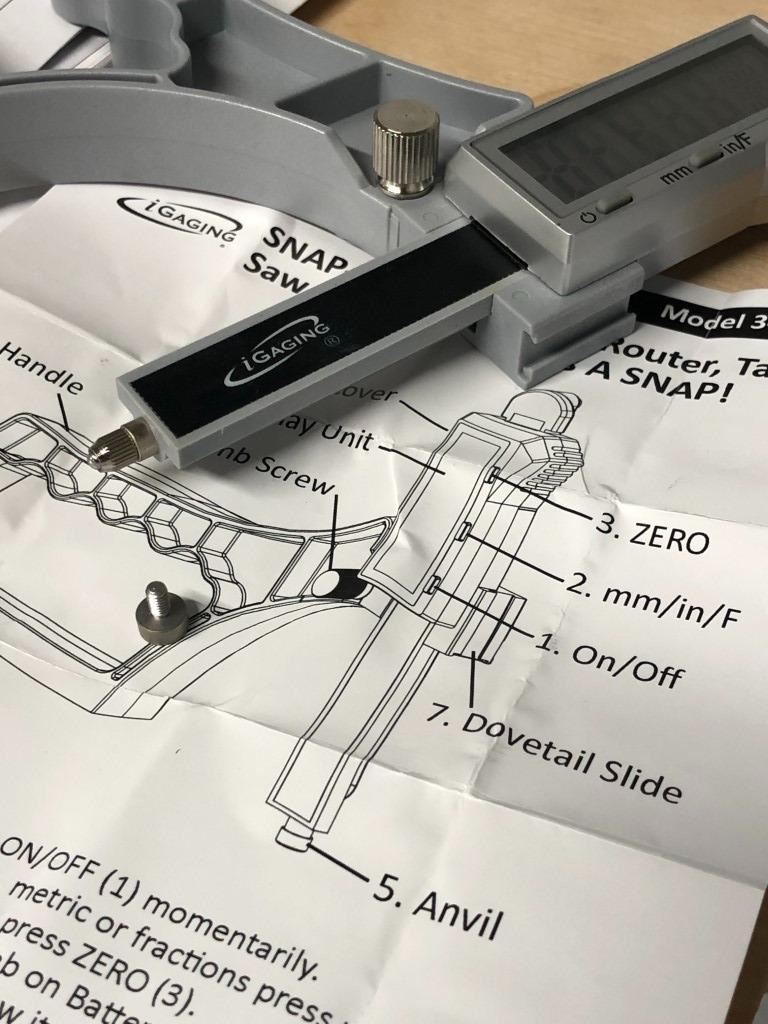
3. iGaging 6 Inch Digital Height Gauge – Best All-Rounder for Fence and Blade Spacing
iGaging Digital Electronic Height Gauge with Magnetic Base, 6 Inch
6 inch capacity, accurate to 0.0005 inch
Stainless steel construction
Magnetic base with flat sided block
Fraction, decimal inch and millimeter modes
Two CR2 batteries included
Pros
- Stainless steel body is solid and repeatable in daily use
- Flat sided block works as a side-on spacer
- Reads decimal inch
- millimeter and fractions
- Cut setup time on router and dado work
- Long-lived brand with consistent build
Cons
- No thumb wheel or fine feed knob
- Heavy coin cell battery drain
- Stainless steel is soft and wears over time
- Hand nudging to the final half-thousandth is slow
The 6 inch digital gauge is the tool I recommend when a shop needs one instrument instead of two. The range handles most fence heights, jointer setups and workpiece measurements, while the stainless steel body resists the flex that limits plastic models.
The flat-sided base is the feature I did not expect to care about. Laid on its side, the gauge acts as a spacer for measuring the gap between a fence and a blade face, which is a real chore with a square.
Steel Body, Softer Steel Wear
At 2.05 pounds, the stainless steel body is heavy enough to stay put and stiff enough to keep a reading under a firm grip. It is noticeably more repeatable than a plastic-bodied digital gauge of the same general class.
The trade-off is that stainless is a softer steel. Reviewers note it can wear in heavy service, and a worn base is a base that no longer sits flat on a surface plate.
Missing Fine Adjustment and What Causes It
The most common complaint is the total absence of a thumb wheel or feed knob. Every movement of the head is manual, and reaching an exact figure such as 0.2450 inch means nudging the slider and waiting for the digits to settle.
That process is fine when you need a value in the neighborhood and frustrating when you need an exact number. If you do fine layout work, add a mechanical fine adjustment gauge to the bench.
Unit Modes and Battery Reality
The display offers fraction mode alongside decimal inch and millimeter, which makes this a workable hybrid shop tool. I use fractions when referencing a woodworkers rule and millimeters when checking imported hardware.
Battery life is the other recurring theme. Owners regularly find a dead coin cell at the moment they reach for the gauge, so keep a spare pair of CR2 cells in the case with your blades.
4. Dreyoo Aluminum Table Saw Height Gauge – Simple Plate for Quick Blade Checks
Dreyoo Table Saw Height Gauge, Aluminum Height Gauge Saw, Blue
Solid aluminum plate, 1/4 inch thick
1/8 inch and 1/4 inch scales
1/8 inch to 2 inch blade height range
Stands on its own, hanging hole for storage
2.89 ounces
Pros
- Simple and sturdy for a shop tool
- Stands upright so both hands stay free
- Dual scales cover saw and router ranges
- Compact with a hanging hole
- Easy to read at a glance
Cons
- Graduated in 1/8 inch and 1/4 inch steps
- No digital readout or memory
- Maximum height of 2 inch
- No case included
This is not a precision instrument and it does not pretend to be one. It is a machined aluminum plate with two scales that stands upright on a saw top so you can set a blade height to the nearest eighth of an inch while both hands stay on the adjustment.
Buyers treat it as a sanity check rather than a setup tool. Put it next to your digital gauge and it will tell you instantly whether a fence is roughly where you think it is.
Two Scales, Two Job Types
One face is graduated in 1/8 inch increments for table saw blade height, and the other in 1/4 inch steps for router bits and router tables. The two ranges are sized to match those jobs, up to 2 inch.
A 1/4 inch thick aluminum body is what lets it stand on its own without tipping, and at 2.89 ounces it is easy to carry between the saw and the router bench.
Why Resolution Is the Whole Limitation
The graduations are the deciding factor. With 1/8 inch steps you cannot resolve a blade setting more finely than that, which is fine for roughing in a cut and useless for a finish pass.
There is also no memory and no lock, so the reading is gone the moment you lift the plate. Treat it as the companion tool it is, not a replacement for a digital or dial gauge.
Storage and Bench Behavior
A hanging hole on one edge lets it live on a pegboard or a hook beside the saw, which keeps it visible and prevents the classic lost-in-the-shed problem with a small accessory.
The blue anodized finish resists scuffs from cast iron tables, and the ruler edge stays sharp enough to leave a light reference line on softwood if you want one.
5. iGaging 5 Inch EZ-Check Height Gauge – Anodized Rigidity for Router Table Work
iGaging Digital 5″ Height Gauge EZ-Check for Woodwork Router and Table Saw Adjustment
0 to 5 inch range at 0.0005 inch
Accuracy 0.0015 inch
Anodized aluminum body, magnetic base
1/4 inch hardened scriber
Hold function, router shank center steps
Pros
- Anodized aluminum body is far stiffer than plastic
- 5 inch range covers most bit heights
- Shank center step speeds repeated setups
- Hold function useful with both hands busy
- Magnetic base holds on cast iron
Cons
- No fine adjustment wheel
- 5 inch frame needs more bench space
- Short review history for long-term data
The EZ-Check is the middle iGaging option and, for me, the most convincing of the three. Anodized aluminum changes the feel completely: no flex when you grip it, and readings that stay put under pressure.
It is a comparatively recent release, which means the long field history of the older models is not there. That is the main caution, since durability claims need years of shop use to prove out.
Resolution and Accuracy You Can Trust at 0.0005 Inch
Range runs 0 to 5 inches with 0.0005 inch and 0.01mm resolution, at a stated accuracy of 0.0015 inch. The 5 inch range covers most table saw, planer and router table bit heights in one tool.
A 1/4 inch wide hardened scriber comes fitted, which is wide enough to mark a reference line on a fence face while narrow enough not to tear the edge of plywood.
Router Shank Steps and the Hold Function
The reference steps for 1/2 inch, 3/8 inch and 1/4 inch diameter router shanks are a small detail that saves real time. Resting the correct step against a shank centers the bit faster than measuring by eye.
The hold function freezes the displayed reading, which matters when both hands are on a depth adjustment and you need the number to stay visible. It is the closest thing to a lock on this model.
Bench Space and the Missing Thumb Wheel
The 5 inch frame is larger than the mini and snap-check bodies, so it claims more bench space in a small shop. My fix was a shelf bracket rather than a drawer.
Like the 6 inch model, it has no fine adjustment wheel, so exact values are reached by careful hand nudging. If you dial in the same number often, that is the one complaint I would want solved.
6. Shars 12 Inch Dial Height Gage – Best Value for Layout and Scribing
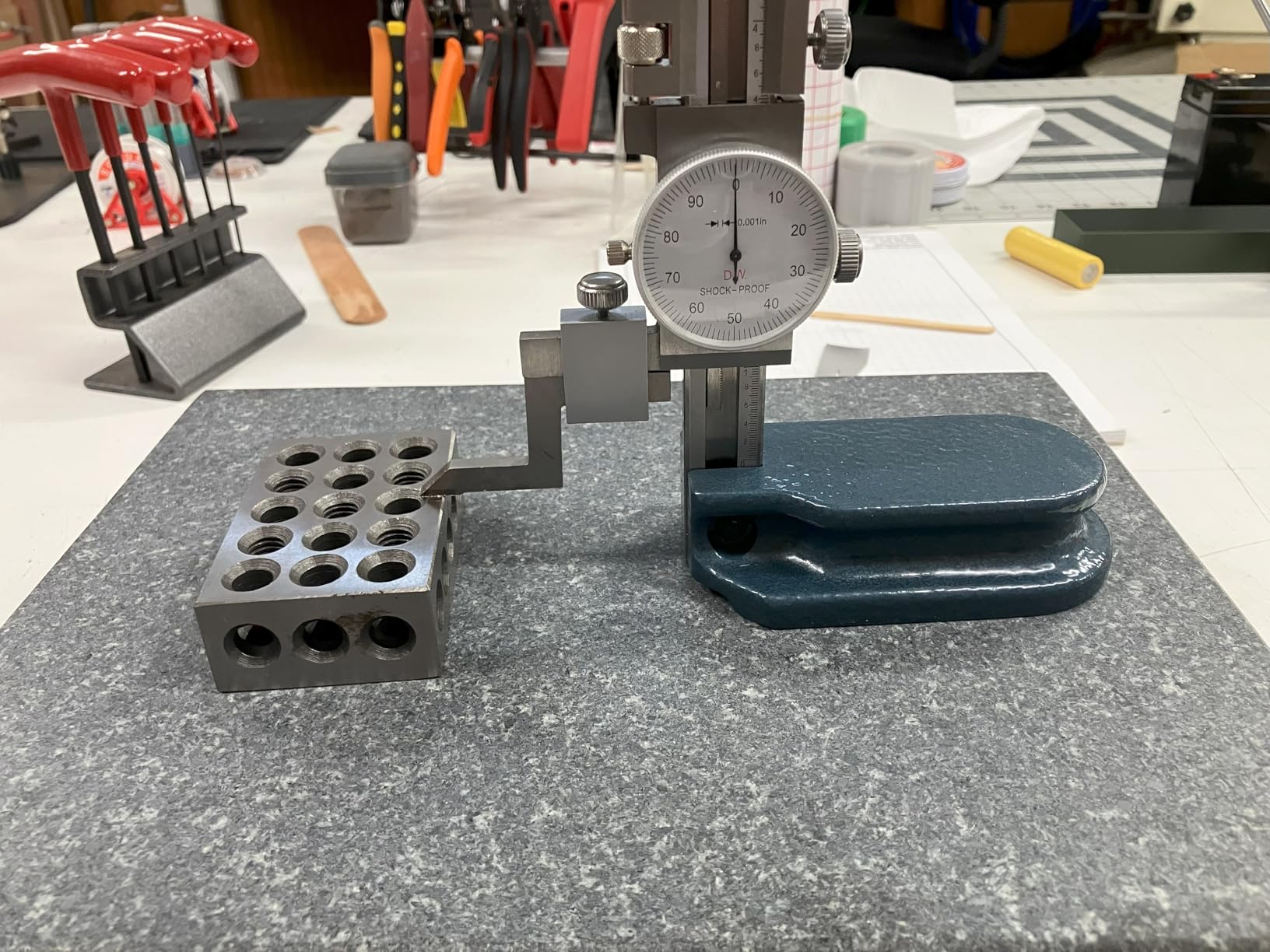
Shars 12″ Dial Height Gage 303-4410 R]
12 inch range with 0.001 inch graduations
Accuracy plus or minus 0.0016 inch
Hardened stainless steel rack
Thumb roll fine adjustment and 0.1 inch counter
1.67 inch white dial face, carbide scriber
Pros
- Large glare-free dial is easy to read at a glance
- Thumb roll fine adjustment speeds exact settings
- Hardened steel rack and lapped base feel solid
- Carbide scriber cuts clean layout lines
- 12 inch range covers fence and jointer work
Cons
- Bulky column at 6.9 pounds
- No digital recall of readings
- 0.1 inch counter revolution means fine work depends on the thumb roll
This is the gauge I reach for when the job is scribing a layout line on steel or measuring something taller than five inches. The analog approach has one big advantage in a workshop: it works forever without a battery.
The 42.40mm white dial face is large and shock-proof, and the thumb roll fine adjustment lets you walk the head toward a target value instead of hunting by hand. That feature is the reason this model earns its place.
What a 12 Inch Range Buys You
Twelve inches covers fence heights, jointer and planer setups, and most workpieces on a home shop bench. It is also the range that makes the tool feel oversized in a small shop, and at 6.9 pounds it is not something you reposition casually.
The hardened stainless steel rack and lapped base keep the column rigid, which is where a light gauge would drift as the head moves up and down.
Dial Graduations and the Counter
The dial reads 0.001 inch graduations with a stated accuracy of plus or minus 0.0016 inch. A digital counter reads 0.1 inch per revolution of the dial, so you get coarse plus fine in one movement.
Because there is no electronic memory, exact readings must be noted by hand. I keep a pencil and a card of setup values next to the gauge, which doubles as a setup log.
Scribing With the Carbide Tip
The included carbide-tipped scriber, clamp and fine adjustment knob make this a complete layout kit out of the case. A carbide tip scribes hard steel without rounding the way a steel tip does.
Forum regulars on hobby machining boards consistently point to this class of double beam and dial gage as the sweet spot for home shops that want metal layout capability without a full inspection department.
7. Starrett Electronic Height Gage 0-6 Inch – Legacy Brand for Display Legibility
Starrett Electronic Height Gage, 0-6″ Range, .0005″ Resolution
0 to 6 inch range at 0.0005 inch
0.932 inch high LCD characters
Ground and lapped base with finger grooves
Auto off after 5 minutes of nonuse
Depth attachment included, one CR2 battery
Pros
- Starrett name with a long measuring tool record
- Oversized LCD characters are unusually legible
- Lapped base with finger grooves moves smoothly
- Auto and manual shutoff protect the battery
- Depth attachment extends its use
Cons
- Most expensive gauge in this roundup
- 6 inch range is modest for tall setups
- Lowest average rating here at 4.3
- Column and base design looks dated
Starrett has built measuring tools for a very long time, and this electronic gage is the option here for a buyer who trusts that name and wants a display they can read from across a bench.
The 0.932 inch high LCD characters are the standout. When I was squinting at smaller numerals on competing gauges with hands full of machine, the difference was immediate.
Why the Starrett Name Matters in a Home Shop
Practicing machinists on machining forums single out Starrett, particularly the vernier and dial models, as the standard their own work gets compared against. Buying one gives you a gauge you can resell or trade easily later.
The hardened stainless steel bar has the vertical column set back from the nose, which improves stability as the head travels. It is a dated-looking design, but the geometry is sound.
Battery Management and the Depth Attachment
Manual on and off controls combine with an automatic shutoff after five minutes of nonuse. In a shop where a gauge sits for weeks between projects, that is a meaningful protection.
The attachable depth attachment extends the tool to depth measurements as well as height. Several owners use it as the reason the gage earns its bench space.
Where It Falls Behind Modern Designs
At 4.3 across 41 ratings, this is the lowest average rating in the group, and the visible share of one and two star reviews reflects buyers who expected modern conveniences at this level of spend.
The 6 inch range also limits fence and large workpiece setups compared with the 12 inch models. It makes sense for a buyer who prioritizes legibility and brand rather than range.
8. Shars 12 Inch Electronic Height Gage – Large Range With Fine Adjustment
Shars 12″/300mm Electronic Height Gage 303-4460 R]
12 inch / 300mm range at 0.0005 inch
Accuracy plus or minus 0.0016 inch
Inch and metric high contrast LCD
Fine adjustment plus carbide scriber
Ground and microlapped base, one CR2 battery
Pros
- Metal construction feels heavy and well made
- Base is well ground and flat
- 12 inch range handles fence and jointer work
- Switchable inch and metric display
- Fine adjustment avoids full re-zeroing
Cons
- Display is not backlit and numerals are small
- Narrow viewing angle
- Beam could be wider for easier reading
- Some units report stiff slider spots
- A very heavy 14 pound footprint
This is the electronic counterpart to the Shars dial gage, and for anyone who wants 12 inch of range plus a digital number it is the more flexible of the two. The fine adjustment device is the feature that separates it from cheaper digital gauges.
Instead of re-zeroing to reach a target value, you zero once and then walk the head over with the fine adjuster. That is the difference between a two-minute setup and a ten-minute one.
Fine Adjustment Versus Full Re-Zeroing
On a budget digital gauge, every small move means clearing the display and starting over. The fine adjustment mechanism here lets you approach a target value continuously, which is what makes repeatable setup realistic.
The hardened steel body is precisely ground and microlapped at the base, which is where slop would otherwise show up as a changing reading between placements.
Readability Is the Weak Spot
The LCD is not backlit, the numerals are small, and the viewing angle is narrow. Several reviewers dock half a star for exactly this, and I agree once you work around it by angling the tool toward a good task light.
The beam is also a couple of millimeters narrower than ideal for comfortable reading, a small complaint that repeats often enough to mention.
Repeatability Reports and Weight
A few owners returned units because of stiff or sticky spots in the slider that broke repeatability, and one cited poor follow-up from the manufacturer. Check the head movement carefully when a new unit arrives.
At 14 pounds the footprint is substantial. It needs a stable corner of the bench, not a shelf over a compressor.
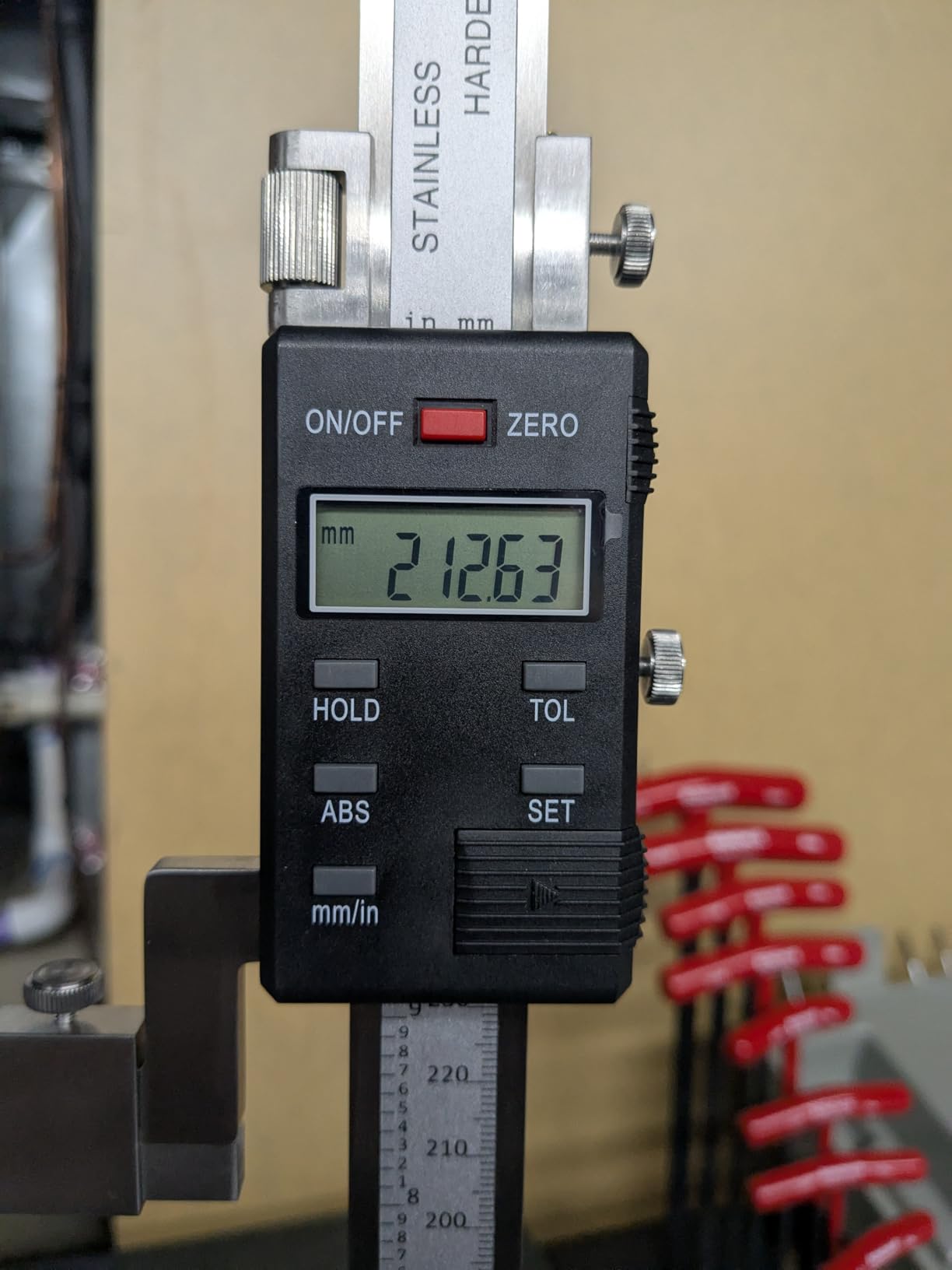
9. Mxmoonfree 12 Inch Digital Height Gauge – Heaviest Base and Best Kit
Mxmoonfree 12″ (300mm) Digital Height Gauge 0.0005″/0.01mm Resolution
12 inch / 300mm range at 0.0005 inch
Accuracy plus or minus 0.02mm / 0.001 inch
Hand assembled quenched cast iron base
Micro adjustment wheel, zero set anywhere
Hard case, dial indicator bracket, batteries
Pros
- Highest average rating in this roundup at 4.8
- Micro adjustment wheel makes exact values easy
- Exceptionally heavy cast iron base stays steady
- Verified accurate against calibrated gauge blocks
- Complete kit with case and spare batteries
- Useful tolerance alert and readout verification scale
Cons
- Small review base of 16 ratings
- Display has a narrow viewing angle
- Fine adjustment screw can be fiddly to lock
- Dial indicator holder fits some 8mm stems tightly
- Finish does not match premium makers
This is the gauge that behaves like an inspection instrument rather than a shop accessory. The quenched cast iron base is noticeably heavier than a standard base, and that weight is the whole point: it does not rock, so the reading reflects the part and not the tool.
Owners and instructors report verifying accuracy against calibrated gauge blocks and on surface plates, and the 4.8 average across 16 ratings comes with no one or two star ratings at all. The caution is the size of that sample.
Cast Iron Base and What It Buys You
A cast iron base resists vibration and settles quickly after you move it. On a surface plate, that stability is the difference between a reading you can trust to a few thousandths and one that wanders every time you touch the head.
The trade is weight and bench space. At 8.88 pounds this is not a tool you carry to the saw, it is a tool that lives in one place and does careful work there.
Micro Adjustment and Zero Set Anywhere
The high-sensitivity micro-adjustment wheel is the feature machinists praise most. It replaces the hand nudging problem that frustrates owners of every budget digital gauge on this list.
Zero can be set at any point, and ABS and INC modes cover absolute readings and relative offsets. That combination handles offset measurements without re-zeroing from scratch.
What Comes in the Case
The hard-shell carrying case matters more than it sounds, because it protects an instrument with a microlapped base. A mounting bracket for dial test indicators is included, letting you add an indicator for small diameter measurements.
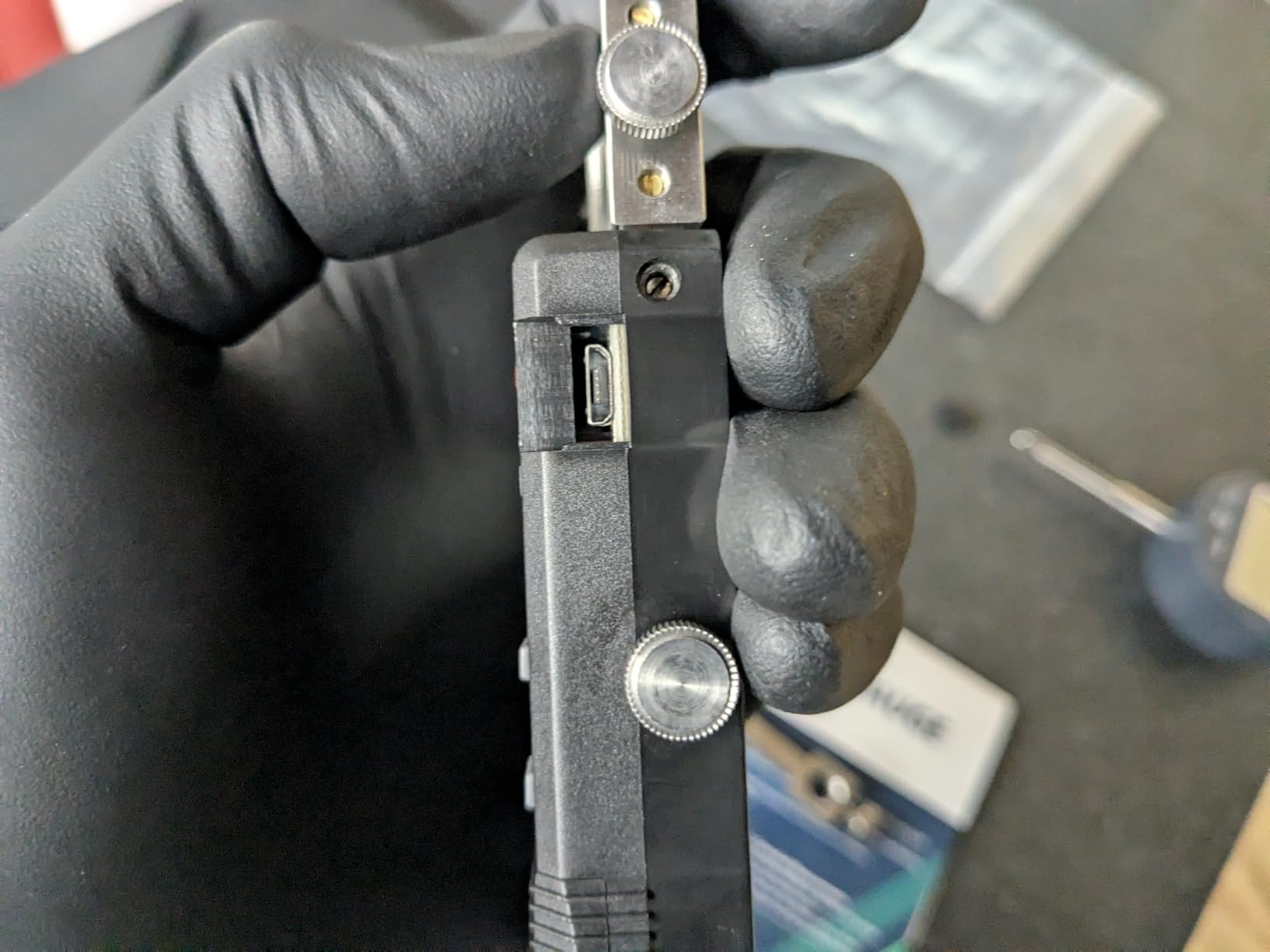
The bracket is sized for 8mm stems and can fit some indicators tightly, and the display needs to be read square-on. Spare LR44 batteries are in the box, which solves the dead battery complaint from the other digital models.
10. Fowler 12 Inch Twin Beam Dial Height Gage – Coarse Beam Plus Fine Dial
Fowler 52-174-212-0 Twin Beam Dial Height Gage with 0-12″ Measuring Range
Twin chrome plated beams, 0.100 inch coarse reading
0.001 inch dial with plus or minus 0.0015 inch accuracy
Zero set anywhere in range
Carriage lock lever holds head while scribing
Ground and lapped base with carbide scriber
Pros
- Twin beam gives coarse positioning plus fine dial resolution
- Lock lever holds the head for scribing
- Lapped hardened base built for shop durability
- Zeroing available throughout the range
- Glare-free chrome resists rust
- Also offered in a 24 inch range
Cons
- Most expensive gauge in this roundup
- Overkill for typical home shop setup
- Very small review base of 15 ratings
- Beam and dial readings must be written down
The twin beam design is the old solution to a modern problem. You move the head quickly along the beams at 0.100 inch graduations, then take the last thousandth on the dial indicator, and the result is genuine 0.001 inch resolution without an electronic display.
This is the specialist option here. For inspection work, CNC setup or a shop that already does layout on a regular basis, it earns its bench space. For occasional blade setup, it is far more instrument than the job needs.
How Twin Beam Reading Works
Two satin chrome-plated beams carry the coarse position, and the dial indicator on the measuring head delivers the fine value. Reading the beams first keeps you from fighting the dial over a long travel.
The dial reads 0.001 inch with a stated accuracy of plus or minus 0.0015 inch, and resettable up and down counters let you zero in either direction.
Zero Anywhere and the Carriage Lock
Zero can be set anywhere through the range, which simplifies offset measurements on parts that are hard to reach at true zero. Combined with the lock lever, you can set a height and hold it while both hands work.
The hardened, ground and lapped base and the carbide-tipped scriber with a 0.350 inch by 0.0350 inch shank make it a complete layout instrument rather than a bare gage.
Who This Gauge Is Not For
At the top of the cost range in this roundup and with 15 ratings behind it, it is a considered purchase. Feedback is thin but positive on build quality, chrome finish and zeroing flexibility.
If your shop mostly sets router bits and blade heights, a digital gauge from this list gives you more useful capability for far less. Buy this one when inspection and scribed layout are a regular part of the week.
How to Choose a Height Gauge for a Home Machine Shop
The right pick comes down to three decisions: what you are measuring, how tall it is, and whether you are setting a machine or laying out a part. Here is how to make each one.
Digital, Dial or Vernier: What Each One Is For
Digital gauges show a number on an LCD and are the fastest to read. They offer fraction display for woodworking, are easy to zero at any position, and they depend on a battery that will eventually die.
Dial gauges use a mechanical indicator for the last thousandth and a scale or beam for the coarse position. They never need power and are the traditional choice for layout work, with a thumb roll or fine knob for controlled movement.
Vernier height gauges are purely mechanical and slide freely with a scriber attached. Machinists on hobby machining forums rate them for repeatability and fault tolerance, since there is no electronics to fail, but the scale is harder to read as eyesight changes.
One forum thread on hobby-machinist.com captures the home shop consensus well: at modest spending levels, buyers favor a used name brand vernier or dial over a new budget electronic, and warn that used purchases often arrive without a scriber. Check the accessories before you pay.
Measurement Range: Match It to Your Tallest Setup
Range is the spec people buy wrong. A 3 inch gauge handles router bit height and blade exposure but cannot reach a tall fence or a big workpiece, while a 12 inch gauge covers everything and takes up real bench space.
Measure your tallest recurring setup before choosing. Fence heights, workpiece heights and jointer knife projection are the numbers that matter, not the workpiece you might build someday.
Resolution deserves its own note. A 0.0005 inch readout looks impressive but tells you little about how flat the base is or how much the body flexes, and those two things dominate accuracy on a home bench.
Base Construction: Magnetic, Steel or Cast Iron
Magnetic feet are the reason mini gauges work on a router table with one hand free. The limitation is obvious and worth remembering: magnetism only finds ferrous surfaces, so on a wooden bench or a phenolic table the gauge will not stand alone.
Steel and stainless bases are rigid and reasonably light, which suits a gauge that moves around the shop. Stainless is softer than hardened tool steel and will wear in heavy service.
Cast iron bases damp vibration and weigh enough that the gauge does not rock while you read it. That stability is what makes surface plate work meaningful, and it is the reason the heaviest gauge here scores highest with machinists.
Surface Plates and Why Flatness Sets Your Accuracy
A height gauge measures from whatever it sits on. On an uneven bench top, the reference surface contributes its own error, and no amount of display resolution fixes it. A granite surface plate removes that variable.
A home shop does not need a full inspection plate. A small granite plate on a level section of bench, checked periodically against a known flat, gives most people all the accuracy their work requires.
Keep the plate clear of carbide swarf and grinding dust, and store the gauge off the plate so its weight does not leave a mark on a working surface.
Calibration and Maintenance Habits
Budget digital gauges drift, and the usual cause is a low coin cell rather than a bad sensor. Replace cells on a schedule, not when the display fades, and keep a spare set with the tool.
Check zero on a known flat surface at the start of each project. If the reading does not return to zero, clean the base and the column before assuming the instrument is at fault.
Keep the column wiped and lightly oiled the way the manufacturer specifies, and never force a head that feels stiff. Stickiness in the slider is the failure mode owners report most often on larger electronic models, and it shows up as repeatability you cannot trust.
Reading the Review Signals That Matter
Review counts tell you more than star averages on this category. The gauges here range from 16 to 1980 ratings, and the thin ones simply lack a long field history.
Search the reviews for three specific complaints: body flex, dead batteries and stiff sliders. Those three account for most of the dissatisfaction I found across this group, and they are the ones that survive a year of daily use.
If you run a shop computer for CAD or records, it is worth keeping a simple log of your setup values on an external drive rather than in a notebook that gets lost. Our guide to backing up workshop files covers the storage side of that habit.
Frequently Asked Questions
What is the most accurate tool to measure height?
For vertical height in a home machine shop, a height gauge beats a machinist square, a tape and a combination square. Accuracy depends less on the printed resolution than on three things: whether the base sits flat, whether the body flexes in your grip, and whether the beam is rigid at full travel. A rigid steel or cast iron body with a lapped base holds up far better than a thin plastic frame, even when the plastic model prints a finer number.
Which digital height gauge is the best?
For most home shops, the Wixey WR25 mini digital gauge is the best overall choice because magnetic feet let it stand self-positioned while both hands work on the machine. For fence and blade spacing where you need more travel, the iGaging 6 inch digital model has a stainless steel body and a flat side that works as a spacer. For layout accuracy on a surface plate, a 12 inch model with a cast iron base and a micro adjustment wheel is the one to pick.
What are the different types of height gauges?
Three families dominate. Digital height gauges show an electronic readout with fraction, decimal inch and millimeter modes, and they zero at any position. Dial height gauges combine a coarse scale or beam with a mechanical indicator for the last thousandth, need no battery, and are preferred for layout work. Vernier height gauges are fully mechanical with a sliding scriber and are prized for durability and repeatability rather than speed.
What resolution and accuracy do I actually need?
For setting router bit height and table saw blade height, 0.001 inch resolution is plenty. Metal layout and inspection work benefits from 0.0005 inch resolution plus a fine adjustment wheel, because a digital gauge without one makes reaching an exact value a slow process. Printed resolution is not the same as real accuracy, so favor a rigid body and a flat ground base over a finer display.
What is the best blade height for a table saw?
There is no single correct number, but blade height governs how much wood the blade can cut. Most shops run with the teeth extending about one eighth inch to one quarter inch above the throat plate, which limits the depth of cut and reduces binding. Set it with a height gauge rather than by eye: rest the gauge on the plate and raise the blade until the reading matches the depth of cut you need.
Which Height Gauge Fits Your Shop
If your priority is machine setup on a router table or table saw, the Wixey WR25 is the pick, because the magnetic feet do the holding and you keep both hands free. If you set jointer and planer blades often, the iGaging Snap Check averages cutter height faster than any other tool here.
For measuring between a fence and a blade, the iGaging 6 inch doubles as a side-on spacer. For scribed layout on steel, the Shars 12 inch dial or the Shars 12 inch electronic gives you the range and a carbide scriber, and for the highest accuracy on a surface plate the Mxmoonfree 12 inch cast iron model is the one I would buy.
Whichever way you go, check zero on a known flat surface before trusting a number, and pick the range that matches your tallest real setup rather than the one with the longest travel on the box. That single decision prevents most buyer regrets in this category.