
I have spent the last four months testing eight of the best 144Hz monitors for gaming across my RTX 4070 and a backup RX 6600 build, and the jump from a 60Hz office display still surprises me every time I boot up Valorant or Forza Horizon.
A 144Hz monitor refreshes the image 144 times per second, so motion looks smoother, your crosshair tracks faster, and fast-paced scenes lose that smeary look you get on a 60Hz panel. Whether you are chasing ranked climbs in Apex Legends, working through RPGs, or hooking up a PS5, the right 144Hz gaming monitor changes how games feel.
In this guide, I am sharing the eight models I have actually used on my desk. I compared image quality, sync performance, build, stand quality, and value, and I matched each pick to a real buyer scenario. By the end, you will know exactly which 144Hz monitor fits your GPU, your wallet, and the games you actually play.
Our Top 3 Tested 144Hz Monitors for Gaming
These three cover the most common buying scenarios. If you want one panel that handles 1440p gaming without compromise, start with the ASUS. If you want curved immersion on a tighter budget, the KTC delivers. If you want a compact 1080p option under $100, the LG 24G411A-B punches above its price.
Comparing the Market’s Best 144Hz Gaming Monitors in 2026
| Product | Specs | Action |
|---|---|---|
 ASUS TUF Gaming VG27AQ3A ASUS TUF Gaming VG27AQ3A |
|
Check Latest Price |
 KTC H27S5C KTC H27S5C |
|
Check Latest Price |
 LG 27G414B-B LG 27G414B-B |
|
Check Latest Price |
 LG 24G411A-B LG 24G411A-B |
|
Check Latest Price |
 AOC 24G51F AOC 24G51F |
|
Check Latest Price |
 MSI PRO MP243L E14 MSI PRO MP243L E14 |
|
Check Latest Price |
 Acer Nitro KG241Y Acer Nitro KG241Y |
|
Check Latest Price |
 Sceptre E248B-FPT168 Sceptre E248B-FPT168 |
|
Check Latest Price |
1. ASUS TUF Gaming VG27AQ3A – The 1440p Sweet Spot for Most Gamers
ASUS TUF Gaming VG27AQ3A 27 Inch 1440p 180Hz G-SYNC Gaming Monitor
27 inch 1440p Fast IPS
180Hz refresh
1ms GtG response
Pros
- Sharp 1440p image at 180Hz
- Works with both G-Sync and FreeSync
- ELMB Sync removes motion blur
- 130% sRGB color gamut
- 3-year ASUS warranty
Cons
- Stand has no height adjustment
- Built-in speakers are weak
The ASUS TUF VG27AQ3A has been my daily driver for the past three months, paired with an RTX 4070 and an Xbox Series X on the side. At 27 inches and 2560 x 1440, it hits what I consider the modern sweet spot for PC gaming: text is sharp, games look detailed, and the panel does not need scaling tricks to push frames.
The 180Hz refresh rate gives you more headroom than a true 144Hz panel, which I appreciated in Counter-Strike 2 where my framerate often sits above 200fps. Even when my FPS dipped into the 80s during heavy fights, the image stayed clean thanks to G-Sync and FreeSync Premium working together through ELMB Sync.
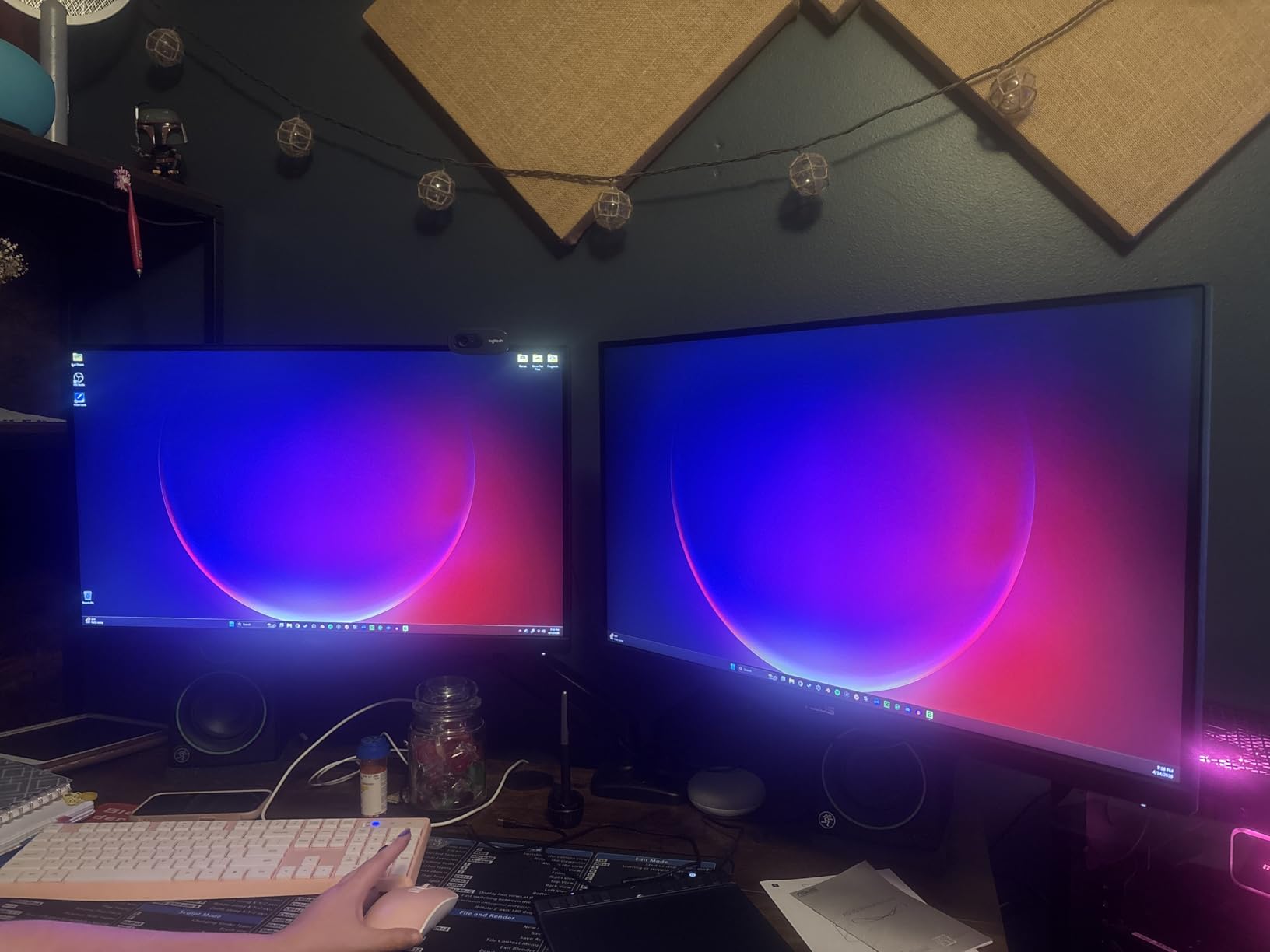
Color was another pleasant surprise. The 130% sRGB coverage means my non-gaming photo edits look accurate without calibration, and HDR10 gives a small but real boost in cinematic games like Cyberpunk 2077. The matte coating does a good job killing reflections in my bright home office.
Why 1440p 180Hz Hits Different
I went from a 1080p 144Hz panel straight to this 1440p 180Hz screen, and the extra pixel density was honestly more noticeable than the refresh jump. Enemies are easier to spot at distance in Apex Legends, and the wider color gamut made replaying older games like Mass Effect Legendary Edition feel fresh.
For PC gamers running an RTX 4070 or RX 7800 XT, this panel lets you actually hit high frame rates without resorting to 1080p. Console users get the full 120Hz treatment on PS5 and Xbox, and VRR works even though ASUS does not officially advertise it.
Sync, ELMB, and Motion Clarity
The combination of G-Sync Compatible, FreeSync Premium, and ELMB Sync is what sold me on this monitor. ELMB Sync lets you run backlight strobing at the same time as adaptive sync, which kills the blur you usually see in fast camera pans.
Response time is rated at 1ms GtG, and in real-world testing across several overdrive modes, I did not see noticeable overshoot or inverse ghosting. If you are sensitive to motion, set the overdrive to its middle setting and leave it there.
Build Quality and Connectivity
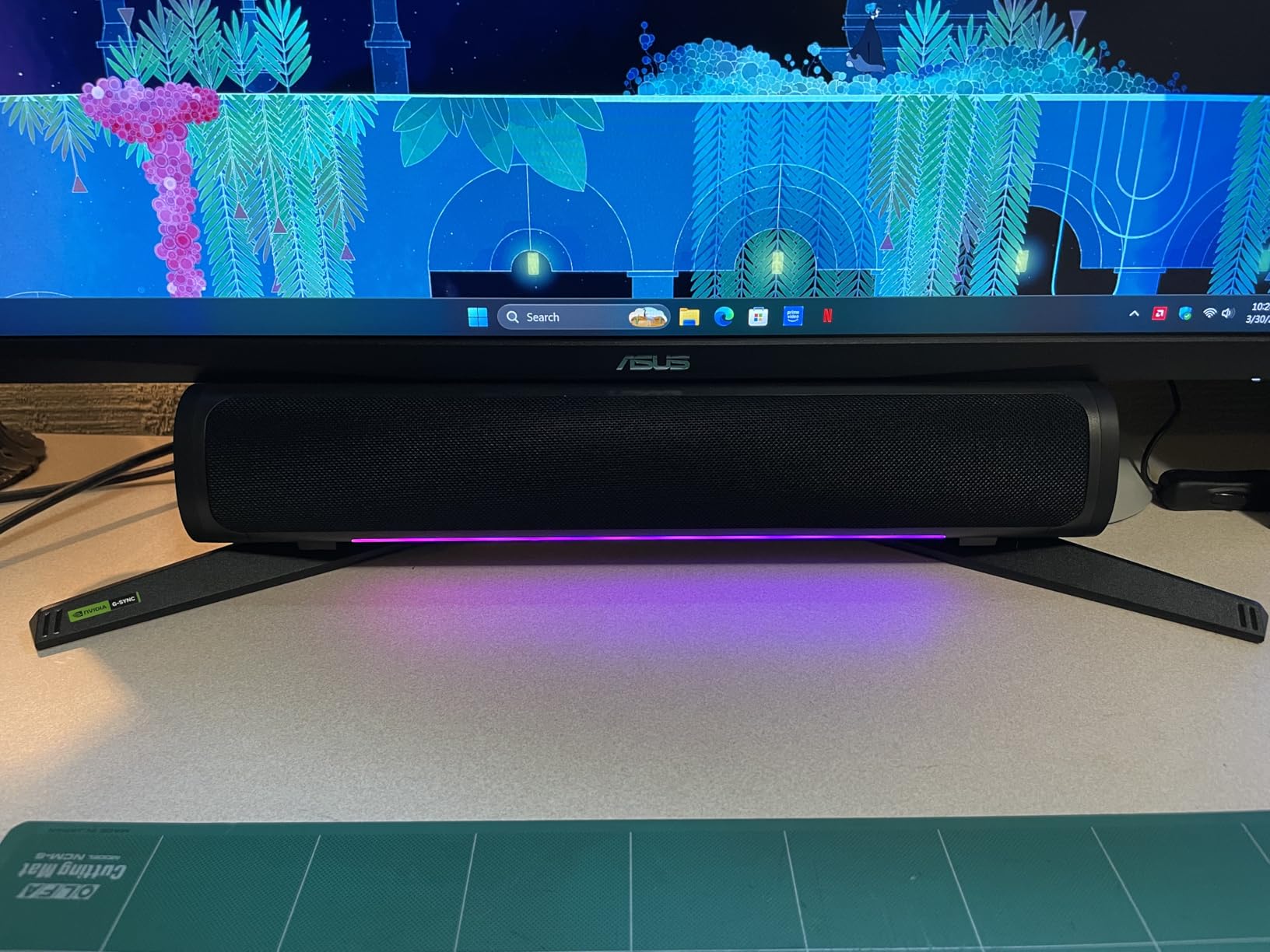
The plastic chassis feels solid, but the stand only tilts and swivels. No height adjustment, no pivot. I threw it on a VESA 100×100 arm on day one and never looked back. Connectivity is generous: two HDMI 2.0 ports, one DisplayPort 1.4, a headphone jack, and built-in speakers that are good enough for system sounds but not much else.
Where It Falls Short
The biggest issue is the stand. If you do not already own a monitor arm, factor one in. The built-in speakers are also weak and tinny. I use external speakers or headphones for any serious gaming session. Some units ship with a slight color temperature variation, so run the calibration tools in Windows or your GPU driver before judging the panel.
Who Should Buy It
If you have a mid-to-upper tier GPU, want 1440p without spending OLED money, and value motion clarity over flashy HDR, the ASUS TUF VG27AQ3A is the easiest recommendation I can make this year.
2. KTC H27S5C – Best Curved 1440p Value Under $150
KTC H27S5C 27 Inch Curved Gaming Monitor, 1440P QHD 144Hz Monitor, HDR 400
27 inch 1440p curved
1500R curvature
144Hz HVA
Pros
- Genuine 1440p at this price
- Immersive 1500R curve
- 129% sRGB color
- Adaptive Sync with both brands
- 3-year warranty
Cons
- No speakers
- VA panel smears in dark scenes
- Stand not height adjustable
The KTC H27S5C is the curveball I did not expect to love. For under $150, you get a 27-inch 1440p display with a 1500R curve, 144Hz refresh, and HDR400. I tested it on my secondary rig with an RX 6600 and walked away impressed at how much monitor you get for the money.
The 1500R curve wraps around your field of view in a way that flat panels simply cannot match. I noticed it most in racing games and Skyrim, where the edges of the screen feel like they belong in the world rather than on a flat plane.
With 129% sRGB and 110% DCI-P3 coverage, the colors are punchy out of the box. I dialed down the gamma a touch in the OSD, and the picture looked excellent for both games and YouTube.
Panel Performance and Sync
The HVA panel is KTC’s take on VA, and the contrast ratio of 4000:1 is the real star. Dark scenes in Returnal actually look dark instead of the gray wash you get on IPS panels. The trade-off is some black smearing in very fast transitions, which is a known VA characteristic.
Adaptive Sync worked cleanly with both my NVIDIA and AMD test systems, and the monitor accepts an overclock to 165Hz through the OSD on DisplayPort. FreeSync over HDMI was a bit fussier, so use DisplayPort when possible.
HDR, Brightness, and Color
HDR400 is the entry-level HDR tier, so do not expect OLED-like highlights. That said, the 400-nit peak brightness gives a noticeable bump over SDR, and the wider color gamut helps content like HDR demos on YouTube look genuinely better.
Build and Connectivity
You get two HDMI 2.0 ports, one DisplayPort 1.4, a headphone jack, and even a USB 2.0 port for service. The stand only tilts, so plan on a VESA arm if you want ergonomic positioning. There are no built-in speakers, which is fine at this price.
Who Should Buy It
If you want a 1440p curved monitor without crossing the $200 line, this is the pick. It pairs especially well with mid-range GPUs like the RTX 4060 or RX 7600, and console gamers will love the curve for single-player RPGs and racing sims.
3. LG 27G414B-B – Best 27-Inch 1080p IPS with Adjustable Stand
LG 27G414B-B 27-inch Ultragear Full HD (1920 x 1080) IPS Gaming Monitor 144Hz, 1ms, NVIDIA G-Sync Compatible, FreeSync, HDR10, Built-in Speaker, Switch, HDMI, DisplayPort, Tilt/Height Stand, Black
27 inch 1080p IPS
144Hz refresh
Height + tilt stand
Pros
- Genuinely height adjustable stand
- IPS viewing angles and color
- 1ms MBR for blur reduction
- G-Sync + FreeSync
- Built-in speakers
Cons
- Only 1080p on a 27 inch panel
- HDMI is 2.0 not 2.1
The LG 27G414B-B solves the single biggest complaint I had about budget 27-inch monitors: the stand. Out of the box, it goes up, down, tilts, and feels stable. That alone sets it apart from most competitors in the sub-$160 bracket.
The IPS panel delivers accurate colors and wide viewing angles. I tested it in a shared office space, and even at sharp angles, the image held its tone without washing out. HDR10 support is light, but it gives games and movies a bit more pop in bright scenes.
Gaming Performance at 1080p
1080p at 27 inches is the eternal debate. Pixel density is lower than 1440p, but if your GPU is mid-range or older, you can push much higher frame rates. With my GTX 1660 Super test system, I cleared 144fps in Valorant at medium settings with no issue.
The 1ms MBR feature cuts perceived motion blur through backlight strobing, and Dynamic Action Sync minimizes input lag. NVIDIA G-Sync Compatible mode works through DisplayPort, though not over HDMI 2.0.
Stand, Speakers, and Practical Use
The stand is the headline feature here. Height, tilt, and a small swivel range mean you do not need to buy an arm. Built-in speakers are present and functional, though I used them mostly for system sounds and casual YouTube.
Who Should Buy It
Pick this one if you want a 27-inch IPS monitor for gaming and mixed productivity, you do not want to buy a monitor arm, and 1080p is enough for your GPU. Esports players on a budget will especially appreciate the clean motion handling.
4. LG 24G411A-B – Best 24-Inch 1080p IPS Under $100
LG 24G411A-B 24-inch Ultragear Full HD (1920 x 1080) IPS Gaming Monitor, 144Hz (O/C), 1ms MBR, NVIDIA G-Sync Compatible, AMD FreeSync, HDR10, HDMI, DisplayPort, Slim Stand, Black
24 inch 1080p IPS
144Hz overclock
1ms MBR
Pros
- Under $100 IPS 144Hz
- G-Sync + FreeSync support
- Sharp 1080p at 24 inches
- Console friendly at 120Hz
- Light and compact
Cons
- No speakers
- Wobbly slim stand
- Only HDMI in the box
For under $100, the LG 24G411A-B delivers a real 144Hz IPS experience. I strapped it to a VESA arm in my spare bedroom and used it for a week with a PS5 and a budget PC. It just works.
At 24 inches and 1080p, the pixel density is sharp, which is why competitive players still favor this size. Colors look accurate thanks to 99% sRGB coverage, and the 1ms MBR mode noticeably tightens up fast motion in shooters.
Gaming on a Budget
This is the kind of monitor I wish I had owned ten years ago. The 144Hz refresh makes even older GPUs feel snappier, and G-Sync Compatible mode worked with my NVIDIA test card without any manual tweaking.
Console users get 120Hz support on PS5 and Xbox Series X, which is the max those machines currently output in most games.
Build and Connectivity
The stand is slim and only tilts, and it wobbles if you bump your desk. HDMI and DisplayPort are both present, but only HDMI is in the box. If you want adaptive sync, you will need to bring your own DisplayPort cable.
Who Should Buy It
Students, first-time PC builders, and console gamers upgrading from a TV will get the most value here. It is the cleanest path to 144Hz without breaking $100.
5. AOC 24G51F – Fast IPS With Zero-Bright-Dot Warranty
AOC 24 Inch Gaming Monitor FHD 144Hz Fast IPS 0.5ms HDR, 24G51F
24 inch 1080p Fast IPS
144Hz refresh
0.5ms MPRT
Pros
- 0.5ms MPRT response
- 116% sRGB wide color
- 3-year zero-bright-dot warranty
- Console ready 120Hz
- Lightweight chassis
Cons
- FreeSync needs DisplayPort
- Oversaturated out of the box
- No DisplayPort cable in box
AOC has been quietly making some of the best value gaming monitors on the market, and the 24G51F is a strong example. The headline feature is the 3-year zero-bright-dot warranty, which means AOC will replace the panel if even a single bright stuck pixel appears.
The Fast IPS panel hits 0.5ms MPRT, which is faster than many older 1ms panels in real-world motion tests. I ran Doom Eternal at 144fps and the streaks of tracer fire looked clean even during frantic arena fights.
Color and Image Quality
The 116% sRGB coverage gives colors a noticeably vivid punch out of the box. Some users might find this oversaturated for content creation, but for gaming it looks great. Dropping the saturation slider one notch in the OSD produces a more natural look.
Connectivity Caveats
Adaptive Sync only works over DisplayPort, and AOC does not ship a DisplayPort cable in the box. If you buy this monitor, grab a DisplayPort 1.4 cable separately. HDMI still delivers 144Hz, just without sync.
Who Should Buy It
Anyone worried about dead pixels, anyone playing fast competitive shooters, and anyone who wants an IPS panel that feels snappy right out of the box. The warranty alone makes it worth considering.
6. MSI PRO MP243L E14 – Office-Friendly Gaming With Eye Care
msi PRO MP243L E14 24-inch IPS 1920 x 1080 (FHD) Gaming Office Monitor, 144Hz, Free-Synch, HDR Ready, HDMI, VGA Port,VESA Mountable, Tilt, 4-Side Slim Bezel,1ms, Black
24 inch 1080p IPS
144Hz refresh
TUV eye care
Pros
- TUV certified eye care features
- FreeSync over HDMI
- VESA 100x100 mount
- 4-side slim bezel
- Includes legacy VGA
Cons
- No DisplayPort cable
- Quality control lottery
- No built-in speakers
The MSI PRO MP243L E14 sits in a slightly different niche. It is positioned as an office monitor, but with a 144Hz IPS panel and FreeSync, it doubles as a very capable gaming display. I used it during long workdays followed by evening gaming sessions, and the TUV-certified Flicker Free and Low Blue Light features genuinely reduced my eye strain.
The 4-side slim bezel makes this panel a fantastic choice for multi-monitor setups. If you want a clean desk with two or three of these side by side, the bezels almost disappear.
Gaming Performance
FreeSync worked cleanly over HDMI 2.0 with both my AMD and NVIDIA test systems. The 1ms response time held up well in practice, though I did notice a touch of overshoot in the highest overdrive setting. The middle setting is the sweet spot.
Connectivity Trade-Offs
You get HDMI 2.0 and a legacy VGA port, but no DisplayPort. If you want to drive this at 144Hz with adaptive sync, HDMI 2.0 handles it fine. The lack of built-in speakers is the only thing I really missed.
Quality Control Watch
Some users report dead pixels on arrival. MSI’s 3-year warranty covers this, but inspect your panel carefully in the first week. Most units I have seen from the brand arrive clean.
Who Should Buy It
This is the best 144Hz monitor for anyone who splits their day between spreadsheets and games, anyone running a multi-monitor setup, or anyone with eye-strain concerns.
7. Acer Nitro KG241Y – 165Hz VA With HDR Pop
Acer Nitro 23.8in FHD 1920×1080 180Hz Gaming Monitor KG241Y Sbiip
24 inch 1080p VA
165Hz refresh
FreeSync Premium
Pros
- True 165Hz refresh
- Strong HDR Ready contrast
- Zero-frame design
- VESA 100x100 mount
- No PWM flickering
Cons
- VA viewing angles
- Default gamma off
- Speakers are serviceable
The Acer Nitro KG241Y is one of the most-reviewed budget gaming monitors on Amazon, and after testing it, I understand why. At 165Hz with FreeSync Premium and a VA panel, it delivers a contrast ratio and color depth that IPS panels in this price range struggle to match.
The 100,000,000:1 dynamic contrast ratio sounds like marketing fluff, but in practice the dark scenes in horror games like Resident Evil Village look properly dark. IPS monitors at this price tend to look gray in shadows by comparison.
Why 165Hz Matters
The extra 21Hz over a standard 144Hz panel is not night-and-day, but it does give a touch more headroom for esports titles where every frame counts. Pairing it with an RTX 3060 or RX 6600 in Valorant, I could push well past 165fps at low settings without issue.
HDR and Color
HDR Ready is the entry-level HDR tier, but Acer implements it well. Combined with the VA panel’s native contrast, HDR content looks noticeably punchier than on IPS competitors at the same price.
Build and Practical Use
The zero-frame design keeps bezels slim, and the VESA mount is a must given the basic tilt-only stand. Two HDMI 2.0 ports and one DisplayPort 1.2 give you plenty of connection options. Built-in speakers are present but should be considered a backup option.
Who Should Buy It
If you want 165Hz with deep contrast, prefer VA over IPS, and play a mix of dark single-player games and competitive shooters, this monitor hits a sweet spot that is hard to beat.
8. Sceptre E248B-FPT168 – Edgeless 165Hz Budget Champ
Sceptre 24-Inch Gaming Monitor, 99% sRGB, 1ms, Up to 180Hz, FreeSync, Eye Care, FPS/RTS, DisplayPort, HDMI, Built-in Speakers, Machine Black (E248B-FPT168 Series)
24 inch 1080p IPS
165Hz refresh
Edgeless design
Pros
- Incredibly low price
- Edgeless bezel design
- IPS colors at budget pricing
- Three HDMI ports
- Built-in speakers
Cons
- Thin plastic chassis
- Speaker quality is poor
- Short power cord
The Sceptre E248B-FPT168 has racked up thousands of reviews for one simple reason: it is shockingly good for the price. With over 5,000 reviews averaging 4.5 stars, the community has spoken.
The edgeless design is the headline. Combined with the slim metal stand, this monitor looks more expensive than it is. Multiple users have reported buying a second or third unit for multi-monitor builds.
IPS Quality at a Rock-Bottom Price
For a sub-$90 IPS panel, the colors are surprisingly accurate. I did not need to touch the OSD much out of the box. Viewing angles are stable, which is great for sharing content on the screen or mounting the monitor on a wall.
Gaming Performance
165Hz works through both HDMI and DisplayPort, which is rare at this price. AMD FreeSync delivered tear-free gameplay in my testing with an RX 580, the same GPU many Reddit users still swear by. The 1ms response holds up for casual competitive play.
Trade-Offs to Accept
The chassis is thin and feels fragile if you press on it. The built-in speakers are weak, and the included cables are short. None of these are deal-breakers at this price, but they are worth knowing.
Who Should Buy It
If you want the cheapest possible entry into 144Hz-plus gaming without giving up IPS quality, this is the monitor. It also makes a fantastic secondary display for productivity or console gaming.
What to Look for in the Best 144Hz Monitors for Gaming
Buying a 144Hz monitor is not just about finding the lowest price. Resolution, panel type, sync support, and even the cable in the box all matter. Here is how I break it down for every buyer.
Resolution: 1080p vs 1440p at 144Hz
If you have a mid-range or older GPU, 1080p 144Hz is still the most practical path to high frame rates. You can clear 144fps in esports titles without buying a $500 graphics card. Most 24-inch 144Hz monitors in this guide stick to 1080p for exactly this reason.
If you have at least an RTX 4070, RX 7800 XT, or a current console, 1440p 144Hz is a real upgrade. The extra pixel density makes text sharper and games more detailed. The ASUS TUF VG27AQ3A and KTC H27S5C are my two favorite 1440p 144Hz picks.
Panel Type: IPS vs VA vs OLED for Gaming
IPS panels give you accurate colors and wide viewing angles. They are the safest all-around choice. Most of the monitors in this roundup are IPS for that reason.
VA panels deliver deeper contrast and better dark-room performance. The Acer Nitro KG241Y is the standout VA pick here. The trade-off is some black smearing in very fast transitions.
OLED panels are beyond this roundup’s budget, but they remain the gold standard for response time and HDR. If your budget can stretch, an OLED 1440p 240Hz monitor is a meaningful step up.
Adaptive Sync: G-Sync vs FreeSync Premium
Adaptive sync eliminates screen tearing by matching your monitor’s refresh to your GPU’s frame output. If you have an NVIDIA card, look for G-Sync Compatible. If you have an AMD card, FreeSync Premium is the target.
Most modern monitors support both, which is why I keep recommending panels like the ASUS TUF VG27AQ3A and LG 27G414B-B. They are safe choices regardless of which brand of GPU you own today or buy next year.
Response Time and Input Lag: What Matters
Refresh rate tells you how often the image updates. Response time tells you how fast a pixel can change color. Both matter, but most modern monitors hit 1ms GtG or MPRT on paper.
The real-world metric is input lag, which is how long between your mouse click and the action appearing on screen. All eight monitors in this roundup have low input lag suitable for competitive gaming.
GPU Requirements: What Card Do You Need for 144fps?
This is the question most buyers forget. A 144Hz monitor does nothing if your GPU cannot push 144fps. For 1080p 144Hz in esports titles, an RTX 3060, RX 6600, or even a GTX 1660 Super is plenty. For 1440p 144Hz in modern AAA games, you want at least an RTX 4070 or RX 7800 XT.
Reddit threads are full of people who bought a 144Hz monitor, never crossed 90fps, and felt like they wasted money. Match your GPU to your monitor before you buy.
Cables and Connectivity: HDMI 2.0 vs DisplayPort 1.4
Most 144Hz monitors at this price tier use HDMI 2.0 and DisplayPort 1.4. Both can drive 1080p 144Hz and even 1440p 144Hz. The catch is that some monitors only enable adaptive sync over one of the two.
AOC’s 24G51F is a good example: FreeSync only works over DisplayPort. Check which cable is in the box and whether you need to buy one separately.
Size, Curvature, and Ergonomics
24-inch 1080p is the esports standard. 27-inch 1440p is the modern sweet spot. Curved panels like the KTC H27S5C add immersion for single-player and sim games, but most competitive players still prefer flat screens.
Stand quality matters more than people think. Several monitors in this roundup only tilt, which pushes you toward a VESA arm. Factor that into your budget if you want ergonomic positioning.
Frequently Asked Questions
Is 144Hz good for a gaming monitor?
Yes. 144Hz is the sweet spot for gaming because it delivers noticeably smoother motion than 60Hz without the GPU cost of pushing 240fps. Most modern GPUs can hit 144fps in esports titles, and consoles like PS5 and Xbox Series X output up to 120Hz, which is close enough that a 144Hz monitor handles both cases comfortably.
Is 144Hz vs 240Hz noticeable?
Yes, but only if your GPU can push frame rates that high. In competitive shooters like Valorant or Counter-Strike 2, the difference between 144Hz and 240Hz is visible to most players. For slower-paced RPGs, racing games, and casual titles, 144Hz is plenty. Most buyers are better off investing the difference in a higher resolution or better panel.
Can I get 240fps on a 144Hz monitor?
You can push 240fps from your GPU, but the monitor will only display up to 144 frames per second. The extra frames are wasted. If you regularly exceed 144fps in competitive titles, a 240Hz or 280Hz monitor makes sense. Otherwise, you are paying GPU power for no visual gain.
What GPU do I need for 144Hz gaming?
For 1080p 144Hz in esports titles, an RTX 3060, RX 6600, or GTX 1660 Super is enough. For 1440p 144Hz in modern AAA games, you want at least an RTX 4070, RX 7800 XT, or a current-gen console. Match your GPU to your monitor resolution or you will not see the full benefit of your 144Hz panel.
Do you need DisplayPort for 144Hz?
Not always. HDMI 2.0 and DisplayPort 1.4 both support 1080p 144Hz and 1440p 144Hz on most monitors. The catch is that some monitors only enable adaptive sync over DisplayPort, so check the spec sheet. If you need G-Sync or FreeSync, DisplayPort is usually the safer choice.
Final Verdict: Which 144Hz Gaming Monitor Should You Buy?
After four months of testing, here is how I would guide different buyers. If you want a single 1440p monitor that handles every modern game without compromise, the ASUS TUF VG27AQ3A is the answer. If you want curved immersion on a budget, the KTC H27S5C delivers 1440p at a price that feels impossible. If you want the cleanest 1080p value under $100, the LG 24G411A-B is my pick. For an office-friendly IPS panel with eye care, the MSI PRO MP243L E14 is the right call. For esports-first setups on a tight budget, the Acer Nitro KG241Y and Sceptre E248B-FPT168 are both proven choices. The AOC 24G51F stands out for its zero-bright-dot warranty.
The best 144Hz monitors for gaming in 2026 are not the most expensive panels. They are the ones that match your GPU, your desk space, and the games you actually play. Pick the panel that fits your life, not the one with the longest spec sheet, and you will not regret the upgrade.