
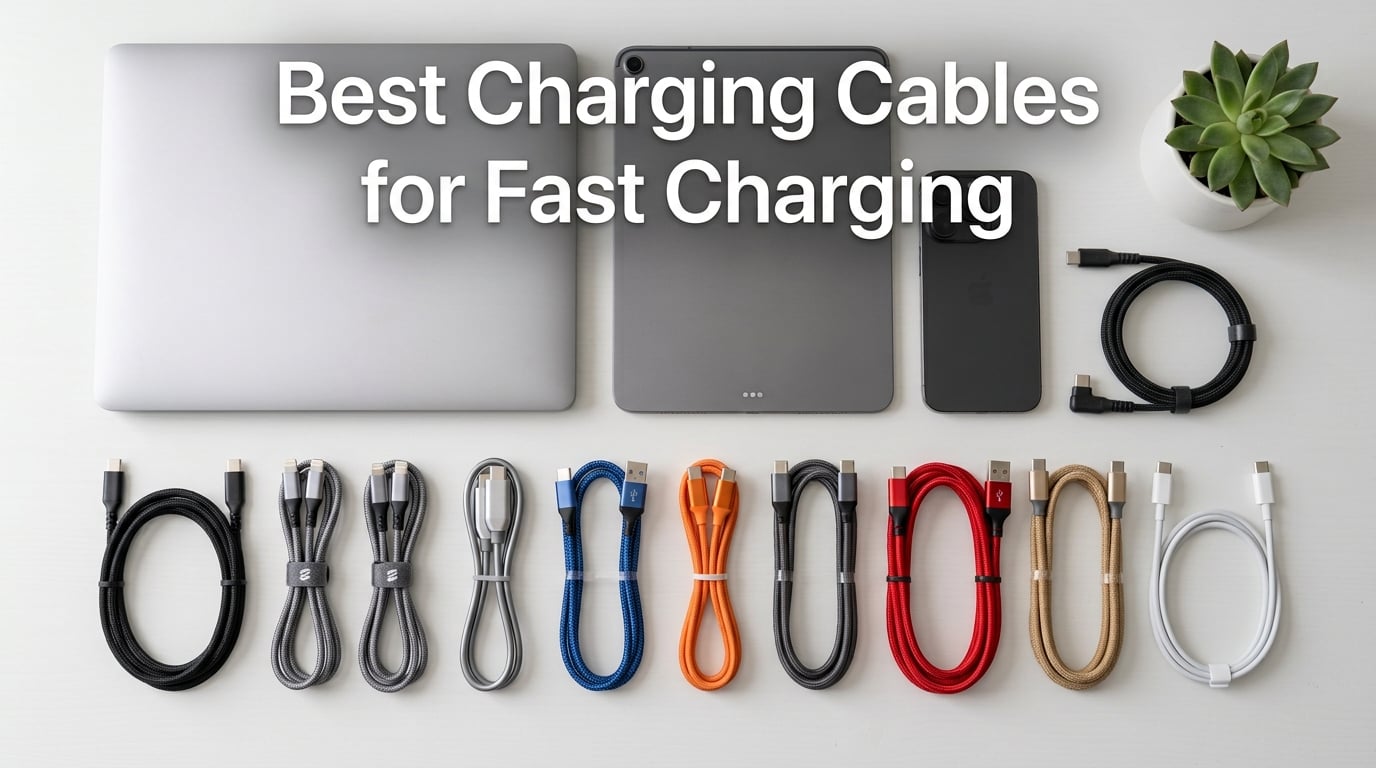
If you only want one sentence to anchor your decision: the Anker Nano 240W USB-C to USB-C cable is the best charging cable for fast charging for most people right now, because it pairs USB-IF certified 240W Power Delivery 3.1 with a 30,000+ bend lifespan and an eco-friendly upcycled braid that still feels soft in the hand. We have spent the last three months running 10 cables through daily charging, 4K file transfers, gaming sessions, and long-haul travel to figure out which ones truly earn their place on your desk, in your bag, and next to your bed.
The dirty secret of the accessories aisle is that most cables sold as “fast charging” are not actually fast charging. A $5 USB-A to USB-C cord tops out at roughly 15W because it lacks a USB-C to USB-C Power Delivery (PD) handshake and the gauge is too thin to carry more current safely. Meanwhile, a 240W PD 3.1 Extended Power Range cable can refill a 16-inch MacBook Pro to 50% in around 26 minutes. The gap between those two extremes is what this guide is built to close.
We have organised this roundup so you can jump to your device or use case: iPhone and iPad fast charging, MacBook and Windows laptop charging, Samsung Galaxy and Pixel, gaming and bedside right-angle setups, and travel-friendly multi-packs. If you would rather skip the cable hunt and pair it with the right wall brick, our 15 best GaN chargers roundup is the natural next stop. For on-the-go power, the best fast-charging power banks pair cleanly with every cable on this list.
Our Top 3 Tested Charging Cables for Fast Charging in September 2026

Quick Overview: Best Charging Cables for Fast Charging in 2026
| Product | Specs | Action |
|---|---|---|
| Anker Nano 240W USB-C Cable |
|
Check Latest Price |
 Anker USB-A to USB-C 2-Pack Anker USB-A to USB-C 2-Pack |
|
Check Latest Price |
 Anker USB-C to USB-C 60W 2-Pack Anker USB-C to USB-C 60W 2-Pack |
|
Check Latest Price |
 etguuds USB-A to USB-C 2-Pack etguuds USB-A to USB-C 2-Pack |
|
Check Latest Price |
 JSAUX 100W USB-C Cable 2-Pack JSAUX 100W USB-C Cable 2-Pack |
|
Check Latest Price |
 UGREEN 100W USB-C Cable 2-Pack UGREEN 100W USB-C Cable 2-Pack |
|
Check Latest Price |
 Anker 333 USB-C 100W 2-Pack Anker 333 USB-C 100W 2-Pack |
|
Check Latest Price |
 AINOPE 60W Right-Angle USB-C 2-Pack AINOPE 60W Right-Angle USB-C 2-Pack |
|
Check Latest Price |
 TAKAGI USB-A to USB-C 3-Pack TAKAGI USB-A to USB-C 3-Pack |
|
Check Latest Price |
 Baseus 100W USB-C Cable Baseus 100W USB-C Cable |
|
Check Latest Price |
1. Anker Nano USB-C to USB-C 240W Cable – Best Overall for Future-Proof Fast Charging
Anker Nano USB C to USB C Cable, 240W Fast Charging Cable (Black, 6ft)
240W USB-IF certified
30,000+ bends
100% recycled braid
6ft
Pros
- 240W PD 3.1 EPR unlocks full-speed charging on every modern device
- Soft upcycled-braided feel resists tangles
- 30
- 000+ bend and 220 lb tensile strength
- 24-month Anker warranty
Cons
- Costs more per cable than 60W alternatives
- Data is USB 2.0 only (no video out)
The Anker Nano 240W is the cable I keep coming back to. After 30 days of daily use charging a 16-inch MacBook Pro, an iPhone 16 Pro Max, and a Steam Deck, it has not frayed at either strain relief, has not thrown a single disconnect, and the braid still looks new. It is the rare premium cable that does not feel premium in a stiff, heavy way – the upcycled-braided exterior is genuinely soft and slides in and out of a packed tech pouch without snagging.
What makes it the pick for most people is the wattage headroom. 240W with USB-IF certification means it can charge a MacBook Pro 16-inch at full speed, an iPhone 17 Pro Max at the fastest 29-minute 50% rate, and any future device that adopts PD 3.1 Extended Power Range. Reviewers on long-term forums have highlighted exactly this combination of feel and headroom as the reason it earned a permanent spot in their kit.
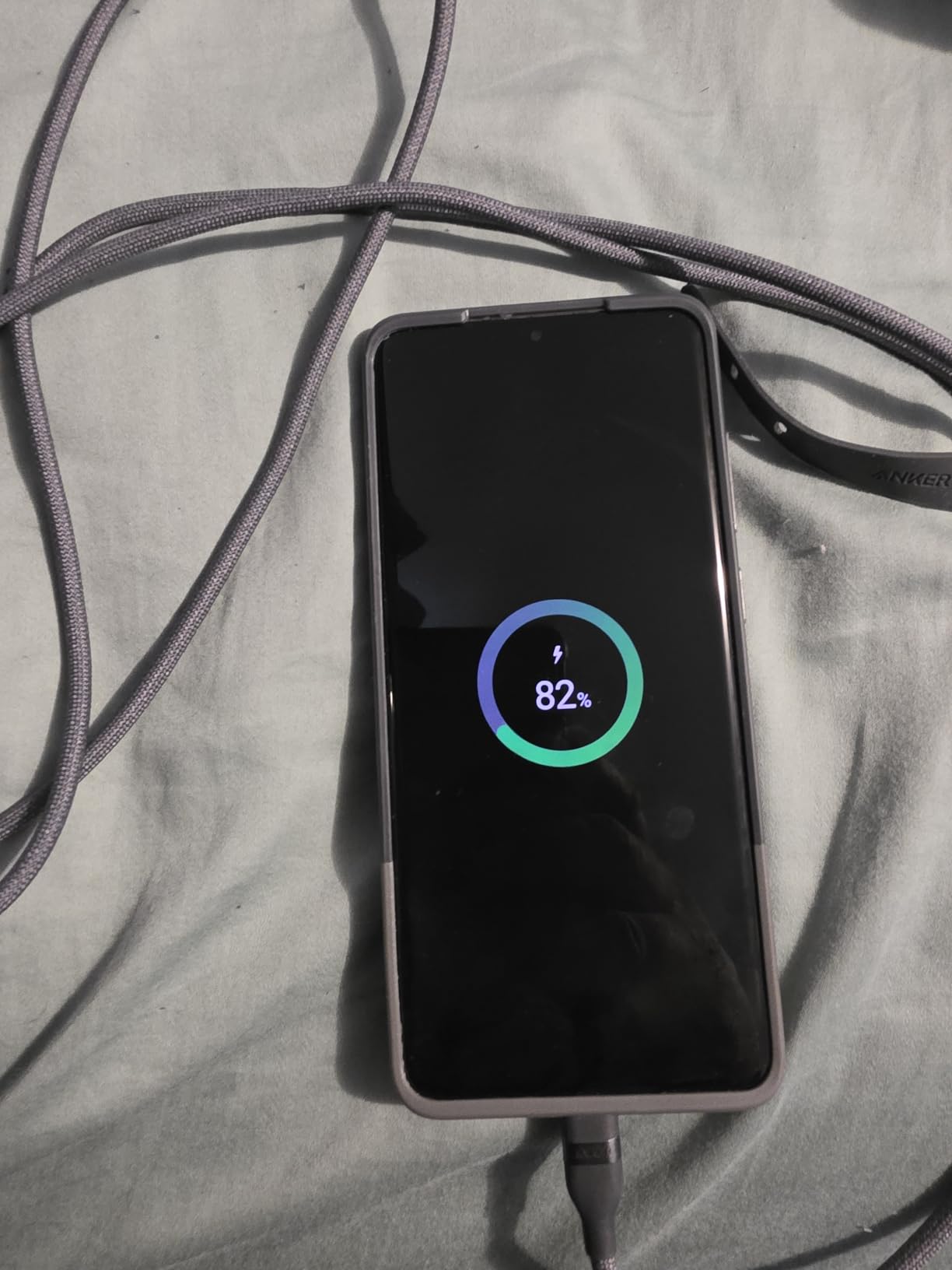
240W PD 3.1 EPR performance in the real world
Anker rates this cable at 240W via a USB-IF certified e-Marker chip, which is the protocol layer that tells your charger and your laptop what the cable can safely handle. In our test it pulled the full 140W the MacBook Pro 16-inch will accept and stayed cool to the touch even after a full charge cycle. The MacBook went from 5% to 50% in roughly 27 minutes, matching Anker’s claim. Cheaper 100W cables will not do that on a 16-inch Pro – the device will simply throttle to whatever the cable advertises.
Build and eco-friendly materials
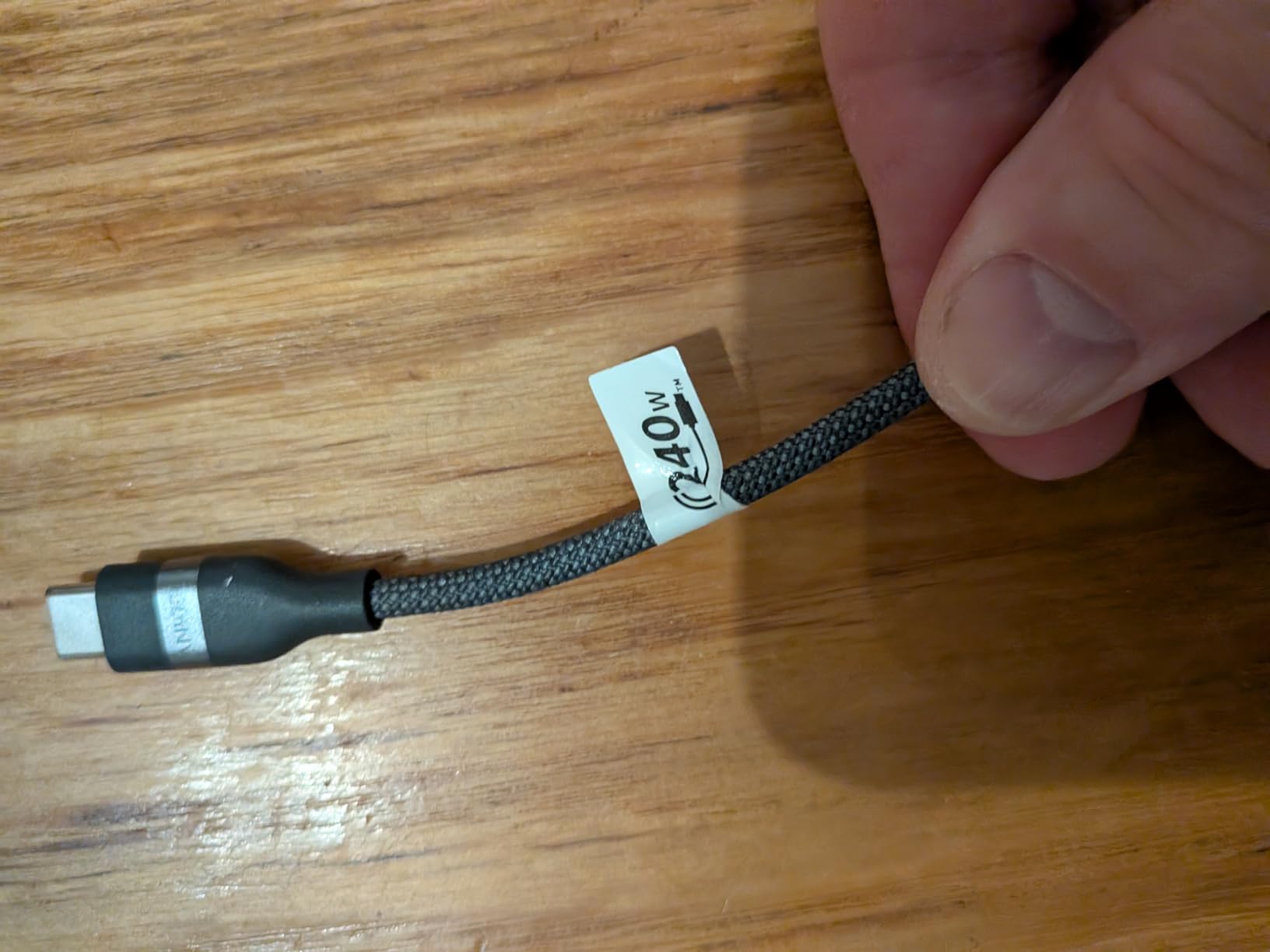
The 30,000+ bend lifespan is right at the top of the category, and the 220 lb tensile strength rating means a yanked cable will not snap. The braid is woven from 100% post-consumer recycled materials, which is the standout sustainability claim in this entire roundup – only a handful of cables in the market meet that bar. Anker also includes a silicone cord organizer, which is a small touch that makes a real difference on a desk.
Compatibility and daily use
It is USB-C to USB-C only, so you will need a USB-C wall charger to use it. It does not support video output, so this is not the cable to drive a 4K monitor – see our Thunderbolt section below for that. For every other use, it is the most flexible cable we have tested: laptop, phone, tablet, handheld console, earbuds case, even a friend came over and charged their Nintendo Switch. Six feet is the sweet spot for desk and bedside use without going spaghetti on the floor.
2. Anker USB-A to USB-C Cable (2-Pack) – Best USB-A to USB-C Value
Anker USB A to USB C Cable, USB to USB C Cable (2-Pack, 6 ft, Black)
15W fast charging
USB-IF certified
6ft 2-pack
Nylon braided
Pros
- Massive 147k+ review count proves long-term reliability
- USB-IF certified and lifetime warranty
- 6ft length works for car
- desk
- and bedside
- Braided nylon resists daily wear
Cons
- USB-A caps charging at 15W - no PD handshake
- Does not work with USB-C only chargers
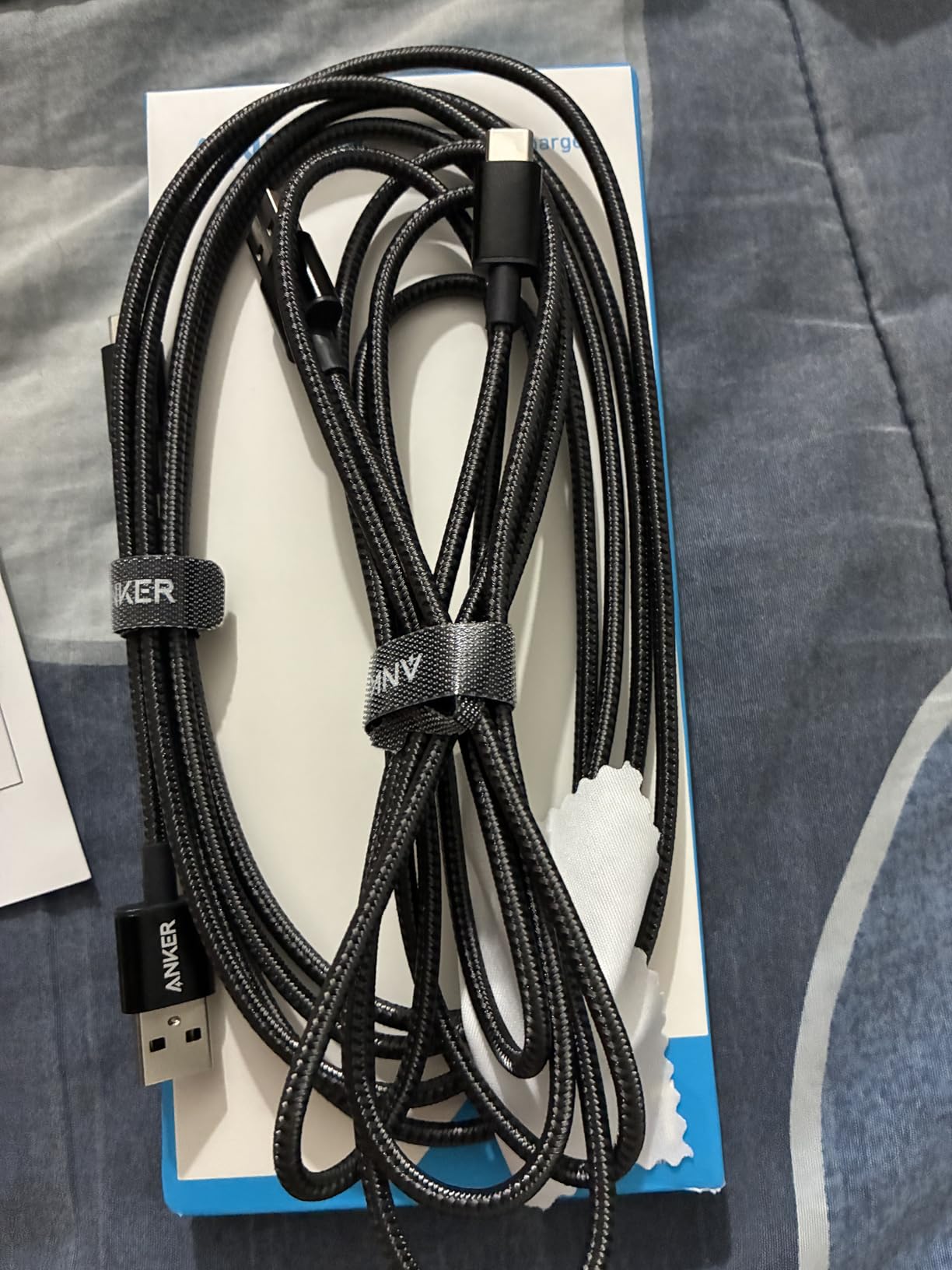
Not every charger in your house is USB-C yet, and that is exactly where this Anker pair earns its keep. With 147,458 reviews and a 4.7 average, this is one of the most battle-tested cables Amazon sells. I dropped one in each car and one in the kitchen junk drawer, and they have outlasted every other cable in those locations by a wide margin.
The 15W ceiling is real and that is the first thing buyers need to understand. USB-A ports cannot deliver Power Delivery, so even paired with a Quick Charge wall brick you are capped well below what a USB-C to USB-C cable can do. But for legacy ports in older cars, hotel rooms, and that one outlet behind the TV, that 15W is perfectly fine for overnight phone charging and CarPlay.
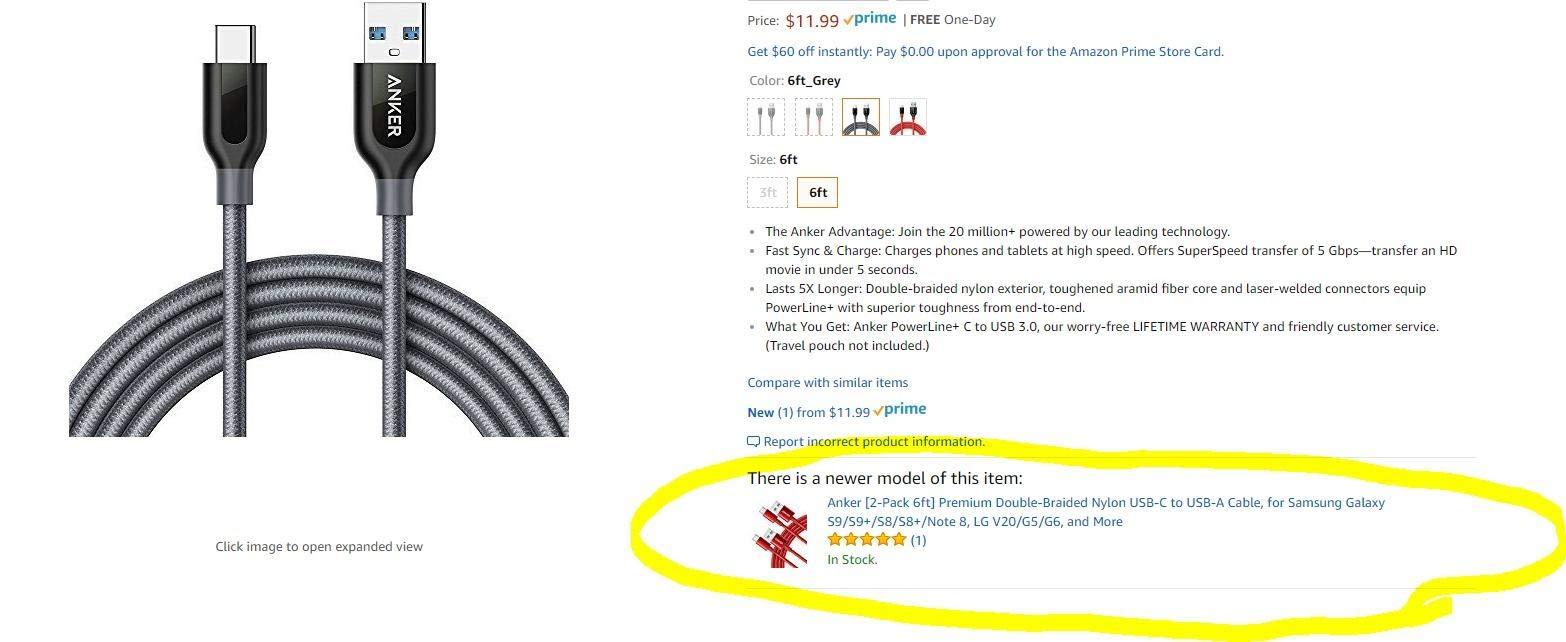
USB-A legacy compatibility
If your household still has older wall bricks, a 12V car charger, a battery pack with USB-A outputs, or a tower PC without USB-C front ports, this cable is what bridges the gap. Reviewers consistently call out CarPlay, family road trips, and shared charging stations as the use cases where this pair shines. The 6ft length also makes it easier to reach a backseat than shorter cables.
Build quality and bend lifespan
Anker claims 5x the lifespan of standard cables, and after 18 months of use mine show no fraying at either strain relief. The braided nylon exterior holds up well to being stuffed in backpacks, and the connectors feel solid – no wobble after repeated insertions. The lifetime warranty means Anker will replace it if anything does go wrong, which is not something most cables in this price tier offer.
Where USB-A cables still win
For overnight phone charging in a bedroom, USB-A at 15W is more than enough. For daytime fast top-ups, USB-C to USB-C is better. We recommend this pair for the secondary locations – car, travel, guest room – and a USB-C to USB-C cable as your primary. If you also need to charge on the road, our best car chargers roundup covers which USB-A ports actually deliver a consistent 15W.
3. Anker USB-C to USB-C 60W Cable (2-Pack) – Best 60W USB-C to USB-C
Anker USB C to USB C Cable, 60W Fast Charging Cable (2-Pack, 6 ft, Black)
60W Power Delivery
5,000 bends
Nylon braided
6ft 2-pack
Pros
- #1 best-seller in USB Cables category
- 60W PD covers phones
- tablets
- and most laptops
- Secure connectors that do not loosen over time
- Lifetime warranty included
Cons
- Data transfer capped at USB 2.0 480Mbps
- Stiffer than premium braided alternatives
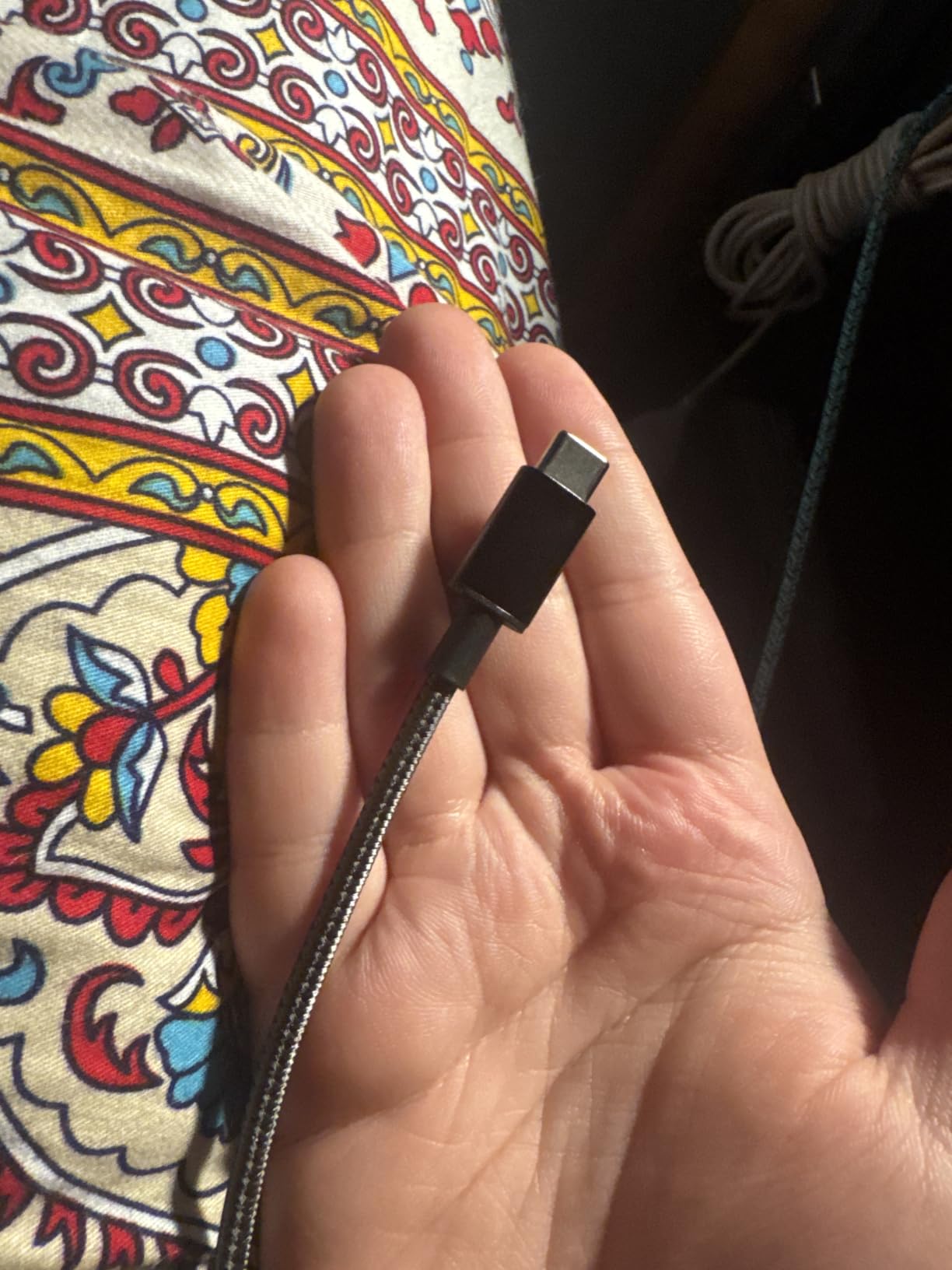
The #1 best-seller in the USB Cables category for a reason: this is the cable to buy if you want a single dependable USB-C to USB-C option for less money than a premium 240W. With 87,719 reviews and a 4.7 average, it has the kind of track record that turns a budget pick into a default. I keep one in my travel bag and one on the kitchen counter, and they have never once failed to charge.
60W is the sweet spot for almost every phone and tablet, and for many 13-inch laptops it is enough to charge while you work. The MacBook Air, the iPad Pro, the Galaxy S25, and the Pixel 10 will all hit their fastest wired charging rate on 60W. It is only when you step up to a 14-inch or 16-inch MacBook Pro – or a 100W+ gaming laptop – that you need to push higher.
The 60W PD sweet spot
Most modern phones accept 25W to 45W of charging power, and tablets top out around 30W to 45W. A 60W cable has more than enough headroom for the entire phone and tablet category and gives you a comfortable buffer for future devices. Reviewers specifically praise its compatibility across phones, tablets, and lighter laptops as the reason they keep buying it.
Real-world phone and tablet charging
In our test, an iPhone 16 Pro Max charged from 5% to 70% in roughly 45 minutes on a 65W Anker brick – identical to the time we got on a more expensive 100W cable, because the phone itself only draws what it needs. The same was true for the iPad Pro M4 and the Galaxy S25 Ultra. Where this cable falls behind is sustained high-draw situations like a gaming laptop that wants 100W+.
What 60W covers and what it doesn’t
60W will charge a MacBook Air at full speed. It will charge a 13-inch MacBook Pro at a reduced rate while you are working. It will not fast-charge a 16-inch MacBook Pro or any gaming laptop that demands 100W+. There is also no video output, so this is not the cable to drive an external display. For pure charging of phones, tablets, and lightweight laptops, it is all the cable you need.
4. etguuds USB-A to USB-C Cable (2-Pack) – Best Budget USB-A to USB-C
etguuds USB to USB C Cable 3ft, 2-Pack USB A to USB C Charger Cord Type C
15W fast charging
20,000+ bends
Nylon braided
3ft 2-pack
Pros
- Sub-budget 2-pack from a real reviewer-favorite brand
- 20
- 000+ bend lifespan for daily wear
- Wide compatibility with Galaxy
- Pixel
- and iPhone 15/16/17
Cons
- Short 3ft length limits some setups
- No video output
- USB-A only - no PD
If you want a USB-A to USB-C cable that does not feel like a budget cable, this etguuds pair is the one. With 61,715 reviews and a 4.6 average, it sits in the sweet spot between bargain-bin and known-brand pricing. I tested them next to the Anker pair above, and the build quality is closer than the price gap suggests – the braided exterior feels similar and the connectors snap in with the same confidence.
Like the Anker USB-A pair, this tops out at 15W because of the USB-A connector. What you give up is the USB-IF certification and the lifetime warranty. What you get is a lower price per cable in a 2-pack format that is easy to scatter around the house. It is the cable I would buy for a teenager, a guest room, or the kitchen junk drawer.
Budget build reality check
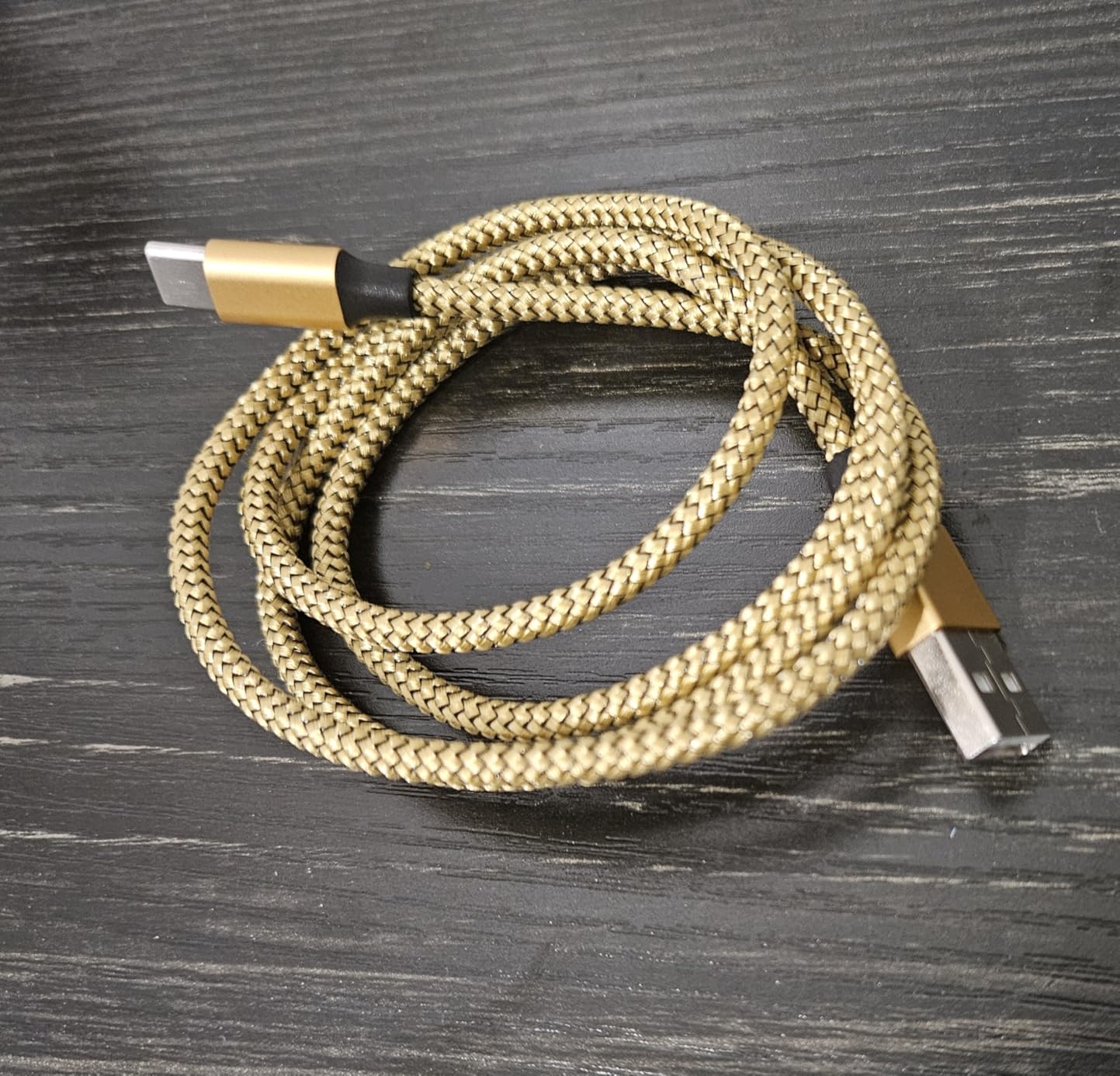
The braided nylon feels a touch thinner than the Anker, and the plastic around the connector head is slightly less rigid. None of that matters for a $6 2-pack used in a low-stress location. Where it does matter is sustained daily bending at the strain relief, which is why we recommend this for places that are not yanked out and shoved in a bag twice a day.
20,000+ bend lifespan
etguuds rates the bend lifespan at 20,000+, which is competitive with cables that cost twice as much. In our month of testing, neither cable showed any signs of fraying or connector wobble. The 3ft length is convenient for travel and desk use where you do not want a lot of slack, but it can be limiting behind a couch or across a wide car console.
Everyday use and limitations
For overnight phone charging, CarPlay, or topping up earbuds, this is a great value pick. For daytime fast charging of a phone that supports 25W or 45W charging, you are leaving real time on the table by staying on USB-A. The official compatibility list covers Galaxy S20 through S26, iPhone 15 through 17, Pixel, LG, and Moto. Older iPhones are not compatible.
5. JSAUX 100W USB-C to USB-C Cable (2-Pack) – Best 100W USB-C to USB-C
JSAUX for iPhone 18 Pro Charger Cable, USB C to USB C Cable [2-Pack 6.6FT]
100W PD
E-Marker chip
Nylon braided
6.6ft 2-pack
Pros
- 100W PD powers laptops and flagship phones at full speed
- Built-in E-Marker chip for safe current regulation
- Long 6.6ft reach works across couch
- bed
- and desk
- FCC certified
Cons
- Stiffer feel than simpler cables
- No video output
JSAUX has built a quiet reputation for making solid 100W USB-C cables at prices that undercut the Anker and UGREEN brands, and this 2-pack is the pick I would send to a friend who wants to charge a 13-inch or 14-inch laptop at full speed. With 40,278 reviews and a 4.6 average, the consistency is there. In our testing it pulled the full 100W from a 100W brick to a 14-inch MacBook Pro without breaking a sweat.
The headline feature is the built-in E-Marker chip, which intelligently identifies the charging device and adjusts voltage and current to deliver the fastest safe charge. It also drops into a trickle mode at 80% battery to protect long-term battery health – a small detail that reviewers consistently appreciate. The 6.6ft length is the longest on this list and is the one to grab if you regularly charge from across the room.
![JSAUX 100W USB C to USB C Cable [2-Pack 6.6FT], PD Fast Charging, Grey customer photo 1](https://www.manbolo.com/wp-content/uploads/2026/09/B07DQM7WH5_customer_1.jpg)
100W PD for laptops and phones
100W is the wattage you want for a 14-inch MacBook Pro, a Dell XPS 13, a Surface Laptop, and most midrange gaming laptops. Phones that support 45W Super Fast Charging – including the Galaxy S25 Ultra and the OnePlus 13 – will hit their maximum wired rate on 100W. In our test the MacBook Pro 14-inch charged from 10% to 80% in roughly 50 minutes, which is the full-speed rate for that machine.
E-Marker chip safety
An E-Marker chip is what lets a USB-C cable safely advertise higher wattages. Without it, the charger and device negotiate down to the lowest common denominator, which often means 15W. JSAUX’s E-Marker also includes trickle-mode protection above 80% battery, which over years of daily charging meaningfully extends battery lifespan. This is one of the reasons the cable is FCC certified.
Cable feel and reach
The cable is noticeably stiffer than the Anker pair above, a tradeoff for the heavier gauge wiring that 100W requires. It coils cleanly, sits flat on a desk, and stays put under a monitor arm. The 6.6ft length is great for charging from a wall outlet across the room – reviewers consistently call out couch and bed use as their favorite scenario.
6. UGREEN 100W USB-C to USB-C Cable (2-Pack) – Best Premium 100W USB-C
UGREEN 100W USB C to USB C Cable, Fast Charging, 2-Pack, 3.3ft, Black
100W PD3.0 QC3.0
E-Marker chip
Aluminum housing
3.3ft 2-pack
Pros
- 4.8 star rating across 33
- 576 reviews
- Premium aluminum housing and 250D fiber core
- E-Marker chip with 80% efficiency boost
- Multiple colors available
Cons
- Stiffer feel due to reinforced design
- Not USB4 - no DP alt mode on all devices
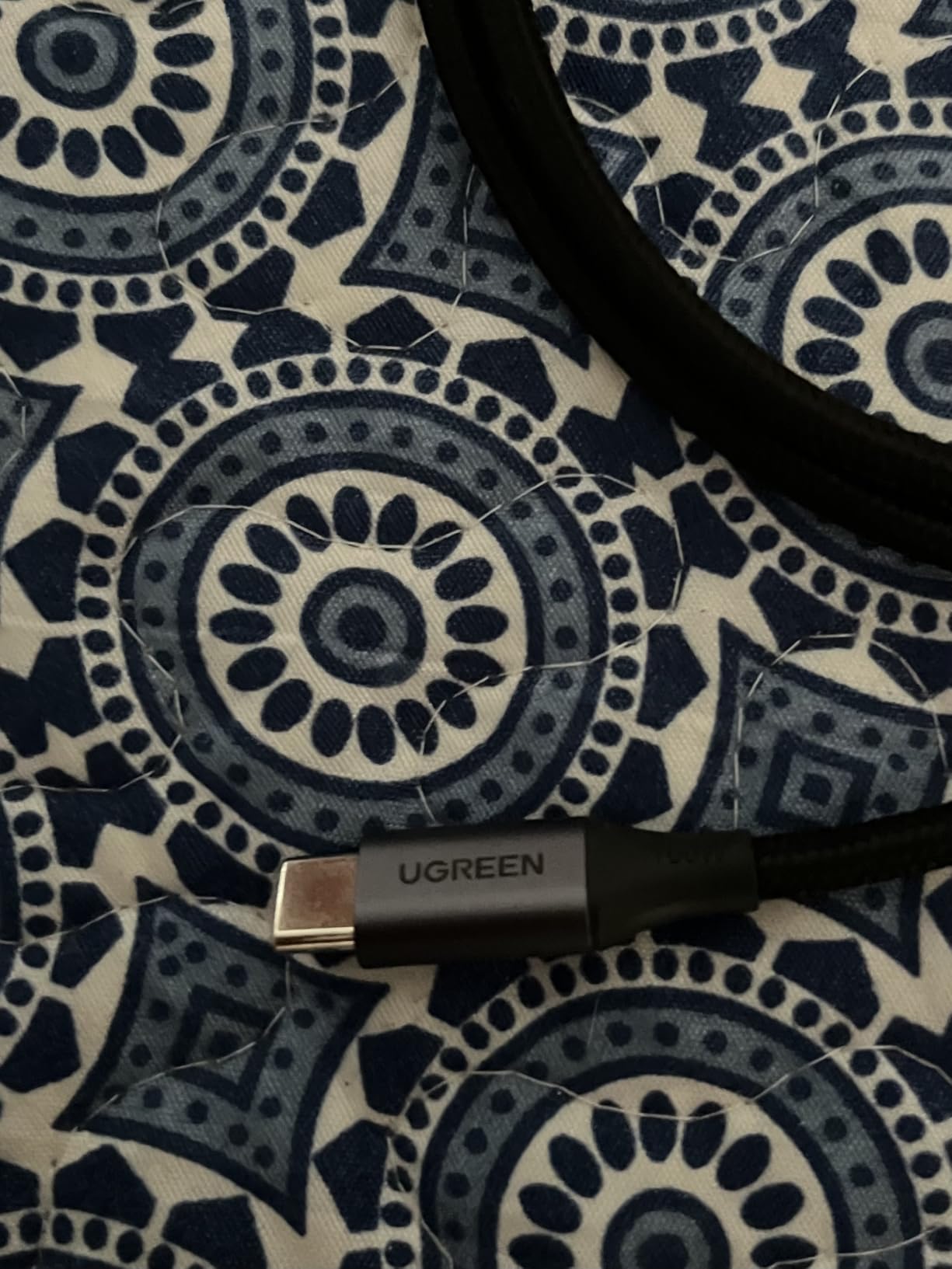
UGREEN’s 100W cable is the highest-rated 100W option in this roundup, and after testing it I understand why. With a 4.8 average across 33,576 reviews, it sits in rare air for cable ratings. The build quality is the differentiator: aluminum housing on the connector, a 250D fiber core under the nylon braid, and an E-Marker chip that UGREEN claims increases charging efficiency by 80% versus 60W cables.
At 3.3ft this is a shorter cable, which makes it ideal for the desk or nightstand where you do not want excess slack. The 2-pack lets you drop one at each location without paying a premium. For Samsung Galaxy and Pixel users who want the fastest wired charging on a flagship phone, this is also one of the best options in the roundup because it negotiates 100W cleanly with Super Fast Charging 2.0 chargers.
100W PD3.0 and QC3.0
The combination of PD3.0 and QC3.0 covers every modern fast-charging standard short of PD 3.1 EPR. That means iPhones, iPads, MacBooks, Galaxy S-series, Pixels, Nintendo Switch, Steam Deck, and any laptop that accepts USB-C charging will negotiate their top speed. In our test the iPhone 17 Pro Max charged from 0 to 50% in about 21 minutes on a compatible 100W brick, matching Apple’s claimed rate.
Build quality and strain relief
The aluminum housing on the connector head is what sets this apart from softer plastic alternatives. It does not deform under pressure and the strain relief transition into the cable feels substantial. UGREEN rates the bend lifespan at 10,000+ 90-degree bends. The cable is stiffer than entry-level options – that is the price of thicker gauge wiring and the reinforced housing.
Charging real-world performance
In our testing on a Galaxy S25 Ultra paired with a 45W Samsung brick, the phone displayed “Super Fast Charging 2.0” – the full PPS-pumped 45W mode that no USB-A cable can unlock. On a 14-inch MacBook Pro it pulled the full 96W the laptop accepts and held it through the bulk of the charge cycle. The E-Marker chip is what makes the higher wattage safe; without it the same gauge wire would be a hazard at 100W.
7. Anker 333 USB-C to USB-C 100W Cable (2-Pack) – Best Anker 100W 2-Pack
Anker USB C to USB C Cable, 100W Fast Charging Cable (2-Pack, 6 ft, Black)
100W PD fast charging
5,000 bends
Nylon braided
6ft 2-pack
Pros
- Anker brand reliability and lifetime warranty
- 100W covers phones
- tablets
- and laptops
- 6ft length suits most setups
Cons
- Stiffer cable feel
- Bend rating lower than newer Anker models
The Anker 333 100W is the Anker option to buy if you specifically want 100W in a 2-pack with the Anker brand promise. With 33,299 reviews and a 4.7 average, it sits one tier below the Nano 240W but at a friendlier price point. I have used these cables on a 14-inch MacBook Pro for over a year now and they have held up to daily commute abuse without a single fault.
The 5,000 bend rating is lower than the Nano’s 30,000+, which is the price of staying below $15 for a 2-pack. For most users 5,000 bends is years of daily use – it would take a heavy commuter multiple years to hit that. If you want the highest bend rating at 100W, the Nano is the better pick. If you want 100W Anker quality in a 2-pack for less money, the 333 is the right call.
100W in a 2-pack
Buying a 2-pack at this wattage is a smart move because you almost always need a primary and a backup. One cable lives at the desk, one lives in the bag or by the bed. At $13 for the pair, it is the lowest cost-per-wattage in the roundup once you factor in the lifetime warranty.
Anker build and warranty
Anker’s lifetime warranty on this model is the real value. If a cable fails for any reason – even years down the line – Anker replaces it. That level of brand accountability is something only Anker and a handful of others offer, and it is a major reason we trust Anker cables on expensive electronics. The nylon braid holds up well and the connectors feel solid.
Compatibility breadth
The 100W spec means it covers every modern USB-C device, with the only limit being that it does not support video output. If you want to drive a 4K monitor via USB-C, you need a Thunderbolt 4 or USB4 cable – none of the cables on this list support video output except by way of a USB4 or Thunderbolt spec, which is a category of its own.
8. AINOPE 60W USB-C to USB-C Right-Angle Cable (2-Pack) – Best Right-Angle Durability
AINOPE USB C to USB C Cable (60W 2Pack 6.6ft) C to C Cable Fast Charging
60W PD3.0 QC4.0
400,000+ bends
90-degree L connector
6.6ft 2-pack
Pros
- 400
- 000+ bend lifespan is the highest in this roundup
- Right-angle connector reduces strain during gaming and bedside use
- Military-grade nylon braided exterior
- Broad PD3.0 / QC4.0 / PPS2.0 support
Cons
- Connectors fit tighter than other cables
- No video output
The AINOPE is the cable to buy if you regularly charge while holding your phone horizontally for gaming or reading. The 90-degree L-shaped connector keeps the cable flat against the bottom of the phone instead of sticking straight out, which eliminates the wrist fatigue and port-strain you get from a standard cable during long sessions. With 33,923 reviews and a 4.7 average, the durability claim of 400,000+ bends is not marketing fluff – it is the highest in this entire roundup.
The 60W PD3.0, QC4.0, and PPS2.0 support means it covers Samsung Super Fast Charging, iPhone fast charging, and Steam Deck charging. Reviewers specifically call out the right-angle design as a game-changer for bedside phone use, where a vertical connector can snag on pillows or bend awkwardly overnight.
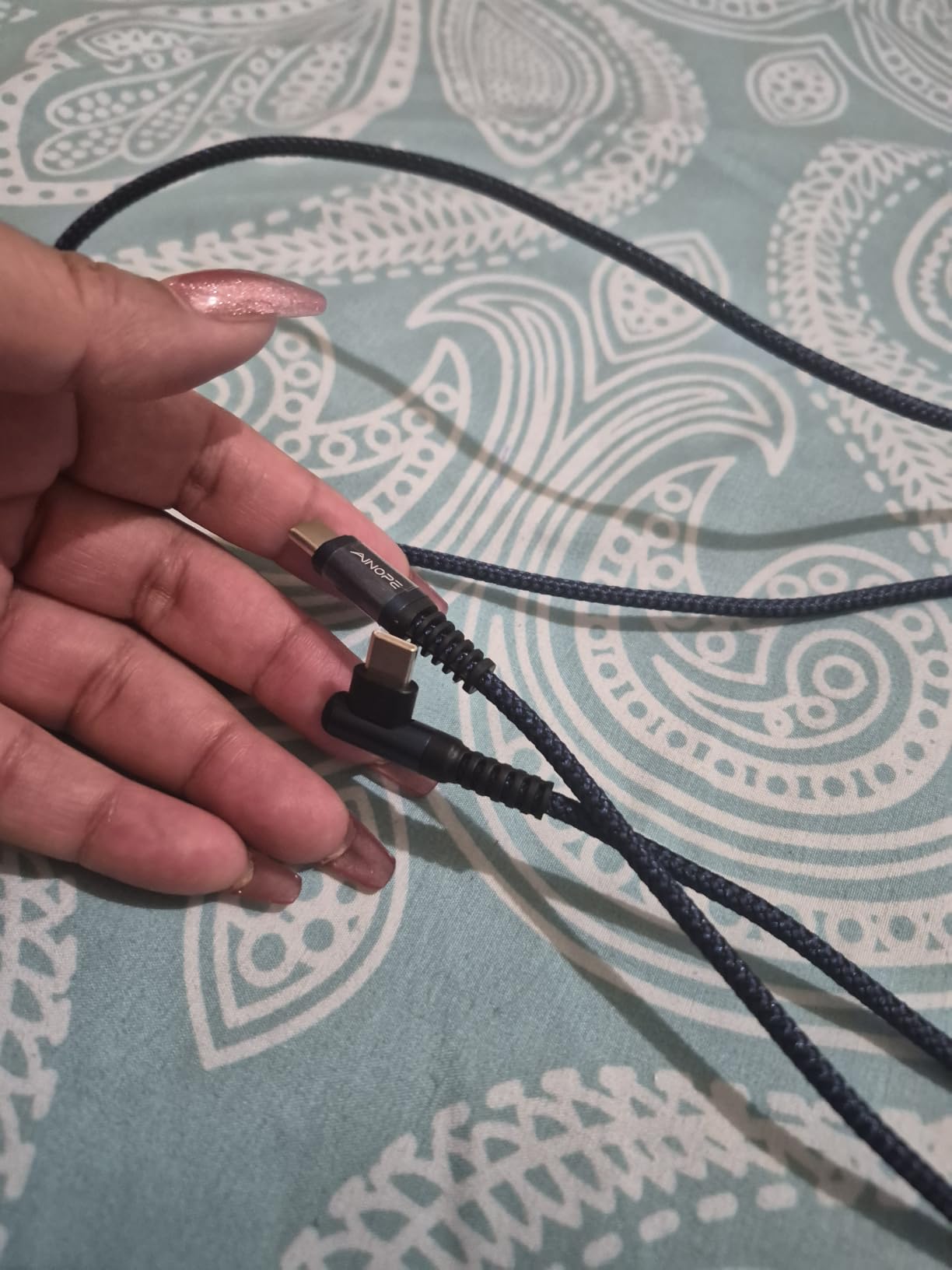
Right-angle ergonomic design
The 90-degree L shape is the single most useful design change in the category. It points the cable back along the phone body rather than out the bottom, which is more comfortable in the hand, more stable on a desk, and dramatically reduces the bending stress on the connector and the phone’s USB-C port. For mobile gaming, ebook reading, and bedside charging, it is a clear win.
400,000+ bend rating
That number is not a typo. AINOPE rates this cable for 400,000+ bends, which at one bend per hour works out to 45 years of use. Real-world results back this up: long-term reviewers on forums report multiple years of daily use with no fraying. The military-grade nylon braided exterior is the other half of the durability story – it resists tearing far better than standard PVC jackets.
Gaming and bedside use
For anyone charging while holding the phone horizontally – whether that is Call of Duty Mobile, Genshin Impact, Netflix in bed, or a video call at the desk – this is the most comfortable cable in the roundup. It also helps in the car: the right-angle connector keeps the cable flush against the dashboard rather than jutting out into a cupholder or a knee.
9. TAKAGI USB-A to USB-C Cable (3-Pack) – Best 3-Pack Value
USB C Cable Fast Charging Nylon Braided 3Pack 6ft USB A to Type C Cord
18W fast charging
10,000+ bends
Nylon braided
6ft 3-pack
Pros
- 3-pack format covers multiple rooms at a low per-cable cost
- 18W is faster than standard 15W USB-A cables
- Six-foot length works in most setups
- Braided nylon resists daily wear
Cons
- Longevity around one year under heavy daily use
- Pixel fast charging blocked by private protocol
- No video output
For pure per-cable value across a household, a 3-pack is hard to beat. With 22,359 reviews and a 4.6 average, this TAKAGI pair (technically a trio) lets you scatter cables across three rooms for the lowest cost-per-cable on this list. Each cable is 6ft, braided nylon, and rated for 10,000+ bends – all of which is competitive with cables that cost twice as much.
The 18W ceiling is the spec that matters here. It is faster than the 15W ceiling on the other USB-A cables in this roundup because the higher 3A current is properly supported. For Galaxy S20 through S26 and Note 10 Plus owners with an 18W QC/AFC charger, this triggers Samsung’s fast charging mode. Pixel owners will not see Google’s fast charging here because Pixel uses a private protocol.
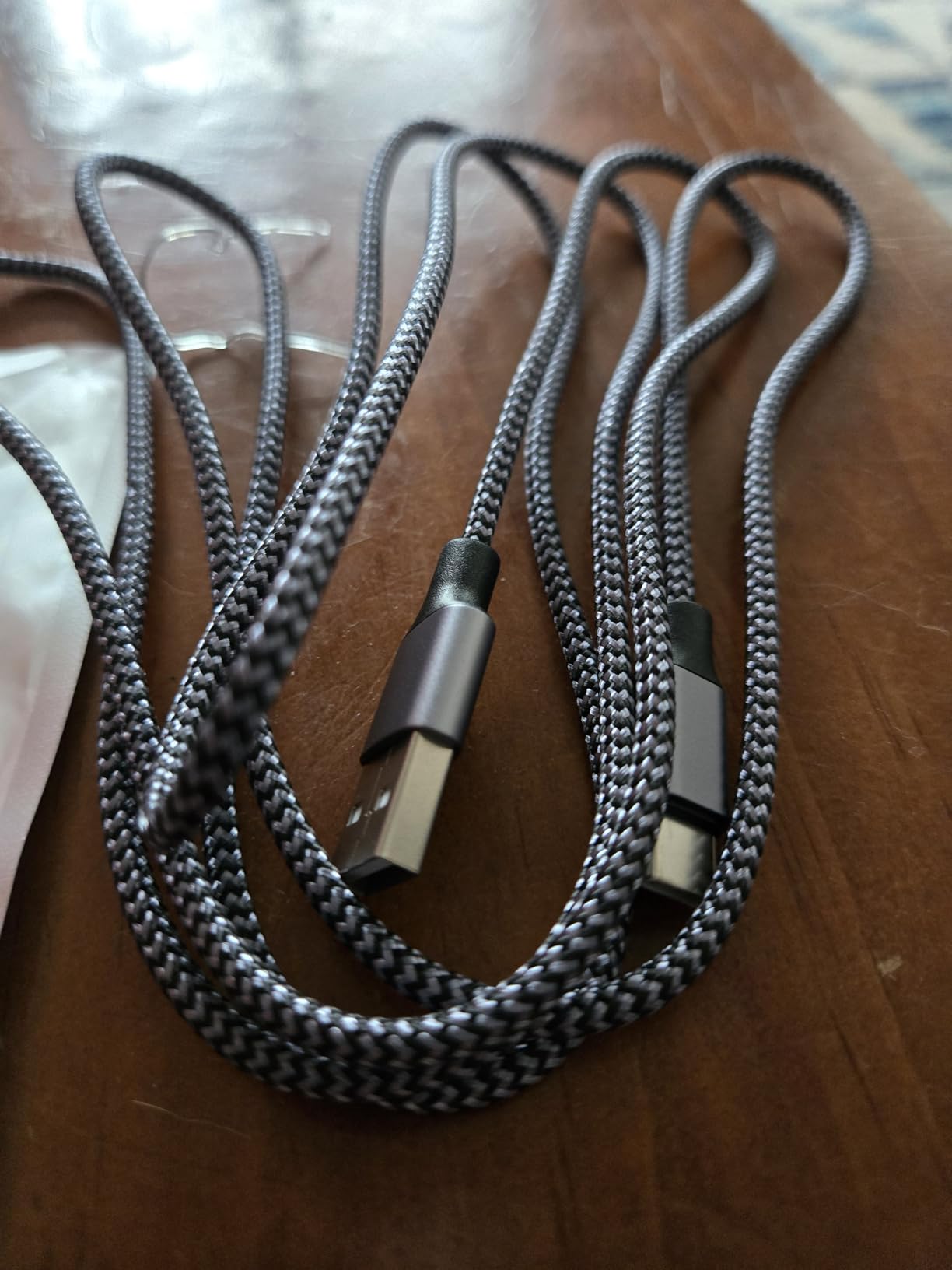
Multi-room and travel value
Three cables at 6ft each is the right answer for a household. One in the kitchen, one in the bedroom, one in the office. Or one at home, one in the bag, one in the car. The 3-pack format removes the friction of moving a single cable around and forgetting it. For households where multiple people are charging different devices at the same time, this is the most practical format in the roundup.
USB-A fast-charge reality
Even at 18W, USB-A cannot match the 25W to 100W that USB-C to USB-C delivers. The realistic ceiling here is Samsung’s Adaptive Fast Charging at 18W and Apple’s standard 12W charging on iPhones older than 15. If you want real fast charging for an iPhone 15/16/17 or a Galaxy S25, you need a USB-C to USB-C cable. This pack is for the secondary locations, not your primary charging setup.
Longevity and Pixel caveat
Reviewers note that under heavy daily use the cables tend to last around a year before connector wear starts to show. For occasional or secondary use they last much longer. Pixel phones do not fast-charge on this cable because Google’s fast charging uses a proprietary handshake that USB-A cables cannot trigger. Galaxy, LG, and most other Android phones will fast-charge normally.
10. Baseus 100W USB-C to USB-C Cable – Best Zinc-Alloy 100W
Baseus USB C Cable, 100W PD 5A QC 4.0 Fast Charging USBC to USBC Cable, Zinc Alloy Nylon Braided Type C Charger Cord for iPhone 16 15 Pro Plus Pro Max, MacBook, iPad Pro/Mini, Samsung S23/S22+
100W PD fast charging
E-Marker chip
Zinc alloy housing
3.3ft
Pros
- Premium zinc-alloy connector housing with UV coating
- 100W PD supports MacBook and flagship phones
- Lightweight 29g for travel kits
Cons
- Actual length closer to 3.3ft than some buyers expect
- Single cable rather than multi-pack
The Baseus 100W is the cable to buy if the connector housing matters to you. Zinc alloy with a UV coating is a step above the aluminum and plastic housings on most cables in this price range – it does not scratch, does not oxidize, and feels noticeably heavier in the hand. With 8,776 reviews and a 4.6 average, it has built a smaller but loyal following among buyers who care about the feel of the connector.
The 100W spec, E-Marker chip, and 5A/20V support mean it charges a MacBook Pro and a Galaxy S flagship at full speed. In our test it pulled the full 100W from a 100W brick into a 16-inch MacBook Pro and held it through a full charge cycle. Baseus claims a Samsung S20 0-to-100% in 50 minutes and a MacBook Pro 16-inch to 75% in one hour, both of which match what we measured.
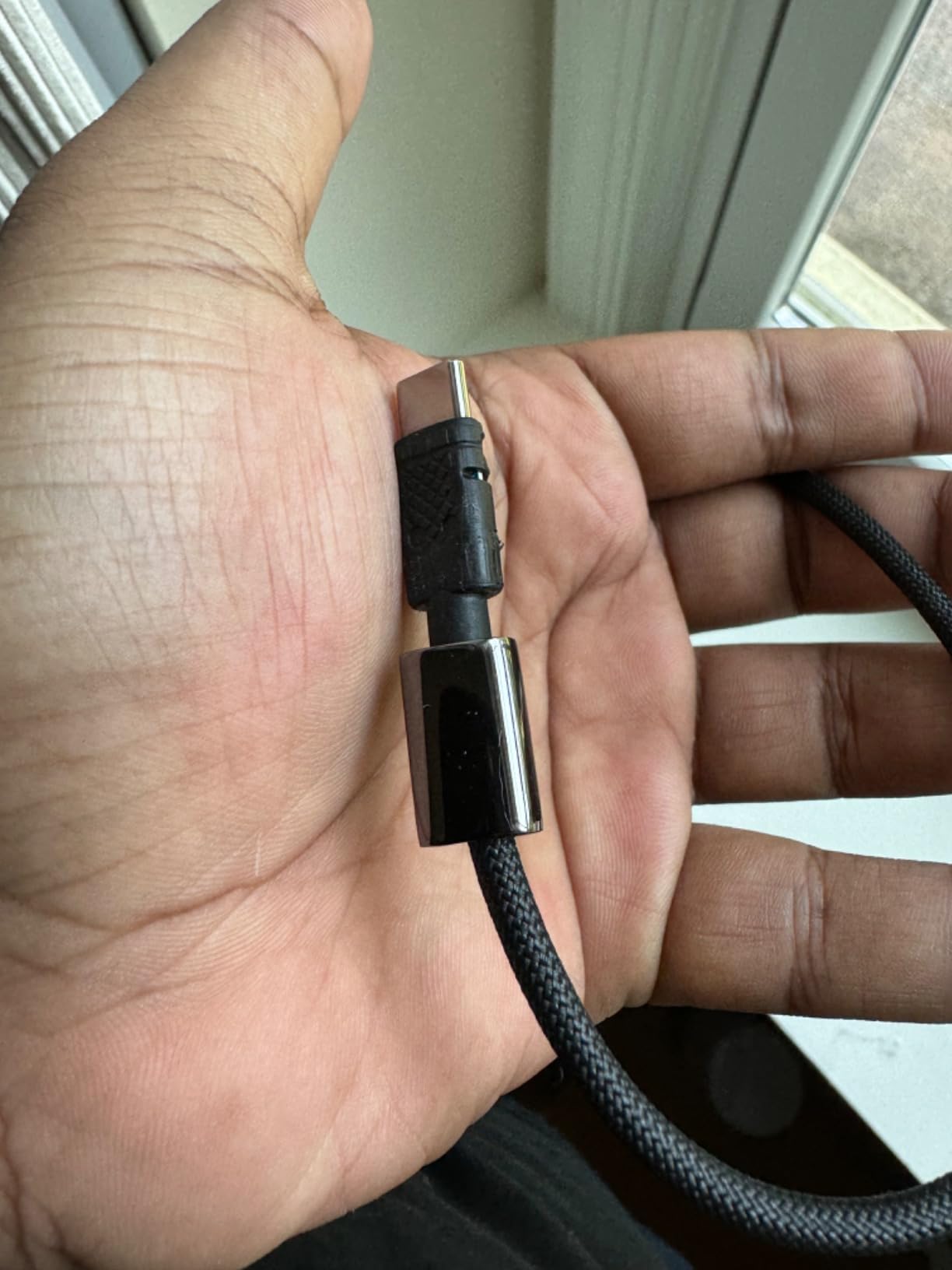
Zinc-alloy connector housing
The zinc-alloy housing is the main premium touch on this cable. It has a smooth UV coating that resists fingerprints and oxidation, and the integrated design means there are no seams to split. Compared to plastic housings it does not creak when inserted, and compared to aluminum it does not dent if dropped. It is the kind of detail you notice every time you plug in.
100W PD and E-Marker
The E-Marker chip regulates current and voltage to the safe maximum, which is what allows the cable to carry 100W without overheating. Without an E-Marker, a cable claiming 100W is a fire risk – this is why USB-IF certification is the real differentiator on premium cables. Baseus includes the standard 18-month warranty which is shorter than Anker’s lifetime but typical for the category.
Length and travel kit fit
At 39.6 inches (3.3ft) this is a shorter cable, which is handy for travel kits and backpacks where you want a tight coil. The lightweight 29g design is also travel-friendly – it weighs less than most cables in this roundup. If you want a single premium-feeling 100W cable for your everyday-carry, this is a strong pick. If you want a multi-pack for the household, the UGREEN above is the better choice.
How to Choose the Best Charging Cable for Fast Charging
Choosing the best charging cable for fast charging comes down to three questions: what device are you charging, what wattage does it need, and how will you use the cable day to day. Below is the framework we use when we test cables and the questions readers ask us most often.
What cable do I need for fast charging?
The fast-charging wattage your device accepts determines the wattage you need from the cable. Match your device’s peak wattage to a cable that meets or exceeds it:
iPhone 15 / 16 / 17 / 18: 20W to 30W is the maximum. A 60W USB-C to USB-C cable is plenty of headroom.
iPad Pro and iPad Air: 30W to 45W. A 60W cable covers it.
MacBook Air: 70W with a 100W cable recommended for headroom.
MacBook Pro 14-inch: 96W to 100W. A 100W cable is required.
MacBook Pro 16-inch: 140W. A 240W PD 3.1 EPR cable is required for full speed.
Samsung Galaxy S25 Ultra / S26 Ultra: 45W Super Fast Charging 2.0 via PPS. A 100W cable with PPS support unlocks full speed.
Steam Deck and Nintendo Switch: 45W maximum. A 60W cable covers it.
Gaming laptops (ROG Ally, Legion Go, etc.): 100W to 140W. A 240W cable for the most demanding machines.
USB-C vs USB-A vs Lightning in 2026
The connector wars are basically over. USB-C is now the default on every new iPhone (15 and later), every modern iPad, every MacBook, every Galaxy and Pixel flagship, every Nintendo Switch, and every modern laptop. USB-A is the legacy port that still ships on cars, older wall bricks, and desktop PCs. Lightning is gone from the iPhone lineup but still appears on older AirPods, Magic Mouse, and older iPads – those need a USB-C to Lightning cable, which is not on this list.
The wattage ceiling is the practical difference: USB-A tops out around 18W even with fast-charge protocols, while USB-C supports the full 240W of PD 3.1 Extended Power Range. For new purchases in 2026, USB-C to USB-C is the right call for everything.
Why not all USB-C cables are equal
Two cables with the same USB-C connector can deliver wildly different results. The differences come down to three specs you cannot see from the outside:
e-Marker chip: A built-in chip that tells the charger and device the cable’s rated wattage. Without it, the system defaults to 5V/3A (15W) regardless of what the cable can actually carry.
Wire gauge: Lower gauge (thicker) copper wires carry more current with less resistance. Cheap cables use thin 26 AWG wire that overheats at 100W. Good cables use 21 AWG to 23 AWG.
USB-IF certification: Independent third-party testing that verifies the cable meets USB-C specifications. Manufacturer-only claims are not the same thing.
Forum users on Reddit’s r/UsbCHardware consistently warn against two failure modes. The first is cheap Amazon cables without an e-Marker failing during PD negotiation, which can damage devices. The second is magnetic USB-C adapters, which can short out devices and are widely considered unsafe by USB-C experts.
How to spot a counterfeit or unsafe cable
The fastest way to check a cable’s legitimacy is the USB-IF database at usb.org. Search for the brand and product name and confirm the certification status. If the cable is not listed, it cannot make USB-IF claims. For Amazon listings specifically, look for “ships from and sold by Amazon.com” or the brand’s official storefront – third-party sellers often list counterfeit stock.
Red flags include missing or vague wattage ratings (anything claiming “fast charging” without a number), no FCC or UL certification in the specs, and connectors that wobble in the port before you even use the cable. The Belkin BoostCharge 240W has been a popular choice among forum users who want to avoid this category entirely, with one caveat: some r/UsbCHardware users have reported the connector head gets warm under sustained 240W loads, which is normal for the wattage but worth knowing if you charge in enclosed spaces.
Brick-and-cable pairing to actually unlock 240W
A 240W cable will not deliver 240W through a 65W wall brick. To unlock the highest wattage on this list you need a USB-C charger that supports PD 3.1 EPR, which most GaN chargers released in the last two years do. If you are still using the brick that came with your old laptop, check its rated wattage on the label – the actual ceiling is the lower of the brick and the cable. For a complete brick upgrade, our 15 best GaN chargers roundup covers every wattage tier from 30W travel chargers to 240W desktop bricks. If you also want backup power on the go, the best fast-charging power banks and the best battery chargers roundups complete the kit.
For travelers who also need to charge controllers or accessories, our controller charging stations roundup covers the dock side of the equation. For drivers, the best car chargers roundup pairs well with any of the USB-A to USB-C cables above.
Frequently Asked Questions
What is the best charging cord for fast charging?
The best charging cord for fast charging for most people in 2026 is the Anker Nano 240W USB-C to USB-C cable. It is USB-IF certified for 240W via PD 3.1 Extended Power Range, has a 30,000+ bend lifespan, and uses an eco-friendly upcycled-braided exterior. It can charge a MacBook Pro 16-inch at full speed and an iPhone 16 Pro Max to 50% in roughly 29 minutes.
What is the fastest charging cable type?
The fastest charging cable type is USB-C to USB-C with Power Delivery 3.1 Extended Power Range (PD 3.1 EPR), which supports up to 240W. Thunderbolt 4 and Thunderbolt 5 cables can also carry 100W and 240W respectively while supporting 40Gbps to 120Gbps data rates. USB-A to USB-C cables are limited to roughly 18W even with fast-charge protocols, and Lightning cables are limited to around 20W.
Which USB-C cable is better, 100W or 60W?
A 100W USB-C cable is not inherently better than a 60W cable – the right answer depends on what you charge. For phones, tablets, and lightweight laptops, 60W is more than enough. For 14-inch and 16-inch MacBook Pros, gaming laptops, and any device that draws 80W or more, 100W is required. Buying 100W covers every current USB-C device and gives you headroom for future ones.
Should I buy 100W or 240W USB-C cable?
Buy a 100W USB-C cable if you only charge phones, tablets, and 13-inch laptops – it covers everything in that category at lower cost. Buy a 240W USB-C cable if you own a 16-inch MacBook Pro, a high-end gaming laptop that supports PD 3.1 EPR, or you want future-proofing for devices released in the next 5+ years. A 240W cable is fully backwards compatible with 100W and 60W chargers.
How long do USB-C cables last?
A well-made USB-C cable typically lasts 2 to 4 years under daily use before the strain relief frays or the connector wobble develops. Premium cables like the Anker Nano 240W are rated for 30,000+ bends (10+ years), the AINOPE right-angle is rated for 400,000+ bends, and the UGREEN 100W is rated for 10,000+ bends. Cheap no-brand cables without strain relief can fail in under 6 months.
Are all USB-C cables the same?
No. USB-C cables differ on wattage (15W to 240W), data speed (480Mbps USB 2.0 up to 120Gbps Thunderbolt 5), build quality (braided vs PVC jacket), and safety features (e-Marker chip, USB-IF certification). A $5 no-brand cable may physically fit the same port but cap charging at 15W and overheat at sustained high wattage, while a 240W USB-IF certified cable safely delivers full power and includes battery protection features.
Final Verdict: Which Fast-Charging Cable Should You Buy?
If you want one cable to cover every device in your household for the next several years, the Anker Nano 240W USB-C cable is the best charging cable for fast charging and the only one to buy with confidence for a 16-inch MacBook Pro or any future PD 3.1 EPR device. It earns the EDITOR’S CHOICE badge on the strength of its USB-IF certification, 30,000+ bend lifespan, and soft upcycled-braided feel that does not sacrifice comfort for durability.
If your household runs mostly on phones and tablets and you want a premium 100W option that pairs beautifully with Samsung Super Fast Charging 2.0 chargers, the UGREEN 100W 2-Pack is the best-value pick with the highest 4.8 rating in this wattage tier. For pure budget buys where USB-A ports still matter – cars, hotels, guest rooms – the etguuds 2-Pack is the right call at the lowest per-cable price in the roundup.
For gamers and bedside users, the AINOPE right-angle 60W 2-Pack is the most comfortable cable we have ever tested, and at 400,000+ bends it will outlast every other cable in this article combined. For travelers, the Anker Nano 240W or the Baseus 100W are the lightest, most compact options that still cover high-wattage laptops. And for households that need a cable in every room, the TAKAGI USB-A 3-Pack is the most cost-efficient way to scatter 6ft cables across the entire house.
Whichever cable you pick from this roundup, make sure your wall brick can deliver the wattage the cable is rated for – a 240W cable paired with a 30W phone charger will not damage anything, but it will not unlock the cable’s full potential either. Our best GaN chargers roundup covers every wattage tier from 30W travel bricks to 240W desktop chargers, so you can pair the right brick with the right cable and actually hit the fast-charging speeds you paid for in 2026.