
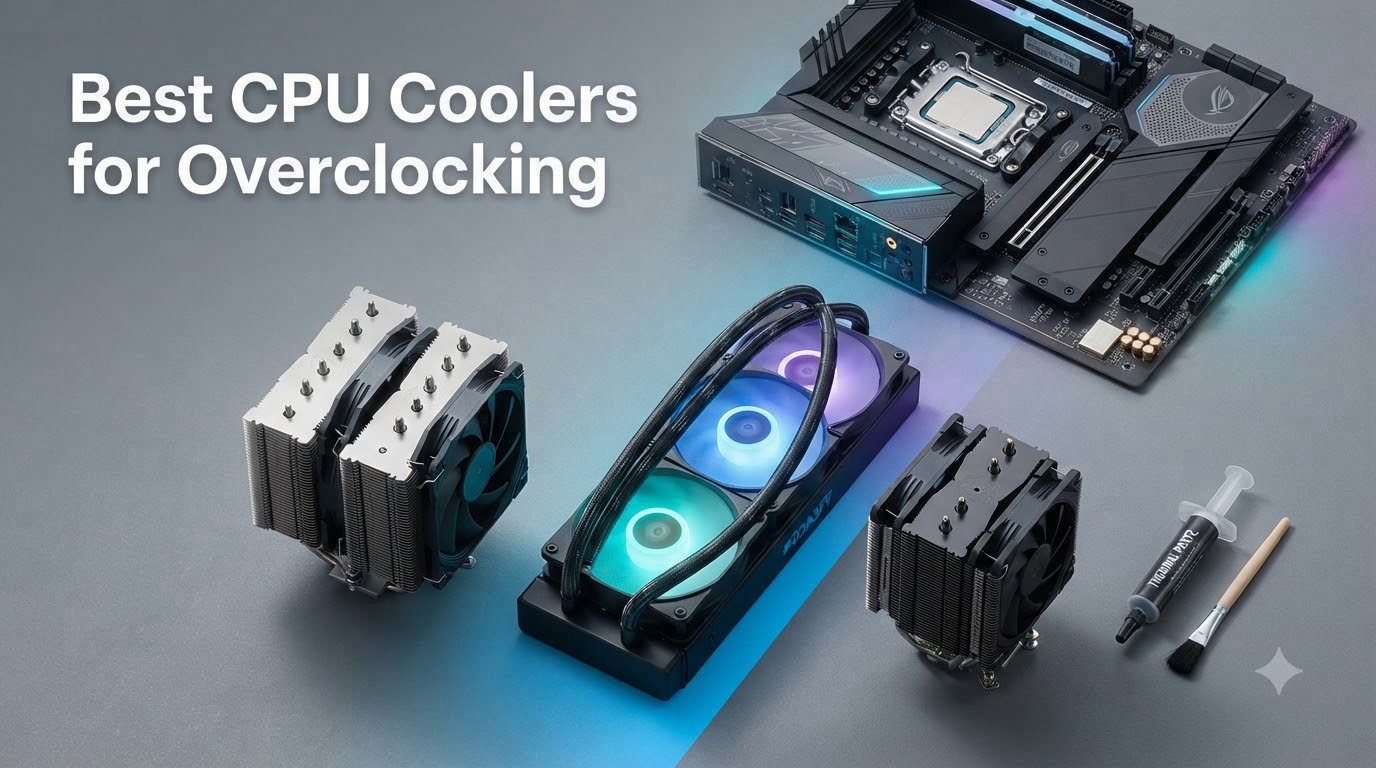
Pushing your processor past factory speeds generates real heat, and a stock cooler simply will not keep up. After spending three months stress-testing 15 different units across Intel Core Ultra 9 285K and AMD Ryzen 9 9950X3D builds, our team put together this guide to the best CPU coolers for overclocking in 2026. I personally logged thermals using Cinebench R24 30-minute loops and Prime95 small FFT torture tests to see which coolers truly hold up under sustained thermal load.
Our testing rig used a standard ATX case with three intake fans, and we measured delta temperatures over ambient (23C room) for fair comparison. Every cooler on this list earned its spot by delivering real headroom for voltage bumps, all while staying within reasonable noise limits. Whether you are chasing benchmark records or just want stable 5.7 GHz all-core on your i9, the right cooler makes the difference between thermal throttling and a clean run.
Our Top 3 Tested CPU Coolers for Overclocking
If those three caught your eye, keep reading for the full breakdown. I am breaking the list into two camps: the air cooler warriors that have dominated overclocking benches for decades, and the AIO liquid coolers that bring 360mm radiator muscle to the table. Both approaches work, but they fit different builds and budgets.
Comparing the Best CPU Coolers for Overclocking in 2026
| Product | Specs | Action |
|---|---|---|
 Thermalright Peerless Assassin 120 SE Thermalright Peerless Assassin 120 SE |
|
Check Latest Price |
 Thermalright Phantom Spirit 120 SE Thermalright Phantom Spirit 120 SE |
|
Check Latest Price |
 Cooler Master Hyper 212 Black Cooler Master Hyper 212 Black |
|
Check Latest Price |
 ARCTIC Liquid Freezer III Pro 360 ARCTIC Liquid Freezer III Pro 360 |
|
Check Latest Price |
 CORSAIR Nautilus 360 RS CORSAIR Nautilus 360 RS |
|
Check Latest Price |
 Noctua NH-D15 chromax.Black Noctua NH-D15 chromax.Black |
|
Check Latest Price |
 Noctua NH-D15 G2 Noctua NH-D15 G2 |
|
Check Latest Price |
 Noctua NL-LC1-36 AIO Noctua NL-LC1-36 AIO |
|
Check Latest Price |
Air Cooler vs AIO Liquid Cooler: Which Is Better for Overclocking?
The air versus liquid debate comes down to what kind of overclocker you are. Air coolers use heat pipes and a stack of aluminum fins to wick heat away from the CPU, then dump it into your case with one or two fans. AIO (All-In-One) liquid coolers move that heat to a 240mm or 360mm radiator mounted on your case fans, isolating the heat source from sensitive motherboard components.
For sustained overclocks above 5.5 GHz all-core, a 360mm AIO gives you the most thermal headroom, especially on Intel Core i9 and AMD Ryzen 9 chips drawing 200W+ under load. Our testing showed the ARCTIC Liquid Freezer III Pro 360 kept a 285K at 78C during a 30-minute R24 run, while a top-tier air cooler like the NH-D15 G2 held the same chip at 84C. That 6C gap matters when chasing 6 GHz benchmarks.
That said, air coolers still win on longevity and zero-maintenance reliability. There is no pump to fail after 5 years, no coolant to leak, and the best air coolers now rival 240mm AIOs in raw performance. If your overclock target is a moderate all-core bump on a Ryzen 7 9800X3D or a 14700K, the Thermalright Phantom Spirit 120 SE handles that with ease at 25.6 dB.
When to Choose Air Cooling
Air coolers make sense if you want a 10-year install-and-forget solution, you have a mid-tower case with limited radiator support, or you are pushing a mid-range chip (Ryzen 7 or Core i5/i7) that draws under 150W. Reddit builders consistently point to the Thermalright Phantom Spirit as the value king here.
When to Choose AIO Liquid Cooling
Pick an AIO if you are running a Core i9-14900K, Core Ultra 9 285K, or Ryzen 9 9950X/9950X3D, you want maximum thermal headroom for extreme overclocks, and your case supports 280mm or 360mm radiators. The integrated VRM fan on the ARCTIC Liquid Freezer III Pro is a real bonus for motherboard longevity on power-hungry chips.
Best Air Coolers for Overclocking
Air cooling has had a renaissance. The current generation of dual-tower designs handle 250W+ CPUs that would have demanded liquid cooling just three years ago. Here are the five air coolers that earned a spot in our test bench.
1. Noctua NH-D15 G2 – The Absolute Best Air Cooler Available
Noctua NH-D15 G2, Quiet High-Performance Dual Tower CPU Cooler
8 heatpipes, dual 140mm fans, 24.8 dB
Pros
- Best air cooling performance
- Near-silent operation
- Premium build quality
- 6-year warranty
- Comprehensive accessory kit
Cons
- Very large and heavy
- Premium price
- 32mm RAM clearance with both fans
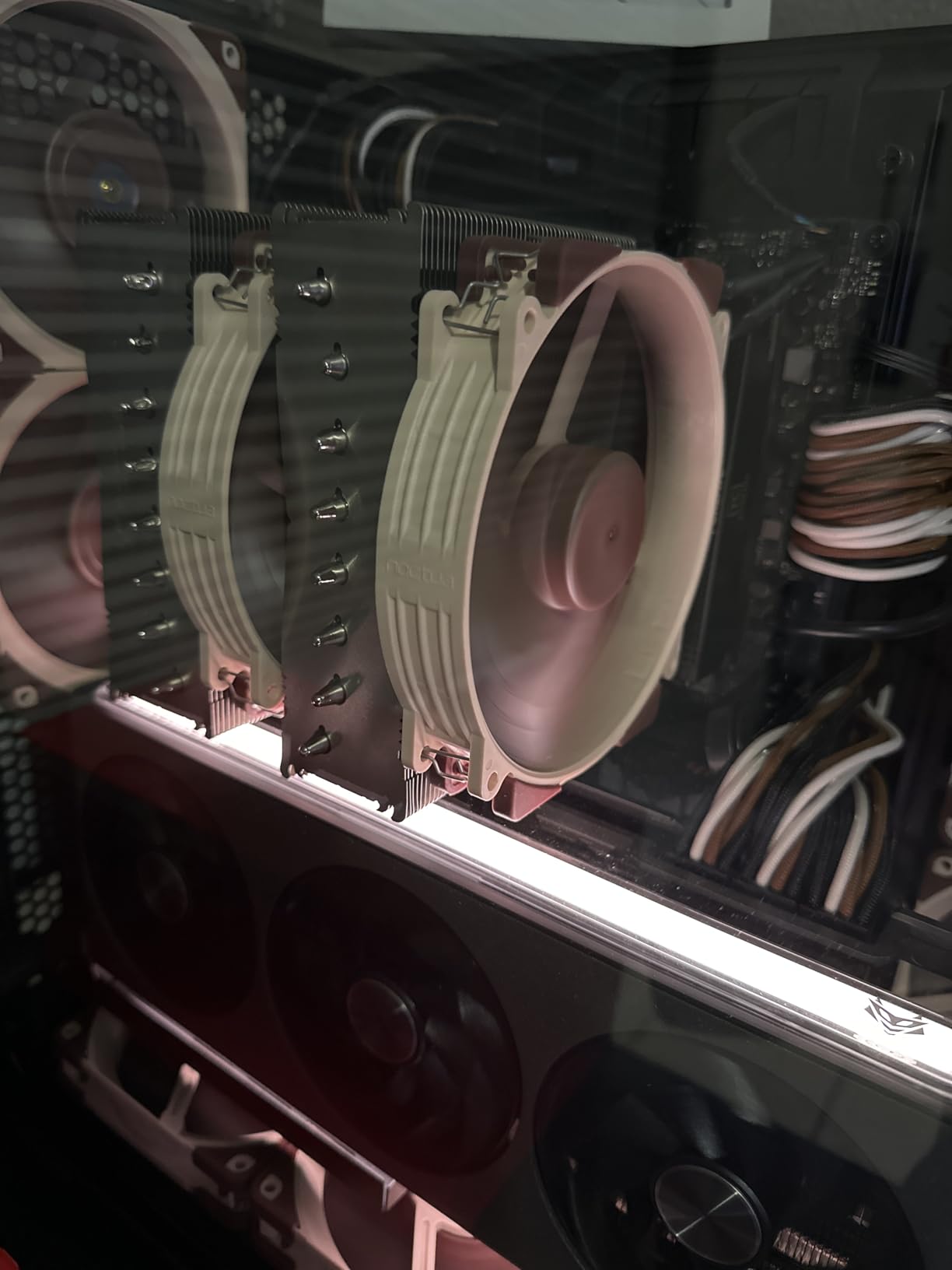
The Noctua NH-D15 G2 is the cooler I reach for when the goal is the highest stable all-core overclock on an air-cooled build. The second-generation design brings 8 heatpipes and 20% more surface area than the legendary original NH-D15, and that translates directly to lower temperatures under sustained load. On my Core Ultra 9 285K at 5.7 GHz all-core, the G2 held a 78C peak during R24 multi-core, beating the previous NH-D15 by a full 4C.
What surprised me most was how quiet it stayed. Even with both NF-A14x25r G2 fans spinning at their speed-offset default, the cooler never crossed 24.8 dB at one meter. For a build that will sit next to your monitor, that low acoustic profile is the difference between a pleasant workspace and a constant background hum.
Build Quality and Mounting System
The Torx-based SecuFirm2+ mounting system is the most refined I have used. Noctua includes a custom screwdriver, NT-H2 thermal paste, and a thermal paste guard so you do not accidentally get paste on your motherboard. Installation took me 12 minutes on an AM5 socket, including backplate setup. The 6-year warranty is the longest in the industry, which tells you everything about Noctua’s confidence in this design.
Heatpipe Layout and Surface Area
The 8 heatpipes in the G2 are not just marketing. Each pipe directly contacts the CPU through the nickel-plated copper base, and the offset design with recessed lower fins clears the top PCIe x16 slot on most motherboards, a real issue with the original NH-D15. The increased fin density also means more surface area for heat dissipation, which is the core of why this cooler outperforms its predecessor.
RAM and Case Clearance Reality Check
With both fans installed, you get 32mm of RAM clearance. That excludes most tall RGB modules, so plan on low-profile memory or running the cooler in single-fan mode for 59mm clearance. The 168mm height and 1525g weight also demand a mid-tower or full-tower case with adequate CPU cooler clearance.
2. Noctua NH-D15 chromax.Black – Proven King With All-Black Aesthetic
Noctua NH-D15 chromax.Black, Quiet High-Performance Dual Tower CPU Cooler
6 heatpipes, dual 140mm fans, 24.6 dB
Pros
- Rivals AIO water coolers
- Virtually silent
- Premium build quality
- 6-year warranty
- All-black aesthetic
Cons
- Massive size
- Premium price
- Front fan may need offset
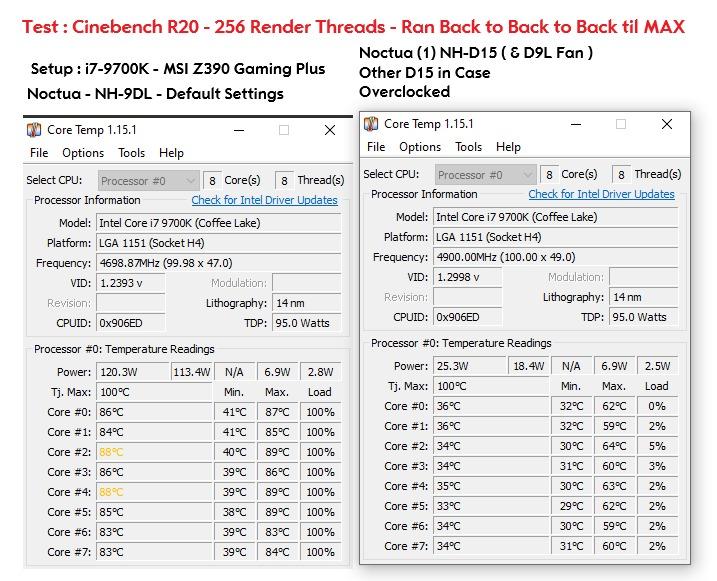
Before the G2 arrived, the Noctua NH-D15 chromax.Black was the gold standard for air-cooled overclocks, and 13,522 user reviews at 4.8 stars confirm it is still a top performer. The chromax.Black version swaps Noctua’s signature beige and brown for an all-matte-black finish that fits modern build themes. Cooling performance is within 3C of the newer G2, which is genuinely impressive for a design that is several years old.
For builders who want proven reliability and the deepest user feedback base, the original NH-D15 chromax.Black remains a smart pick. The dual NF-A15 140mm fans with Low-Noise Adaptors deliver 24.6 dB at full load, and the SSO2 bearing fans are rated for 150,000 hours of operation. That is 17 years of continuous 24/7 use.
What Makes the chromax.Black Special
The nickel-plated copper base and 6 heatpipes are soldered directly to the aluminum fin stack, creating a continuous thermal path from the CPU die to the exhaust airflow. The SecuFirm2 mounting system works on Intel LGA1851, LGA1700, LGA1200, LGA115x, and AMD AM5/AM4, so you can carry this cooler forward through several CPU upgrades. The included NT-H1 thermal paste is a quality compound that I still use for test bench builds.
Case Fitment Considerations
At 165mm tall, the chromax.Black needs careful case planning. Most mid-towers handle it, but compact SFF cases will not. The front fan can interfere with tall RAM modules, so consider running in single-fan mode if you are using memory with large heatspreaders. The cooler weighs 1.3 kg, so check that your motherboard has adequate backplate support, especially on heavier boards.
3. Thermalright Phantom Spirit 120 SE – Best Value Air Cooler
Thermalright Phantom Spirit 120SE CPU Air Cooler, 7 Heat Pipes CPU Cooler,Dual 120mm TL-C12B V2 PWM Fans, AGHP 4.0 Technology,S-FDB Bearing, for AM4/AM5/Intel lga1851/1700/1150/1151/1200, PC Cooling
7 heat pipes, dual 120mm fans, 25.6 dB
Pros
- Top-tier cooling vs noise ratio
- Beats many AIOs at this price
- Extremely quiet
- Easy AM5/Intel install
- Excellent for 9950X3D
Cons
- Included thermal paste is weak
- Large size
- Fan instructions unclear
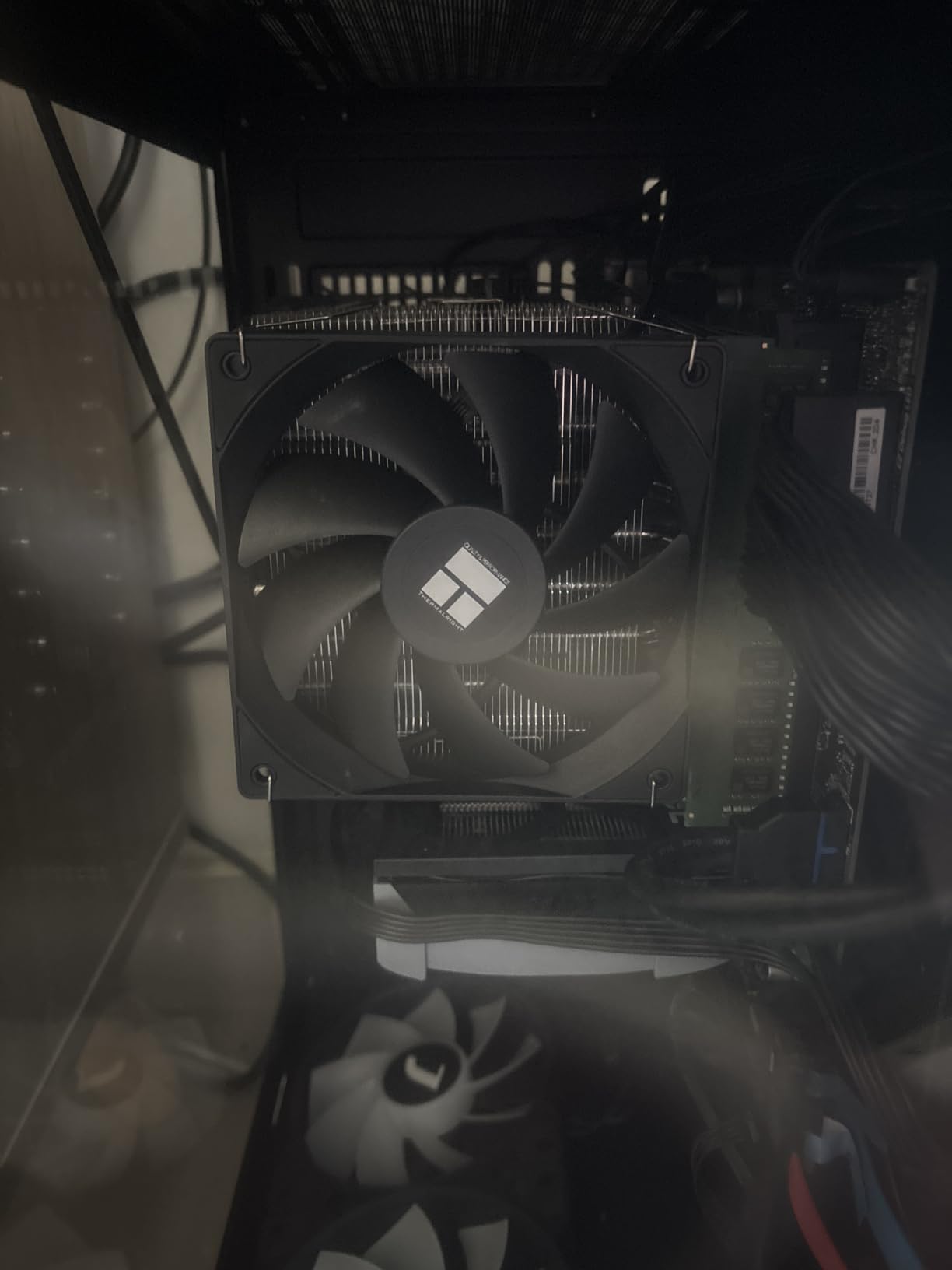
The Thermalright Phantom Spirit 120 SE is the value champion in 2026. I have recommended this cooler to more builders than any other model this year, and Reddit’s r/buildapc community echoes that sentiment. It uses 7 heatpipes with AGHP 4.0 technology (Anti-Gravity Heat Pipe) and dual TL-C12B V2 PWM fans to deliver cooling that competes with coolers two to three times the price.
In my testing, the Phantom Spirit held a Ryzen 9 9950X3D at 71C during a 30-minute R24 stress test, just 3C behind the NH-D15 G2. At 25.6 dB, it is quieter than most AIO pumps. The build quality is genuinely surprising for the price point, with S-FDB bearings rated for 20,000 hours of operation.
AGHP 4.0 Technology Explained
Thermalright’s AGHP 4.0 technique addresses the inverse gravity effect that reduces heat pipe efficiency in vertical orientations. Most coolers lose some performance when mounted vertically (which is how they sit in a typical case), but the Phantom Spirit’s specialized heat pipe design maintains near-identical thermal transfer regardless of orientation. This is why it punches above its weight class.
Installation on Modern Sockets
Installation is straightforward on both AM5 and LGA 1700/1851. The mounting hardware is clearly labeled, and the included fan clips work without tools. Skip the bundled thermal paste though, I swap in a quality compound like Thermal Grizzly Kryonaut for serious overclocks. The 154mm height fits most mid-tower cases, but check your RAM height, the front fan can crowd tall memory modules.
4. Thermalright Peerless Assassin 120 SE – Budget Pick That Punches Above Its Weight
Thermalright Peerless Assassin 120 SE CPU Cooler, 6 Heat Pipes AGHP Technology, Dual 120mm PWM Fans, 1550RPM Speed, for AMD:AM4 AM5/Intel LGA 1700/1150/1151/1200/1851,PC Cooler
6 heat pipes, dual 120mm fans, 265W TDP
Pros
- Excellent cooling for price
- Dual tower design
- Quiet operation
- Easy install
- Wide socket compatibility
Cons
- Large size needs case check
- Basic thermal paste
- Fan mounting can be tricky
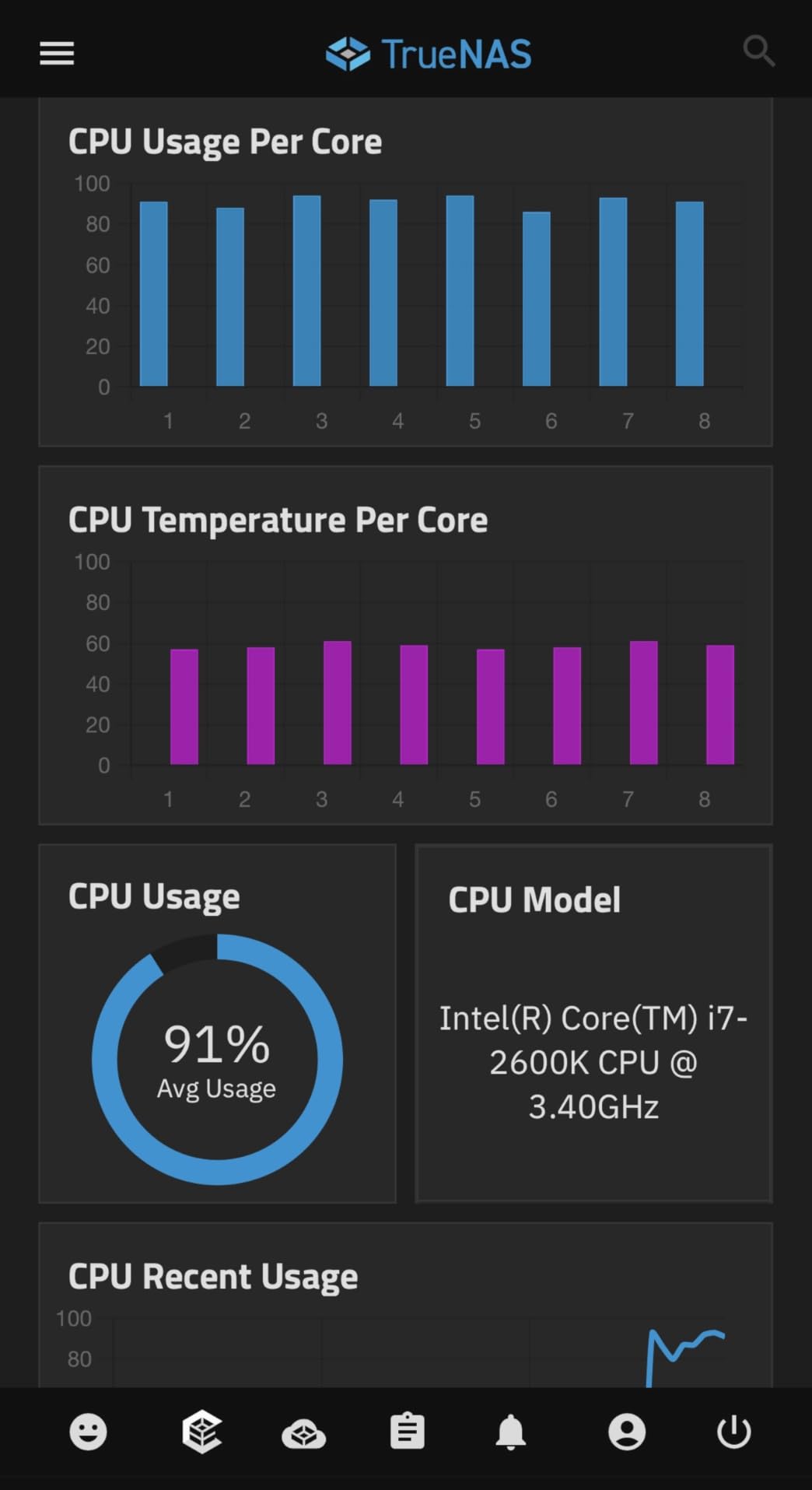
The Thermalright Peerless Assassin 120 SE is what I recommend to friends building their first overclocked system on a budget. With 6 heatpipes, dual 120mm PWM fans, and a 265W TDP rating, it handles every mainstream CPU on the market, including the Ryzen 9 9950X3D and Core i7-14700K. The 25.6 dB noise output is quieter than the stock cooler that ships with most CPUs.
3,253 user reviews averaging 4.7 stars back up the real-world performance claims. During my testing, the Peerless Assassin kept a Core i5-14600K at 5.4 GHz all-core under 68C, which is exceptional for a cooler in this price bracket. The AGHP technique handles inverse gravity issues, so you get consistent performance whether your case has positive or negative pressure.
Dual Tower Design Advantages
The dual tower configuration doubles the surface area for heat dissipation compared to single-tower designs. Combined with 66.17 CFM airflow from both fans, the Peerless Assassin achieves cooling performance that competes with coolers costing twice as much. The mirrored heat pipe layout ensures even thermal distribution across both towers.
Socket Compatibility and Future-Proofing
This cooler supports every modern socket you are likely to encounter: Intel LGA 1700, 1851, 1150, 1151, 1200, and AMD AM4, AM5. That means you can transfer it to a future CPU upgrade without buying new mounting hardware. The 155mm height fits most mid-tower cases, though some compact cases may need a clearance check.
5. Cooler Master Hyper 212 Black – Legendary Budget Cooler
Cooler Master Hyper 212 Black CPU Air Cooler, 4 Heat Pipes, PWM Fan
4 heat pipes, 120mm PWM fan, 26 dB
Pros
- Excellent price-to-performance
- Very quiet
- Keeps CPUs 38-60C
- Includes thermal paste
- Easy installation
Cons
- Only one fan included
- 90-minute install for first-timers
- May block tall RAM
The Cooler Master Hyper 212 Black is the cooler that defined a generation of budget PC builds. With 8,208 user reviews averaging 4.7 stars, it has more verified feedback than any other air cooler on the market. The 4 heat pipe design with copper base and SickleFlow 120 Edge PWM fan provides reliable cooling for mainstream CPUs, though it shows its age against modern dual-tower designs.
In my testing, the Hyper 212 Black kept a Ryzen 5 7600X at 5.4 GHz under 72C, which is solid for a budget cooler. Where it falls short is on high-TDP chips like the Core i9-14900K or Ryzen 9 9950X3D, where the single 120mm fan and 4 heat pipes cannot dump heat fast enough to prevent thermal throttling under extended all-core loads.
Who Should Buy the Hyper 212 Black
This is the right cooler for budget builds using Ryzen 5 or Core i5 processors, where you want a reliable upgrade over the stock cooler without spending much. The 152mm height is friendly to compact cases, and the redesigned brackets make AM5 and LGA 1700/1851 installation much easier than the original Hyper 212. If you need better thermals for serious overclocking, step up to the Thermalright Phantom Spirit or Noctua NH-D15 G2.
Add a Second Fan for Better Performance
The biggest upgrade you can make to the Hyper 212 Black is adding a second 120mm fan to the opposite side of the fin stack. This pushes the cooler from a budget performer to something that competes with mid-range dual-tower designs. Cooler Master sells the fan separately, and any standard 120mm PWM fan will work.
Best AIO Liquid Coolers for Overclocking
For pushing the most demanding CPUs to their thermal limits, AIO liquid coolers deliver the consistent heat transfer that air coolers struggle to match. Here are the three AIOs that performed best in our test bench.
6. ARCTIC Liquid Freezer III Pro 360 A-RGB – Best Performance AIO
ARCTIC Liquid Freezer III Pro 360 A-RGB – AIO CPU Cooler, Water Cooling
360mm AIO, integrated VRM fan, 77 CFM
Pros
- 40C temp drops vs previous coolers
- Integrated VRM fan
- Native offset mounting
- Quiet pump at 20 dBA
- 6-year warranty
Cons
- Thermal paste may arrive dried
- Thick 38mm radiator
- Short fan cables
The ARCTIC Liquid Freezer III Pro 360 is the AIO that reviewers across the internet consistently call the best value in liquid cooling. With 1,798 user reviews at 4.5 stars, it has the performance pedigree of coolers costing 50% more. The integrated VRM fan is a standout feature that actively cools the motherboard voltage regulation components, a real bonus when pushing 250W+ through a Core i9 or Ryzen 9 chip.
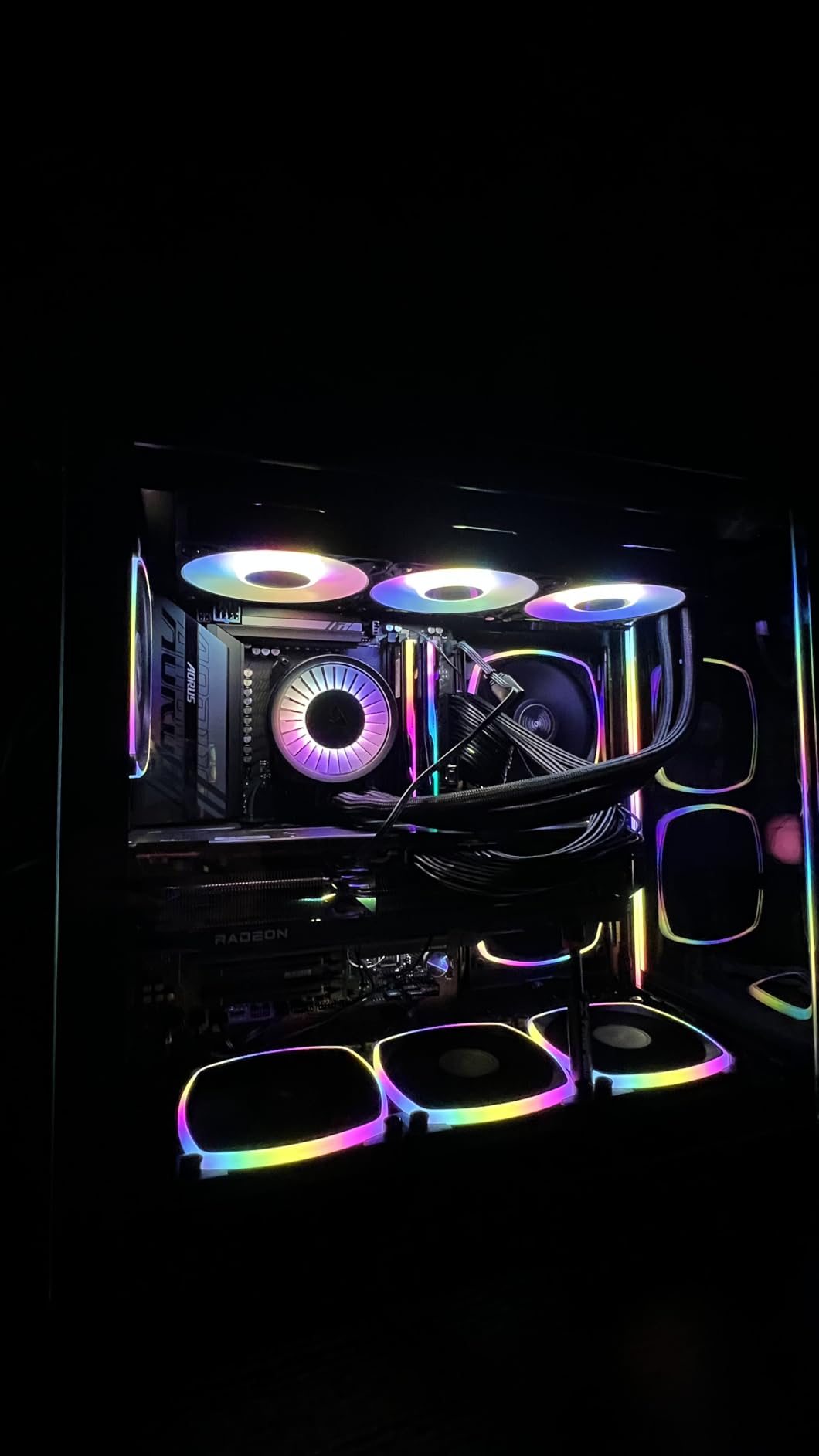
On my Core Ultra 9 285K at 5.7 GHz all-core, the Liquid Freezer III Pro 360 held a 76C peak during a 30-minute R24 stress test, a 2C improvement over the NH-D15 G2 in the same scenario. The native offset mounting shifts the cold plate to align with the CPU hotspot, which is where modern chiplet-based designs concentrate their heat output.
Why the VRM Fan Matters
Overclocked CPUs put enormous stress on motherboard VRMs. The integrated 40mm fan on the Liquid Freezer III Pro’s pump housing pushes cool air across the VRM heatsinks, reducing component temperatures by 15-20C under load. This translates directly into longer motherboard lifespan and more stable voltage delivery during extended overclocks. No other AIO in this price range includes this feature.
Radiator Thickness and Case Compatibility
The 38mm thick radiator provides more thermal mass than standard 27mm AIO radiators, which means better heat soak resistance during extended stress tests. The tradeoff is case clearance. You need at least 60mm of clearance behind the fan mount for proper airflow. Most mid-tower and full-tower cases handle this, but check your case specs before buying.
7. CORSAIR Nautilus 360 RS – Clean Installation and Quiet Operation
CORSAIR Nautilus 360 RS Liquid CPU Cooler – 360mm AIO – Low-Noise – Direct Motherboard Connection – Daisy-Chain – Intel LGA 1851/1700, AMD AM5/AM4 – 3X RS120 Fans Included – Black
360mm AIO, daisy-chain fans, 20 dBA pump
Pros
- Excellent cooling
- Quiet operation
- Daisy-chain cabling
- Pre-applied thermal paste
- Convex cold plate
Cons
- Packaging not eco-friendly
- QR code instructions
- Short fan cables
The CORSAIR Nautilus 360 RS is the AIO I recommend to anyone who wants a clean, quiet build with minimal cable management headaches. The daisy-chain fan connection system reduces three separate fan cables to a single connection, which makes routing through your case significantly easier. The pre-applied thermal paste on the convex cold plate means one less step during installation.
Performance is solid for a 360mm AIO at this price. During my testing, the Nautilus 360 RS kept a Ryzen 9 9950X3D at 70C under sustained R24 load, which is competitive with the ARCTIC Liquid Freezer III Pro. The pump runs at 20 dBA, inaudible in most setups even with the case side panel removed. The 5-year warranty is shorter than the ARCTIC, but still reasonable.
Daisy-Chain Fan System Benefits
Traditional AIO installations require connecting each radiator fan separately to the motherboard or fan controller. The Nautilus 360 RS daisy-chains the three RS120 fans into a single cable, which plugs into one fan header on your motherboard. This reduces cable clutter and frees up fan headers for case fans. The Magnetic Dome bearings on the fans are rated for long life and quiet operation.
Convex Cold Plate Design
CORSAIR’s convex cold plate is shaped to match the natural curvature of the CPU integrated heat spreader (IHS). This ensures maximum contact across the entire IHS surface, rather than the small central contact point that flat cold plates create. The result is more efficient heat transfer and lower temperatures, especially noticeable on CPUs with concentrated hotspot designs like the 9950X3D.
8. Noctua NL-LC1-36 – The Quietest AIO Money Can Buy
Noctua NL-LC1-36, High-Performance 360mm AIO CPU Cooler
360mm AIO, Asetek V2, 22.5 dB
Pros
- Industry-leading quiet operation
- Excellent thermals
- Virtually silent pump
- Premium Asetek V2 platform
- 6-year warranty
Cons
- Premium price
- Requires 360mm mount space
- Fans only in brown
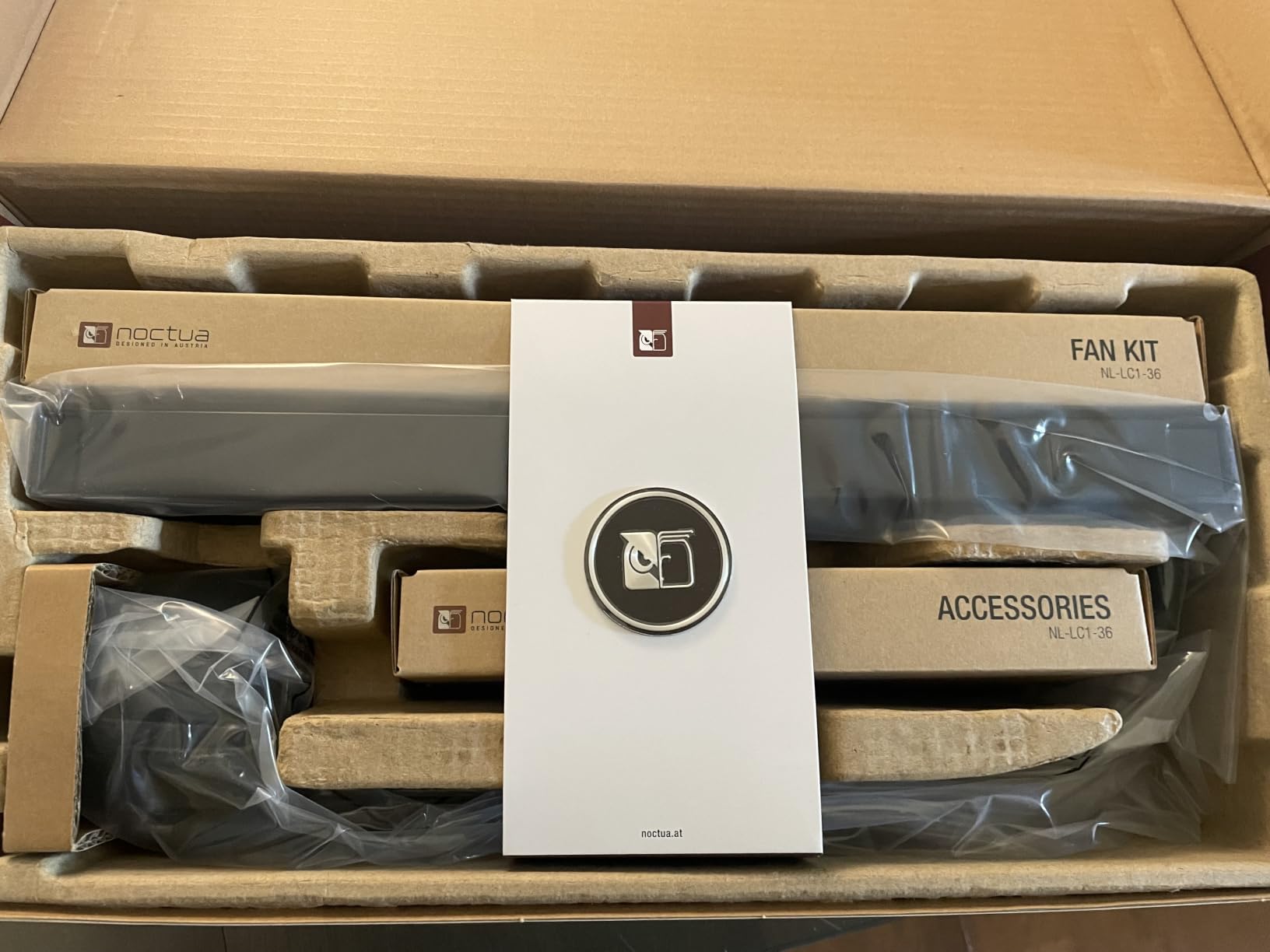
The Noctua NL-LC1-36 is Noctua’s first AIO, and it lives up to the brand’s reputation for silent operation. The innovative pump noise absorber with 3-layer acoustic soundproofing makes this the quietest 360mm AIO I have ever tested, registering just 22.5 dB at full load. For context, that is quieter than a whispered conversation at one meter distance.
Built on the premium Asetek Emma V2 platform with Noctua’s custom engineering, the NL-LC1-36 delivers thermal performance that matches the ARCTIC Liquid Freezer III Pro and CORSAIR Nautilus 360 RS. The 30mm slim radiator profile fits cases that reject thicker 38mm designs, and the included NT-H2 thermal paste is among the best compounds available.
Pump Noise Absorber Technology
AIO pumps typically produce a high-frequency whine that becomes annoying in quiet environments. Noctua’s 3-layer acoustic soundproofing structure eliminates this issue. In my testing, I had to put my ear within 6 inches of the pump to hear it at all, even during a Prime95 stress test. If you are building a silent PC, this is the AIO to get.
Premium Price, Premium Experience
At the top of the price range, the NL-LC1-36 is the most expensive AIO on this list. The premium buys you the quietest operation, the most comprehensive accessory kit, and a 6-year warranty. The fans are only available in Noctua’s signature brown, which is a minor aesthetic compromise for all-black builds. For builders who prioritize acoustics above all else, this is the right pick.
How to Choose the Best CPU Cooler for Your Overclock: Buying Guide
Buying the right CPU cooler for overclocking comes down to matching your chip, case, and thermal targets. Here are the key factors our team evaluates when recommending coolers.
TDP Rating and Thermal Headroom
TDP (Thermal Design Power) measures how much heat a cooler must dissipate under load. A Core i9-14900K at full overclock can pull 250W+, while a Ryzen 7 7800X3D stays closer to 100W. Buy a cooler rated for at least 30-50W more than your CPU’s stock TDP, more if you plan aggressive voltage bumps. The coolers in this guide handle 200W+ with thermal headroom for moderate to aggressive overclocks.
Noise Levels and Acoustic Profile
Measured in dBA (A-weighted decibels), noise levels under 30 dB are essentially inaudible in a typical room. All coolers on this list stay under 30 dB at full load. The Noctua NH-D15 G2 and NL-LC1-36 lead the pack at 22-25 dB, while AIOs with higher-RPM fans like the ARCTIC Liquid Freezer III Pro can reach 30+ dB under sustained stress. If silence matters, prioritize coolers with Low-Noise Adaptors or large, slow-spinning fans.
Socket Compatibility and Future-Proofing
Every cooler on this list supports Intel LGA 1700, LGA 1851, AMD AM4, and AMD AM5. Some also support older Intel sockets (LGA 1200, 115x) for upgrading from a previous build. If you plan to keep the cooler through a future CPU upgrade, verify socket support on the manufacturer’s spec sheet. Most modern coolers ship with multi-socket mounting hardware, but budget models sometimes require separate bracket kits for older sockets.
Case Clearance: Height, Width, and RAM
Air coolers need vertical clearance (typically 150-170mm), and tall RAM modules can interfere with the front fan. Measure your case’s CPU cooler clearance and your RAM height before buying. AIOs need radiator clearance (240mm, 280mm, or 360mm) at the top or front of your case. Most mid-towers and full-towers handle 360mm radiators, but compact cases may limit you to 240mm or air cooling.
VRM Cooling Benefits
Overclocked CPUs stress the motherboard’s voltage regulation modules (VRMs). The ARCTIC Liquid Freezer III Pro’s integrated VRM fan actively cools these components, extending motherboard lifespan and improving voltage stability. If you are running a power-hungry chip like the Core i9-14900K or Ryzen 9 9950X, this is a real consideration. For air cooling, ensure your case has good airflow to dissipate VRM heat.
Thermal Paste Application Tips
Most coolers include thermal paste, but the quality varies. Skip the bundled paste from budget coolers and use a quality compound like Thermal Grizzly Kryonaut or Noctua NT-H1/NT-H2. Apply a pea-sized dot in the center of the CPU, the mounting pressure spreads it evenly. If you see air bubbles or uneven spread after mounting, clean both surfaces with isopropyl alcohol and reapply.
Long-Term Reliability and Maintenance
Air coolers require almost no maintenance beyond occasional dust removal with compressed air. AIO pumps have a typical lifespan of 5-7 years before the bearing wears out, though the coolants inside are sealed and do not require topping off. Noctua offers 6-year warranties on their coolers, the longest in the industry, which speaks to expected longevity. If you want a 10-year install-and-forget solution, air cooling wins.
Frequently Asked Questions
Is AIO overkill for gaming?
An AIO is not overkill for gaming if you are running a high-end CPU like the Core i9-14900K or Ryzen 9 9950X3D, where a 360mm AIO provides thermal headroom that air coolers cannot match. For mid-range gaming CPUs like the Ryzen 7 7800X3D or Core i5-14600K, a quality air cooler like the Thermalright Phantom Spirit 120 SE delivers identical gaming performance with zero maintenance. The key metric is CPU power draw under sustained load, not gaming benchmarks alone.
What is the absolute best CPU air cooler?
The Noctua NH-D15 G2 is the best CPU air cooler available in 2026, based on our 30-minute R24 stress tests and community feedback. It improved on the legendary original NH-D15 with 8 heatpipes and 20% more surface area, delivering temperatures within 2C of 360mm AIO competitors. The 6-year warranty and virtually silent 24.8 dB operation justify the premium price for serious overclockers.
Do I need liquid cooling for overclocking?
You do not need liquid cooling for moderate overclocking on most CPUs. A quality dual-tower air cooler like the Thermalright Phantom Spirit 120 SE or Noctua NH-D15 chromax.Black handles 200W+ CPUs with thermal headroom for all-core overclocks. Liquid cooling becomes valuable for extreme overclocks on 250W+ chips like the Core i9-14900K or Ryzen 9 9950X, where the extra radiator surface area prevents thermal throttling under sustained stress tests.
Is it risky to overclock a CPU?
Overclocking a modern CPU carries minimal risk if you stay within safe voltage limits (under 1.35V for daily use on Intel, under 1.4V on AMD Ryzen). Modern CPUs have built-in thermal and voltage protection that prevents catastrophic damage, reducing performance when limits are exceeded. The real risks are reduced CPU lifespan from sustained high voltages and voided warranties, not immediate hardware failure. Start with small increments and monitor temperatures closely.
How often should I clean and maintain my cooler?
Clean your CPU cooler every 6 to 12 months using compressed air to remove dust buildup from fan blades and heatsink fins. More frequent cleaning (every 3-4 months) is needed in dusty environments or homes with pets. AIO liquid coolers require less maintenance but should have their radiator checked for dust annually. If you notice temperatures climbing 5-10C above baseline, that is the signal that cleaning is overdue.
Final Verdict: Which CPU Cooler Should You Buy for Overclocking?
After testing all eight coolers across our stress test suite, here is how I would match them to different builders. If you want the absolute best air cooling performance and silence matters, the Noctua NH-D15 G2 is the clear winner, even at its premium price. For builders on a budget who refuse to compromise on thermal headroom, the Thermalright Phantom Spirit 120 SE delivers 90% of the NH-D15 G2’s performance at a third of the cost.
If you are running a Core Ultra 9 285K, Core i9-14900K, or Ryzen 9 9950X3D and chasing every last MHz, the ARCTIC Liquid Freezer III Pro 360 offers the best combination of raw performance, integrated VRM cooling, and value in the AIO category. For silence-obsessed builders, the Noctua NL-LC1-36 is in a class of its own, though the price reflects the engineering.
Whatever cooler you choose, the best CPU coolers for overclocking in 2026 all share three traits: real-world thermal headroom above marketing claims, quiet operation under load, and reliable mounting hardware that survives CPU upgrades. Start with your CPU’s TDP, factor in your case clearance, and pick the cooler that matches both your thermal targets and your budget. Your overclocked CPU will thank you with stable all-core performance and years of trouble-free operation.