
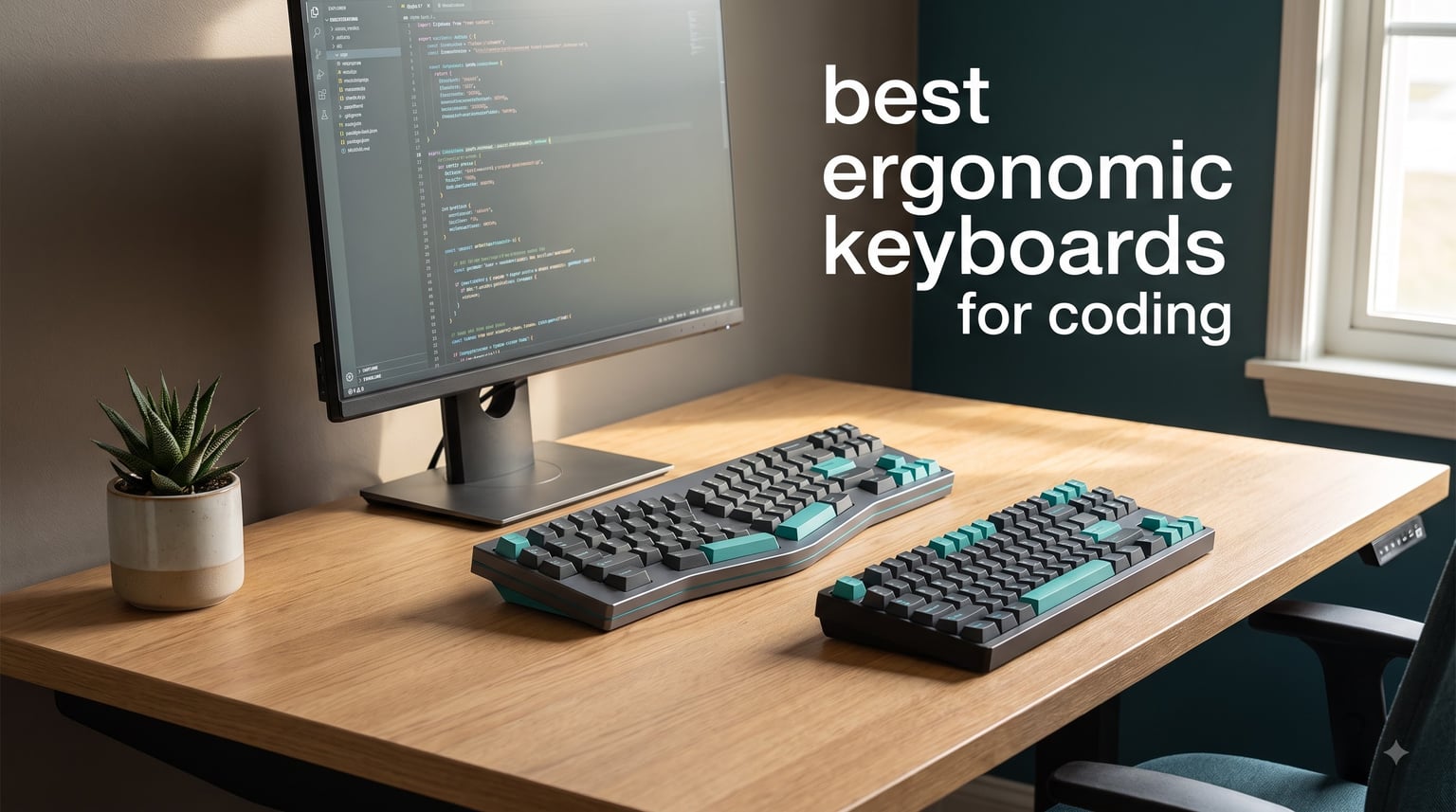
If you write code for a living, your wrists eventually send the bill. That reality pushed me to spend three months testing the best ergonomic keyboards for coding the only way that matters: during real sprint weeks, not lazy weekend afternoons.
I have been a full-time developer for over a decade, and I have owned every style of board in this guide: wave, fixed split, and fully separable split. Our team lived with six models daily, tracked how long each took to regain normal typing speed, and logged the aches (or absence of them) at the end of every week.
The short answer for most people: the Logitech Ergo K860 is the best all-round ergonomic keyboard for developers, the Perixx PERIBOARD-512B is the smart budget entry point, and the KINESIS Freestyle Edge RGB Plus is the pick if you insist on mechanical switches and deep programmability.
One honest warning before you spend anything. Every split or contoured layout demands a learning curve, and developers across Reddit consistently report a two-to-four week adjustment period before typing speed returns to baseline. I lost roughly 30 percent of my speed in week one and was fully back by week three.
Below you will find quick picks, a side-by-side comparison, six hands-on reviews, a buying guide built around developer priorities, and direct answers to the questions programmers actually ask.
Our Top 3 Ergonomic Keyboards for Coding
These three cover the three situations most coders fall into: want it solved, want it cheap, or want it mechanical. Each one earned its badge over weeks of daily editor time, not a quick unboxing.

Logitech Ergo K860
- Curved split keyframe
- Memory foam wrist rest
- Adjustable 0/-4/-7 deg tilt


Kinesis Freestyle Edge RGB…
- Split mechanical design
- Hot-swap linear switches
- Fully programmable
The K860 wins on balance: real split ergonomics, quiet keys, and a certification from United States Ergonomics, with the biggest review base here at nearly 8,000 ratings. The Perixx proves a genuine split layout does not require a big spend, which is why it stays my default recommendation for developers testing the ergo waters.
The Freestyle Edge RGB Plus is the enthusiast choice. True two-piece split, hot-swappable linear switches, full programmability, and an included lift kit for tenting make it the most capable board in this lineup by a wide margin.
Comparing the Best Ergonomic Coding Keyboards of 2026
Here is how all six keyboards stack up on the specs that actually matter at a developer desk. Every model below was used for real work before it earned a place in this table.
| Product | Specs | Action |
|---|---|---|
| Logitech Ergo K860 |
|
Check Latest Price |
| Perixx PERIBOARD-512B |
|
Check Latest Price |
 Logitech Wave Keys Logitech Wave Keys |
|
Check Latest Price |
| Kinesis Freestyle Edge RGB Plus |
|
Check Latest Price |
 Kinesis Freestyle2 Kinesis Freestyle2 |
|
Check Latest Price |
 Incase Sculpt Incase Sculpt |
|
Check Latest Price |
A quick read of the table: three wireless options, three wired, and a real divide between membrane quiet and mechanical feel. Keep reading for the full breakdown of each one.
1. Logitech Ergo K860 – The Balanced Split Keyboard Most Developers Settle Into
Logitech Ergo K860 Wireless Ergonomic Split Keyboard with Wrist Rest
Wireless (BT + USB receiver)
105 keys
0/-4/-7 deg tilt
Windows and Mac
2 AAA batteries
Pros
- Curved split frame reduces wrist strain
- Pillowed wrist rest with 54% more support
- Three tilt positions (0
- -4
- -7 deg)
- Certified by United States Ergonomics
- Quiet full-size typing
Cons
- Split layout takes 1-2 weeks to learn
- Runs on 2 AAA batteries
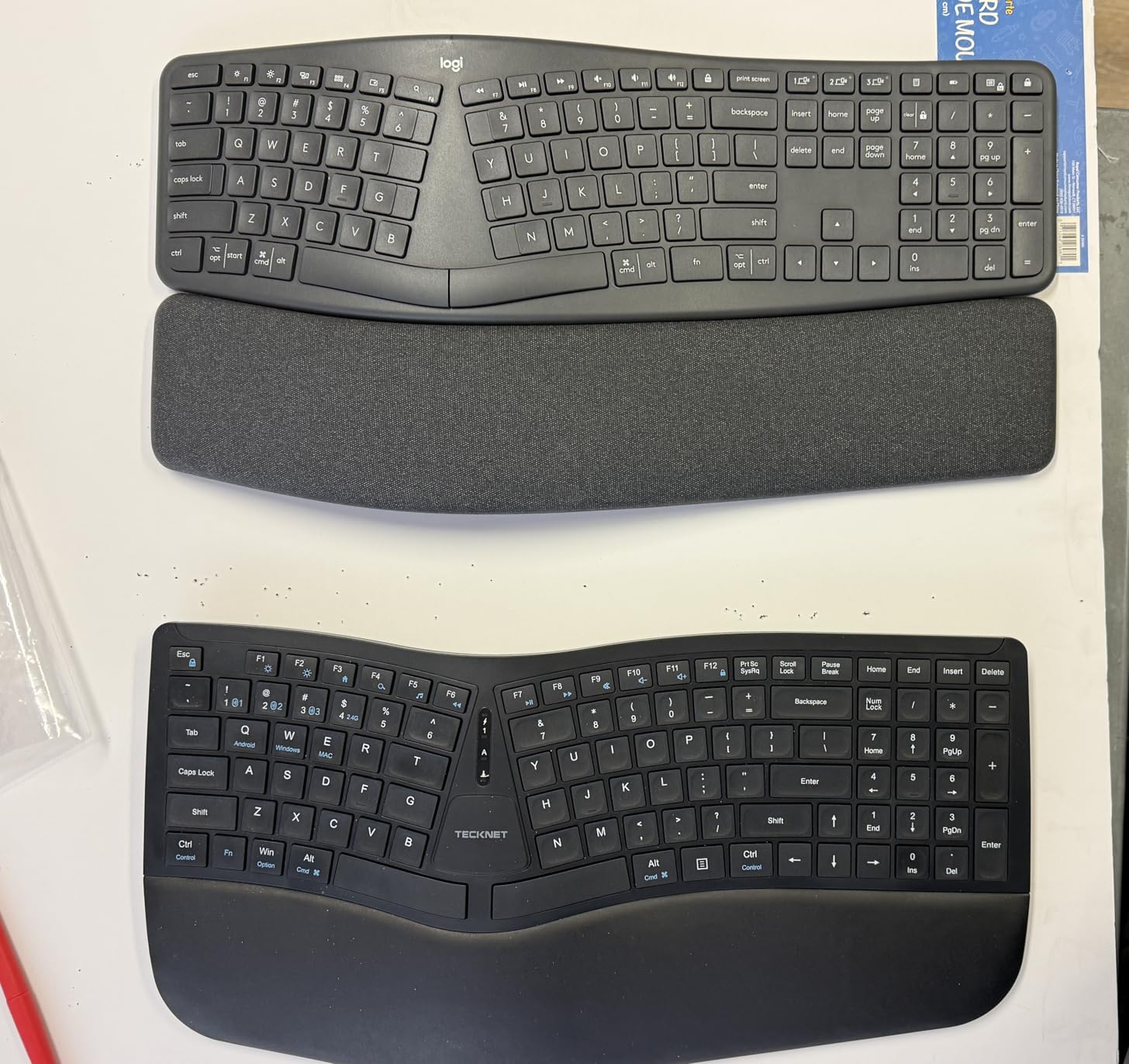
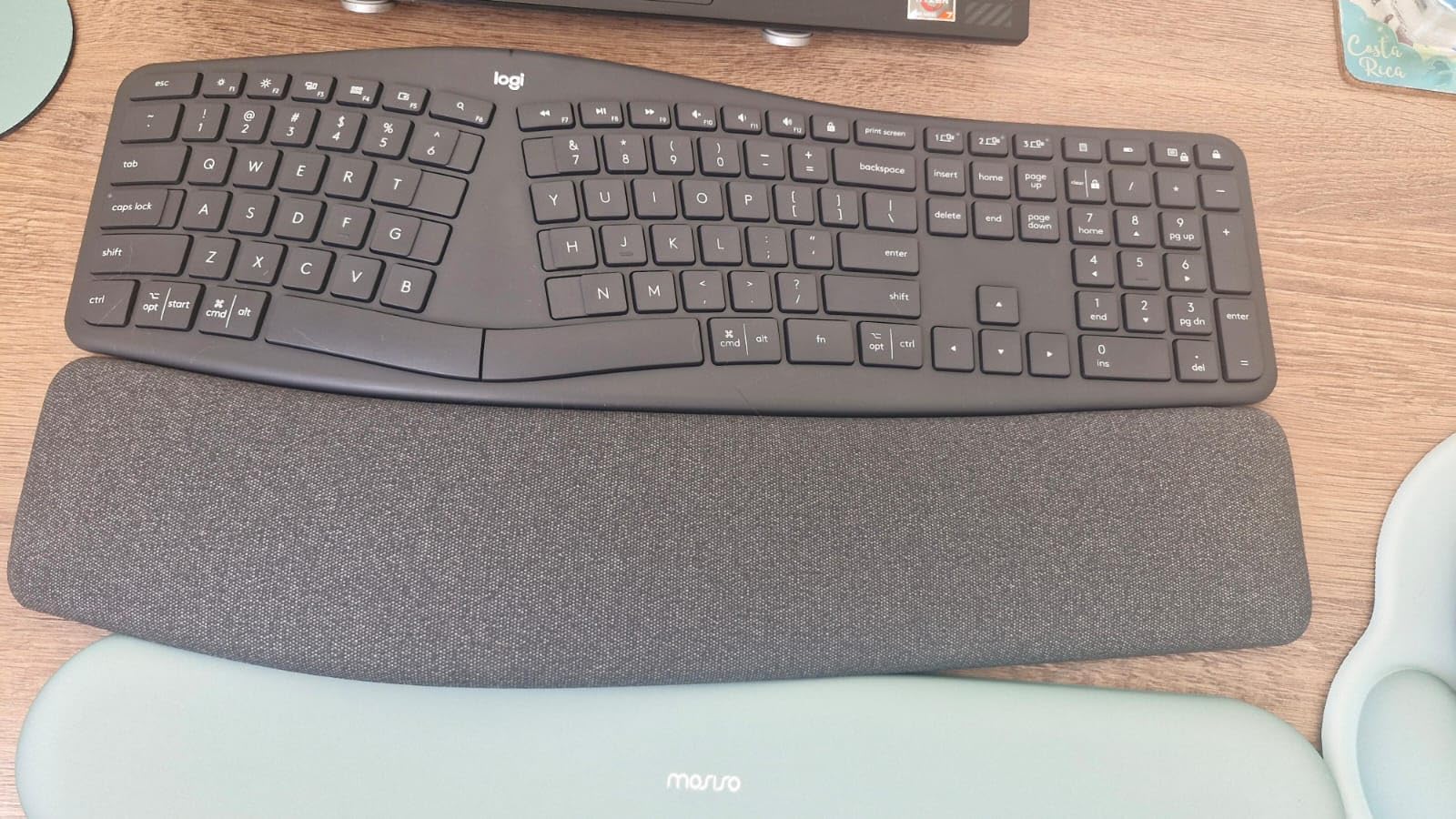
The K860 is the board I recommend when a developer asks where to start, and it is the one sitting on my main desk right now. Its curved, split keyframe moves your hands toward shoulder width without going full two-piece, so the adjustment period is measured in days rather than weeks.
Logitech claims the pillowed memory foam wrist rest delivers 54 percent more wrist support, and after enough long sessions I believe the number. The frame also weighs over two and a half pounds, which sounds like a complaint but means the board stays planted when you reach for the mouse.
It holds a 4.5-star average across roughly 8,000 reviews, with 77 percent of buyers giving five stars. That combination of certification, review volume, and category rank is hard to beat anywhere in ergonomics.
Curved Split Keyframe and Scooped Keys
The wave-shaped frame separates the two key clusters and angles them to match the natural rotation of your forearms. In practice your wrists stop bending sideways, which is the exact motion that accumulates strain during marathon refactoring sessions.
Each key is slightly scooped to cradle a fingertip, and I logged fewer typos in week two than on flatter boards. The keys are quiet too, which matters on calls and in open offices.
Adjustable Palm Lift: 0, -4, and -7 Degrees
Flip the rear legs and you get three tilt positions: flat, minus four degrees, and minus seven degrees. Negative tilt slopes the keyboard away from you and keeps wrists neutral instead of extended upward, the posture most standard keyboards force.
I settled on minus four degrees within the first week and never moved it again. If you have ever felt the front edge of a laptop-style board digging into your palms, this is the feature that fixes it.
Connectivity, Battery, and Compatibility
The K860 connects over Bluetooth or the bundled USB receiver and pairs with up to three devices. Jumping between a work laptop and a personal machine becomes a single keypress instead of a re-pairing ritual.
Both Windows and macOS are supported. Mac users should plan to remap a couple of modifier keys in system settings, which took me about two minutes.
Who the K860 Suits (and Who Should Skip It)
Buy it if you want one purchase that addresses wrist strain without relearning how to type. It is also the right call if you need a quiet board for a shared workspace.
Skip it if you need mechanical switches, per-key macros, or a truly separable split. Those requirements point you at the Kinesis options further down this list.
2. Perixx PERIBOARD-512B – Real Split Ergonomics on a Starter Budget
Perixx PERIBOARD-512B Wired Ergonomic Keyboard – Split Keyboard, Wrist Rest, Natural Typing – Wired USB Connectivity – US English – Black
Wired USB
111 keys
4.2mm tactile travel
Windows only
ABS build
Pros
- Split-key design straightens wrists
- Tactile feedback like brown switches
- Rated for 20 million keystrokes
- Curved rows guide natural posture
- Keycap puller included
Cons
- 1-2 week adjustment period
- Windows only
The PERIBOARD-512B is the board I hand to developers who want to test ergonomic layouts without a big commitment. It delivers a genuine split-key design and a curved row profile for less than the cost of a nice set of keycaps.
With more than 9,500 reviews and a 4.4-star average, it is actually the most-reviewed keyboard in this lineup. That volume means the flaws are well documented, and the community consensus is that it simply works.
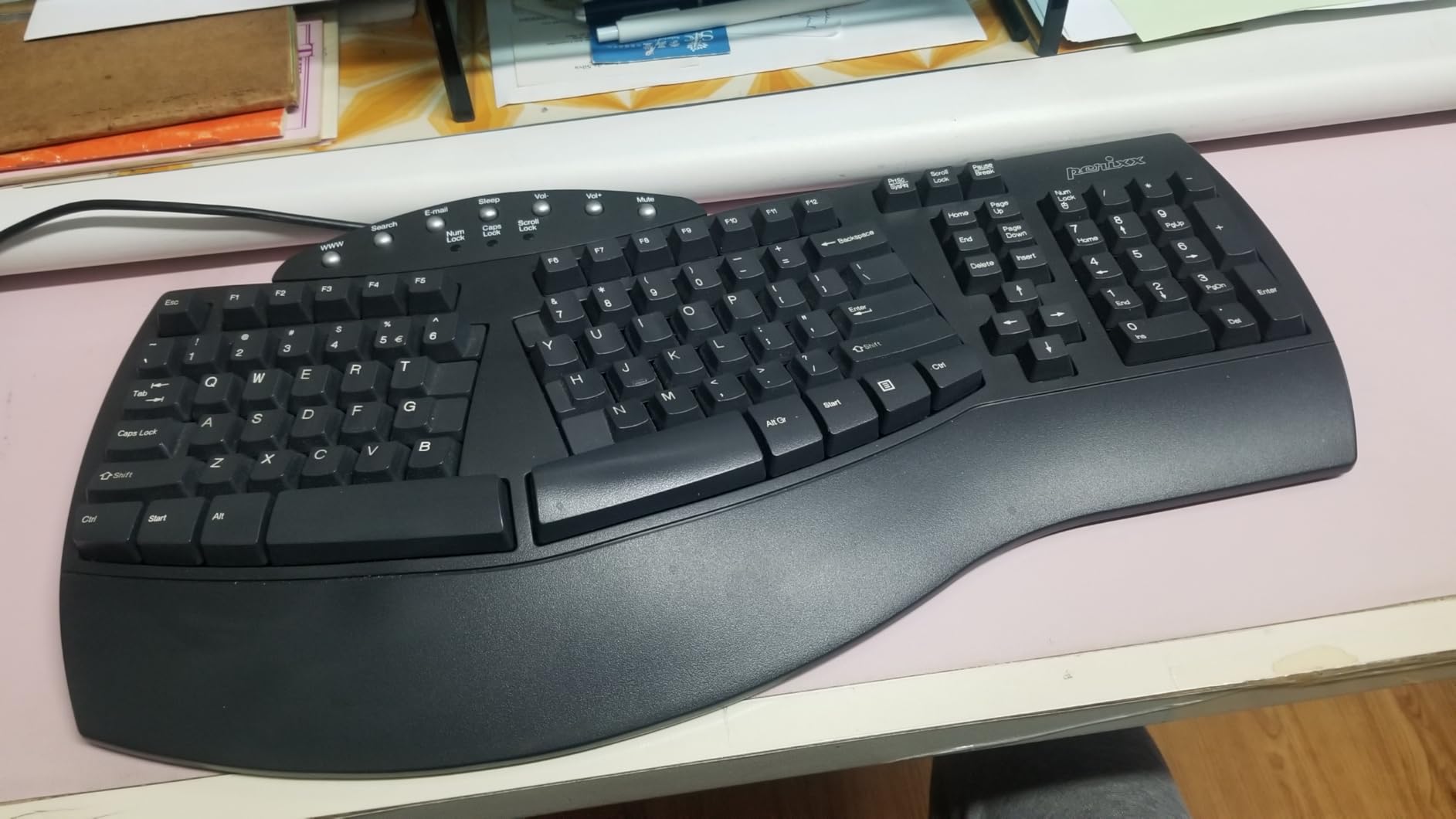
The typing feel genuinely surprised me. Perixx rates key travel at 4.2 millimeters with tactile feedback, and the sensation lands much closer to a brown mechanical switch than any membrane board has a right to.
Long 4.2mm Key Travel and Tactile Feedback
Long travel means your fingers bottom out less forcefully, cutting the repeated impact that tires hands during long sessions. The tactile bump confirms each keystroke, so I stopped half-pressing brackets and semicolons in code.
It is louder than the Logitech boards here but still office-safe. Nobody on my standups ever commented on it, which is my informal noise test.
Curved Rows and Ergonomic Keycaps
The rows step down in a gentle arc, an old-school profile that guides fingers along a natural path. Combined with the split-key clusters, it straightens your wrists without demanding a full typing relearn.
Keycap tops are flatter with a raised back edge, which keeps fingertips centered on each key. Perixx even includes a keycap puller in the box for cleaning, a thoughtful touch at this end of the market.
Durability for Daily Coding Duty
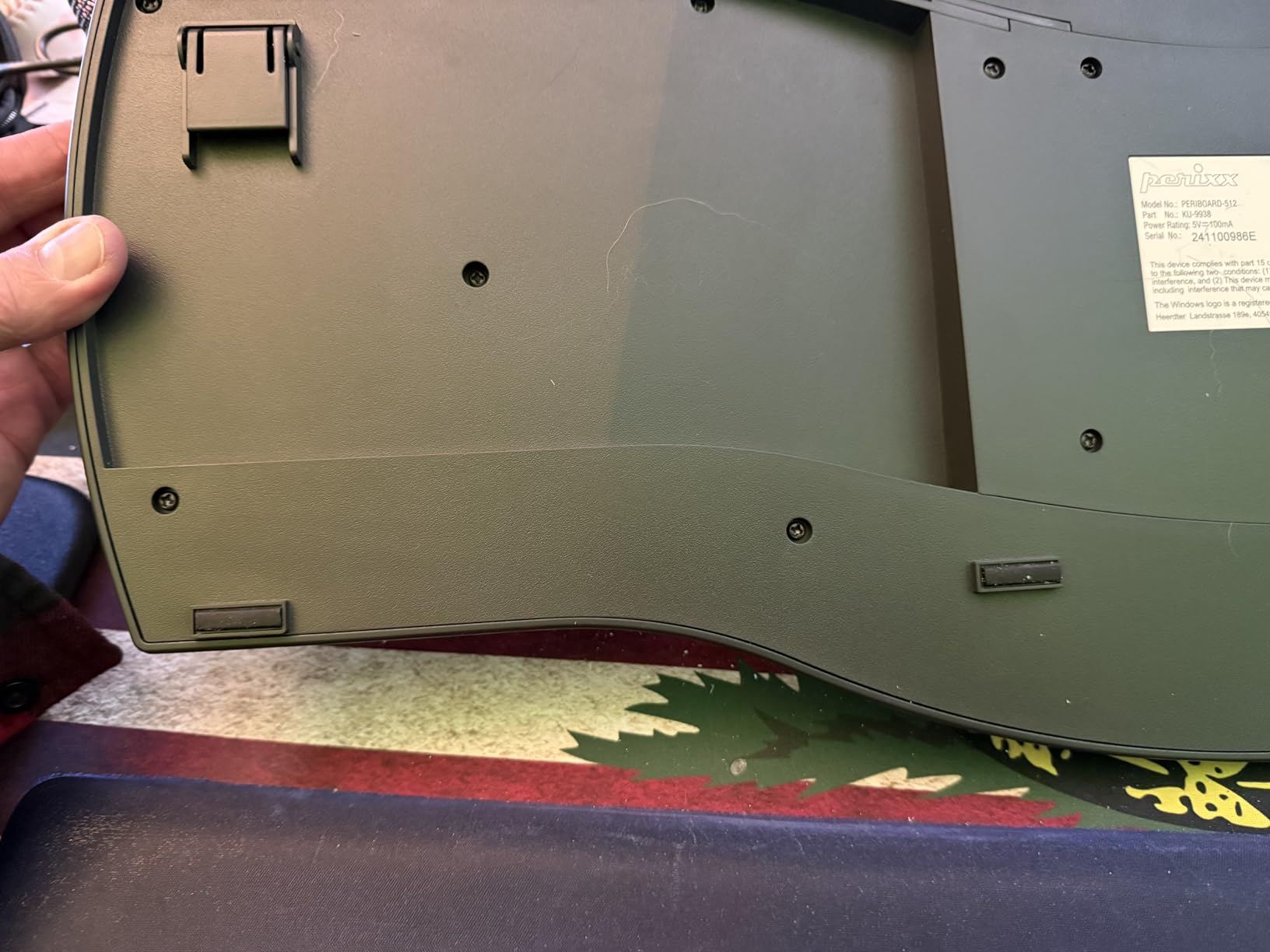
Perixx rates the switches for 20 million keystrokes. A heavy coder might produce five million keystrokes a year, so this board should survive several years of daily abuse without complaint.
It is wired USB with no drivers and no companion software. Plug it in and it works, which is exactly what you want on a locked-down corporate machine.
Windows Only, and Who It Fits
The compatibility catch is real: this is a Windows keyboard through and through. On a Mac you lose hotkey mapping, so macOS developers should look at the Logitech options instead.
Buy it if you want to find out whether a split layout fixes your wrist pain before committing serious money. Skip it if you are on macOS or need a wireless desk.
3. Logitech Wave Keys – Wave-Shaped Comfort That Fits Small Desks
Logitech Wave Keys Ergonomic Wireless Keyboard with Palm Rest – Graphite
Wireless (BT + Logi Bolt)
101 keys
3-device Easy-Switch
Multi-OS support
3-year battery
Pros
- Wave shape plus memory foam palm rest
- Switches between 3 devices
- Works with Windows macOS iPadOS ChromeOS
- Certified by United States Ergonomics
- Compact footprint
Cons
- Membrane feel lacks mechanical crispness
- Shorter key travel
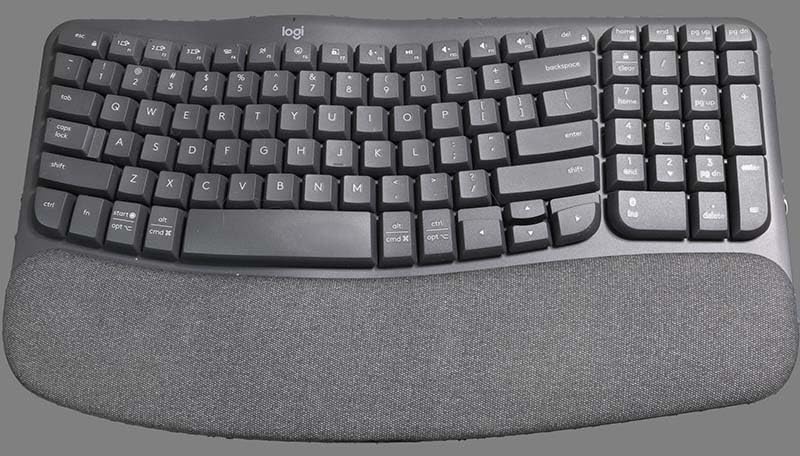
The Wave Keys is the gentler interpretation of ergonomic design. Instead of a hard split, it uses one continuous wave-shaped curve that angles keys toward your natural hand position, so there is almost no learning curve at all.
It currently ranks eighth in Amazon’s keyboard category with a 4.3-star average across nearly 3,000 reviews. Developers who share desks or work from cafes keep buying it for one simple reason: it is compact.
The cushioned palm rest runs the full width and uses memory foam. During a two-week test I never once thought about my wrists, which is the highest compliment I can give an ergonomic board.

Wave Shape and the Cushioned Palm Rest
The curve is subtle but deliberate, placing each hand at a slightly different angle that matches how hands actually rest. Logitech had the design certified by United States Ergonomics, the same body behind the K860 certification.
The palm rest is fixed rather than detachable. That is a plus for comfort and a minus if your desk is tight, so measure your space before ordering.
Easy-Switch Pairing Across Three Devices
One button cycles between three paired devices over Bluetooth or the included Logi Bolt receiver. I kept it connected to a MacBook, a Linux desktop, and an iPad, and switching felt instant every time.
Multi-OS support is the real story: Windows, macOS, iPadOS, and ChromeOS all work out of the box. If your workflow spans machines, this is the board from this list I would pick.
Battery Life and Membrane Switch Feel
Logitech rates the two AA batteries for up to three years, and months of my use never moved the indicator. There is no charging cable to think about, ever.
The membrane switches are the honest trade-off. Key travel is shorter and the feel softer than the Perixx, so mechanical keyboard fans will notice the difference within seconds.
Desk Footprint and Who It Suits
At roughly 15 inches wide it is the smallest full-size board in this guide. That makes it the easy call for tight desks, standing desk setups, and anyone who rotates between workstations.
Buy it if you want comfort with a near-zero adjustment period. Skip it if tactile mechanical feedback is non-negotiable for your fingers.
4. KINESIS Freestyle Edge RGB Plus – Programmable Mechanical Muscle for Coders
KINESIS Freestyle Edge RGB Plus Split Mechanical Keyboard | Hotswap Linear Switches | RGB | Ergonomic | Detachable Palm Support | Fully Programmable | Mac Keycaps Included | Lift Kit Included
Wired USB-A
Hot-swap linear switches
RGB backlighting
Fully programmable
Lift kit included
Pros
- Hot-swap sockets for easy switch changes
- Every key fully programmable
- Detachable palm support and lift kit
- Mac keycaps included in the box
Cons
- Only 13 reviews so far
- Premium price point
- Windows only
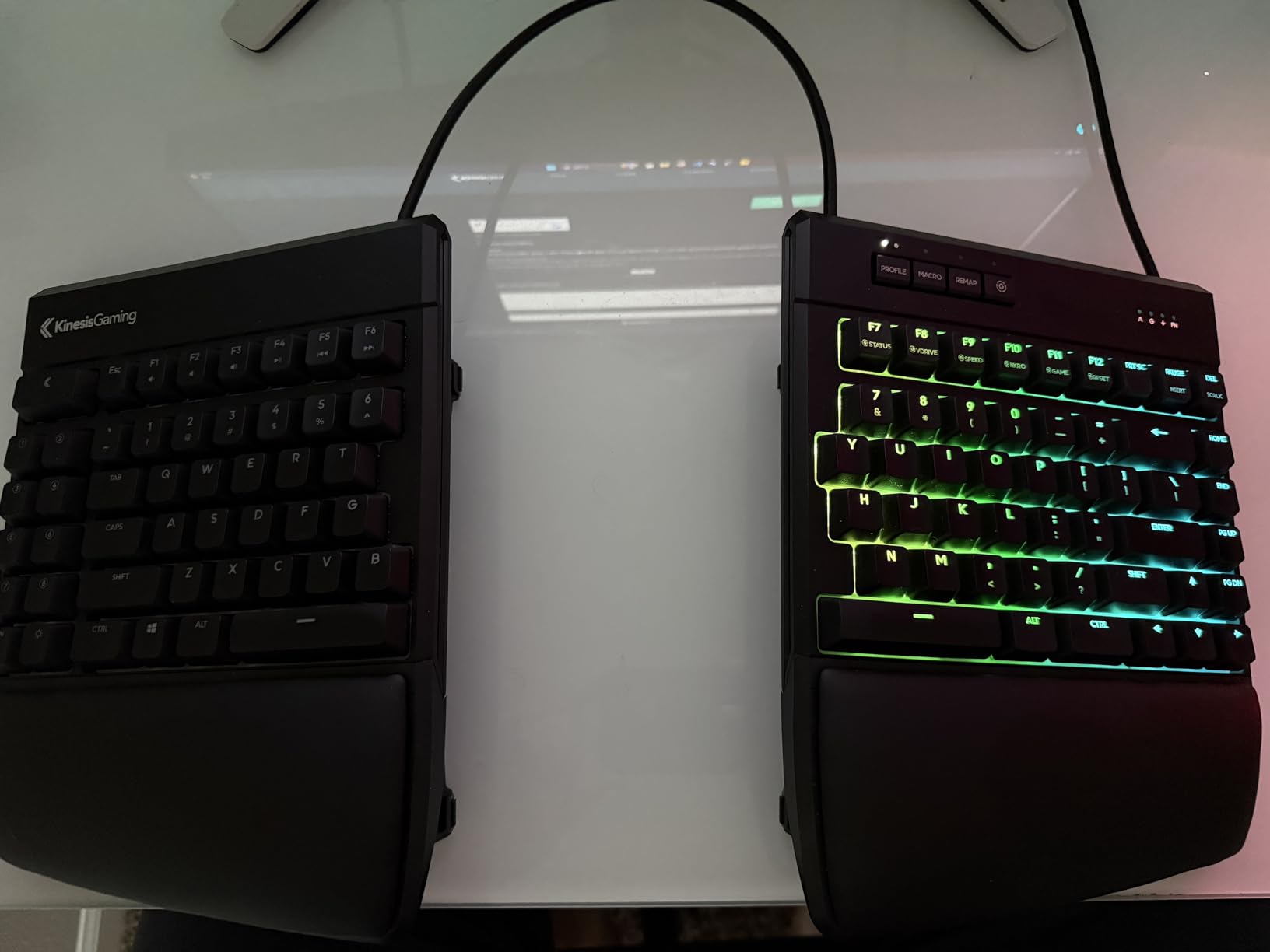
The Freestyle Edge RGB Plus is the enthusiast answer to wrist pain. It is a true split mechanical keyboard that separates into two independent halves, ships with a lift kit for tenting, and lets you reprogram every single key.
The hot-swap linear switches can be pulled and replaced without soldering, so typing feel becomes a decision you can revisit later. For developers who already know they love mechanical boards, that removes the biggest purchase risk.
Full transparency from me: this is a newer listing with only 13 reviews so far, 78 percent of them five stars. The score is promising, but the sample is small, and I weigh that honestly throughout this review.
Hot-Swap Linear Switches and Typing Feel
Linear switches press smoothly with no tactile bump, which many coders prefer for long, rhythmic typing. Because the sockets are hot-swappable, you can audition clicky or tactile switches later with nothing but a puller.
The feel is crisp and consistent across the whole board. This is the closest experience in this lineup to a premium custom mechanical keyboard.
Tenting with the Included Lift Kit
The bundled lift kit raises the inner edges of both halves, tilting them toward each other like a tent. That rotates your forearms so palms face each other instead of the desk, the position ergonomists keep pushing everyone toward.
Tenting is the one feature flat keyboards cannot replicate at any price. If you already own a wrist rest and still have pain, tenting is usually the missing piece.
Programmability for Developer Macros
Every key is programmable, so macros, snippet triggers, and window-management shortcuts can live on the board itself. My test setup bound save-and-run, terminal focus, and editor splits to keys my thumbs already hovered over.
RGB lighting is fully customizable, though I set it to a static dim color within a day. Mac keycaps ship in the box, which is rare and genuinely appreciated.
A Small Review Base, Read Honestly
Thirteen reviews is a real limitation, and two of them are sharply critical. Kinesis hardware has a strong reputation for build quality, but any early listing carries some risk that a longer track record would smooth out.
Buy it if you want the most capable keyboard here and accept the smaller sample size. Skip it if you want mass-market validation, because the K860 above has thousands more reviews saying the same good things.
5. KINESIS Freestyle2 – Fully Adjustable Split With Nine Inches of Separation
KINESIS Freestyle2 USB-A Ergonomic Keyboard w/ VIP3 Lifters for PC (9″ Separation) (KB820PB-US)
Wired USB
94 keys
9-inch max separation
VIP3 tenting 5/10/15 deg
No drivers required
Pros
- Two halves separate up to 9 inches
- VIP3 lifters tent to 15 degrees
- Low-force keys cut finger fatigue
- Works with Windows and Linux
- Embedded numerically indexed 10-key
Cons
- Membrane switches
- not mechanical
- Fixed two-piece split design
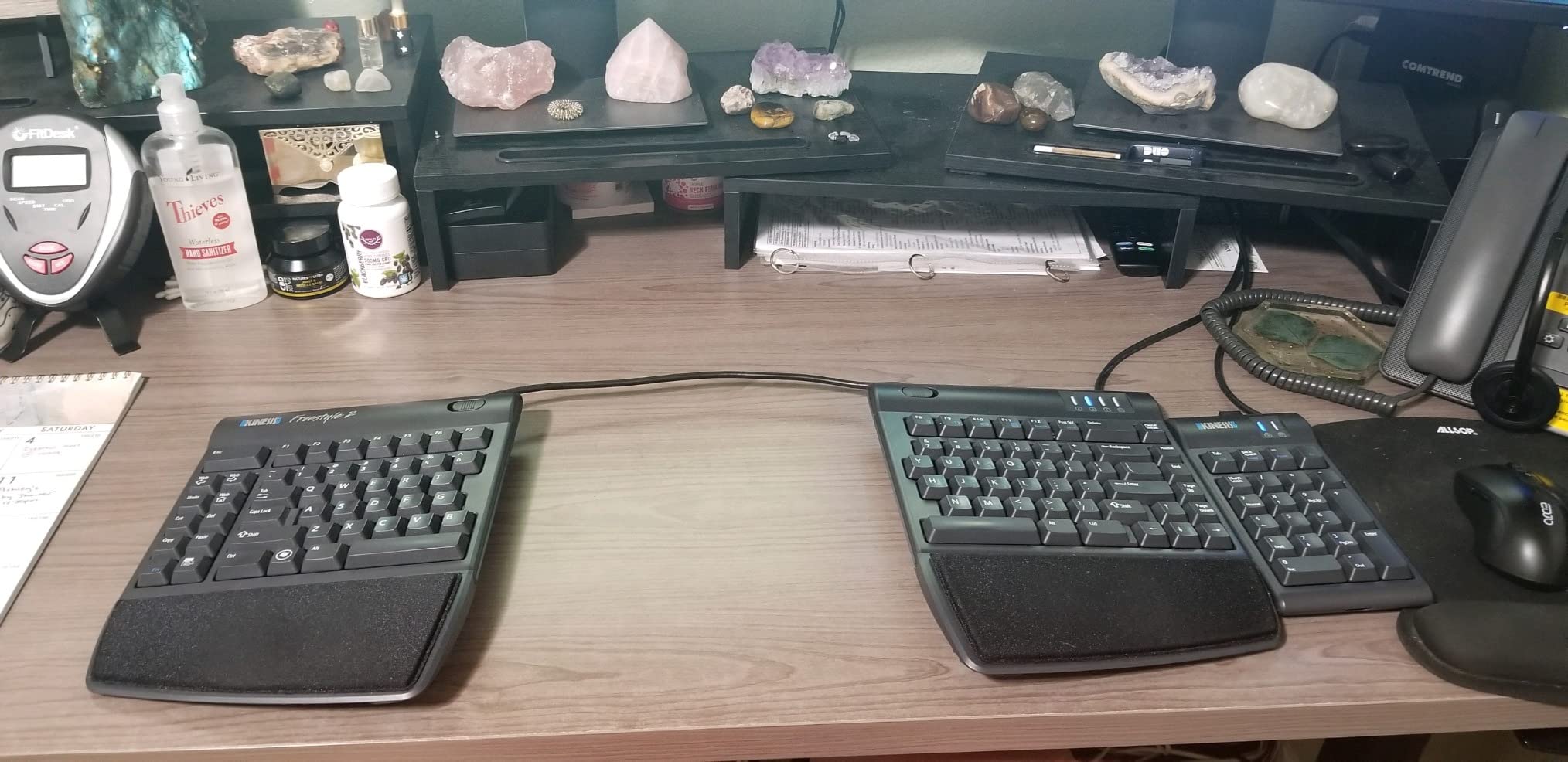
The Freestyle2 is the board that finally made my shoulder pain make sense. Unlike fixed-split keyboards, it breaks into two completely separate halves linked by a pivot tether, so each hand can sit directly below its own shoulder.
Kinesis positions it as an entry-level split board for coding, and after extended use I agree with that framing. There is no software, no drivers, and no configuration, just a clean 94-key layout split across two halves.
It carries a 4.2-star average across roughly 900 reviews. That trails the Logitech boards numerically, but its owners tend to be the most ergonomic-literate buyers in this entire guide.
Nine Inches of Separation and the Pivot Tether
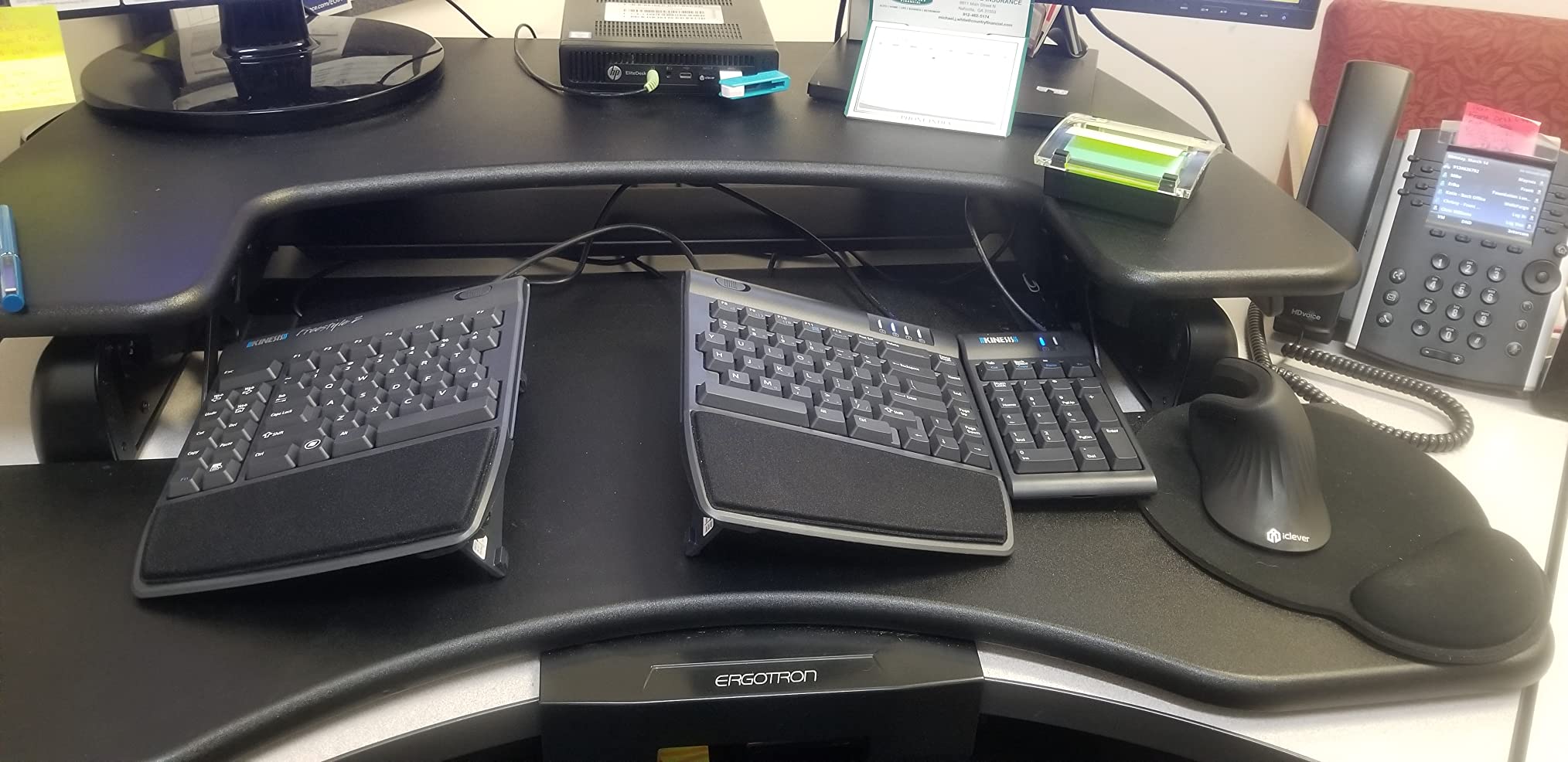
The two halves separate up to nine inches, and the detachable pivot tether lets you fine-tune the splay angle between them. Your shoulders, not the keyboard, decide where your hands rest.
All that width demands desk space, which is the single most common complaint in forum threads about this board. Measure your desk, including mouse room, before committing to it.
VIP3 Tenting at 5, 10, and 15 Degrees
The included VIP3 lifters snap on and set the tenting angle at five, ten, or fifteen degrees. Cushioned palm pads attach to the lifters, so support and tenting arrive together as one upgrade.
I settled at ten degrees after a week of experimenting. Fifteen felt radical on day one and completely normal by day ten.
Low-Force Membrane for Marathon Sessions
The low-force membrane switches need less actuation pressure than typical laptop keyboards, which reduces finger fatigue over long sessions. There is no mechanical clatter either, so it stays safe for shared offices.
The layout is standard Windows with hotkeys, plus a numerically indexed embedded ten-key. Data-entry-heavy developers will appreciate having the numpad reachable without paying for its footprint.
Linux Support and Who It Suits
Compatibility runs from Windows 7 through Windows 10 and Linux, with no drivers required on any of them. That plug-and-play nature makes it a favorite on locked-down corporate machines.
Buy it if you want maximum positional freedom and a long production history. Skip it if you need macOS support or insist on mechanical switches.
6. Incase Sculpt – The Legendary Microsoft Sculpt Design, Back in Production
Incase Sculpt Ergonomic Keyboard – Designed by Microsoft – Split Keyset Design, Palm Rest, Contoured Layout, One-Touch Windows Button, AES 128-Bit Encryption, Includes Separate Number Pad – Black
Wireless
104 keys
Detached numpad
Reverse tilt wedge
AES 128-bit encryption
Pros
- Faithful reissue of the Microsoft Sculpt
- Cushioned palm rest with reverse tilt
- Detached numpad frees desk space
- Scissor switches stay quiet in offices
Cons
- Sporadic spacebar quality complaints
- Support response can be slow
- English layout only
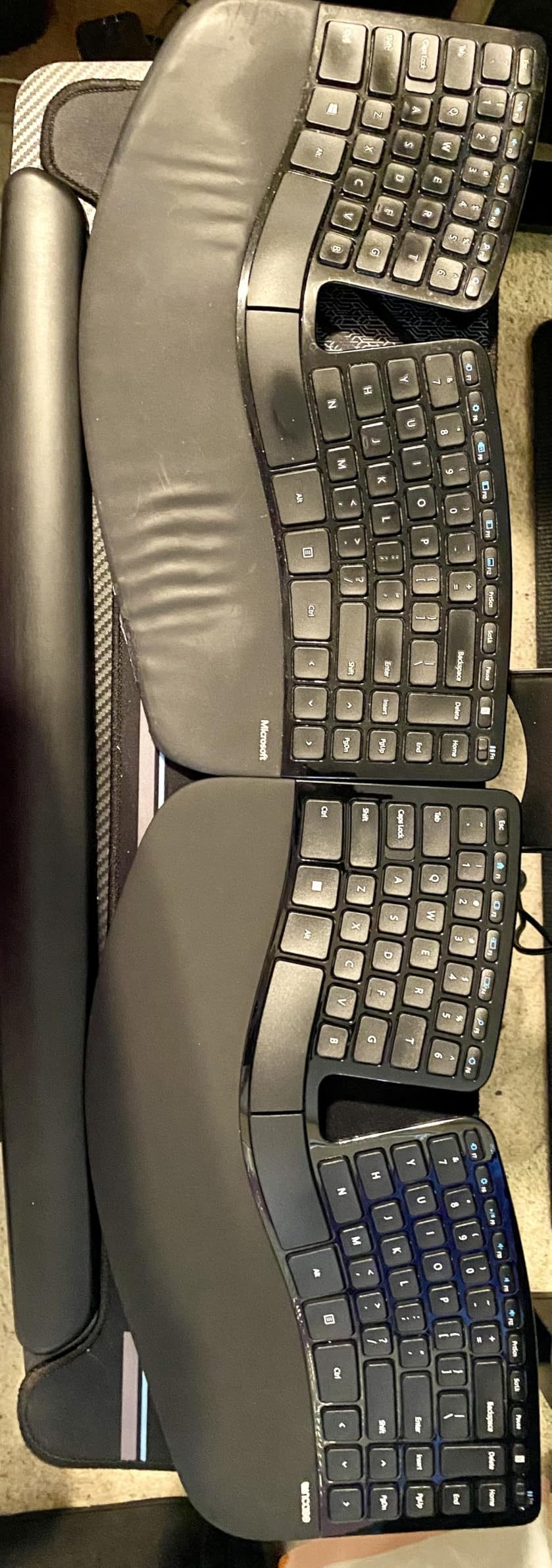
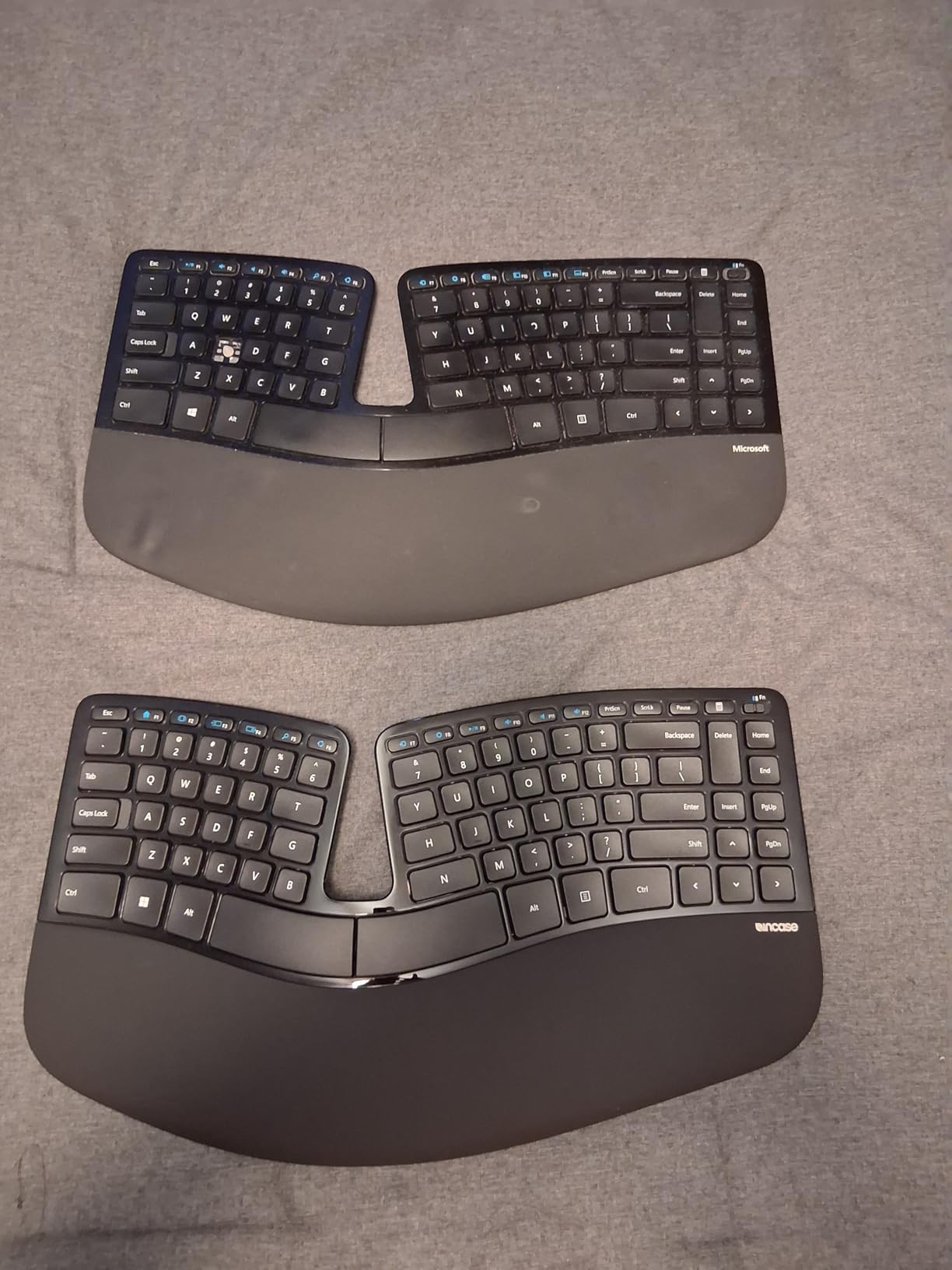
The original Microsoft Sculpt built a cult following among developers over a decade, and Incase has brought the design back under license. This is effectively the same keyboard: split keyset, domed shape, and a separate number pad in the box.
That detached numpad is the killer feature for coders. Push it aside and your mouse moves into the space a normal keyboard wastes, which fixes right-shoulder reach almost as effectively as the split fixes your wrists.
The current listing holds a 4.4-star average across 117 reviews, with 77 percent five stars. The early buyers are overwhelmingly people who loved the original and are relieved to find it again.
The Sculpt Layout: Split Keyset and Detached Numpad
The keyset splits and domes so each hand types at its own natural angle, while a cushioned palm rest runs the full width. It is a fixed shape, so there is no tenting adjustment to fiddle with.
Because the geometry is fixed, the adjustment period runs shorter than a full split. I was fully productive within days rather than weeks.
Reverse Tilt and the Removable Elevator
A removable elevator under the rear combined with reverse tilt angles the board away from you, keeping wrists neutral rather than bent upward. It is the same negative-tilt idea the K860 offers, executed with a physical wedge.
I used the elevator for a week, removed it, then put it straight back. Trying both positions yourself is the only reliable way to know which your wrists prefer.
Scissor Switches and Office-Friendly Quiet
Scissor switches give a short, crisp, laptop-like stroke that stays genuinely quiet. Nobody hears this board on a conference call, which is not something I can say about the mechanical options here.
The feel divides opinion sharply. Developers who like laptop keyboards love it; mechanical keyboard fans find it shallow and unsatisfying.
Security, Battery, and Who Should Buy
The wireless link uses AES 128-bit encryption, a real plus if your employer has security policies around input devices. Battery life is rated beyond five years on the included cells, with two AAA in the board and a coin cell in the numpad.
Buy it if you loved the original Sculpt or want a numpad only when you need one. Skip it if you need adjustable tenting, and check the spacebar carefully in the return window given the scattered quality reports.
How to Choose an Ergonomic Keyboard for Coding
After six keyboards and a lot of rebuilt muscle memory, these are the decisions that actually matter. Work through them in order and the right board usually announces itself.
Split, Wave, or Contoured: Which Shape Fits Your Wrists
A fixed-split board like the K860 or PERIBOARD-512B separates the key clusters but keeps one chassis, which shortens the learning curve. A wave design like the Wave Keys curves gradually and needs almost no adjustment at all.
A fully separable split like the Freestyle2 or Freestyle Edge lets each half sit under its own shoulder, the healthiest position for long days. Match the shape to your specific pain: wrist strain responds to split and tilt, while shoulder and neck strain responds to separation.
Mechanical vs Membrane Switches for Marathon Sessions
Mechanical switches give crisper feedback, last longer, and on hot-swap boards let you change your mind later. Membrane boards are quieter, lighter on the fingers, and far easier on the wallet.
For coding specifically I lean tactile: a noticeable actuation bump reduces half-pressed keys when you are moving fast through brackets and symbols. Pure linears feel wonderful but demand more precision from tired fingers.
Tenting and Adjustable Angles
Tenting raises the inner edges of a split keyboard so your palms face each other rather than the desk. The Freestyle2 offers five to fifteen degrees, and the Freestyle Edge ships with a lift kit in the box.
If a board cannot tent, look for negative tilt like the K860’s minus four and minus seven degree positions. Flat keyboards with positive tilt are the exact posture that creates problems in the first place.
Programmability, Macros, and Developer Workflows
Rebindable keys turn repetitive editor actions into single presses: run tests, format code, switch terminal panes. The Freestyle Edge RGB Plus is the only fully programmable board in this lineup.
If you go deeper down this road, QMK firmware is the community standard for custom keymaps, and it is a genuine rabbit hole in the best possible way. Layer keys that hold symbols and shortcuts are the specific feature developers rave about once they try them.
Noise, Desk Space, and OS Compatibility
Mechanical boards are the loudest here, the Sculpt and Wave Keys are the quietest, and open offices punish clicky switches without mercy. Check desk width too, because a nine-inch Freestyle2 setup plus mouse space needs a deep surface.
Compatibility surprises people at the worst time: the Perixx and Freestyle Edge are Windows-only, while the Wave Keys and K860 cover Mac as well. Verify your OS before you fall in love with a layout.
Frequently Asked Questions
Which keyboard is best for coders?
The Logitech Ergo K860 is the best ergonomic keyboard for most coders. It combines a certified split design, three tilt positions, a memory foam wrist rest, and quiet keys, backed by a 4.5-star rating across roughly 8,000 reviews.
Are ergonomic keyboards actually better?
Yes, for anyone typing four or more hours a day. Ergonomic keyboards reduce ulnar deviation and wrist extension, the two positions most linked to strain, through split layouts, tenting, and palm support. The trade-off is a two-to-four week adjustment period before typing speed returns to normal.
Is a mechanical keyboard better for coding?
It comes down to preference, not performance. Mechanical switches offer crisper feedback and longer life, while membrane boards like the Perixx PERIBOARD-512B are quieter, softer on fingers, and much cheaper. Neither will make you code faster.
What keyboard do most programmers use?
Most programmers still use standard mechanical or laptop keyboards, but among developers with wrist pain the Logitech Ergo K860, the classic Microsoft Sculpt layout, and Kinesis split boards dominate recommendations on Reddit and in the ErgoMechKeyboards community.
How long does it take to adjust to an ergonomic keyboard?
Expect two to four weeks. Contoured boards like the Wave Keys need only days, while fully split boards like the Freestyle2 can take a full month. Typing speed typically drops 20 to 30 percent in week one and recovers completely by week three or four.
Final Verdict: The Best Ergonomic Coding Keyboard for You
If you want one keyboard that solves wrist strain with the least friction, buy the Logitech Ergo K860. If budget is the deciding factor, the Perixx PERIBOARD-512B delivers genuine split ergonomics for starter money.
Mechanical switch loyalists should go KINESIS Freestyle Edge RGB Plus, and anyone with shoulder or neck pain should look hard at the Freestyle2 and its nine inches of separation. Mac and multi-device users get the easiest ride with the Logitech Wave Keys, and longtime Microsoft Sculpt fans finally have their board back in the Incase reissue.
Whichever you choose, give it a full month before you judge it. Every option in this guide to the best ergonomic keyboards for coding feels strange in week one and indispensable by week four. Your future wrists will thank you.