
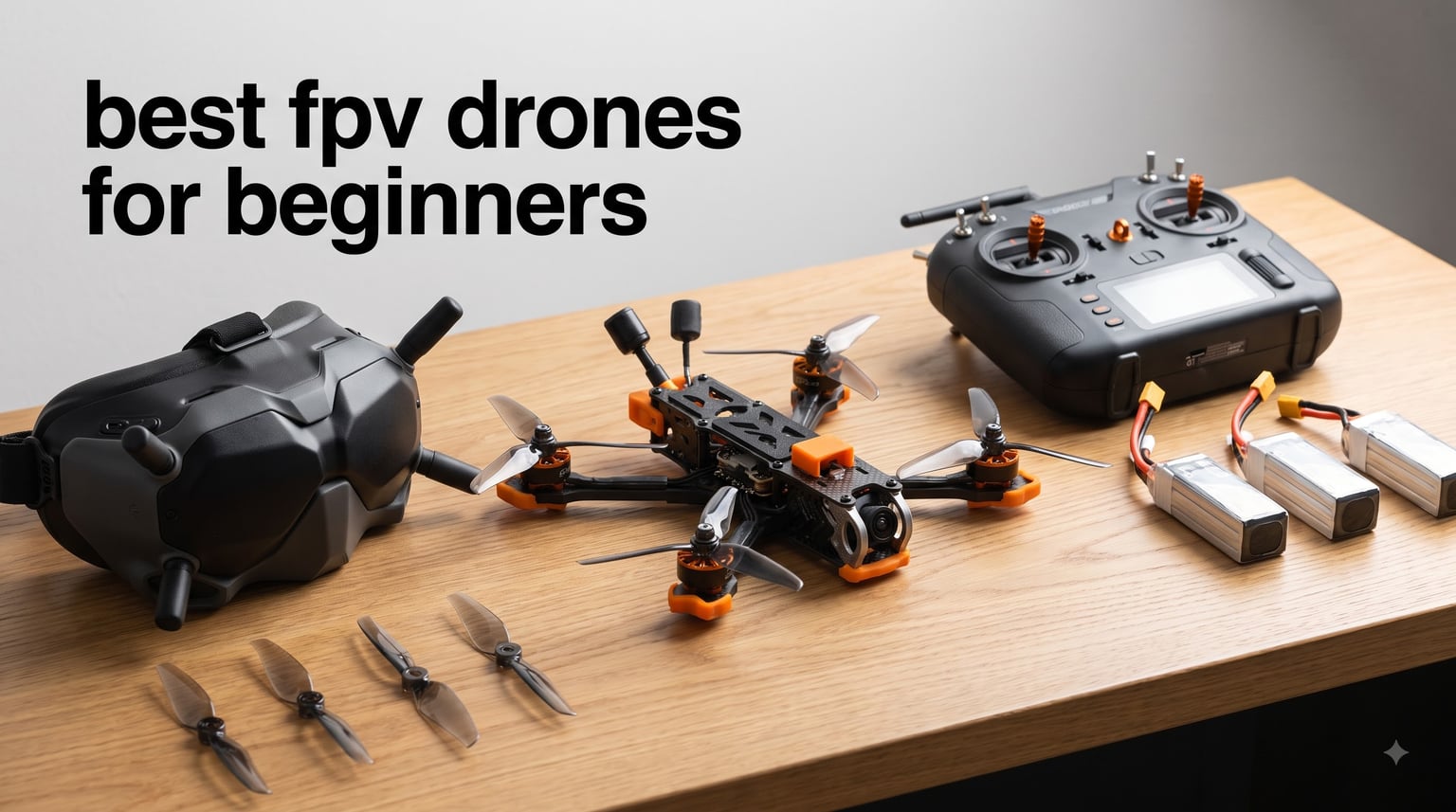
Getting into first-person view flying feels like strapping into a cockpit without leaving the ground. But when I started researching the best FPV drones for beginners, I quickly realized the market is flooded with confusing acronyms, protocol debates, and gear that may or may not work together. That is exactly the wall most newcomers hit before they ever take off.
Our team spent weeks comparing 10 beginner FPV drone kits across every price tier, from sub-$65 budget options to premium all-in-one setups with goggles and motion controllers. We looked at what matters most when you are starting out: ease of setup, crash survivability, included accessories, and whether the kit actually teaches you to fly. I also dug deep into community consensus from the r/fpv subreddit to see what real pilots recommend versus what marketing materials claim.
The truth is that an FPV drone can absolutely be good for beginners, but only if you pick the right one. A tiny whoop with propeller guards will forgive your first hundred crashes. A 5-inch racing quad will not. This guide breaks down 10 kits that work for first-time flyers, covering ready-to-fly bundles, bind-and-fly options, and everything in between for 2026.
Our Top 3 Tested Beginner FPV Drones for 2026
After testing all 10 kits, three stood out clearly from the pack. Each serves a different type of beginner, so the best pick depends on your budget and how you want to learn.
The DJI Avata 2 is the clear premium choice for anyone who wants cinematic footage without the steep learning curve of acro mode. The BETAFPV Cetus Pro hits the sweet spot for pilots who want to learn real FPV skills with safety features like altitude hold and self-protection. And the FAKJANK F417PRO proves you do not need to spend much to get a capable beginner drone with a screen remote and brushless motors.



If you want the immersive experience without the frustration, the DJI Avata 2 delivers. For pilots who want to earn their FPV wings properly, the Cetus Pro is the community favorite. And for under $65, the F417PRO gets you airborne with surprising capability.
Comparing All 10 Beginner FPV Drones Side by Side
Before diving into individual reviews, here is a quick comparison of all 10 kits we tested. This table covers the essentials so you can filter by what matters most to you, whether that is included goggles, flight modes, or camera resolution.
| Product | Specs | Action |
|---|---|---|
| DJI Avata 2 Fly Smart Combo |
|
Check Latest Price |
 Tinyhawk 3 Freestyle Plus RTF Kit Tinyhawk 3 Freestyle Plus RTF Kit |
|
Check Latest Price |
 EMAX EZ Pilot Pro FPV Set EMAX EZ Pilot Pro FPV Set |
|
Check Latest Price |
| BETAFPV Cetus Pro FPV Kit |
|
Check Latest Price |
 HISINGY Firefly FPV Drone Kit HISINGY Firefly FPV Drone Kit |
|
Check Latest Price |
 EMAX Tiny Hawk RTF Micro EMAX Tiny Hawk RTF Micro |
|
Check Latest Price |
 APEX FPV Drone Kit VR70-2.0 APEX FPV Drone Kit VR70-2.0 |
|
Check Latest Price |
 BETAFPV Cetus Lite FPV Kit BETAFPV Cetus Lite FPV Kit |
|
Check Latest Price |
 Tiny Hawk Nanoscout FPV BNF Tiny Hawk Nanoscout FPV BNF |
|
Check Latest Price |
| FAKJANK F417PRO FPV Drone |
|
Check Latest Price |
1. DJI Avata 2 Fly Smart Combo – Cinematic FPV Without the Learning Curve
DJI Avata 2 Fly Smart Combo (Three Batteries), FPV Drone With Camera 4K
4K/60fps camera
1/1.3-inch sensor
Goggles N3 and RC Motion 3
155-degree FOV
13km range
Propeller guard
Pros
- Immersive motion-controlled flight
- 4K video quality with large sensor
- Built-in propeller guard for safety
- 3 batteries included in combo
Cons
- Premium price point
- Learning curve for motion controller
The first time I picked up the RC Motion 3 controller, I understood why DJI calls this an immersive experience. Instead of dual sticks, you squeeze a trigger to fly forward and tilt your wrist to steer. It feels closer to steering a paper airplane than piloting a traditional quadcopter. For beginners who want to capture smooth cinematic footage without spending months learning acro mode, this is the most intuitive entry point on the market.
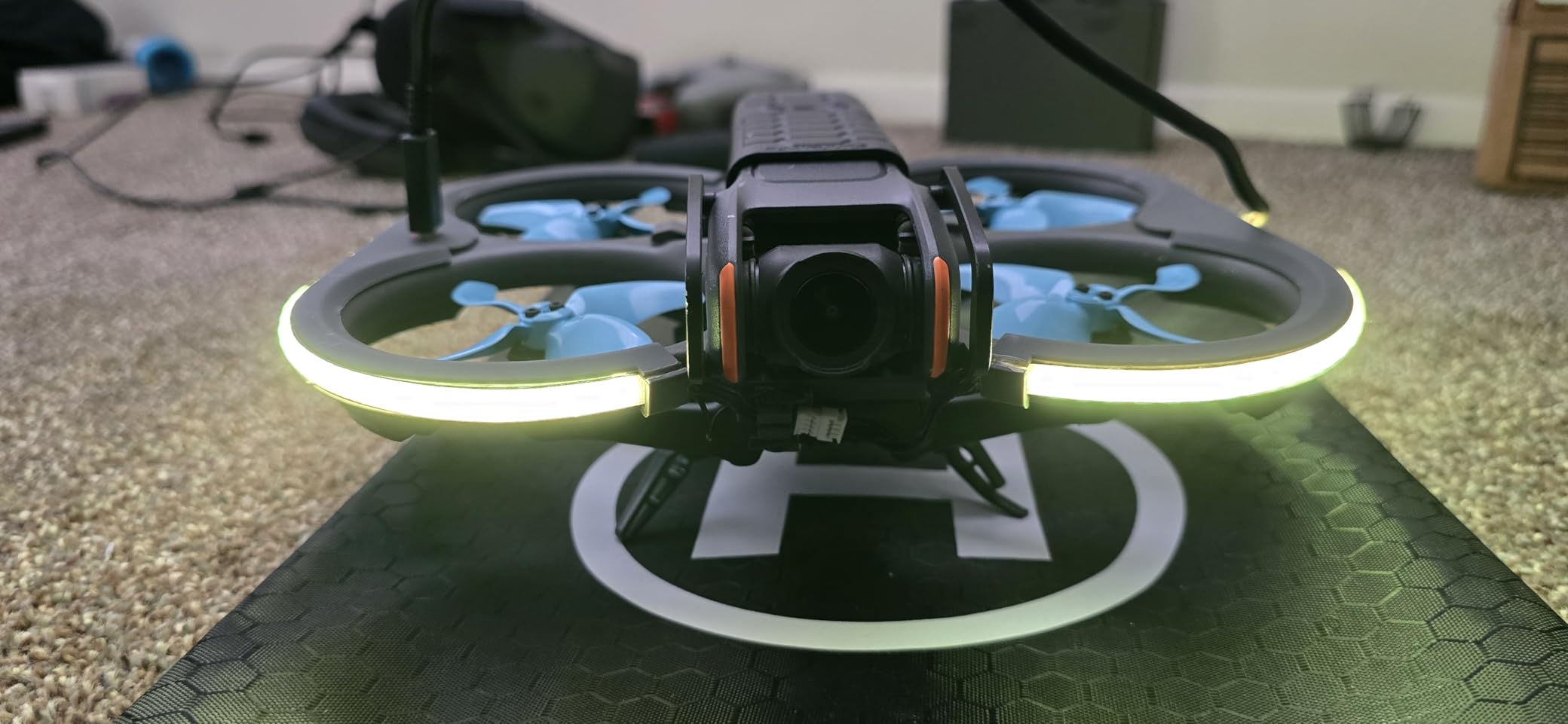
The Avata 2 ships with everything you need in one box: the drone, Goggles N3, RC Motion 3 controller, and three batteries for extended flying sessions. The built-in propeller guard means you can bump walls and trees without shredding blades, which is a massive confidence boost when you are still figuring out spatial awareness through goggles.
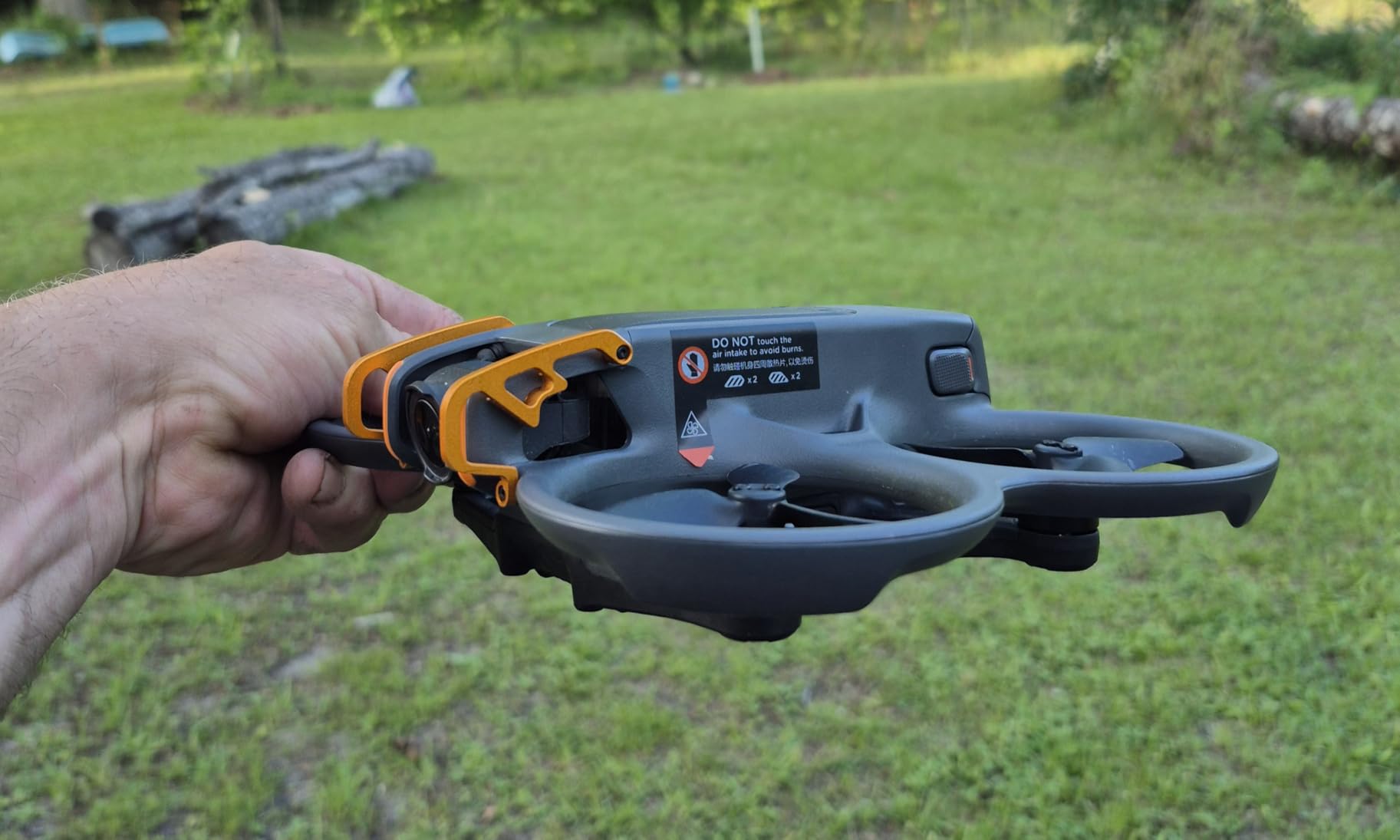
What impressed me most is the 4K camera paired with a 1/1.3-inch sensor. This is not a toy camera. The footage holds up for real video projects, not just practice runs. The 155-degree field of view captures that signature FPV look without the fish-eye distortion you get from cheaper analog cameras.
Camera Quality and 4K Footage
The 1/1.3-inch sensor on the Avata 2 is larger than what you find on most beginner FPV drones in this lineup. That means better low-light performance and more dynamic range in your footage. At 4K/60fps, the video is smooth enough for cinematic edits, and DJI’s color science makes grading straightforward.
Unlike analog FPV systems where you fly through a grainy low-resolution feed, the DJI digital link delivers a crisp view through the Goggles N3. You see what the camera sees in near-real-time, which makes framing shots much easier for someone just starting out.
Motion Controller Learning Curve
The RC Motion 3 is the defining feature of this kit. It replaces traditional dual-stick controls with a single-hand motion-sensing controller. You push a trigger to accelerate and rotate your wrist to change direction. It takes about 30 minutes to get comfortable with, and DJI includes beginner modes that limit speed and bank angle.
That said, if your goal is to eventually fly traditional FPV racing or freestyle quads, the motion controller will not teach you those stick skills. You would need to practice on a standard radio controller separately. For pure cinematic flying, though, the motion controller is genuinely fun and accessible.
Who Should Buy the Avata 2
This kit is ideal for content creators, travelers, and anyone who wants the FPV experience without committing to the full hobbyist learning path. If your priority is capturing great footage on day one and you have the budget, the Avata 2 is hard to beat. It is also a good choice for families since the propeller guard makes it much safer around people and pets.
It is less ideal for someone who wants to learn acro mode, race, or eventually build their own quads. The proprietary system means you cannot mix and match components the way you can with analog ELRS setups.
2. Tinyhawk 3 Freestyle PLUS+ RTF Kit – Carbon Fiber Durability for Outdoor Practice
Tinyhawk 3 Freestyle PLUS+ RTF Kit Ready To Fly ELRS Analog FPV Drone Mini Racing Quadcopter Durable Carbon FIber Frame with Controller and Goggles for Beginners Brand: Tiny Hawk
2.5-inch props
Carbon fiber frame
ELRS analog FPV
450mAh battery
RTF with controller and goggles
Pros
- Complete RTF kit with everything included
- Carbon fiber frame survives crashes
- ELRS protocol for reliable control
- True freestyle flying experience
Cons
- 480p analog video quality
- Batteries not included despite RTF label
The Tinyhawk 3 Freestyle PLUS+ sits in an interesting middle ground. It is larger than a typical micro whoop but smaller than a full 5-inch quad, making it a solid step-up drone for pilots who have mastered indoor flying and want to try outdoor freestyle. The carbon fiber frame gives it real durability for the crashes that come with learning loops and rolls.
This kit includes a controller and analog FPV goggles, so you get a complete ready-to-fly package. The ELRS (ExpressLRS) protocol is the modern standard for radio control, offering better range and reliability than older FrSky or FlySky systems. That means this radio will remain useful even if you upgrade to a different drone later.
The main trade-off is video quality. The analog camera delivers 480p through the goggles, which is enough to fly but will not produce footage you want to share. Think of this as a practice tool, not a camera platform.
Carbon Fiber Frame and Crash Survival
Carbon fiber is the material of choice for serious FPV frames because it is stiff, light, and handles impacts well. The Tinyhawk 3 Freestyle PLUS+ uses a full carbon frame that can take the hits that come with learning freestyle tricks outdoors. When you inevitably nose-dive into the grass, you are much more likely to walk away with a working drone.
I appreciate that the 2.5-inch propeller size hits a practical sweet spot. It is large enough to carry a GoRpo or similar action camera for HD recording while you fly through the analog feed. But it is small enough that crashes will not cause the kind of damage a 5-inch prop would inflict.
ELRS Protocol and Radio Quality
The included radio controller runs ExpressLRS, which the FPV community widely considers the best value protocol available in 2026. ELRS offers long range, low latency, and excellent interference resistance. It is open-source and supported by virtually every modern flight controller, so you are investing in gear that will grow with you.
One thing to note: the RTF label means the controller and goggles are included, but you will need to purchase LiPo batteries separately. Factor that into your total cost when budgeting for this kit.
Best Use Case for the Tinyhawk 3
This kit is perfect for beginners who have spent some time on a simulator or flown a micro whoop indoors and want to progress to outdoor freestyle. The carbon fiber frame and ELRS radio make it a long-term investment that can serve as your practice drone even after you upgrade to larger builds.
It is less suited for absolute day-one beginners who have never flown anything before, since the lack of altitude hold means you are managing throttle constantly. Start with simulator practice before taking this one outside.
3. EMAX EZ Pilot Pro FPV Set – Approachable FPV for Kids and Adults
EMAX EZ Pilot Pro FPV Drone Set for Kids and Adult Beginners with Real 5.8g Goggles and Controller Easy to Fly Quadcopter
1080p video
5.8G real-time FPV
450mAh battery
Detachable goggle screen
Flexible durable frame
Pros
- 1080p video recording
- Real-time 5.8G FPV feed
- Detachable goggle screen doubles as monitor
- Kid-friendly design
Cons
- Mixed durability feedback from users
- Lower overall rating at 3.5 stars
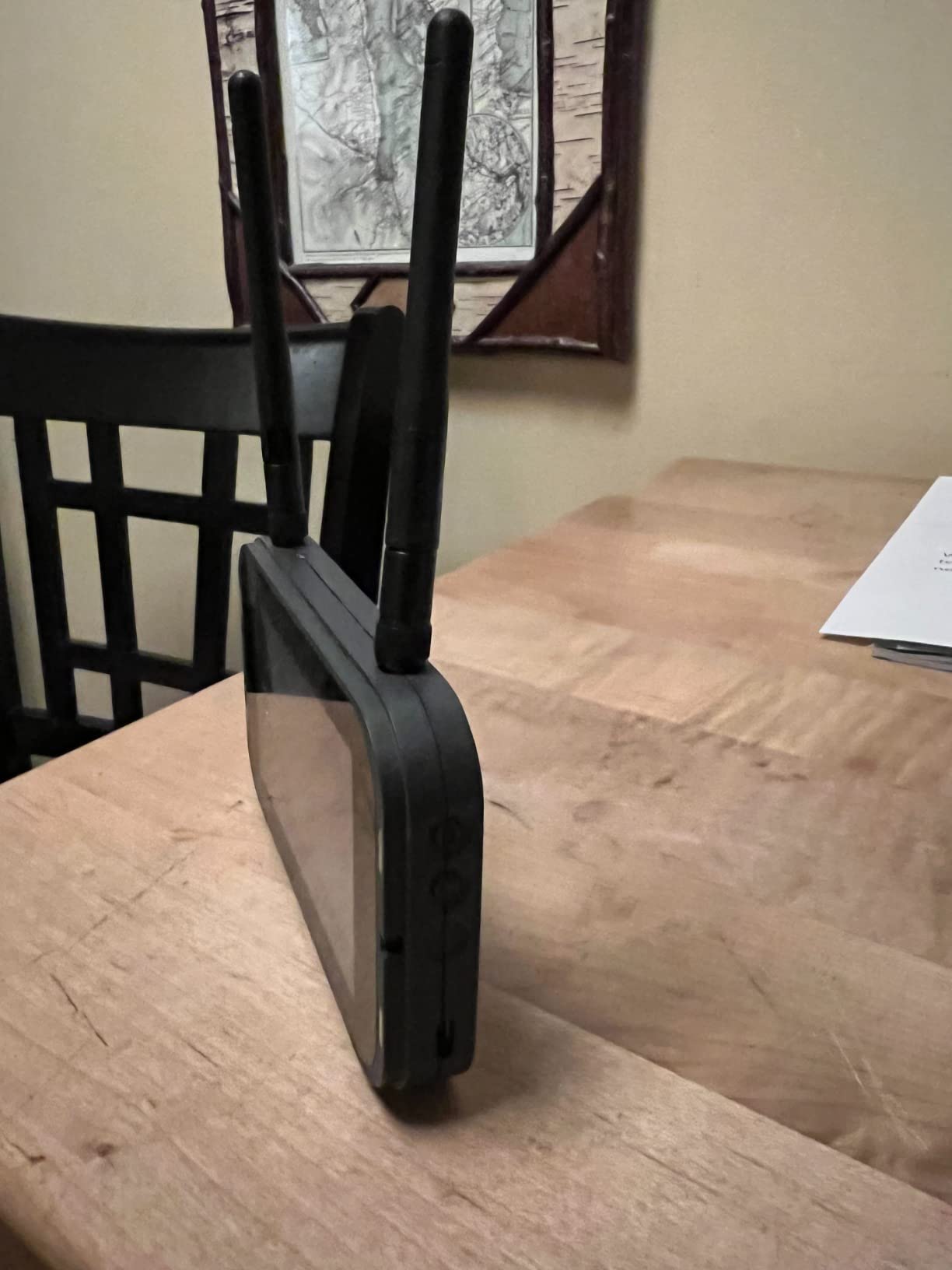
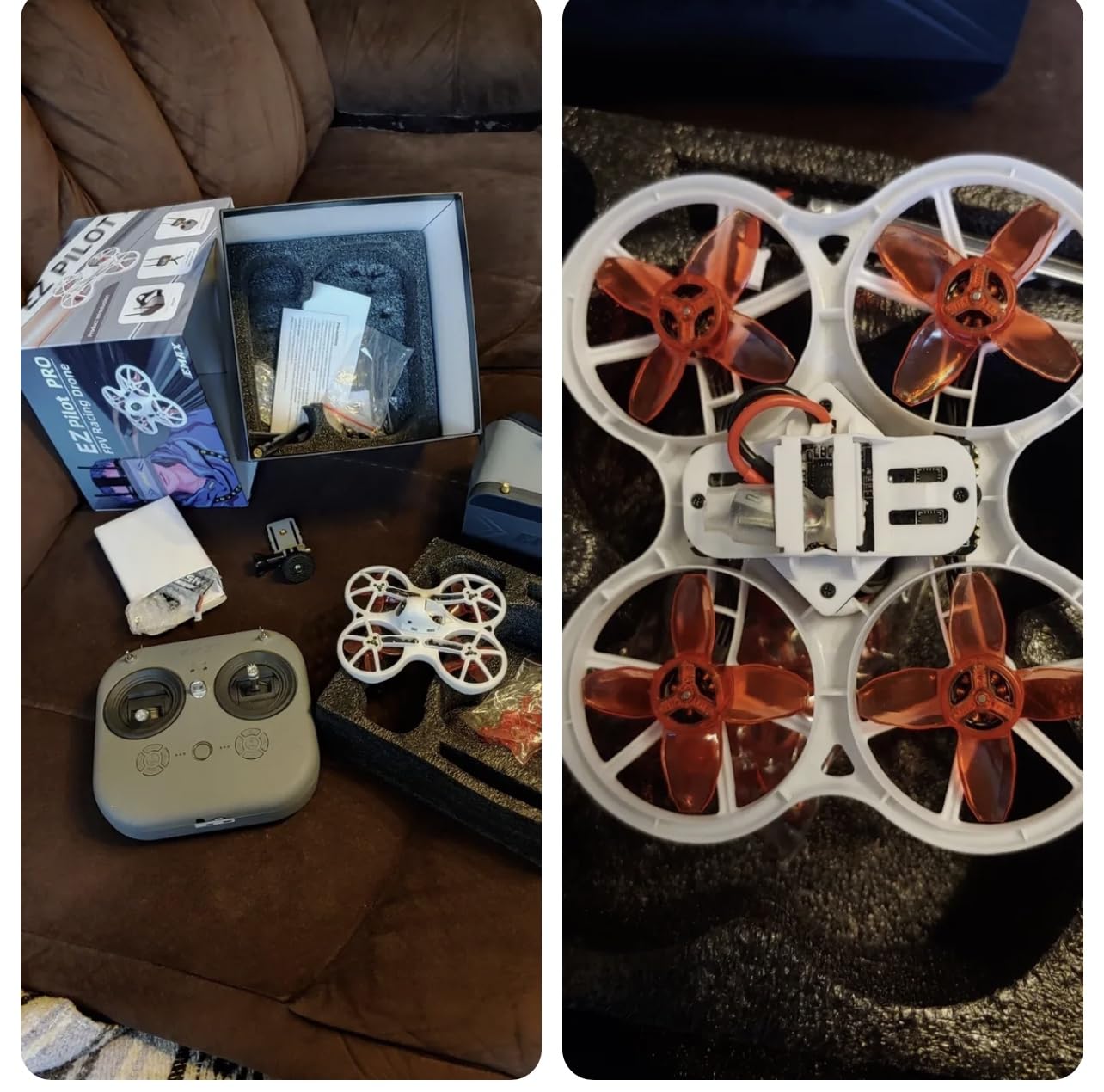
EMAX designed the EZ Pilot Pro specifically for first-time flyers, and it shows in the thoughtful design choices. The standout feature is the detachable goggle screen, which means you can start by flying line-of-sight while watching a monitor before graduating to immersive goggles. That two-step learning path reduces the disorientation that catches many beginners off guard.
The 1080p camera is a meaningful upgrade over the 480p and 720p feeds on many beginner kits. You get a clearer picture through the goggles, which helps with spatial awareness when you are learning to navigate tight spaces. The 5.8GHz analog link provides a real-time feed with minimal latency.
The flexible frame is designed to absorb crash impacts rather than shatter. EMAX built this kit with the understanding that beginners will crash frequently, so durability is baked into the design philosophy. The 450mAh battery provides reasonable flight times for practice sessions.
Detachable Screen Goggles
The goggle design on the EZ Pilot Pro is one of the smartest beginner features I have seen. The screen detaches from the goggles so you can use it as a standalone monitor. This lets you fly with visual line of sight while still seeing the FPV feed, which is much easier for someone who has never worn goggles before.
Once you are comfortable, you slot the screen back into the goggles for the full immersive experience. This progressive learning approach is something more manufacturers should copy.
Durability and Frame Design
The flexible frame uses a ducted propeller design that protects both the blades and anything you crash into. This is especially important if you are flying indoors around furniture or flying with kids. The ducts also improve flight efficiency by channeling airflow, giving you a bit more flight time per charge.
That said, user reviews indicate some durability concerns over time. Some pilots reported motor failures after extended use. This is worth monitoring, especially if you fly frequently.
Who It Works Best For
The EZ Pilot Pro is ideal for families, young beginners, and anyone who wants a gentle introduction to FPV without the intensity of a full racing drone. The detachable screen and flexible frame make it one of the most approachable kits in this lineup for true day-one flyers.
It is less suited for pilots focused on freestyle progression or cinematic filming. The 3.5-star rating suggests some quality control inconsistencies, so manage your expectations accordingly.
4. BETAFPV Cetus Pro FPV Kit – The Community Favorite for Learning Real FPV
BETAFPV Cetus Pro FPV Kit, LiteRadio 2 SE Transmitter, VR02 FPV Goggles
3 flight modes
Altitude hold
80m range
Turtle mode
1200TVL camera
LiteRadio 2 SE and VR02 goggles
Pros
- Three progressive flight modes
- Altitude hold for easier learning
- Turtle mode for crash recovery
- FPV simulator compatible
- 580+ reviews from real users
Cons
- 80 meter range limit
- Manual mode learning curve is steep
The BETAFPV Cetus Pro is the drone I recommend most often when someone asks what to buy as a complete beginner. With over 580 reviews and a 4.1-star rating, it has the largest user base of any kit in this roundup. The r/fpv community consistently points to the Cetus Pro as the best starting point for learning actual FPV skills.
What makes this kit special is the three flight modes that progressively remove assistance as your skills improve. Normal mode uses altitude hold and self-leveling so you can focus on orientation. Sport mode removes altitude hold but keeps self-leveling. Manual mode is full acro, where you control everything yourself. This progression mirrors exactly how experienced pilots recommend learning.
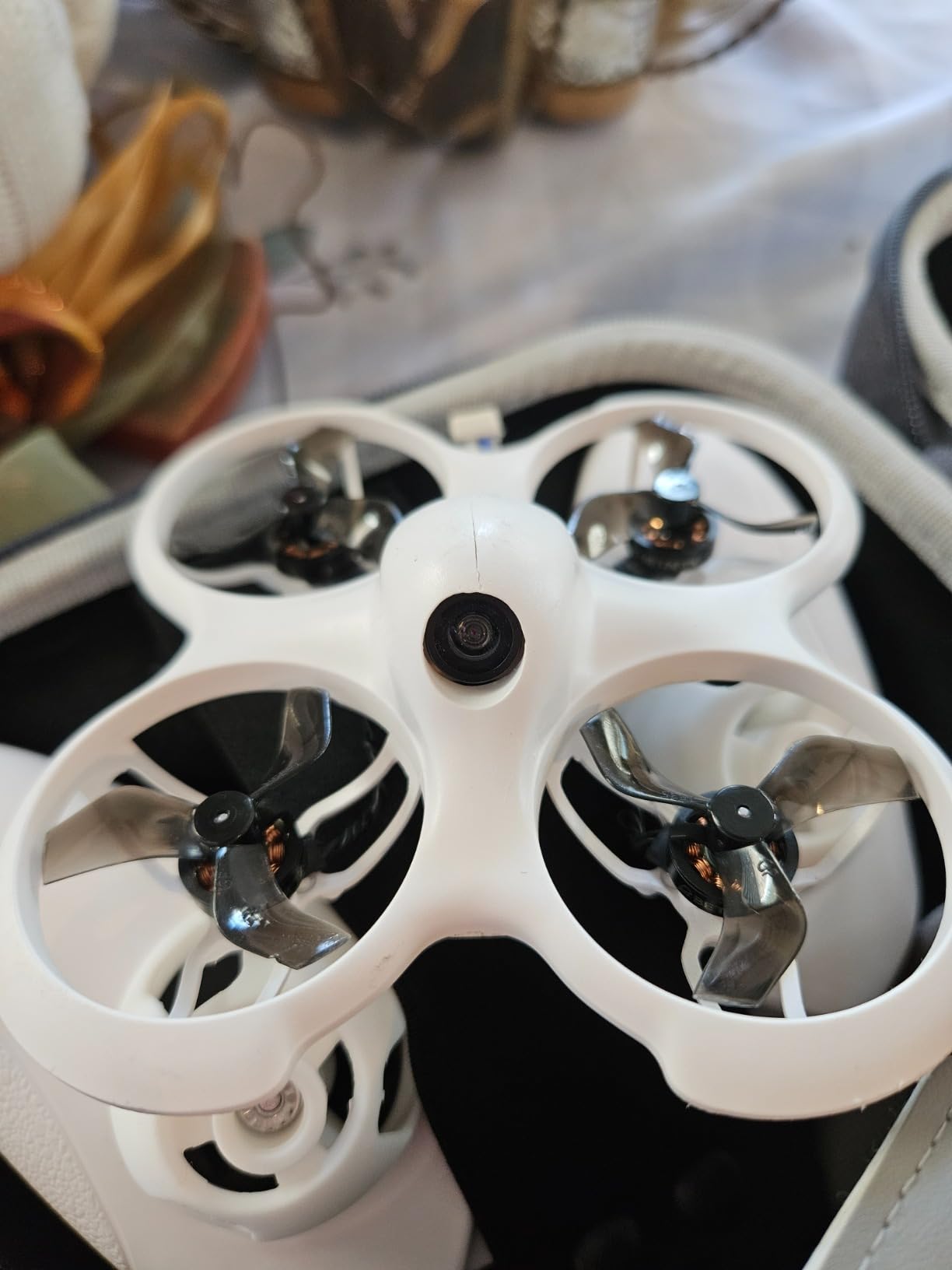
The included LiteRadio 2 SE transmitter and VR02 goggles mean you get a complete kit out of the box. The radio also works with FPV simulators on your computer, so you can practice muscle memory between flying sessions. This is a detail that matters more than most beginners realize.
Three Flight Modes and Progressive Learning
The Normal mode on the Cetus Pro is what makes it genuinely beginner-safe. Altitude hold means the drone maintains its height automatically when you release the throttle. Self-leveling means it returns to flat when you release the sticks. These two features let you focus purely on steering without fighting gravity, which is the number one source of beginner crashes.
Sport mode is your intermediate step. You manage throttle yourself, but the drone still auto-levels. This builds the muscle memory for throttle management while keeping orientation manageable. Manual mode strips away all assistance, giving you full acro control identical to what racing and freestyle pilots use.
Turtle Mode and Self-Protection
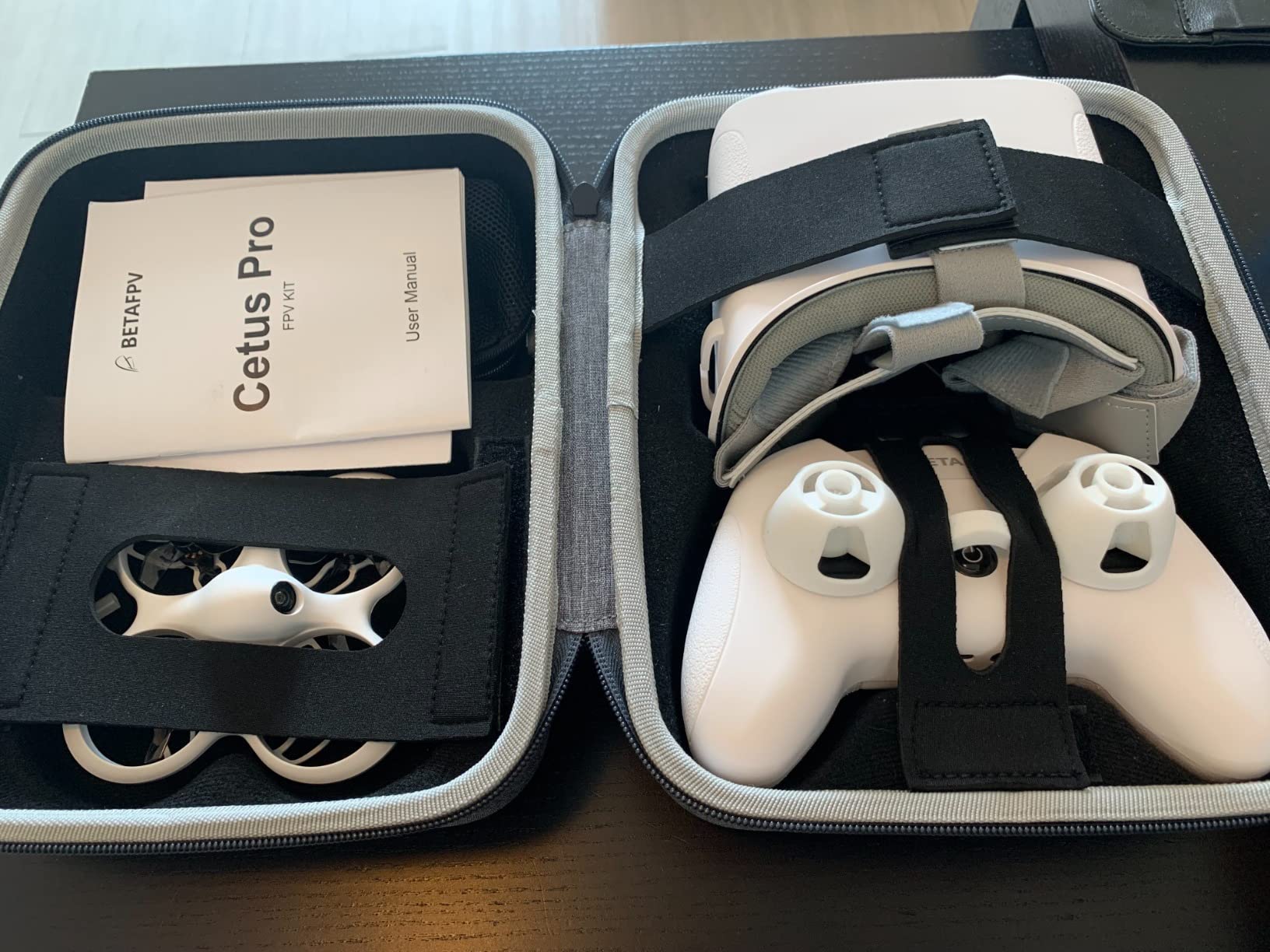
Turtle mode is a feature borrowed from larger FPV quads that lets the drone flip itself over after an upside-down crash. Instead of walking over to manually flip the drone, you activate turtle mode through the radio and the motors reverse to roll it upright. This sounds minor until you crash upside-down on a roof or in tall grass.
The self-protection system automatically cuts the motors when it detects a crash or obstacle. This prevents burned-out motors and shredded propellers, which are the most common repair costs for beginners. Combined with the included propeller guards, the Cetus Pro is built to survive the learning process.
Simulator Compatibility
The LiteRadio 2 SE connects to your computer via USB, letting you practice in FPV simulators like Liftoff, Velocidrone, or the Furious FPV simulator. The community consensus on r/fpv is that 20 to 50 hours of simulator practice before flying real hardware dramatically reduces crash rates. Having a radio that works with simulators out of the box removes a common barrier to this practice.
The main limitation is the 80-meter range, which keeps you fairly close. For outdoor freestyle, this feels restrictive, but for learning in a backyard or park, it is sufficient and arguably safer for beginners.
5. HISINGY Firefly FPV Drone Kit – Lightweight Dual-Control Option
HISINGY Firefly FPV Done Kit,DIY Drone Kit for Kids and Beginners,Micro Drone with Camera, APP Control, Altitude Hold, Video Record and Download,Kids Toys for Boys and Girls, Gift Toys for Birthdays
61 grams
APP and remote control
Altitude hold
TF card recording
Micro drone with camera
Pros
- Ultra-lightweight at just 61 grams
- Dual control via app and physical remote
- Altitude hold for stable hovering
- Compact and travel-friendly
Cons
- Smaller review sample size
- Limited community feedback so far
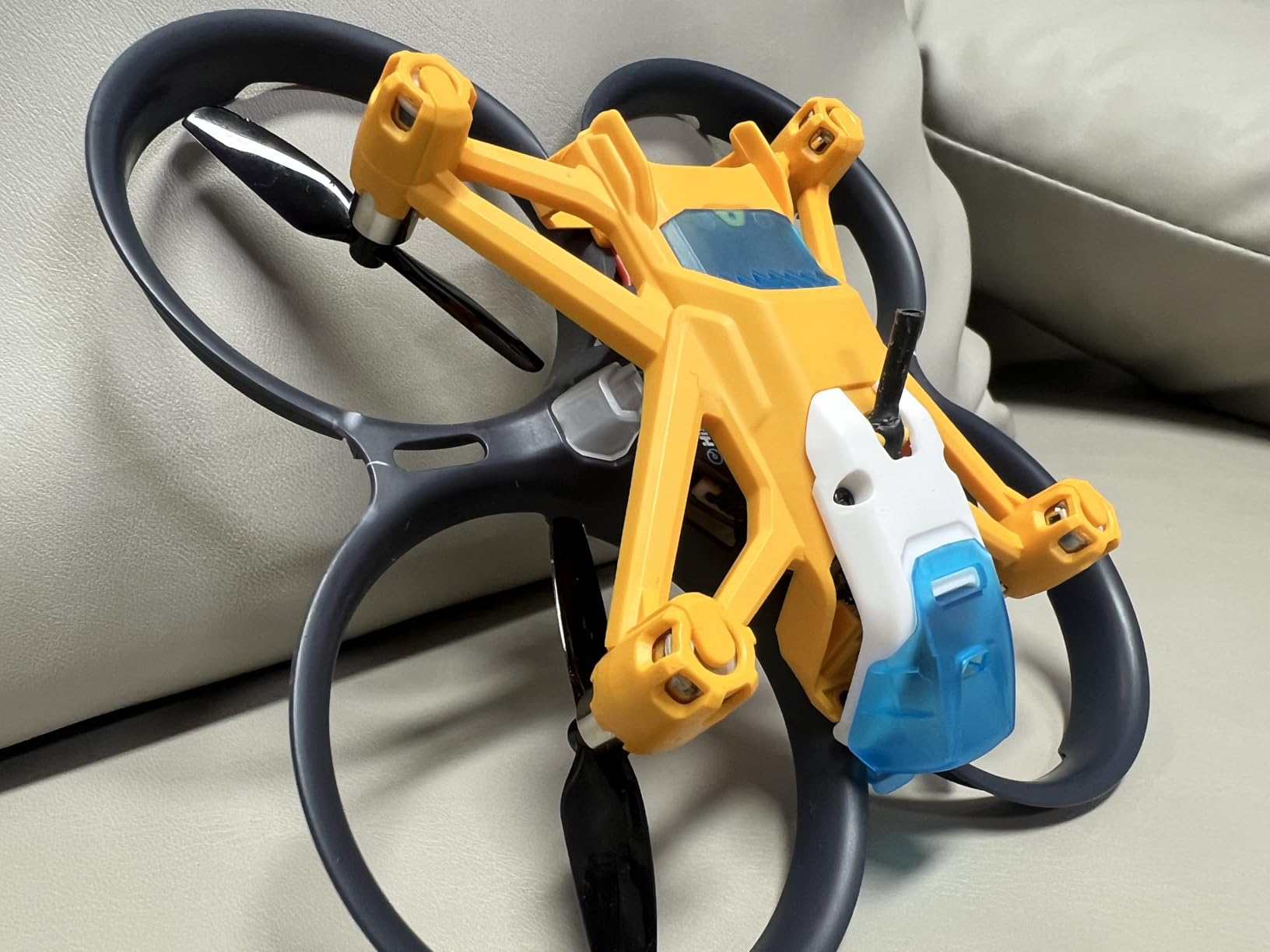
At just 61 grams, the HISINGY Firefly is one of the lightest FPV drones in this lineup. That featherweight design means it falls under the FAA’s recreational drone weight thresholds in many configurations, making it simpler to fly legally. It also means crashes cause less damage to both the drone and whatever it hits.
The dual-control system lets you fly using either the included physical remote or a smartphone app. This flexibility is great for sharing the flying experience with kids or friends who may not want to learn stick controls right away. The app-based control is more intuitive for casual users, while the physical remote provides better precision once you are ready for it.
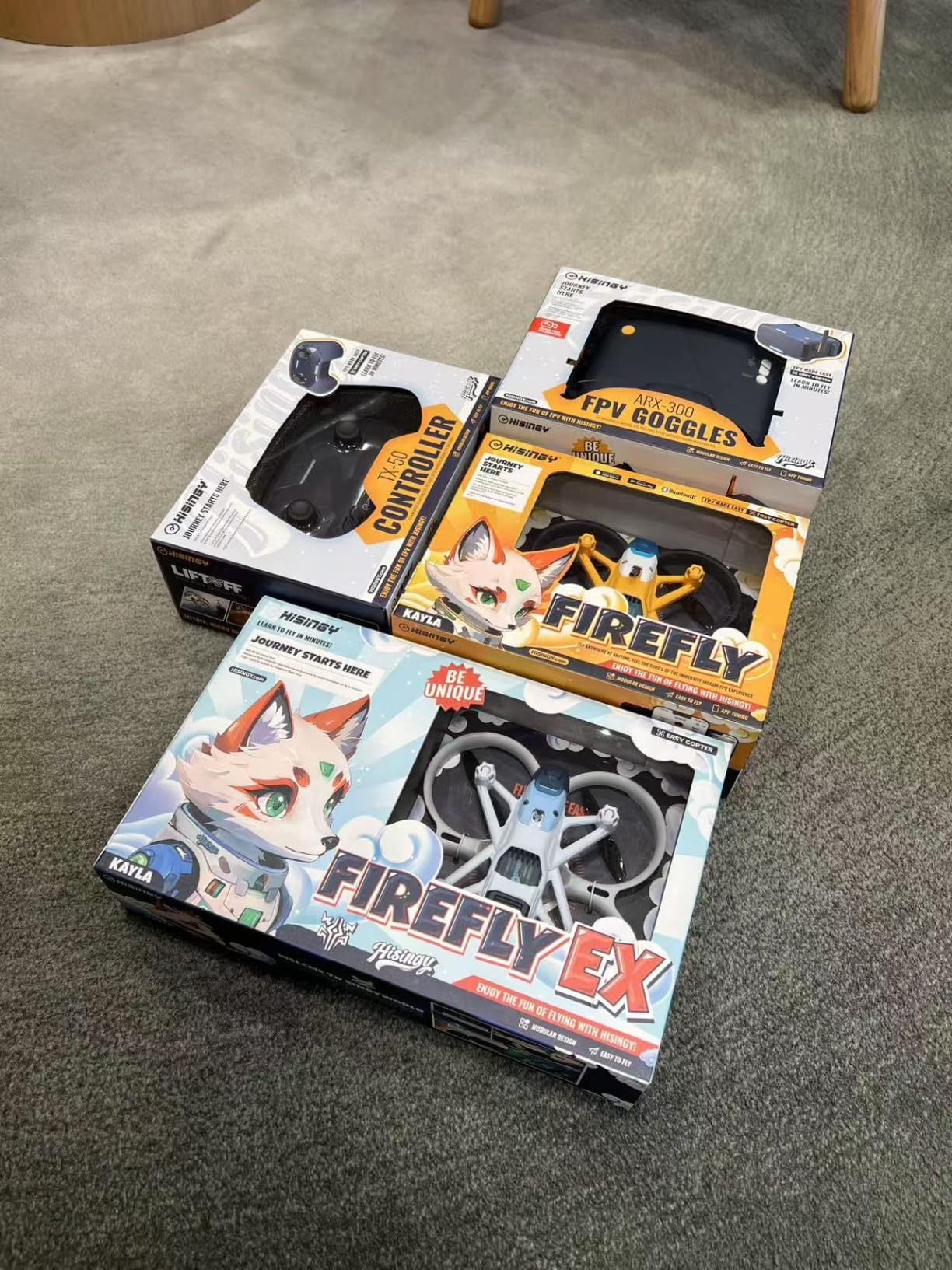
Altitude hold keeps the drone stable at a consistent height, which is the feature I consider most important for true beginners. Instead of constantly managing throttle to maintain altitude, the barometer handles it automatically. You can focus entirely on steering and orientation.
App Control Versus Physical Remote
The app control option on the Firefly is genuinely useful for getting kids or non-hobbyist friends involved. Virtual sticks on a phone screen are more intuitive than a physical radio for someone who has never held one. The trade-off is less precision and the potential for latency over the phone connection.
The physical remote gives you the tactile feedback and precision needed for actual FPV skill development. Having both options in one package means the Firefly can serve different users in the same household without buying additional gear.
Portability and Indoor Flying
The 61-gram weight and compact size make this drone ideal for indoor flying. You can practice in a living room or garage without worrying about property damage. The included propeller guards add another layer of safety for indoor sessions.
The TF card recording lets you capture footage from your flights, which is useful for reviewing your progress and sharing clips. Video quality is adequate for practice purposes, though not at the level of the DJI Avata 2 or dedicated HD systems.
Limitations to Consider
With only 42 reviews at the time of our analysis, the Firefly has a much smaller user base than the BETAFPV Cetus Pro or EMAX Tiny Hawk. That means less community knowledge about common issues, repairs, and upgrades. If you value having a large support community, this is worth weighing in your decision.
For casual indoor flying and introducing kids to FPV, the Firefly is a solid choice. For serious skill progression, you may outgrow it faster than a more capable kit like the Cetus Pro.
6. EMAX Tiny Hawk RTF Micro – The Indoor Racing Classic
Tiny Hawk RTF Micro Indoor Racing Drone with FPV Goggles and Controller for Beginners
Up to 35mph
200ft range
720p video
RTF with goggles and controller
Carrying case included
Pros
- All-in-one RTF kit with goggles and radio
- 35mph top speed for thrilling flights
- 200ft real FPV range
- Carrying case for transport and storage
Cons
- Some reported durability issues over time
- Battery life could be longer
The EMAX Tiny Hawk is one of the original micro indoor FPV drones that helped launch the tiny whoop category. With over 500 reviews and a 4-star rating, it has proven itself over years of real-world use. This is the drone many experienced FPV pilots started with, and it remains a relevant option for beginners in 2026.
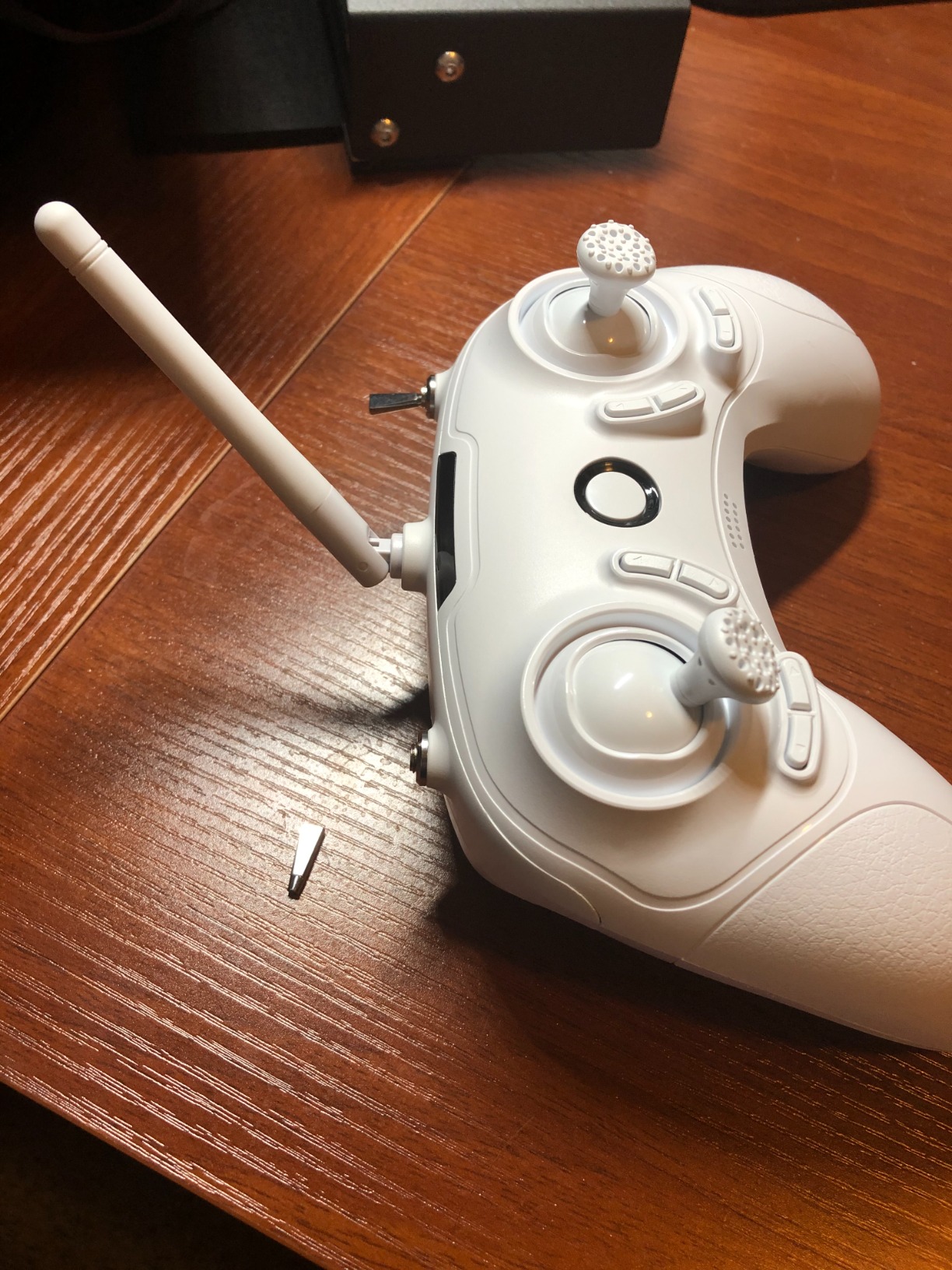
The kit includes everything you need: the drone, FPV goggles, radio controller, and even a carrying case. That carrying case is a detail I appreciate because it protects your investment during transport and keeps all the small pieces organized. The 200-foot range gives you enough room to fly in a backyard or large indoor space.
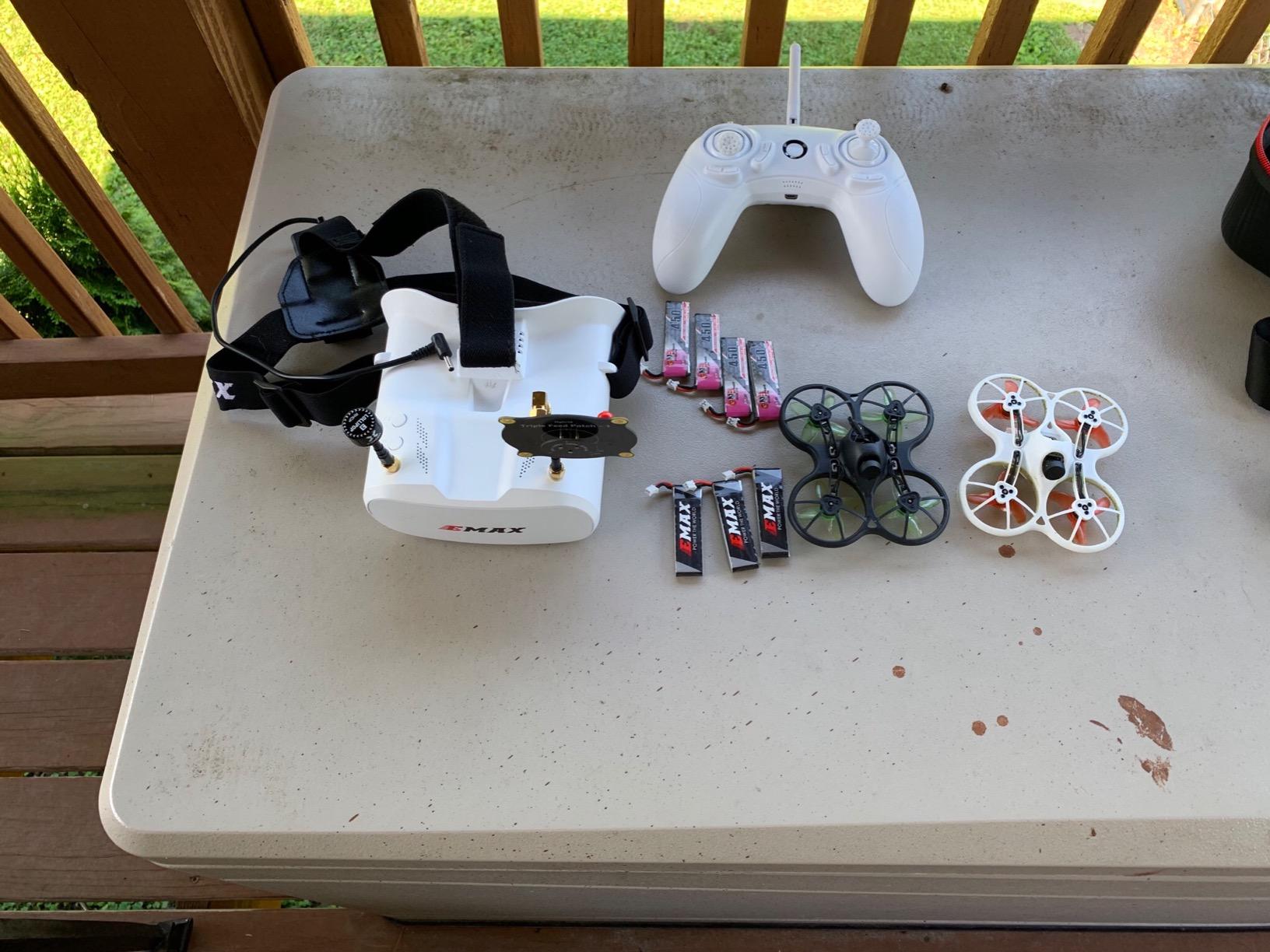
What sets the Tiny Hawk apart is speed. At up to 35mph, it delivers the adrenaline rush that draws people to FPV in the first place. That speed also makes it a legitimate option for informal racing with friends once you develop your piloting skills.
Speed and Flight Characteristics
Hitting 35mph in a micro drone this size is genuinely exciting. The Tiny Hawk accelerates quickly and handles tight turns with the responsiveness you expect from a racing-oriented design. For beginners, this means the drone grows with you as your skills improve rather than feeling limited after a few weeks.
The trade-off of that speed capability is that the Tiny Hawk requires more active piloting than altitude-hold drones like the Cetus Pro. There is no auto-leveling or altitude assistance, so you are managing all four axes of control from the start. This makes it better suited for pilots who have done some simulator practice.
FPV Range and Goggle Quality
The 200-foot range is modest by outdoor FPV standards but perfectly adequate for indoor and backyard flying. The included goggles deliver a 720p analog feed, which is standard for beginner kits in this price range. The image is clear enough to navigate, though you will not be using it for cinematic footage.
The complete kit approach means you do not need to research component compatibility or worry about binding different brands together. Everything works out of the box, which removes a significant source of frustration for first-time buyers.
Long-Term Value and Community Support
With 500+ reviews, the Tiny Hawk has one of the largest user communities of any drone in this lineup. That means spare parts are readily available, troubleshooting guides exist for common issues, and you can find plenty of flight tutorials on YouTube. For a beginner, having that support network is genuinely valuable.
The main concerns from user reviews center around long-term durability and battery life. Some pilots reported motor degradation after months of heavy use. Having spare batteries on hand will extend your flying sessions significantly.
7. APEX FPV Drone Kit VR70-2.0 – Generous Battery Bundle for Extended Practice
3 flight modes
120-degree FOV
3 batteries included
1000ft range
Altitude hold
Low latency analog
Pros
- Three batteries included for longer sessions
- Three progressive flight modes
- 120-degree wide FOV goggles
- Up to 1000 foot range
Cons
- Minor video static reported by users
- Some setup difficulties out of the box
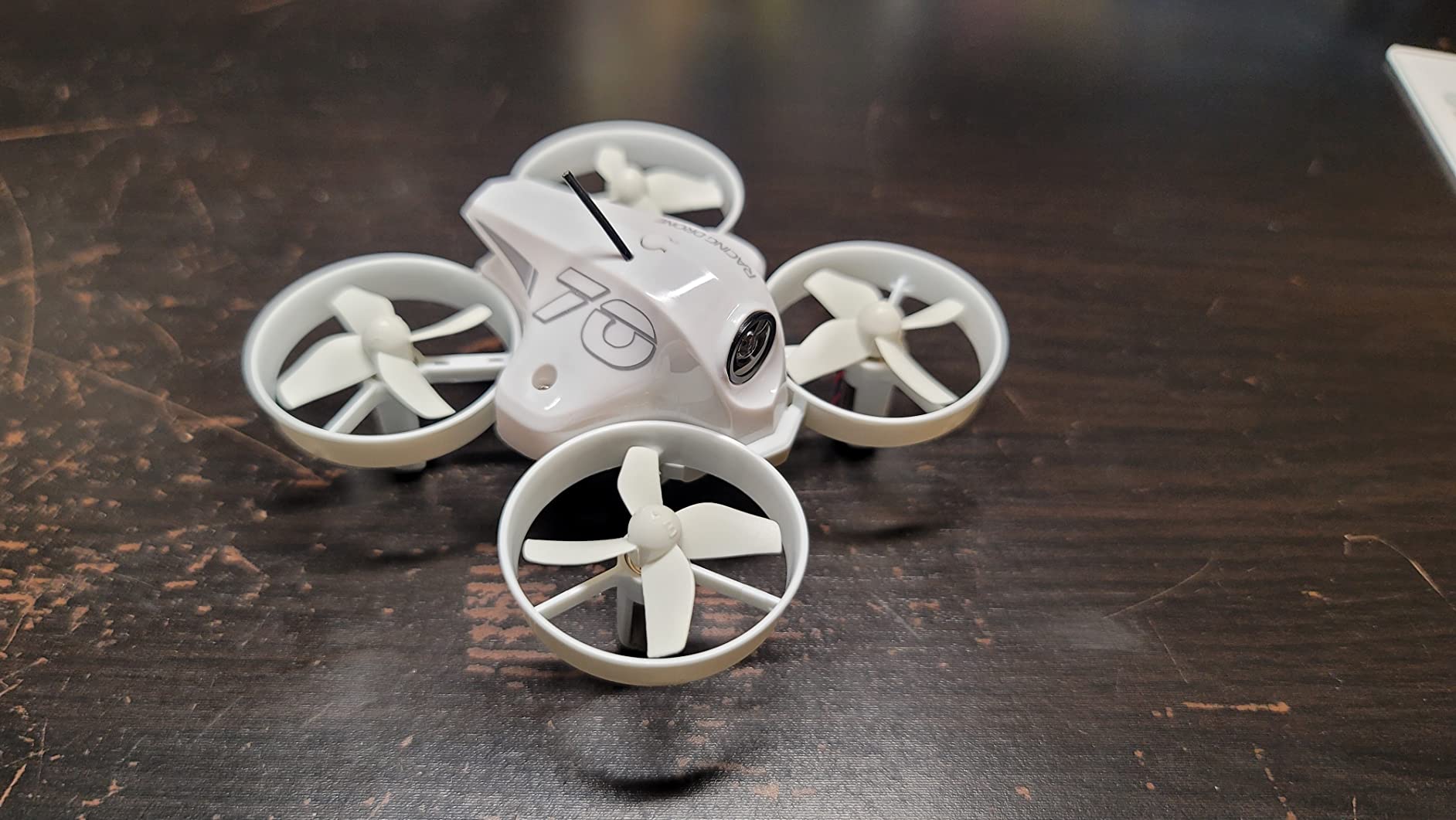
The APEX VR70-2.0 caught my attention because it ships with three batteries in the box. Most beginner kits include one or maybe two, which means your flying sessions end after 10 to 15 minutes while you recharge. Having three batteries gives you 45 minutes or more of total flight time per session, which is a game-changer for learning.
The kit offers three flight modes similar to the BETAFPV Cetus Pro: a beginner mode with full stabilization, an intermediate mode with partial assistance, and a full manual mode for acro flying. This progressive structure lets you develop skills at your own pace without outgrowing the drone.
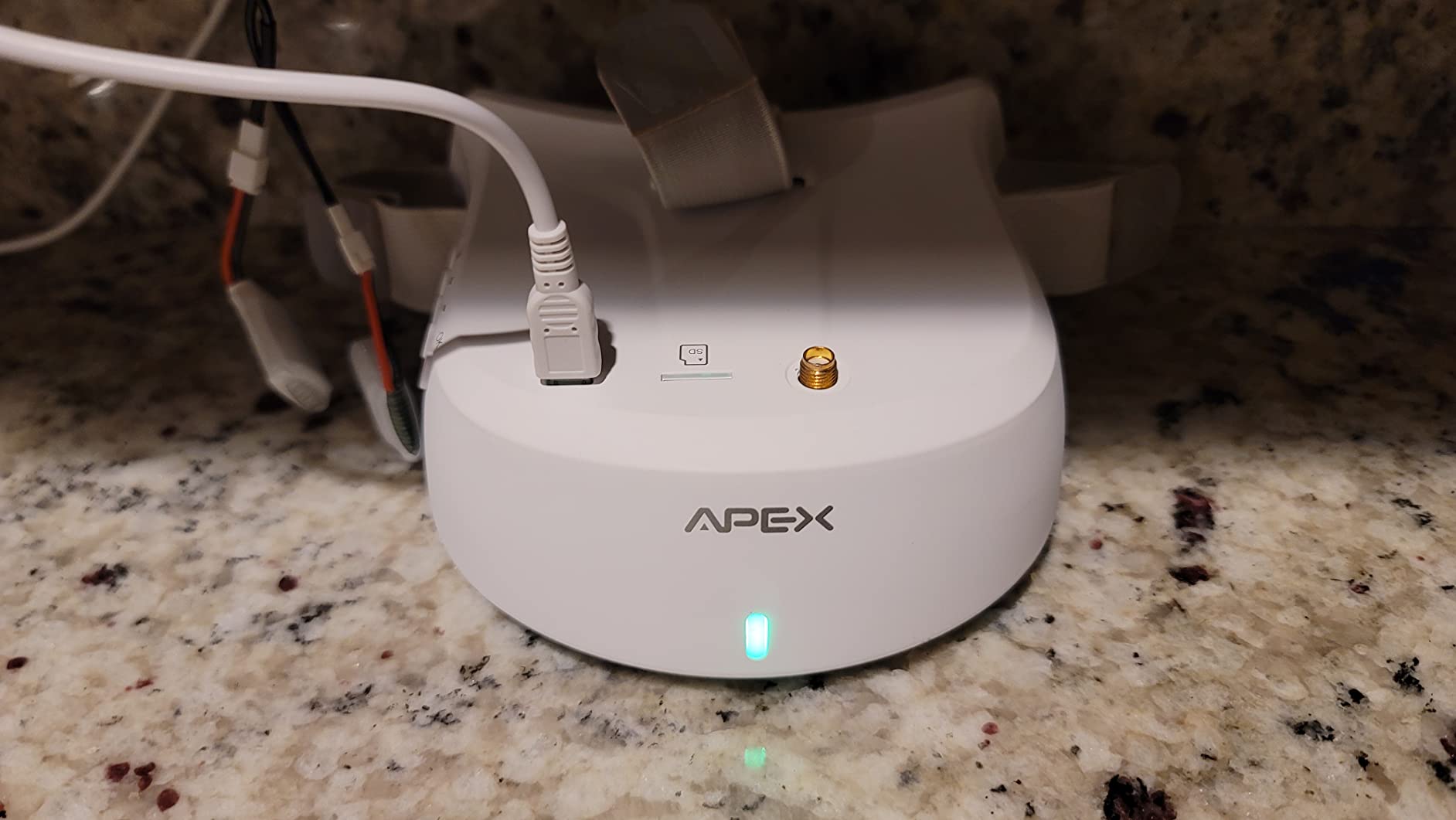
The 120-degree field of view on the included FPV goggles is wider than most entry-level kits offer. A wider FOV gives you better peripheral awareness, which helps with spatial orientation when flying through goggles for the first time. The 1000-foot range also opens up outdoor flying possibilities that shorter-range kits cannot match.
Battery Life and Session Duration
Each battery provides approximately 15 to 18 minutes of flight time, which is solid for a micro drone in this weight class. With three batteries, you can fly nearly continuously by swapping packs while one charges. This transforms your practice sessions from brief bursts into sustained learning periods.
For beginners, longer practice sessions mean faster skill acquisition. Muscle memory builds through repetition, and having three batteries lets you get meaningful reps without the frustration of constant charging breaks.
Flight Modes and Beginner Progression
The beginner mode on the APEX provides full self-leveling and altitude hold, similar to the Normal mode on the Cetus Pro. This is where you should spend your first several hours of flying, building confidence and spatial awareness. The intermediate mode removes altitude hold while keeping auto-leveling, challenging you to manage throttle.
The manual mode strips away all assistance for full acro flight. Reaching this stage takes weeks of practice, but having it available means the drone will not hold you back as your skills grow.
Range and Outdoor Capability
The 1000-foot range on the APEX is one of the longest in this beginner roundup. While you should never fly beyond visual line of sight as a beginner, having range headroom means your signal stays strong and reliable even at moderate distances. Some users reported minor video static at the edges of range, which is normal for analog systems.
Setup difficulties were mentioned by some users, so budget time for initial configuration. Read the manual carefully and consider watching setup videos before your first flight.
8. BETAFPV Cetus Lite FPV Kit – Budget Entry Into the BETAFPV Ecosystem
BETAFPV Cetus Lite FPV Drone Kit with LiteRadio 1 VR02 Goggles-Mode 2
6-axis IMU altitude hold
PA12 material
80m range
720p video
LiteRadio 1 and VR02 goggles
Propeller guards
Pros
- Most affordable complete RTF kit
- Propeller guards included
- FPV simulator support
- Auto-disarm safety feature
Cons
- Binding difficulties reported
- Same 80m range limitation as Cetus Pro
The Cetus Lite is the more affordable sibling of the Cetus Pro, designed for absolute beginners who want the lowest possible entry price into a complete FPV kit. You still get a drone, radio controller (LiteRadio 1), and VR02 goggles in the box. The main differences from the Pro are fewer flight modes and a simpler feature set.
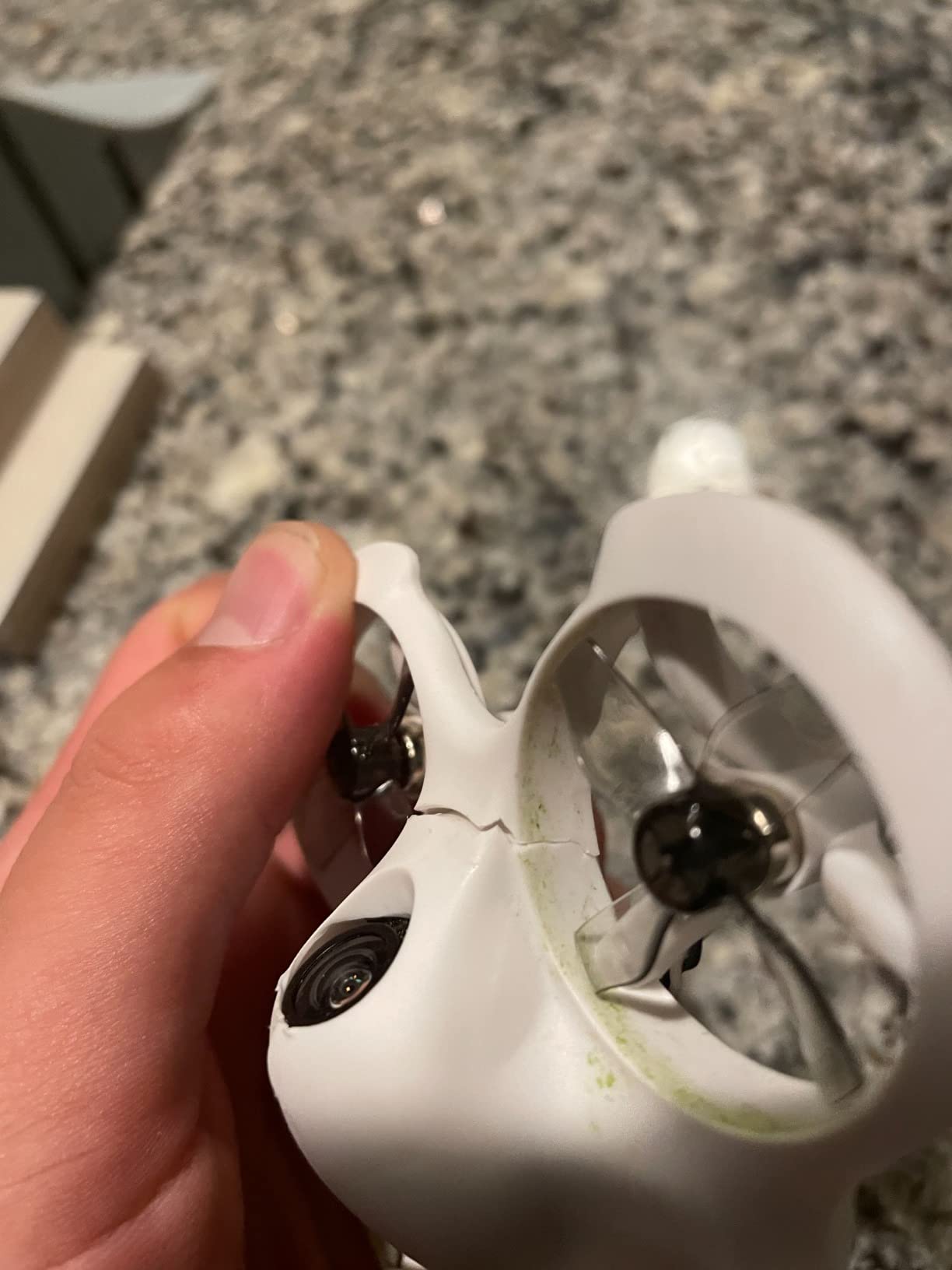
The PA12 nylon material used for the frame is impact-resistant and flexible enough to survive the crashes that come with learning. The 6-axis IMU provides altitude hold, which I consider the single most helpful feature for true beginners. When you let go of the throttle, the drone holds its height instead of dropping.
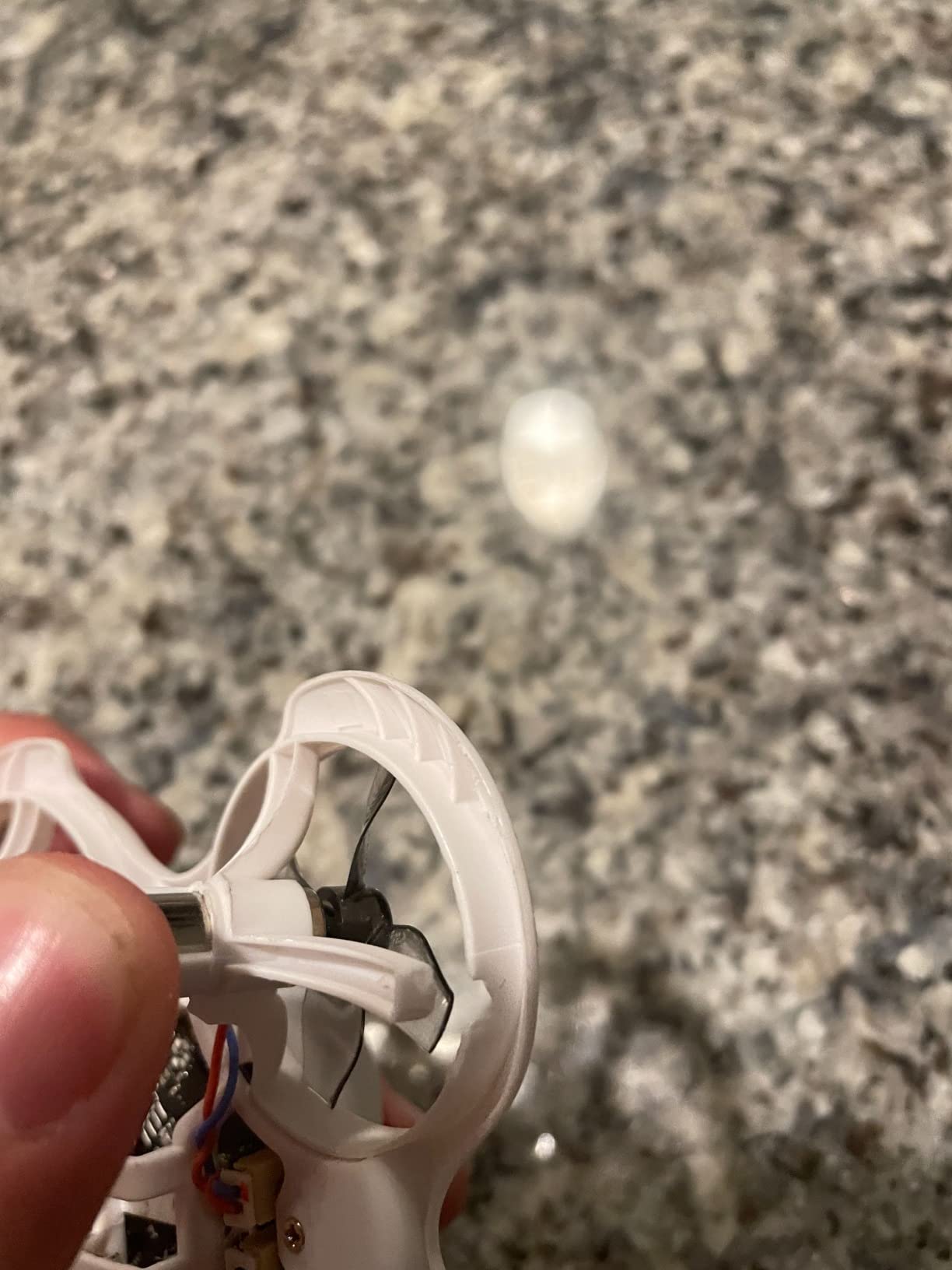
The auto-disarm safety feature cuts the motors automatically when the drone detects a collision or overturn. This prevents the shredded propellers and burned motors that are the most common beginner repair costs. Combined with the propeller guards, this makes the Cetus Lite one of the safest indoor practice drones available.
Altitude Hold and Safety Features
The altitude hold on the Cetus Lite uses a barometric sensor to maintain a consistent height. This removes one axis of control from the beginner’s plate, letting them focus on pitch, roll, and yaw. Once those are mastered, you can transition to a drone without altitude hold more confidently.
The auto-disarm feature is a genuine safety improvement over older designs. When the drone flips or hits an obstacle, the motors stop within milliseconds. This prevents the spinning propellers from causing injury or damage, which is especially important when flying indoors around people and pets.
LiteRadio 1 and Goggle Quality
The included LiteRadio 1 is a simplified version of the LiteRadio 2 SE found in the Cetus Pro kit. It still connects to FPV simulators via USB, so you can practice on your computer between flights. The VR02 goggles are the same across both Cetus kits, providing a consistent analog FPV experience.
The 720p video feed is adequate for navigating and practicing basic maneuvers. Some users reported binding difficulties during initial setup, where the radio and drone struggle to connect. This is usually resolved by following the binding procedure carefully or updating firmware.
Who Should Choose the Cetus Lite Over the Pro
If budget is your primary constraint, the Cetus Lite gives you a complete RTF kit for less than the Cetus Pro. You sacrifice the multiple flight modes and turtle mode, but you keep the altitude hold, safety features, and simulator compatibility. For indoor practice and learning basic orientation, the Lite is sufficient.
If you can stretch your budget, the Cetus Pro offers significantly more value through its three flight modes and turtle mode. The Pro will last you longer as you progress, while the Lite may feel limiting once you master the basics.
9. Tiny Hawk Nanoscout FPV BNF – Tiny ELRS Whoop for Pilots Who Already Have a Radio
Tiny Hawk Nanoscout FPV Drone BNF ELRS 1s 25mw-400mw 65mm Quadcopter With Runcam Nano 3
65mm wheelbase
Runcam Nano 3 camera
1080p video
ELRS 25-400mw
1S brushless motors
Bind and fly format
Pros
- High-quality Runcam Nano 3 camera
- 1080p video resolution
- ELRS protocol compatible
- Brushless motors for performance
Cons
- No transmitter included
- Very low review count at 10 reviews
The Tiny Hawk Nanoscout is a bind-and-fly (BNF) drone, which means it comes with the aircraft only. You need to supply your own radio controller and FPV goggles. This format makes sense if you already own compatible gear, perhaps from a simulator radio purchase, and just need a well-built micro drone to start flying.
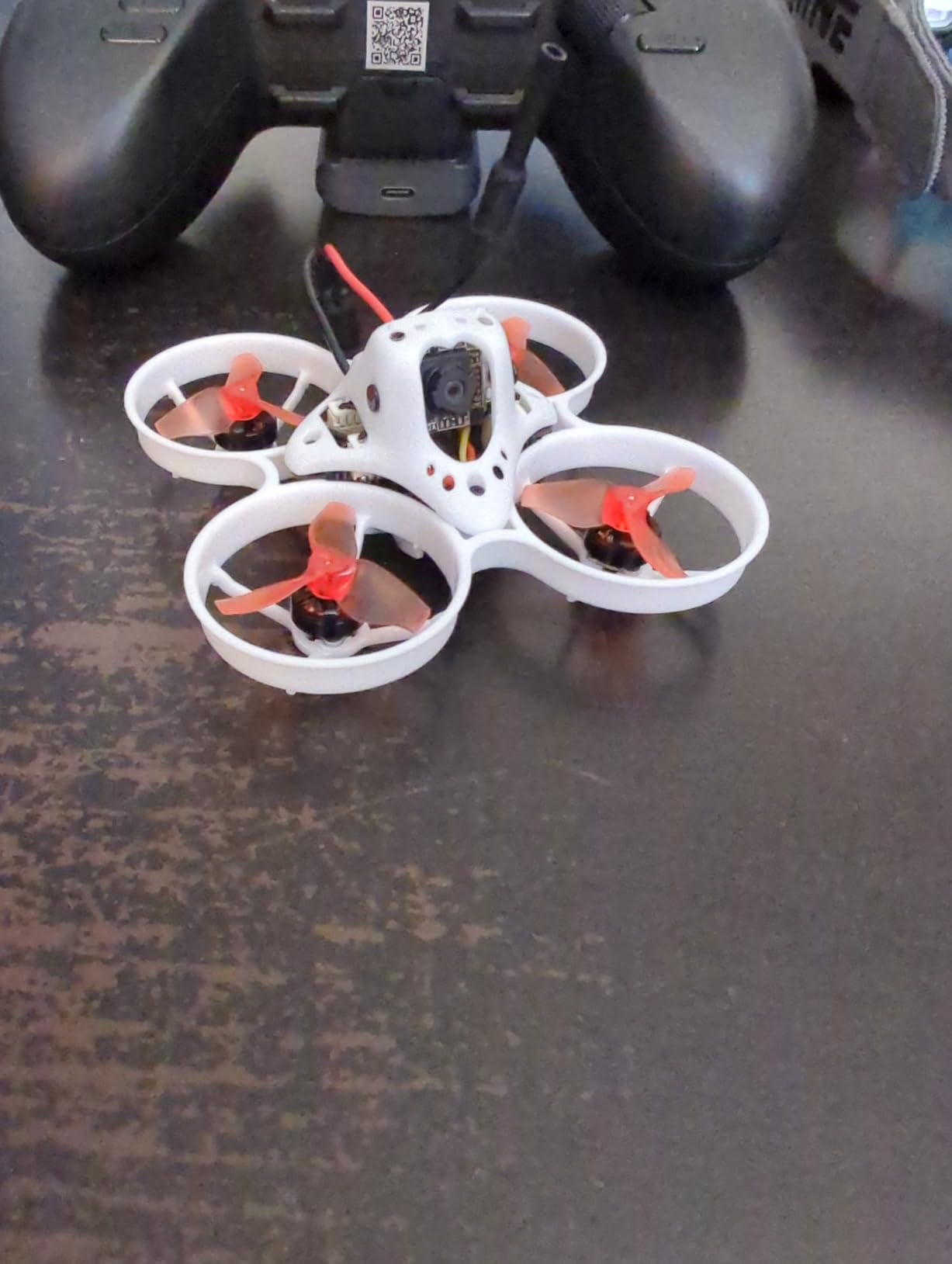
At 65mm wheelbase, this is a true micro whoop designed for indoor flying. The tiny size makes it safe to fly in any room of your house, and the brushless motors deliver more power and efficiency than the brushed motors found in cheaper toy drones. The Runcam Nano 3 camera is a respected name in the FPV community for good image quality.
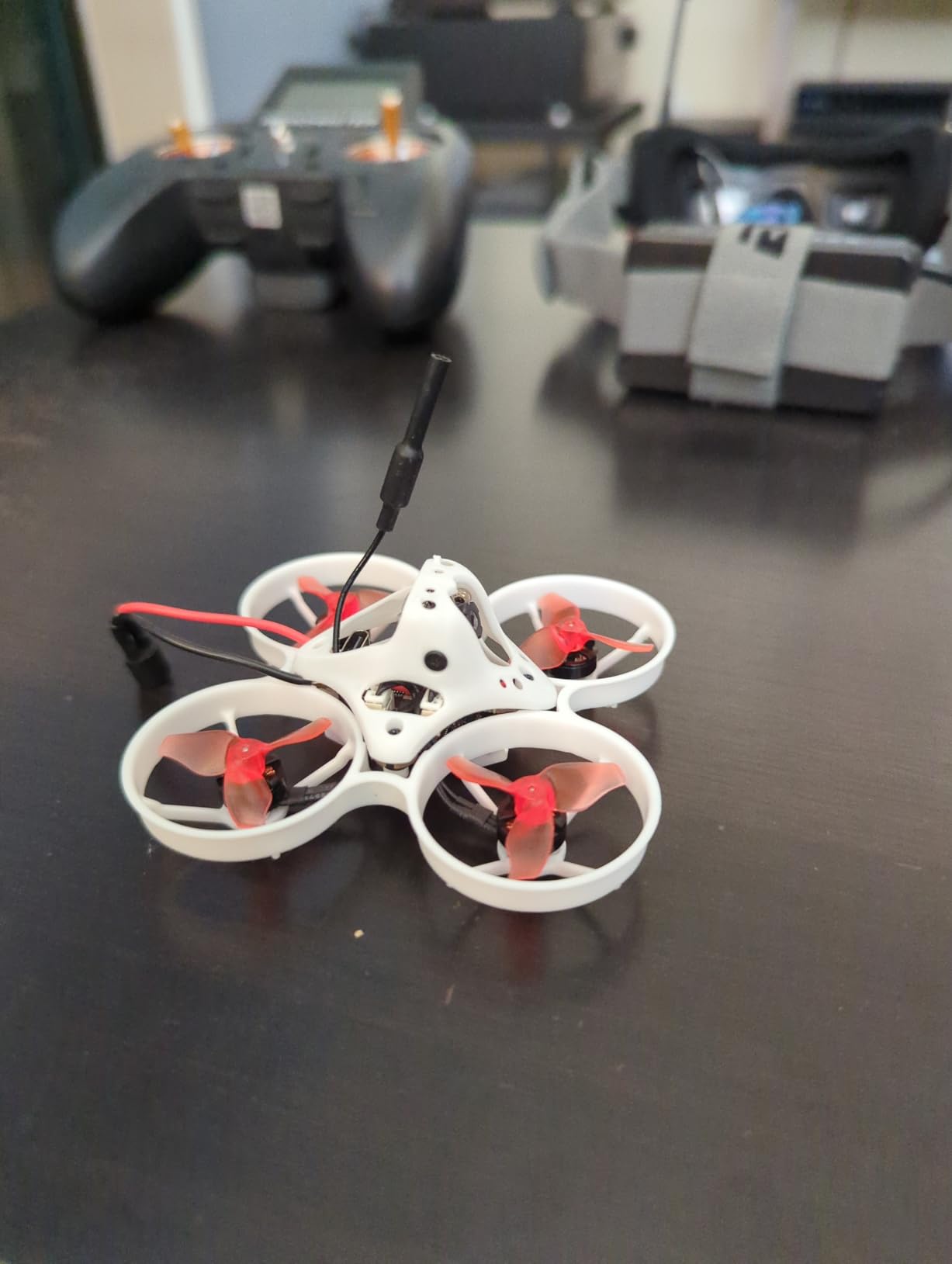
The ELRS compatibility means you can bind this drone to any ELRS radio controller, including the RadioMaster Pocket or Boxer that the r/fpv community consistently recommends. This gives you flexibility to choose a quality radio separately rather than being locked into whatever a kit includes.
Runcam Nano 3 Camera Quality
The Runcam Nano 3 is a step above the generic cameras found in most beginner kits. Runcam is a trusted brand in the FPV world, and the Nano 3 delivers clear 1080p video with good color reproduction. For a micro whoop at this price point, including a Runcam camera is a strong value proposition.
The 1080p resolution means you can actually capture usable footage from your flights, not just navigate through a grainy feed. This makes the Nanoscout suitable for recording indoor flight sessions and reviewing your piloting progress.
ELRS Protocol and Radio Compatibility
The ELRS protocol on the Nanoscout operates at 25 to 400 milliwatts of power, which is typical for indoor micro drones. ELRS is the community-preferred protocol in 2026 due to its reliability, range, and open-source nature. Any ELRS-compatible radio will bind to this drone.
Popular radio choices include the RadioMaster Pocket, RadioMaster Boxer, and the BETAFPV LiteRadio series. If you purchase one of these radios for simulator practice, the Nanoscout becomes a natural first drone to pair with it. This is actually a common and recommended path for new pilots.
Understanding BNF and What You Need
Bind-and-fly means this product includes only the drone. To fly it, you need a compatible ELRS radio controller and FPV goggles, both purchased separately. For beginners who do not already own these, the total cost will exceed a complete RTF kit like the Cetus Lite.
The advantage of going BNF is quality and flexibility. You choose your own radio and goggles based on your budget and preferences, and the drone itself benefits from better components like the Runcam camera. Just make sure you understand the additional purchases required before buying.
With only 10 reviews at analysis time, there is limited community feedback on long-term durability. The brand reputation of Tiny Hawk and the quality components suggest a solid product, but the small sample size is worth noting.
10. FAKJANK F417PRO FPV Drone – Budget Option With Built-In Screen Remote
F417PRO FPV Drone with 1080P Camera Screen Remote for Adults Beginners Kids
1080P camera
Brushless 8000RPM motors
1800mAh battery
20 min flight
Screen remote
RGB LED lights
Optical flow positioning
Pros
- Built-in LCD screen on remote eliminates goggles requirement
- 1080p camera
- 20 minute flight time per charge
- Brushless motors
- High 4.5 star rating
Cons
- Limited stock availability
- Wi-Fi latency on video feed
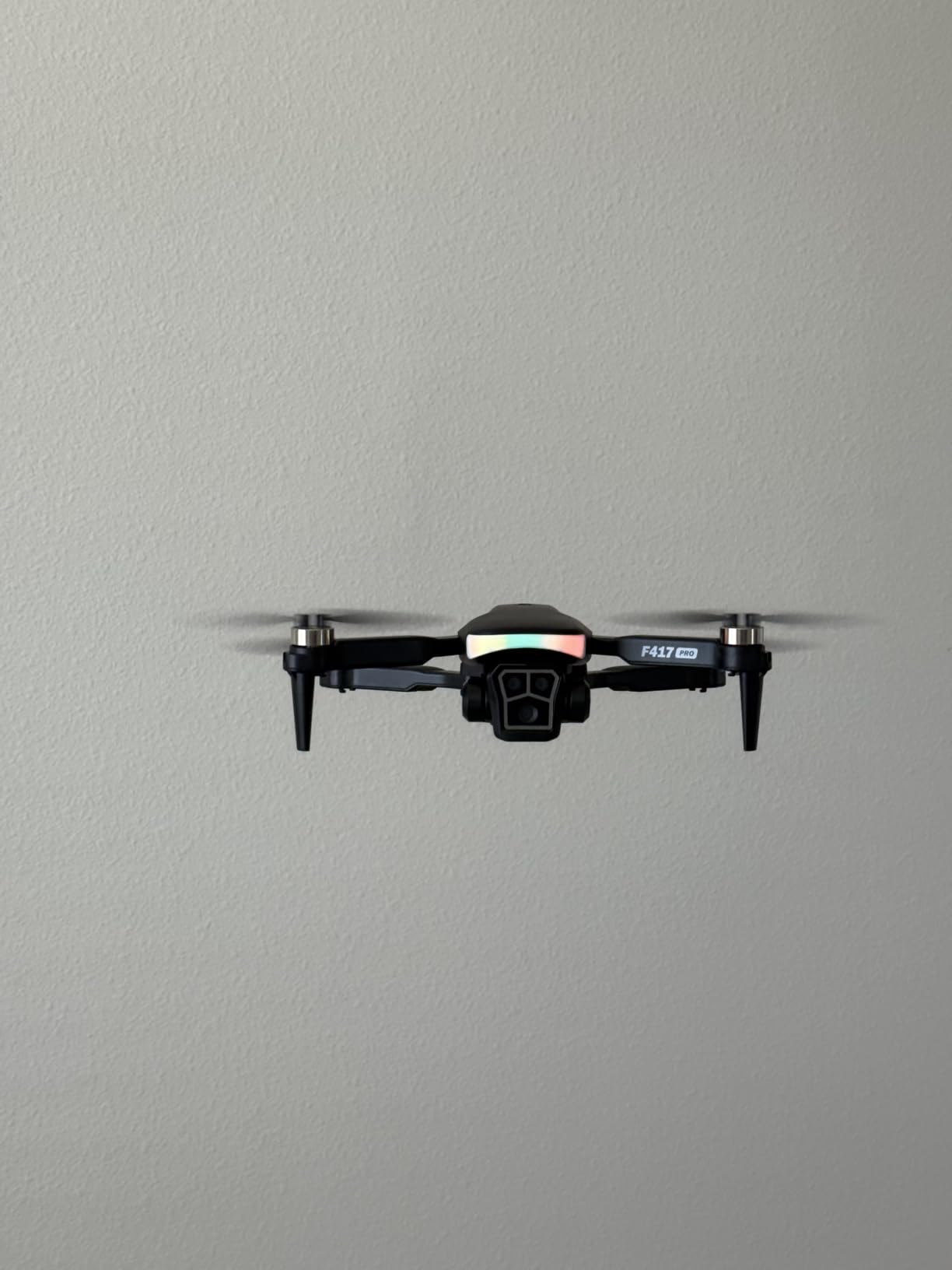
The FAKJANK F417PRO is the most affordable option in this roundup, and it takes a different approach to the FPV experience. Instead of requiring goggles, it includes a remote controller with a built-in LCD screen. You view the live camera feed directly on the controller, which is far less intimidating for someone who has never worn FPV goggles before.
For under $65, you get a drone with a 1080p camera, brushless motors rated at 8000 RPM, and a 1800mAh battery delivering up to 20 minutes of flight time per charge. Those are specifications that compete with drones costing two or three times as much. The 4.5-star rating from 195 reviewers suggests the product delivers on its promises.
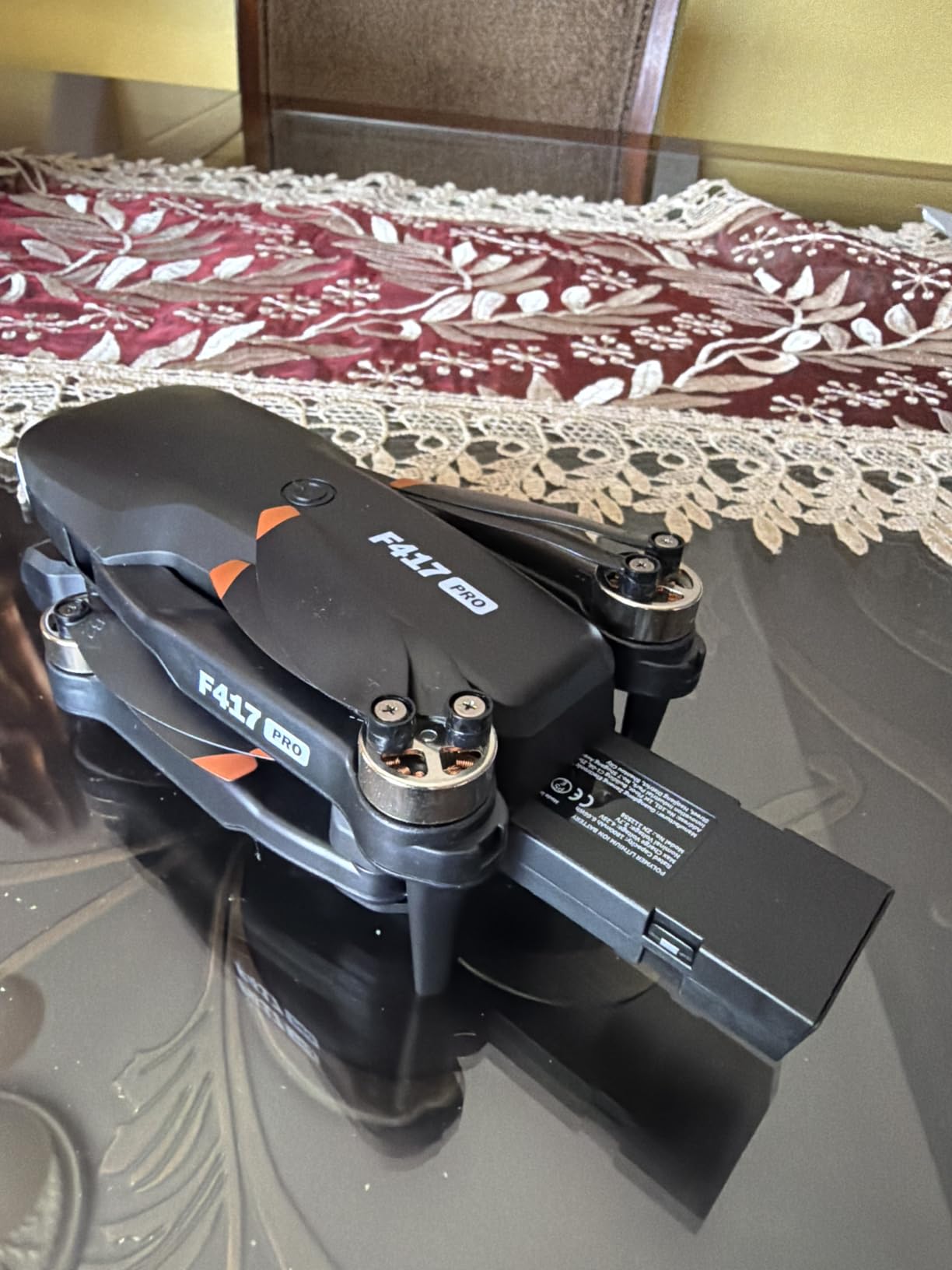
This is not a traditional FPV racing drone. It is more of a hybrid between a camera drone and an entry-level FPV experience. Features like headless mode, one-key takeoff and landing, and optical flow positioning make it extremely beginner-friendly. These are the training wheels of the drone world, and for a first-time flyer, they are genuinely helpful.
Screen Remote Versus Goggles
The built-in LCD screen on the remote is the defining feature here. For many beginners, putting on FPV goggles for the first time is disorienting and even nauseating. The screen remote lets you experience the first-person view without that barrier. You can see the live feed while still maintaining awareness of your surroundings.
This approach also means you do not need to purchase separate FPV goggles, keeping the total cost minimal. If you later decide to upgrade to a goggle-based system, this drone serves as a cheap practice platform in the meantime.
Flight Time and Battery Performance
The 1800mAh battery delivers approximately 20 minutes of flight time per charge, which is exceptional for a drone in this price range. Most micro FPV drones manage 5 to 8 minutes per battery. The larger battery capacity is possible because this drone is not optimized for racing speed but for stable, leisurely flying.
The brushless motors at 8000 RPM provide enough power for outdoor flight in light wind, though this is primarily an indoor and calm-conditions drone. Brushless motors are more durable and efficient than brushed motors, which is impressive at this price point.
Limitations and Expectations
The main trade-off is video latency. The Wi-Fi-based video feed to the screen remote has more delay than a dedicated 5.8GHz analog or digital FPV link. This means the F417PRO is not suitable for high-speed racing or precision freestyle flying. For casual flying, aerial photography practice, and getting comfortable with first-person control, it works well.
Limited stock availability is another concern. Check current availability before planning your purchase around this model. At this price point, the value is outstanding if you can get one.
How to Choose Your First Beginner FPV Drone
Choosing the right FPV drone as a beginner comes down to understanding what type of flying you want to do, how much you want to spend, and how much complexity you are willing to handle. The FPV hobby has a learning curve, but the right starter kit makes that curve manageable instead of frustrating.
Below are the key decisions you need to make, based on what our team learned from testing these 10 kits and from the collective wisdom of the r/fpv community.
RTF vs BNF vs DIY: Which Format Is Right for You
Ready-to-Fly (RTF) kits include the drone, radio controller, and goggles in one package. Everything is bound and configured at the factory, so you charge the batteries and fly. RTF kits like the BETAFPV Cetus Pro and EMAX Tiny Hawk are the easiest entry point and remove the guesswork from component compatibility. For absolute beginners, I strongly recommend starting here.
Bind-and-Fly (BNF) drones include only the aircraft. You supply your own radio and goggles. This format makes sense if you already own compatible gear or want to choose higher-quality components individually. The Tiny Hawk Nanoscout is a BNF option that lets you pair a quality ELRS radio of your choice. Going BNF gives you better gear flexibility but requires research to ensure compatibility.
DIY kits involve building the drone from a frame, flight controller, ESC, motors, and other components. This is the most rewarding path for people who want to understand every aspect of FPV, but it is not where most beginners should start. Build your first drone after you have flown RTF or BNF for a few months and understand what each component does.
Analog vs Digital Video Systems
Analog FPV is the traditional system used by most beginner kits in this roundup. A standard-definition camera transmits over 5.8GHz to analog goggles. The image quality is low (480p to 720p typically), but the latency is extremely low, which matters for racing and freestyle. Analog gear is also much cheaper and more interchangeable between brands.
Digital FPV systems from DJI, HDZero, and Walksnail deliver high-definition video through compatible goggles. The DJI Avata 2 uses DJI’s digital system, delivering 4K recording and a crisp live feed. Digital systems cost significantly more and lock you into a proprietary ecosystem, but the video quality is dramatically better. For beginners focused on cinematic footage, digital is the way to go.
For beginners focused on learning to fly, analog is the better starting point. It is cheaper, more durable, and the community knowledge around analog systems is deeper. You can always upgrade to digital later.
Indoor vs Outdoor: Match Your Drone to Your Flying Space
Indoor flying requires a micro whoop with propeller guards. Drones like the BETAFPV Cetus Pro, Cetus Lite, and Tiny Hawk Nanoscout are designed for this environment. They are light enough that crashes cause minimal damage, and the enclosed props protect walls, furniture, and people. Indoor flying lets you practice year-round regardless of weather.
Outdoor flying requires more power and range. The Tinyhawk 3 Freestyle PLUS+ and APEX VR70-2.0 offer the range and wind resistance needed for backyard and park flying. Larger propeller sizes handle wind better and carry more momentum. Always start outdoor flying in calm conditions and open spaces away from people and property.
Safety Features That Actually Matter for Beginners
Altitude hold is the single most helpful feature for new pilots. It automatically maintains the drone’s height when you release the throttle, letting you focus on steering. Every beginner drone in this lineup that includes altitude hold (Cetus Pro, Cetus Lite, APEX, HISINGY Firefly) earns a recommendation boost for that reason.
Propeller guards protect both the drone and everything around it. They are non-negotiable for indoor flying and strongly recommended for outdoor beginner sessions. The DJI Avata 2, BETAFPV Cetus series, and EMAX EZ Pilot Pro all include guards.
Self-protection and auto-disarm features cut the motors when a crash is detected. This prevents burned-out motors, which are the most common and expensive beginner repair. The BETAFPV Cetus kits excel in this area.
Budget Tiers: What to Expect at Each Price Point
Under $150: Expect a basic but functional starter experience. The FAKJANK F417PRO and BETAFPV Cetus Lite fall here. You get altitude hold, propeller guards, and enough capability to learn basic flying. Components are budget-grade, and range is limited.
$150 to $300: This is the sweet spot for beginner FPV. The BETAFPV Cetus Pro, EMAX Tiny Hawk, and APEX VR70-2.0 live in this range. You get complete RTF kits with quality components, multiple flight modes, and simulator compatibility. This is where I recommend most beginners start.
$300 to $500: Stepping up to carbon fiber frames, ELRS protocols, and better cameras. The Tinyhawk 3 Freestyle PLUS+ and EMAX EZ Pilot Pro occupy this tier. These kits last longer and support more advanced flying as your skills grow.
Above $500: Premium digital systems like the DJI Avata 2. You pay for camera quality, build refinement, and the proprietary ecosystem. Ideal for content creators and pilots who want the best experience without the hobbyist tinkering.
The Simulator Question: Do You Really Need One
The r/fpv community is nearly unanimous on this: spend 20 to 50 hours in an FPV simulator before flying real hardware. Simulators like Liftoff, Velocidrone, and the Furious FPV simulator teach muscle memory that transfers directly to real flying. Every crash in the simulator is free, while every crash in real life costs money.
Radios like the BETAFPV LiteRadio series and RadioMaster controllers connect to your computer via USB for simulator use. If your beginner kit includes a radio with simulator support, take advantage of it before your first outdoor flight. You will crash less, learn faster, and save money on repairs.
Beginner FPV Drone Frequently Asked Questions
What is the best FPV drone to start with?
The BETAFPV Cetus Pro FPV Kit is the best FPV drone to start with for most beginners. It includes three progressive flight modes (Normal, Sport, Manual), altitude hold, turtle mode for crash recovery, and a complete RTF package with radio controller and goggles. The included LiteRadio 2 SE also works with FPV simulators for practice between flights.
Is a FPV drone good for beginners?
Yes, an FPV drone can be excellent for beginners when you choose the right one. Micro whoop drones with propeller guards, altitude hold, and self-protection features are specifically designed to forgive the crashes that come with learning. Kits like the BETAFPV Cetus series and EMAX Tiny Hawk let beginners develop real piloting skills safely indoors before progressing to outdoor freestyle.
Is flying FPV alone illegal?
Flying an FPV drone alone is not illegal in the United States, but you must follow FAA regulations. Drones weighing over 250 grams require registration, and all recreational flyers must pass the TRUST test. You must maintain visual line of sight unless you have a visual observer, and you cannot fly in restricted airspace without authorization. Always check local laws before flying.
What should be my first FPV drone?
Your first FPV drone should be a ready-to-fly (RTF) micro whoop kit with propeller guards and altitude hold. The BETAFPV Cetus Pro, BETAFPV Cetus Lite, and EMAX Tiny Hawk are the top community-recommended options. These kits include everything you need to start flying and are small enough to practice indoors safely, which dramatically reduces repair costs during the learning phase.
Do I need a simulator before flying an FPV drone?
While not strictly required, spending 20 to 50 hours in an FPV simulator before flying real hardware is strongly recommended by the FPV community. Simulators like Liftoff and Velocidrone teach the muscle memory needed for acro mode flying, and every simulated crash is free. If your radio controller supports simulator connectivity via USB, take full advantage of it.
Final Verdict: The Best Beginner FPV Drone for You
The best FPV drone for beginners depends on what kind of pilot you want to become. If you prioritize cinematic footage and an intuitive flying experience from day one, the DJI Avata 2 Fly Smart Combo delivers unmatched quality with its 4K camera and motion controller. If you want to learn real FPV skills that transfer to racing and freestyle, the BETAFPV Cetus Pro Kit is the community-proven choice with its three flight modes and simulator support.
For budget-conscious beginners, the FAKJANK F417PRO offers surprising capability under $65 with its screen remote and 20-minute flight time. And for pilots who already own a radio, the Tiny Hawk Nanoscout BNF pairs quality components like the Runcam Nano 3 with the flexibility of ELRS protocol.
Whatever you choose, start with simulator practice, fly in a safe open space, and expect to crash. Every pilot does. The difference between a frustrating experience and a rewarding one is having the right gear to survive the learning curve. Here is to your first flight in 2026.