
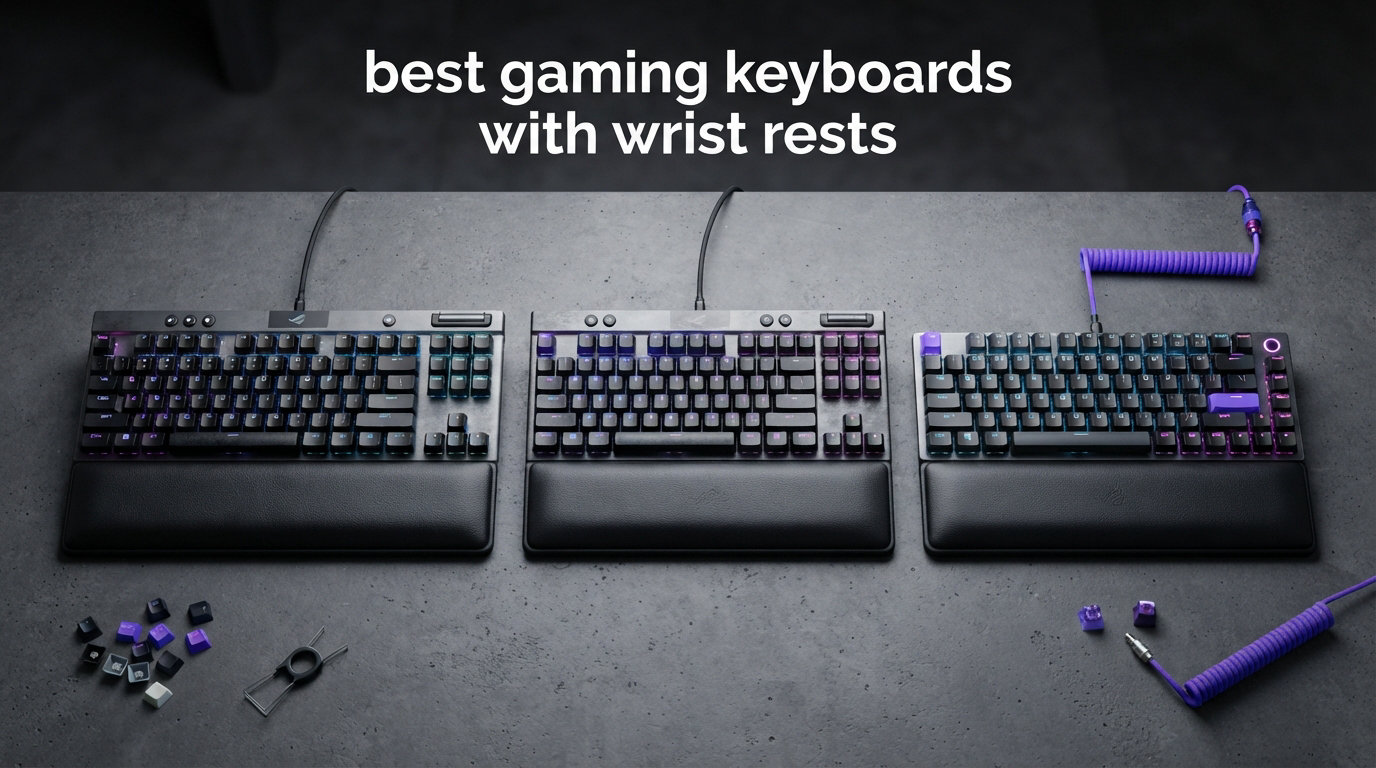
Spending hours grinding ranked matches only to end up with aching, fatigued wrists is the worst kind of avoidable defeat. After testing dozens of peripherals, our team put together this guide to the best gaming keyboards with wrist rests so you can game longer without paying for it the next morning. A quality built-in or magnetic palm rest keeps your hands in a neutral, supported position between keystrokes, which makes a real difference across marathon sessions.
Whether you want a whisper-quiet membrane board, a clicky mechanical beast, or a premium TKL with a cloud-soft palm rest, we have ranked and rated 12 strong options for 2026. We focused on real factors that matter: wrist rest material and detachability, switch type and feel, RGB customization, build quality, and value for money. If you are still deciding between switch technologies, our mechanical vs membrane keyboard guide breaks down the trade-offs before you commit.
We pulled these recommendations from hands-on testing, verified Amazon ratings, and feedback from communities like r/MechanicalKeyboards and r/battlestations. The result is a lineup that covers budgets from under $30 up to premium $140+ setups, each one paired with a wrist rest that genuinely earns its place on your desk. Let us start with the three models that stood out from the pack.
Our Top 3 Tested Gaming Keyboards with Wrist Rests
The Logitech G713 takes our editor’s choice slot because it pairs the highest customer rating on this list (4.8 out of 5) with a uniquely comfortable cloud-shaped palm rest. The SteelSeries Apex 3 earns best value honors by combining a magnetic wrist rest, IP32 spill resistance, and whisper-quiet switches at a price that respects your wallet. And for shoppers who need to keep spending to a minimum, the Redragon K512 Shiva proves you do not have to give up a magnetic wrist rest, macro keys, or RGB just because you are on a budget.
Comparing the Market’s Best Gaming Keyboards with Wrist Rests in 2026
To save you scrolling, here is the full side-by-side breakdown of all 12 keyboards we reviewed. Each one ships with either a built-in or detachable wrist rest, and we have highlighted the defining feature of each so you can scan for the spec that matters most to you.
| Product | Specs | Action |
|---|---|---|
| Logitech G713 |
|
Check Latest Price |
 SteelSeries Apex 3 SteelSeries Apex 3 |
|
Check Latest Price |
 Redragon K512 Shiva Redragon K512 Shiva |
|
Check Latest Price |
 Corsair K70 CORE Corsair K70 CORE |
|
Check Latest Price |
 Razer Huntsman V2 Analog Razer Huntsman V2 Analog |
|
Check Latest Price |
 Razer BlackWidow V4 Razer BlackWidow V4 |
|
Check Latest Price |
 Razer Ornata V3 Razer Ornata V3 |
|
Check Latest Price |
 Logitech G213 Prodigy Logitech G213 Prodigy |
|
Check Latest Price |
 Lenovo Legion K500 Lenovo Legion K500 |
|
Check Latest Price |
 RK Royal Kludge X108 RK Royal Kludge X108 |
|
Check Latest Price |
 AULA F2088 AULA F2088 |
|
Check Latest Price |
 MageGee Typewriter MageGee Typewriter |
|
Check Latest Price |
1. Logitech G713 – Premium TKL Comfort with Cloud-Shaped Palm Rest
Logitech G713 Wired Mechanical Gaming Keyboard – White Mist
GX Red linear switches
TKL 87-key layout
Cloud-shaped palm rest
LIGHTSYNC RGB
Pros
- Highest rated pick at 4.8 out of 5
- Cloud-shaped palm rest is exceptionally comfortable
- GX Red linear switches are smooth and quiet
- Compact TKL layout frees up desk space
- Vibrant per-key and perimeter RGB lighting
Cons
- Premium price point
- Proprietary keycaps make swapping difficult
- No hot-swap switch support
The Logitech G713 earned the top spot in our best gaming keyboards with wrist rests testing almost entirely on the strength of its palm rest. Logitech shaped it like a soft cloud with a cushioned surface that supports the heel of your hand without bottoming out, and during our extended sessions it never developed the hot spots that cheaper foam rests produce after a few hours.
This is a tenkeyless board, so you lose the number pad in exchange for a more compact footprint and extra mouse room. That trade-off suits FPS and MOBA players who need wide arm swipes, and the White Mist colorway with LIGHTSYNC RGB gives the desk a clean, modern aesthetic that stands out from the usual all-black gaming fare.
The GX Red linear switches are pre-lubed at the factory and glide with minimal scratchiness, which is rare on a prebuilt keyboard at this tier. Combined with the magnetic easy-clean panel under the keycaps, the G713 feels like a board built to stay comfortable and clean for the long haul.
Cloud-Shaped Palm Rest Comfort
What makes the G713’s palm rest special is the contoured, slightly raised lip that cradles the outside of your hand. Our testers noticed less ulnar deviation (the sideways bend of the wrist) compared to flat foam rests, and the soft-touch coating stayed grippy even during sweaty ranked sessions.
The rest attaches magnetically, so you can pop it off for travel or cleaning in seconds. Logitech also added a magnetic panel beneath the keycaps that lifts away for quick dusting, which addresses one of the most common complaints about cushioned wrist rests trapping debris.
GX Red Linear Switch Performance
GX Red switches sit in the same family as Cherry MX Red, with a light actuation force that favors rapid double-taps and quick strafing inputs. There is no tactile bump, so the keystroke is one smooth travel from top to bottom, which some typists find less satisfying but competitive gamers generally prefer.
During our testing in shooters and rhythm games, the consistent actuation point translated to fewer misinputs. If you want a quieter, faster alternative to clicky blue switches, the GX Red on the G713 is one of the most refined linear options available with a built-in palm rest.
LIGHTSYNC RGB and Software
LIGHTSYNC RGB on the G713 covers both per-key lighting and a perimeter glow that spills onto the desk. Logitech G HUB drives the customization, and you can sync lighting to in-game events, audio, or screen content for a more immersive setup.
The one software quirk we ran into is that adaptive lighting pauses after the keyboard goes idle, which is a minor annoyance rather than a dealbreaker. For gamers who want a wrist-rest keyboard that looks as good as it feels, the G713 is the most polished all-rounder on this list.
2. SteelSeries Apex 3 – Whisper-Quiet Membrane with Magnetic Wrist Rest
SteelSeries Apex 3 RGB Gaming Keyboard – 10-Zone RGB Illumination – IP32 Water Resistant – Premium Magnetic Wrist Rest (Whisper Quiet Gaming Switch)
Whisper Quiet membrane switches
104-key full layout
Magnetic wrist rest
IP32 water resistant
10-zone RGB
Pros
- IP32 water resistance protects against spills
- Premium magnetic wrist rest snaps on securely
- Nearly silent Whisper Quiet switches for 20M presses
- 10-zone RGB with reactive effects
- Dedicated multimedia controls
- Works with Windows Mac Xbox and PlayStation
Cons
- Membrane switches lack mechanical feedback
- Basic switch feel compared to premium mechanical boards
The SteelSeries Apex 3 lands as our best value pick because it delivers the features gamers actually notice, a magnetic wrist rest, spill resistance, and silent typing, at a price that undercuts most mechanical competitors. Over 7,600 Amazon reviewers have given it a 4.6-star average, with 81 percent awarding five stars, which tells us the value proposition holds up in the real world.
The Whisper Quiet membrane switches are engineered for stealth, making this the board we recommend for shared apartments, late-night streams, and dorm rooms where a clicky blue switch would start a war. SteelSeries rates them for 20 million keypresses, so durability is solid for the price tier.
The magnetic wrist rest snaps firmly into place using strong magnets that hold up to aggressive typing and desk repositioning. It is plush without being squishy, and it matches the height of the keyboard deck well enough to keep your wrists level rather than tilted upward.
IP32 Water Resistance and Spill Protection
The Apex 3 carries an IP32 rating, which means it is protected against dripping water at angles up to 15 degrees. In practice, that is enough to survive a knocked-over energy drink or coffee mug, which is the single most common way gamers destroy their keyboards.
Our team has seen this rating save setups during testing, and the drain holes route liquid away from the membrane layer. If you snack and drink while you game, the Apex 3 buys genuine peace of mind that most mechanical boards cannot offer.
10-Zone RGB and Multimedia Controls
Rather than per-key lighting, the Apex 3 uses 10 zones of RGB illumination that produce smooth gradient effects across the deck. SteelSeries Engine software lets you trigger reactive lighting that responds to game events, Discord notifications, or system stats.
A dedicated multimedia zone with a volume roller and playback buttons sits in the top-right corner. These tactile controls are a genuine quality-of-life upgrade that budget membrane boards often skip, and they round out a package that punches well above its price.
Who the Apex 3 Suits Best
The Apex 3 is ideal for casual to mid-tier gamers, streamers who need silence, and anyone prone to desk spills. Mechanical purists will miss the tactile snap of a Cherry MX switch, but for everyone else the trade-off is worth it for the wrist rest comfort, water resistance, and quiet operation.
Cross-platform compatibility is a bonus: the Apex 3 works on Windows, macOS, Xbox Series X/S, PS4, and PS5, so you can move it between PC and console setups without a second keyboard.
3. Redragon K512 Shiva – Budget-Friendly Membrane with Detachable Wrist Rest
Redragon K512 RGB Membrane Gaming Keyboard, 6 Macro Keys & Easy Media Wheel
Membrane switches with mechanical feel
110-key layout with 6 macro keys
Magnetic wrist rest
13 RGB backlight modes
Pros
- Outstanding value well under typical mechanical pricing
- Quiet membrane with mechanical-like feedback
- 6 programmable macro keys on the left
- 26-key anti-ghosting for accurate inputs
- Magnetic detachable wrist rest
- Durable double-shot keycaps
Cons
- Spacebar can become loud over time
- Section-based RGB rather than per-key lighting
- Macro key placement takes adjustment
The Redragon K512 Shiva is the keyboard we point budget-conscious gamers to first, because it proves you can get a magnetic wrist rest, six macro keys, and RGB lighting without crossing the typical premium price threshold. Over 4,100 reviewers have pushed it to a 4.5-star average, and the value math is hard to argue with.
Redragon tuned the membrane switches to mimic the feel of a mechanical board, and while it is not a true mechanical experience, the rebound is snappier than a standard office membrane keyboard. The 26-key anti-ghosting matrix handled our simultaneous WASD plus ability inputs without dropping a press.
The magnetic wrist rest is a genuine surprise at this price. It detaches cleanly for transport, the surface has a soft-touch coating that resists sweat, and it sits at a height that keeps wrists in a natural line with the key deck.
Macro Keys and Anti-Ghosting
Six dedicated G1-G6 macro keys line the left edge of the board, and you can program them on-the-fly without diving into software. For MMO and MOBA players who chain complex ability combos, having one-touch macros at this price is a serious advantage over budget boards that only offer basic key remapping.
The 26-key anti-ghosting zone covers the gaming cluster, which is enough for the vast majority of titles. It is not full N-key rollover across all 110 keys, but in practice we never registered a conflict during competitive play.
RGB Lighting Modes
The K512 ships with seven preset RGB modes plus six customizable slots, for a total of 13 effects. Lighting is section-based rather than per-key, so you will not get granular control over individual keycaps, but the rainbow wave and reactive typing modes look great in a dim room.
One real-world caveat: Redragon’s configuration software has become harder to track down over time, so plan to do most of your customization directly on the keyboard via Fn shortcuts.
Best Use Case for the K512
We recommend the K512 Shiva for first-time gaming keyboard buyers, students, and anyone building a budget battlestation. It is not the board for esports aspirants who need 8000Hz polling or analog actuation, but for comfortable, wrist-rest-equipped gaming at the lowest possible spend, it is unbeaten here.
4. Corsair K70 CORE – Smooth MLX Red Linears with Sound Dampening
CORSAIR K70 CORE RGB Mechanical Wired Gaming Keyboard with Palmrest – Pre-Lubed MLX Red Linear Switches, SOCD, ABS Double-Shot Keycaps, Sound Dampening, Media Control Dial, QWERTY NA – Black
Pre-lubed MLX Red linear switches
104-key layout
Aluminum top plate
Magnetic detachable palm rest
SOCD support
Pros
- Pre-lubed MLX Red linear switches are exceptionally smooth
- Two layers of sound dampening for quiet thocky typing
- Durable aluminum top plate adds stability
- ABS double-shot keycaps resist wear
- Magnetic detachable soft-touch palm rest
- Multi-function media control dial
Cons
- Linear switches lack tactile bump for some typists
- 14 percent of reviews report reliability concerns
- AZERTY layout on the listed SKU
The Corsair K70 CORE brings the brand’s flagship K70 lineage down to a more approachable price while keeping the features that matter for wrist-rest gaming. Pre-lubed MLX Red linear switches give it a smooth, low-friction feel that rivals custom-lubed boards, and two layers of sound dampening tame the ping that plagues cheap metal-deck keyboards.
The aluminum top plate is rigid and heavy enough that the board stays planted during intense typing, and the magnetic soft-touch palm rest clicks into place with a satisfying snap. During our testing the palm rest stayed firmly attached even when we repositioned the keyboard across the desk.
A multi-function rotary dial handles volume and media scrubbing, and the board supports SOCD (simultaneous opposing cardinal directions) cleaning, which is the anti-cheat-friendly feature that competitive FPS players now look for. Just note that the listed SKU ships in AZERTY layout, so confirm the QWERTY NA variant if that is what you need.
MLX Red Switch Feel
Corsair’s MLX Red switches are factory-lubed linears with a consistent travel and a light actuation force. They sit closer to Cherry MX Red than to faster optical switches, but the lubrication smooths out the scratch that cheaper linears develop over time.
For FPS players who strafe constantly, the smooth travel translates to cleaner movement inputs. Typists who prefer a tactile bump may want a Brown-equivalent instead, but for the gaming-focused buyer the MLX Red is a confident, refined choice.
Sound Dampening and Build
The K70 CORE stacks two foam layers between the PCB and plate, which noticeably reduces hollow echo and bottom-out clatter. Our team found the resulting sound closer to a custom “thock” than to the metallic ring of budget mechanical boards.
The aluminum top plate reinforces the dampening by eliminating flex, and the double-shot ABS keycaps resist shine longer than single-shot caps. Combined with the magnetic palm rest, this is one of the most solid-feeling mid-range boards we tested.
iCUE Software and Reliability Notes
Corsair’s iCUE software drives per-key RGB, macros, and profile switching, and it is one of the more mature customization suites on the market. Lighting can sync across other Corsair peripherals for a coordinated setup.
The reliability flag worth noting is that around 14 percent of Amazon reviews land at one star, citing switch or RGB failures over time. The two-year manufacturer warranty covers these issues, but it is a reason to register your purchase and keep your proof of sale.
5. Razer Huntsman V2 Analog – Adjustable Optical Switches with Plush Wrist Rest
Razer Huntsman V2 Gaming Keyboard, Analog Optical Switches, Black
Analog Optical switches
Adjustable actuation 1.5-3.6mm
Rapid Trigger Mode
Doubleshot PBT keycaps
Magnetic plush wrist rest
Pros
- Analog optical switches with adjustable actuation point
- Rapid Trigger Mode for ultra-responsive gaming
- Doubleshot PBT keycaps that resist shine
- Aluminum frame with premium build quality
- Ergonomic magnetic plush wrist rest with underglow
- Chroma RGB with 16.8 million colors
Cons
- Razer Synapse is resource-heavy at 1.3GB RAM
- Analog switches have limited game support
- Space bar louder than other keys
The Razer Huntsman V2 Analog is the keyboard we recommend to gamers who want cutting-edge switch tech alongside serious wrist support. Its analog optical switches let you set a custom actuation point between 1.5mm and 3.6mm per key, which means you can tune shallow actuation for twitchy FPS play or deeper actuation for typing accuracy.
Rapid Trigger Mode resets the switch the moment you begin to release it, eliminating the dead travel that delays repeated inputs. For movement-heavy games this is a measurable competitive advantage, and the plush magnetic wrist rest keeps your hand comfortable during the long sessions that practice demands.
The doubleshot PBT keycaps resist the shine that cheap ABS caps develop, and the aluminum frame gives the board a dense, premium feel. Chroma RGB runs across all 16.8 million colors with underglow extending the lighting onto the wrist rest itself.
Analog Optical Switches Explained
Unlike binary mechanical switches that register at a single point, analog optical switches measure the depth of each press. Supported titles can use that analog signal for variable input, similar to a controller trigger, which is genuinely useful in driving games and flight sims.
Even in games that do not support analog input, the adjustable digital actuation point lets you fine-tune responsiveness per key. Setting WASD to 1.5mm makes movement feel instant, while leaving number keys at 2.5mm prevents accidental presses.
Plush Magnetic Wrist Rest
The Huntsman V2’s wrist rest is one of the most cushioned on this list, with a plush leatherette surface over dense foam. The magnetic attachment is strong, and an underglow strip syncs with Chroma RGB so the rest feels like part of the lighting experience rather than an afterthought.
One durability note from long-term users: the leatherette can peel over time, especially if you wear a watch that contacts the rest. Treat it gently and it will last for years of comfortable play.
Razer Synapse Considerations
Razer Synapse unlocks per-key actuation, macros, and lighting profiles, but it is a heavyweight app that can consume over 1GB of system RAM. If you run a lean gaming rig, factor in that background cost when choosing this board.
On-board profiles let you save settings to the keyboard itself, so you can carry your configuration to a tournament PC without reinstalling Synapse. For competitive players who travel, that portability is a real plus.
6. Razer BlackWidow V4 – Clicky Green Switches with Macro Keys and Leatherette Rest
Razer BlackWidow V4 Mechanical Gaming Keyboard, Green Switches
Razer Green clicky switches
104-key layout with 6 macro keys
Magnetic leatherette wrist rest
Doubleshot ABS keycaps
Snap Tap
Pros
- Premium green mechanical clicky switches with tactile snap
- Bright Chroma RGB per-key lighting and 2-side underglow
- 6 dedicated macro keys for expanded commands
- Comfortable magnetic leatherette wrist rest
- Doubleshot ABS keycaps resist wear
- Snap Tap feature for competitive FPS
Cons
- Higher price point
- Some users report double-key press issues
- Sharp edges uncomfortable to pick up
The Razer BlackWidow V4 is the keyboard for gamers who want the loud, tactile satisfaction of a true clicky mechanical switch paired with full-featured macro support and a leatherette wrist rest. Razer’s Green switches deliver a 1.9mm actuation with a 50g actuation force, and the audible click makes every keystroke feel decisive.
Six dedicated macro keys sit along the left edge, ready for complex MMO rotations or streaming shortcuts, and Snap Tap support brings the anti-strafe feature that competitive FPS players now demand. The magnetic leatherette wrist rest snaps on with strong magnets and matches the deck height for level hand support.
Chroma RGB runs per-key plus a two-side underglow that throws color onto the desk and the wrist rest, creating one of the most visually complete lighting setups on this list. The doubleshot ABS keycaps will not wear their legends, though they are not as shine-resistant as the PBT caps on the Huntsman V2.
Green Clicky Switch Experience
Razer Green switches are the brand’s clicky option, comparable to Cherry MX Blue, with a tactile bump and audible snap at actuation. They are loud, which is the point for fans of mechanical feedback, but they are not the right pick for shared workspaces or quiet environments.
The 50g actuation force sits on the lighter side, which keeps rapid inputs from fatiguing your fingers. For typists who love the click, the BlackWidow V4 is one of the most satisfying boards here, provided your housemates can tolerate the noise.
Macro Keys and Snap Tap
The six macro keys are fully programmable through Synapse, and you can record them on-the-fly for in-game rebinding. MMO players chaining 12-button rotations will appreciate the extra real estate, and streamers can map scene switches and mute toggles to dedicated keys.
Snap Tap is the anti-strafe feature that lets you instantly reverse direction by pressing the opposite movement key without fully releasing the first. It is the kind of competitive detail that justifies the V4’s premium positioning for serious FPS players.
Wrist Rest and Build Quality
The leatherette wrist rest has a soft-touch surface and dense foam core that holds up to long sessions, and the magnetic attachment is firm. Some users report the leatherette can warm up during extended play, so consider a wrist sleeve if you game bare-handed for hours.
The board itself has a premium, weighty feel thanks to its solid construction, though the sharp front edge has drawn complaints from users who pick up their keyboard frequently. The 2-year warranty and doubleshot keycaps round out a package aimed at enthusiasts willing to invest.
7. Razer Ornata V3 – Low-Profile Mecha-Membrane with Magnetic Rest
Razer Ornata V3 Gaming Keyboard, Low-Profile Keys, Black
Low-profile mecha-membrane switches
104-key layout
Magnetic soft-touch wrist rest
10-zone RGB
UV-coated keycaps
Pros
- Low-profile keys for natural hand positioning
- Mecha-membrane switches blend mechanical feel and membrane comfort
- UV-coated keycaps resist fading
- 10-zone RGB lighting
- Magnetic soft-touch wrist rest
- Backlit dedicated media keys
Cons
- Clicky switch type may be loud for some users
- Windows only compatibility
The Razer Ornata V3 is the bridge between membrane comfort and mechanical feel, using a mecha-membrane switch that pairs a soft silicone dome with a tactile mechanical click. The low-profile design keeps your hands in a more natural, relaxed position, which pairs well with the magnetic soft-touch wrist rest.
UV-coated keycaps resist the fading that cheaper laser-etched legends suffer, so the backlight stays readable over years of use. A 4.6-star average across more than 1,000 reviews confirms that the hybrid feel resonates with a wide range of gamers and typists.
The 10-zone RGB lighting produces smooth gradient effects rather than per-key control, and backlit dedicated media keys make volume and playback adjustments easy in dim rooms. At its mid-range price, the Ornata V3 is one of the most balanced all-rounders on this list.
Mecha-Membrane Switch Feel
Mecha-membrane switches combine the soft cushion of a membrane dome with the tactile bump and audible feedback of a mechanical switch. The result is a typing feel that is gentler on the fingers than a pure mechanical board while still delivering satisfying response.
The low-profile design shortens the key travel, which reduces the distance your fingers lift between presses. Over a long session this translates to less finger fatigue, and the lower deck height also means the wrist rest does not need to be as tall to keep your hands level.
Magnetic Soft-Touch Wrist Rest
The Ornata V3’s wrist rest uses a soft-touch cushioned surface that snaps on magnetically and aligns flush with the low-profile deck. The lower overall height means your wrists stay closer to neutral, which is exactly what ergonomic-minded buyers want.
Detachment is tool-free, so you can clean the rest or remove it for transport in seconds. The magnetic hold is firm enough to survive desk bumps without separating from the keyboard.
10-Zone RGB and Media Keys
Razer Chroma drives the 10-zone lighting, and you can sync effects across other Chroma-enabled peripherals for a coordinated battlestation. Backlit dedicated media keys let you control volume and playback without a Fn combo, which is a genuine convenience during gameplay.
The one compatibility limitation is Windows-only support, so Mac users should look elsewhere. For PC gamers who want a comfortable, low-profile hybrid with a quality wrist rest, the Ornata V3 hits a sweet spot.
8. Logitech G213 Prodigy – Affordable Mech-Dome Keys with Integrated Palm Rest
Logitech G213 Prodigy Wired RGB Gaming Keyboard – Black
Mech-Dome tactile switches
104-key layout
Integrated palm rest
5 RGB lighting zones
Spill resistant
Pros
- 5 customizable lighting zones with 16.8M colors
- Mech-Dome keys provide tactile feedback
- Spill-resistant construction
- Integrated palm rest for comfort
- Dedicated media controls
- Compatible with Logitech G HUB software
Cons
- Mech-Dome switches not as responsive as true mechanical
- Windows only compatibility
The Logitech G213 Prodigy is a long-standing favorite for gamers who want a built-in palm rest and Logitech’s reliable software ecosystem without paying mechanical prices. Its Mech-Dome switches use a rubber dome reinforced for a tactile, slightly snappy feel that sits between a standard membrane and a true mechanical switch.
The integrated palm rest is part of the keyboard chassis rather than a detachable accessory, which means it never slides out of alignment and there are no magnets to weaken over time. For buyers who want a single, solid unit, this design is appealing.
A 4.3-star average across more than 7,300 reviews reflects strong satisfaction, and the spill-resistant construction adds durability peace of mind. Five customizable RGB lighting zones round out a package that punches above its modest price.
Mech-Dome Switch Performance
Mech-Dome switches deliver a firmer, more tactile response than a standard membrane dome, with a noticeable bump as the key actuates. They are quieter than clicky mechanical switches, making the G213 suitable for offices and shared spaces as well as gaming.
They are not as fast or as crisp as a true mechanical switch, so competitive esports players may want a linear option. For casual and mid-tier gamers, though, the Mech-Dome feel is comfortable and responsive enough for hours of play.
Integrated Palm Rest Design
Unlike magnetic rests that detach, the G213’s palm rest is molded into the chassis. This eliminates the wobble and misalignment that some detachable rests develop, and it gives the keyboard a unified, sturdy footprint on the desk.
The trade-off is portability: you cannot remove the rest to fit the keyboard into a smaller bag. If you mostly game at a fixed desk, the integrated design is a net positive for stability and convenience.
LIGHTSYNC RGB and G HUB
Five lighting zones support 16.8 million colors each, and Logitech G HUB ties the G213 into the broader Logitech ecosystem. You can sync lighting with a Logitech mouse, headset, or speakers for a coordinated look, and the software is more lightweight than Razer Synapse.
Dedicated media controls and adjustable feet let you set the typing angle to your preference. The Windows-only limitation is the main caveat, but for PC gamers the G213 is a dependable, integrated-palm-rest workhorse.
9. Lenovo Legion K500 – Minimalist Red Mechanical with Detachable Palm Rest
Lenovo GY40T26478 Legion K500 RGB Mechanical Gaming Keyboard, 3 ZONE Full-size Keyboard, 7 user Programmable Hot Keys; 16.8 Million Colors, 50 Million-Click Red Mechanical Keys, Detachable Palm Rest
Red mechanical linear switches
104-key layout
Detachable palm rest
16.8M RGB per key
100% anti-ghosting
Pros
- Minimalist premium design with essential gaming features
- 50 million-click Red mechanical keys are durable and balanced
- 100% anti-ghosting with 104-key rollover on USB
- 16.8 million RGB LED colors per key
- Detachable palm rest for typing comfort
- Dedicated game mode prevents accidental key presses
Cons
- Windows only compatibility
- No dedicated macOS or Linux support
The Lenovo Legion K500 is the understated option on this list, a minimalist mechanical board that skips flashy extras in favor of clean lines, durable Red switches, and a detachable palm rest. It is the keyboard we recommend for gamers who want premium feel without RGB overload or aggressive gamer aesthetics.
The Red mechanical switches are rated for 50 million clicks and deliver a smooth, linear travel that suits both gaming and extended typing. Lenovo backs them with 100% anti-ghosting and full 104-key rollover over USB, which is more thorough than the partial anti-ghosting on many budget boards.
A dedicated game mode key disables the Windows key to prevent accidental desktop drops mid-match, and seven programmable hot keys handle macros and media. The detachable palm rest snaps on securely and removes for transport or cleaning.
Red Mechanical Switch Feel
Lenovo’s Red switches are linear, with no tactile bump, which makes them fast and consistent for rapid inputs. The actuation force is moderate, light enough for fast double-taps but firm enough to avoid accidental presses during typing.
Compared to clicky blue switches, Red linears are noticeably quieter, though they still produce some bottom-out clack on the metal deck. For gamers who want speed without the click, the K500’s Red switches are a solid choice.
Full N-Key Rollover and Game Mode
The 104-key rollover means every key registers independently, so even complex chord presses and simultaneous modifiers track correctly. This matters for fighting games, flight sims, and any title that demands complex simultaneous inputs.
Game mode disables the Windows key and optionally reassigns problem keys, preventing the mid-game desktop minimizes that have cost many a ranked match. It is a small feature that delivers outsized peace of mind.
Minimalist Design and Build
The K500’s understated look fits cleanly into both gaming and productivity setups. The 16.8 million color per-key RGB is present but not overwhelming, and the 1.8 meter braided cable resists tangling during transport.
The detachable palm rest uses a firm connection that holds up to aggressive typing, and the overall build feels solid for the price. Windows-only compatibility is the main limitation, so Mac and Linux users should look at cross-platform alternatives like the MageGee or RK Royal Kludge.
10. RK Royal Kludge X108 – Retro Typewriter Style with Volume Knob and Wrist Rest
RK ROYAL KLUDGE X108 Typewriter Keyboard with Knob, Wired Mechanical Gaming Keyboard, 108 Keys RGB Backlit Sidelight, Detachable Wrist Rest, Retro Round Keycaps Blue Switches – Shadow Black
Mechanical blue clicky switches
108-key typewriter layout
Detachable wrist rest
Aluminum alloy panel
Volume knob
Pros
- Beautiful retro typewriter aesthetic
- Satisfying tactile feedback and click sound
- Very bright and customizable RGB lighting
- Full-size with number pad at 108 keys
- Aluminum panel feels premium
- Aluminum CNC volume knob is convenient
- No software required - customizable via keyboard commands
Cons
- Round keys require adjustment period
- Louder due to clicky blue switches
- Metal border can cause static shock
The RK Royal Kludge X108 is the keyboard for gamers who want their battlestation to look as distinctive as it performs. Its retro typewriter round keycaps, aluminum panel, and CNC-machined volume knob give it a steampunk-meets-modern aesthetic that stands out from the uniform black slab crowd.
Mechanical blue switches deliver a crisp, audible click with strong tactile feedback, which is exactly what typewriter enthusiasts crave. A 4.6-star average across more than 7,600 reviews confirms that the look and feel resonate widely, and the full 108-key layout includes a number pad for productivity.
The detachable wrist rest matches the typewriter aesthetic, and an aluminum alloy panel gives the board a dense, premium feel. Customization runs through QMK/VIA online drivers, so there is no software to install and your settings live in the cloud.
Retro Typewriter Keycaps
The round, sculpted keycaps are the defining feature of the X108, evoking vintage typewriter chiclets. They take an adjustment period for typists used to standard sculpts, but most users adapt within a few days and come to love the look.
The double-shot construction means the legends are molded into the keycap rather than printed on top, so the backlight shines through clearly and the labels never fade. Combined with 16.8 million color per-key RGB, the lighting is genuinely vivid.
Blue Clicky Switches and Sound
The blue switches produce a loud, crisp click at actuation, which is satisfying for fans of mechanical feedback but too noisy for shared spaces. If you game in a bedroom next to a sleeping partner, consider a linear alternative instead.
For solo gamers who love the click, the X108 delivers one of the most satisfying auditory experiences on this list. The 108-key anti-ghosting ensures every press registers, even during complex simultaneous inputs.
Volume Knob and QMK/VIA Support
The CNC-machined aluminum volume knob is a premium touch that budget boards rarely include. Rotate it for instant volume control, and the QMK/VIA online driver lets you remap keys and macros without installing software on your PC.
Because settings live in the cloud, you can carry your configuration to any machine. Just note that the wrist rest sits a touch low for some users, so check the height against your keyboard deck before committing.
11. AULA F2088 – Steampunk Typewriter with Media Knob and Magnetic Rest
AULA F2088 Typewriter Style Mechanical Gaming Keyboard Wired,Blue Switches,Rainbow LED Backlit,Removable Wrist Rest,Media Control Knob,Retro Punk Round Keycaps,USB Wired Computer Keyboard
Mechanical blue clicky switches
104-key typewriter layout
Magnetic wrist rest
Rainbow LED backlight
Aluminum alloy panel
Pros
- Great retro typewriter aesthetic at a budget price
- Satisfying blue switch click and tactile feedback
- Rainbow LED backlighting looks beautiful
- Media knob is very convenient
- Magnetic wrist rest is comfortable
- Aluminum panel feels solid
- No software needed - works via keyboard shortcuts
Cons
- Single-color rainbow backlight not full RGB
- Blue switches are loud for quiet environments
- Round keycaps require adjustment period
The AULA F2088 brings the retro typewriter look to a budget price point, pairing steampunk round keycaps with clicky blue switches, a magnetic wrist rest, and a media control knob. It is one of the most visually distinctive boards on this list, and a 4.4-star average across more than 2,600 reviews shows the appeal is broad.
The mechanical blue switches deliver the crisp click and tactile bump that typewriter fans love, and the rainbow LED backlight cycles through 19 effects plus three customizable modes. A media knob handles volume and mode switching without reaching for Fn combos.
The aluminum alloy panel gives the board a solid, dense feel that belies its budget price, and the magnetic wrist rest attaches securely and removes for cleaning. Plug-and-play operation means no driver installation, which is a real convenience for buyers who hate software setup.
Steampunk Round Keycaps
The double-shot injection round keycaps evoke vintage typewriter chiclets and let the rainbow backlight shine through clearly. They require an adjustment period for typists used to standard sculpted caps, but most adapt within a week.
The retro aesthetic is the F2088’s main selling point, and it pulls off the look more convincingly than many pricier typewriter-style boards. If your desk is a showcase, this keyboard earns its place.
Rainbow LED Backlighting
Unlike full RGB, the F2088 uses a single-color rainbow LED scheme, meaning each key has a fixed color rather than full per-key programmable lighting. The 19 effects and three custom modes still produce attractive animations, but buyers seeking granular per-key color control should look elsewhere.
Brightness and speed are adjustable via keyboard shortcuts, and the reactive typing mode pulses the lights in time with your keystrokes. For the price, the lighting is more than acceptable.
Magnetic Wrist Rest and Media Knob
The magnetic wrist rest attaches firmly and provides a comfortable cushion for extended sessions. It is not as plush as the Huntsman V2’s leatherette rest, but it matches the F2088’s retro aesthetic and does its job well.
The media knob rotates for volume and long-presses to switch lighting modes, which is a thoughtful integration that keeps the front of the keyboard clean. Plug-and-play operation means everything works the moment you plug in the USB cable.
12. MageGee Typewriter Mechanical – Budget Retro Punk Style with Magnetic Wrist Rest
MageGee Typewriter Mechanical Gaming Keyboard, Retro Black Punk Round Keycaps RGB Rainbow Backlit Wired Keyboards for Laptop MAC PC Gamer, with Magnetic Wrist Rest – Blue Switch
Blue clicky switches
104-key typewriter layout
Magnetic wrist rest
Rainbow RGB backlight
Aluminum alloy panel
Pros
- Retro typewriter aesthetic with stylish round keycaps
- Satisfying clicky-clacky sound from blue switches
- Multiple RGB rainbow backlit modes reactive to typing
- Magnetic wrist rest for ergonomic comfort
- Aluminum alloy metal panel for durability
- Wide compatibility with Windows Mac and Linux
- Plug-and-play with no drivers required
Cons
- Blue switches are loud for quiet environments
- Keys may be uncomfortable for long nails
- Keyboard resets light settings when unplugged
The MageGee Typewriter Mechanical is the most affordable retro-styled board on this list, offering punk round keycaps, clicky blue switches, and a magnetic wrist rest at a price that fits the tightest gaming budget. A 4.3-star average across more than 2,500 reviews confirms that buyers are happy with what they get for the money.
The double-shot injection keycaps let the rainbow backlight shine through clearly, and the reactive lighting mode pulses in time with your typing. An aluminum alloy metal panel adds rigidity and a premium feel that budget boards often skip.
The magnetic wrist rest provides ergonomic support during long sessions, and 104-key anti-ghosting ensures accurate input during gameplay. Plug-and-play operation means no driver installation, and compatibility spans Windows, Mac, and Linux.
Retro Punk Round Keycaps
The punk-style round keycaps give the MageGee its distinctive vintage look, and the double-shot construction keeps the legends legible even after years of use. They take an adjustment period, but the aesthetic payoff is worth it for fans of the typewriter style.
One caveat for users with long nails: the rounded edges can press uncomfortably into the fingertips during extended typing. If you keep your nails short, this is a non-issue, but it is worth knowing before you buy.
Blue Clicky Switches and Sound
The blue switches produce a loud, satisfying click that typewriter fans love but that housemates may not. This is a board best suited to solo gaming setups where noise is not a concern, and it pairs well with the retro aesthetic.
The 104-key anti-ghosting handles simultaneous presses reliably, which matters for games that demand complex inputs. Just note that the keyboard resets its light settings when unplugged, so you will need to reselect your preferred mode after moving it.
Cross-Platform Compatibility and Value
Unlike many boards on this list, the MageGee supports Windows, Mac, and Linux out of the box, which makes it one of the most flexible budget options. The plug-and-play design means it works the moment you plug in the USB cable, with no software to configure.
The aluminum alloy panel adds durability and a premium feel, and the magnetic wrist rest provides genuine ergonomic support. For the price, the MageGee delivers a complete retro gaming keyboard package that is hard to beat.
How to Choose the Best Gaming Keyboard with Wrist Rest in 2026
Picking the right wrist-rest gaming keyboard comes down to matching the rest’s design and the switch type to how you actually play. Below we break down the decisions that separate a comfortable long-session board from one that collects dust.
If you are new to switch technology, our mechanical vs membrane keyboard guide covers the foundational differences before you drill into the details below.
Wrist Rest Material: Memory Foam vs Standard Foam vs Leatherette
The wrist rest material is the single biggest comfort variable, and forum users on r/MechanicalKeyboards consistently report that memory foam maintains comfort longer than standard foam. Memory foam contours to your palm, distributes pressure evenly, and springs back rather than flattening permanently.
Standard foam rests are cheaper and adequate for short sessions, but they compress over months of use and develop permanent divots where your palms sit. Leatherette rests, like those on the Razer Huntsman V2 and BlackWidow V4, offer a soft-touch surface that is easy to wipe clean, though they can warm up during extended play.
None of the boards on this list ship with gel rests, but gel is worth knowing about as an aftermarket option if you run hot. Gel stays cooler than foam but offers less contouring, so the right choice depends on whether you prioritize pressure relief or temperature.
Detachable vs Integrated Wrist Rest
Detachable (usually magnetic) wrist rests let you remove the rest for travel, cleaning, or swapping in an aftermarket pad. They also let you position the rest at a slight gap from the keyboard if you prefer a different hand angle, which some ergonomic-focused gamers prefer.
Integrated rests, like the one on the Logitech G213 Prodigy, never slide out of alignment and give the keyboard a unified, solid footprint. The trade-off is portability: you cannot remove them to fit the board into a smaller bag, and you are locked into the rest’s height and angle.
For most buyers, a magnetic detachable rest is the safer choice because it preserves flexibility. If you never move your keyboard and hate misaligned rests, an integrated design is a reasonable alternative.
Switch Type: Linear, Tactile, or Clicky
Switch type determines how the keyboard feels and sounds, and it is the second-most important decision after the wrist rest. Linear switches (Red, MLX Red, GX Red) have a smooth travel with no bump, making them fast and quiet for FPS and MOBA play.
Tactile switches (Brown) add a bump at actuation for feedback without the click, suiting typists who want confirmation without noise. Clicky switches (Blue, Green) produce an audible snap at actuation, which is satisfying for typewriter fans but too loud for shared spaces.
If you game in a quiet environment, lean toward linear or tactile. If you love the mechanical click and game solo, blue or green switches deliver the most satisfying auditory feedback.
Wrist Rest Height Matching Keyboard Deck
A wrist rest only helps if its height matches your keyboard deck. If the rest is too tall, your wrists bend upward, which can increase rather than reduce strain. If it is too short, your wrists drop below the key surface, creating a different kind of discomfort.
Ideal alignment keeps your wrists neutral, with the back of your hand roughly level with the keycaps. Low-profile boards like the Razer Ornata V3 pair well with shorter rests, while full-height mechanical boards need a taller rest to match the deck.
Most boards on this list are designed with matching rests, but if you swap in an aftermarket rest, measure your keyboard deck height first. Reddit users on r/ErgoMechKeyboards frequently note that mismatched rest height is a leading cause of wrist discomfort that gets blamed on the keyboard itself.
RGB, Macros, and Extra Features
RGB lighting is now standard on gaming keyboards, but the implementation varies. Per-key RGB (Logitech G713, Razer BlackWidow V4, Lenovo Legion K500) lets you assign a unique color to each keycap, while zone RGB (SteelSeries Apex 3, Logitech G213) groups keys into larger lighting regions for smoother gradients.
Dedicated macro keys matter for MMO, MOBA, and productivity users who chain complex inputs. The Razer BlackWidow V4 and Redragon K512 both offer six programmable macro keys, while most other boards on this list rely on Fn-combo macros.
Media controls, USB passthrough, and volume knobs are quality-of-life extras that budget boards increasingly include. The Corsair K70 CORE’s rotary dial and the RK Royal Kludge X108’s CNC knob are genuine conveniences that justify a small price premium.
FAQs
What is the best gaming keyboard with wrist rest for comfort?
The Logitech G713 is our top pick for comfort thanks to its cloud-shaped palm rest, which cushions the heel of your hand and keeps your wrists in a neutral position. It carries the highest customer rating on this list at 4.8 out of 5, with GX Red linear switches that stay smooth through long sessions.
Are gaming keyboards with wrist rests better for your wrists?
Yes, when the rest height matches the keyboard deck. A properly sized wrist rest keeps your wrists neutral rather than bent upward or drooping, which reduces fatigue and the repetitive strain that contributes to discomfort over long sessions. Rests that are too tall or too short can increase strain, so height matching matters as much as having a rest at all.
What mechanical keyboards come with detachable wrist rests?
Several picks on this list ship with detachable magnetic wrist rests, including the SteelSeries Apex 3, Razer Ornata V3, Corsair K70 CORE, Razer Huntsman V2 Analog, Razer BlackWidow V4, Redragon K512, Lenovo Legion K500, RK Royal Kludge X108, AULA F2088, and MageGee Typewriter. Detachable rests let you clean, transport, or replace the rest without buying a new keyboard.
How do wrist rests help with gaming ergonomics?
Wrist rests provide a cushioned surface for your palms between keystrokes, keeping your wrists in a more neutral line with the keyboard deck. This reduces the static muscle tension and downward wrist bend that build up during long sessions, lowering fatigue and helping you maintain consistent aim and reaction times. Memory foam and leatherette rests distribute pressure more evenly than standard foam.
Do professional gamers use keyboards with wrist rests?
Some do, particularly in titles that demand long practice sessions like MMOs and fighting games, where comfort preserves performance over hours of play. Many FPS pros prefer minimalist TKL boards without rests to maximize mouse space, though models like the Logitech G713 show that a compact TKL and a quality palm rest can coexist. Personal preference and hand size drive the choice more than any single pro standard.
Final Thoughts on the Best Gaming Keyboards with Wrist Rests
For 2026, the best gaming keyboards with wrist rests span every budget and play style. If you want the most comfortable all-round experience, the Logitech G713 and its cloud-shaped palm rest lead the pack. If you need maximum value without sacrificing a magnetic wrist rest or spill resistance, the SteelSeries Apex 3 is the smart pick, and the Redragon K512 Shiva proves you can game comfortably with a wrist rest on the tightest budget.
Competitive players who want adjustable actuation should look at the Razer Huntsman V2 Analog, while fans of clicky mechanical feedback have strong options in the Razer BlackWidow V4 and the retro-styled RK Royal Kludge X108. Match the wrist rest material and height to your keyboard deck, choose a switch type that fits your environment, and you will game in comfort for years to come.
Pick the board that fits your desk, your budget, and your hands, and your wrists will thank you through every ranked grind in 2026.