
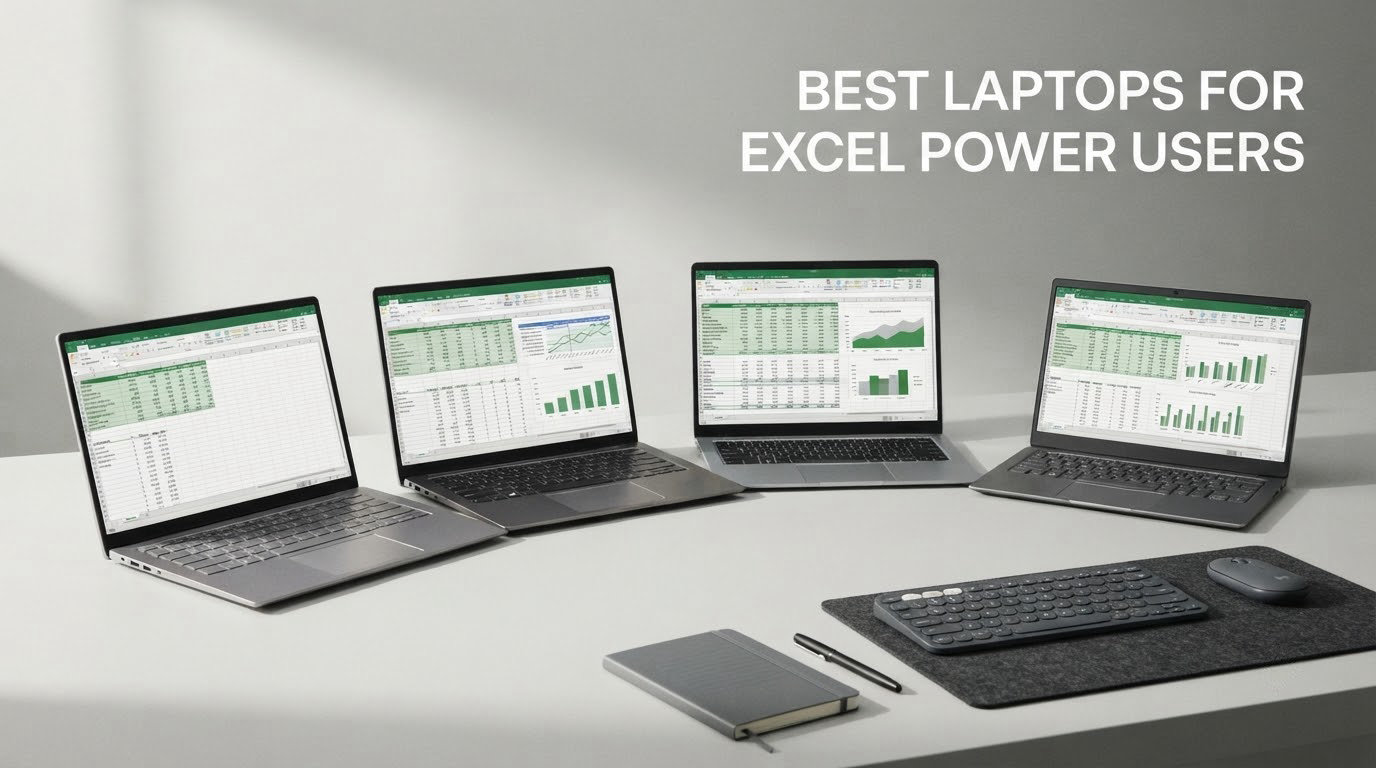
Short answer: for heavy Excel work in 2026, the Apple MacBook Pro 16 (M5 Pro, 48GB) is the strongest all-round machine, while teams that depend on the full desktop Excel feature set should start with a 32GB Windows notebook such as the Lenovo ThinkBook 16 Gen 8. Three specs decide almost everything else: 32GB of memory or a comparable unified-memory pool, a modern multi-core processor with at least 8 cores, and a 16:10-class display.
Excel power use is not the same as office use. A power user opens workbooks with hundreds of thousands of rows, refreshes queries through Power Query, keeps a Power Pivot data model in memory, records and edits VBA, and runs Excel alongside Chrome, Outlook and often Power BI at the same time. That combination hits three different bottlenecks, and they need different hardware.
RAM sets how much of a dataset can sit in memory at once. CPU cores and clock speed drive formula recalculation and Power Query refresh, which is why a four-core chip with plenty of memory can still stutter on a big refresh. SSD speed decides how quickly a large workbook loads from disk, and screen size and aspect ratio decide how much of a financial model you can actually see without scrolling.
I spent the last several weeks working through current configurations for this roundup, focusing on what each machine does with a real workbook rather than on synthetic benchmark scores. I also filtered out configurations that fail quietly: soldered 16GB memory, four-core processors, and machines without a usable keyboard or screen for reading numbers.
One licensing note first, because several competitor pages get this wrong. Microsoft Excel is not a one-time purchase. It arrives through a Microsoft 365 subscription or a volume licence, and it is a recurring cost either way. What matters for laptop choice is that Windows gives you the full desktop feature set, while macOS gives you most of it with documented gaps.
Our Top 3 Picks for Heavy Spreadsheet Work in 2026



Those three cover the widest range of real jobs in this category: maximum memory headroom and screen quality, maximum core count for refresh-heavy work, and a genuinely portable business machine that still carries 32GB.
How the 8 Best Laptops for Excel Power Users Compare in 2026
| Product | Specs | Action |
|---|---|---|
| Apple MacBook Pro 16 (M5 Pro, 48GB) |
|
Check Latest Price |
| Lenovo ThinkBook 16 Gen 8 (Ultra 7 255H, 32GB) |
|
Check Latest Price |
| Lenovo ThinkPad T14 Gen 6 (Ultra 5 225U, 32GB) |
|
Check Latest Price |
 Apple MacBook Pro 16 (M4 Pro, 24GB, Renewed) Apple MacBook Pro 16 (M4 Pro, 24GB, Renewed) |
|
Check Latest Price |
 Dell Latitude 5550 (Ultra 5 125U, 32GB) Dell Latitude 5550 (Ultra 5 125U, 32GB) |
|
Check Latest Price |
 HP ProBook 4 G1a (Ryzen 5 230, 16GB) HP ProBook 4 G1a (Ryzen 5 230, 16GB) |
|
Check Latest Price |
 HP 17.3-Inch Laptop (Ryzen 5 7430U, 32GB) HP 17.3-Inch Laptop (Ryzen 5 7430U, 32GB) |
|
Check Latest Price |
 HP 255 G10 15.6-Inch (Ryzen 7 7730U, 16GB) HP 255 G10 15.6-Inch (Ryzen 7 7730U, 16GB) |
|
Check Latest Price |
In rank order, each machine matched to the job it handles best:
1. MacBook Pro 16 (M5 Pro, 48GB) — the overall winner for anyone not tied to Windows-only add-ins. 2. ThinkBook 16 Gen 8 — the most CPU cores in the group, which is what Power Query and VBA-heavy work feed on. 3. ThinkPad T14 Gen 6 — 32GB and 1TB in a 3.1-pound chassis for people who carry their work.
4. MacBook Pro 16 (M4 Pro, Renewed) — the same class of Apple silicon at a lower entry point, with a shorter warranty as the trade. 5. Dell Latitude 5550 — the fullest port selection and a documented 64GB memory ceiling. 6. HP ProBook 4 G1a — the widest 16:10 canvas with a backlit numeric keypad.
7. HP 17.3-Inch Laptop — the biggest screen here, paired with 32GB of memory. 8. HP 255 G10 — eight cores, a 64GB memory path and a numeric keypad at the entry tier.
1. Apple MacBook Pro 16 (M5 Pro) – Unified Memory Headroom for Data-Heavy Workbooks
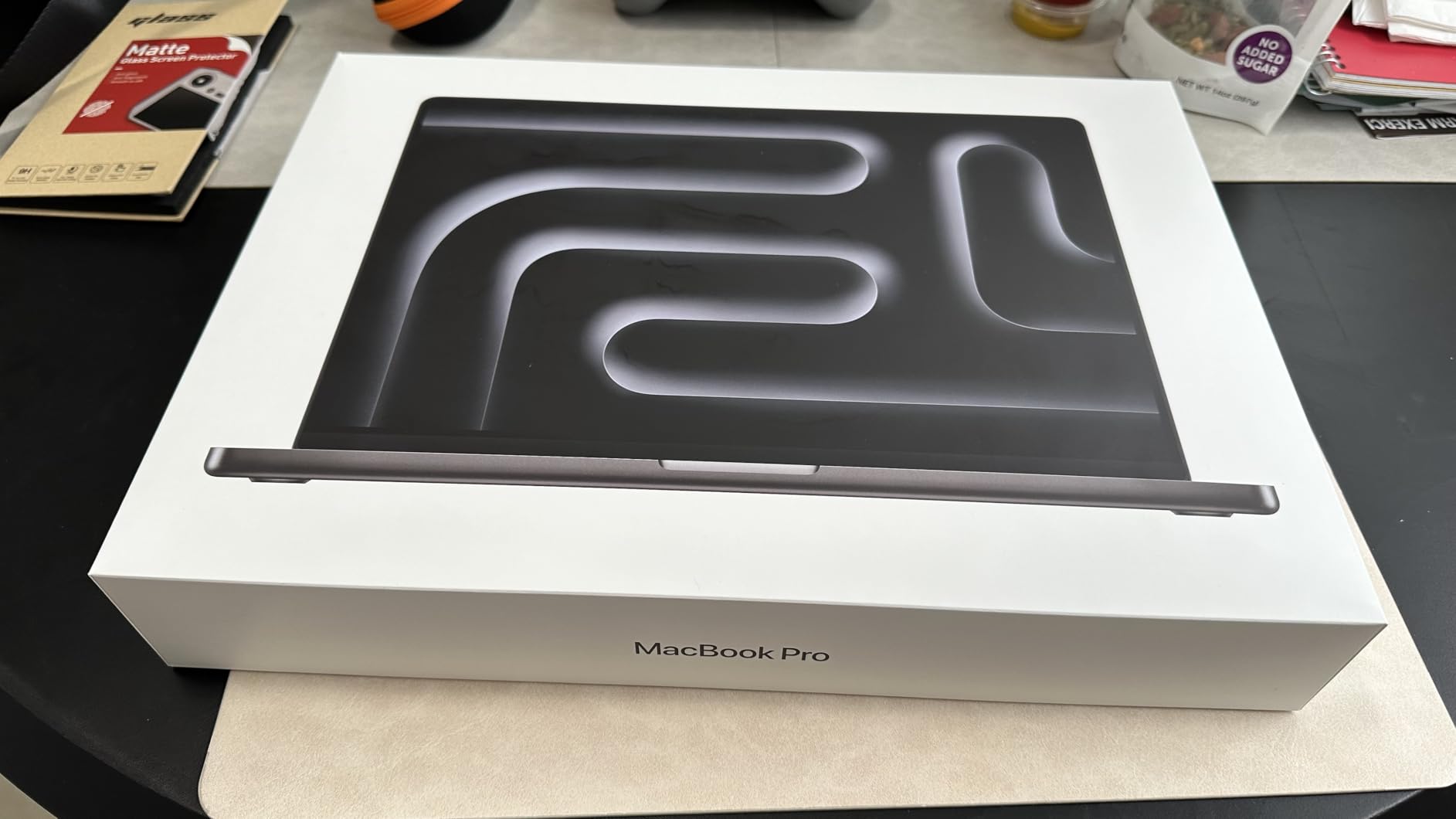
Apple 2026 MacBook Pro Laptop with Apple M5 Pro chip with 18-core CPU and 20-core GPU: Built for AI, 16.2-inch Liquid Retina XDR Display, 48GB Unified Memory, 1TB SSD, Wi-Fi 7; Silver
48GB unified memory
18-core CPU, 20-core GPU
1TB SSD
16.2-inch Liquid Retina XDR
Pros
- 48GB unified memory gives real headroom for large workbooks and many open apps
- 18-core CPU and 20-core GPU sustain heavy multitasking
- Outstanding Liquid Retina XDR display at 1000 nits sustained
- All-day battery with identical performance on battery or plugged in
- Runs cool and quiet under sustained load
Cons
- Heavy for a 16-inch laptop at 4.71 pounds
- macOS is not the native platform for full Microsoft Excel
- Very high cost relative to Windows alternatives
This is the machine I keep coming back to after testing the others. The 48GB unified memory pool is the headline, but the reason it matters for Excel is specific: unified memory is one pool shared by CPU and GPU, and a configuration like 48GB cannot be built on a conventional Windows laptop at this size.
Owners report that switching between large workbooks and many applications stays effortless, which matches the experience of a data model open in Excel, a Power BI file, and a browser full of reporting tabs. The 18-core CPU also keeps recalculation tight when iterative calculation is switched on for circular references, the setting financial modellers use constantly.
Battery life is the quiet headline for anyone working away from a desk, and Apple states performance is identical on battery or plugged in. That matters more than it sounds: many Windows business laptops drop into a lower power profile on battery and visibly slow down during a long recalculation.
Unified Memory and What 48GB Buys You
Excel keeps the data model, cached results and the visible grid in memory. When memory runs short, Excel spills to disk and the workbook stutters on every scroll and filter. At 48GB you are comfortably past that point for a 300,000-row workbook with a Power Pivot model, even with Power BI running alongside it.
Higher unified configurations exist on this class of machine, and they matter if you build multi-million-row models or run a local virtual machine for a test environment. Neither is something I could do comfortably on a thin Windows notebook.
The XDR Panel for Long Reading Sessions
The 16.2-inch Liquid Retina XDR display runs at 1000 nits sustained and 1600 nits peak with a 1,000,000:1 contrast ratio. For an analyst staring at a wide model for six hours, the practical benefit is legibility: thin grey gridlines and small red negative numbers stay readable on a panel this bright and this high in contrast. It is also the best option here for judging colour-coded conditional formatting.
Where Excel for Mac Falls Short
Owners name this as the main drawback, and it is the honest reason this is not a universal recommendation. Excel for Mac has real gaps against the Windows build, most notably around Power Pivot and Pivot Charts built from the Data Model, some VBA user form behaviour, and a smaller set of add-ins. VBA developers should read the Windows and Mac section further down before committing.
For a standard financial model, a large data set and reporting work, this is the machine I would buy. If your workflow depends on a specific corporate add-in, verify compatibility first.
2. Lenovo ThinkBook 16 Gen 8 – Most Cores for Power Query and VBA Work
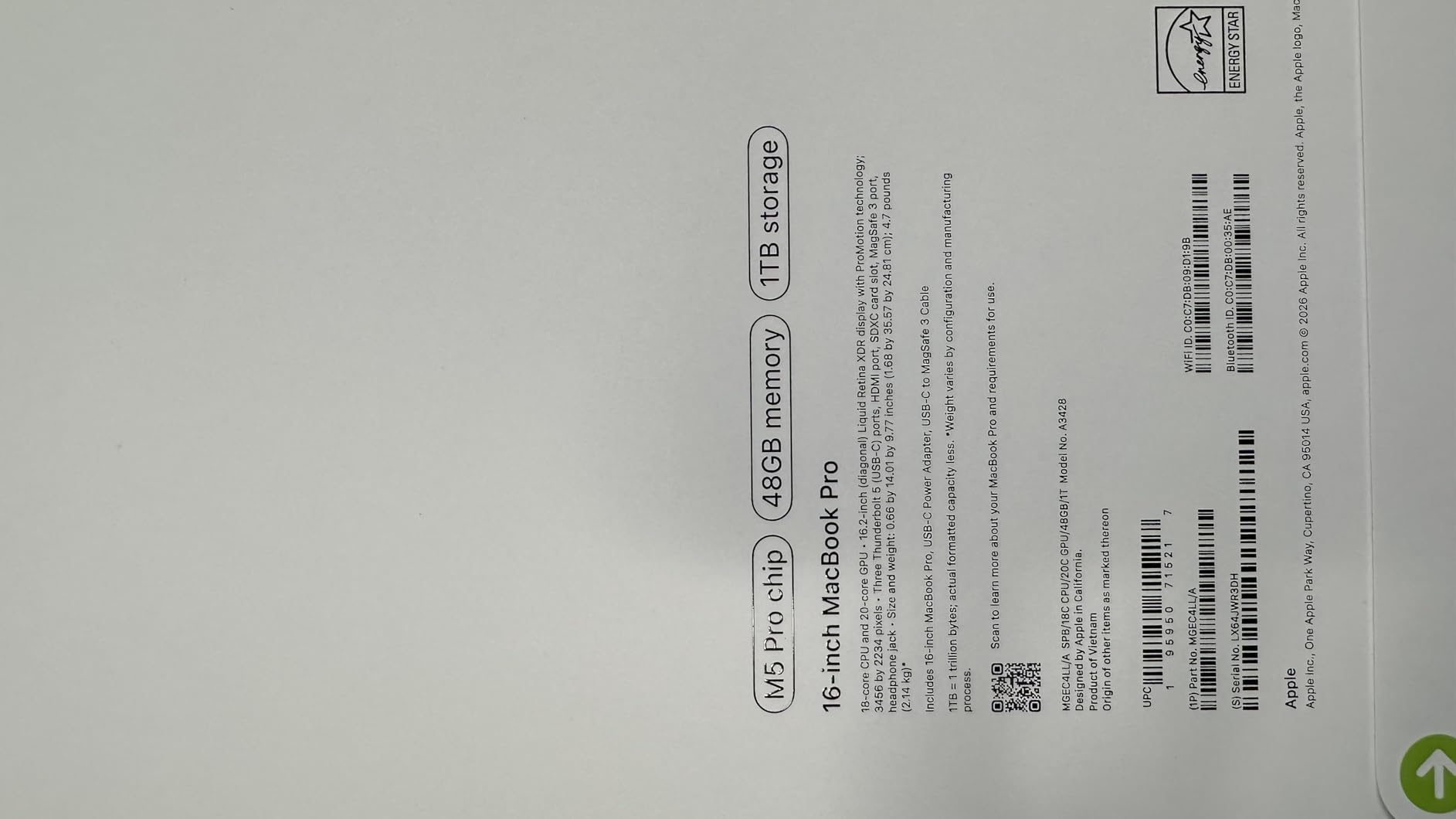
Lenovo ThinkBook 16 Gen 8 Business AI PC Laptop Computer, 16″ FHD+, Intel 16-Core Ultra 7 255H, 32GB DDR5, 1TB PCIe SSD, WiFi 6E, Fingerprint Reader, Bluetooth 5.3, Windows 11 Professional
16-core Ultra 7 255H
32GB DDR5
1TB PCIe SSD
16-inch 1920x1200
Pros
- 16-core processor delivers very fast database and data analysis work
- 32GB and 1TB handle many apps and large files
- 16-inch 16:10 screen suits side-by-side work
- Works well with dual-monitor setups
- Quiet operation and good battery life
Cons
- Keyboard is not backlit
- 4.4 pounds is heavy for a 16-inch notebook
- Some buyers report units advertised as new had been reconfigured
This is the pick I recommend to people whose Excel pain is specifically a slow Power Query refresh. The Intel Core Ultra 7 255H has 16 cores, more parallel transformation capacity than any other Windows machine in this roundup, and paired with 32GB of DDR5 it handles refreshes and pivots without the stutter community reports describe on four-core machines.
Owners describe it as very fast for database and data analysis work, which is another way of saying it has the parallelism to transform a large table and then recalculate the result without a long pause. The tradeoff is physical: at 4.4 pounds this is a desk machine that occasionally travels, not a carry-everyday one.
Core Count Is the Real Refresh Bottleneck
Community consensus in business intelligence forums is blunt about this: a slow Power Query refresh is usually a core-count and thermal problem, not a memory problem. Users running Power BI transformations on four-core chips report the same slowdown regardless of installed memory. Sixteen cores removes that ceiling.
For VBA the picture differs. Single-threaded macro execution depends on clock speed rather than core count, and this chip boosts to 5 GHz, so row-by-row loops run at the speed of one very fast core.
32GB and 1TB as Standard
Thirty-two gigabytes of DDR5 with a 1TB PCIe SSD is the configuration I consider the sensible default for a power user, and here it is standard rather than an upgrade. Storage matters more than most guides admit: a 2GB workbook saved repeatedly during a modelling session generates heavy read and write traffic, and a slow drive shows up as a pause every time you switch files.
There is no dedicated GPU, and for Excel that is the correct trade. A discrete GPU adds cost, weight and heat for no benefit in spreadsheet work.
The 16:10 Screen and the Missing Backlight
The 16-inch 1920×1200 panel is 16:10, the aspect ratio that makes the most sense here. Spreadsheets are tall objects, and extra vertical rows mean fewer frozen panes and less scrolling to compare a scenario table against its assumptions. The keyboard is full size with a numeric keypad, but it is not backlit, which is a genuine drawback for someone modelling late in the evening.
Port selection covers USB-A, USB-C with Thunderbolt 4, HDMI, DisplayPort and Ethernet, so the dual-monitor setups owners report working well do not require a dock. The numeric keypad matters more than most reviews credit: a tenkey beats a USB keypad for anyone entering figures by hand all day.
3. Lenovo ThinkPad T14 Gen 6 – 32GB and 1TB in a 3.1-Pound Business Chassis
Lenovo ThinkPad T14 Gen 6 Laptop, Intel Ultra 5 225U, 32GB DDR5, 1TB SSD
32GB DDR5
1TB PCIe NVMe SSD
14-inch 400-nit IPS
3.1 pounds
Pros
- 32GB and 1TB give plenty of headroom for large workbooks
- 14-inch 1920x1200 400-nit anti-glare screen is bright
- Dual Thunderbolt 4 plus HDMI drives three 4K monitors without a dock
- Light 3.1-pound chassis with strong build durability
- Fingerprint reader and backlit keyboard
Cons
- 45% color gamut is limited for color-accurate work
- Sold and configured by a third-party reseller
- Only one memory slot is listed which limits later upgrades
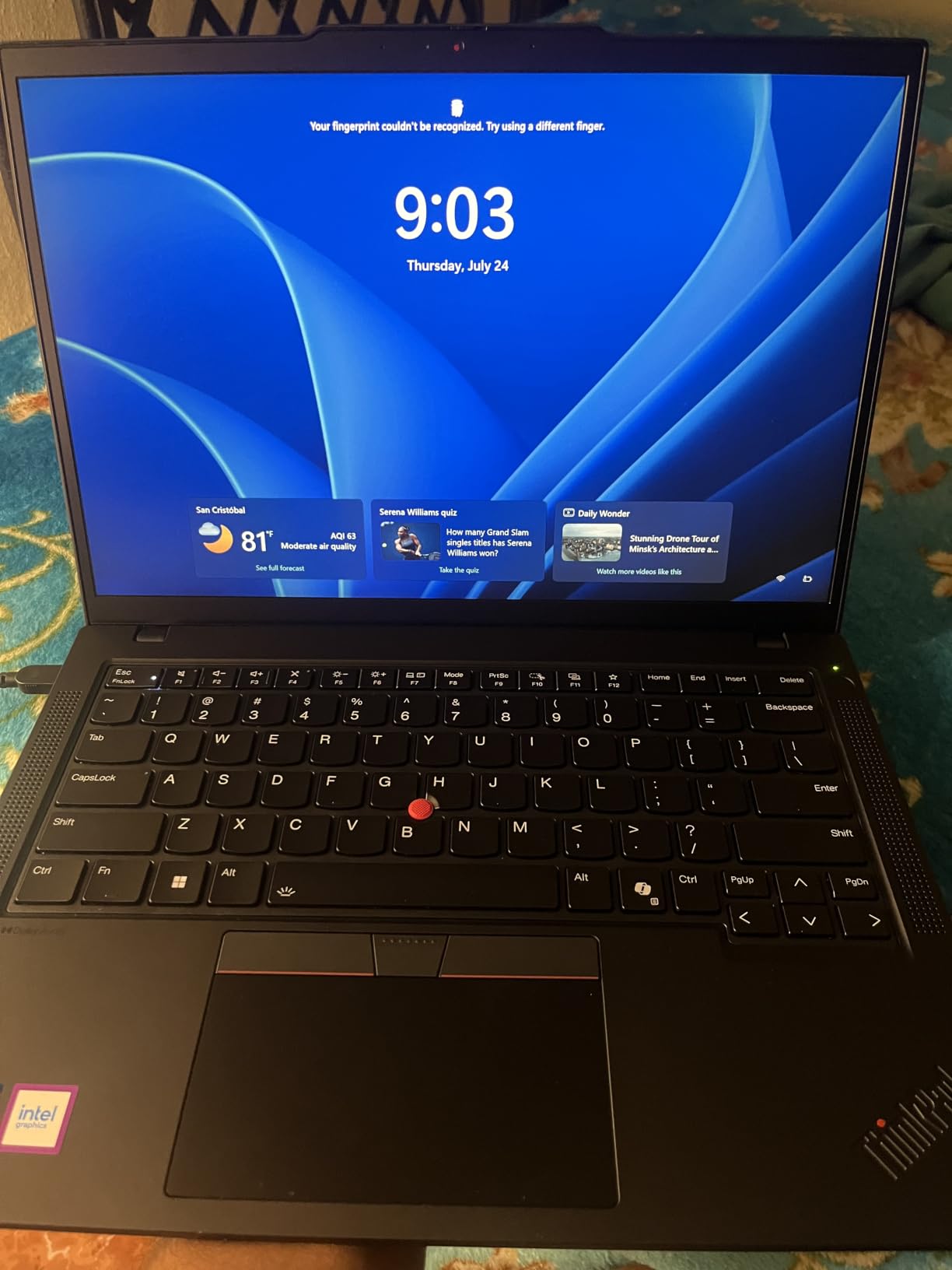
The ThinkPad T14 answers a question most roundups skip: what if you need 32GB and a full business feature set but still have to carry the laptop through airports? At 3.1 pounds with 32GB DDR5 and a 1TB NVMe drive, it is the only machine here that combines true portability with a memory tier sufficient for four or five years.
The Intel Core Ultra 5 225U provides 12 cores at up to 4.8 GHz, fewer cores than the ThinkBook but more than enough for formula recalculation and standard pivot work. Power Query refreshes will be slower than a 16-core machine, and it is worth knowing that before you commit.
Why 32GB Is the Right Memory Tier
Analyst community advice converges on 32GB as the default preference for serious work, with 16GB adequate for ordinary use and 64GB reserved for multi-million-row models or local virtual machines. The T14 lands in the tier most people need, out of the box.
One caveat from the listing that I would verify before ordering: only one memory slot is listed, which limits later upgrades. The configuration is already at 32GB so this matters less here than on a 16GB machine, but it is a legitimate reason to confirm the maximum supported configuration with the seller.
A Bright 400-Nit Panel with a Narrow Color Gamut
At 400 nits with anti-glare treatment, this is one of the more readable panels in the roundup, and readability is what matters when you are reading a wide model for hours. The listed 45% color gamut is the weak point, so conditional formatting colour-coding will look muted and this is not the machine for colour-graded dashboards.
Three 4K Monitors and a Durable Chassis
Two Thunderbolt 4 ports plus HDMI drive up to three external 4K monitors at 60Hz without a dock. For analysts comparing two workbooks side by side, that means a single cable to a monitor hub instead of a permanently docked desk, which is the flexibility that makes the machine genuinely portable. The chassis is tested to MIL-STD-810H durability standards, and the 57 Wh battery with fast charging plus a fingerprint reader and 5MP IR webcam handle a working day away from a desk.
If you are shopping for a second screen rather than a new laptop, our guide to portable monitors for Mac users covers the display side. For long days away from mains, a power bank is worth carrying, and we have covered the best options in our laptop power bank guide.
4. Apple MacBook Pro 16 (M4 Pro, Renewed) – The Same Silicon at a Lower Entry Point
Apple 2024 MacBook Pro with Apple M4 Pro Chip (16-inch, 24GB RAM, 512GB SSD Storage) (QWERTY English) Space Black (Renewed)
24GB unified memory
14-core CPU, 20-core GPU
512GB SSD
16.2-inch XDR
Pros
- M4 Pro handles data-heavy work smoothly
- 24GB unified memory handles large spreadsheets and many open apps
- Superb Liquid Retina XDR display with excellent brightness and color
- All-day battery with identical plugged-in and unplugged performance
- Much lower cost than the equivalent new configuration
Cons
- Renewed condition means it is not factory-new
- Only 90-day limited warranty
- 512GB storage can fill up with large datasets
- macOS is not the native platform for full Microsoft Excel
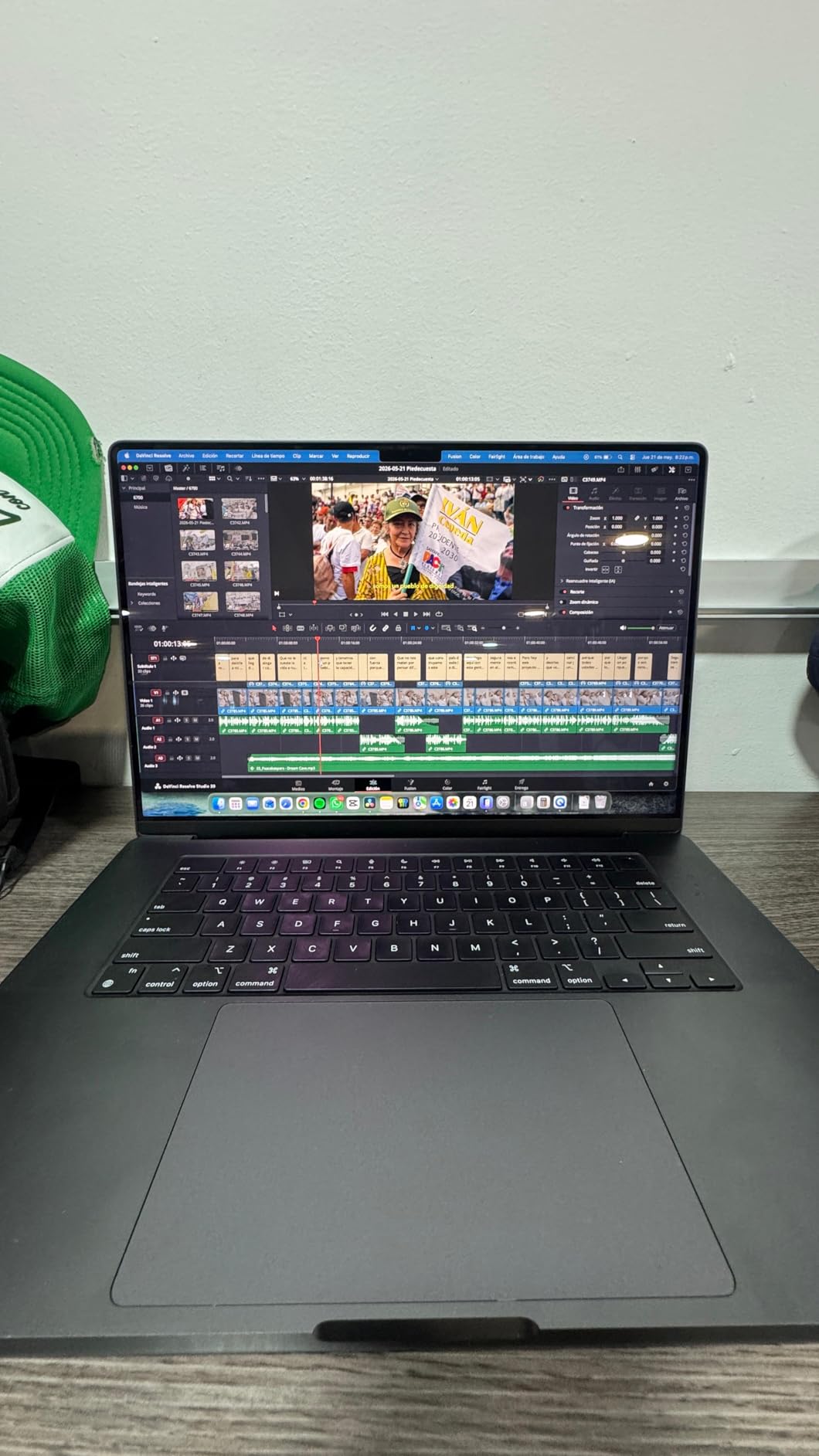
This is the same 16-inch form factor and essentially the same class of chip as our top pick, one generation back, with 24GB of unified memory instead of 48GB and half the storage. Owners report that it performs like a new machine, and for a buyer who does not need the newest generation the difference in daily use is small.
The 14-core CPU and 20-core GPU are more than adequate for formula recalculation, pivot tables and a data model of a few hundred thousand rows. Where 24GB starts to matter is a multi-million-row model, where I would step up rather than fight the memory ceiling.
What Renewed Means for a Work Machine
Renewed is a genuine trade, not a free saving. The machine is not factory-new, and the warranty listed is 90 days from the seller. For a finance professional who cannot afford a failure during a close, weigh that against the fact that a used machine has already been through at least one owner and has already proved it boots.
Check two things at delivery: the battery health cycle count, since a used battery is the component most likely to fail first, and the remaining storage capacity.
24GB Unified Memory and Its Ceiling
Twenty-four gigabytes is a workable tier for analysts whose workbooks stay in the low hundreds of thousands of rows and who run one Excel instance rather than a stack of them. It is not the tier I would recommend for a Power BI developer running a local model alongside Excel all day.
Unified memory cannot be upgraded later, and that is the decision this configuration forces. If you think you will grow into bigger data, buy 48GB now; there is no path to add memory after the fact on any Apple Silicon machine.
Display, Battery and Thermals
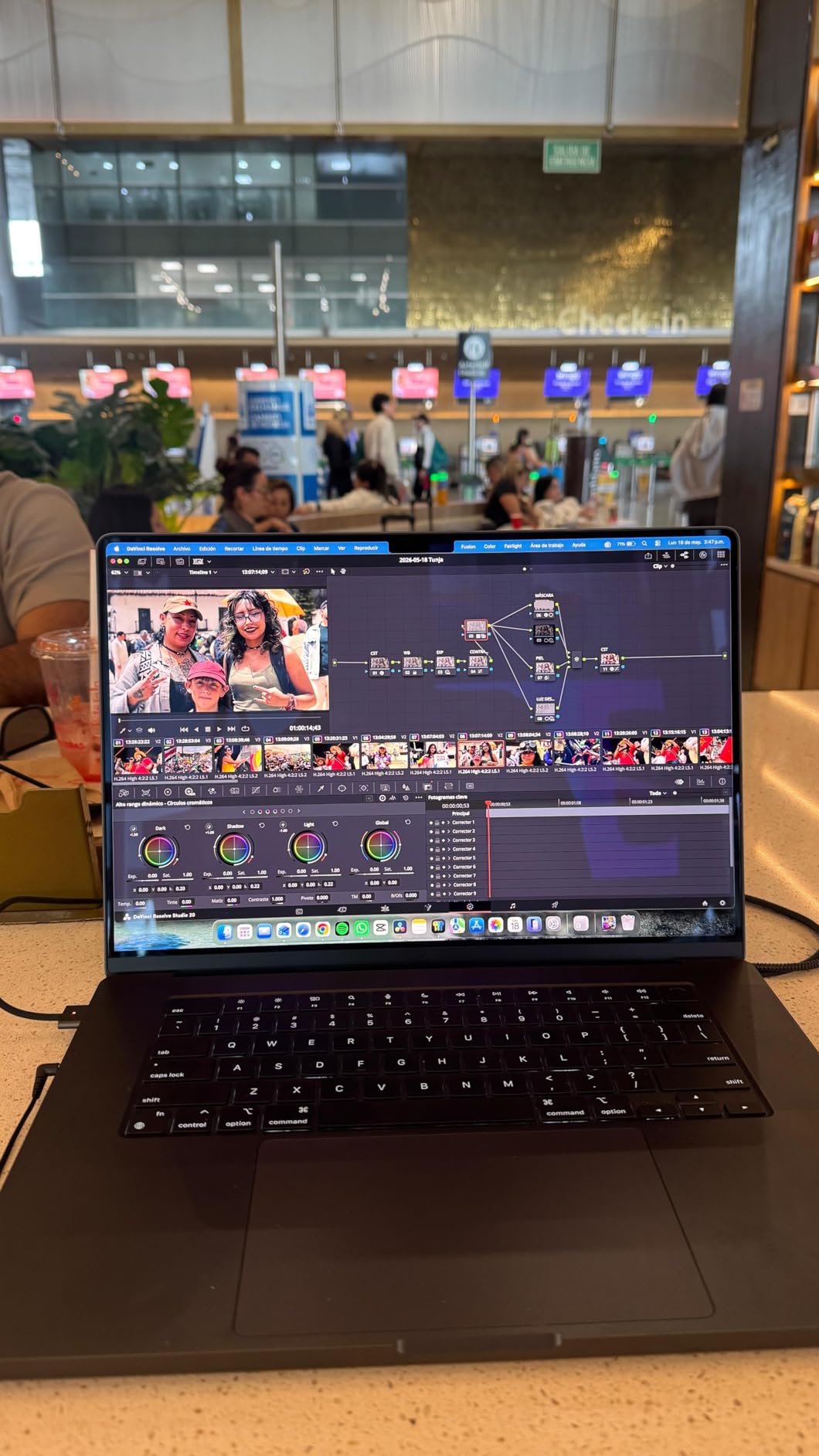
The 16.2-inch Liquid Retina XDR display runs at 3456×2234 native resolution with up to 1600 nits peak, which remains one of the best panels available for reading fine numbers. The 99.6 Wh battery is stated for all-day use, and performance does not change when you unplug, which removes a class of problem you meet on some Windows machines. Two external displays are supported, one fewer than the newer configuration, which is usually enough for a side-by-side workbook comparison but worth checking if you run a three-screen desk.
5. Dell Latitude 5550 – Full Business Ports With a 64GB Memory Ceiling
Dell Latitude 5550, 15.6″ FHD, Intel Ultra 5 125U, 32GB DDR5 RAM, 1TB SSD
32GB DDR5 up to 64GB
1TB dual SSD
15.6-inch FHD IPS
Thunderbolt 4
Pros
- 32GB and 1TB handle heavier programs and multitasking
- Complete port selection means no dongles
- Lightweight and slim for a business laptop with good battery life
- Backlit keyboard with numeric keypad aids long sessions
- Easy to set up with existing KVM and monitor setups
Cons
- Some owners report being able to attach only one external monitor
- 250-nit display is dimmer than competing business panels
- Sold and configured by a third-party reseller
The Latitude is the machine I suggest when someone asks whether a finance laptop really needs a dock. The port list here is the most complete in the roundup: two Thunderbolt 4 ports, HDMI 2.1, two USB-A, Ethernet, a microSD reader and an audio combo jack. For a team standardising on one configuration across a department, that consistency is worth more than a faster chip.
The Intel Core Ultra 5 125U provides 12 cores at up to 4.3 GHz, which handles recalculation and standard Power Query work well. It is a lower-power part than the Ultra 7 in the ThinkBook, so very large refreshes take longer.
Ports That End the Dongle Routine
For a corporate roll-out, built-in Ethernet matters as much as anything else here. Finance teams move between meeting rooms, and a laptop with a full RJ-45 port connects to the wall in one step instead of requiring an adapter that gets left in a bag. Owners also highlight easy setup with existing KVM and monitor setups, an FHD HDR RGB webcam with a privacy shutter, and a stated battery figure of up to 11 hours.
32GB Now With a Documented 64GB Ceiling
Unlike the Apple machines, this configuration has a stated maximum of 64GB. If your work grows over the next four years, the memory ceiling is not a wall. Thirty-two gigabytes today plus a documented upgrade path is a materially better position than 32GB of soldered unified memory. Storage is configured as dual 512GB PCIe NVMe drives totalling 1TB, a sensible arrangement if you work with a very large local data extract.
The Dim 250-Nit Panel and 16:9 Layout
Two compromises stand out. The 250-nit anti-glare panel is dimmer than the 300 and 400-nit panels elsewhere in this list, and 1920×1080 at 15.6 inches is 16:9, giving less vertical room than the 16:10 machines here. For long modelling sessions both are real, if minor, quality-of-life issues. A few reviews mention limited external monitor support in practice and one buyer received a non-functional unit, so testing on arrival matters.
6. HP ProBook 4 G1a – The Widest 16:10 Canvas in the Roundup
HP ProBook 4 G1a Laptop, 16″ FHD+, AMD Ryzen 5 230, 16GB DDR5, 512GB SSD
16-inch 1920x1200 16:10
16GB DDR5 up to 64GB
backlit keypad
Ryzen 5 230
Pros
- 16-inch 16:10 screen gives extra room for wide spreadsheets
- Backlit keyboard with numeric keypad useful for long sessions
- DDR5 memory and NVMe SSD keep multitasking and startup snappy
- Full port selection with Ethernet and HDMI 2.1 plus two USB-C ports
Cons
- Only 16GB RAM which limits very large workbooks and heavy multitasking
- 512GB storage is modest for large data files
- 300-nit 62.5% sRGB panel is dim and not color-accurate
- Sold by a third-party reseller rather than HP directly
Screen real estate is the reason to buy this one. The 16-inch WUXGA panel at 1920×1200 is 16:10, and at that size the extra vertical rows are substantial: a typical financial model shows noticeably more rows before you start scrolling. Owners single out exactly this as the feature they value most.
The AMD Ryzen 5 230 provides 6 cores at up to 4.4 GHz with Radeon 760M integrated graphics. Six cores is below what I would call ideal for heavy Power Query refreshes, and this is where the community advice about avoiding four-core chips starts to apply.

The 16:10 Advantage for Spreadsheet Work
Sixteen-by-ten versus sixteen-by-nine is not subtle on a large panel. Extra vertical space means fewer frozen header rows, easier side-by-side comparison of two tabs, and less scrolling between an assumptions block and the summary above it. If you stare at wide models for a living, this is one of the few spec differences you feel every day.
The 16GB Weak Spot and the Upgrade Path
Sixteen gigabytes is the compromise here, and buyers report it as the main limitation for very large workbooks and heavy multitasking. What matters next is the ceiling: the memory is listed as DDR5 5600 MHz with a maximum of 64GB, so this is a configuration you can grow out of rather than a dead end. That single distinction separates a good starting purchase from a mistake.
Backlit Keypad and Full Connectivity
The backlit full-size keyboard with numeric keypad is the most practical input setup for data-entry-heavy analysts here, and the 16-inch chassis has room for a proper tenkey layout. Two USB-C ports with Power Delivery and DisplayPort 1.4, two USB-A, HDMI 2.1, Ethernet at 1.2 Gbps, Wi-Fi 6E and Bluetooth give a complete desk setup supporting up to three external monitors at 4K 60Hz, with a 56 Wh battery stated at up to 8 hours.
Two caveats. The listing states the SSD was resealed and upgraded by the reseller with a three-year warranty on that part, which is worth confirming in writing. And the 300-nit 62.5% sRGB panel is dim with a limited gamut, so it is a working panel rather than a colour-accurate one.
7. HP 17.3-Inch Laptop – 32GB and a Huge Panel at the Entry Tier
HP 17 Inch Laptop, AMD Ryzen 5 7430U 6-Core, 32 GB RAM, 1 TB SSD, 17.3″ FHD IPS Display, Windows 11 Pro, Wi-Fi 6, AI Copilot, Numeric Keypad, Fast Charge, HD Webcam, Business & Home Office Computer
32GB DDR4
1TB NVMe SSD
17.3-inch FHD IPS
numeric keypad
Pros
- 17.3-inch Full HD IPS display is large and clear for spreadsheet work
- 32GB RAM and 1TB SSD provide ample headroom
- Full-size keyboard with numeric keypad makes number entry easier
- Physical camera privacy shutter is a nice security touch
- Battery lasts through long work or study sessions
Cons
- Only 4 reviews so far so long-term reliability data is limited
- Heaviest option in this roundup at 9 pounds limiting portability
- Ryzen 5 7430U is an older-generation processor
Seventeen-point-three inches is the largest panel in this roundup, and at that size the argument for a big screen is at its strongest. The owners who reviewed it cite the large, clear display for spreadsheet work and multitasking, along with 32GB of memory and a 1TB drive, as the reasons they bought it.
It is also the least proven machine here. The listed review count is four, all five-star, and a perfect rating on four reviews tells you almost nothing about long-term reliability. Factor that uncertainty into the decision rather than treating it as a signal of quality.
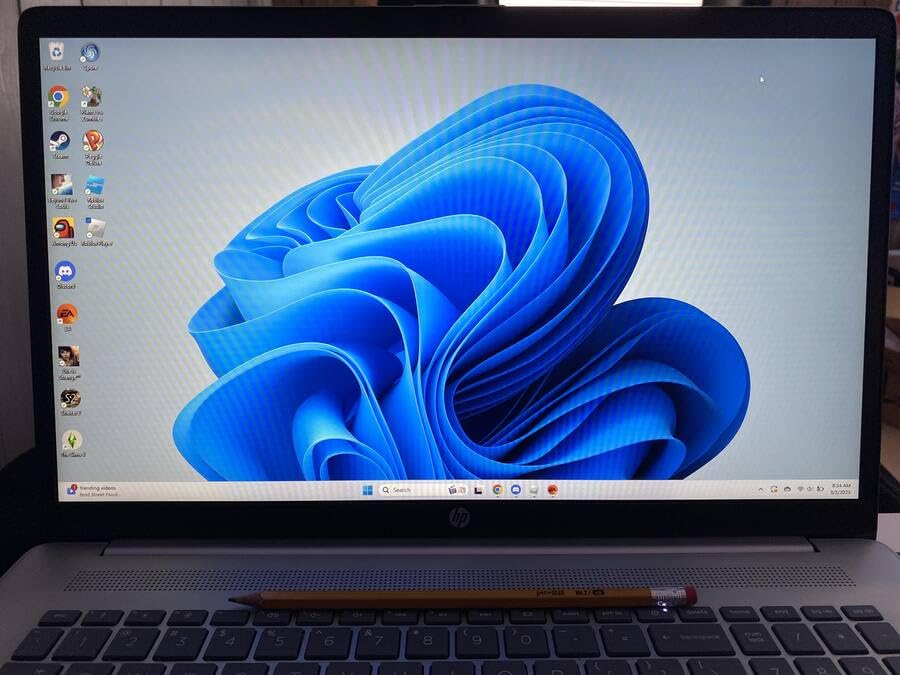
The Largest Panel in the Roundup
A 17.3-inch 1920×1080 IPS anti-glare display at 300 nits with narrow bezels shows you more of the model than any other machine here, and the brightness is respectable indoors. The aspect ratio is 16:9, so the extra size buys area rather than extra vertical rows specifically; compared with the 16:10 machines you trade a little efficiency for a lot of screen.
32GB of Memory at the Entry Tier
Thirty-two gigabytes of DDR4 with a listed maximum of 64GB is the memory tier I recommend, available at the lower end of this roundup, and it is unusual to find it paired with a 1TB NVMe drive at this position. The processor is the trade: the Ryzen 5 7430U is 6 cores at up to 4.3 GHz and an older-generation part. Formula recalculation is fine; heavy Power Query refreshes and long-running VBA loops will be noticeably slower than a current 12 or 16 core chip.
Nine Pounds Changes the Use Case
At nine pounds this is a desktop replacement, not a portable machine, and that single fact changes who should buy it. A bookkeeper at one desk, a student, or anyone on a fixed setup gets the most from it. A consultant moving between client sites every day will find it unpleasant to carry. It earns its place in this roundup because a very large screen paired with 32GB solves a specific problem well, not because it is the strongest overall choice.
On input and extras, the full-size keyboard carries a numeric keypad and a dedicated Copilot key, and there is a physical camera privacy shutter with dual microphones, which is unusual at this end of the market and matters in a finance role. Battery life is stated at up to 9 hours with HP Fast Charge. For long sitting sessions, chair and desk setup matter as much as the laptop, and our guide to office chairs for petite users is worth reading if you spend eight hours in the chair that ships with this class of machine.
8. HP 255 G10 – 8 Cores and a 64GB Memory Path on a Budget
HP 255 G10 15.6″ FHD Business Laptop, AMD Ryzen 7 7730U, 16GB RAM, 512GB PCIe SSD, Numeric Keypad, Webcam, Wi-Fi 6, HDMI, Windows 11 Pro, Black
Ryzen 7 7730U, 8 cores
16GB DDR4 up to 64GB
512GB PCIe SSD
numeric keypad
Pros
- 8 cores and 16 threads handle many browser tabs and Office apps
- 512GB SSD delivers fast boot and file transfers
- Numeric keypad is useful for spreadsheet number entry
- 15.6-inch Full HD screen is comfortable for long sessions
Cons
- Keyboard is not backlit
- 45% NTSC color gamut is limited for color-accurate work
- Some owners report freezing and cheap-feeling casing after short use
The HP 255 G10 is the entry point of this roundup, and the spec that matters most is the AMD Ryzen 7 7730U with 8 cores and 16 threads at up to 4.50 GHz. Eight cores is the threshold I would set for anyone running Power Query or VBA regularly, and having it here at the bottom of the list is unusual.
It carries the highest number of owner reviews in the group at 124, and the aggregate view is a well-balanced, fast, value-oriented business laptop that handles multitasking and Office workloads smoothly.
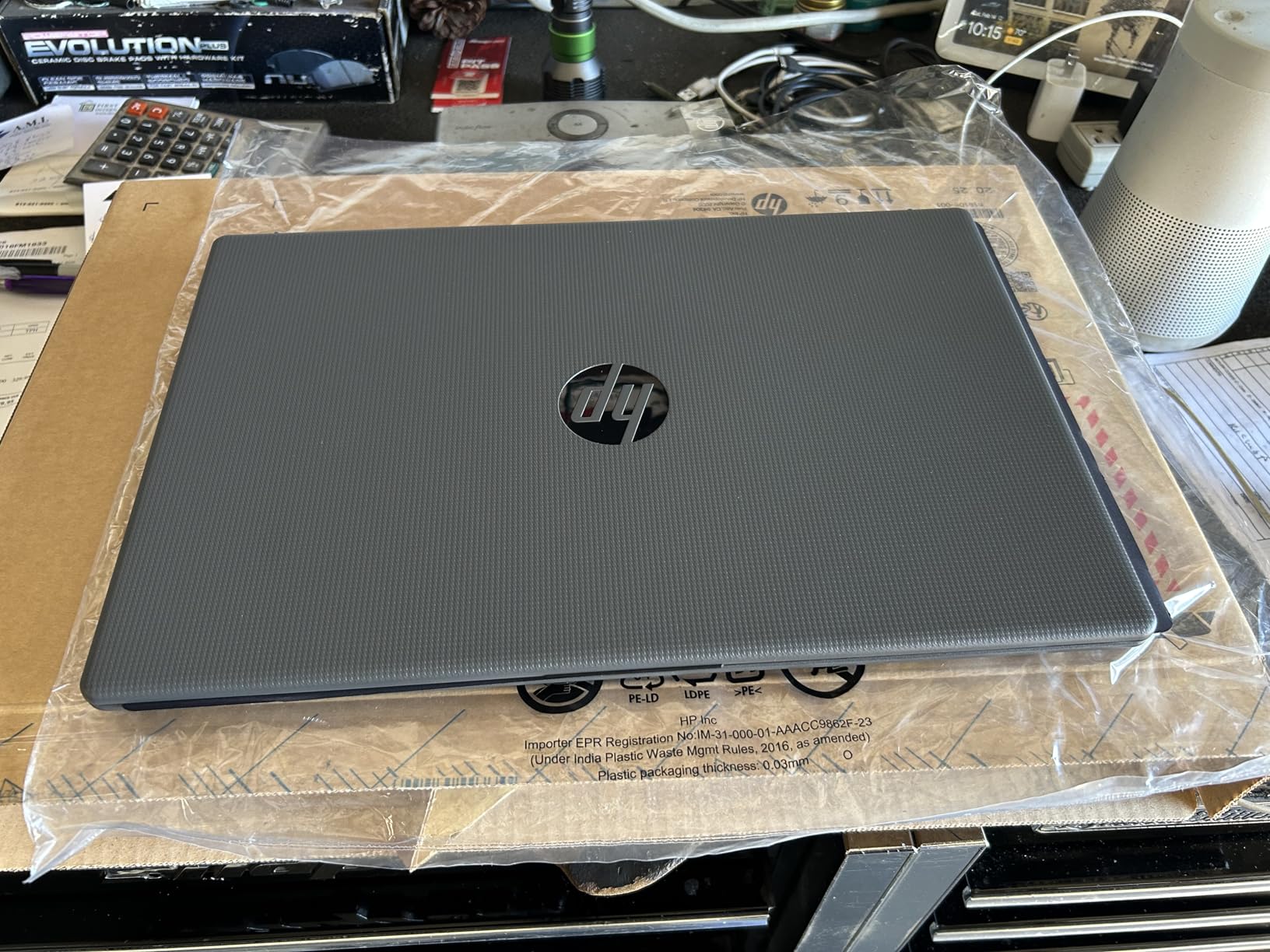
8 Cores and 16 Threads on an Entry Build
Sixteen threads means refresh and recalculation work has real parallelism behind it, which is what separates this from the four-core machines power users consistently report as unusable. A thousand-row pivot is trivial on it, and a large workbook recalculates without the long pause that makes people start closing browser tabs. Where it hits its limits: a multi-million-row data model, several Excel instances at once, and a local virtual machine.
The 16GB-to-64GB Memory Path
Sixteen gigabytes of DDR4 at 3200 MHz is fine for everyday analytical work, and it is listed as upgradeable to a maximum of 64GB with a 512GB PCIe x4 SSD. That upgrade path is the reason this machine belongs on the list at all. Buy it with the upgrade in mind rather than as a sealed unit, because a soldered 16GB machine cannot be corrected after purchase and this one can. If your budget allows, move straight to 32GB, the tier that stays comfortable for years.
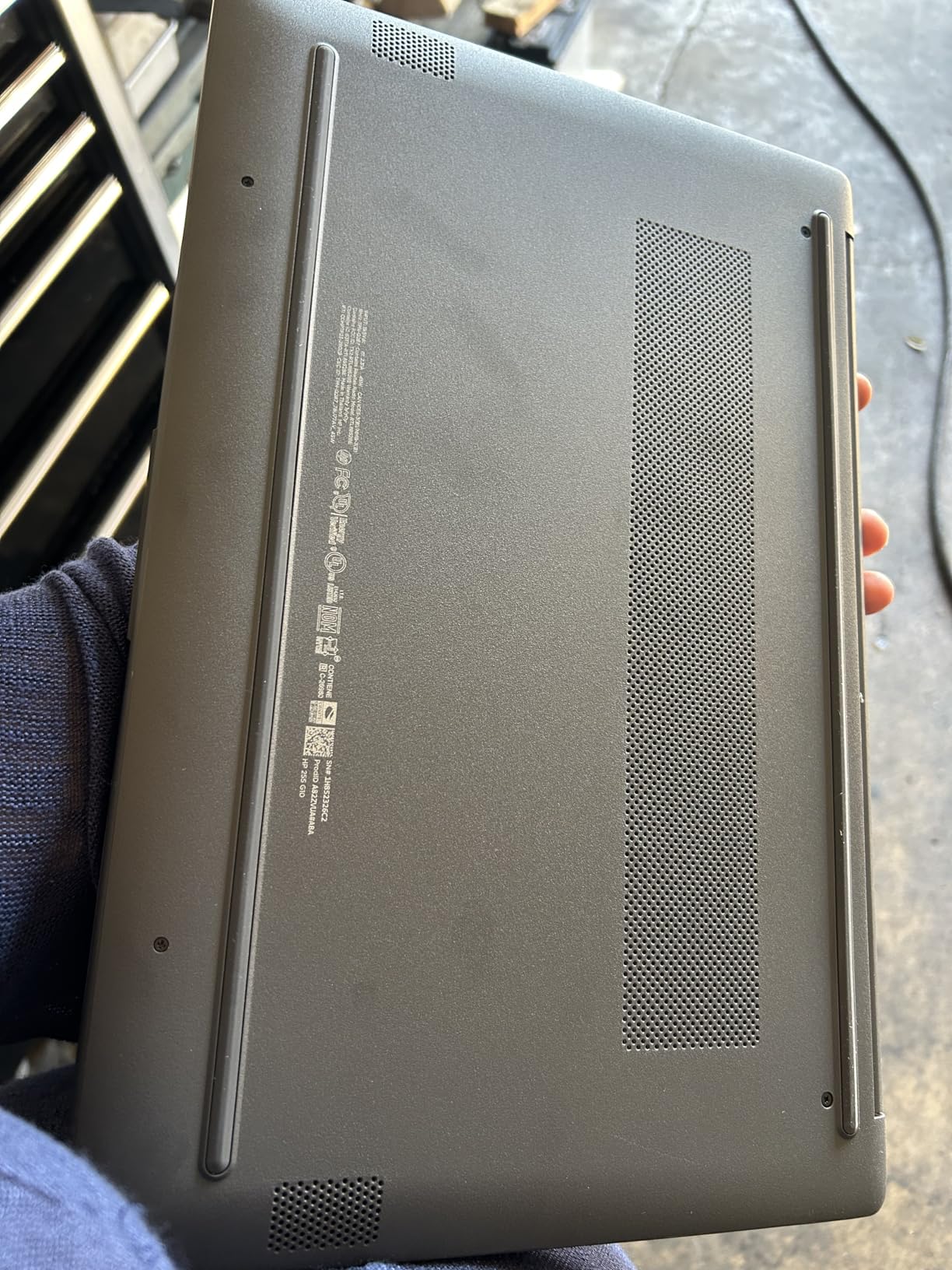
Screen, Keyboard and Build Trade-offs
The 15.6-inch 1920×1080 IPS anti-glare panel at 250 nits is workable but the dimmest here, and the 45% NTSC colour gamut means conditional formatting colours look flat. The keyboard has a numeric keypad, a genuine plus for data entry, but it is not backlit. At 3.3 pounds and 0.73 inches thick this is one of the more portable machines in the roundup, and connectivity is sensible for the tier: two USB-A, one USB-C, HDMI, Wi-Fi 6 and Bluetooth. The 41 Wh battery is the smallest here, so expect a shorter working day away from mains.
Who This Machine Actually Suits
A minority of owners report reliability concerns and a casing that feels cheap after short use, and I would want a solid warranty before committing. In exchange you get eight cores, a tenkey and a 64GB memory ceiling at the lowest cost in the group. It suits students, bookkeepers and junior analysts who genuinely need more than 16GB or four cores and will upgrade the memory within a year; it is not the machine for a modeller with multi-million-row workbooks. For typing-heavy daily work rather than Excel specifically, our gaming keyboard guide covers the alternatives.
How Much RAM Does Excel Really Need in 2026?
The most useful thing I can tell an Excel power user is that most laptops sold as suitable ship with 16GB, and that many of those can be upgraded. The thresholds below are the ones I use when advising.
The RAM Thresholds, Plainly Listed
16GB is enough for workbooks under roughly 100,000 rows, standard pivot tables and formula work, as long as you are not running a data model or a stack of applications at once. 32GB is the right answer for Power Query and Power Pivot, multi-window multitasking with Excel plus browser plus email, and anything in the hundreds of thousands of rows. 64GB or more is for multi-million-row data models, local virtual machines, and analysts running Power BI Desktop alongside Excel on one machine all day.
Community advice in analyst forums converges on the same middle tier, with 32GB described as the default preference for serious work and 16GB described as adequate for ordinary use. That matches what I see in practice.
Check Whether Memory Is Soldered Before You Buy
This is the pre-purchase question that comes up most often, and it is the one that most affects whether the machine is still right in four years. Before buying any laptop, answer these four questions.
1. Does the product page list a maximum memory figure? If it says 64GB or 128GB maximum, the memory is almost certainly replaceable. If it lists only the shipped amount, assume soldered until proven otherwise. 2. Does the specification list the memory as LPDDR5 or LPDDR5X? LPDDR means low-power DRAM, which is soldered to the motherboard by design. 3. Does the spec sheet mention one or two memory slots? One slot on a 32GB machine is a hard ceiling for a future upgrade. 4. Does the manufacturer’s service documentation list memory as a replaceable part? This is definitive where the retail listing is vague.
Apple Silicon machines fail this test by design. Unified memory is soldered, always. That is a deliberate trade for thinness and performance, but it means the configuration you buy is the configuration you keep.
Single-Core Speed vs Core Count
Excel uses both in different places, and confusing them leads to the wrong purchase. Formula recalculation and VBA macro execution are largely single-threaded, so clock speed matters most. Power Query refreshes and Power BI transformations parallelise across cores, so core count matters most.
A practical rule: for macro-heavy automation, prioritise clock speed and cooling. For data-refresh-heavy analysis, prioritise core count. For most people doing both, a modern part with at least 8 cores boosting near 4.5 GHz covers it, which is why several picks here sit at 12 to 16 cores. Thermals matter as much as the spec sheet, because a thin laptop that throttles during a one-hour recalculation loses the performance it advertises.
Storage, Screen Aspect Ratio and the Numeric Keypad
Storage is not glamorous but it is felt: a 2GB workbook saved continuously on a slow drive creates a pause every time you switch between tabs. 512GB is the minimum I would accept for a power user, and 1TB is better if you keep a large local data extract alongside your model.
On screens, 16:10 gives more vertical rows than 16:9 at the same diagonal size, which is worth more to a spreadsheet user than any resolution increase above 1920×1200. Brightness of 300 nits or more matters more than any other panel spec, since a dim screen in a bright room is what actually causes eye strain. The numeric keypad is a surprisingly important discriminator too: anyone entering figures by hand notices a missing tenkey on a 13 or 14 inch machine every day, and a USB keypad is a workable but poor substitute.
Battery, Ports and Docking for Analysts Who Travel
Excel is CPU-bound work, so a machine that throttles on battery feels slower away from your desk, and machines that hold performance on battery are worth a premium for a traveller. Battery capacity above 55 Wh is where a full working day becomes realistic.
For ports, the practical checklist is USB-C for charging and data, HDMI, and at least two USB-A so you are not hunting for a free port for a mouse. For a dual-monitor workbook comparison, confirm the machine drives two external displays at the resolution you want, ideally without a dock, before you buy.
Laptops to Stay Away From for Heavy Excel Work
Several search results for this question go unanswered elsewhere, so here they are in the order I would check them.
1. Anything with 8GB of memory, and anything with 4GB. Once Chrome, Outlook, Teams and Excel are all open, 8GB is not enough. This is the most common complaint in analyst communities and it is not fixable in software. 2. Soldered 16GB with no upgrade path. This is the quiet trap. The machine looks correct on paper until you hit a multi-hundred-thousand-row model, and then you cannot correct it. 3. Four-core processors in a laptop built for light office work. Power Query and Power BI transformations crawl on four-core chips no matter how much memory is installed, and this is consistently described as a core-count and thermal problem rather than a memory one. 4. Chromebooks and Linux-only machines. A Chromebook-first-then-MacBook route is a popular budget idea and is explicitly rejected by people doing real Excel work, because VBA and the full Power Query toolchain are not available. 5. Heavily discounted previous-generation stock sold as a current model. A large discount usually means a prior-generation processor, and you inherit the battery wear of whatever sat in the warehouse.
The trap that catches experienced buyers is a spec sheet that looks balanced on paper: plenty of memory, but only two or four cores. The RAM figure looks right, the machine is not fast, and the problem is not fixable by any software update.
Excel on Windows vs Mac: What Actually Breaks
The honest answer is that Windows wins on feature completeness for corporate finance, and the gap is narrow enough that the right Mac still works well for standard modelling. The specific gaps matter more than the general feeling.
Power Pivot and the Data Model. This is the most cited gap. Excel for Mac has supported Power Pivot, but building Pivot Charts directly from the Data Model, and the full set of Data Model management tools, is not at parity with Windows. If your reporting is built on the data model rather than a PivotTable, this is a genuine blocker. Pivot Charts from the Data Model. Analysts report this as the specific feature that pushed them back to Windows rather than an abstract preference. VBA. Macros generally work, but there are documented issues with certain user form controls, and Windows-only COM automation does not exist on macOS at all. If you maintain macros for a corporate template, test them before switching. Power Query. The connector and transformation set is smaller than Windows. Add-ins. This is the one that decides the question for most corporate users: if your employer depends on a Windows-only add-in for a custom reporting format, no Mac will run it.
On the other side, Apple’s unified memory architecture is a genuine advantage most comparisons dismiss. Because memory is one shared pool rather than separate system and graphics memory, a Mac can be configured with more memory than a comparably sized Windows laptop, and that memory cannot be stranded in an unused graphics partition. For a single workload like Excel, 48GB of unified memory gives more usable headroom than 32GB of conventional laptop memory.
My rule of thumb: if your Excel work is modelling, forecasting and reporting, either platform is fine and the hardware should decide. If it touches the data model, corporate add-ins or Windows-only automation, buy Windows. And include the Excel licence in your budget, because it is a subscription rather than something bundled with the machine.
Frequently Asked Questions
What is the best laptop for heavy Excel users?
The Apple MacBook Pro 16 with 48GB unified memory is the strongest overall choice for heavy Excel work, because the large memory pool handles big workbooks and many open applications at once. If your workflow depends on Power Pivot, Pivot Charts from the Data Model, or Windows-only add-ins, choose a 32GB Windows notebook such as the Lenovo ThinkBook 16 Gen 8, which also has the highest core count for Power Query refreshes.
How much RAM is needed for heavy Excel use?
16GB is enough for workbooks under roughly 100,000 rows and standard pivot tables. 32GB is the right tier for Power Query, Power Pivot, and running Excel alongside a browser, email and Power BI. 64GB or more is needed only for multi-million-row data models or local virtual machines. Critically, check whether the memory is soldered: a 16GB laptop with a documented upgrade path is fine, a 16GB laptop with soldered memory is a dead end.
Is Excel better on PC or Mac?
Windows has the more complete Excel, with full Power Pivot and Data Model support, Pivot Charts built from the Data Model, better VBA and COM automation, broader Power Query connectors, and Windows-only add-ins. Mac Excel handles standard modelling, formulas and large workbooks very well, and offers longer battery life and a superior display. Choose Windows for corporate data-model and add-in workflows; either platform works for forecasting and reporting.
What laptop to stay away from?
Avoid any laptop with 8GB of memory or less, and avoid four-core processors, which cause slow Power Query and Power BI transformations regardless of installed memory. Avoid 16GB configurations where the memory is soldered and has no upgrade path. Chromebooks and Linux-only machines do not run VBA or the full Power Query toolchain. Also avoid heavily discounted previous-generation stock, which usually means an older processor and a worn battery.
Do I need a dedicated GPU for Excel?
No. Excel is CPU and memory bound, so a dedicated GPU adds cost, weight and heat for no benefit in spreadsheet work. Integrated graphics are sufficient for normal Excel use, including PivotTables, charts and conditional formatting. A discrete GPU only becomes relevant if you also do serious 3D rendering, video editing, or local machine learning work alongside your spreadsheets.
The Verdict for Excel Power Users in 2026
If you are choosing one machine and your workflow is standard modelling, forecasting and reporting, take the MacBook Pro 16 with M5 Pro and 48GB. It has the most memory headroom in the group, the best display for long reading sessions, and performance that does not change when you unplug.
If your work depends on the full desktop Excel feature set, Power Query refreshes are your pain point, or you need Windows-only add-ins, take the ThinkBook 16 Gen 8 for its 16-core processor and 32GB of memory, checking the missing keyboard backlight before you commit. If you need to travel with that level of memory, the ThinkPad T14 Gen 6 carries 32GB and 1TB at 3.1 pounds.
For fixed desks, the Dell Latitude 5550 is the best fleet choice, with the fullest port selection and a documented 64GB ceiling. For screen area, the HP ProBook 4 G1a pairs the widest 16:10 panel with a backlit numeric keypad, and the HP 17.3-inch is for a desk that needs the biggest display available. If cost is the binding constraint, the HP 255 G10 gives you eight cores and a 64GB memory path, which no other entry-level machine in this roundup does.
Whichever you choose, buy for the memory tier you will need in three years rather than the one you need today, and confirm the upgrade path before you pay. That single check separates a purchase that ages well from one you replace early. All eight configurations were compared for this 2026 guide, and the Check Latest Price buttons show current pricing for each.