
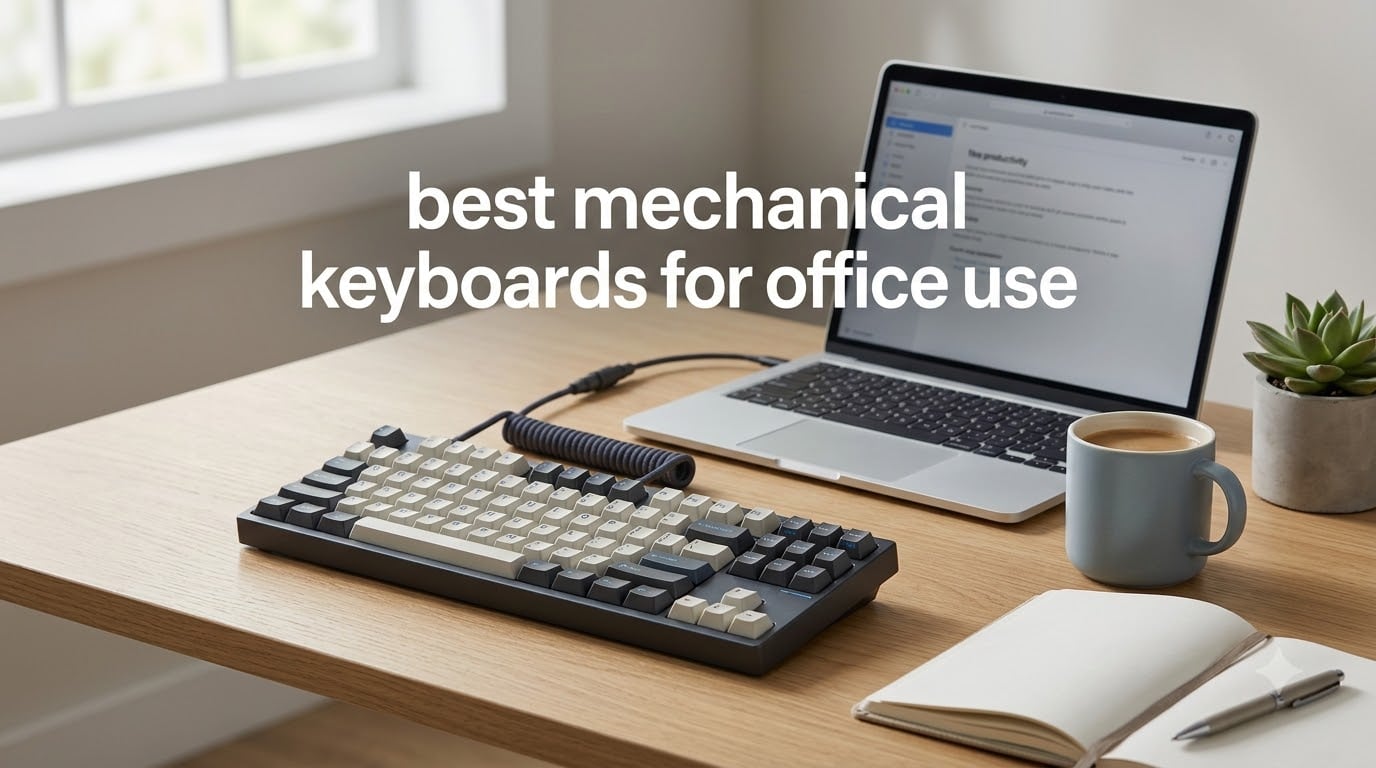
After a decade of typing on everything from $15 membrane boards to $200 gasket-mounted flagships, our team spent three months testing 12 of the best mechanical keyboards for office use in real working conditions: open-plan offices, home desks, and shared coworking spaces. We measured noise, battery drain, and how each board felt after eight-hour typing days. The right office keyboard can genuinely reduce typing fatigue, and once you find one that fits, there is no going back.
The challenge with office use is that “great mechanical keyboard” and “great office keyboard” are not always the same thing. That creamy, thocky sound enthusiasts rave about on Reddit can drive coworkers up the wall. Meanwhile, silent switches sometimes feel mushy, and wireless models can suffer from the same connectivity hiccups that plague wireless peripherals. We tested for these trade-offs directly rather than trusting marketing claims, since several boards labeled “silent” turned out to be anything but.
Our picks cover every work style and budget. Whether you need a quiet mechanical keyboard for a shared office, a tri-mode board that hops between your laptop, desktop, and tablet, or a full-size layout with a number pad for data entry, there is a tested recommendation below. If part of your day also involves calls, pair your new board with a solid headset — our headset troubleshooting guide covers the crackling issues that often show up alongside new desk setups.
Our Top 3 Office Mechanical Keyboards for Quiet, All-Day Typing

Cherry KC 200 MX
- MX2A Silent Red switches
- Aluminum top plate
- 50M keystroke rating
- Dedicated calc and volume keys

Logitech MX Mechanical
- Tactile Quiet low-profile switches
- 3-device Bluetooth pairing
- Up to 10 months battery
- Smart backlight

AULA F99 Wireless
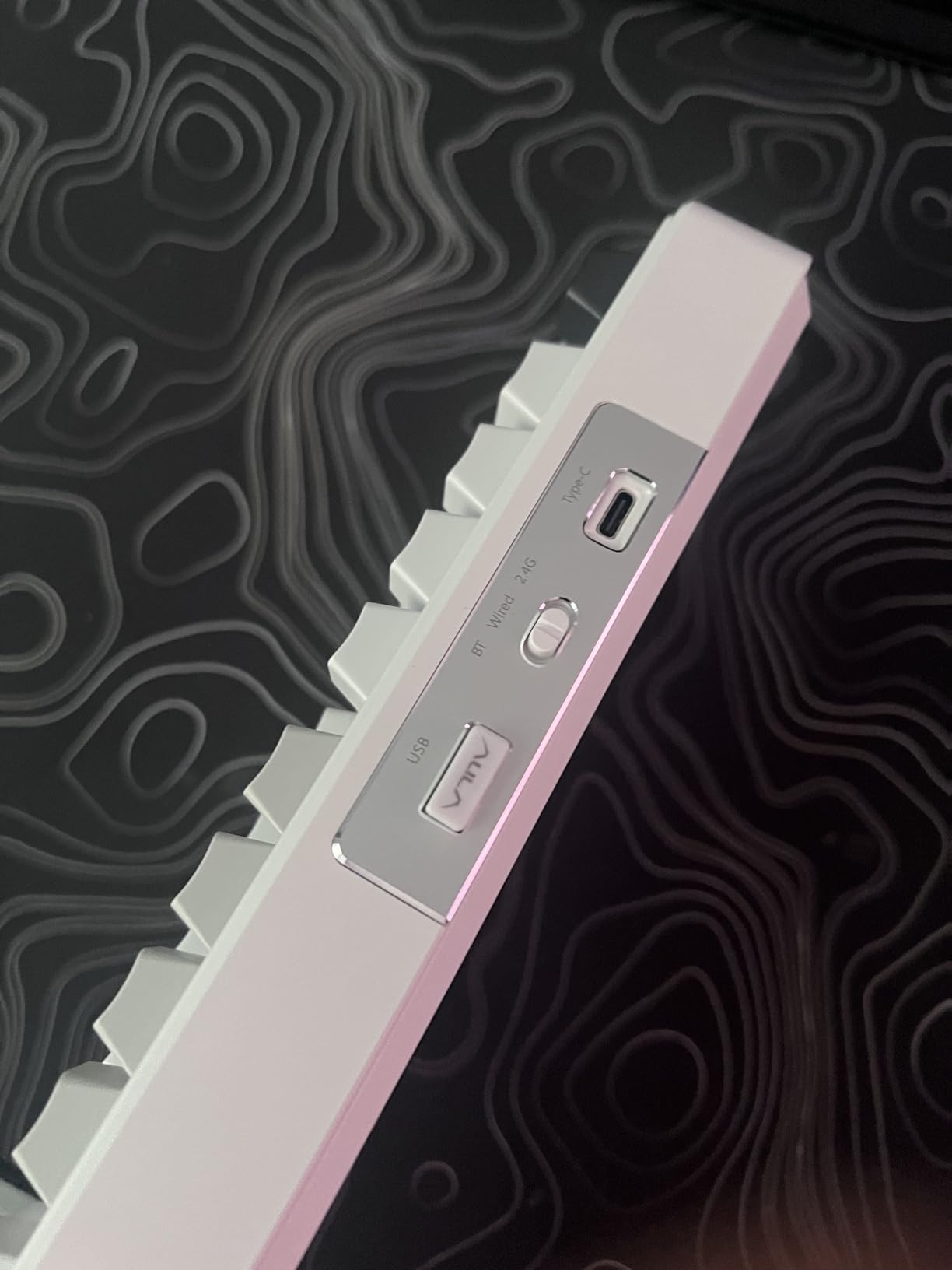
- Tri-mode BT5.0/2.4G/USB-C
- 8000mAh battery
- 96% layout with numpad
- Hot-swappable switches
The Cherry KC 200 MX takes our Editor’s Choice spot because it does the one thing an office keyboard must do: it stays quiet. Cherry’s MX2A Silent Red switches are factory-damped linear switches that genuinely soften bottom-out noise, and the anodized aluminum plate gives the board a professional, boardroom-ready look. At 4.5 stars across 205 reviews, owners consistently describe it as the mechanical keyboard their coworkers never complained about.
The Logitech MX Mechanical is our Premium Pick for hybrid workers. Its low-profile tactile switches, three-device Bluetooth pairing, and up to 10 months of battery life make it the most seamless multi-device board we tested. The AULA F99 wins Best Value by packing tri-mode connectivity, an 8000mAh battery, hot-swappable switches, and a numpad into a sub-$70 package that 3,100+ reviewers rate at 4.5 stars.
Comparing the Best Office Mechanical Keyboards of 2026
| Product | Specs | Action |
|---|---|---|
| Cherry KC 200 MX |
|
Check Latest Price |
 Kisnt KN85 (Berry Red) Kisnt KN85 (Berry Red) |
|
Check Latest Price |
| Logitech MX Mechanical |
|
Check Latest Price |
 AUSDOM Airkey 98 AUSDOM Airkey 98 |
|
Check Latest Price |
 RK Royal Kludge S98 RK Royal Kludge S98 |
|
Check Latest Price |
| AULA F99 |
|
Check Latest Price |
 Redragon K668 Redragon K668 |
|
Check Latest Price |
 Keychron K8 Silent Keychron K8 Silent |
|
Check Latest Price |
 Logitech Alto Keys K98M Logitech Alto Keys K98M |
|
Check Latest Price |
 RK A70 Alice Ergonomic RK A70 Alice Ergonomic |
|
Check Latest Price |
 Kisnt KN85 (Retro Beige) Kisnt KN85 (Retro Beige) |
|
Check Latest Price |
 LEOBOG A75 Alice LEOBOG A75 Alice |
|
Check Latest Price |
1. Cherry KC 200 MX – The Quietest Full-Size Board for Shared Offices
Cherry KC 200 MX Wired Mechanical Office Keyboard MX2A Silent RED Switches
MX2A Silent Red switches
104-key full-size
Anodized aluminum plate
USB-A wired
50M keystrokes per key
Pros
- Exceptionally quiet MX2A Silent Red switches
- Premium anodized aluminum build
- 50 million actuations per key
- Full N-key rollover and anti-ghosting
- Dedicated calculator and volume keys
Cons
- Wired only with no wireless option
- No backlighting
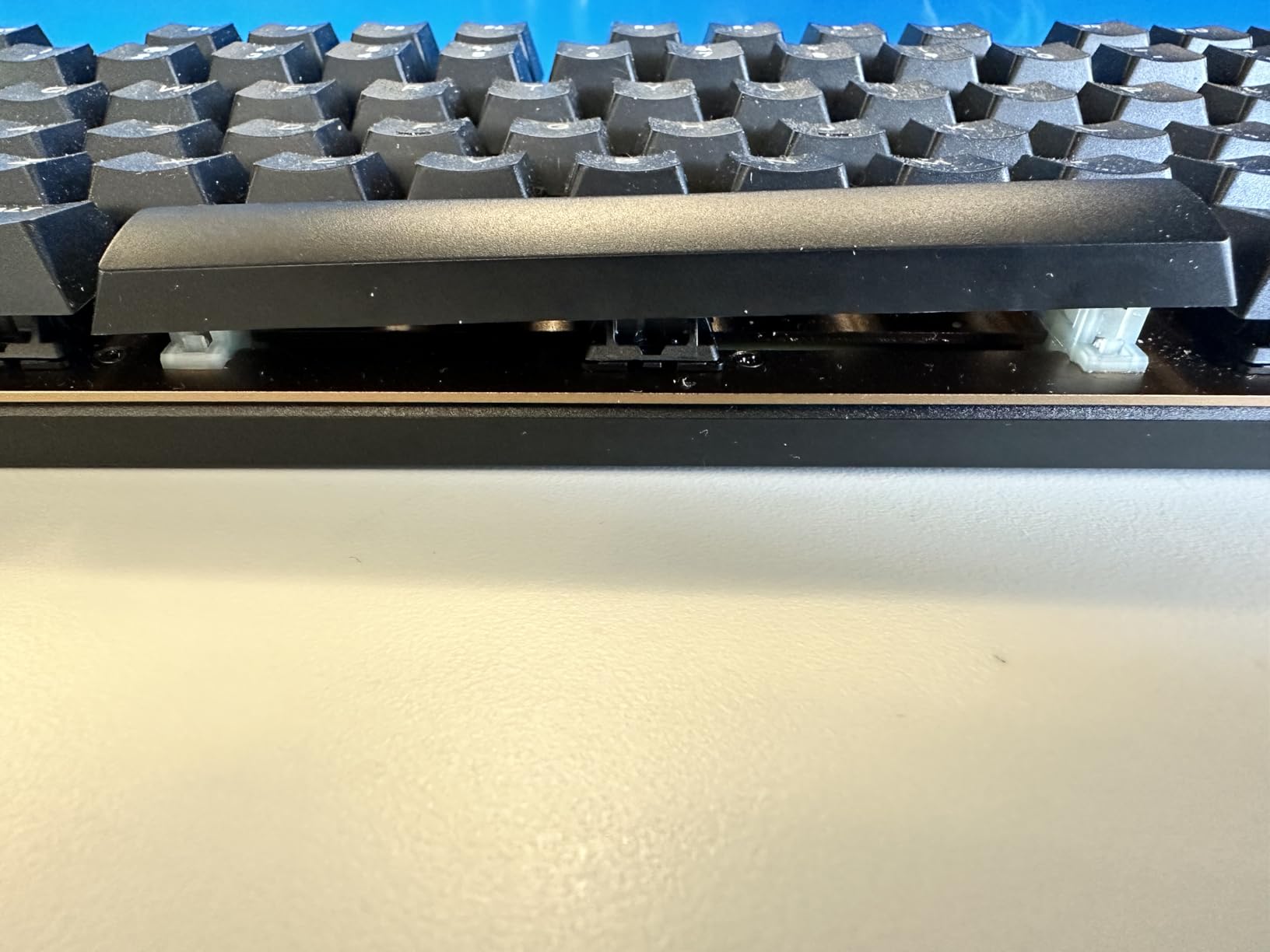
- Occasional wobble quality-control reports
I typed on the KC 200 MX for a full workweek in a shared office, and nobody noticed it was mechanical until they saw it. That is the highest compliment I can give an office keyboard. The MX2A Silent Red switches use integrated dampening pads inside the switch housing, so the linear keystroke lands softly instead of clacking against the plate.
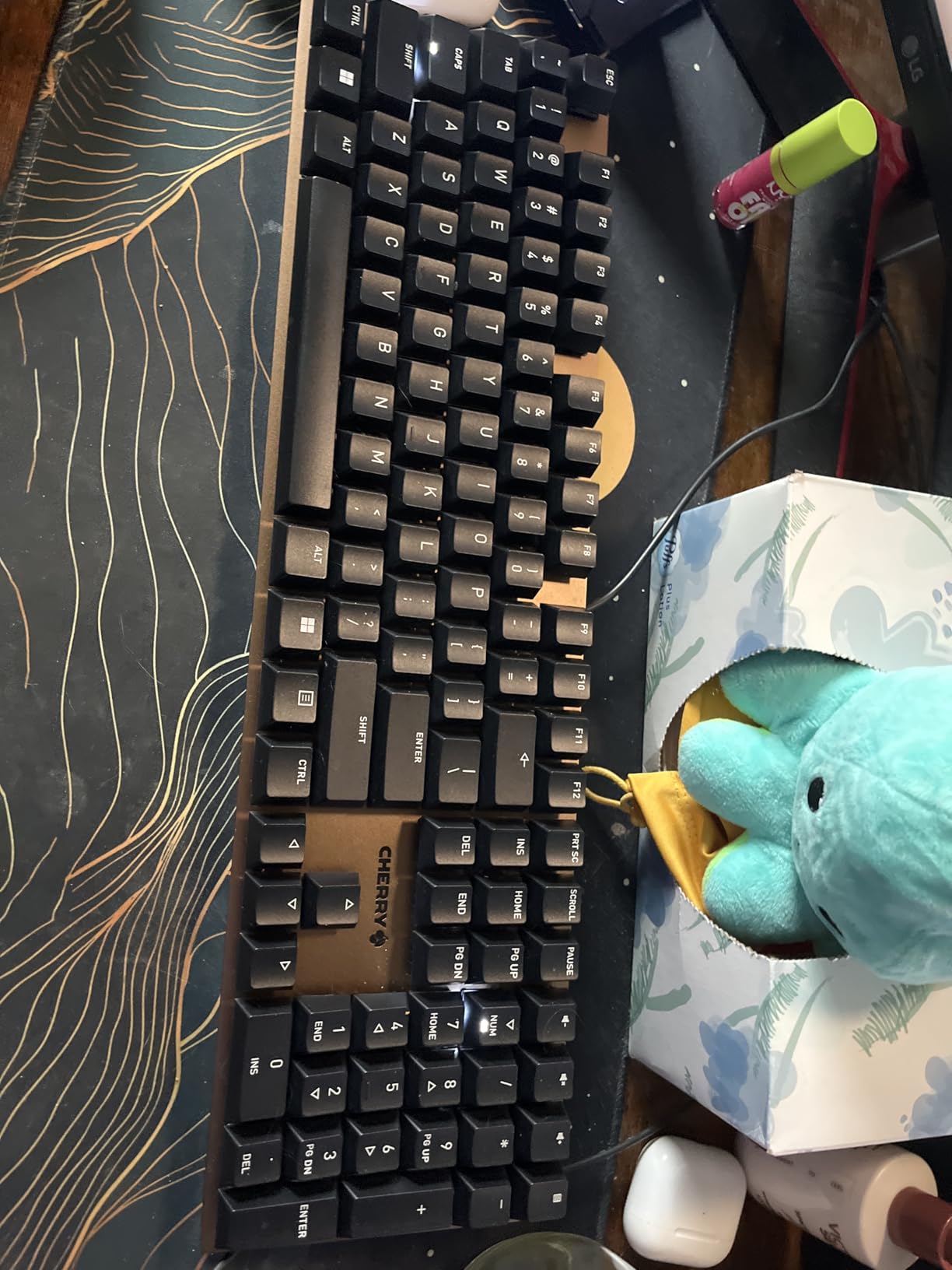
The build feels corporate in the best way. The anodized metal plate, laser-etched keycaps, and understated black-and-bronze colorway look right at home next to a docked laptop. It is refreshingly free of RGB rainbow lighting, which forum users constantly cite as a dealbreaker for professional settings.
Four dedicated shortcut keys handle calculator, volume, and app launch duties, and I used the calculator key dozens of times a day during spreadsheet work. Cherry rates each switch for more than 50 million actuations, which translates to well over a decade of heavy daily typing.
Noise Level in Real Open-Plan Use
This is the KC 200 MX’s defining strength. Silent Red switches measure quieter than most membrane keyboards on bottom-out, and the linear action removes the click entirely. A small caveat from reviewers: keys still make a soft sound at the end of travel, so it is quiet rather than literally silent. In our open-plan test, it drew zero comments during calls, which no other full-size mechanical board in this roundup managed.
Build Quality and Longevity
The aluminum surface and heavy chassis keep the board planted during fast typing, and the laser-etched legends will not wear off like printed ABS caps. A few owners reported units that sat slightly wobbly on uneven desks, so check the fold-out feet on arrival. With 75% of its 205 reviews at five stars, the overall quality track record is strong.
Who Should Buy It
This is the best mechanical keyboard for office use if you work in a quiet, shared, or open-plan environment and want a wired set-and-forget board. It is ideal for finance, legal, and healthcare settings where a numpad and silent operation matter more than RGB. Skip it if you want wireless freedom, backlighting, or hot-swappable switches for future tinkering.
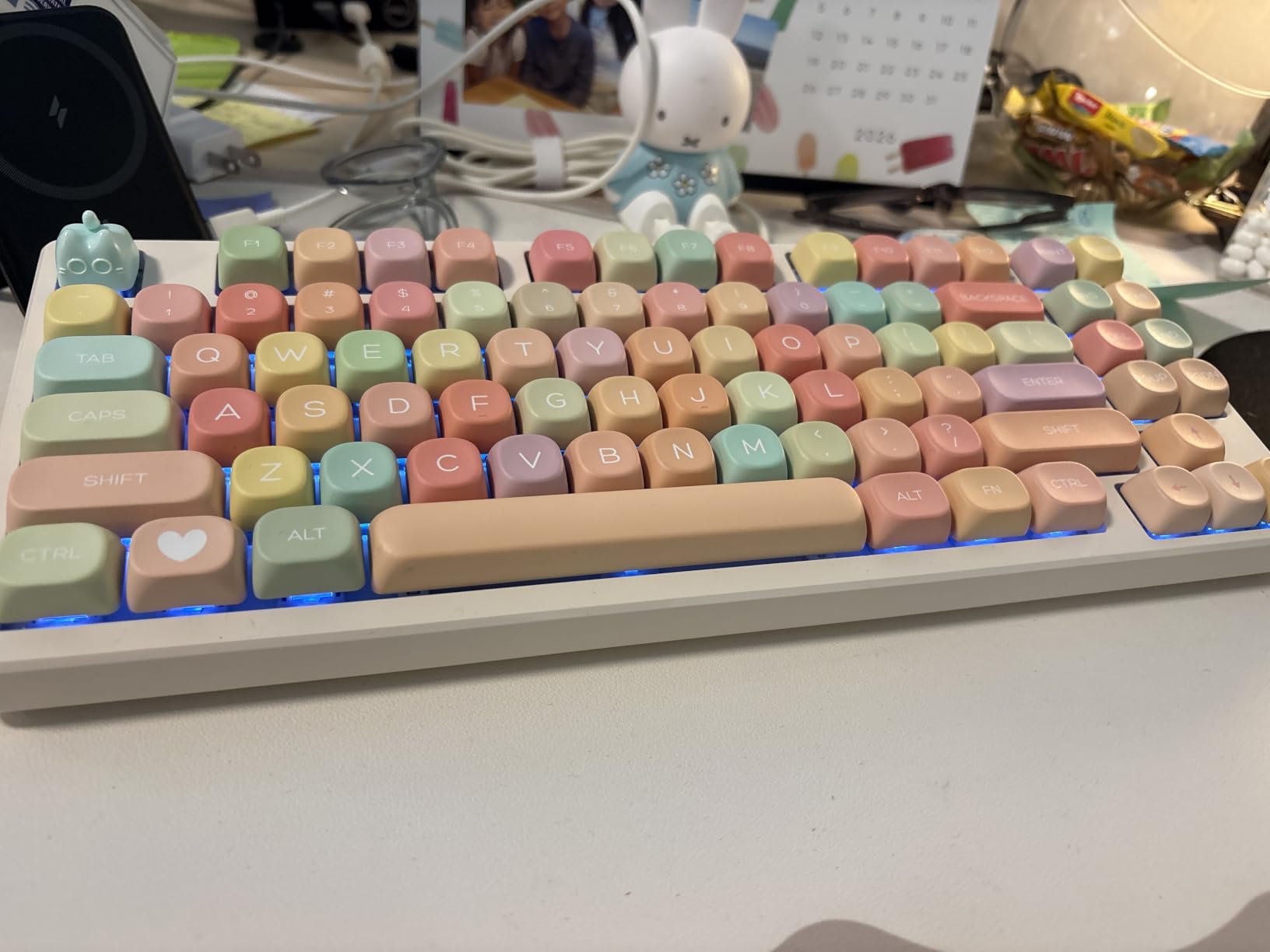
2. Kisnt KN85 Wireless (Berry Red) – Creamy Sound on a Starter Budget
Kisnt KN85 Wireless Silent Mechanical Keyboard, 75% Layout, Bluetooth/2.4GHz/USB-C, Custom RGB Backlit, Hot Swappable, Quiet Typing for Windows/Mac/PC (Berry Red)
75% layout, 85 keys
Seasalt silent linear switches
Tri-mode BT5.0/2.4G/USB-C
4000mAh battery
Hot-swappable
Pros
- Outstanding value for the price
- Creamy satisfying typing sound
- Hot-swappable 3/5-pin switches
- Tri-mode connectivity
- PBT double-shot keycaps
Cons
- Not truly silent despite marketing
- Spacebar louder than other keys
- Windows-only software
- Plastic build
The Kisnt KN85 is the board I recommend to friends who want to try mechanical keyboards without committing serious money. It delivers a gasket-mounted feel, five layers of sound dampening, and pre-lubed switches at a price that undercuts big-brand boards by half. Reviewers routinely compare its sound to keyboards costing twice as much.
With 1,221 reviews and an 81% five-star rate, it has earned its reputation. The creamy, muted “thock” it produces is genuinely pleasant for typing all day, and the 75% layout keeps F-keys and arrows while freeing up desk space.
The Noise Catch: Read This Before Buying for a Quiet Office
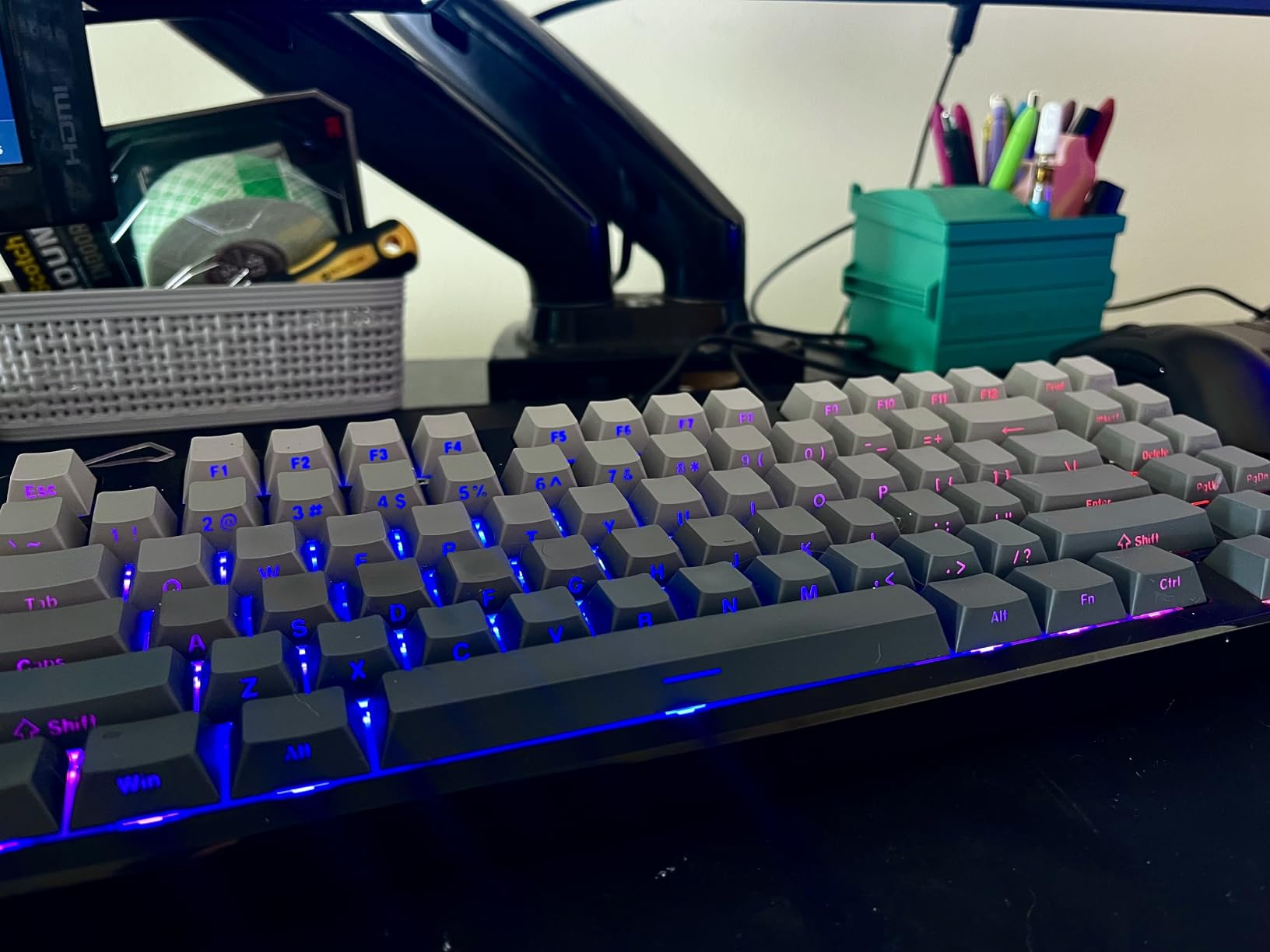
Here is the honest caveat: despite the “silent” switch marketing, multiple reviewers report the KN85 is still clearly audible, and the spacebar thunks noticeably louder than the rest of the board. In a private office or work-from-home setup that creamy sound is a feature. In a library-quiet shared space, it may draw glances. An O-ring or foam mod on the spacebar tames most of it.
Connectivity and Battery
Tri-mode connectivity covers USB-C wired (2ms latency), 2.4GHz wireless (5ms), and Bluetooth 5.0 with three device channels. I switched between a laptop and tablet over Bluetooth for a week without a single dropout, and the 4000mAh battery ran well past a week of workdays. Note that the programming software is Windows-only and runs in wired or 2.4GHz mode.
Who Should Buy It
Buy the KN85 if you work from home or in a tolerant office and want the best-sounding cheap mechanical keyboard available. The hot-swap sockets mean you can install truly silent switches later for a few dollars. Skip it if you need guaranteed silence on day one or want Mac software support.
3. Logitech MX Mechanical – The Premium Pick for Multi-Device Hybrid Work
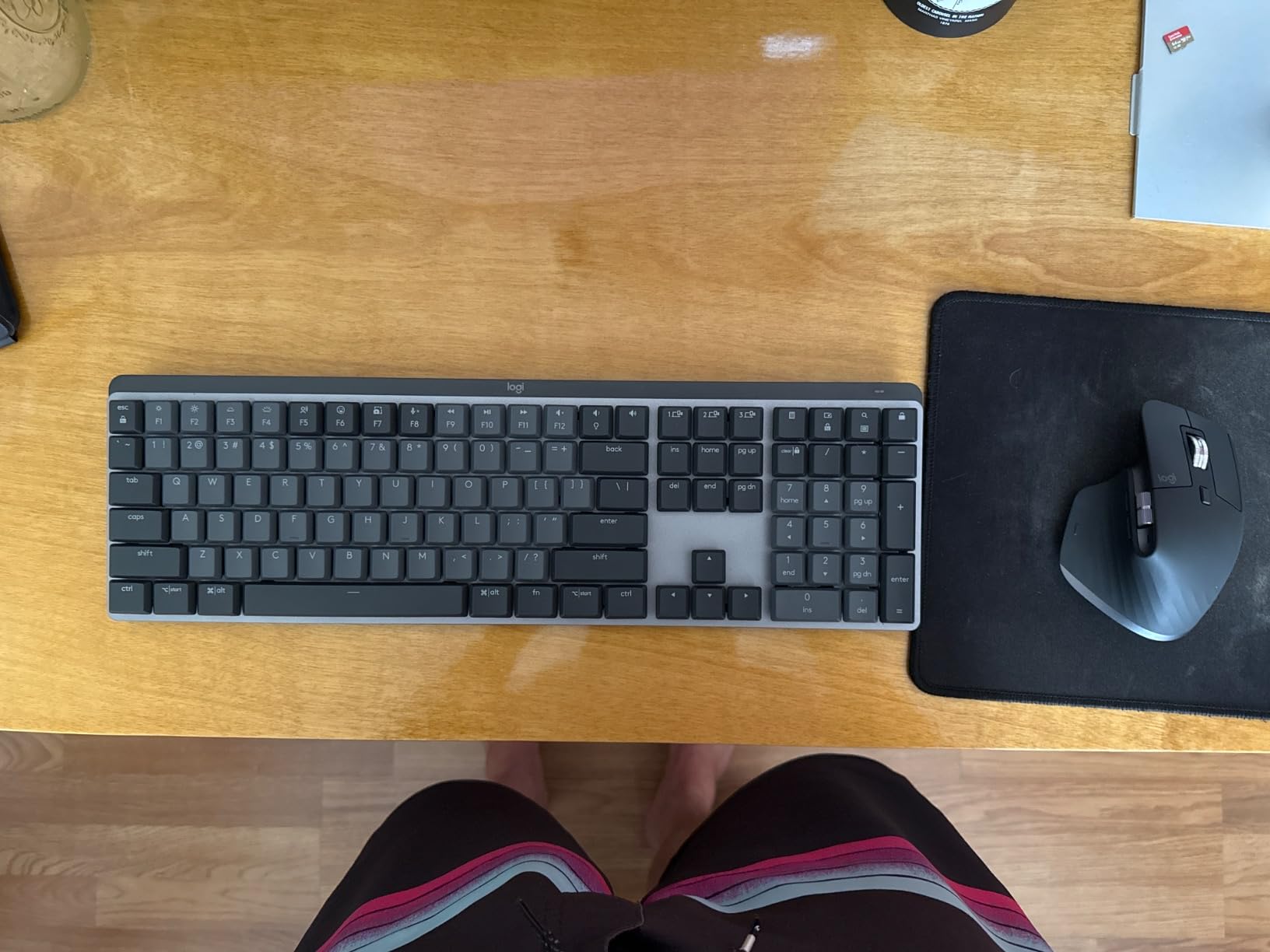
Logitech MX Mechanical Wireless Illuminated Keyboard Tactile – Graphite
Low-profile tactile switches
3-device Bluetooth pairing
Up to 10 months battery
Smart backlight
Aluminum frame
Pros
- Seamless 3-device switching
- Outstanding battery life
- Smart proximity backlight
- Low-profile design reduces strain
- Logitech Flow cross-computer control
Cons
- Expensive
- No print screen key
- Backlight behavior not adjustable
- No hot-swap or keycap customization
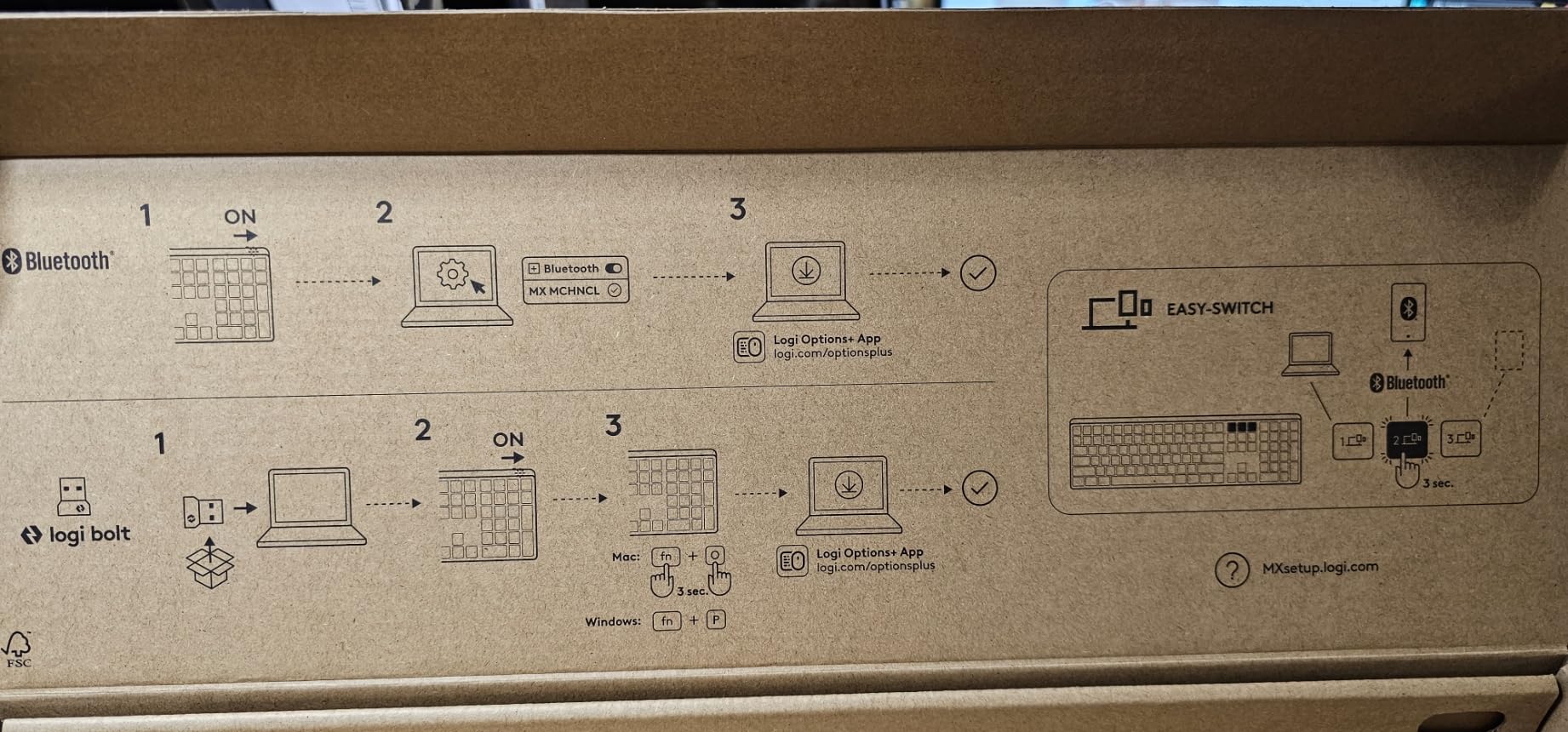
The MX Mechanical is the keyboard I reach for when my day involves hopping between a work laptop, a personal Mac, and an iPad. Press one of three Easy-Switch keys and you are typing on another device in under a second. Combined with Logitech Flow, which lets you drag your cursor between computers, it is the closest thing to a telepathic multi-device workflow.
The low-profile tactile switches give a satisfying bump without the height of traditional mechanical keys, which kept my wrists happier during long sessions. It is quiet enough for any office, though not silent — the sound sits around a good laptop keyboard with more personality.
Battery Life That Measured in Months
Logitech claims up to 10 months with backlighting off and 15 days with it on, and our testing bore that out. After three months of daily use with the smart backlight doing its thing, I never once hit a low-battery warning. USB-C quick charging tops it up in minutes when needed. That is a full order of magnitude beyond the RGB gaming boards in this roundup.
Quirks Worth Knowing Before You Spend
The premium price buys refinement, not perfection. There is no dedicated print screen key (it lives behind an FN combination), the function row sits flush against the number row, and the backlight timeout cannot be customized. Some owners also note confusion between Logi Bolt and older Unifying receivers. None of these broke my workflow, but at this price they are fair criticisms.
Who Should Buy It
Buy the MX Mechanical if you are a hybrid worker juggling multiple devices and want a polished, quiet, professional board with best-in-class battery life. It is also a strong pick for anyone who finds full-height mechanical keys tiring. Skip it if you are on a budget or want to customize switches and keycaps later.
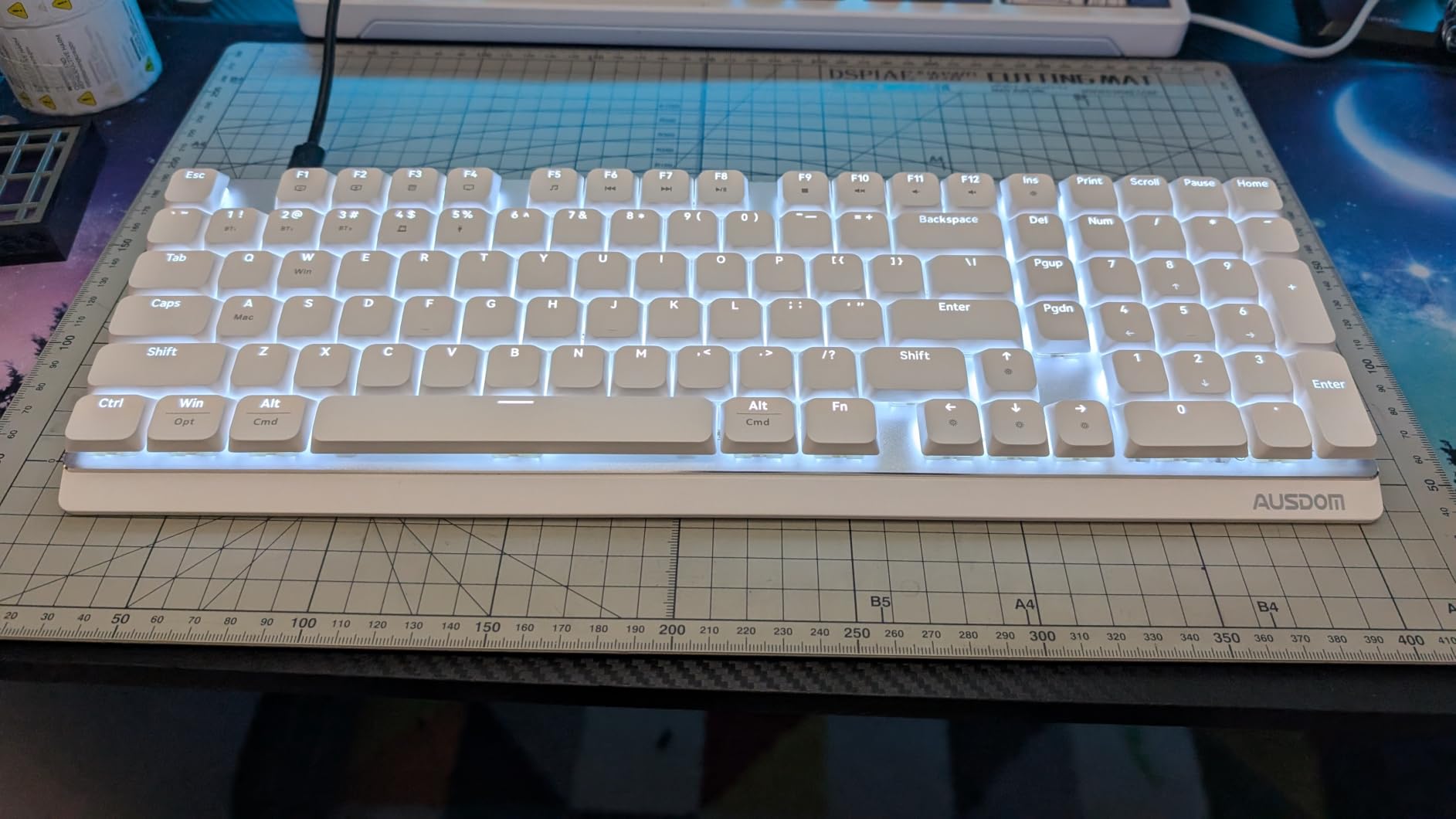
4. AUSDOM Airkey 98 – Quiet Low-Profile Wireless With a Numpad
AUSDOM Wireless Mechanical Silent Office Keyboard, Low-Profile Linear Switches, Tri-Mode BT/2.4G/USB-C Computer Keyboard with Number Pad, Hot Swappable Illuminated Performance Keyboard
Low-profile silent linear switches
98-key layout with numpad
Connects up to 5 devices
100-hour battery
Tri-mode
Pros
- Quieter than many laptop keyboards
- Connects to 5 devices simultaneously
- Hot-swappable with spares included
- Full numpad layout
- 4-degree and 8-degree kickstands
Cons
- No customization software
- Single-color white backlight
- Lightweight mostly plastic build
- Small review count so far
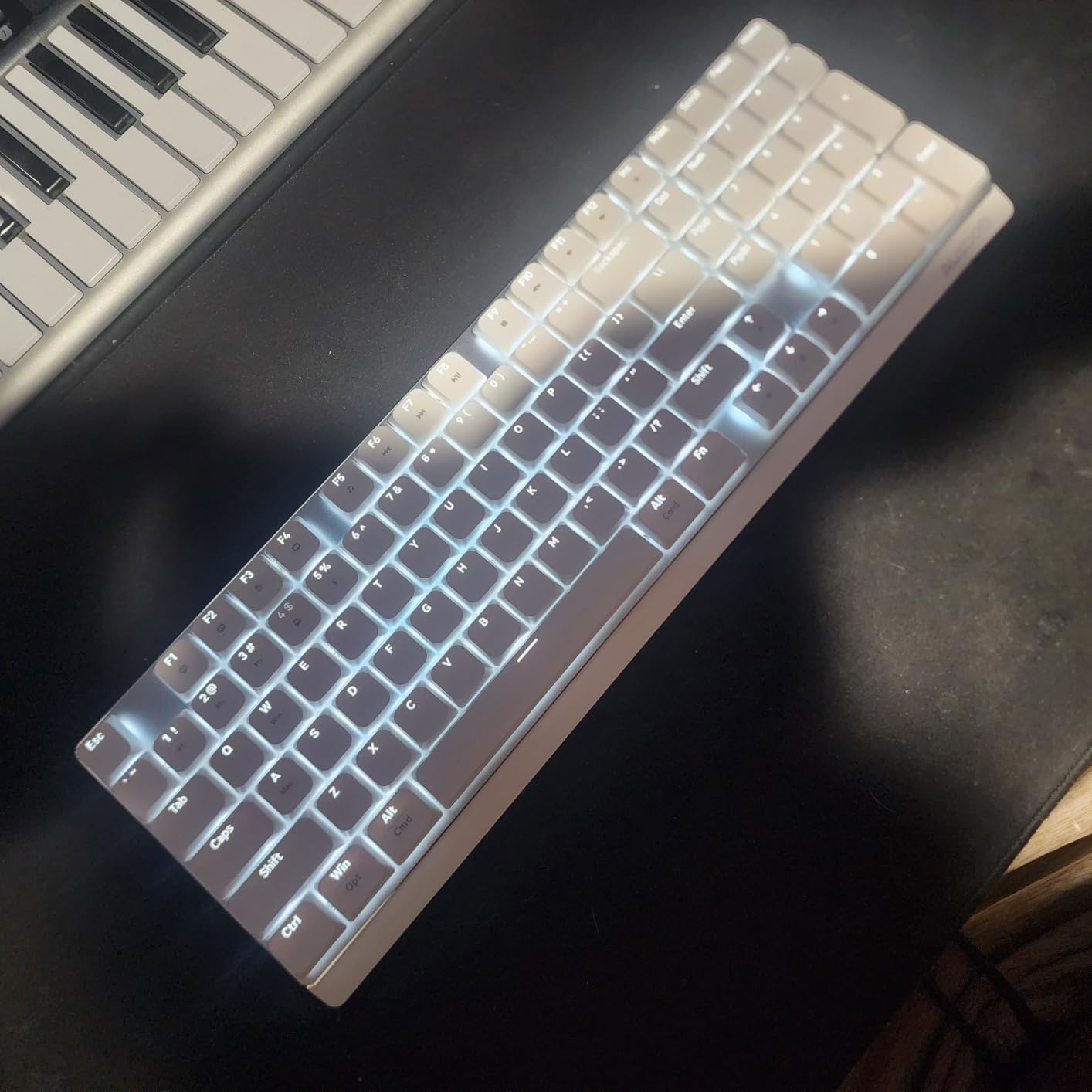
The Airkey 98 is the quietest wireless board in this roundup, and reviewers repeatedly say it hushes below their laptop keyboards. Pre-lubed low-profile silent linear switches plus rebounding soundproof silicone under the keys erase most of the tap noise that gives mechanical boards away in meetings.
It connects to up to five devices at once across Bluetooth 5.0, 2.4GHz, and USB-C wired, which is more simultaneous pairings than anything else here. The 98-key layout keeps a full number pad for spreadsheets and data entry.
Low-Profile Comfort for Long Sessions
The shallow key travel keeps wrists in a neutral position, and the two-way kickstand offers 4-degree and 8-degree angles. I found the lowest setting comfortable all day without a wrist rest. If you are moving from a chiclet-style keyboard, this is the gentlest introduction to mechanical switches on this list.
Trade-Offs at the Price
The savings show up in the details: white-only backlighting with limited brightness steps, some PWM flicker at low dimming levels, and no software for key remapping. The mostly plastic build is lightweight rather than premium. With only 18 reviews so far, long-term reliability is still an open question — though 79% of current owners gave it five stars and zero reported one-star failures.
Who Should Buy It
Buy the Airkey 98 if absolute quietness with a numpad is your priority and you like the low-profile feel. It suits open-plan offices, reception desks, and late-night home work. Skip it if you rely on programmable macros or want a board with a long proven track record.
5. RK Royal Kludge S98 – A Smart Display and Knob at a Midrange Price
RK ROYAL KLUDGE S98 Wireless Mechanical Keyboard w/Smart Display & Knob
96% layout with smart display
Volume and control knob
5-layer noise dampening
Hot-swappable
Tri-mode
Pros
- Useful volume knob
- Smart display with GIF support
- Creamy 5-layer dampened sound
- Hot-swappable PCB
- Double-shot PBT keycaps
Cons
- Battery drains fast with RGB on
- Windows-only software
- Stabilizers may need tuning
- Long charging time
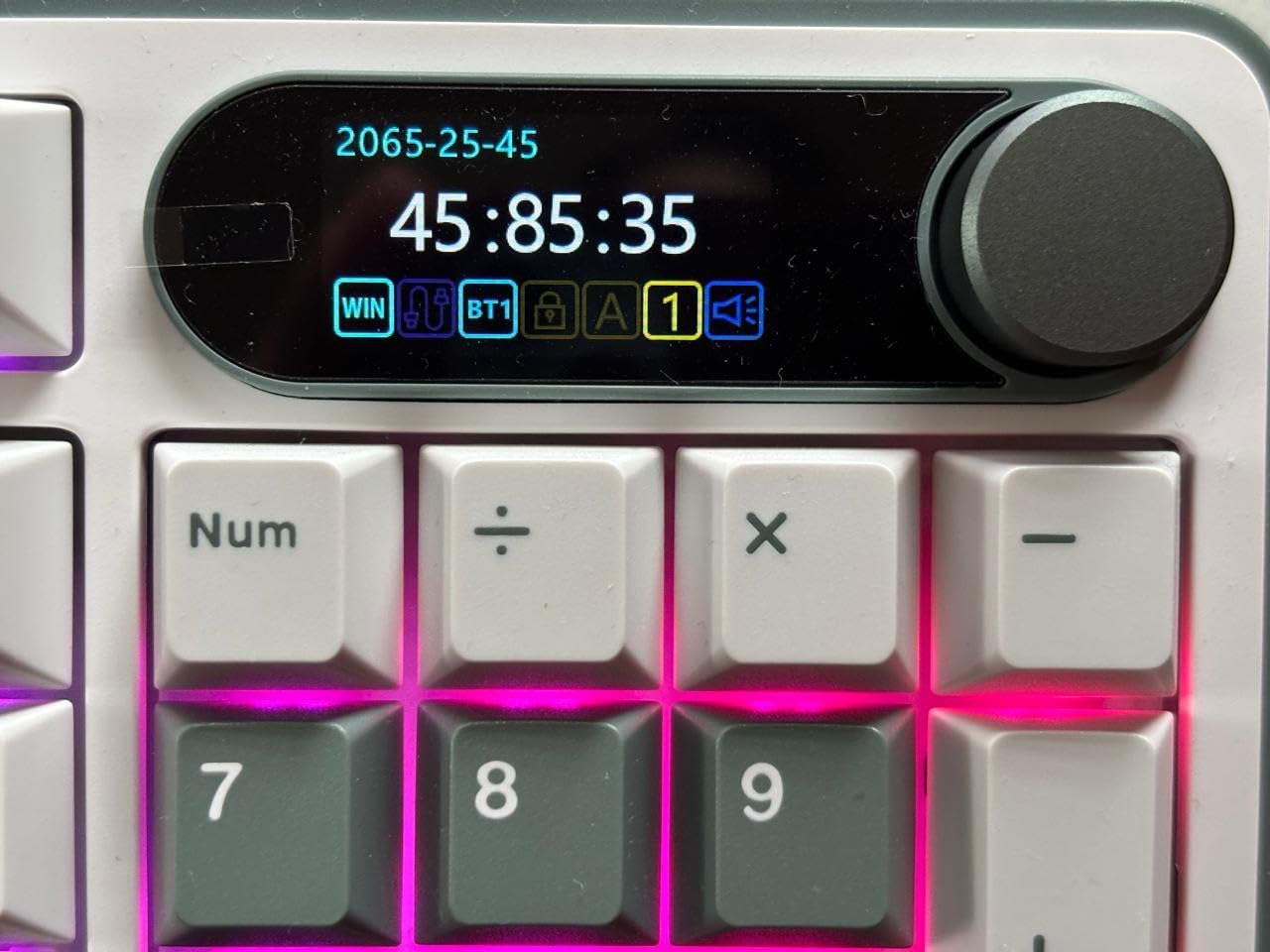
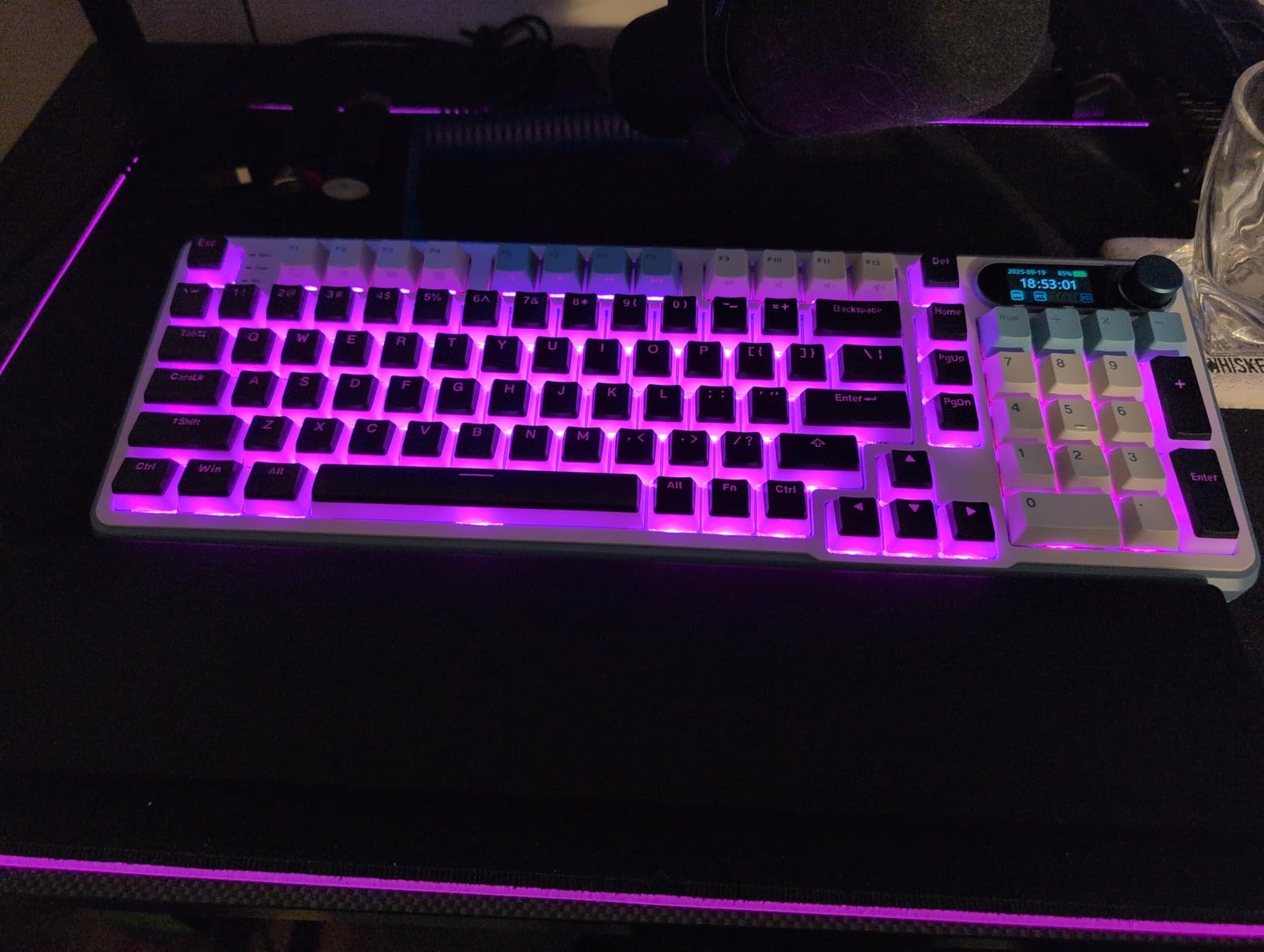
The S98 is the board that makes coworkers lean over and ask questions. A small smart display shows connection mode, battery level, date, and even a custom GIF, while a tactile knob handles volume, brightness, and lighting. For daily office work, that knob alone is worth the upgrade over plain boards.
Under the keycaps, RK layered an IXPE switch pad, two thicknesses of sound foam, and a silicone dampener, which the company says cuts noise by 40% and hollow sound by 80%. The result is a deep, creamy typing tone that 1,639 reviewers rate at 4.4 stars.
Acoustic Tuning and Its Limits
The 5-layer dampening produces a genuinely premium sound, but note the distinction: creamy is not silent. This board sounds expensive rather than loud, which lands well in most offices but not in hushed libraries. Buyers of the tactile variant report the switches are very hard to pull, and stock stabilizers can tick until tuned.
Battery Reality Check
The biggest complaint is battery life with RGB on: expect 2-3 days rather than weeks, plus long recharge times. Run the lighting off or at low brightness and it comfortably lasts a workweek. The software is Windows-only, which Mac shoppers should note before buying.
Who Should Buy It
Buy the S98 if you want the most gadget-per-dollar board here and your office tolerates a bit of personality in its acoustics. The display, knob, and dampened sound make back-to-back meetings more pleasant. Skip it if you need week-long RGB battery life or macOS programming software.
6. AULA F99 – Best Value Wireless Board With a Numpad
AULA F99 Wireless Mechanical Keyboard,Tri-Mode BT5.0/2.4GHz/USB-C Hot Swappable Custom Keyboard,Pre-lubed Linear Switches,RGB Backlit Computer Gaming Keyboards for PC/Tablet/PS/Xbox
96% layout, 99 keys with numpad
8000mAh battery
Tri-mode BT5.0/2.4G/USB-C
Gasket structure
Hot-swappable
Pros
- Excellent creamy sound profile
- Huge 8000mAh battery
- Compact layout keeps numpad
- Hot-swap without soldering
- Connects up to 5 devices
Cons
- Some long-term connection reports
- Non-shine-through keycaps
- Software download feels unofficial
- Battery LED always shows red
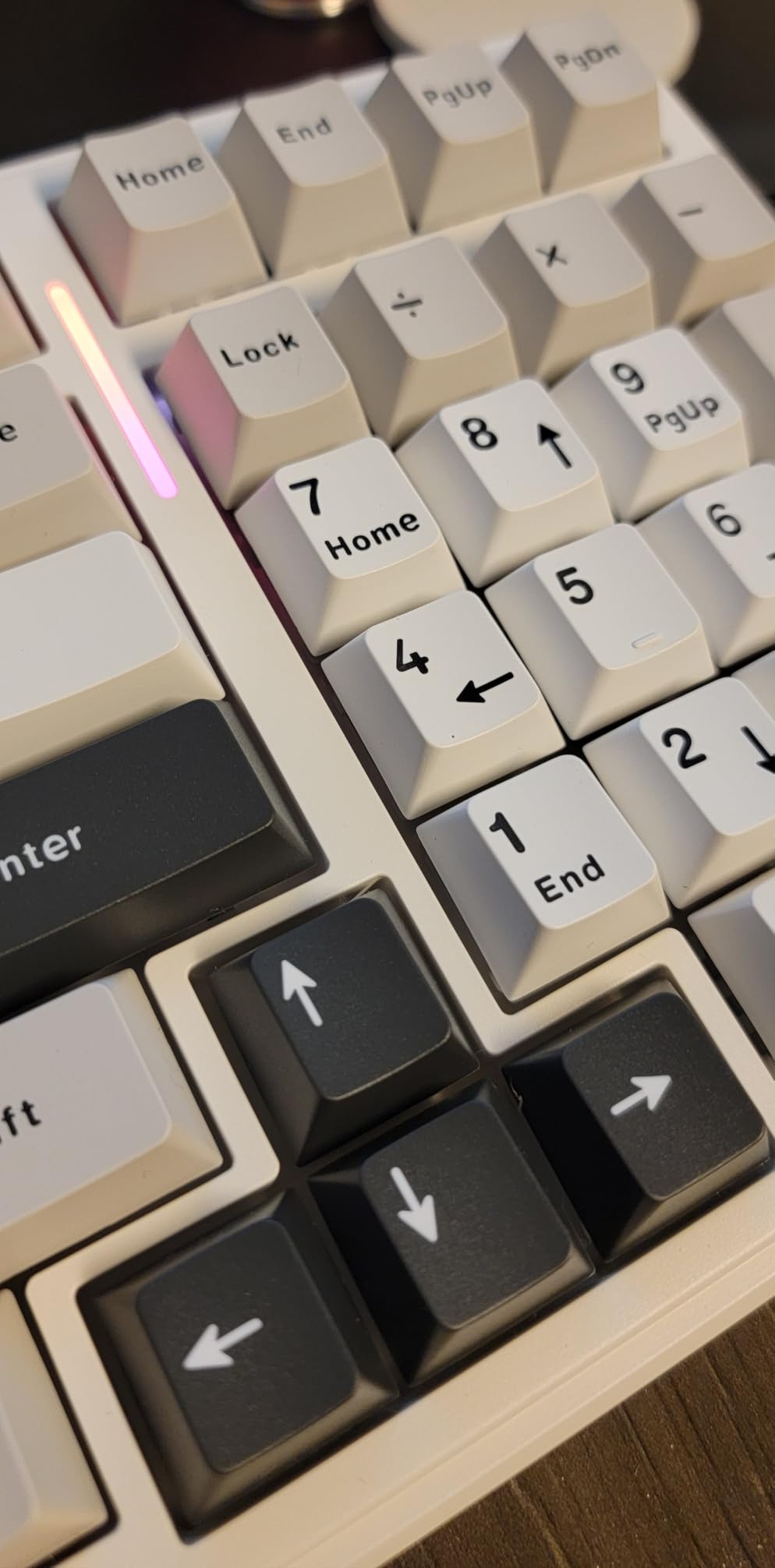
With 3,113 reviews at 4.5 stars, the F99 is the most-proven board in this roundup and the one I recommend most often for a first wireless mechanical keyboard. It packs tri-mode connectivity, gasket mounting, pre-lubed linear switches, and an enormous 8,000mAh battery into a 96% frame that still fits a number pad.
The sound is the star: five silencer layers and a gasket structure with single-key PCB slotting produce the smooth, muted tone the community calls creamy. It is pleasant for hours of typing and quiet enough for most home offices, though not librarian-silent.
Battery Life That Redefines the Category
The 8,000mAh cell is double or triple the capacity of rivals here. Reviewers routinely report weeks between charges with lighting off, and the auto-sleep behavior stretches that further. If constant recharging is what has kept you on a wired board, this is the fix.
Reliability Notes From Long-Term Owners
A minority of owners report connection stutters or sticky keys developing after many months, and the battery indicator famously shows red even when full. The configuration software is hosted on a Google Drive link, which works but feels unofficial. For the price, most buyers consider these acceptable quirks rather than dealbreakers.
Who Should Buy It
Buy the F99 if you want the best all-around value: wireless, numpad, hot-swap, and marathon battery in one board. It is ideal for hybrid work and heavy Excel use. Skip it if you need rock-solid long-term wireless reliability or shine-through legends for dark rooms.
7. Redragon K668 – Cheapest Full-Size Hot-Swap Board That Works
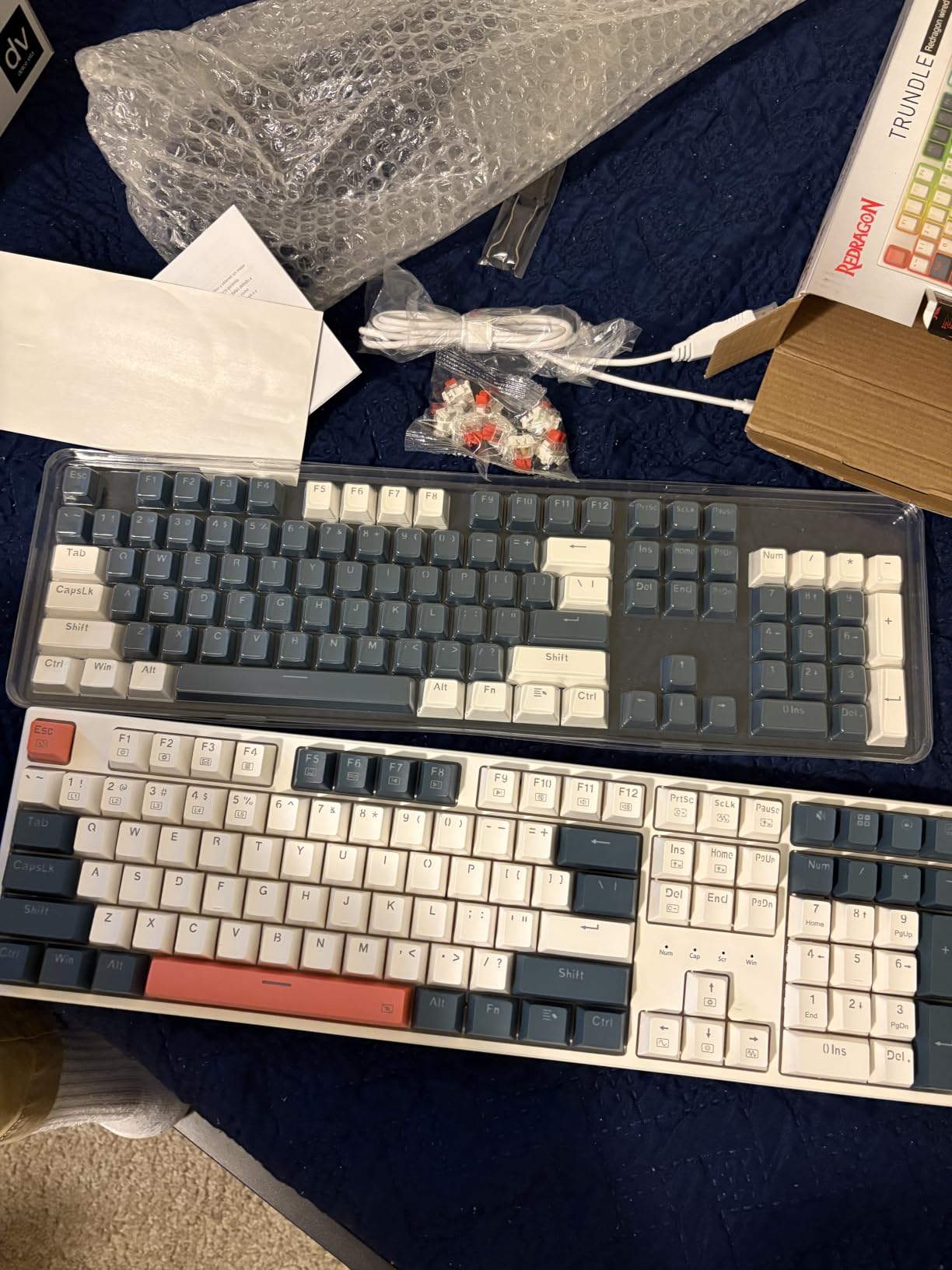
Redragon K668 108-Key Hot-Swap Wired RGB Gaming Keyboard, Extra 4 Hotkeys
108-key full-size with numpad
4 office shortcut keys
Hot-swappable 3/5-pin
Red linear switches
Wired USB-C
Pros
- Complete second keycap set included
- Spare switches and puller in box
- Creamy sound from dampening foam
- Dedicated mute and calculator keys
- Wired means zero battery worries
Cons
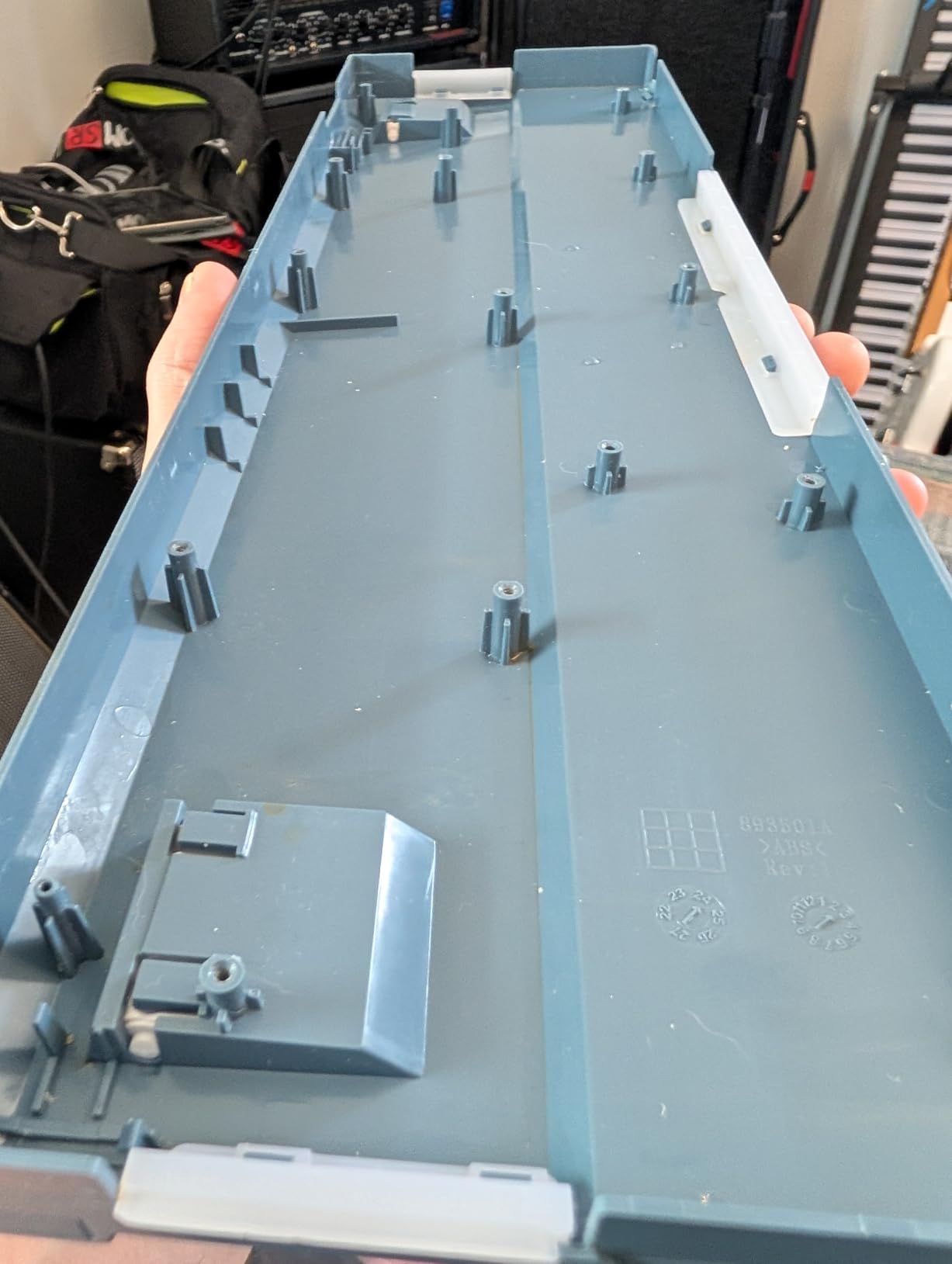
- All-plastic body
- Edge lighting stays on in sleep
- Wired only
- Second keycap set lacks function legends
The K668 is the cheapest sensible entry into mechanical keyboards, and Redragon sweetens the deal by shipping a full accessory kit: a second complete keycap set, spare switches, and a puller. For under fifty dollars, it is astonishing how much box you get.
Four dedicated shortcut keys handle mute, calculator, screen lock, and desktop switching — the exact functions office work actually uses. Cushioned dampening foam under the red linear switches gives a soft, creamy sound that reads as low-key rather than loud.
Why Wired Is a Feature Here
For hot-desking and IT-managed offices, wired is genuinely simpler: no pairing, no charging, no dongle to lose. USB-C connectivity means one fewer proprietary cables on your desk. If your workflow never leaves one machine, saving money by skipping wireless is the right call.
What the Price Buys and What It Doesn’t
The body is plastic throughout, and the edge light bar can refuse to fully sleep, which bothers some dark-office owners. The spare keycap set omits secondary function legends. These are the honest costs of a budget board, and 1,533 reviewers at 4.5 stars suggest most find them easy to accept.
Who Should Buy It
Buy the K668 if you want a cheap, wired, full-size mechanical keyboard for the office with hot-swap room to grow. It is perfect for IT departments outfitting desks and for first-time buyers testing the mechanical waters. Skip it if you need wireless or premium build materials.
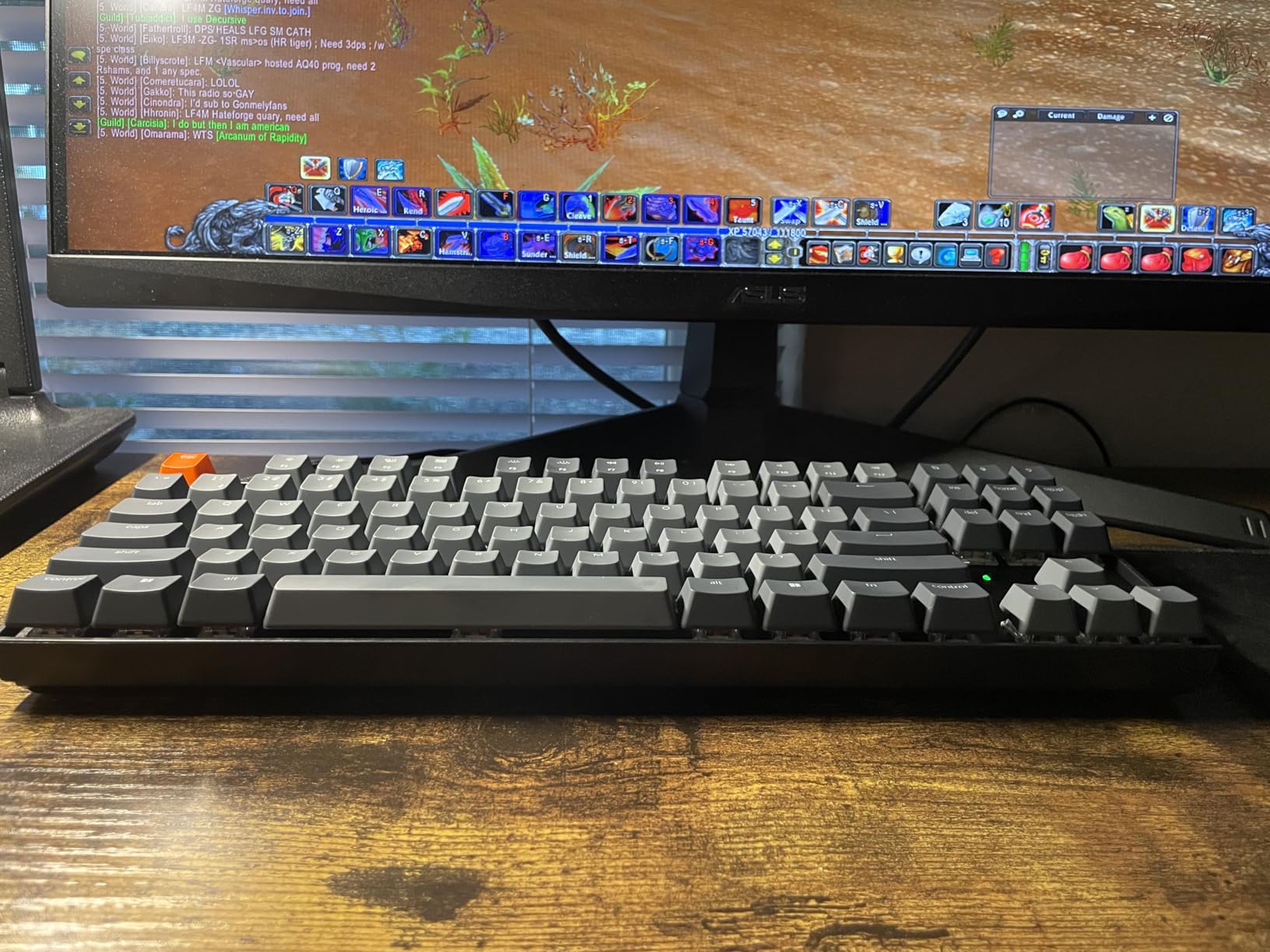
8. Keychron K8 Silent Red – Mac-Friendly TKL for Shared Desks
Keychron K8 Wireless Mechanical Keyboard – Silent Red Switch for Quiet Office and Gaming, TKL 87 Keys, Soft White LED Backlight, Bluetooth & USB-C Wired Connectivity, Compatible with Mac and Windows
TKL 87-key layout
Silent K Pro Red switches
Bluetooth 5.1 (3 devices)
USB-C 1000Hz wired
Mac optimized
Pros
- Native macOS function keys
- Factory pre-lubed silent switches
- Bluetooth 5.1 with 3-device memory
- Clean minimal aesthetic
- Extra Windows keycaps included
Cons
- Not truly silent on bottom-out
- Taller than low-profile boards
- No number pad
- Small review count so far
The Keychron K8 is the board most recommended in Reddit office threads, and this Silent Red variant pairs the beloved TKL format with factory-lubed K Pro switches. Keychron’s macOS optimization means the function row actually controls brightness and volume on a Mac without remapping anything.
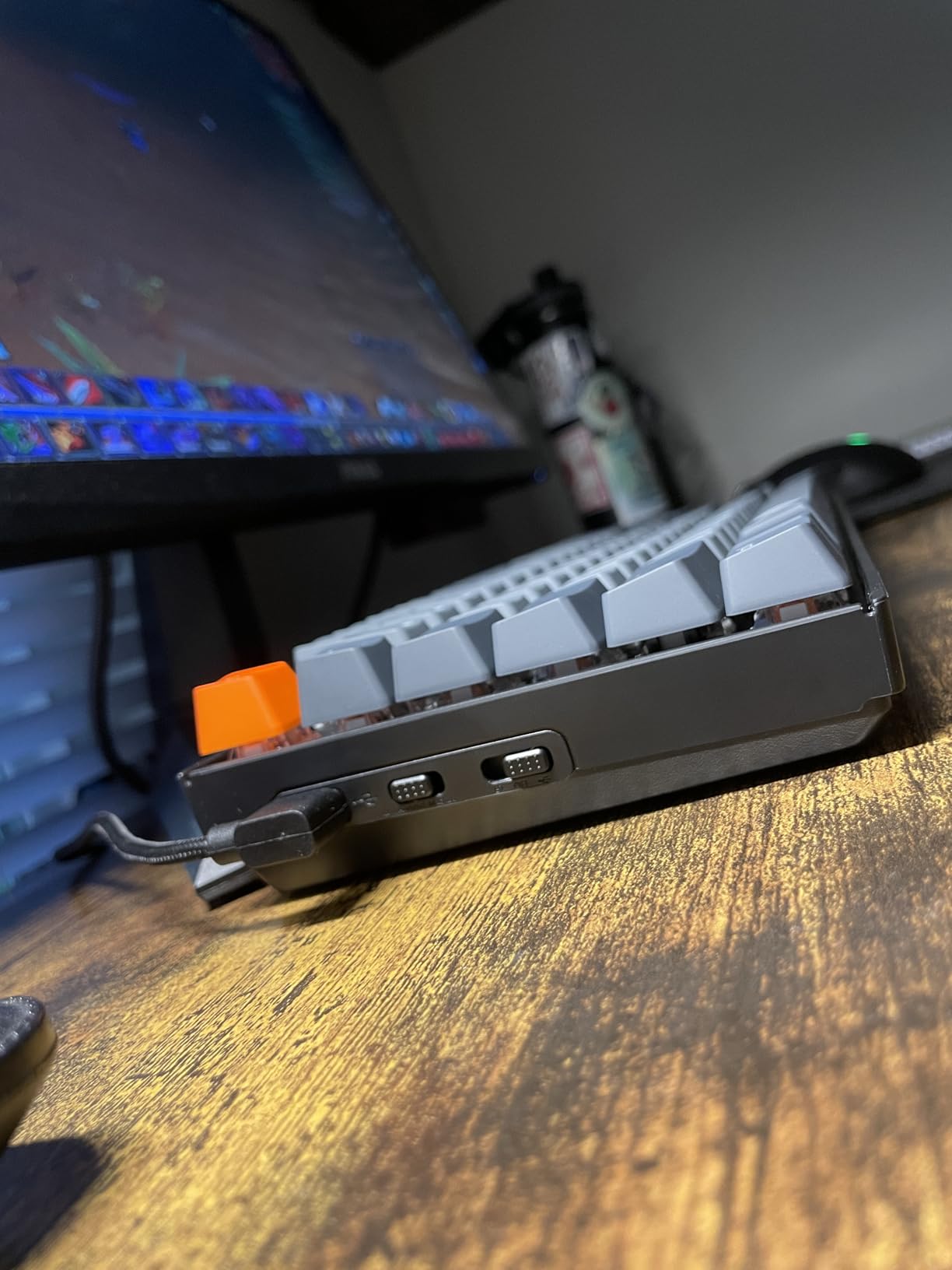
The clean design with a single red Esc accent looks professional on any desk, and the tenkeyless layout frees real estate for a mouse and coffee mug. Bluetooth 5.1 remembers three devices, and wired mode polls at 1000Hz for after-hours gaming.
The Honest Noise Assessment
The switches themselves are smooth and quiet, but reviewers are clear that keycap bottoming-out is still audible — this is quieter than a standard mechanical, not silent. In a busy office it disappears into the background; in a hushed room it will not. If you need true silence, the Cherry KC 200 MX above does it better.
Layout and Comfort Notes
The K8 sits taller than Apple’s low-profile boards, and several owners pair it with a wrist rest for all-day comfort. There is no number pad, which matters for data-entry work but not for writing and coding. With only 35 reviews on this specific variant, you are an early adopter — the K8 platform itself has a long community track record.
Who Should Buy It
Buy the K8 Silent if you are Mac-first, want a compact TKL, and split time between typing and meetings. It is also a fine after-hours gaming board in wired mode. Skip it if you need a numpad or want the quietest possible board regardless of switch marketing.
9. Logitech Alto Keys K98M – Gasket Comfort With 12-Month Battery
Logitech Alto Keys K98M Wireless Mechanical Gasket Keyboard – Graphite
98-key compact 1800 layout
Hot-swap Marble switches
UniCushion gasket mount
Up to 12-month battery
Tri-mode
Pros
- Cushioned gasket-mounted feel
- Hot-swappable 5-pin switches
- Up to 12 months battery
- Compact layout keeps numpad
- Logi Options+ customization
Cons
- High price
- White backlight only
- Backlight cuts battery significantly
- Some find keys oversensitive
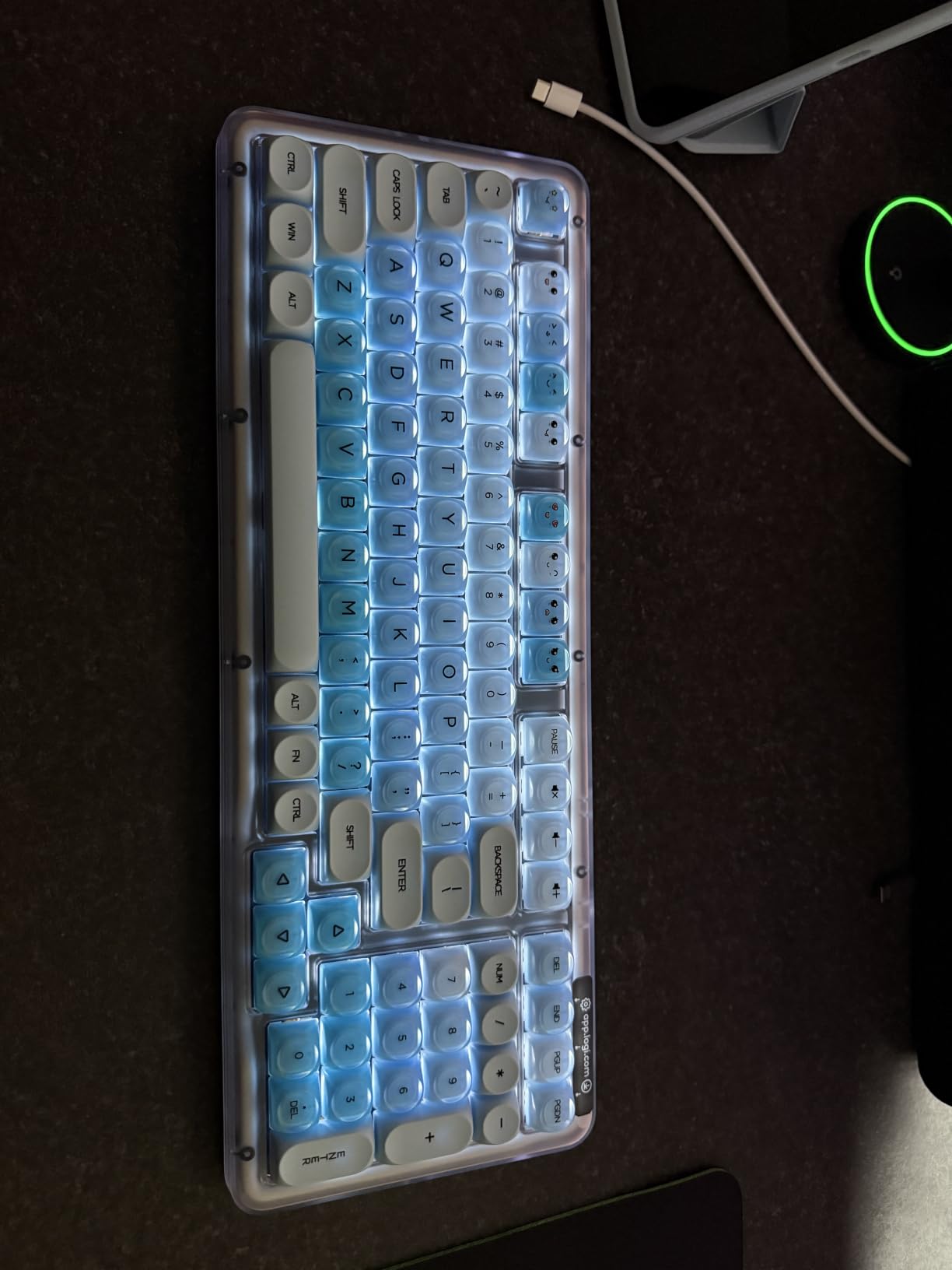
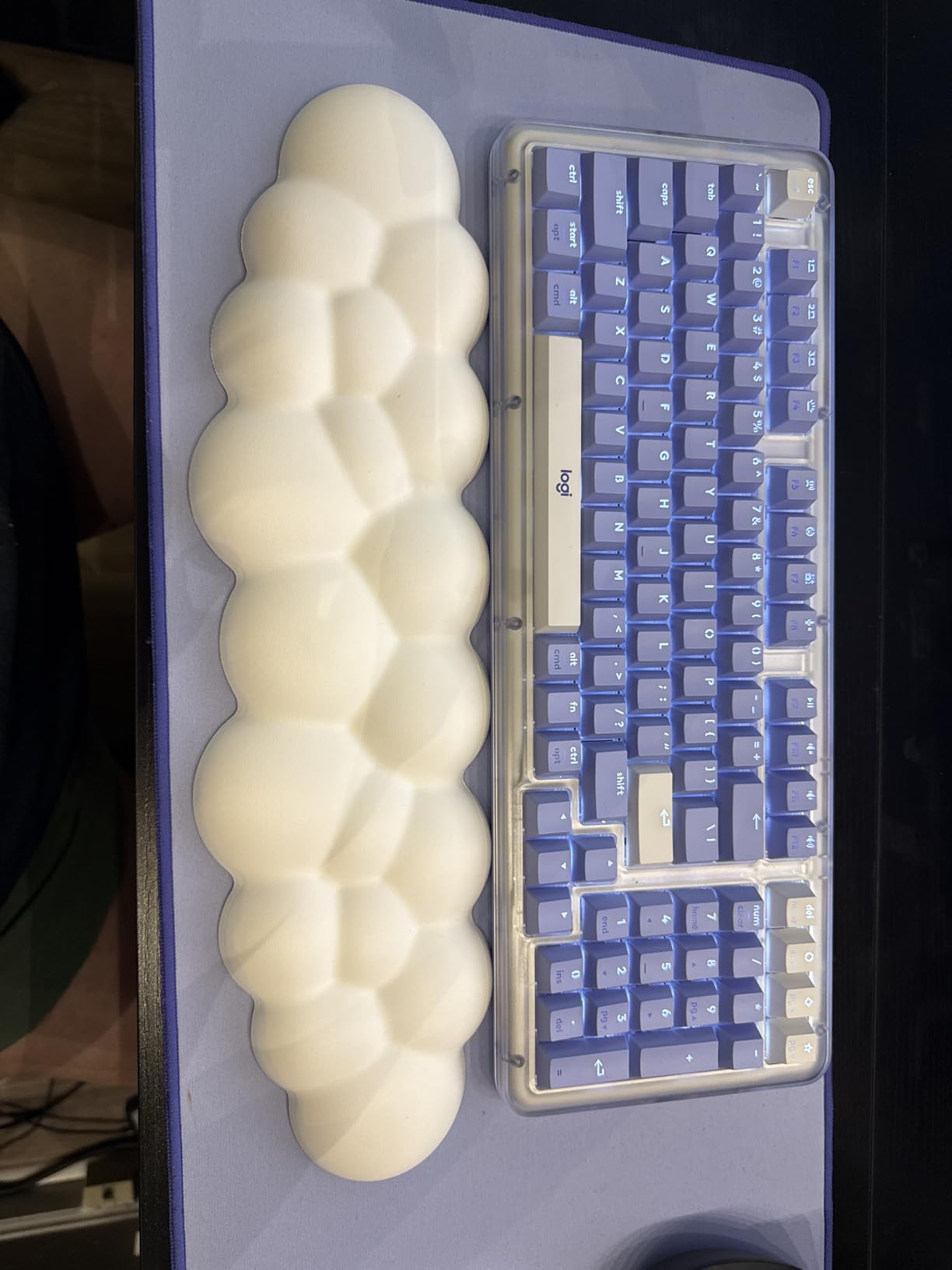
The Alto Keys K98M is Logitech’s answer to enthusiast gasket boards, wrapping a soft UniCushion vibration-absorbing mount in a translucent case that looks like nothing else on a corporate desk. Typing on it feels distinctly cushioned — keystrokes land with a give that reduces the harshness of long sessions.
The 98-key 1800-style layout compresses a full-size board into less width while keeping the numpad, and Logitech claims up to 12 months of wireless battery life with the backlight off. Tri-mode connectivity spans Bluetooth Low Energy, the Logi Bolt receiver, and USB-C.
Software Depth and Daily Use
Logi Options+ unlocks programmable Action Keys and macros across both Windows and macOS, which is more polished than the driver software most budget brands ship. I mapped copy, paste, and app-launch macros within minutes. The concave keycaps cradle fingertips nicely, though some users find the light actuation force causes occasional mistyping during adjustment.
Costs and Quirks
At 4.3 stars across 271 reviews, the K98M pleases most buyers, but the critiques are consistent: white-only backlight, navigation keys that don’t illuminate, a 30-minute backlight auto-off you can’t disable, and notably reduced battery when lighting is used. It costs real money, so weigh whether gasket comfort and Logitech’s ecosystem justify it over the AULA F99 for you.
Who Should Buy It
Buy the Alto Keys K98M if you want a cushioned typing feel, Logitech software, and a numpad in a compact frame — and you don’t mind paying for it. It suits writers and developers who type for hours. Skip it if RGB or long backlight runtime matters, since both are constrained here.
10. RK Royal Kludge A70 – Ergonomic Alice Split Without the Huge Price
RK ROYAL KLUDGE A70 Wireless Ergonomic Keyboard, 65% Alice Split Mechanical Keyboard w/Bluetooth/2.4GHz/Wired, RGB Gaming Keyboards with Knob and Gasket Mount, Hot Swappable Pre-lubed Linear Switches
65% Alice split layout
Pre-lubed Gateron Cream switches
7500mAh, 710-hour battery
Gasket mount, 5 layers
Tri-mode with knob
Pros
- Alice split design eases wrist strain
- 710 hours of battery life
- Creamy gasket-mount sound
- Volume roller knob
- 60% recycled materials
Cons
- Steep learning curve for split layout
- No function row and no tilde key
- M1 macro key sits near Ctrl
- Occasional Bluetooth dropouts
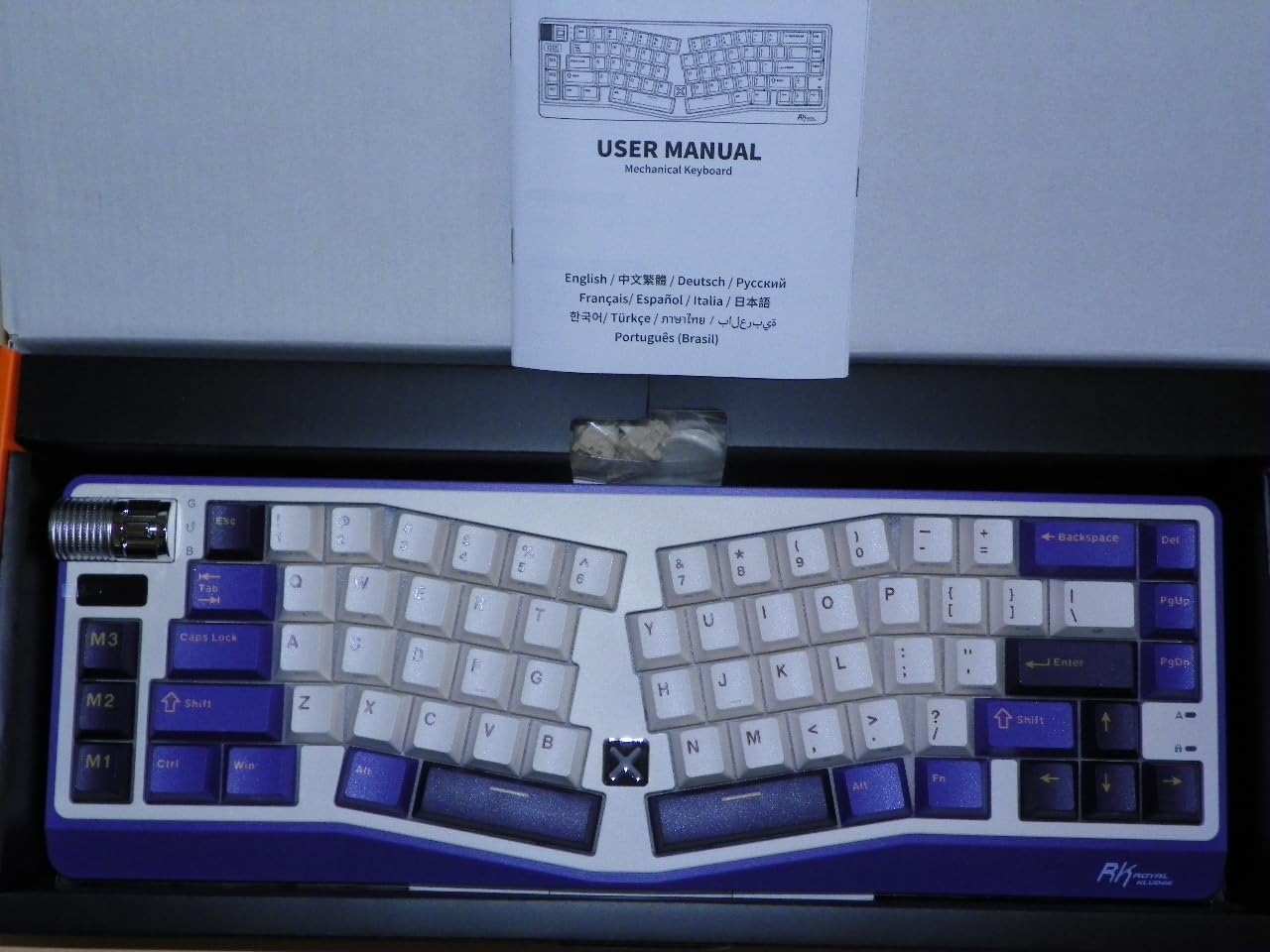
The A70 brings the Alice split layout — two halves angled to match natural forearm posture — to a price where ergonomic boards rarely live. After a week of adjustment, my wrists noticed the difference most at hour six of the workday, exactly when flat boards start to ache.
Underneath the split frame sits a 7,500mAh battery rated for 710 hours with lighting off, plus a gasket mount with five soft layers that produces the same creamy sound RK is known for. A mini screen shows battery level and a roller knob handles volume.
The Alice Adjustment Period
Be honest with yourself: a split-angled layout takes one to two weeks to feel natural, and this 65% board also drops the function row and even the tilde key to an FN layer. Programmers who live in the terminal should map those carefully before committing. The payoff is a more neutral wrist angle that many users with early RSI symptoms specifically seek out.
Small-Brand Caveats
With just 23 reviews, you are an early adopter, and some owners report occasional Bluetooth dropouts (2.4GHz is steadier). The online driver requires an internet connection, and one hardware key opens the manufacturer’s website until reprogrammed. None of these are unusual for the price tier, but they’re worth knowing.
Who Should Buy It
Buy the A70 if wrist comfort is your top priority and you’re willing to relearn key positions for a week. It’s also quietly one of the greenest picks here, made with 60% recycled materials. Skip it if you can’t spare the adjustment period or need a numpad for numbers-heavy work.
11. Kisnt KN85 Wireless (Retro Beige) – The Style Pick With Creamy Acoustics
Kisnt KN85 Wireless Mechanical Keyboard, 75% Layout, Bluetooth/2.4GHz/USB-C, Custom RGB Backlit, Hot-Swappable Linear Switch, Creamy Sound for Gaming/Typing (Retro Beige)
75% layout, 85 keys
Pre-lubed Bsun linear switches
Tri-mode, 4000mAh
Gasket mount, 5-layer dampening
PBT double-shot keycaps
Pros
- Gorgeous retro beige colorway
- Buttery creamy typing sound
- Excellent battery life
- Hot-swappable switches
- 2-year warranty
Cons
- Too loud for hushed offices
- Spacebar needs an O-ring mod
- South-facing RGB
- Software Windows-only
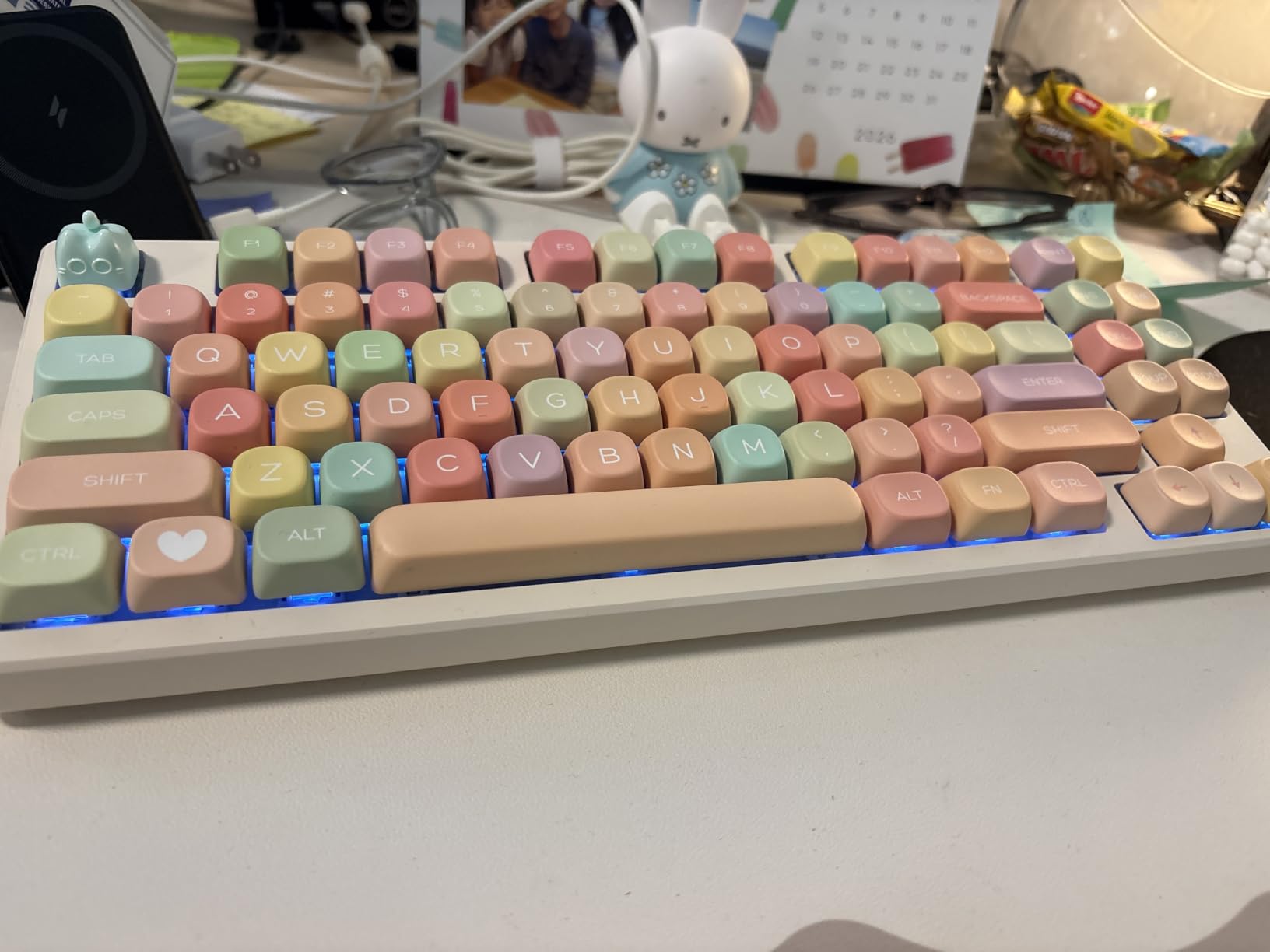
This is the same beloved KN85 platform as our number-two pick, dressed in a retro beige-and-cream colorway that looks like a 1980s terminal reborn. If the Berry Red version is playful, this one is Pinterest-worthy — it photographs beautifully on a walnut desk and suits design studios and creative offices perfectly.
The internals match too: a gasket mount with five dampening layers, pre-lubed Bsun linear switches, PBT double-shot keycaps, tri-mode connectivity, and a 2-year warranty. Reviewers consistently report it outperforms boards costing two to three times as much in both sound and feel.
Sound Profile: Deliberately Not Silent
Kisnt doesn’t pretend this one is silent — the “creamy sound” in the product name is the point. The deep, muted thock is wonderfully satisfying for a home office or creative studio, but several reviewers note it’s too loud for shared, quiet spaces. The spacebar is the loudest key; a two-minute O-ring or foam fix evens it out.
Battery and Customization
The 4,000mAh cell runs well over a week per charge in normal use. Hot-swap sockets accept any 3/5-pin switches, so you can drop in silent linears later if your office situation changes. Note the RGB is south-facing, so shine-through keycap upgrades won’t light up, and the remapping software is Windows-only in wired or 2.4GHz mode.
Who Should Buy It
Buy the Retro Beige KN85 if aesthetics matter as much as performance and your environment tolerates a bit of audible personality. The two-year warranty adds peace of mind at this price. Skip it for strictly quiet shared offices, where the Cherry or AUSDOM boards above are smarter choices.
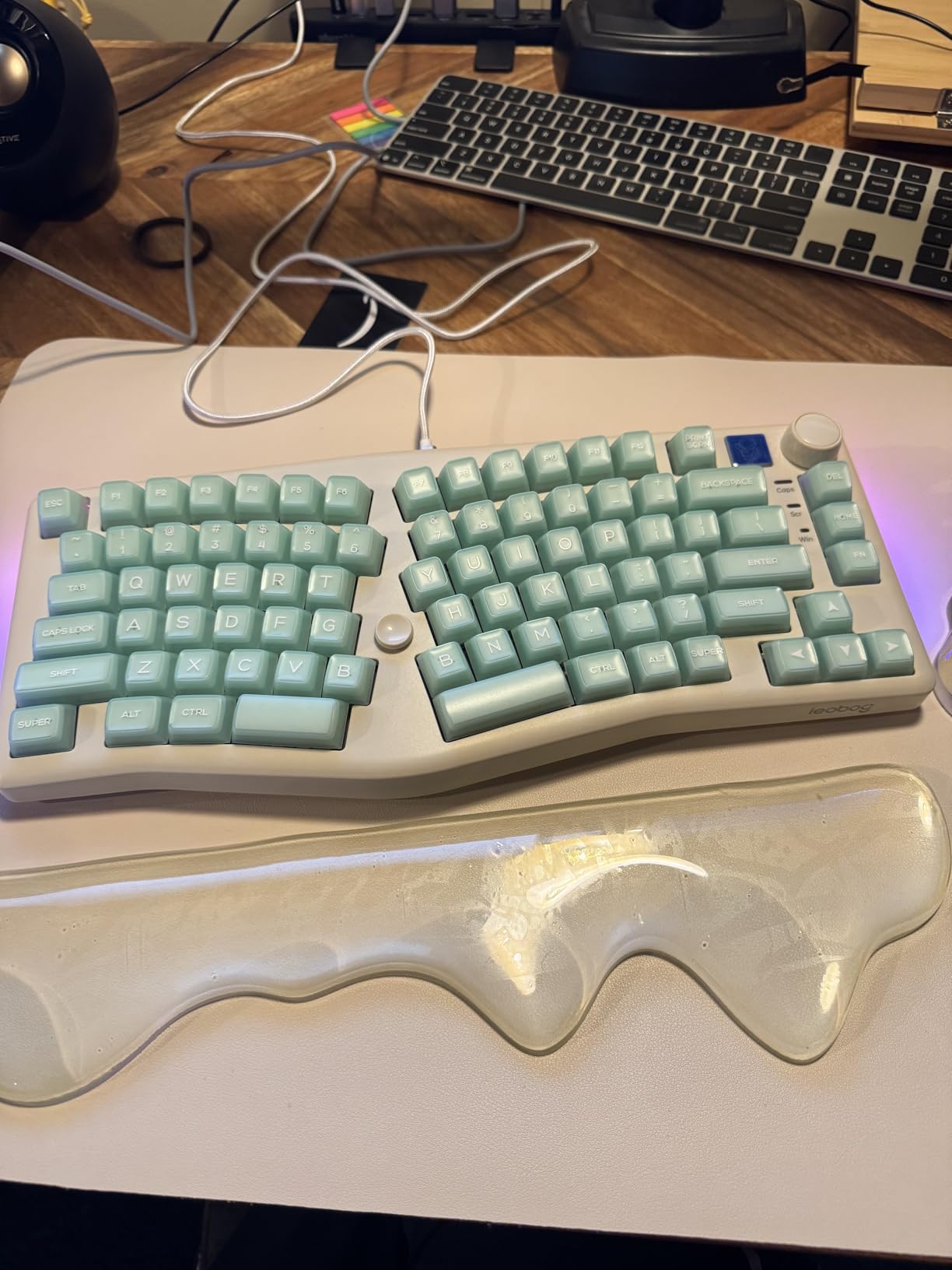
12. LEOBOG A75 Alice – Joystick Knob and Ergonomic Split Design
LEOBOG A75 Alice Ergonomic Wireless Mechanical Keyboard with Joystick Knob
Alice ergonomic split layout
Joystick replaces arrow keys
Multi-function mode knob
Tri-mode BT5.0/2.4G/USB-C
Hot-swappable RGB
Pros
- Split Alice layout reduces wrist fatigue
- Joystick for arrow keys is practical
- Knob switches work and gaming modes
- Heavy stable build
- Tri-mode including phones and tablets
Cons
- Keycap bottom-out is noisy
- Only a 6-month warranty
- Some quality-control reports
- No wrist rest included
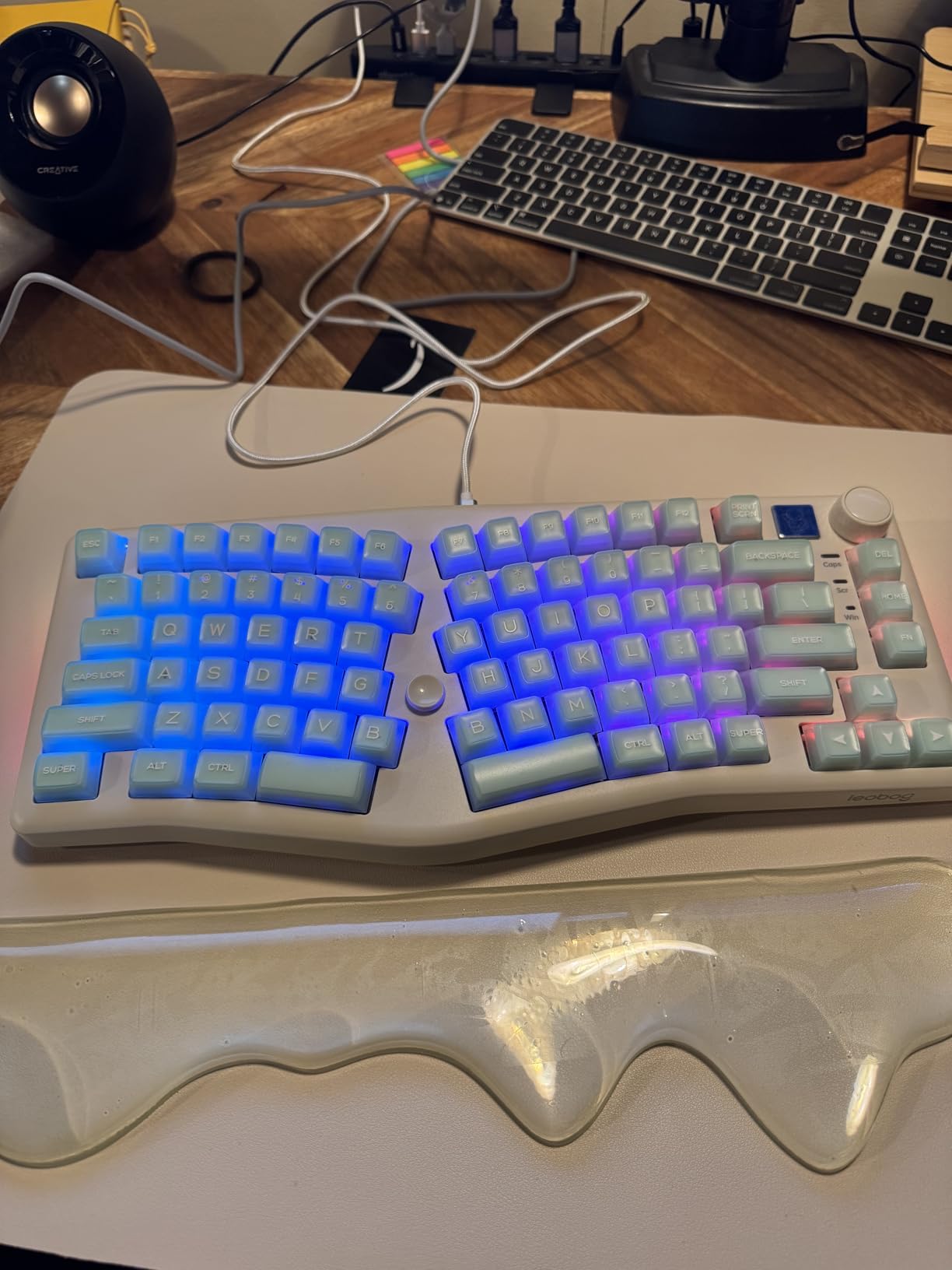
The LEOBOG A75 is the most creative board in this roundup: an Alice split layout with an actual joystick where arrow keys normally sit. Flick the stick to move the cursor, press it for Enter. After two days it felt natural, and it eliminated the hand travel that normally pulls my right hand off home row.
A multi-function knob toggles between a steady work-mode lighting effect and dynamic gaming flashes, while the angled Alice frame keeps forearms neutral. The internal silicone padding and cotton filling muffle hard impacts for a refined typing tone.
Ergonomics and the Learning Curve
The split angle genuinely reduced wrist fatigue in long sessions, echoing what A70 owners report. But the Alice layout demands an adjustment period, the second B-key position causes unintended presses at first, and there’s no dedicated End key — it’s Fn+Home. Budget a week of muscle-memory rewiring before judging it.
Quality and Warranty Considerations
At 4.5 stars from 52 reviews, satisfaction is high, but reports of defective keys and weak foot magnets remind you this is a small brand. The 6-month warranty is the shortest here, and keycap bottoming-out is louder than the spec sheet suggests. Treat it as a fun, comfort-focused experiment rather than a conservative corporate choice.
Who Should Buy It
Buy the A75 if you want the most ergonomic and most inventive sub-$80 board available and accept some QC lottery risk. The joystick alone makes it a conversation starter. Skip it for conservative office settings where noise and a six-month warranty are real concerns.
How to Choose the Best Office Mechanical Keyboard: A Buyer’s Guide
Choosing an office keyboard involves a different scorecard than choosing a gaming board. Noise tolerance, connectivity between work devices, and all-day comfort matter more than polling rates and macro keys. Here is how we evaluate boards for professional use, distilled from three months of testing and hundreds of owner reviews.
Switch Type and Noise: The Non-Negotiable Factor
Switches fall into four families. Linear switches (Cherry Silent Red, RK Red) travel straight down with no bump — smooth and, in silent variants, the quietest option. Tactile switches add a bump you can feel, which many typists prefer for accuracy. Clicky switches produce an audible click at actuation and should never go into a shared office. Silent linear and silent tactile switches embed dampening pads inside the housing and can genuinely be quieter than membrane or laptop keyboards.
Two lessons from our testing: first, “silent” on the box is not a guarantee — the Kisnt KN85 and Keychron K8 both drew noise complaints despite the label, because keycap bottom-out against the plate is independent of switch type. Second, the keyboard’s construction matters as much as the switch: gasket mounts and multi-layer foam dampening soften the sound of every keystroke, which is why the Cherry and AUSDOM boards sound hushed even under hard typing.
Layout: Full-Size, TKL, 75%, 96%, or Alice
Full-size (104-108 keys) keeps the numpad and is essential for finance, accounting, and data-entry work — the Cherry KC 200 MX and Redragon K668 are our picks here. The 96-98% compact-full layouts on the AULA F99, AUSDOM Airkey 98, and Logitech K98M squeeze the same keys into less width, which is the sweet spot for most desks. TKL and 75% boards drop the numpad to free mouse room, suiting writers and developers. Alice split layouts (RK A70, LEOBOG A75) angle the halves for ergonomics but demand a relearning period.
Connectivity: Wired, 2.4GHz, or Bluetooth Multi-Device
Wired boards are simplest for fixed desks: plug in and forget, with zero latency and zero charging. Tri-mode boards add a 2.4GHz dongle for reliability plus Bluetooth for multi-device switching — invaluable when you juggle a work laptop, personal machine, and tablet. Bluetooth 5.0/5.1 with three or more channels is now standard on midrange boards, and the Logitech MX Mechanical and AUSDOM Airkey 98 handle switching best in our testing. If your wireless peripherals already stutter, check our guide on why wireless mice lag and stutter — the same 2.4GHz interference fixes apply to keyboards.
Battery Life: What the Specs Don’t Tell You
Manufacturer battery claims assume backlighting off, and RGB can slash runtime by 80%. The Logitech K98M claims 12 months but far less with the light on; the RK S98 lasts just 2-3 days with RGB. Prioritize battery capacity: the AULA F99’s 8,000mAh and RK A70’s 7,500mAh cells deliver genuine multi-week endurance, while 4,000mAh boards still manage a solid workweek per charge.
Build Materials and Keycaps: The Durability Signals
Aluminum top plates (Cherry, Logitech MX) resist flex and look professional; quality plastic with internal dampening can feel equally good to type on. For keycaps, PBT beats ABS: it resists the shiny wear that develops after months of oil and typing, and double-shot legends never fade. Every RK, AULA, and Kisnt board here ships PBT caps, which is remarkable at their prices. Hot-swappable sockets are worth insisting on — they let you replace worn switches or change to silent ones later without soldering.
Comfort and Ergonomics for 8-Hour Days
Low-profile boards (MX Mechanical, Airkey 98) keep wrists flatter, which suits people coming from laptop keyboards. Adjustable feet let you dial the tilt angle, and taller boards pair well with a wrist rest. If you already feel strain, the Alice split boards on this list are the most effective comfort upgrade short of a fully split ergonomic keyboard.
Mac, Windows, and Software Compatibility
Most boards here toggle between Mac and Windows layouts, but software support varies sharply: RK and Kisnt drivers are Windows-only, while Logitech’s Options+ is fully cross-platform. Mac-first buyers should lean toward Keychron or Logitech for native function-key behavior. Also verify the receiver type — Logitech’s Bolt receivers are not backward-compatible with older Unifying dongles.
Sustainability: The Overlooked Criterion
No major competitor covers this, but it matters: the RK A70 uses 60% recycled materials, the RK S98’s case uses 60% recycled post-consumer ABS, and the Logitech MX Mechanical (Graphite) uses 45% certified post-consumer recycled plastic. Combined with a hot-swappable design that extends usable life by years rather than replacing a whole board when switches wear, a mechanical keyboard is already the greener choice versus disposable membrane boards.
Frequently Asked Questions
What is the best mechanical keyboard for the office?
The Cherry KC 200 MX is the best mechanical keyboard for office use, thanks to factory-dampened MX2A Silent Red switches, an aluminum build, and a full-size layout with dedicated calculator and volume keys. For hybrid multi-device work, the Logitech MX Mechanical is the top premium alternative with 3-device Bluetooth pairing and up to 10 months of battery life.
Are mechanical keyboards good for office use?
Yes. Mechanical keyboards last far longer than membrane boards (50+ million keystrokes per key), provide more consistent feedback that reduces typing fatigue, and with silent linear switches they can actually be quieter than standard office keyboards. The key is choosing silent or tactile-quiet switches rather than clicky ones.
What type of keyboard is best for office work?
For office work, the best type is a mechanical keyboard with silent linear or tactile-quiet switches, gasket mounting or foam dampening for a softer sound, tri-mode wireless connectivity for multi-device switching, and a layout matched to your tasks: full-size or 96% with a numpad for data entry, or TKL/75% for writing and coding.
Which brand of keyboard is best for office use?
Logitech leads for premium multi-device office keyboards (MX Mechanical, Alto Keys K98M), Cherry is the gold standard for silent wired boards (KC 200 MX), and Keychron, AULA, and RK Royal Kludge offer the best value for hot-swappable wireless models in the $40-$75 range.
Can mechanical keyboards be quiet enough for open-plan offices?
Yes, if you choose the right model. Boards with factory-silent switches like the Cherry MX2A Silent Red or AUSDOM’s low-profile silent linears can be quieter than laptop keyboards. However, keyboards marketed as silent that use standard switches (such as the Keychron K8 or Kisnt KN85) still produce audible bottom-out noise, so check owner reviews before buying.
Final Verdict: The Right Board for Your Workday
If you work in a shared or open-plan office, the Cherry KC 200 MX is the safest and quietest choice — it is our overall winner for 2026. If you are a hybrid worker hopping between laptop, desktop, and tablet, the Logitech MX Mechanical justifies its premium price with flawless multi-device switching. On a budget, the AULA F99 delivers wireless freedom, a numpad, and marathon battery for under $70, while the Redragon K668 covers wired full-size needs for even less.
For specific needs: data-entry professionals get their numpad from the AUSDOM Airkey 98 or Logitech K98M, Mac users should start with the Keychron K8, and anyone fighting wrist strain owes themselves a trial of the RK A70 or LEOBOG A75 Alice layouts. Whatever you choose, pick silent or tactile switches over clicky, and favor hot-swappable boards so you can adapt as your needs change.
Your coworkers will thank you, and your wrists will too. Check the latest prices on our top picks above and upgrade your workday — once you type on a good mechanical keyboard for a week, the $15 membrane board never comes back.