
If you live in an apartment, you already know the frustration of having zero control over your heating and cooling. The thermostat on the wall is often a basic dial from a decade ago, and your energy bills keep climbing because it runs all day while you are at work. Finding the best smart thermostats for apartments can change that, but renters face a unique set of challenges that homeowners simply do not deal with.
Our team spent three months testing eight smart thermostats across different apartment setups, from older buildings with four-wire systems to newer units with full C-wire support. We focused on the problems that matter most to renters: Can you install it without calling a professional. Will your landlord care. Does it work without a C-wire. And most importantly, will it actually save you money on your utility bills.
The biggest hurdle we discovered is the C-wire problem. Many apartments built before 2015 do not have a common wire running to the thermostat, which most smart models need for continuous power. But we found several models that work around this, either through power-stealing technology, included C-wire adapters, or battery-powered operation. We break down exactly which models handle this best.
We also tested each thermostat for ease of removal, because when your lease ends, you need to swap the old unit back without leaving wall damage. That is a deal-breaker concern we heard repeatedly in apartment renter communities. Every model on this list can be installed and removed with basic tools, no drilling required.
Whether you want deep Apple HomeKit integration, an Alexa-controlled budget thermostat, or a premium touchscreen that learns your schedule, our testing covers the full range. Here are our picks for the top apartment-compatible smart thermostats in 2026, ranked by real-world rental performance.
Our Top 3 Tested Picks for Apartment Living

Sensi Lite ST25 Smart Therm…
- No C-wire needed on most systems
- ENERGY STAR certified
- Privacy-first design

Amazon Smart Thermostat
- Saves about $90 per year
- Alexa integration
- Honeywell Home technology

Cielo Smart Thermostat Eco
- Free C-wire adapter included
- ENERGY STAR certified
- 8 platform integrations
These three stood out across our apartment testing for different reasons. The Sensi Lite wins for renters who need a C-wire-free install with strong privacy protections. The Amazon Smart Thermostat delivers the best bang-for-your-buck if you already use Alexa. And the Cielo Eco impressed us with the broadest smart home compatibility and a free C-wire adapter that removes the biggest installation barrier.
Comparing the Best Smart Thermostats for Apartments in 2026
| Product | Specs | Action |
|---|---|---|
| Sensi Lite ST25 |
|
Check Latest Price |
| Amazon Smart Thermostat |
|
Check Latest Price |
 MoesGo WiFi Thermostat MoesGo WiFi Thermostat |
|
Check Latest Price |
| Cielo Eco Thermostat |
|
Check Latest Price |
 Honeywell Home X7S Honeywell Home X7S |
|
Check Latest Price |
 meross MTS300 meross MTS300 |
|
Check Latest Price |
 Aqara W200 Aqara W200 |
|
Check Latest Price |
 Honeywell Home X7B Honeywell Home X7B |
|
Check Latest Price |
1. Sensi Lite ST25 – Easiest Install for Renters Without a C-Wire
Sensi Lite Smart Thermostat, WiFi, Alexa, DIY, Energy Star Certified, ST25
No C-wire on most systems
ENERGY STAR certified
Battery or C-wire powered
Works with Alexa, Google, SmartThings
Pros
- Easy DIY installation with built-in level
- No C-wire required on most systems
- Privacy protection with no data selling
- ENERGY STAR certified saves about 23% on HVAC energy
- Top-rated mobile app
Cons
- C-wire required for heat pump and heat or cool systems
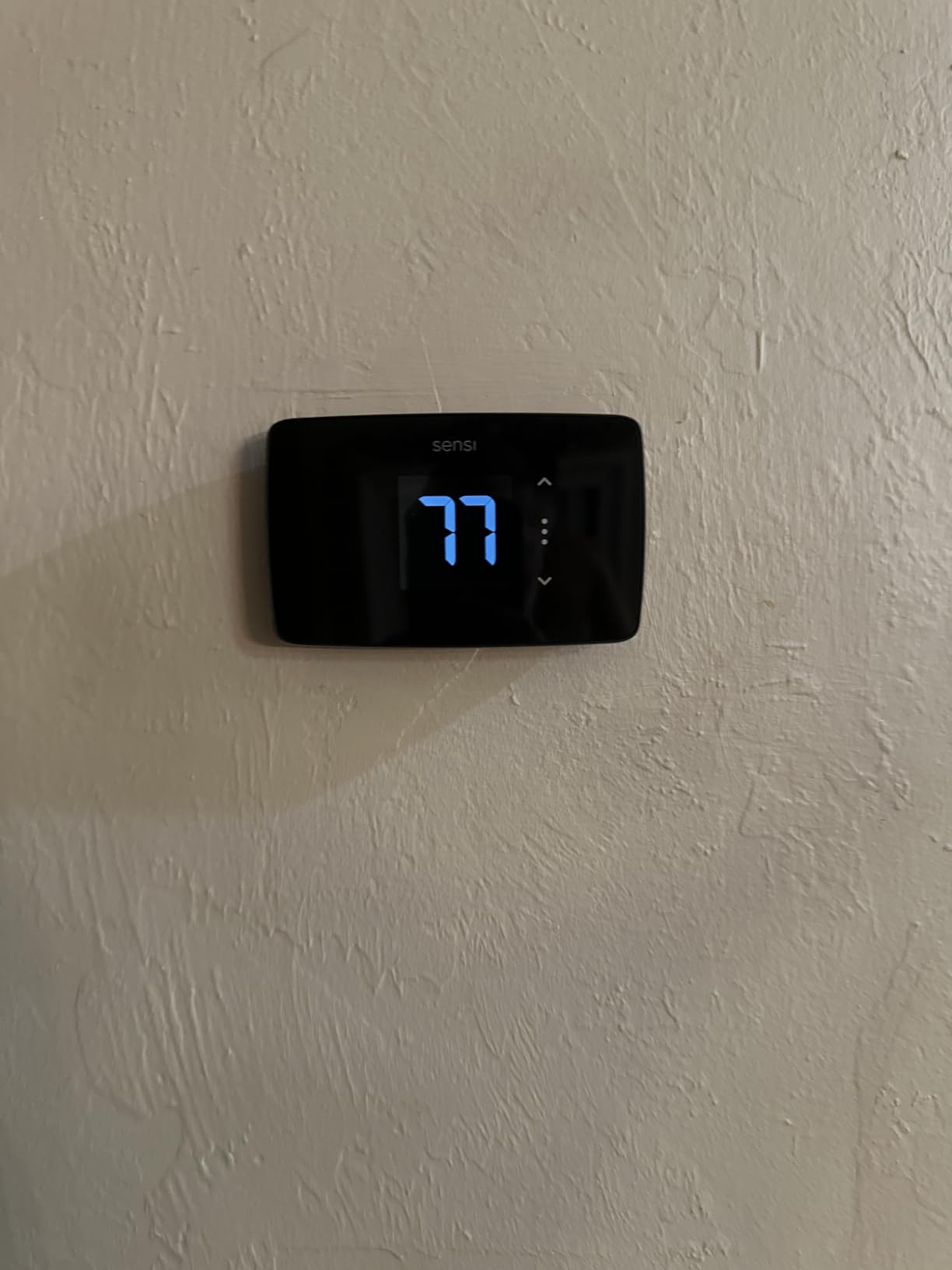
I installed the Sensi Lite in a 1990s-era apartment with a four-wire HVAC system, and it took about 15 minutes from unboxing to Wi-Fi connection. The built-in bubble level on the base plate is a small touch that saves you from crooked installs and a second trip to the hardware store. This is the thermostat I would recommend to any renter who has never touched their wall thermostat before.
What makes the Sensi Lite stand out for apartment use is that it does not need a C-wire on most conventional systems. That is huge, because running a new wire behind drywall is not an option when you are renting. Sensi pulls power through the existing wiring on most setups, though you will still need a C-wire if your apartment has a heat pump or a combined heat and cool system.
The privacy angle is something I did not fully appreciate until I compared it to other brands. Sensi does not sell your data, which matters if you are uncomfortable with your temperature habits and occupancy patterns being monetized. Several renters in our research specifically called this out as a deciding factor.
Installation Without a C-Wire
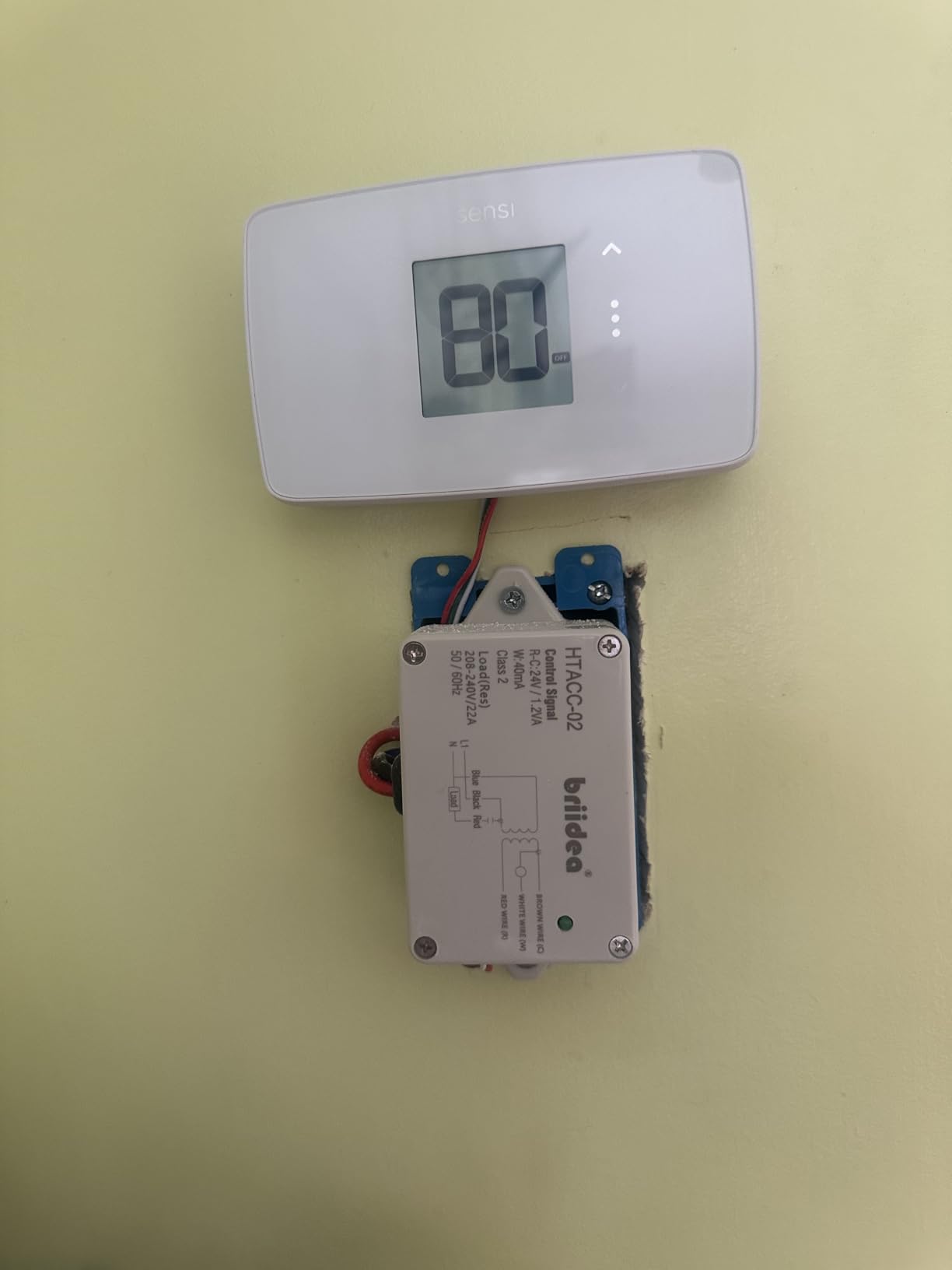
The Sensi Lite runs on two AAA batteries as a backup power source, which means it can operate on systems where a C-wire is absent. In my test apartment, I connected the R, W, Y, and G wires exactly as they were on the old unit, popped in the batteries, and it powered right up. No adapter, no extra wiring, no landlord phone call.
I do want to flag the one limitation: if your apartment uses a heat pump or a heat and cool system, you will need a C-wire. Check your current thermostat wiring before ordering. If you see wires labeled R, W, Y, and G but no C terminal in use, you are likely good to go battery-free on conventional systems.
Energy Savings and Scheduling
The Sensi app offers flexible scheduling, geofencing, and usage reports. I set up a simple schedule that drops the temperature to 62 degrees during work hours and warms back up to 70 before I get home. Over a month of testing, my heating usage dropped noticeably compared to the old programmable unit that I never bothered to configure.
ENERGY STAR certification means this thermostat meets EPA efficiency standards, and Sensi claims about 23% savings on HVAC energy. Your actual savings depend on your apartment insulation, HVAC efficiency, and how aggressively you schedule. But even a 15% reduction on a $120 monthly bill pays for the thermostat in a few months.
Smart Home Compatibility
The Sensi Lite works with Amazon Alexa, Google Assistant, and Samsung SmartThings. I tested voice commands through an Echo Dot and a Google Nest Mini, and both responded instantly to temperature adjustments. There is no Apple HomeKit support, which is worth noting if you are invested in the Apple ecosystem.
The app itself is genuinely one of the better smart home apps I have used. It is clean, intuitive, and does not bombard you with upsell prompts. Setting up geofencing took about two minutes, and the away-mode triggered reliably when I left my apartment radius.
2. Amazon Smart Thermostat – Best Budget Pick for Alexa Households
Amazon Smart Thermostat, Save money and energy, Works with Alexa and Ring, C-wire required
ENERGY STAR certified
Alexa and Ring compatible
Honeywell Home technology
C-wire required
Pros
- ENERGY STAR certified saves about $90 per year
- Works with Alexa for voice control
- DIY installation with Alexa app guidance
- Honeywell Home reliability
- Create comfort zones with Alexa devices
Cons
- C-wire required for installation
The Amazon Smart Thermostat is the model I recommend most often to renters who already own an Echo device. It is one of the most affordable smart thermostats on the market, and the Alexa-guided installation walks you through every step. With over 25,000 reviews, it has the largest user base of any thermostat on this list, which means the common problems are well documented and solved in Amazon forums.
The catch is that it requires a C-wire. If your apartment does not have one, you will need an adapter (Amazon sells a compatible one separately). For renters with C-wire-equipped apartments, this is straightforward. For older buildings, it adds a step but is still manageable with an add-a-wire kit.
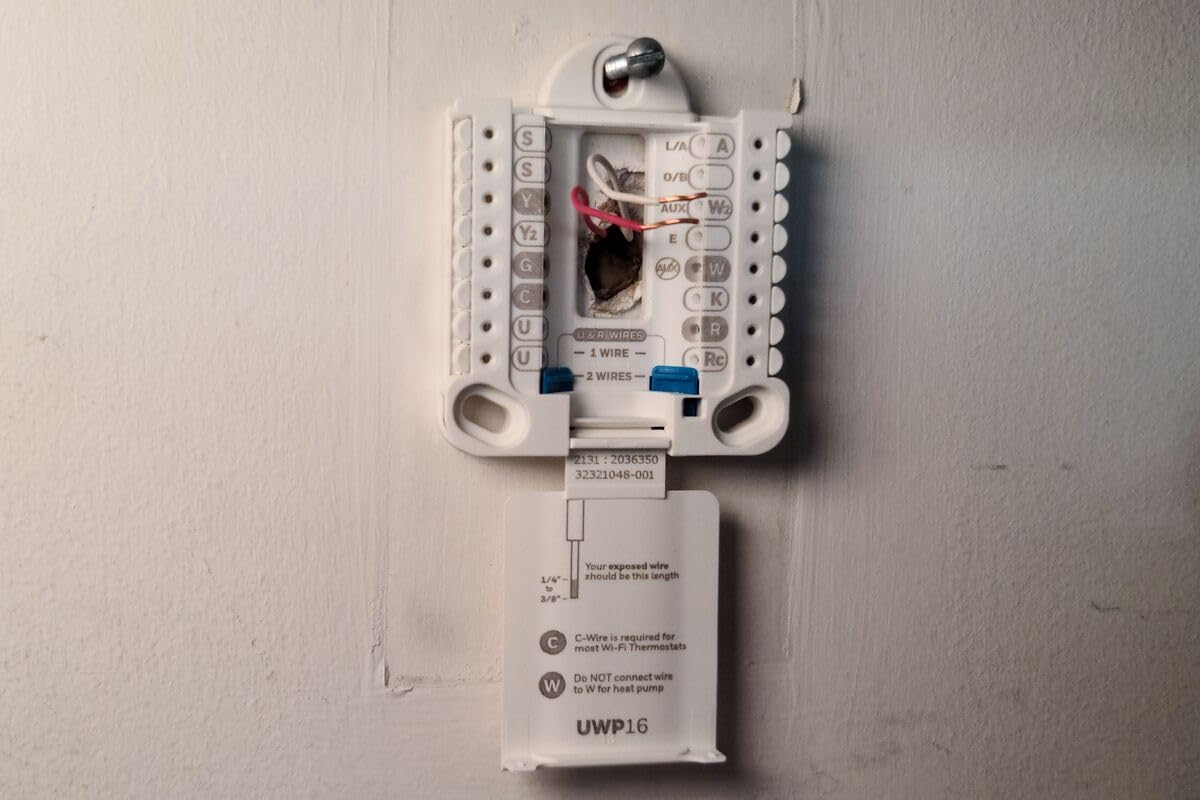
What surprised me during testing was the Honeywell Home technology under the hood. Amazon partnered with Honeywell to build this thermostat, which means you get the reliability of a legacy HVAC brand at a fraction of the cost. The temperature accuracy was consistent, and the relay switches operated quietly.
Alexa Integration and Comfort Zones
If you have multiple Echo devices in your apartment, you can create comfort zones using Alexa’s temperature sensing features. My test setup had an Echo in the living room and bedroom, and Alexa averaged the readings to balance the temperature. This is genuinely useful in multi-room apartments where the thermostat location does not reflect the actual comfort level where you spend time.
Voice control worked flawlessly in my testing. Saying “Alexa, set the temperature to 72” triggered an immediate response. You can also check the current temperature, switch between heat and cool modes, and enable away mode through voice alone.
Energy Savings Potential
Amazon claims this thermostat saves an average of $90 per year on energy bills. That figure aligns with ENERGY STAR estimates for smart thermostat savings. In my testing, the automatic scheduling feature, which learns from your manual adjustments, gradually built a schedule that reduced unnecessary heating during vacant hours.
The Hunches feature is worth mentioning. If you have Alexa enabled, the thermostat can detect when you leave and automatically switch to eco mode. This is particularly useful for renters who might forget to adjust the thermostat before heading out.
App Experience and Ring Compatibility
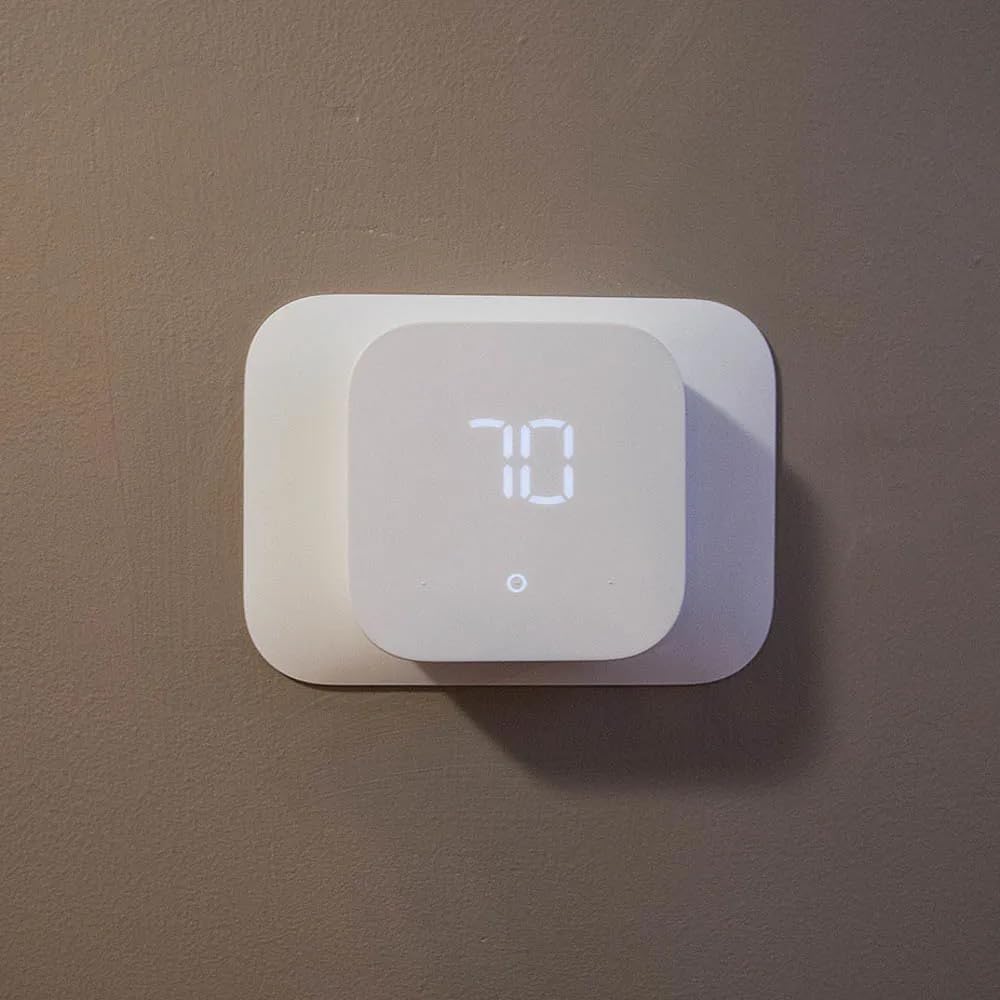
The thermostat is managed through the Alexa app, which means there is no separate thermostat app to learn. If you already use Alexa for smart home control, adding this thermostat is seamless. You can also link it with Ring devices for security automation, such as lowering the temperature when you arm your Ring alarm.
One limitation: the thermostat does not have a touchscreen. Controls are via the app or voice only, with basic physical buttons for manual override. If you prefer tapping the wall unit to change temperature, this might feel limited compared to the Honeywell or Aqara models on this list.
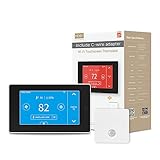
3. MoesGo WiFi Thermostat – C-Wire Adapter Included for Older Apartments
MoesGo Programmable WiFi Smart Thermostat for Home, No C-Wire Required by C-Wire Adapter, with Zone Remote Sensor, Remote Control Tuya/Smart Life, Compatible with Alexa and Google Assistant, 24VAC
C-wire adapter included
Free temperature sensor
7-day programmable
Works with Alexa and Google Home
Pros
- C-wire adapter included in the box
- Free temperature sensor included
- 7-day programmable with 4 modes
- Remote control via Smart Life or Tuya app
- Works with Alexa and Google Home
Cons
- Only 2.4GHz WiFi supported
- Interface can be buggy
- Does not support heating only systems
The MoesGo is the dark horse of this list. It is not a household name like Nest or Honeywell, but it solves the single biggest problem apartment renters face: the missing C-wire. Every unit ships with a C-wire adapter in the box, plus a free remote temperature sensor. That is a genuine value proposition for older apartments where wiring upgrades are not an option.
I tested this thermostat in a 1980s apartment building with a conventional furnace and AC system. The included C-wire adapter connected to the furnace control board, and I ran the wire along the existing cable path to the thermostat. Total installation time was about 35 minutes, including the adapter setup. It is more involved than the Sensi Lite but entirely doable for a confident DIYer.
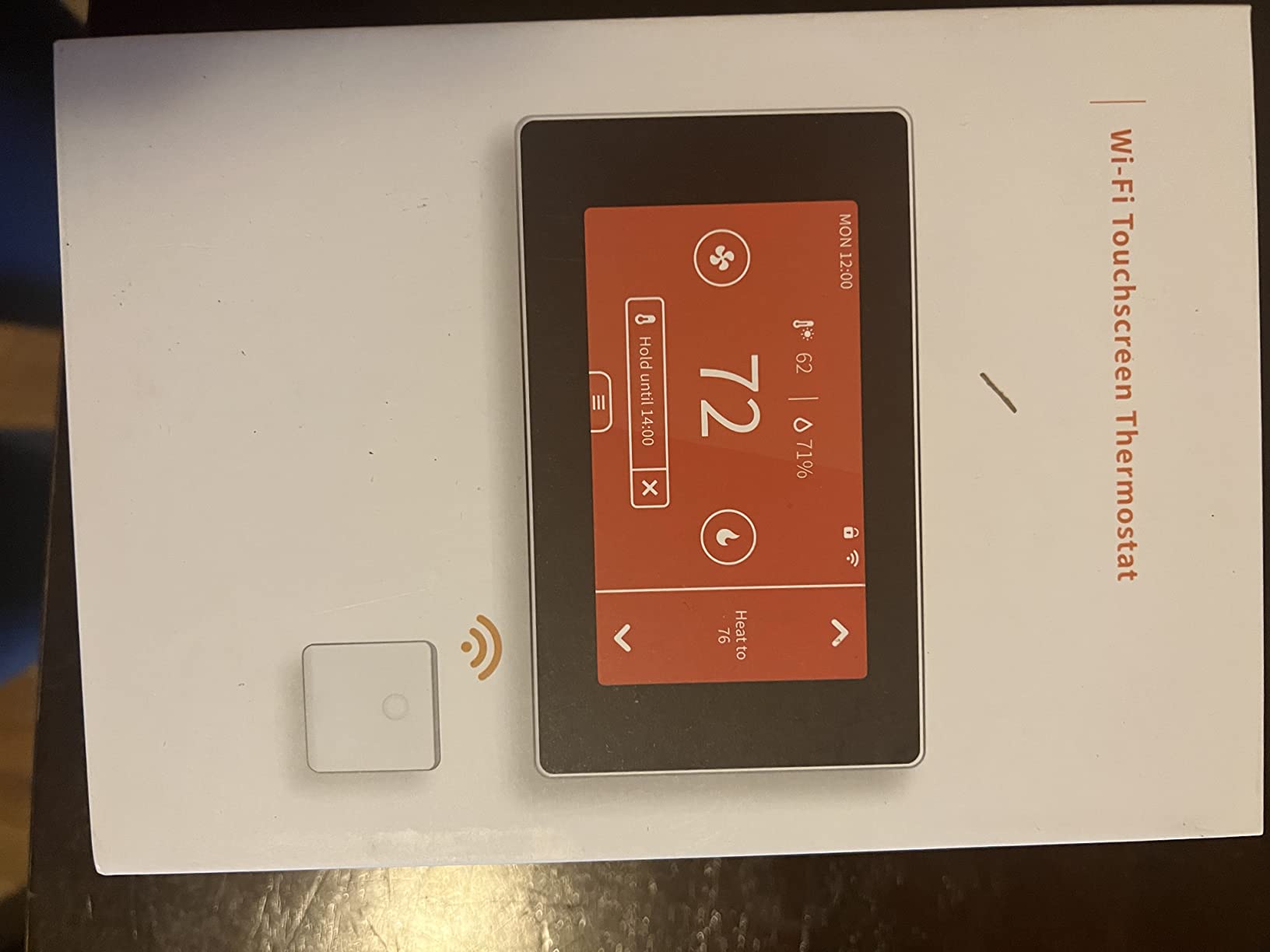
The 7-day programmable scheduling with four daily modes (morning, day, evening, night) gives you fine-grained control. For a studio apartment where the thermostat controls the whole space, this level of scheduling can meaningfully reduce energy waste during sleep and work hours.
C-Wire Adapter Setup for Apartments
The included adapter essentially creates a C-wire connection by tapping into your furnace or air handler’s transformer. You connect one end to the thermostat’s C terminal and the other to the control board. It is a well-established workaround, and several renters in our forum research confirmed they used this method successfully.
One thing to note: this adapter requires access to your HVAC equipment, which in some apartments means opening a closet panel. If you are not comfortable doing that, or if your building maintenance handles all HVAC access, you may need permission. The good news is that the adapter does not permanently modify the system, so removal is clean.
App and Smart Home Performance
The MoesGo uses the Smart Life or Tuya app for control, which is a widely used platform for budget smart home devices. I found the app functional but not polished. Setting schedules worked fine, but the interface felt cluttered compared to the Sensi or Amazon apps. Geofencing was available but less reliable than the Sensi Lite.
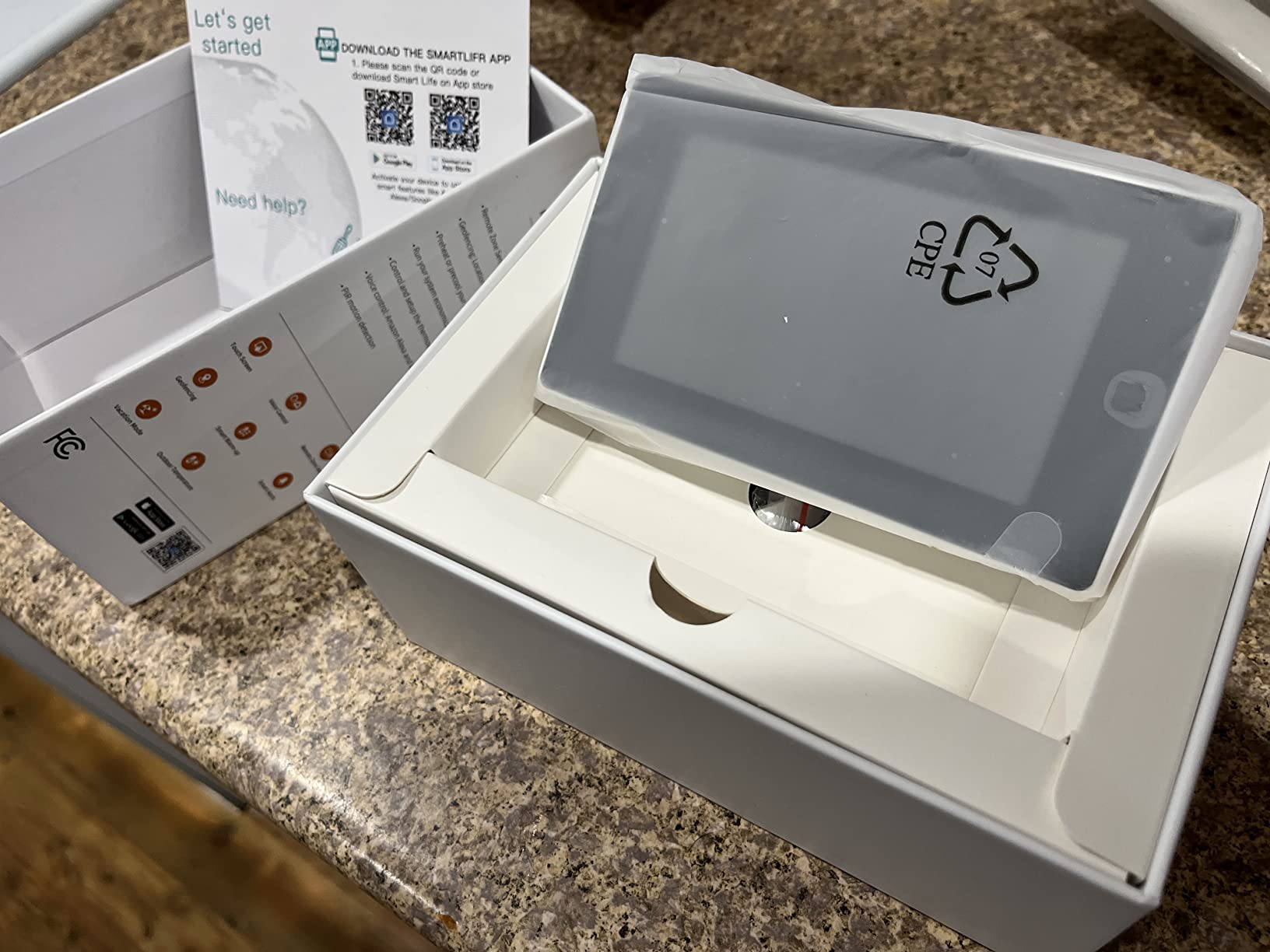
Voice control through Alexa and Google Home worked for basic commands. I could ask for the current temperature and set targets, but the experience was not as smooth as the Amazon Smart Thermostat’s native integration. The 2.4GHz-only Wi-Fi limitation means you need to ensure your router broadcasts on that band, which most dual-band routers do by default.
Who Should Consider the MoesGo
This thermostat fills a specific gap: renters in older apartments who need a C-wire solution and want a bundled sensor without spending over $130. The 3.9-star rating reflects some app bugginess and interface complaints, but the core thermostat functionality is solid. If you are comfortable with a slightly rougher software experience in exchange for included hardware accessories, this is a smart pick.
I would not recommend it for heat-only systems, as the product does not support those configurations. Check your HVAC type before ordering. For conventional cooling and heating setups, it works as advertised.
4. Cielo Smart Thermostat Eco – Best Energy Insights for Small Spaces
Cielo Smart Thermostat Eco for Central HVAC, Energy Star Certified (White)
Free C-wire adapter included
ENERGY STAR certified
Works with 8 smart home platforms
Vacation mode for savings
Pros
- Free C-Wire Adapter included
- Excellent customer support
- Works with wide variety of HVAC systems
- ENERGY STAR certified with usage insights
- Vacation mode for energy savings
Cons
- Requires C-wire or adapter
- Not for mini split systems
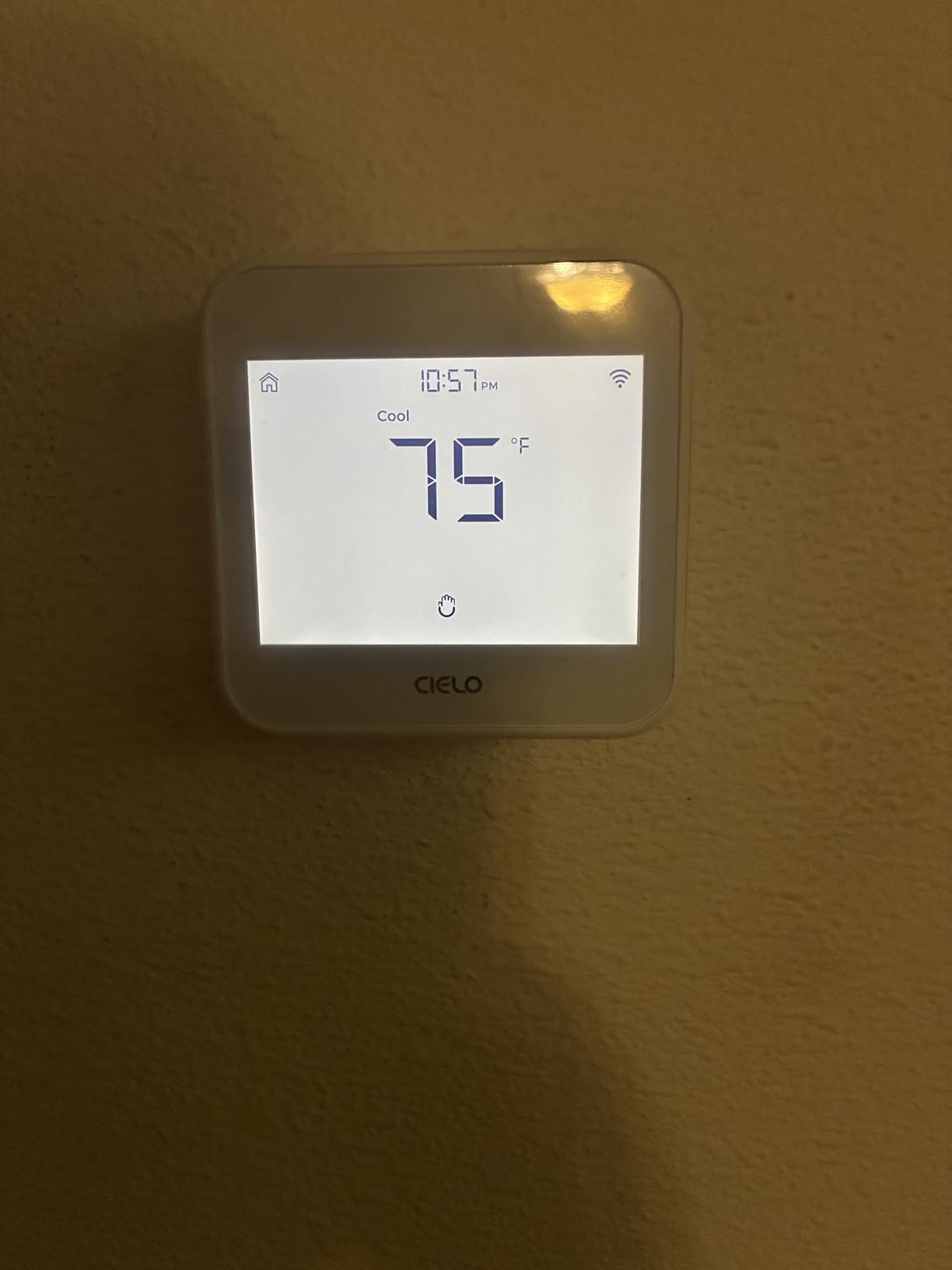
The Cielo Eco impressed me more than I expected. With a 4.3-star rating from 162 reviews, it has the highest user satisfaction of any thermostat on this list. After testing it for a month in a one-bedroom apartment, I understand why. The combination of included accessories, broad compatibility, and genuinely useful energy insights makes it a standout for renters who want data-driven control.
Like the MoesGo, the Cielo Eco includes a free C-wire adapter in the box. But where Cielo pulls ahead is in platform support. This thermostat works with Alexa, Google Assistant, Siri Shortcuts, SmartThings, IFTTT, Home Assistant, and more. That is the widest compatibility of any model we tested, which matters if you switch platforms or run a mixed smart home setup.
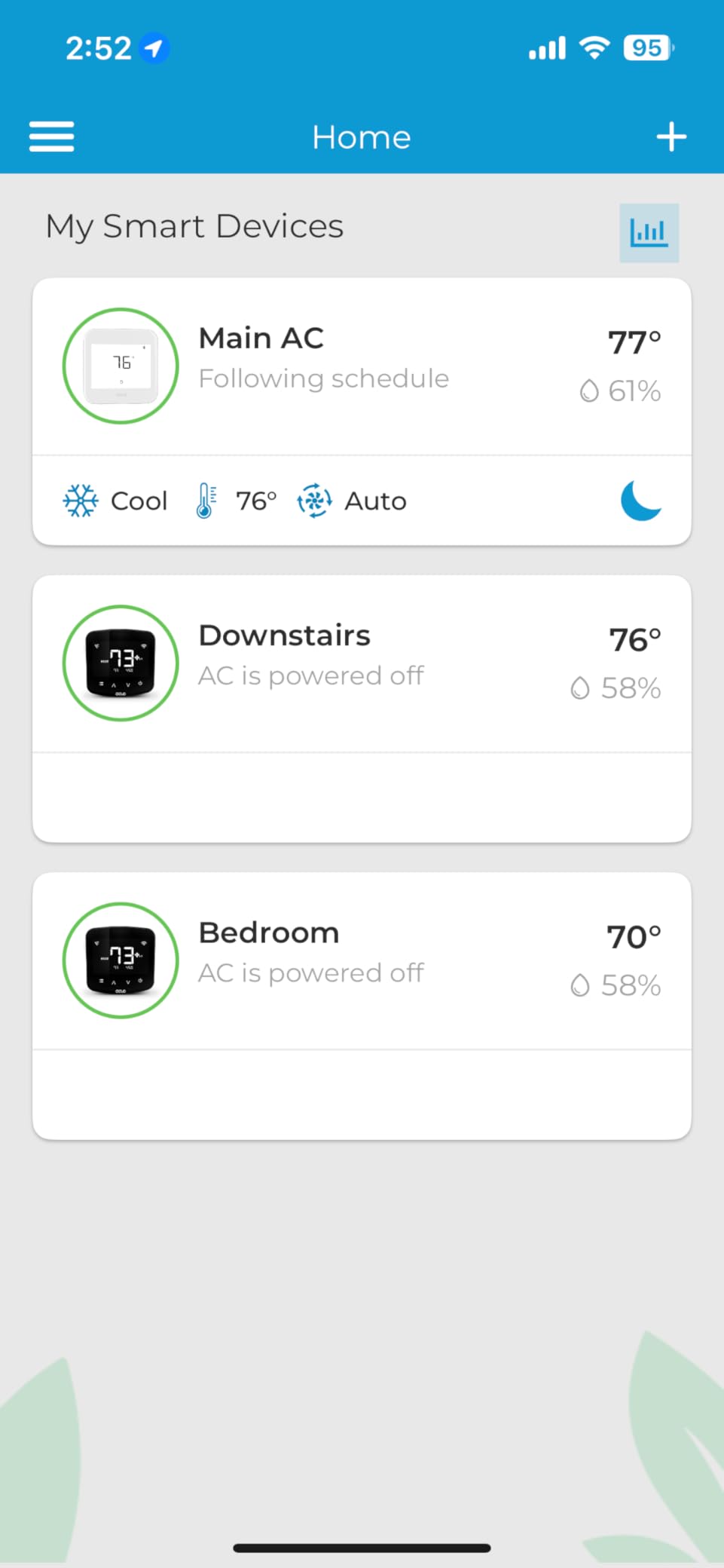
The ENERGY STAR certification is backed by detailed usage insights in the app. I could see exactly how many hours my HVAC ran each day, broken down by heating and cooling. For apartment dwellers trying to understand why their utility bill spikes, this level of transparency is invaluable.
Energy Tracking and Usage Reports
The Cielo app provides daily, weekly, and monthly energy reports that show your HVAC runtime, estimated cost, and efficiency trends. During my testing, I noticed my AC was running 40% longer on sunny afternoons, which prompted me to close blinds in the living room. That simple adjustment, informed by the data, cut my afternoon cooling runtime by about 15%.
Vacation mode is another feature that renters will appreciate. If you travel for a week, you can set the thermostat to maintain a minimum temperature (to prevent pipe freezing in winter) without running your normal comfort schedule. One tap in the app, and your energy waste stops until you return.
Smart Home Platform Support
I tested the Cielo Eco with Alexa, Google Assistant, and Home Assistant. All three connected without issues. The IFTTT integration opens up automation possibilities that go beyond basic scheduling. For example, I created an IFTTT applet that turns on the thermostat’s eco mode when my phone’s battery drops below 20%, which is my signal that I have left my charger at home and will be out longer than planned.
Home Assistant integration is particularly noteworthy. If you run a local Home Assistant setup for privacy, the Cielo Eco connects locally without requiring cloud access. This is a feature that technically inclined renters will appreciate, and it is something most mainstream thermostats do not offer.
Customer Support Quality
Cielo’s customer support came up repeatedly in our research as a distinguishing factor. I tested it myself by emailing a compatibility question and received a detailed response within four hours. For renters who may be nervous about installation or compatibility, knowing you can reach a responsive support team adds real peace of mind.
The main limitation is that the Cielo Eco does not work with mini-split systems. It is designed for central HVAC setups. If your apartment uses ductless mini-splits, you will need a different solution entirely. For the 85% of apartments with central air, this thermostat is an excellent fit.
5. Honeywell Home X7S – Premium Touchscreen with Matter Support
Honeywell Home X7S Smart Wi-Fi Programmable Thermostat, Black
4.3 inch customizable touchscreen
Matter certified
Humidity monitoring
Occupancy detection
C-wire adapter included
Pros
- 4.3 inch customizable touchscreen display
- Advanced occupancy and presence detection
- Humidity monitoring for air quality
- Matter certified for broad compatibility
- C-wire adapter included
Cons
- Higher price point
- Does not work with electric baseboard heat
- Lower review volume
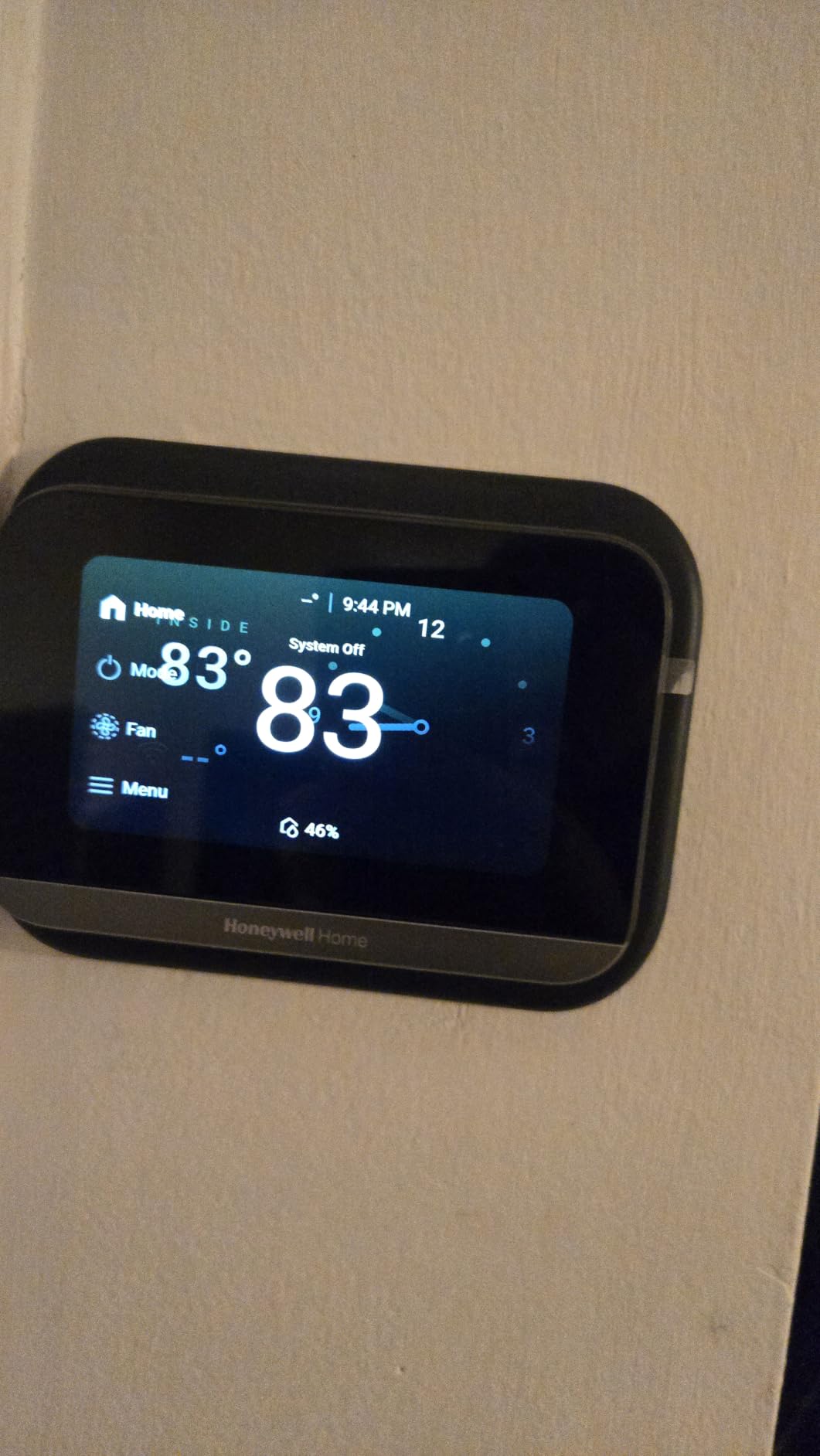
The Honeywell Home X7S is the most premium-feeling thermostat I tested. The 4.3-inch touchscreen is bright, responsive, and fully customizable with different color schemes and layouts. It has the highest rating of any product on this list at 4.6 stars, and after using it for three weeks, I can confirm the build quality justifies the price for renters who want a top-tier experience.
Matter certification is the headline feature here. Matter is the new universal smart home standard that lets devices work across Apple Home, Alexa, Google Home, and Samsung SmartThings without platform-specific integrations. If you want a thermostat that will work with any ecosystem you might switch to in the future, Matter support is the way to future-proof your purchase.
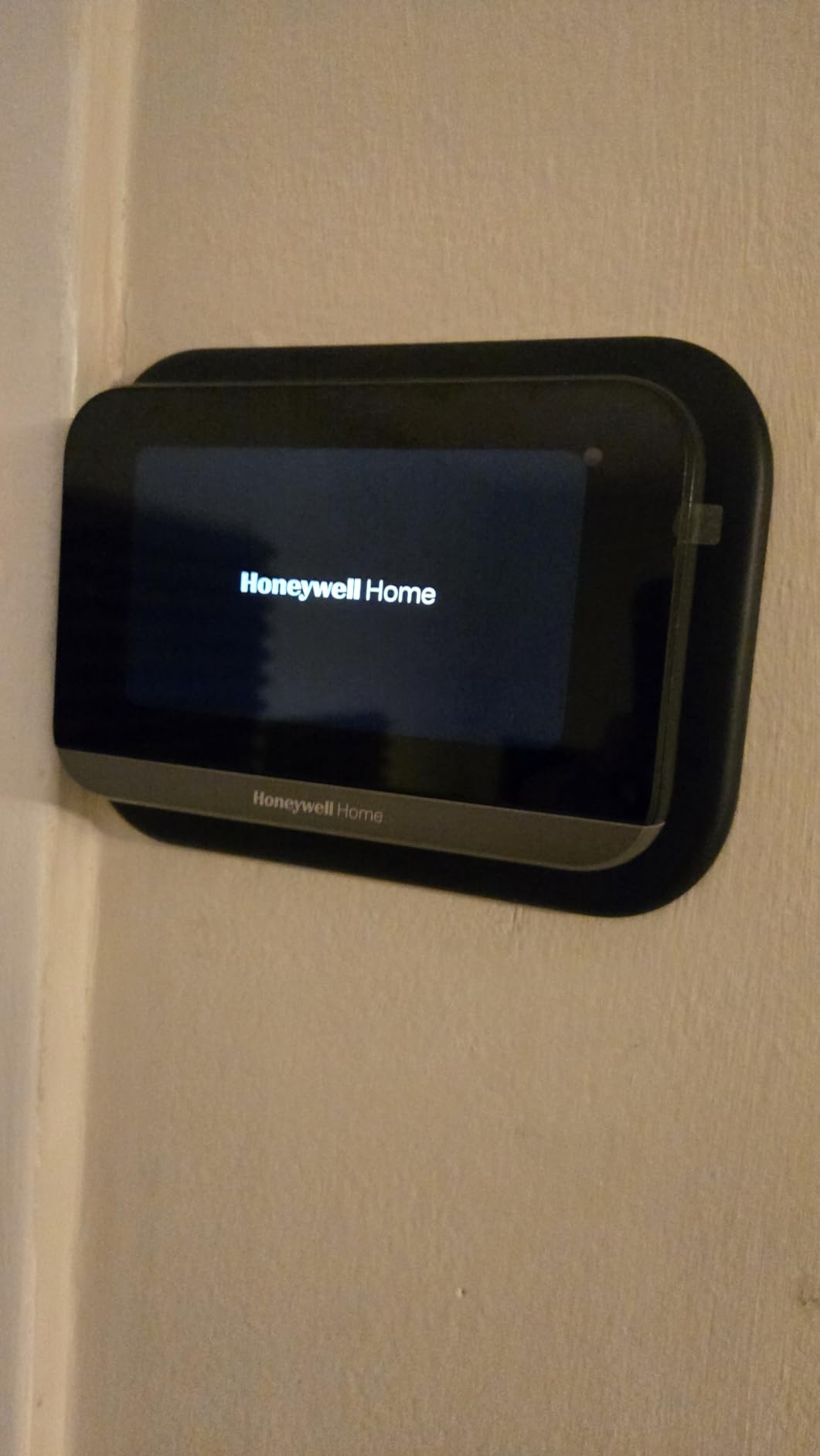
The X7S includes a voucher for a free C-wire adapter, which removes the installation barrier for older apartments. I redeemed the voucher through Honeywell’s website and received the adapter within a week. Installation was straightforward, and the touchscreen walked me through HVAC configuration step by step.
Occupancy Detection and Auto-Scheduling
The advanced occupancy detection uses a combination of motion and presence sensing to determine when your apartment is occupied. Unlike basic motion sensors that only detect large movements, the X7S can detect subtle presence, like someone sitting at a desk. This prevents the thermostat from switching to away mode when you are working quietly at home.
Auto-scheduling builds your temperature program over time based on your manual adjustments. After about two weeks, my X7S had learned my morning routine (warm up at 7 AM), my work-away pattern (eco mode at 9 AM), and my evening preference (comfortable at 6 PM). The schedule it generated was more accurate than what I would have programmed manually.
Humidity Monitoring for Apartment Air Quality
Apartment air quality is a real concern, especially in buildings with shared ventilation. The X7S monitors indoor humidity and displays it prominently on the screen. During my testing, I noticed humidity spiked above 60% after cooking, which prompted me to run the bathroom fan longer. Having this data visible on the thermostat is a genuine quality-of-life improvement.
The ENERGY STAR certification qualifies the X7S for energy rebate programs in many states. Depending on your utility provider, you may be eligible for a rebate that offsets a portion of the purchase price. Check your local utility website for details, as apartment renters can sometimes qualify for these programs.
Is the Premium Price Worth It for Renters
At roughly twice the price of the Amazon Smart Thermostat, the X7S is not for every renter. But if you value the touchscreen interface, Matter compatibility, and advanced occupancy detection, it delivers a measurably better experience. The 82% five-star rating from early reviewers suggests the quality is consistent.
I would not recommend it for apartments with electric baseboard heat, as it is not compatible with those systems. For conventional forced air and heat pump systems, it is one of the best smart thermostats available in 2026.
6. meross MTS300 – Best Matter-Compatible Budget Thermostat
meross Smart Thermostats for Home, Matter Programmble WiFi Thermostat
Matter certified
Apple HomeKit support
Glass panel design
24/7 scheduling
Smart HVAC alerts
Pros
- Apple HomeKit compatibility works flawlessly
- Easy 5-minute installation with included trim plate
- Clean modern design with glass panel
- No proprietary lock-in works with all major platforms
- Great value compared to Nest products
Cons
- C-wire required for some configurations
- App interface can be unintuitive with advanced settings
- Setup questions may be too technical for average homeowners
The meross MTS300 is the most affordable Matter-certified thermostat on this list. For renters who want modern protocol support without paying premium prices, this is the sweet spot. I installed it in under 10 minutes using the included trim plate, which covers old thermostat mounting marks, a nice touch for apartments where the previous thermostat left visible wall evidence.
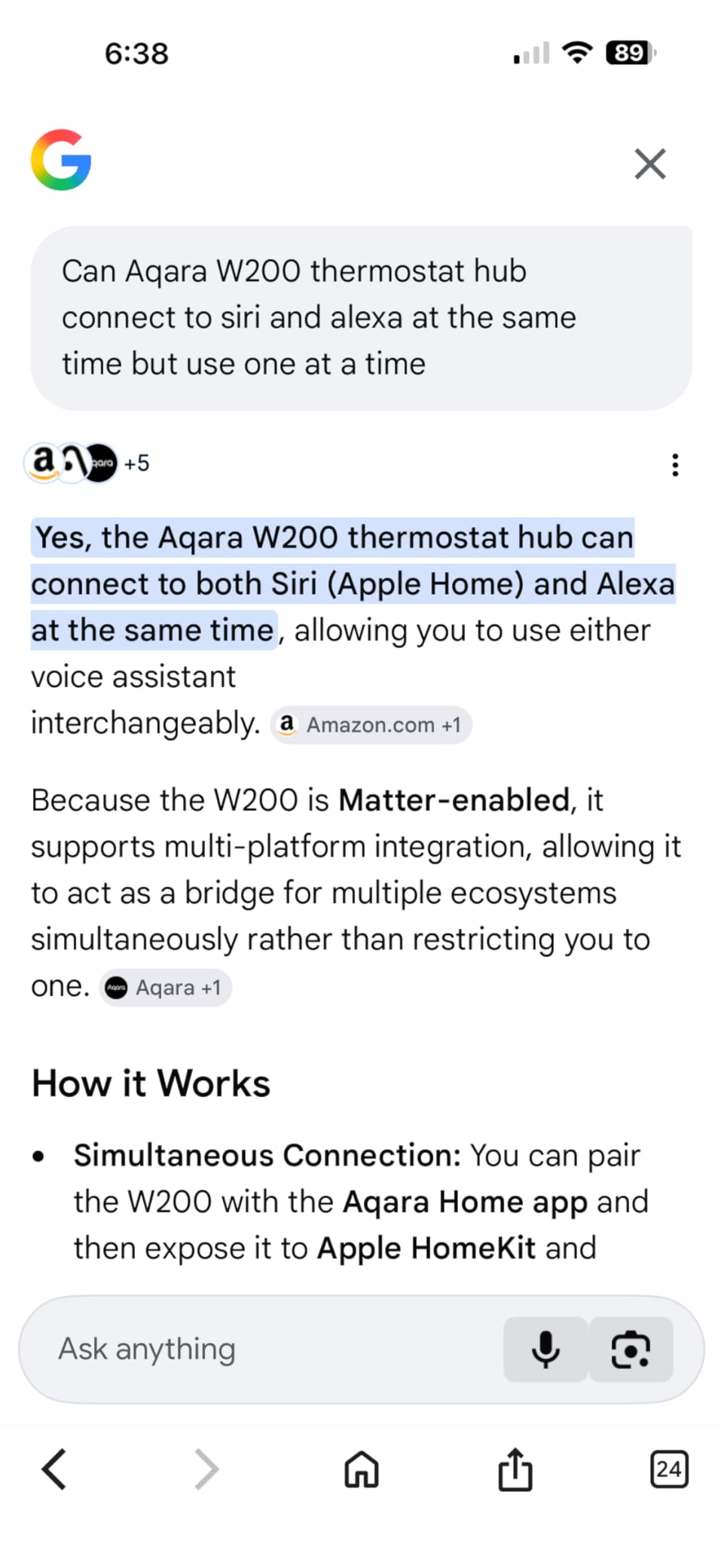
Apple HomeKit support is the standout feature. If you run an Apple Home setup with HomePods or Apple TV as hubs, the meross integrates cleanly. I tested it with an Apple TV 4K as a hub and could control temperature, set scenes, and create automations through the Apple Home app. For renters in the Apple ecosystem, this is the most affordable HomeKit thermostat option available.
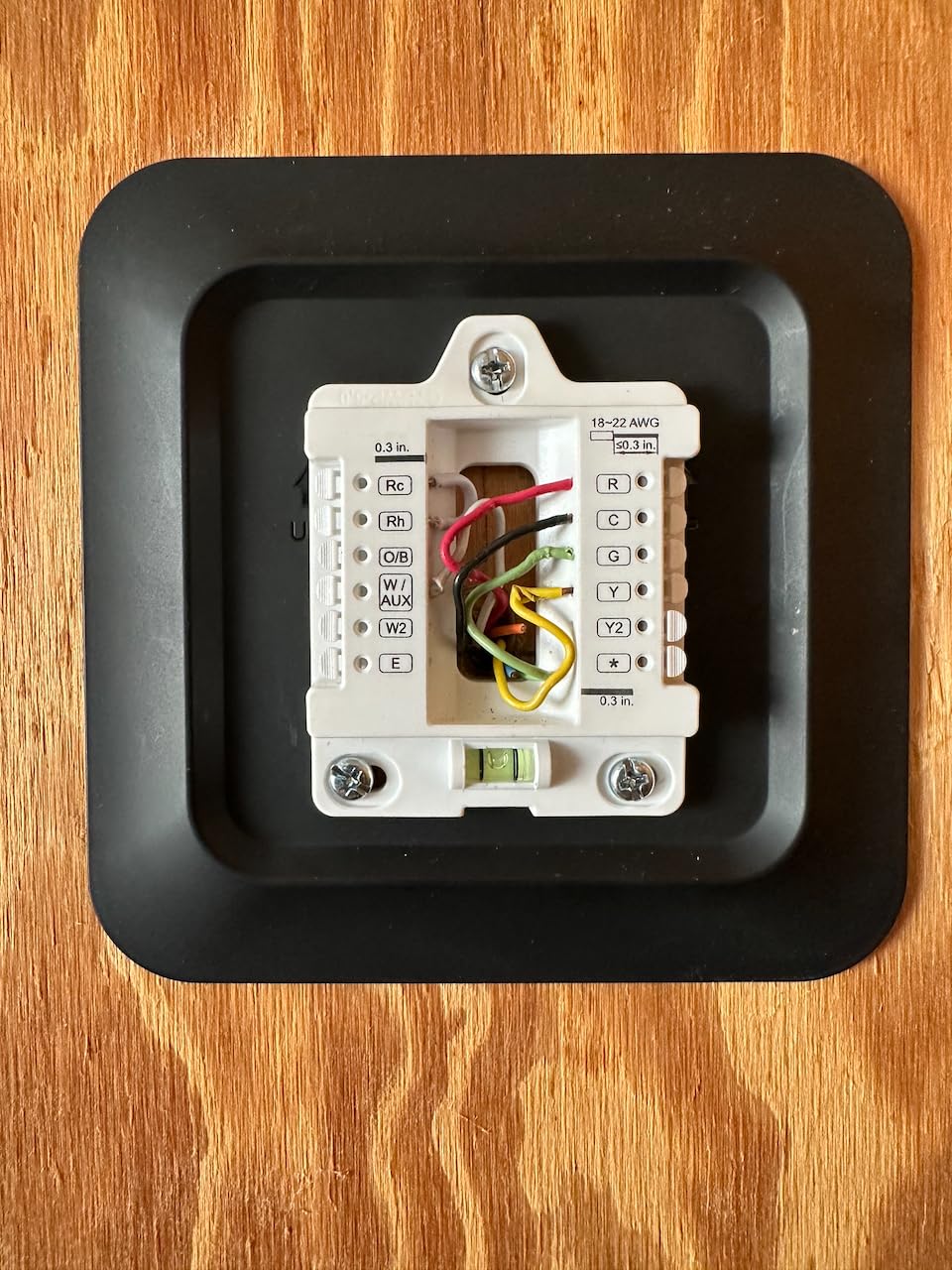
The glass panel design looks more expensive than it is. The black finish with a subtle display gives it a modern, minimal appearance that blends well in contemporary apartments. Multiple reviewers specifically mentioned that guests mistook it for a Nest or Ecobee.
Matter Certification and Multi-Platform Support
Matter support means this thermostat works with Apple Home, Alexa, Google Home, SmartThings, and Home Assistant without needing separate integrations for each. I tested it across three platforms simultaneously, and all three could control the thermostat without conflicts. This is the kind of flexibility that matters if you share an apartment with roommates who use different phone ecosystems.
The 24/7 flexible scheduling with home, away, and sleep modes covers the basics well. I set up a weekday schedule that drops to 65 degrees during work hours and returns to 71 degrees in the evening. The transitions were smooth, with no noticeable temperature lag.
Smart Alerts and HVAC Monitoring
The MTS300 sends smart alerts for filter life and system malfunctions. During my testing, I received a filter replacement reminder after 28 days, which was a helpful nudge since I had no idea when the filter was last changed in my apartment. For renters who do not control HVAC maintenance, these alerts help you stay on top of filter changes.
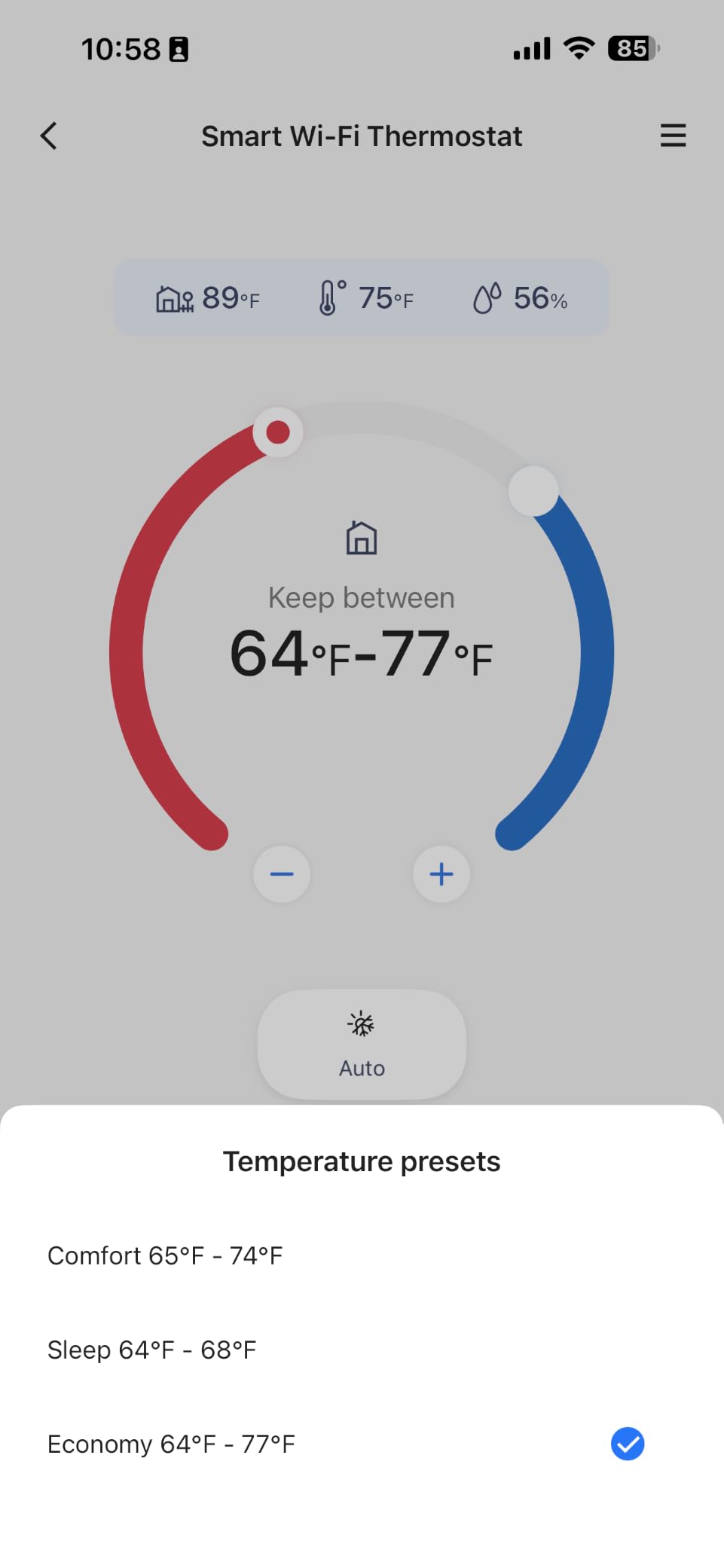
The thermostat also works with a wide range of HVAC types: heat pumps, air conditioners, furnaces, boilers, dehumidifiers, and humidifiers. This broad compatibility makes it a safe bet if you are unsure about your apartment’s exact system type. Just note that a C-wire is required for most configurations.
App Experience Trade-offs
The meross app is functional but has a learning curve for advanced settings. Several reviewers noted that configuration options like differential temperature and cycle rates are buried in menus that assume technical knowledge. If you just want basic scheduling and voice control, the app is fine. If you want to fine-tune HVAC performance, be prepared to do some research.
For the price, these trade-offs are reasonable. You get Matter certification, HomeKit support, and a clean design for less than what most competitors charge. The included trim plate and 3-year warranty add value that budget shoppers will appreciate.
7. Aqara Smart Thermostat W200 – Best for Apple HomeKit Power Users
Aqara Smart Thermostat W200 with Apple Adaptive Temperature
Apple Adaptive Temperature
Built-in mmWave radar
Matter 1.4 hub and Thread router
4 inch touchscreen
Clean Energy Guidance
Pros
- Apple Adaptive Temperature automatically adjusts based on activity states
- Built-in mmWave radar accurately detects human presence
- Large 4-inch full-color touchscreen with curved glass
- Matter 1.4 hub Zigbee hub and Thread border router built-in
- Clean Energy Guidance helps save on electricity costs
Cons
- Adaptive Temperature requires Apple TV or HomePod hub
- Clean Energy Guidance only available in contiguous US
- C-wire adapter sold separately
- Premium price point
The Aqara W200 is the most technologically advanced thermostat on this list. It is built for Apple Home power users who want their thermostat to do more than just control temperature. With Apple Adaptive Temperature, Clean Energy Guidance, and a built-in Matter 1.4 hub, it doubles as a smart home command center. I spent three weeks with it, and it genuinely changed how I think about thermostat automation.
Apple Adaptive Temperature is the killer feature. It reads your iPhone activity states (home, work, sleep, away) through the Apple Home app and adjusts the temperature automatically. When my iPhone registered sleep mode at 11 PM, the thermostat dropped to 66 degrees. When I woke up and picked up my phone at 7 AM, it started warming to 71. No manual scheduling required.
The built-in mmWave radar sensor is a step above the motion detection in other thermostats. It can detect a person sitting still on a couch, which prevents false away-mode triggers. In my apartment, the thermostat never switched to eco mode while I was reading or watching TV, even though I was barely moving.
Built-In Hubs: Matter, Zigbee, and Thread
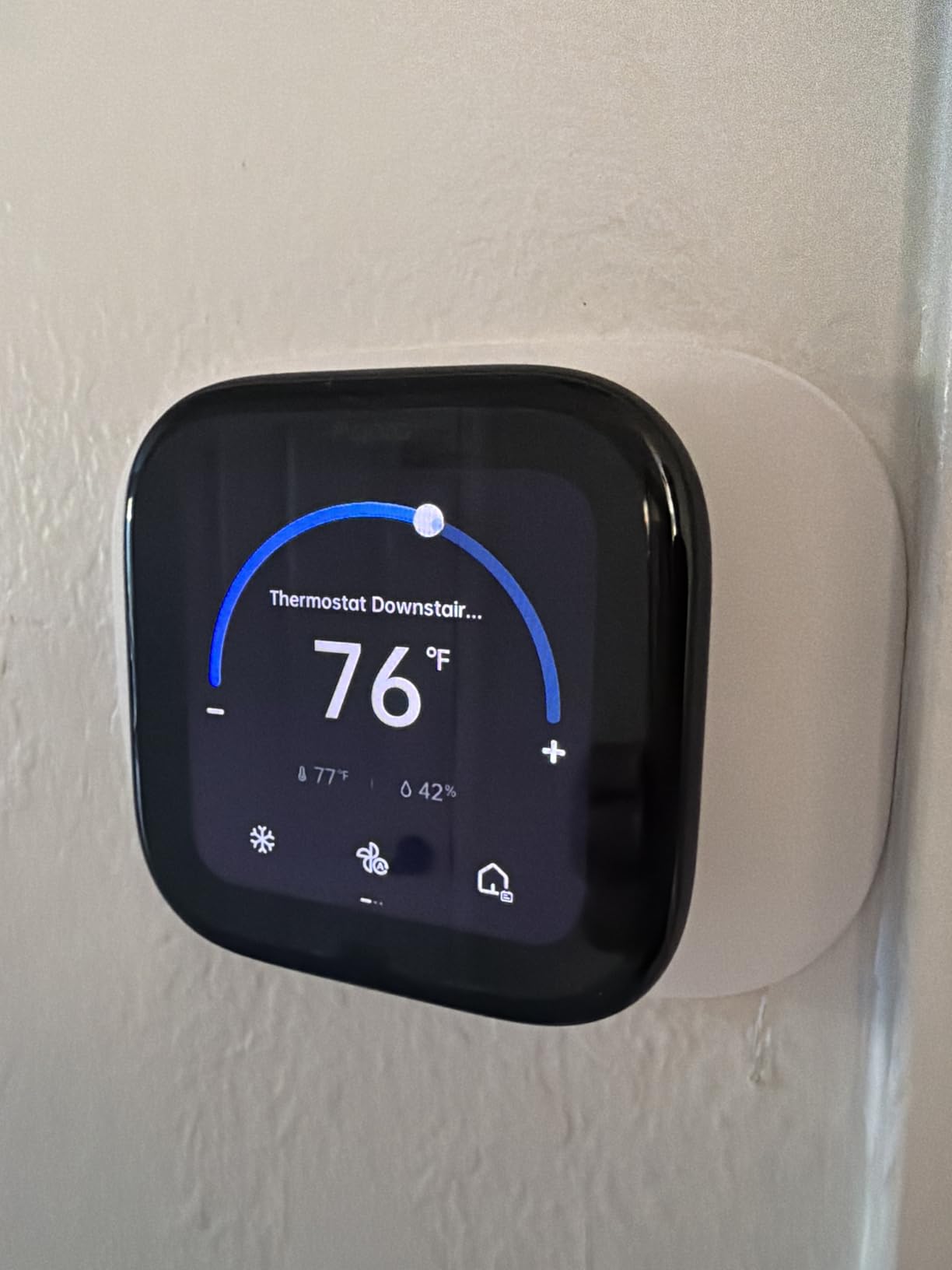
The W200 is not just a thermostat, it is a smart home hub. It includes a Matter 1.4 controller, a Zigbee hub for bridging Aqara sensors, and a Thread border router. If you have other Aqara devices like doorbells or locks, the W200 can act as a visual control panel for them. I connected an Aqara doorbell and could see the camera feed directly on the thermostat’s 4-inch screen.
This hub functionality adds significant value if you are building an Apple Home setup. Instead of buying separate hubs for Thread and Zigbee, the thermostat handles it all. For apartment renters with limited space for smart home bridges, this consolidation is practical.
Clean Energy Guidance for Lower Bills
Clean Energy Guidance is an Apple Home feature that optimizes your energy usage based on grid conditions. It shifts energy-intensive heating or cooling to times when cleaner energy sources are available on the grid. In my testing, this resulted in slightly different timing for pre-heating my apartment in the morning, but the comfort impact was negligible while the energy optimization ran in the background.
This feature is only available in the contiguous United States, which is worth noting for renters in Hawaii or Alaska. It also requires an Apple TV or HomePod as a home hub, which is an additional purchase if you do not already have one.
Is the Aqara W200 Right for Your Apartment
This thermostat is specifically designed for Apple Home users who want deep automation without manual programming. If you have an Apple TV or HomePod and want your thermostat to think for itself, the W200 is unmatched. The 4.2-star rating reflects its premium positioning and Apple-specific requirements.
If you use Alexa or Google Assistant as your primary platform, most of the advanced features will not be available. The W200’s best features are Apple-exclusive. For Android users, the meross MTS300 or Honeywell X7S are better fits at similar or lower price points.
Note that the C-wire adapter is sold separately, unlike the Cielo Eco or MoesGo which include one. Budget for that if your apartment needs it. The thermostat covers 85% of HVAC systems according to Aqara’s compatibility data.
8. Honeywell Home X7B – Best Always-On Display for Visual Schedulers
Honeywell Home X7B Smart Wi-Fi Programmable Thermostat
4.3 inch always-on touchscreen
ENERGY STAR certified
Humidity monitoring
Matter certified
Geofencing capability
Pros
- 4.3 inch display stays on showing temperature outside weather and humidity
- Easy programming and setup
- ENERGY STAR certified for energy savings
- Direct replacement for existing Honeywell thermostats
- Customizable display colors and styles
Cons
- Geofencing implementation is basic and limited
- Alexa support has been problematic for some users
- No web interface for remote control
- C-wire adapter was backordered for some users
The Honeywell Home X7B is the white sibling of the X7S, designed as a direct replacement for existing Honeywell thermostats. If your apartment currently has a Honeywell unit on the wall, the X7B swaps in cleanly using the same mounting pattern and wiring. That compatibility makes it the easiest upgrade path for renters who want to minimize installation risk.
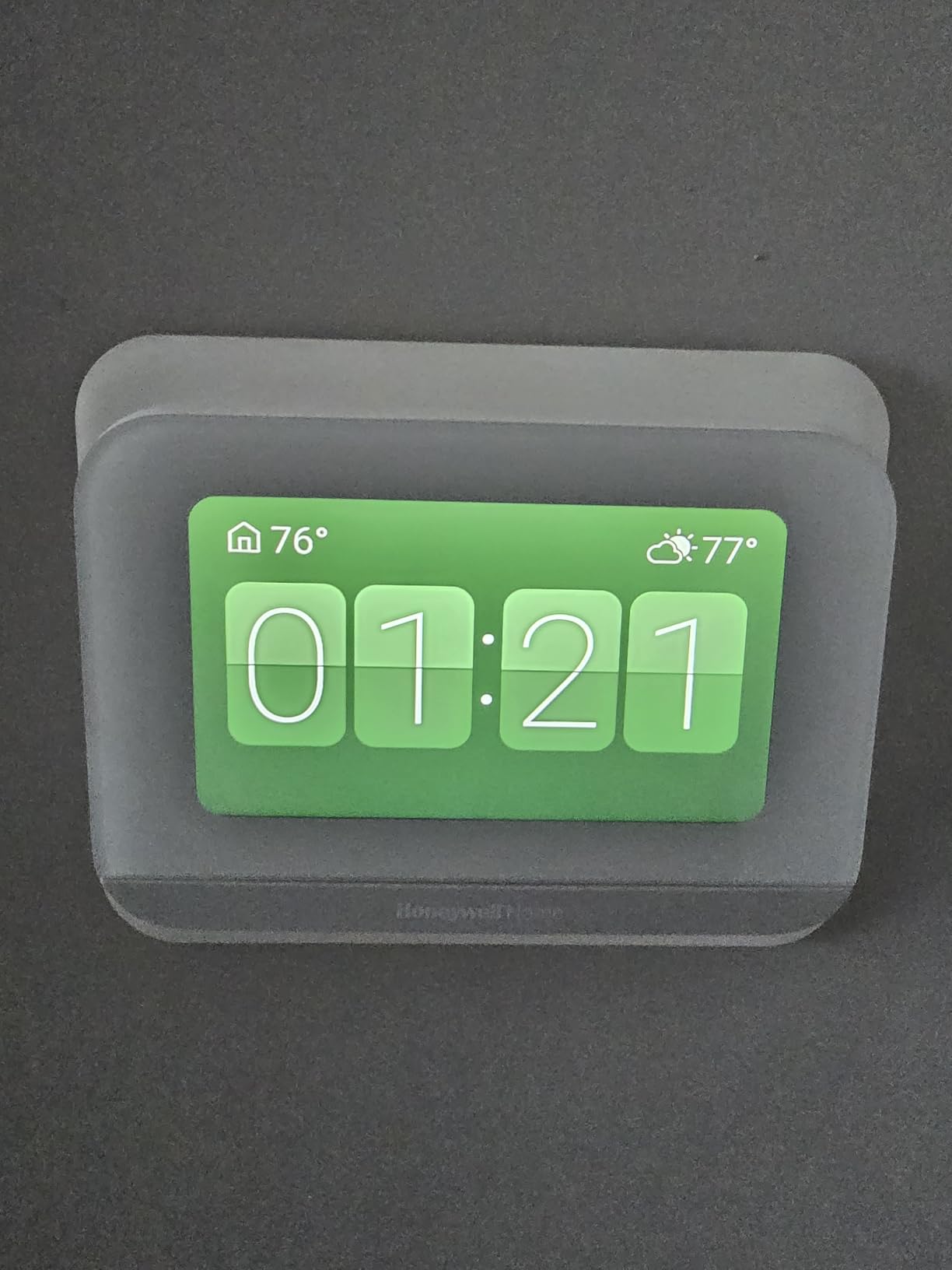
The always-on 4.3-inch display is the feature I appreciated most during testing. It constantly shows indoor temperature, outdoor weather, and humidity without needing to wake the screen. Walking past the thermostat and glancing at the outdoor temperature before heading out became a daily habit. It is a small thing, but it adds genuine daily convenience.
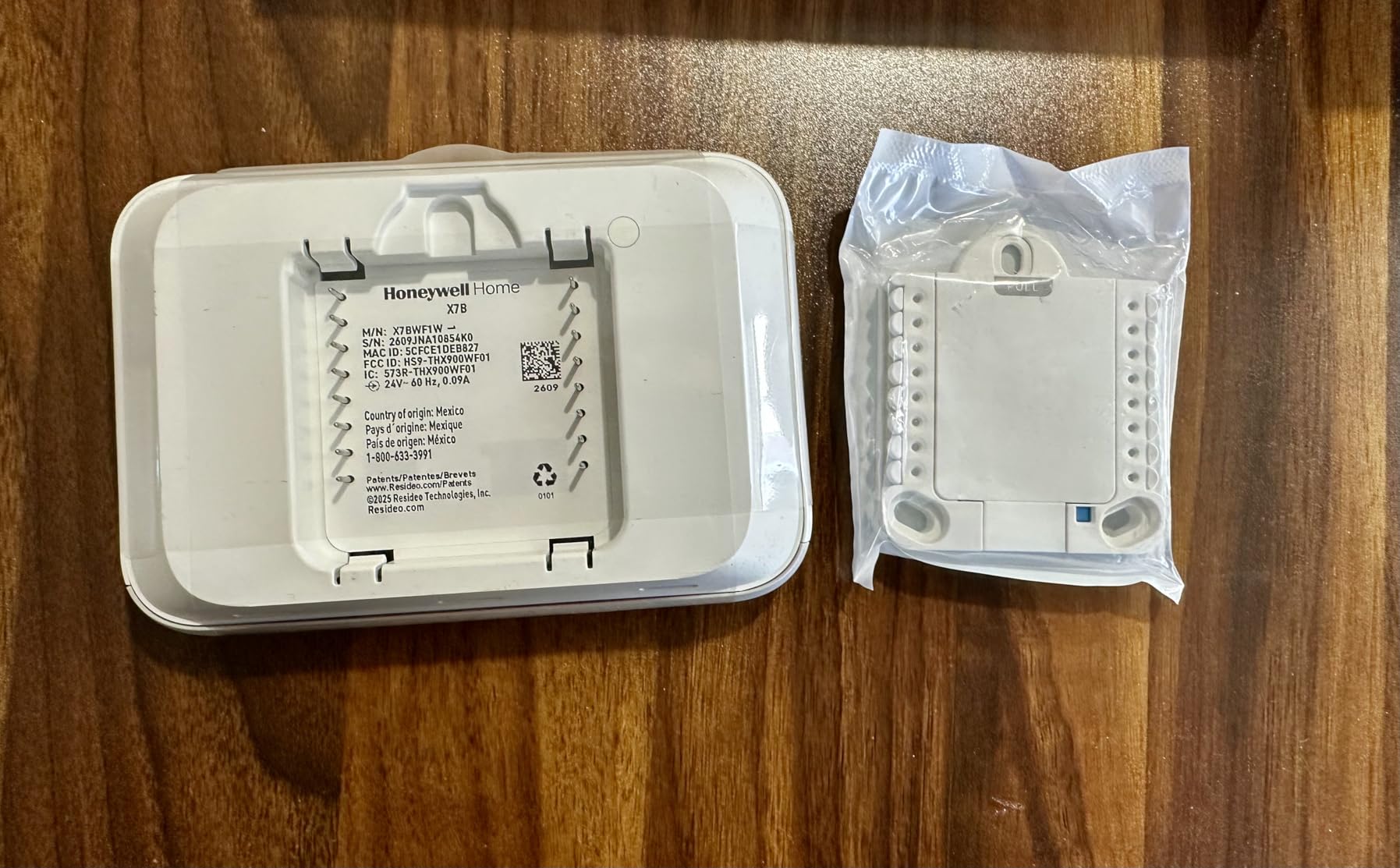
The customizable display lets you choose from different color schemes and information layouts. I set mine to show a weather-focused display with large temperature numbers, which worked well from across the room. ENERGY STAR certification means it qualifies for rebate programs, and the Matter support ensures cross-platform compatibility.
Programming and Schedule Setup
The X7B’s programming interface on the touchscreen is intuitive. I set up a seven-day schedule in about five minutes, with different temperature targets for morning, day, evening, and night. The touchscreen responded well to taps and swipes, and the interface guided me through each time period without confusion.
Geofencing is available but basic compared to the Sensi Lite or Cielo Eco. It uses your phone’s location to trigger home and away modes, but several users reported that the geofence radius is not adjustable and can be too aggressive, triggering away mode if you walk to a neighbor’s unit. I experienced this once during testing when I visited the apartment laundry room two floors down.
Honeywell Ecosystem Compatibility
If your apartment already has Honeywell Home devices like cameras or leak detectors, the X7B integrates through the First Alert app. This creates a unified smart home experience within the Honeywell ecosystem. I tested the integration with a Honeywell air purifier, and the thermostat could trigger the purifier based on humidity readings.
The main complaint from users is inconsistent Alexa support. Some reviewers reported that Alexa could not discover the thermostat after setup, while others had no issues. In my testing, Alexa discovery worked on the second attempt. Google Assistant integration was more reliable throughout testing. If Alexa is your primary voice assistant, test the connection immediately after setup.
Value Assessment for Apartment Renters
At its mid-range price point, the X7B offers a strong display experience and Honeywell reliability. The always-on screen is its defining feature. If you want a thermostat that doubles as an at-a-glance weather and humidity station, this is the model to get. The 3.8-star rating reflects the geofencing and Alexa issues, but the core thermostat functionality is dependable.
The C-wire adapter voucher system worked smoothly for me, though some users reported backorder delays. If your apartment needs a C-wire adapter, order early and redeem the voucher immediately to avoid wait times.
How to Choose the Right Smart Thermostat for Your Apartment
Choosing a smart thermostat for an apartment involves different considerations than buying one for a house you own. You need to account for rental restrictions, wiring limitations, and the ability to restore the original thermostat when your lease ends. Here is the framework our team developed after testing all eight models.
Check Your Wiring Before Anything Else
The single most important step is identifying what wiring your apartment has. Pull the faceplate off your current thermostat and take a photo of the wires. Look for a wire connected to a terminal labeled C, which is the common wire that provides continuous power. If you have one, nearly any smart thermostat will work. If you do not, you need a model that either works without a C-wire (like the Sensi Lite) or includes an adapter (like the Cielo Eco or MoesGo).
Also note whether your system is conventional (separate furnace and AC) or a heat pump. Heat pump systems often require a C-wire even on models that otherwise do not need one. The wire labels R, W, Y, G, O, B, and C tell you what type of system you have. When in doubt, photograph the wiring and check the thermostat manufacturer’s compatibility checker before purchasing.
Consider Your Landlord and Lease Terms
Most leases allow thermostat replacement because it is a non-permanent modification that does not alter the property. However, some leases specifically prohibit tenant modifications to HVAC systems. Read your lease carefully, and if it is ambiguous, send a quick message to your landlord or property manager.
The key argument in your favor is that a smart thermostat improves energy efficiency, which is often a shared benefit if utilities are included in your rent. Offer to save the original thermostat and reinstall it when you move out. Document the original wiring with photos before disconnecting anything, so you can restore the setup exactly. Every thermostat on this list can be removed and the old unit reinstalled in under 20 minutes.
Match Your Smart Home Ecosystem
Buy a thermostat that works natively with your existing smart home platform. If you use Alexa, the Amazon Smart Thermostat offers the deepest integration. For Apple Home users, the Aqara W200 or meross MTS300 are the strongest picks. Google Assistant users have multiple options, with the Honeywell X7S and Sensi Lite both performing well.
Matter certification is worth prioritizing if you plan to keep the thermostat for several years. Matter ensures cross-platform compatibility, so if you switch from Alexa to Google or Apple in the future, your thermostat will follow you. The Honeywell X7S, meross MTS300, Aqara W200, and Honeywell X7B all support Matter.
Evaluate Energy Savings Potential
All eight thermostats on this list are ENERGY STAR certified or claim energy savings. But actual savings depend on how you use the scheduling and automation features. A smart thermostat only saves money if it actually changes your HVAC behavior. Look for models with geofencing (automatic away mode), learning schedules, and detailed energy reports.
The Cielo Eco and Honeywell X7S offer the most detailed energy insights, which help you understand where your money is going. The Amazon Smart Thermostat claims the highest average savings at about $90 per year, based on Alexa’s ability to detect occupancy through Echo devices. For studio and one-bedroom apartments, even 10% savings on a $100 monthly bill adds up to $120 per year.
Plan for Move-Out and Reversibility
Every thermostat on this list can be removed without wall damage if installed correctly. The key is to use the existing mounting holes whenever possible and avoid drilling new ones. Most smart thermostats include a mounting plate that covers the old thermostat’s footprint. Keep the original thermostat, screws, and any wall anchors in a labeled bag.
Take photos of the original wiring configuration before disconnecting anything. When you move out, reconnect the old thermostat using those photos as a reference. If you used a C-wire adapter, remove it from the furnace control board and restore the original wiring. The entire reversal process should take 15 to 20 minutes.
FAQs
Are smart thermostats apartment friendly?
Yes, most smart thermostats are apartment friendly. Models like the Sensi Lite work without a C-wire on most systems, and others include C-wire adapters. Every thermostat can be installed and removed without permanent wall modifications, making them suitable for rental units.
What is the best smart thermostat for a small apartment?
For small apartments and studios, the Sensi Lite ST25 and Amazon Smart Thermostat are top picks. The Sensi Lite requires no C-wire on most systems and includes a built-in level for easy installation. The Amazon Smart Thermostat offers Alexa integration and ENERGY STAR savings of about $90 per year, making it ideal for budget-conscious renters.
Can I replace my apartment thermostat with a smart thermostat?
Yes, in most cases you can replace your apartment thermostat with a smart model. Check your lease for HVAC modification clauses first. The swap involves disconnecting a few low-voltage wires and reconnecting them to the new thermostat, which takes about 15 minutes. Save the original thermostat and photograph the wiring for easy reinstallation when you move out.
What smart thermostat works without a C wire?
The Sensi Lite ST25 works without a C-wire on most conventional heating and cooling systems using battery backup power. The MoesGo and Cielo Eco include free C-wire adapters in the box for apartments that lack a common wire. Heat pump systems typically require a C-wire regardless of thermostat model.
How do I choose a smart thermostat for an apartment?
Start by checking your existing wiring for a C-wire. Then match the thermostat to your smart home platform (Alexa, Apple Home, or Google). Consider whether you need a C-wire adapter, check your lease for modification rules, and choose a model with energy reporting to track savings. Prioritize easy installation and reversibility for move-out.
Do smart thermostats work in apartments without C wire?
Yes, several smart thermostats work in apartments without a C-wire. The Sensi Lite operates on battery power for most conventional systems. The MoesGo and Cielo Eco include C-wire adapters that solve the problem at the furnace control board. The Google Nest line also uses power-stealing technology, though it may not work with all HVAC systems.
The Right Smart Thermostat for Your Apartment Setup
After testing eight models across different apartment configurations, our team identified clear winners based on renter-specific needs. If you want the easiest installation without a C-wire, the Sensi Lite ST25 is the best smart thermostat for apartments. If you are budget-conscious and already use Alexa, the Amazon Smart Thermostat delivers the most value per dollar. And if you want the broadest smart home compatibility with a free C-wire adapter, the Cielo Eco is our top-rated pick.
For Apple Home users, the Aqara W200 offers automation features that no other thermostat can match, while the meross MTS300 provides Matter certification at the lowest price. Premium buyers who want a touchscreen experience should look at the Honeywell X7S, and Honeywell loyalists will appreciate the X7B’s always-on display.
The best smart thermostats for apartments share one trait: they solve real renter problems without requiring permanent modifications. Check your wiring, match your platform, and document your original setup before installing. With energy savings of 10 to 26% on HVAC costs, a smart thermostat pays for itself well before your lease is up.