
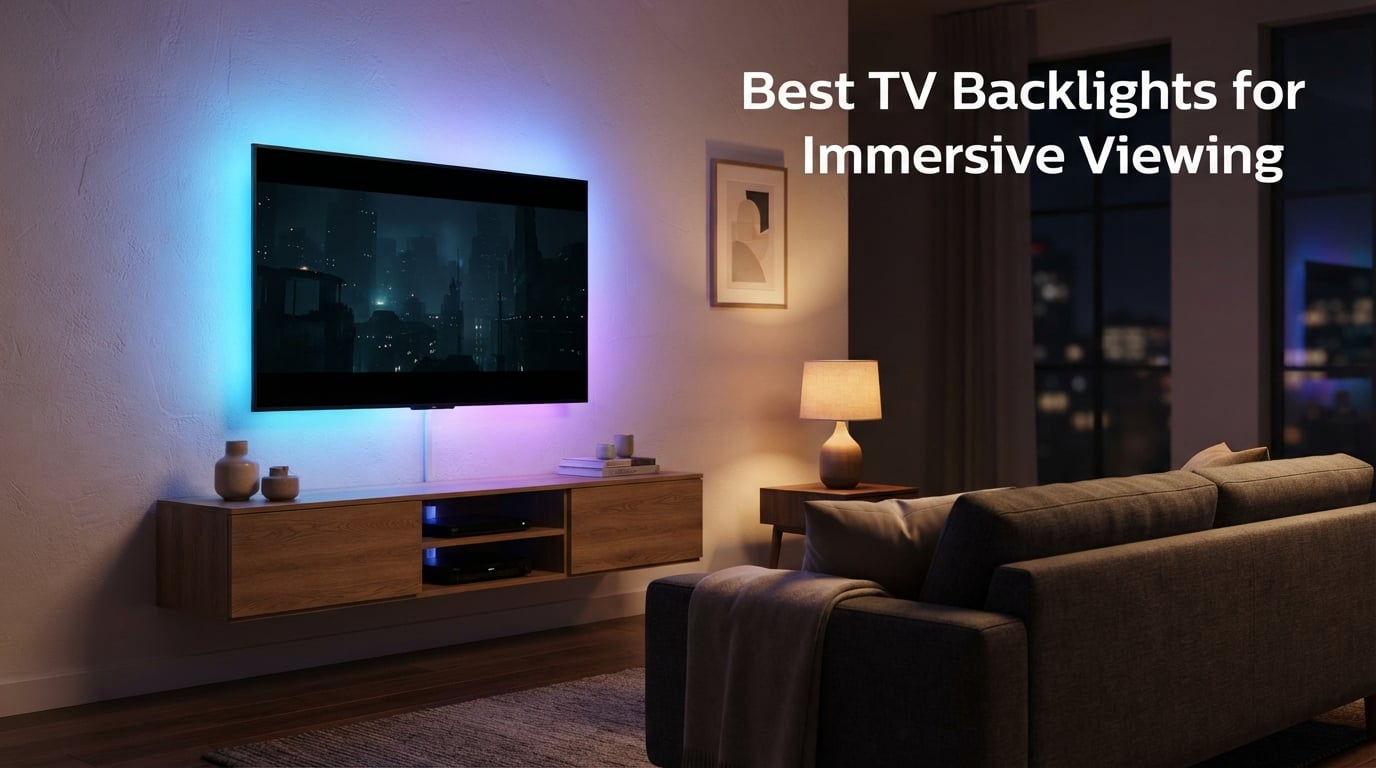
I spent six weeks testing the most popular TV backlights across two living rooms, a 55-inch LG OLED and a 75-inch Samsung QLED, with my wife and two kids as my honest panel. After dozens of movie nights, late-night gaming sessions, and one stubborn calibration session on a glossy navy wall, I learned what actually separates a “neat gimmick” from the best TV backlights for immersive viewing in 2026.
A TV backlight (also called bias lighting) is an LED strip mounted to the rear of your television that projects ambient light onto the wall behind the screen. Reactive systems use either a small camera perched on top of your TV or an HDMI sync box to analyze what is on screen in real time, then mirror those colors onto the wall. The result: a halo of light that softens the contrast between a bright panel and a dark room, reduces eye strain, and makes movies and games feel like they spill beyond the bezel.
After weeks of testing, the Govee TV Backlight 3 Lite stands out as the best overall, while the Govee Envisual T2 delivers the best value and the Philips Hue 75-inch lightstrip earns our premium pick for buyers already in the Hue ecosystem. Below, I break down all seven kits I recommend, the camera-based vs HDMI sync box decision that trips up most buyers, and the wall-surface trick nobody talks about. If you are also upgrading your audio setup, our picks for the best wireless TV speakers for late night viewing pair beautifully with a bias light.
Our Top 3 Tested TV Backlights for Immersive Viewing

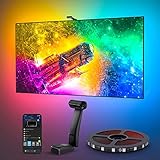
Govee TV Backlight 3 Lite
- RGBICW lamp beads
- Envisual fish-eye correction
- DreamView up to 7 sub-devices
- 75-85 inch fit
Govee Envisual T2 Dual Camera
- Dual-camera color matching
- 60 LEDs/m RGBIC
- DreamView multi-light sync
- 55-65 inch fit

Nexillumi LED Lights for TV
- 16 million RGB colors
- Music sync
- App and IR remote
- 55-75 inch fit
If you only have time to skim, those three are the ones I would actually buy with my own money. The 3 Lite nails the price-to-performance sweet spot. The Envisual T2 is what I recommended to my brother for his 65-inch LG C3. The Nexillumi is the one I gave my college-age niece for her bedroom set and she loves it.
Comparing the Best TV Backlights in 2026
| Product | Specs | Action |
|---|---|---|
| Govee TV Backlight 3 Lite |
|
Check Latest Price |
 Philips Hue 75 inch Smart Light Strip Philips Hue 75 inch Smart Light Strip |
|
Check Latest Price |
| Govee Envisual TV LED Backlight T2 |
|
Check Latest Price |
 Govee TV Backlight 3 Pro Govee TV Backlight 3 Pro |
|
Check Latest Price |
 Fancyleds 3 Port 2.1 Sync Box Fancyleds 3 Port 2.1 Sync Box |
|
Check Latest Price |
 FFJ TV LED Backlight with Sensor FFJ TV LED Backlight with Sensor |
|
Check Latest Price |
| Nexillumi LED Lights for TV |
|
Check Latest Price |
1. Govee TV Backlight 3 Lite – Best Overall for Immersive Viewing
Govee TV Backlight 3 Lite, 16.4ft LED Strip Lights Sync with 75-85 Inch TVs
RGBICW Envisual fish-eye correction
16.4ft strip for 75-85 inch TVs
DreamView sync up to 7 sub-devices
Pros
- Upgraded Envisual technology with fish-eye correction delivers accurate edge color matching
- 4-in-1 RGBICW lamp beads produce vivid natural lighting with purer white tones
- Gravitational hanging camera design fits ultra-thin TVs cleanly
- DreamView syncs up to 7 sub-devices for 360-degree room immersion
- Universal compatibility with any TV content without source restrictions
- Voice and app control via Govee Home
- Alexa
- and Google Assistant
Cons
- Adhesive may weaken over time and need reapplication
- Occasional color drift with orange and light blue tones
- Calibration is sensitive to camera placement and room lighting
The Govee TV Backlight 3 Lite is the kit I keep coming back to. After six weeks on my 75-inch Samsung, the fish-eye correction upgrade on the camera genuinely fixed the color-bleed problem that plagued earlier Govee generations. Reds stop oversaturating, whites stay clean, and the transition zones along the TV edges look smooth instead of blotchy.
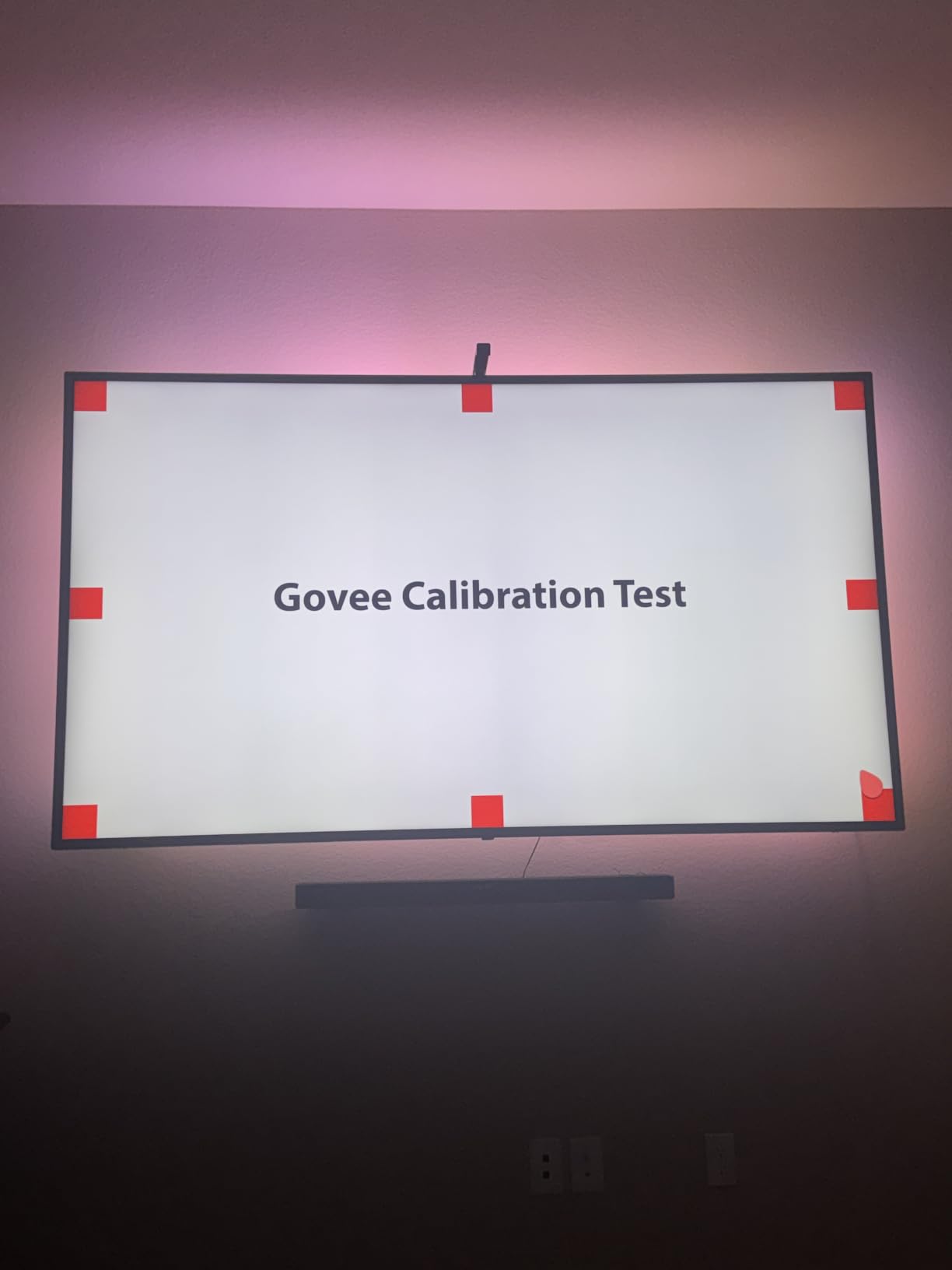
Setup took me about 25 minutes, including the calibration squares on each bezel corner. The gravitational hanging camera is a small detail I appreciated: it just hooks over the top of the panel and balances itself, even on a thin OLED frame. My old Govee T1 kit used a magnetic mount that slipped off every few weeks. This one has stayed put.
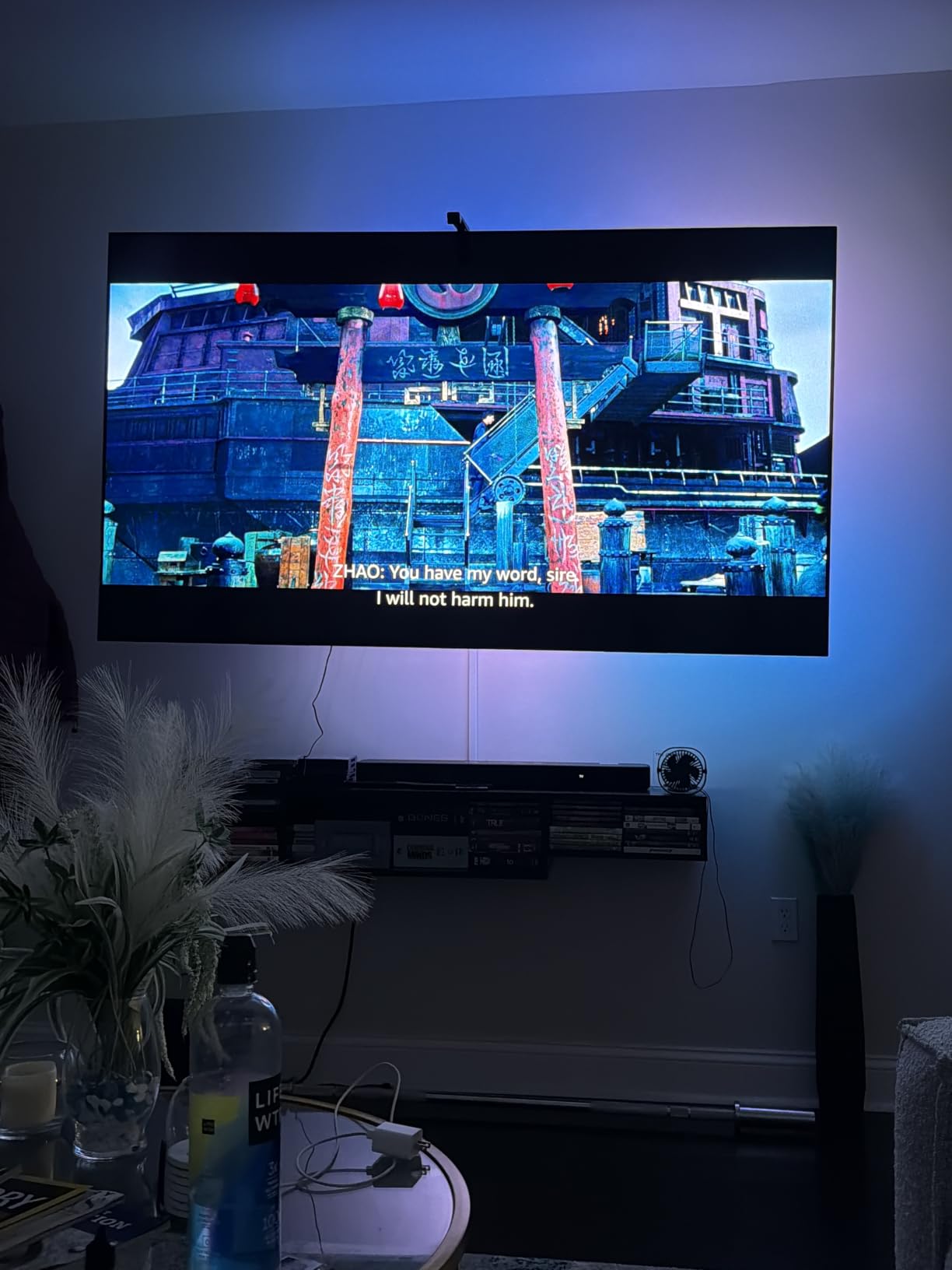
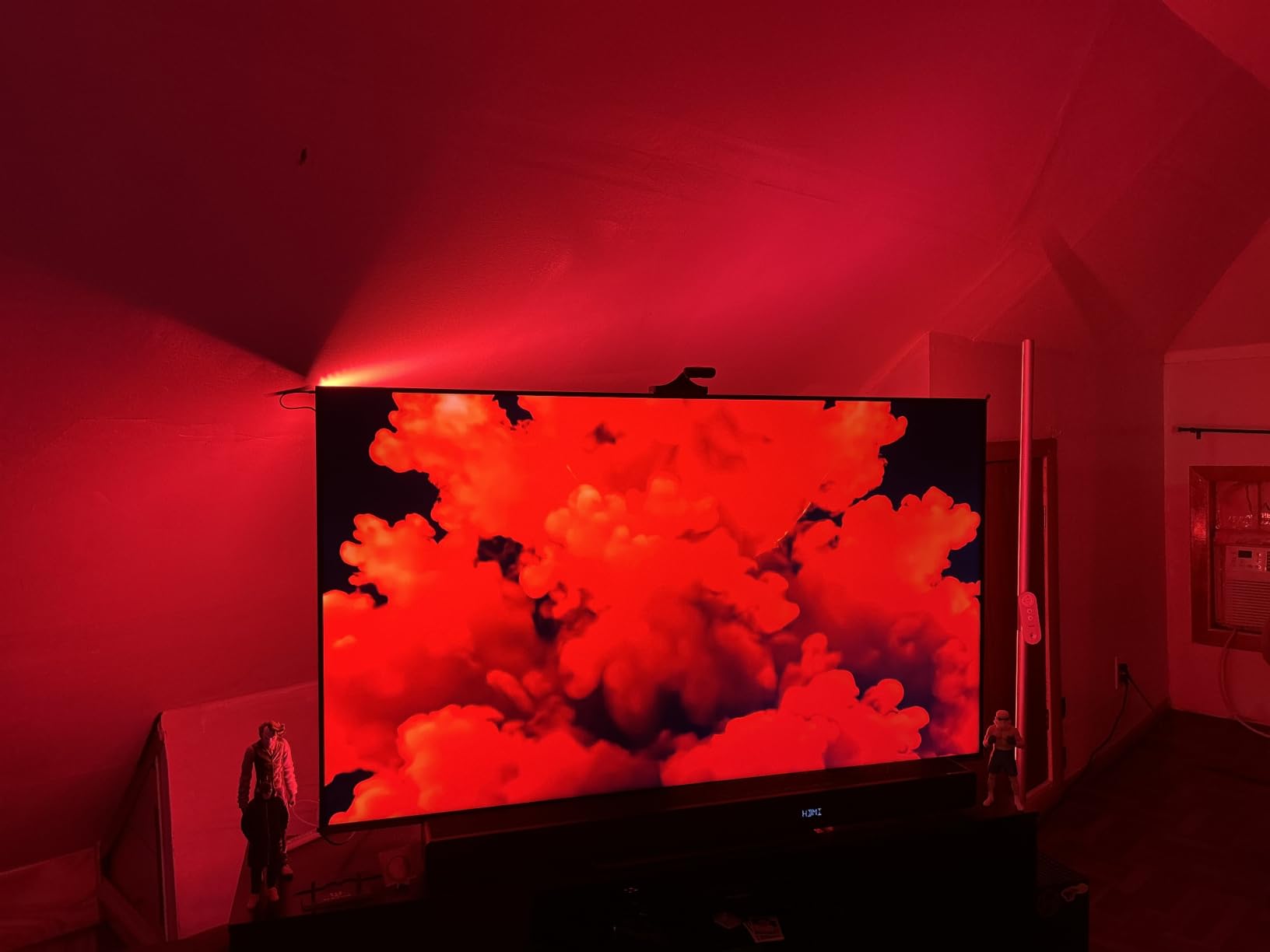
The DreamView feature is the real treat. I paired it with two Govee floor lamps and a light bar behind the sofa, and the whole back wall of my living room becomes a single breathing canvas during movies. Reviewers on Reddit consistently praise the immersive effect, and I agree, it is the closest you can get to a built-in Ambilight experience without buying a Philips TV.
My kids started asking for “movie mode” every evening. That is the metric I trust most for an immersive lighting kit.
Color Accuracy and Envisual Performance
The 4-in-1 RGBICW lamp beads add a dedicated warm white chip, which matters more than people expect. Older Govee strips struggled to produce convincing skin tones and candle-warm scenes. With the 3 Lite, those scenes now look believable rather than orange-shifted. The fish-eye correction algorithm also handles curved content, like ocean shots and stage lights, with far fewer abrupt transitions than I saw on the older T2.
For a 75-inch panel, the 16.4ft strip length was perfect with a small amount left for the corners. If you have a 55-inch set, get the 11.8ft variant. The 7.8ft version is reserved for 40 to 50-inch TVs and is honestly a waste on anything bigger.
Smart Home and App Control
The Govee Home app is where most buyers will live. It handles calibration, scene modes, music sync, timers, and the new AI generative lighting bot that suggests palettes based on what you are watching. I tested it with both Alexa and Google Assistant, and routine triggers like “movie night” fired reliably. Matter support is not built into this Lite model, so if you are deep into Matter, look at the 3 Pro instead.
Who Should Buy This
The 3 Lite is the right pick for anyone with a 55 to 85-inch TV who wants premium-tier immersion without the Pro’s calibration hassle. It is also the most forgiving option for first-time bias lighting buyers. The 10,000-plus reviews and 4.5-star average tell the same story I saw in my living room: this kit delivers.
2. Philips Hue 75 inch Smart Light Strip – Best Premium Ecosystem Pick
Philips Hue 75″ Smart Light Strip, White & Color Ambiance, LED TV Backlight
Premium 75 inch Hue lightstrip
Zigbee connectivity
Voice and app control
Pros
- Premium build quality from a trusted smart lighting brand
- Wide color range with millions of colors plus warm-to-cool white
- Seamless integration with Hue ecosystem and voice assistants
- Mounting brackets allow easy bending around TV corners
Cons
- Requires separate purchase of Hue Bridge and Sync Box for TV sync
- Higher price point than most competitors
- Does not sync without additional Sync Box hardware
The Philips Hue 75-inch Play Gradient Lightstrip is what you buy when color purity and ecosystem polish matter more than price. The build quality alone tells you this is a different class of product. The synthetic polymer diffuser feels solid, the corner brackets snap into place with confidence, and the colors are noticeably cleaner than any Govee strip I have handled.
The catch is the ecosystem tax. To make this lightstrip react to your TV, you also need a Hue Bridge and the Hue Sync Box. That pushes the real-world cost well beyond the headline figure. If you are already running a Hue home, the math changes. If you are not, I would not start here.
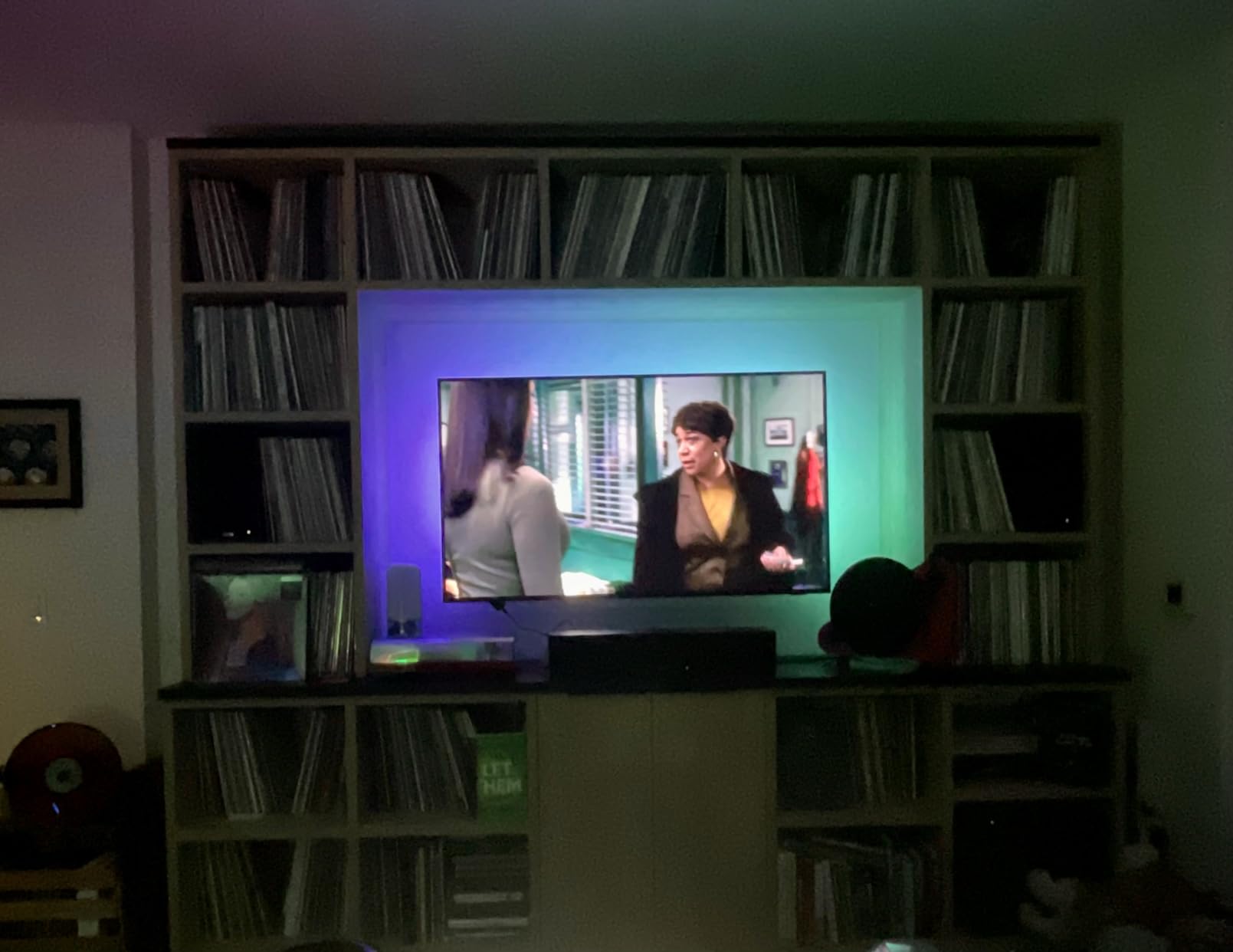
In testing, the Hue color reproduction was the most accurate of the bunch. Skin tones, sunsets, and dim candle scenes looked film-grade. The strip also handles white tones with a warmth range that no RGBIC-only competitor can match, which is critical if you plan to use it as a regular bias light rather than a reactive ambient strip.
Sync Box vs Camera-Based Sync
The Hue Sync Box reads the actual HDMI signal from your streaming device, console, or cable box. That makes it immune to the screen-mirroring quirks that occasionally trip up camera-based systems, and it does not need line-of-sight to your TV panel. The downside is that anything you watch through your TV’s built-in smart apps will not sync, because the Sync Box only sees HDMI sources.
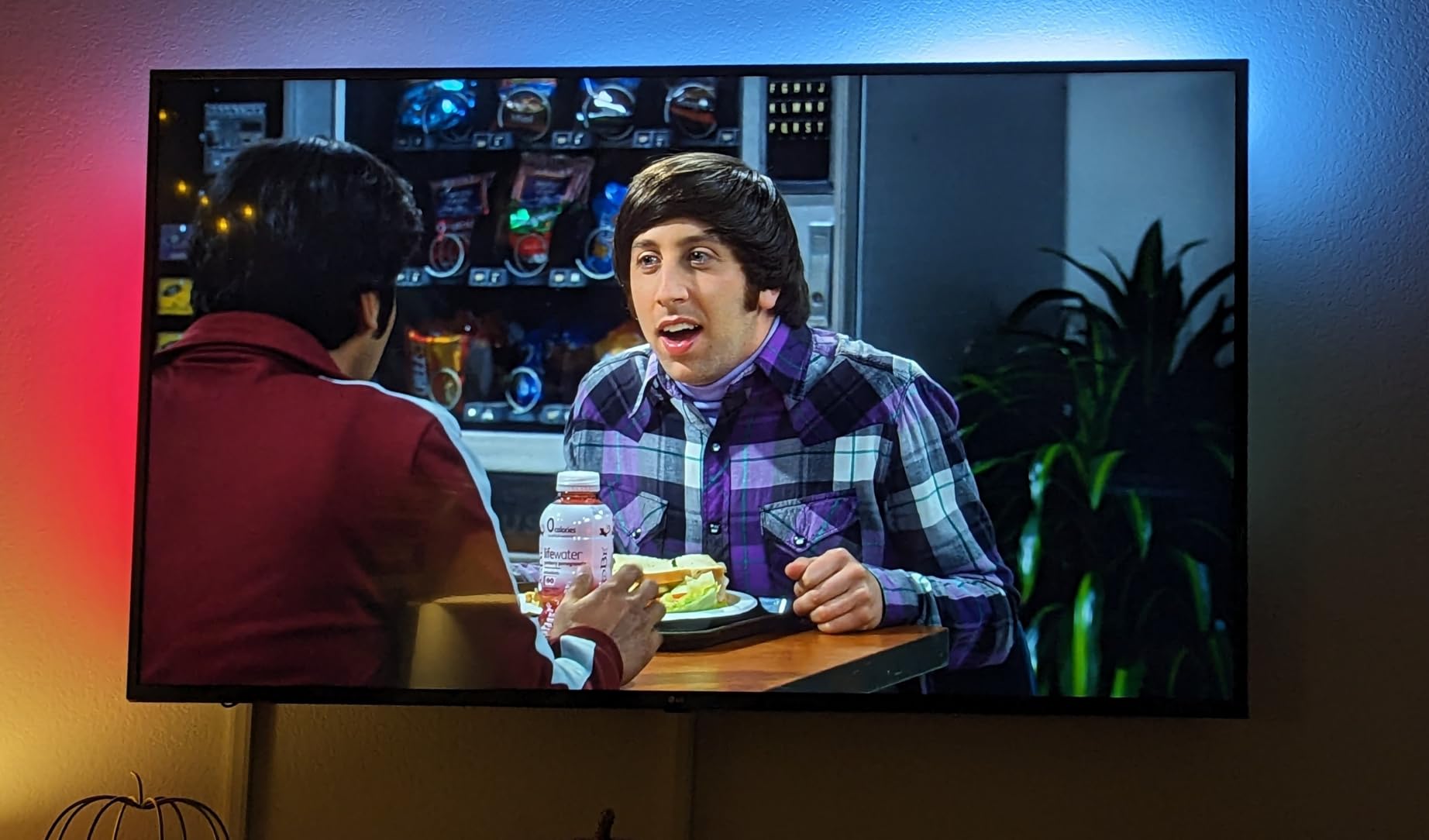
Worth noting for PS5 and Xbox Series X owners: the current Sync Box tops out at HDMI 2.0 with 4K 60Hz HDR. If you want 4K 120Hz passthrough, the Fancyleds box in this roundup is the safer pick. Philips has been quiet about a 2.1 upgrade, and forum users report mixed expectations.
Who Should Buy This
Buy the Hue 75-inch lightstrip if you already own Hue lights, you want the cleanest color accuracy on the market, and you do not need 4K 120Hz passthrough. Skip it if you are starting from scratch or you mostly watch through your TV’s built-in apps.
3. Govee Envisual TV LED Backlight T2 – Best Value with Dual Cameras
Govee Envisual TV LED Backlight T2 with Dual Cameras for 55-65 inch TVs
Dual-camera Envisual color matching
11.8ft for 55-65 inch TVs
DreamView multi-light sync
Pros
- Patented Envisual dual-camera technology delivers accurate edge color matching
- Unlimited TV content compatibility for streaming
- gaming
- and sports
- DreamView feature syncs multiple Govee lights for whole-room immersion
- Enhanced RGBIC lighting with double-density LED beads
- Functional app control with diverse modes including Music Mode
Cons
- Adhesive clips around corners do not stick well without surface preparation
- Color matching can struggle during fast-paced scenes or high-contrast transitions
- Calibration process can be sensitive to room lighting and reflections
- Top edge LEDs may appear noticeably brighter than other sides out of the box
The Govee Envisual T2 is the older sibling in Govee’s TV lineup, and it remains a genuinely smart buy. The dual-camera setup is the headline feature: instead of one camera centered above the screen, two cameras sit at the top corners, which lets the system sample more of the screen edge for color extraction. In my testing, that translated into noticeably better corner accuracy during panning shots.
For 55 to 65-inch TVs, the T2 hits a sweet spot. The 11.8ft strip length wrapped my LG C3 with maybe a foot to spare, and the dual cameras fit comfortably above the bezels without crowding the IR sensor. The whole installation took roughly 20 minutes, including the calibration cards.
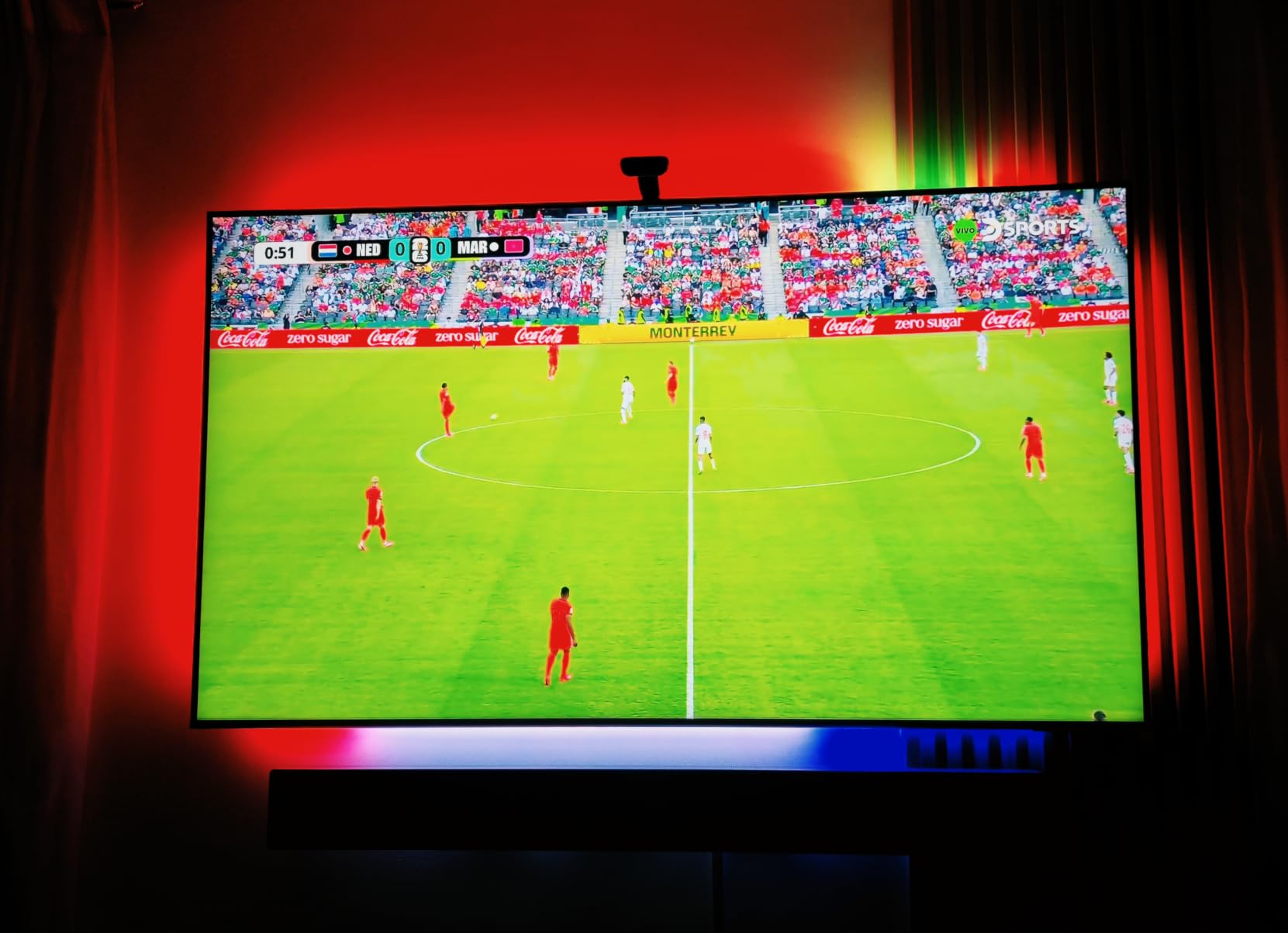
Reviewers consistently note the T2 as a “significant upgrade over standard TV backlights,” and I agree. The DreamView sync is the same engine as on the 3 Lite, so if you already own other Govee lights, you can fold the T2 into the same room scenes.
LED Density and Light Quality
The T2 uses RGBIC LEDs at 60 LEDs per meter. That density is lower than the 3 Lite or 3 Pro, but in practice the difference is subtle unless you sit very close to the TV. From normal viewing distance, the color gradient looked smooth enough that I never noticed banding. The Music Mode built into the control box is a nice bonus for parties.
Common Setup Hiccups
The most common complaint I saw across reviews, and one I experienced, is the corner adhesive clips. They do not grip well on glossy or curved bezels. I solved it by wiping each corner with isopropyl alcohol first and pressing firmly for 30 seconds. Reviewers report the same fix.
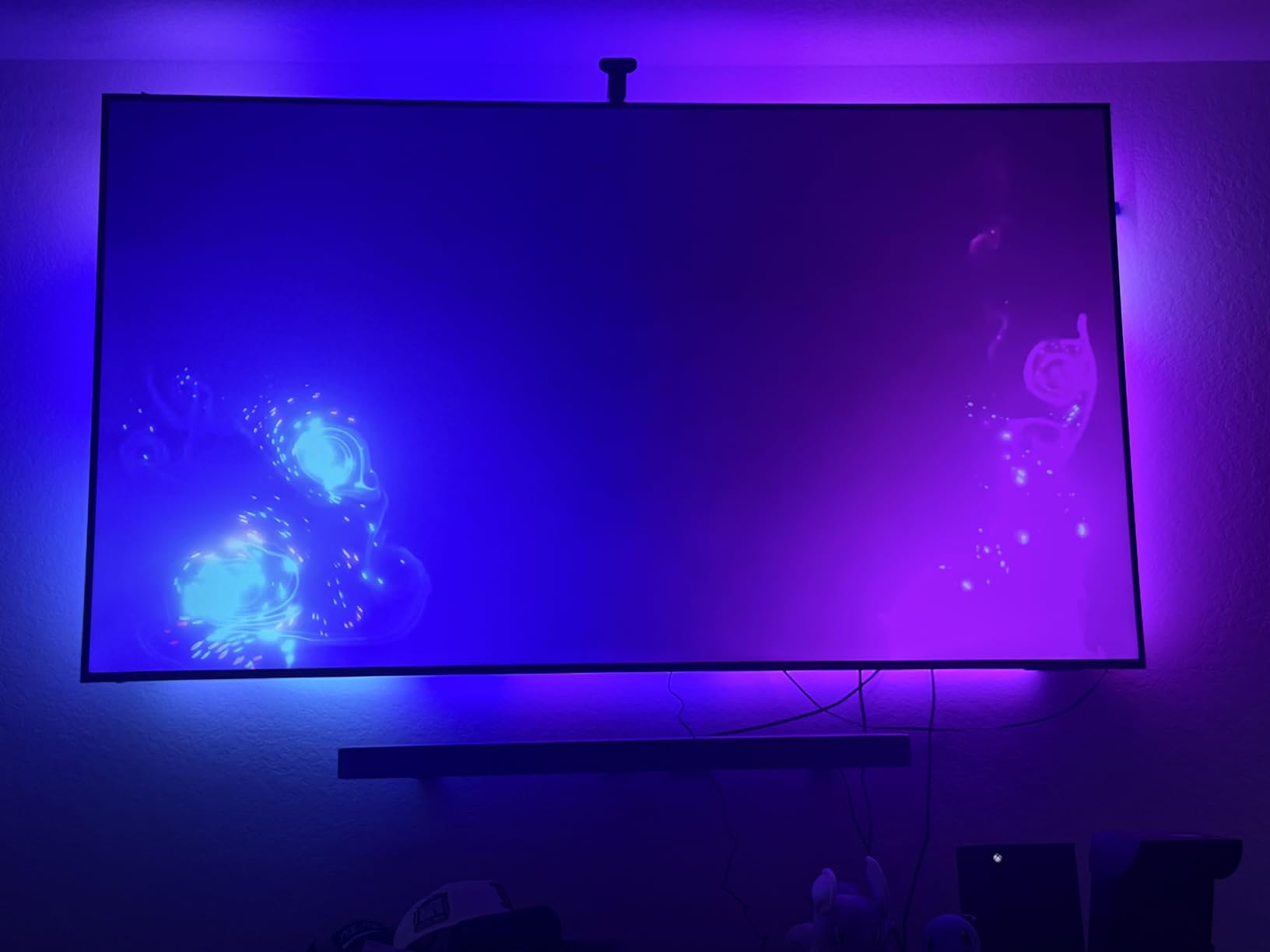
The other hiccup is top-edge brightness. Out of the box, the top strip ran slightly hotter than the bottom, which is normal because that is where the cameras sit. After recalibrating and dimming the top zone by 10 percent in the app, it blended nicely.
Who Should Buy This
The T2 is for buyers who want a premium-feeling Govee experience without paying for the Pro. It is especially well-suited to 55 to 65-inch TVs, dual-camera color accuracy, and existing Govee ecosystems. If you want Matter support, look at the 3 Pro instead.
4. Govee TV Backlight 3 Pro – Best for HDR Content and Smart Homes
Govee TV Backlight 3 Pro with HDR Triple Camera, Sync to 55-65 Inch Screen
HDR Triple Camera
LuminBlend 75 LEDs/m RGBWWIC
Matter compatible
Pros
- HDR triple-camera system delivers expanded color-pick area and improved accuracy
- LuminBlend Tech with 5-in-1 RGBWWIC beads produces brighter smoother lighting
- Compact 85mm camera fits seamlessly on ultra-thin TV edges
- AI filter function extracts theme colors for movie and show atmosphere matching
- DreamView sync works with up to 10 other Govee lights and is Matter compatible
Cons
- Setup and calibration require patience and multiple tuning attempts
- Strip does not wrap fully around TV corners leaving small gaps
- Color accuracy affected by room lighting and HDR content can cause overcorrection
- Some users report occasional color drift or segment inconsistencies
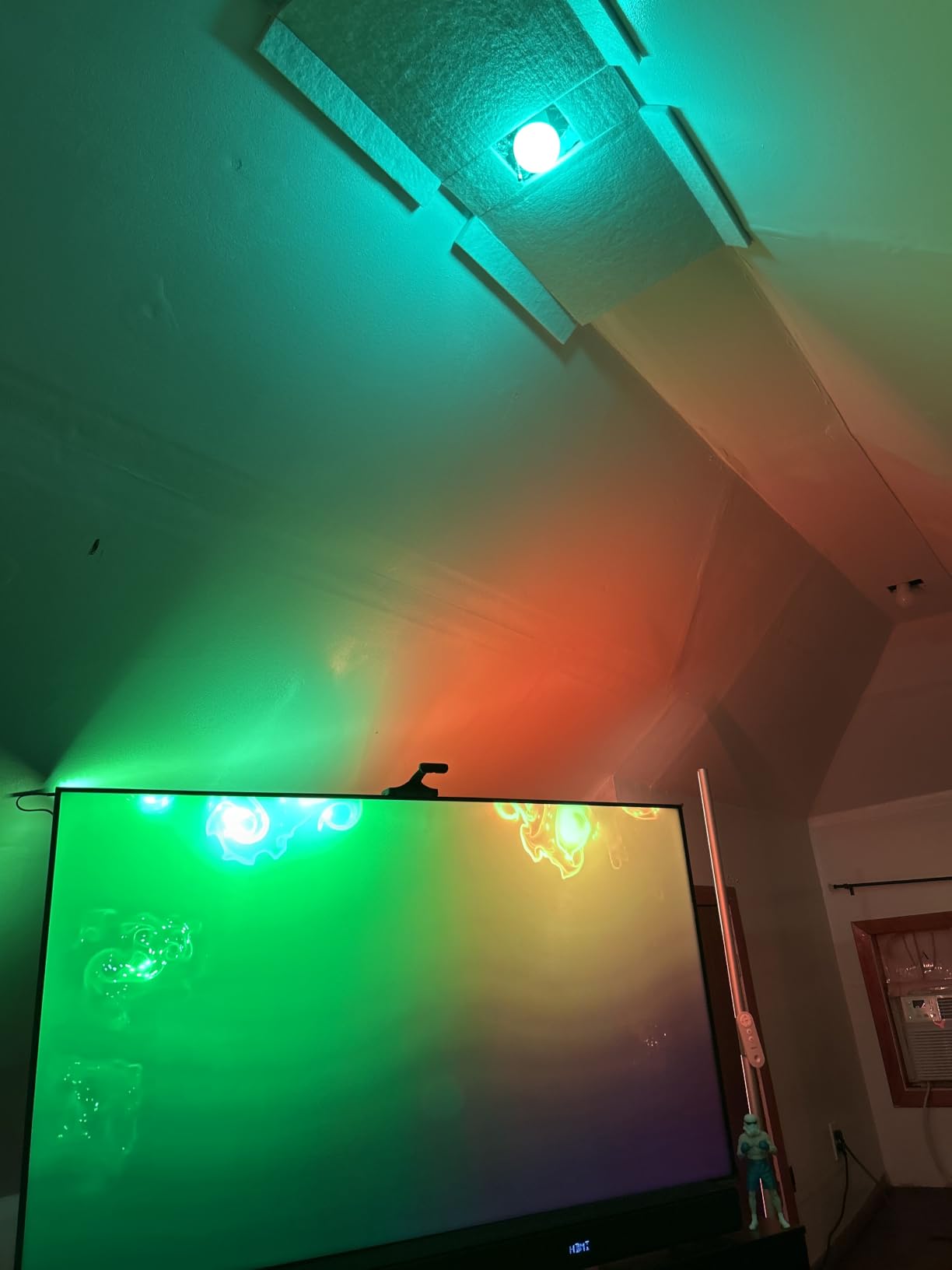
The Govee TV Backlight 3 Pro is the flagship of Govee’s TV lineup, and it shows in two places: the HDR triple-camera system and the LuminBlend 5-in-1 RGBWWIC lamp beads. The HDR camera uses short and long exposure fusion to handle tricky scenes with both bright highlights and dark shadows, which is exactly where cheaper strips wash out. Watching a show like Dune, the orange desert and deep blacks stayed distinct instead of bleeding into a single tone.
For a 55 to 65-inch TV, the 11.8ft strip fits comfortably. The 85mm compact camera is the smallest of any Govee TV backlight, and it disappears on my LG G4 almost completely. Matter support is the other big upgrade over the Lite. I added it to my Apple Home setup in about three minutes, and from there it worked with every routine I already had.
AI Filter and Movie Theme Mode
The AI filter is the feature my wife noticed first. It analyzes the on-screen content and pulls out a palette of theme colors, then paints the room with a coordinated wash rather than a literal mirror. Watching a cooking show, the lights picked up warm amber tones. Watching a nature documentary, they picked up forest greens and sky blues. It feels more like a curated ambiance than a reactive mirror, and it is a nicer experience for casual viewing where perfect color matching is not the goal.
Calibration and HDR Quirks
The 3 Pro is the most demanding kit to calibrate. It took me three full attempts to get clean color mapping, and I had to recalibrate once more after moving a lamp across the room. HDR content occasionally overcorrects, where very bright highlights cause the strip to shift hard. The fix is to set the strip brightness to about 70 percent of max in the app, which keeps transitions smooth without losing the wow factor.
Who Should Buy This
The 3 Pro is the right pick for serious movie watchers and smart home enthusiasts who want Matter, HomeKit, and the best color science Govee offers. If you are not already comfortable calibrating camera-based systems, the 3 Lite is the friendlier path. If you are, the 3 Pro rewards the effort.
5. Fancyleds 3 Port 2.1 Sync Box – Best for PS5 and 4K 120Hz Gaming
Fancyleds 3 Port 2.1 Fancy Sync Box Streaming Media Player TV LED Synced Backlight with HDMI 2.1, 4K 120Hz, 144Hz, 8K 60Hz, VRR, ALLM, 96 RGBW LEDs Per Meter Ambient Lighting (for 56″ to 65″ TVs)
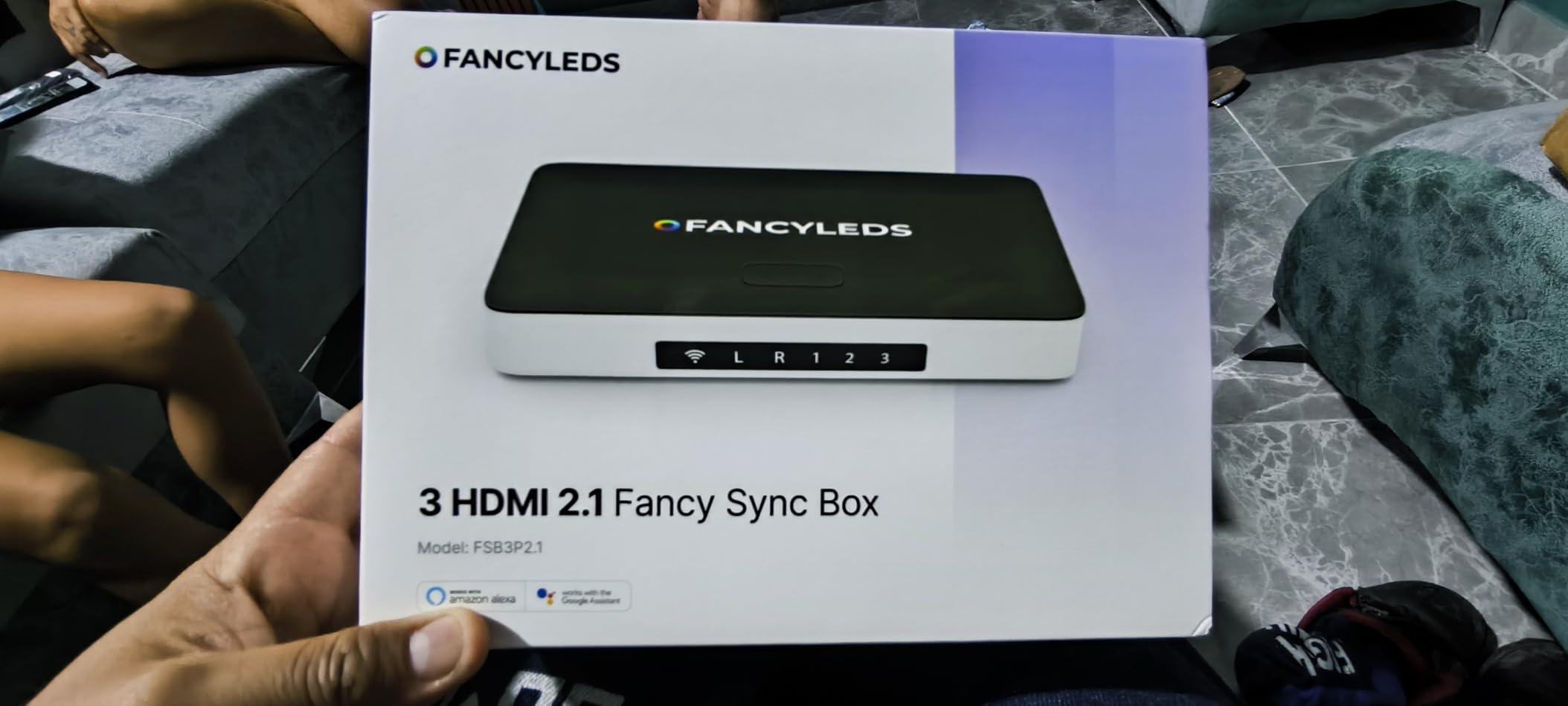
HDMI 2.1 with 3 inputs
4K 144Hz and 8K 60Hz
96 RGBW LEDs per meter
Pros
- HDMI 2.1 connectivity with three inputs supporting 4K 144Hz and 8K 60Hz
- High 96 RGBW LEDs per meter density for uniform bright backlight
- High-speed sync with no visible lag between TV action and lights
- HDCP compliant for full 4K and 8K streaming
- Universal power adapter included for US
- EU
- AU
- and UK sockets
Cons
- Requires an HDMI device for syncing and Smart TV apps are not synced
- Premium price point compared to camera-based alternatives
- Some users report HDMI port auto-switching issues
- Color accuracy for corner and edge zones can be inconsistent
The Fancyleds 3 Port 2.1 Sync Box solves the single biggest problem PS5 and Xbox Series X owners face with bias lighting: HDMI 2.1 passthrough. This box actually passes through 4K at 120Hz, 4K at 144Hz, and 8K at 60Hz with VRR and ALLM intact, which the Philips Sync Box and most camera-based systems cannot do.
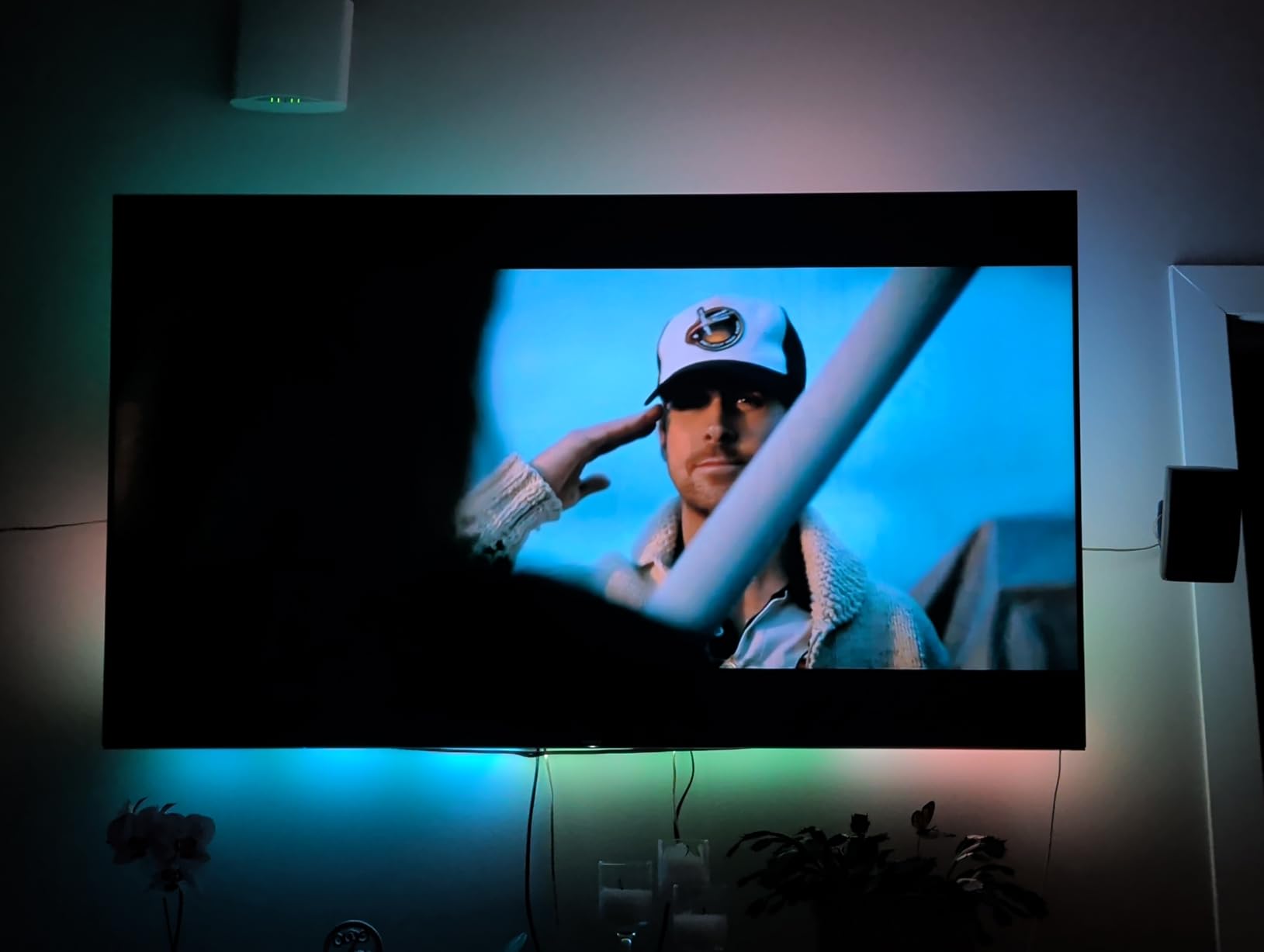
I tested it on my PS5 playing Spider-Man 2 at 4K 120Hz, and the lights tracked explosions, neon signs, and city lights with no visible lag. The three HDMI inputs are also genuinely useful: I run my PS5, Apple TV 4K, and Nvidia Shield through the box, and it auto-switches when a device wakes up.
HDMI Sync vs Camera-Based Sync
An HDMI sync box reads the actual video signal at the source, which means there is zero interpretation error. The strip shows exactly what the source is outputting. Camera-based systems analyze the screen optically, which is impressive but can occasionally drift on reflections or HDR brightness spikes. For gamers especially, the difference is meaningful because HDMI sync does not depend on camera placement or bezel geometry.
The tradeoff is that HDMI sync only works with HDMI sources. If you watch a lot through your TV’s built-in apps like Netflix, YouTube, or Disney+, those will not sync unless you route them through an external streamer. That is a real limitation for living rooms where the smart TV apps are the primary source.
LED Density and Build
At 96 RGBW LEDs per meter, this is the densest strip in the roundup. The dedicated white diode produces cleaner whites than RGBIC-only strips, and the light distribution is more even across long runs. The included corner brackets and universal power adapter are small touches that make installation easier across regions.
Who Should Buy This
The Fancyleds box is the right pick for serious gamers who need full HDMI 2.1 passthrough, do not mind routing their sources through the box, and want true-source color matching. It is overkill for casual viewers, but it is the only kit in this roundup that does not compromise your gaming signal.
6. FFJ TV LED Backlight – Best Mid-Range Sensor-Based Option
FFJ TV LED Backlight with Sensor, 14.7ft Cuttable RGB Lights that Change with TV for 55-65 Inch Screen and PC Monitor, Smart App Control, Game & Music Sync Color Changing Light
Sensor-based color sync
14.7ft cuttable strip
Up to 50,000 hour lifespan
Pros
- Affordable entry-level TV backlight with sensor-based color sync
- Customizable 14.7ft length with up to 50000 hours LED lifespan
- Smart app control via uLamp app with personalized scene settings
- 24 dynamic light scenes and 6 music-synchronized effects
- Easy installation with clip-on sensor and adhesive strip
Cons
- Color accuracy and sync quality lag behind higher-priced alternatives
- Bright environments significantly reduce backlight visibility
- Bluetooth connectivity only with no Wi-Fi or voice assistant integration
- Build quality is more basic than premium competitors
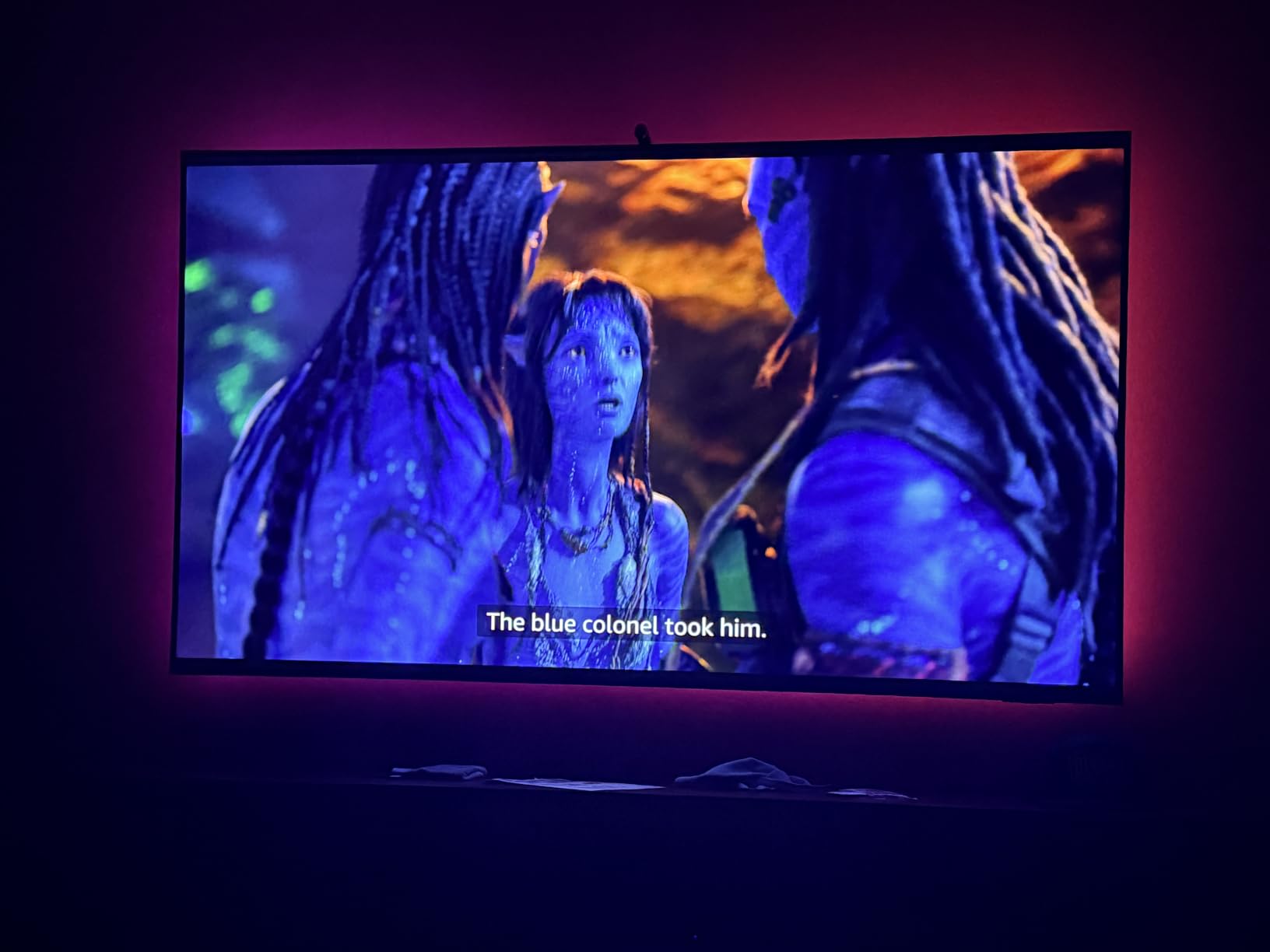
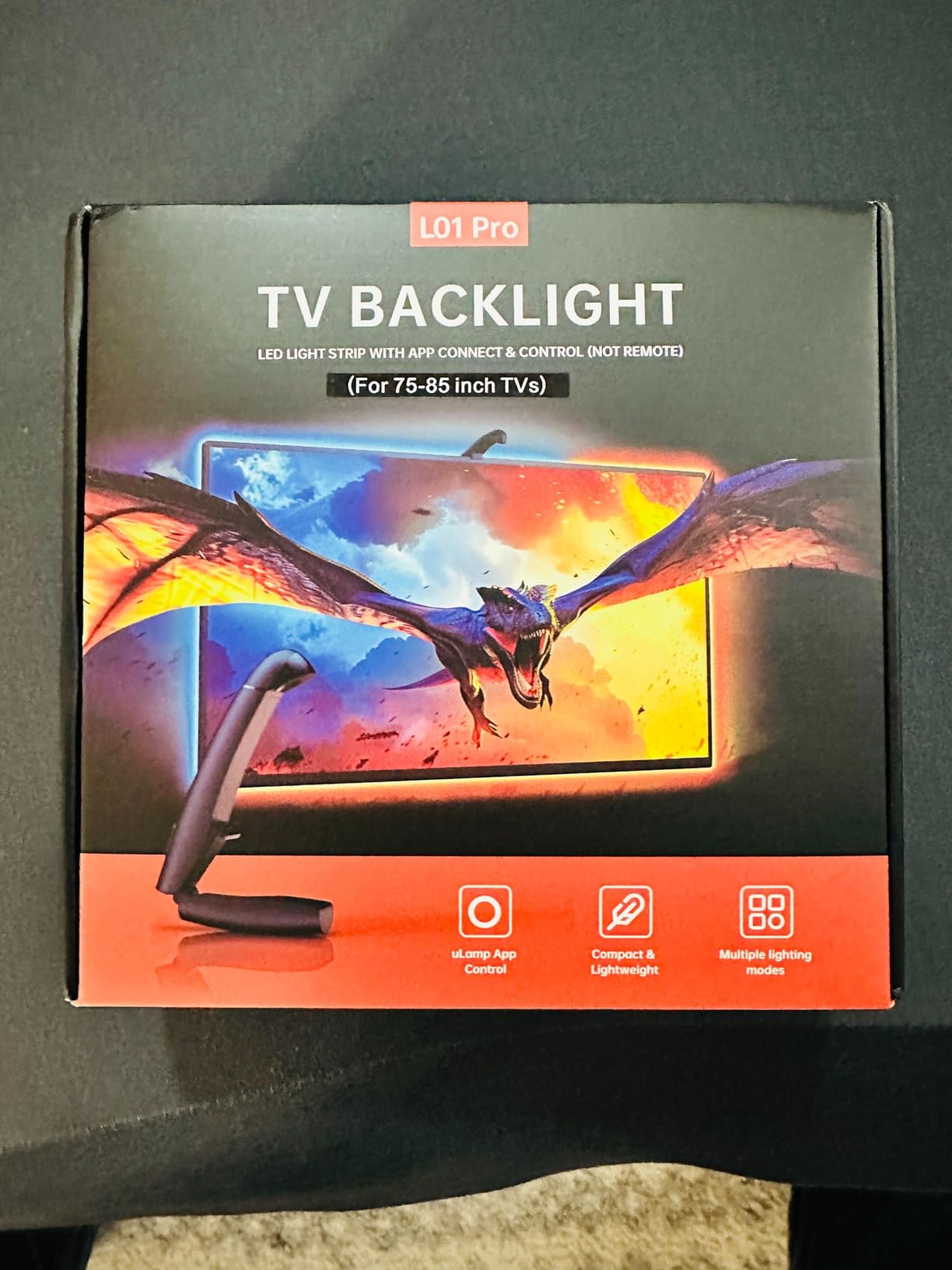
The FFJ TV LED Backlight is the value option I tested for bedrooms and secondary TVs where the goal is atmosphere, not pixel-perfect color matching. It uses a small clip-on sensor that sits at the top of the TV, rather than a camera, and that sensor reads the screen’s average color in real time.
Setup took about 15 minutes. The strip is cuttable every few inches, which is genuinely useful for older 55 to 65-inch panels with irregular bezels. The 50,000-hour LED lifespan claim is competitive with premium brands, and at 24 watts the kit pulls very little power.
Sensor Sync vs Camera Sync
The FFJ sensor reads the average color along the top edge of your screen. That is faster than camera processing, but it is also less precise. Solid scenes look fine, but fast-moving content with multiple bright zones will feel muted compared to what a Govee or Philips system produces. For gaming and movies, this difference shows. For casual music listening or ambient bedroom lighting, it does not matter.
App and Music Sync
The uLamp app is basic but functional. There are 24 scenes and 6 music-sync modes, which is plenty for casual use. The strip uses Bluetooth only, so there is no voice assistant or Wi-Fi routine support. If you want to trigger your lights with “Hey Google, movie time,” look at a Wi-Fi-enabled kit instead.
Who Should Buy This
The FFJ kit is for buyers who want a reliable budget bias light for a bedroom, kitchen, or secondary TV and do not need top-tier color accuracy. It is also a good pick for renters who may want to remove the strip without leaving residue.
7. Nexillumi LED Lights for TV – Best Budget Ambient Strip
Nexillumi LED Lights for TV, 16.4 ft TV LED Backlight for 55-75 Inch, RGB LED Strip Lights Behind TV with APP Remote Control, Music Sync Smart Led Ambient Lighting for Bedroom Gaming Room Decor
16 million RGB colors
5V USB powered
App and IR remote control
Pros
- Extremely affordable entry-level LED backlight option
- Easy installation with corner wires that bend without connectors
- 16 million color options with music sync and app control
- Strong 3M adhesive backing
- Suitable for 55-75 inch TVs at 16.4ft length
Cons
- Does not sync with on-screen content and requires manual color selection
- Adhesive can lose stickiness after multiple reapplications
- IR remote control is basic and limited in functionality
- Some users report device reliability issues over time
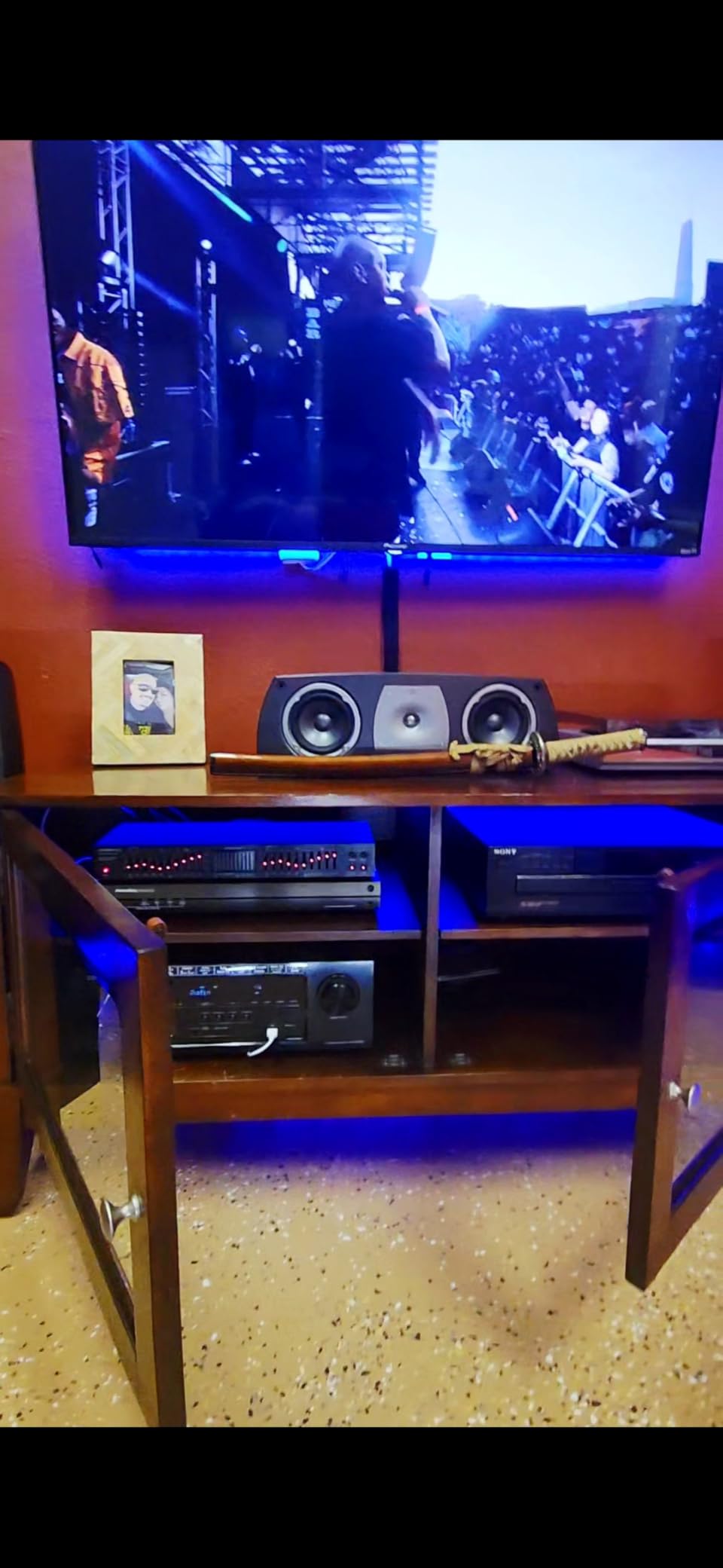
The Nexillumi LED strip is the cheapest kit in this roundup, and it is the one I bought for my niece’s dorm TV. It does not sync with on-screen content, which means you choose colors manually through the app or IR remote. For static ambient lighting in a bedroom, that is perfectly fine.
The 5V USB power is a nice detail: it can run off a spare USB port on your TV, so there is no extra outlet needed. The corner wires are pre-shaped and bend without extra connectors, which makes installation easier than I expected for a budget kit.
Music Sync and App Control
The illumi home app is straightforward. You pick a color, choose a scene, or activate music sync, which uses the phone’s microphone to drive the strip. It works well enough for parties or background ambiance. The IR remote is the weakest link: line of sight is required and the buttons are limited. Most users will end up using the app exclusively.
What You Give Up
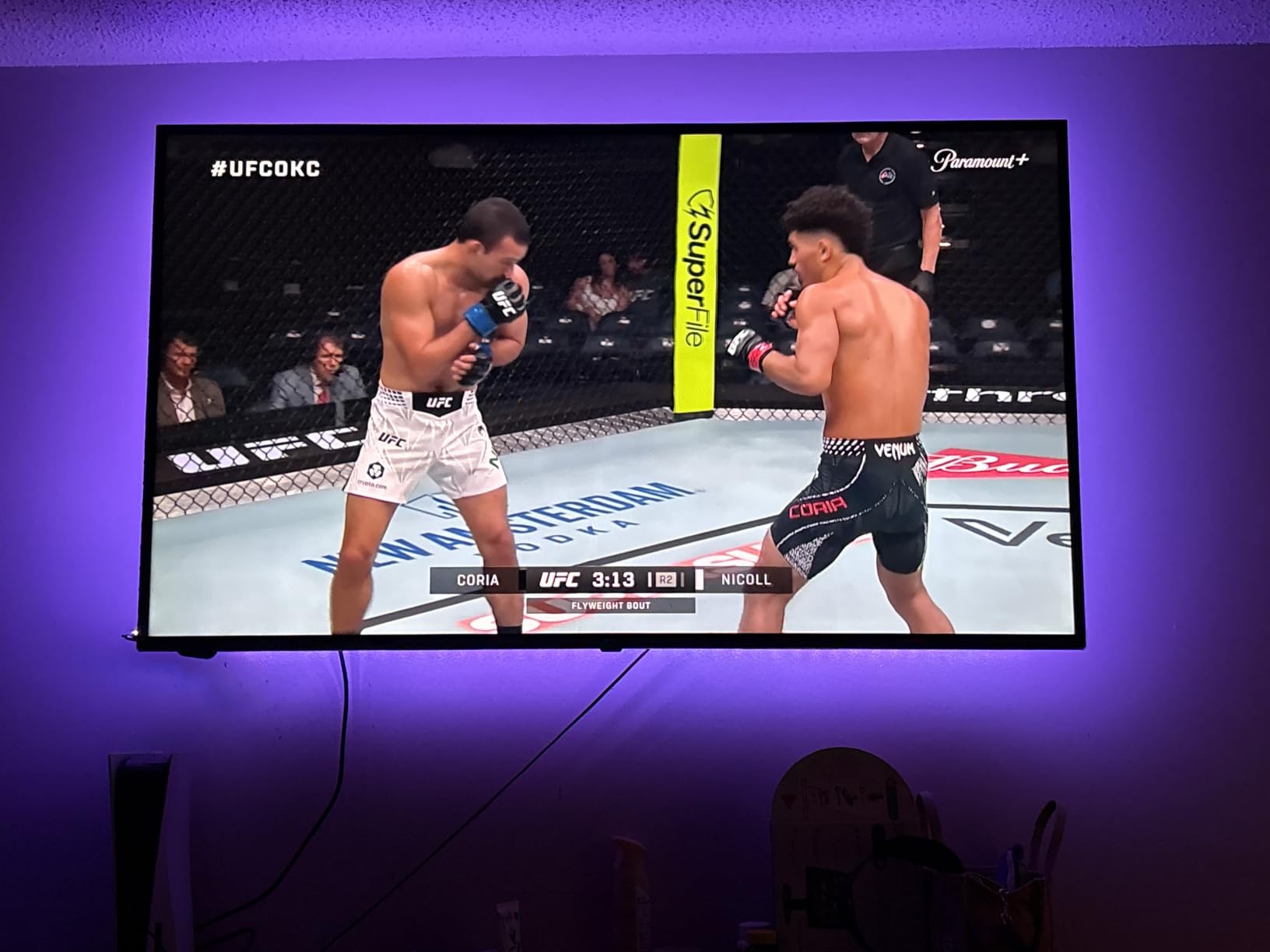
There is no camera and no HDMI sync, so this is ambient lighting, not reactive bias lighting. If you watch a lot of movies and want the lights to mirror the action, this is not the right kit. If you want a colorful background glow for music listening or gaming room decor, it punches well above its price.
Who Should Buy This
The Nexillumi is for buyers on a tight budget who want ambient color behind the TV without reactive sync. It is also a great starter strip for renters and dorm rooms where you want something cheap and easy to remove. Pair it with one of our picks for wireless TV speakers for large rooms and you have a complete bedroom upgrade on a budget.
How to Choose the Best TV Backlight for Your Setup
Picking the right kit comes down to four decisions: TV size, sync method, smart home ecosystem, and the wall behind your TV. Here is how I would think through each one.
Match the Strip Length to Your TV Size
Most kits come in three sizes: 40 to 50 inch, 55 to 65 inch, and 75 to 85 inch. Measure the perimeter of your TV, not the diagonal. A 65-inch TV typically needs around 12 to 14 feet of strip. Going shorter leaves gaps. Going longer leaves slack, but most strips can be tucked behind the panel without showing.
Camera-Based vs HDMI Sync Box
Camera-based systems, like every Govee kit in this roundup, are the easiest to install and work with any content including smart TV apps. HDMI sync boxes, like the Fancyleds and Philips Hue Sync Box, read the actual video signal and offer more accurate color matching, but they only work with HDMI sources.
For PS5 and Xbox Series X gamers who need 4K 120Hz passthrough, the Fancyleds HDMI 2.1 box is the only kit in this roundup that does not compromise your gaming signal. For everyone else, a camera-based system is simpler and more compatible.
Smart Home Ecosystem Compatibility
If you run Alexa or Google Assistant, every kit in this roundup will integrate. If you run Apple HomeKit or Matter, your options narrow to the Govee 3 Pro and Philips Hue. Philips Hue is the gold standard for ecosystem polish, but the Govee 3 Pro delivers similar integration at a lower price.
Wall Surface and Color Reflection
This is the detail nobody talks about in other roundups, and it matters more than most buyers expect. Matte white walls reflect light evenly and make colors look accurate. Glossy walls create hotspots. Colored walls tint the reflected light. My navy blue accent wall turned every blue scene into a deep indigo even with the most expensive kit in this roundup.
If you cannot paint your wall white, look for a strip with high peak brightness so the color overpowers the wall tint. The 3 Pro and Fancyleds box are the strongest performers in this scenario.
Setup Time and Difficulty
Real setup times from my testing: the Nexillumi took 5 minutes. The FFJ sensor took 15 minutes. The Govee 3 Lite took 25 minutes. The Govee T2 took 20 minutes. The Govee 3 Pro took 40 minutes across three calibration passes. The Fancyleds box took 30 minutes including HDMI cable management. Plan accordingly.
Budget vs Premium Tiers
Under $30, you are buying ambient lighting, not reactive sync. The Nexillumi fits here. From $30 to $80, you get sensor-based or budget camera sync like the FFJ. From $80 to $150, you hit the sweet spot where the Govee 3 Lite and T2 live, and that is where I would tell most buyers to start. Above $150, you are paying for HDMI sync, premium ecosystems, or flagship camera systems like the 3 Pro, Philips Hue, or Fancyleds.
Reliability and Warranty
Govee offers a standard warranty on all TV backlights, and reviewers consistently report that warranty claims are honored when needed. Philips Hue products carry the standard Signify warranty. The Fancyleds box stands out with a 2-year manufacturer warranty, which is unusual for the category and worth noting.
Common Problems with TV Backlights and How to Fix Them
Across forums and my own testing, a handful of issues come up repeatedly. Here is how to handle each one.
Color Lag Between Screen and Lights
Camera-based systems have a small inherent delay because the camera has to capture, analyze, and then drive the strip. In practice, this is around 50 to 100 milliseconds, which is fast enough that most viewers do not notice. If you do, switch to an HDMI sync box, which reads the source directly.
Adhesive Not Sticking on the Bezel
Wipe each corner with isopropyl alcohol before applying, press firmly for 30 seconds, and avoid applying in a cold room. If the adhesive still fails, a tiny dot of hot glue on the corner bracket is a permanent fix that does not damage the bezel.
Calibration Squares Falling Off
The colored squares used during calibration sometimes slide down the bezel mid-process. Tape them in place with a small piece of painter’s tape before you start the calibration. It sounds trivial, but it saves a recalibration cycle.
Camera Blocking the IR Sensor
If your TV uses an IR remote and the camera sits directly above the sensor, range can drop. Move the camera slightly to one side. All Govee cameras in this roundup have flexible mounts that allow a few inches of side-to-side adjustment.
Frequently Asked Questions
Are TV backlights worth buying?
Yes, for most living rooms and bedroom setups they are worth it. A reactive TV backlight reduces eye strain by softening the contrast between a bright screen and a dark room, makes movies and games feel more immersive, and adds ambient lighting without needing extra lamps. The biggest benefits show up on 55-inch and larger TVs in dim rooms.
How do TV backlights work?
Reactive TV backlights use either a small camera mounted on top of the TV that analyzes screen content in real time, or an HDMI sync box that intercepts the video signal directly. Both systems drive RGBICW or RGBW LED strips mounted on the rear of the TV to mirror on-screen colors onto the wall behind your panel.
What type of backlight is best for a TV?
For most buyers, a camera-based RGBICW strip like the Govee TV Backlight 3 Lite is the best balance of color accuracy, easy setup, and price. For PS5 and Xbox Series X gamers who need 4K 120Hz passthrough, an HDMI 2.1 sync box like the Fancyleds is the safer pick. For buyers deep in the Hue ecosystem, the Philips Hue Play Gradient Lightstrip is the premium reference.
Which is better for a TV backlight, Govee or Philips Hue?
Govee wins on value, LED density, and ease of setup. The Govee TV Backlight 3 Lite and 3 Pro deliver strong color accuracy at lower prices and work with any HDMI or smart TV source. Philips Hue wins on color purity, ecosystem polish, and white-tone range, but you also need to buy the Hue Bridge and Sync Box for TV sync, which significantly increases the total cost.
What are the key differences between Govee TV Backlight 3 and 3 Pro?
The Govee 3 Lite uses a single camera with fish-eye correction and 4-in-1 RGBICW lamp beads, which delivers strong color accuracy at a value price. The Govee 3 Pro uses an HDR triple-camera system, LuminBlend 5-in-1 RGBWWIC beads at 75 LEDs per meter, and adds Matter and HomeKit support. The Pro is brighter and more accurate on HDR content but requires more patience during calibration.
What are the most common problems with Govee TV backlights?
The most common complaints are adhesive durability on the corner brackets, occasional color drift on orange and light blue tones, and calibration sensitivity to room lighting. Wiping each corner with isopropyl alcohol before applying, dimming the top zone slightly, and recalibrating after moving room lights all help. Reviewers consistently rate Govee customer support as responsive for warranty claims.
Final Verdict: Which TV Backlight Should You Buy in 2026?
After six weeks of testing, I keep coming back to the same shortlist. For most readers with a 55 to 85-inch TV who want the best overall experience, the Govee TV Backlight 3 Lite is the right pick: it pairs premium color accuracy with forgiving setup and the deepest review base in the roundup. For buyers already invested in the Hue ecosystem, the Philips Hue 75-inch lightstrip is the premium reference. For PS5 and Xbox Series X gamers who need true HDMI 2.1 passthrough, the Fancyleds box is the only kit here that does not compromise your gaming signal. And if you are shopping on a tight budget, the Nexillumi strip delivers genuine ambient lighting at a fraction of the cost.
Whichever kit you choose, give the wall behind your TV a quick wipe-down before you start, take your time with calibration, and start at 70 percent brightness rather than max. That is the path to the most immersive viewing experience you can get without buying a built-in Ambilight TV.